Download to read offline
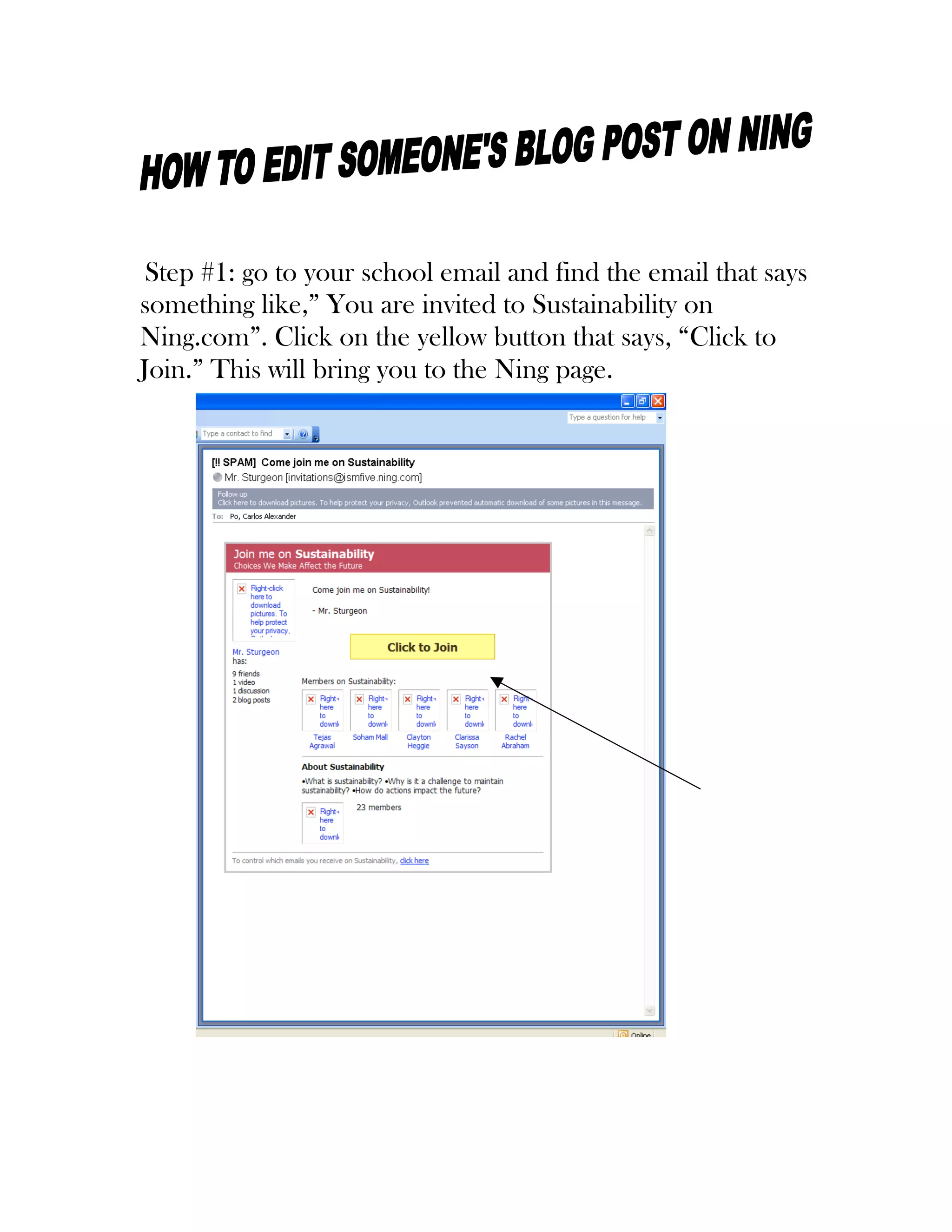
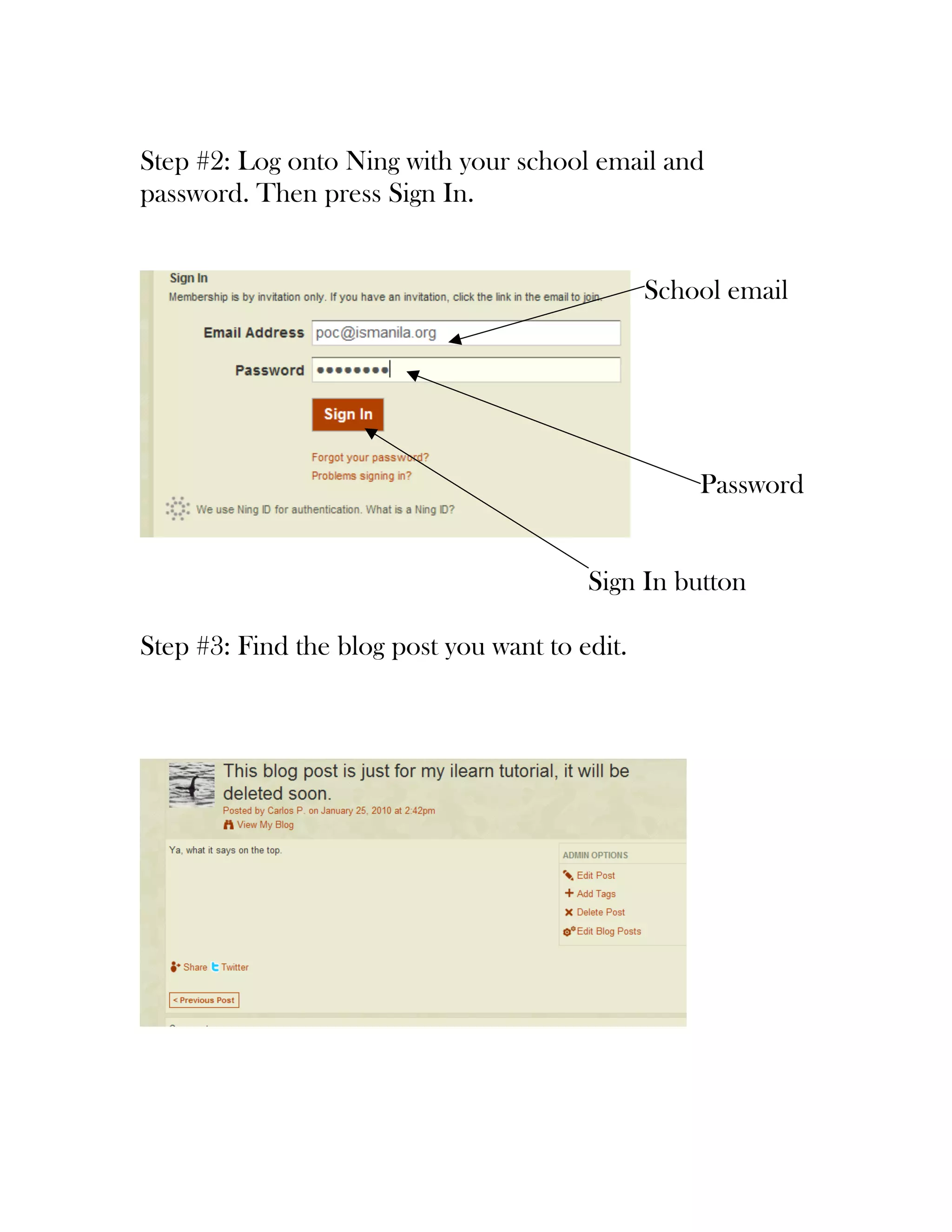
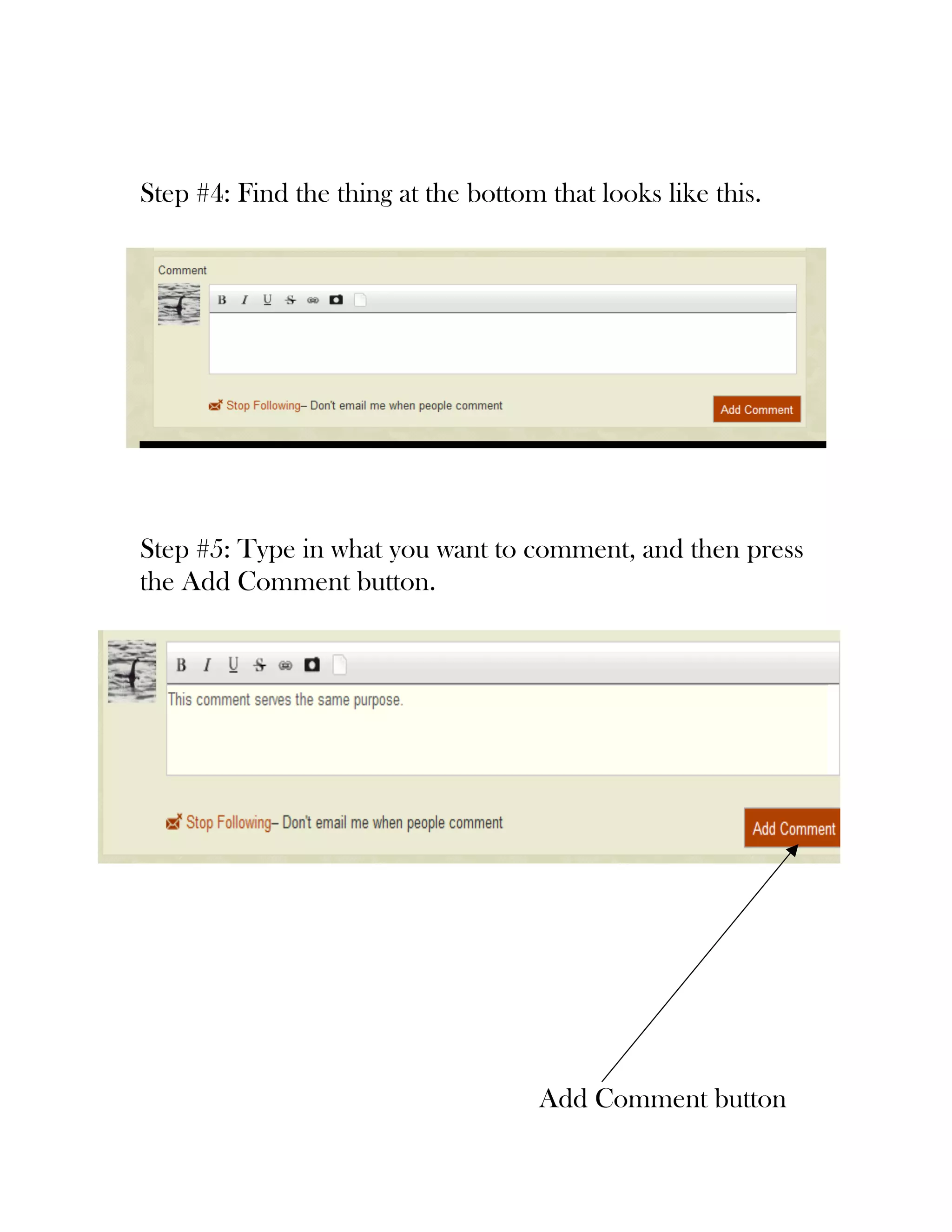
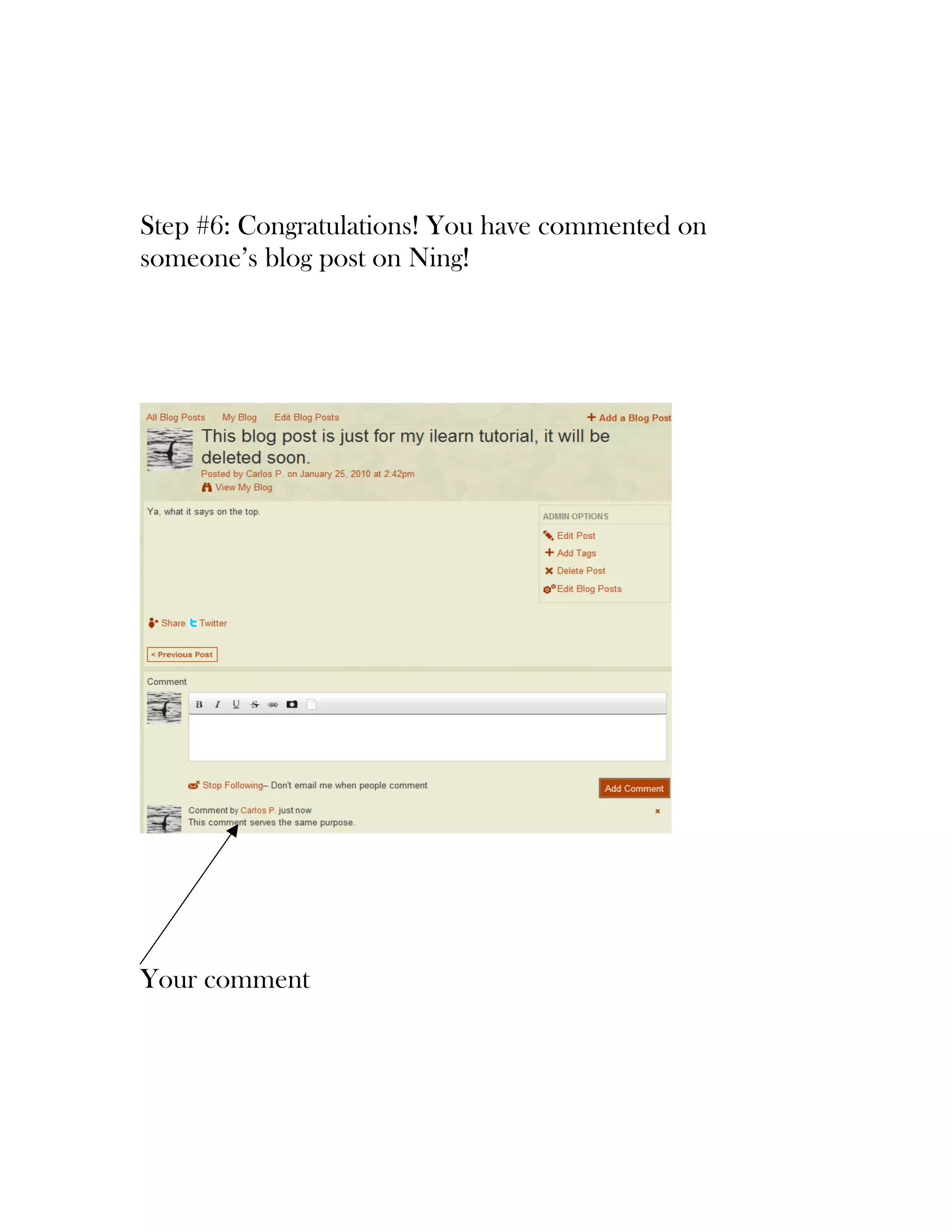

The document provides a 6-step process for commenting on a blog post within a school's sustainability website hosted on Ning.com. Users are first instructed to find and click a link in their school email to join the Ning site, then log in using their school email and password. After finding the desired blog post, users can add a comment by typing in a comment box and clicking an "Add Comment" button.


![[How-To] Using Non Google Id With Google Groups](https://cdn.slidesharecdn.com/ss_thumbnails/njc-using-nongoogle-id-with-google-groups-1210518781748853-9-thumbnail.jpg?width=640&height=640&fit=bounds)


![Coded Agents – with UiPath SDK + LangGraph [Virtual Hands-on Workshop]](https://cdn.slidesharecdn.com/ss_thumbnails/codedagentsdeck-251215155422-5497c599-thumbnail.jpg?width=640&height=640&fit=bounds)


