How to Create and Embed a Slideshare Document into your Blog

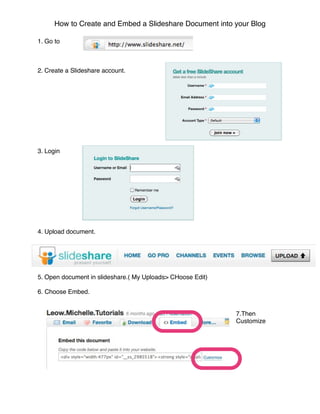
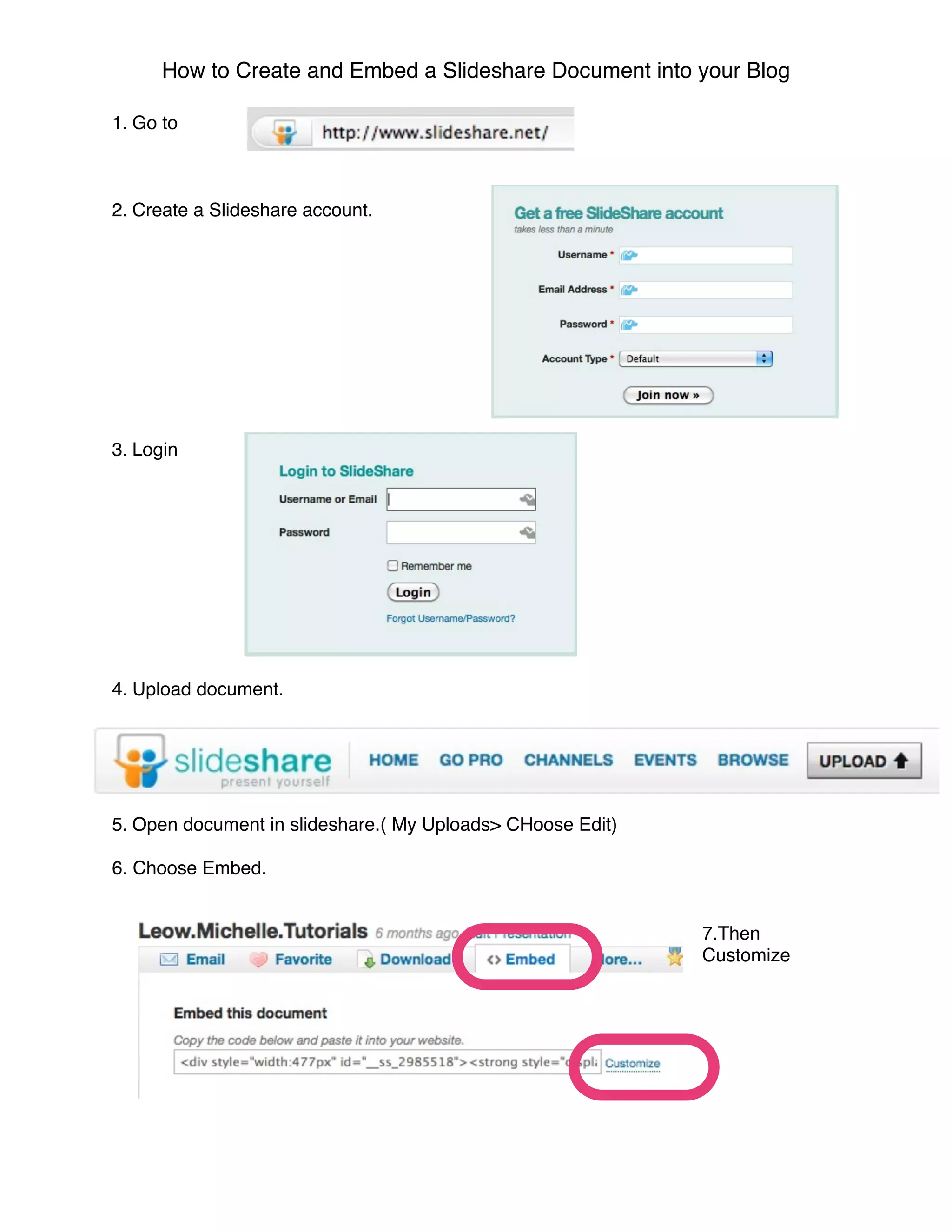
1. Go to


2. Create a Slideshare account.


3. Login


4. Upload document.


5. Open document in slideshare.( My Uploads> CHoose Edit)

6. Choose Embed.


                                                            7.Then
                                                            Customize
How to Create and Embed a Slideshare Document into your Blog

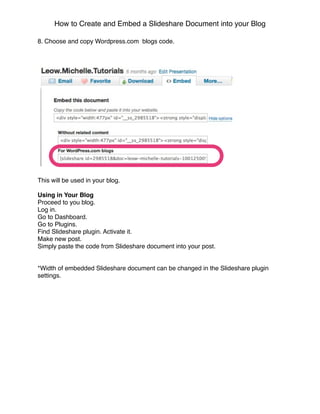
8. Choose and copy Wordpress.com blogs code.


This will be used in your blog.

Using in Your Blog
Proceed to you blog.
Log in.
Go to Dashboard.
Go to Plugins.
Find Slideshare plugin. Activate it.
Make new post.
Simply paste the code from Slideshare document into your post.


*Width of embedded Slideshare document can be changed in the Slideshare plugin
settings.

Slideshare Embed Test

  • 1.
    How to Createand Embed a Slideshare Document into your Blog 1. Go to 2. Create a Slideshare account. 3. Login 4. Upload document. 5. Open document in slideshare.( My Uploads> CHoose Edit) 6. Choose Embed. 7.Then Customize
  • 2.
    How to Createand Embed a Slideshare Document into your Blog 8. Choose and copy Wordpress.com blogs code. This will be used in your blog. Using in Your Blog Proceed to you blog. Log in. Go to Dashboard. Go to Plugins. Find Slideshare plugin. Activate it. Make new post. Simply paste the code from Slideshare document into your post. *Width of embedded Slideshare document can be changed in the Slideshare plugin settings.