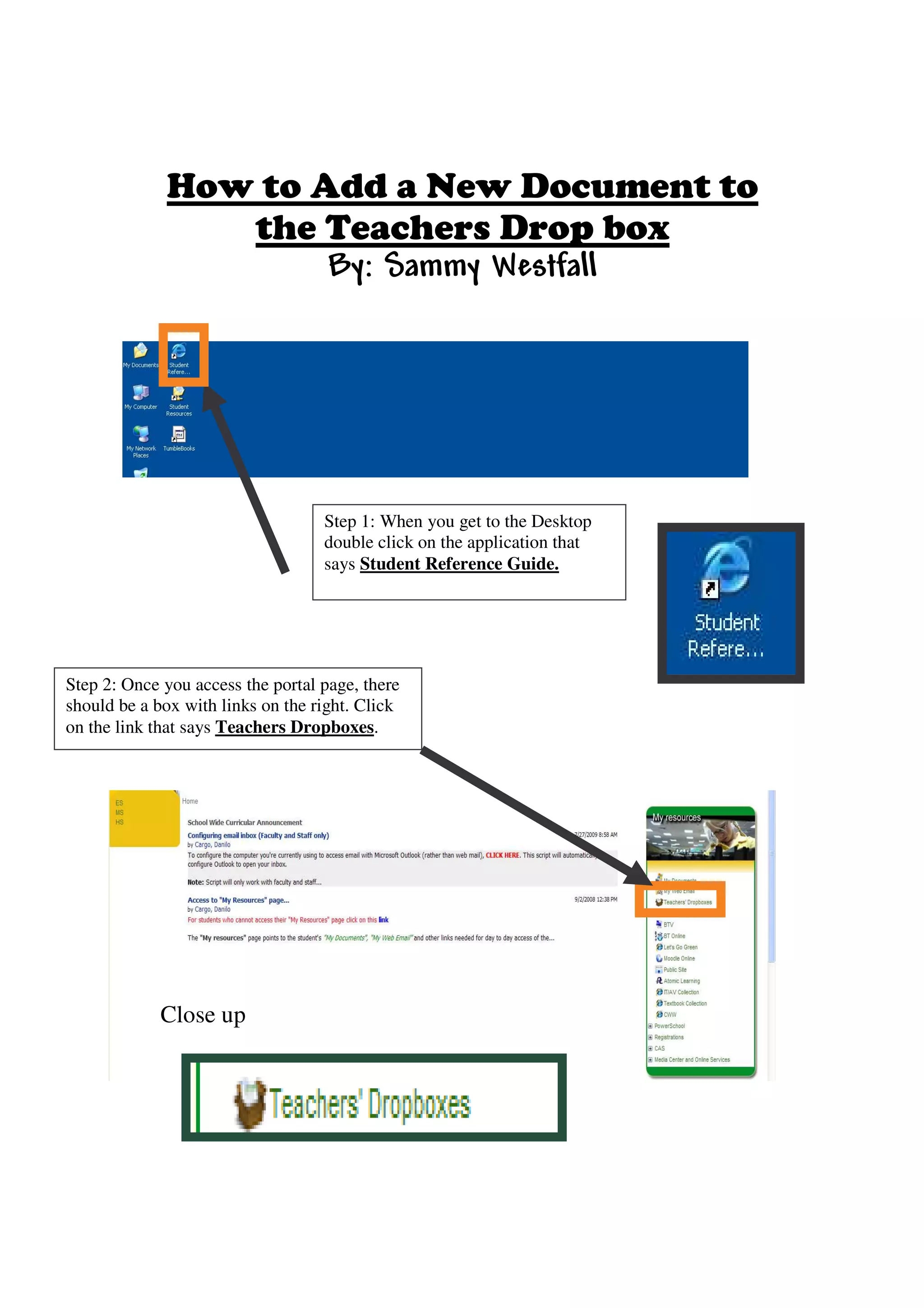
Step 1: When you get to the Desktop
                                   double click on the application that
                                   says Student Reference Guide.


Step 2: Once you access the portal page, there
should be a box with links on the right. Click
on the link that says Teachers Dropboxes.


             Close up
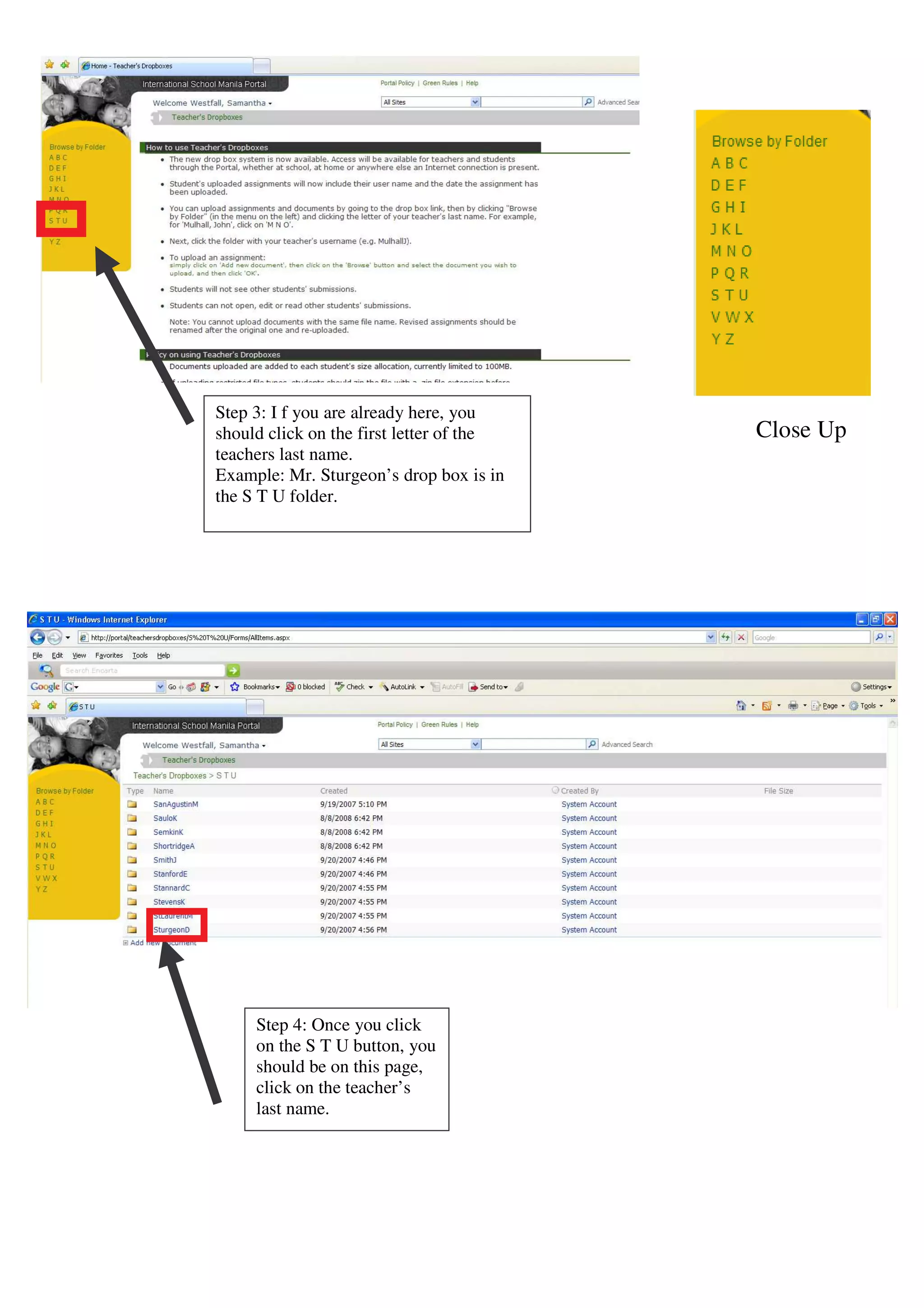
Step 3: I f you are already here, you
should click on the first letter of the   Close Up
teachers last name.
Example: Mr. Sturgeon’s drop box is in
the S T U folder.


     Step 4: Once you click
     on the S T U button, you
     should be on this page,
     click on the teacher’s
     last name.
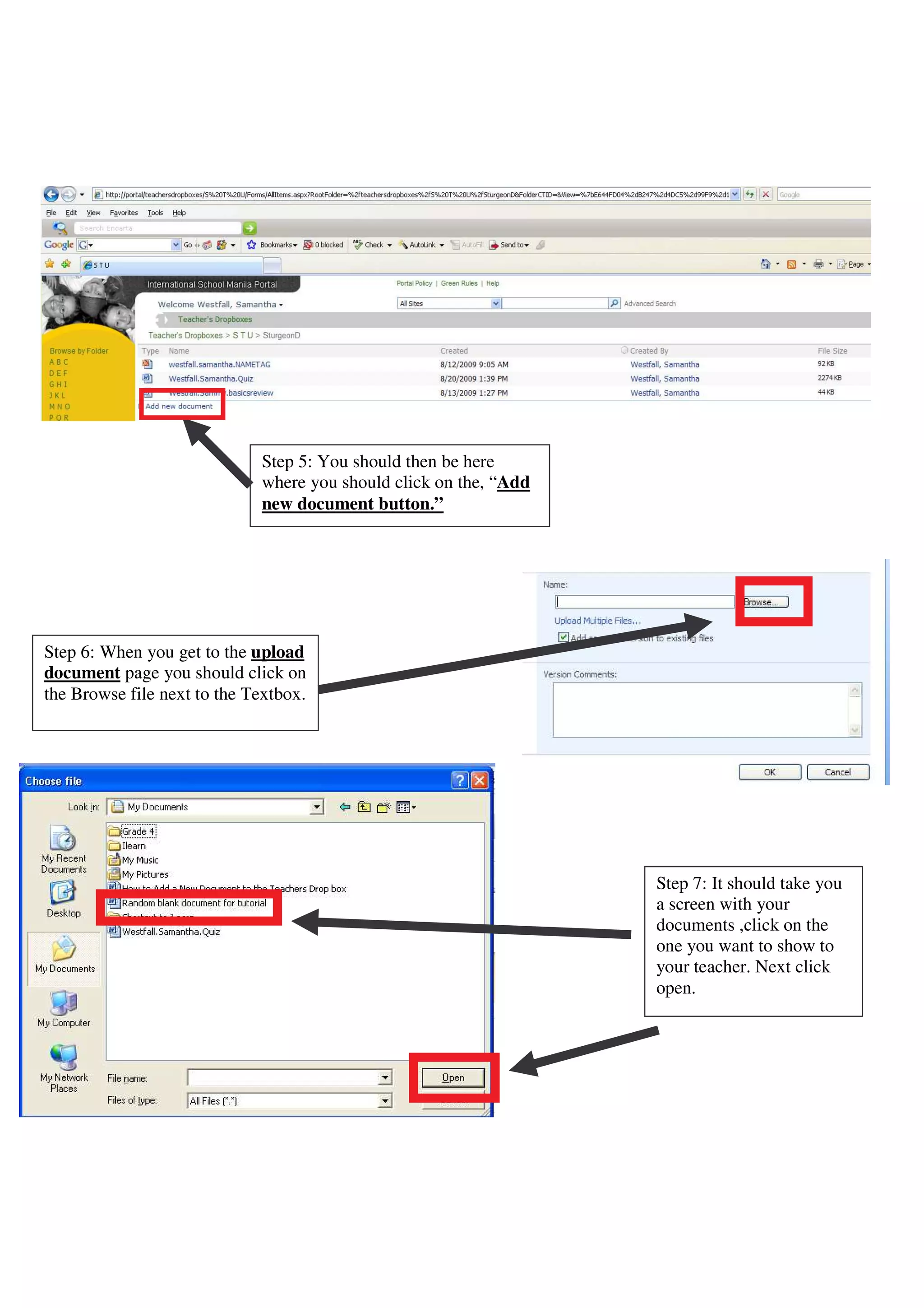
Step 5: You should then be here
                             where you should click on the, “Add
                             new document button.”


Step 6: When you get to the upload
document page you should click on
the Browse file next to the Textbox.


                                                                   Step 7: It should take you
                                                                   a screen with your
                                                                   documents ,click on the
                                                                   one you want to show to
                                                                   your teacher. Next click
                                                                   open.
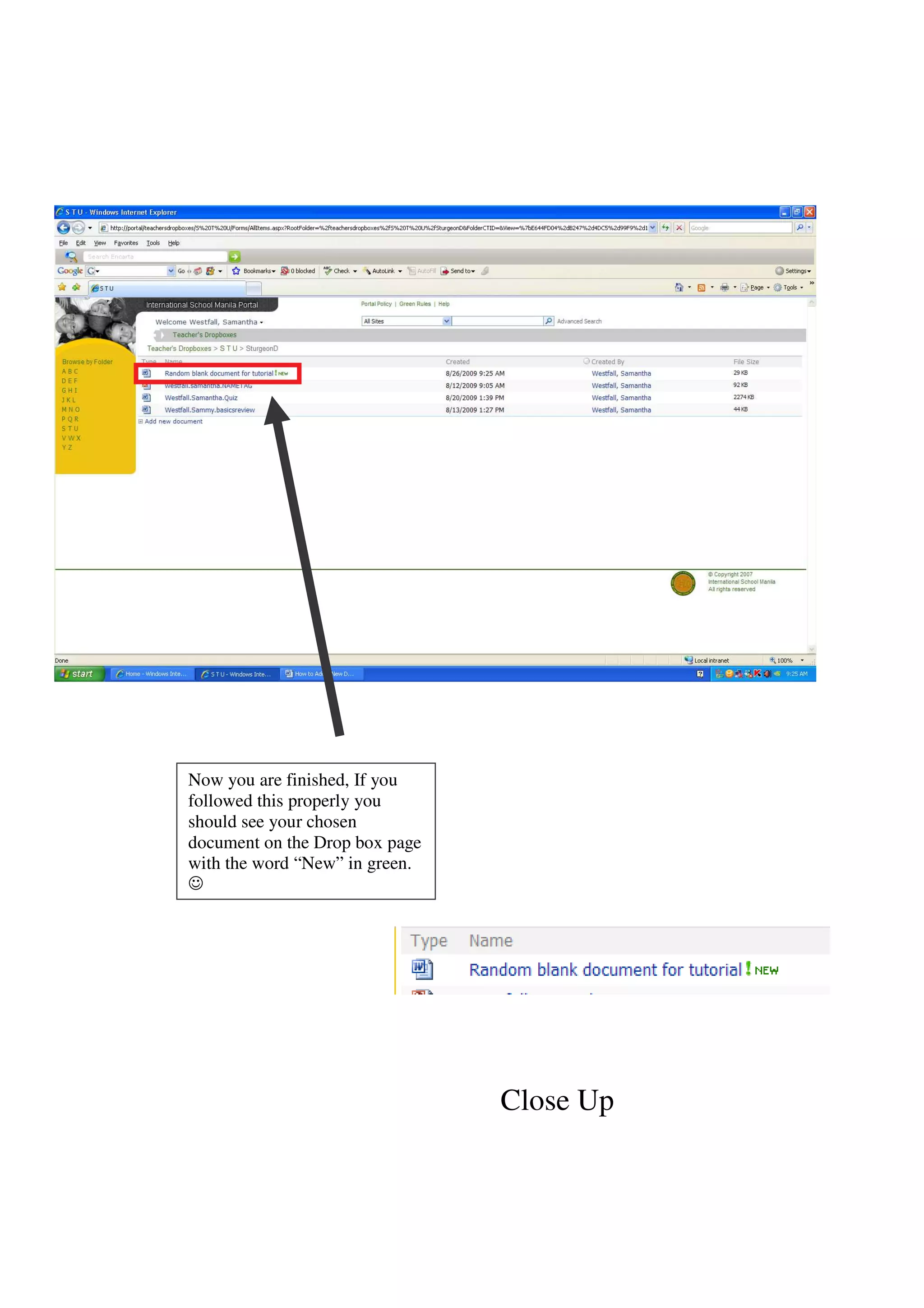
Now you are finished, If you
followed this properly you
should see your chosen
document on the Drop box page
with the word “New” in green.


                                Close Up

How To Add A Document To The Teachers Drop Box

  • 1.
    Step 1: Whenyou get to the Desktop double click on the application that says Student Reference Guide. Step 2: Once you access the portal page, there should be a box with links on the right. Click on the link that says Teachers Dropboxes. Close up
  • 2.
    Step 3: If you are already here, you should click on the first letter of the Close Up teachers last name. Example: Mr. Sturgeon’s drop box is in the S T U folder. Step 4: Once you click on the S T U button, you should be on this page, click on the teacher’s last name.
  • 3.
    Step 5: Youshould then be here where you should click on the, “Add new document button.” Step 6: When you get to the upload document page you should click on the Browse file next to the Textbox. Step 7: It should take you a screen with your documents ,click on the one you want to show to your teacher. Next click open.
  • 4.
    Now you arefinished, If you followed this properly you should see your chosen document on the Drop box page with the word “New” in green. Close Up