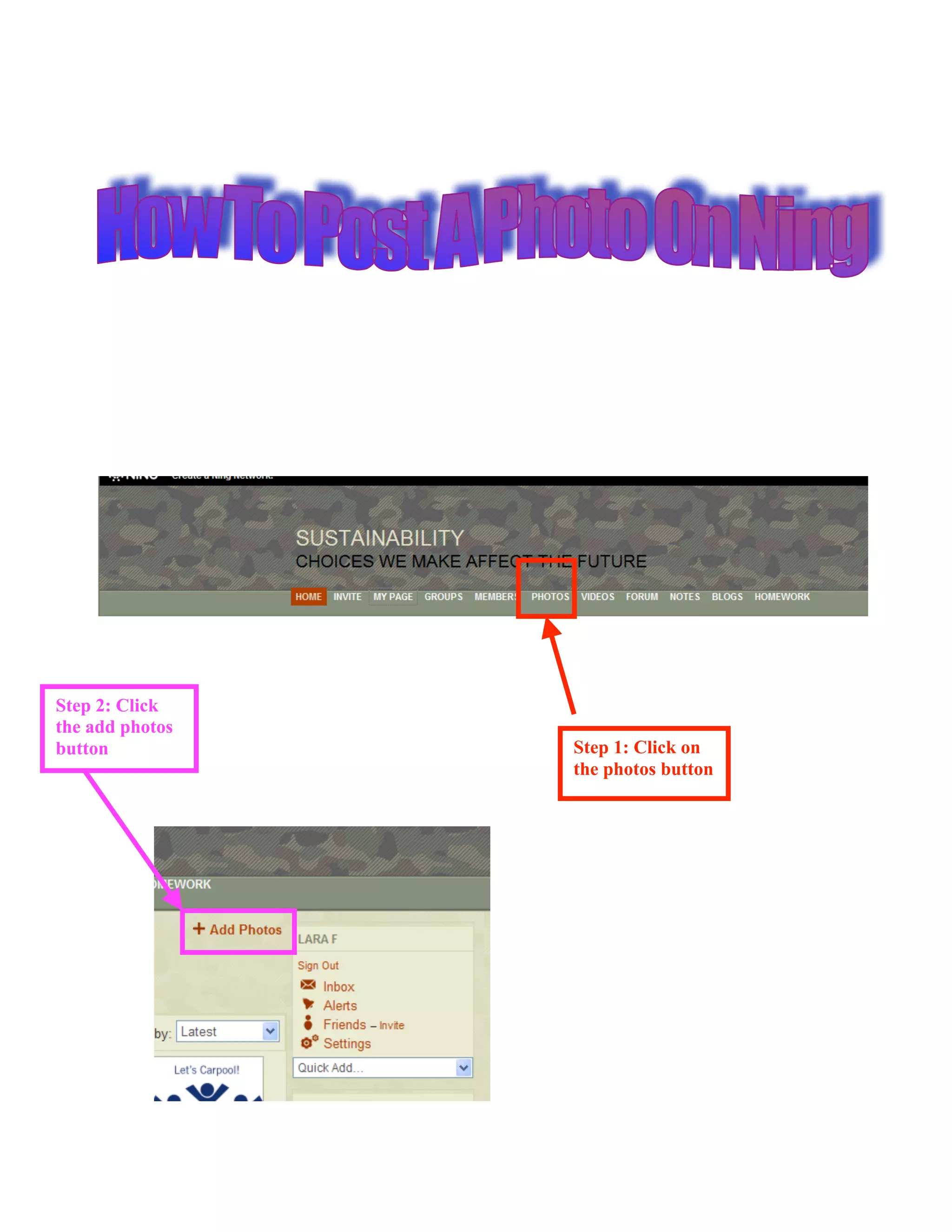
Step 2: Click
the add photos
button           Step 1: Click on
                 the photos button
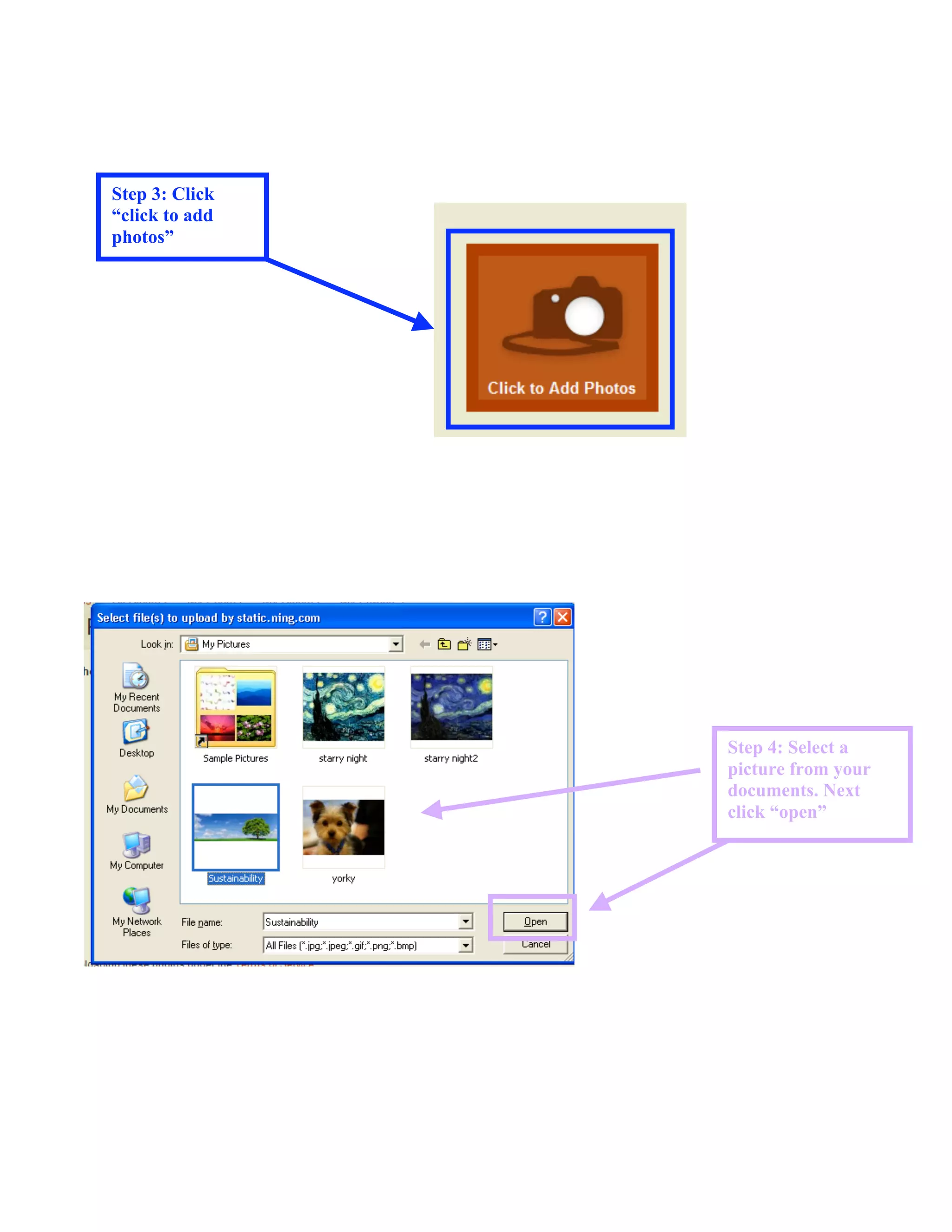
Step 3: Click
“click to add
photos”


                Step 4: Select a
                picture from your
                documents. Next
                click “open”
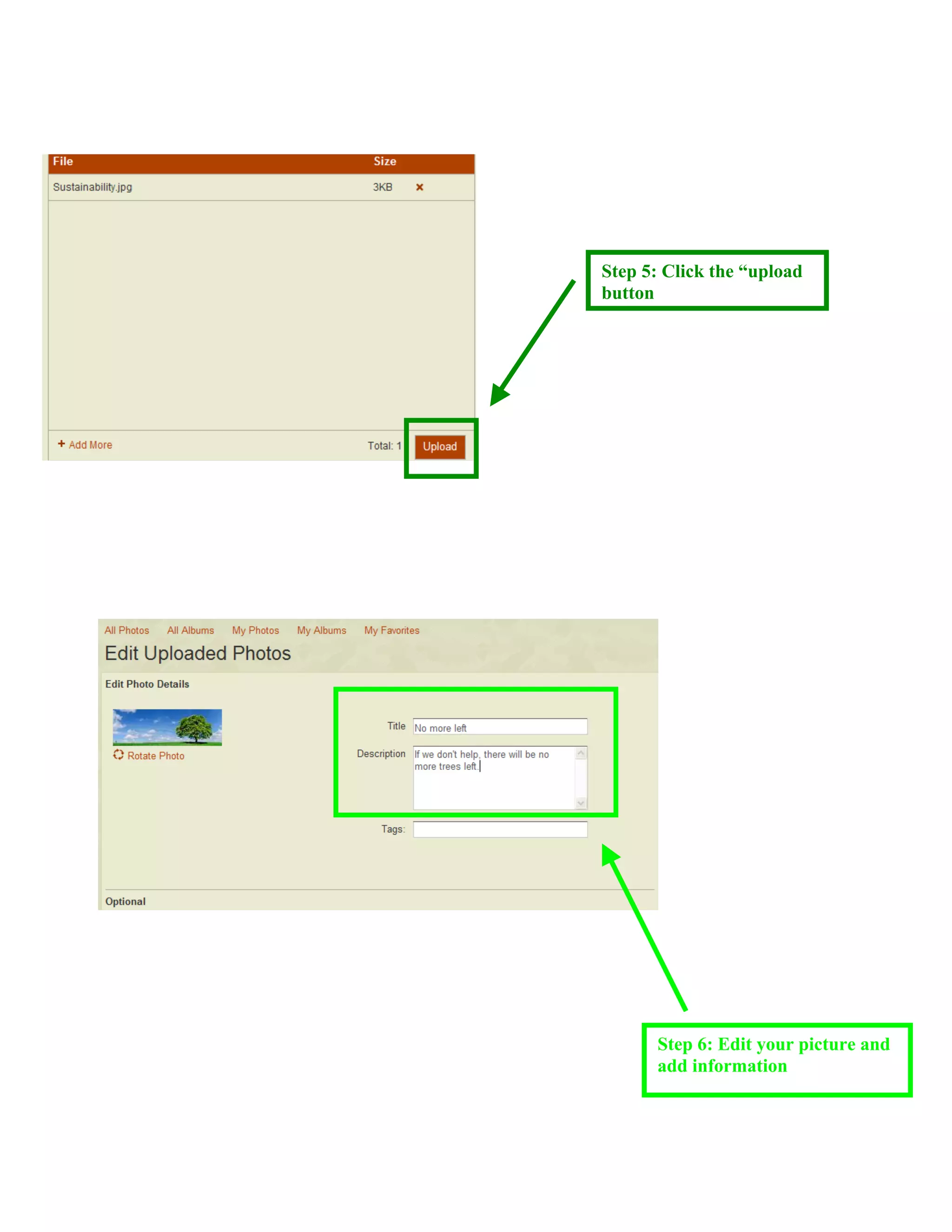
Step 5: Click the “upload
button


      Step 6: Edit your picture and
      add information
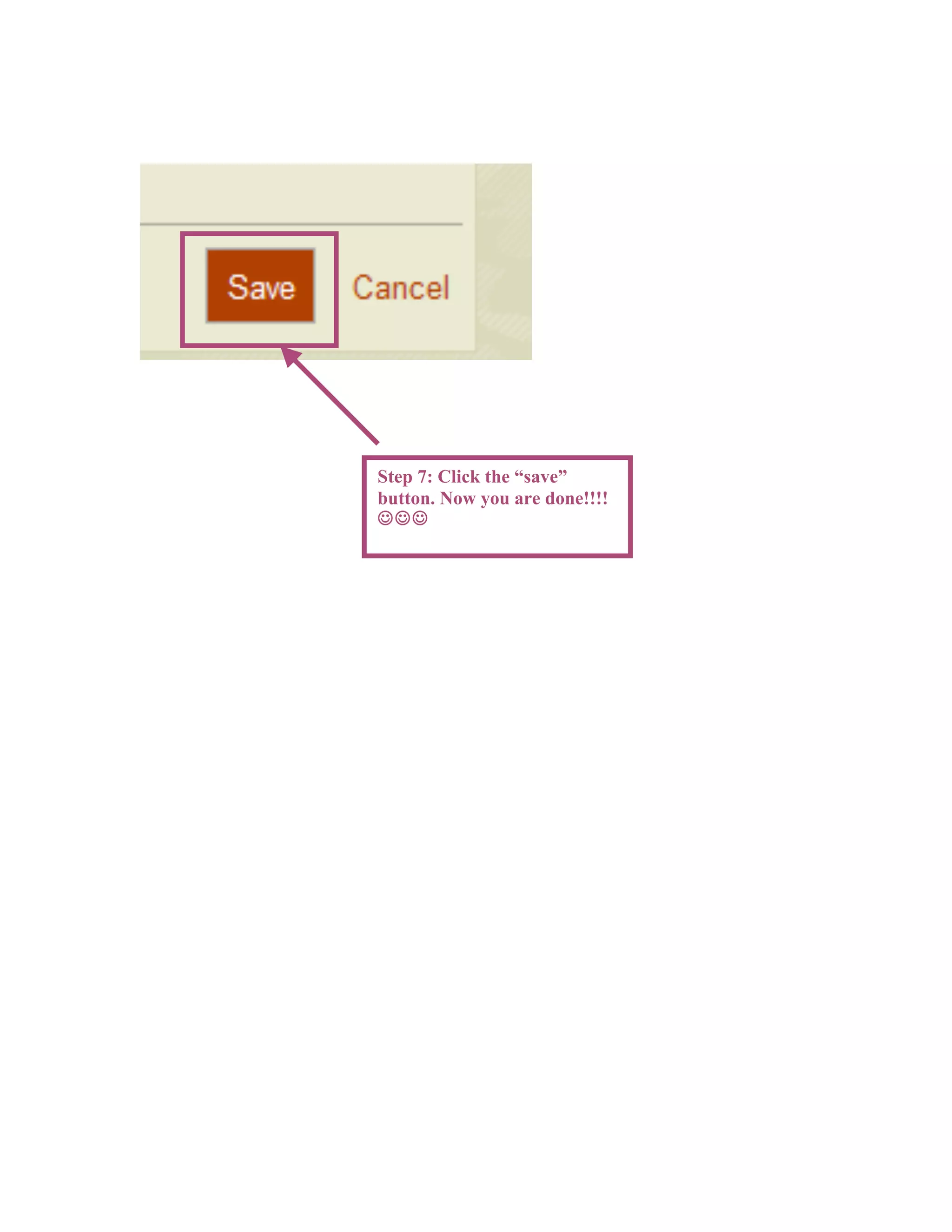
Step 7: Click the “save”
button. Now you are done!!!!


Fernandez.Lara.Tutorial

  • 1.
    Step 2: Click theadd photos button Step 1: Click on the photos button
  • 2.
    Step 3: Click “clickto add photos” Step 4: Select a picture from your documents. Next click “open”
  • 3.
    Step 5: Clickthe “upload button Step 6: Edit your picture and add information
  • 4.
    Step 7: Clickthe “save” button. Now you are done!!!! 