Download to read offline
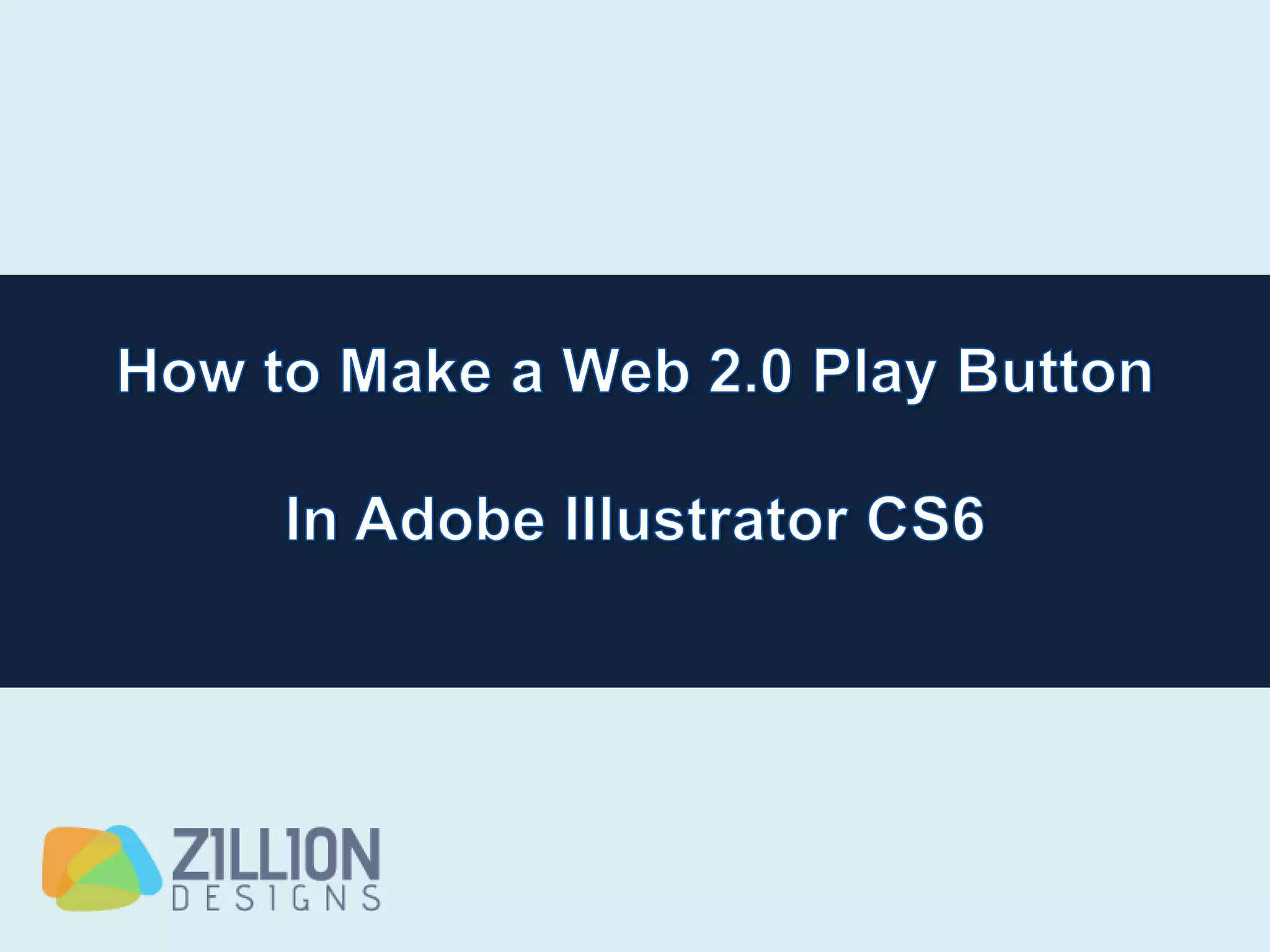
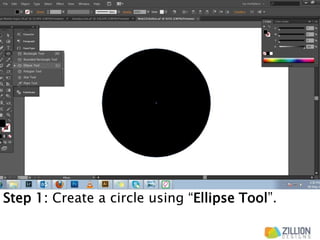
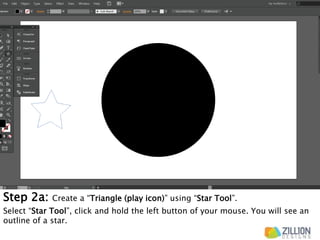
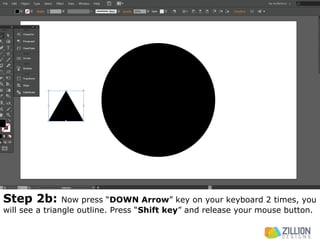
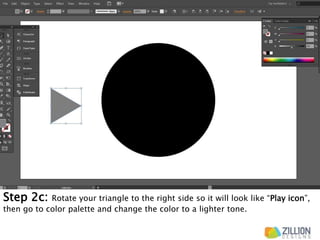
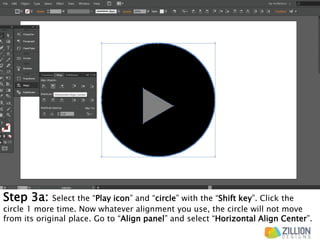
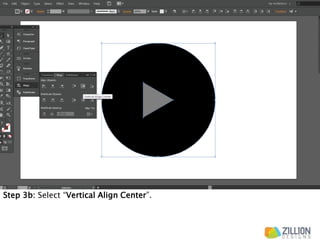
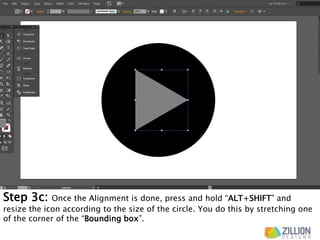
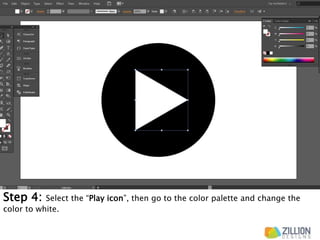
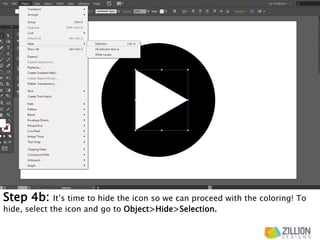
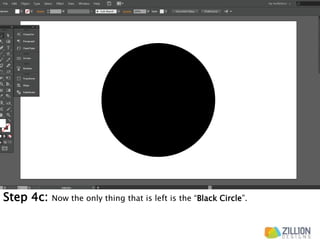
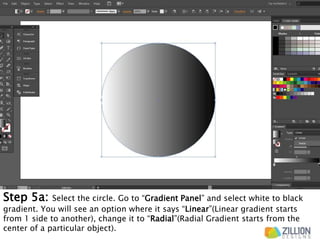
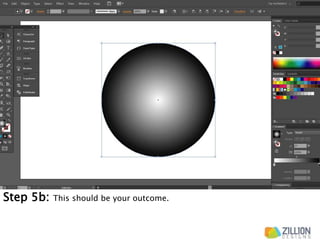
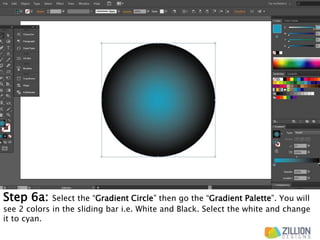
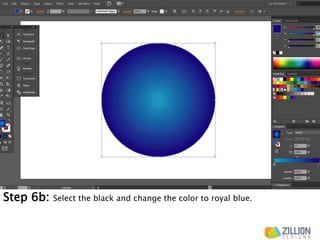
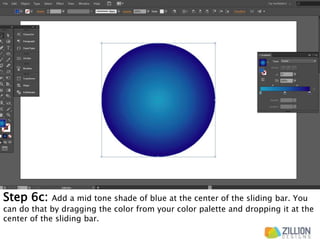
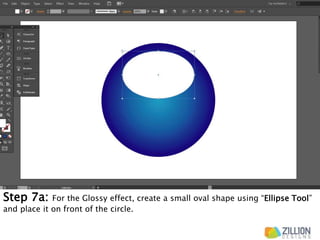
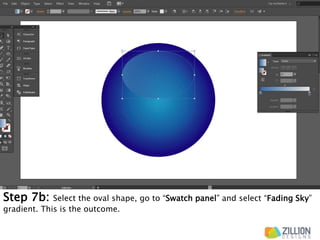
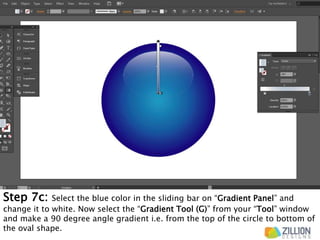
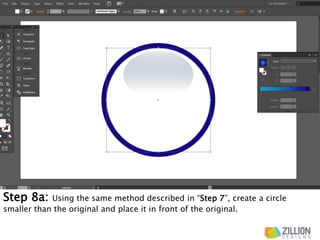
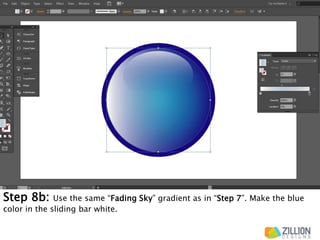
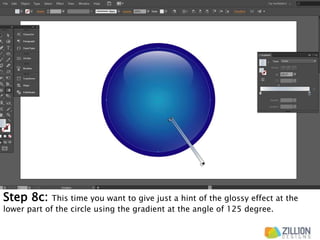
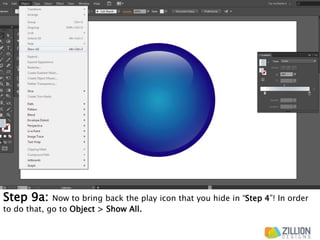
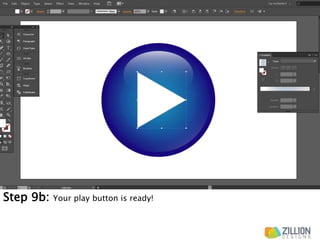

The document provides steps to create a play button icon using shapes and gradients in a design software. It involves [1] creating a circle and triangle play icon, [2] aligning and sizing the icon inside the circle, [3] applying a radial gradient from white to blue on the circle, [4] adding oval shapes with gradients for a glossy effect, and [5] bringing back the hidden play icon at the end. The steps produce a play icon with a glossy blue circular background.


![[Infographic] Gradient Color Palettes Collection](https://cdn.slidesharecdn.com/ss_thumbnails/gradientcolorpaletteinfographiczilliondesigns-210713081654-thumbnail.jpg?width=640&height=640&fit=bounds)


![[INFOGRAPHIC]: Fun Font Facts About the Amazing Helvetica](https://cdn.slidesharecdn.com/ss_thumbnails/helvetica-140701170059-phpapp01-thumbnail.jpg?width=640&height=640&fit=bounds)
![[INFOGRAPHIC]: Cards Against Typography](https://cdn.slidesharecdn.com/ss_thumbnails/cardsagainsttypography-140627160844-phpapp02-thumbnail.jpg?width=640&height=640&fit=bounds)

![[INFOGRAPHIC]: How Graphic Designers Are Like Tony Stark](https://cdn.slidesharecdn.com/ss_thumbnails/howgraphicdesignersareliketonystark-01-140617151631-phpapp01-thumbnail.jpg?width=640&height=640&fit=bounds)


