Photo editing
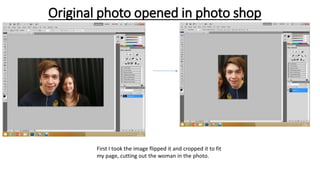
Original photo opened in photo shop
First I took the image flipped it and cropped it to fit
my page, cutting out the woman in the photo.
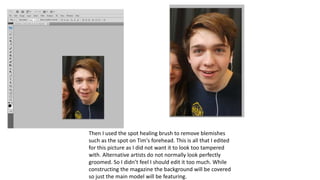
Then I used the spot healing brush to remove blemishes
such as the spot on Tim's forehead. This is all that I edited
for this picture as I did not want it to look too tampered
with. Alternative artists do not normally look perfectly
groomed. So I didn’t feel I should edit it too much. While
constructing the magazine the background will be covered
so just the main model will be featuring.
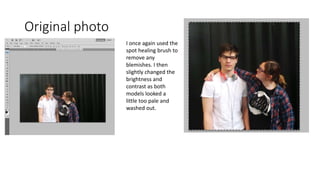
Original photo
I once again used the
spot healing brush to
remove any
blemishes. I then
slightly changed the
brightness and
contrast as both
models looked a
little too pale and
washed out.
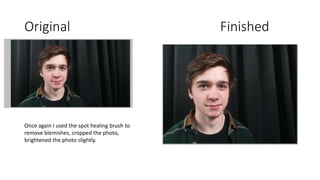
Original Finished
Once again I used the spot healing brush to
remove blemishes, cropped the photo,
brightened the photo slightly.

Photo editing

  • 1.
  • 2.
    Original photo openedin photo shop First I took the image flipped it and cropped it to fit my page, cutting out the woman in the photo.
  • 3.
    Then I usedthe spot healing brush to remove blemishes such as the spot on Tim's forehead. This is all that I edited for this picture as I did not want it to look too tampered with. Alternative artists do not normally look perfectly groomed. So I didn’t feel I should edit it too much. While constructing the magazine the background will be covered so just the main model will be featuring.
  • 4.
    Original photo I onceagain used the spot healing brush to remove any blemishes. I then slightly changed the brightness and contrast as both models looked a little too pale and washed out.
  • 5.
    Original Finished Once againI used the spot healing brush to remove blemishes, cropped the photo, brightened the photo slightly.