Personal Learning Environment
       Generation 2.0
      Martin Ebner, Behnam Taraghi, Clemens Kroell
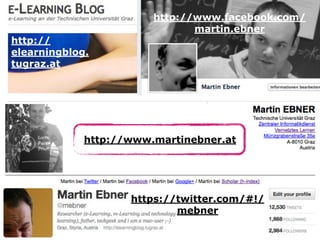
http://www.facebook.com/
                               martin.ebner
http://
elearningblog.
tugraz.at


             http://www.martinebner.at


                    https://twitter.com/#!/
                            mebner
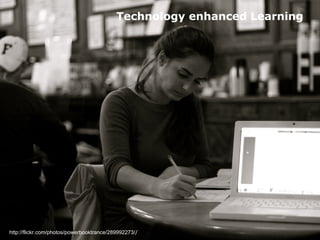
Technology enhanced Learning


http://flickr.com/photos/powerbooktrance/289992273//
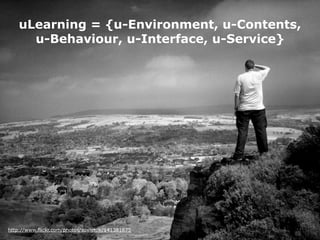
uLearning = {u-Environment, u-Contents,
      u-Behaviour, u-Interface, u-Service}


http://www.flickr.com/photos/sovietuk/141381675
What is a PLE ?
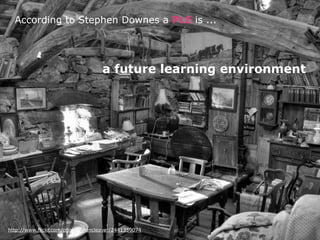
According to Stephen Downes a PLE is ...


                                    a future learning environment


http://www.flickr.com/photos/alancleaver/2441359074
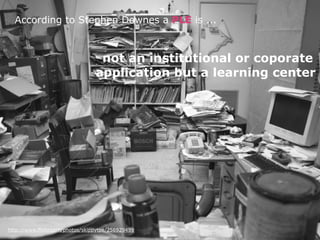
According to Stephen Downes a PLE is ...


                                  not an institutional or coporate
                                 application but a learning center


http://www.flickr.com/photos/skippytpe/256929499
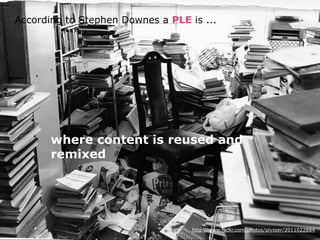
According to Stephen Downes a PLE is ...


       where content is reused and
       remixed


                                   http://www.flickr.com/photos/alysser/2011022884
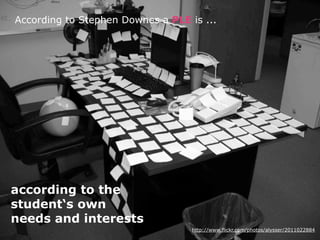
According to Stephen Downes a PLE is ...


according to the
student‘s own
needs and interests
                                   http://www.flickr.com/photos/alysser/2011022884
http://vimeo.com/25595446
Why we need a PLE ?
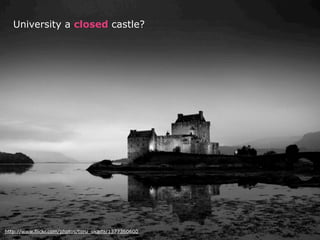
University a closed castle?


http://www.flickr.com/photos/toru_okada/1377360600
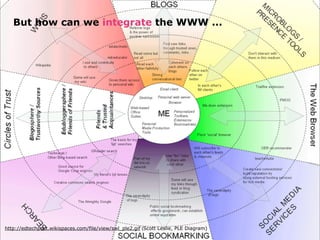
But how can we integrate the WWW ...


http://edtechpost.wikispaces.com/file/view/swl_ple2.gif (Scott Leslie, PLE Diagram)
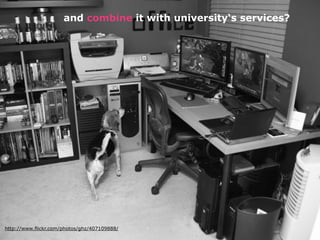
and combine it with university‘s services?


http://www.flickr.com/photos/ghz/407109888/
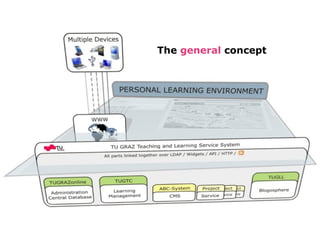
The general concept
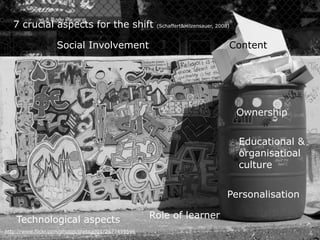
7 crucial aspects for the shift                   (Schaffert&Hilzensauer, 2008)


                   Social Involvement                                            Content


                                                                                     Ownership


                                                                                     Educational &
                                                                                     organisatioal
                                                                                     culture


                                                                                 Personalisation

    Technological aspects                           Role of learner
http://www.flickr.com/photos/thetoad01/2677459596
Technological concept
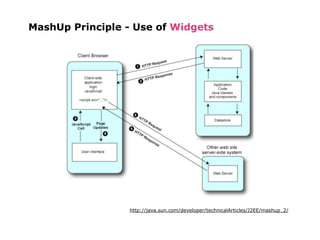
MashUp Principle - Use of Widgets


                  http://java.sun.com/developer/technicalArticles/J2EE/mashup_2/
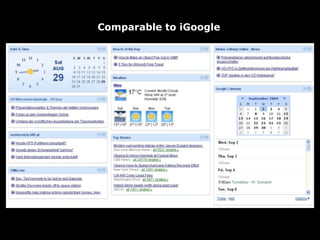
Comparable to iGoogle
Widget


       „Widgets are full-fledged client-side
     applications that are authored using Web
   standards. They are typically downloaded and
   installed on a client machine or device where
         they typically run as stand-alone
       applications outside a Web browser“
                                         Defintion of W3C


         • Follow a W3C Widget Specification
         • Inter-widget Communication supported
First Design
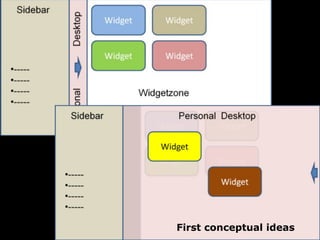
First conceptual ideas
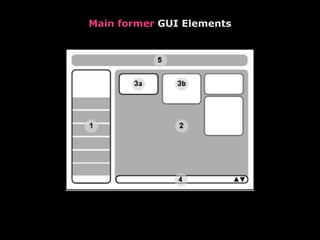
Main former GUI Elements
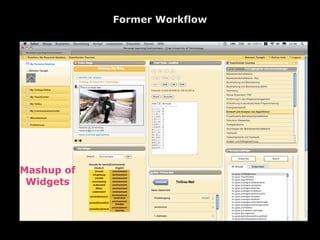
Former Workflow


            WidgetZone             Widget Zoom


Mashup of
 Widgets


            Dashboard                 FullScreen
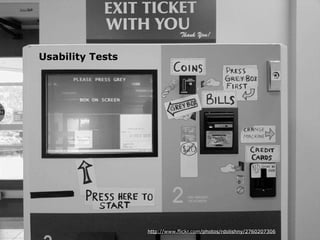
Usability Tests


                  http://www.flickr.com/photos/rdolishny/2760207306
Personalization in foreground

   E.g. own desktop background image, look & feel etc.
   Different UI structures & themes
   Total control of own environment is desired!

Resemblance btw. Real and virtual world

   More than one Personal Desktop vs. An unlimited Desktop
   Free widget arrangement on UI
   Flexible widget dimensions
   Drag & Drop effects vs. simple clicks
   Sharing, collaboration, networking

Ubiquitous PLE

   Mobile and desktop views
PLE Concept (What)

  Unknown to all test users

PLE Workflow (How)

  Not easy to get started with
  Due to unfamiliar concept
  Introduction, tutorials for novel users strongly recommended

PLE Competences

  Self-organization
  Self-cognition
  ….

         A Change from Teacher-Controlled to Coaching
                           needed!
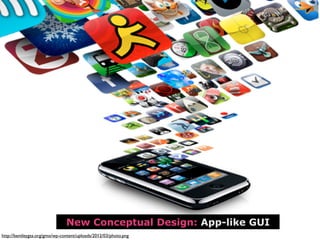
New Conceptual Design: App-like GUI
http://bentleygsa.org/gmo/wp-content/uploads/2012/03/photo.png
Text


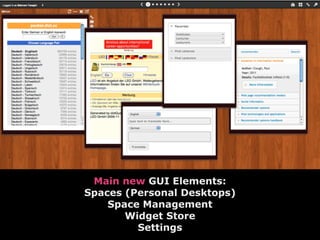
 Main new GUI Elements:
Spaces (Personal Desktops)
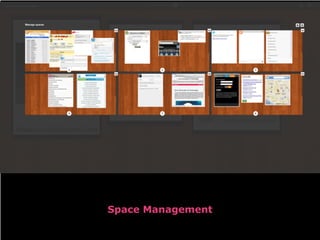
    Space Management
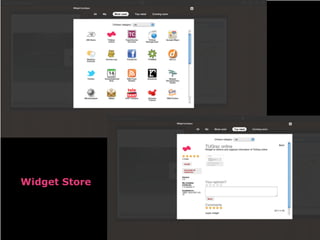
       Widget Store
         Settings
Space Management
Widget Store
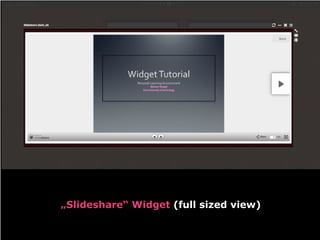
„Slideshare“ Widget (full sized view)
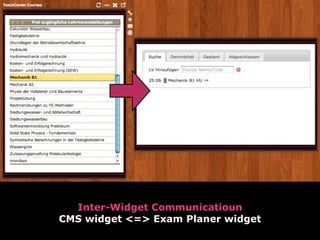
Inter-Widget Communicatioun
CMS widget <=> Exam Planer widget
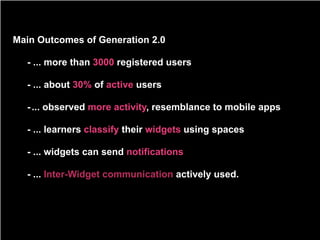
Main Outcomes of Generation 2.0

  - ... more than 3000 registered users

  - ... about 30% of active users

  - ... observed more activity, resemblance to mobile apps

  - ... learners classify their widgets using spaces

  - ... widgets can send notifications

  - ... Inter-Widget communication actively used.
Personal Learning Environment - Graz University of Technology


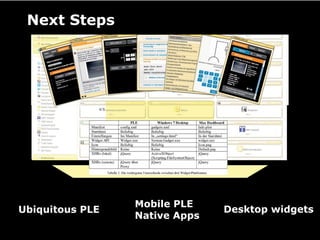
 Next Steps


                              Mobile PLE
Ubiquitous PLE                                                               Desktop widgets
                              Native Apps
Future


          Recommendation


                          Learning Scenarios


                                          Shared PLE
                                          Collaborative Learning

                                                          Integration of more
                                                          Learning Objects (LO)
http://www.flickr.com/photos/supersonic_look/1307679752
http://twitter.tugraz.at


Slides available at:   http://elearningblog.tugraz.at


                          SOCIAL LEARNING
                       Computer and Information Services
                         Graz University of Technology


                                      Graz University of Technology


                                 Martin Ebner
                         http://elearningblog.tugraz.at
  mebner                    http://elearning.tugraz.at

Personal Learning Environment - Generation 2.0

  • 1.
    Personal Learning Environment Generation 2.0 Martin Ebner, Behnam Taraghi, Clemens Kroell
  • 2.
    http://www.facebook.com/ martin.ebner http:// elearningblog. tugraz.at http://www.martinebner.at https://twitter.com/#!/ mebner
  • 3.
  • 4.
    uLearning = {u-Environment,u-Contents, u-Behaviour, u-Interface, u-Service} http://www.flickr.com/photos/sovietuk/141381675
  • 5.
    What is aPLE ?
  • 6.
    According to StephenDownes a PLE is ... a future learning environment http://www.flickr.com/photos/alancleaver/2441359074
  • 7.
    According to StephenDownes a PLE is ... not an institutional or coporate application but a learning center http://www.flickr.com/photos/skippytpe/256929499
  • 8.
    According to StephenDownes a PLE is ... where content is reused and remixed http://www.flickr.com/photos/alysser/2011022884
  • 9.
    According to StephenDownes a PLE is ... according to the student‘s own needs and interests http://www.flickr.com/photos/alysser/2011022884
  • 10.
  • 11.
    Why we needa PLE ?
  • 12.
    University a closedcastle? http://www.flickr.com/photos/toru_okada/1377360600
  • 13.
    But how canwe integrate the WWW ... http://edtechpost.wikispaces.com/file/view/swl_ple2.gif (Scott Leslie, PLE Diagram)
  • 14.
    and combine itwith university‘s services? http://www.flickr.com/photos/ghz/407109888/
  • 15.
  • 16.
    7 crucial aspectsfor the shift (Schaffert&Hilzensauer, 2008) Social Involvement Content Ownership Educational & organisatioal culture Personalisation Technological aspects Role of learner http://www.flickr.com/photos/thetoad01/2677459596
  • 17.
  • 18.
    MashUp Principle -Use of Widgets http://java.sun.com/developer/technicalArticles/J2EE/mashup_2/
  • 19.
  • 20.
    Widget „Widgets are full-fledged client-side applications that are authored using Web standards. They are typically downloaded and installed on a client machine or device where they typically run as stand-alone applications outside a Web browser“ Defintion of W3C • Follow a W3C Widget Specification • Inter-widget Communication supported
  • 21.
  • 22.
  • 23.
  • 24.
    Former Workflow WidgetZone Widget Zoom Mashup of Widgets Dashboard FullScreen
  • 25.
    Usability Tests http://www.flickr.com/photos/rdolishny/2760207306
  • 26.
    Personalization in foreground E.g. own desktop background image, look & feel etc. Different UI structures & themes Total control of own environment is desired! Resemblance btw. Real and virtual world More than one Personal Desktop vs. An unlimited Desktop Free widget arrangement on UI Flexible widget dimensions Drag & Drop effects vs. simple clicks Sharing, collaboration, networking Ubiquitous PLE Mobile and desktop views
  • 27.
    PLE Concept (What) Unknown to all test users PLE Workflow (How) Not easy to get started with Due to unfamiliar concept Introduction, tutorials for novel users strongly recommended PLE Competences Self-organization Self-cognition …. A Change from Teacher-Controlled to Coaching needed!
  • 28.
    New Conceptual Design:App-like GUI http://bentleygsa.org/gmo/wp-content/uploads/2012/03/photo.png
  • 29.
    Text Main newGUI Elements: Spaces (Personal Desktops) Space Management Widget Store Settings
  • 30.
  • 31.
  • 32.
  • 33.
  • 34.
    Main Outcomes ofGeneration 2.0 - ... more than 3000 registered users - ... about 30% of active users - ... observed more activity, resemblance to mobile apps - ... learners classify their widgets using spaces - ... widgets can send notifications - ... Inter-Widget communication actively used.
  • 35.
    Personal Learning Environment- Graz University of Technology Next Steps Mobile PLE Ubiquitous PLE Desktop widgets Native Apps
  • 36.
    Future Recommendation Learning Scenarios Shared PLE Collaborative Learning Integration of more Learning Objects (LO) http://www.flickr.com/photos/supersonic_look/1307679752
  • 37.
    http://twitter.tugraz.at Slides available at: http://elearningblog.tugraz.at SOCIAL LEARNING Computer and Information Services Graz University of Technology Graz University of Technology Martin Ebner http://elearningblog.tugraz.at mebner http://elearning.tugraz.at