© 2011 Xyleme - All rights reserved
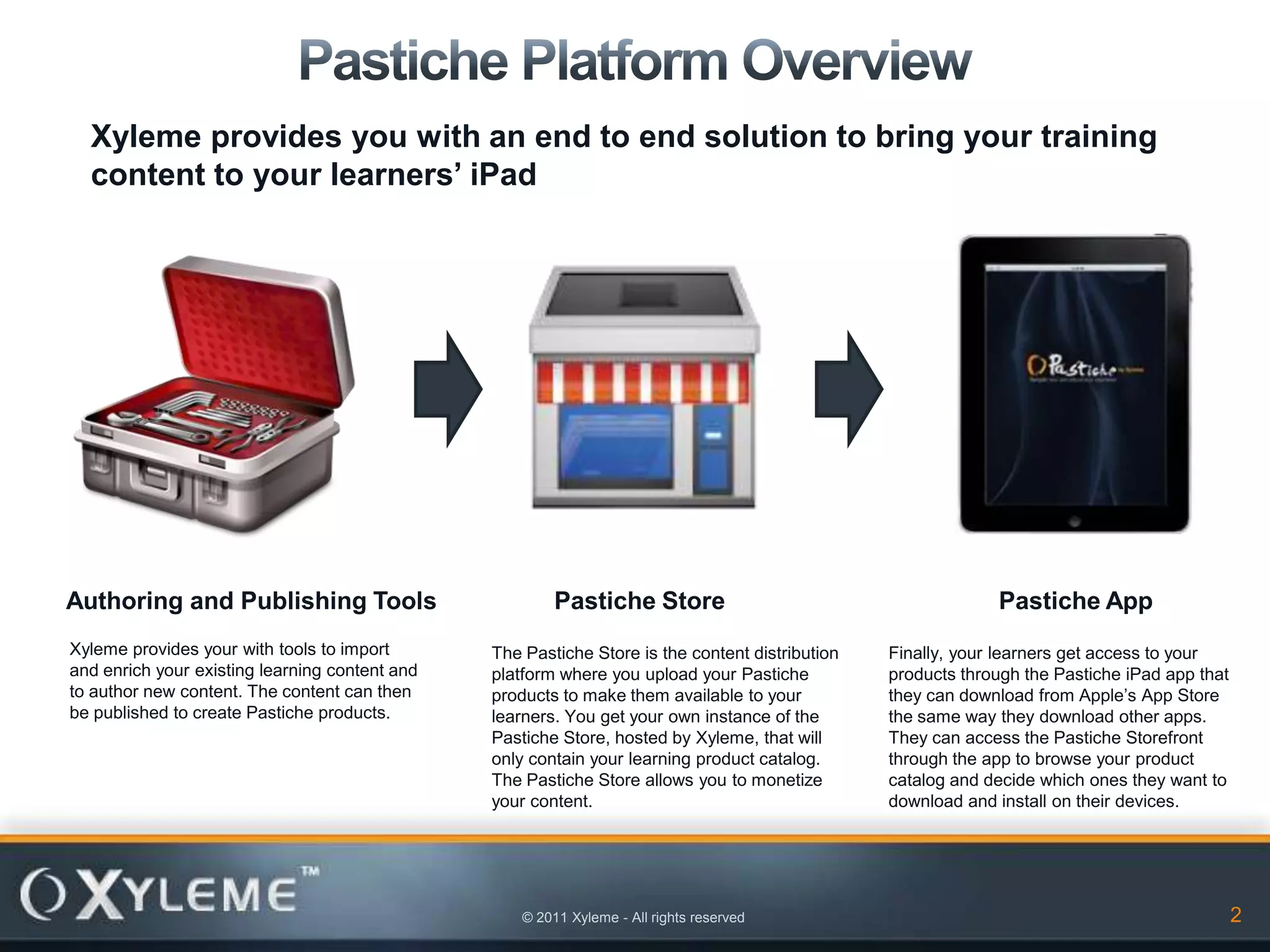
Xyleme provides you with an end to end solution to bring your training
  content to your learners’ iPad


Authoring and Publishing Tools                           Pastiche Store                                       Pastiche App
Xyleme provides your with tools to import       The Pastiche Store is the content distribution   Finally, your learners get access to your
and enrich your existing learning content and   platform where you upload your Pastiche          products through the Pastiche iPad app that
to author new content. The content can then     products to make them available to your          they can download from Apple’s App Store
be published to create Pastiche products.       learners. You get your own instance of the       the same way they download other apps.
                                                Pastiche Store, hosted by Xyleme, that will      They can access the Pastiche Storefront
                                                only contain your learning product catalog.      through the app to browse your product
                                                The Pastiche Store allows you to monetize        catalog and decide which ones they want to
                                                your content.                                    download and install on their devices.


                                                    © 2011 Xyleme - All rights reserved                                                        2
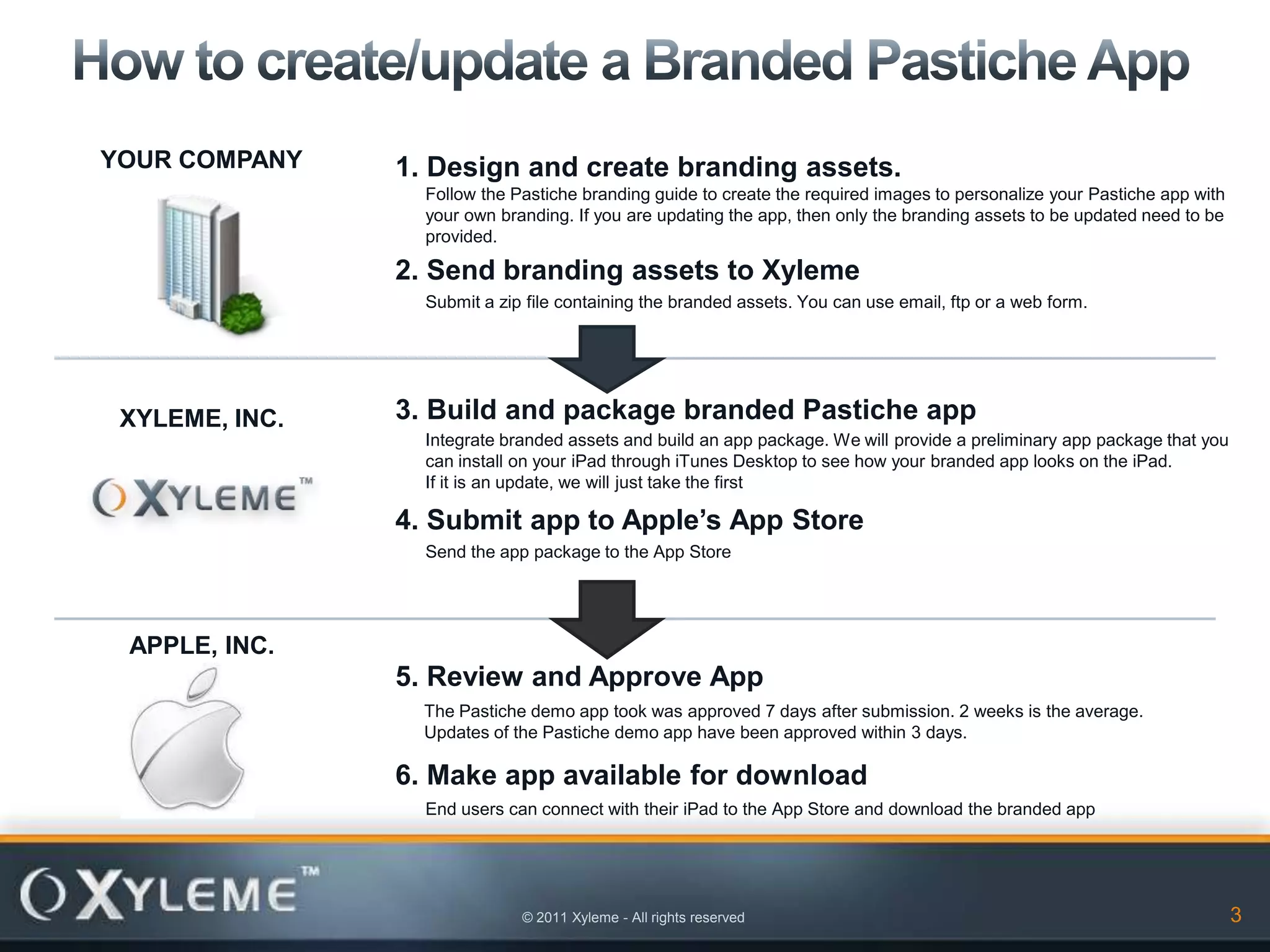
YOUR COMPANY    1. Design and create branding assets.
                  Follow the Pastiche branding guide to create the required images to personalize your Pastiche app with
                  your own branding. If you are updating the app, then only the branding assets to be updated need to be
                  provided.

                2. Send branding assets to Xyleme
                  Submit a zip file containing the branded assets. You can use email, ftp or a web form.


 XYLEME, INC.   3. Build and package branded Pastiche app
                  Integrate branded assets and build an app package. We will provide a preliminary app package that you
                  can install on your iPad through iTunes Desktop to see how your branded app looks on the iPad.
                  If it is an update, we will just take the first

                4. Submit app to Apple’s App Store
                  Send the app package to the App Store


 APPLE, INC.
                5. Review and Approve App
                  The Pastiche demo app took was approved 7 days after submission. 2 weeks is the average.
                  Updates of the Pastiche demo app have been approved within 3 days.

                6. Make app available for download
                  End users can connect with their iPad to the App Store and download the branded app


                              © 2011 Xyleme - All rights reserved                                                          3
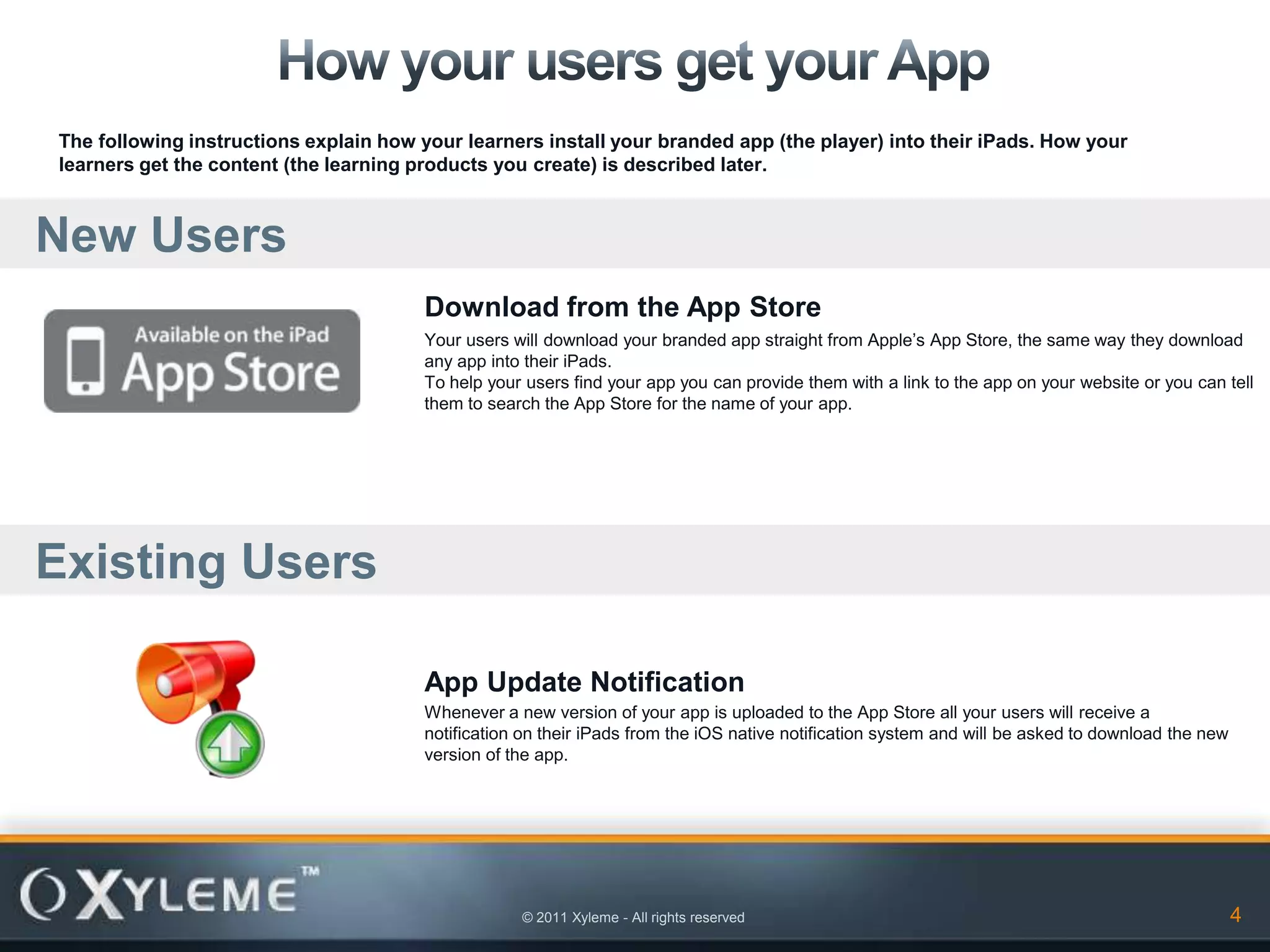
The following instructions explain how your learners install your branded app (the player) into their iPads. How your
learners get the content (the learning products you create) is described later.


New Users
                                        Download from the App Store
                                        Your users will download your branded app straight from Apple’s App Store, the same way they download
                                        any app into their iPads.
                                        To help your users find your app you can provide them with a link to the app on your website or you can tell
                                        them to search the App Store for the name of your app.


Existing Users

                                        App Update Notification
                                        Whenever a new version of your app is uploaded to the App Store all your users will receive a
                                        notification on their iPads from the iOS native notification system and will be asked to download the new
                                        version of the app.


                                                    © 2011 Xyleme - All rights reserved                                                             4
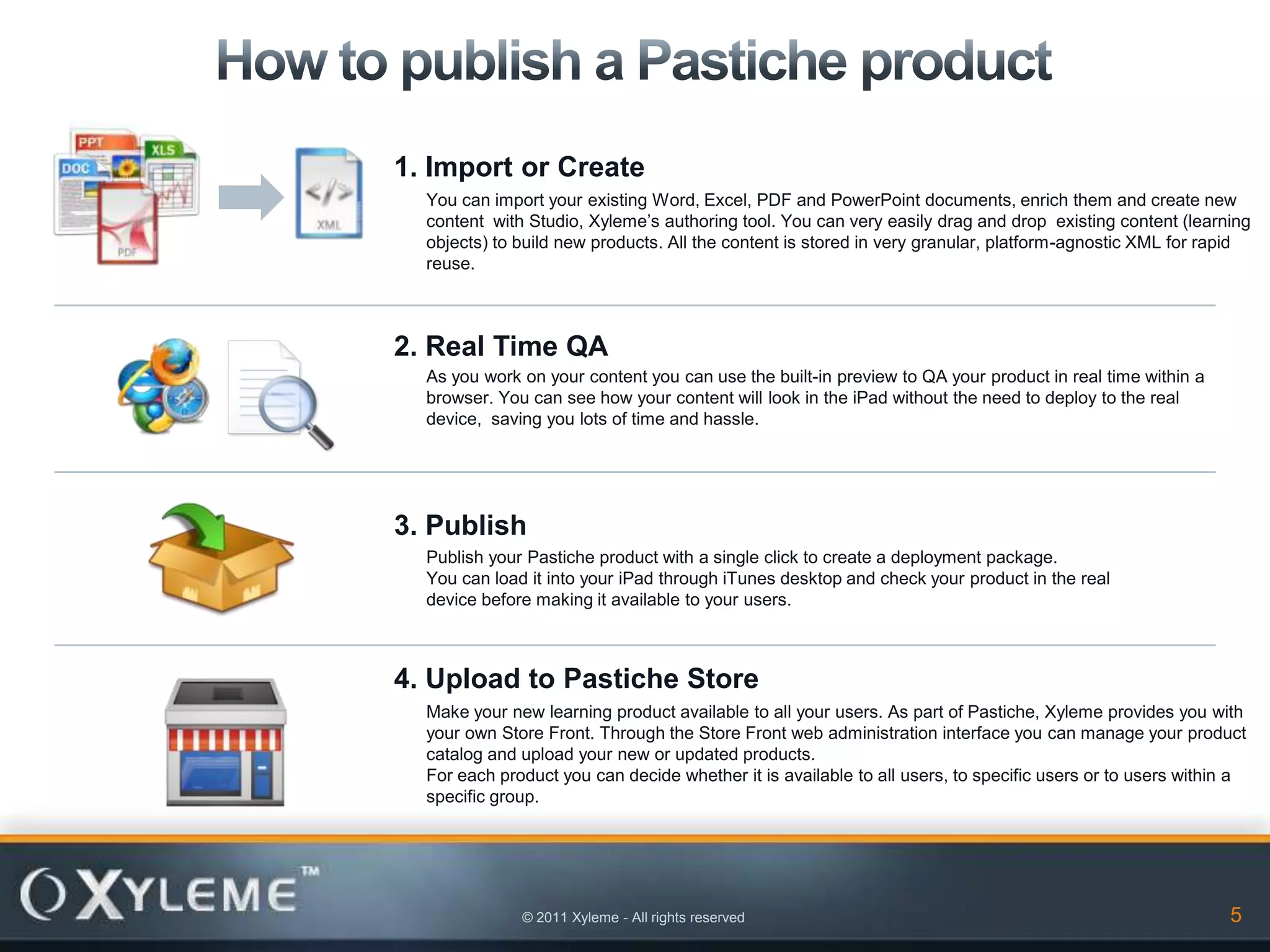
1. Import or Create
  You can import your existing Word, Excel, PDF and PowerPoint documents, enrich them and create new
  content with Studio, Xyleme’s authoring tool. You can very easily drag and drop existing content (learning
  objects) to build new products. All the content is stored in very granular, platform-agnostic XML for rapid
  reuse.


2. Real Time QA
  As you work on your content you can use the built-in preview to QA your product in real time within a
  browser. You can see how your content will look in the iPad without the need to deploy to the real
  device, saving you lots of time and hassle.


3. Publish
  Publish your Pastiche product with a single click to create a deployment package.
  You can load it into your iPad through iTunes desktop and check your product in the real
  device before making it available to your users.


4. Upload to Pastiche Store
  Make your new learning product available to all your users. As part of Pastiche, Xyleme provides you with
  your own Store Front. Through the Store Front web administration interface you can manage your product
  catalog and upload your new or updated products.
  For each product you can decide whether it is available to all users, to specific users or to users within a
  specific group.


              © 2011 Xyleme - All rights reserved                                                          5
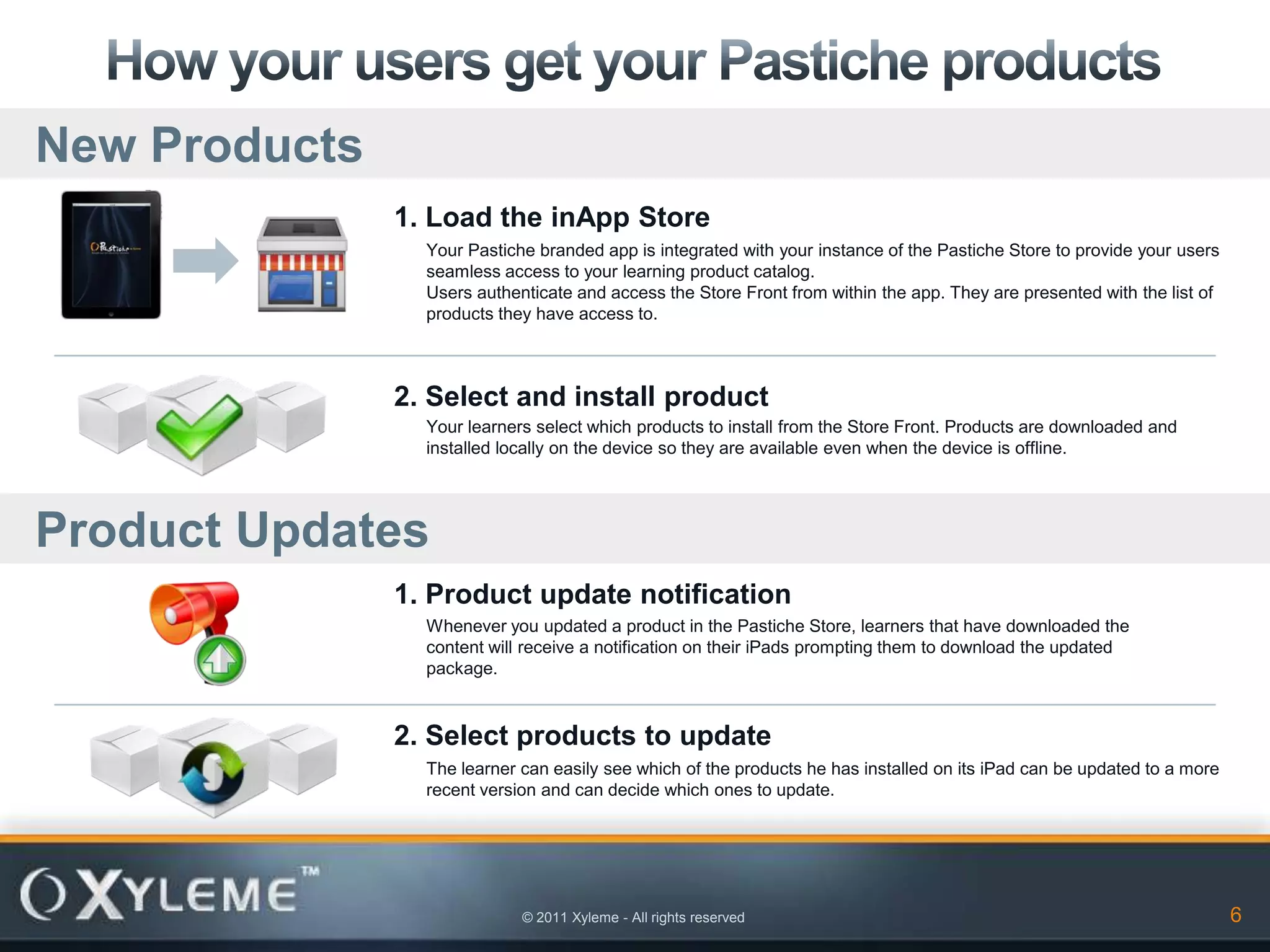
New Products
               1. Load the inApp Store
                 Your Pastiche branded app is integrated with your instance of the Pastiche Store to provide your users
                 seamless access to your learning product catalog.
                 Users authenticate and access the Store Front from within the app. They are presented with the list of
                 products they have access to.


               2. Select and install product
                 Your learners select which products to install from the Store Front. Products are downloaded and
                 installed locally on the device so they are available even when the device is offline.


Product Updates
               1. Product update notification
                 Whenever you updated a product in the Pastiche Store, learners that have downloaded the
                 content will receive a notification on their iPads prompting them to download the updated
                 package.


               2. Select products to update
                 The learner can easily see which of the products he has installed on its iPad can be updated to a more
                 recent version and can decide which ones to update.


                             © 2011 Xyleme - All rights reserved                                                          6
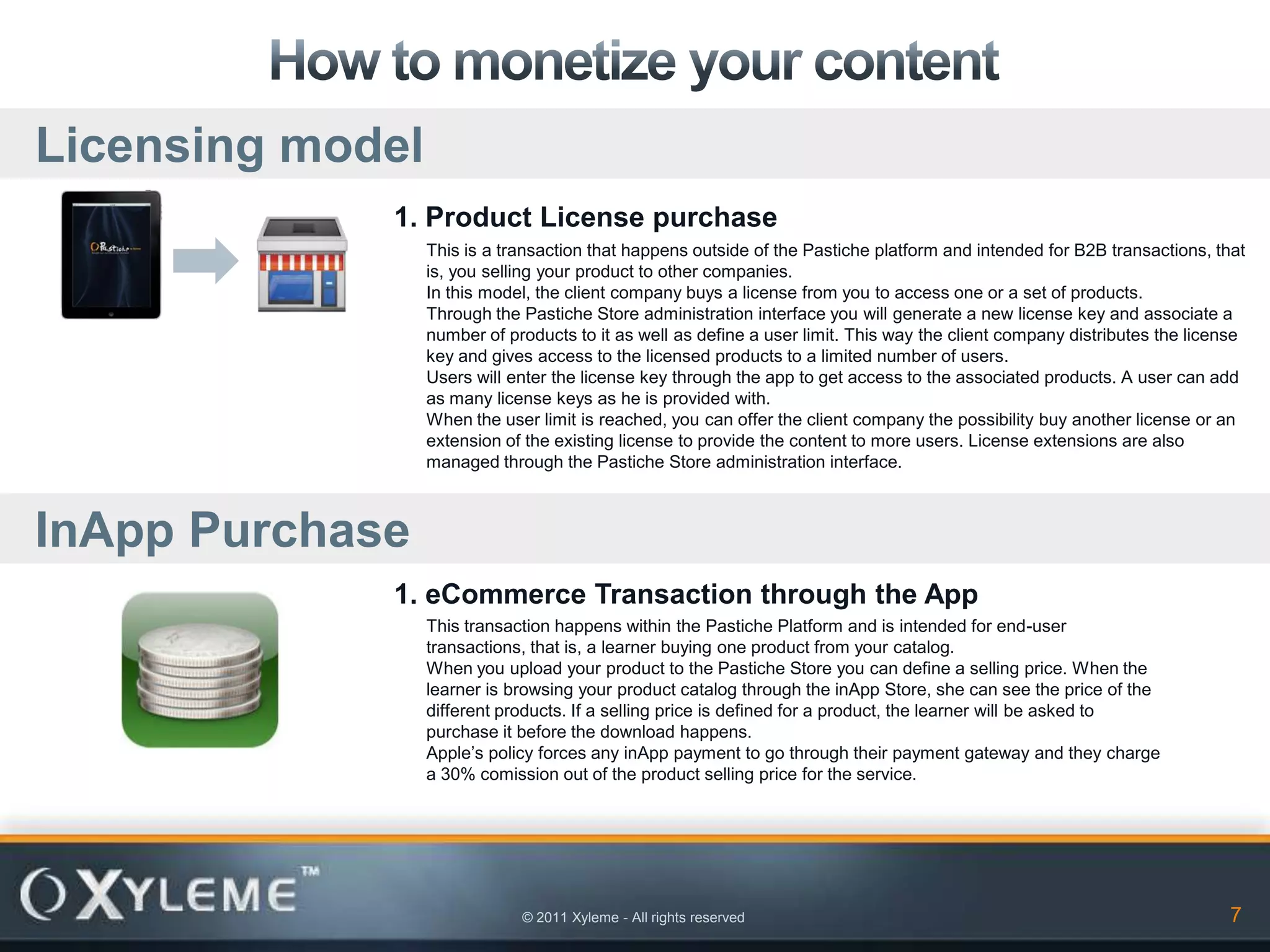
Licensing model
             1. Product License purchase
                  This is a transaction that happens outside of the Pastiche platform and intended for B2B transactions, that
                  is, you selling your product to other companies.
                  In this model, the client company buys a license from you to access one or a set of products.
                  Through the Pastiche Store administration interface you will generate a new license key and associate a
                  number of products to it as well as define a user limit. This way the client company distributes the license
                  key and gives access to the licensed products to a limited number of users.
                  Users will enter the license key through the app to get access to the associated products. A user can add
                  as many license keys as he is provided with.
                  When the user limit is reached, you can offer the client company the possibility buy another license or an
                  extension of the existing license to provide the content to more users. License extensions are also
                  managed through the Pastiche Store administration interface.


InApp Purchase
             1. eCommerce Transaction through the App
                  This transaction happens within the Pastiche Platform and is intended for end-user
                  transactions, that is, a learner buying one product from your catalog.
                  When you upload your product to the Pastiche Store you can define a selling price. When the
                  learner is browsing your product catalog through the inApp Store, she can see the price of the
                  different products. If a selling price is defined for a product, the learner will be asked to
                  purchase it before the download happens.
                  Apple’s policy forces any inApp payment to go through their payment gateway and they charge
                  a 30% comission out of the product selling price for the service.


                              © 2011 Xyleme - All rights reserved                                                           7

Pastiche Implementation Guide

  • 1.
    © 2011 Xyleme- All rights reserved
  • 2.
    Xyleme provides youwith an end to end solution to bring your training content to your learners’ iPad Authoring and Publishing Tools Pastiche Store Pastiche App Xyleme provides your with tools to import The Pastiche Store is the content distribution Finally, your learners get access to your and enrich your existing learning content and platform where you upload your Pastiche products through the Pastiche iPad app that to author new content. The content can then products to make them available to your they can download from Apple’s App Store be published to create Pastiche products. learners. You get your own instance of the the same way they download other apps. Pastiche Store, hosted by Xyleme, that will They can access the Pastiche Storefront only contain your learning product catalog. through the app to browse your product The Pastiche Store allows you to monetize catalog and decide which ones they want to your content. download and install on their devices. © 2011 Xyleme - All rights reserved 2
  • 3.
    YOUR COMPANY 1. Design and create branding assets. Follow the Pastiche branding guide to create the required images to personalize your Pastiche app with your own branding. If you are updating the app, then only the branding assets to be updated need to be provided. 2. Send branding assets to Xyleme Submit a zip file containing the branded assets. You can use email, ftp or a web form. XYLEME, INC. 3. Build and package branded Pastiche app Integrate branded assets and build an app package. We will provide a preliminary app package that you can install on your iPad through iTunes Desktop to see how your branded app looks on the iPad. If it is an update, we will just take the first 4. Submit app to Apple’s App Store Send the app package to the App Store APPLE, INC. 5. Review and Approve App The Pastiche demo app took was approved 7 days after submission. 2 weeks is the average. Updates of the Pastiche demo app have been approved within 3 days. 6. Make app available for download End users can connect with their iPad to the App Store and download the branded app © 2011 Xyleme - All rights reserved 3
  • 4.
    The following instructionsexplain how your learners install your branded app (the player) into their iPads. How your learners get the content (the learning products you create) is described later. New Users Download from the App Store Your users will download your branded app straight from Apple’s App Store, the same way they download any app into their iPads. To help your users find your app you can provide them with a link to the app on your website or you can tell them to search the App Store for the name of your app. Existing Users App Update Notification Whenever a new version of your app is uploaded to the App Store all your users will receive a notification on their iPads from the iOS native notification system and will be asked to download the new version of the app. © 2011 Xyleme - All rights reserved 4
  • 5.
    1. Import orCreate You can import your existing Word, Excel, PDF and PowerPoint documents, enrich them and create new content with Studio, Xyleme’s authoring tool. You can very easily drag and drop existing content (learning objects) to build new products. All the content is stored in very granular, platform-agnostic XML for rapid reuse. 2. Real Time QA As you work on your content you can use the built-in preview to QA your product in real time within a browser. You can see how your content will look in the iPad without the need to deploy to the real device, saving you lots of time and hassle. 3. Publish Publish your Pastiche product with a single click to create a deployment package. You can load it into your iPad through iTunes desktop and check your product in the real device before making it available to your users. 4. Upload to Pastiche Store Make your new learning product available to all your users. As part of Pastiche, Xyleme provides you with your own Store Front. Through the Store Front web administration interface you can manage your product catalog and upload your new or updated products. For each product you can decide whether it is available to all users, to specific users or to users within a specific group. © 2011 Xyleme - All rights reserved 5
  • 6.
    New Products 1. Load the inApp Store Your Pastiche branded app is integrated with your instance of the Pastiche Store to provide your users seamless access to your learning product catalog. Users authenticate and access the Store Front from within the app. They are presented with the list of products they have access to. 2. Select and install product Your learners select which products to install from the Store Front. Products are downloaded and installed locally on the device so they are available even when the device is offline. Product Updates 1. Product update notification Whenever you updated a product in the Pastiche Store, learners that have downloaded the content will receive a notification on their iPads prompting them to download the updated package. 2. Select products to update The learner can easily see which of the products he has installed on its iPad can be updated to a more recent version and can decide which ones to update. © 2011 Xyleme - All rights reserved 6
  • 7.
    Licensing model 1. Product License purchase This is a transaction that happens outside of the Pastiche platform and intended for B2B transactions, that is, you selling your product to other companies. In this model, the client company buys a license from you to access one or a set of products. Through the Pastiche Store administration interface you will generate a new license key and associate a number of products to it as well as define a user limit. This way the client company distributes the license key and gives access to the licensed products to a limited number of users. Users will enter the license key through the app to get access to the associated products. A user can add as many license keys as he is provided with. When the user limit is reached, you can offer the client company the possibility buy another license or an extension of the existing license to provide the content to more users. License extensions are also managed through the Pastiche Store administration interface. InApp Purchase 1. eCommerce Transaction through the App This transaction happens within the Pastiche Platform and is intended for end-user transactions, that is, a learner buying one product from your catalog. When you upload your product to the Pastiche Store you can define a selling price. When the learner is browsing your product catalog through the inApp Store, she can see the price of the different products. If a selling price is defined for a product, the learner will be asked to purchase it before the download happens. Apple’s policy forces any inApp payment to go through their payment gateway and they charge a 30% comission out of the product selling price for the service. © 2011 Xyleme - All rights reserved 7