iPhone Application
   Development
     William Taysom
     2009 April 22
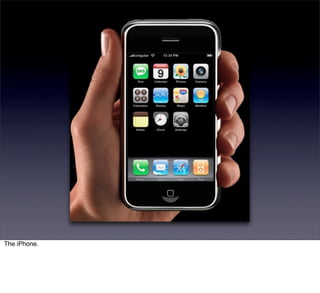
The iPhone.
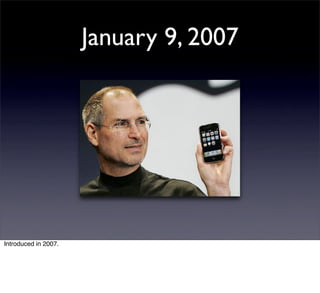
January 9, 2007


Introduced in 2007.
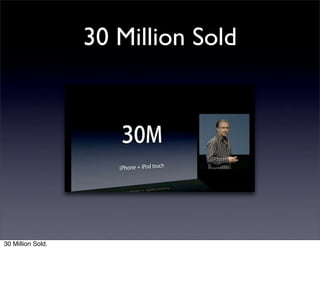
30 Million Sold


30 Million Sold.
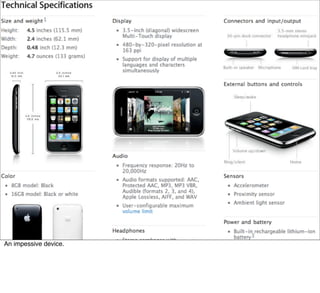
An impessive device.
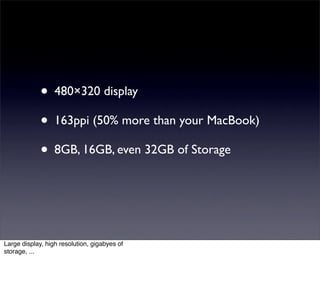
• 480×320 display
             • 163ppi (50% more than your MacBook)
             • 8GB, 16GB, even 32GB of Storage


Large display, high resolution, gigabyes of
storage, ...
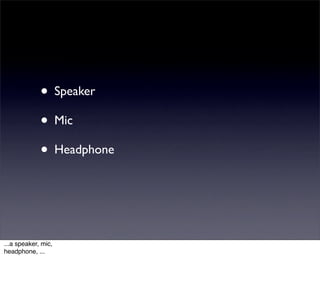
• Speaker
             • Mic
             • Headphone


...a speaker, mic,
headphone, ...
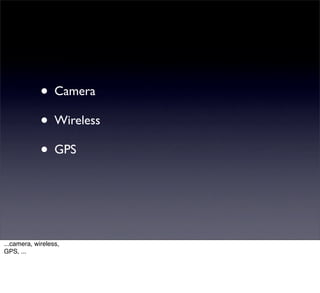
• Camera
             • Wireless
             • GPS


...camera, wireless,
GPS, ...
• Accelerometer
             • Ambient Light Sensor
             • Proximity Sensor


...accelerometer, light sensor, proximity
sensor, ...
• And it’s a Phone.


...and itʼs a phone.
But thatʼs not why weʼre here.
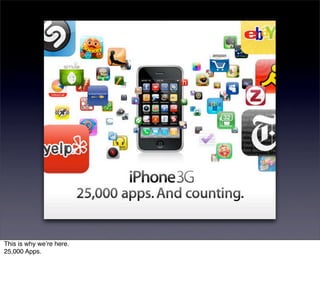
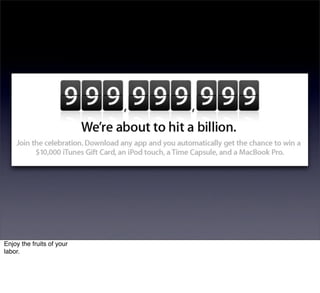
This is why weʼre here.
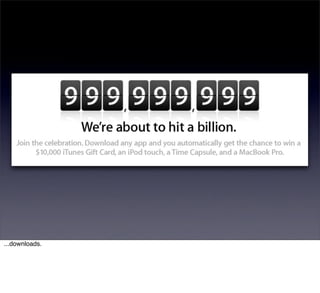
25,000 Apps.
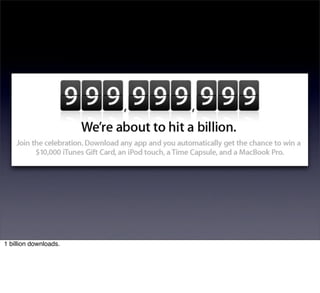
1 billion downloads.
You want some.


You want some.
I will show you how.


I will show you how.
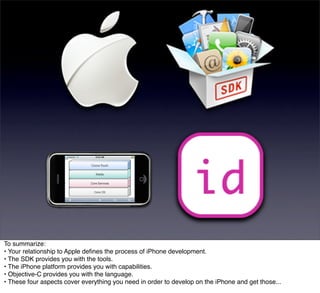
iPhone application development has four aspects:
• Your relationship with Apple,
• the iPhone developer tools,
• the iPhone Platform, and
• the Objective-C programming language.
iPhone application development has four aspects:
• Your relationship with Apple,
• the iPhone developer tools,
• the iPhone Platform, and
• the Objective-C programming language.
iPhone application development has four aspects:
• Your relationship with Apple,
• the iPhone developer tools,
• the iPhone Platform, and
• the Objective-C programming language.
iPhone application development has four aspects:
• Your relationship with Apple,
• the iPhone developer tools,
• the iPhone Platform, and
• the Objective-C programming language.
iPhone application development has four aspects:
• Your relationship with Apple,
• the iPhone developer tools,
• the iPhone Platform, and
• the Objective-C programming language.
Letʼs talk about your relationship with Apple.
• Apple makes the device.
           • Apple provides the tools.
           • Apple approves your apps.


Apple makes the device.
Apple provides the tools.
Apple approves your apps.
• You will have a relationship with Apple.


You will have a relationship with Apple.
Your relationship is mediated by three web sites:
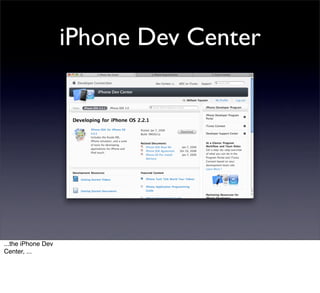
iPhone Dev Center


...the iPhone Dev
Center, ...
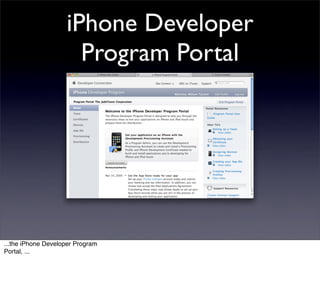
iPhone Developer
                      Program Portal


...the iPhone Developer Program
Portal, ...
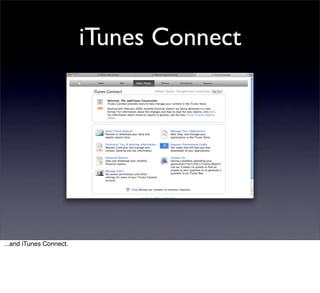
iTunes Connect


...and iTunes Connect.
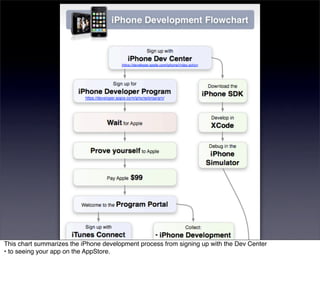
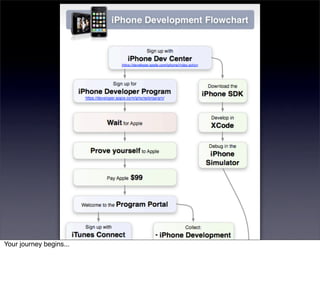
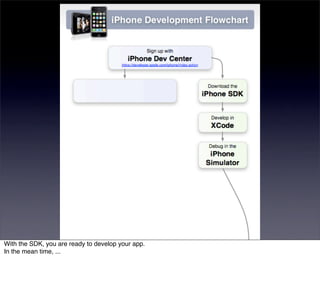
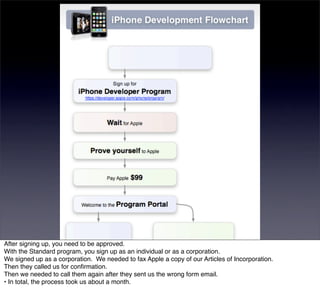
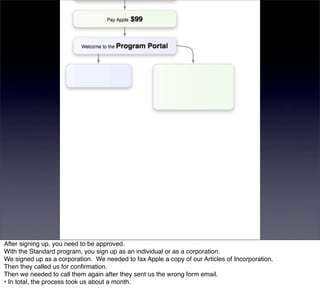
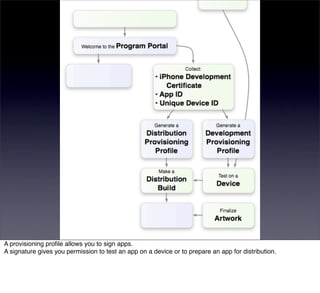
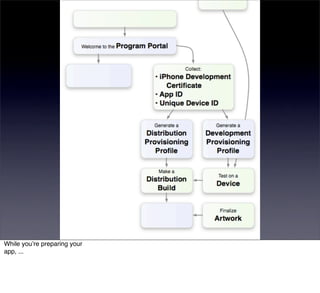
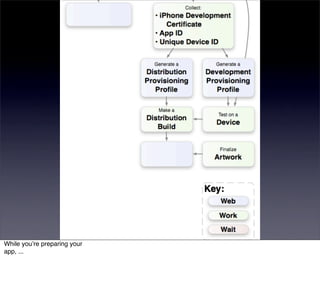
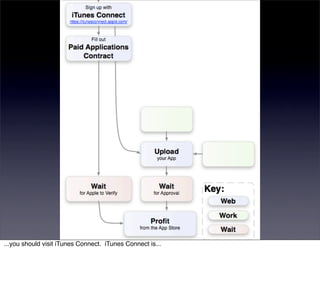
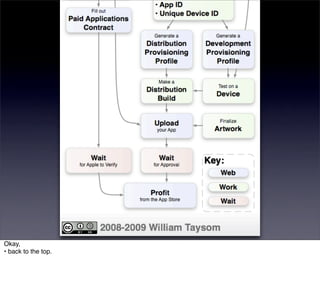
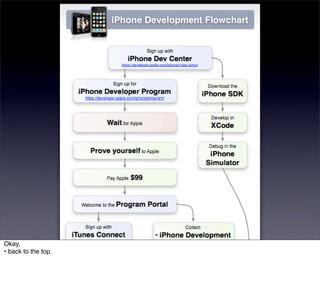
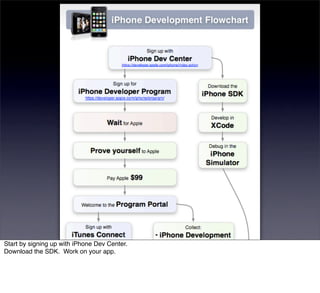
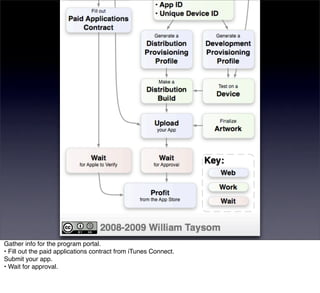
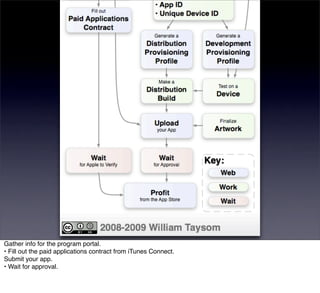
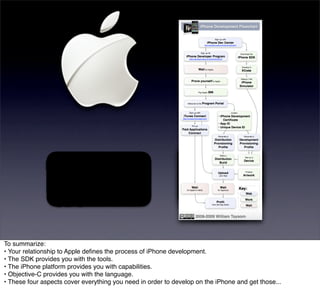
This chart summarizes the iPhone development process from signing up with the Dev Center
• to seeing your app on the AppStore.
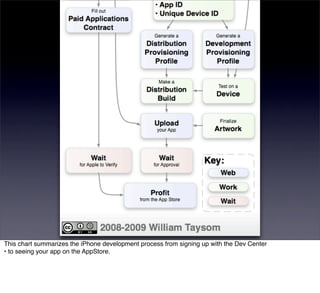
This chart summarizes the iPhone development process from signing up with the Dev Center
• to seeing your app on the AppStore.
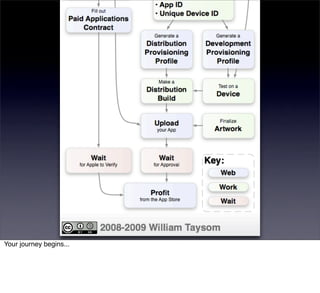
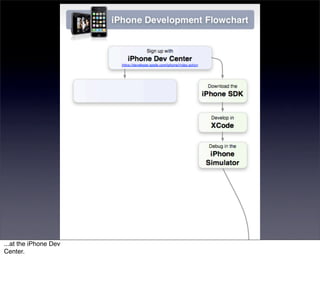
Your journey begins...
...at the iPhone Dev
Center.
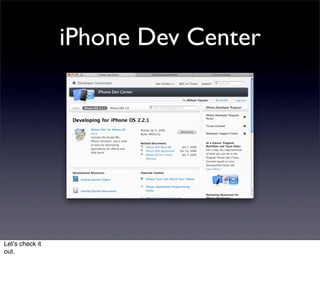
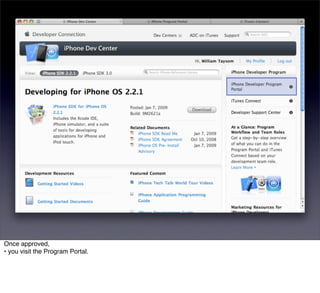
iPhone Dev Center


Letʼs check it
out.
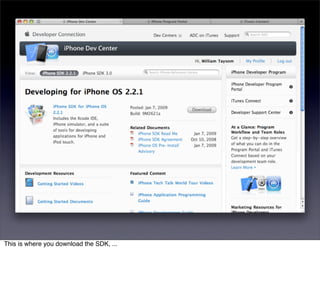
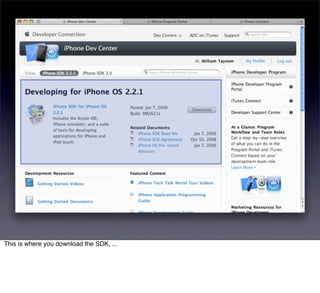
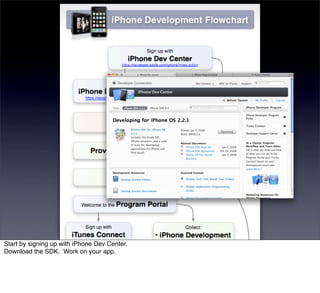
This is where you download the SDK, ...
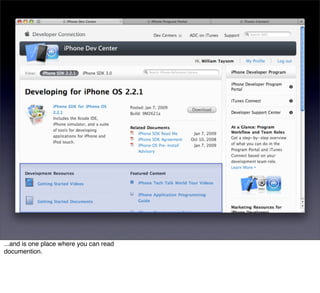
...and is one place where you can read
documention.
With the SDK, you are ready to develop your app.
In the mean time, ...
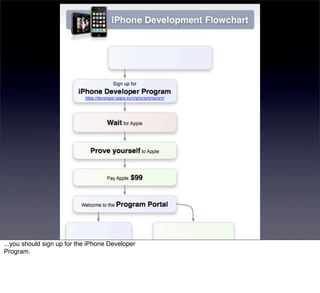
...you should sign up for the iPhone Developer
Program.
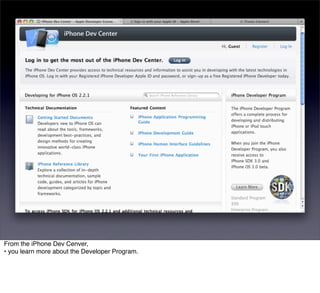
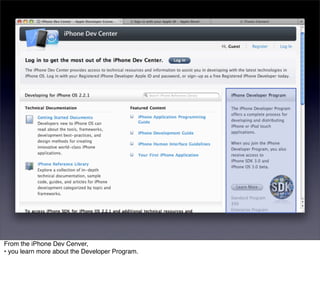
From the iPhone Dev Cenver,
• you learn more about the Developer Program.
From the iPhone Dev Cenver,
• you learn more about the Developer Program.
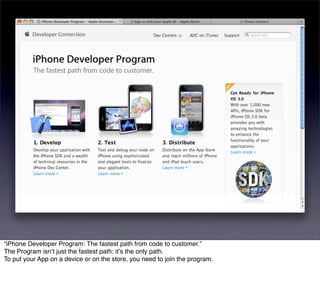
“iPhone Developer Program: The fastest path from code to customer.”
The Program isnʼt just the fastest path: itʼs the only path.
To put your App on a device or on the store, you need to join the program.
After signing up, you need to be approved.
With the Standard program, you sign up as an individual or as a corporation.
We signed up as a corporation. We needed to fax Apple a copy of our Articles of Incorporation.
Then they called us for confirmation.
Then we needed to call them again after they sent us the wrong form email.
• In total, the process took us about a month.
After signing up, you need to be approved.
With the Standard program, you sign up as an individual or as a corporation.
We signed up as a corporation. We needed to fax Apple a copy of our Articles of Incorporation.
Then they called us for confirmation.
Then we needed to call them again after they sent us the wrong form email.
• In total, the process took us about a month.
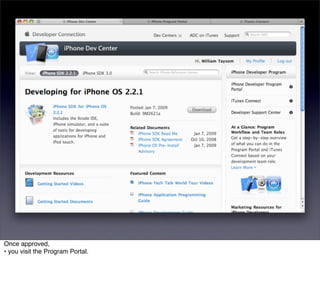
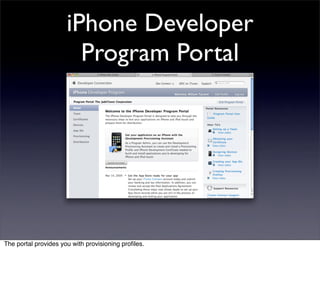
Once approved,
• you visit the Program Portal.
Once approved,
• you visit the Program Portal.
iPhone Developer
                        Program Portal


The portal provides you with provisioning profiles.
A provisioning profile allows you to sign apps.
A signature gives you permission to test an app on a device or to prepare an app for distribution.
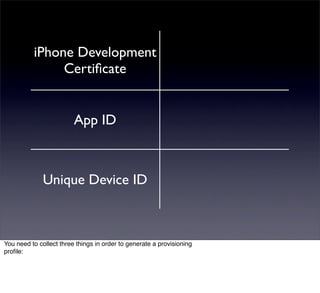
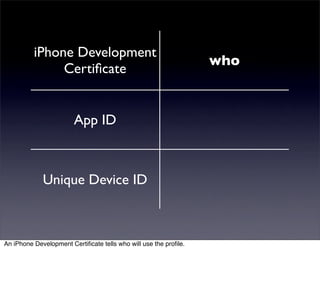
iPhone Development
               Certificate


                         App ID


              Unique Device ID


You need to collect three things in order to generate a provisioning
profile:
iPhone Development
                                                                  who
               Certificate


                        App ID


             Unique Device ID


An iPhone Development Certificate tells who will use the profile.
iPhone Development
                                                     who
               Certificate


                        App ID                       what


             Unique Device ID


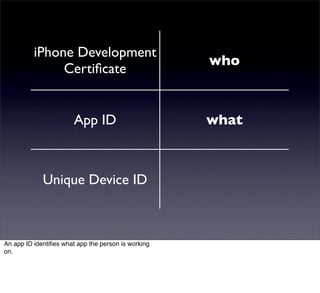
An app ID identifies what app the person is working
on.
iPhone Development
                                                                      who
               Certificate


                        App ID                                       what


             Unique Device ID                                       where


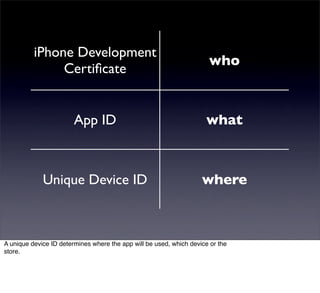
A unique device ID determines where the app will be used, which device or the
store.
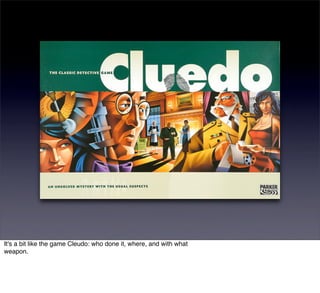
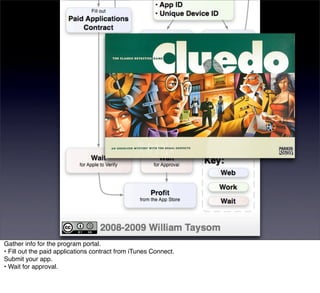
It's a bit like the game Cleudo: who done it, where, and with what
weapon.
While youʼre preparing your
app, ...
While youʼre preparing your
app, ...
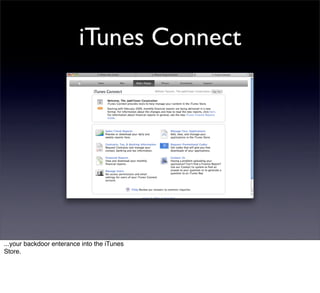
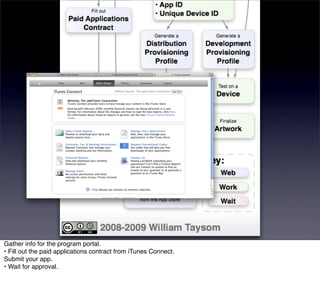
...you should visit iTunes Connect. iTunes Connect is...
iTunes Connect


...your backdoor enterance into the iTunes
Store.
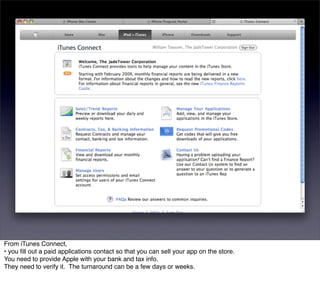
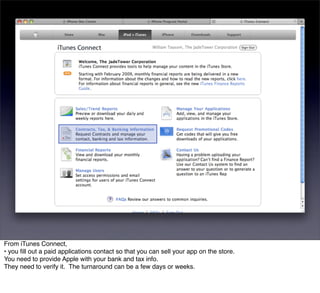
From iTunes Connect,
• you fill out a paid applications contact so that you can sell your app on the store.
You need to provide Apple with your bank and tax info.
They need to verify it. The turnaround can be a few days or weeks.
From iTunes Connect,
• you fill out a paid applications contact so that you can sell your app on the store.
You need to provide Apple with your bank and tax info.
They need to verify it. The turnaround can be a few days or weeks.
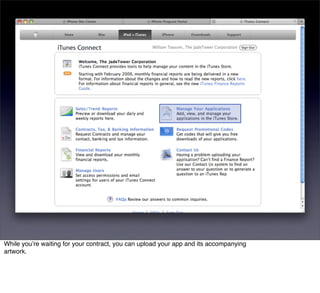
While youʼre waiting for your contract, you can upload your app and its accompanying
artwork.
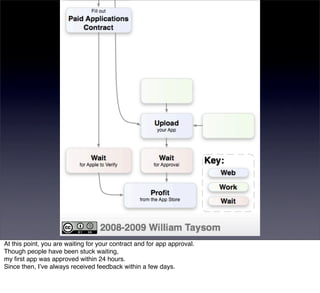
At this point, you are waiting for your contract and for app approval.
Though people have been stuck waiting,
my first app was approved within 24 hours.
Since then, Iʼve always received feedback within a few days.
Okay,
• back to the top.
Okay,
• back to the top.
Start by signing up with iPhone Dev Center.
Download the SDK. Work on your app.
Start by signing up with iPhone Dev Center.
Download the SDK. Work on your app.
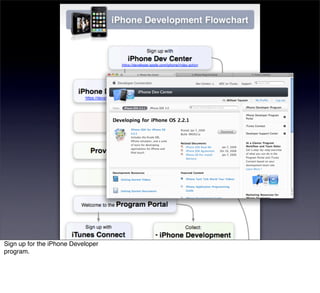
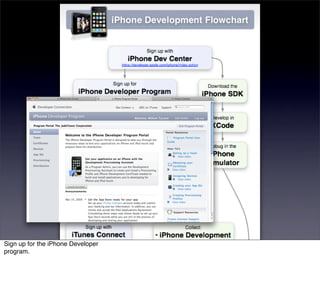
Sign up for the iPhone Developer
program.
Sign up for the iPhone Developer
program.
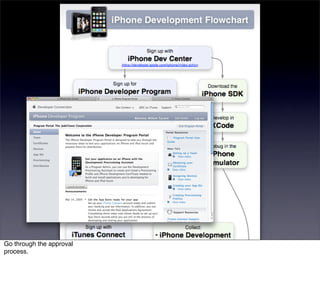
Go through the approval
process.
Go through the approval
process.
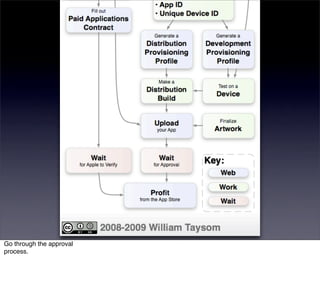
Gather info for the program portal.
• Fill out the paid applications contract from iTunes Connect.
Submit your app.
• Wait for approval.
Gather info for the program portal.
• Fill out the paid applications contract from iTunes Connect.
Submit your app.
• Wait for approval.
Gather info for the program portal.
• Fill out the paid applications contract from iTunes Connect.
Submit your app.
• Wait for approval.
Gather info for the program portal.
• Fill out the paid applications contract from iTunes Connect.
Submit your app.
• Wait for approval.
Enjoy the fruits of your
labor.
That is your relationship with Apple.
Letʼs talk about tools.
The iPhone SDK includes everything you need for iPhone (and Mac) development.
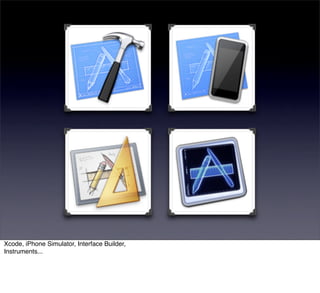
We will use four tools:
• Xcode
• The iPhone Simulator
• Interface Builder
• Instruments
We will use four tools:
• Xcode
• The iPhone Simulator
• Interface Builder
• Instruments
We will use four tools:
• Xcode
• The iPhone Simulator
• Interface Builder
• Instruments
We will use four tools:
• Xcode
• The iPhone Simulator
• Interface Builder
• Instruments
We will use four tools:
• Xcode
• The iPhone Simulator
• Interface Builder
• Instruments
Xcode is Apple's integrated development environment. We will spend most of our time in
it.
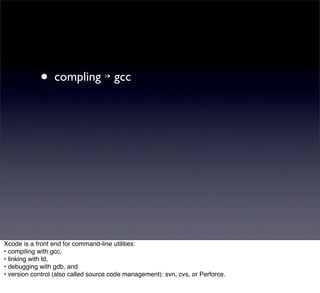
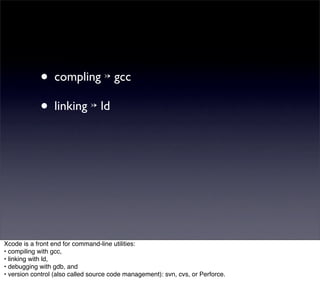
Xcode is a front end for command-line utilities:
• compiling with gcc,
• linking with ld,
• debugging with gdb, and
• version control (also called source code management): svn, cvs, or Perforce.
• compling ↣ gcc


Xcode is a front end for command-line utilities:
• compiling with gcc,
• linking with ld,
• debugging with gdb, and
• version control (also called source code management): svn, cvs, or Perforce.
• compling ↣ gcc
            • linking ↣ ld


Xcode is a front end for command-line utilities:
• compiling with gcc,
• linking with ld,
• debugging with gdb, and
• version control (also called source code management): svn, cvs, or Perforce.
• compling ↣ gcc
            • linking ↣ ld
            • debugging ↣ gdb


Xcode is a front end for command-line utilities:
• compiling with gcc,
• linking with ld,
• debugging with gdb, and
• version control (also called source code management): svn, cvs, or Perforce.
• compling ↣ gcc
            • linking ↣ ld
            • debugging ↣ gdb
            • SCM ↣ svn, cvs, Perforce


Xcode is a front end for command-line utilities:
• compiling with gcc,
• linking with ld,
• debugging with gdb, and
• version control (also called source code management): svn, cvs, or Perforce.
Window Types


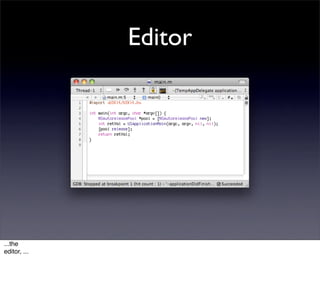
Xcode has many types of windows:
Editor


...the
editor, ...
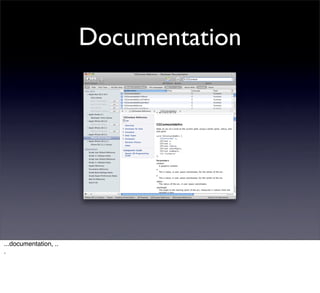
Documentation


...documentation, ..
.
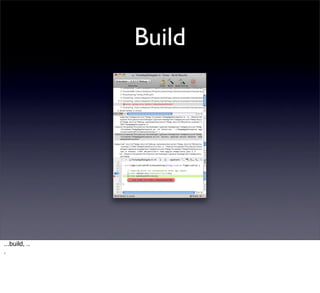
Build


...build, ..
.
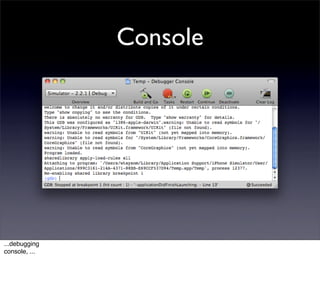
Console


...debugging
console, ...
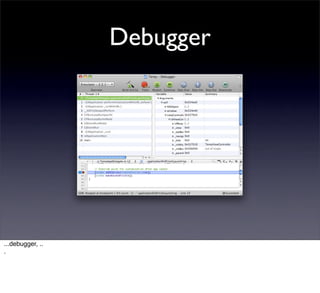
Debugger


...debugger, ..
.
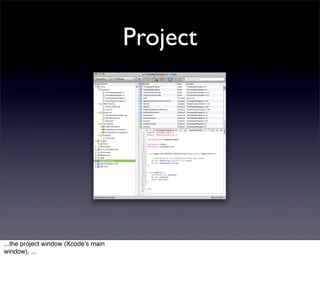
Project


...the project window (Xcodeʼs main
window), ...
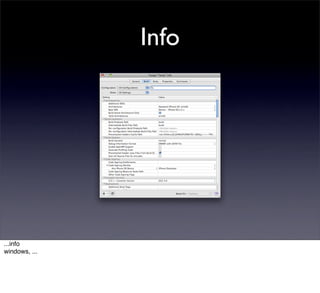
Info


...info
windows, ...
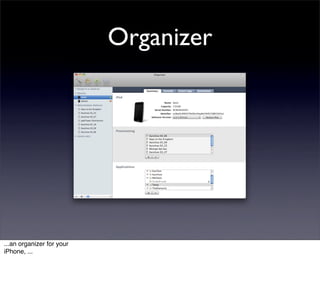
Organizer


...an organizer for your
iPhone, ...
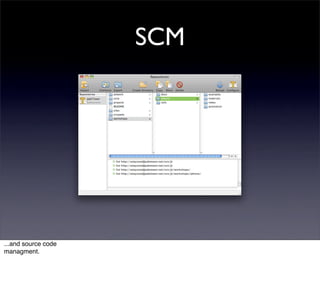
SCM


...and source code
managment.
We will see all of these windows before weʼre done with Xcode.
The iPhone Simulator is great for everyday testing and
debugging.
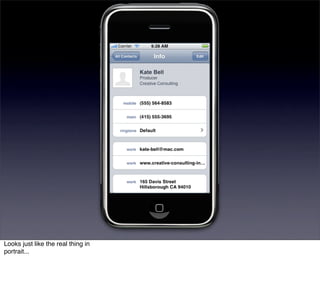
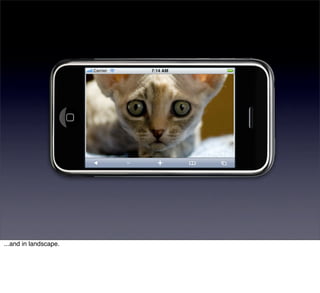
Looks just like the real thing in
portrait...
...and in landscape.
Thatʼs the gist of the
simulator.
Interface Builder helps you layout the views for your
app.
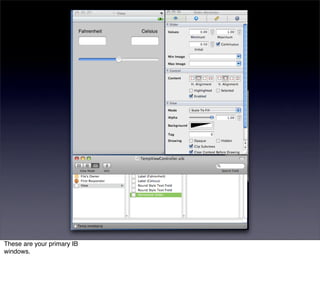
These are your primary IB
windows.
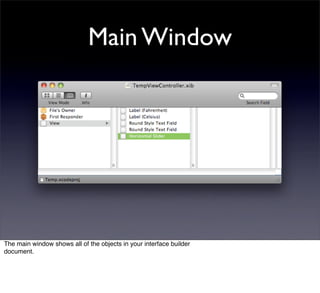
Main Window


The main window shows all of the objects in your interface builder
document.
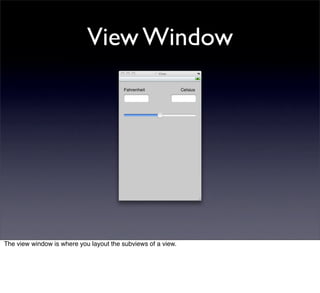
View Window


The view window is where you layout the subviews of a view.
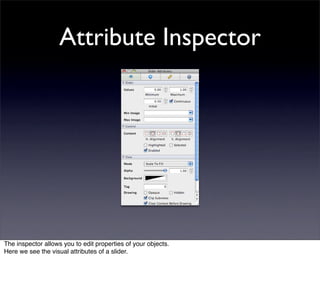
Attribute Inspector


The inspector allows you to edit properties of your objects.
Here we see the visual attributes of a slider.
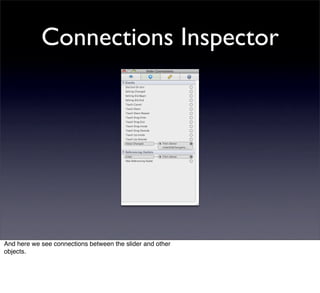
Connections Inspector


And here we see connections between the slider and other
objects.
Interface Builder can remove the guesswork of in-code layout.
But be warned. IB can trip you up due to limitations and bugs.
Instruments is used for profiling
and, ...
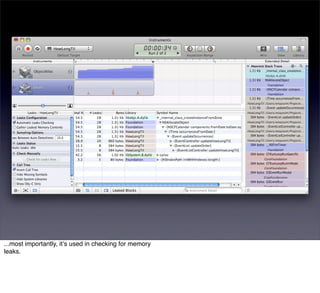
...most importantly, itʼs used in checking for memory
leaks.
We will have some good runs with Instruments over the next few
days.
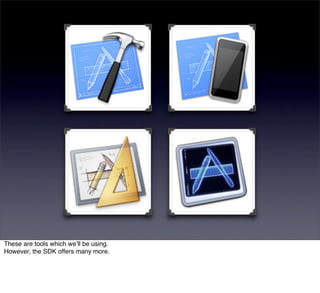
These are tools which weʼll be using.
However, the SDK offers many more.
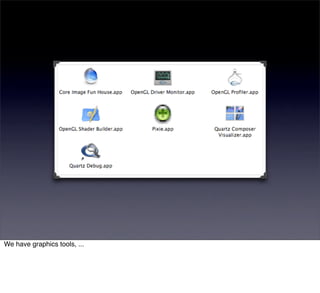
We have graphics tools, ...
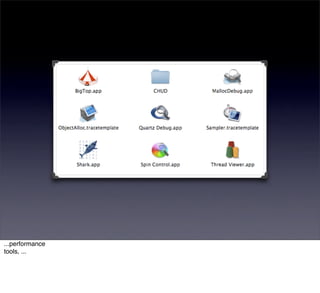
...performance
tools, ...
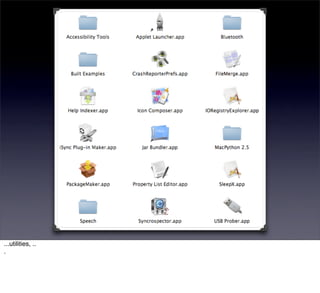
...utilities, ..
.
...and Dashcode.
Before native iPhone apps were an option, Dashcode was created to make iPhone specific Web Applications.
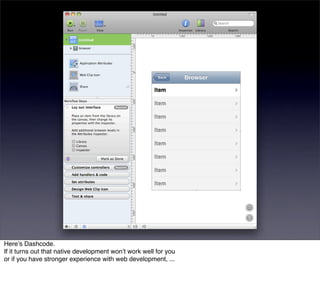
Hereʼs Dashcode.
If it turns out that native development wonʼt work well for you
or if you have stronger experience with web development, ...
...I recommend that you look into
Dashcode.
Xcode, iPhone Simulator, Interface Builder,
Instruments...
...these are the tools that weʼll be
using.
Turn your attention to the iPhone
platform.
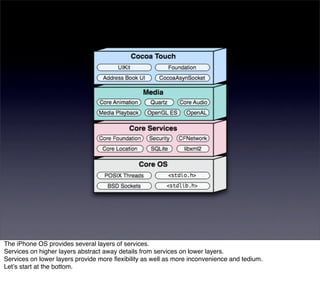
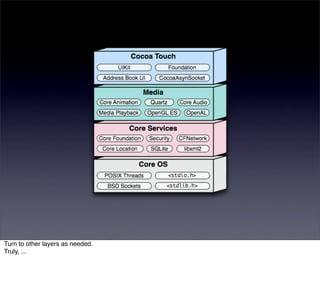
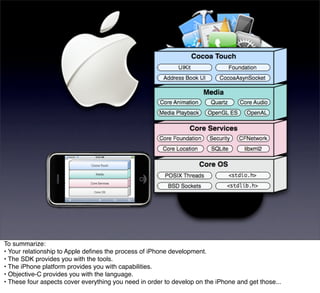
The iPhone OS provides several layers of services.
Services on higher layers abstract away details from services on lower layers.
Services on lower layers provide more flexibility as well as more inconvenience and tedium.
Letʼs start at the bottom.
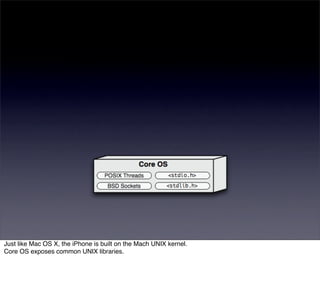
Just like Mac OS X, the iPhone is built on the Mach UNIX kernel.
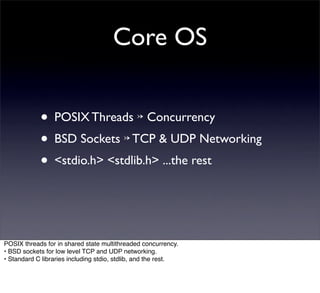
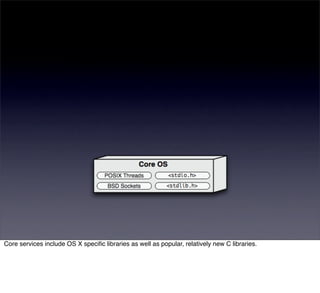
Core OS exposes common UNIX libraries.
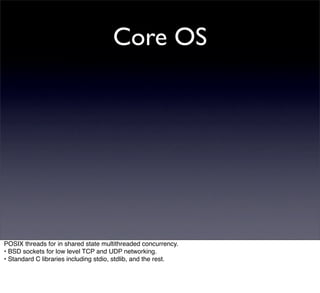
Core OS


POSIX threads for in shared state multithreaded concurrency.
• BSD sockets for low level TCP and UDP networking.
• Standard C libraries including stdio, stdlib, and the rest.
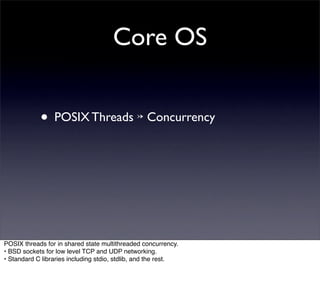
Core OS


            • POSIX Threads ↣ Concurrency


POSIX threads for in shared state multithreaded concurrency.
• BSD sockets for low level TCP and UDP networking.
• Standard C libraries including stdio, stdlib, and the rest.
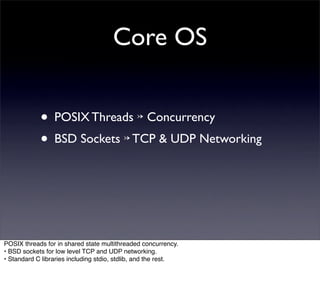
Core OS


            • POSIX Threads ↣ Concurrency
            • BSD Sockets ↣ TCP & UDP Networking


POSIX threads for in shared state multithreaded concurrency.
• BSD sockets for low level TCP and UDP networking.
• Standard C libraries including stdio, stdlib, and the rest.
Core OS


            • POSIX Threads ↣ Concurrency
            • BSD Sockets ↣ TCP & UDP Networking
            • <stdio.h> <stdlib.h> ...the rest


POSIX threads for in shared state multithreaded concurrency.
• BSD sockets for low level TCP and UDP networking.
• Standard C libraries including stdio, stdlib, and the rest.
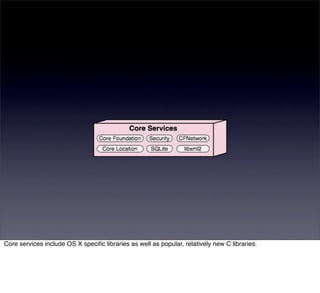
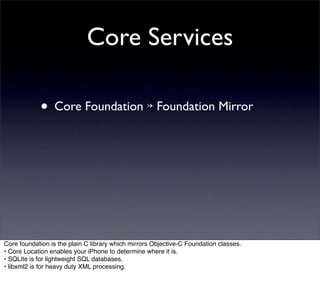
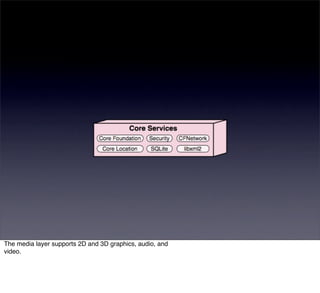
Core services include OS X specific libraries as well as popular, relatively new C libraries.
Core Services


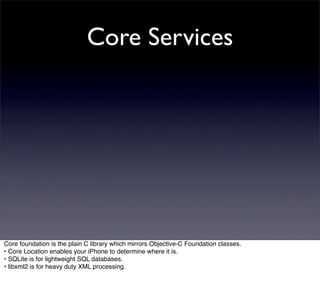
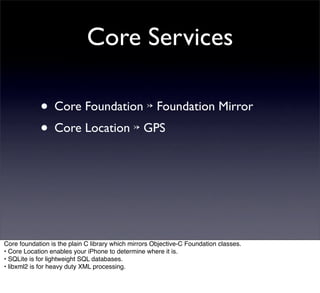
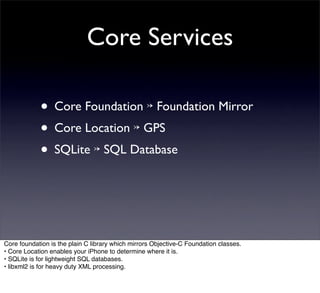
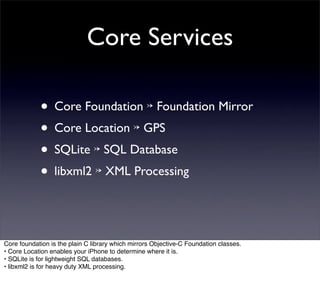
Core foundation is the plain C library which mirrors Objective-C Foundation classes.
• Core Location enables your iPhone to determine where it is.
• SQLite is for lightweight SQL databases.
• libxml2 is for heavy duty XML processing.
Core Services

            • Core Foundation ↣ Foundation Mirror


Core foundation is the plain C library which mirrors Objective-C Foundation classes.
• Core Location enables your iPhone to determine where it is.
• SQLite is for lightweight SQL databases.
• libxml2 is for heavy duty XML processing.
Core Services

            • Core Foundation ↣ Foundation Mirror
            • Core Location ↣ GPS


Core foundation is the plain C library which mirrors Objective-C Foundation classes.
• Core Location enables your iPhone to determine where it is.
• SQLite is for lightweight SQL databases.
• libxml2 is for heavy duty XML processing.
Core Services

            • Core Foundation ↣ Foundation Mirror
            • Core Location ↣ GPS
            • SQLite ↣ SQL Database


Core foundation is the plain C library which mirrors Objective-C Foundation classes.
• Core Location enables your iPhone to determine where it is.
• SQLite is for lightweight SQL databases.
• libxml2 is for heavy duty XML processing.
Core Services

            • Core Foundation ↣ Foundation Mirror
            • Core Location ↣ GPS
            • SQLite ↣ SQL Database
            • libxml2 ↣ XML Processing


Core foundation is the plain C library which mirrors Objective-C Foundation classes.
• Core Location enables your iPhone to determine where it is.
• SQLite is for lightweight SQL databases.
• libxml2 is for heavy duty XML processing.
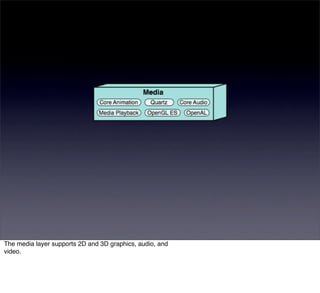
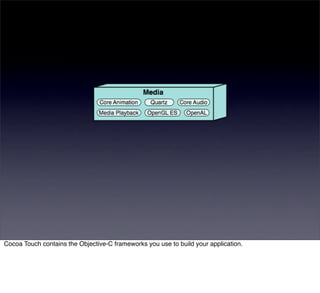
The media layer supports 2D and 3D graphics, audio, and
video.
The media layer supports 2D and 3D graphics, audio, and
video.
Media


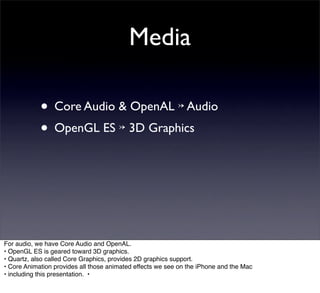
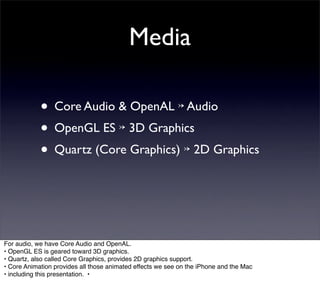
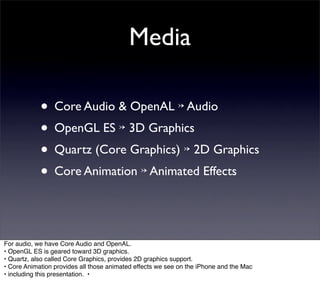
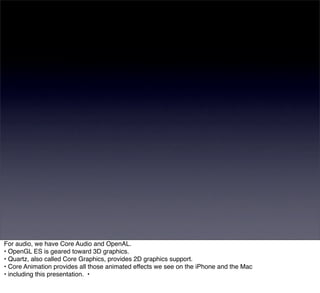
For audio, we have Core Audio and OpenAL.
• OpenGL ES is geared toward 3D graphics.
• Quartz, also called Core Graphics, provides 2D graphics support.
• Core Animation provides all those animated effects we see on the iPhone and the Mac
• including this presentation. •
Media

            • Core Audio & OpenAL ↣ Audio


For audio, we have Core Audio and OpenAL.
• OpenGL ES is geared toward 3D graphics.
• Quartz, also called Core Graphics, provides 2D graphics support.
• Core Animation provides all those animated effects we see on the iPhone and the Mac
• including this presentation. •
Media

            • Core Audio & OpenAL ↣ Audio
            • OpenGL ES ↣ 3D Graphics


For audio, we have Core Audio and OpenAL.
• OpenGL ES is geared toward 3D graphics.
• Quartz, also called Core Graphics, provides 2D graphics support.
• Core Animation provides all those animated effects we see on the iPhone and the Mac
• including this presentation. •
Media

            • Core Audio & OpenAL ↣ Audio
            • OpenGL ES ↣ 3D Graphics
            • Quartz (Core Graphics) ↣ 2D Graphics


For audio, we have Core Audio and OpenAL.
• OpenGL ES is geared toward 3D graphics.
• Quartz, also called Core Graphics, provides 2D graphics support.
• Core Animation provides all those animated effects we see on the iPhone and the Mac
• including this presentation. •
Media

            • Core Audio & OpenAL ↣ Audio
            • OpenGL ES ↣ 3D Graphics
            • Quartz (Core Graphics) ↣ 2D Graphics
            • Core Animation ↣ Animated Effects


For audio, we have Core Audio and OpenAL.
• OpenGL ES is geared toward 3D graphics.
• Quartz, also called Core Graphics, provides 2D graphics support.
• Core Animation provides all those animated effects we see on the iPhone and the Mac
• including this presentation. •
For audio, we have Core Audio and OpenAL.
• OpenGL ES is geared toward 3D graphics.
• Quartz, also called Core Graphics, provides 2D graphics support.
• Core Animation provides all those animated effects we see on the iPhone and the Mac
• including this presentation. •
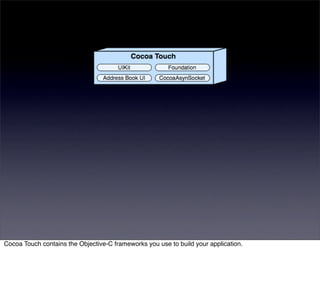
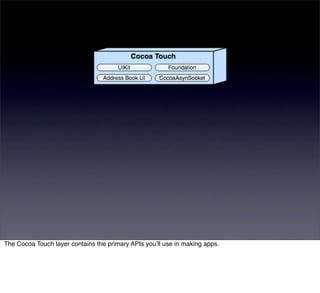
Cocoa Touch contains the Objective-C frameworks you use to build your application.
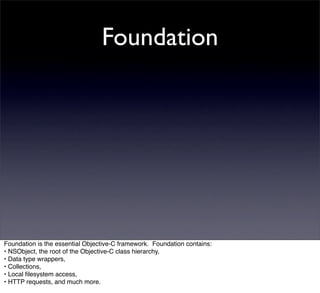
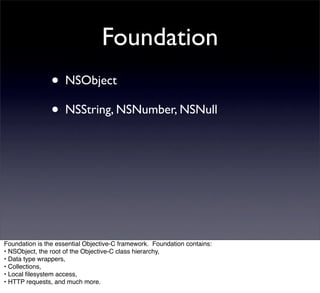
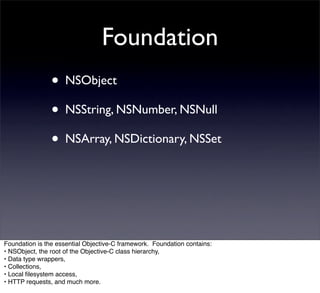
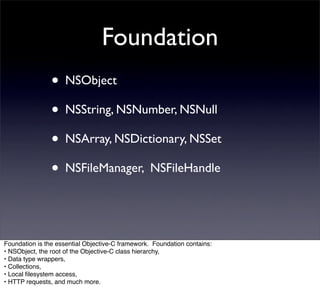
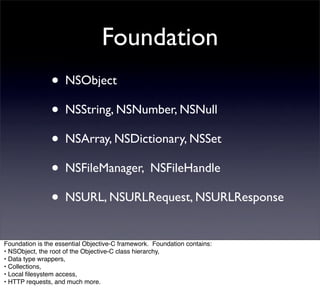
Foundation


Foundation is the essential Objective-C framework. Foundation contains:
• NSObject, the root of the Objective-C class hierarchy,
• Data type wrappers,
• Collections,
• Local filesystem access,
• HTTP requests, and much more.
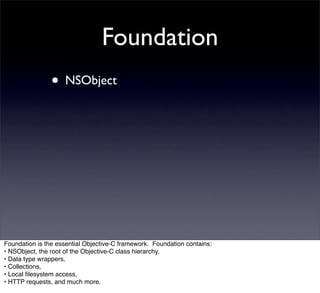
Foundation
                • NSObject


Foundation is the essential Objective-C framework. Foundation contains:
• NSObject, the root of the Objective-C class hierarchy,
• Data type wrappers,
• Collections,
• Local filesystem access,
• HTTP requests, and much more.
Foundation
                • NSObject
                • NSString, NSNumber, NSNull


Foundation is the essential Objective-C framework. Foundation contains:
• NSObject, the root of the Objective-C class hierarchy,
• Data type wrappers,
• Collections,
• Local filesystem access,
• HTTP requests, and much more.
Foundation
                • NSObject
                • NSString, NSNumber, NSNull
                • NSArray, NSDictionary, NSSet


Foundation is the essential Objective-C framework. Foundation contains:
• NSObject, the root of the Objective-C class hierarchy,
• Data type wrappers,
• Collections,
• Local filesystem access,
• HTTP requests, and much more.
Foundation
                • NSObject
                • NSString, NSNumber, NSNull
                • NSArray, NSDictionary, NSSet
                • NSFileManager, NSFileHandle


Foundation is the essential Objective-C framework. Foundation contains:
• NSObject, the root of the Objective-C class hierarchy,
• Data type wrappers,
• Collections,
• Local filesystem access,
• HTTP requests, and much more.
Foundation
                • NSObject
                • NSString, NSNumber, NSNull
                • NSArray, NSDictionary, NSSet
                • NSFileManager, NSFileHandle
                • NSURL, NSURLRequest, NSURLResponse
Foundation is the essential Objective-C framework. Foundation contains:
• NSObject, the root of the Objective-C class hierarchy,
• Data type wrappers,
• Collections,
• Local filesystem access,
• HTTP requests, and much more.
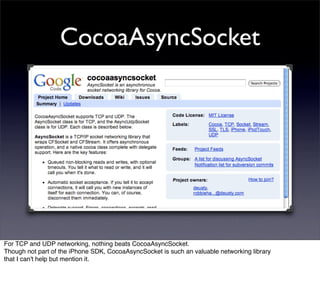
CocoaAsyncSocket


For TCP and UDP networking, nothing beats CocoaAsyncSocket.
Though not part of the iPhone SDK, CocoaAsyncSocket is such an valuable networking library
that I can't help but mention it.
UIKit


UIKit contains all the standard views and controllers which make up your application.
• From the time the user taps the application icon to the moment when application execution terminates, UIKit
is in charge.
UIKit


UIKit contains all the standard views and controllers which make up your application.
• From the time the user taps the application icon to the moment when application execution terminates, UIKit
is in charge.
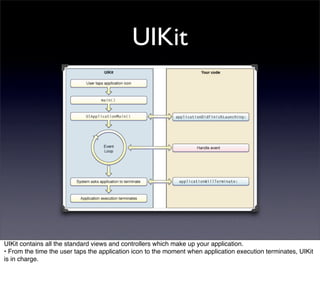
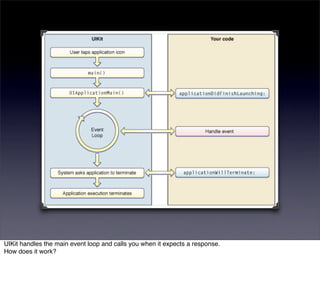
UIKit handles the main event loop and calls you when it expects a response.
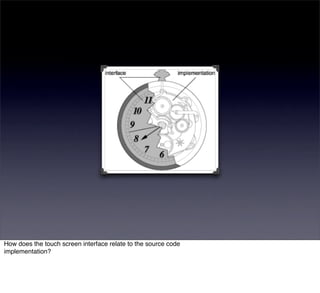
How does it work?
How does the touch screen interface relate to the source code
implementation?
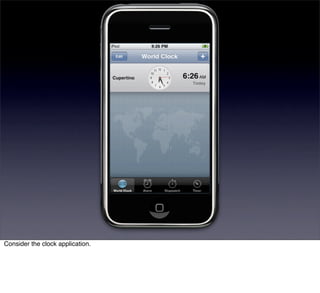
Consider the clock application.
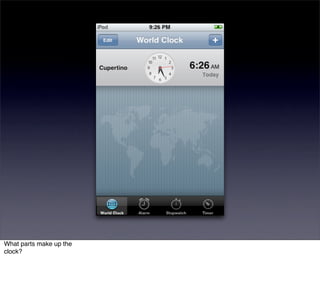
What parts make up the
clock?
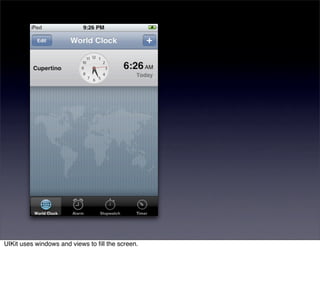
UIKit uses windows and views to fill the screen.
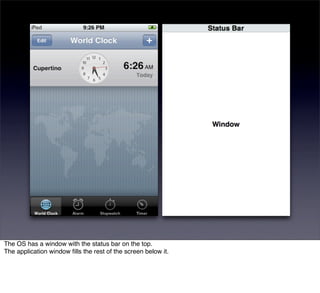
The OS has a window with the status bar on the top.
The application window fills the rest of the screen below it.
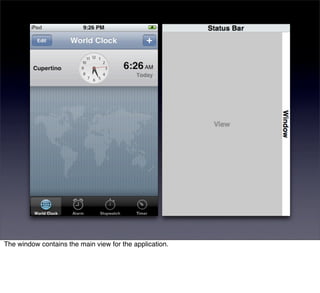
The window contains the main view for the application.
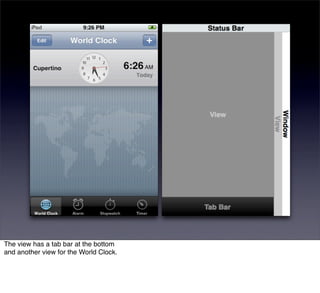
The view has a tab bar at the bottom
and another view for the World Clock.
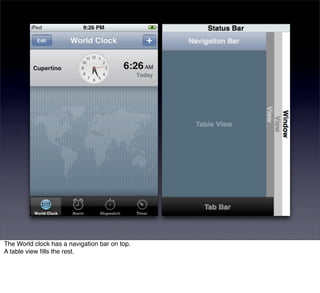
The World clock has a navigation bar on top.
A table view fills the rest.
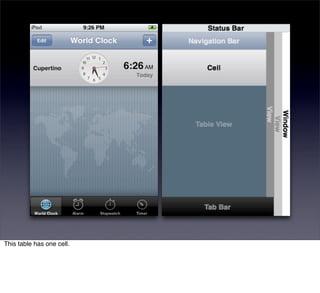
This table has one cell.
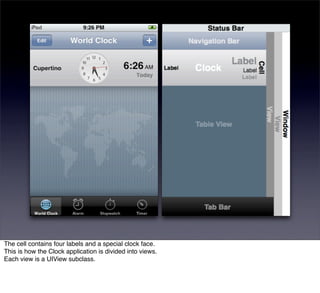
The cell contains four labels and a special clock face.
This is how the Clock application is divided into views.
Each view is a UIView subclass.
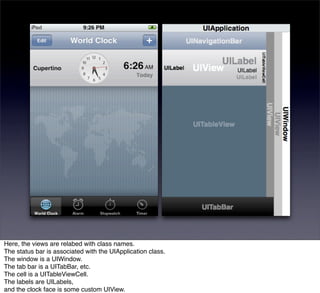
Here, the views are relabed with class names.
The status bar is associated with the UIApplication class.
The window is a UIWindow.
The tab bar is a UITabBar, etc.
The cell is a UITableViewCell.
The labels are UILabels,
and the clock face is some custom UIView.
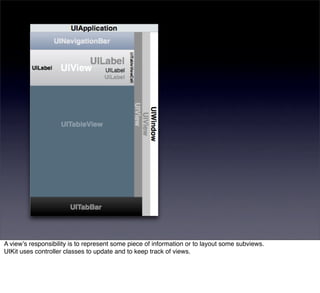
A viewʼs responsibility is to represent some piece of information or to layout some subviews.
UIKit uses controller classes to update and to keep track of views.
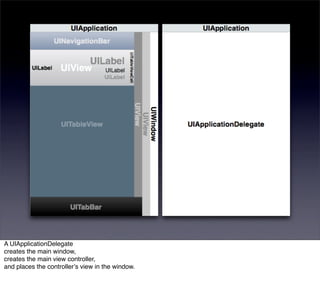
A UIApplicationDelegate
creates the main window,
creates the main view controller,
and places the controllerʼs view in the window.
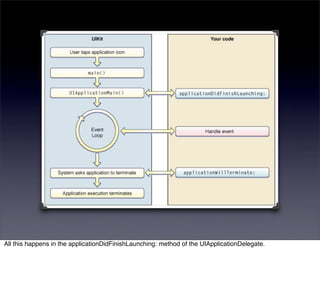
All this happens in the applicationDidFinishLaunching: method of the UIApplicationDelegate.
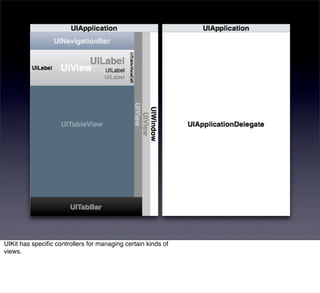
UIKit has specific controllers for managing certain kinds of
views.
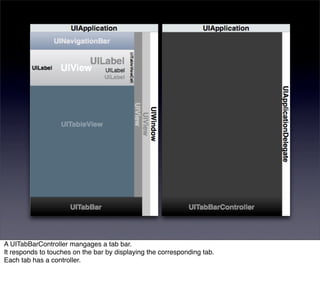
A UITabBarController mangages a tab bar.
It responds to touches on the bar by displaying the corresponding tab.
Each tab has a controller.
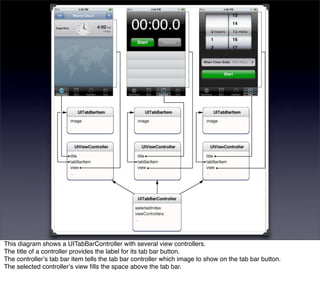
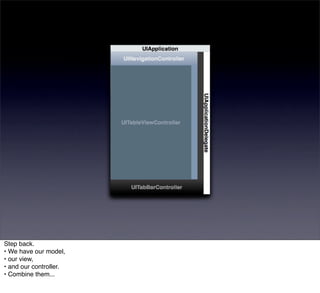
This diagram shows a UITabBarController with several view controllers.
The title of a controller provides the label for its tab bar button.
The controllerʼs tab bar item tells the tab bar controller which image to show on the tab bar button.
The selected controllerʼs view fills the space above the tab bar.
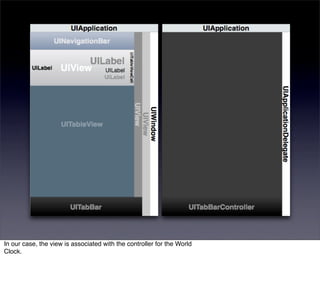
In our case, the view is associated with the controller for the World
Clock.
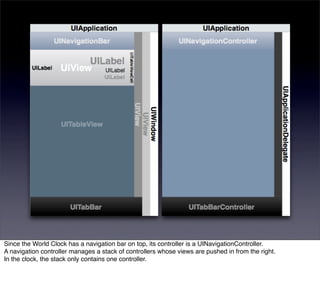
Since the World Clock has a navigation bar on top, its controller is a UINavigationController.
A navigation controller manages a stack of controllers whose views are pushed in from the right.
In the clock, the stack only contains one controller.
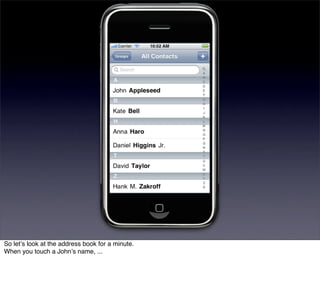
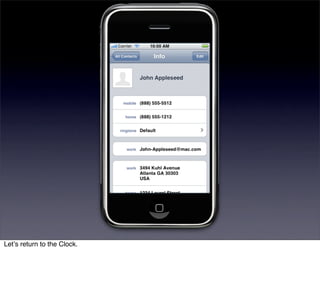
So letʼs look at the address book for a minute.
When you touch a Johnʼs name, ...
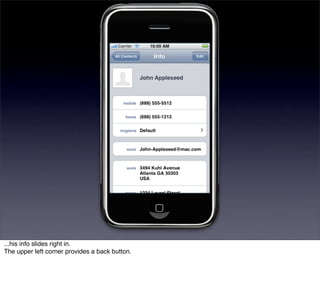
...his info slides right in.
The upper left corner provides a back button.
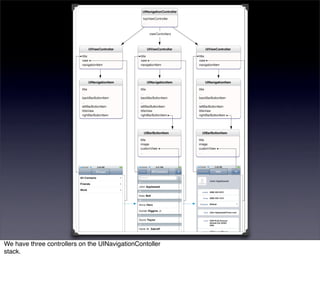
We have three controllers on the UINavigationContoller
stack.
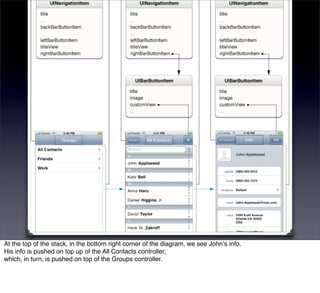
At the top of the stack, in the bottom right corner of the diagram, we see Johnʼs info.
His info is pushed on top up of the All Contacts controller,
which, in turn, is pushed on top of the Groups controller.
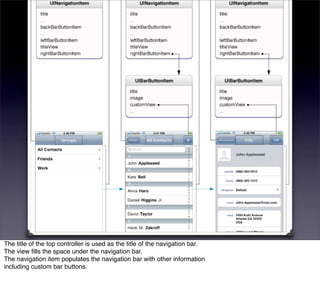
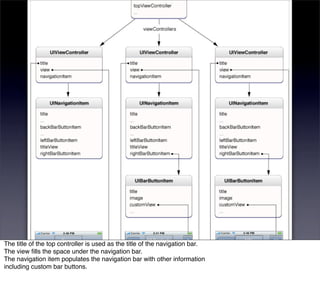
The title of the top controller is used as the title of the navigation bar.
The view fills the space under the navigation bar.
The navigation item populates the navigation bar with other information
including custom bar buttons.
The title of the top controller is used as the title of the navigation bar.
The view fills the space under the navigation bar.
The navigation item populates the navigation bar with other information
including custom bar buttons.
Letʼs return to the Clock.
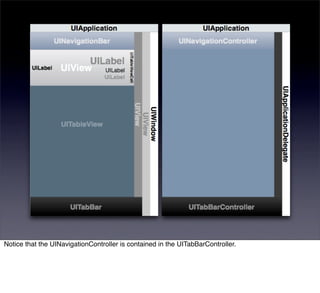
Notice that the UINavigationController is contained in the UITabBarController.
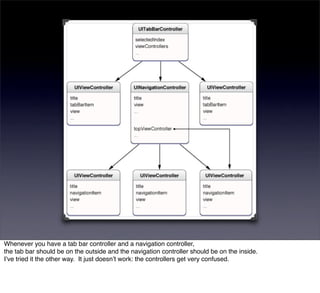
Whenever you have a tab bar controller and a navigation controller,
the tab bar should be on the outside and the navigation controller should be on the inside.
Iʼve tried it the other way. It just doesnʼt work: the controllers get very confused.
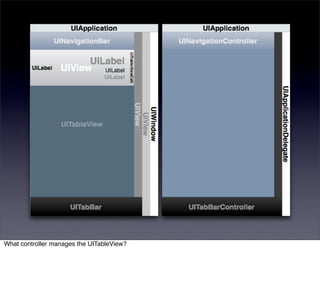
What controller manages the UITableView?
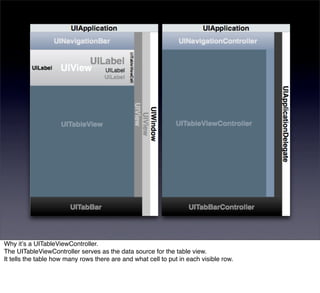
Why itʼs a UITableViewController.
The UITableViewController serves as the data source for the table view.
It tells the table how many rows there are and what cell to put in each visible row.
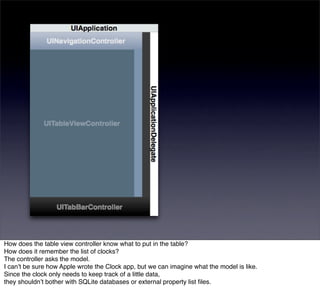
How does the table view controller know what to put in the table?
How does it remember the list of clocks?
The controller asks the model.
I canʼt be sure how Apple wrote the Clock app, but we can imagine what the model is like.
Since the clock only needs to keep track of a little data,
they shouldnʼt bother with SQLite databases or external property list files.
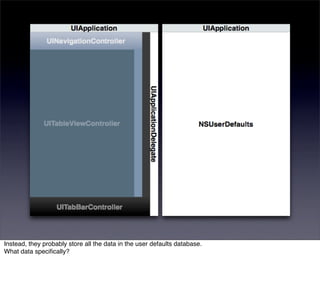
Instead, they probably store all the data in the user defaults database.
What data specifically?
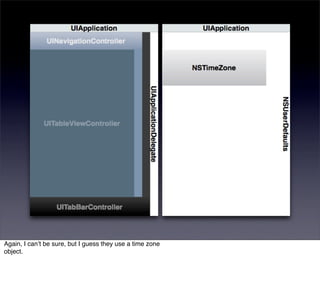
Again, I canʼt be sure, but I guess they use a time zone
object.
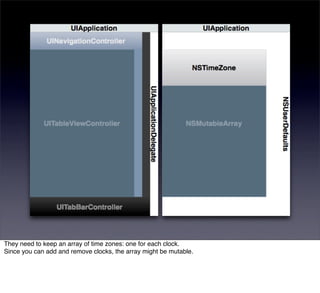
They need to keep an array of time zones: one for each clock.
Since you can add and remove clocks, the array might be mutable.
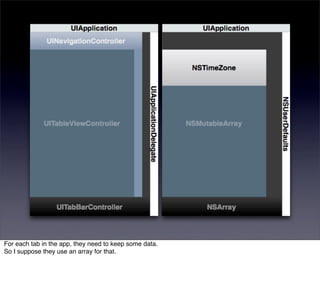
For each tab in the app, they need to keep some data.
So I suppose they use an array for that.
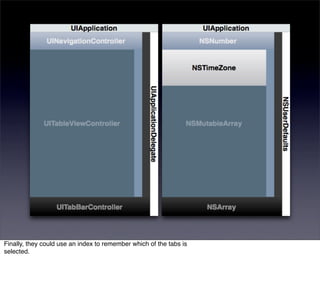
Finally, they could use an index to remember which of the tabs is
selected.
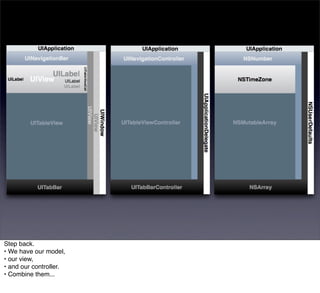
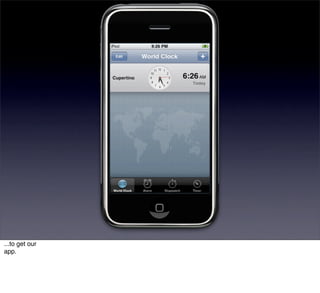
Step back.
• We have our model,
• our view,
• and our controller.
• Combine them...
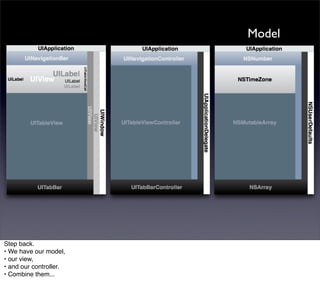
Model


Step back.
• We have our model,
• our view,
• and our controller.
• Combine them...
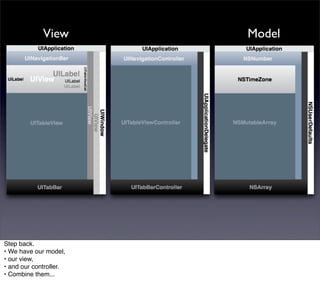
View       Model


Step back.
• We have our model,
• our view,
• and our controller.
• Combine them...
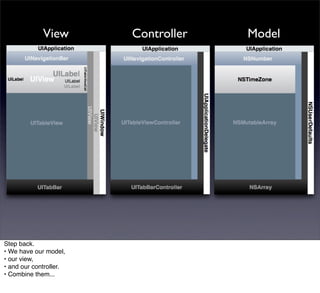
View       Controller   Model


Step back.
• We have our model,
• our view,
• and our controller.
• Combine them...
Step back.
• We have our model,
• our view,
• and our controller.
• Combine them...
...to get our
app.
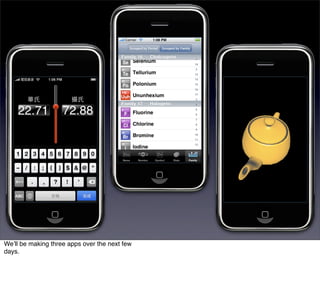
Weʼll be making three apps over the next few
days.
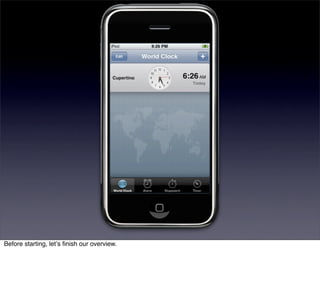
Before starting, letʼs finish our overview.
The Cocoa Touch layer contains the primary APIs youʼll use in making apps.
Turn to other layers as needed.
Truly, ...
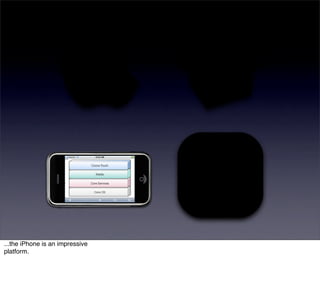
...the iPhone is an impressive
platform.
Objective-C is the language you use to speak to the
platform.
History


History time.
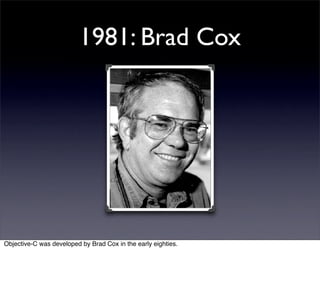
1981: Brad Cox


Objective-C was developed by Brad Cox in the early eighties.
1988: NeXT


In 1988 NeXT Inc. licensed Objective-
C...
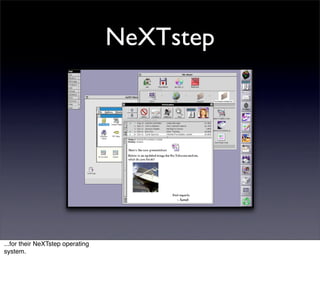
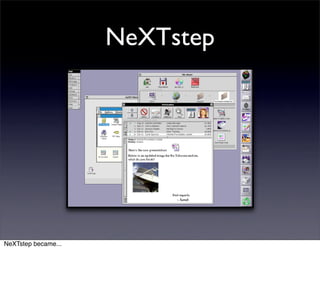
NeXTstep


...for their NeXTstep operating
system.
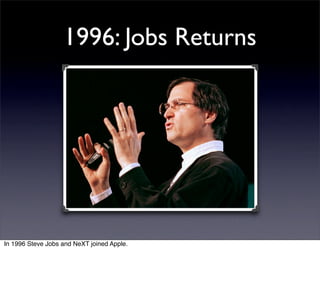
1996: Jobs Returns


In 1996 Steve Jobs and NeXT joined Apple.
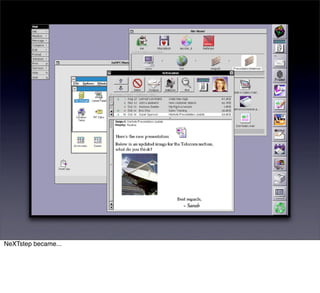
NeXTstep


NeXTstep became...
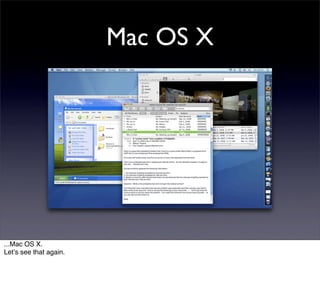
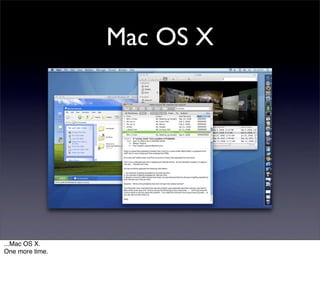
Mac OS X


...Mac OS X.
Letʼs see that again.
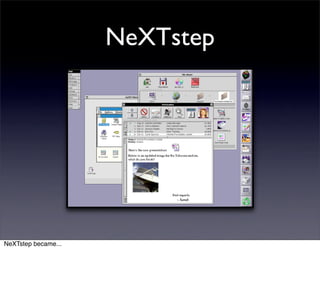
NeXTstep


NeXTstep became...
Mac OS X


...Mac OS X.
One more time.
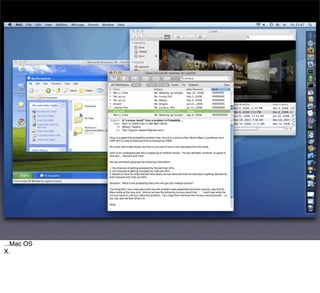
NeXTstep became...
...Mac OS
X.
Objective-C


Objective-C came along for the ride.
Since iPhone OS is a version of Mac OS X, the iPhone's programming language is Objective-C.
Design


What is Objective-C like?
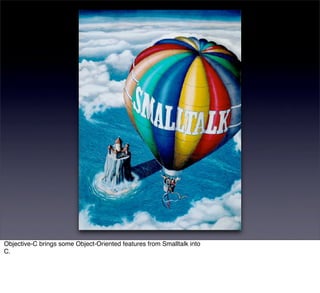
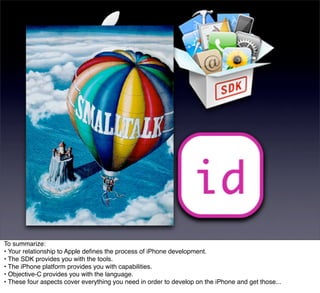
Objective-C brings some Object-Oriented features from Smalltalk into
C.
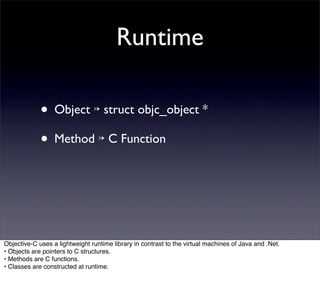
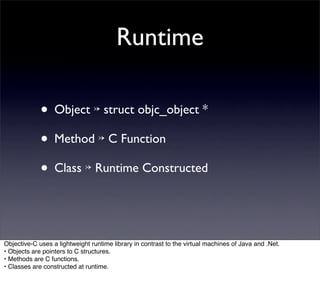
Runtime


Objective-C uses a lightweight runtime library in contrast to the virtual machines of Java and .Net.
• Objects are pointers to C structures.
• Methods are C functions.
• Classes are constructed at runtime.
Runtime

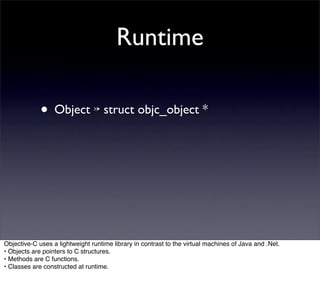
             • Object ↣ struct objc_object *


Objective-C uses a lightweight runtime library in contrast to the virtual machines of Java and .Net.
• Objects are pointers to C structures.
• Methods are C functions.
• Classes are constructed at runtime.
Runtime

             • Object ↣ struct objc_object *
             • Method ↣ C Function


Objective-C uses a lightweight runtime library in contrast to the virtual machines of Java and .Net.
• Objects are pointers to C structures.
• Methods are C functions.
• Classes are constructed at runtime.
Runtime

             • Object ↣ struct objc_object *
             • Method ↣ C Function
             • Class ↣ Runtime Constructed


Objective-C uses a lightweight runtime library in contrast to the virtual machines of Java and .Net.
• Objects are pointers to C structures.
• Methods are C functions.
• Classes are constructed at runtime.
Syntax


Objective-C's syntax is the same as C syntax with a few
additions.
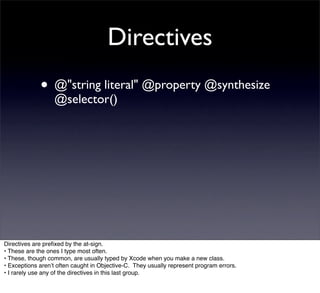
Directives


Directives are prefixed by the at-sign.
• These are the ones I type most often.
• These, though common, are usually typed by Xcode when you make a new class.
• Exceptions arenʼt often caught in Objective-C. They usually represent program errors.
• I rarely use any of the directives in this last group.
Directives
             • @"string literal" @property @synthesize
                  @selector()


Directives are prefixed by the at-sign.
• These are the ones I type most often.
• These, though common, are usually typed by Xcode when you make a new class.
• Exceptions arenʼt often caught in Objective-C. They usually represent program errors.
• I rarely use any of the directives in this last group.
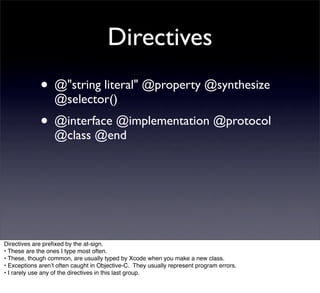
Directives
             • @"string literal" @property @synthesize
                  @selector()
             • @interface @implementation @protocol
                  @class @end


Directives are prefixed by the at-sign.
• These are the ones I type most often.
• These, though common, are usually typed by Xcode when you make a new class.
• Exceptions arenʼt often caught in Objective-C. They usually represent program errors.
• I rarely use any of the directives in this last group.
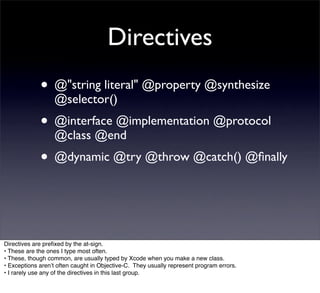
Directives
             • @"string literal" @property @synthesize
                  @selector()
             • @interface @implementation @protocol
                  @class @end
             • @dynamic @try @throw @catch() @finally


Directives are prefixed by the at-sign.
• These are the ones I type most often.
• These, though common, are usually typed by Xcode when you make a new class.
• Exceptions arenʼt often caught in Objective-C. They usually represent program errors.
• I rarely use any of the directives in this last group.
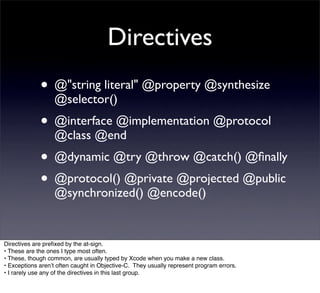
Directives
             • @"string literal" @property @synthesize
                  @selector()
             • @interface @implementation @protocol
                  @class @end
             • @dynamic @try @throw @catch() @finally
             • @protocol() @private @projected @public
                  @synchronized() @encode()


Directives are prefixed by the at-sign.
• These are the ones I type most often.
• These, though common, are usually typed by Xcode when you make a new class.
• Exceptions arenʼt often caught in Objective-C. They usually represent program errors.
• I rarely use any of the directives in this last group.
Messages


Method calls, also known as messages, use square brackets.
• Here the receiver is a variable named “string” and the method name, or selector, is “integerValue”.
• Arguments come after a colon.
• For multiple arguments, the method name is broken into parts: one for each argument.
The selector here is “stringByReplacingOccurrencesOfString:withString:”.
In Objective-C, they like descriptive method names.
• A method can take a variable number of comma-seperated arguments after its last colon.
Messages

             • [string integerValue]


Method calls, also known as messages, use square brackets.
• Here the receiver is a variable named “string” and the method name, or selector, is “integerValue”.
• Arguments come after a colon.
• For multiple arguments, the method name is broken into parts: one for each argument.
The selector here is “stringByReplacingOccurrencesOfString:withString:”.
In Objective-C, they like descriptive method names.
• A method can take a variable number of comma-seperated arguments after its last colon.
Messages

             • [string integerValue]
             • [string isEqualToString:anotherString]


Method calls, also known as messages, use square brackets.
• Here the receiver is a variable named “string” and the method name, or selector, is “integerValue”.
• Arguments come after a colon.
• For multiple arguments, the method name is broken into parts: one for each argument.
The selector here is “stringByReplacingOccurrencesOfString:withString:”.
In Objective-C, they like descriptive method names.
• A method can take a variable number of comma-seperated arguments after its last colon.
Messages

             • [string integerValue]
             • [string isEqualToString:anotherString]
             •    [string stringByReplacingOccurrencesOfString:oneString
                  
      withString:anotherString]


Method calls, also known as messages, use square brackets.
• Here the receiver is a variable named “string” and the method name, or selector, is “integerValue”.
• Arguments come after a colon.
• For multiple arguments, the method name is broken into parts: one for each argument.
The selector here is “stringByReplacingOccurrencesOfString:withString:”.
In Objective-C, they like descriptive method names.
• A method can take a variable number of comma-seperated arguments after its last colon.
Messages

             • [string integerValue]
             • [string isEqualToString:anotherString]
             •    [string stringByReplacingOccurrencesOfString:oneString
                  
      withString:anotherString]

             •    [NSString stringWithFormat:@"%d %@", number, string]


Method calls, also known as messages, use square brackets.
• Here the receiver is a variable named “string” and the method name, or selector, is “integerValue”.
• Arguments come after a colon.
• For multiple arguments, the method name is broken into parts: one for each argument.
The selector here is “stringByReplacingOccurrencesOfString:withString:”.
In Objective-C, they like descriptive method names.
• A method can take a variable number of comma-seperated arguments after its last colon.
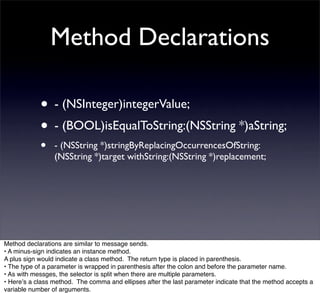
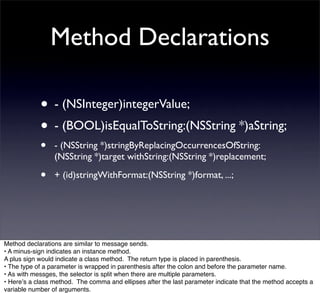
Method Declarations


Method declarations are similar to message sends.
• A minus-sign indicates an instance method.
A plus sign would indicate a class method. The return type is placed in parenthesis.
• The type of a parameter is wrapped in parenthesis after the colon and before the parameter name.
• As with messges, the selector is split when there are multiple parameters.
• Hereʼs a class method. The comma and ellipses after the last parameter indicate that the method accepts a
variable number of arguments.
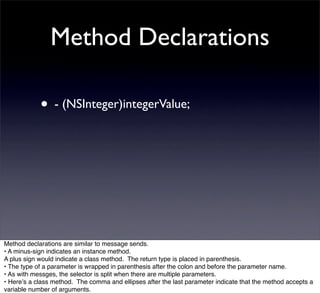
Method Declarations

            • - (NSInteger)integerValue;


Method declarations are similar to message sends.
• A minus-sign indicates an instance method.
A plus sign would indicate a class method. The return type is placed in parenthesis.
• The type of a parameter is wrapped in parenthesis after the colon and before the parameter name.
• As with messges, the selector is split when there are multiple parameters.
• Hereʼs a class method. The comma and ellipses after the last parameter indicate that the method accepts a
variable number of arguments.
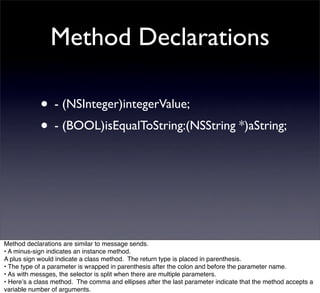
Method Declarations

            • - (NSInteger)integerValue;
            • - (BOOL)isEqualToString:(NSString *)aString;


Method declarations are similar to message sends.
• A minus-sign indicates an instance method.
A plus sign would indicate a class method. The return type is placed in parenthesis.
• The type of a parameter is wrapped in parenthesis after the colon and before the parameter name.
• As with messges, the selector is split when there are multiple parameters.
• Hereʼs a class method. The comma and ellipses after the last parameter indicate that the method accepts a
variable number of arguments.
Method Declarations

            • - (NSInteger)integerValue;
            • - (BOOL)isEqualToString:(NSString *)aString;
            •    - (NSString *)stringByReplacingOccurrencesOfString:
                 (NSString *)target withString:(NSString *)replacement;


Method declarations are similar to message sends.
• A minus-sign indicates an instance method.
A plus sign would indicate a class method. The return type is placed in parenthesis.
• The type of a parameter is wrapped in parenthesis after the colon and before the parameter name.
• As with messges, the selector is split when there are multiple parameters.
• Hereʼs a class method. The comma and ellipses after the last parameter indicate that the method accepts a
variable number of arguments.
Method Declarations

            • - (NSInteger)integerValue;
            • - (BOOL)isEqualToString:(NSString *)aString;
            •    - (NSString *)stringByReplacingOccurrencesOfString:
                 (NSString *)target withString:(NSString *)replacement;

            •    + (id)stringWithFormat:(NSString *)format, ...;


Method declarations are similar to message sends.
• A minus-sign indicates an instance method.
A plus sign would indicate a class method. The return type is placed in parenthesis.
• The type of a parameter is wrapped in parenthesis after the colon and before the parameter name.
• As with messges, the selector is split when there are multiple parameters.
• Hereʼs a class method. The comma and ellipses after the last parameter indicate that the method accepts a
variable number of arguments.
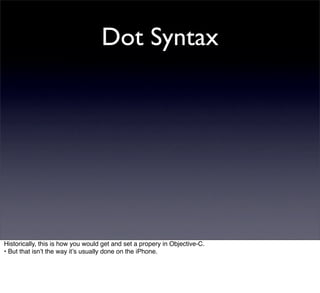
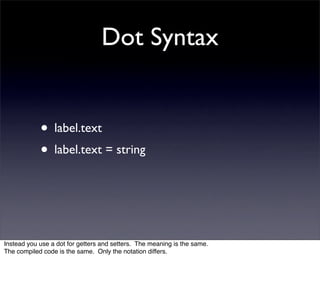
Dot Syntax


             • [label text]
             • [label setText:string]


Historically, this is how you would get and set a propery in Objective-C.
• But that isnʼt the way itʼs usually done on the iPhone.
Dot Syntax


Historically, this is how you would get and set a propery in Objective-C.
• But that isnʼt the way itʼs usually done on the iPhone.
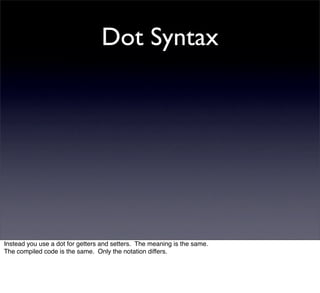
Dot Syntax


Instead you use a dot for getters and setters. The meaning is the same.
The compiled code is the same. Only the notation differs.
Dot Syntax


            • label.text
            • label.text = string


Instead you use a dot for getters and setters. The meaning is the same.
The compiled code is the same. Only the notation differs.
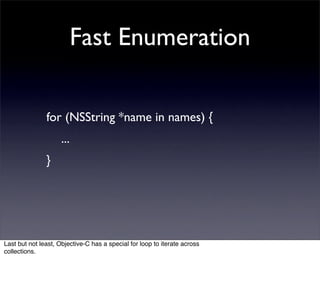
Fast Enumeration

               for (NSString *name in names) {
               
 ...
               }


Last but not least, Objective-C has a special for loop to iterate across
collections.
Thatʼs Objective-C in a too-small nutshell.
Your printed materials include a concise reference to Objective-C.
The materials also include a reference to C and the C Preprocessor.
To summarize:
• Your relationship to Apple defines the process of iPhone development.
• The SDK provides you with the tools.
• The iPhone platform provides you with capabilities.
• Objective-C provides you with the language.
• These four aspects cover everything you need in order to develop on the iPhone and get those...
To summarize:
• Your relationship to Apple defines the process of iPhone development.
• The SDK provides you with the tools.
• The iPhone platform provides you with capabilities.
• Objective-C provides you with the language.
• These four aspects cover everything you need in order to develop on the iPhone and get those...
To summarize:
• Your relationship to Apple defines the process of iPhone development.
• The SDK provides you with the tools.
• The iPhone platform provides you with capabilities.
• Objective-C provides you with the language.
• These four aspects cover everything you need in order to develop on the iPhone and get those...
To summarize:
• Your relationship to Apple defines the process of iPhone development.
• The SDK provides you with the tools.
• The iPhone platform provides you with capabilities.
• Objective-C provides you with the language.
• These four aspects cover everything you need in order to develop on the iPhone and get those...
To summarize:
• Your relationship to Apple defines the process of iPhone development.
• The SDK provides you with the tools.
• The iPhone platform provides you with capabilities.
• Objective-C provides you with the language.
• These four aspects cover everything you need in order to develop on the iPhone and get those...
To summarize:
• Your relationship to Apple defines the process of iPhone development.
• The SDK provides you with the tools.
• The iPhone platform provides you with capabilities.
• Objective-C provides you with the language.
• These four aspects cover everything you need in order to develop on the iPhone and get those...
...downloads.
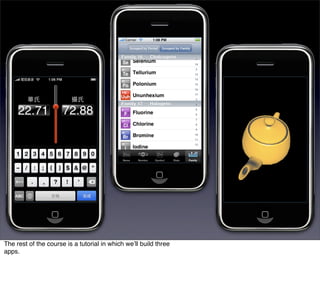
The rest of the course is a tutorial in which weʼll build three
apps.
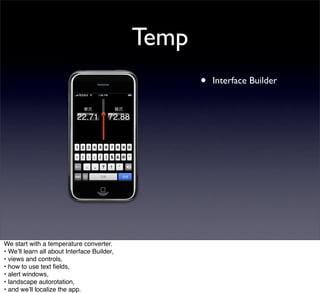
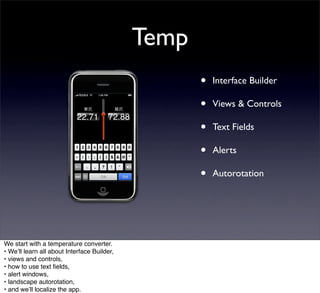
Temp


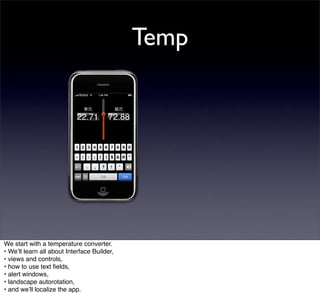
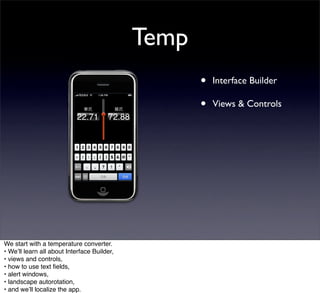
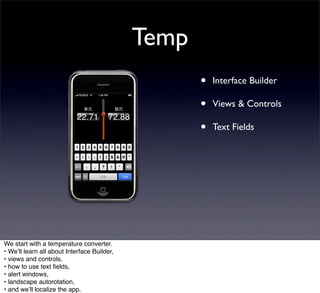
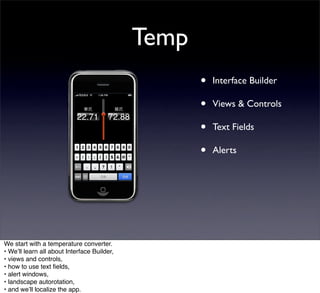
We start with a temperature converter.
• Weʼll learn all about Interface Builder,
• views and controls,
• how to use text fields,
• alert windows,
• landscape autorotation,
• and weʼll localize the app.
Temp
                                                    •   Interface Builder


We start with a temperature converter.
• Weʼll learn all about Interface Builder,
• views and controls,
• how to use text fields,
• alert windows,
• landscape autorotation,
• and weʼll localize the app.
Temp
                                                    •   Interface Builder

                                                    •   Views & Controls


We start with a temperature converter.
• Weʼll learn all about Interface Builder,
• views and controls,
• how to use text fields,
• alert windows,
• landscape autorotation,
• and weʼll localize the app.
Temp
                                                    •   Interface Builder

                                                    •   Views & Controls

                                                    •   Text Fields


We start with a temperature converter.
• Weʼll learn all about Interface Builder,
• views and controls,
• how to use text fields,
• alert windows,
• landscape autorotation,
• and weʼll localize the app.
Temp
                                                    •   Interface Builder

                                                    •   Views & Controls

                                                    •   Text Fields

                                                    •   Alerts


We start with a temperature converter.
• Weʼll learn all about Interface Builder,
• views and controls,
• how to use text fields,
• alert windows,
• landscape autorotation,
• and weʼll localize the app.
Temp
                                                    •   Interface Builder

                                                    •   Views & Controls

                                                    •   Text Fields

                                                    •   Alerts

                                                    •   Autorotation


We start with a temperature converter.
• Weʼll learn all about Interface Builder,
• views and controls,
• how to use text fields,
• alert windows,
• landscape autorotation,
• and weʼll localize the app.
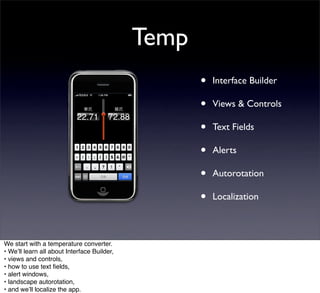
Temp
                                                    •   Interface Builder

                                                    •   Views & Controls

                                                    •   Text Fields

                                                    •   Alerts

                                                    •   Autorotation

                                                    •   Localization


We start with a temperature converter.
• Weʼll learn all about Interface Builder,
• views and controls,
• how to use text fields,
• alert windows,
• landscape autorotation,
• and weʼll localize the app.
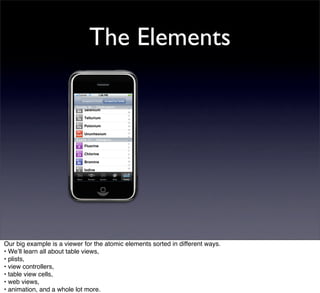
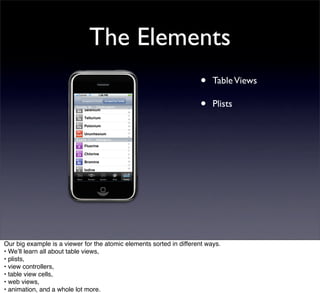
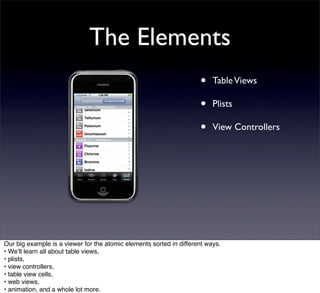
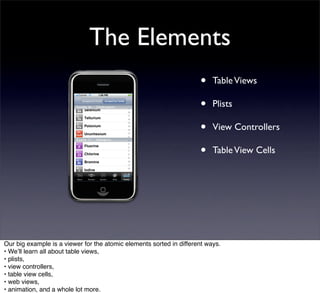
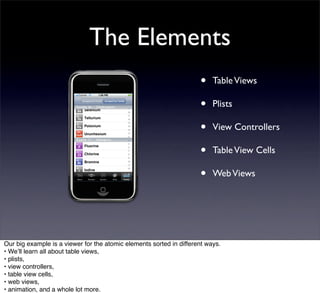
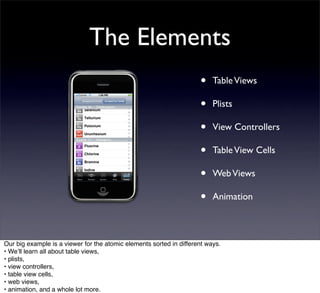
The Elements


Our big example is a viewer for the atomic elements sorted in different ways.
• Weʼll learn all about table views,
• plists,
• view controllers,
• table view cells,
• web views,
• animation, and a whole lot more.
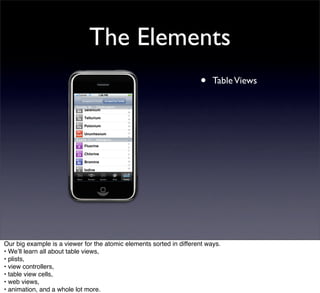
The Elements
                                                                     •    Table Views


Our big example is a viewer for the atomic elements sorted in different ways.
• Weʼll learn all about table views,
• plists,
• view controllers,
• table view cells,
• web views,
• animation, and a whole lot more.
The Elements
                                                                     •    Table Views

                                                                     •    Plists


Our big example is a viewer for the atomic elements sorted in different ways.
• Weʼll learn all about table views,
• plists,
• view controllers,
• table view cells,
• web views,
• animation, and a whole lot more.
The Elements
                                                                     •    Table Views

                                                                     •    Plists

                                                                     •    View Controllers


Our big example is a viewer for the atomic elements sorted in different ways.
• Weʼll learn all about table views,
• plists,
• view controllers,
• table view cells,
• web views,
• animation, and a whole lot more.
The Elements
                                                                     •    Table Views

                                                                     •    Plists

                                                                     •    View Controllers

                                                                     •    Table View Cells


Our big example is a viewer for the atomic elements sorted in different ways.
• Weʼll learn all about table views,
• plists,
• view controllers,
• table view cells,
• web views,
• animation, and a whole lot more.
The Elements
                                                                     •    Table Views

                                                                     •    Plists

                                                                     •    View Controllers

                                                                     •    Table View Cells

                                                                     •    Web Views


Our big example is a viewer for the atomic elements sorted in different ways.
• Weʼll learn all about table views,
• plists,
• view controllers,
• table view cells,
• web views,
• animation, and a whole lot more.
The Elements
                                                                     •    Table Views

                                                                     •    Plists

                                                                     •    View Controllers

                                                                     •    Table View Cells

                                                                     •    Web Views

                                                                     •    Animation


Our big example is a viewer for the atomic elements sorted in different ways.
• Weʼll learn all about table views,
• plists,
• view controllers,
• table view cells,
• web views,
• animation, and a whole lot more.
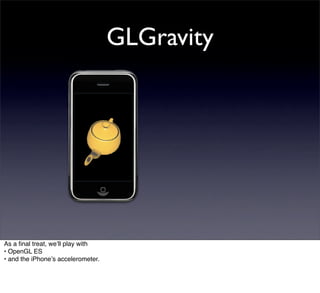
GLGravity


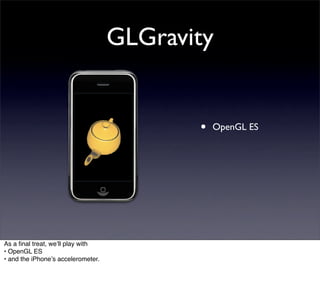
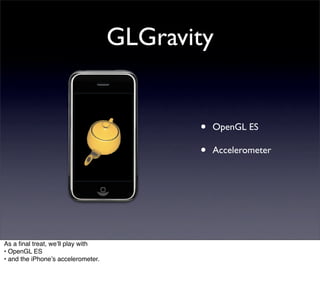
As a final treat, weʼll play with
• OpenGL ES
• and the iPhoneʼs accelerometer.
GLGravity


                                           •   OpenGL ES


As a final treat, weʼll play with
• OpenGL ES
• and the iPhoneʼs accelerometer.
GLGravity


                                           •   OpenGL ES

                                           •   Accelerometer


As a final treat, weʼll play with
• OpenGL ES
• and the iPhoneʼs accelerometer.
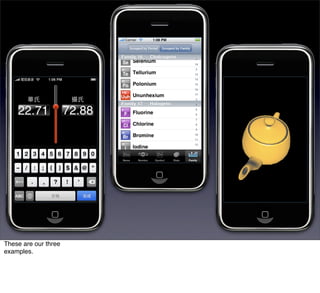
These are our three
examples.
Let’s get started.


Letʼs get
started.

iPhone Development Overview

  • 1.
    iPhone Application Development William Taysom 2009 April 22
  • 2.
  • 3.
  • 4.
    30 Million Sold 30Million Sold.
  • 5.
  • 6.
    • 480×320 display • 163ppi (50% more than your MacBook) • 8GB, 16GB, even 32GB of Storage Large display, high resolution, gigabyes of storage, ...
  • 7.
    • Speaker • Mic • Headphone ...a speaker, mic, headphone, ...
  • 8.
    • Camera • Wireless • GPS ...camera, wireless, GPS, ...
  • 9.
    • Accelerometer • Ambient Light Sensor • Proximity Sensor ...accelerometer, light sensor, proximity sensor, ...
  • 10.
    • And it’sa Phone. ...and itʼs a phone. But thatʼs not why weʼre here.
  • 11.
    This is whyweʼre here. 25,000 Apps.
  • 12.
  • 13.
  • 14.
    I will showyou how. I will show you how.
  • 15.
    iPhone application developmenthas four aspects: • Your relationship with Apple, • the iPhone developer tools, • the iPhone Platform, and • the Objective-C programming language.
  • 16.
    iPhone application developmenthas four aspects: • Your relationship with Apple, • the iPhone developer tools, • the iPhone Platform, and • the Objective-C programming language.
  • 17.
    iPhone application developmenthas four aspects: • Your relationship with Apple, • the iPhone developer tools, • the iPhone Platform, and • the Objective-C programming language.
  • 18.
    iPhone application developmenthas four aspects: • Your relationship with Apple, • the iPhone developer tools, • the iPhone Platform, and • the Objective-C programming language.
  • 19.
    iPhone application developmenthas four aspects: • Your relationship with Apple, • the iPhone developer tools, • the iPhone Platform, and • the Objective-C programming language.
  • 20.
    Letʼs talk aboutyour relationship with Apple.
  • 21.
    • Apple makesthe device. • Apple provides the tools. • Apple approves your apps. Apple makes the device. Apple provides the tools. Apple approves your apps.
  • 22.
    • You willhave a relationship with Apple. You will have a relationship with Apple. Your relationship is mediated by three web sites:
  • 23.
    iPhone Dev Center ...theiPhone Dev Center, ...
  • 24.
    iPhone Developer Program Portal ...the iPhone Developer Program Portal, ...
  • 25.
  • 26.
    This chart summarizesthe iPhone development process from signing up with the Dev Center • to seeing your app on the AppStore.
  • 27.
    This chart summarizesthe iPhone development process from signing up with the Dev Center • to seeing your app on the AppStore.
  • 28.
  • 29.
  • 30.
    ...at the iPhoneDev Center.
  • 31.
  • 32.
    This is whereyou download the SDK, ...
  • 33.
    This is whereyou download the SDK, ...
  • 34.
    ...and is oneplace where you can read documention.
  • 35.
    With the SDK,you are ready to develop your app. In the mean time, ...
  • 36.
    ...you should signup for the iPhone Developer Program.
  • 37.
    From the iPhoneDev Cenver, • you learn more about the Developer Program.
  • 38.
    From the iPhoneDev Cenver, • you learn more about the Developer Program.
  • 39.
    “iPhone Developer Program:The fastest path from code to customer.” The Program isnʼt just the fastest path: itʼs the only path. To put your App on a device or on the store, you need to join the program.
  • 40.
    After signing up,you need to be approved. With the Standard program, you sign up as an individual or as a corporation. We signed up as a corporation. We needed to fax Apple a copy of our Articles of Incorporation. Then they called us for confirmation. Then we needed to call them again after they sent us the wrong form email. • In total, the process took us about a month.
  • 41.
    After signing up,you need to be approved. With the Standard program, you sign up as an individual or as a corporation. We signed up as a corporation. We needed to fax Apple a copy of our Articles of Incorporation. Then they called us for confirmation. Then we needed to call them again after they sent us the wrong form email. • In total, the process took us about a month.
  • 42.
    Once approved, • youvisit the Program Portal.
  • 43.
    Once approved, • youvisit the Program Portal.
  • 44.
    iPhone Developer Program Portal The portal provides you with provisioning profiles.
  • 45.
    A provisioning profileallows you to sign apps. A signature gives you permission to test an app on a device or to prepare an app for distribution.
  • 46.
    iPhone Development Certificate App ID Unique Device ID You need to collect three things in order to generate a provisioning profile:
  • 47.
    iPhone Development who Certificate App ID Unique Device ID An iPhone Development Certificate tells who will use the profile.
  • 48.
    iPhone Development who Certificate App ID what Unique Device ID An app ID identifies what app the person is working on.
  • 49.
    iPhone Development who Certificate App ID what Unique Device ID where A unique device ID determines where the app will be used, which device or the store.
  • 50.
    It's a bitlike the game Cleudo: who done it, where, and with what weapon.
  • 51.
  • 52.
  • 53.
    ...you should visitiTunes Connect. iTunes Connect is...
  • 54.
    iTunes Connect ...your backdoorenterance into the iTunes Store.
  • 55.
    From iTunes Connect, •you fill out a paid applications contact so that you can sell your app on the store. You need to provide Apple with your bank and tax info. They need to verify it. The turnaround can be a few days or weeks.
  • 56.
    From iTunes Connect, •you fill out a paid applications contact so that you can sell your app on the store. You need to provide Apple with your bank and tax info. They need to verify it. The turnaround can be a few days or weeks.
  • 57.
    While youʼre waitingfor your contract, you can upload your app and its accompanying artwork.
  • 58.
    At this point,you are waiting for your contract and for app approval. Though people have been stuck waiting, my first app was approved within 24 hours. Since then, Iʼve always received feedback within a few days.
  • 59.
  • 60.
  • 61.
    Start by signingup with iPhone Dev Center. Download the SDK. Work on your app.
  • 62.
    Start by signingup with iPhone Dev Center. Download the SDK. Work on your app.
  • 63.
    Sign up forthe iPhone Developer program.
  • 64.
    Sign up forthe iPhone Developer program.
  • 65.
    Go through theapproval process.
  • 66.
    Go through theapproval process.
  • 67.
    Gather info forthe program portal. • Fill out the paid applications contract from iTunes Connect. Submit your app. • Wait for approval.
  • 68.
    Gather info forthe program portal. • Fill out the paid applications contract from iTunes Connect. Submit your app. • Wait for approval.
  • 69.
    Gather info forthe program portal. • Fill out the paid applications contract from iTunes Connect. Submit your app. • Wait for approval.
  • 70.
    Gather info forthe program portal. • Fill out the paid applications contract from iTunes Connect. Submit your app. • Wait for approval.
  • 71.
    Enjoy the fruitsof your labor.
  • 72.
    That is yourrelationship with Apple.
  • 73.
    Letʼs talk abouttools. The iPhone SDK includes everything you need for iPhone (and Mac) development.
  • 74.
    We will usefour tools: • Xcode • The iPhone Simulator • Interface Builder • Instruments
  • 75.
    We will usefour tools: • Xcode • The iPhone Simulator • Interface Builder • Instruments
  • 76.
    We will usefour tools: • Xcode • The iPhone Simulator • Interface Builder • Instruments
  • 77.
    We will usefour tools: • Xcode • The iPhone Simulator • Interface Builder • Instruments
  • 78.
    We will usefour tools: • Xcode • The iPhone Simulator • Interface Builder • Instruments
  • 79.
    Xcode is Apple'sintegrated development environment. We will spend most of our time in it.
  • 80.
    Xcode is afront end for command-line utilities: • compiling with gcc, • linking with ld, • debugging with gdb, and • version control (also called source code management): svn, cvs, or Perforce.
  • 81.
    • compling ↣gcc Xcode is a front end for command-line utilities: • compiling with gcc, • linking with ld, • debugging with gdb, and • version control (also called source code management): svn, cvs, or Perforce.
  • 82.
    • compling ↣gcc • linking ↣ ld Xcode is a front end for command-line utilities: • compiling with gcc, • linking with ld, • debugging with gdb, and • version control (also called source code management): svn, cvs, or Perforce.
  • 83.
    • compling ↣gcc • linking ↣ ld • debugging ↣ gdb Xcode is a front end for command-line utilities: • compiling with gcc, • linking with ld, • debugging with gdb, and • version control (also called source code management): svn, cvs, or Perforce.
  • 84.
    • compling ↣gcc • linking ↣ ld • debugging ↣ gdb • SCM ↣ svn, cvs, Perforce Xcode is a front end for command-line utilities: • compiling with gcc, • linking with ld, • debugging with gdb, and • version control (also called source code management): svn, cvs, or Perforce.
  • 85.
    Window Types Xcode hasmany types of windows:
  • 86.
  • 87.
  • 88.
  • 89.
  • 90.
  • 91.
    Project ...the project window(Xcodeʼs main window), ...
  • 92.
  • 93.
  • 94.
  • 95.
    We will seeall of these windows before weʼre done with Xcode.
  • 96.
    The iPhone Simulatoris great for everyday testing and debugging.
  • 97.
    Looks just likethe real thing in portrait...
  • 98.
  • 99.
    Thatʼs the gistof the simulator.
  • 100.
    Interface Builder helpsyou layout the views for your app.
  • 101.
    These are yourprimary IB windows.
  • 102.
    Main Window The mainwindow shows all of the objects in your interface builder document.
  • 103.
    View Window The viewwindow is where you layout the subviews of a view.
  • 104.
    Attribute Inspector The inspectorallows you to edit properties of your objects. Here we see the visual attributes of a slider.
  • 105.
    Connections Inspector And herewe see connections between the slider and other objects.
  • 106.
    Interface Builder canremove the guesswork of in-code layout. But be warned. IB can trip you up due to limitations and bugs.
  • 107.
    Instruments is usedfor profiling and, ...
  • 108.
    ...most importantly, itʼsused in checking for memory leaks.
  • 109.
    We will havesome good runs with Instruments over the next few days.
  • 110.
    These are toolswhich weʼll be using. However, the SDK offers many more.
  • 111.
    We have graphicstools, ...
  • 112.
  • 113.
  • 114.
    ...and Dashcode. Before nativeiPhone apps were an option, Dashcode was created to make iPhone specific Web Applications.
  • 115.
    Hereʼs Dashcode. If itturns out that native development wonʼt work well for you or if you have stronger experience with web development, ...
  • 116.
    ...I recommend thatyou look into Dashcode.
  • 117.
    Xcode, iPhone Simulator,Interface Builder, Instruments...
  • 118.
    ...these are thetools that weʼll be using.
  • 119.
    Turn your attentionto the iPhone platform.
  • 120.
    The iPhone OSprovides several layers of services. Services on higher layers abstract away details from services on lower layers. Services on lower layers provide more flexibility as well as more inconvenience and tedium. Letʼs start at the bottom.
  • 121.
    Just like MacOS X, the iPhone is built on the Mach UNIX kernel. Core OS exposes common UNIX libraries.
  • 122.
    Core OS POSIX threadsfor in shared state multithreaded concurrency. • BSD sockets for low level TCP and UDP networking. • Standard C libraries including stdio, stdlib, and the rest.
  • 123.
    Core OS • POSIX Threads ↣ Concurrency POSIX threads for in shared state multithreaded concurrency. • BSD sockets for low level TCP and UDP networking. • Standard C libraries including stdio, stdlib, and the rest.
  • 124.
    Core OS • POSIX Threads ↣ Concurrency • BSD Sockets ↣ TCP & UDP Networking POSIX threads for in shared state multithreaded concurrency. • BSD sockets for low level TCP and UDP networking. • Standard C libraries including stdio, stdlib, and the rest.
  • 125.
    Core OS • POSIX Threads ↣ Concurrency • BSD Sockets ↣ TCP & UDP Networking • <stdio.h> <stdlib.h> ...the rest POSIX threads for in shared state multithreaded concurrency. • BSD sockets for low level TCP and UDP networking. • Standard C libraries including stdio, stdlib, and the rest.
  • 126.
    Core services includeOS X specific libraries as well as popular, relatively new C libraries.
  • 127.
    Core services includeOS X specific libraries as well as popular, relatively new C libraries.
  • 128.
    Core Services Core foundationis the plain C library which mirrors Objective-C Foundation classes. • Core Location enables your iPhone to determine where it is. • SQLite is for lightweight SQL databases. • libxml2 is for heavy duty XML processing.
  • 129.
    Core Services • Core Foundation ↣ Foundation Mirror Core foundation is the plain C library which mirrors Objective-C Foundation classes. • Core Location enables your iPhone to determine where it is. • SQLite is for lightweight SQL databases. • libxml2 is for heavy duty XML processing.
  • 130.
    Core Services • Core Foundation ↣ Foundation Mirror • Core Location ↣ GPS Core foundation is the plain C library which mirrors Objective-C Foundation classes. • Core Location enables your iPhone to determine where it is. • SQLite is for lightweight SQL databases. • libxml2 is for heavy duty XML processing.
  • 131.
    Core Services • Core Foundation ↣ Foundation Mirror • Core Location ↣ GPS • SQLite ↣ SQL Database Core foundation is the plain C library which mirrors Objective-C Foundation classes. • Core Location enables your iPhone to determine where it is. • SQLite is for lightweight SQL databases. • libxml2 is for heavy duty XML processing.
  • 132.
    Core Services • Core Foundation ↣ Foundation Mirror • Core Location ↣ GPS • SQLite ↣ SQL Database • libxml2 ↣ XML Processing Core foundation is the plain C library which mirrors Objective-C Foundation classes. • Core Location enables your iPhone to determine where it is. • SQLite is for lightweight SQL databases. • libxml2 is for heavy duty XML processing.
  • 133.
    The media layersupports 2D and 3D graphics, audio, and video.
  • 134.
    The media layersupports 2D and 3D graphics, audio, and video.
  • 135.
    Media For audio, wehave Core Audio and OpenAL. • OpenGL ES is geared toward 3D graphics. • Quartz, also called Core Graphics, provides 2D graphics support. • Core Animation provides all those animated effects we see on the iPhone and the Mac • including this presentation. •
  • 136.
    Media • Core Audio & OpenAL ↣ Audio For audio, we have Core Audio and OpenAL. • OpenGL ES is geared toward 3D graphics. • Quartz, also called Core Graphics, provides 2D graphics support. • Core Animation provides all those animated effects we see on the iPhone and the Mac • including this presentation. •
  • 137.
    Media • Core Audio & OpenAL ↣ Audio • OpenGL ES ↣ 3D Graphics For audio, we have Core Audio and OpenAL. • OpenGL ES is geared toward 3D graphics. • Quartz, also called Core Graphics, provides 2D graphics support. • Core Animation provides all those animated effects we see on the iPhone and the Mac • including this presentation. •
  • 138.
    Media • Core Audio & OpenAL ↣ Audio • OpenGL ES ↣ 3D Graphics • Quartz (Core Graphics) ↣ 2D Graphics For audio, we have Core Audio and OpenAL. • OpenGL ES is geared toward 3D graphics. • Quartz, also called Core Graphics, provides 2D graphics support. • Core Animation provides all those animated effects we see on the iPhone and the Mac • including this presentation. •
  • 139.
    Media • Core Audio & OpenAL ↣ Audio • OpenGL ES ↣ 3D Graphics • Quartz (Core Graphics) ↣ 2D Graphics • Core Animation ↣ Animated Effects For audio, we have Core Audio and OpenAL. • OpenGL ES is geared toward 3D graphics. • Quartz, also called Core Graphics, provides 2D graphics support. • Core Animation provides all those animated effects we see on the iPhone and the Mac • including this presentation. •
  • 140.
    For audio, wehave Core Audio and OpenAL. • OpenGL ES is geared toward 3D graphics. • Quartz, also called Core Graphics, provides 2D graphics support. • Core Animation provides all those animated effects we see on the iPhone and the Mac • including this presentation. •
  • 141.
    Cocoa Touch containsthe Objective-C frameworks you use to build your application.
  • 142.
    Cocoa Touch containsthe Objective-C frameworks you use to build your application.
  • 143.
    Foundation Foundation is theessential Objective-C framework. Foundation contains: • NSObject, the root of the Objective-C class hierarchy, • Data type wrappers, • Collections, • Local filesystem access, • HTTP requests, and much more.
  • 144.
    Foundation • NSObject Foundation is the essential Objective-C framework. Foundation contains: • NSObject, the root of the Objective-C class hierarchy, • Data type wrappers, • Collections, • Local filesystem access, • HTTP requests, and much more.
  • 145.
    Foundation • NSObject • NSString, NSNumber, NSNull Foundation is the essential Objective-C framework. Foundation contains: • NSObject, the root of the Objective-C class hierarchy, • Data type wrappers, • Collections, • Local filesystem access, • HTTP requests, and much more.
  • 146.
    Foundation • NSObject • NSString, NSNumber, NSNull • NSArray, NSDictionary, NSSet Foundation is the essential Objective-C framework. Foundation contains: • NSObject, the root of the Objective-C class hierarchy, • Data type wrappers, • Collections, • Local filesystem access, • HTTP requests, and much more.
  • 147.
    Foundation • NSObject • NSString, NSNumber, NSNull • NSArray, NSDictionary, NSSet • NSFileManager, NSFileHandle Foundation is the essential Objective-C framework. Foundation contains: • NSObject, the root of the Objective-C class hierarchy, • Data type wrappers, • Collections, • Local filesystem access, • HTTP requests, and much more.
  • 148.
    Foundation • NSObject • NSString, NSNumber, NSNull • NSArray, NSDictionary, NSSet • NSFileManager, NSFileHandle • NSURL, NSURLRequest, NSURLResponse Foundation is the essential Objective-C framework. Foundation contains: • NSObject, the root of the Objective-C class hierarchy, • Data type wrappers, • Collections, • Local filesystem access, • HTTP requests, and much more.
  • 149.
    CocoaAsyncSocket For TCP andUDP networking, nothing beats CocoaAsyncSocket. Though not part of the iPhone SDK, CocoaAsyncSocket is such an valuable networking library that I can't help but mention it.
  • 150.
    UIKit UIKit contains allthe standard views and controllers which make up your application. • From the time the user taps the application icon to the moment when application execution terminates, UIKit is in charge.
  • 151.
    UIKit UIKit contains allthe standard views and controllers which make up your application. • From the time the user taps the application icon to the moment when application execution terminates, UIKit is in charge.
  • 152.
    UIKit handles themain event loop and calls you when it expects a response. How does it work?
  • 153.
    How does thetouch screen interface relate to the source code implementation?
  • 154.
    Consider the clockapplication.
  • 155.
    What parts makeup the clock?
  • 156.
    UIKit uses windowsand views to fill the screen.
  • 157.
    The OS hasa window with the status bar on the top. The application window fills the rest of the screen below it.
  • 158.
    The window containsthe main view for the application.
  • 159.
    The view hasa tab bar at the bottom and another view for the World Clock.
  • 160.
    The World clockhas a navigation bar on top. A table view fills the rest.
  • 161.
    This table hasone cell.
  • 162.
    The cell containsfour labels and a special clock face. This is how the Clock application is divided into views. Each view is a UIView subclass.
  • 163.
    Here, the viewsare relabed with class names. The status bar is associated with the UIApplication class. The window is a UIWindow. The tab bar is a UITabBar, etc. The cell is a UITableViewCell. The labels are UILabels, and the clock face is some custom UIView.
  • 164.
    A viewʼs responsibilityis to represent some piece of information or to layout some subviews. UIKit uses controller classes to update and to keep track of views.
  • 165.
    A UIApplicationDelegate creates themain window, creates the main view controller, and places the controllerʼs view in the window.
  • 166.
    All this happensin the applicationDidFinishLaunching: method of the UIApplicationDelegate.
  • 167.
    UIKit has specificcontrollers for managing certain kinds of views.
  • 168.
    A UITabBarController mangagesa tab bar. It responds to touches on the bar by displaying the corresponding tab. Each tab has a controller.
  • 169.
    This diagram showsa UITabBarController with several view controllers. The title of a controller provides the label for its tab bar button. The controllerʼs tab bar item tells the tab bar controller which image to show on the tab bar button. The selected controllerʼs view fills the space above the tab bar.
  • 170.
    In our case,the view is associated with the controller for the World Clock.
  • 171.
    Since the WorldClock has a navigation bar on top, its controller is a UINavigationController. A navigation controller manages a stack of controllers whose views are pushed in from the right. In the clock, the stack only contains one controller.
  • 172.
    So letʼs lookat the address book for a minute. When you touch a Johnʼs name, ...
  • 173.
    ...his info slidesright in. The upper left corner provides a back button.
  • 174.
    We have threecontrollers on the UINavigationContoller stack.
  • 175.
    At the topof the stack, in the bottom right corner of the diagram, we see Johnʼs info. His info is pushed on top up of the All Contacts controller, which, in turn, is pushed on top of the Groups controller.
  • 176.
    The title ofthe top controller is used as the title of the navigation bar. The view fills the space under the navigation bar. The navigation item populates the navigation bar with other information including custom bar buttons.
  • 177.
    The title ofthe top controller is used as the title of the navigation bar. The view fills the space under the navigation bar. The navigation item populates the navigation bar with other information including custom bar buttons.
  • 178.
    Letʼs return tothe Clock.
  • 179.
    Notice that theUINavigationController is contained in the UITabBarController.
  • 180.
    Whenever you havea tab bar controller and a navigation controller, the tab bar should be on the outside and the navigation controller should be on the inside. Iʼve tried it the other way. It just doesnʼt work: the controllers get very confused.
  • 181.
    What controller managesthe UITableView?
  • 182.
    Why itʼs aUITableViewController. The UITableViewController serves as the data source for the table view. It tells the table how many rows there are and what cell to put in each visible row.
  • 183.
    How does thetable view controller know what to put in the table? How does it remember the list of clocks? The controller asks the model. I canʼt be sure how Apple wrote the Clock app, but we can imagine what the model is like. Since the clock only needs to keep track of a little data, they shouldnʼt bother with SQLite databases or external property list files.
  • 184.
    Instead, they probablystore all the data in the user defaults database. What data specifically?
  • 185.
    Again, I canʼtbe sure, but I guess they use a time zone object.
  • 186.
    They need tokeep an array of time zones: one for each clock. Since you can add and remove clocks, the array might be mutable.
  • 187.
    For each tabin the app, they need to keep some data. So I suppose they use an array for that.
  • 188.
    Finally, they coulduse an index to remember which of the tabs is selected.
  • 189.
    Step back. • Wehave our model, • our view, • and our controller. • Combine them...
  • 190.
    Model Step back. • Wehave our model, • our view, • and our controller. • Combine them...
  • 191.
    View Model Step back. • We have our model, • our view, • and our controller. • Combine them...
  • 192.
    View Controller Model Step back. • We have our model, • our view, • and our controller. • Combine them...
  • 193.
    Step back. • Wehave our model, • our view, • and our controller. • Combine them...
  • 194.
  • 195.
    Weʼll be makingthree apps over the next few days.
  • 196.
    Before starting, letʼsfinish our overview.
  • 197.
    The Cocoa Touchlayer contains the primary APIs youʼll use in making apps.
  • 198.
    Turn to otherlayers as needed. Truly, ...
  • 199.
    ...the iPhone isan impressive platform.
  • 200.
    Objective-C is thelanguage you use to speak to the platform.
  • 201.
  • 202.
    1981: Brad Cox Objective-Cwas developed by Brad Cox in the early eighties.
  • 203.
    1988: NeXT In 1988NeXT Inc. licensed Objective- C...
  • 204.
  • 205.
    1996: Jobs Returns In1996 Steve Jobs and NeXT joined Apple.
  • 206.
  • 207.
    Mac OS X ...MacOS X. Letʼs see that again.
  • 208.
  • 209.
    Mac OS X ...MacOS X. One more time.
  • 210.
  • 211.
  • 212.
    Objective-C Objective-C came alongfor the ride. Since iPhone OS is a version of Mac OS X, the iPhone's programming language is Objective-C.
  • 213.
  • 214.
    Objective-C brings someObject-Oriented features from Smalltalk into C.
  • 215.
    Runtime Objective-C uses alightweight runtime library in contrast to the virtual machines of Java and .Net. • Objects are pointers to C structures. • Methods are C functions. • Classes are constructed at runtime.
  • 216.
    Runtime • Object ↣ struct objc_object * Objective-C uses a lightweight runtime library in contrast to the virtual machines of Java and .Net. • Objects are pointers to C structures. • Methods are C functions. • Classes are constructed at runtime.
  • 217.
    Runtime • Object ↣ struct objc_object * • Method ↣ C Function Objective-C uses a lightweight runtime library in contrast to the virtual machines of Java and .Net. • Objects are pointers to C structures. • Methods are C functions. • Classes are constructed at runtime.
  • 218.
    Runtime • Object ↣ struct objc_object * • Method ↣ C Function • Class ↣ Runtime Constructed Objective-C uses a lightweight runtime library in contrast to the virtual machines of Java and .Net. • Objects are pointers to C structures. • Methods are C functions. • Classes are constructed at runtime.
  • 219.
    Syntax Objective-C's syntax isthe same as C syntax with a few additions.
  • 220.
    Directives Directives are prefixedby the at-sign. • These are the ones I type most often. • These, though common, are usually typed by Xcode when you make a new class. • Exceptions arenʼt often caught in Objective-C. They usually represent program errors. • I rarely use any of the directives in this last group.
  • 221.
    Directives • @"string literal" @property @synthesize @selector() Directives are prefixed by the at-sign. • These are the ones I type most often. • These, though common, are usually typed by Xcode when you make a new class. • Exceptions arenʼt often caught in Objective-C. They usually represent program errors. • I rarely use any of the directives in this last group.
  • 222.
    Directives • @"string literal" @property @synthesize @selector() • @interface @implementation @protocol @class @end Directives are prefixed by the at-sign. • These are the ones I type most often. • These, though common, are usually typed by Xcode when you make a new class. • Exceptions arenʼt often caught in Objective-C. They usually represent program errors. • I rarely use any of the directives in this last group.
  • 223.
    Directives • @"string literal" @property @synthesize @selector() • @interface @implementation @protocol @class @end • @dynamic @try @throw @catch() @finally Directives are prefixed by the at-sign. • These are the ones I type most often. • These, though common, are usually typed by Xcode when you make a new class. • Exceptions arenʼt often caught in Objective-C. They usually represent program errors. • I rarely use any of the directives in this last group.
  • 224.
    Directives • @"string literal" @property @synthesize @selector() • @interface @implementation @protocol @class @end • @dynamic @try @throw @catch() @finally • @protocol() @private @projected @public @synchronized() @encode() Directives are prefixed by the at-sign. • These are the ones I type most often. • These, though common, are usually typed by Xcode when you make a new class. • Exceptions arenʼt often caught in Objective-C. They usually represent program errors. • I rarely use any of the directives in this last group.
  • 225.
    Messages Method calls, alsoknown as messages, use square brackets. • Here the receiver is a variable named “string” and the method name, or selector, is “integerValue”. • Arguments come after a colon. • For multiple arguments, the method name is broken into parts: one for each argument. The selector here is “stringByReplacingOccurrencesOfString:withString:”. In Objective-C, they like descriptive method names. • A method can take a variable number of comma-seperated arguments after its last colon.
  • 226.
    Messages • [string integerValue] Method calls, also known as messages, use square brackets. • Here the receiver is a variable named “string” and the method name, or selector, is “integerValue”. • Arguments come after a colon. • For multiple arguments, the method name is broken into parts: one for each argument. The selector here is “stringByReplacingOccurrencesOfString:withString:”. In Objective-C, they like descriptive method names. • A method can take a variable number of comma-seperated arguments after its last colon.
  • 227.
    Messages • [string integerValue] • [string isEqualToString:anotherString] Method calls, also known as messages, use square brackets. • Here the receiver is a variable named “string” and the method name, or selector, is “integerValue”. • Arguments come after a colon. • For multiple arguments, the method name is broken into parts: one for each argument. The selector here is “stringByReplacingOccurrencesOfString:withString:”. In Objective-C, they like descriptive method names. • A method can take a variable number of comma-seperated arguments after its last colon.
  • 228.
    Messages • [string integerValue] • [string isEqualToString:anotherString] • [string stringByReplacingOccurrencesOfString:oneString withString:anotherString] Method calls, also known as messages, use square brackets. • Here the receiver is a variable named “string” and the method name, or selector, is “integerValue”. • Arguments come after a colon. • For multiple arguments, the method name is broken into parts: one for each argument. The selector here is “stringByReplacingOccurrencesOfString:withString:”. In Objective-C, they like descriptive method names. • A method can take a variable number of comma-seperated arguments after its last colon.
  • 229.
    Messages • [string integerValue] • [string isEqualToString:anotherString] • [string stringByReplacingOccurrencesOfString:oneString withString:anotherString] • [NSString stringWithFormat:@"%d %@", number, string] Method calls, also known as messages, use square brackets. • Here the receiver is a variable named “string” and the method name, or selector, is “integerValue”. • Arguments come after a colon. • For multiple arguments, the method name is broken into parts: one for each argument. The selector here is “stringByReplacingOccurrencesOfString:withString:”. In Objective-C, they like descriptive method names. • A method can take a variable number of comma-seperated arguments after its last colon.
  • 230.
    Method Declarations Method declarationsare similar to message sends. • A minus-sign indicates an instance method. A plus sign would indicate a class method. The return type is placed in parenthesis. • The type of a parameter is wrapped in parenthesis after the colon and before the parameter name. • As with messges, the selector is split when there are multiple parameters. • Hereʼs a class method. The comma and ellipses after the last parameter indicate that the method accepts a variable number of arguments.
  • 231.
    Method Declarations • - (NSInteger)integerValue; Method declarations are similar to message sends. • A minus-sign indicates an instance method. A plus sign would indicate a class method. The return type is placed in parenthesis. • The type of a parameter is wrapped in parenthesis after the colon and before the parameter name. • As with messges, the selector is split when there are multiple parameters. • Hereʼs a class method. The comma and ellipses after the last parameter indicate that the method accepts a variable number of arguments.
  • 232.
    Method Declarations • - (NSInteger)integerValue; • - (BOOL)isEqualToString:(NSString *)aString; Method declarations are similar to message sends. • A minus-sign indicates an instance method. A plus sign would indicate a class method. The return type is placed in parenthesis. • The type of a parameter is wrapped in parenthesis after the colon and before the parameter name. • As with messges, the selector is split when there are multiple parameters. • Hereʼs a class method. The comma and ellipses after the last parameter indicate that the method accepts a variable number of arguments.
  • 233.
    Method Declarations • - (NSInteger)integerValue; • - (BOOL)isEqualToString:(NSString *)aString; • - (NSString *)stringByReplacingOccurrencesOfString: (NSString *)target withString:(NSString *)replacement; Method declarations are similar to message sends. • A minus-sign indicates an instance method. A plus sign would indicate a class method. The return type is placed in parenthesis. • The type of a parameter is wrapped in parenthesis after the colon and before the parameter name. • As with messges, the selector is split when there are multiple parameters. • Hereʼs a class method. The comma and ellipses after the last parameter indicate that the method accepts a variable number of arguments.
  • 234.
    Method Declarations • - (NSInteger)integerValue; • - (BOOL)isEqualToString:(NSString *)aString; • - (NSString *)stringByReplacingOccurrencesOfString: (NSString *)target withString:(NSString *)replacement; • + (id)stringWithFormat:(NSString *)format, ...; Method declarations are similar to message sends. • A minus-sign indicates an instance method. A plus sign would indicate a class method. The return type is placed in parenthesis. • The type of a parameter is wrapped in parenthesis after the colon and before the parameter name. • As with messges, the selector is split when there are multiple parameters. • Hereʼs a class method. The comma and ellipses after the last parameter indicate that the method accepts a variable number of arguments.
  • 235.
    Dot Syntax • [label text] • [label setText:string] Historically, this is how you would get and set a propery in Objective-C. • But that isnʼt the way itʼs usually done on the iPhone.
  • 236.
    Dot Syntax Historically, thisis how you would get and set a propery in Objective-C. • But that isnʼt the way itʼs usually done on the iPhone.
  • 237.
    Dot Syntax Instead youuse a dot for getters and setters. The meaning is the same. The compiled code is the same. Only the notation differs.
  • 238.
    Dot Syntax • label.text • label.text = string Instead you use a dot for getters and setters. The meaning is the same. The compiled code is the same. Only the notation differs.
  • 239.
    Fast Enumeration for (NSString *name in names) { ... } Last but not least, Objective-C has a special for loop to iterate across collections.
  • 240.
    Thatʼs Objective-C ina too-small nutshell. Your printed materials include a concise reference to Objective-C. The materials also include a reference to C and the C Preprocessor.
  • 241.
    To summarize: • Yourrelationship to Apple defines the process of iPhone development. • The SDK provides you with the tools. • The iPhone platform provides you with capabilities. • Objective-C provides you with the language. • These four aspects cover everything you need in order to develop on the iPhone and get those...
  • 242.
    To summarize: • Yourrelationship to Apple defines the process of iPhone development. • The SDK provides you with the tools. • The iPhone platform provides you with capabilities. • Objective-C provides you with the language. • These four aspects cover everything you need in order to develop on the iPhone and get those...
  • 243.
    To summarize: • Yourrelationship to Apple defines the process of iPhone development. • The SDK provides you with the tools. • The iPhone platform provides you with capabilities. • Objective-C provides you with the language. • These four aspects cover everything you need in order to develop on the iPhone and get those...
  • 244.
    To summarize: • Yourrelationship to Apple defines the process of iPhone development. • The SDK provides you with the tools. • The iPhone platform provides you with capabilities. • Objective-C provides you with the language. • These four aspects cover everything you need in order to develop on the iPhone and get those...
  • 245.
    To summarize: • Yourrelationship to Apple defines the process of iPhone development. • The SDK provides you with the tools. • The iPhone platform provides you with capabilities. • Objective-C provides you with the language. • These four aspects cover everything you need in order to develop on the iPhone and get those...
  • 246.
    To summarize: • Yourrelationship to Apple defines the process of iPhone development. • The SDK provides you with the tools. • The iPhone platform provides you with capabilities. • Objective-C provides you with the language. • These four aspects cover everything you need in order to develop on the iPhone and get those...
  • 247.
  • 248.
    The rest ofthe course is a tutorial in which weʼll build three apps.
  • 249.
    Temp We start witha temperature converter. • Weʼll learn all about Interface Builder, • views and controls, • how to use text fields, • alert windows, • landscape autorotation, • and weʼll localize the app.
  • 250.
    Temp • Interface Builder We start with a temperature converter. • Weʼll learn all about Interface Builder, • views and controls, • how to use text fields, • alert windows, • landscape autorotation, • and weʼll localize the app.
  • 251.
    Temp • Interface Builder • Views & Controls We start with a temperature converter. • Weʼll learn all about Interface Builder, • views and controls, • how to use text fields, • alert windows, • landscape autorotation, • and weʼll localize the app.
  • 252.
    Temp • Interface Builder • Views & Controls • Text Fields We start with a temperature converter. • Weʼll learn all about Interface Builder, • views and controls, • how to use text fields, • alert windows, • landscape autorotation, • and weʼll localize the app.
  • 253.
    Temp • Interface Builder • Views & Controls • Text Fields • Alerts We start with a temperature converter. • Weʼll learn all about Interface Builder, • views and controls, • how to use text fields, • alert windows, • landscape autorotation, • and weʼll localize the app.
  • 254.
    Temp • Interface Builder • Views & Controls • Text Fields • Alerts • Autorotation We start with a temperature converter. • Weʼll learn all about Interface Builder, • views and controls, • how to use text fields, • alert windows, • landscape autorotation, • and weʼll localize the app.
  • 255.
    Temp • Interface Builder • Views & Controls • Text Fields • Alerts • Autorotation • Localization We start with a temperature converter. • Weʼll learn all about Interface Builder, • views and controls, • how to use text fields, • alert windows, • landscape autorotation, • and weʼll localize the app.
  • 256.
    The Elements Our bigexample is a viewer for the atomic elements sorted in different ways. • Weʼll learn all about table views, • plists, • view controllers, • table view cells, • web views, • animation, and a whole lot more.
  • 257.
    The Elements • Table Views Our big example is a viewer for the atomic elements sorted in different ways. • Weʼll learn all about table views, • plists, • view controllers, • table view cells, • web views, • animation, and a whole lot more.
  • 258.
    The Elements • Table Views • Plists Our big example is a viewer for the atomic elements sorted in different ways. • Weʼll learn all about table views, • plists, • view controllers, • table view cells, • web views, • animation, and a whole lot more.
  • 259.
    The Elements • Table Views • Plists • View Controllers Our big example is a viewer for the atomic elements sorted in different ways. • Weʼll learn all about table views, • plists, • view controllers, • table view cells, • web views, • animation, and a whole lot more.
  • 260.
    The Elements • Table Views • Plists • View Controllers • Table View Cells Our big example is a viewer for the atomic elements sorted in different ways. • Weʼll learn all about table views, • plists, • view controllers, • table view cells, • web views, • animation, and a whole lot more.
  • 261.
    The Elements • Table Views • Plists • View Controllers • Table View Cells • Web Views Our big example is a viewer for the atomic elements sorted in different ways. • Weʼll learn all about table views, • plists, • view controllers, • table view cells, • web views, • animation, and a whole lot more.
  • 262.
    The Elements • Table Views • Plists • View Controllers • Table View Cells • Web Views • Animation Our big example is a viewer for the atomic elements sorted in different ways. • Weʼll learn all about table views, • plists, • view controllers, • table view cells, • web views, • animation, and a whole lot more.
  • 263.
    GLGravity As a finaltreat, weʼll play with • OpenGL ES • and the iPhoneʼs accelerometer.
  • 264.
    GLGravity • OpenGL ES As a final treat, weʼll play with • OpenGL ES • and the iPhoneʼs accelerometer.
  • 265.
    GLGravity • OpenGL ES • Accelerometer As a final treat, weʼll play with • OpenGL ES • and the iPhoneʼs accelerometer.
  • 266.
    These are ourthree examples.
  • 267.