Session 3


                                                      Image by Seth Joguet: http://www.flickr.com/photos/sebjoguet/162330937
            Living Safe on the Web
            The good, the bad & the downright ugly!
                     Jeff Utecht & Chrissy Hellyer
Special Thanks to our
Coffee & Snack Sponsors


        SPV
   iStudio
   Central
 Chaengwatta
Reflection from Session 2
Augmentation


                            Image by b.e.n: http://www.flickr.com/photos/benklemm/24665842
   How did it feel?
   What was easy?
   What was difficult?
   What skills do you
   remember?
How does Google “work”


                         Image by cayusa: http://www.flickr.com/photos/cayusa/1444806159
Get Ready!
Get Ready!

      In groups of 4,
     label yourselves
     #1, #2, #3 & #4
Get Ready!
Get Ready!

       #1 - “Jeff Utecht”
       #2 - “Your child”
       #3 - “Chrissy Hellyer”
       #4 - “Your child”
Prepare an introduction for “your person”
  based only on what you can find out
      about them on the internet


      What information can you find?
  What personal information can you find?
 What professional information can you find?
  Where did that information come from?
        Can you verify the source?
ok?
   Who’s in
                                       Was what
                                       you found


 information?
control of that


Image by Taylor McBride: http://www.flickr.com/photos/taylor-mcbride/5431787044
the
    good


Image by Krish Tipirneni http://www.flickr.com/photos/krish4u/470892327
Image by Roberto Rizzato: http://www.flickr.com/photos/rizzato/2671575856photos/krish4u/470892327


                                                                                                   the
                                                                                                   bad
the downright
                                                                    ugly


Image by Don Solo: http://www.flickr.com/photos/donsolo/2855854548
Image by Seth Joguet: http://www.flickr.com/photos/sebjoguet/162330937


                                                                         some


  about
                                                                        misconceptions


children and the internet
Image by Chrissy H: http://www.flickr.com/photos/teachingsagittarian/5501479749


   it’s
  not safe
too many
 predators


Image by Josh Liba: http://www.flickr.com/photos/jliba/3696592874
spend
                                                                      all their time playing games


e by Great Beyond: http://www.flickr.com/photos/tonyjcase/4521116704
Image by CLUC: http://www.flickr.com/photos/35378394@N03/3280622749


things to be aware of
children do
not know everything about technology


                                       Image by Yohan Aberkane: http://www.flickr.com/photos/yohann-aberkane/2836258475
where is the computer being used ....
Image by vauvau: http://www.flickr.com/photos/vauvau/4284175347


                                                                            .... consider moving to a family area
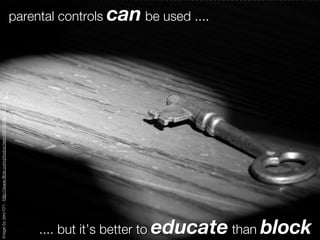
parental controls can be used ....
Image by zero101: http://www.flickr.com/photos/zero101/4529214213


                                                                        .... but it’s better to educate than block
Image by Mixy: http://www.flickr.com/photos/ladymixy-uk/4059154289


                                                                        digital content ....


                                                            X
almost impossible to remove once uploaded
technology is not     always the answer .....
Image by Huf: http://www.flickr.com/photos/forceit/451267176


                                                                   .... encourage balance
e by m4r00ned: http://www.flickr.com/photos/mar00ned/188634413


                                                                become a digiparent ...


....in three easy steps
Image by Leo Uehara: http://www.flickr.com/photos/leonardouehara/3423762075


                                                                             research the technology ...


....connect yourself
Image by Cesar R: http://www.flickr.com/photos/cesarcabrera/397653832


                                                                       monitor and ...


....be engaged
Image by Stuant63: http://www.flickr.com/photos/stuant63/2256527206


                                                                     avoid the fear factor...


.... make a difference
Dashboard Widgets


How to access
What’s there already
Our top picks!
Apple Widget Store
Homework


     What new widgets can you find? Share!

 Write a self-reflection comment on your role as a
digiParent. Where are you at? What's next for you?
All images used under Creative Commons License


                           Special thanks to
                              Julie Lindsay
                  for use of parts of her presentation

     Learning Digitally: Empowerment with Responsibility
http://www.slideshare.net/julielindsay/learning-digitally-empowerment-with-responsibility

Parent Technology Certificate Session 3

  • 1.
    Session 3 Image by Seth Joguet: http://www.flickr.com/photos/sebjoguet/162330937 Living Safe on the Web The good, the bad & the downright ugly! Jeff Utecht & Chrissy Hellyer
  • 2.
    Special Thanks toour Coffee & Snack Sponsors SPV iStudio Central Chaengwatta
  • 3.
    Reflection from Session2 Augmentation Image by b.e.n: http://www.flickr.com/photos/benklemm/24665842 How did it feel? What was easy? What was difficult? What skills do you remember?
  • 4.
    How does Google“work” Image by cayusa: http://www.flickr.com/photos/cayusa/1444806159
  • 5.
  • 6.
    Get Ready! In groups of 4, label yourselves #1, #2, #3 & #4
  • 7.
  • 8.
    Get Ready! #1 - “Jeff Utecht” #2 - “Your child” #3 - “Chrissy Hellyer” #4 - “Your child”
  • 9.
    Prepare an introductionfor “your person” based only on what you can find out about them on the internet What information can you find? What personal information can you find? What professional information can you find? Where did that information come from? Can you verify the source?
  • 10.
    ok? Who’s in Was what you found information? control of that Image by Taylor McBride: http://www.flickr.com/photos/taylor-mcbride/5431787044
  • 11.
    the good Image by Krish Tipirneni http://www.flickr.com/photos/krish4u/470892327
  • 12.
    Image by RobertoRizzato: http://www.flickr.com/photos/rizzato/2671575856photos/krish4u/470892327 the bad
  • 13.
    the downright ugly Image by Don Solo: http://www.flickr.com/photos/donsolo/2855854548
  • 14.
    Image by SethJoguet: http://www.flickr.com/photos/sebjoguet/162330937 some about misconceptions children and the internet
  • 15.
    Image by ChrissyH: http://www.flickr.com/photos/teachingsagittarian/5501479749 it’s not safe
  • 16.
    too many predators Imageby Josh Liba: http://www.flickr.com/photos/jliba/3696592874
  • 17.
    spend all their time playing games e by Great Beyond: http://www.flickr.com/photos/tonyjcase/4521116704
  • 18.
    Image by CLUC:http://www.flickr.com/photos/35378394@N03/3280622749 things to be aware of
  • 19.
    children do not knoweverything about technology Image by Yohan Aberkane: http://www.flickr.com/photos/yohann-aberkane/2836258475
  • 20.
    where is thecomputer being used .... Image by vauvau: http://www.flickr.com/photos/vauvau/4284175347 .... consider moving to a family area
  • 21.
    parental controls canbe used .... Image by zero101: http://www.flickr.com/photos/zero101/4529214213 .... but it’s better to educate than block
  • 22.
    Image by Mixy:http://www.flickr.com/photos/ladymixy-uk/4059154289 digital content .... X almost impossible to remove once uploaded
  • 23.
    technology is not always the answer ..... Image by Huf: http://www.flickr.com/photos/forceit/451267176 .... encourage balance
  • 24.
    e by m4r00ned:http://www.flickr.com/photos/mar00ned/188634413 become a digiparent ... ....in three easy steps
  • 25.
    Image by LeoUehara: http://www.flickr.com/photos/leonardouehara/3423762075 research the technology ... ....connect yourself
  • 26.
    Image by CesarR: http://www.flickr.com/photos/cesarcabrera/397653832 monitor and ... ....be engaged
  • 27.
    Image by Stuant63:http://www.flickr.com/photos/stuant63/2256527206 avoid the fear factor... .... make a difference
  • 28.
    Dashboard Widgets How toaccess What’s there already Our top picks! Apple Widget Store
  • 29.
    Homework What new widgets can you find? Share! Write a self-reflection comment on your role as a digiParent. Where are you at? What's next for you?
  • 30.
    All images usedunder Creative Commons License Special thanks to Julie Lindsay for use of parts of her presentation Learning Digitally: Empowerment with Responsibility http://www.slideshare.net/julielindsay/learning-digitally-empowerment-with-responsibility