Kids,
! ! ! Computers,
! ! ! ! ! ! ! ! ! ! Online Safety
        HRS Lower School Technology

                  October 2011

           (and likely to be out of date next week)
Good Evening!

         20? short minutes
         Net Cetera
         Resources
         Questions & discussion
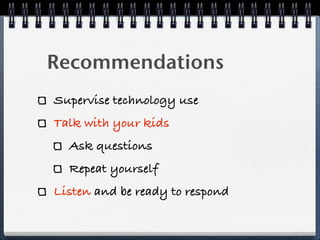
Recommendations
Supervise technology use
Talk with your kids
  Ask questions
  Repeat yourself
Listen and be ready to respond
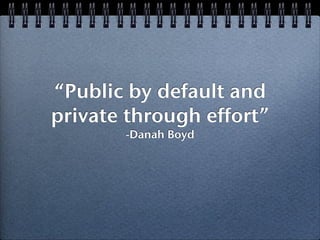
“Public by default and
private through effort” 
        -Danah Boyd
Your Super Vision

Outline acceptable manners
Discuss visibility vs anonymity
State that you have their back
Know where your kids are going
Review their friends lists
Social Not-working?
Controlling personal information
  Find the privacy controls
Comfort zone for posts
  What might Ms Abbey see?
You can’t take it back
  The WayBackMachine
Mobile
Communication
How much sharing is OK?
  Photo?
  Video?
  Texting?
  GPS?
Set some rules
Set an example
?


Your computer security
Supervision vs Filters

Savvy kids

File sharing & open networks
Media Literacy
         &
Digital Citizenship
Grade 2 - Privacy, Safety, marketing

Grade 3 - Spam, phishing, strangers

Grade 4 - Resistance to ads, online
manners, authenticating information,
cyber bullying

Grade 5 - Propaganda, evaluating web
sites, communications advice from the
6th graders
Information Literacy:
     The Library
         and
       the Lab
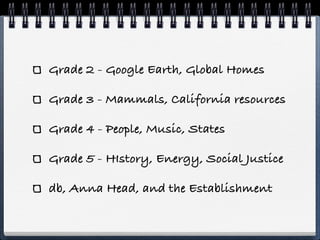
Grade 2 - Google Earth, Global Homes

Grade 3 - Mammals, California resources

Grade 4 - People, Music, States

Grade 5 - HIstory, Energy, Social Justice

db, Anna Head, and the Establishment
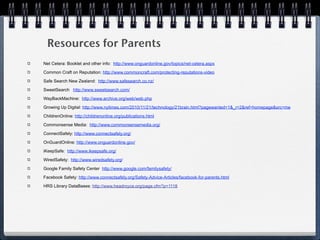
Resources for Parents
Net Cetera: Booklet and other info: http://www.onguardonline.gov/topics/net-cetera.aspx

Common Craft on Reputation: http://www.commoncraft.com/protecting-reputations-video

Safe Search New Zealand: http://www.safesearch.co.nz/

SweetSearch http://www.sweetsearch.com/

WayBackMachine: http://www.archive.org/web/web.php

Growing Up Digital: http://www.nytimes.com/2010/11/21/technology/21brain.html?pagewanted=1&_r=2&ref=homepage&src=me

ChildrenOnline: http://childrenonline.org/publications.html

Commonsense Media: http://www.commonsensemedia.org/

ConnectSafely: http://www.connectsafely.org/

OnGuardOnline: http://www.onguardonline.gov/

iKeepSafe: http://www.ikeepsafe.org/

WiredSafety: http://www.wiredsafety.org/

Google Family Safety Center http://www.google.com/familysafety/

Facebook Safety: http://www.connectsafely.org/Safety-Advice-Articles/facebook-for-parents.html

HRS Library DataBases: http://www.headroyce.org/page.cfm?p=1118

Parent Info Night: Technology

  • 1.
    Kids, ! ! !Computers, ! ! ! ! ! ! ! ! ! ! Online Safety HRS Lower School Technology October 2011 (and likely to be out of date next week)
  • 2.
    Good Evening! 20? short minutes Net Cetera Resources Questions & discussion
  • 3.
    Recommendations Supervise technology use Talkwith your kids Ask questions Repeat yourself Listen and be ready to respond
  • 4.
    “Public by defaultand private through effort”  -Danah Boyd
  • 5.
    Your Super Vision Outlineacceptable manners Discuss visibility vs anonymity State that you have their back Know where your kids are going Review their friends lists
  • 6.
    Social Not-working? Controlling personalinformation Find the privacy controls Comfort zone for posts What might Ms Abbey see? You can’t take it back The WayBackMachine
  • 8.
  • 9.
    How much sharingis OK? Photo? Video? Texting? GPS? Set some rules Set an example
  • 10.
  • 11.
    Supervision vs Filters Savvykids File sharing & open networks
  • 12.
    Media Literacy & Digital Citizenship
  • 13.
    Grade 2 -Privacy, Safety, marketing Grade 3 - Spam, phishing, strangers Grade 4 - Resistance to ads, online manners, authenticating information, cyber bullying Grade 5 - Propaganda, evaluating web sites, communications advice from the 6th graders
  • 14.
    Information Literacy: The Library and the Lab
  • 15.
    Grade 2 -Google Earth, Global Homes Grade 3 - Mammals, California resources Grade 4 - People, Music, States Grade 5 - HIstory, Energy, Social Justice db, Anna Head, and the Establishment
  • 16.
    Resources for Parents NetCetera: Booklet and other info: http://www.onguardonline.gov/topics/net-cetera.aspx Common Craft on Reputation: http://www.commoncraft.com/protecting-reputations-video Safe Search New Zealand: http://www.safesearch.co.nz/ SweetSearch http://www.sweetsearch.com/ WayBackMachine: http://www.archive.org/web/web.php Growing Up Digital: http://www.nytimes.com/2010/11/21/technology/21brain.html?pagewanted=1&_r=2&ref=homepage&src=me ChildrenOnline: http://childrenonline.org/publications.html Commonsense Media: http://www.commonsensemedia.org/ ConnectSafely: http://www.connectsafely.org/ OnGuardOnline: http://www.onguardonline.gov/ iKeepSafe: http://www.ikeepsafe.org/ WiredSafety: http://www.wiredsafety.org/ Google Family Safety Center http://www.google.com/familysafety/ Facebook Safety: http://www.connectsafely.org/Safety-Advice-Articles/facebook-for-parents.html HRS Library DataBases: http://www.headroyce.org/page.cfm?p=1118

Editor's Notes

  • #2 introduce Elizabeth, Zach, Kath Weekes, \nthe choir - the ones who show\nshort shelf life - kids grow, tech changes \n
  • #3 agenda - time, booklet, last slide\ntime for questions\n
  • #4 Proponent desert first - here are the recs start early! \nHard truth -parents must manage- put computer where you can see it, time it, monitor activities\n#1 rec is talk - keep conversations open and light #2 rec is listen (backwards?)\nNext - something you need to know...and really smart kids don’t comprehend\n
  • #5 Hence - your surveillance of how the internet is used in your house has long term effects\nMany, many lower school children use email and social networks of some sort \nPrivacy and ‘habits of use’ need drills as much as soccer skills do\n
  • #6 Using your superlative foresight as your children expand their online communications\nreread before you send not anonymous to Google \nDon’t let kids go it alone\nthe rules are that if I have email - parents will be looking\n
  • #7 Video from common sense media on online reputations\nthey don’t understand the breadth of their digital audience\nHow many different online identities do our kids have?\nCrystal story here?\n
  • #8 Choose devices according to the features you are willing to allow your child to use\nAnd the parental control features that allow you to approve privileges as children grow \n
  • #9 \n \n
  • #10 passwords are sacred\n
  • #11 \n \n
  • #12 Elizabeth and I work closely on these topics\nI can’t teach your kids how to behave at home, I have enough trouble doing that here...\nReally - I hope I am backing you up. Here are some main threads --\n
  • #13 These are cumulative, we review using new activities each year, and then go forward from there\n
  • #14 kids at school - not out on major search engines - we use teacher approved websites\nSafe Search NZ\nno wikipedia, please - not approved for academic endeavors\n
  • #15 Safesearch nz search - for home searches for kids\n
  • #16 Thanks!\n