Taking hot backups with
XtraBackup
Alexey.Kopytov@percona.com
Principal Software Engineer
April 2012
Taking hot backups with XtraBackup
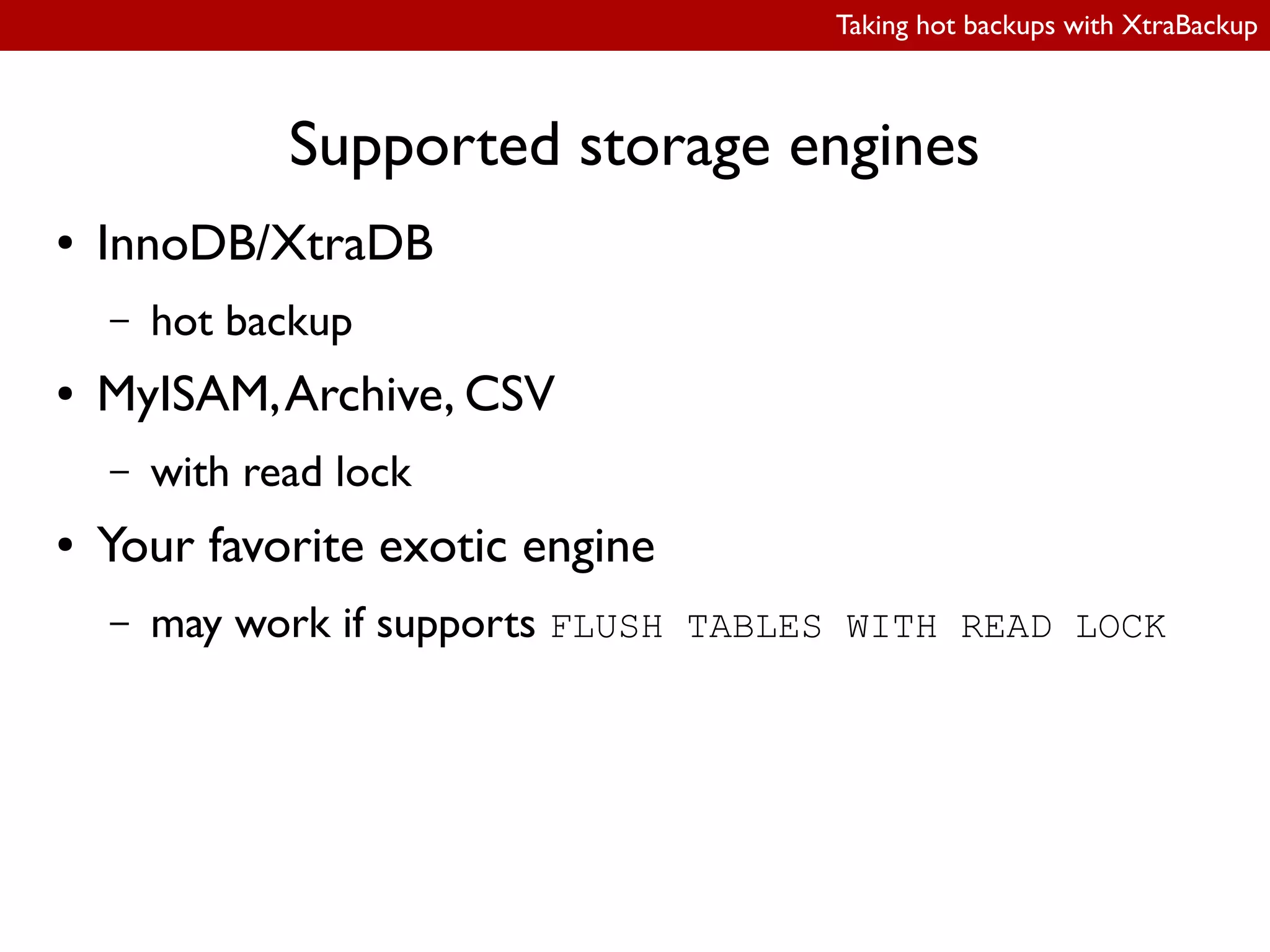
Supported storage engines
● InnoDB/XtraDB
– hot backup
● MyISAM,Archive, CSV
– with read lock
● Your favorite exotic engine
– may work if supports FLUSH TABLES WITH READ LOCK
Taking hot backups with XtraBackup
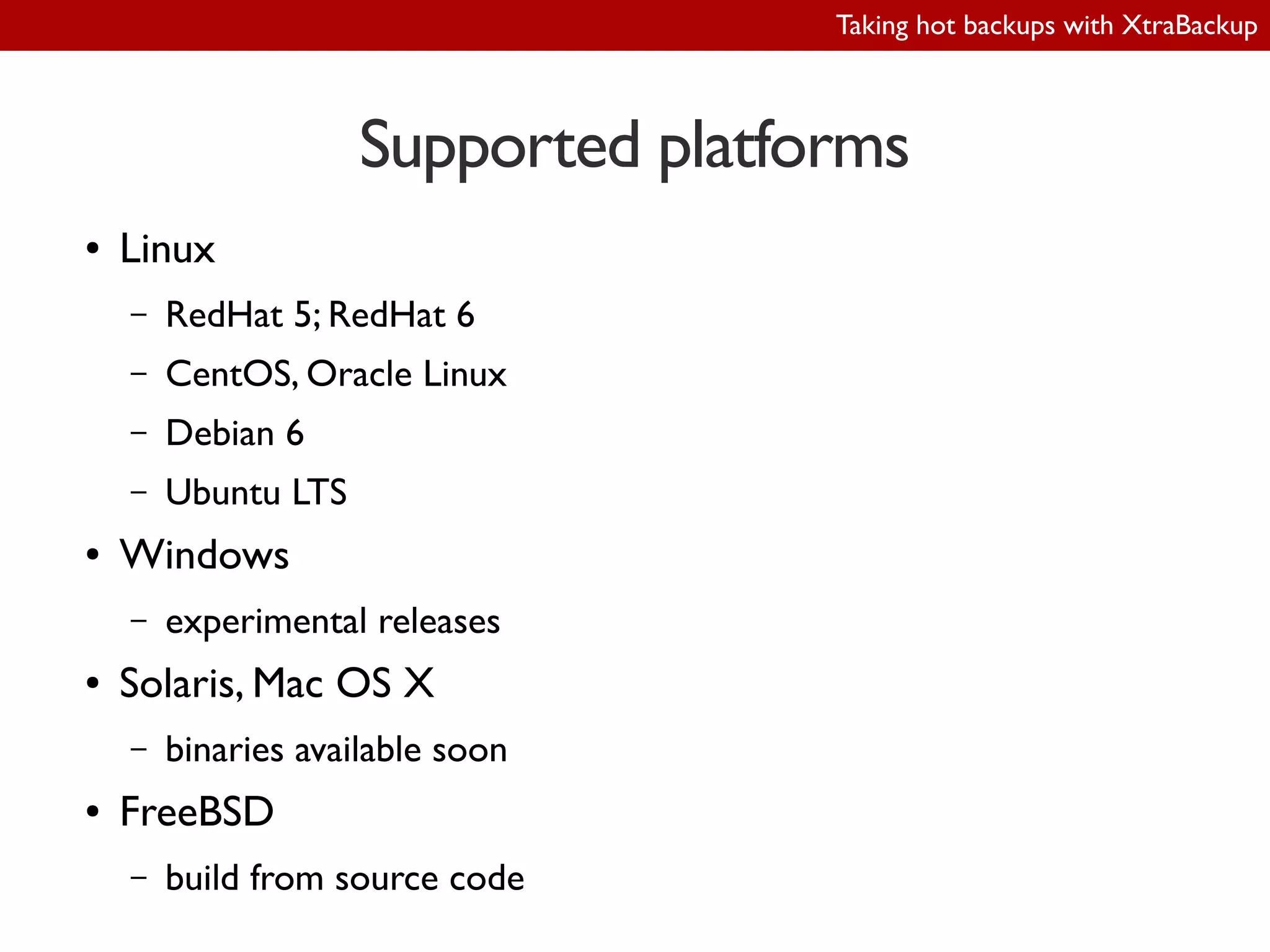
Supported platforms
● Linux
– RedHat 5; RedHat 6
– CentOS, Oracle Linux
– Debian 6
– Ubuntu LTS
● Windows
– experimental releases
● Solaris, Mac OS X
– binaries available soon
● FreeBSD
– build from source code
Taking hot backups with XtraBackup
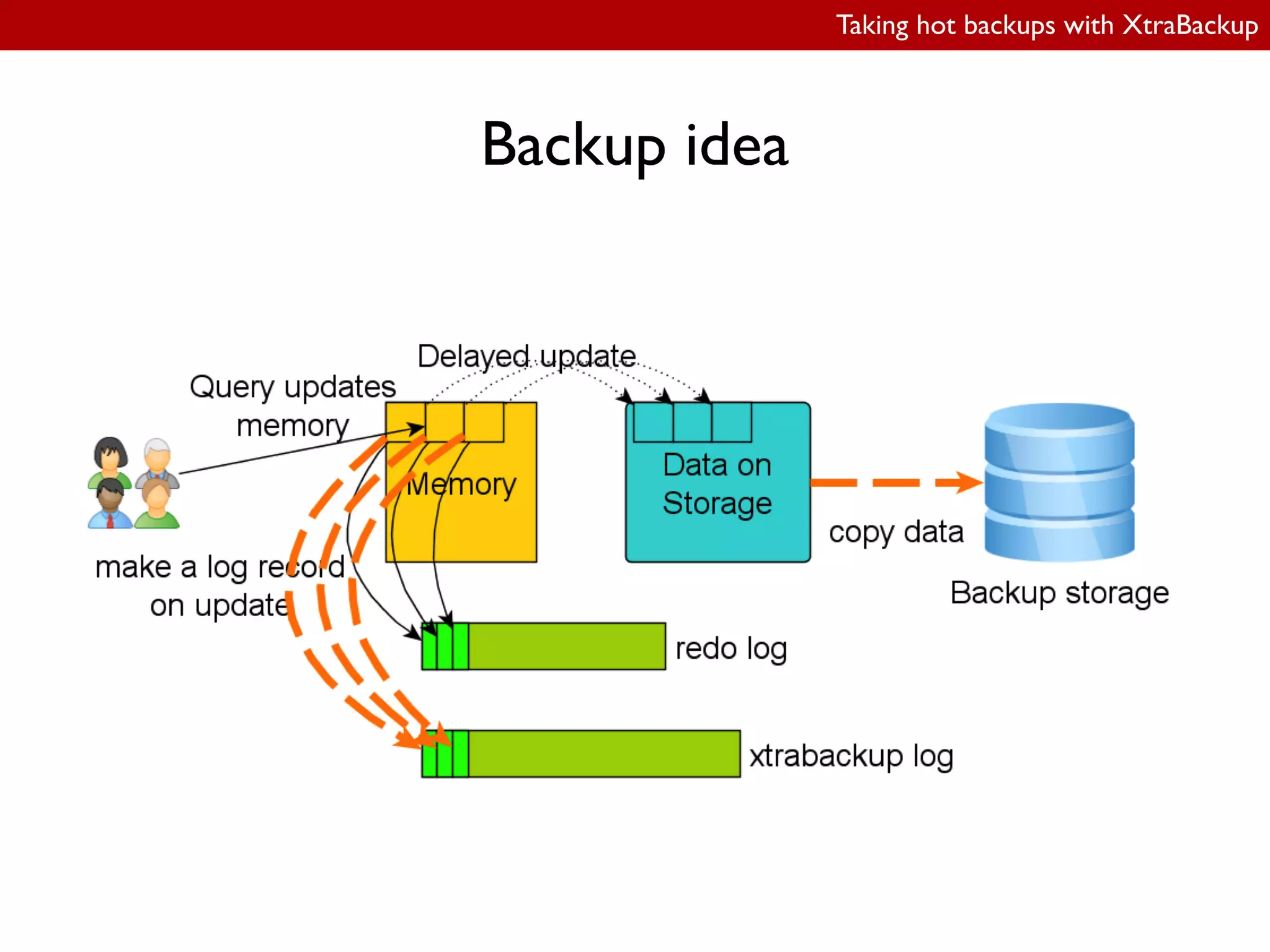
Backup idea
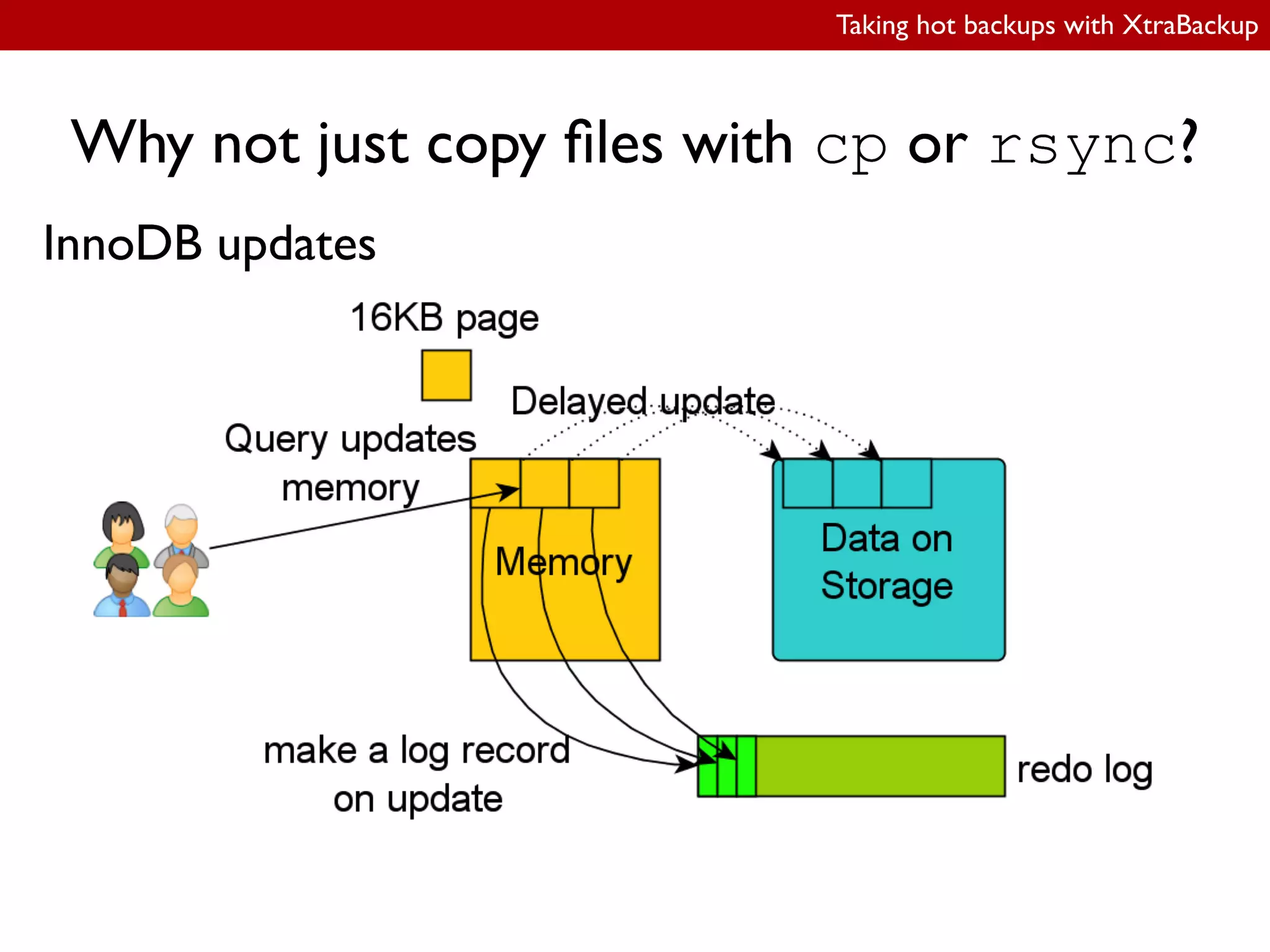
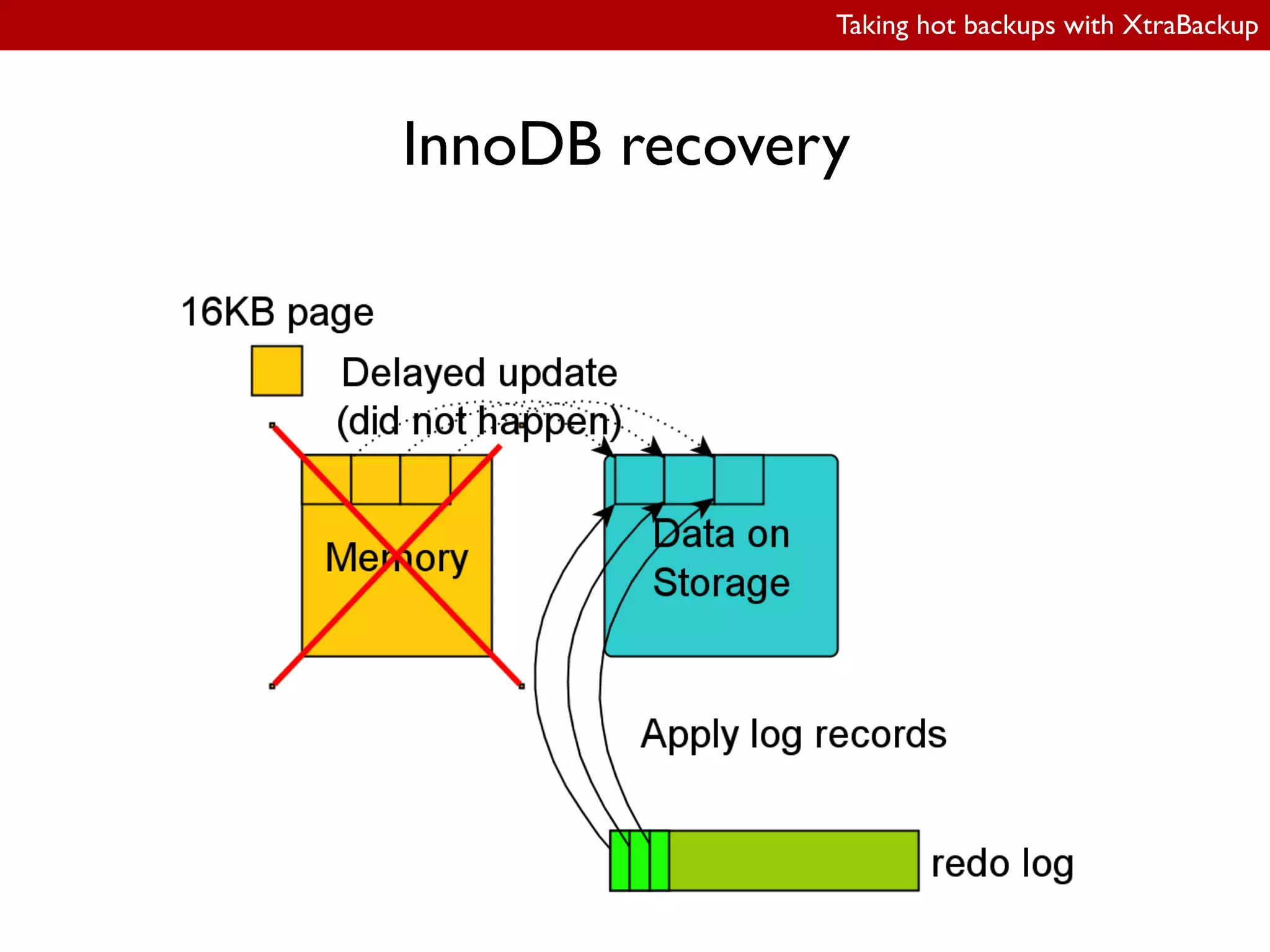
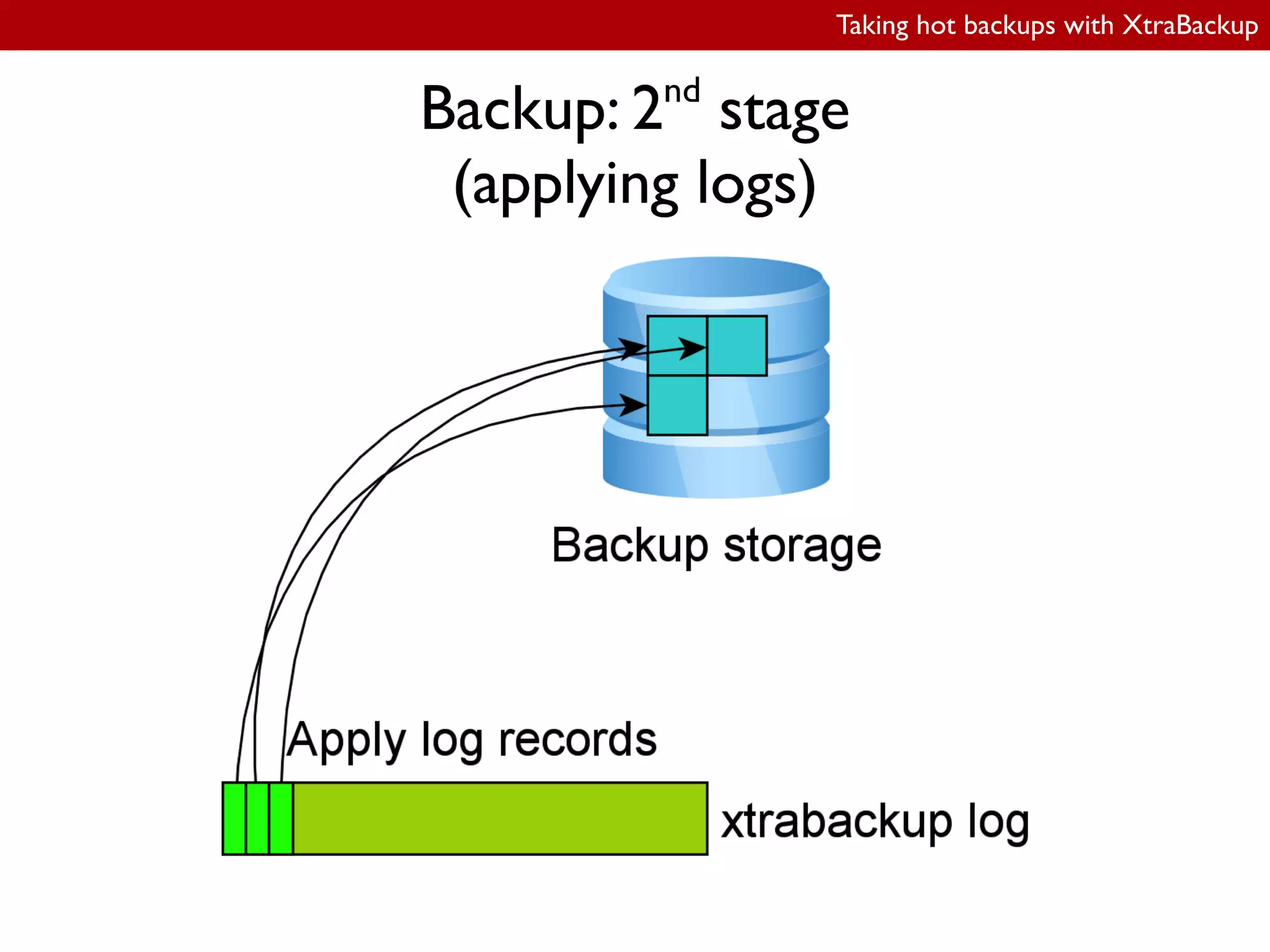
● backup logic is identical to InnoDB recovery
procedure
● 2nd
stage reuses code from InnoDB recovery
Taking hot backups with XtraBackup
Distribution structure
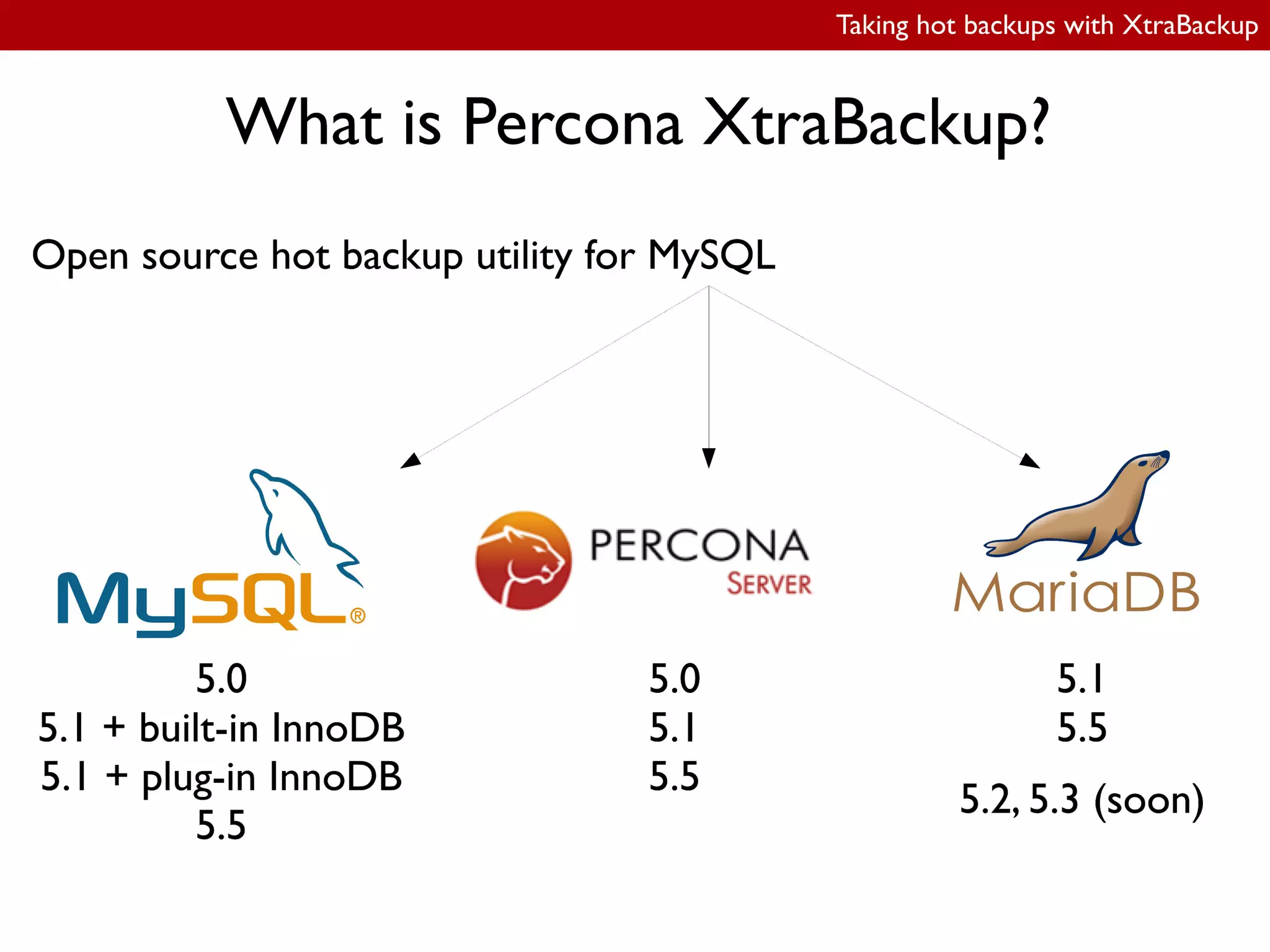
● xtrabackup
– Percona Server 5.1 with XtraDB
– MySQL 5.1 with InnoDB plugin
● xtrabackup_51
– MySQL 5.0
– Percona Server 5.0
– MySQL 5.1 with built-in InnoDB
● xtrabackup_55
– MySQL 5.5
– Percona Server 5.5
● innobackupex
– Perl script
– wrapper around xtrabackup* binaries
● xbstream
Taking hot backups with XtraBackup
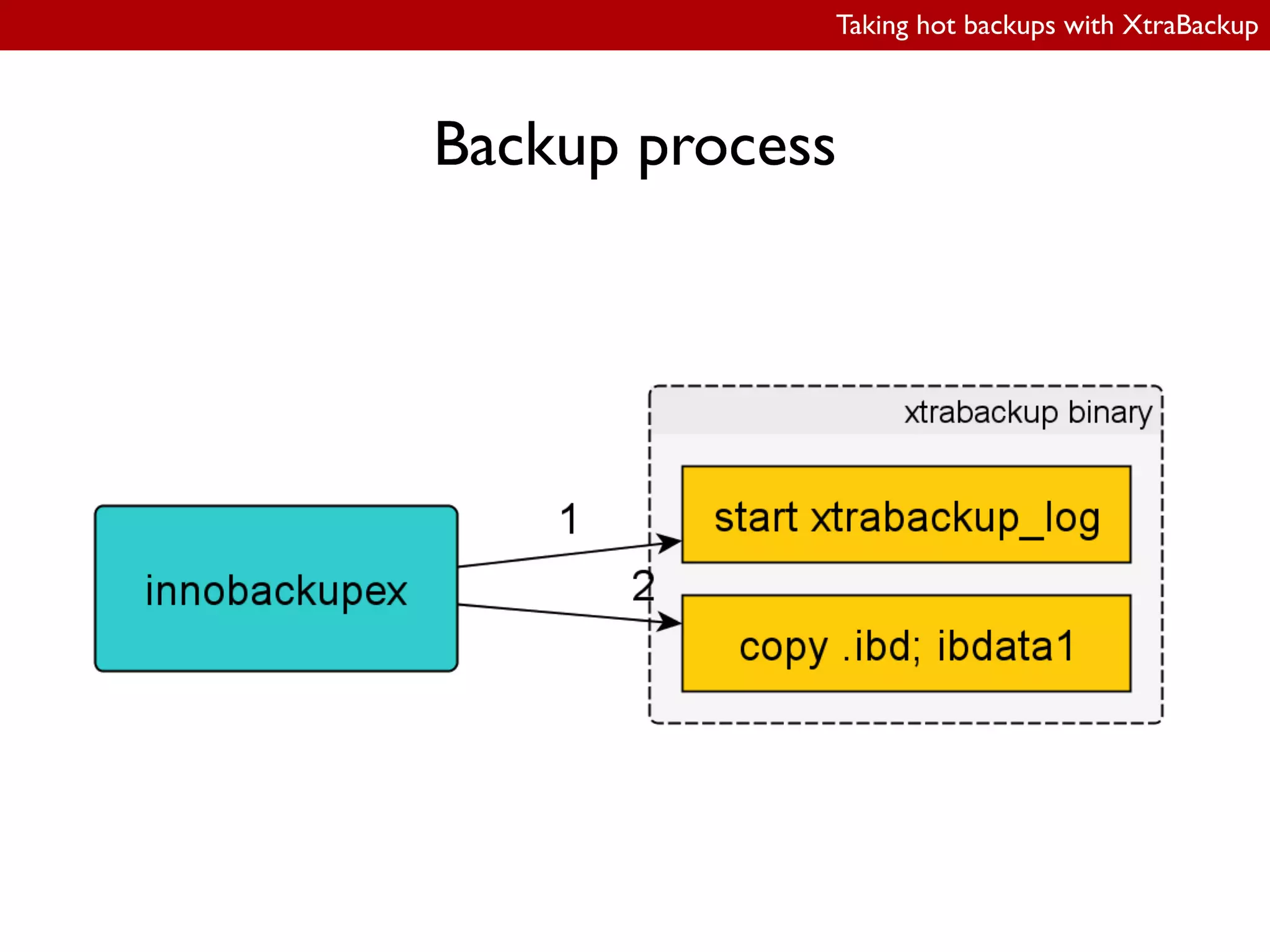
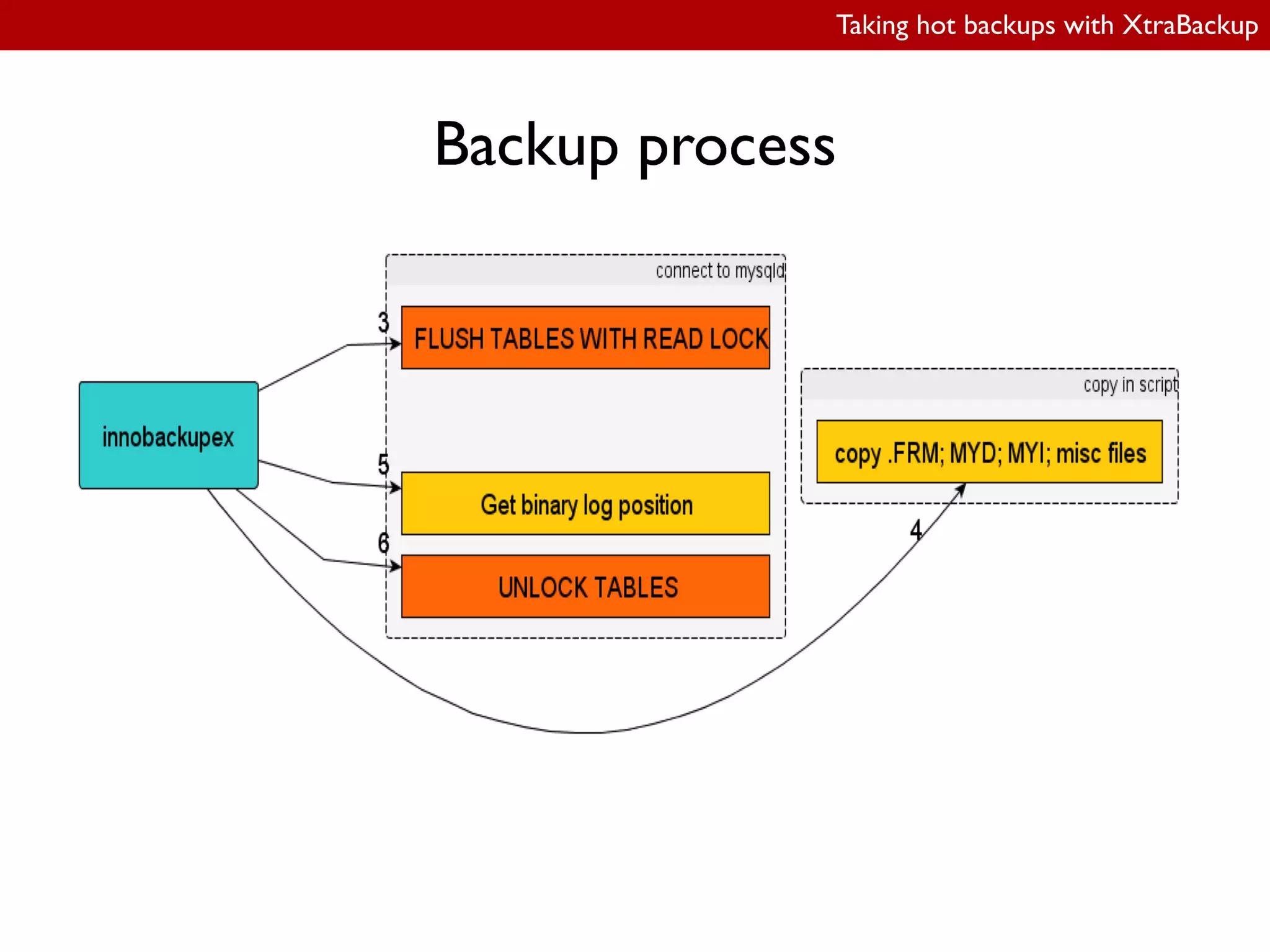
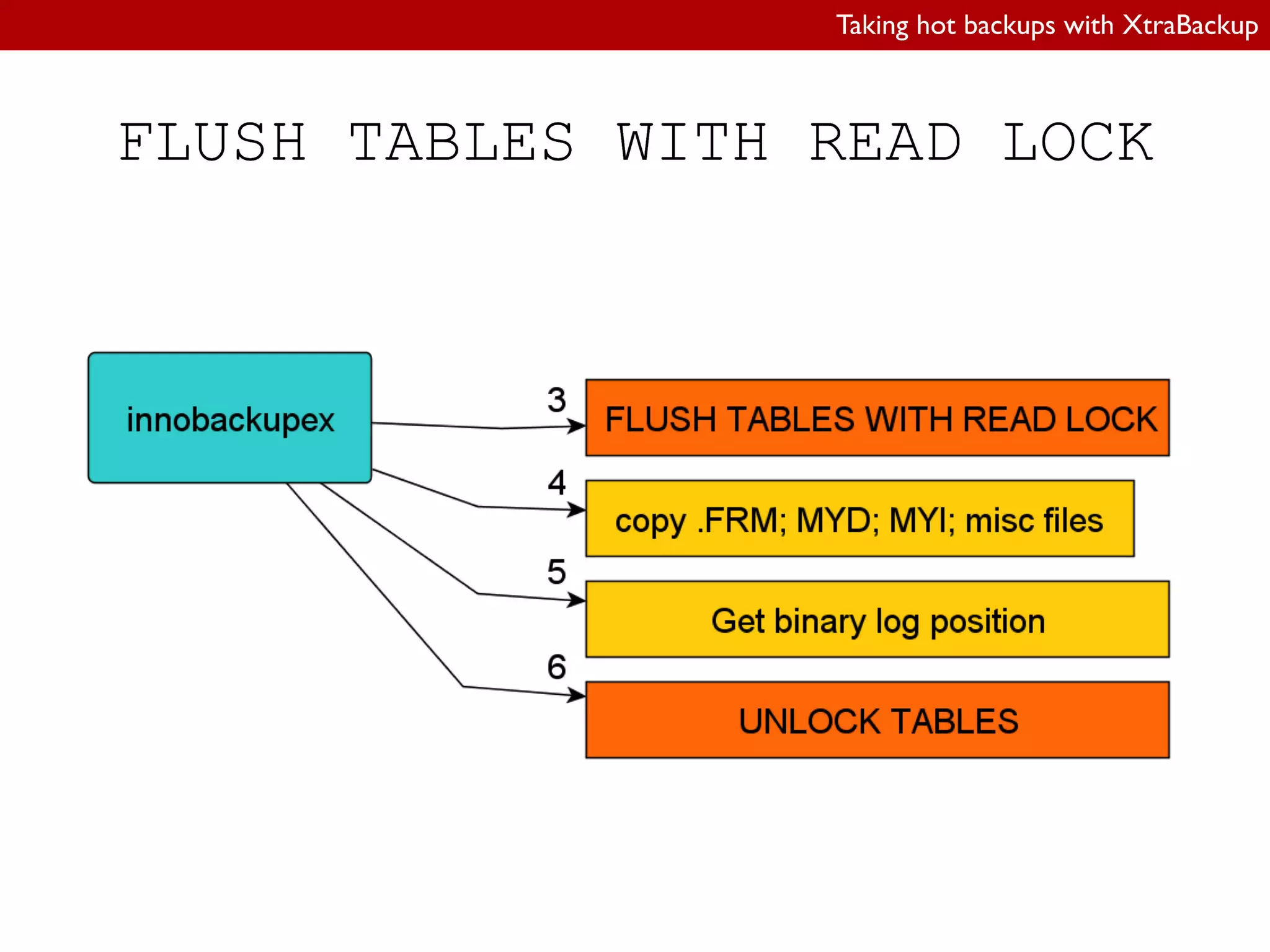
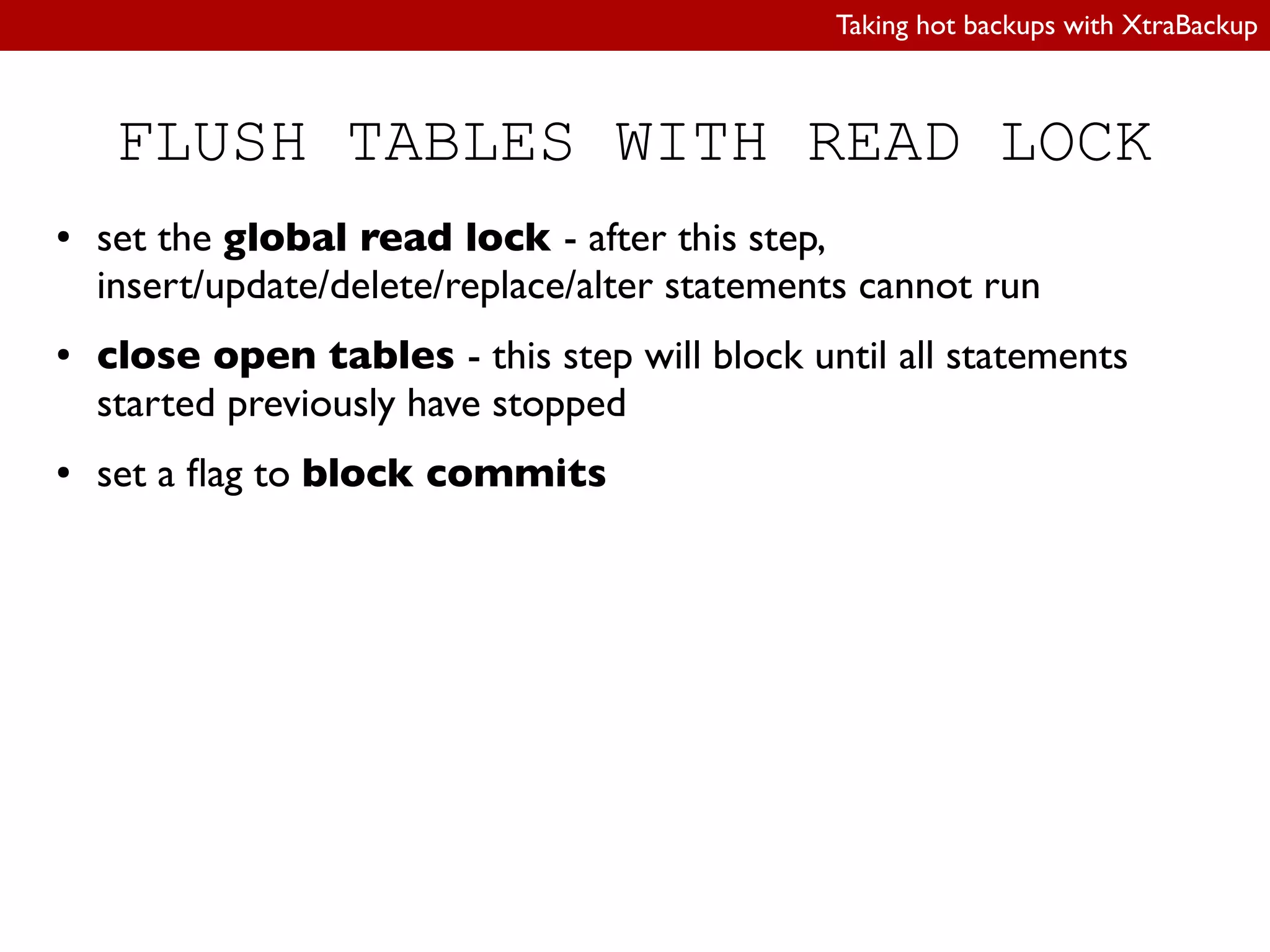
FLUSH TABLES WITH READ LOCK
● set the global read lock - after this step,
insert/update/delete/replace/alter statements cannot run
● close open tables - this step will block until all statements
started previously have stopped
● set a lag to block commits
Taking hot backups with XtraBackup
FLUSH TABLES WITH READ LOCK
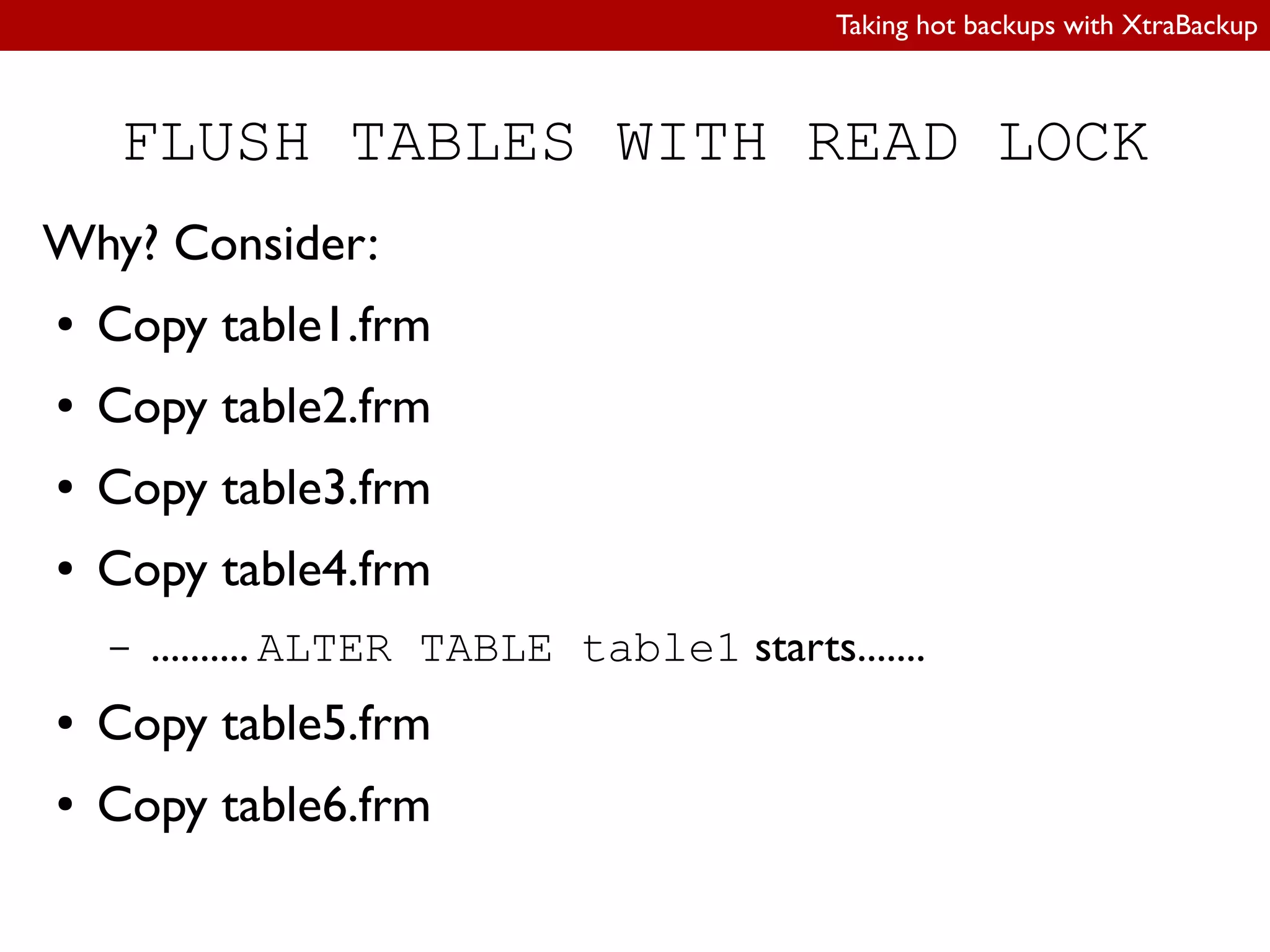
Why? Consider:
● Copy table1.frm
● Copy table2.frm
● Copy table3.frm
● Copy table4.frm
– .......... ALTER TABLE table1 starts.......
● Copy table5.frm
● Copy table6.frm
Taking hot backups with XtraBackup
FLUSH TABLES WITH READ LOCK
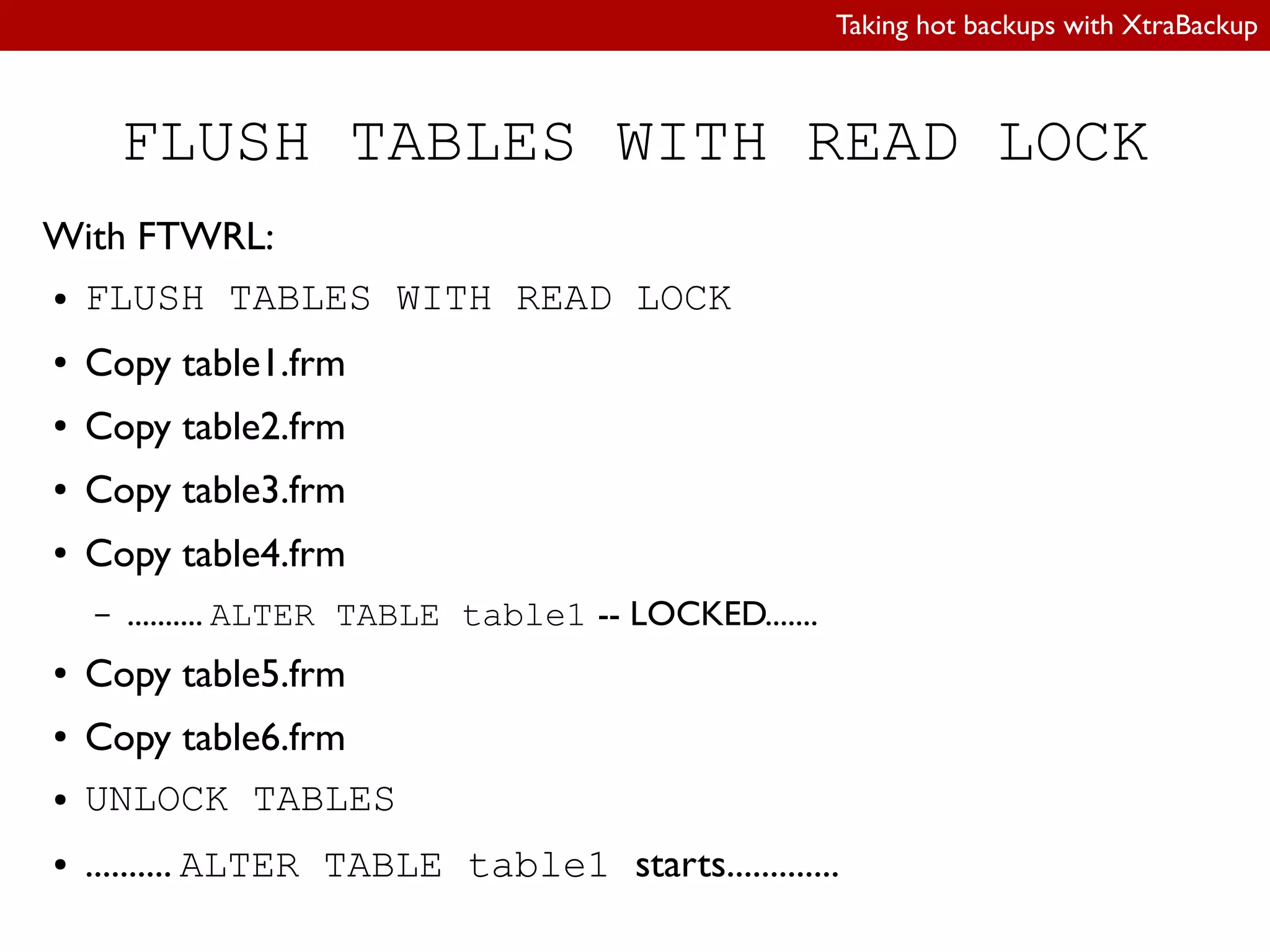
With FTWRL:
● FLUSH TABLES WITH READ LOCK
● Copy table1.frm
● Copy table2.frm
● Copy table3.frm
● Copy table4.frm
– .......... ALTER TABLE table1 -- LOCKED.......
● Copy table5.frm
● Copy table6.frm
● UNLOCK TABLES
● .......... ALTER TABLE table1 starts.............
Taking hot backups with XtraBackup
FLUSH TABLES WITH READ LOCK
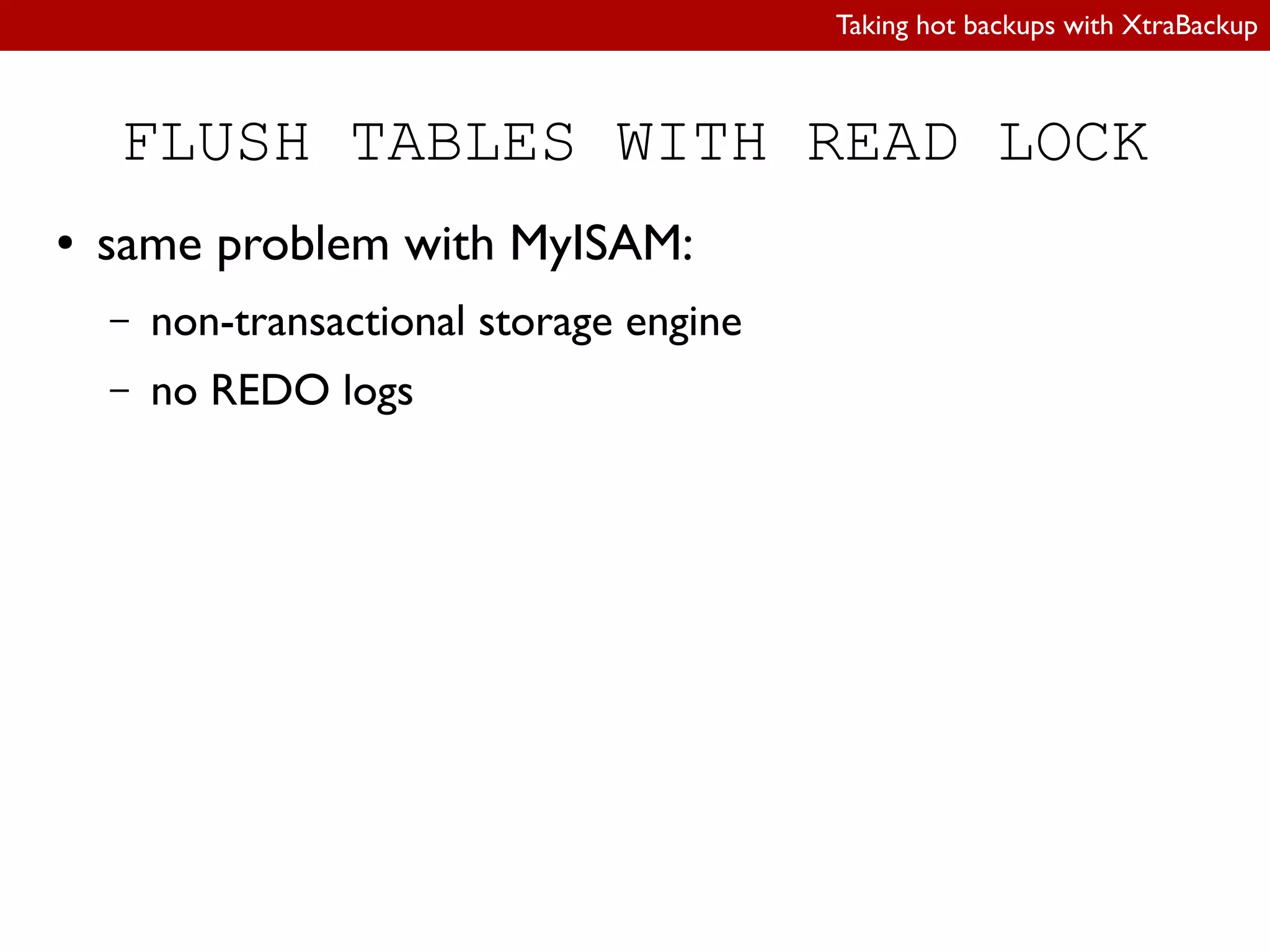
● same problem with MyISAM:
– non-transactional storage engine
– no REDO logs
Taking hot backups with XtraBackup
Basic usage
(taking a backup)
innobackupex [options…] /data/backup
Options:
● --defaults-file=/path/to/my.cnf
– datadir (/var/lib/mysql by default)
● --user
● --password
● --host
● --socket
Taking hot backups with XtraBackup
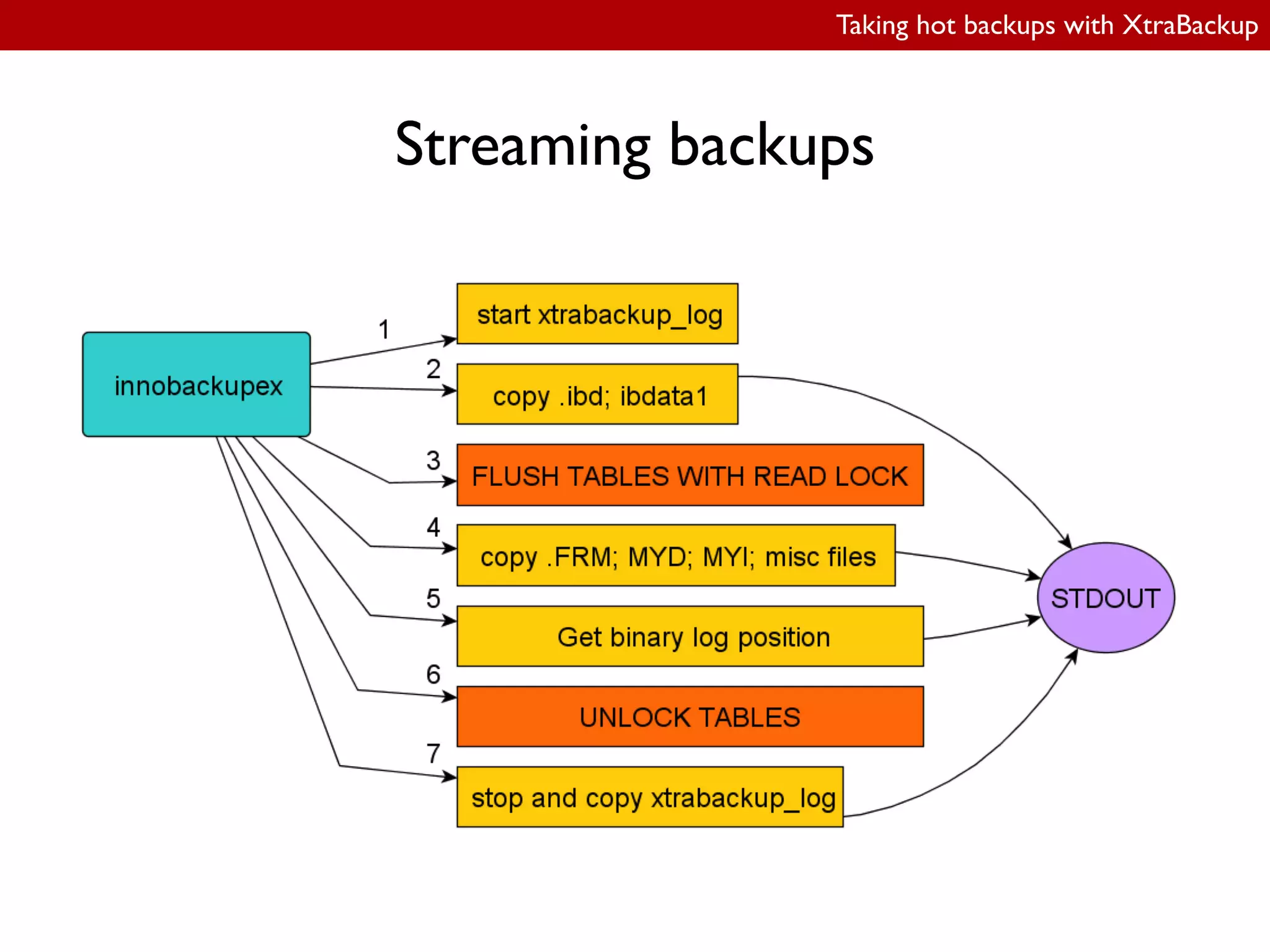
Streaming backups
● Local backups:
– local ilesystem
– NFS mounts
● Streaming backups:
– innobackupex | gzip | ssh ...
Taking hot backups with XtraBackup
Streaming backups
Basic command:
innobackupex --stream=tar /tmpdir
Taking hot backups with XtraBackup
Streaming backups
To extract:
innobackupex --stream=tar /tmpdir |
tar -xvif - -C /data/backup
-i is important!
● “ignore blocks of zeros in archive (normally mean
EOF)”
Taking hot backups with XtraBackup
Streaming backups
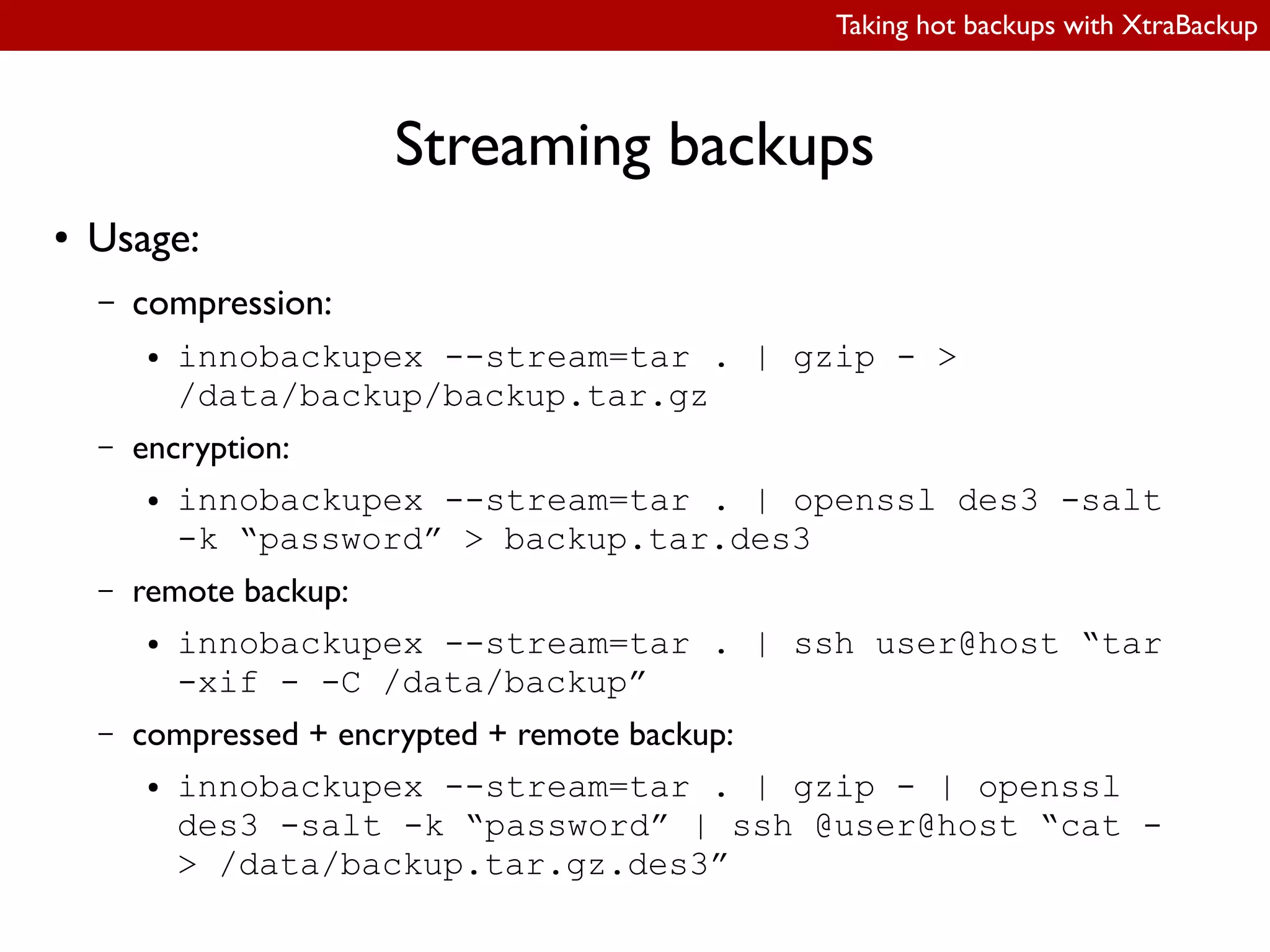
● Usage:
– compression:
● innobackupex --stream=tar . | gzip - >
/data/backup/backup.tar.gz
– encryption:
● innobackupex --stream=tar . | openssl des3 -salt
-k “password” > backup.tar.des3
– remote backup:
● innobackupex --stream=tar . | ssh user@host “tar
-xif - -C /data/backup”
– compressed + encrypted + remote backup:
● innobackupex --stream=tar . | gzip - | openssl
des3 -salt -k “password” | ssh @user@host “cat -
> /data/backup.tar.gz.des3”
Taking hot backups with XtraBackup
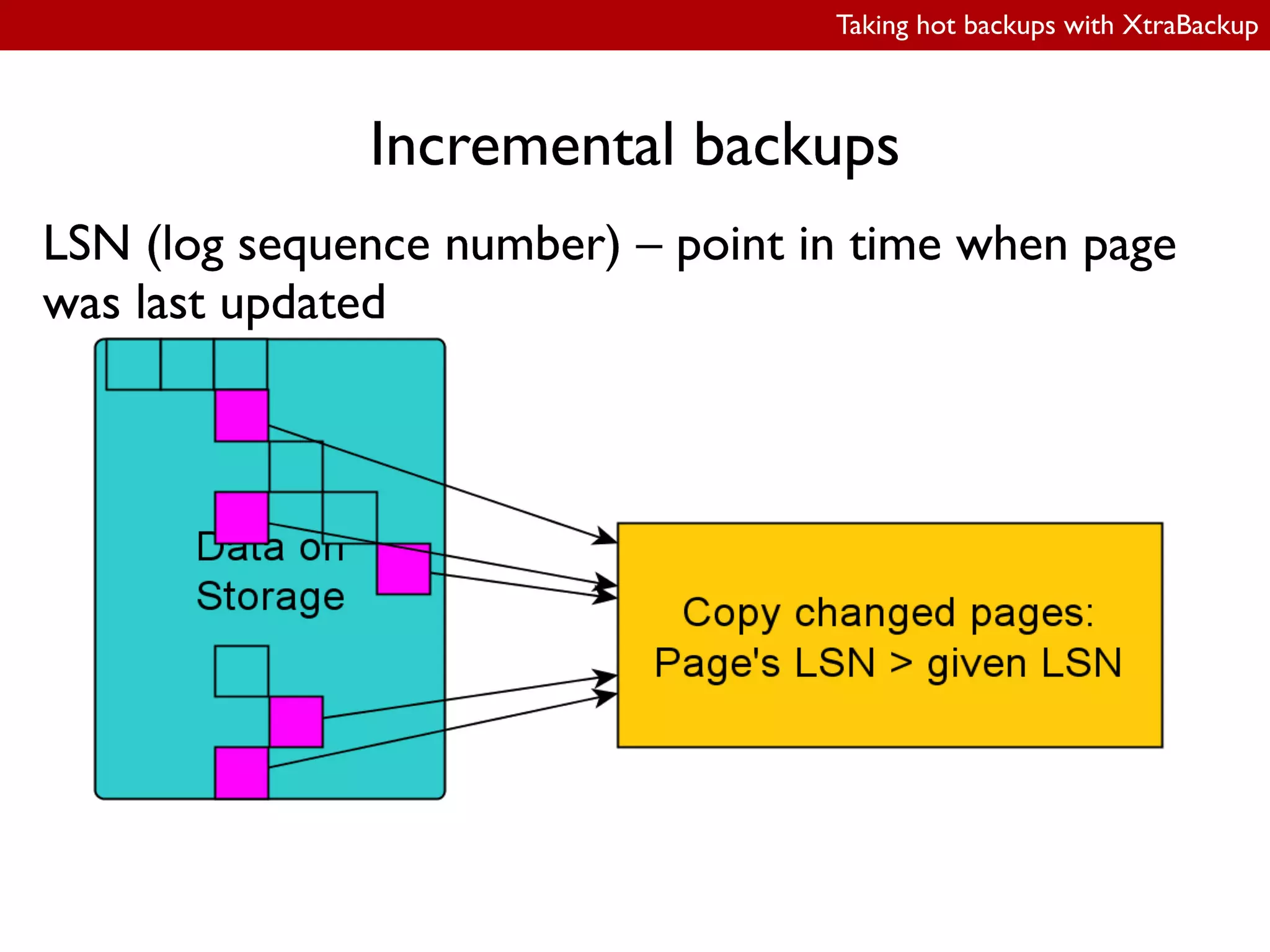
Incremental backups
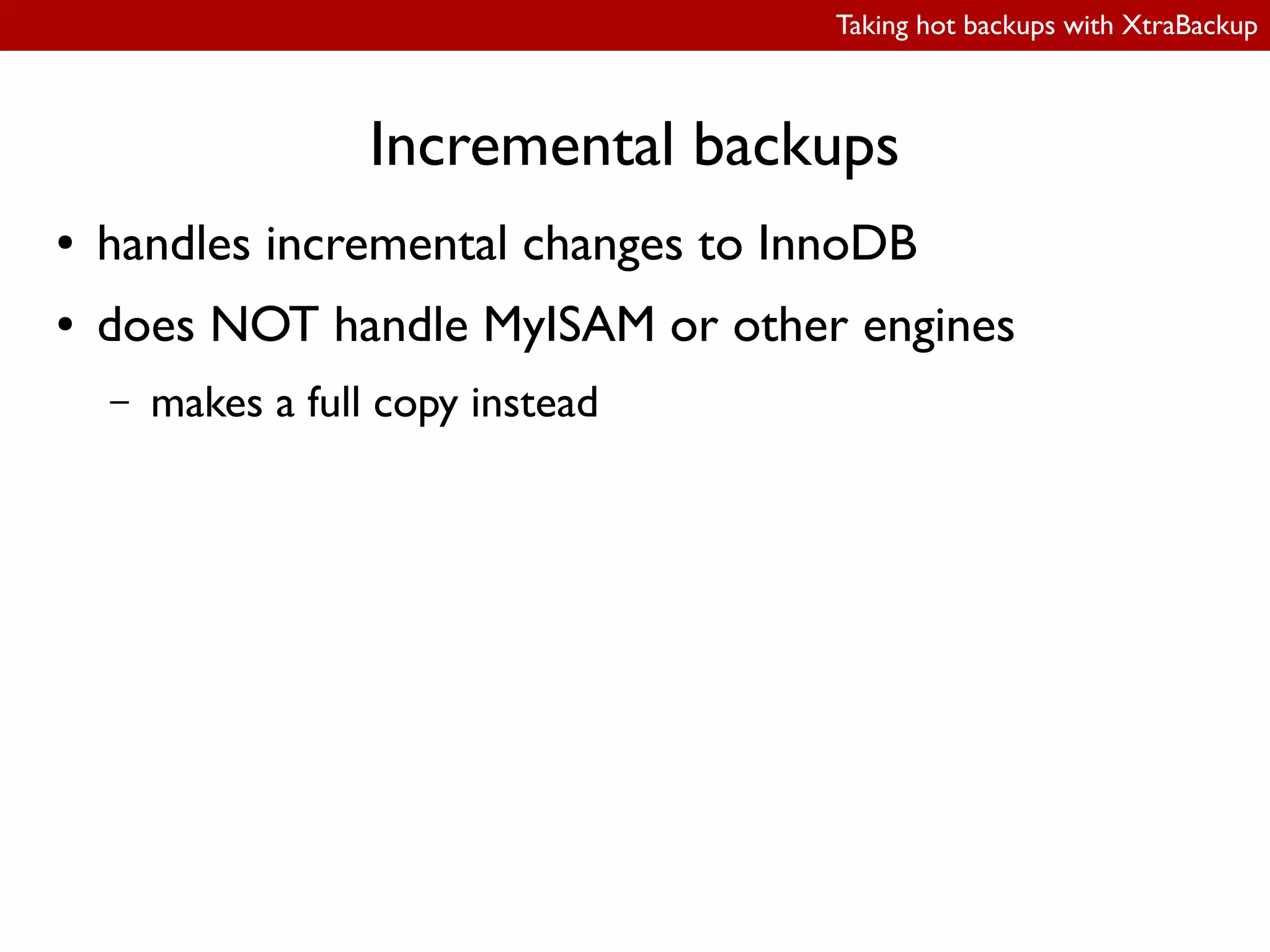
● handles incremental changes to InnoDB
● does NOT handle MyISAM or other engines
– makes a full copy instead
Taking hot backups with XtraBackup
Incremental backups
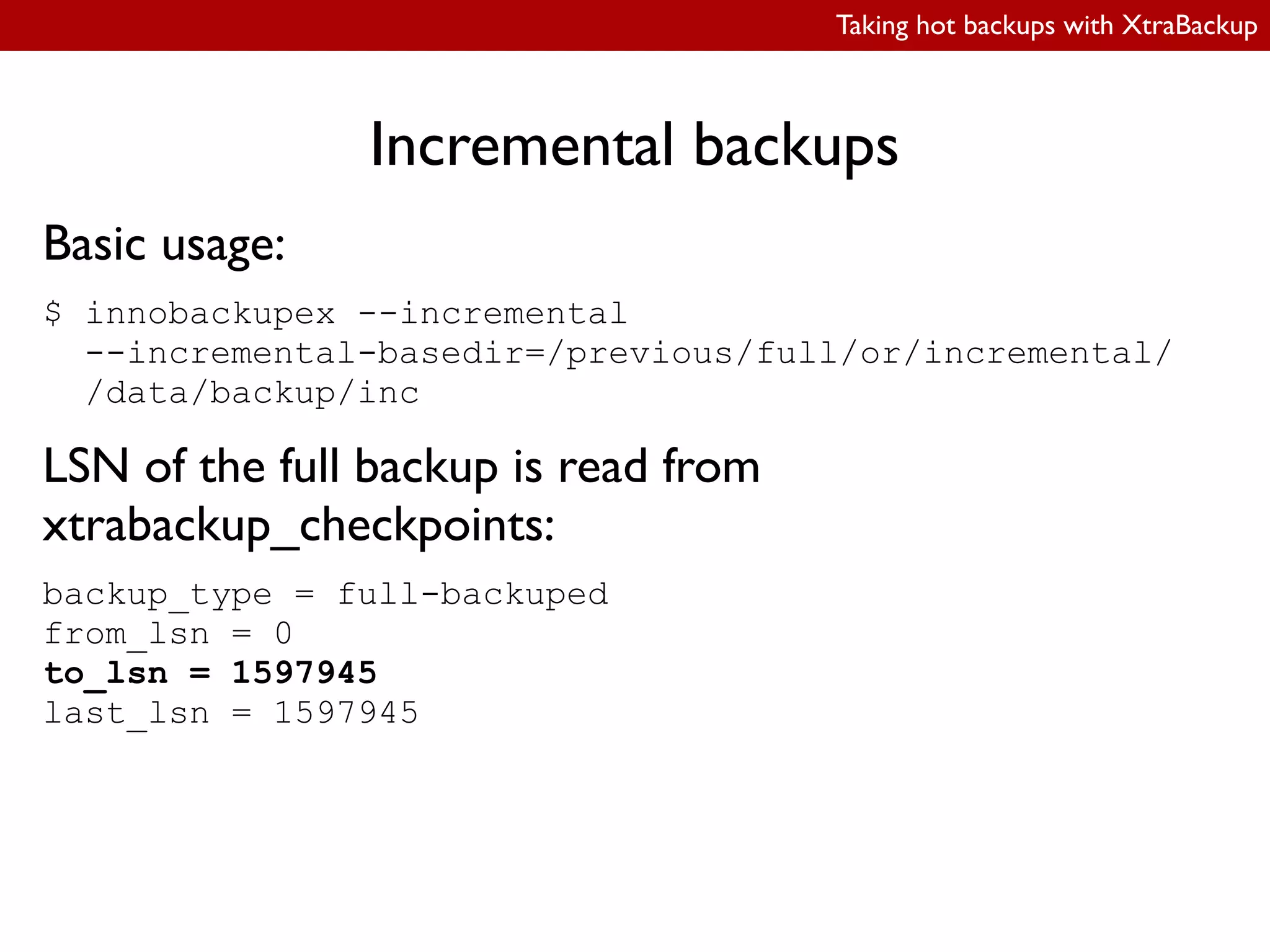
Basic usage:
$ innobackupex --incremental
--incremental-basedir=/previous/full/or/incremental/
/data/backup/inc
LSN of the full backup is read from
xtrabackup_checkpoints:
backup_type = full-backuped
from_lsn = 0
to_lsn = 1597945
last_lsn = 1597945
Taking hot backups with XtraBackup
Incremental backups
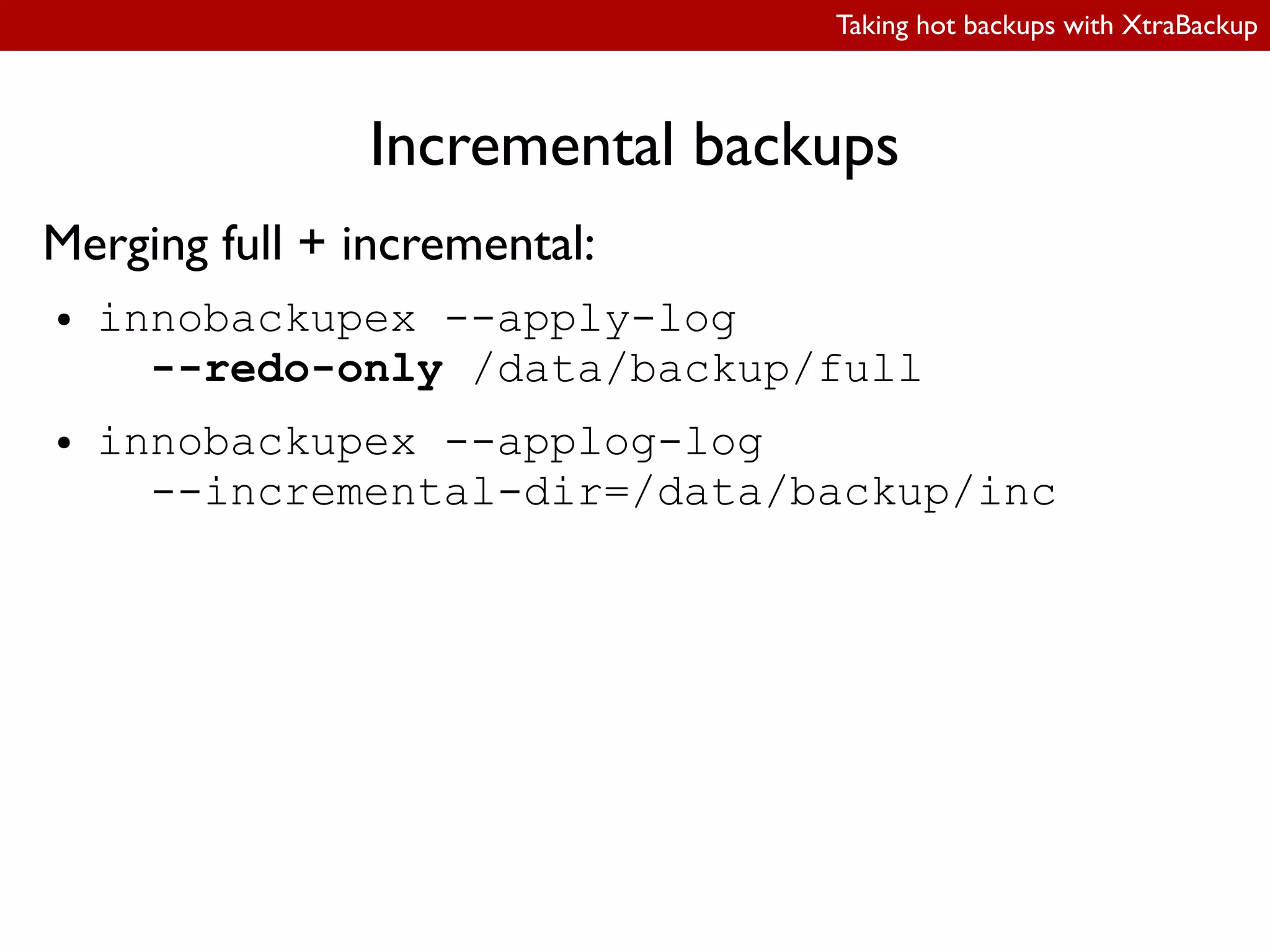
Merging full + incremental:
● innobackupex --apply-log
--redo-only /data/backup/full
● innobackupex --applog-log
--incremental-dir=/data/backup/inc
Taking hot backups with XtraBackup
Incremental backups
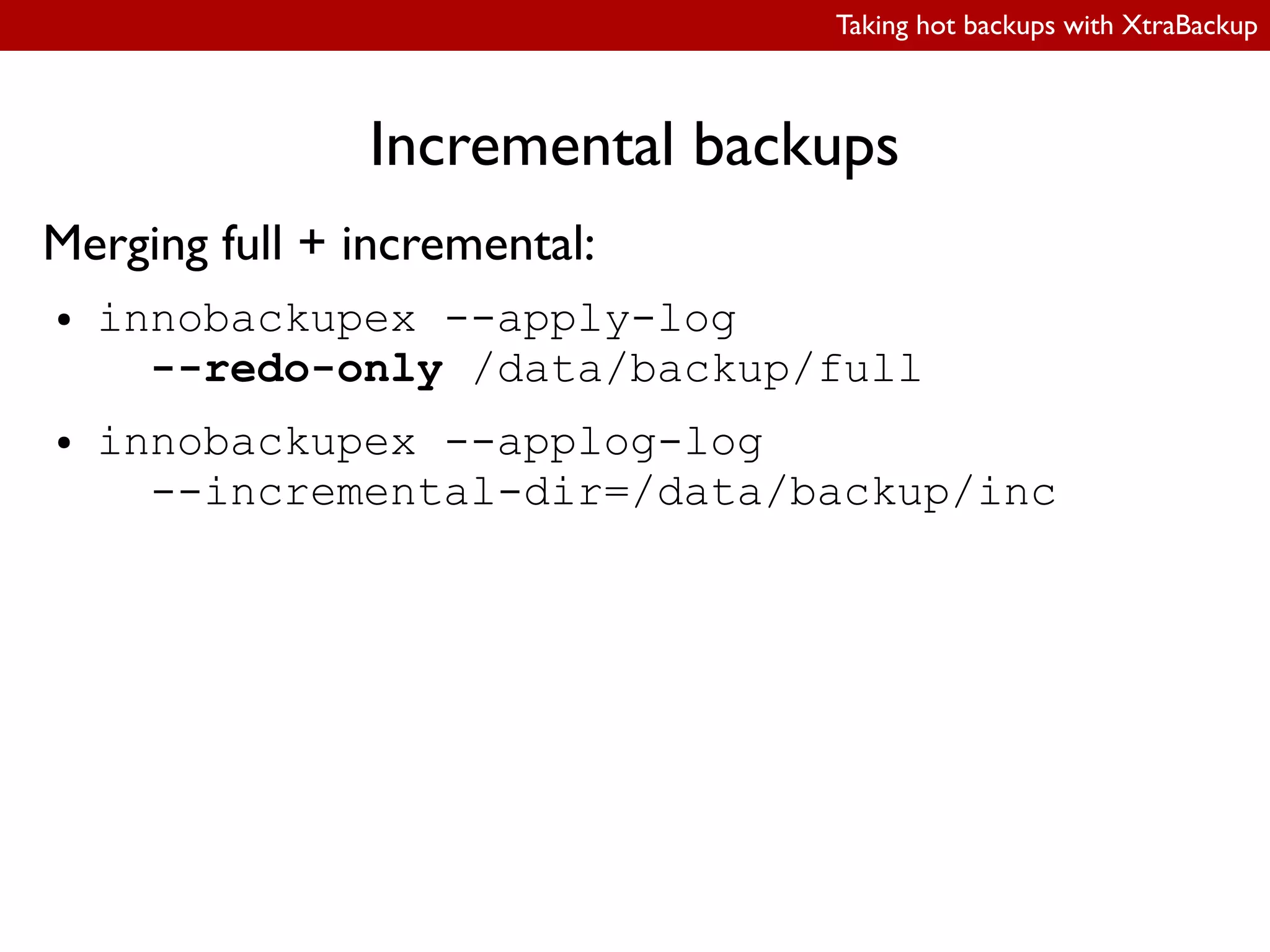
Merging full + incremental:
● innobackupex --apply-log
--redo-only /data/backup/full
● innobackupex --applog-log
--incremental-dir=/data/backup/inc
Taking hot backups with XtraBackup
Restoring individual tables:
export
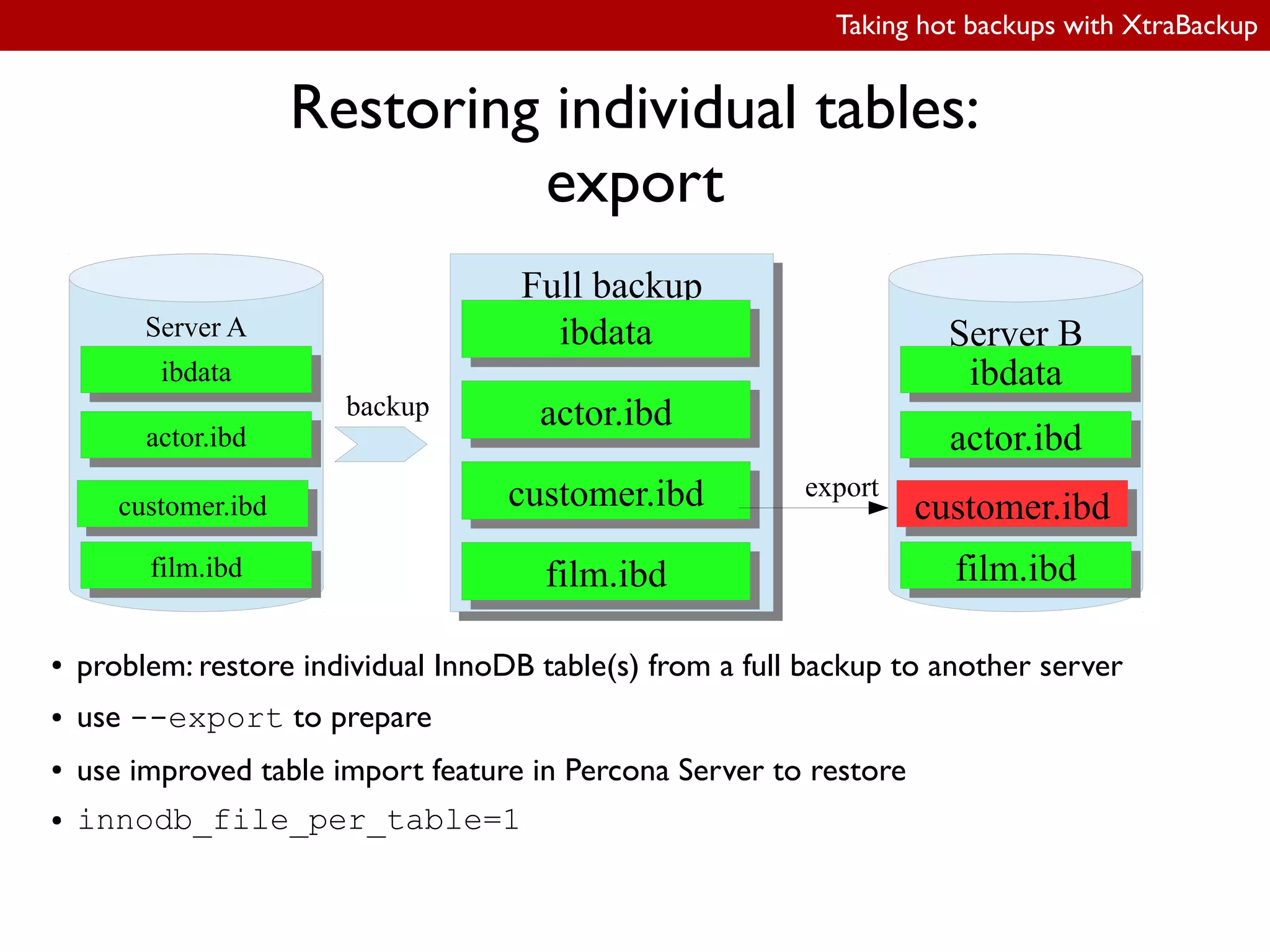
● problem: restore individual InnoDB table(s) from a full backup to another server
● use --export to prepare
● use improved table import feature in Percona Server to restore
● innodb_file_per_table=1
Full backupFull backup
ibdataibdata
actor.ibdactor.ibd
customer.ibdcustomer.ibd
film.ibdfilm.ibd
export
Server B
ibdataibdata
actor.ibdactor.ibd
customer.ibdcustomer.ibd
film.ibdfilm.ibd
Server A
ibdataibdata
actor.ibdactor.ibd
customer.ibdcustomer.ibd
film.ibdfilm.ibd
backup
Taking hot backups with XtraBackup
Restoring individual tables:
export
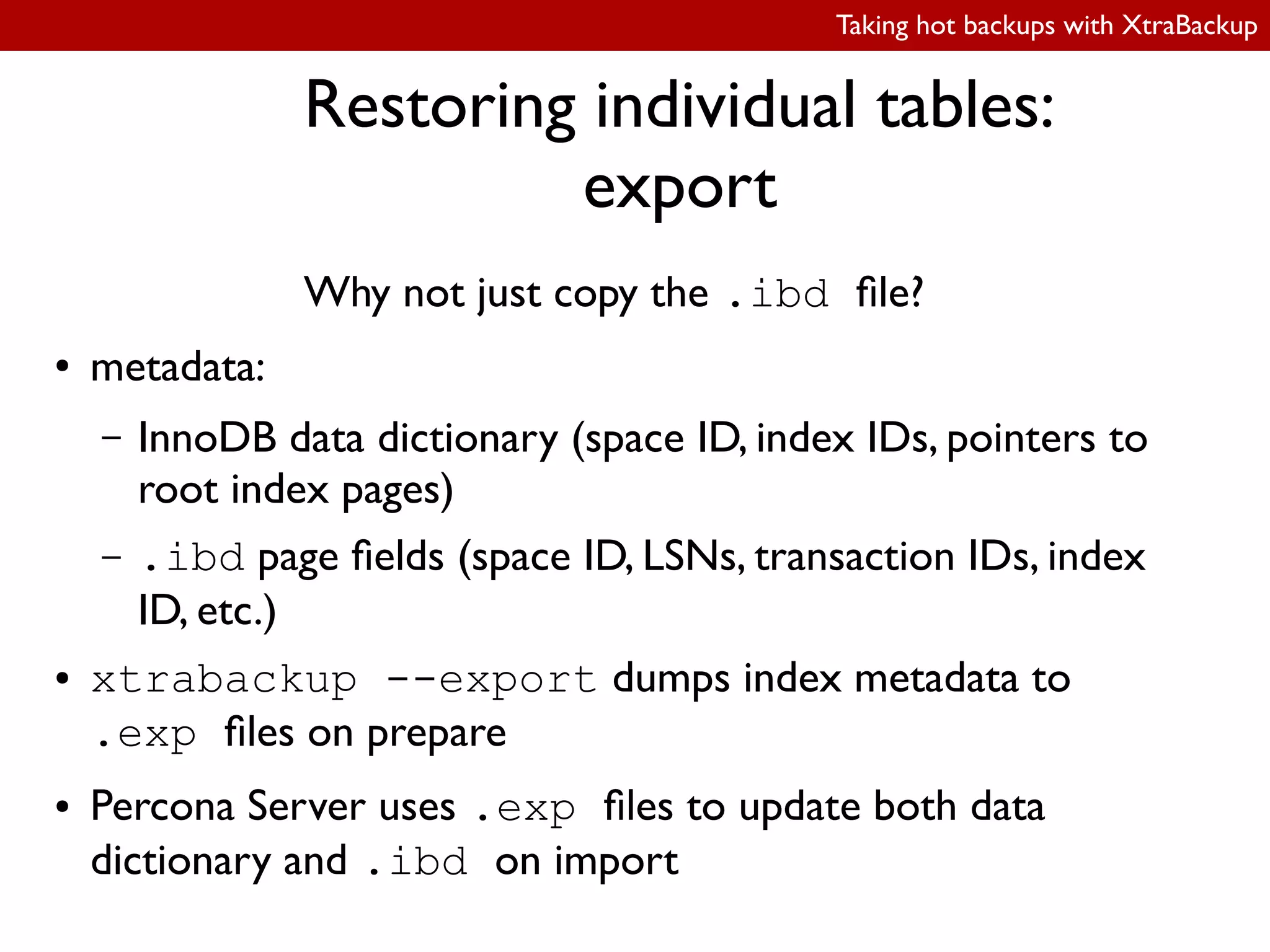
Why not just copy the .ibd ile?
● metadata:
– InnoDB data dictionary (space ID, index IDs, pointers to
root index pages)
– .ibd page ields (space ID, LSNs, transaction IDs, index
ID, etc.)
● xtrabackup --export dumps index metadata to
.exp iles on prepare
● Percona Server uses .exp iles to update both data
dictionary and .ibd on import
Taking hot backups with XtraBackup
Restoring individual tables:
export
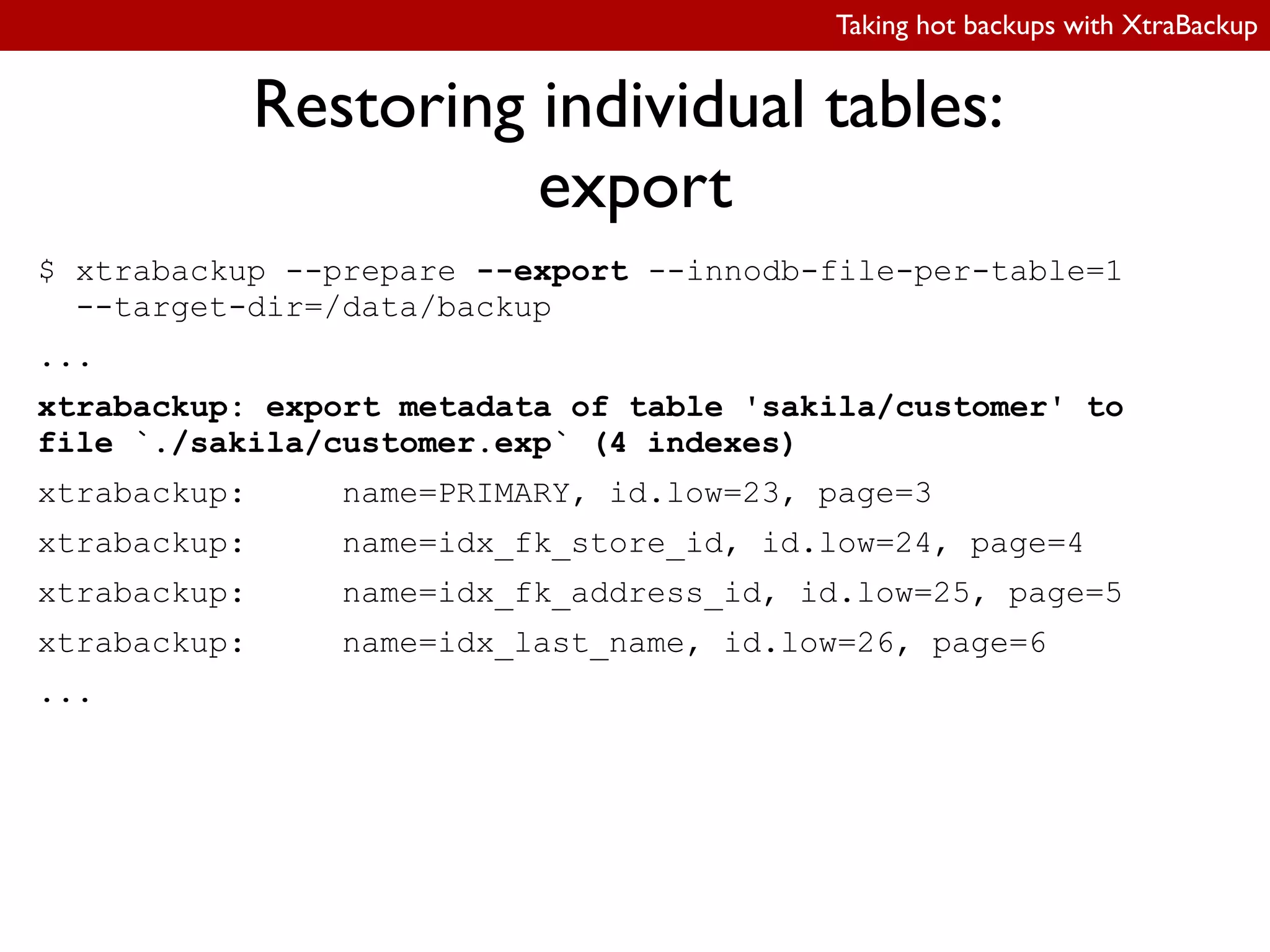
$ xtrabackup --prepare --export --innodb-file-per-table=1
--target-dir=/data/backup
...
xtrabackup: export metadata of table 'sakila/customer' to
file `./sakila/customer.exp` (4 indexes)
xtrabackup: name=PRIMARY, id.low=23, page=3
xtrabackup: name=idx_fk_store_id, id.low=24, page=4
xtrabackup: name=idx_fk_address_id, id.low=25, page=5
xtrabackup: name=idx_last_name, id.low=26, page=6
...
Taking hot backups with XtraBackup
Restoring individual tables:
import
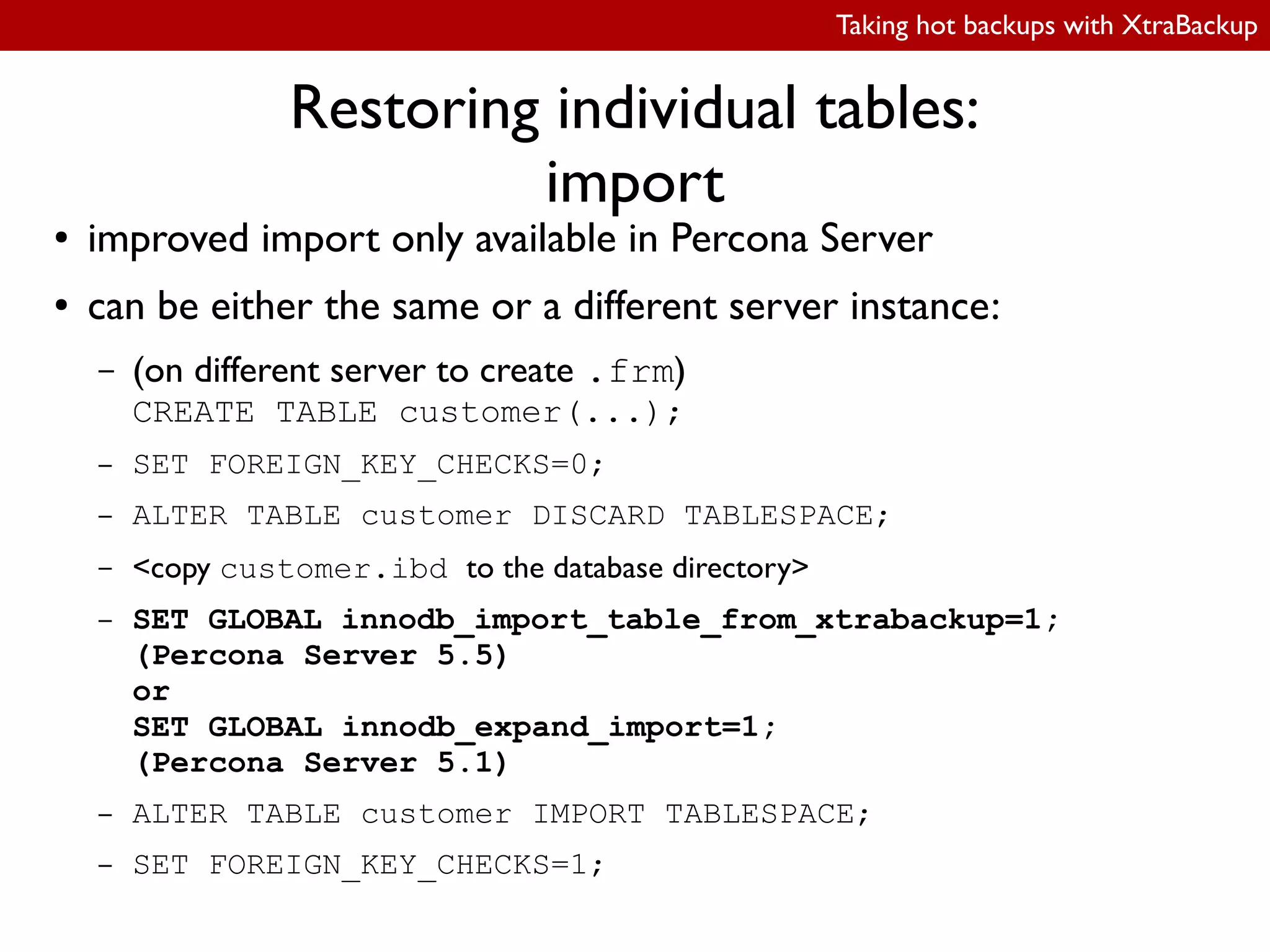
● improved import only available in Percona Server
● can be either the same or a different server instance:
– (on different server to create .frm)
CREATE TABLE customer(...);
– SET FOREIGN_KEY_CHECKS=0;
– ALTER TABLE customer DISCARD TABLESPACE;
– <copy customer.ibd to the database directory>
– SET GLOBAL innodb_import_table_from_xtrabackup=1;
(Percona Server 5.5)
or
SET GLOBAL innodb_expand_import=1;
(Percona Server 5.1)
– ALTER TABLE customer IMPORT TABLESPACE;
– SET FOREIGN_KEY_CHECKS=1;
Taking hot backups with XtraBackup
Restoring individual tables:
import
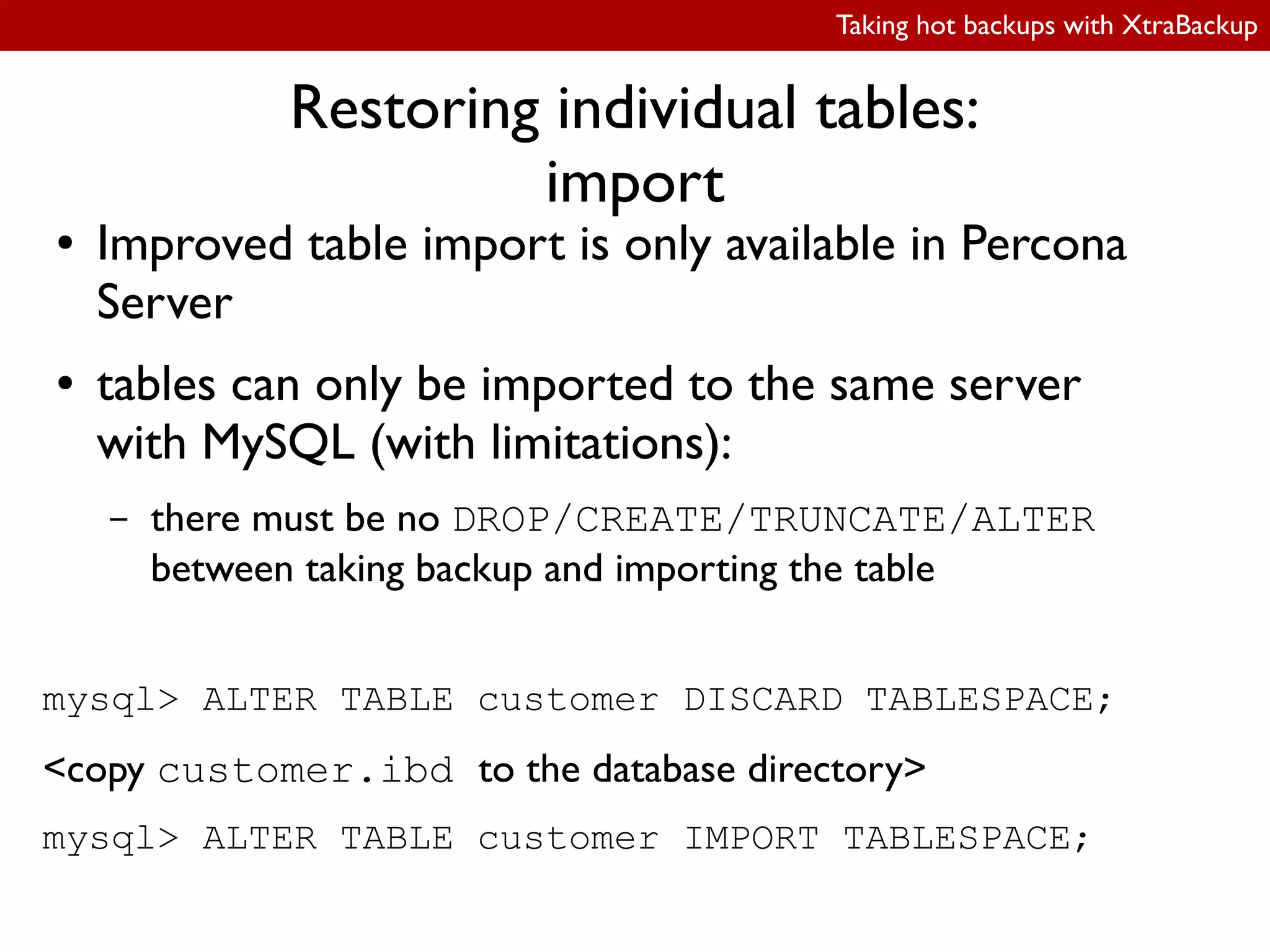
● Improved table import is only available in Percona
Server
● tables can only be imported to the same server
with MySQL (with limitations):
– there must be no DROP/CREATE/TRUNCATE/ALTER
between taking backup and importing the table
mysql> ALTER TABLE customer DISCARD TABLESPACE;
<copy customer.ibd to the database directory>
mysql> ALTER TABLE customer IMPORT TABLESPACE;
Taking hot backups with XtraBackup
Partial backups
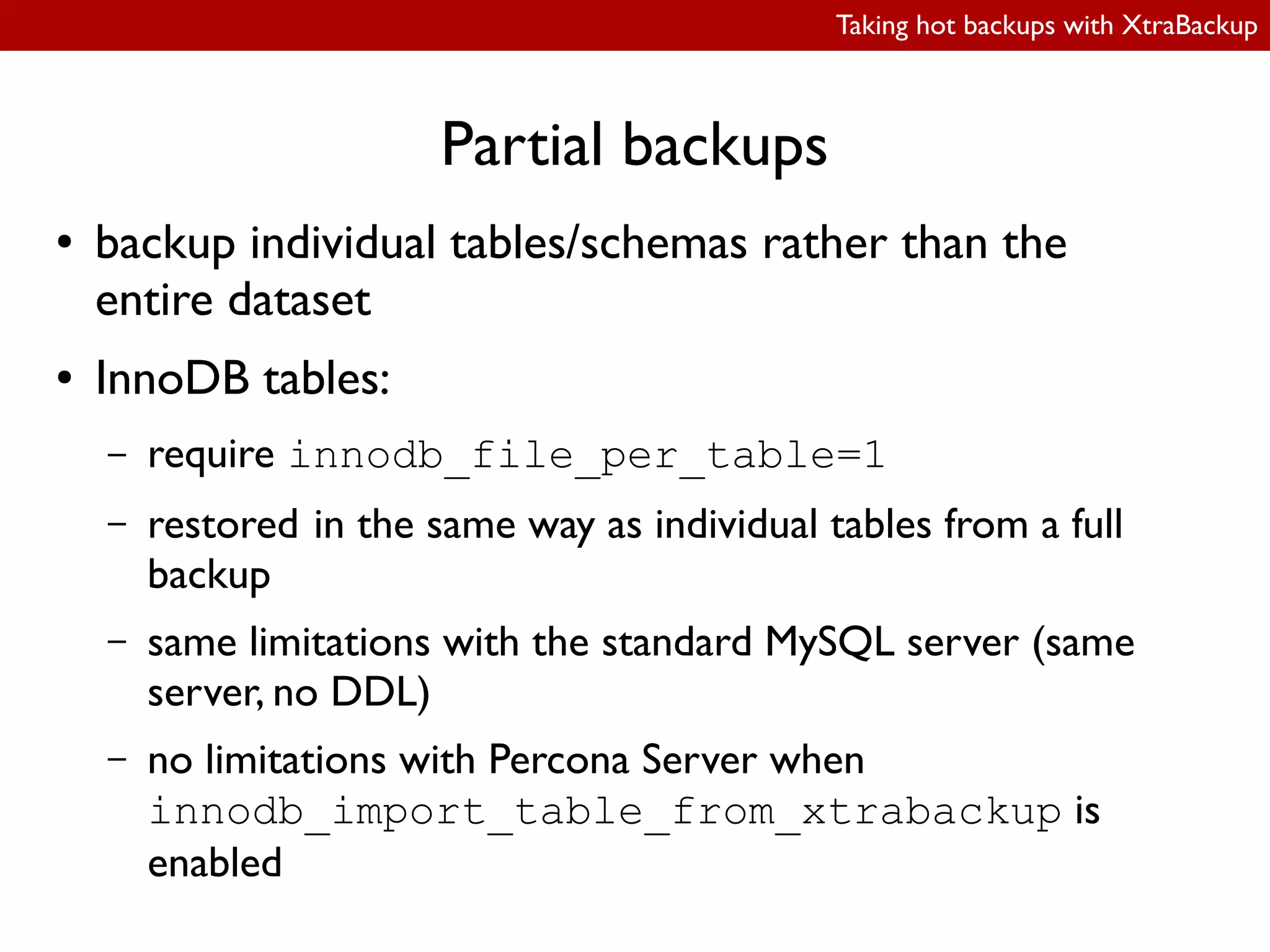
● backup individual tables/schemas rather than the
entire dataset
● InnoDB tables:
– require innodb_file_per_table=1
– restored in the same way as individual tables from a full
backup
– same limitations with the standard MySQL server (same
server, no DDL)
– no limitations with Percona Server when
innodb_import_table_from_xtrabackup is
enabled
Taking hot backups with XtraBackup
Partial backups:
selecting what to backup
innobackupex:
● streaming backups:
● --databases=”database1[.table1] ...”,
e.g.: --databases=”employees sales.orders”
● local backups:
● --tables-file=filename, ile contains database.table, one per line
● --include=regexp,
e.g.: --include='^database(1|2).reports.*'
xtrabackup:
● --tables-file=filename (same syntax as with innobackupex)
● --tables=regexp (equivalent to --include in innobackupex)
Taking hot backups with XtraBackup
Partial backups:
selecting what to backup
innobackupex:
● streaming backups:
● --databases=”database1[.table1] ...”,
e.g.: --databases=”employees sales.orders”
● local backups:
● --tables-file=filename, ile contains database.table, one per line
● --include=regexp,
e.g.: --include='^database(1|2).reports.*'
xtrabackup:
● --tables-file=filename (same syntax as with innobackupex)
● --tables=regexp (equivalent to --include in innobackupex)
Taking hot backups with XtraBackup
Partial backups:
selecting what to backup
innobackupex:
● streaming backups:
● --databases=”database1[.table1] ...”,
e.g.: --databases=”employees sales.orders”
● local backups:
● --tables-file=filename, ile contains database.table, one per line
● --include=regexp,
e.g.: --include='^database(1|2).reports.*'
xtrabackup:
● --tables-file=filename (same syntax as with innobackupex)
● --tables=regexp (equivalent to --include in innobackupex)
Taking hot backups with XtraBackup
Partial backups:
selecting what to backup
innobackupex:
● streaming backups:
● --databases=”database1[.table1] ...”,
e.g.: --databases=”employees sales.orders”
● local backups:
● --tables-file=filename, ile contains database.table, one per line
● --include=regexp,
e.g.: --include='^database(1|2).reports.*'
xtrabackup:
● --tables-file=filename (same syntax as with innobackupex)
● --tables=regexp (equivalent to --include in innobackupex)
Taking hot backups with XtraBackup
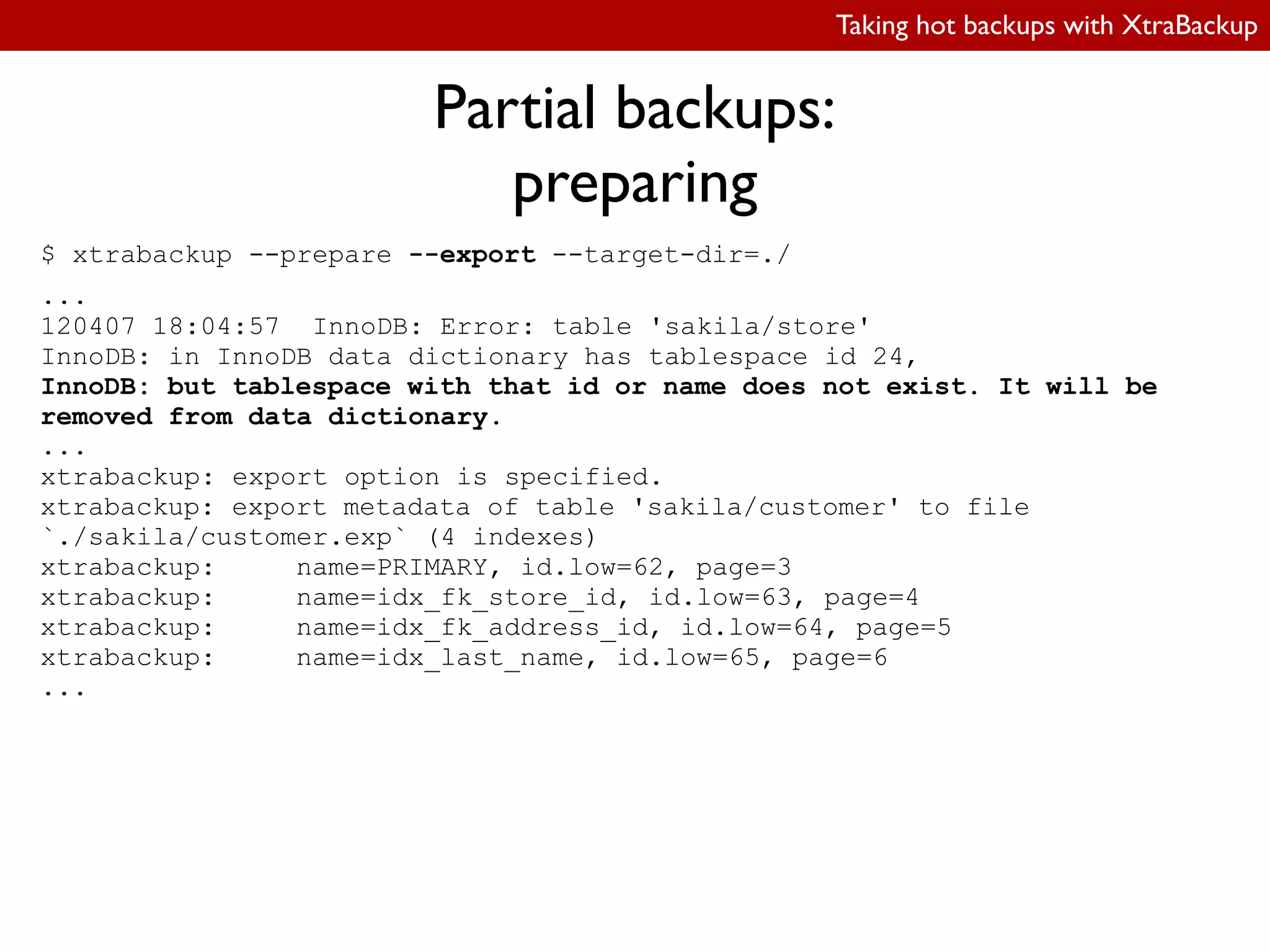
Partial backups:
preparing
$ xtrabackup --prepare --export --target-dir=./
...
120407 18:04:57 InnoDB: Error: table 'sakila/store'
InnoDB: in InnoDB data dictionary has tablespace id 24,
InnoDB: but tablespace with that id or name does not exist. It will be
removed from data dictionary.
...
xtrabackup: export option is specified.
xtrabackup: export metadata of table 'sakila/customer' to file
`./sakila/customer.exp` (4 indexes)
xtrabackup: name=PRIMARY, id.low=62, page=3
xtrabackup: name=idx_fk_store_id, id.low=63, page=4
xtrabackup: name=idx_fk_address_id, id.low=64, page=5
xtrabackup: name=idx_last_name, id.low=65, page=6
...
Taking hot backups with XtraBackup
Partial backups:
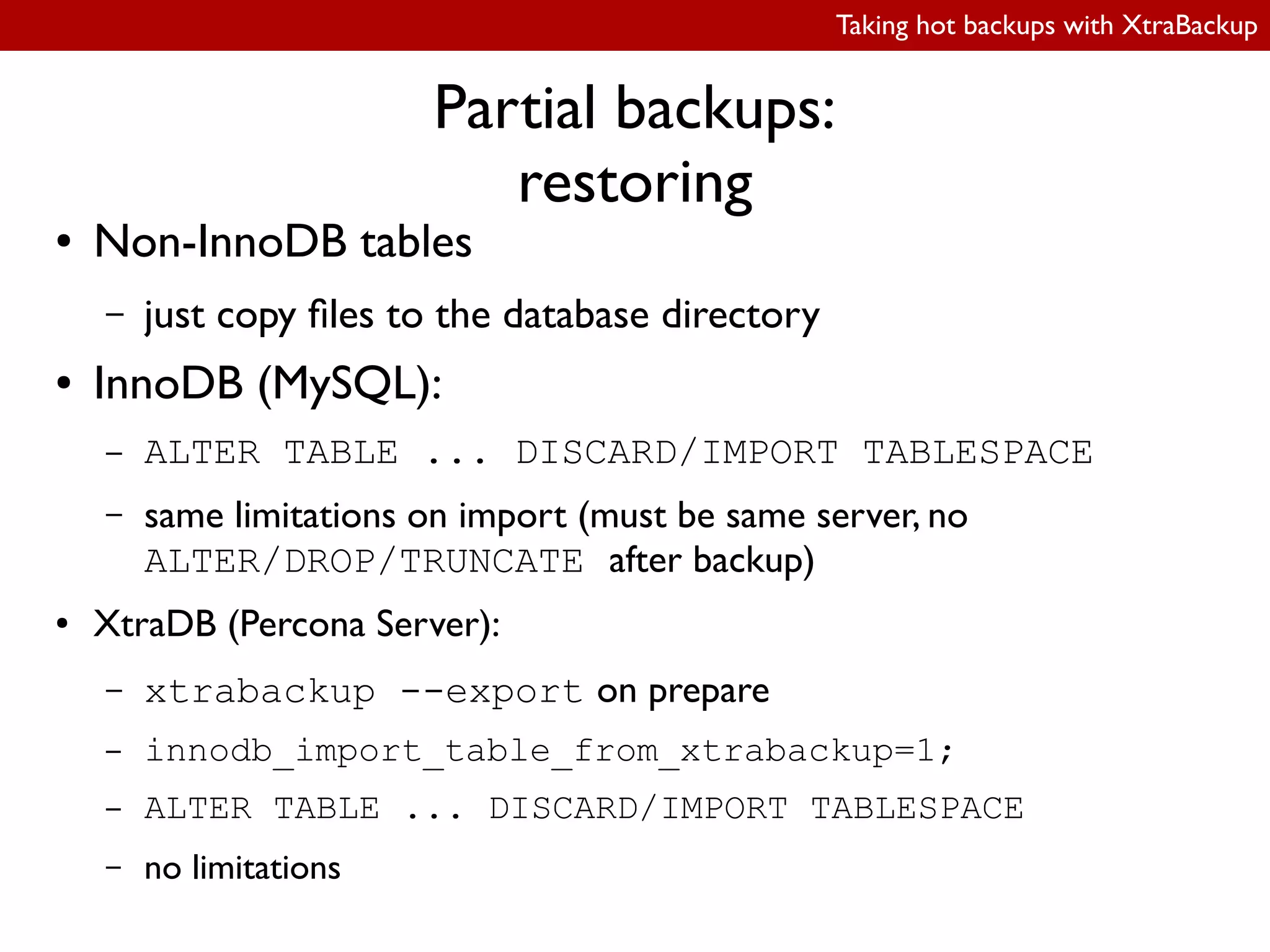
restoring
● Non-InnoDB tables
– just copy iles to the database directory
● InnoDB (MySQL):
– ALTER TABLE ... DISCARD/IMPORT TABLESPACE
– same limitations on import (must be same server, no
ALTER/DROP/TRUNCATE after backup)
● XtraDB (Percona Server):
– xtrabackup --export on prepare
– innodb_import_table_from_xtrabackup=1;
– ALTER TABLE ... DISCARD/IMPORT TABLESPACE
– no limitations
Taking hot backups with XtraBackup
Minimizing footprint
● I/O throttling
● ilesystem cache optimizations
● parallel ile copying
Taking hot backups with XtraBackup
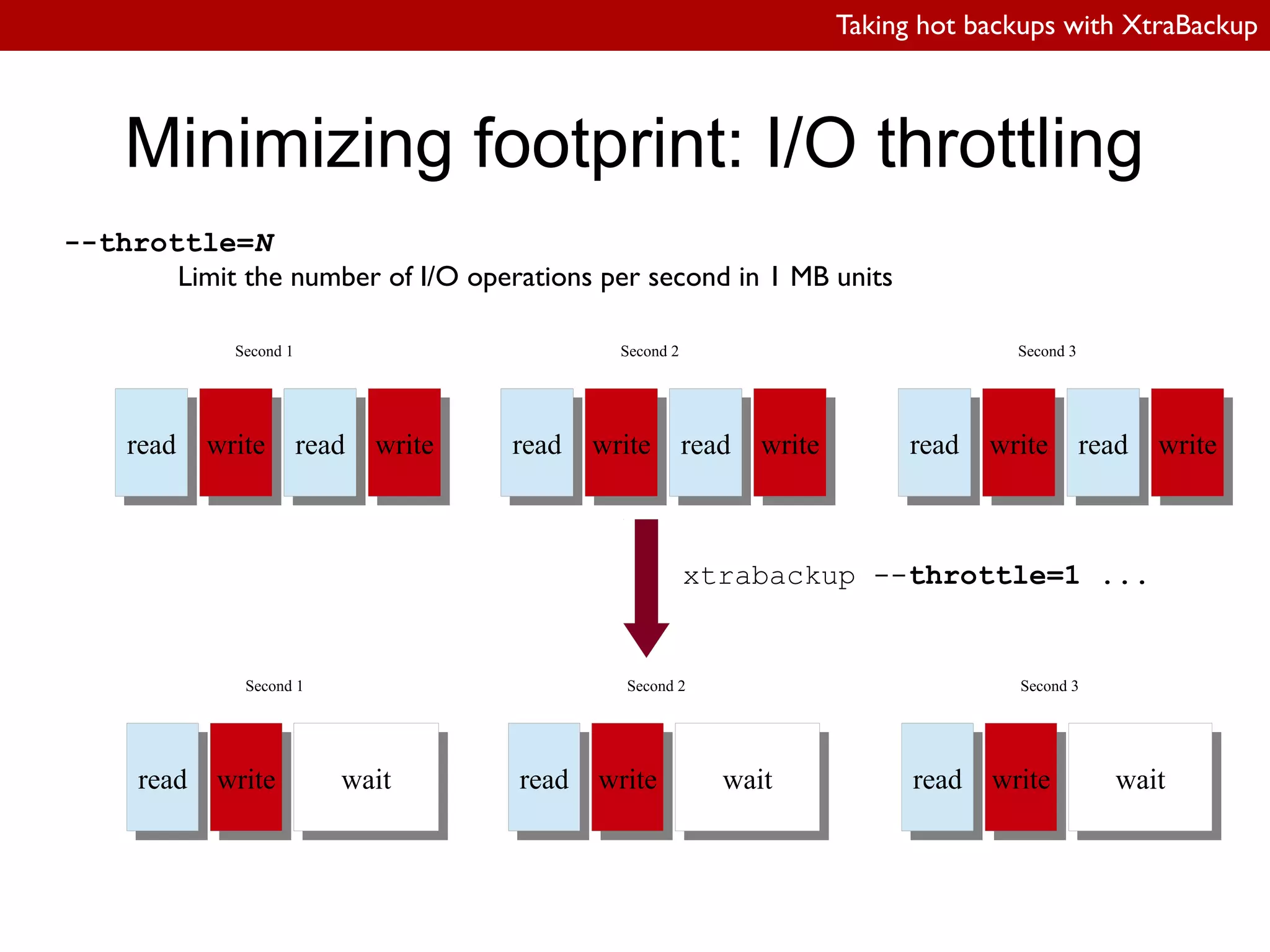
Minimizing footprint: I/O throttling
--throttle=N
Limit the number of I/O operations per second in 1 MB units
xtrabackup --throttle=1 ...
readread writewrite readread writewrite
Second 1
readread writewrite readread writewrite
Second 2
readread writewrite readread writewrite
Second 3
readread writewrite waitwait
Second 1
readread writewrite waitwait
Second 2
readread writewrite waitwait
Second 3
Taking hot backups with XtraBackup
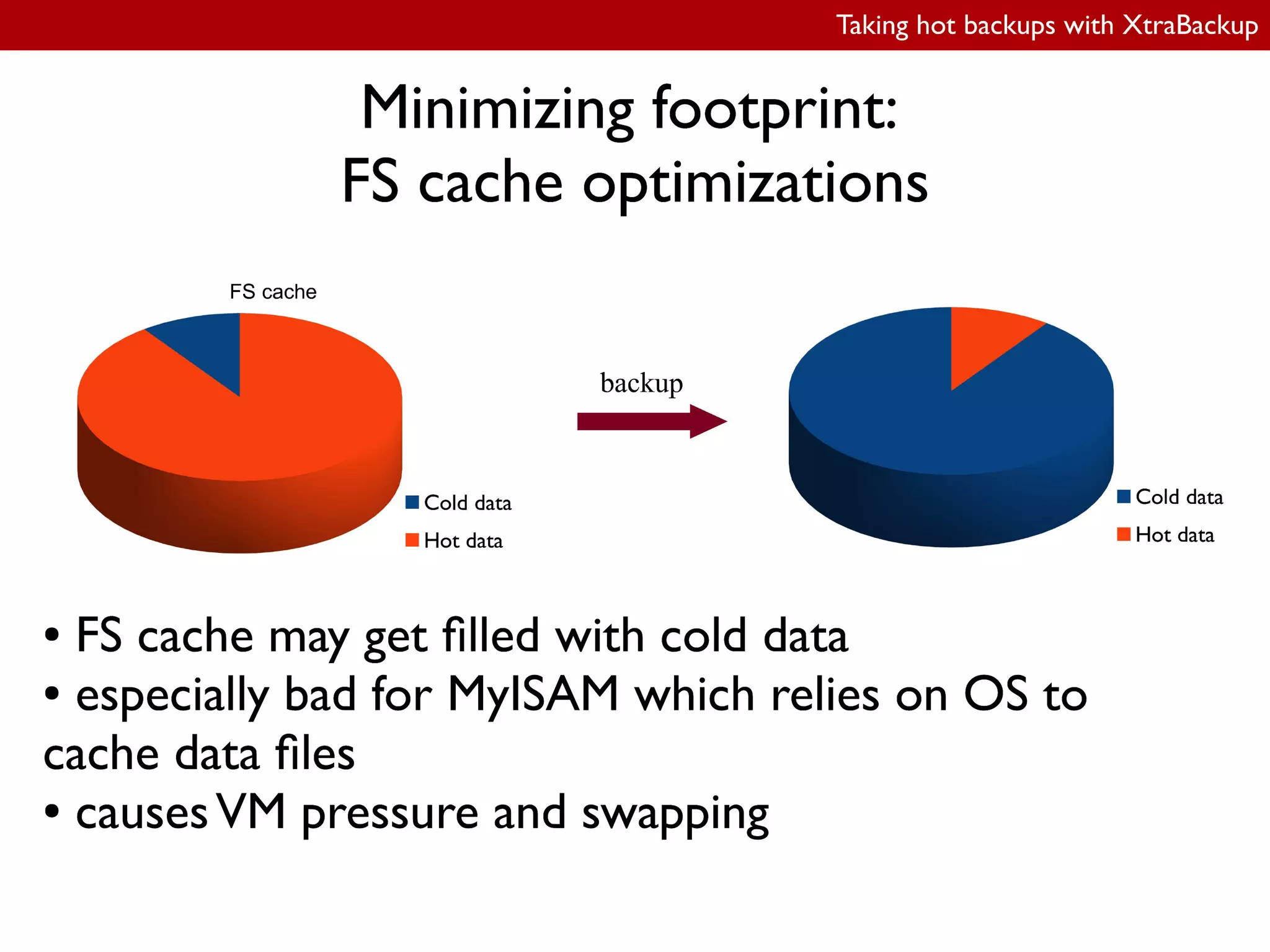
Minimizing footprint:
FS cache optimizations
● XtraBackup on Linux:
– posix_fadvise(POSIX_FADV_DONTNEED)
– hints the kernel the application will not need the
speciied bytes again
– works automatically, no option to enable
● Didn't really work in XtraBackup 1.6, ixed in 2.0
Taking hot backups with XtraBackup
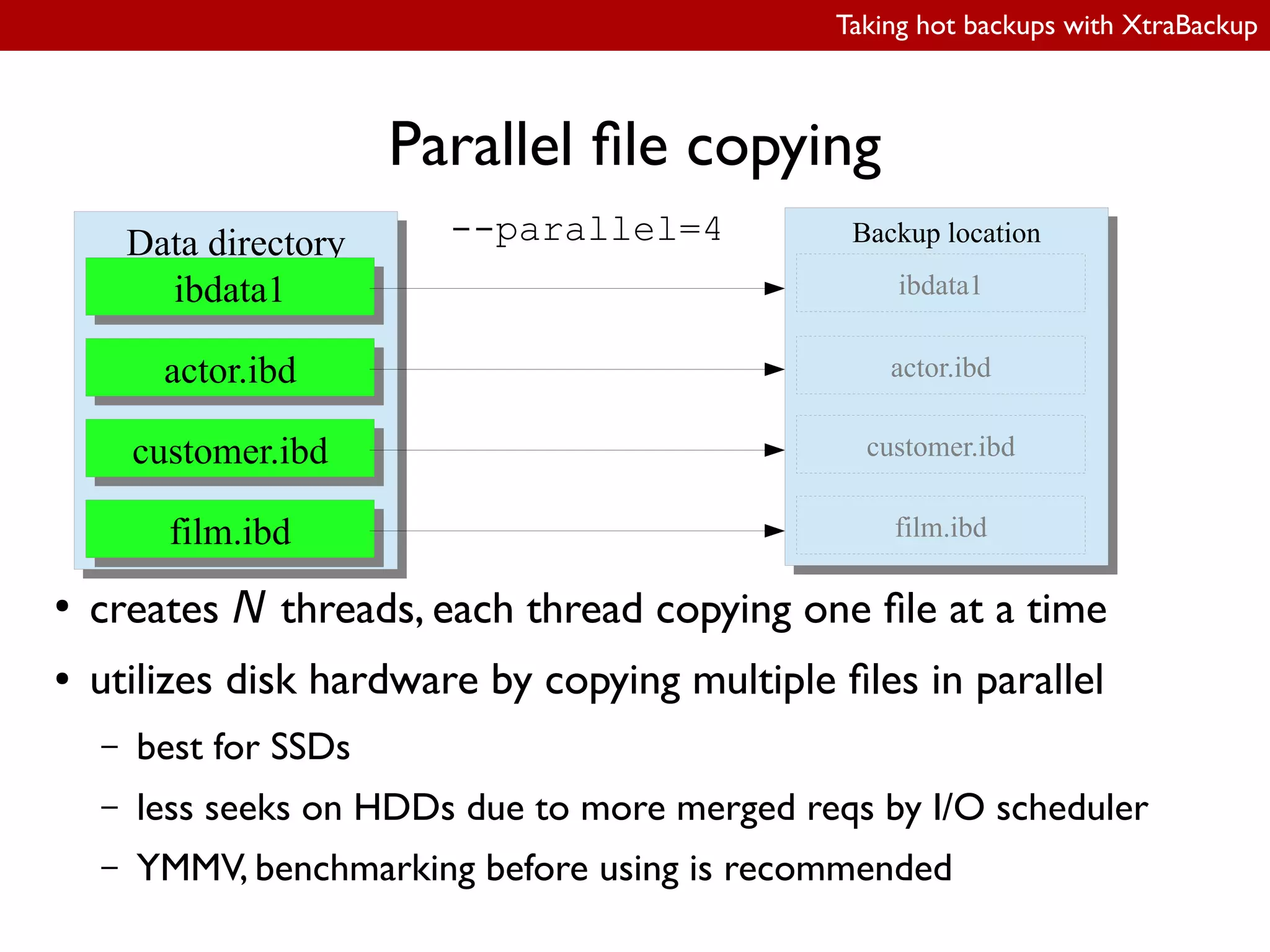
Parallel ile copying
●
creates N threads, each thread copying one ile at a time
● utilizes disk hardware by copying multiple iles in parallel
– best for SSDs
– less seeks on HDDs due to more merged reqs by I/O scheduler
– YMMV, benchmarking before using is recommended
Data directoryData directory
ibdata1ibdata1
actor.ibdactor.ibd
customer.ibdcustomer.ibd
film.ibdfilm.ibd
Backup locationBackup location--parallel=4
ibdata1
film.ibd
customer.ibd
actor.ibd
Taking hot backups with XtraBackup
New features
● XtraBackup 2.0
– streaming incremental backups
– parallel compression
– xbstream
– LRU dump backups
Taking hot backups with XtraBackup
Streaming incremental backups
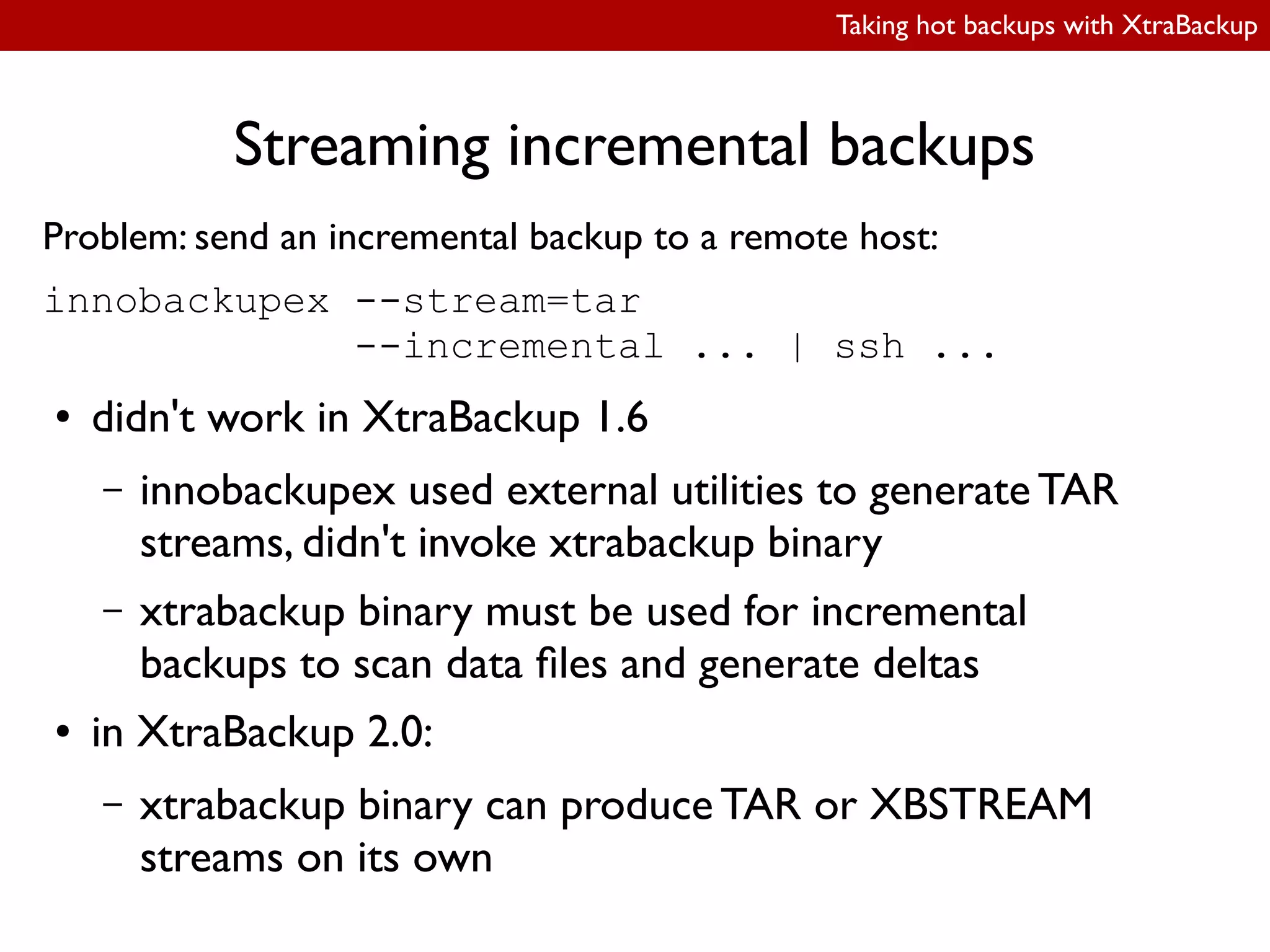
Problem: send an incremental backup to a remote host:
innobackupex --stream=tar
--incremental ... | ssh ...
● didn't work in XtraBackup 1.6
– innobackupex used external utilities to generate TAR
streams, didn't invoke xtrabackup binary
– xtrabackup binary must be used for incremental
backups to scan data iles and generate deltas
● in XtraBackup 2.0:
– xtrabackup binary can produce TAR or XBSTREAM
streams on its own
Taking hot backups with XtraBackup
Compression
● disk space is often a problem
● compression with external utilities has some
serious limitations
● built-in parallel compression in XtraBackup 2.0
Taking hot backups with XtraBackup
Compression:
external utilities
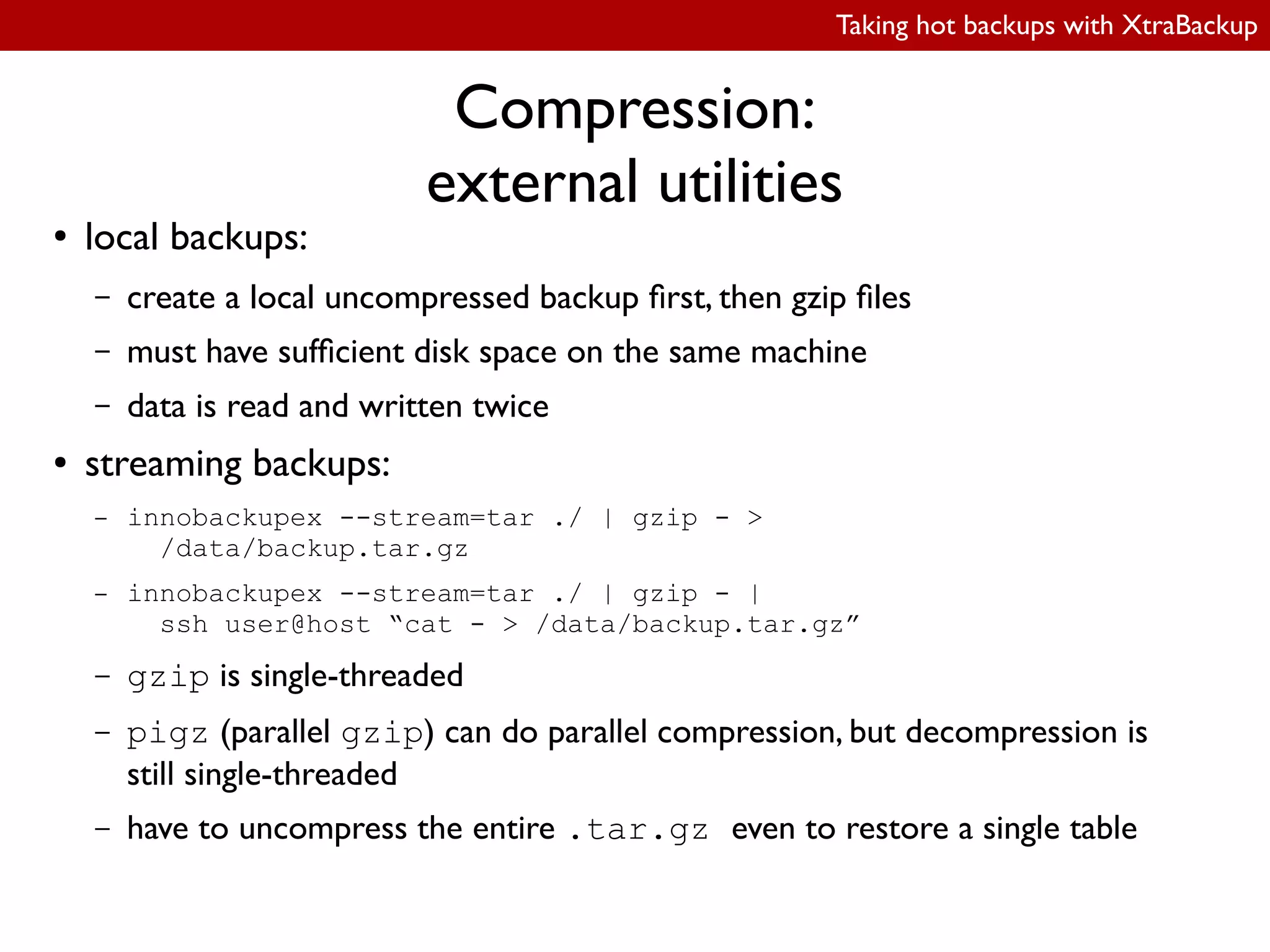
● local backups:
– create a local uncompressed backup irst, then gzip iles
– must have suficient disk space on the same machine
– data is read and written twice
● streaming backups:
– innobackupex --stream=tar ./ | gzip - >
/data/backup.tar.gz
– innobackupex --stream=tar ./ | gzip - |
ssh user@host “cat - > /data/backup.tar.gz”
– gzip is single-threaded
– pigz (parallel gzip) can do parallel compression, but decompression is
still single-threaded
– have to uncompress the entire .tar.gz even to restore a single table
Taking hot backups with XtraBackup
Compression:
XtraBackup 2.0
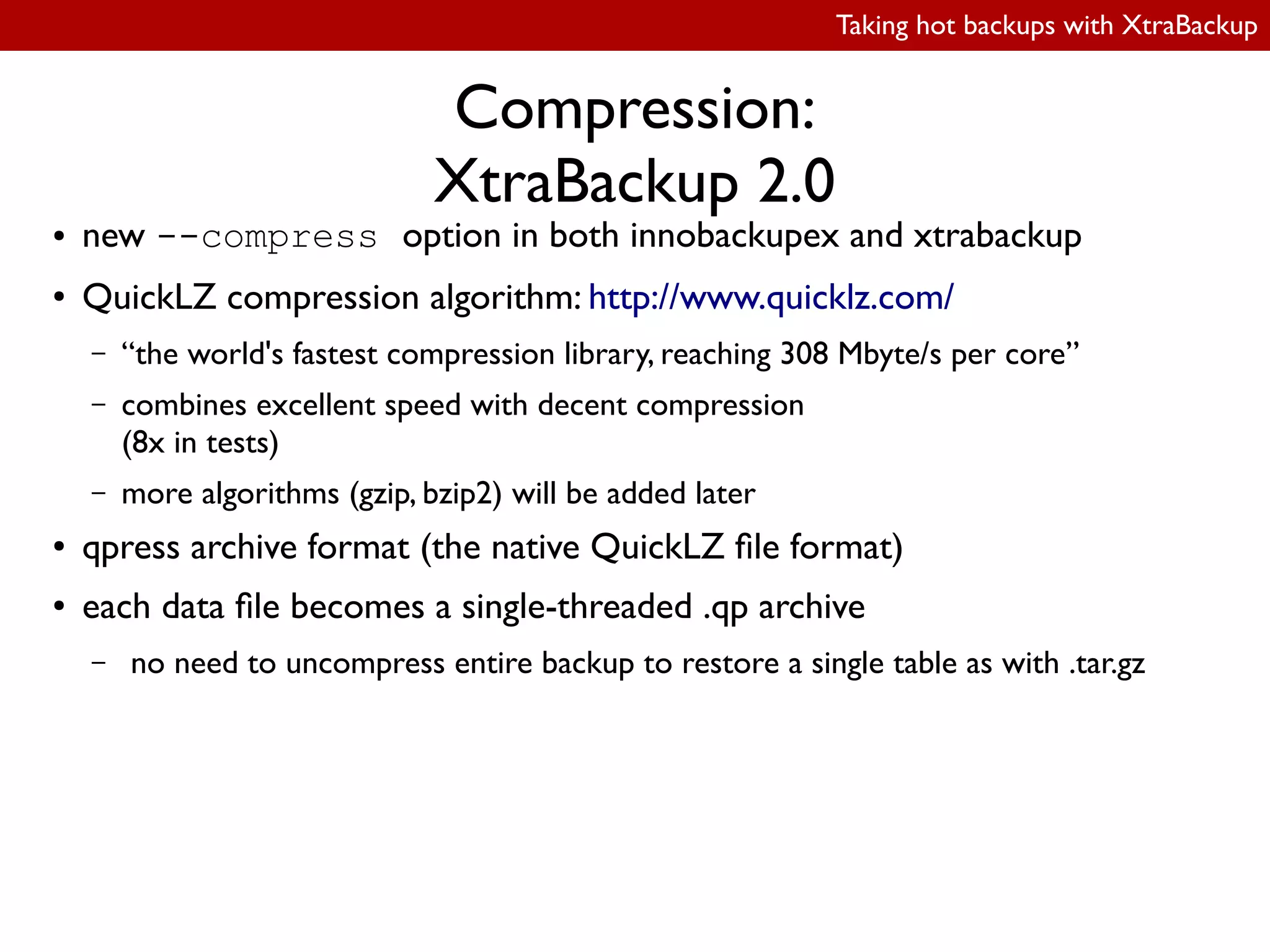
● new --compress option in both innobackupex and xtrabackup
● QuickLZ compression algorithm: http://www.quicklz.com/
– “the world's fastest compression library, reaching 308 Mbyte/s per core”
– combines excellent speed with decent compression
(8x in tests)
– more algorithms (gzip, bzip2) will be added later
● qpress archive format (the native QuickLZ ile format)
● each data ile becomes a single-threaded .qp archive
– no need to uncompress entire backup to restore a single table as with .tar.gz
Taking hot backups with XtraBackup
Compression:
XtraBackup 2.0
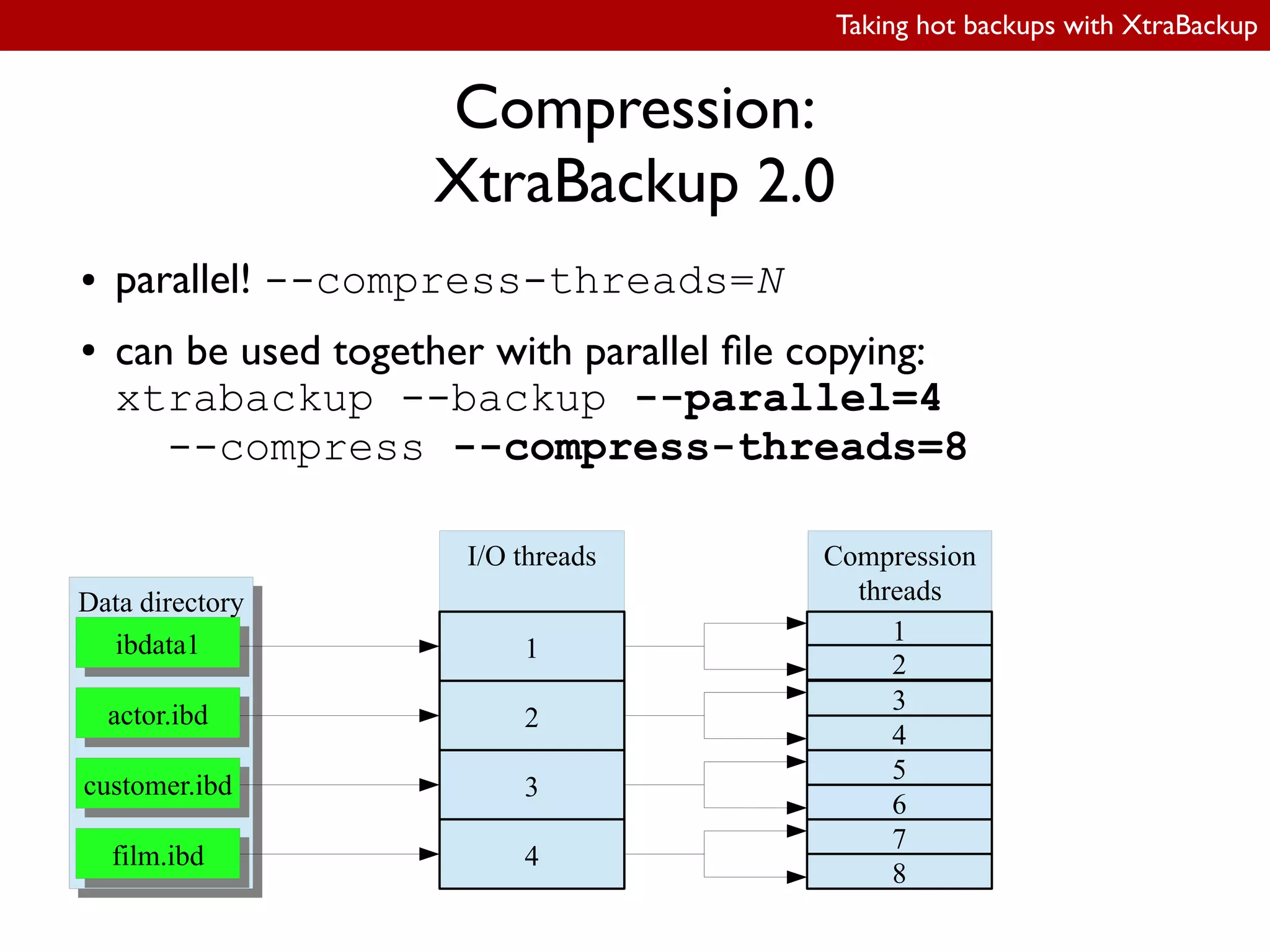
● parallel! --compress-threads=N
● can be used together with parallel ile copying:
xtrabackup --backup --parallel=4
--compress --compress-threads=8
Data directoryData directory
ibdata1ibdata1
actor.ibdactor.ibd
customer.ibdcustomer.ibd
film.ibdfilm.ibd
I/O threads Compression
threads
1
2
3
4
1
8
7
6
5
4
3
2
Taking hot backups with XtraBackup
LRU dump backup
(XtraBackup 2.0)
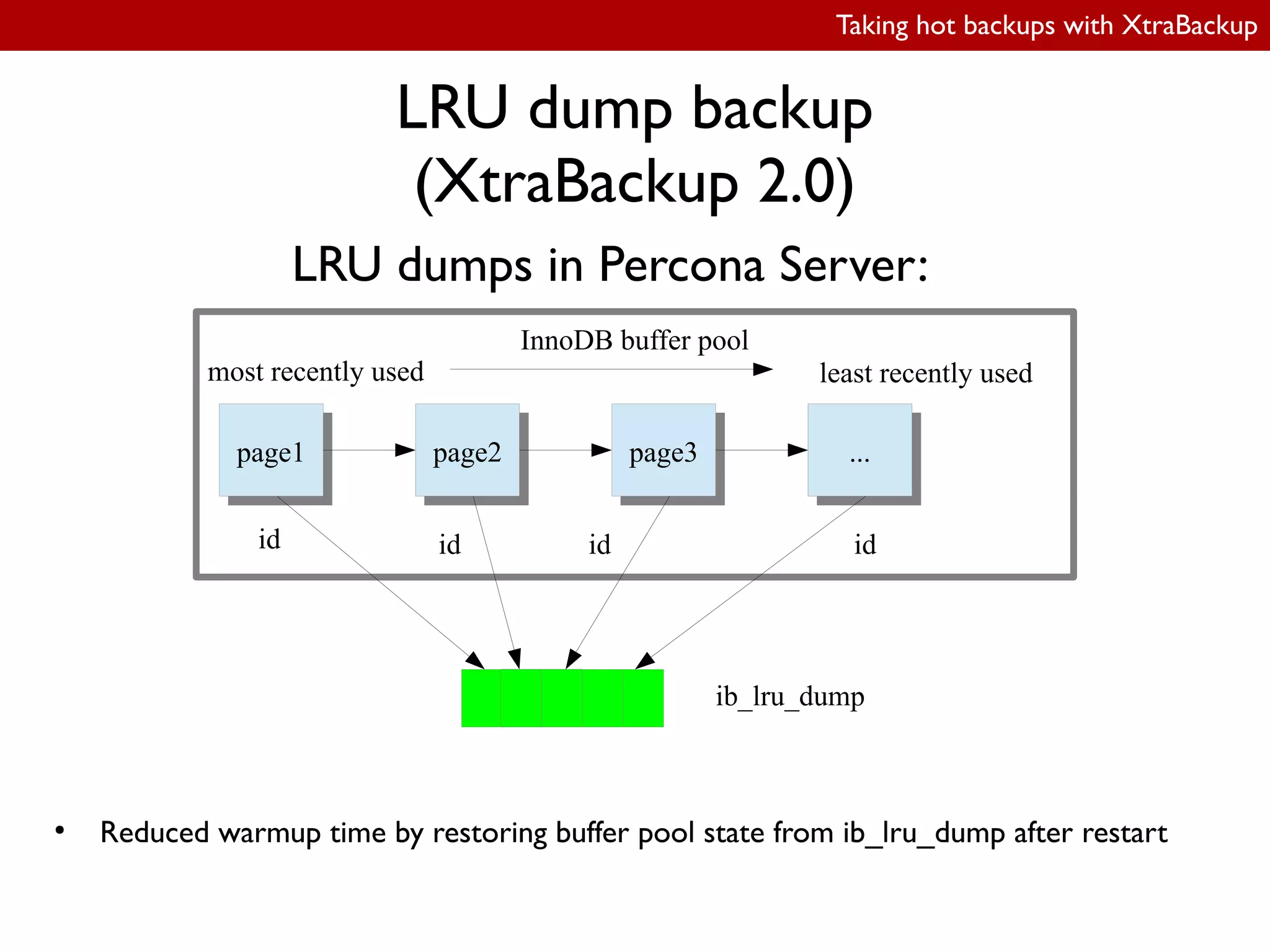
LRU dumps in Percona Server:
page1page1 page2page2 page3page3 ......
InnoDB buffer pool
most recently used least recently used
ib_lru_dump
id id id id
●
Reduced warmup time by restoring buffer pool state from ib_lru_dump after restart
Taking hot backups with XtraBackup
LRU dump backup
(XtraBackup 2.0)
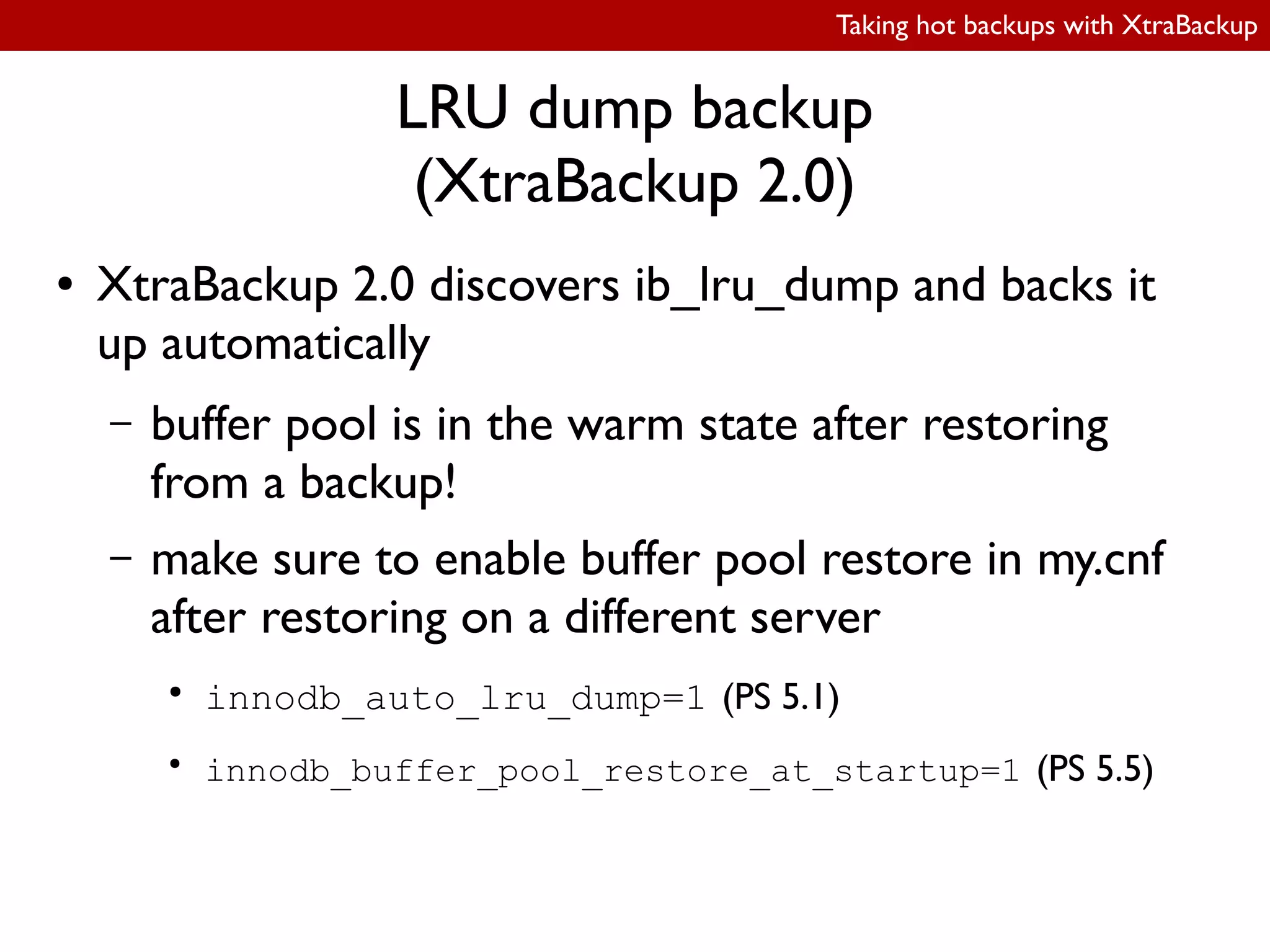
● XtraBackup 2.0 discovers ib_lru_dump and backs it
up automatically
– buffer pool is in the warm state after restoring
from a backup!
– make sure to enable buffer pool restore in my.cnf
after restoring on a different server
●
innodb_auto_lru_dump=1 (PS 5.1)
●
innodb_buffer_pool_restore_at_startup=1 (PS 5.5)
Taking hot backups with XtraBackup
Resources, further reading & feedback
● XtraBackup documentation:
http://www.percona.com/doc/percona-xtrabackup/
● Downloads:
http://www.percona.com/software/percona-xtrabackup/downloads/
● Google Group:
http://groups.google.com/group/percona-discussion
● #percona IRC channel on Freenode
● Launchpad project:
https://launchpad.net/percona-xtrabackup
●
Bug reports:
https://bugs.launchpad.net/percona-xtrabackup
Taking hot backups with XtraBackup
We are hiring!
http://www.percona.com/about-us/careers
Percona Live: New York 2012
Oct 1 & 2, 2012
Call for papers open!
Taking hot backups with XtraBackup
Questions?
alexey.kopytov@percona.com

OSDC 2012 | Taking hot backups with XtraBackup by Alexey Kopytov

  • 1.
    Taking hot backupswith XtraBackup Alexey.Kopytov@percona.com Principal Software Engineer April 2012
  • 3.
    Taking hot backupswith XtraBackup Supported storage engines ● InnoDB/XtraDB – hot backup ● MyISAM,Archive, CSV – with read lock ● Your favorite exotic engine – may work if supports FLUSH TABLES WITH READ LOCK
  • 4.
    Taking hot backupswith XtraBackup Supported platforms ● Linux – RedHat 5; RedHat 6 – CentOS, Oracle Linux – Debian 6 – Ubuntu LTS ● Windows – experimental releases ● Solaris, Mac OS X – binaries available soon ● FreeBSD – build from source code
  • 9.
    Taking hot backupswith XtraBackup Backup idea ● backup logic is identical to InnoDB recovery procedure ● 2nd stage reuses code from InnoDB recovery
  • 10.
    Taking hot backupswith XtraBackup Distribution structure ● xtrabackup – Percona Server 5.1 with XtraDB – MySQL 5.1 with InnoDB plugin ● xtrabackup_51 – MySQL 5.0 – Percona Server 5.0 – MySQL 5.1 with built-in InnoDB ● xtrabackup_55 – MySQL 5.5 – Percona Server 5.5 ● innobackupex – Perl script – wrapper around xtrabackup* binaries ● xbstream
  • 16.
    Taking hot backupswith XtraBackup FLUSH TABLES WITH READ LOCK ● set the global read lock - after this step, insert/update/delete/replace/alter statements cannot run ● close open tables - this step will block until all statements started previously have stopped ● set a lag to block commits
  • 17.
    Taking hot backupswith XtraBackup FLUSH TABLES WITH READ LOCK Why? Consider: ● Copy table1.frm ● Copy table2.frm ● Copy table3.frm ● Copy table4.frm – .......... ALTER TABLE table1 starts....... ● Copy table5.frm ● Copy table6.frm
  • 18.
    Taking hot backupswith XtraBackup FLUSH TABLES WITH READ LOCK With FTWRL: ● FLUSH TABLES WITH READ LOCK ● Copy table1.frm ● Copy table2.frm ● Copy table3.frm ● Copy table4.frm – .......... ALTER TABLE table1 -- LOCKED....... ● Copy table5.frm ● Copy table6.frm ● UNLOCK TABLES ● .......... ALTER TABLE table1 starts.............
  • 19.
    Taking hot backupswith XtraBackup FLUSH TABLES WITH READ LOCK ● same problem with MyISAM: – non-transactional storage engine – no REDO logs
  • 20.
    Taking hot backupswith XtraBackup Basic usage (taking a backup) innobackupex [options…] /data/backup Options: ● --defaults-file=/path/to/my.cnf – datadir (/var/lib/mysql by default) ● --user ● --password ● --host ● --socket
  • 22.
    Taking hot backupswith XtraBackup Streaming backups ● Local backups: – local ilesystem – NFS mounts ● Streaming backups: – innobackupex | gzip | ssh ...
  • 24.
    Taking hot backupswith XtraBackup Streaming backups Basic command: innobackupex --stream=tar /tmpdir
  • 25.
    Taking hot backupswith XtraBackup Streaming backups To extract: innobackupex --stream=tar /tmpdir | tar -xvif - -C /data/backup -i is important! ● “ignore blocks of zeros in archive (normally mean EOF)”
  • 26.
    Taking hot backupswith XtraBackup Streaming backups ● Usage: – compression: ● innobackupex --stream=tar . | gzip - > /data/backup/backup.tar.gz – encryption: ● innobackupex --stream=tar . | openssl des3 -salt -k “password” > backup.tar.des3 – remote backup: ● innobackupex --stream=tar . | ssh user@host “tar -xif - -C /data/backup” – compressed + encrypted + remote backup: ● innobackupex --stream=tar . | gzip - | openssl des3 -salt -k “password” | ssh @user@host “cat - > /data/backup.tar.gz.des3”
  • 29.
    Taking hot backupswith XtraBackup Incremental backups ● handles incremental changes to InnoDB ● does NOT handle MyISAM or other engines – makes a full copy instead
  • 30.
    Taking hot backupswith XtraBackup Incremental backups Basic usage: $ innobackupex --incremental --incremental-basedir=/previous/full/or/incremental/ /data/backup/inc LSN of the full backup is read from xtrabackup_checkpoints: backup_type = full-backuped from_lsn = 0 to_lsn = 1597945 last_lsn = 1597945
  • 31.
    Taking hot backupswith XtraBackup Incremental backups Merging full + incremental: ● innobackupex --apply-log --redo-only /data/backup/full ● innobackupex --applog-log --incremental-dir=/data/backup/inc
  • 32.
    Taking hot backupswith XtraBackup Incremental backups Merging full + incremental: ● innobackupex --apply-log --redo-only /data/backup/full ● innobackupex --applog-log --incremental-dir=/data/backup/inc
  • 33.
    Taking hot backupswith XtraBackup Restoring individual tables: export ● problem: restore individual InnoDB table(s) from a full backup to another server ● use --export to prepare ● use improved table import feature in Percona Server to restore ● innodb_file_per_table=1 Full backupFull backup ibdataibdata actor.ibdactor.ibd customer.ibdcustomer.ibd film.ibdfilm.ibd export Server B ibdataibdata actor.ibdactor.ibd customer.ibdcustomer.ibd film.ibdfilm.ibd Server A ibdataibdata actor.ibdactor.ibd customer.ibdcustomer.ibd film.ibdfilm.ibd backup
  • 34.
    Taking hot backupswith XtraBackup Restoring individual tables: export Why not just copy the .ibd ile? ● metadata: – InnoDB data dictionary (space ID, index IDs, pointers to root index pages) – .ibd page ields (space ID, LSNs, transaction IDs, index ID, etc.) ● xtrabackup --export dumps index metadata to .exp iles on prepare ● Percona Server uses .exp iles to update both data dictionary and .ibd on import
  • 35.
    Taking hot backupswith XtraBackup Restoring individual tables: export $ xtrabackup --prepare --export --innodb-file-per-table=1 --target-dir=/data/backup ... xtrabackup: export metadata of table 'sakila/customer' to file `./sakila/customer.exp` (4 indexes) xtrabackup: name=PRIMARY, id.low=23, page=3 xtrabackup: name=idx_fk_store_id, id.low=24, page=4 xtrabackup: name=idx_fk_address_id, id.low=25, page=5 xtrabackup: name=idx_last_name, id.low=26, page=6 ...
  • 36.
    Taking hot backupswith XtraBackup Restoring individual tables: import ● improved import only available in Percona Server ● can be either the same or a different server instance: – (on different server to create .frm) CREATE TABLE customer(...); – SET FOREIGN_KEY_CHECKS=0; – ALTER TABLE customer DISCARD TABLESPACE; – <copy customer.ibd to the database directory> – SET GLOBAL innodb_import_table_from_xtrabackup=1; (Percona Server 5.5) or SET GLOBAL innodb_expand_import=1; (Percona Server 5.1) – ALTER TABLE customer IMPORT TABLESPACE; – SET FOREIGN_KEY_CHECKS=1;
  • 37.
    Taking hot backupswith XtraBackup Restoring individual tables: import ● Improved table import is only available in Percona Server ● tables can only be imported to the same server with MySQL (with limitations): – there must be no DROP/CREATE/TRUNCATE/ALTER between taking backup and importing the table mysql> ALTER TABLE customer DISCARD TABLESPACE; <copy customer.ibd to the database directory> mysql> ALTER TABLE customer IMPORT TABLESPACE;
  • 38.
    Taking hot backupswith XtraBackup Partial backups ● backup individual tables/schemas rather than the entire dataset ● InnoDB tables: – require innodb_file_per_table=1 – restored in the same way as individual tables from a full backup – same limitations with the standard MySQL server (same server, no DDL) – no limitations with Percona Server when innodb_import_table_from_xtrabackup is enabled
  • 39.
    Taking hot backupswith XtraBackup Partial backups: selecting what to backup innobackupex: ● streaming backups: ● --databases=”database1[.table1] ...”, e.g.: --databases=”employees sales.orders” ● local backups: ● --tables-file=filename, ile contains database.table, one per line ● --include=regexp, e.g.: --include='^database(1|2).reports.*' xtrabackup: ● --tables-file=filename (same syntax as with innobackupex) ● --tables=regexp (equivalent to --include in innobackupex)
  • 40.
    Taking hot backupswith XtraBackup Partial backups: selecting what to backup innobackupex: ● streaming backups: ● --databases=”database1[.table1] ...”, e.g.: --databases=”employees sales.orders” ● local backups: ● --tables-file=filename, ile contains database.table, one per line ● --include=regexp, e.g.: --include='^database(1|2).reports.*' xtrabackup: ● --tables-file=filename (same syntax as with innobackupex) ● --tables=regexp (equivalent to --include in innobackupex)
  • 41.
    Taking hot backupswith XtraBackup Partial backups: selecting what to backup innobackupex: ● streaming backups: ● --databases=”database1[.table1] ...”, e.g.: --databases=”employees sales.orders” ● local backups: ● --tables-file=filename, ile contains database.table, one per line ● --include=regexp, e.g.: --include='^database(1|2).reports.*' xtrabackup: ● --tables-file=filename (same syntax as with innobackupex) ● --tables=regexp (equivalent to --include in innobackupex)
  • 42.
    Taking hot backupswith XtraBackup Partial backups: selecting what to backup innobackupex: ● streaming backups: ● --databases=”database1[.table1] ...”, e.g.: --databases=”employees sales.orders” ● local backups: ● --tables-file=filename, ile contains database.table, one per line ● --include=regexp, e.g.: --include='^database(1|2).reports.*' xtrabackup: ● --tables-file=filename (same syntax as with innobackupex) ● --tables=regexp (equivalent to --include in innobackupex)
  • 43.
    Taking hot backupswith XtraBackup Partial backups: preparing $ xtrabackup --prepare --export --target-dir=./ ... 120407 18:04:57 InnoDB: Error: table 'sakila/store' InnoDB: in InnoDB data dictionary has tablespace id 24, InnoDB: but tablespace with that id or name does not exist. It will be removed from data dictionary. ... xtrabackup: export option is specified. xtrabackup: export metadata of table 'sakila/customer' to file `./sakila/customer.exp` (4 indexes) xtrabackup: name=PRIMARY, id.low=62, page=3 xtrabackup: name=idx_fk_store_id, id.low=63, page=4 xtrabackup: name=idx_fk_address_id, id.low=64, page=5 xtrabackup: name=idx_last_name, id.low=65, page=6 ...
  • 44.
    Taking hot backupswith XtraBackup Partial backups: restoring ● Non-InnoDB tables – just copy iles to the database directory ● InnoDB (MySQL): – ALTER TABLE ... DISCARD/IMPORT TABLESPACE – same limitations on import (must be same server, no ALTER/DROP/TRUNCATE after backup) ● XtraDB (Percona Server): – xtrabackup --export on prepare – innodb_import_table_from_xtrabackup=1; – ALTER TABLE ... DISCARD/IMPORT TABLESPACE – no limitations
  • 45.
    Taking hot backupswith XtraBackup Minimizing footprint ● I/O throttling ● ilesystem cache optimizations ● parallel ile copying
  • 46.
    Taking hot backupswith XtraBackup Minimizing footprint: I/O throttling --throttle=N Limit the number of I/O operations per second in 1 MB units xtrabackup --throttle=1 ... readread writewrite readread writewrite Second 1 readread writewrite readread writewrite Second 2 readread writewrite readread writewrite Second 3 readread writewrite waitwait Second 1 readread writewrite waitwait Second 2 readread writewrite waitwait Second 3
  • 48.
    Taking hot backupswith XtraBackup Minimizing footprint: FS cache optimizations ● XtraBackup on Linux: – posix_fadvise(POSIX_FADV_DONTNEED) – hints the kernel the application will not need the speciied bytes again – works automatically, no option to enable ● Didn't really work in XtraBackup 1.6, ixed in 2.0
  • 49.
    Taking hot backupswith XtraBackup Parallel ile copying ● creates N threads, each thread copying one ile at a time ● utilizes disk hardware by copying multiple iles in parallel – best for SSDs – less seeks on HDDs due to more merged reqs by I/O scheduler – YMMV, benchmarking before using is recommended Data directoryData directory ibdata1ibdata1 actor.ibdactor.ibd customer.ibdcustomer.ibd film.ibdfilm.ibd Backup locationBackup location--parallel=4 ibdata1 film.ibd customer.ibd actor.ibd
  • 50.
    Taking hot backupswith XtraBackup New features ● XtraBackup 2.0 – streaming incremental backups – parallel compression – xbstream – LRU dump backups
  • 51.
    Taking hot backupswith XtraBackup Streaming incremental backups Problem: send an incremental backup to a remote host: innobackupex --stream=tar --incremental ... | ssh ... ● didn't work in XtraBackup 1.6 – innobackupex used external utilities to generate TAR streams, didn't invoke xtrabackup binary – xtrabackup binary must be used for incremental backups to scan data iles and generate deltas ● in XtraBackup 2.0: – xtrabackup binary can produce TAR or XBSTREAM streams on its own
  • 52.
    Taking hot backupswith XtraBackup Compression ● disk space is often a problem ● compression with external utilities has some serious limitations ● built-in parallel compression in XtraBackup 2.0
  • 53.
    Taking hot backupswith XtraBackup Compression: external utilities ● local backups: – create a local uncompressed backup irst, then gzip iles – must have suficient disk space on the same machine – data is read and written twice ● streaming backups: – innobackupex --stream=tar ./ | gzip - > /data/backup.tar.gz – innobackupex --stream=tar ./ | gzip - | ssh user@host “cat - > /data/backup.tar.gz” – gzip is single-threaded – pigz (parallel gzip) can do parallel compression, but decompression is still single-threaded – have to uncompress the entire .tar.gz even to restore a single table
  • 54.
    Taking hot backupswith XtraBackup Compression: XtraBackup 2.0 ● new --compress option in both innobackupex and xtrabackup ● QuickLZ compression algorithm: http://www.quicklz.com/ – “the world's fastest compression library, reaching 308 Mbyte/s per core” – combines excellent speed with decent compression (8x in tests) – more algorithms (gzip, bzip2) will be added later ● qpress archive format (the native QuickLZ ile format) ● each data ile becomes a single-threaded .qp archive – no need to uncompress entire backup to restore a single table as with .tar.gz
  • 55.
    Taking hot backupswith XtraBackup Compression: XtraBackup 2.0 ● parallel! --compress-threads=N ● can be used together with parallel ile copying: xtrabackup --backup --parallel=4 --compress --compress-threads=8 Data directoryData directory ibdata1ibdata1 actor.ibdactor.ibd customer.ibdcustomer.ibd film.ibdfilm.ibd I/O threads Compression threads 1 2 3 4 1 8 7 6 5 4 3 2
  • 56.
    Taking hot backupswith XtraBackup LRU dump backup (XtraBackup 2.0) LRU dumps in Percona Server: page1page1 page2page2 page3page3 ...... InnoDB buffer pool most recently used least recently used ib_lru_dump id id id id ● Reduced warmup time by restoring buffer pool state from ib_lru_dump after restart
  • 57.
    Taking hot backupswith XtraBackup LRU dump backup (XtraBackup 2.0) ● XtraBackup 2.0 discovers ib_lru_dump and backs it up automatically – buffer pool is in the warm state after restoring from a backup! – make sure to enable buffer pool restore in my.cnf after restoring on a different server ● innodb_auto_lru_dump=1 (PS 5.1) ● innodb_buffer_pool_restore_at_startup=1 (PS 5.5)
  • 58.
    Taking hot backupswith XtraBackup Resources, further reading & feedback ● XtraBackup documentation: http://www.percona.com/doc/percona-xtrabackup/ ● Downloads: http://www.percona.com/software/percona-xtrabackup/downloads/ ● Google Group: http://groups.google.com/group/percona-discussion ● #percona IRC channel on Freenode ● Launchpad project: https://launchpad.net/percona-xtrabackup ● Bug reports: https://bugs.launchpad.net/percona-xtrabackup
  • 59.
    Taking hot backupswith XtraBackup We are hiring! http://www.percona.com/about-us/careers
  • 60.
    Percona Live: NewYork 2012 Oct 1 & 2, 2012 Call for papers open!
  • 61.
    Taking hot backupswith XtraBackup Questions? alexey.kopytov@percona.com