Optimizing Java
Adam Feldscher
CS I699
8/2019
1
History
 Bad article from 1997 was the top hit on google for Java Performance Tuning
 Initial versions had poor method dispatch
 Advised to write small methods
 Avoid calling method
 Today things have changed
 Methods are in-lined and almost always not virtual
 Not writing methods makes JIT much worse
2
Performance is Experimental
 Outliers can be significant
 Traditional statistics can’t be applied
 Experimental
 Define desired outcome
 Measure System
 Decide plan of action
 Execute plan
 Test
 Repeat
3
Performance
 Throughput - Need consistent isolated repeatable test conditions
 Latency – Time per request
 Capacity - Number of units that can be going on in parallel
 Utilization - CPU & memory utilization
 Efficiency - Throughput / cost to solution
 Scalability - Change in throughput as resources are added
 Degradation - How does increased load effect throughput/latency
 Usually sacrifice one to help the other
4
JIT
 Increased load usually makes a system have higher latency, lower throughput
 Not always the case with JIT
 Increased load can cause a component to switch modes
 Resource intensive
 Higher performance
 Compiled with JIT
 Not compiled until “executed sufficiently frequently”
5
CH2 Java Hotspot & JIT
6
Java Startup
 Start up is really slow
 JVM binary is executed first
 Sets up virtual stack
 Loads the Class Loader – Bootstrapping
 Load the essentials
 Extension Class Loader Runs
 Application Class Loader then loads classes
 Then execution can begin
 Javac does very little optimizations
7
The HotSpot JVM - JIT
 Zero-overhead Principle
 Only pay for the features you use
 Low level control vs getting things done
 Adds “Cognitive burden”
 Also loose portability, since you must
precompile
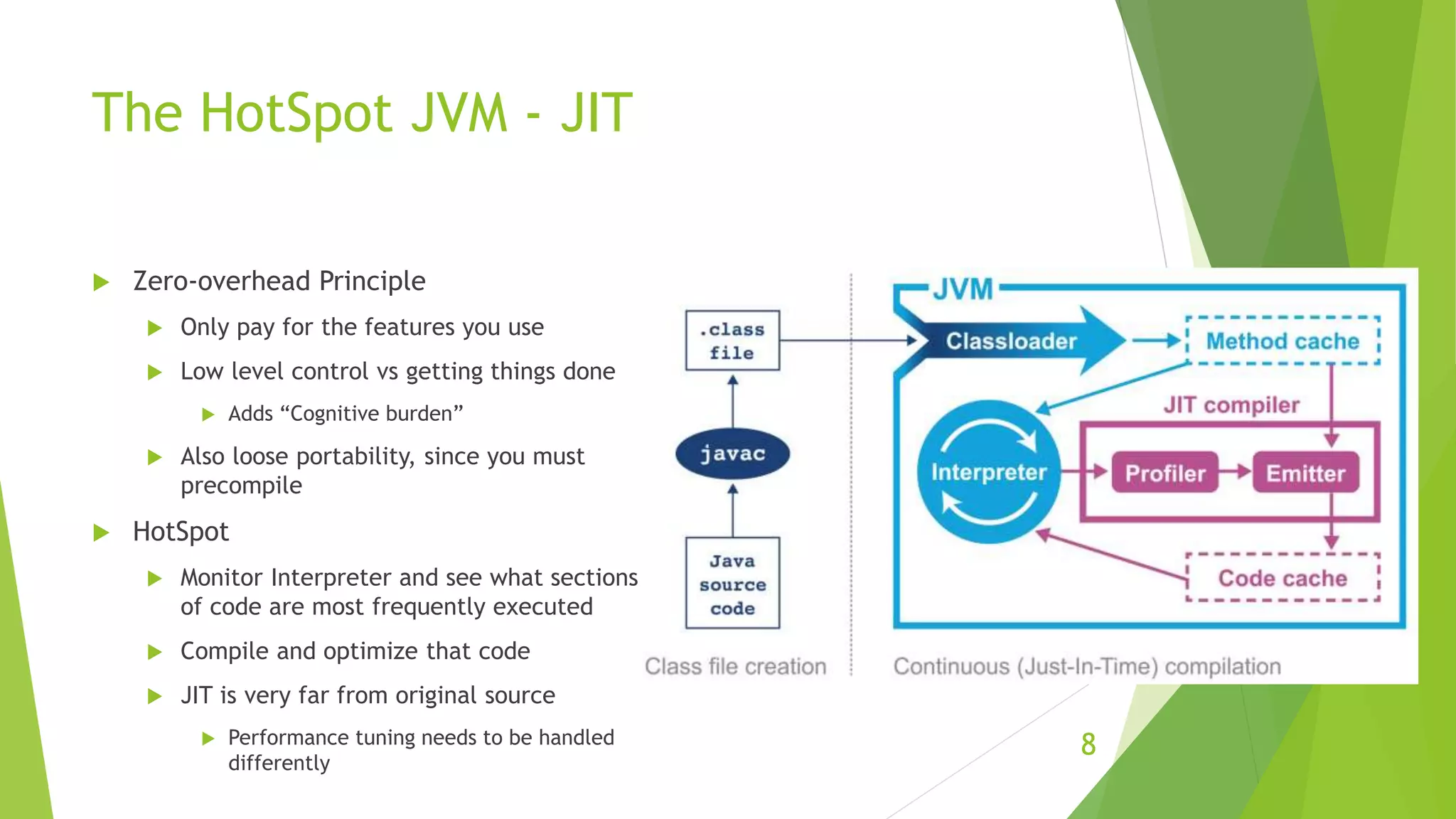
 HotSpot
 Monitor Interpreter and see what sections
of code are most frequently executed
 Compile and optimize that code
 JIT is very far from original source
 Performance tuning needs to be handled
differently
8
JIT Continued
 Exact processor type can be detected at run time
 Can utilize all available instructions
 In the specific case of high-performance Java applications, the developer
must be very careful to avoid “common sense” reasoning and overly
simplistic mental models of how Java applications actually execute
9
CH4 Performance Testing Patterns
and Antipatterns
10
Performance Testing
 Bad performance testing is worse than not doing it
 Good tests are quantitative
 Latency
 Usually for user experience
 How long is a page load
 Simple average usually isn’t helpful
 Throughput
 Latency should be measured relative to throughput and vise versa
 Find the breaking point
 Load
 Binary, can it handle this load 11
Performance Testing
 Stress
 Useful for determining headroom
 Endurance
 Finding memory leaks
 Capacity Planning
 What could an upgraded system handle
 Stress test plus planning
 Degradation
 Run the system with bad disks or network outage
 Chaos Monkey
12
Ch4 Best Practices
Primer
13
Best Practices
 Overall benchmarking is easier than getting numbers for small parts
 Need a valid testing environment
 Must mimic production environment
 Usually a management issue, fail to account for cost of outages
 “False Economy”
 Infrastructure is “livestock, not pets”
 Cloud computing
 Quantify Goals
 Reduce 95% percentile transaction time by 100 ms
 JIT – run if method is run frequently and not too complex* - rare
 Can switch on logging to see which methods are being compiled
14
Causes of Antipatterns
 Most issues come out in production
 Left scrambling to fix. Team “ninja” made assumptions and left
 Boredom
 Writing custom sorts rather then using the built-in functions
 Resume Padding
 Using unnecessary technology to boost skills or fulfill boredom
 Peer Pressure
 Pressure to have high development velocity –rush decisions
 Fear of making a mistake or looking uninformed – “imposter syndrome”
15
Causes of Antipatterns
 Lack of Understanding
 Increasing complexity by introducing more tools when the capabilities were already
available
 Misunderstood/Nonexistent Problem
 Need to fully quantify problem you are trying to solve
 Set goals
 Make prototypes to see if new technologies can solve the problems
16
Performance Antipatterns
 Distracted by Shiny
 Blaming the new components for the performance issues
 Leads to tinkering as opposed to reading of documentation
 Need to actually test the system, including legacy components
 Distracted by Simple
 Start by profiling the simplest parts of the system
 Don’t want to step outside of comfort zone
 Performance Tuning Wizard
 ‘The guy’ who is an expert and can solve all of the problems
 Can alienate the rest of the devs
 Discourages sharing of knowledge and skills
17
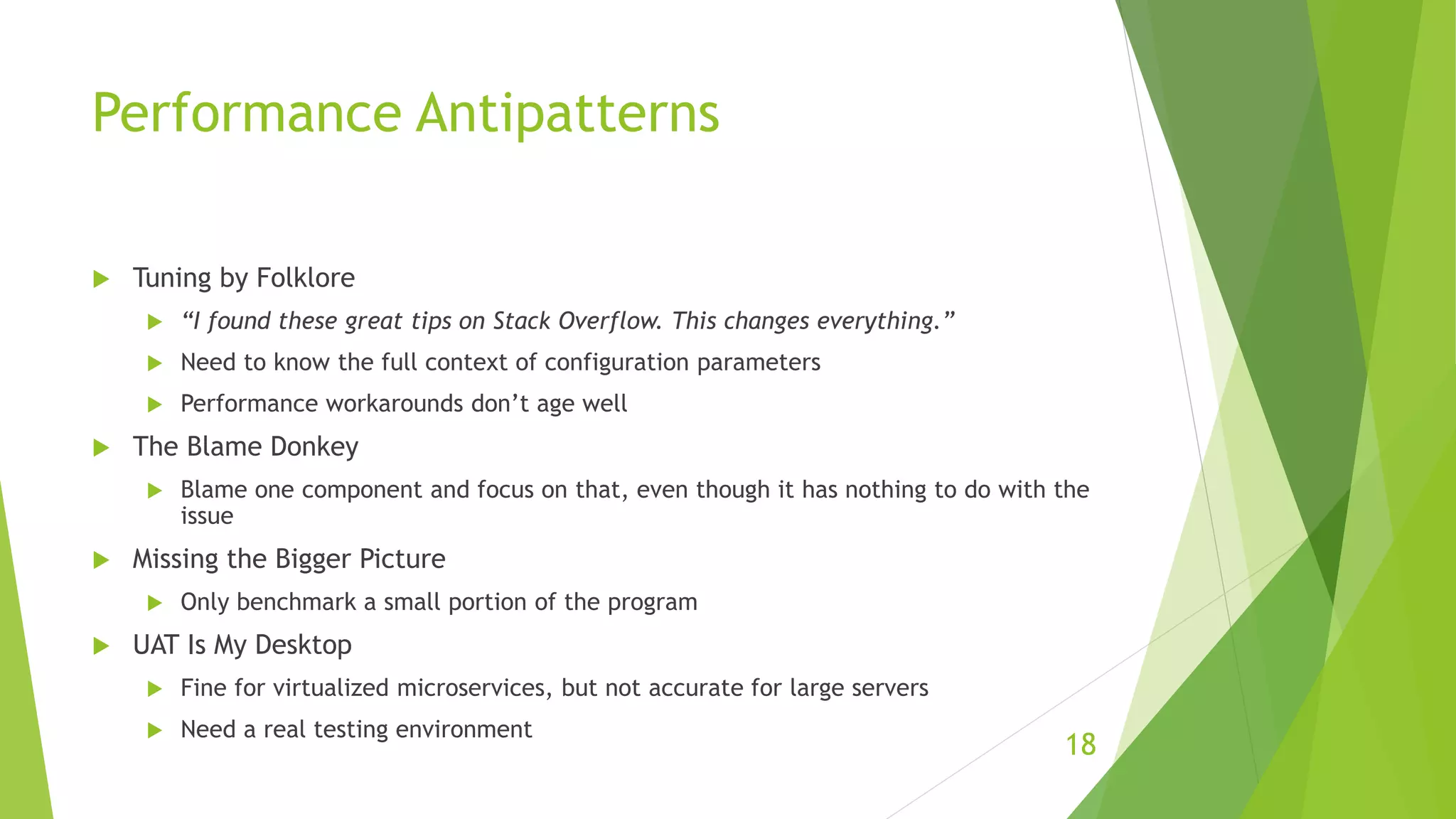
Performance Antipatterns
 Tuning by Folklore
 “I found these great tips on Stack Overflow. This changes everything.”
 Need to know the full context of configuration parameters
 Performance workarounds don’t age well
 The Blame Donkey
 Blame one component and focus on that, even though it has nothing to do with the
issue
 Missing the Bigger Picture
 Only benchmark a small portion of the program
 UAT Is My Desktop
 Fine for virtualized microservices, but not accurate for large servers
 Need a real testing environment
18
Performance Antipatterns
 Production-Like Data Is Hard
 This doesn’t give you realistic benchmarks
 Falls into the “something must be better than nothing” trap.
 This isn’t the case with bad performance testing
19

Optimizing Java

  • 1.
  • 2.
    History  Bad articlefrom 1997 was the top hit on google for Java Performance Tuning  Initial versions had poor method dispatch  Advised to write small methods  Avoid calling method  Today things have changed  Methods are in-lined and almost always not virtual  Not writing methods makes JIT much worse 2
  • 3.
    Performance is Experimental Outliers can be significant  Traditional statistics can’t be applied  Experimental  Define desired outcome  Measure System  Decide plan of action  Execute plan  Test  Repeat 3
  • 4.
    Performance  Throughput -Need consistent isolated repeatable test conditions  Latency – Time per request  Capacity - Number of units that can be going on in parallel  Utilization - CPU & memory utilization  Efficiency - Throughput / cost to solution  Scalability - Change in throughput as resources are added  Degradation - How does increased load effect throughput/latency  Usually sacrifice one to help the other 4
  • 5.
    JIT  Increased loadusually makes a system have higher latency, lower throughput  Not always the case with JIT  Increased load can cause a component to switch modes  Resource intensive  Higher performance  Compiled with JIT  Not compiled until “executed sufficiently frequently” 5
  • 6.
  • 7.
    Java Startup  Startup is really slow  JVM binary is executed first  Sets up virtual stack  Loads the Class Loader – Bootstrapping  Load the essentials  Extension Class Loader Runs  Application Class Loader then loads classes  Then execution can begin  Javac does very little optimizations 7
  • 8.
    The HotSpot JVM- JIT  Zero-overhead Principle  Only pay for the features you use  Low level control vs getting things done  Adds “Cognitive burden”  Also loose portability, since you must precompile  HotSpot  Monitor Interpreter and see what sections of code are most frequently executed  Compile and optimize that code  JIT is very far from original source  Performance tuning needs to be handled differently 8
  • 9.
    JIT Continued  Exactprocessor type can be detected at run time  Can utilize all available instructions  In the specific case of high-performance Java applications, the developer must be very careful to avoid “common sense” reasoning and overly simplistic mental models of how Java applications actually execute 9
  • 10.
    CH4 Performance TestingPatterns and Antipatterns 10
  • 11.
    Performance Testing  Badperformance testing is worse than not doing it  Good tests are quantitative  Latency  Usually for user experience  How long is a page load  Simple average usually isn’t helpful  Throughput  Latency should be measured relative to throughput and vise versa  Find the breaking point  Load  Binary, can it handle this load 11
  • 12.
    Performance Testing  Stress Useful for determining headroom  Endurance  Finding memory leaks  Capacity Planning  What could an upgraded system handle  Stress test plus planning  Degradation  Run the system with bad disks or network outage  Chaos Monkey 12
  • 13.
  • 14.
    Best Practices  Overallbenchmarking is easier than getting numbers for small parts  Need a valid testing environment  Must mimic production environment  Usually a management issue, fail to account for cost of outages  “False Economy”  Infrastructure is “livestock, not pets”  Cloud computing  Quantify Goals  Reduce 95% percentile transaction time by 100 ms  JIT – run if method is run frequently and not too complex* - rare  Can switch on logging to see which methods are being compiled 14
  • 15.
    Causes of Antipatterns Most issues come out in production  Left scrambling to fix. Team “ninja” made assumptions and left  Boredom  Writing custom sorts rather then using the built-in functions  Resume Padding  Using unnecessary technology to boost skills or fulfill boredom  Peer Pressure  Pressure to have high development velocity –rush decisions  Fear of making a mistake or looking uninformed – “imposter syndrome” 15
  • 16.
    Causes of Antipatterns Lack of Understanding  Increasing complexity by introducing more tools when the capabilities were already available  Misunderstood/Nonexistent Problem  Need to fully quantify problem you are trying to solve  Set goals  Make prototypes to see if new technologies can solve the problems 16
  • 17.
    Performance Antipatterns  Distractedby Shiny  Blaming the new components for the performance issues  Leads to tinkering as opposed to reading of documentation  Need to actually test the system, including legacy components  Distracted by Simple  Start by profiling the simplest parts of the system  Don’t want to step outside of comfort zone  Performance Tuning Wizard  ‘The guy’ who is an expert and can solve all of the problems  Can alienate the rest of the devs  Discourages sharing of knowledge and skills 17
  • 18.
    Performance Antipatterns  Tuningby Folklore  “I found these great tips on Stack Overflow. This changes everything.”  Need to know the full context of configuration parameters  Performance workarounds don’t age well  The Blame Donkey  Blame one component and focus on that, even though it has nothing to do with the issue  Missing the Bigger Picture  Only benchmark a small portion of the program  UAT Is My Desktop  Fine for virtualized microservices, but not accurate for large servers  Need a real testing environment 18
  • 19.
    Performance Antipatterns  Production-LikeData Is Hard  This doesn’t give you realistic benchmarks  Falls into the “something must be better than nothing” trap.  This isn’t the case with bad performance testing 19