Code Above Lab LLC
Performance optimization
(balancer optimization)
Vitaly Pronto & Max Hwang
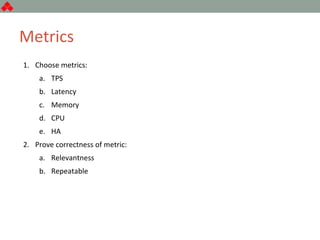
Metrics
1. Choose metrics:
a. TPS
b. Latency
c. Memory
d. CPU
e. HA
2. Prove correctness of metric:
a. Relevantness
b. Repeatable
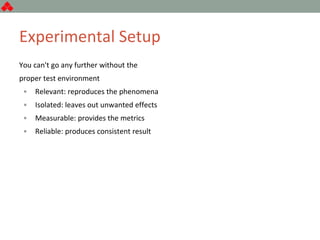
Experimental Setup
You can't go any further without the
proper test environment
• Relevant: reproduces the phenomena
• Isolated: leaves out unwanted effects
• Measurable: provides the metrics
• Reliable: produces consistent result
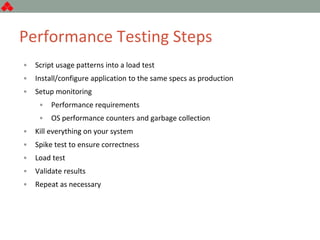
Performance Testing Steps
• Script usage patterns into a load test
• Install/configure application to the same specs as production
• Setup monitoring
• Performance requirements
• OS performance counters and garbage collection
• Kill everything on your system
• Spike test to ensure correctness
• Load test
• Validate results
• Repeat as necessary
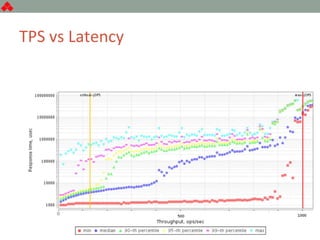
TPS vs Latency
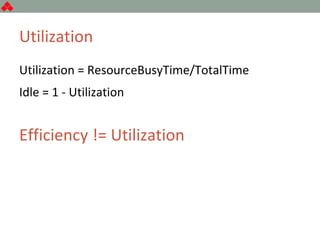
Utilization
Utilization = ResourceBusyTime/TotalTime
Idle = 1 - Utilization
Efficiency != Utilization
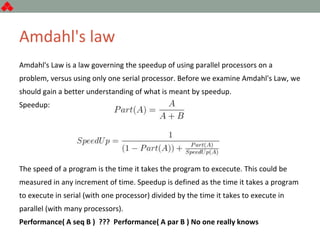
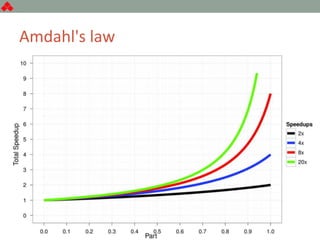
Amdahl's law
Amdahl's Law is a law governing the speedup of using parallel processors on a
problem, versus using only one serial processor. Before we examine Amdahl's Law, we
should gain a better understanding of what is meant by speedup.
Speedup:
The speed of a program is the time it takes the program to excecute. This could be
measured in any increment of time. Speedup is defined as the time it takes a program
to execute in serial (with one processor) divided by the time it takes to execute in
parallel (with many processors).
Performance( A seq B ) ??? Performance( A par B ) No one really knows
Amdahl's law
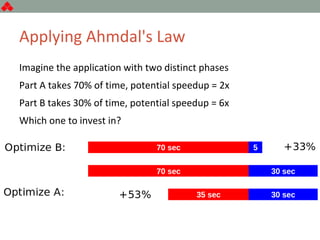
Applying Ahmdal's Law
Imagine the application with two distinct phases
Part A takes 70% of time, potential speedup = 2x
Part B takes 30% of time, potential speedup = 6x
Which one to invest in?
What Where How
What is the bottleneck
Where is it located
How to fix it
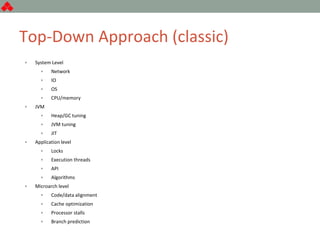
Top-Down Approach (classic)
• System Level
• Network
• IO
• OS
• CPU/memory
• JVM
• Heap/GC tuning
• JVM tuning
• JIT
• Application level
• Locks
• Execution threads
• API
• Algorithms
• Microarch level
• Code/data alignment
• Cache optimization
• Processor stalls
• Branch prediction
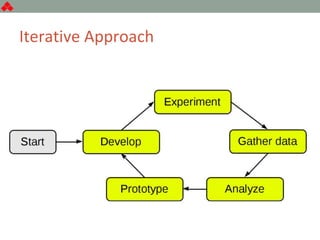
Iterative Approach
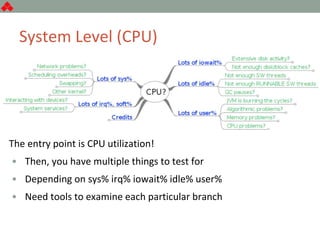
System Level (CPU)
The entry point is CPU utilization!
• Then, you have multiple things to test for
• Depending on sys% irq% iowait% idle% user%
• Need tools to examine each particular branch
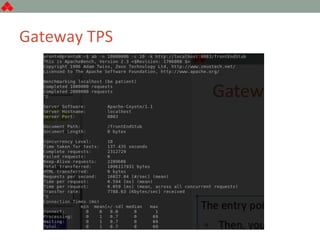
Gateway TPS
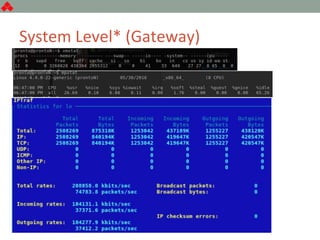
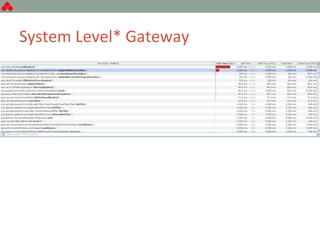
System Level* (Gateway)
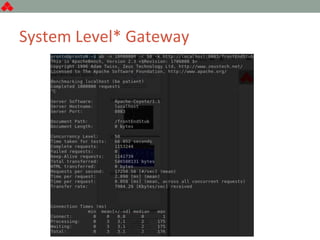
System Level* Gateway
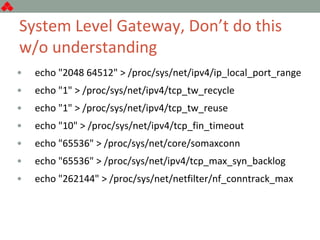
System Level Gateway, Don’t do this
w/o understanding
• echo "2048 64512" > /proc/sys/net/ipv4/ip_local_port_range
• echo "1" > /proc/sys/net/ipv4/tcp_tw_recycle
• echo "1" > /proc/sys/net/ipv4/tcp_tw_reuse
• echo "10" > /proc/sys/net/ipv4/tcp_fin_timeout
• echo "65536" > /proc/sys/net/core/somaxconn
• echo "65536" > /proc/sys/net/ipv4/tcp_max_syn_backlog
• echo "262144" > /proc/sys/net/netfilter/nf_conntrack_max
System Level* Gateway
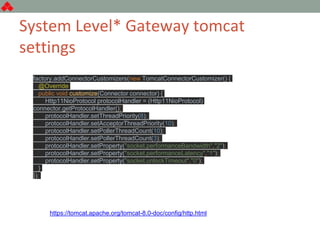
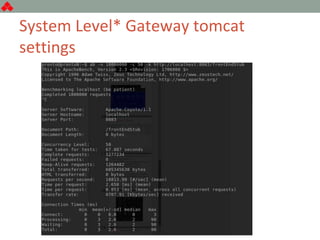
System Level* Gateway tomcat
settings
factory.addConnectorCustomizers(new TomcatConnectorCustomizer() {
@Override
public void customize(Connector connector) {
Http11NioProtocol protocolHandler = (Http11NioProtocol)
connector.getProtocolHandler();
protocolHandler.setThreadPriority(8);
protocolHandler.setAcceptorThreadPriority(10);
protocolHandler.setPollerThreadCount(10);
protocolHandler.setPollerThreadCount(3);
protocolHandler.setProperty("socket.performanceBandwidth","2");
protocolHandler.setProperty("socket.performanceLatency","1");
protocolHandler.setProperty("socket.unlockTimeout","0");
}
});
https://tomcat.apache.org/tomcat-8.0-doc/config/http.html
System Level* Gateway tomcat
settings
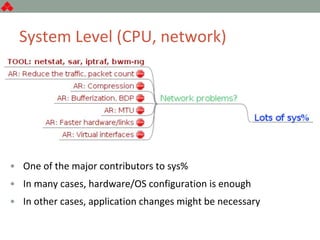
System Level (CPU, network)
• One of the major contributors to sys%
• In many cases, hardware/OS configuration is enough
• In other cases, application changes might be necessary
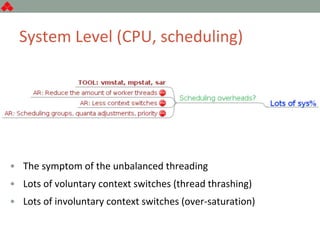
System Level (CPU, scheduling)
• The symptom of the unbalanced threading
• Lots of voluntary context switches (thread thrashing)
• Lots of involuntary context switches (over-saturation)
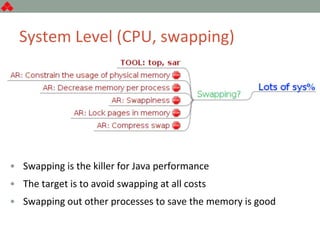
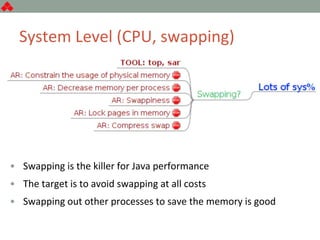
System Level (CPU, swapping)
• Swapping is the killer for Java performance
• The target is to avoid swapping at all costs
• Swapping out other processes to save the memory is good
System Level (CPU, swapping)
• Swapping is the killer for Java performance
• The target is to avoid swapping at all costs
• Swapping out other processes to save the memory is good
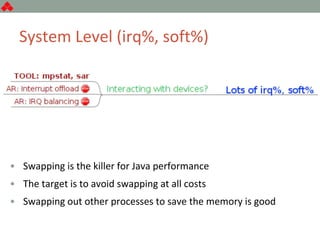
System Level (irq%, soft%)
• Swapping is the killer for Java performance
• The target is to avoid swapping at all costs
• Swapping out other processes to save the memory is good
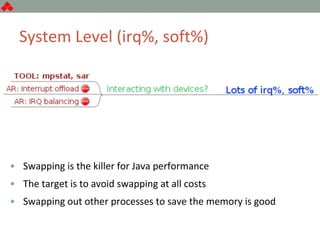
System Level (irq%, soft%)
• Swapping is the killer for Java performance
• The target is to avoid swapping at all costs
• Swapping out other processes to save the memory is good
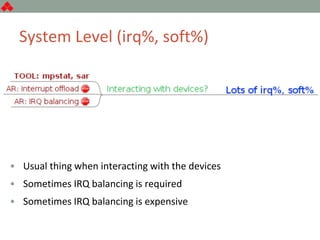
System Level (irq%, soft%)
• Usual thing when interacting with the devices
• Sometimes IRQ balancing is required
• Sometimes IRQ balancing is expensive
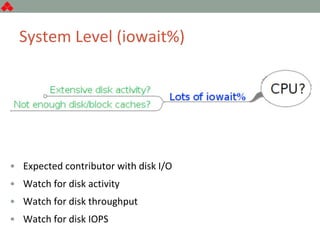
System Level (iowait%)
• Expected contributor with disk I/O
• Watch for disk activity
• Watch for disk throughput
• Watch for disk IOPS
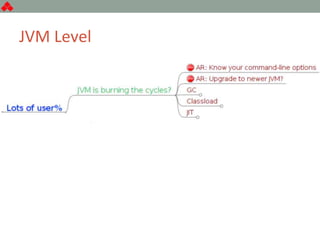
JVM Level
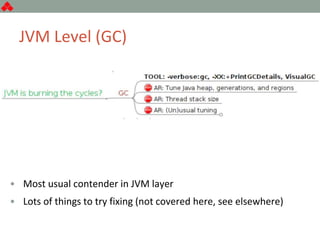
JVM Level (GC)
• Most usual contender in JVM layer
• Lots of things to try fixing (not covered here, see elsewhere)
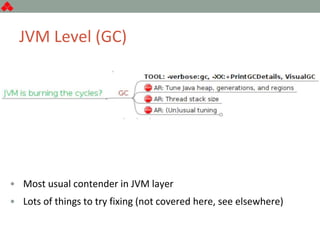
JVM Level (GC)
• Most usual contender in JVM layer
• Lots of things to try fixing (not covered here, see elsewhere)
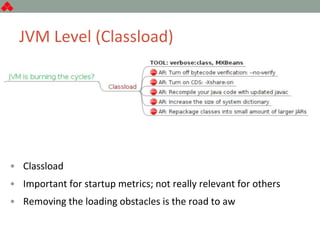
JVM Level (Classload)
• Classload
• Important for startup metrics; not really relevant for others
• Removing the loading obstacles is the road to aw

Performance optimization (balancer optimization)

  • 1.
    Code Above LabLLC Performance optimization (balancer optimization) Vitaly Pronto & Max Hwang
  • 2.
    Metrics 1. Choose metrics: a.TPS b. Latency c. Memory d. CPU e. HA 2. Prove correctness of metric: a. Relevantness b. Repeatable
  • 3.
    Experimental Setup You can'tgo any further without the proper test environment • Relevant: reproduces the phenomena • Isolated: leaves out unwanted effects • Measurable: provides the metrics • Reliable: produces consistent result
  • 4.
    Performance Testing Steps •Script usage patterns into a load test • Install/configure application to the same specs as production • Setup monitoring • Performance requirements • OS performance counters and garbage collection • Kill everything on your system • Spike test to ensure correctness • Load test • Validate results • Repeat as necessary
  • 5.
  • 6.
    Utilization Utilization = ResourceBusyTime/TotalTime Idle= 1 - Utilization Efficiency != Utilization
  • 7.
    Amdahl's law Amdahl's Lawis a law governing the speedup of using parallel processors on a problem, versus using only one serial processor. Before we examine Amdahl's Law, we should gain a better understanding of what is meant by speedup. Speedup: The speed of a program is the time it takes the program to excecute. This could be measured in any increment of time. Speedup is defined as the time it takes a program to execute in serial (with one processor) divided by the time it takes to execute in parallel (with many processors). Performance( A seq B ) ??? Performance( A par B ) No one really knows
  • 8.
  • 9.
    Applying Ahmdal's Law Imaginethe application with two distinct phases Part A takes 70% of time, potential speedup = 2x Part B takes 30% of time, potential speedup = 6x Which one to invest in?
  • 10.
    What Where How Whatis the bottleneck Where is it located How to fix it
  • 11.
    Top-Down Approach (classic) •System Level • Network • IO • OS • CPU/memory • JVM • Heap/GC tuning • JVM tuning • JIT • Application level • Locks • Execution threads • API • Algorithms • Microarch level • Code/data alignment • Cache optimization • Processor stalls • Branch prediction
  • 12.
  • 13.
    System Level (CPU) Theentry point is CPU utilization! • Then, you have multiple things to test for • Depending on sys% irq% iowait% idle% user% • Need tools to examine each particular branch
  • 14.
  • 15.
  • 16.
  • 17.
    System Level Gateway,Don’t do this w/o understanding • echo "2048 64512" > /proc/sys/net/ipv4/ip_local_port_range • echo "1" > /proc/sys/net/ipv4/tcp_tw_recycle • echo "1" > /proc/sys/net/ipv4/tcp_tw_reuse • echo "10" > /proc/sys/net/ipv4/tcp_fin_timeout • echo "65536" > /proc/sys/net/core/somaxconn • echo "65536" > /proc/sys/net/ipv4/tcp_max_syn_backlog • echo "262144" > /proc/sys/net/netfilter/nf_conntrack_max
  • 18.
  • 19.
    System Level* Gatewaytomcat settings factory.addConnectorCustomizers(new TomcatConnectorCustomizer() { @Override public void customize(Connector connector) { Http11NioProtocol protocolHandler = (Http11NioProtocol) connector.getProtocolHandler(); protocolHandler.setThreadPriority(8); protocolHandler.setAcceptorThreadPriority(10); protocolHandler.setPollerThreadCount(10); protocolHandler.setPollerThreadCount(3); protocolHandler.setProperty("socket.performanceBandwidth","2"); protocolHandler.setProperty("socket.performanceLatency","1"); protocolHandler.setProperty("socket.unlockTimeout","0"); } }); https://tomcat.apache.org/tomcat-8.0-doc/config/http.html
  • 20.
    System Level* Gatewaytomcat settings
  • 21.
    System Level (CPU,network) • One of the major contributors to sys% • In many cases, hardware/OS configuration is enough • In other cases, application changes might be necessary
  • 22.
    System Level (CPU,scheduling) • The symptom of the unbalanced threading • Lots of voluntary context switches (thread thrashing) • Lots of involuntary context switches (over-saturation)
  • 23.
    System Level (CPU,swapping) • Swapping is the killer for Java performance • The target is to avoid swapping at all costs • Swapping out other processes to save the memory is good
  • 24.
    System Level (CPU,swapping) • Swapping is the killer for Java performance • The target is to avoid swapping at all costs • Swapping out other processes to save the memory is good
  • 25.
    System Level (irq%,soft%) • Swapping is the killer for Java performance • The target is to avoid swapping at all costs • Swapping out other processes to save the memory is good
  • 26.
    System Level (irq%,soft%) • Swapping is the killer for Java performance • The target is to avoid swapping at all costs • Swapping out other processes to save the memory is good
  • 27.
    System Level (irq%,soft%) • Usual thing when interacting with the devices • Sometimes IRQ balancing is required • Sometimes IRQ balancing is expensive
  • 28.
    System Level (iowait%) •Expected contributor with disk I/O • Watch for disk activity • Watch for disk throughput • Watch for disk IOPS
  • 29.
  • 30.
    JVM Level (GC) •Most usual contender in JVM layer • Lots of things to try fixing (not covered here, see elsewhere)
  • 31.
    JVM Level (GC) •Most usual contender in JVM layer • Lots of things to try fixing (not covered here, see elsewhere)
  • 32.
    JVM Level (Classload) •Classload • Important for startup metrics; not really relevant for others • Removing the loading obstacles is the road to aw