T15	
  
Performance	
  Testing	
  
10/6/16	
  13:30	


Comprehensive	
  Performance	
  Testing:	
  
From	
  Early	
  Dev	
  to	
  Live	
  Production	
  
Presented	
  by:	


   Brad	
  Stoner	


AppDynamics	


Brought	
  to	
  you	
  by:	


350	
  Corporate	
  Way,	
  Suite	
  400,	
  Orange	
  Park,	
  FL	
  32073	
  	
  
888-­‐-­‐-­‐268-­‐-­‐-­‐8770	
  ·∙·∙	
  904-­‐-­‐-­‐278-­‐-­‐-­‐0524	
  -­‐	
  info@techwell.com	
  -­‐	
  http://www.starwest.techwell.com/	


Brad	
  Stoner	


Brad	
  StonerÊis	
  a	
  Senior	
  Sales	
  Engineer	
  with	
  AppDynamics.	
  In	
  his	
  fourteen	
  years	
  of	
  
IT	
  experience,	
  Brad	
  has	
  held	
  roles	
  in	
  performance	
  engineering,	
  systems	
  engineering,	
  
and	
  operations	
  management.	
  Previously,	
  Brad	
  managed	
  the	
  load	
  and	
  performance	
  
team	
  at	
  H&R	
  Block	
  where	
  he	
  spent	
  seven	
  years	
  leading	
  his	
  five-­‐person	
  team	
  in	
  
pursuit	
  of	
  improved	
  application	
  performance	
  and	
  quality.	
  Brad	
  and	
  his	
  team	
  
managed	
  the	
  performance	
  testing	
  process	
  for	
  more	
  than	
  fifty	
  projects	
  annually.	
  He	
  
founded	
  Sandbreak	
  Digital	
  Solutions,	
  a	
  consulting	
  company	
  specializing	
  in	
  web	
  
application	
  performance	
  testing,	
  web	
  page	
  optimization,	
  front	
  end	
  optimization,	
  
capacity	
  testing,	
  infrastructure	
  validation,	
  and	
  cloud	
  testing.	
  
Comprehensive performance testing:
From early dev to live production
Brad Stoner – October 2016
My background
• 7 years @ H&R Block Load and Performance Team
• 5 person team
• 100k + user concurrency
• Tax peak 2nd week after go-live
• 70 applications annually
• Diverse technology stack – including 3rd party
• 2 years @ Neotys – Performance testing software vendor
• Currently Sales Engineer @ AppDynamics
brad.stoner@appdynamics.com
@sandbreak80
What is performance testing
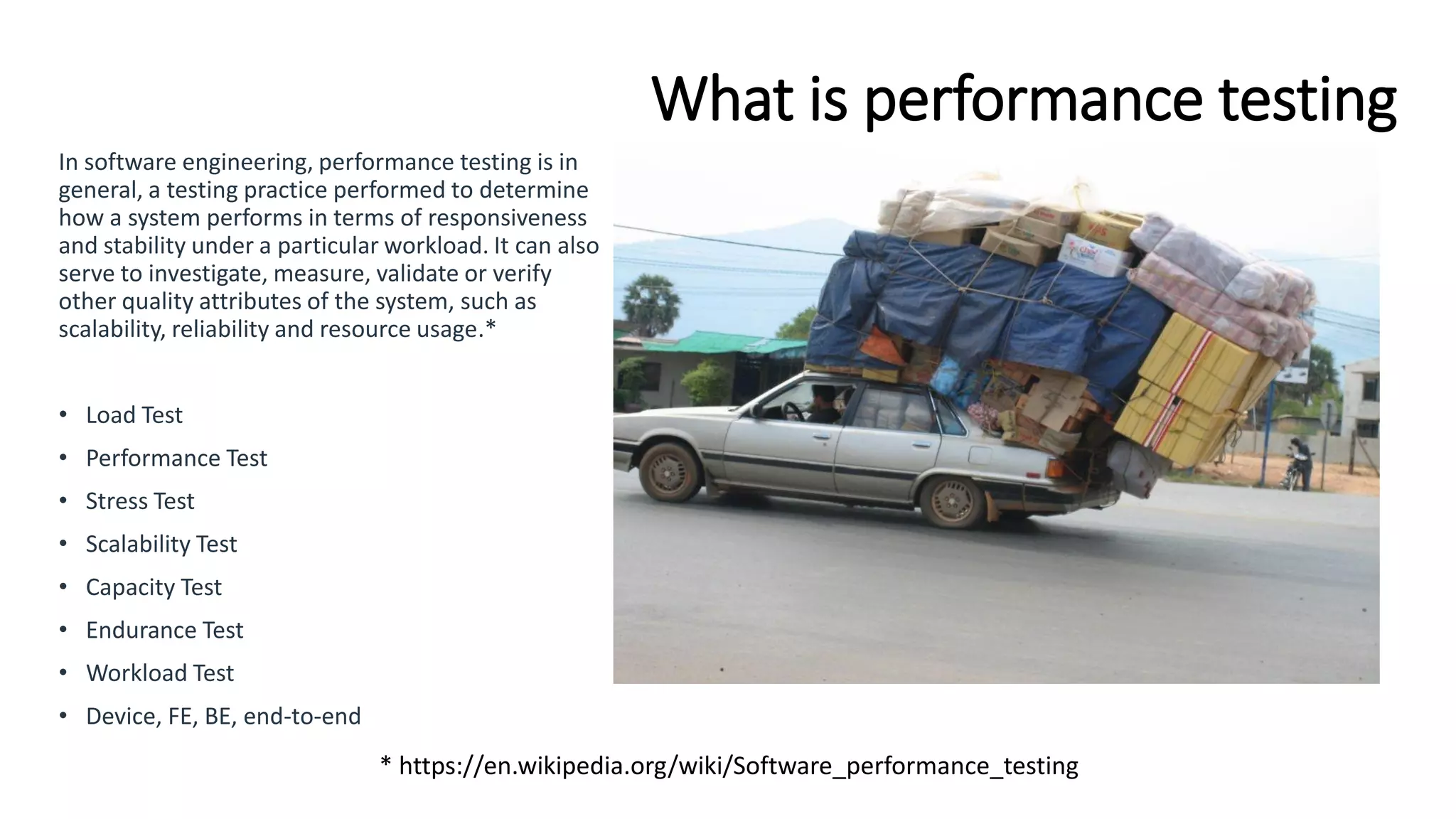
In software engineering, performance testing is in
general, a testing practice performed to determine
how a system performs in terms of responsiveness
and stability under a particular workload. It can also
serve to investigate, measure, validate or verify
other quality attributes of the system, such as
scalability, reliability and resource usage.*
• Load Test
• Performance Test
• Stress Test
• Scalability Test
• Capacity Test
• Endurance Test
• Workload Test
• Device, FE, BE, end-to-end
* https://en.wikipedia.org/wiki/Software_performance_testing
Why bother?
Google - Using page speed in site ranking
Facebook - Launches 'lite' mobile app
Amazon - 100ms delay -> $6.79M sales
decrease
Recent airline industry outages
Legacy performance testing
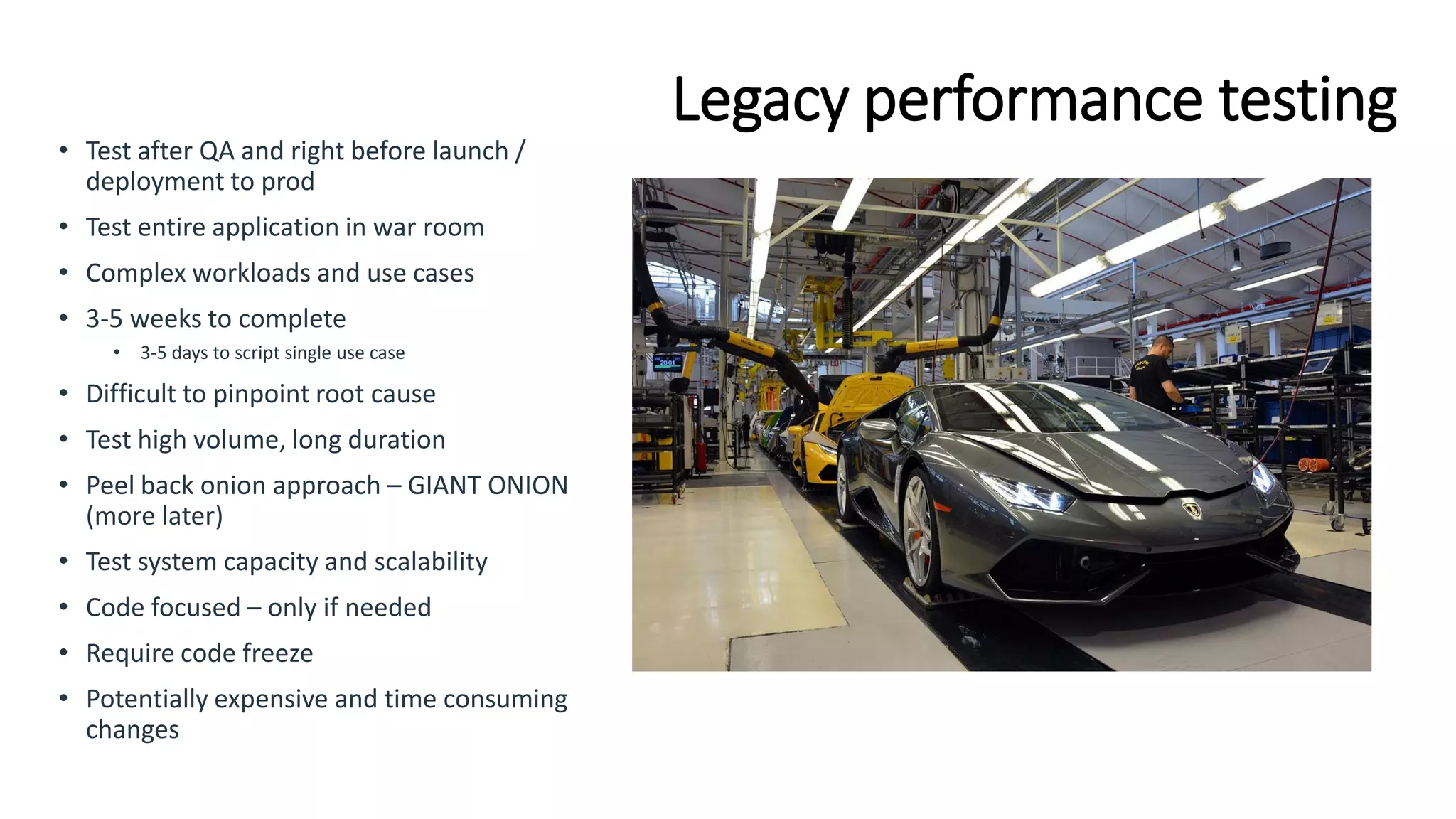
• Test after QA and right before launch /
deployment to prod
• Test entire application in war room
• Complex workloads and use cases
• 3-5 weeks to complete
• 3-5 days to script single use case
• Difficult to pinpoint root cause
• Test high volume, long duration
• Peel back onion approach – GIANT ONION
(more later)
• Test system capacity and scalability
• Code focused – only if needed
• Require code freeze
• Potentially expensive and time consuming
changes
Increasing velocity
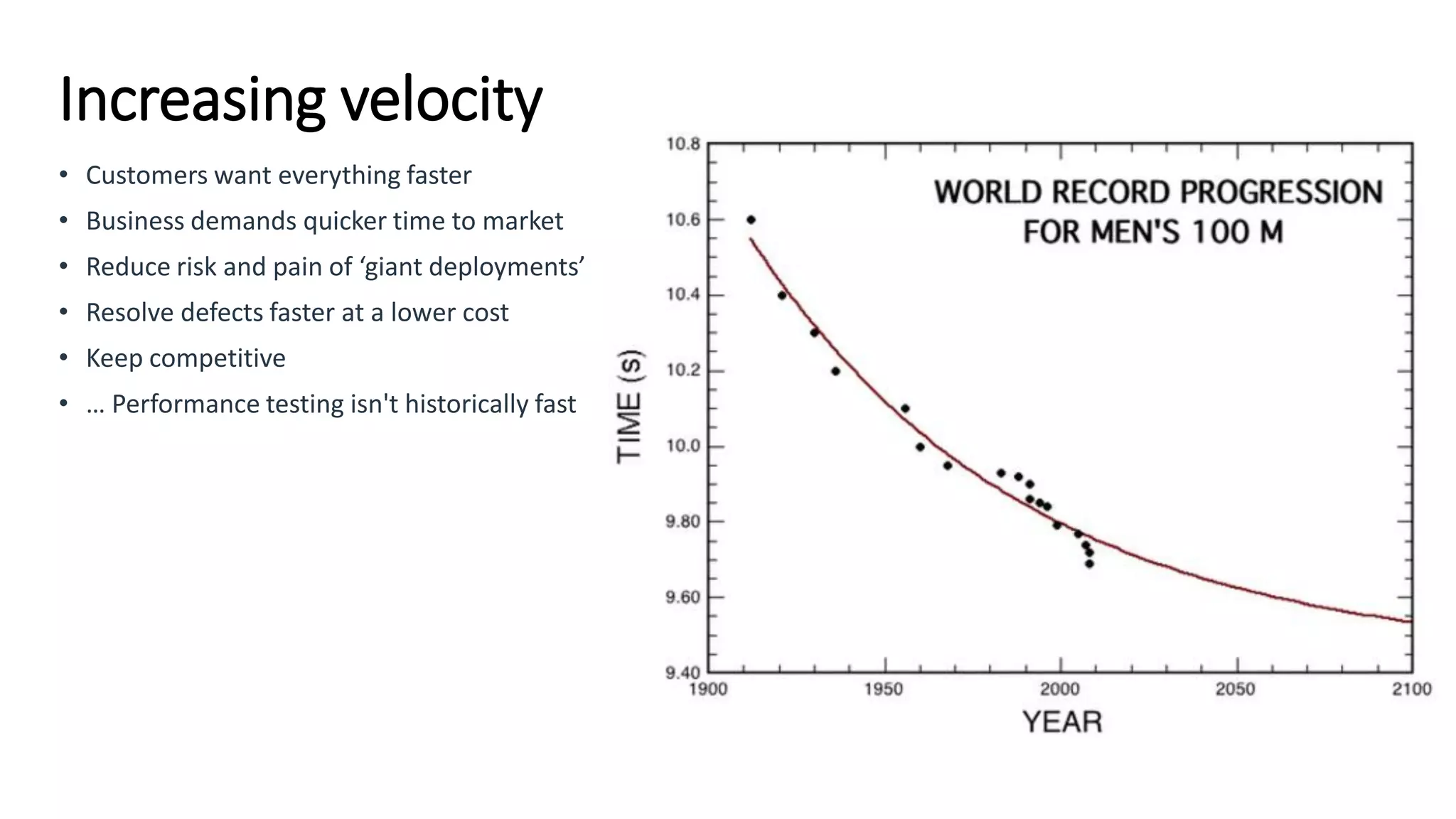
• Customers want everything faster
• Business demands quicker time to market
• Reduce risk and pain of ‘giant deployments’
• Resolve defects faster at a lower cost
• Keep competitive
• … Performance testing isn't historically fast
Main challenges
• Time
• Need to rescript use cases
• Fluid environments – both software and infrastructure
• Sequential workflows
• Test Data management and synthesis
• Complex load profiles
• Multiple user profiles
• Integrations
• Synchronizing builds and functionality
Keeping up with Agile / DevOps
• “It takes 2 weeks to script all our use cases and we get releases every 3 days”
• “The application is too difficult to test”
• “We are moving to agile on our legacy waterfall project. How we get started?”
• “QA will always be the bottleneck”
• “Issues are difficult to reproduce and our environment is unstable”
• “We don’t have visibility into our infrastructure”
• “If we find an issue, it still takes a week to fix”
• “We have no idea what changed in the application or why we are testing it again”
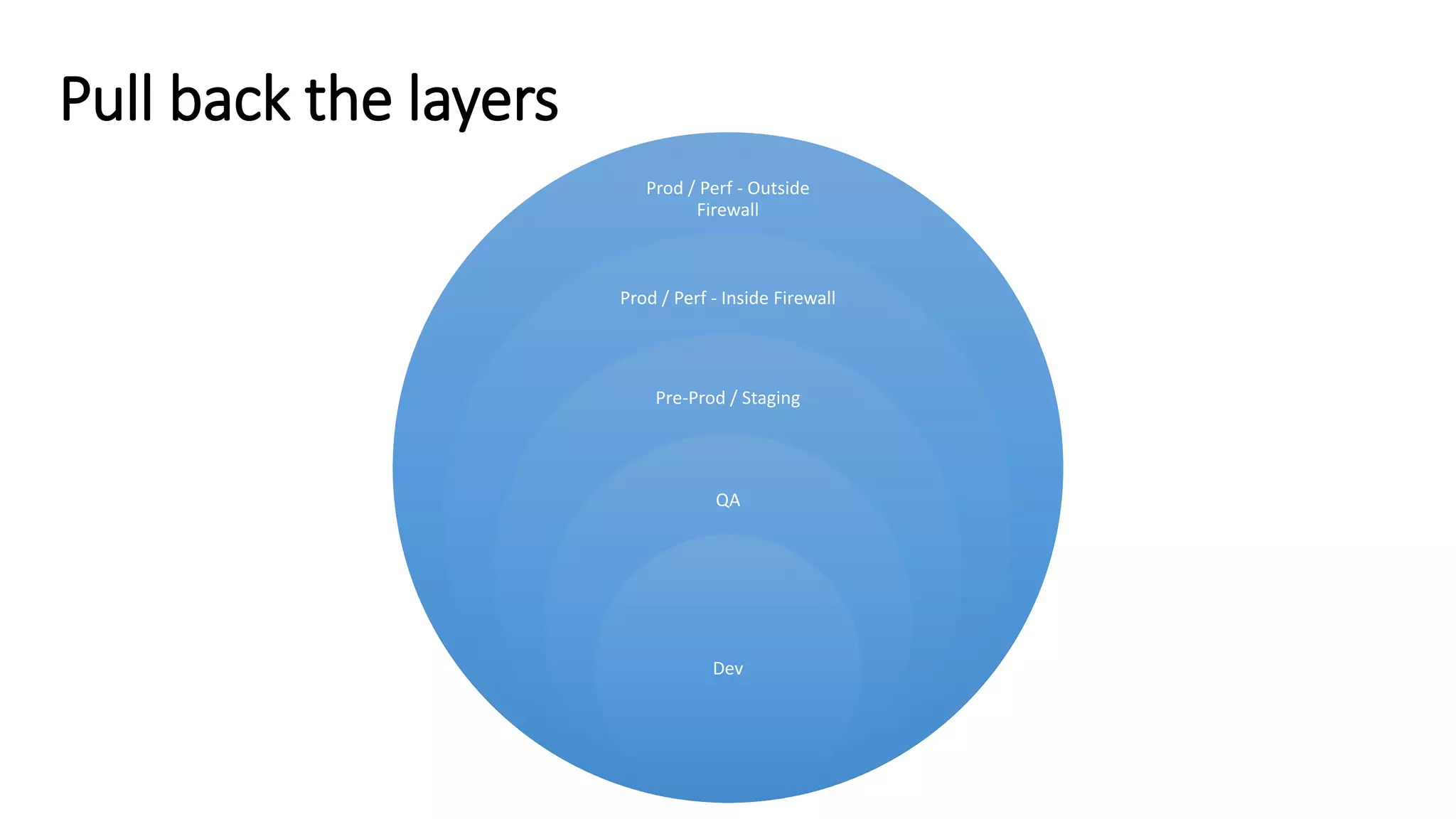
Pull back the layers
Prod / Perf - Outside
Firewall
Prod / Perf - Inside Firewall
Pre-Prod / Staging
QA
Dev
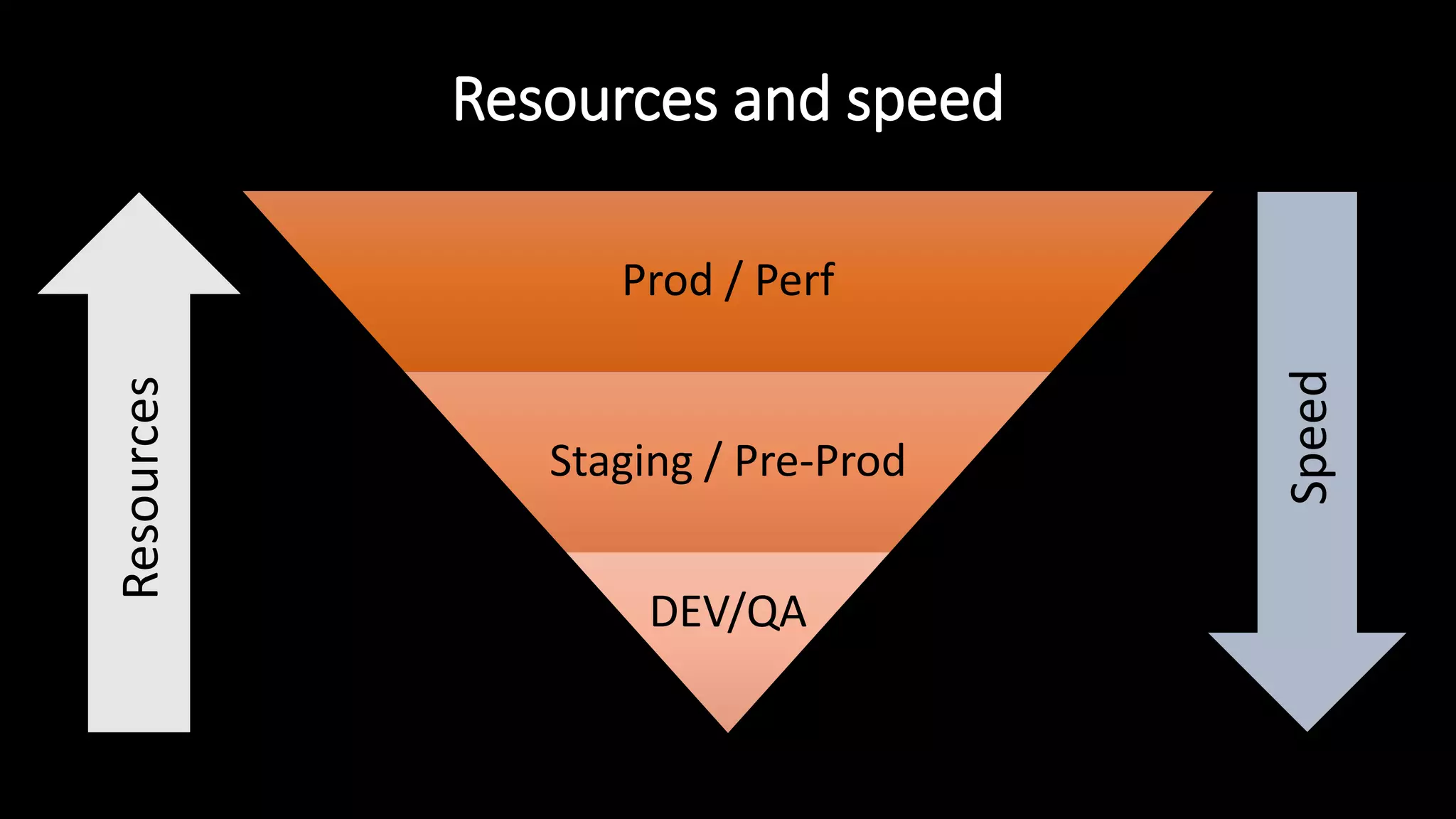
Resources and speed
Prod / Perf
Staging / Pre-Prod
DEV/QA
Speed
Resources
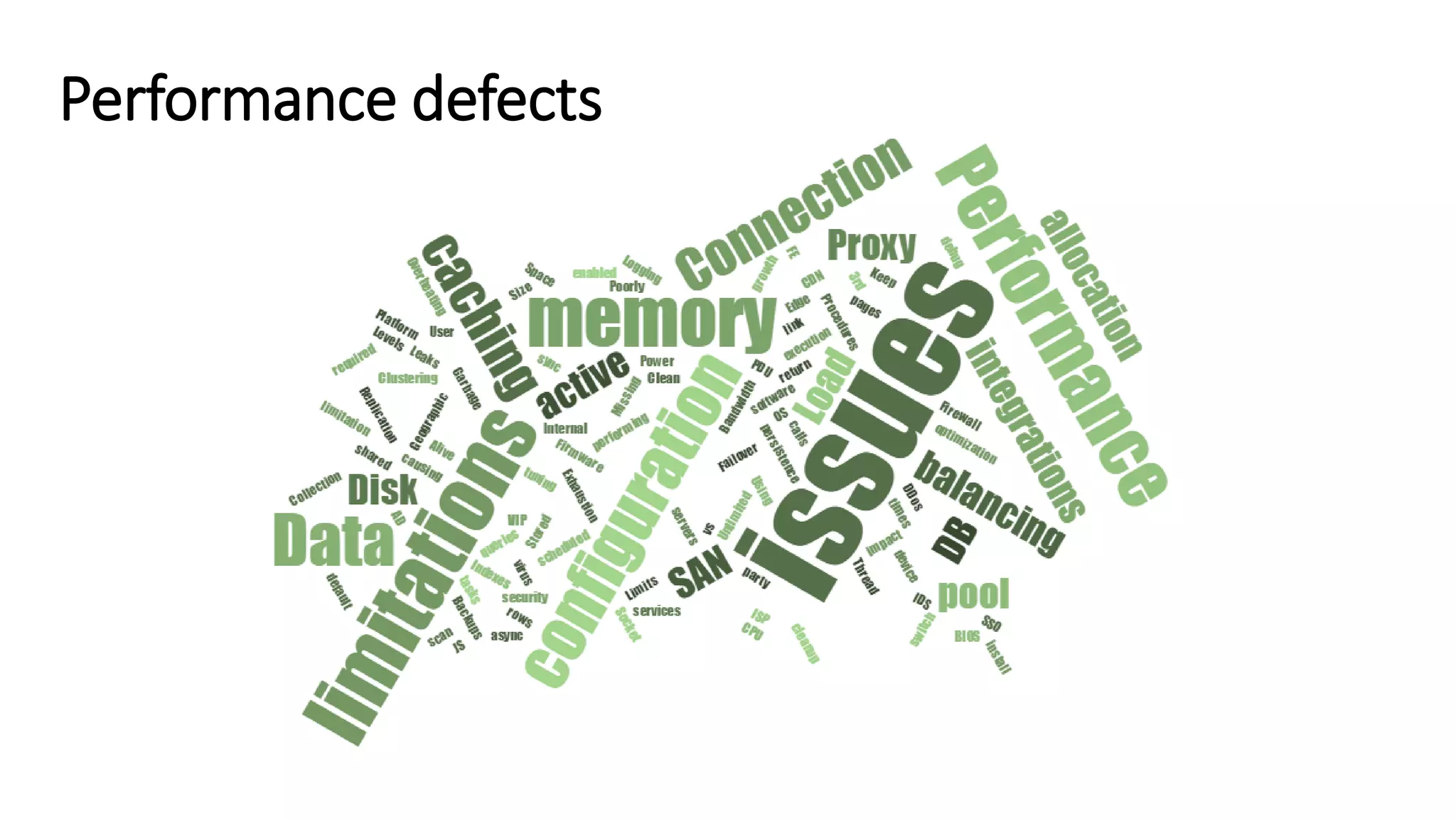
Performance defects
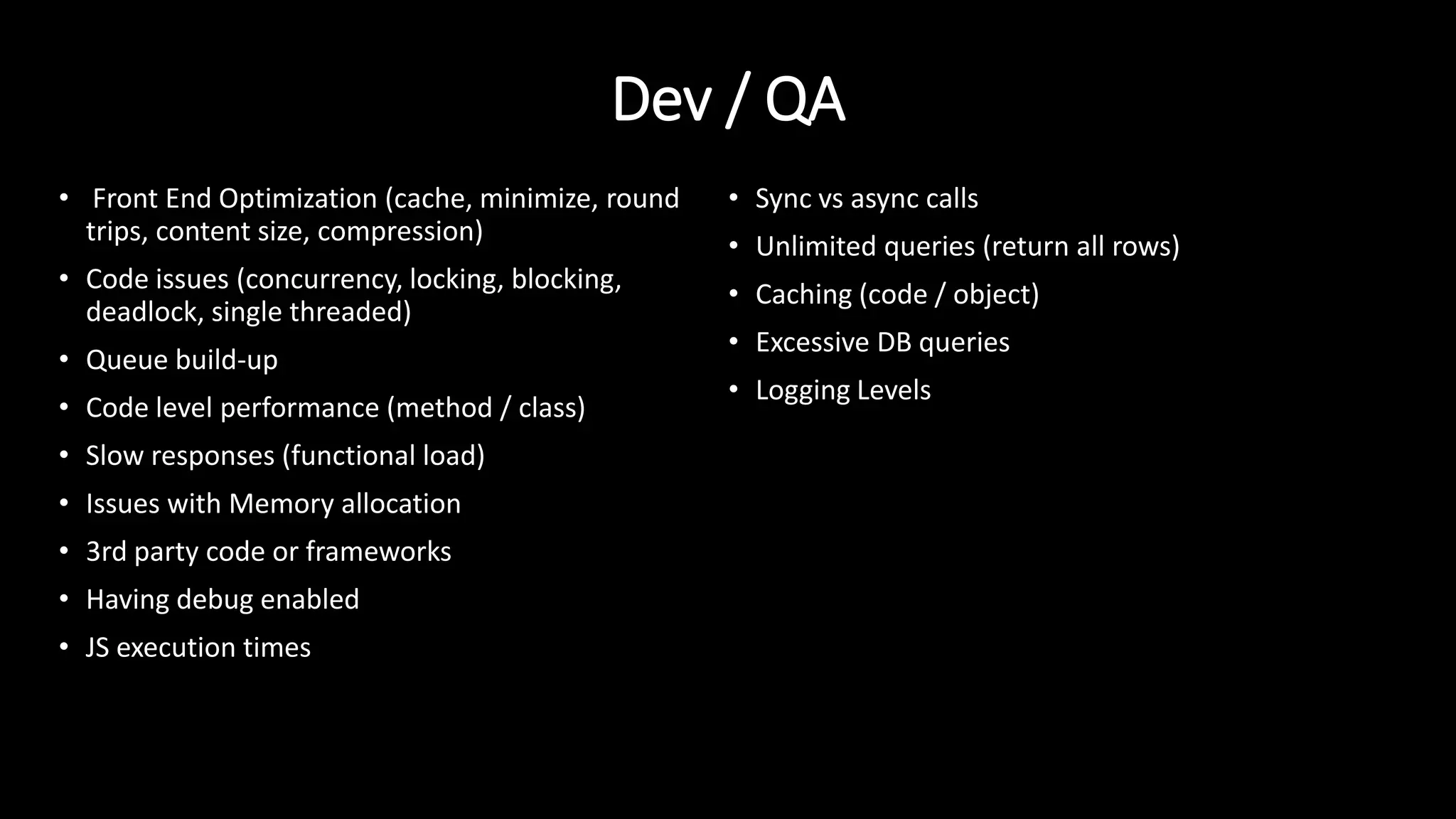
Dev / QA
• Front End Optimization (cache, minimize, round
trips, content size, compression)
• Code issues (concurrency, locking, blocking,
deadlock, single threaded)
• Queue build-up
• Code level performance (method / class)
• Slow responses (functional load)
• Issues with Memory allocation
• 3rd party code or frameworks
• Having debug enabled
• JS execution times
• Sync vs async calls
• Unlimited queries (return all rows)
• Caching (code / object)
• Excessive DB queries
• Logging Levels
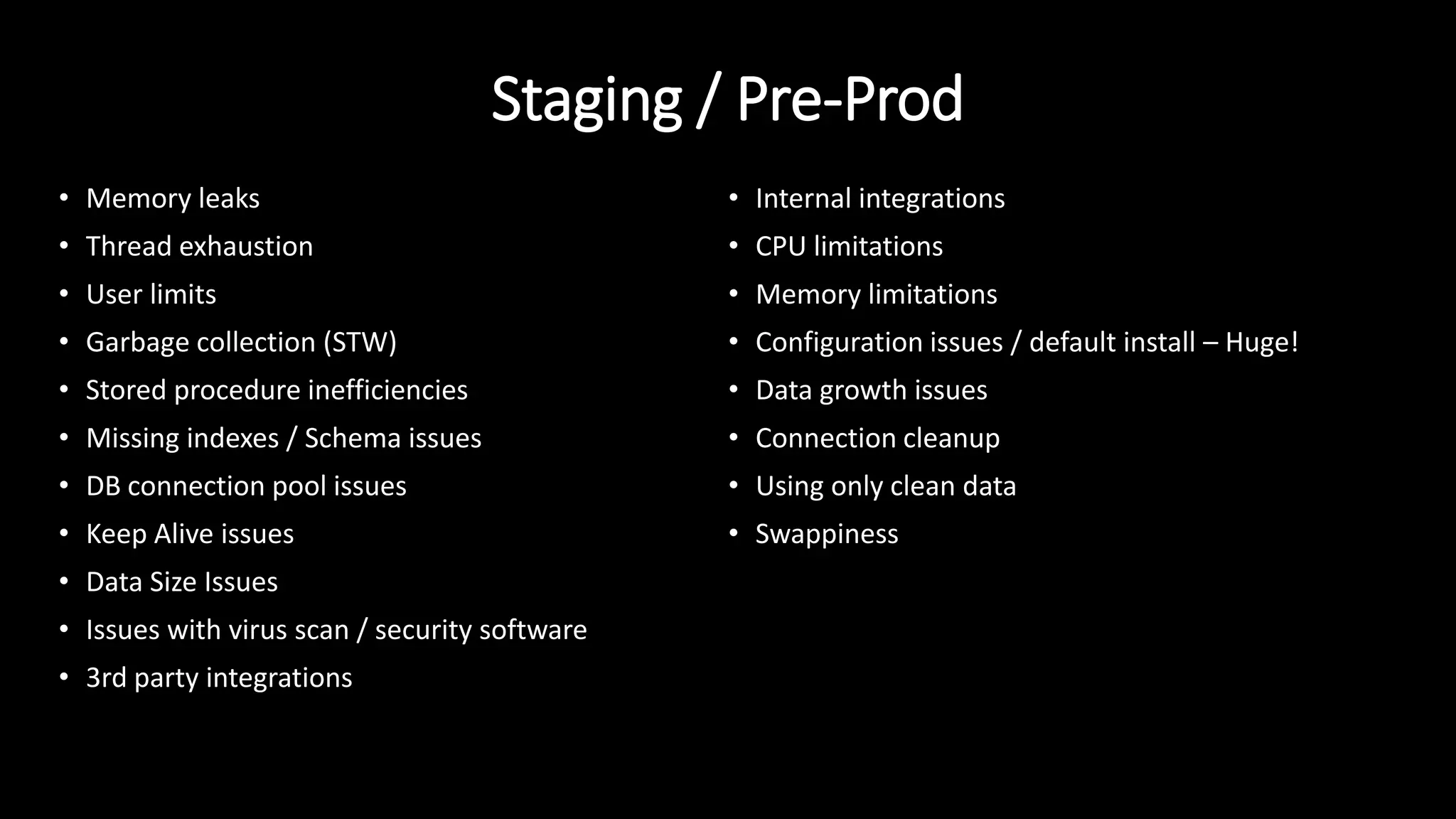
Staging / Pre-Prod
• Memory leaks
• Thread exhaustion
• User limits
• Garbage collection (STW)
• Stored procedure inefficiencies
• Missing indexes / Schema issues
• DB connection pool issues
• Keep Alive issues
• Data Size Issues
• Issues with virus scan / security software
• 3rd party integrations
• Internal integrations
• CPU limitations
• Memory limitations
• Configuration issues / default install – Huge!
• Data growth issues
• Connection cleanup
• Using only clean data
• Swappiness
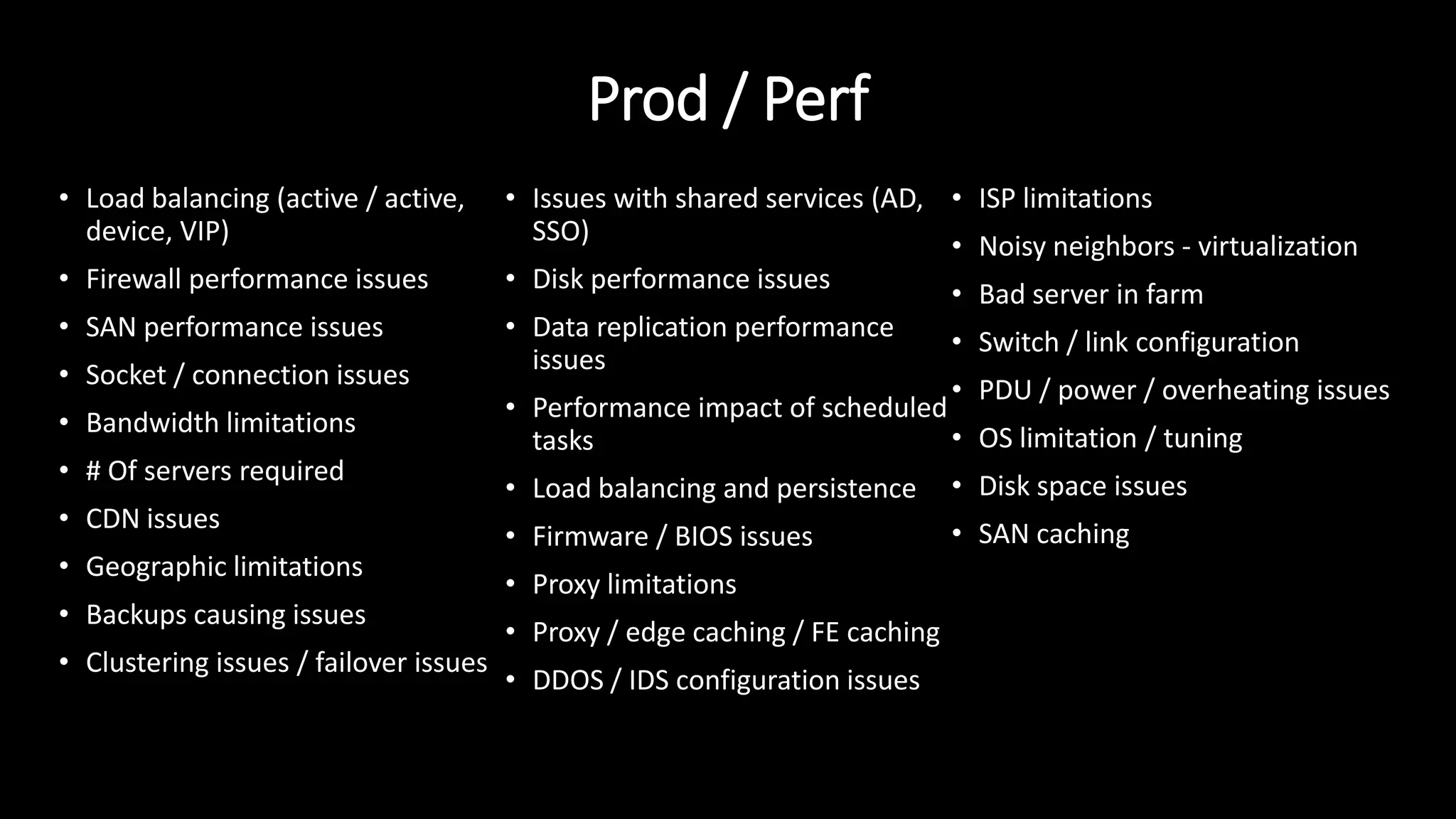
Prod / Perf
• Load balancing (active / active,
device, VIP)
• Firewall performance issues
• SAN performance issues
• Socket / connection issues
• Bandwidth limitations
• # Of servers required
• CDN issues
• Geographic limitations
• Backups causing issues
• Clustering issues / failover issues
• Issues with shared services (AD,
SSO)
• Disk performance issues
• Data replication performance
issues
• Performance impact of scheduled
tasks
• Load balancing and persistence
• Firmware / BIOS issues
• Proxy limitations
• Proxy / edge caching / FE caching
• DDOS / IDS configuration issues
• ISP limitations
• Noisy neighbors - virtualization
• Bad server in farm
• Switch / link configuration
• PDU / power / overheating issues
• OS limitation / tuning
• Disk space issues
• SAN caching
Dev testing - APIs
Mobile web/app example
Staging testing – Capacity w/
UI and API
Build automation
Baseline Pre-Prod / Staging -
platform
Prod / Perf testing
(inside firewall) –
stability / scalability
Prod / Perf testing
(outside firewall) –
network / load
balancing
QA testing – API flows
Optimize app
chatter and
network resources
Mobile app released
Mobile app built
Mobile site releasedMobile site built
APIs released/ BE functionality
Front End
Optimization
What if legacy testing principles were applied?
Staging testing – Capacity
w/ UI and API
Baseline Pre-Prod / Staging -
platform
Prod / Perf testing (inside firewall) –
stability / scalability
Prod / Perf testing (outside
firewall) – network / load
balancing
Front End
Optimization
Optimize app
chatter and
network resources
Mobile app released
Mobile app built
Mobile site releasedMobile site built
APIs released/ BE functionality
What worked?
• App was developed with testability in mind
• Testing earlier in the development of the mobile app
• Back end testing was completed prior to release any front end!
• Isolation of back end and front end
• Fast feedback for bad builds (functional, errors, performance)
• Build validation with automation led to faster iterations
• Reusability of test cases between teams and environments
• Baseline infrastructure; then focus of code changes
• Create experiments to isolate defect targets
• Document what defects were caught in each environment; refine
• Using production-like data sets as early as possible!
• Build test cases as close to dev as possible
What does performance test automation
look like?
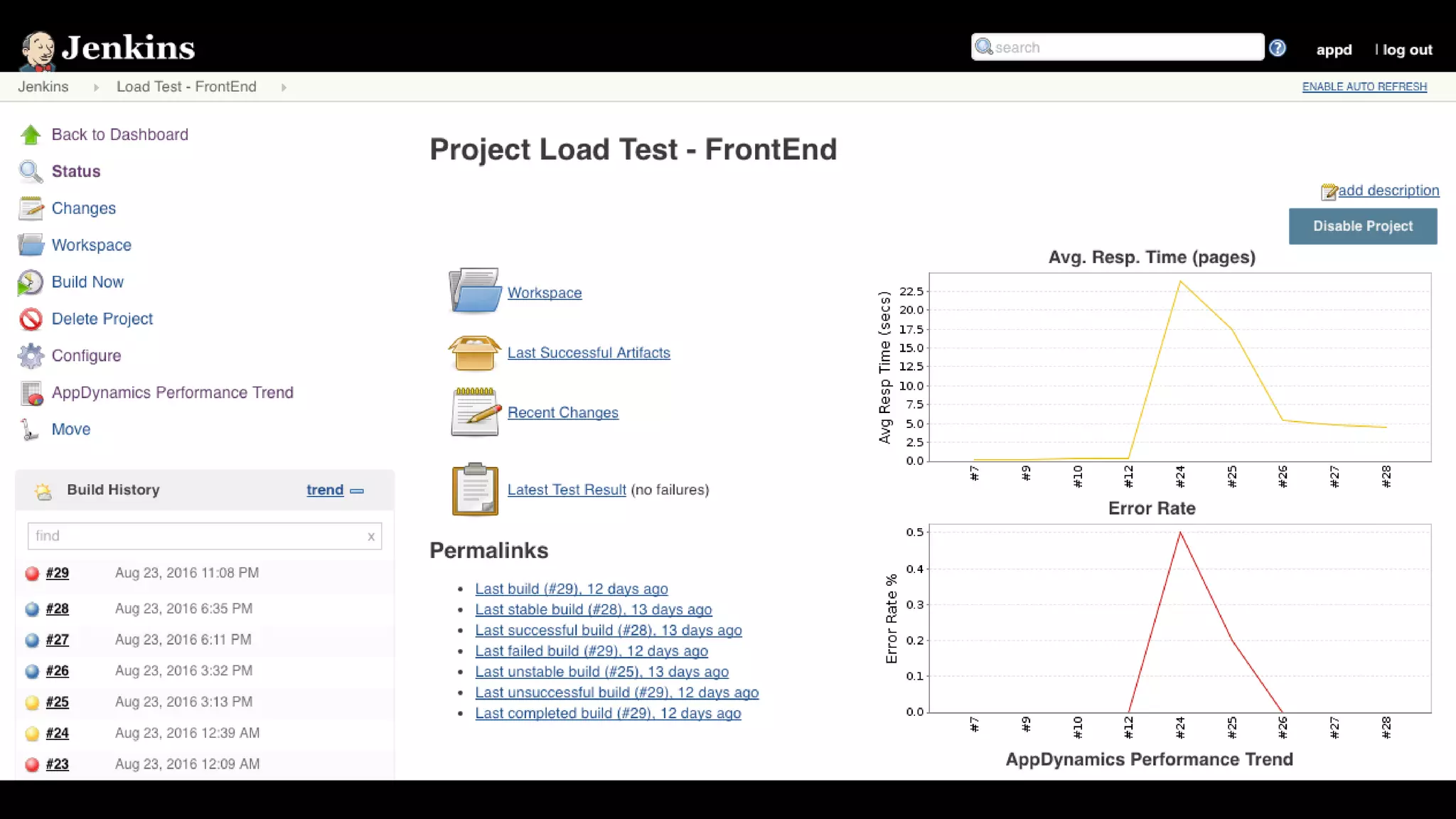
• Pinpoint root cause!
• ”Its slower. Is it the database, or the application server, or the code?”
• Used for initial tuning and build testing
• Ensure visibility into infrastructure – automatically updated
• Get resources out of war rooms
• Remove the need to manually setup monitoring in performance tools
• Compare build performance
• Correlate performance and load
• Eliminate re-testing - some issues are difficult to reproduce (backups, virus scan updates) issues outside the
application
• Compare performance in different environments, code the same – what’s different?
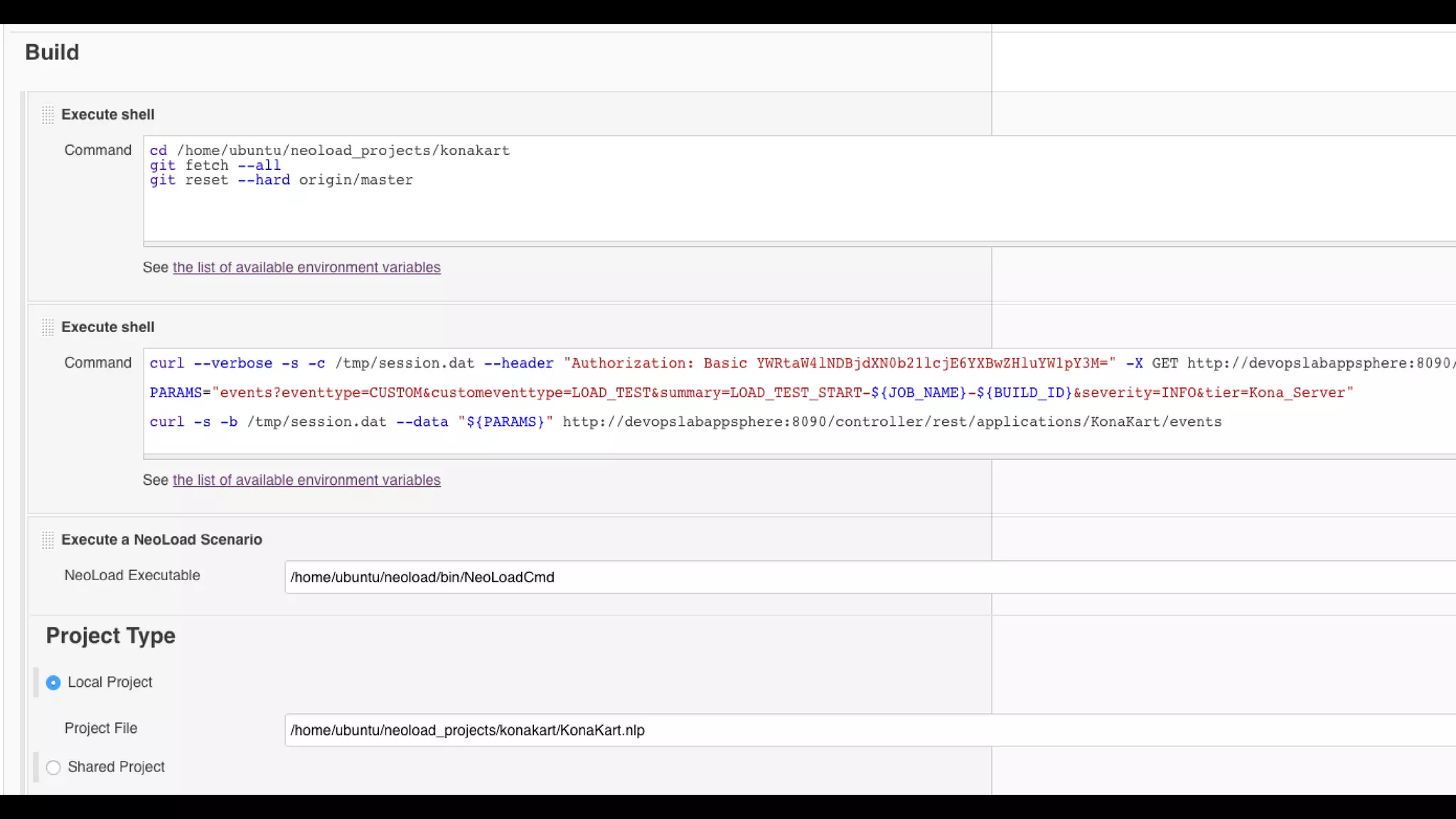
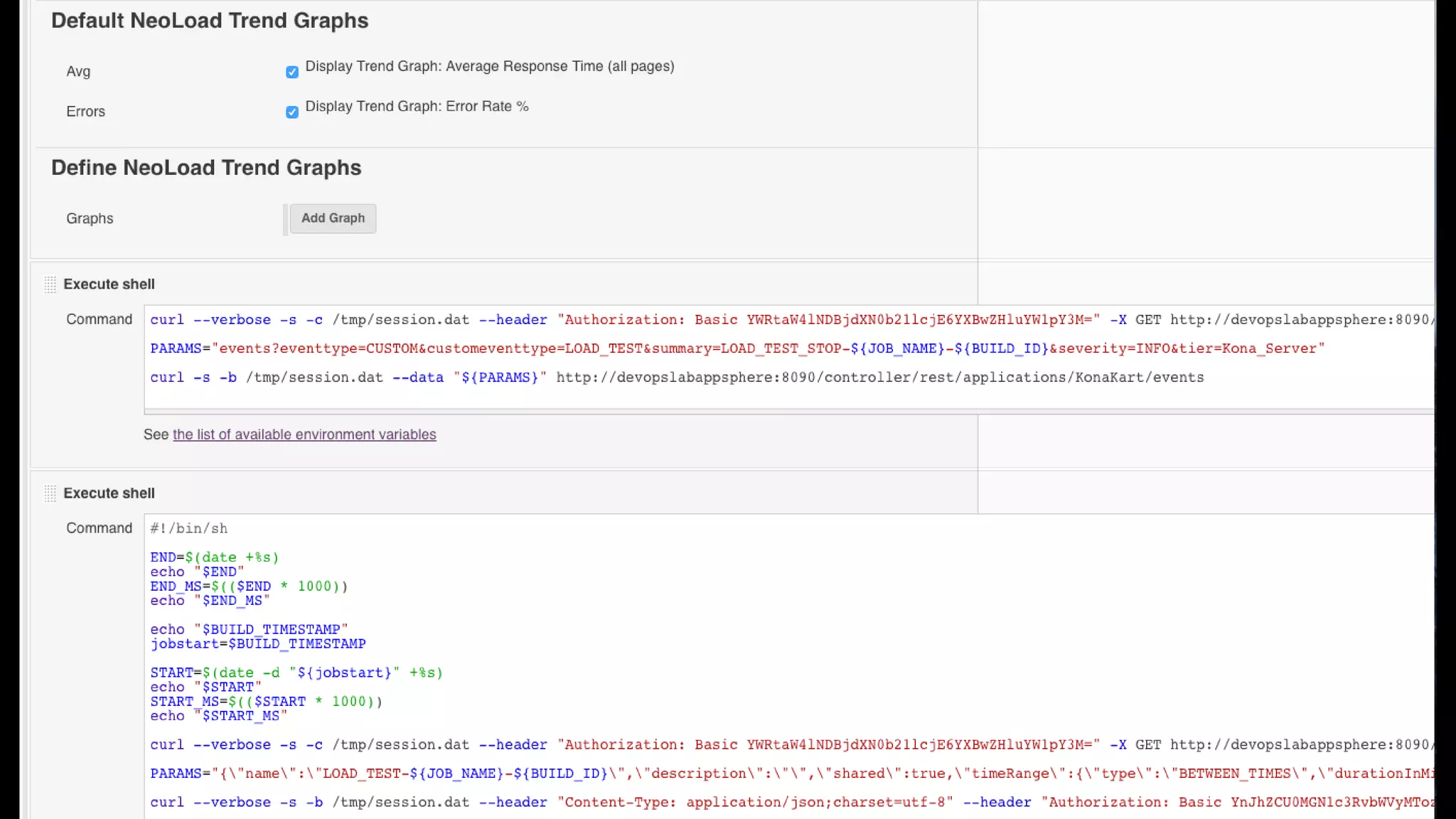
• Pass / Fail based on performance – extend performance tools or use less sophisticated performance tools
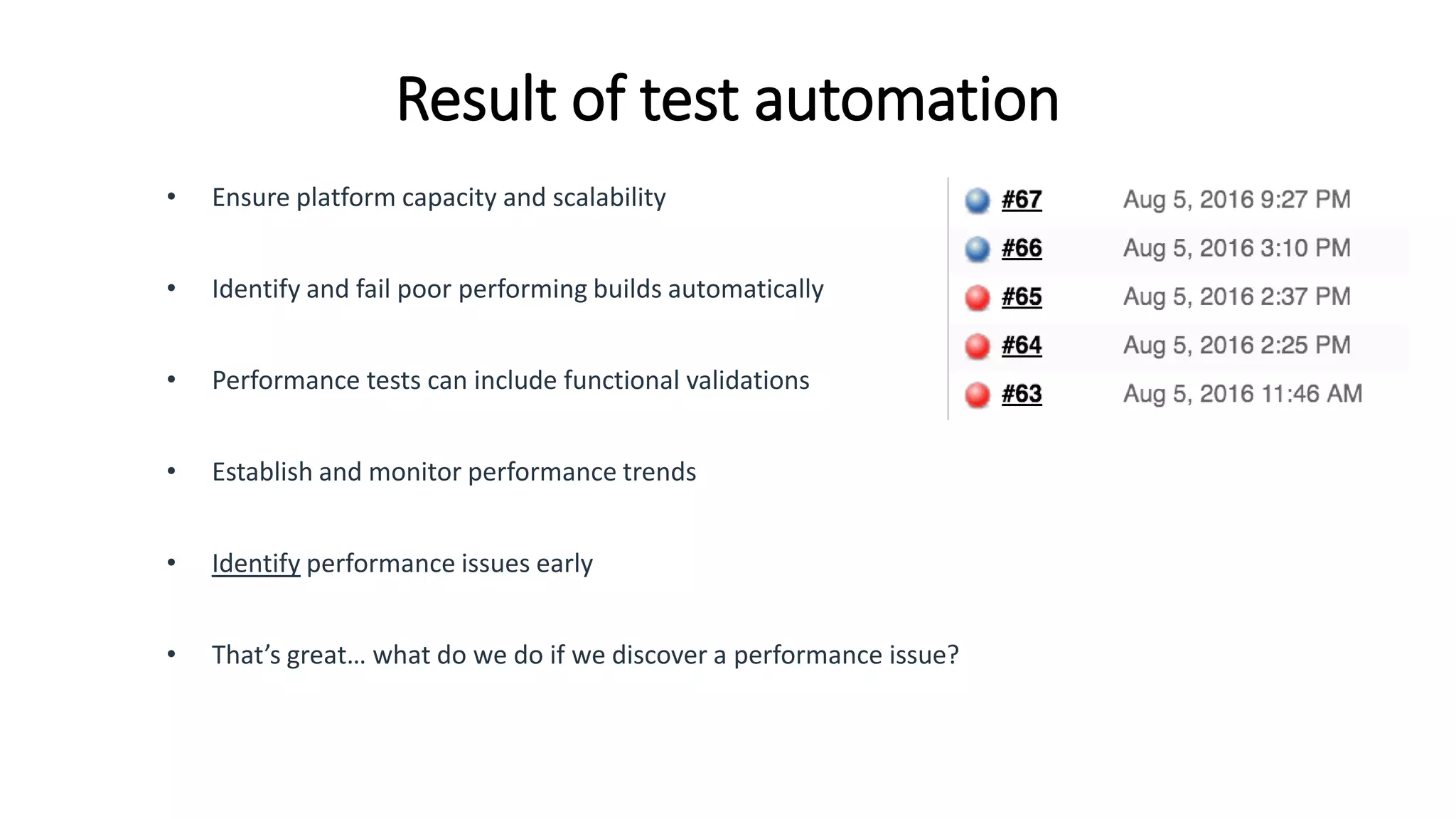
Result of test automation
• Ensure platform capacity and scalability
• Identify and fail poor performing builds automatically
• Performance tests can include functional validations
• Establish and monitor performance trends
• Identify performance issues early
• That’s great… what do we do if we discover a performance issue?
When to say no
• Not baselining infrastructure (there costs associated with auto-scaling)
• ‘Green Stamp’
• Empty database testing
• Capacity testing with a fraction of the web / app tier
• Testing 50 VUs and certifying 500 VUs
• 0 think time testing
• 10 minute performance tests
• No pass / fail criteria
• Just tell me if it will break
• … we will add caching later
Questions?
Tech Stack
brad.stoner@appdynamics.com

Comprehensive Performance Testing: From Early Dev to Live Production

  • 1.
            T15   Performance  Testing   10/6/16  13:30             Comprehensive  Performance  Testing:   From  Early  Dev  to  Live  Production   Presented  by:         Brad  Stoner       AppDynamics     Brought  to  you  by:                 350  Corporate  Way,  Suite  400,  Orange  Park,  FL  32073     888-­‐-­‐-­‐268-­‐-­‐-­‐8770  ·∙·∙  904-­‐-­‐-­‐278-­‐-­‐-­‐0524  -­‐  info@techwell.com  -­‐  http://www.starwest.techwell.com/            
  • 2.
        Brad  Stoner       Brad  StonerÊis  a  Senior  Sales  Engineer  with  AppDynamics.  In  his  fourteen  years  of   IT  experience,  Brad  has  held  roles  in  performance  engineering,  systems  engineering,   and  operations  management.  Previously,  Brad  managed  the  load  and  performance   team  at  H&R  Block  where  he  spent  seven  years  leading  his  five-­‐person  team  in   pursuit  of  improved  application  performance  and  quality.  Brad  and  his  team   managed  the  performance  testing  process  for  more  than  fifty  projects  annually.  He   founded  Sandbreak  Digital  Solutions,  a  consulting  company  specializing  in  web   application  performance  testing,  web  page  optimization,  front  end  optimization,   capacity  testing,  infrastructure  validation,  and  cloud  testing.  
  • 3.
    Comprehensive performance testing: Fromearly dev to live production Brad Stoner – October 2016
  • 4.
    My background • 7years @ H&R Block Load and Performance Team • 5 person team • 100k + user concurrency • Tax peak 2nd week after go-live • 70 applications annually • Diverse technology stack – including 3rd party • 2 years @ Neotys – Performance testing software vendor • Currently Sales Engineer @ AppDynamics brad.stoner@appdynamics.com @sandbreak80
  • 5.
    What is performancetesting In software engineering, performance testing is in general, a testing practice performed to determine how a system performs in terms of responsiveness and stability under a particular workload. It can also serve to investigate, measure, validate or verify other quality attributes of the system, such as scalability, reliability and resource usage.* • Load Test • Performance Test • Stress Test • Scalability Test • Capacity Test • Endurance Test • Workload Test • Device, FE, BE, end-to-end * https://en.wikipedia.org/wiki/Software_performance_testing
  • 6.
    Why bother? Google -Using page speed in site ranking Facebook - Launches 'lite' mobile app Amazon - 100ms delay -> $6.79M sales decrease Recent airline industry outages
  • 7.
    Legacy performance testing •Test after QA and right before launch / deployment to prod • Test entire application in war room • Complex workloads and use cases • 3-5 weeks to complete • 3-5 days to script single use case • Difficult to pinpoint root cause • Test high volume, long duration • Peel back onion approach – GIANT ONION (more later) • Test system capacity and scalability • Code focused – only if needed • Require code freeze • Potentially expensive and time consuming changes
  • 8.
    Increasing velocity • Customerswant everything faster • Business demands quicker time to market • Reduce risk and pain of ‘giant deployments’ • Resolve defects faster at a lower cost • Keep competitive • … Performance testing isn't historically fast
  • 9.
    Main challenges • Time •Need to rescript use cases • Fluid environments – both software and infrastructure • Sequential workflows • Test Data management and synthesis • Complex load profiles • Multiple user profiles • Integrations • Synchronizing builds and functionality
  • 10.
    Keeping up withAgile / DevOps • “It takes 2 weeks to script all our use cases and we get releases every 3 days” • “The application is too difficult to test” • “We are moving to agile on our legacy waterfall project. How we get started?” • “QA will always be the bottleneck” • “Issues are difficult to reproduce and our environment is unstable” • “We don’t have visibility into our infrastructure” • “If we find an issue, it still takes a week to fix” • “We have no idea what changed in the application or why we are testing it again”
  • 11.
  • 12.
    Pull back thelayers Prod / Perf - Outside Firewall Prod / Perf - Inside Firewall Pre-Prod / Staging QA Dev
  • 13.
    Resources and speed Prod/ Perf Staging / Pre-Prod DEV/QA Speed Resources
  • 14.
  • 15.
    Dev / QA •Front End Optimization (cache, minimize, round trips, content size, compression) • Code issues (concurrency, locking, blocking, deadlock, single threaded) • Queue build-up • Code level performance (method / class) • Slow responses (functional load) • Issues with Memory allocation • 3rd party code or frameworks • Having debug enabled • JS execution times • Sync vs async calls • Unlimited queries (return all rows) • Caching (code / object) • Excessive DB queries • Logging Levels
  • 16.
    Staging / Pre-Prod •Memory leaks • Thread exhaustion • User limits • Garbage collection (STW) • Stored procedure inefficiencies • Missing indexes / Schema issues • DB connection pool issues • Keep Alive issues • Data Size Issues • Issues with virus scan / security software • 3rd party integrations • Internal integrations • CPU limitations • Memory limitations • Configuration issues / default install – Huge! • Data growth issues • Connection cleanup • Using only clean data • Swappiness
  • 17.
    Prod / Perf •Load balancing (active / active, device, VIP) • Firewall performance issues • SAN performance issues • Socket / connection issues • Bandwidth limitations • # Of servers required • CDN issues • Geographic limitations • Backups causing issues • Clustering issues / failover issues • Issues with shared services (AD, SSO) • Disk performance issues • Data replication performance issues • Performance impact of scheduled tasks • Load balancing and persistence • Firmware / BIOS issues • Proxy limitations • Proxy / edge caching / FE caching • DDOS / IDS configuration issues • ISP limitations • Noisy neighbors - virtualization • Bad server in farm • Switch / link configuration • PDU / power / overheating issues • OS limitation / tuning • Disk space issues • SAN caching
  • 18.
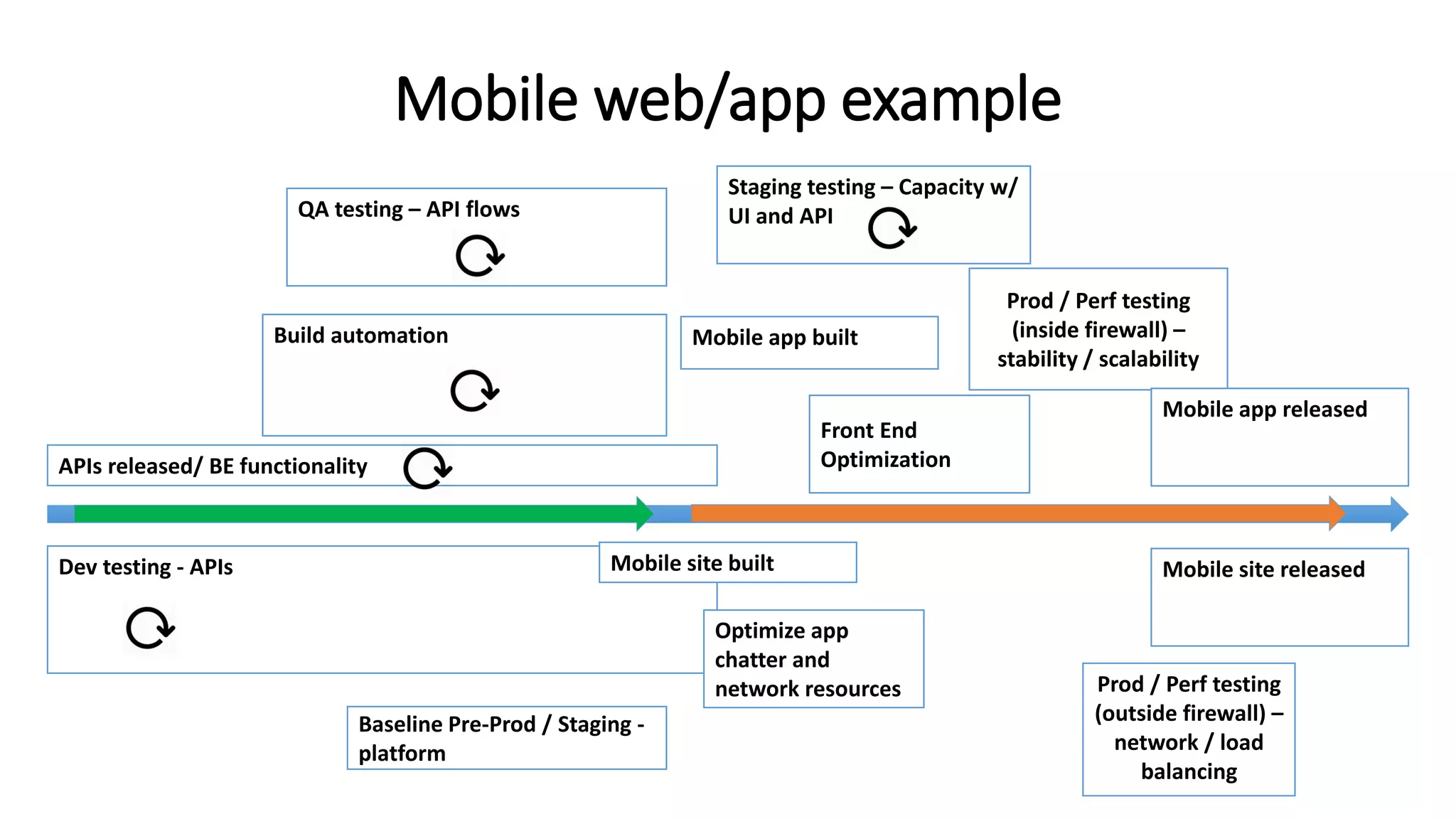
    Dev testing -APIs Mobile web/app example Staging testing – Capacity w/ UI and API Build automation Baseline Pre-Prod / Staging - platform Prod / Perf testing (inside firewall) – stability / scalability Prod / Perf testing (outside firewall) – network / load balancing QA testing – API flows Optimize app chatter and network resources Mobile app released Mobile app built Mobile site releasedMobile site built APIs released/ BE functionality Front End Optimization
  • 19.
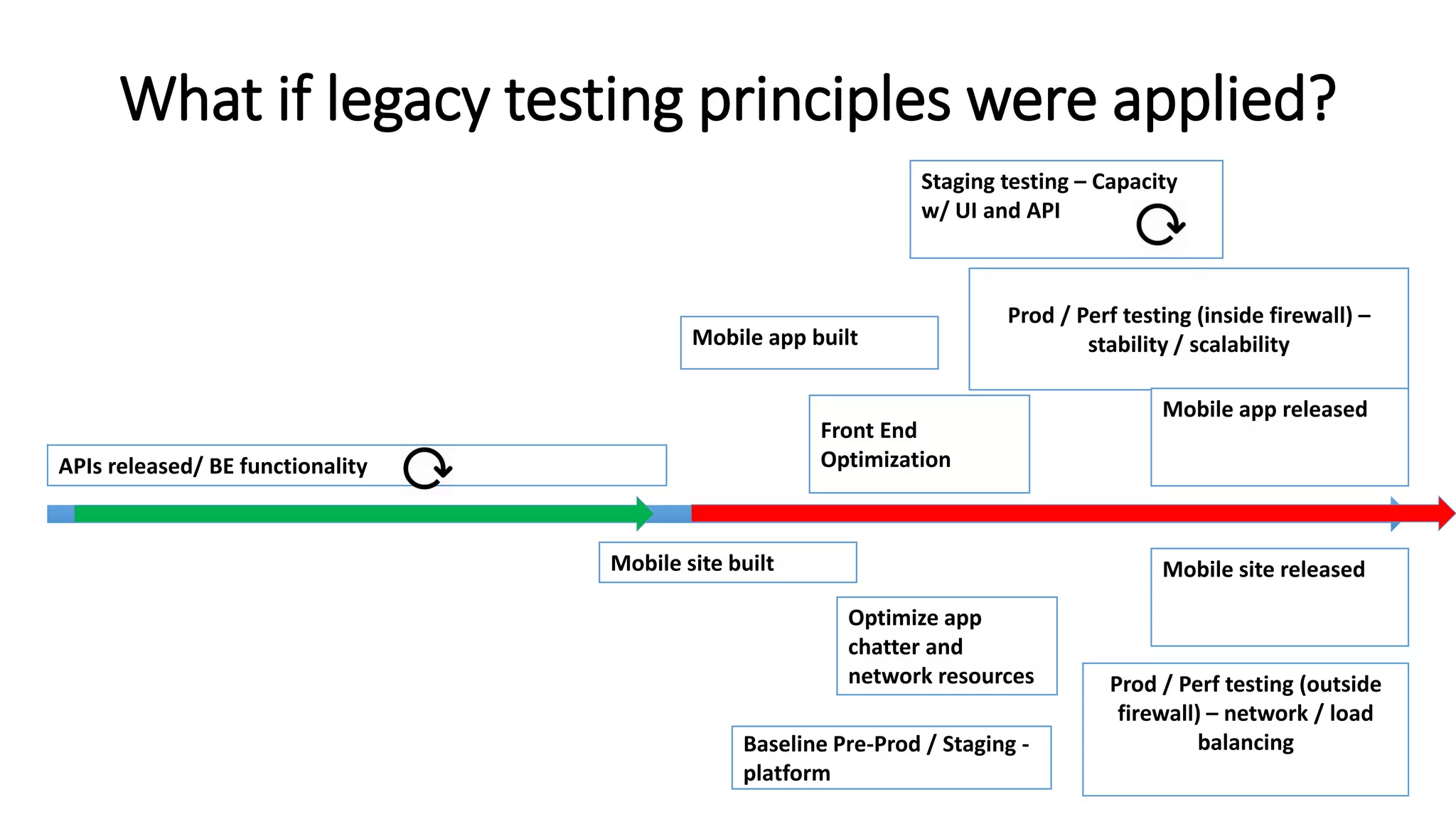
    What if legacytesting principles were applied? Staging testing – Capacity w/ UI and API Baseline Pre-Prod / Staging - platform Prod / Perf testing (inside firewall) – stability / scalability Prod / Perf testing (outside firewall) – network / load balancing Front End Optimization Optimize app chatter and network resources Mobile app released Mobile app built Mobile site releasedMobile site built APIs released/ BE functionality
  • 20.
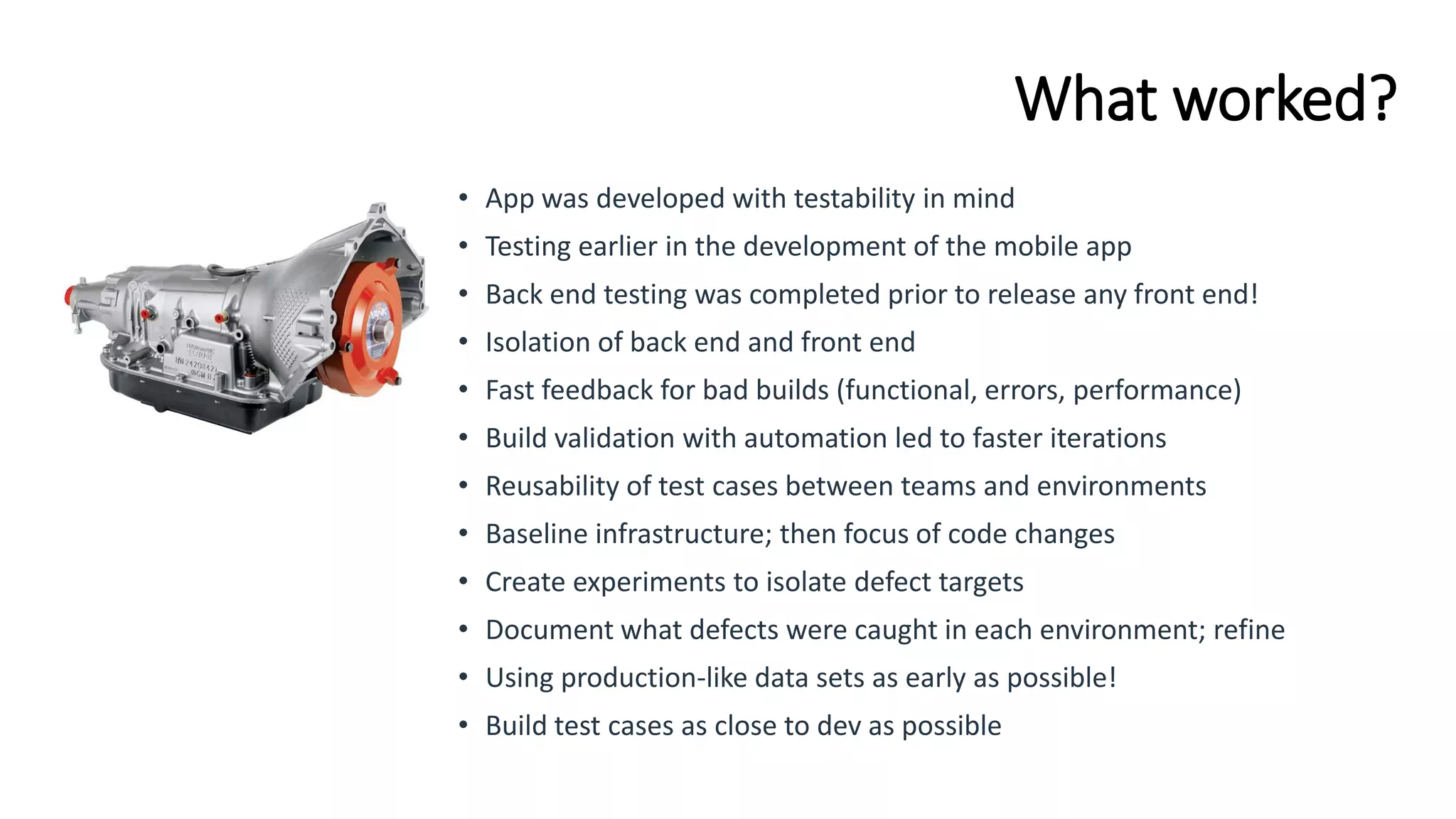
    What worked? • Appwas developed with testability in mind • Testing earlier in the development of the mobile app • Back end testing was completed prior to release any front end! • Isolation of back end and front end • Fast feedback for bad builds (functional, errors, performance) • Build validation with automation led to faster iterations • Reusability of test cases between teams and environments • Baseline infrastructure; then focus of code changes • Create experiments to isolate defect targets • Document what defects were caught in each environment; refine • Using production-like data sets as early as possible! • Build test cases as close to dev as possible
  • 21.
    What does performancetest automation look like?
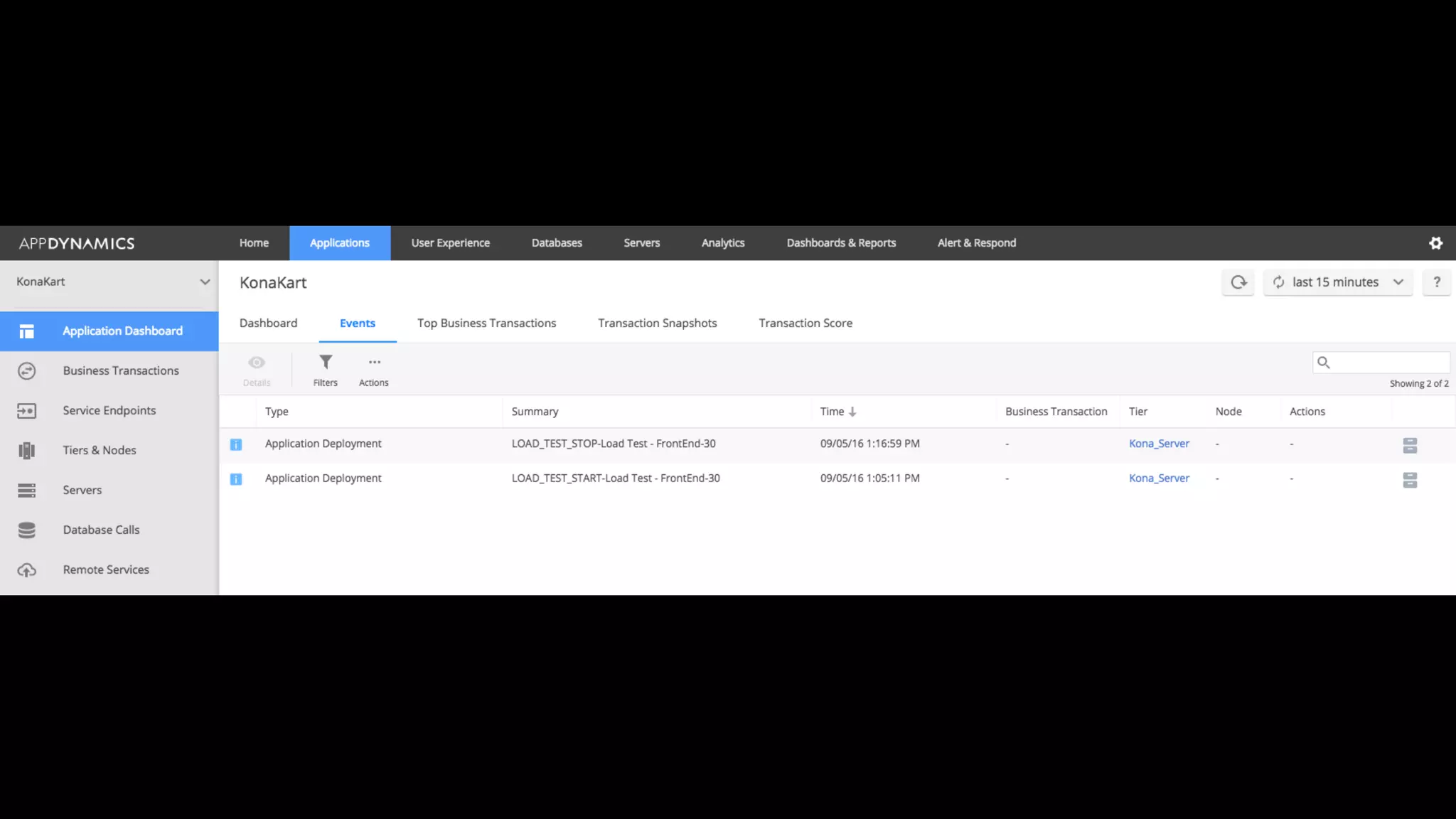
  • 23.
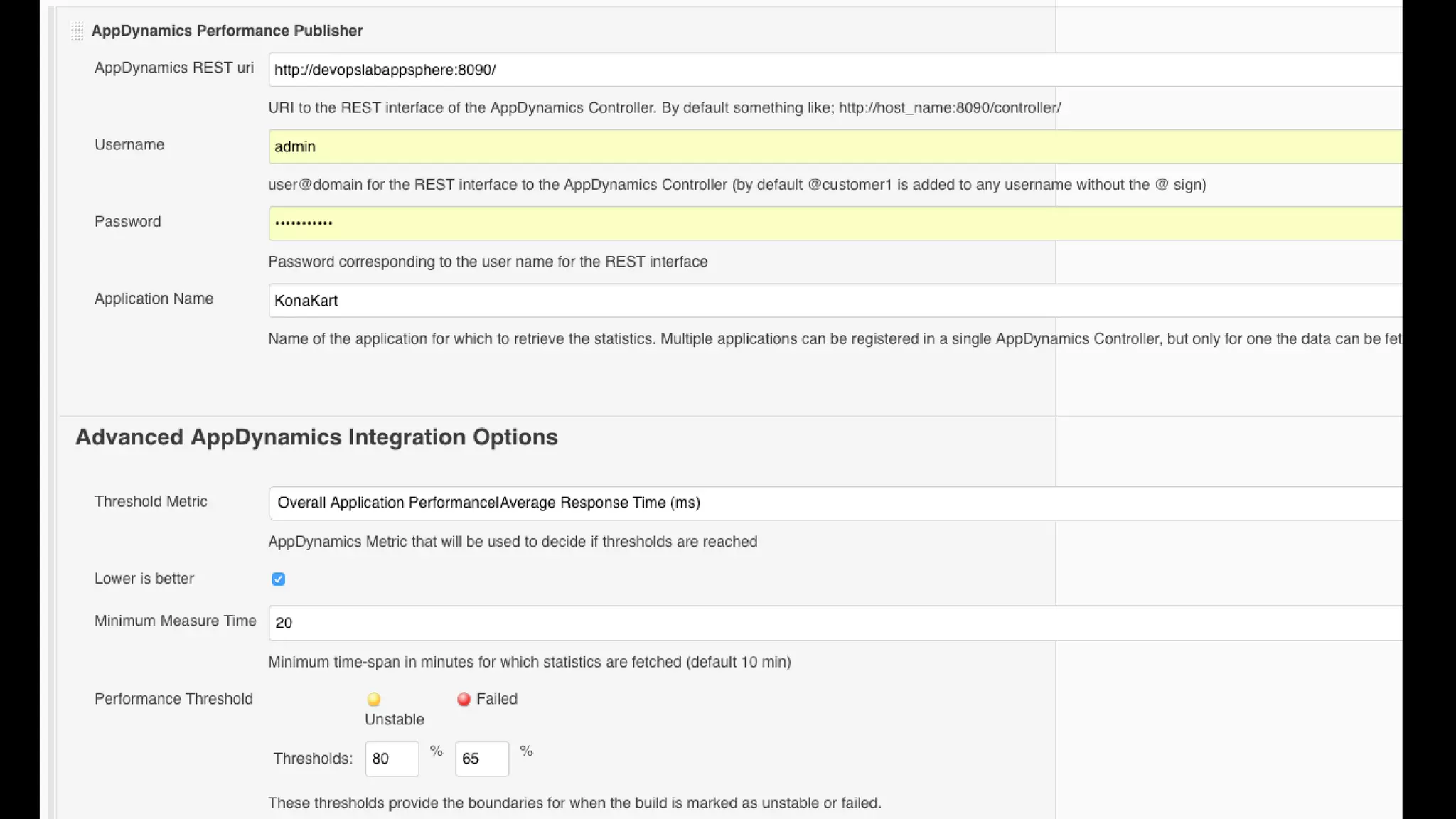
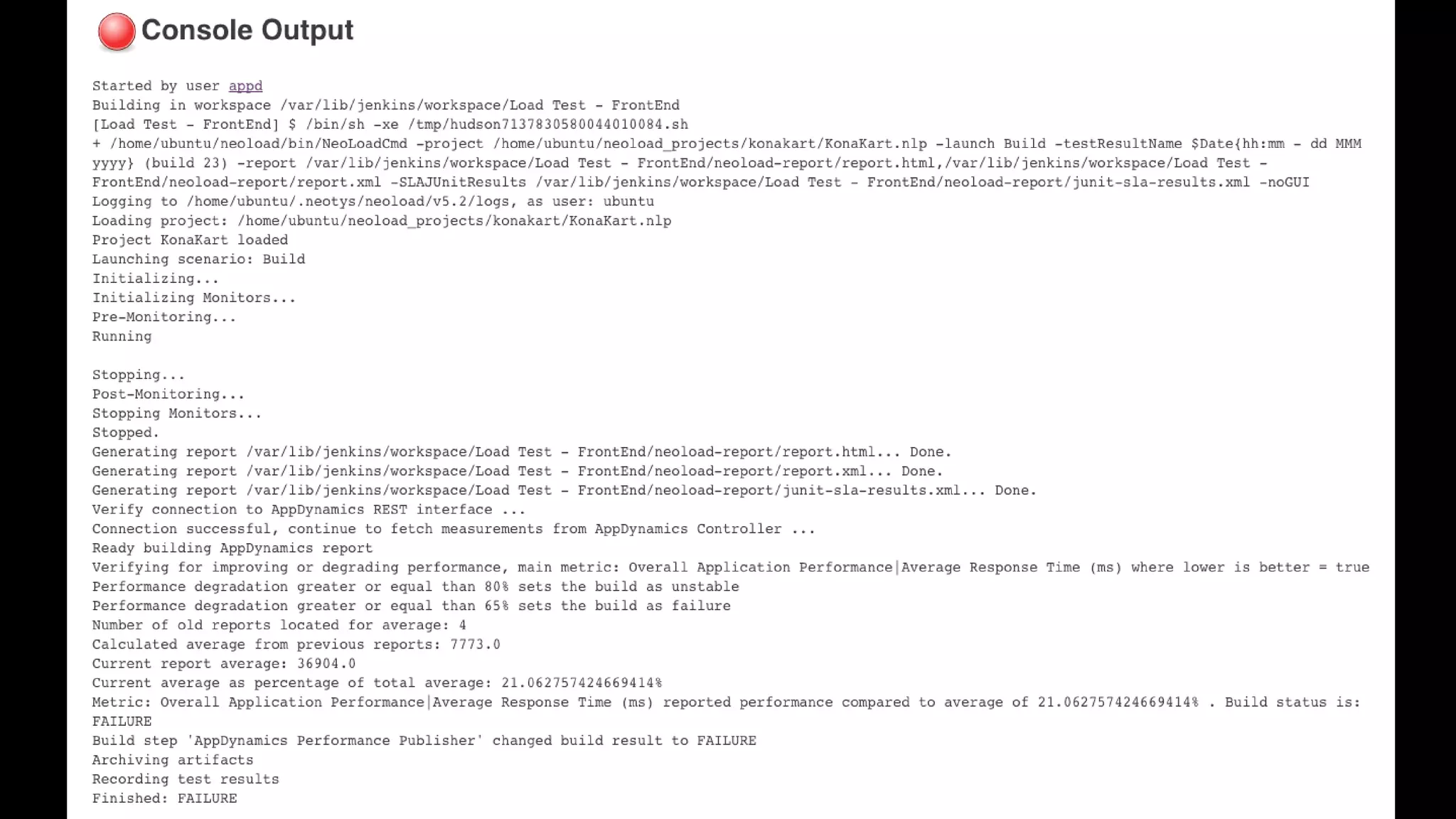
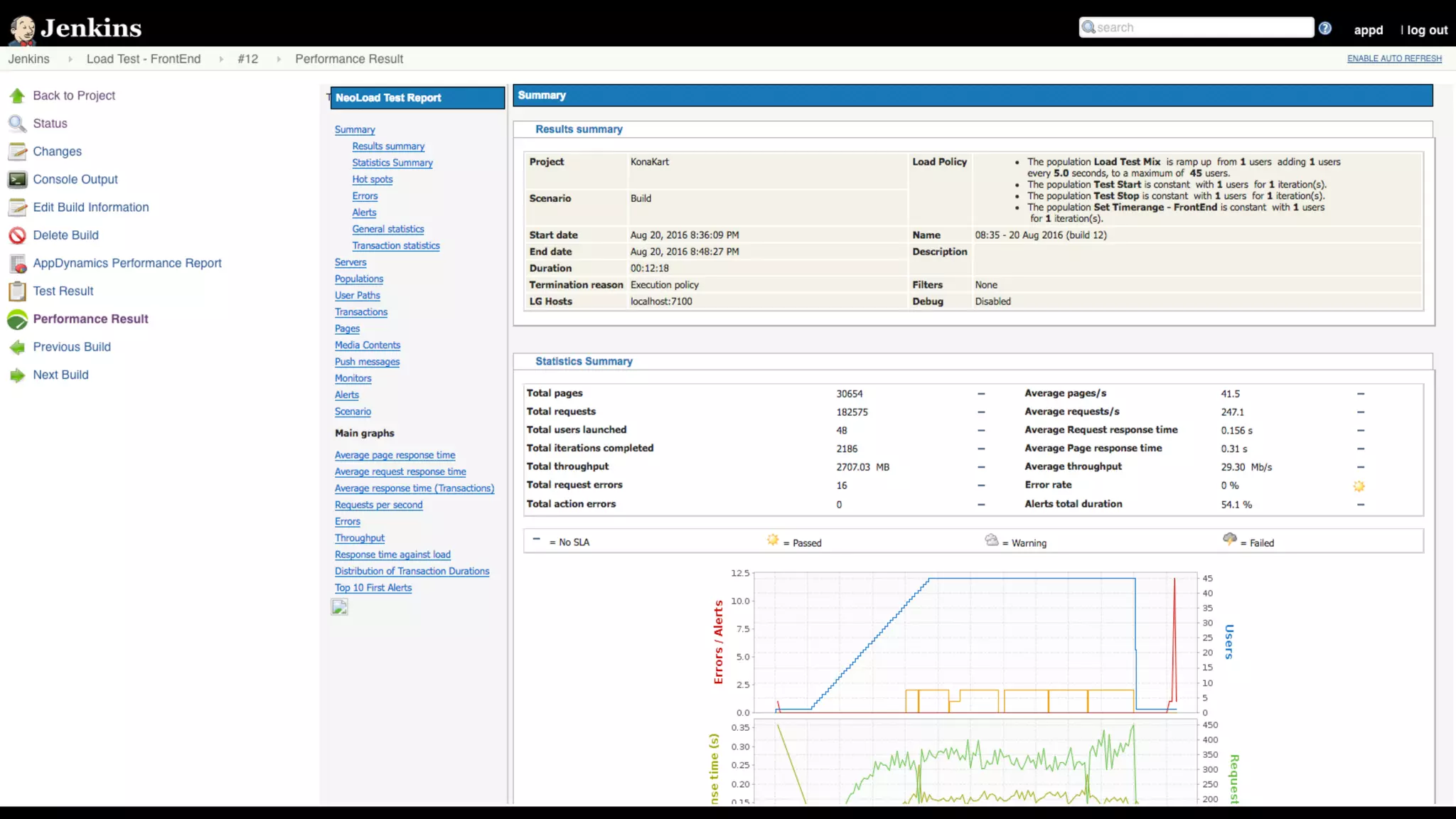
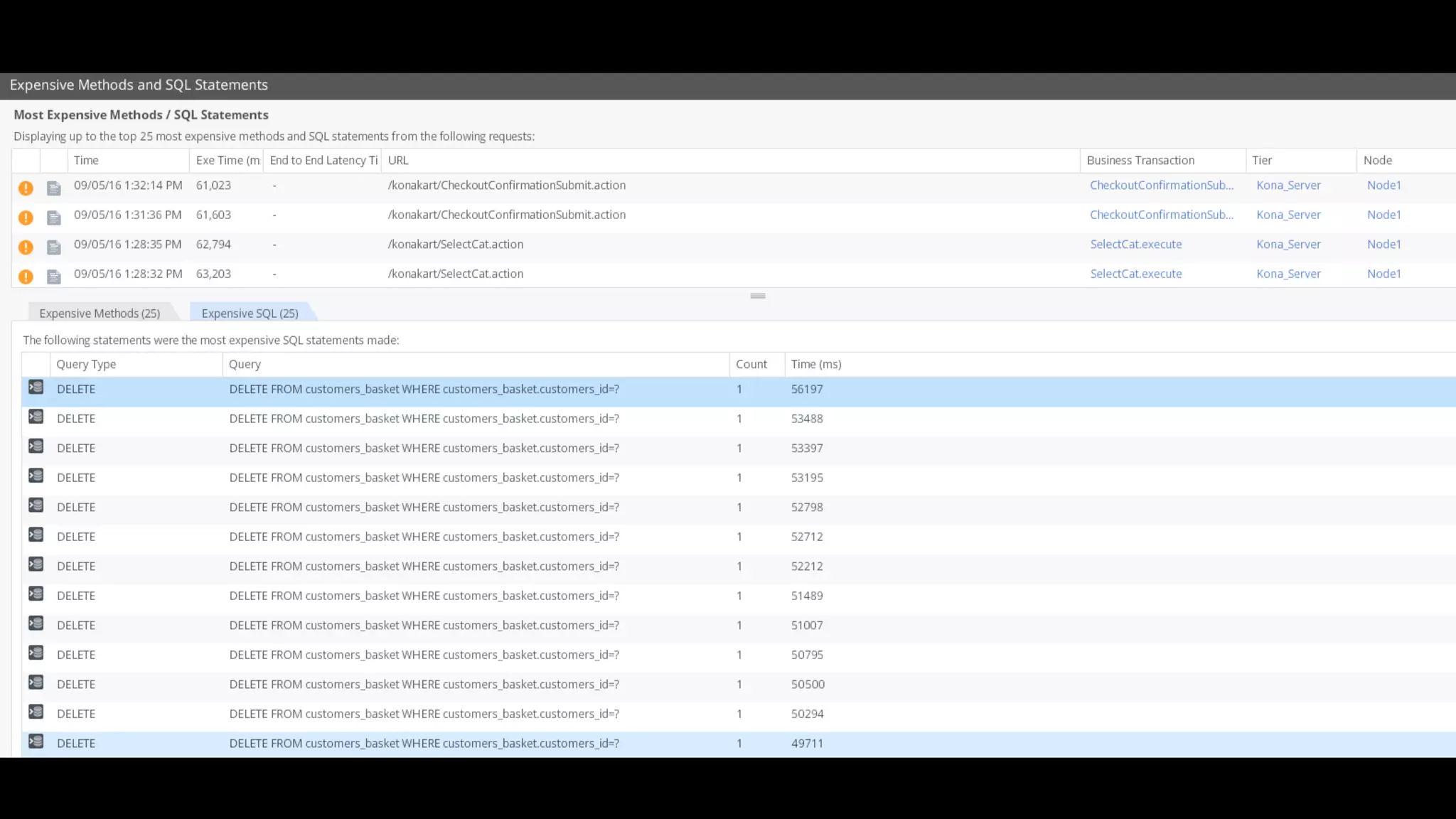
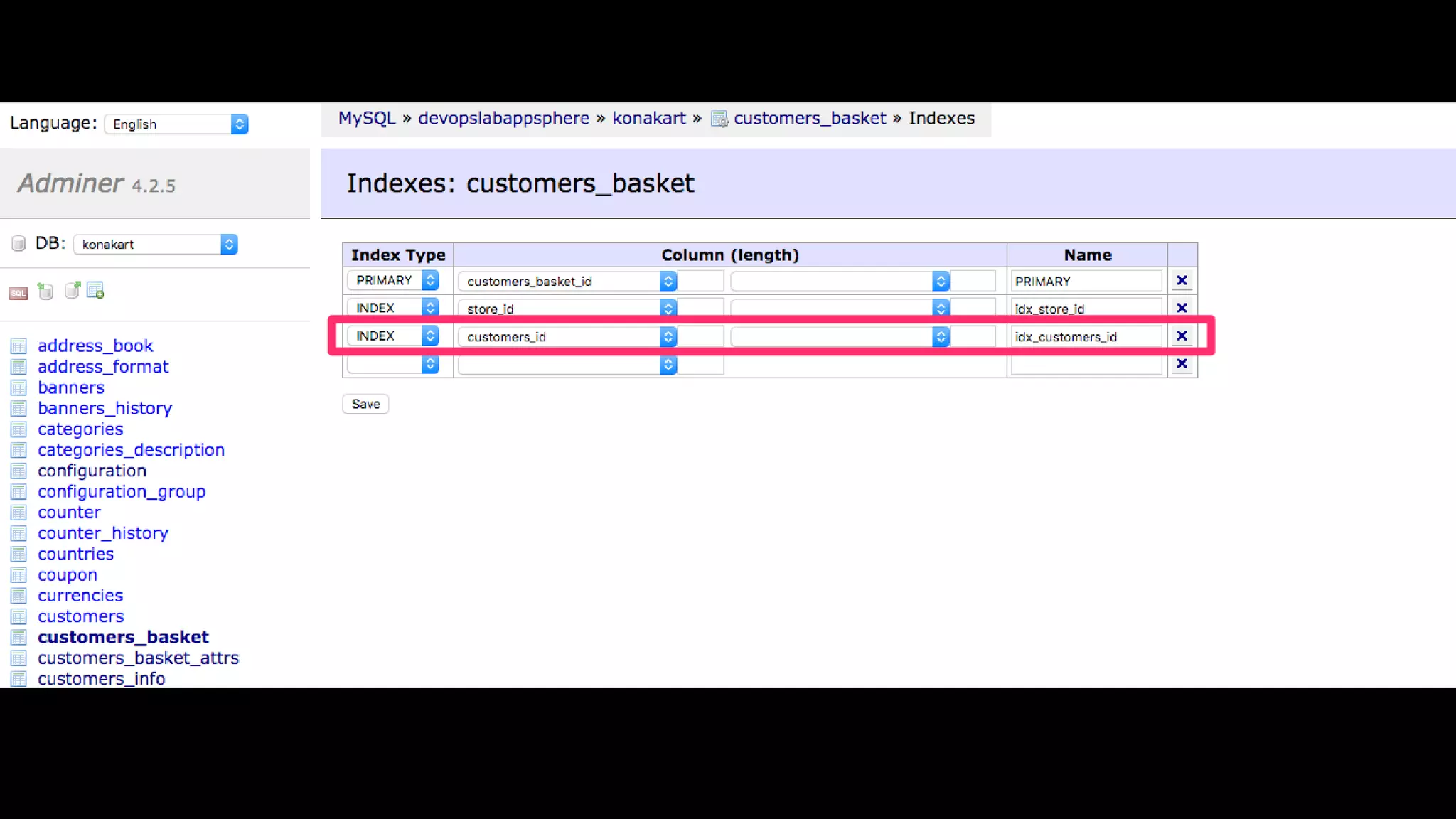
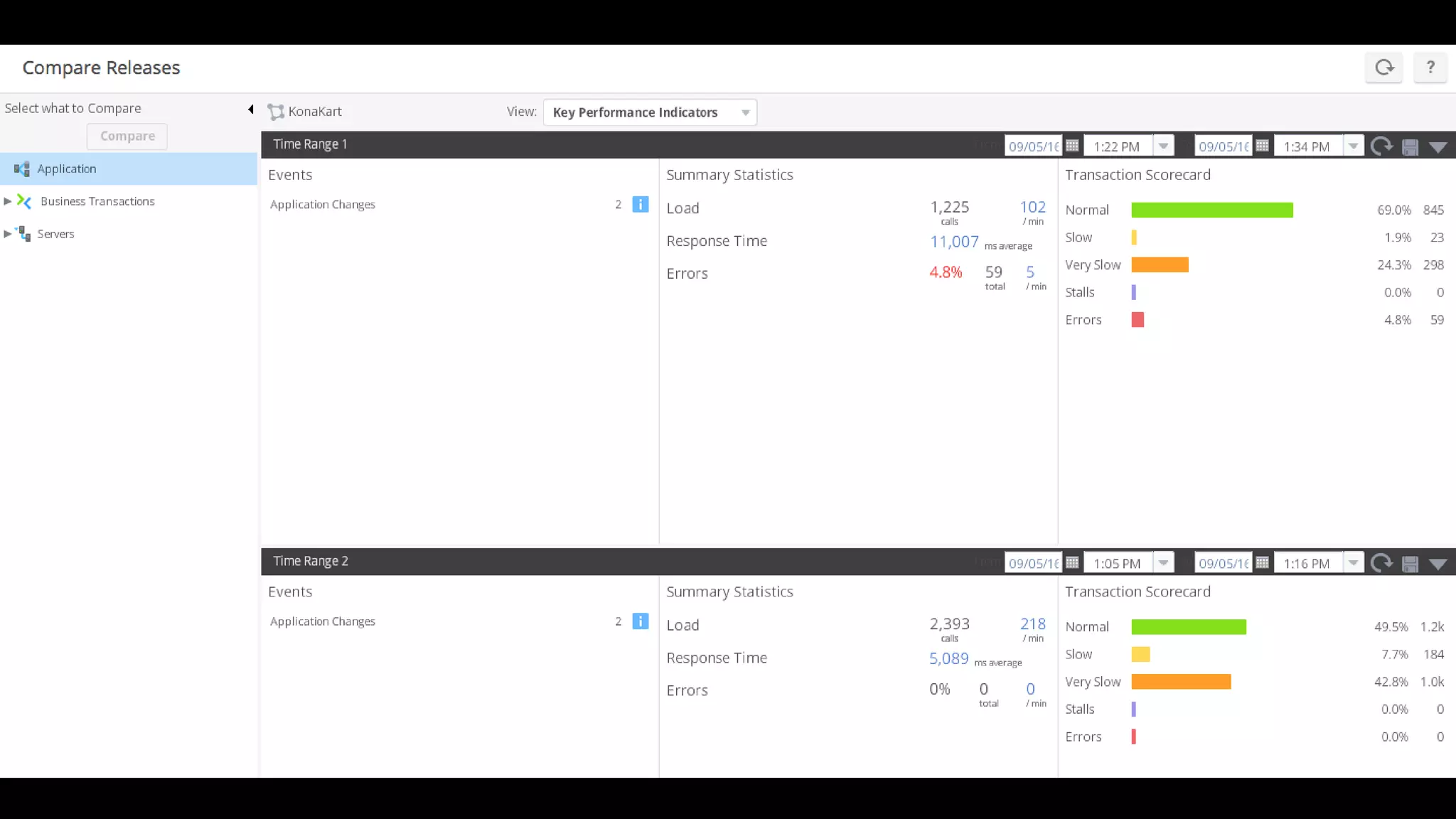
    • Pinpoint rootcause! • ”Its slower. Is it the database, or the application server, or the code?” • Used for initial tuning and build testing • Ensure visibility into infrastructure – automatically updated • Get resources out of war rooms • Remove the need to manually setup monitoring in performance tools • Compare build performance • Correlate performance and load • Eliminate re-testing - some issues are difficult to reproduce (backups, virus scan updates) issues outside the application • Compare performance in different environments, code the same – what’s different? • Pass / Fail based on performance – extend performance tools or use less sophisticated performance tools
  • 27.
    Result of testautomation • Ensure platform capacity and scalability • Identify and fail poor performing builds automatically • Performance tests can include functional validations • Establish and monitor performance trends • Identify performance issues early • That’s great… what do we do if we discover a performance issue?
  • 34.
    When to sayno • Not baselining infrastructure (there costs associated with auto-scaling) • ‘Green Stamp’ • Empty database testing • Capacity testing with a fraction of the web / app tier • Testing 50 VUs and certifying 500 VUs • 0 think time testing • 10 minute performance tests • No pass / fail criteria • Just tell me if it will break • … we will add caching later
  • 35.