Ch4 Best Practices
Primer
Adam Feldscher
Performance Design Patterns Independent Study
8/19/19
1
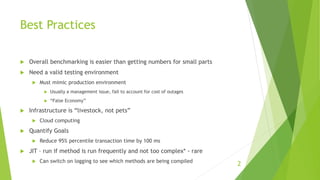
Best Practices
 Overall benchmarking is easier than getting numbers for small parts
 Need a valid testing environment
 Must mimic production environment
 Usually a management issue, fail to account for cost of outages
 “False Economy”
 Infrastructure is “livestock, not pets”
 Cloud computing
 Quantify Goals
 Reduce 95% percentile transaction time by 100 ms
 JIT – run if method is run frequently and not too complex* - rare
 Can switch on logging to see which methods are being compiled
2
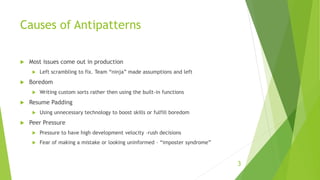
Causes of Antipatterns
 Most issues come out in production
 Left scrambling to fix. Team “ninja” made assumptions and left
 Boredom
 Writing custom sorts rather then using the built-in functions
 Resume Padding
 Using unnecessary technology to boost skills or fulfill boredom
 Peer Pressure
 Pressure to have high development velocity –rush decisions
 Fear of making a mistake or looking uninformed – “imposter syndrome”
3
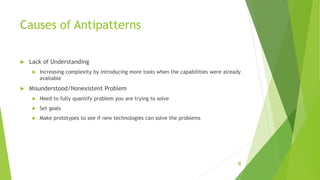
Causes of Antipatterns
 Lack of Understanding
 Increasing complexity by introducing more tools when the capabilities were already
available
 Misunderstood/Nonexistent Problem
 Need to fully quantify problem you are trying to solve
 Set goals
 Make prototypes to see if new technologies can solve the problems
4
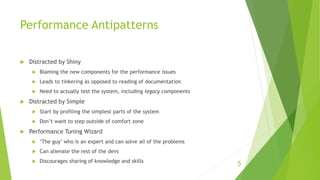
Performance Antipatterns
 Distracted by Shiny
 Blaming the new components for the performance issues
 Leads to tinkering as opposed to reading of documentation
 Need to actually test the system, including legacy components
 Distracted by Simple
 Start by profiling the simplest parts of the system
 Don’t want to step outside of comfort zone
 Performance Tuning Wizard
 ‘The guy’ who is an expert and can solve all of the problems
 Can alienate the rest of the devs
 Discourages sharing of knowledge and skills
5
Performance Antipatterns
 Tuning by Folklore
 “I found these great tips on Stack Overflow. This changes everything.”
 Need to know the full context of configuration parameters
 Performance workarounds don’t age well
 The Blame Donkey
 Blame one component and focus on that, even though it has nothing to do with the
issue
 Missing the Bigger Picture
 Only benchmark a small portion of the program
 UAT Is My Desktop
 Fine for virtualized microservices, but not accurate for large servers
 Need a real testing environment
6
Performance Antipatterns
 Production-Like Data Is Hard
 This doesn’t give you realistic benchmarks
 Falls into the “something must be better than nothing” trap.
 This isn’t the case with bad performance testing
7

Performance Design Patterns 3

  • 1.
    Ch4 Best Practices Primer AdamFeldscher Performance Design Patterns Independent Study 8/19/19 1
  • 2.
    Best Practices  Overallbenchmarking is easier than getting numbers for small parts  Need a valid testing environment  Must mimic production environment  Usually a management issue, fail to account for cost of outages  “False Economy”  Infrastructure is “livestock, not pets”  Cloud computing  Quantify Goals  Reduce 95% percentile transaction time by 100 ms  JIT – run if method is run frequently and not too complex* - rare  Can switch on logging to see which methods are being compiled 2
  • 3.
    Causes of Antipatterns Most issues come out in production  Left scrambling to fix. Team “ninja” made assumptions and left  Boredom  Writing custom sorts rather then using the built-in functions  Resume Padding  Using unnecessary technology to boost skills or fulfill boredom  Peer Pressure  Pressure to have high development velocity –rush decisions  Fear of making a mistake or looking uninformed – “imposter syndrome” 3
  • 4.
    Causes of Antipatterns Lack of Understanding  Increasing complexity by introducing more tools when the capabilities were already available  Misunderstood/Nonexistent Problem  Need to fully quantify problem you are trying to solve  Set goals  Make prototypes to see if new technologies can solve the problems 4
  • 5.
    Performance Antipatterns  Distractedby Shiny  Blaming the new components for the performance issues  Leads to tinkering as opposed to reading of documentation  Need to actually test the system, including legacy components  Distracted by Simple  Start by profiling the simplest parts of the system  Don’t want to step outside of comfort zone  Performance Tuning Wizard  ‘The guy’ who is an expert and can solve all of the problems  Can alienate the rest of the devs  Discourages sharing of knowledge and skills 5
  • 6.
    Performance Antipatterns  Tuningby Folklore  “I found these great tips on Stack Overflow. This changes everything.”  Need to know the full context of configuration parameters  Performance workarounds don’t age well  The Blame Donkey  Blame one component and focus on that, even though it has nothing to do with the issue  Missing the Bigger Picture  Only benchmark a small portion of the program  UAT Is My Desktop  Fine for virtualized microservices, but not accurate for large servers  Need a real testing environment 6
  • 7.
    Performance Antipatterns  Production-LikeData Is Hard  This doesn’t give you realistic benchmarks  Falls into the “something must be better than nothing” trap.  This isn’t the case with bad performance testing 7