SOFTWARE 2.3.1 OPERATING SYSTEM 2.3.2 APPLICATION SOFTWARE 2.3.3 UTILITY PROGRAM 2.3.4 PROPRIETARY AND OPEN SOURCE  SOFTWARE Prepared by : Norhasimah Mohamed, Head of ICT Panel SMK Sg Pusu 2007
SOFTWARE 2.3.1 OPERATING SYSTEM
LEARNING OUTCOMES State the various types of operating system (OS) used on different platform. State the functions of OS State the different interfaces of OS
Definition of OS An operating system is a set of program that schedule tasks, allocates storage and presents a default interface to the user between applications. An operating system is a set of program that coordinates all the activities among the computer hardware devices.
1. PC PLATFORM OS Various types of OS used on different platforms. Example of OS used on PC platforms or IBM compatible computers are i.) Disk Operating System (DOS) ii.) Microsoft Windows XP
2. APPLE PLATFORM OS The OS used on Apple platform are: i.) Mac OS ii.) Mac OS x
3. CROSS-PLATFORM OPERATING    SYSTEMS Cross-platforms OS are: i.) UNIX ii.) LINUX
Function of OS 1.)  Starting the computing i.) warm boot ii.) cold boot 2.)  Providing a user interface   - controls how the user enters data and instruction and how information is displayed. - to start an application program, manage disks and files (formatting, copying, renaming) - three types of user interface : i.) Command-Line ii.) Menu-Driven iii.) GUI (Graphic User Interface)
Function of OS   cont… 3.) Managing Data and Programs - storage into memory, single tasking, multi tasking 4.) Managing Memory - optimizing the use of RAM - allocating data and instruction to an area of memory while being processed - monitoring the contents of memory - released data and instructions from being monitoring in memory when the process done
Function of OS  cont… 5.) Configuring Devices - handling input and output - enabling communication with input and output devices.  - most OS come with drivers for popular input and output devices. These driver install new devices and check whenever there is conflict with these devices.
SOFTWARE 2.3.2 APPLICATION SOFTWARE
LEARNING OUTCOMES Differentiate between the types and the usage of application software (word processing, spreadsheet, presentation, graphic)
Definition of Application Software Is a computer program or suite of computer programs that performs a particular function for the user. Are all programs that perform specific tasks for user, (word processing, spreadsheet, database, presentation, email, web browser etc)
Usage of Application Software Task 1 -Work in group and collect information and discuss the usage of application software.
SOFTWARE 2.3.3 UTILITY PROGRAM
LEARNING OUTCOMES Differentiate between the types and usage of utility program (file management, diagnostic and file compression)
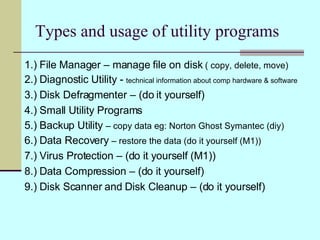
Types and usage of utility programs 1.) File Manager – manage file on disk  ( copy, delete, move) 2.) Diagnostic Utility -  technical information about comp hardware & software 3.) Disk Defragmenter – (do it yourself) 4.) Small Utility Programs 5.) Backup Utility  – copy data eg: Norton Ghost Symantec (diy) 6.) Data Recovery  – restore the data (do it yourself (M1)) 7.) Virus Protection – (do it yourself (M1)) 8.) Data Compression – (do it yourself) 9.) Disk Scanner and Disk Cleanup – (do it yourself)
SOFTWARE 2.3.4 PROPRIETARY AND OPEN SOURCE SOFTWARE
LEARNING OUTCOMES Differentiate between proprietary and open source software
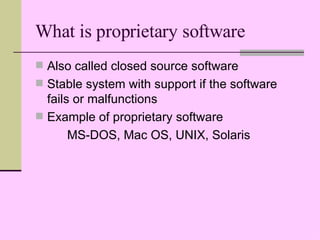
What is proprietary software Also called closed source software Stable system with support if the software fails or malfunctions Example of proprietary software MS-DOS, Mac OS, UNIX, Solaris
What is open source software Is a software provided for use, modification and redistribution Can download from internet, free and modify with suggested improvements Example of open sources software Linux , OpenOffice.org, PHP-Nuke (Joomla), The GIMP, Mozilla, RedHat, wikimedia
TASK 2 Complete your written assignment 2 (S05) Find information on different types of Proprietary and open source OS and application software. Find information about advantages and disadvantages of Proprietary software. Find information about advantages and disadvantages of open source software.
TASK 3 Find information PORT & CONNECTORS i.) Serial Port ii.) Parallel Port iii.) USB Port  iv.) Firewire Port v.) Special Purpose Port a.) MIDI Port b.) SCSI Port c.) IrDA Port

Operating System

  • 1.
    SOFTWARE 2.3.1 OPERATINGSYSTEM 2.3.2 APPLICATION SOFTWARE 2.3.3 UTILITY PROGRAM 2.3.4 PROPRIETARY AND OPEN SOURCE SOFTWARE Prepared by : Norhasimah Mohamed, Head of ICT Panel SMK Sg Pusu 2007
  • 2.
  • 3.
    LEARNING OUTCOMES Statethe various types of operating system (OS) used on different platform. State the functions of OS State the different interfaces of OS
  • 4.
    Definition of OSAn operating system is a set of program that schedule tasks, allocates storage and presents a default interface to the user between applications. An operating system is a set of program that coordinates all the activities among the computer hardware devices.
  • 5.
    1. PC PLATFORMOS Various types of OS used on different platforms. Example of OS used on PC platforms or IBM compatible computers are i.) Disk Operating System (DOS) ii.) Microsoft Windows XP
  • 6.
    2. APPLE PLATFORMOS The OS used on Apple platform are: i.) Mac OS ii.) Mac OS x
  • 7.
    3. CROSS-PLATFORM OPERATING SYSTEMS Cross-platforms OS are: i.) UNIX ii.) LINUX
  • 8.
    Function of OS1.) Starting the computing i.) warm boot ii.) cold boot 2.) Providing a user interface - controls how the user enters data and instruction and how information is displayed. - to start an application program, manage disks and files (formatting, copying, renaming) - three types of user interface : i.) Command-Line ii.) Menu-Driven iii.) GUI (Graphic User Interface)
  • 9.
    Function of OS cont… 3.) Managing Data and Programs - storage into memory, single tasking, multi tasking 4.) Managing Memory - optimizing the use of RAM - allocating data and instruction to an area of memory while being processed - monitoring the contents of memory - released data and instructions from being monitoring in memory when the process done
  • 10.
    Function of OS cont… 5.) Configuring Devices - handling input and output - enabling communication with input and output devices. - most OS come with drivers for popular input and output devices. These driver install new devices and check whenever there is conflict with these devices.
  • 11.
  • 12.
    LEARNING OUTCOMES Differentiatebetween the types and the usage of application software (word processing, spreadsheet, presentation, graphic)
  • 13.
    Definition of ApplicationSoftware Is a computer program or suite of computer programs that performs a particular function for the user. Are all programs that perform specific tasks for user, (word processing, spreadsheet, database, presentation, email, web browser etc)
  • 14.
    Usage of ApplicationSoftware Task 1 -Work in group and collect information and discuss the usage of application software.
  • 15.
  • 16.
    LEARNING OUTCOMES Differentiatebetween the types and usage of utility program (file management, diagnostic and file compression)
  • 17.
    Types and usageof utility programs 1.) File Manager – manage file on disk ( copy, delete, move) 2.) Diagnostic Utility - technical information about comp hardware & software 3.) Disk Defragmenter – (do it yourself) 4.) Small Utility Programs 5.) Backup Utility – copy data eg: Norton Ghost Symantec (diy) 6.) Data Recovery – restore the data (do it yourself (M1)) 7.) Virus Protection – (do it yourself (M1)) 8.) Data Compression – (do it yourself) 9.) Disk Scanner and Disk Cleanup – (do it yourself)
  • 18.
    SOFTWARE 2.3.4 PROPRIETARYAND OPEN SOURCE SOFTWARE
  • 19.
    LEARNING OUTCOMES Differentiatebetween proprietary and open source software
  • 20.
    What is proprietarysoftware Also called closed source software Stable system with support if the software fails or malfunctions Example of proprietary software MS-DOS, Mac OS, UNIX, Solaris
  • 21.
    What is opensource software Is a software provided for use, modification and redistribution Can download from internet, free and modify with suggested improvements Example of open sources software Linux , OpenOffice.org, PHP-Nuke (Joomla), The GIMP, Mozilla, RedHat, wikimedia
  • 22.
    TASK 2 Completeyour written assignment 2 (S05) Find information on different types of Proprietary and open source OS and application software. Find information about advantages and disadvantages of Proprietary software. Find information about advantages and disadvantages of open source software.
  • 23.
    TASK 3 Findinformation PORT & CONNECTORS i.) Serial Port ii.) Parallel Port iii.) USB Port iv.) Firewire Port v.) Special Purpose Port a.) MIDI Port b.) SCSI Port c.) IrDA Port