The document discusses operating systems and their functions. It defines an operating system as software that manages a computer's hardware and software resources and provides an interface for users. The main functions of an operating system include managing system resources like the CPU and memory, coordinating hardware components through device drivers, providing an environment for software to run, displaying a structure for data management, and monitoring system health. Popular operating systems mentioned are Windows, macOS, Linux, and mobile operating systems like iOS and Android.
OPERATING SYSTEM
•An operatingsystem is the most important
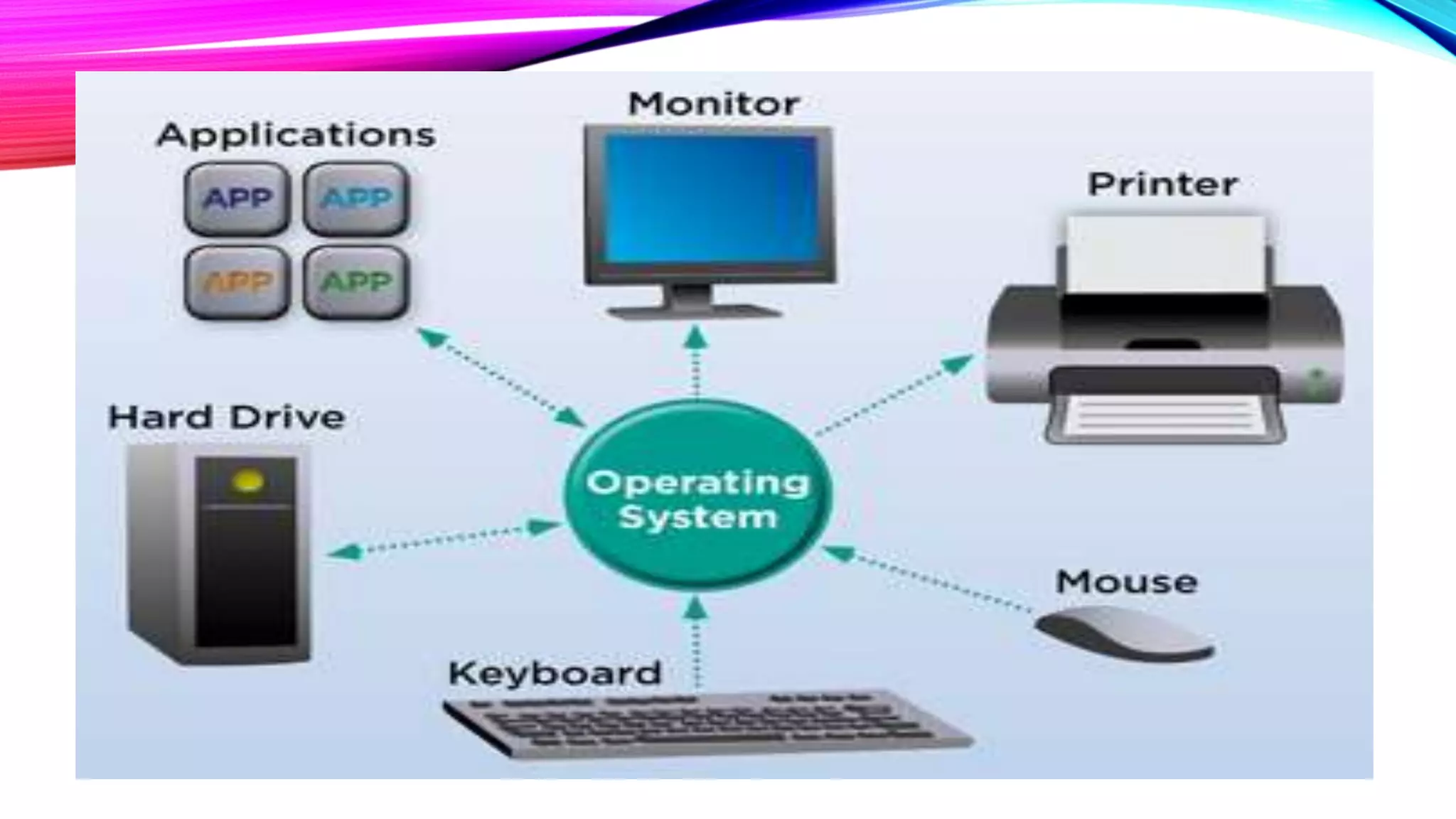
software that runs on a computer. It manages the
manages the computer's memory and processes,
as well as all of its software and hardware. It also
allows you to communicate with the computer
without knowing how to speak the computer's
language. Without an operating system, a
computer is useless.
4.
THE OPERATING SYSTEM'SJOB
•Your computer's operating system (OS) manages
all of the software and hardware on the computer.
Most of the time, there are several different
computer programs running at the same time, and
they all need to access your computer's central
processing unit (CPU), memory, and storage.The
operating system coordinates all of this to make
sure each program gets what it needs.
6.
TYPES OF OPERATINGSYSTEMS
• Operating systems usually come pre-loaded on
any computer you buy. Most people use the
operating system that comes with their computer,
but it's possible to upgrade or even change
operating systems.
• Modern operating systems use a graphical user
interface, or GUI (pronounced gooey). A GUI lets
you use your mouse to click icons, buttons,
and menus, and everything is clearly displayed on
7.
MICROSOFT WINDOWS
•Microsoft createdthe Windows operating
system in the mid-1980s. There have been
many different versions of Windows, but
the most recent ones are Windows
10 (released in 2015), Windows
8 (2012), Windows 7 (2009), and Windows
Vista (2007). Windows comes pre-
loaded on most new PCs, which helps to
make it the most popular operating
8.
MACOS
• macOS (previouslycalled OS X) is a line of operating
systems created by Apple. It comes preloaded on all
Macintosh computers, or Macs. Some of the specific
versions include Mojave (released in 2018), High
Sierra (2017), and Sierra (2016).
• According to StatCounter Global Stats, macOS users
account for less than 10% of global operating
systems—much lower than the percentage of Windows
users (more than 80%). One reason for this is that
Apple computers tend to be more expensive. However,
many people do prefer the look and feel of macOS over
Windows.
9.
LINUX
•Linux (pronounced LINN-ux)is a family of open-
source operating systems, which means they can be
modified and distributed by anyone around the world.This is
different from proprietary software like Windows, which
can only be modified by the company that owns it.The
advantages of Linux are that it is free, and there are many
different distributions—or versions—you can choose from.
•According to StatCounter Global Stats, Linux users
account for less than 2% of global operating systems.
However, most servers run Linux because it's relatively easy
to customize.
10.
OPERATING SYSTEMS FORMOBILE
DEVICES
•The operating systems we've been talking
about so far were designed to run
on desktop and laptop computers. Mobile
devices such as phones, tablet computers,
and MP3 players are different from desktop
and laptop computers, so they run operating
systems that are designed specifically for
mobile devices. Examples of mobile
operating systems include Apple
iOS and Google Android.
11.
•Operating systems formobile devices
generally aren't as fully featured as those
made for desktop and laptop computers, and
they aren't able to run all of the same
software. However, you can still do a lot of
things with them, like watch movies, browse
the Web, manage your calendar, and play
games.
INTERFACE BETWEEN THEUSER
AND THE HARDWARE
• An OS provides an interface between user
and machine. This interface can be a
graphical user interface (GUI) in which users
click onscreen elements to interact with the
OS or a command-line interface (CLI) in
which users type commands at the command-
line interface (CLI) to tell the OS to do things.
14.
COORDINATE HARDWARE
COMPONENTS
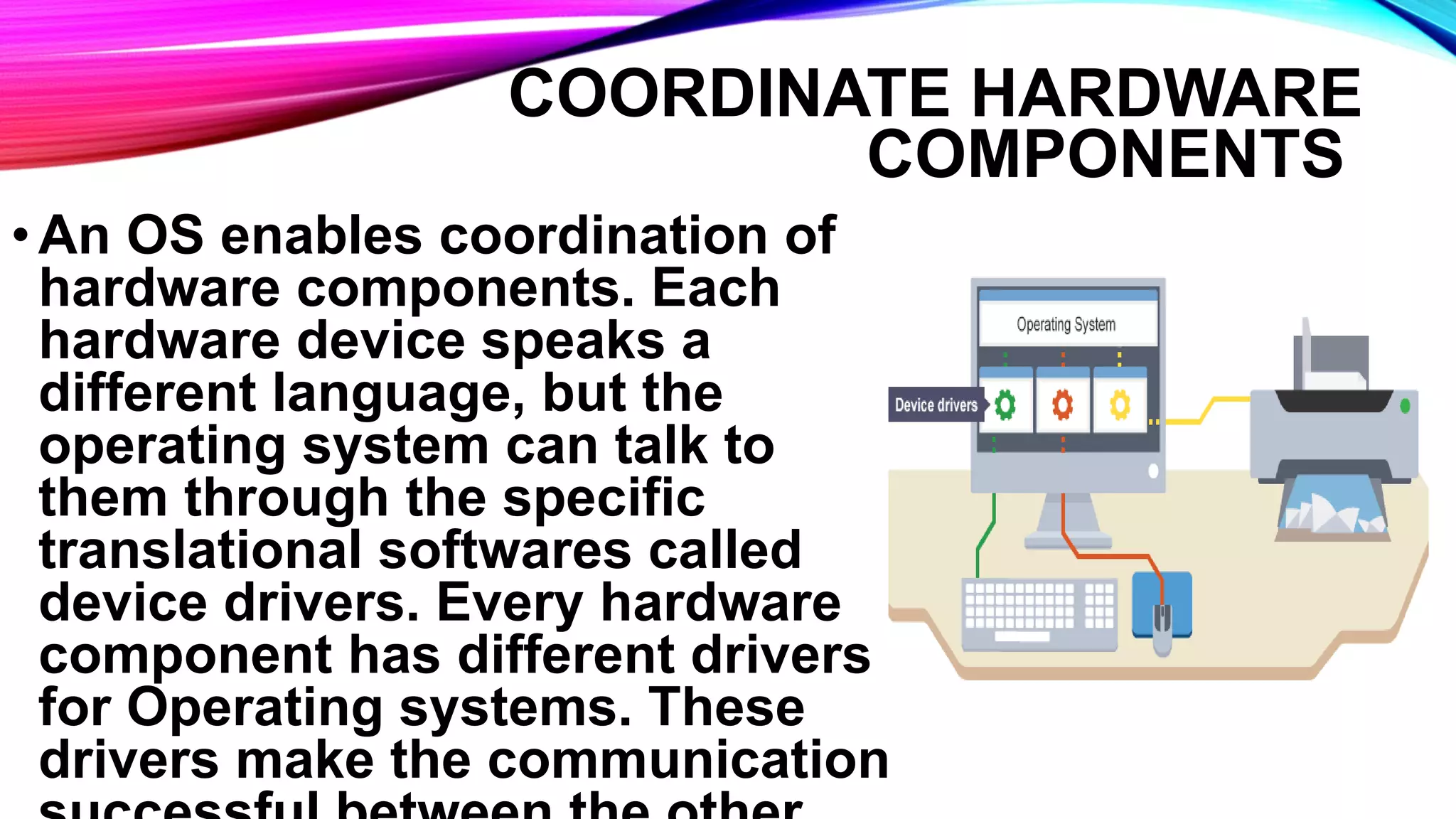
•An OSenables coordination of
hardware components. Each
hardware device speaks a
different language, but the
operating system can talk to
them through the specific
translational softwares called
device drivers. Every hardware
component has different drivers
for Operating systems. These
drivers make the communication
15.
PROVIDE ENVIRONMENT FOR
SOFTWARETO FUNCTION:
• An OS provides an environment for
software applications to function. An
application software is a specific software
which is used to perform specific task. In
GUI operating systems such as Windows
and macOS, applications run within a
consistent, graphical desktop
environment.
16.
PROVIDE STRUCTURE FORDATA
MANAGEMENT
•An OS displays structure/directories
for data management. We can view
file and folder listings and
manipulate on those files and folders
like (move, copy, rename, delete,
and many others).
17.
MONITOR SYSTEM HEALTHAND
FUNCTIONALITY:
•OS monitors the health of our system’s
hardware, giving us an idea of how well
(or not) it’s performing. We can see how
busy our CPU is, or how quickly our hard
drives retrieve data, or how much data
our network card is sending etc. and it
also monitors system activity for malware.



![Vibe Coding vs. Spec-Driven Development [Free Meetup]](https://cdn.slidesharecdn.com/ss_thumbnails/vibecodingvsspecdrivendevelopment-251209105622-43f455e7-thumbnail.jpg?width=640&height=640&fit=bounds)


