OPERATING SYSTEM
“All that code that you didn’t write”
OPERATING SYSTEM DEFINED AS:
 An Operating system is a software that manages
computer hardware and software resources.
It provides common services for computer programs.
 The main program in a computer that controls the
way the computer works and makes it possible for
other programs to function.
PARTS OF AN OPERATING SYSTEM
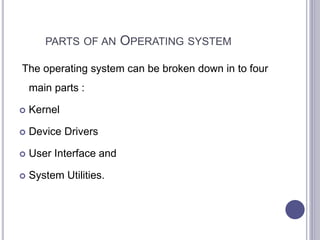
The operating system can be broken down in to four
main parts :
 Kernel
 Device Drivers
 User Interface and
 System Utilities.
RESOURCES NEED TO BE MANAGED
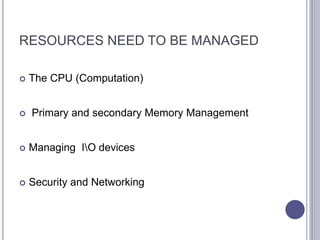
 The CPU (Computation)
 Primary and secondary Memory Management
 Managing IO devices
 Security and Networking
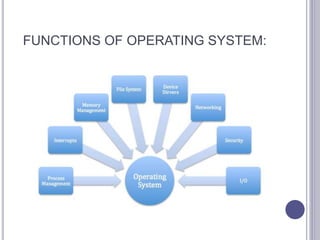
FUNCTIONS OF OPERATING SYSTEM:
TYPES OF OPERATING SYSTEM
Following are the few operating system that are
commonly used:
 Batch operating system
 Time-sharing operating system
 Distributed operating system
 Network operating system
 Real time operating system etc.
PROCESS MANAGEMENT
 operating systems allow more than one process to
be loaded into the executable memory at a time
and loaded process shares the CPU using time
multiplexing.
 The process scheduling is the activity of the
process manager that handles the removal of the
running process from the CPU and the selection of
another process on the basis of a particular
strategy.
MEMORY MANAGEMENT
 Memory management is the functionality of an
operating system which handles or manages
primary memory.
 Memory management keeps track of each and
every memory location either it is allocated to some
process or it is free. It checks how much memory is
to be allocated to processes.
 It decides which process will get memory at what
time. It tracks whenever some memory gets freed
or unallocated and correspondingly it updates the
status.
INPUT OUTPUT MANAGEMENT
OS operate on many
kinds of devices in
general disks and
tapes etc.
Some Input and Output
hardware devices that
are controlled by OS:
 Keyboard and mouse
etc.
 Microphone.
OS also operates on
many output hardware
devices such as:
 Monitor
 Printers
 Projector
 Speakers
Pc can’t show processed
data if OS damaged.
Input Hardware Output Hardware
SECURITY MANAGEMENT
Operating system security is the process of ensuring
OS integrity and availability.
 The OS of a computer has a number of built-in
tools to protect against security threats, including
the use of virus scanning utilities and setting up a
firewall to block suspicious network activity.
 While the OS has a number of built-in security
tools, you may need additional software to set up
the best protection, in particular virus scanning
software.
NETWORKING MANAGEMENT
In network Management an OS supports
workstations, personal computers and terminals
that are connected to Local Area Network.
 Network management is the process of controlling
a complex data network to maximize its efficiency
and productivity.
 OS controls all kinds of managements related to
networking.

Operating system

  • 1.
    OPERATING SYSTEM “All thatcode that you didn’t write”
  • 2.
    OPERATING SYSTEM DEFINEDAS:  An Operating system is a software that manages computer hardware and software resources. It provides common services for computer programs.  The main program in a computer that controls the way the computer works and makes it possible for other programs to function.
  • 3.
    PARTS OF ANOPERATING SYSTEM The operating system can be broken down in to four main parts :  Kernel  Device Drivers  User Interface and  System Utilities.
  • 4.
    RESOURCES NEED TOBE MANAGED  The CPU (Computation)  Primary and secondary Memory Management  Managing IO devices  Security and Networking
  • 5.
  • 6.
    TYPES OF OPERATINGSYSTEM Following are the few operating system that are commonly used:  Batch operating system  Time-sharing operating system  Distributed operating system  Network operating system  Real time operating system etc.
  • 7.
    PROCESS MANAGEMENT  operatingsystems allow more than one process to be loaded into the executable memory at a time and loaded process shares the CPU using time multiplexing.  The process scheduling is the activity of the process manager that handles the removal of the running process from the CPU and the selection of another process on the basis of a particular strategy.
  • 8.
    MEMORY MANAGEMENT  Memorymanagement is the functionality of an operating system which handles or manages primary memory.  Memory management keeps track of each and every memory location either it is allocated to some process or it is free. It checks how much memory is to be allocated to processes.  It decides which process will get memory at what time. It tracks whenever some memory gets freed or unallocated and correspondingly it updates the status.
  • 9.
    INPUT OUTPUT MANAGEMENT OSoperate on many kinds of devices in general disks and tapes etc. Some Input and Output hardware devices that are controlled by OS:  Keyboard and mouse etc.  Microphone. OS also operates on many output hardware devices such as:  Monitor  Printers  Projector  Speakers Pc can’t show processed data if OS damaged. Input Hardware Output Hardware
  • 10.
    SECURITY MANAGEMENT Operating systemsecurity is the process of ensuring OS integrity and availability.  The OS of a computer has a number of built-in tools to protect against security threats, including the use of virus scanning utilities and setting up a firewall to block suspicious network activity.  While the OS has a number of built-in security tools, you may need additional software to set up the best protection, in particular virus scanning software.
  • 11.
    NETWORKING MANAGEMENT In networkManagement an OS supports workstations, personal computers and terminals that are connected to Local Area Network.  Network management is the process of controlling a complex data network to maximize its efficiency and productivity.  OS controls all kinds of managements related to networking.