Student Name: Emad Ahmed
VU ID : MC160202063
Group ID : 17026CF1B
Master of Computer Science
*Introduction to Cloud computing
*Introduction to OpenStack
*OpenStack Design & Architecture
*Demonstration of OpenStack Cloud
Implement Cloud Infrastructure
via OpenStack
Cloud Computing:
Cloud computing is about using remotely hosted server on the internet
to store ,manage and process data, in contrast to local server and such
service providers are called Cloud provider or operator.
The shared resources, system or data as a service is delivered through
Cloud Computing
Characteristic of Cloud Computing:
 virtual resource pool
 flexible and scalable
 Affordable
IaaS: Infrastructure as a Service which includes servers, storage, networks and
operating system example OpenStack
Implement Cloud Infrastructure
via OpenStack
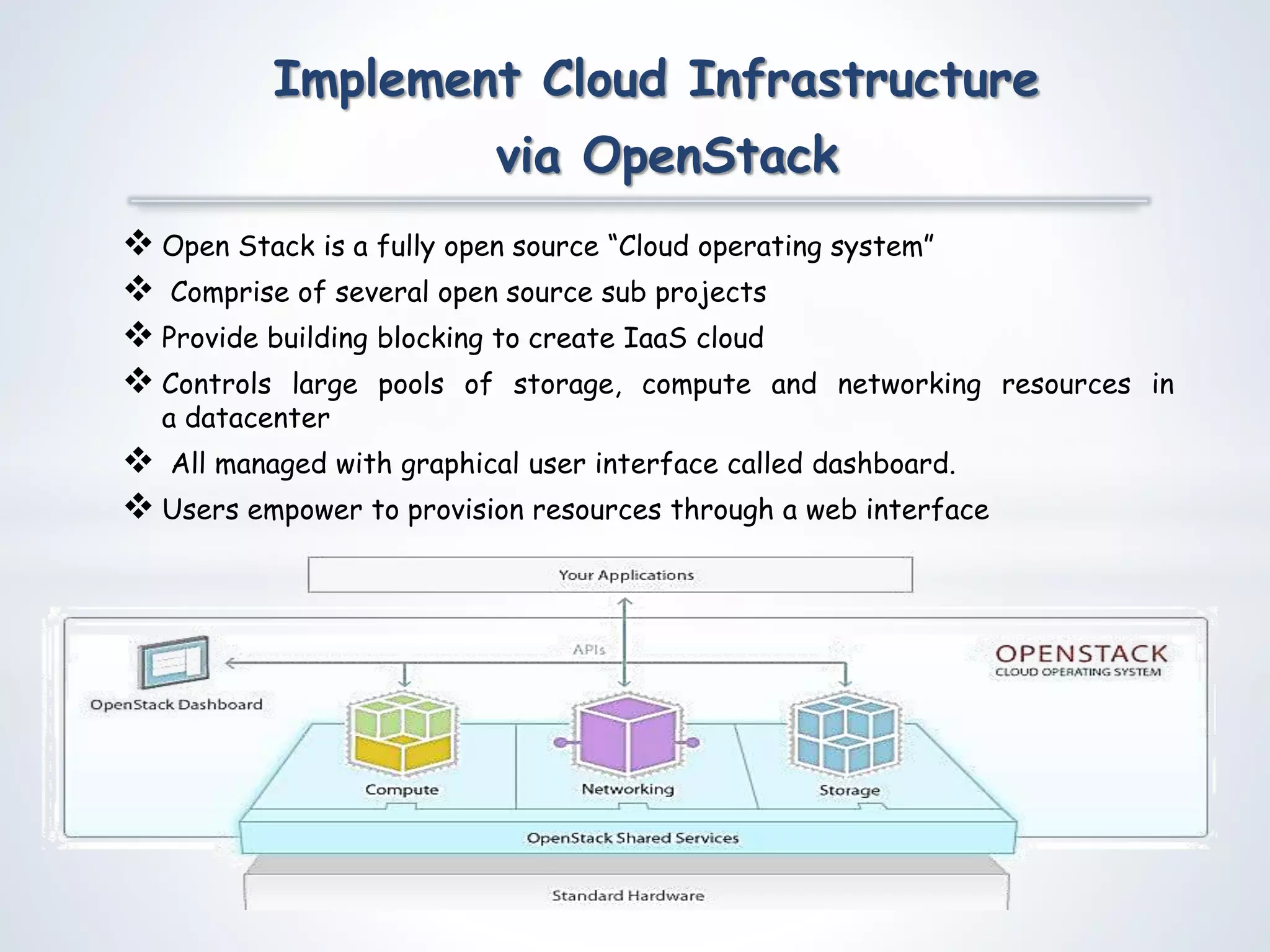
 Open Stack is a fully open source “Cloud operating system”
 Comprise of several open source sub projects
 Provide building blocking to create IaaS cloud
 Controls large pools of storage, compute and networking resources in
a datacenter
 All managed with graphical user interface called dashboard.
 Users empower to provision resources through a web interface
Implement Cloud Infrastructure
via OpenStack
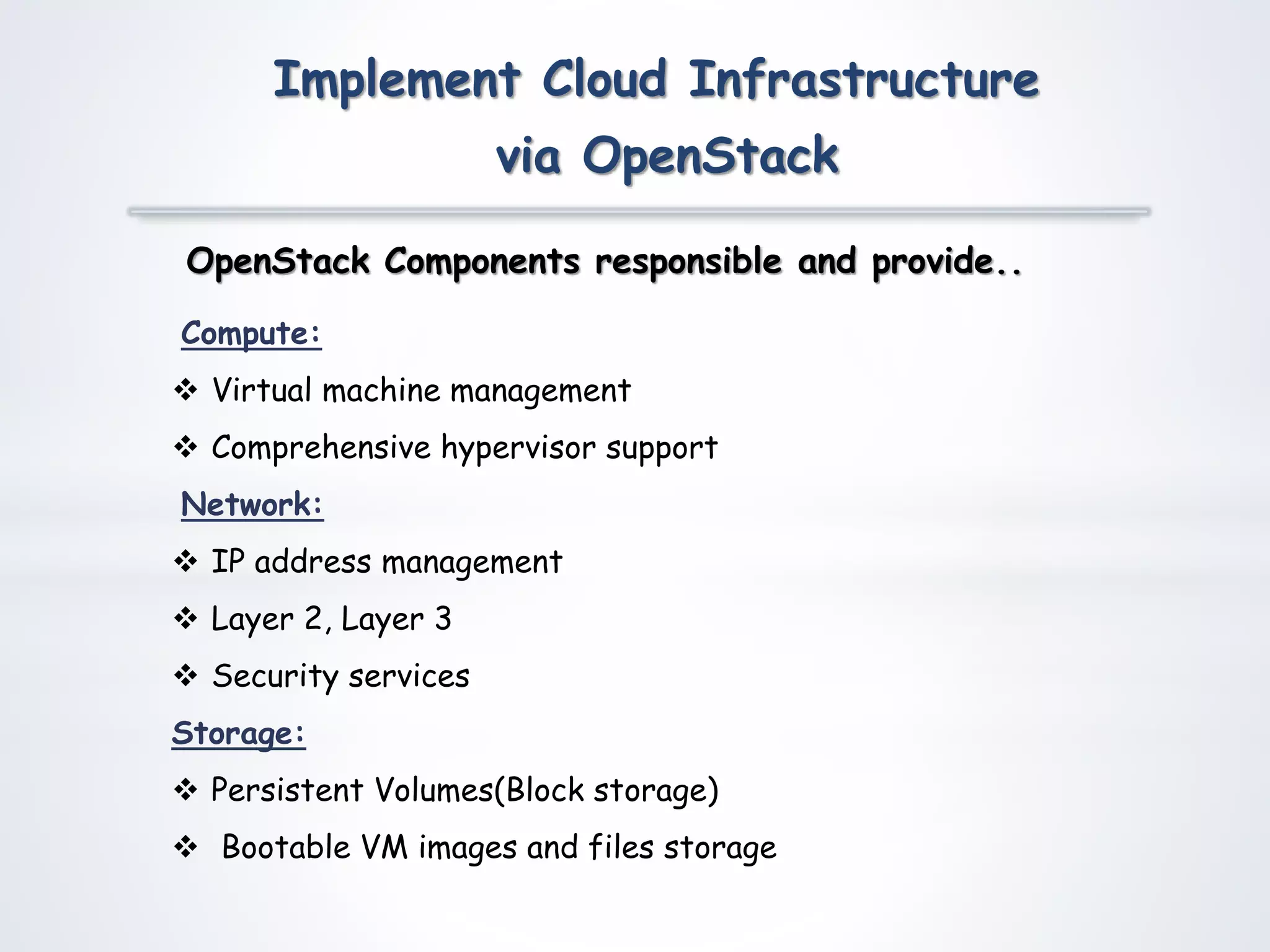
Compute:
 Virtual machine management
 Comprehensive hypervisor support
Network:
 IP address management
 Layer 2, Layer 3
 Security services
Storage:
 Persistent Volumes(Block storage)
 Bootable VM images and files storage
OpenStack Components responsible and provide..
Implement Cloud Infrastructure
via OpenStack
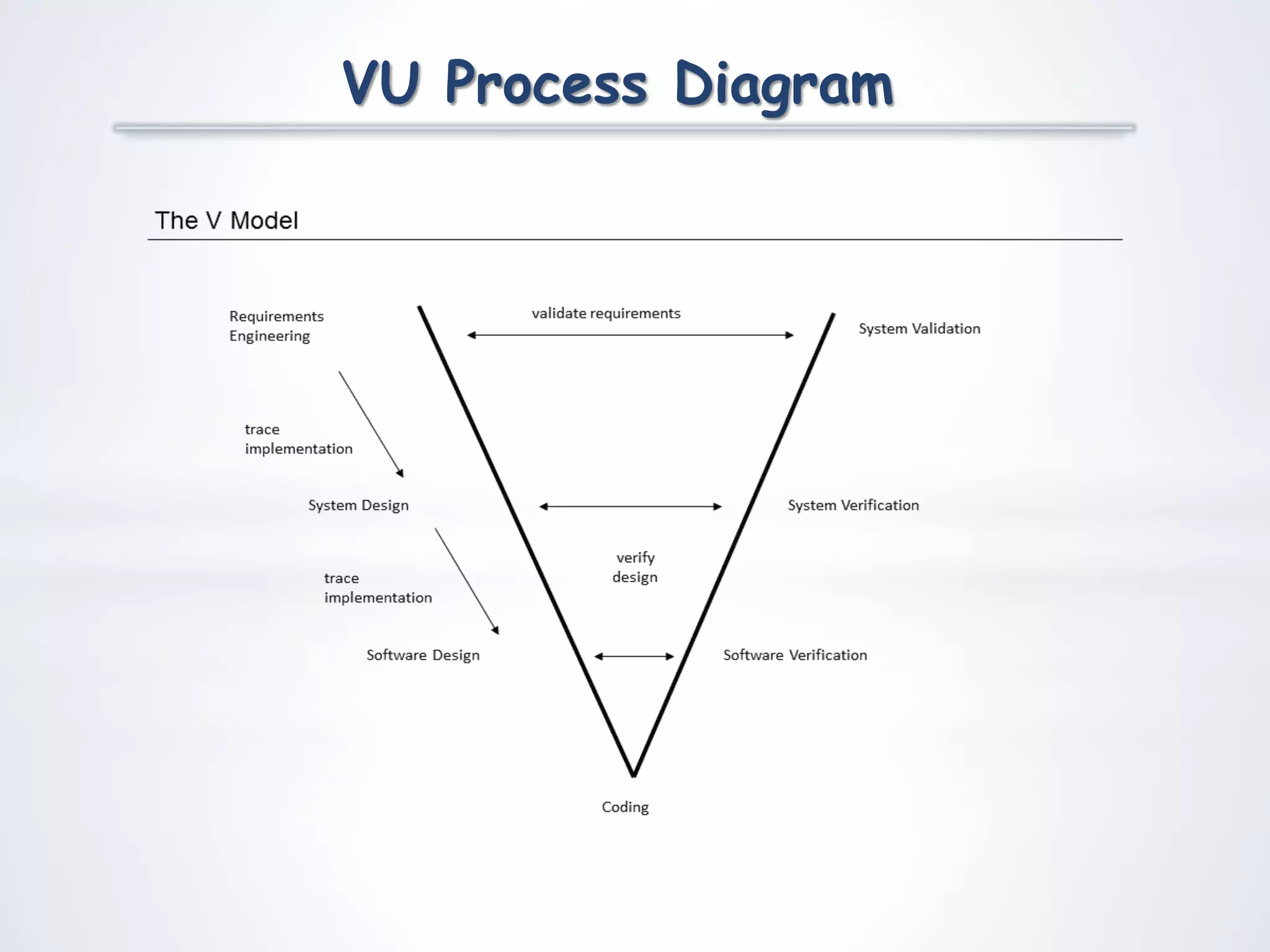
VU Process Diagram
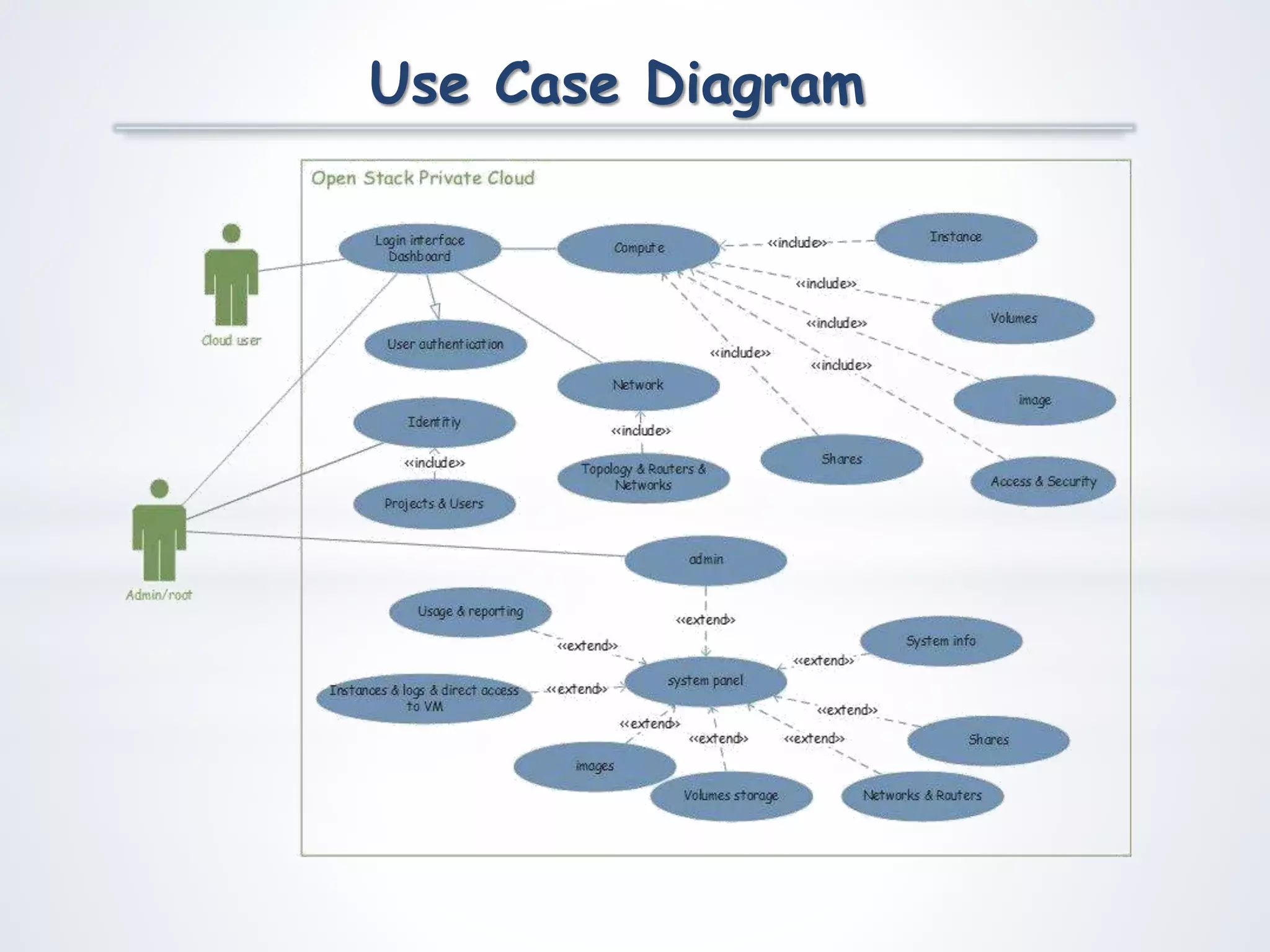
Use Case Diagram
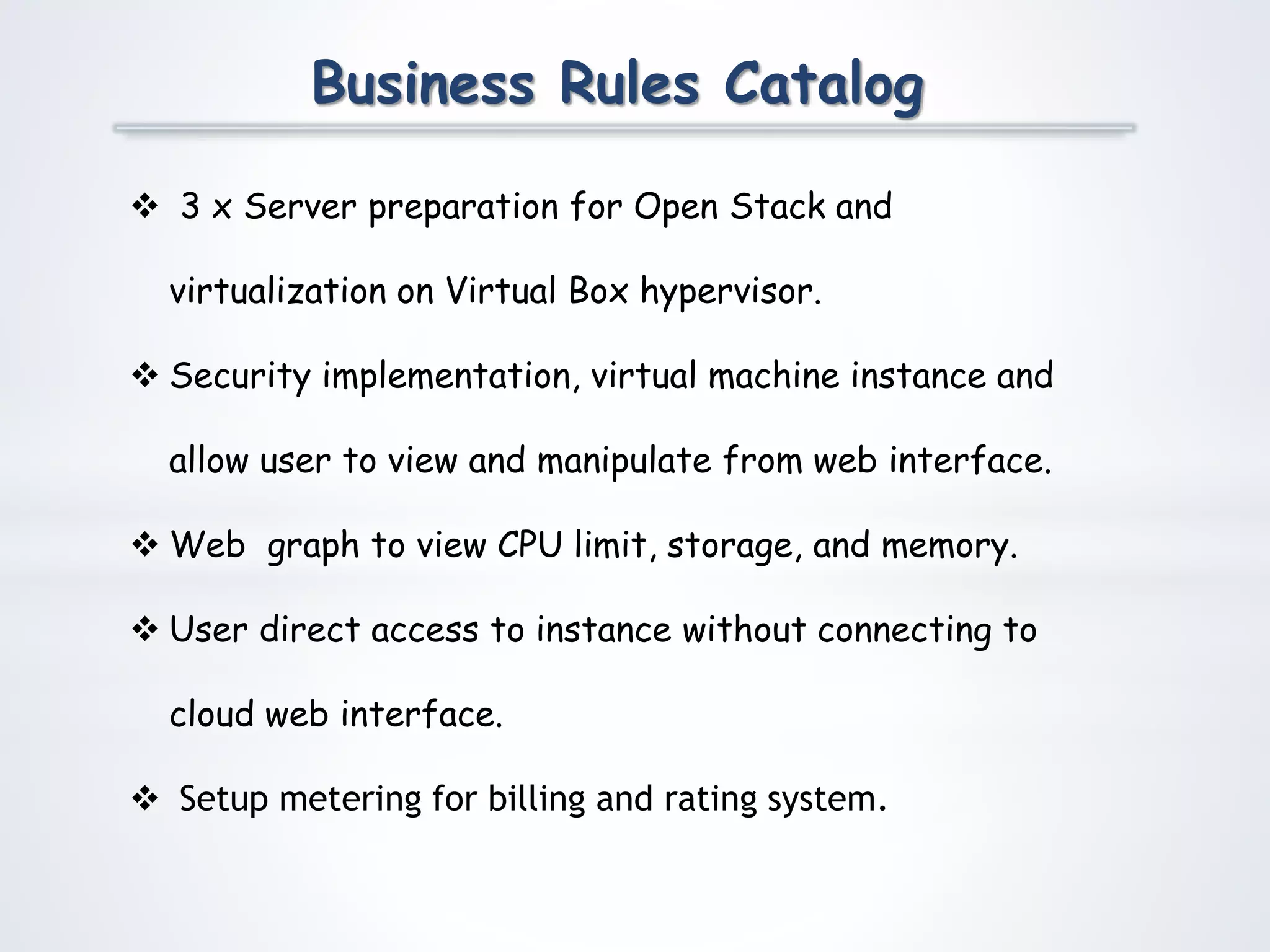
Business Rules Catalog
 3 x Server preparation for Open Stack and
virtualization on Virtual Box hypervisor.
 Security implementation, virtual machine instance and
allow user to view and manipulate from web interface.
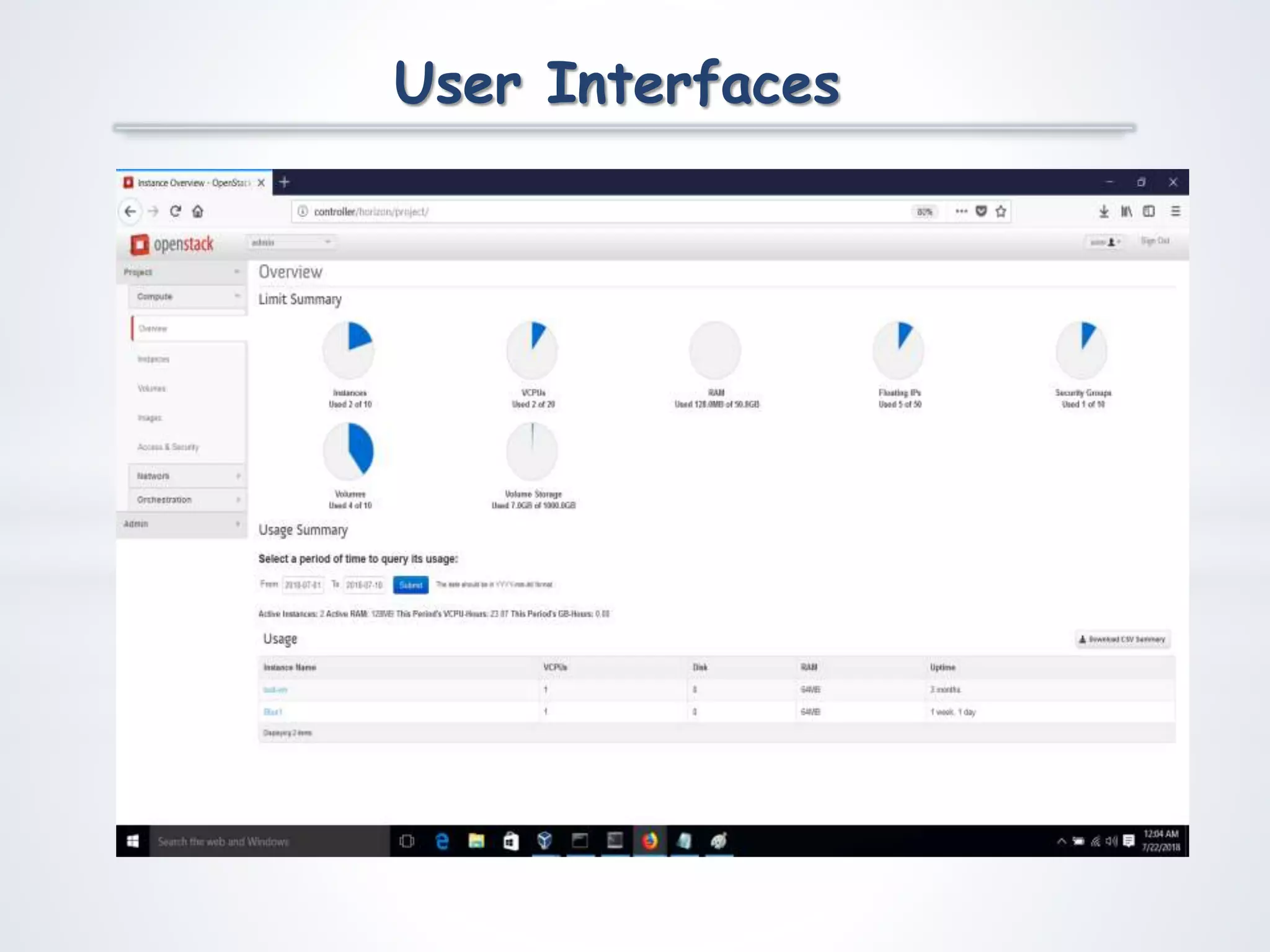
 Web graph to view CPU limit, storage, and memory.

 User direct access to instance without connecting to
cloud web interface.

 Setup metering for billing and rating system.
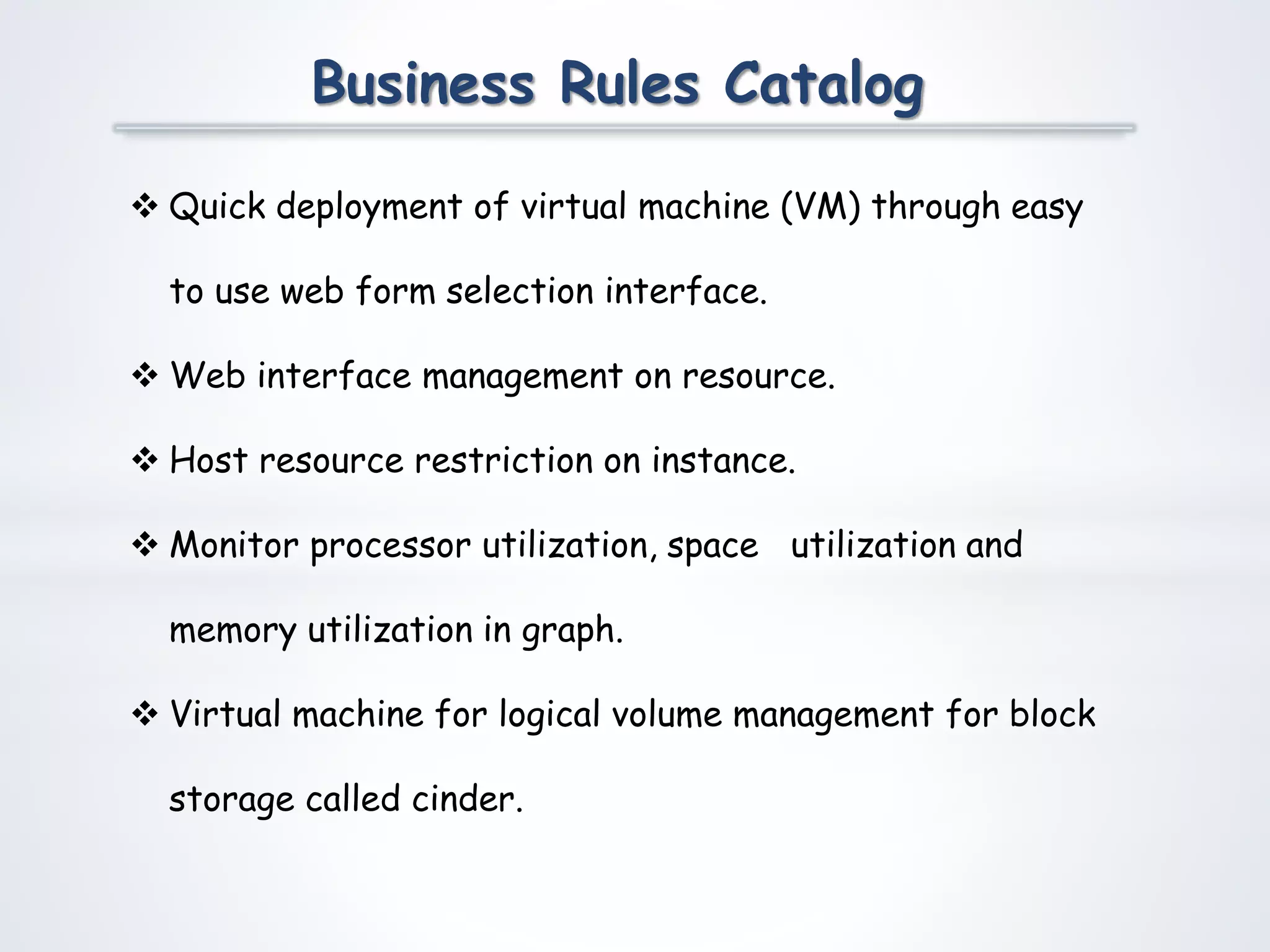
Business Rules Catalog
 Quick deployment of virtual machine (VM) through easy
to use web form selection interface.
 Web interface management on resource.
 Host resource restriction on instance.
 Monitor processor utilization, space utilization and
memory utilization in graph.
 Virtual machine for logical volume management for block
storage called cinder.
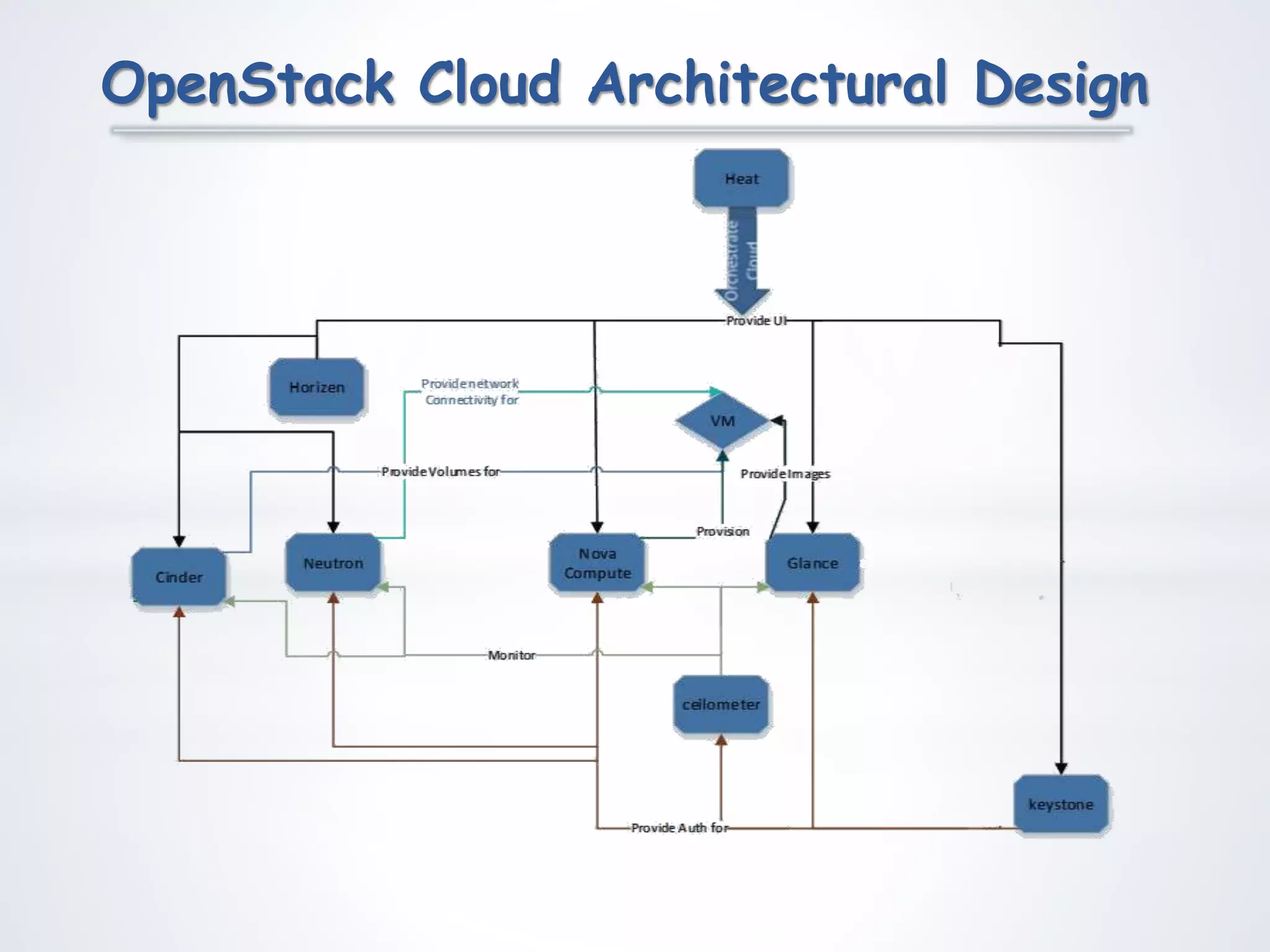
OpenStack Cloud Architectural Design
Team Structure
XXXXXXXXXXXXXXXXXXXXX
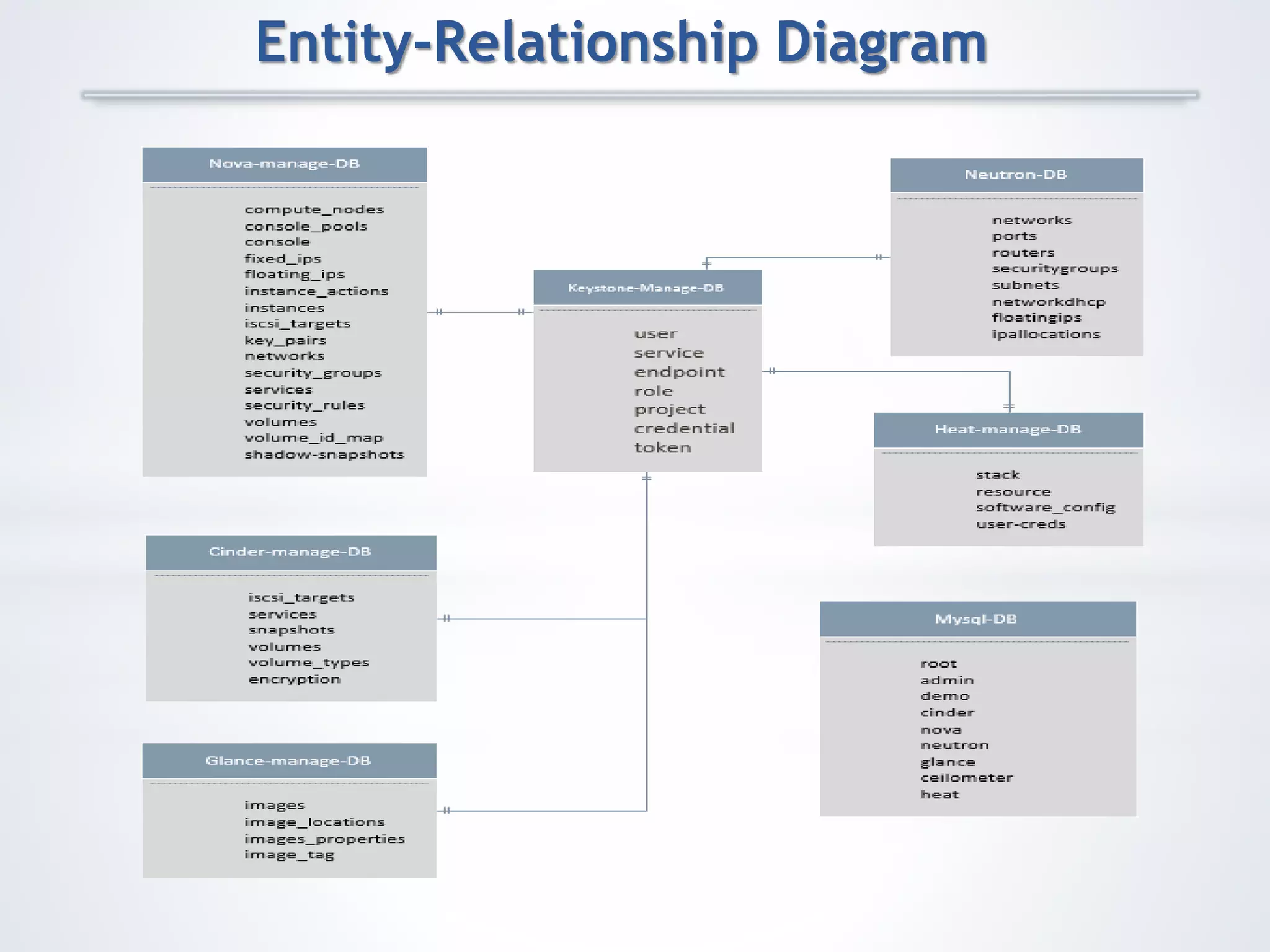
Entity-Relationship Diagram
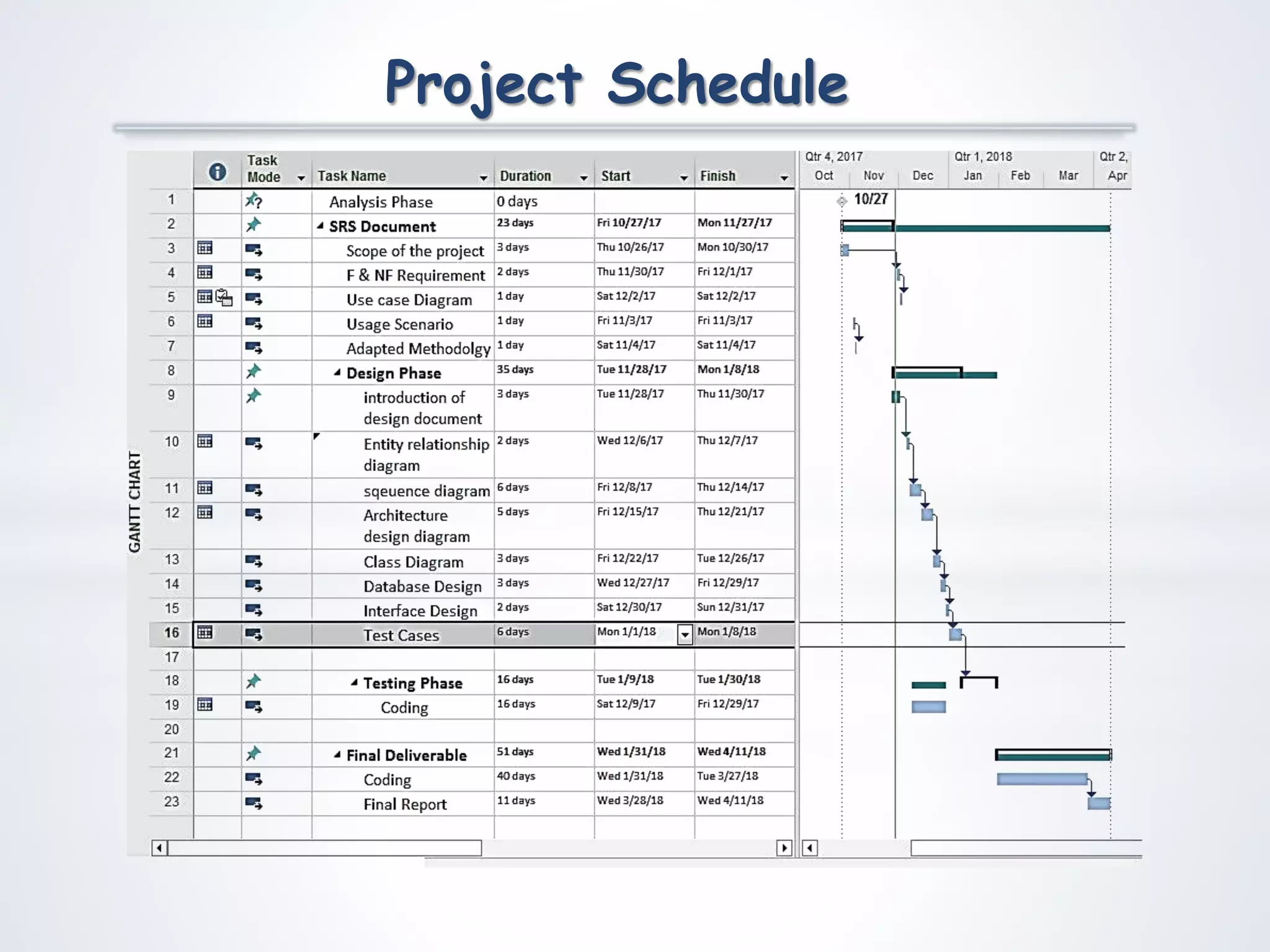
Project Schedule
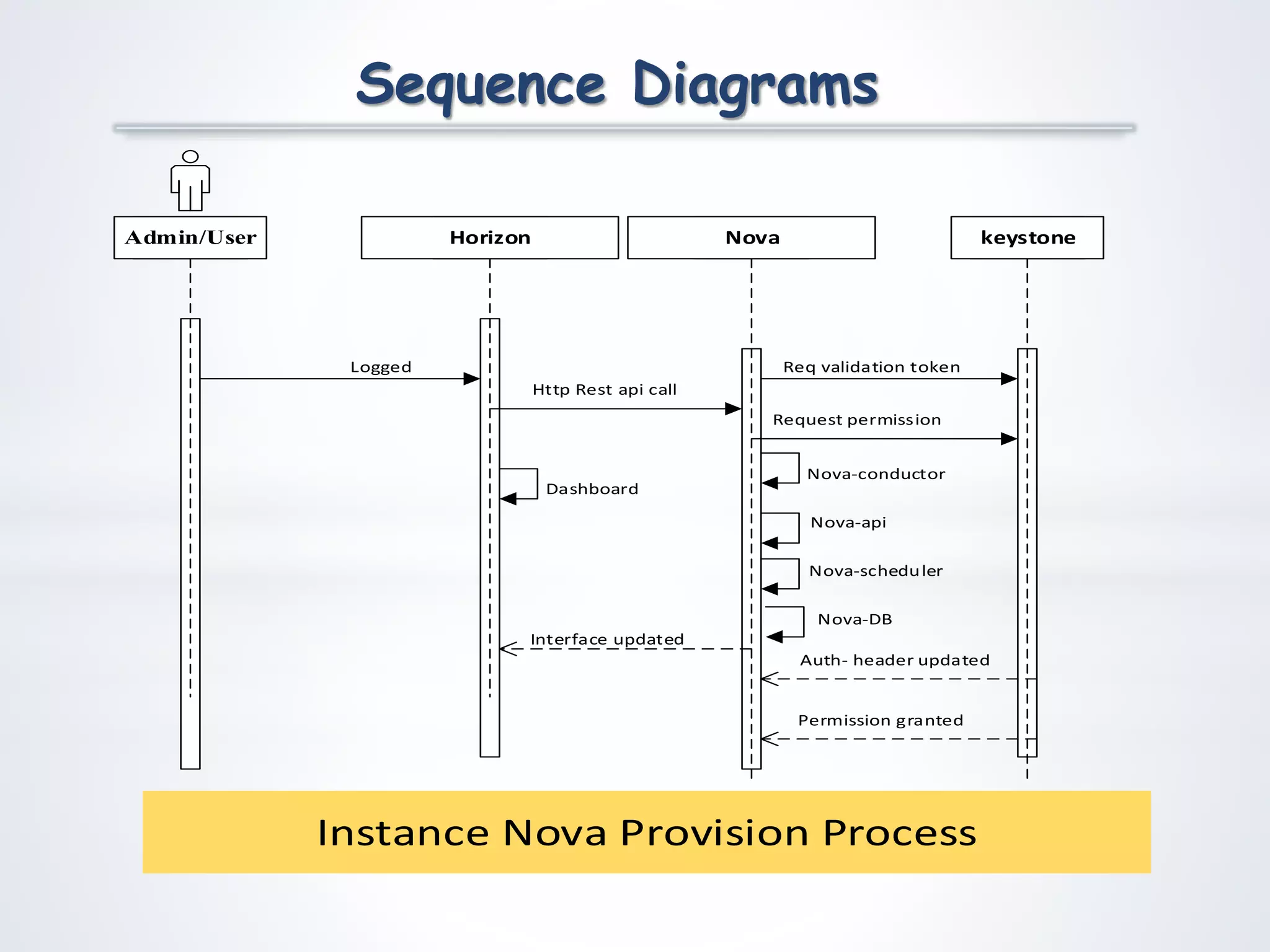
Sequence Diagrams
Horizon keystone
Req validation token
Admin/User
Logged
Nova
Auth- header updated
Http Rest api call
Request permission
Permission granted
Nova-api
Nova-scheduler
Nova-conductor
Nova-DB
Dashboard
Interface updated
Instance Nova Provision Process
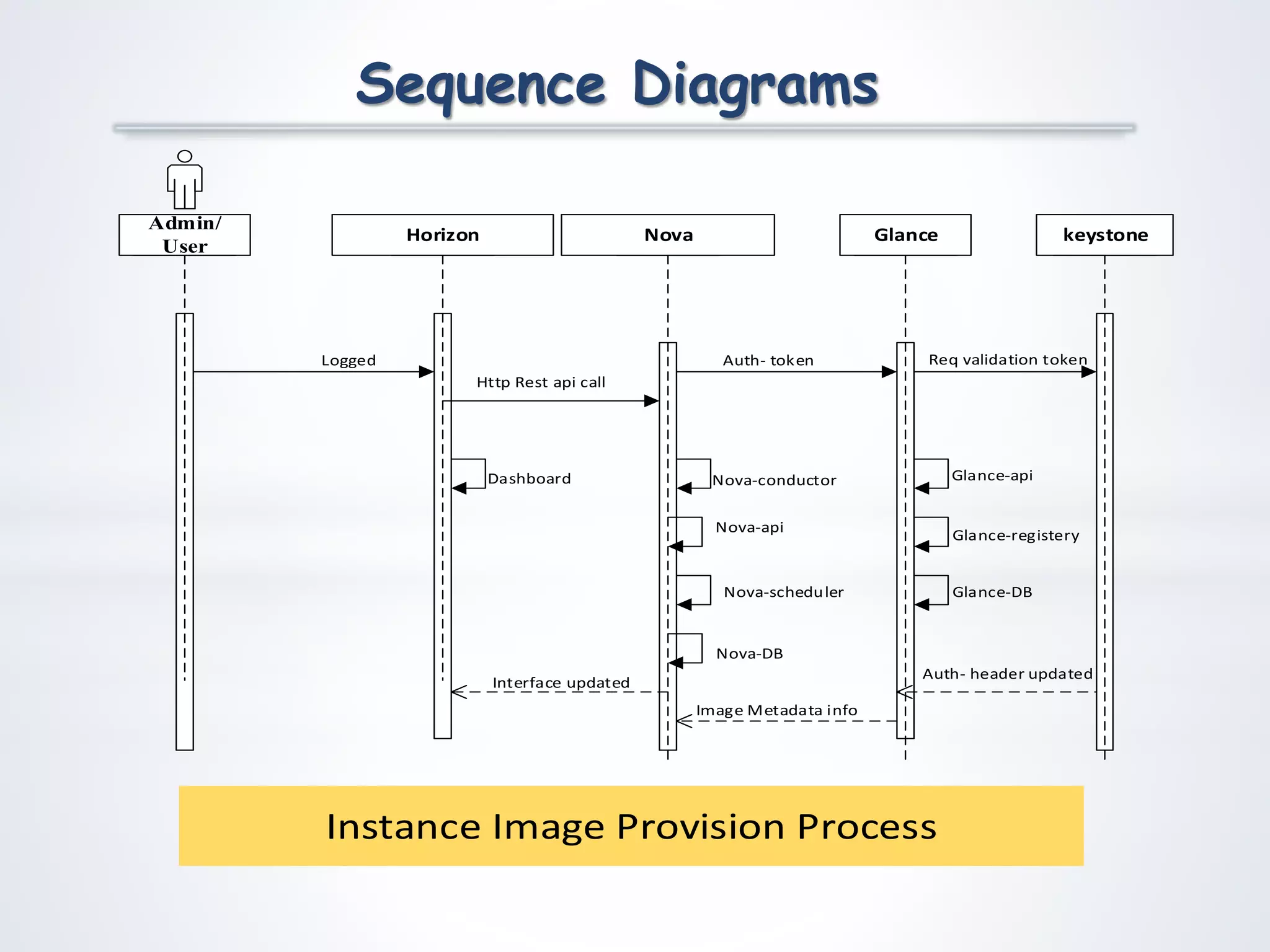
Sequence Diagrams
Horizon Glance
Req validation token
Admin/
User
Logged
Nova
Auth- header updated
Http Rest api call
Image Metadata info
Nova-api
Nova-scheduler
Nova-conductor Glance-api
Glance-registery
keystone
Auth- token
Nova-DB
Glance-DB
Dashboard
Interface updated
Instance Image Provision Process
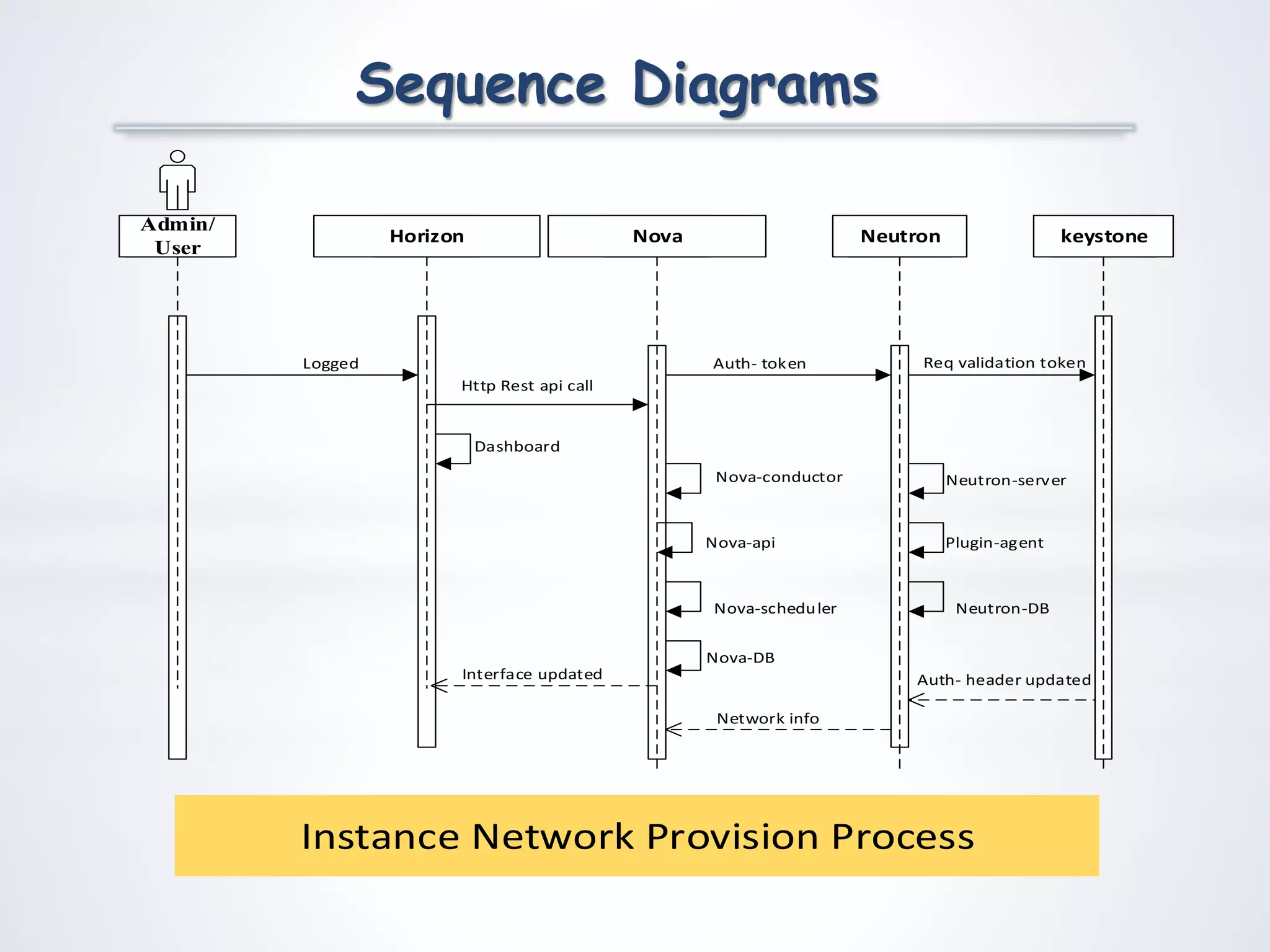
Sequence Diagrams
Horizon Neutron
Req validation tokenLogged
Nova
Auth- header updated
Http Rest api call
Network info
Nova-api
Nova-scheduler
Nova-conductor Neutron-server
Plugin-agent
Auth- token
keystone
Admin/
User
Nova-DB
Neutron-DB
Dashboard
Interface updated
Instance Network Provision Process
Sequence Diagrams
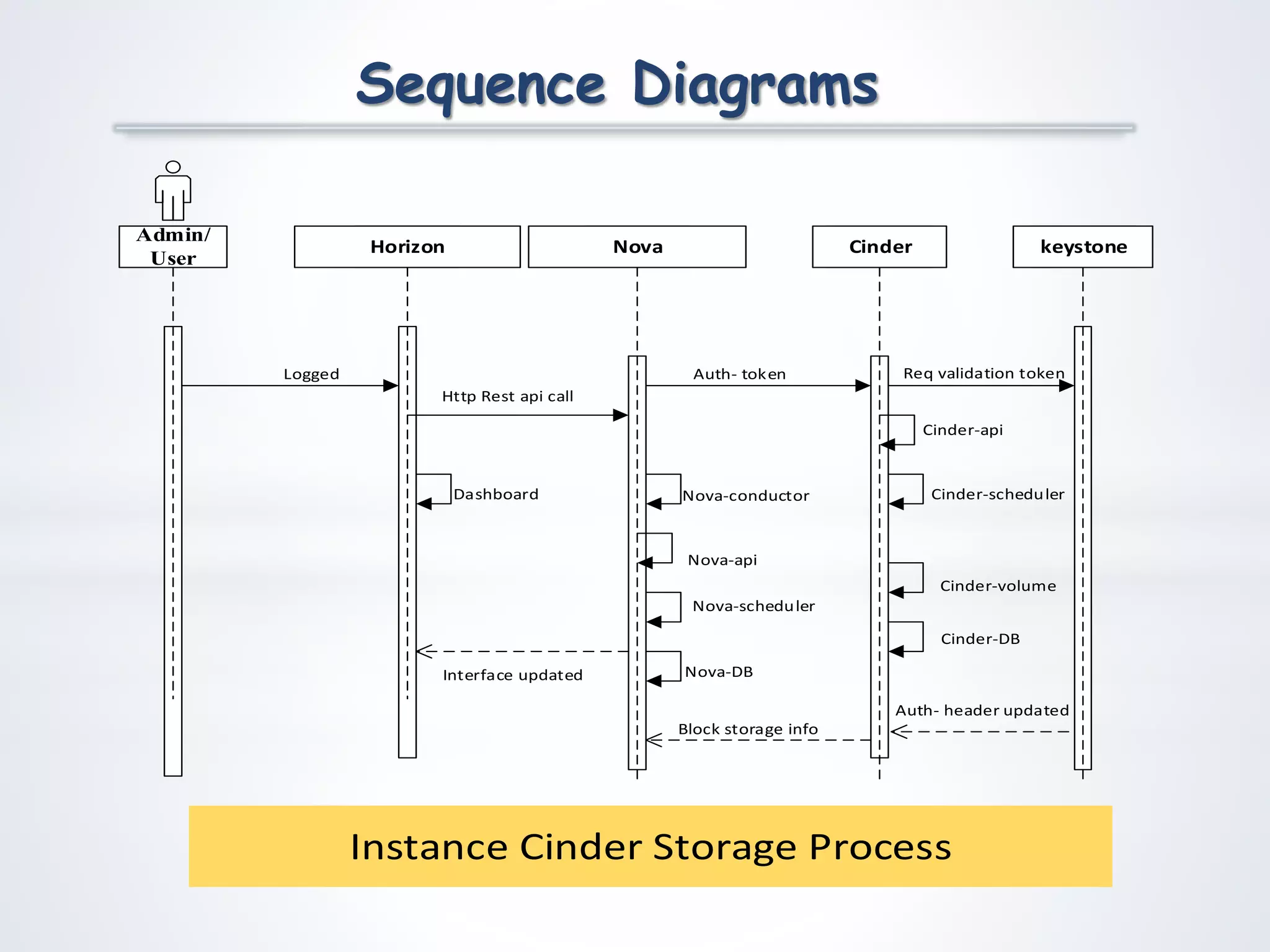
Horizon Cinder
Req validation tokenLogged
Nova
Auth- header updated
Http Rest api call
Block storage info
Nova-api
Nova-scheduler
Nova-conductor
Cinder-api
Auth- token
keystone
Admin/
User
Cinder-scheduler
Cinder-volume
Nova-DB
Cinder-DB
Dashboard
Interface updated
Instance Cinder Storage Process
Sequence Diagrams
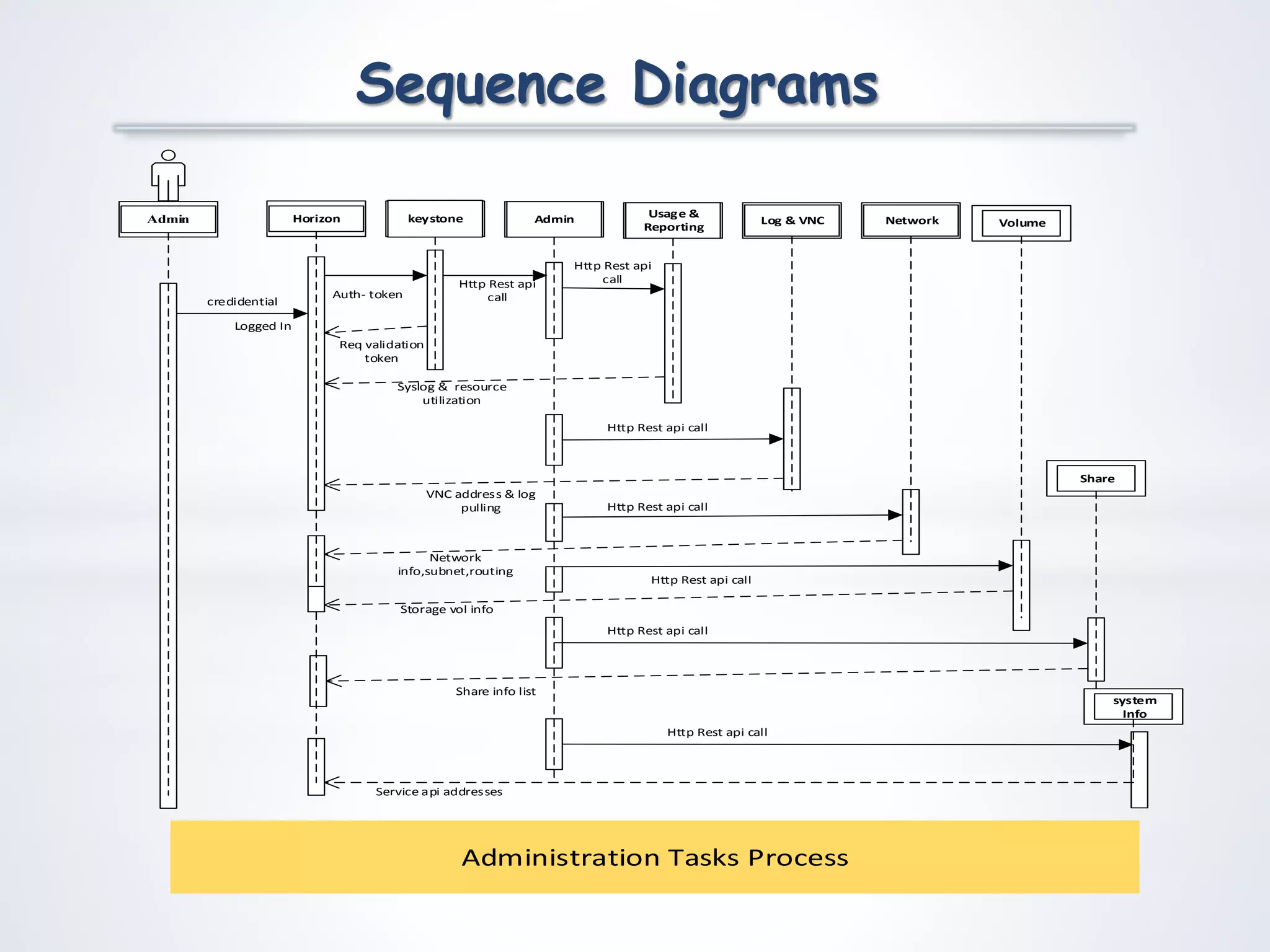
Horizon Admin
Req validation
token
Logged In
Http Rest api
callAuth- token
keystoneAdmin Usage &
Reporting
Http Rest api
call
Syslog & resource
utilization
Log & VNC
Http Rest api call
VNC address & log
pulling
Network
Http Rest api call
Network
info,subnet,routing
Volume
Http Rest api call
Storage vol info
Share
Http Rest api call
Share info list
system
Info
Service api addresses
Http Rest api call
credidential
Administration Tasks Process
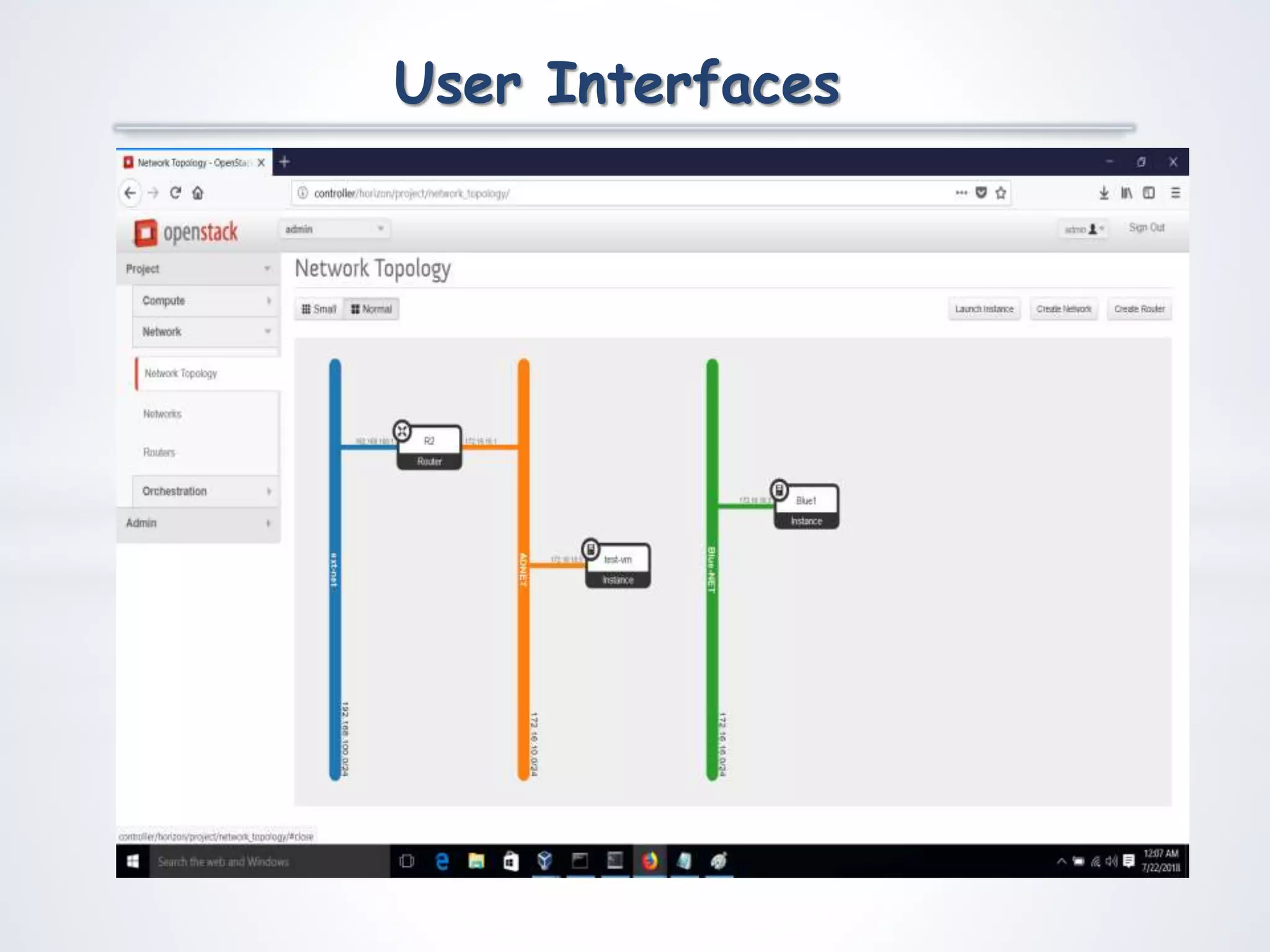
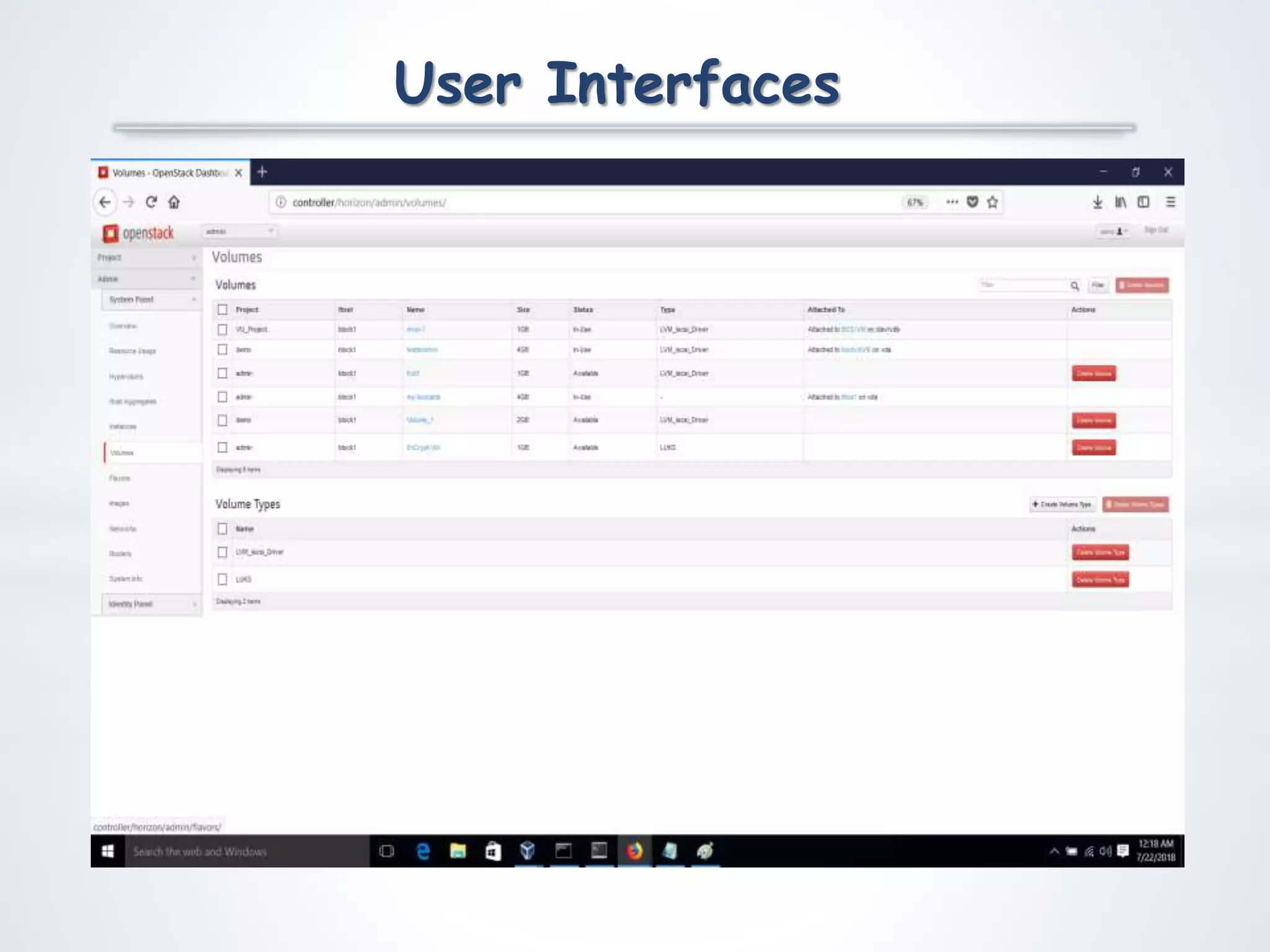
User Interfaces
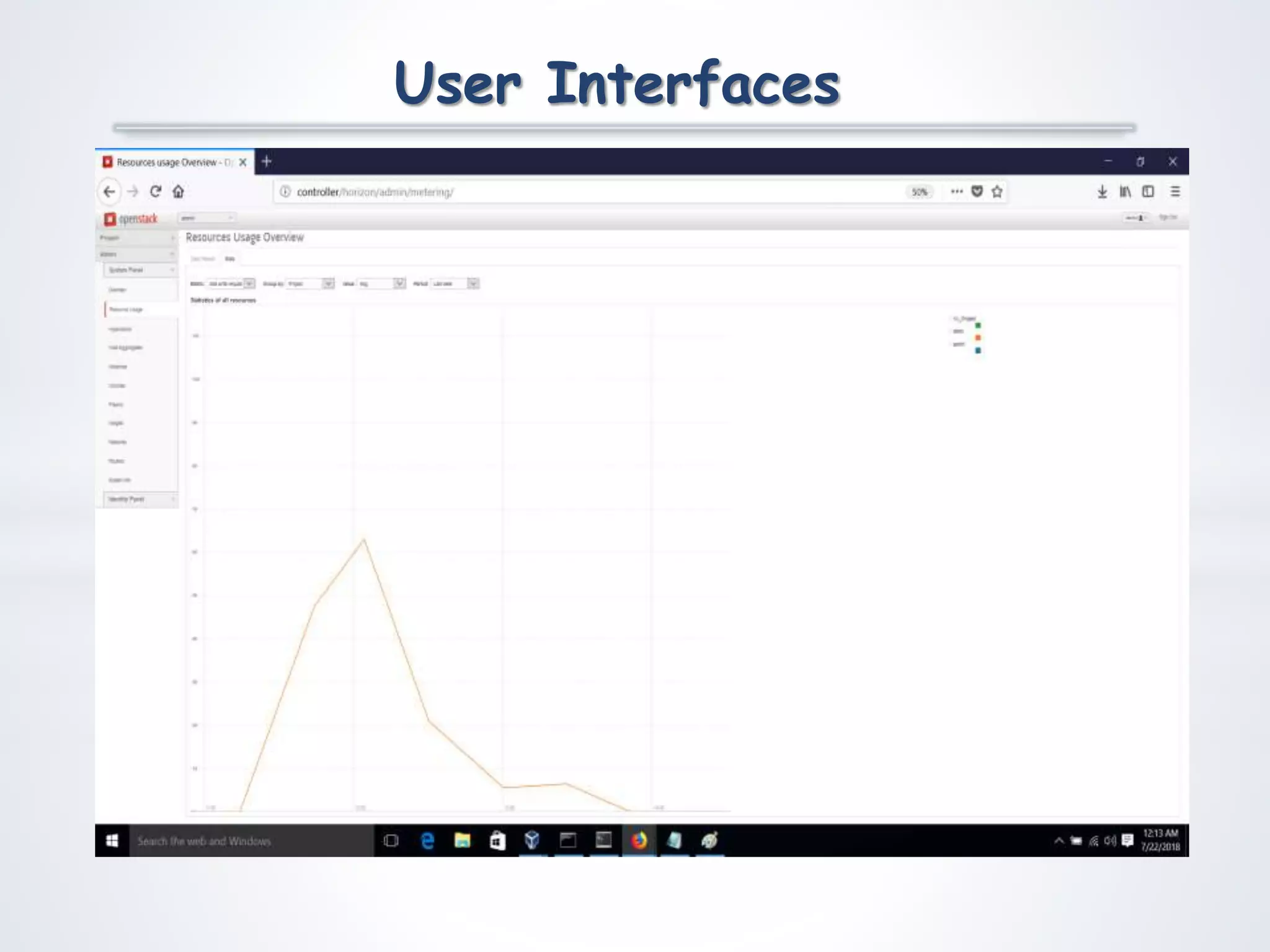
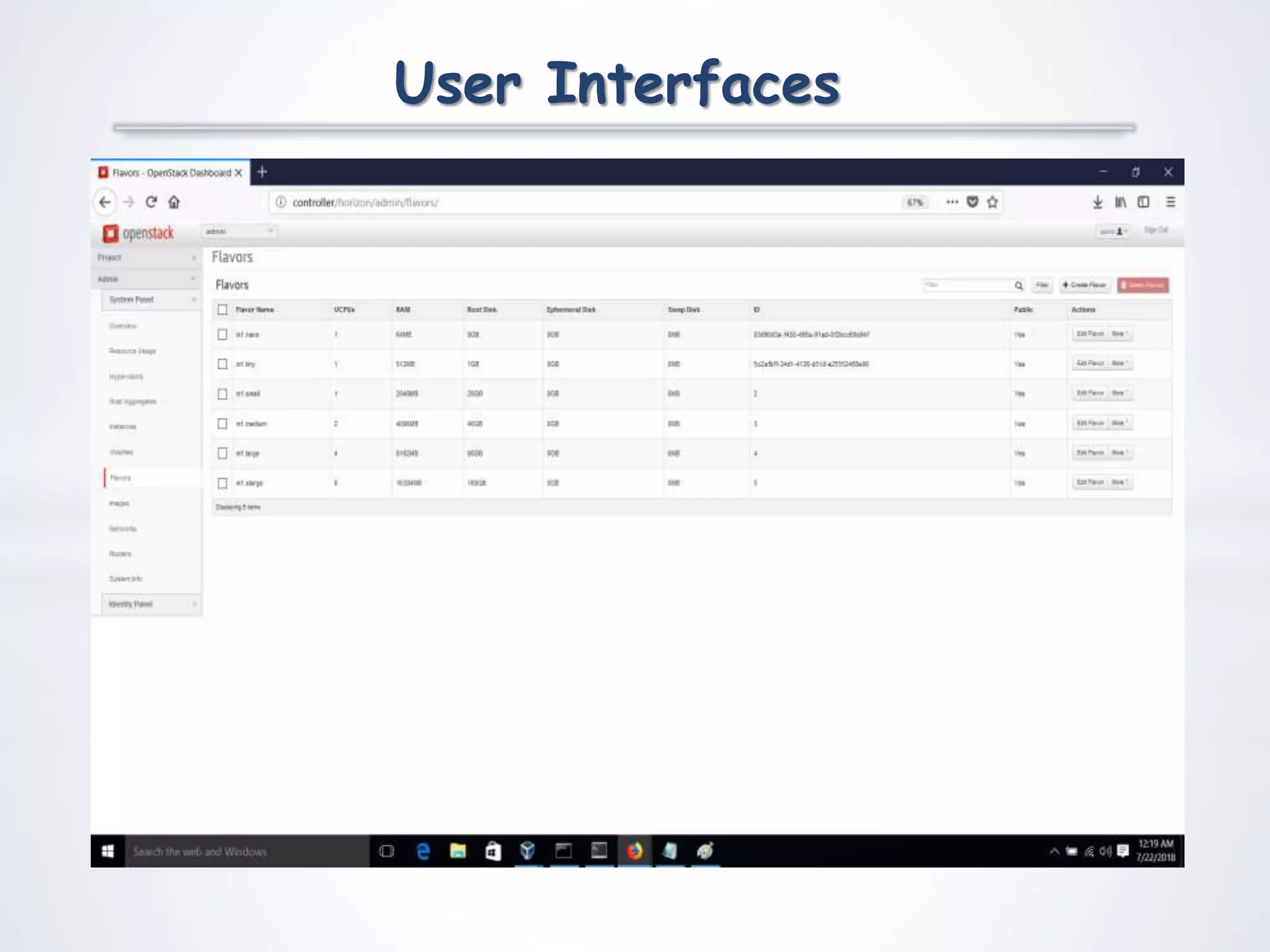
User Interfaces
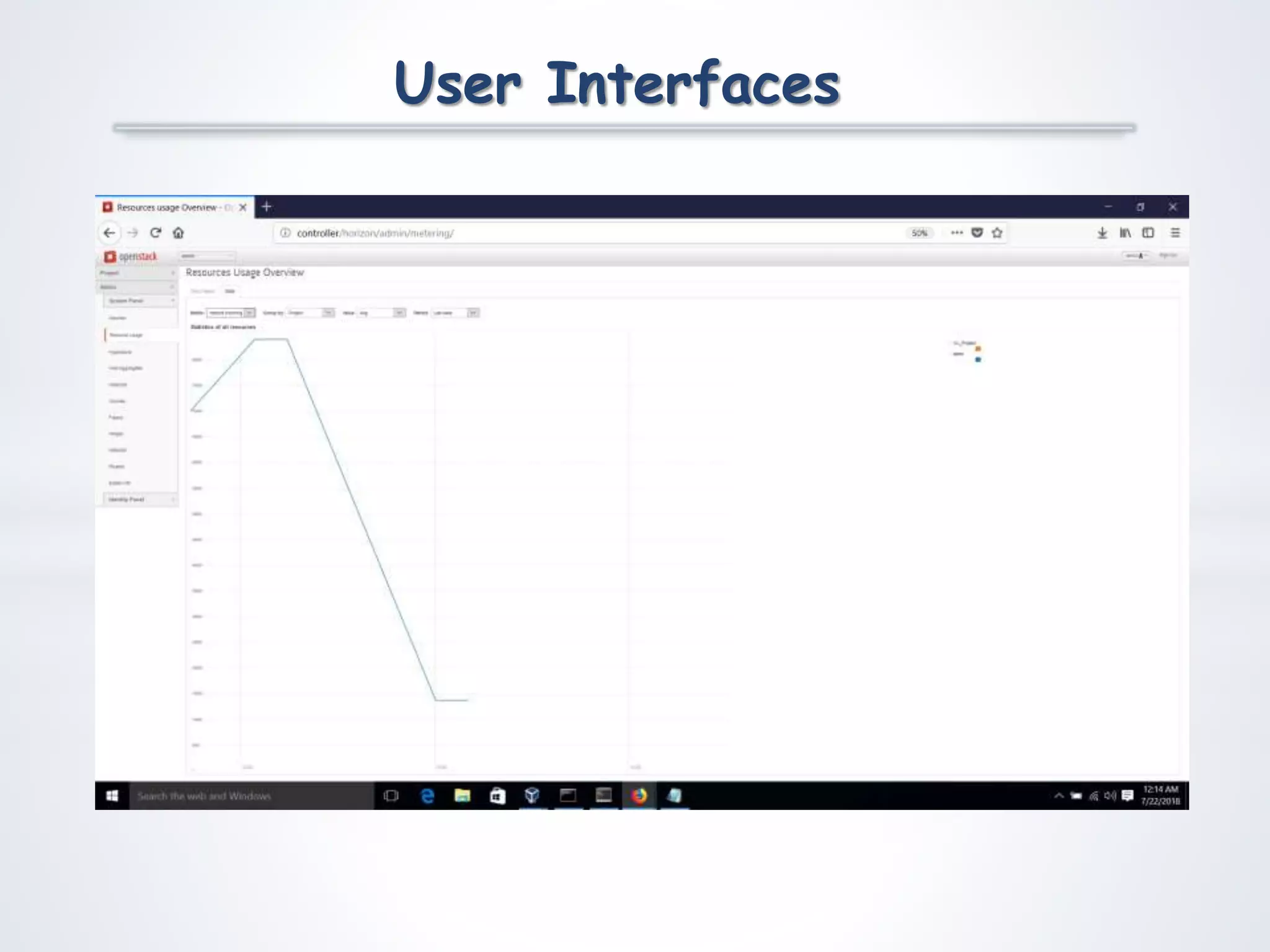
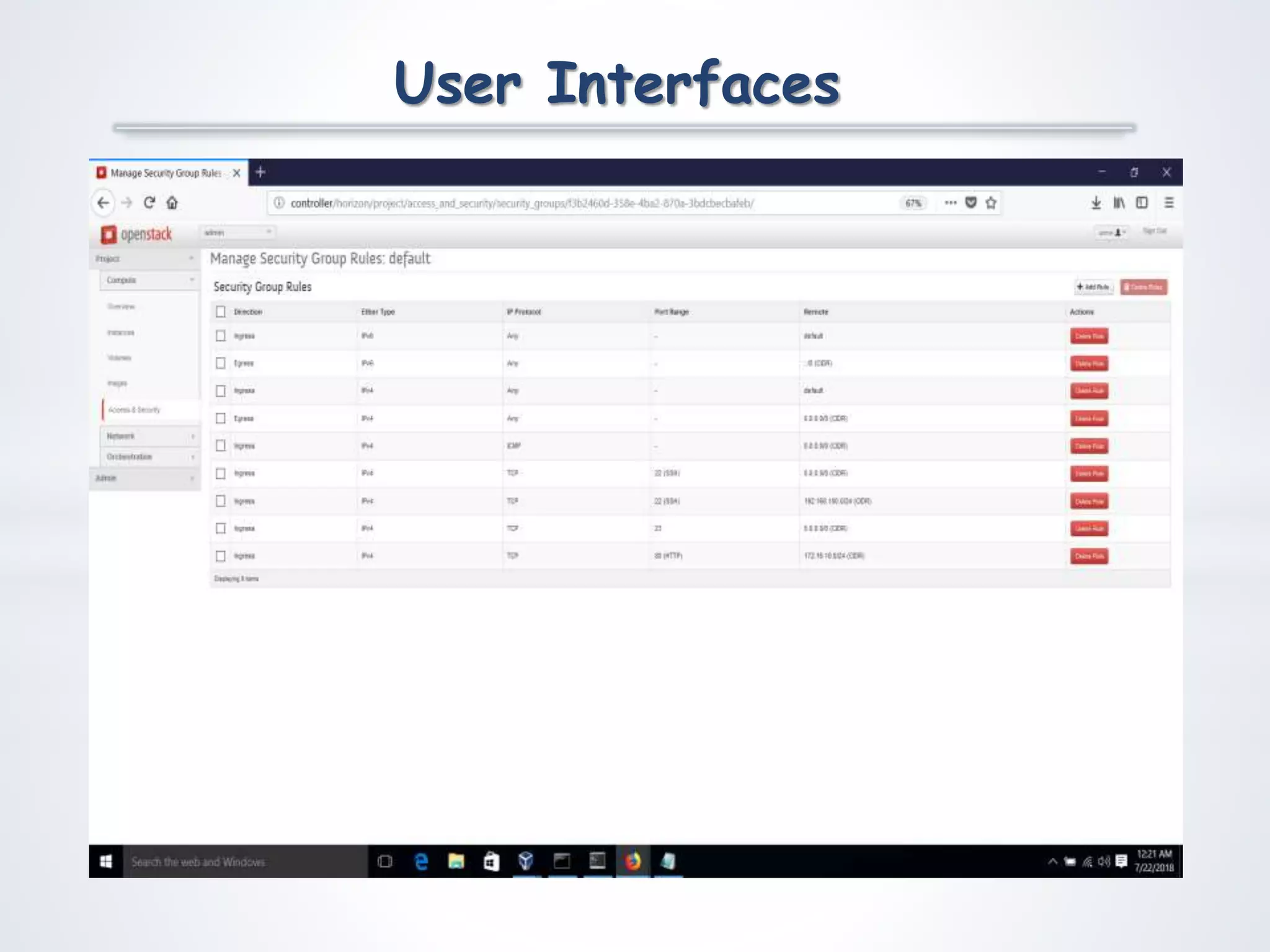
User Interfaces
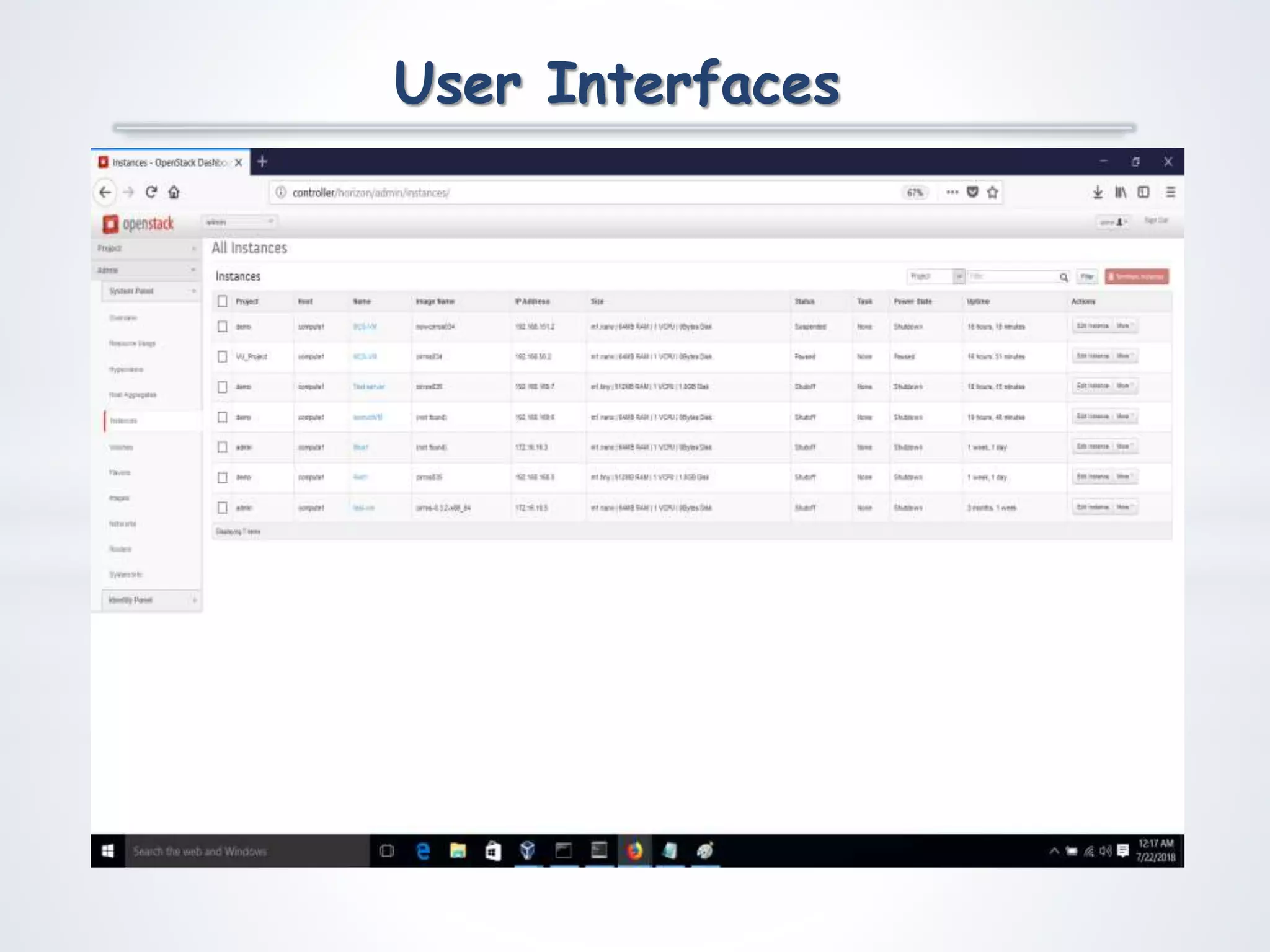
User Interfaces
User Interfaces
User Interfaces
User Interfaces
User Interfaces
User Interfaces
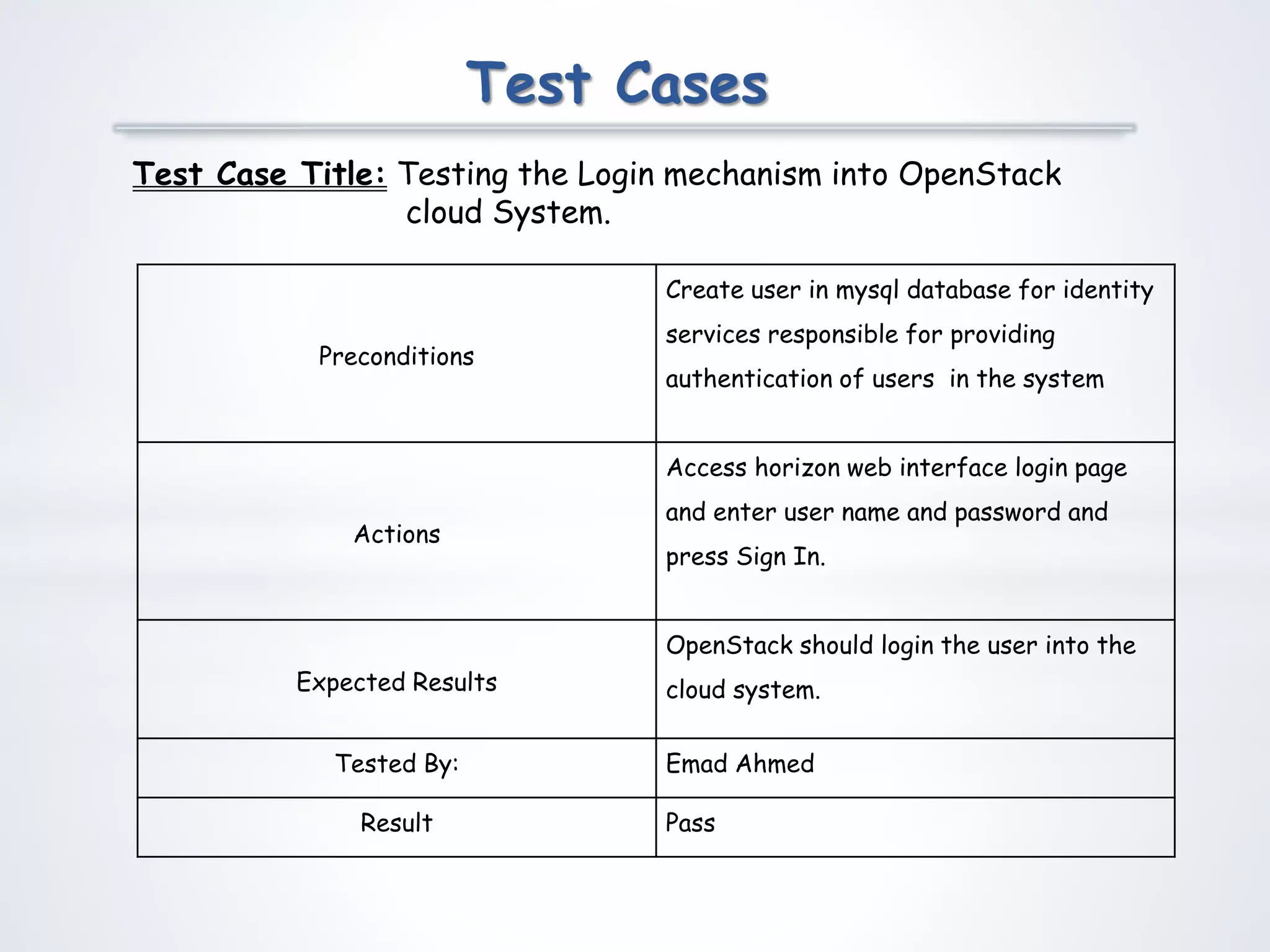
Test Cases
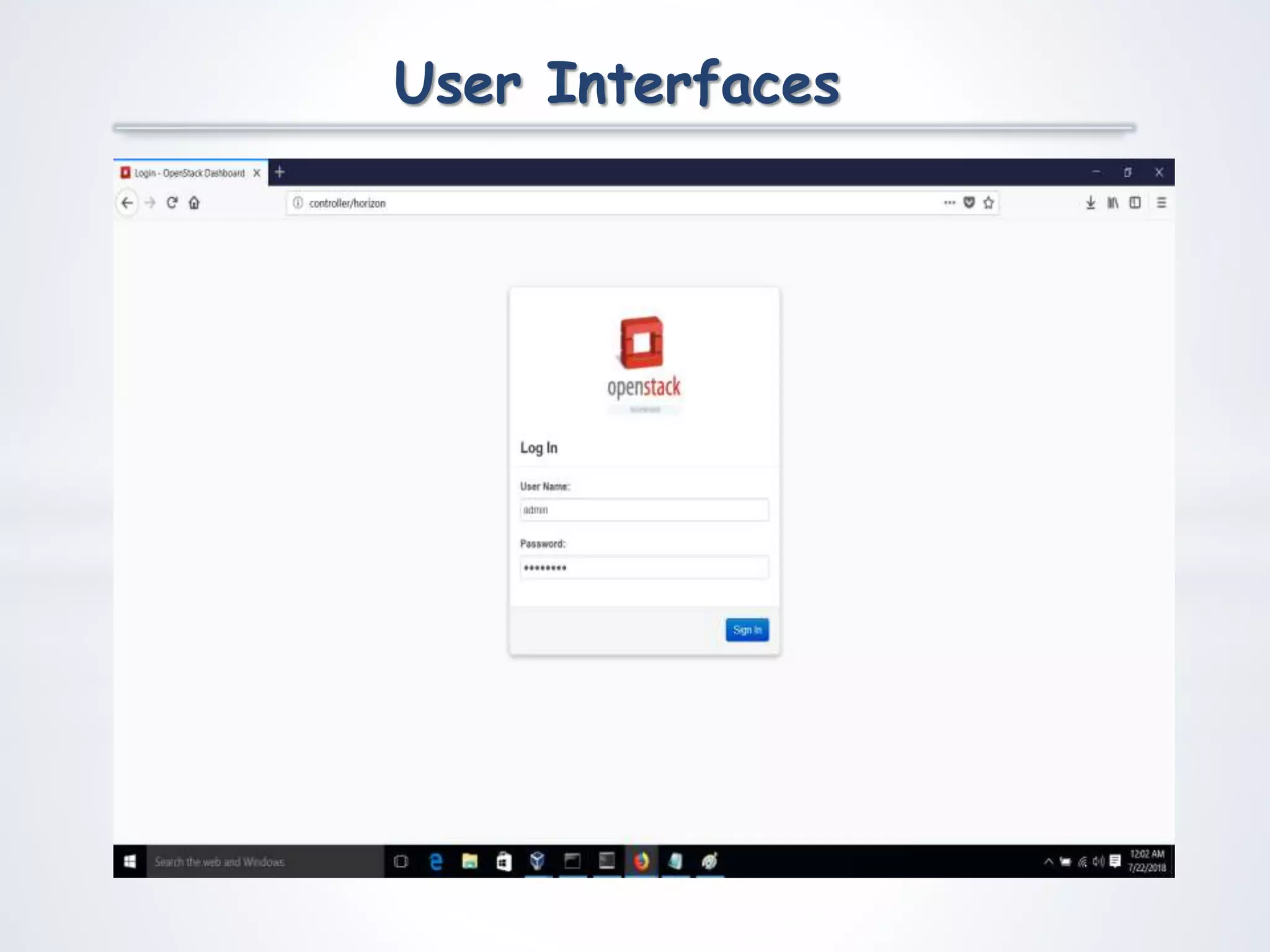
Test Case Title: Testing the Login mechanism into OpenStack
cloud System.
Preconditions
Create user in mysql database for identity
services responsible for providing
authentication of users in the system
Actions
Access horizon web interface login page
and enter user name and password and
press Sign In.
Expected Results
OpenStack should login the user into the
cloud system.
Tested By: Emad Ahmed
Result Pass
Test Cases
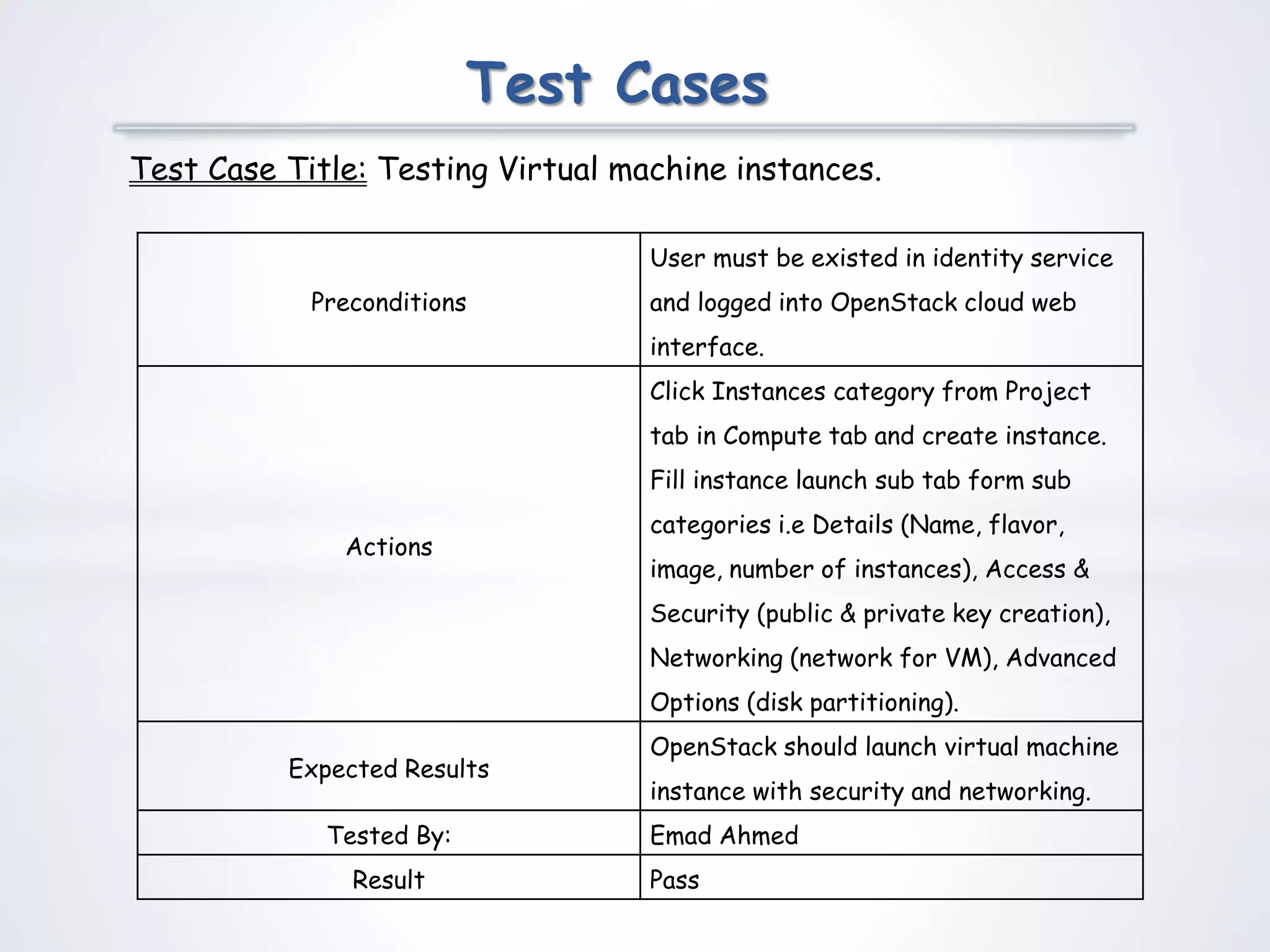
Test Case Title: Testing Virtual machine instances.
Preconditions
User must be existed in identity service
and logged into OpenStack cloud web
interface.
Actions
Click Instances category from Project
tab in Compute tab and create instance.
Fill instance launch sub tab form sub
categories i.e Details (Name, flavor,
image, number of instances), Access &
Security (public & private key creation),
Networking (network for VM), Advanced
Options (disk partitioning).
Expected Results
OpenStack should launch virtual machine
instance with security and networking.
Tested By: Emad Ahmed
Result Pass
Test Cases
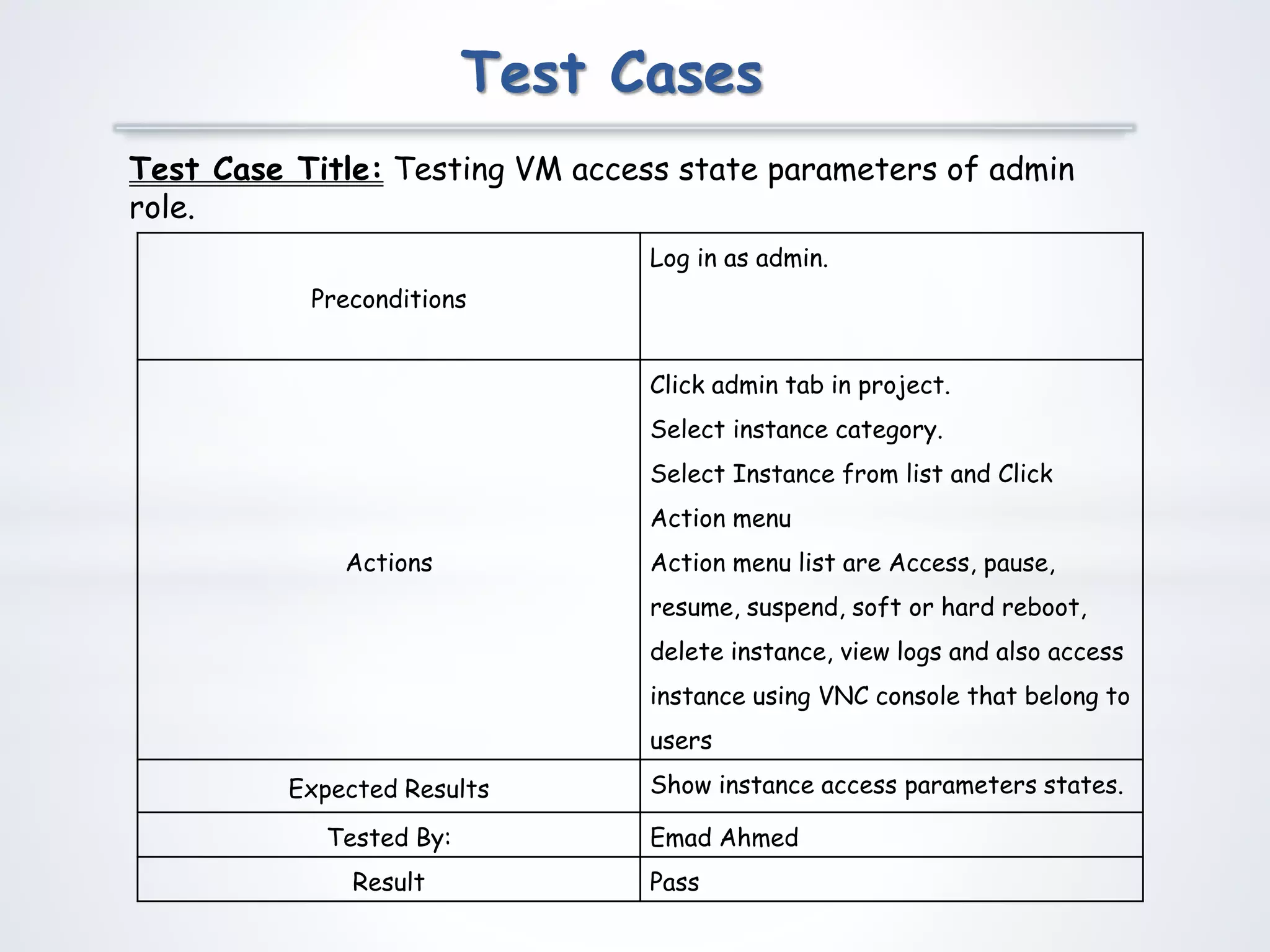
Test Case Title: Testing VM access state parameters of admin
role.
Preconditions
Log in as admin.
Actions
Click admin tab in project.
Select instance category.
Select Instance from list and Click
Action menu
Action menu list are Access, pause,
resume, suspend, soft or hard reboot,
delete instance, view logs and also access
instance using VNC console that belong to
users
Expected Results Show instance access parameters states.
Tested By: Emad Ahmed
Result Pass
Test Cases
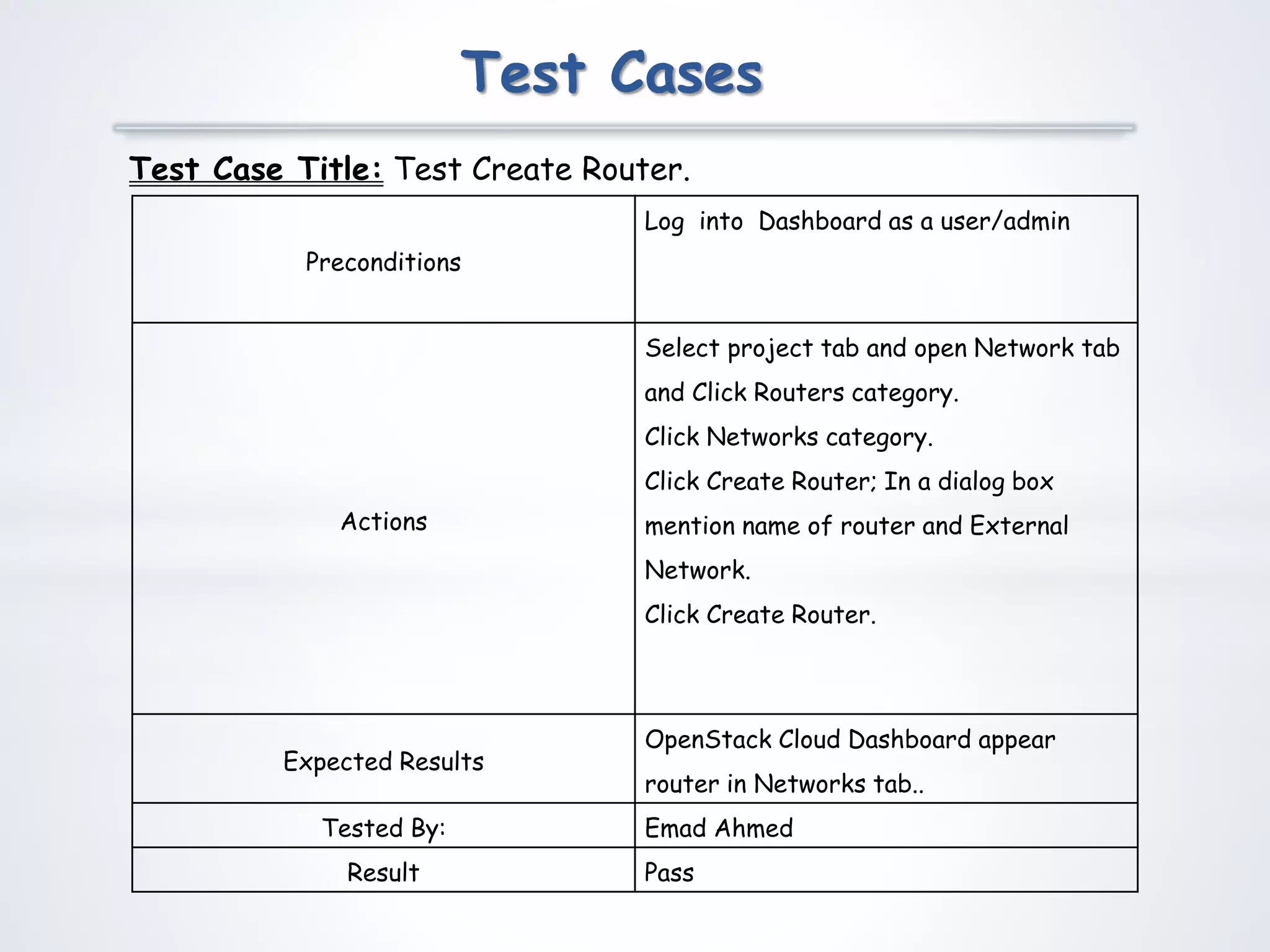
Test Case Title: Test Create Router.
Preconditions
Log into Dashboard as a user/admin
Actions
Select project tab and open Network tab
and Click Routers category.
Click Networks category.
Click Create Router; In a dialog box
mention name of router and External
Network.
Click Create Router.
Expected Results
OpenStack Cloud Dashboard appear
router in Networks tab..
Tested By: Emad Ahmed
Result Pass
Test Cases
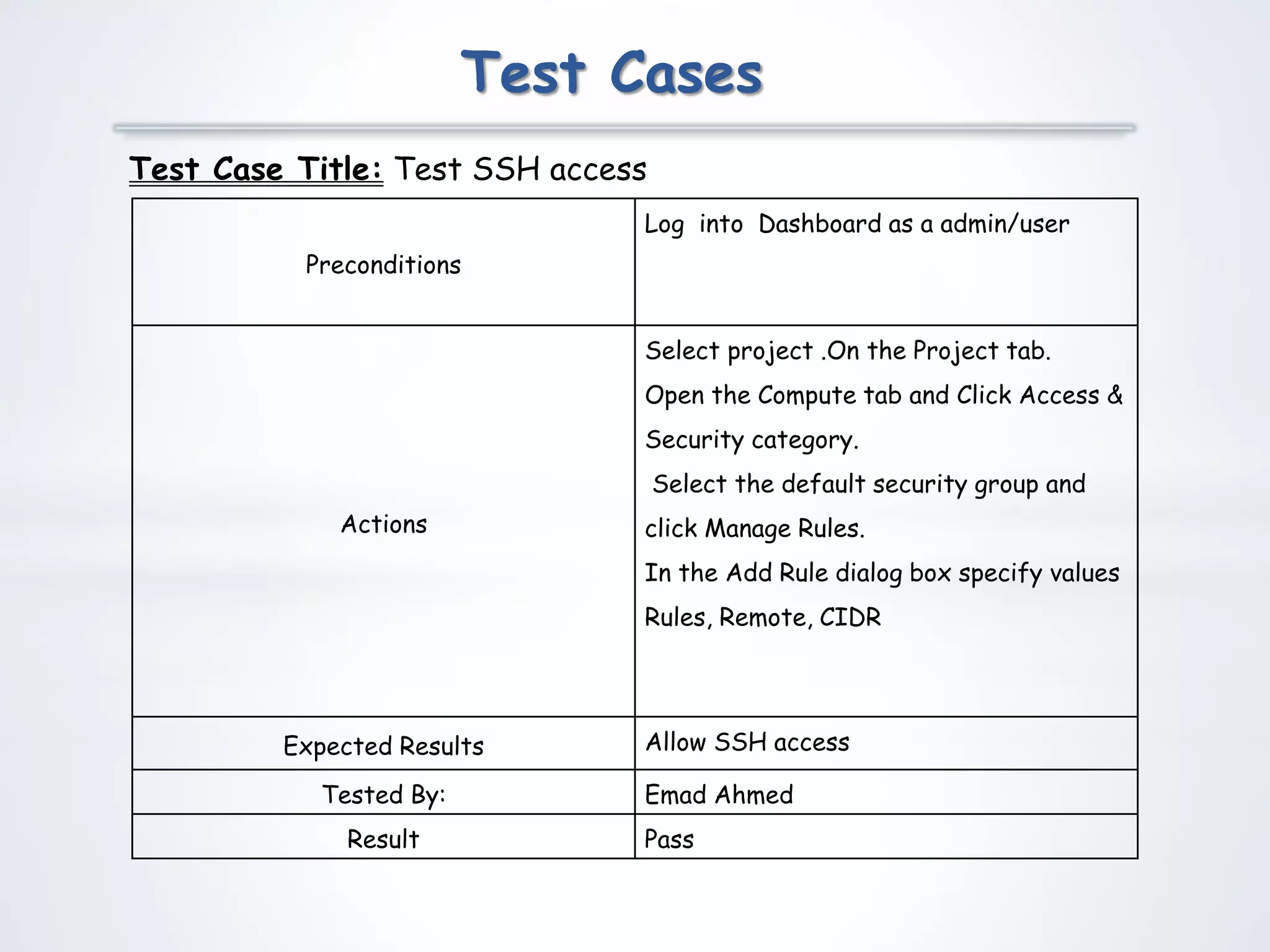
Test Case Title: Test SSH access
Preconditions
Log into Dashboard as a admin/user
Actions
Select project .On the Project tab.
Open the Compute tab and Click Access &
Security category.
Select the default security group and
click Manage Rules.
In the Add Rule dialog box specify values
Rules, Remote, CIDR
Expected Results Allow SSH access
Tested By: Emad Ahmed
Result Pass
Test Cases
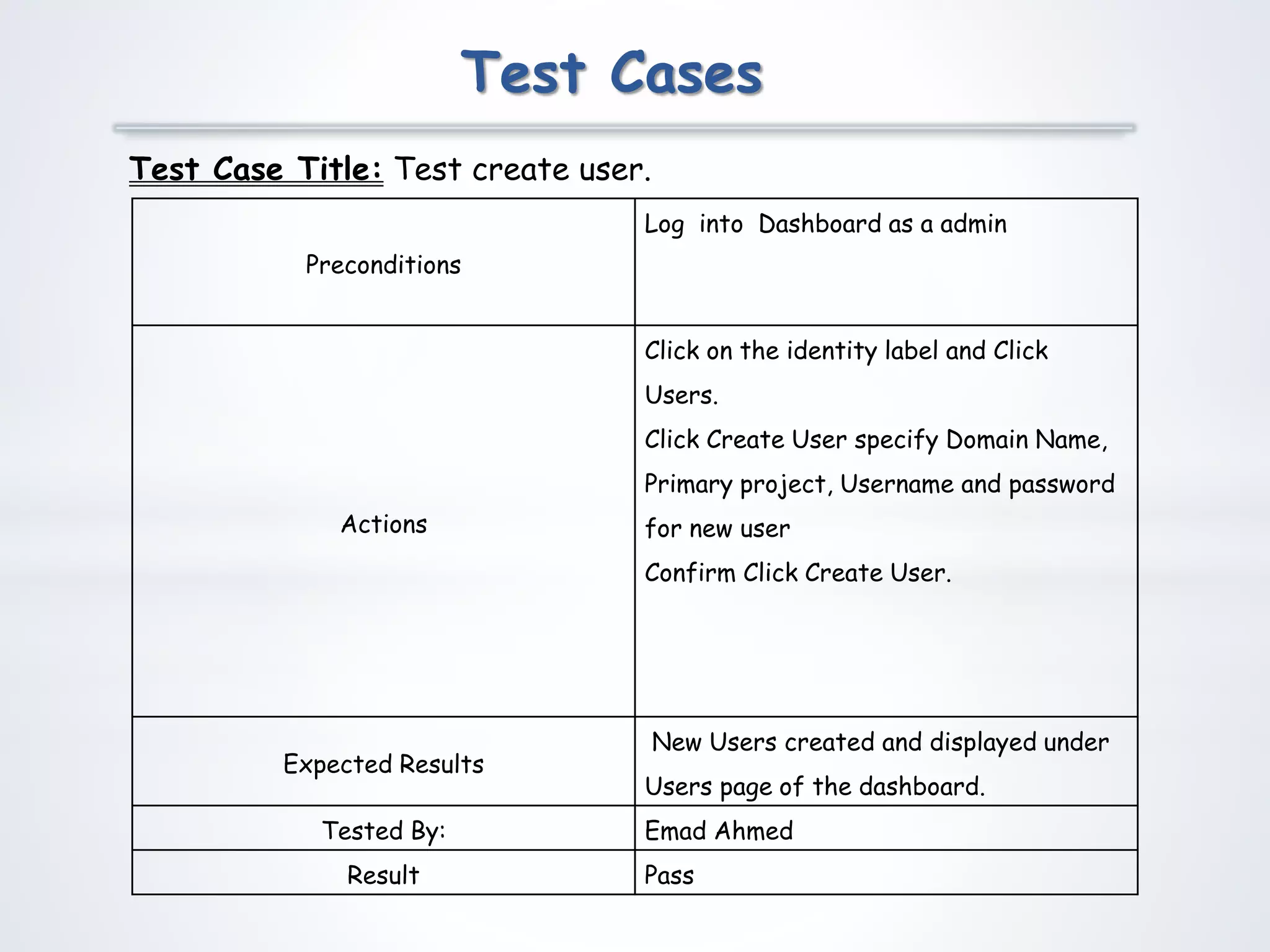
Test Case Title: Test create user.
Preconditions
Log into Dashboard as a admin
Actions
Click on the identity label and Click
Users.
Click Create User specify Domain Name,
Primary project, Username and password
for new user
Confirm Click Create User.
Expected Results
New Users created and displayed under
Users page of the dashboard.
Tested By: Emad Ahmed
Result Pass
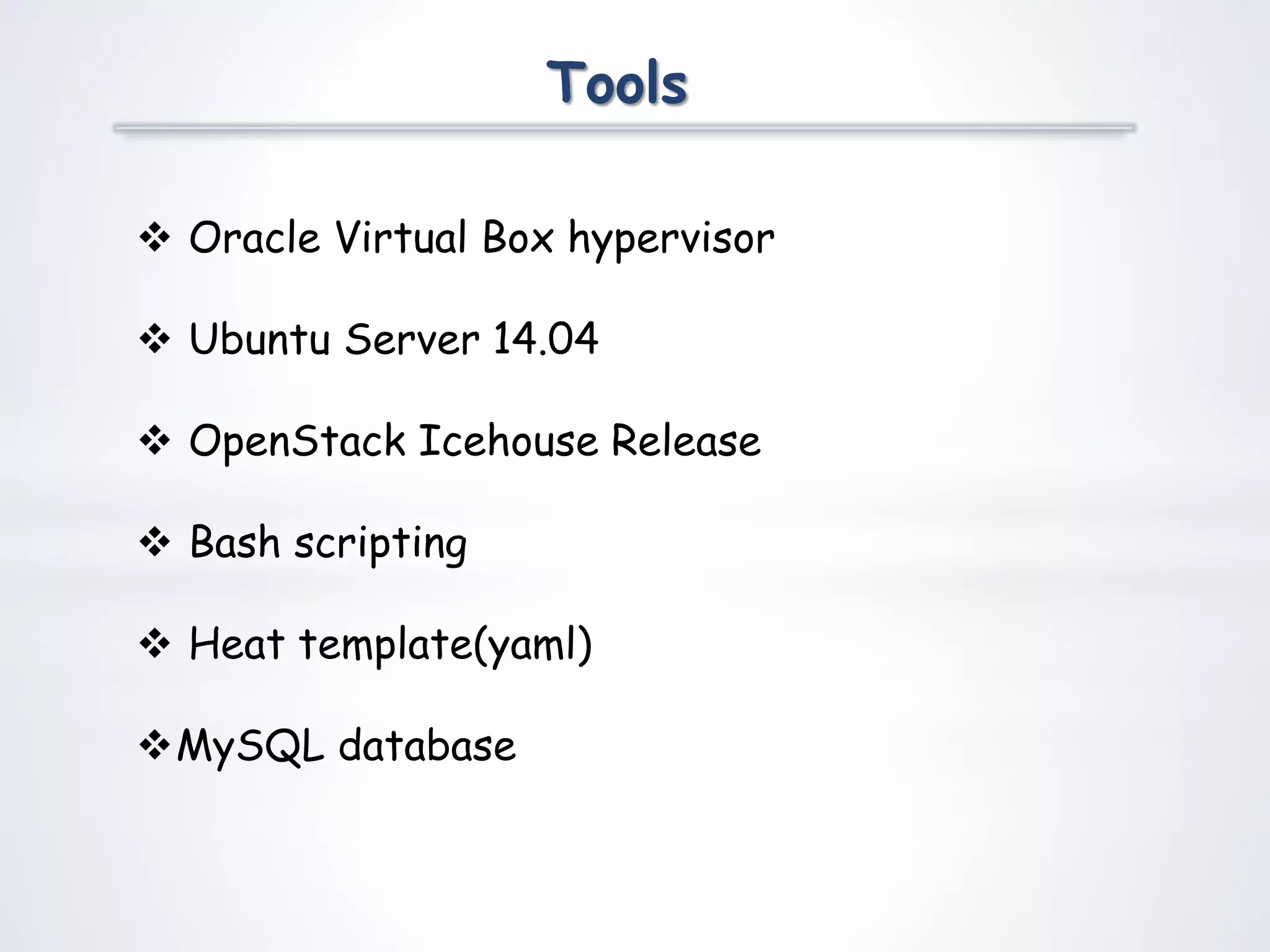
Tools
 Oracle Virtual Box hypervisor
 Ubuntu Server 14.04
 OpenStack Icehouse Release
 Bash scripting
 Heat template(yaml)
MySQL database
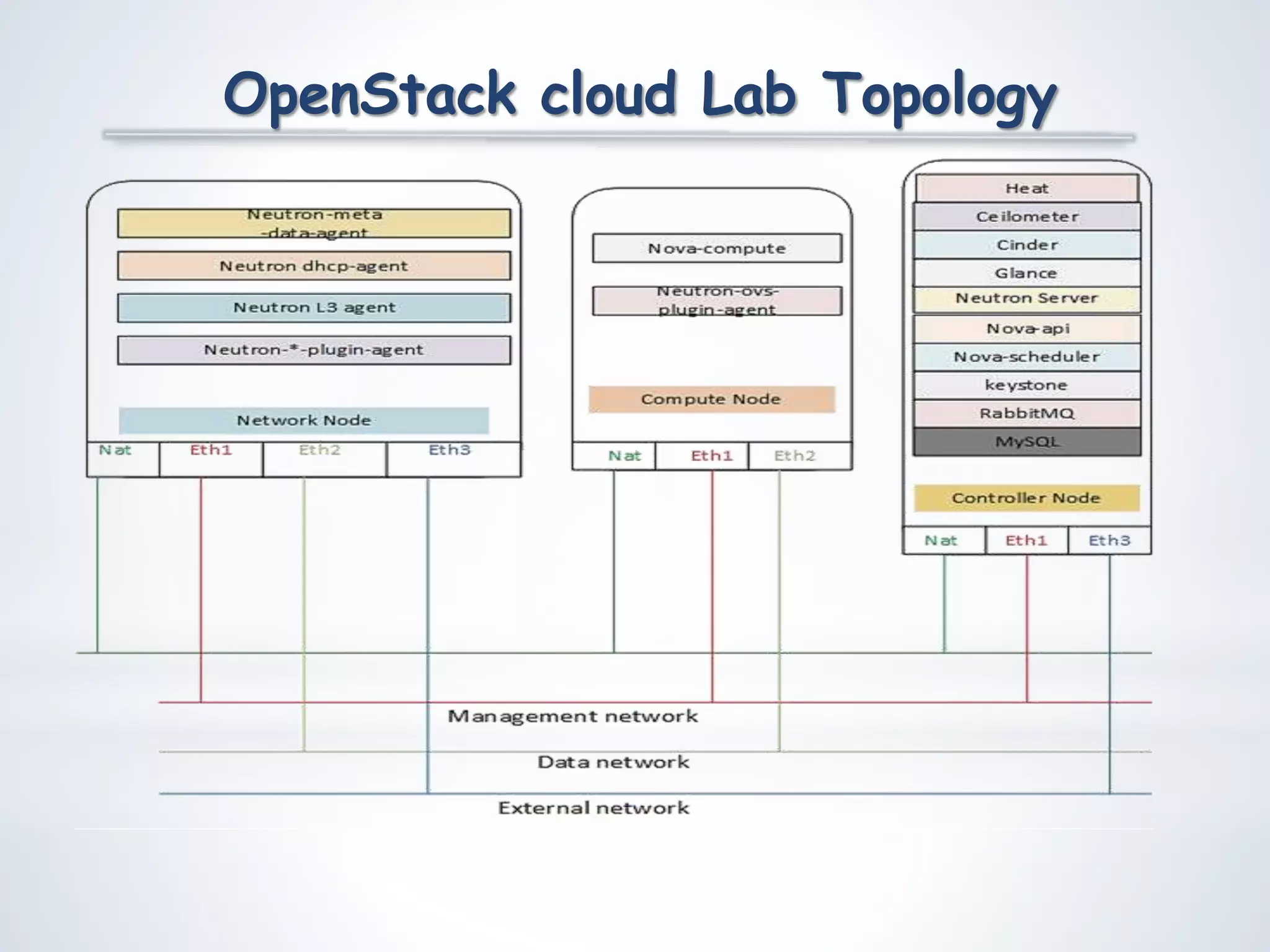
OpenStack cloud Lab Topology
Any Questions
Openstack Icehouse  IaaS Presentation

Openstack Icehouse IaaS Presentation

  • 1.
    Student Name: EmadAhmed VU ID : MC160202063 Group ID : 17026CF1B Master of Computer Science
  • 2.
    *Introduction to Cloudcomputing *Introduction to OpenStack *OpenStack Design & Architecture *Demonstration of OpenStack Cloud Implement Cloud Infrastructure via OpenStack
  • 3.
    Cloud Computing: Cloud computingis about using remotely hosted server on the internet to store ,manage and process data, in contrast to local server and such service providers are called Cloud provider or operator. The shared resources, system or data as a service is delivered through Cloud Computing Characteristic of Cloud Computing:  virtual resource pool  flexible and scalable  Affordable IaaS: Infrastructure as a Service which includes servers, storage, networks and operating system example OpenStack Implement Cloud Infrastructure via OpenStack
  • 4.
     Open Stackis a fully open source “Cloud operating system”  Comprise of several open source sub projects  Provide building blocking to create IaaS cloud  Controls large pools of storage, compute and networking resources in a datacenter  All managed with graphical user interface called dashboard.  Users empower to provision resources through a web interface Implement Cloud Infrastructure via OpenStack
  • 5.
    Compute:  Virtual machinemanagement  Comprehensive hypervisor support Network:  IP address management  Layer 2, Layer 3  Security services Storage:  Persistent Volumes(Block storage)  Bootable VM images and files storage OpenStack Components responsible and provide.. Implement Cloud Infrastructure via OpenStack
  • 6.
  • 7.
  • 8.
    Business Rules Catalog 3 x Server preparation for Open Stack and virtualization on Virtual Box hypervisor.  Security implementation, virtual machine instance and allow user to view and manipulate from web interface.  Web graph to view CPU limit, storage, and memory.  User direct access to instance without connecting to cloud web interface.  Setup metering for billing and rating system.
  • 9.
    Business Rules Catalog Quick deployment of virtual machine (VM) through easy to use web form selection interface.  Web interface management on resource.  Host resource restriction on instance.  Monitor processor utilization, space utilization and memory utilization in graph.  Virtual machine for logical volume management for block storage called cinder.
  • 11.
  • 12.
  • 13.
  • 14.
  • 15.
    Sequence Diagrams Horizon keystone Reqvalidation token Admin/User Logged Nova Auth- header updated Http Rest api call Request permission Permission granted Nova-api Nova-scheduler Nova-conductor Nova-DB Dashboard Interface updated Instance Nova Provision Process
  • 16.
    Sequence Diagrams Horizon Glance Reqvalidation token Admin/ User Logged Nova Auth- header updated Http Rest api call Image Metadata info Nova-api Nova-scheduler Nova-conductor Glance-api Glance-registery keystone Auth- token Nova-DB Glance-DB Dashboard Interface updated Instance Image Provision Process
  • 17.
    Sequence Diagrams Horizon Neutron Reqvalidation tokenLogged Nova Auth- header updated Http Rest api call Network info Nova-api Nova-scheduler Nova-conductor Neutron-server Plugin-agent Auth- token keystone Admin/ User Nova-DB Neutron-DB Dashboard Interface updated Instance Network Provision Process
  • 18.
    Sequence Diagrams Horizon Cinder Reqvalidation tokenLogged Nova Auth- header updated Http Rest api call Block storage info Nova-api Nova-scheduler Nova-conductor Cinder-api Auth- token keystone Admin/ User Cinder-scheduler Cinder-volume Nova-DB Cinder-DB Dashboard Interface updated Instance Cinder Storage Process
  • 19.
    Sequence Diagrams Horizon Admin Reqvalidation token Logged In Http Rest api callAuth- token keystoneAdmin Usage & Reporting Http Rest api call Syslog & resource utilization Log & VNC Http Rest api call VNC address & log pulling Network Http Rest api call Network info,subnet,routing Volume Http Rest api call Storage vol info Share Http Rest api call Share info list system Info Service api addresses Http Rest api call credidential Administration Tasks Process
  • 20.
  • 21.
  • 22.
  • 23.
  • 24.
  • 25.
  • 26.
  • 27.
  • 28.
  • 29.
    Test Cases Test CaseTitle: Testing the Login mechanism into OpenStack cloud System. Preconditions Create user in mysql database for identity services responsible for providing authentication of users in the system Actions Access horizon web interface login page and enter user name and password and press Sign In. Expected Results OpenStack should login the user into the cloud system. Tested By: Emad Ahmed Result Pass
  • 30.
    Test Cases Test CaseTitle: Testing Virtual machine instances. Preconditions User must be existed in identity service and logged into OpenStack cloud web interface. Actions Click Instances category from Project tab in Compute tab and create instance. Fill instance launch sub tab form sub categories i.e Details (Name, flavor, image, number of instances), Access & Security (public & private key creation), Networking (network for VM), Advanced Options (disk partitioning). Expected Results OpenStack should launch virtual machine instance with security and networking. Tested By: Emad Ahmed Result Pass
  • 31.
    Test Cases Test CaseTitle: Testing VM access state parameters of admin role. Preconditions Log in as admin. Actions Click admin tab in project. Select instance category. Select Instance from list and Click Action menu Action menu list are Access, pause, resume, suspend, soft or hard reboot, delete instance, view logs and also access instance using VNC console that belong to users Expected Results Show instance access parameters states. Tested By: Emad Ahmed Result Pass
  • 32.
    Test Cases Test CaseTitle: Test Create Router. Preconditions Log into Dashboard as a user/admin Actions Select project tab and open Network tab and Click Routers category. Click Networks category. Click Create Router; In a dialog box mention name of router and External Network. Click Create Router. Expected Results OpenStack Cloud Dashboard appear router in Networks tab.. Tested By: Emad Ahmed Result Pass
  • 33.
    Test Cases Test CaseTitle: Test SSH access Preconditions Log into Dashboard as a admin/user Actions Select project .On the Project tab. Open the Compute tab and Click Access & Security category. Select the default security group and click Manage Rules. In the Add Rule dialog box specify values Rules, Remote, CIDR Expected Results Allow SSH access Tested By: Emad Ahmed Result Pass
  • 34.
    Test Cases Test CaseTitle: Test create user. Preconditions Log into Dashboard as a admin Actions Click on the identity label and Click Users. Click Create User specify Domain Name, Primary project, Username and password for new user Confirm Click Create User. Expected Results New Users created and displayed under Users page of the dashboard. Tested By: Emad Ahmed Result Pass
  • 35.
    Tools  Oracle VirtualBox hypervisor  Ubuntu Server 14.04  OpenStack Icehouse Release  Bash scripting  Heat template(yaml) MySQL database
  • 36.
  • 38.