
Office 365 Integration Options
                    David Greve
What is Office 365


“….a cloud productivity solution that simplifies
IT management and provides virtually
anywhere access to familiar Office tools, email,
file sharing, conferencing, and many more
services.”

-Microsoft Marketing
                                                   2
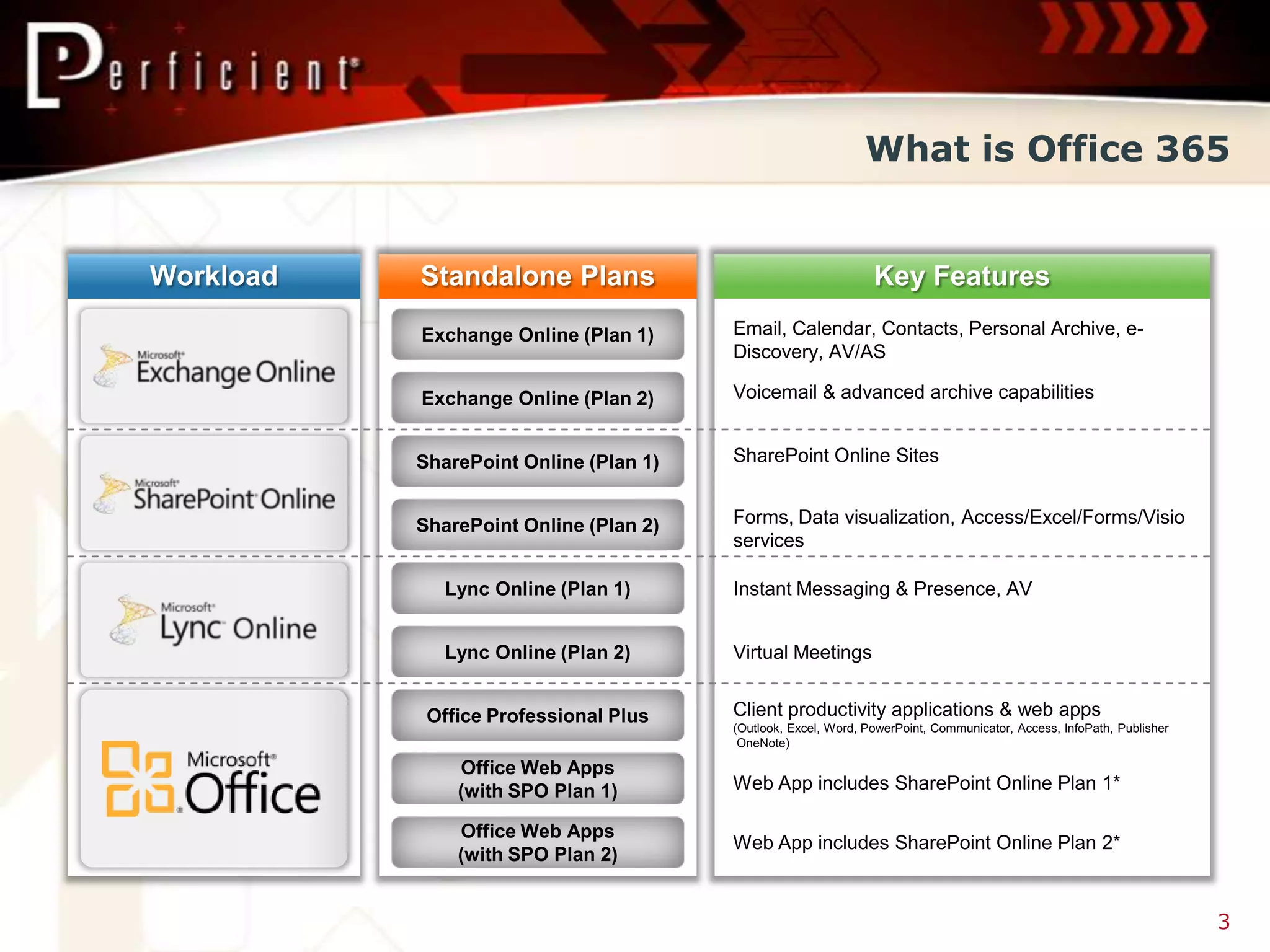
What is Office 365


                 3
Office 365 Benefits


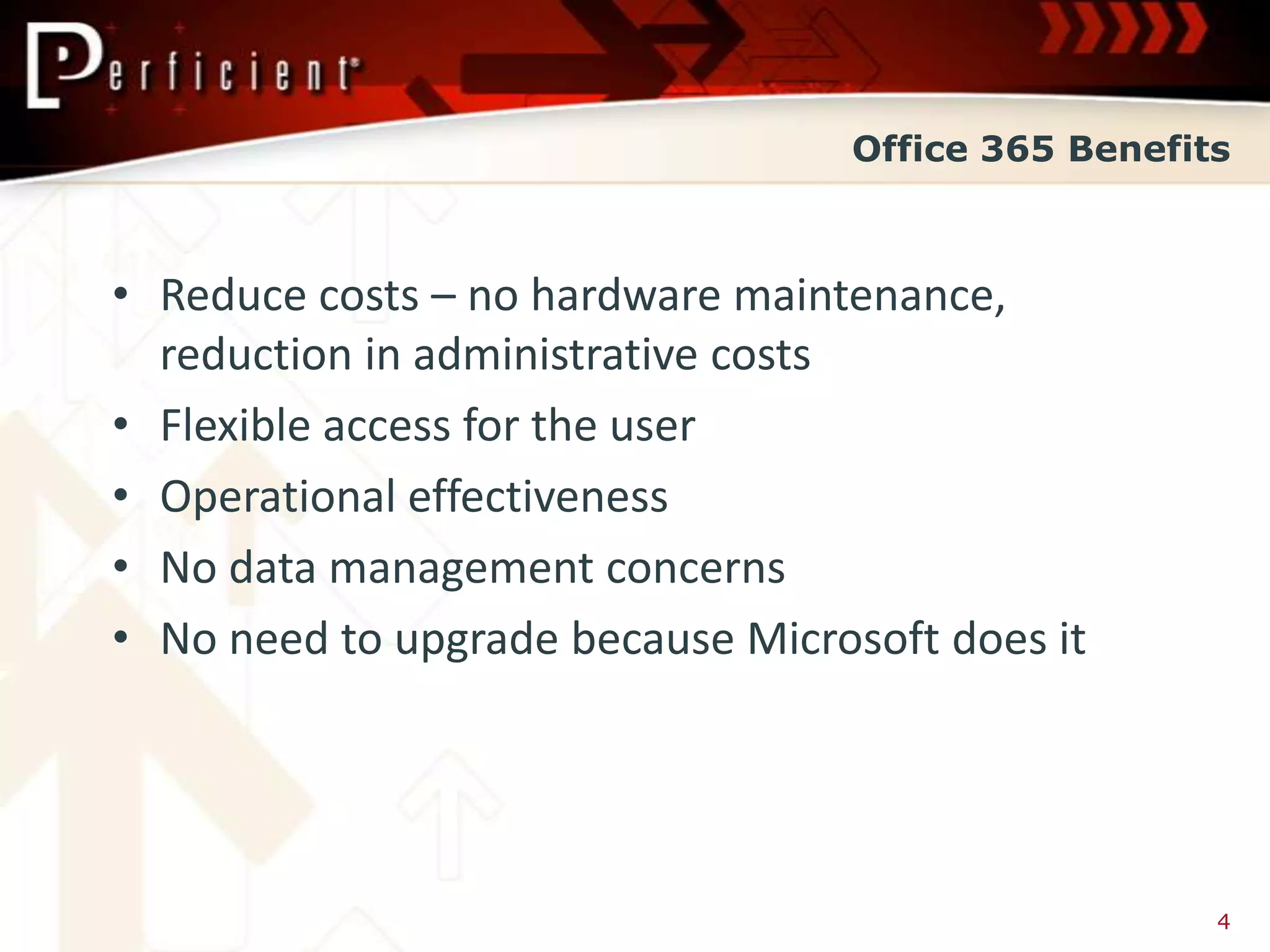
• Reduce costs – no hardware maintenance,
  reduction in administrative costs
• Flexible access for the user
• Operational effectiveness
• No data management concerns
• No need to upgrade because Microsoft does it


                                                    4
Is Office 365 a Fit


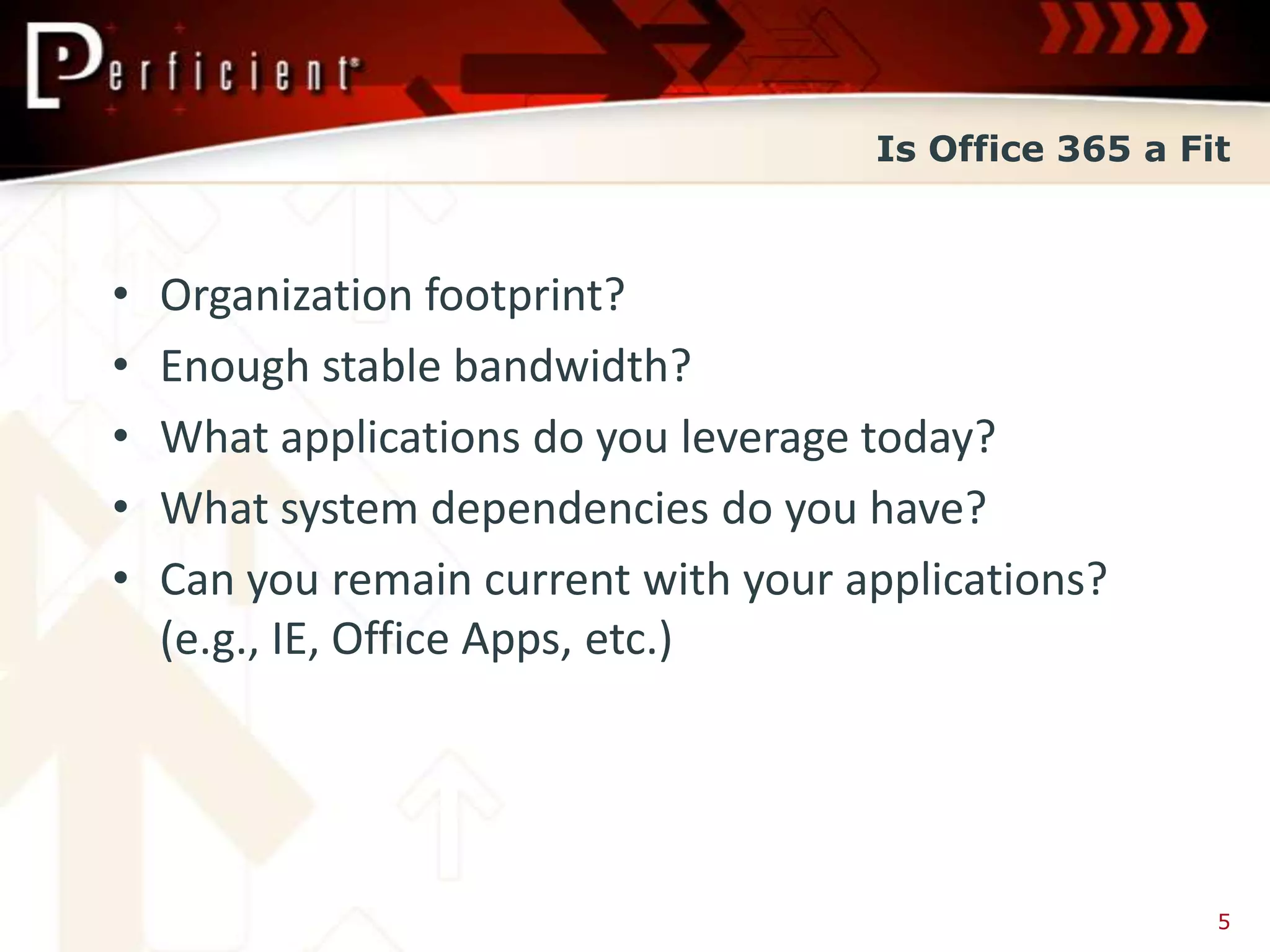
•   Organization footprint?
•   Enough stable bandwidth?
•   What applications do you leverage today?
•   What system dependencies do you have?
•   Can you remain current with your applications?
    (e.g., IE, Office Apps, etc.)


                                                        5
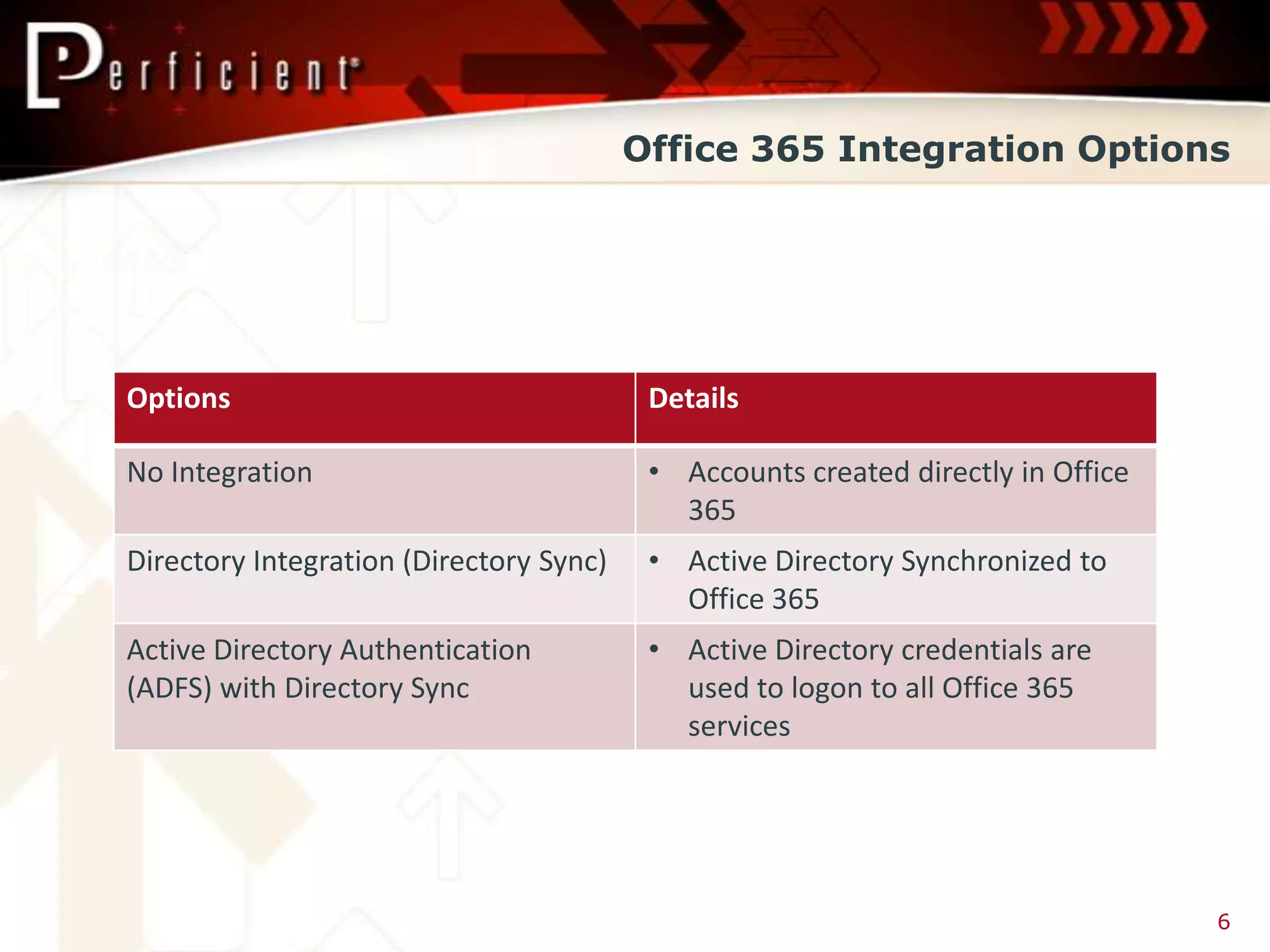
Office 365 Integration Options


Options                                   Details

No Integration                            • Accounts created directly in Office
                                            365
Directory Integration (Directory Sync)    • Active Directory Synchronized to
                                            Office 365
Active Directory Authentication           • Active Directory credentials are
(ADFS) with Directory Sync                  used to logon to all Office 365
                                            services


                                                                                  6
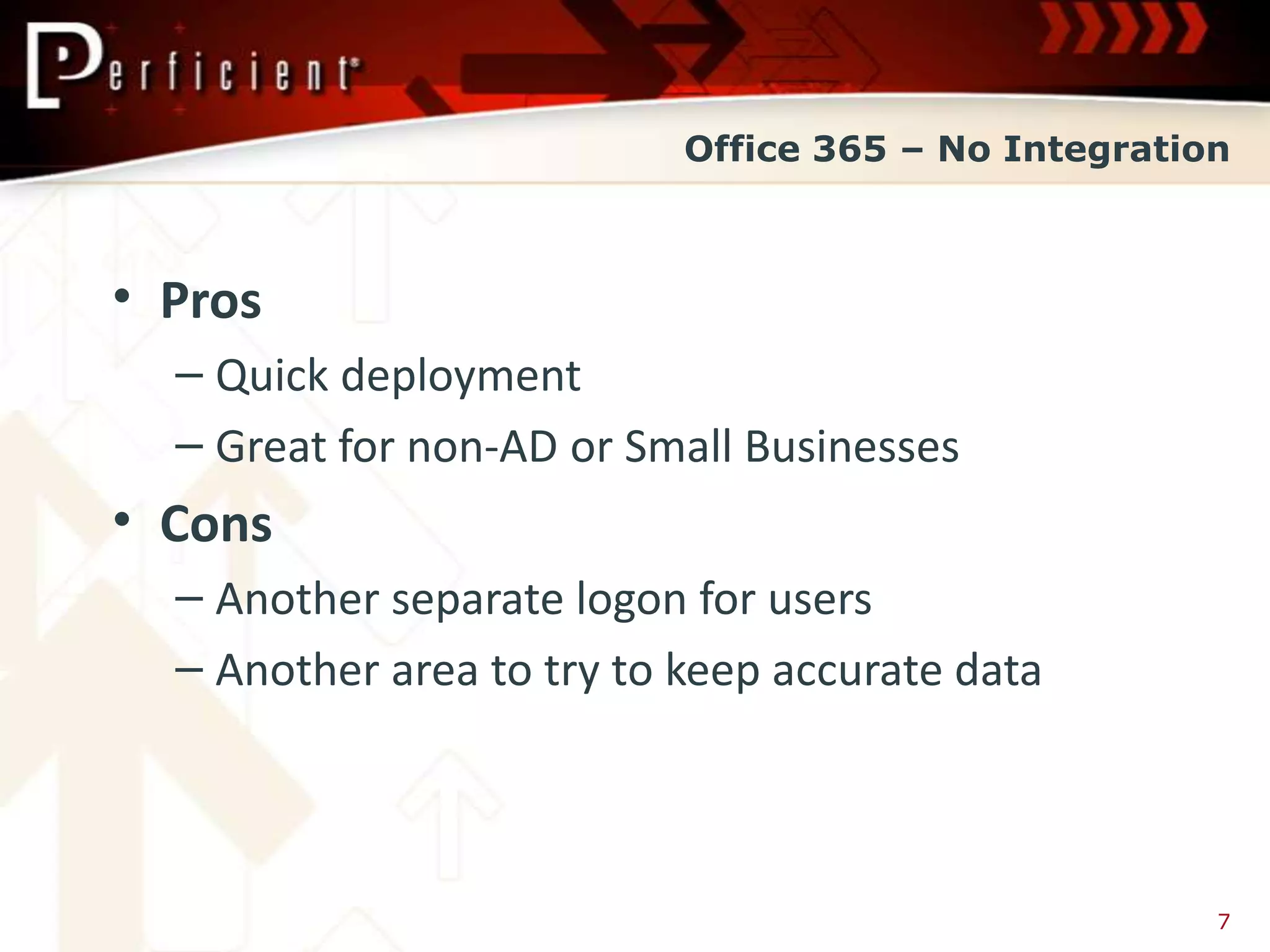
Office 365 – No Integration


• Pros
  – Quick deployment
  – Great for non-AD or Small Businesses
• Cons
  – Another separate logon for users
  – Another area to try to keep accurate data


                                                     7
Office 365 – No Integration


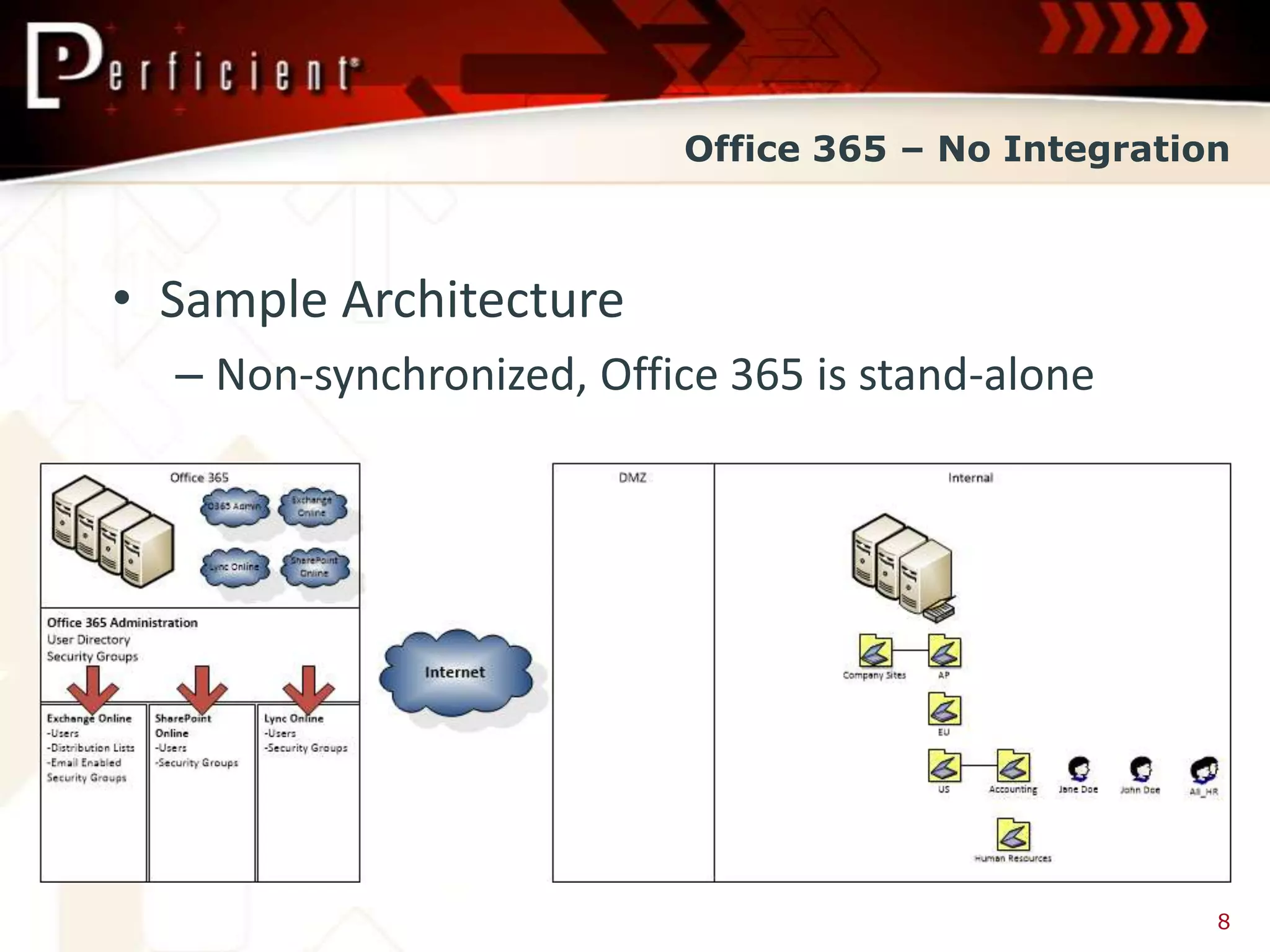
• Sample Architecture
  – Non-synchronized, Office 365 is stand-alone


                                                    8
Office 365 – No Integration


Portal Demo


                                9
Office 365 – Directory Integration


• Pros
  – Moderately quick deployment
  – Maintain a single location for directory
    information
• Cons
  – Another separate logon for users


                                                     14
Office 365 – Directory Integration


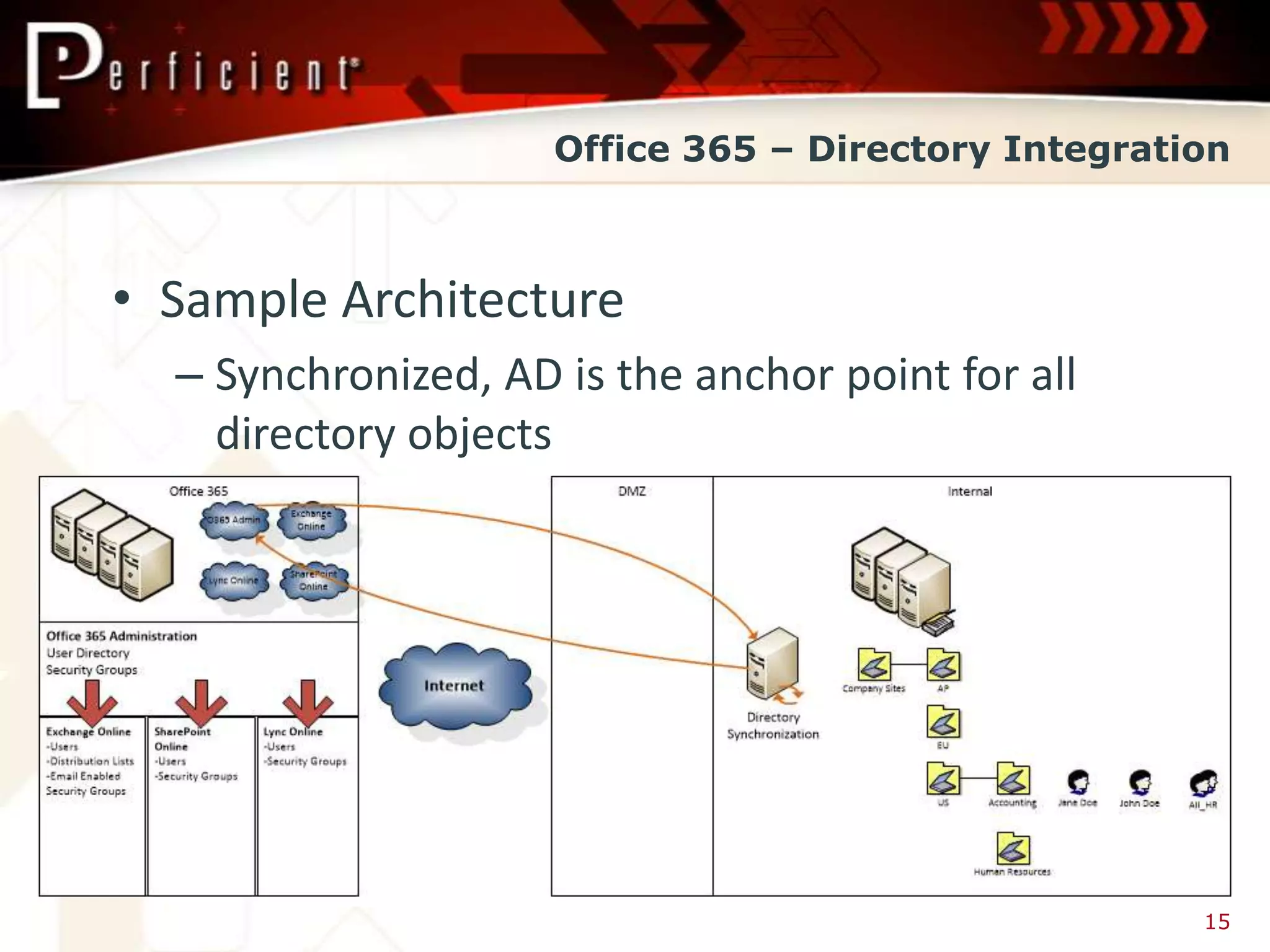
• Sample Architecture
  – Synchronized, AD is the anchor point for all
    directory objects


                                                     15
Office 365 – Directory Integration


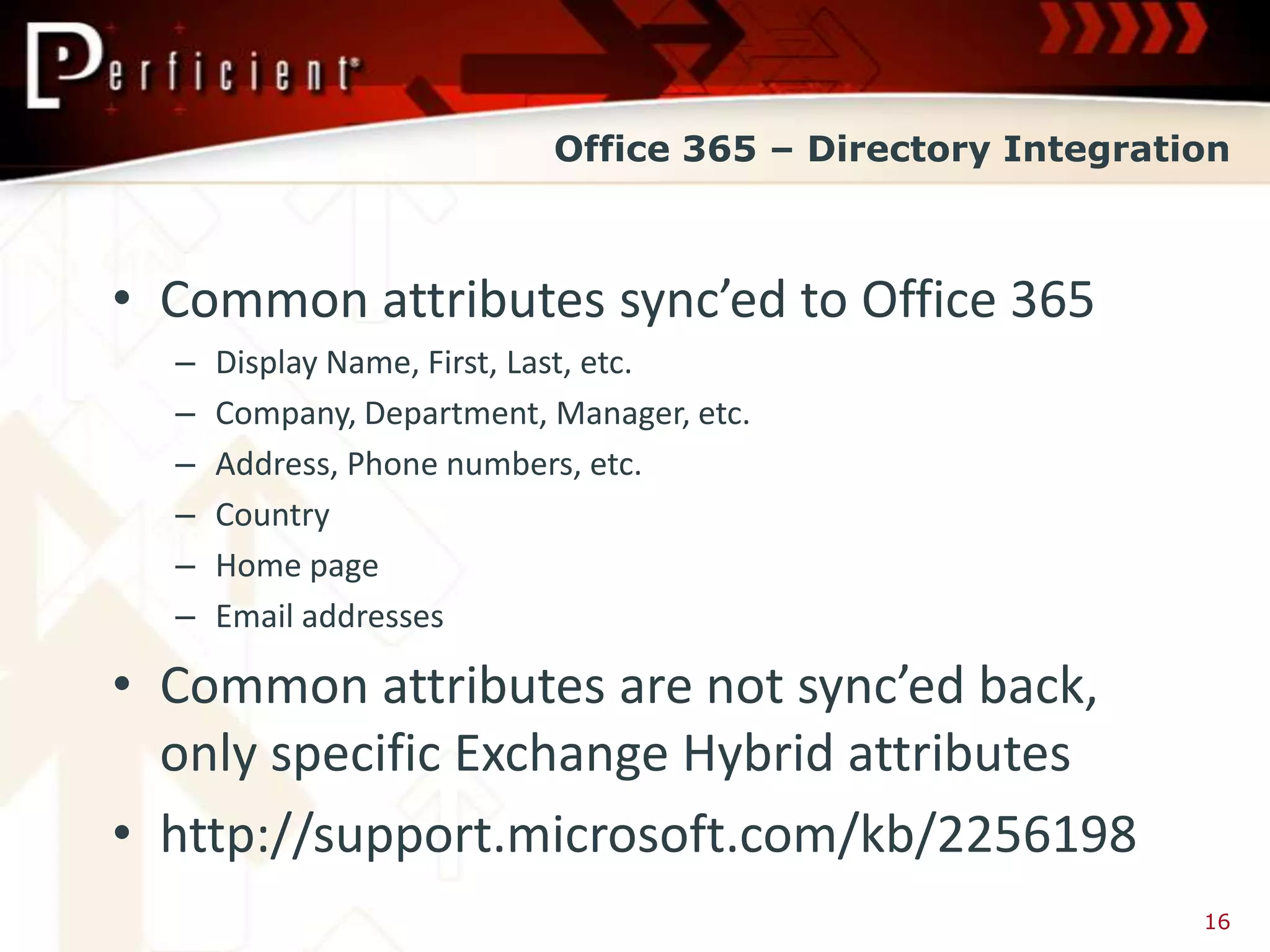
• Common attributes sync’ed to Office 365
  –   Display Name, First, Last, etc.
  –   Company, Department, Manager, etc.
  –   Address, Phone numbers, etc.
  –   Country
  –   Home page
  –   Email addresses

• Common attributes are not sync’ed back,
  only specific Exchange Hybrid attributes
• http://support.microsoft.com/kb/2256198
                                                           16
Office 365 – Directory Integration


Portal Demo


                                 17
Office 365 – Active Directory Authentication


• Pros
  – Single logon from Active Directory
  – Simplified applications logon
  – Maintain a single location for directory
    information
• Cons
  – Deployment time, based on complexity of Auth
    Requirements

                                                     22
Office 365 – Active Directory Authentication


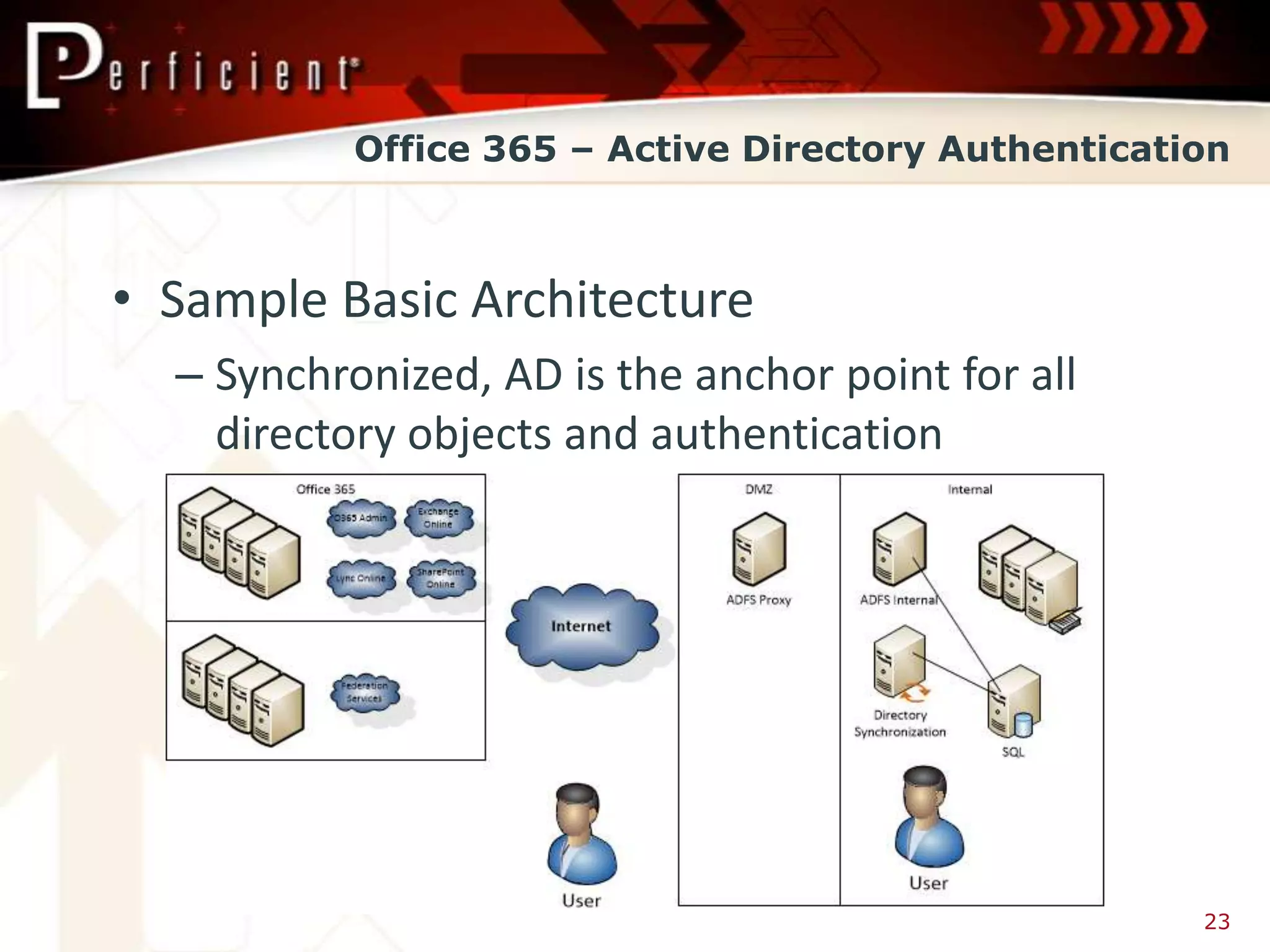
• Sample Basic Architecture
  – Synchronized, AD is the anchor point for all
    directory objects and authentication


                                                     23
Office 365 – Active Directory Authentication


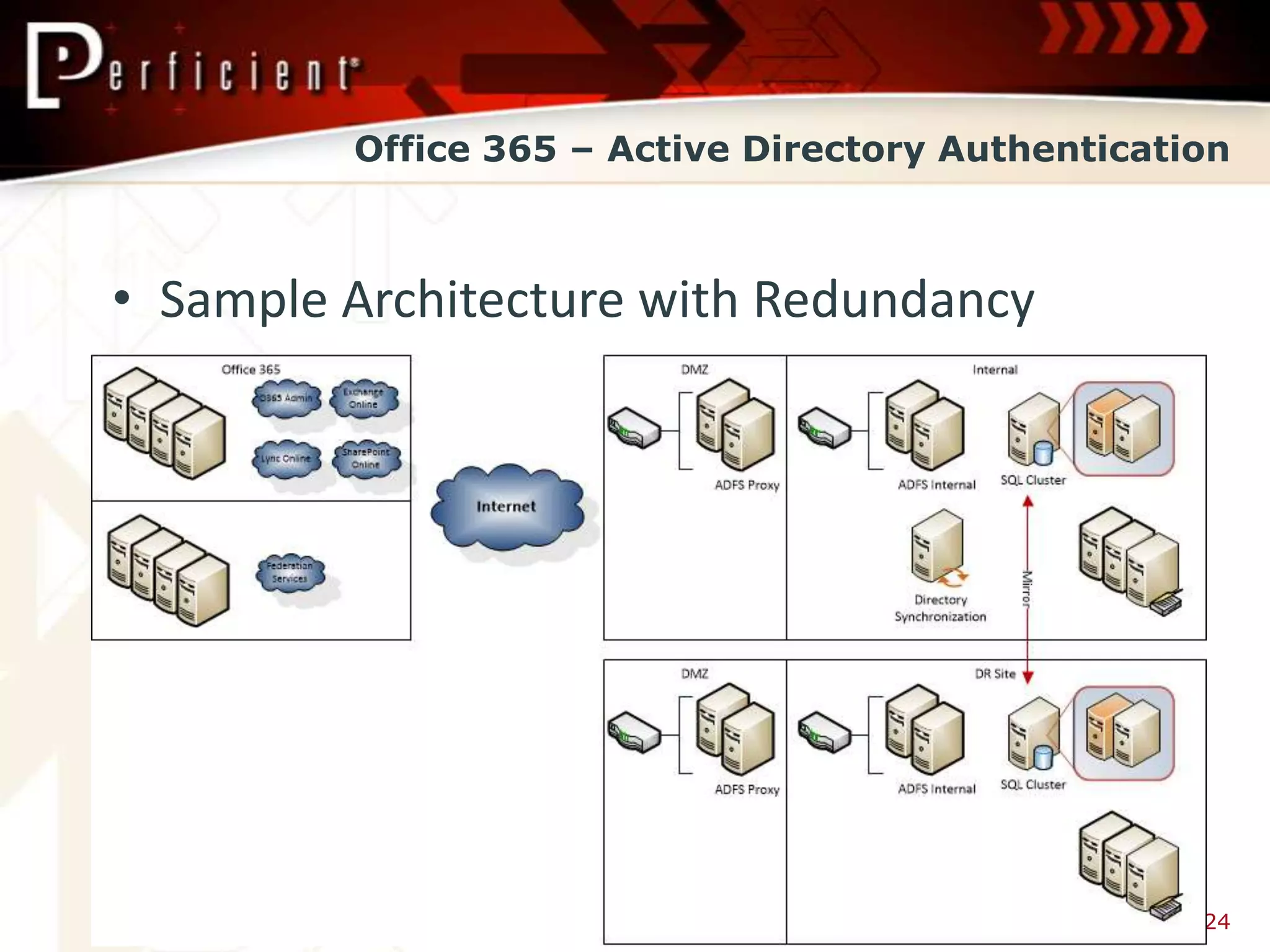
• Sample Architecture with Redundancy


                                                   24
Office 365 – Active Directory Authentication


       Portal Demo


                                          25
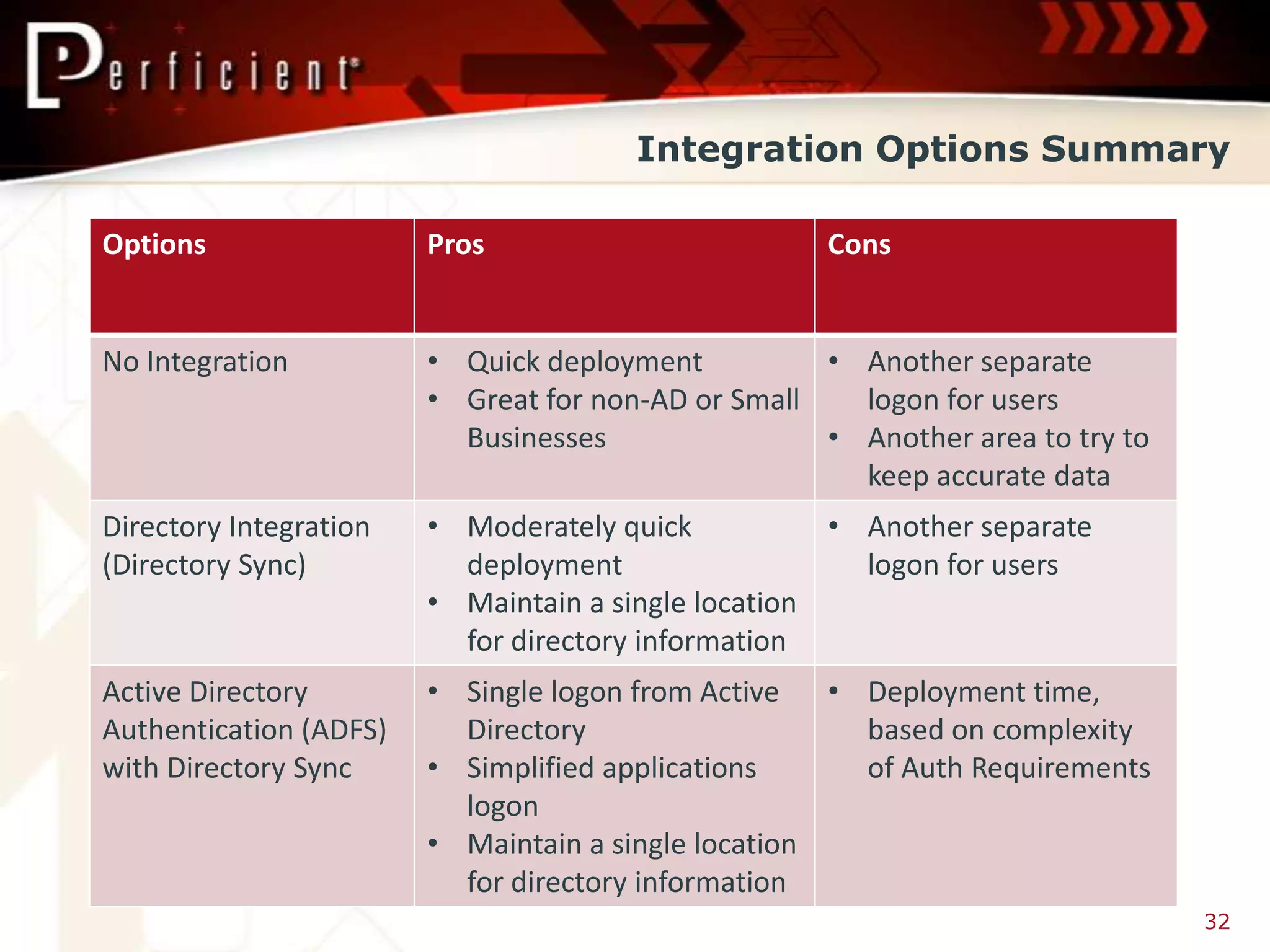
Integration Options Summary

Options                 Pros                        Cons


No Integration          • Quick deployment          • Another separate
                        • Great for non-AD or Small   logon for users
                          Businesses                • Another area to try to
                                                      keep accurate data
Directory Integration   • Moderately quick           • Another separate
(Directory Sync)          deployment                   logon for users
                        • Maintain a single location
                          for directory information
Active Directory        • Single logon from Active   • Deployment time,
Authentication (ADFS)     Directory                    based on complexity
with Directory Sync     • Simplified applications      of Auth Requirements
                          logon
                        • Maintain a single location
                          for directory information
                                                                               32
Office 365


                Questions?


David Greve
david.greve@perficient.com
                                     33
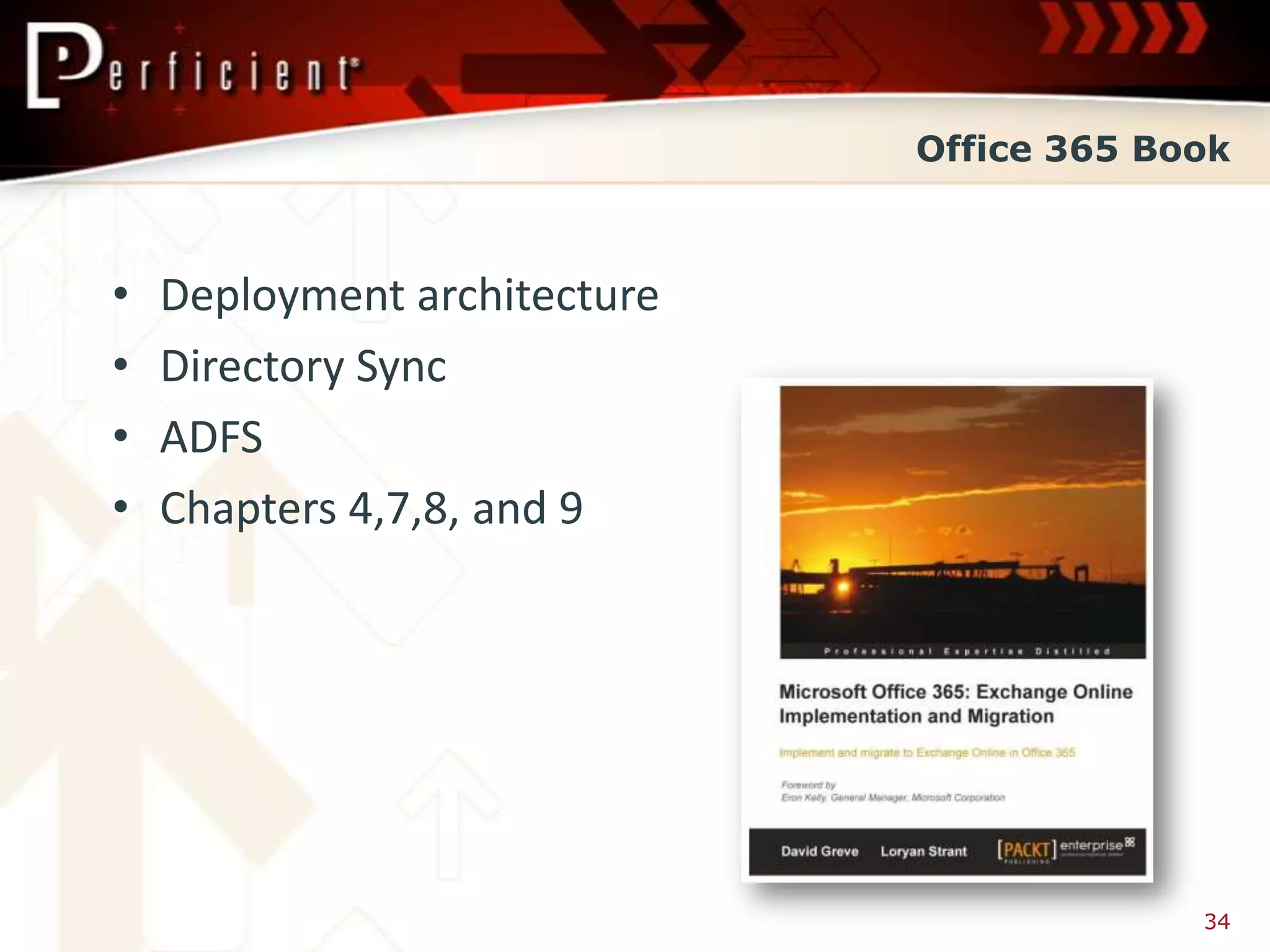
Office 365 Book


•   Deployment architecture
•   Directory Sync
•   ADFS
•   Chapters 4,7,8, and 9


                                           34

Office 365 Integration Options - SharePoint Fest 2012

  • 1.
    Office 365 IntegrationOptions David Greve
  • 2.
    What is Office365 “….a cloud productivity solution that simplifies IT management and provides virtually anywhere access to familiar Office tools, email, file sharing, conferencing, and many more services.” -Microsoft Marketing 2
  • 3.
  • 4.
    Office 365 Benefits •Reduce costs – no hardware maintenance, reduction in administrative costs • Flexible access for the user • Operational effectiveness • No data management concerns • No need to upgrade because Microsoft does it 4
  • 5.
    Is Office 365a Fit • Organization footprint? • Enough stable bandwidth? • What applications do you leverage today? • What system dependencies do you have? • Can you remain current with your applications? (e.g., IE, Office Apps, etc.) 5
  • 6.
    Office 365 IntegrationOptions Options Details No Integration • Accounts created directly in Office 365 Directory Integration (Directory Sync) • Active Directory Synchronized to Office 365 Active Directory Authentication • Active Directory credentials are (ADFS) with Directory Sync used to logon to all Office 365 services 6
  • 7.
    Office 365 –No Integration • Pros – Quick deployment – Great for non-AD or Small Businesses • Cons – Another separate logon for users – Another area to try to keep accurate data 7
  • 8.
    Office 365 –No Integration • Sample Architecture – Non-synchronized, Office 365 is stand-alone 8
  • 9.
    Office 365 –No Integration Portal Demo 9
  • 10.
    Office 365 –Directory Integration • Pros – Moderately quick deployment – Maintain a single location for directory information • Cons – Another separate logon for users 14
  • 11.
    Office 365 –Directory Integration • Sample Architecture – Synchronized, AD is the anchor point for all directory objects 15
  • 12.
    Office 365 –Directory Integration • Common attributes sync’ed to Office 365 – Display Name, First, Last, etc. – Company, Department, Manager, etc. – Address, Phone numbers, etc. – Country – Home page – Email addresses • Common attributes are not sync’ed back, only specific Exchange Hybrid attributes • http://support.microsoft.com/kb/2256198 16
  • 13.
    Office 365 –Directory Integration Portal Demo 17
  • 14.
    Office 365 –Active Directory Authentication • Pros – Single logon from Active Directory – Simplified applications logon – Maintain a single location for directory information • Cons – Deployment time, based on complexity of Auth Requirements 22
  • 15.
    Office 365 –Active Directory Authentication • Sample Basic Architecture – Synchronized, AD is the anchor point for all directory objects and authentication 23
  • 16.
    Office 365 –Active Directory Authentication • Sample Architecture with Redundancy 24
  • 17.
    Office 365 –Active Directory Authentication Portal Demo 25
  • 18.
    Integration Options Summary Options Pros Cons No Integration • Quick deployment • Another separate • Great for non-AD or Small logon for users Businesses • Another area to try to keep accurate data Directory Integration • Moderately quick • Another separate (Directory Sync) deployment logon for users • Maintain a single location for directory information Active Directory • Single logon from Active • Deployment time, Authentication (ADFS) Directory based on complexity with Directory Sync • Simplified applications of Auth Requirements logon • Maintain a single location for directory information 32
  • 19.
    Office 365 Questions? David Greve david.greve@perficient.com 33
  • 20.
    Office 365 Book • Deployment architecture • Directory Sync • ADFS • Chapters 4,7,8, and 9 34

Editor's Notes

  • #6 Organization footprint – as in, location of office, both domestic and international….
  • #10 Demo user info in Office 365Demo SharePoint data that comes from non-synchronized users
  • #18 Demo the data that sync’s over
  • #35 Amazon: http://www.amazon.com/Microsoft-Office-365-Implementation-ebook/dp/B00866HD8W/ref=tmm_kin_title_0Packt: http://www.packtpub.com/microsoft-office-365-exchange-online-implementation-and-migration/book