Numeral Systems
Binary, Decimal and Hexadecimal Numbers
What is Number System ?


 A number system defines how a number can be
  represented using distinct symbols. A number can be
  represented differently in different systems. For
  example, the two numbers (2A)16 and (52)8 both
  refer to the same quantity, (42)10, but their
  representations are different.
Computer Number Systems


 Decimal Numbers.
 Binary Numbers.
 Octal Numbers.
 Hexadecimal Numbers.
Decimal Number System


 The prefix “deci-” stands for 10
 The decimal number system is a Base 10
  number system:
• There are 10 symbols that represent quantities:
  0, 1, 2, 3, 4, 5, 6, 7, 8, 9
• Each place value in a decimal number is a
  power of 10.
Decimal Number System


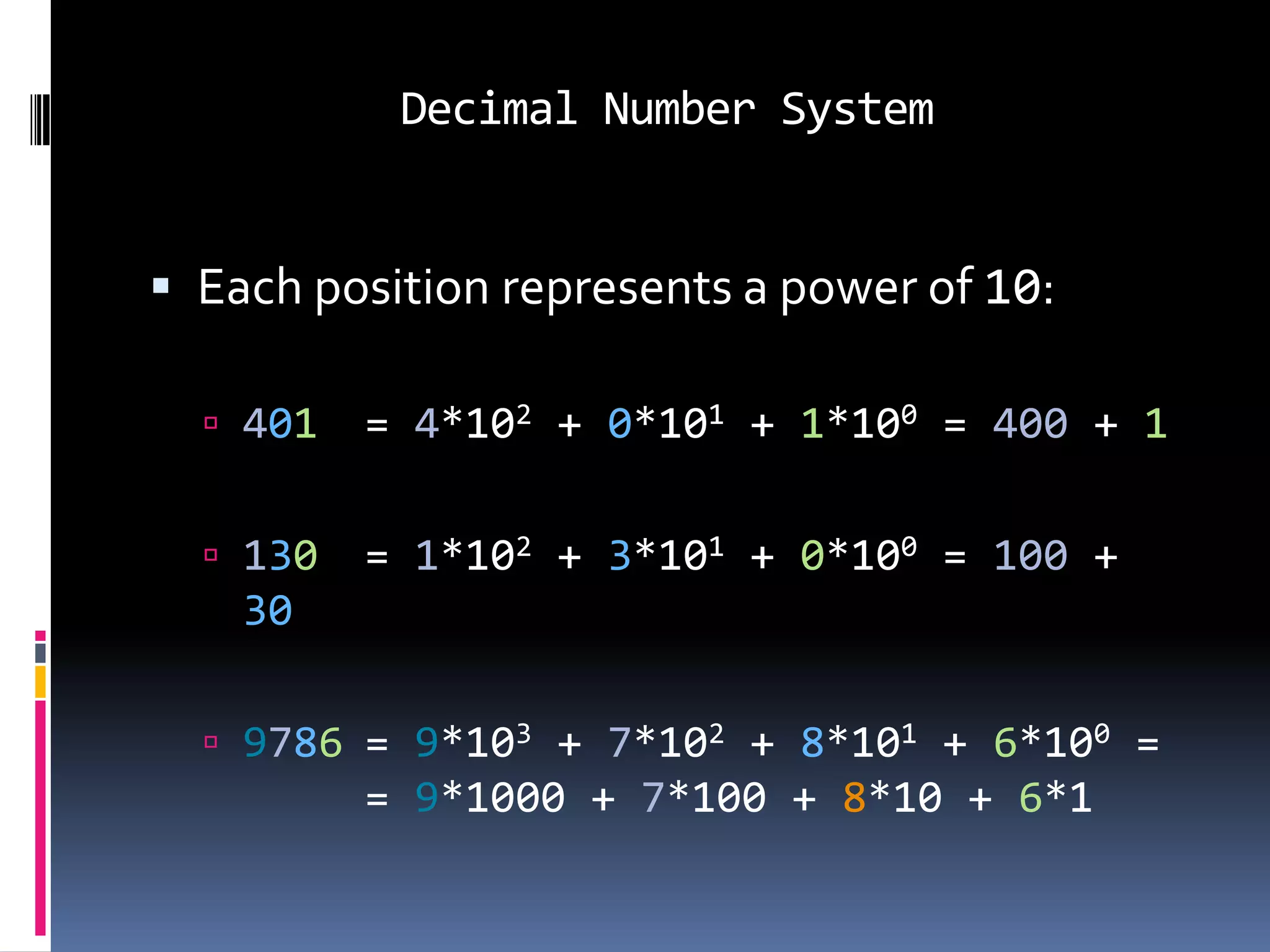
 Each position represents a power of 10:

   401   = 4*102 + 0*101 + 1*100 = 400 + 1

   130   = 1*102 + 3*101 + 0*100 = 100 +
    30

   9786 = 9*103 + 7*102 + 8*101 + 6*100 =
          = 9*1000 + 7*100 + 8*10 + 6*1
Binary Numbers


 The prefix “bi-” stands for 2
 The binary number system is a Base 2 number
  system:
 There are 2 symbols that represent quantities 0, 1
 Each place value in a binary number is a power of 2.
Binary Numbers


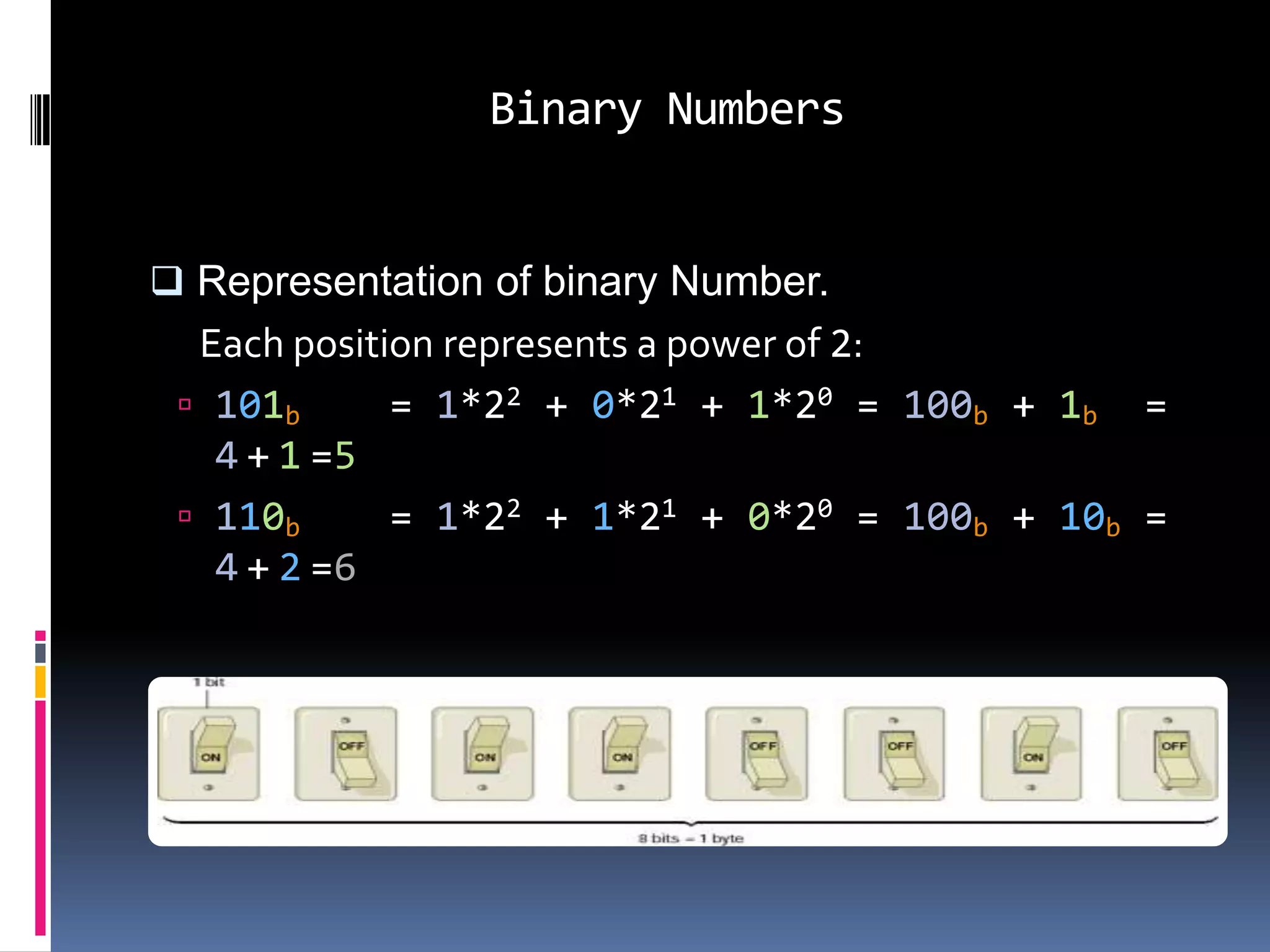
 Representation of binary Number.
  Each position represents a power of 2:
  101b      = 1*22 + 0*21 + 1*20 = 100b + 1b =
   4 + 1 =5
  110b      = 1*22 + 1*21 + 0*20 = 100b + 10b =
   4 + 2 =6
Octal


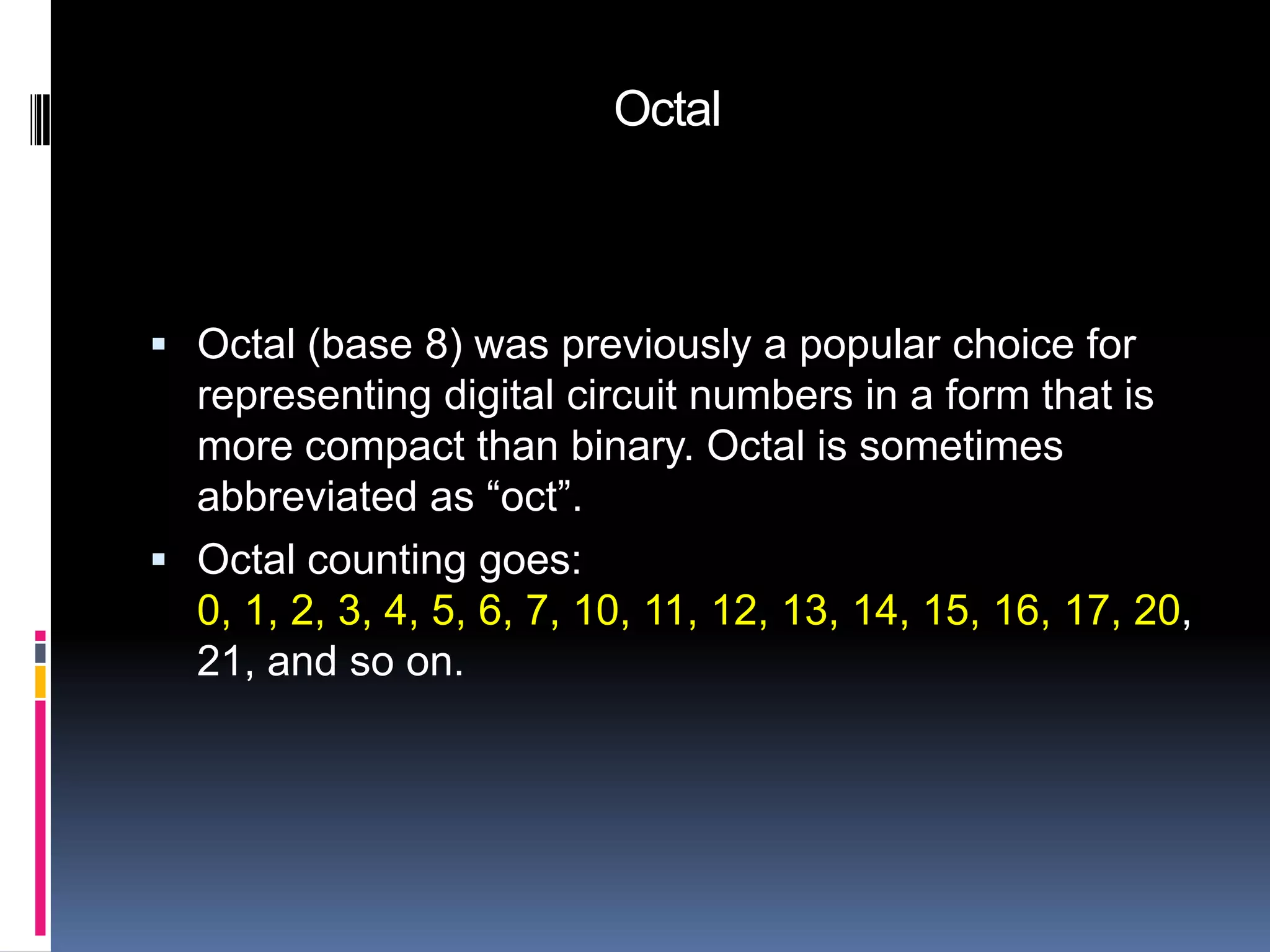
 Octal (base 8) was previously a popular choice for
  representing digital circuit numbers in a form that is
  more compact than binary. Octal is sometimes
  abbreviated as “oct”.
 Octal counting goes:
  0, 1, 2, 3, 4, 5, 6, 7, 10, 11, 12, 13, 14, 15, 16, 17, 20,
  21, and so on.
Hexadecimal Numbers


 The prefix “hexa-” stands for 6 and the prefix “deci-’
  stands for 10
 The hexadecimal number system is a Base16
  number system:
• There are 16 symbols that represent quantities:
  0, 1, 2, 3, 4, 5, 6, 7, 8, 9, A, B, C, D, E, F
• Each place value in a hexadecimal number is a
  power of 16.
Hexadecimal Numbers


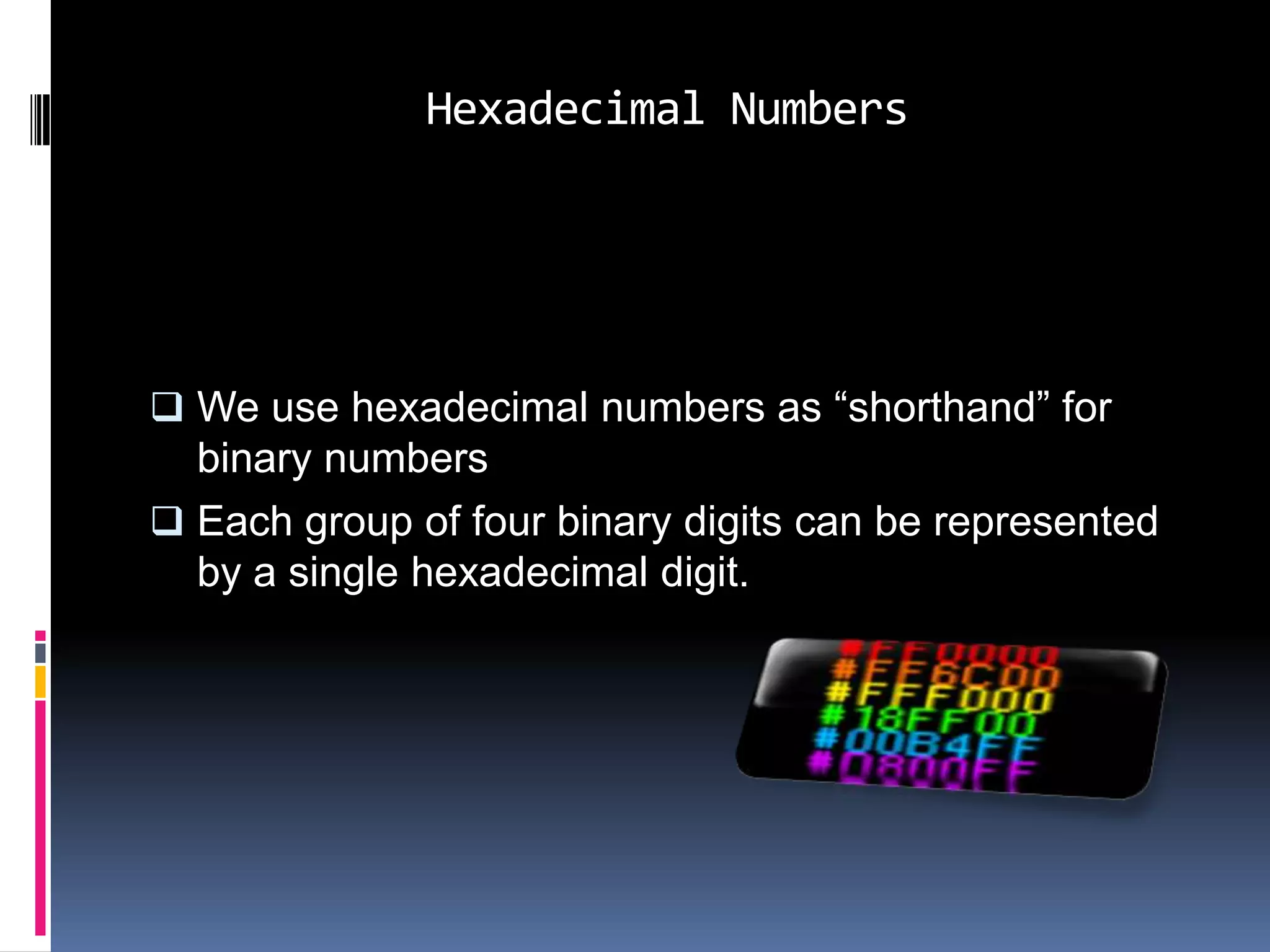
 We use hexadecimal numbers as “shorthand” for
  binary numbers
 Each group of four binary digits can be represented
  by a single hexadecimal digit.
Conversions & Their Uses


 Computer Number Systems

 Convert decimal to binary.
 Convert decimal to hexadecimal.
 Convert decimal to Octal.
 Convert binary to decimal.
 Convert binary to hexadecimal.
 Convert binary to Octal.
Conversions & Their Uses


 Convert hexadecimal to binary.
 Convert hexadecimal to decimal
 Convert hexadecimal to Octal.
 Convert Octal to decimal.
 Convert Octal to binary.
 Convert Octal to hexadecimal.
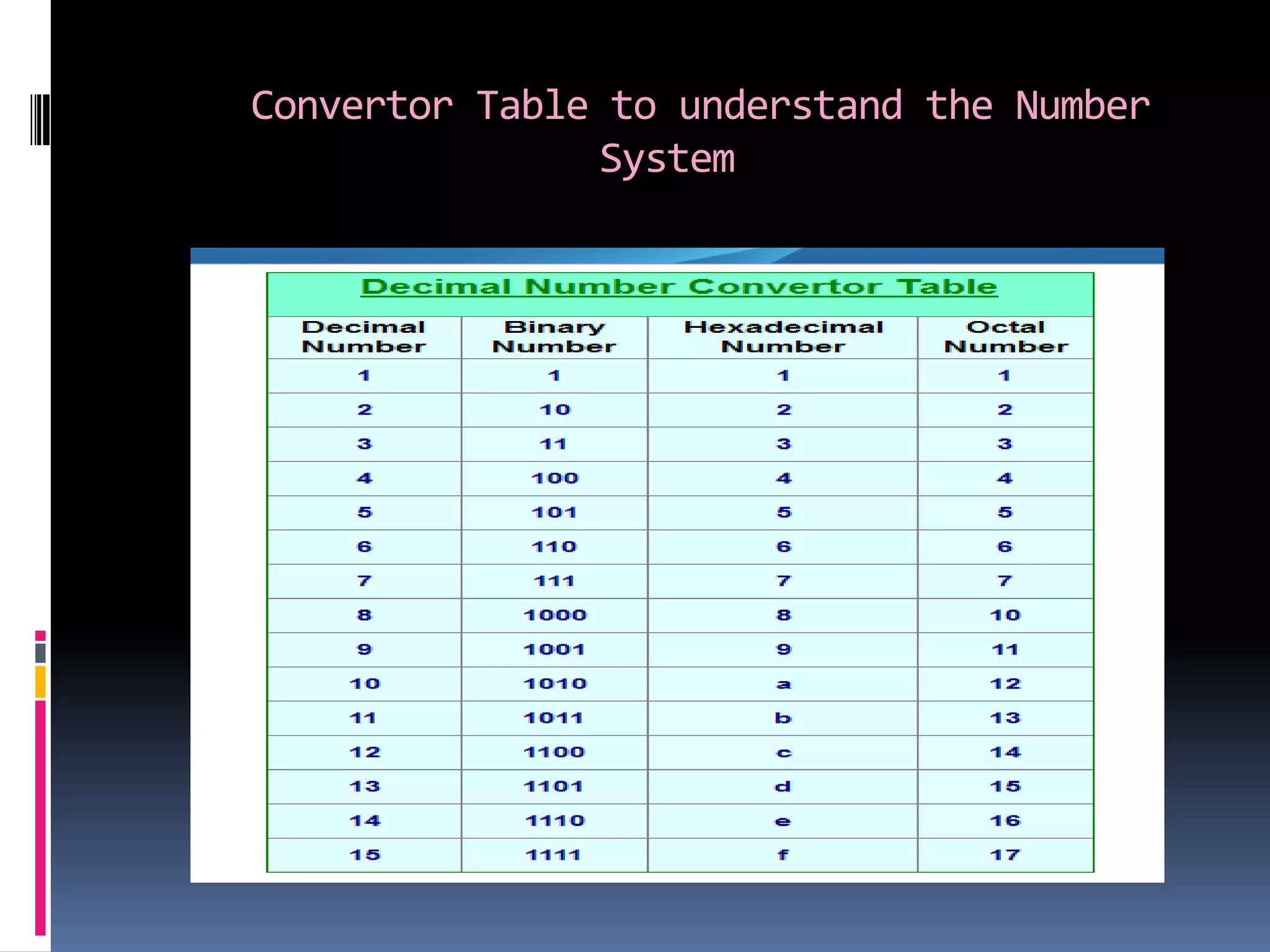
Convertor Table to understand the Number
               System
Converting Decimal to Binary


 Converting a number from decimal to binary is quite
  easy. All that is required is to find the binary value.
 Technique
   Divide by two, keep track of the remainder
   First remainder is bit 0 (LSB)
   Second remainder is bit 1 because if any digit not
    perfectly divide so we take 1 as bit.
Converting Decimal to Binary


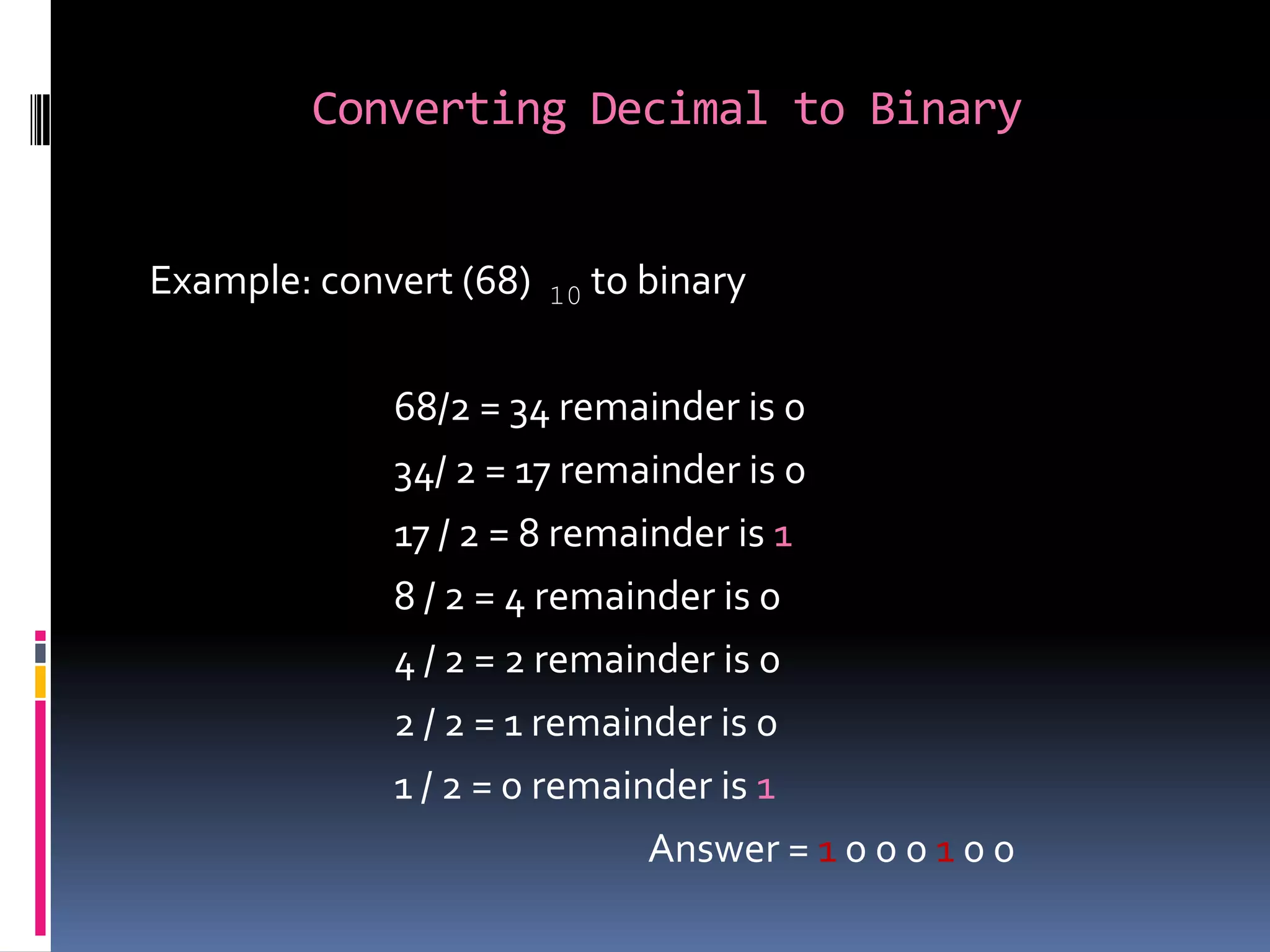
Example: convert (68)   10   to binary

             68/2 = 34 remainder is 0
             34/ 2 = 17 remainder is 0
             17 / 2 = 8 remainder is 1
             8 / 2 = 4 remainder is 0
             4 / 2 = 2 remainder is 0
             2 / 2 = 1 remainder is 0
             1 / 2 = 0 remainder is 1
                             Answer = 1 0 0 0 1 0 0
Converting Decimal to Octal


 Method of successive division by 8


 To convert integer decimals to octal, divide the original
  number by the largest possible power of 8 and
  successively divide the remainders by successively
  smaller powers of 8 until the power is.
Converting Decimal to Octal


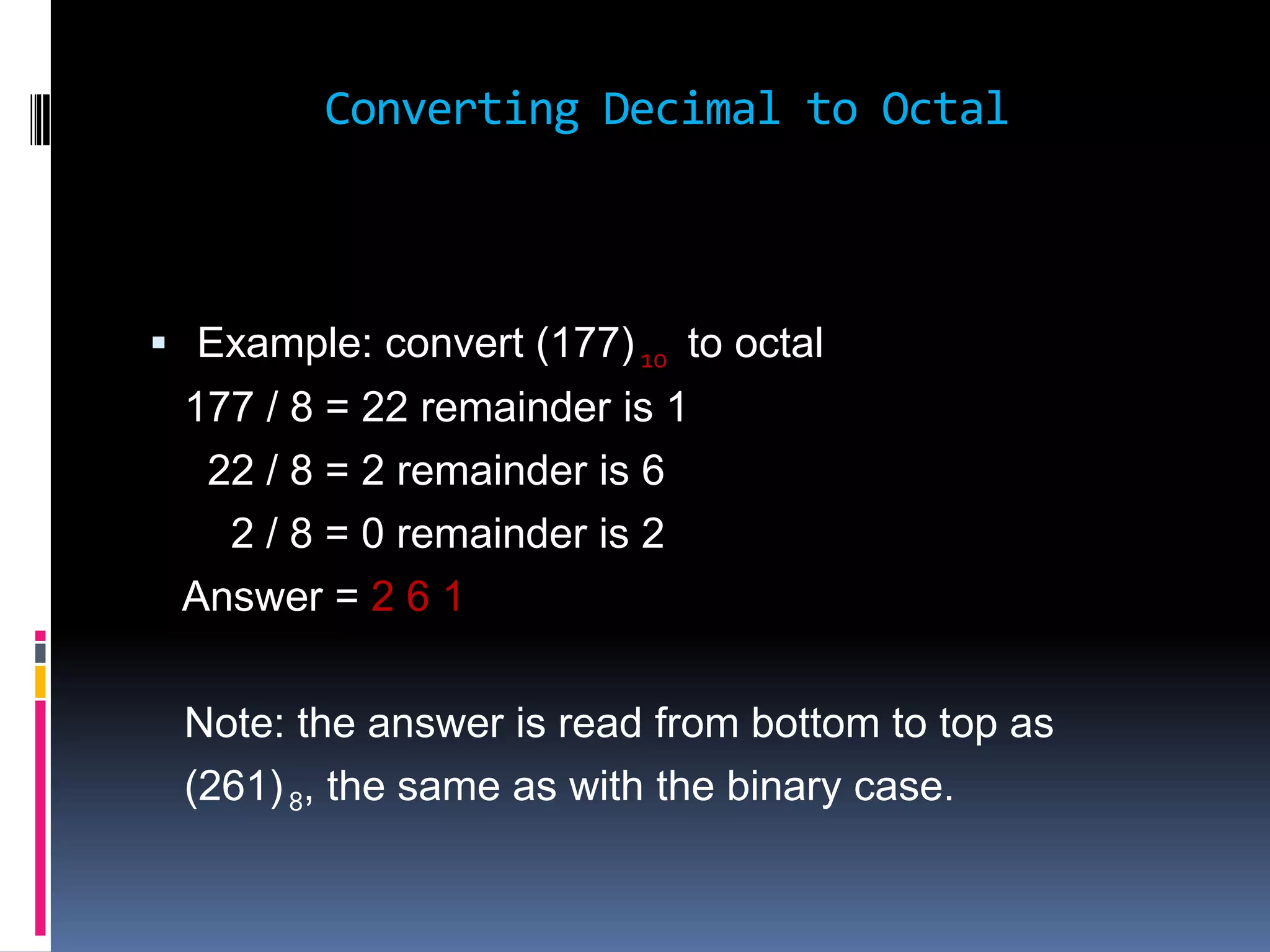
 Example: convert (177) 10 to octal
 177 / 8 = 22 remainder is 1
  22 / 8 = 2 remainder is 6
   2 / 8 = 0 remainder is 2
 Answer = 2 6 1

 Note: the answer is read from bottom to top as
 (261) 8, the same as with the binary case.
Converting Decimal to Hexadecimal


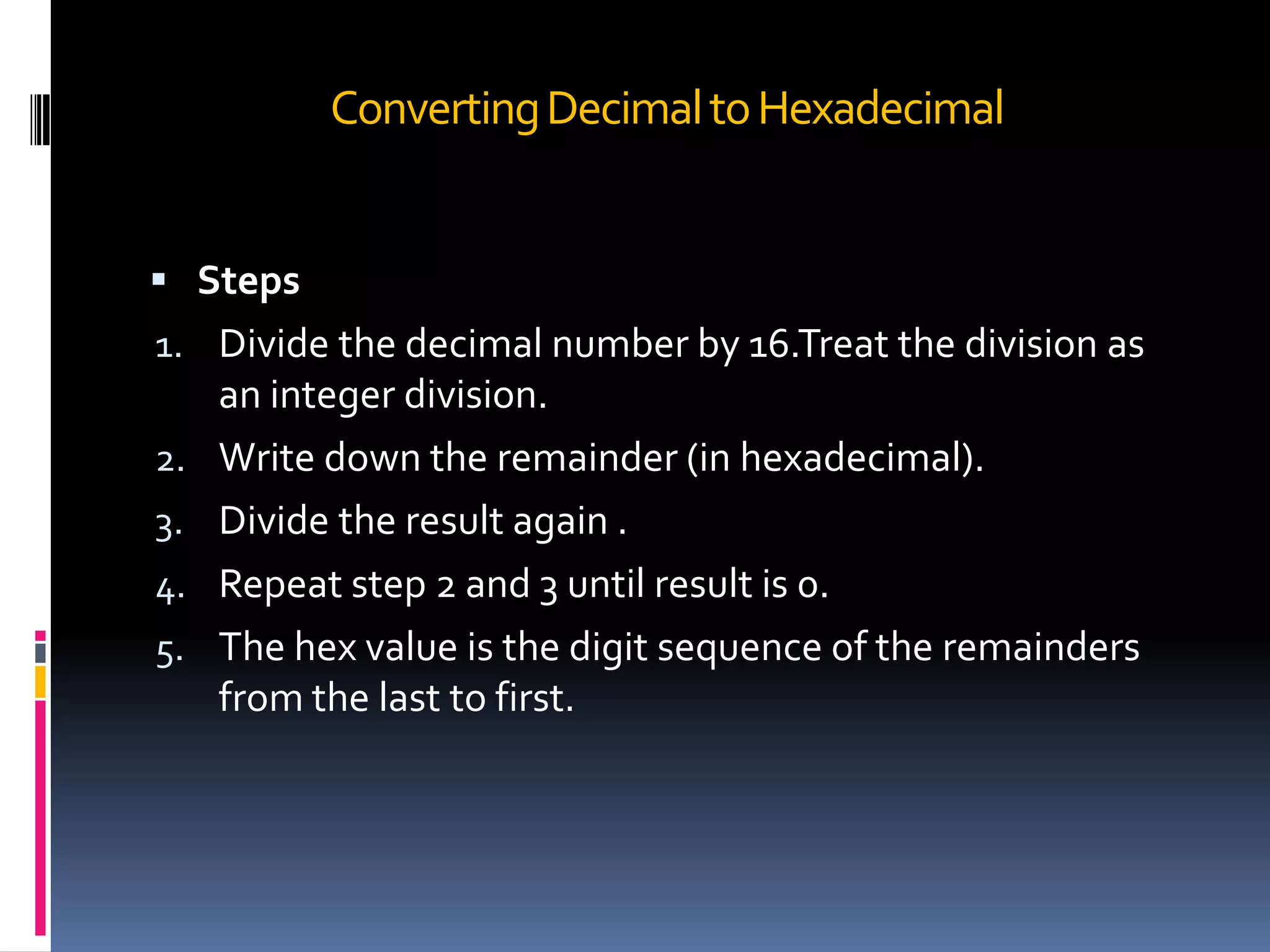
 Steps
1. Divide the decimal number by 16.Treat the division as
     an integer division.
2.   Write down the remainder (in hexadecimal).
3.   Divide the result again .
4.   Repeat step 2 and 3 until result is 0.
5.   The hex value is the digit sequence of the remainders
     from the last to first.
Converting Decimal to Hexadecimal


Example

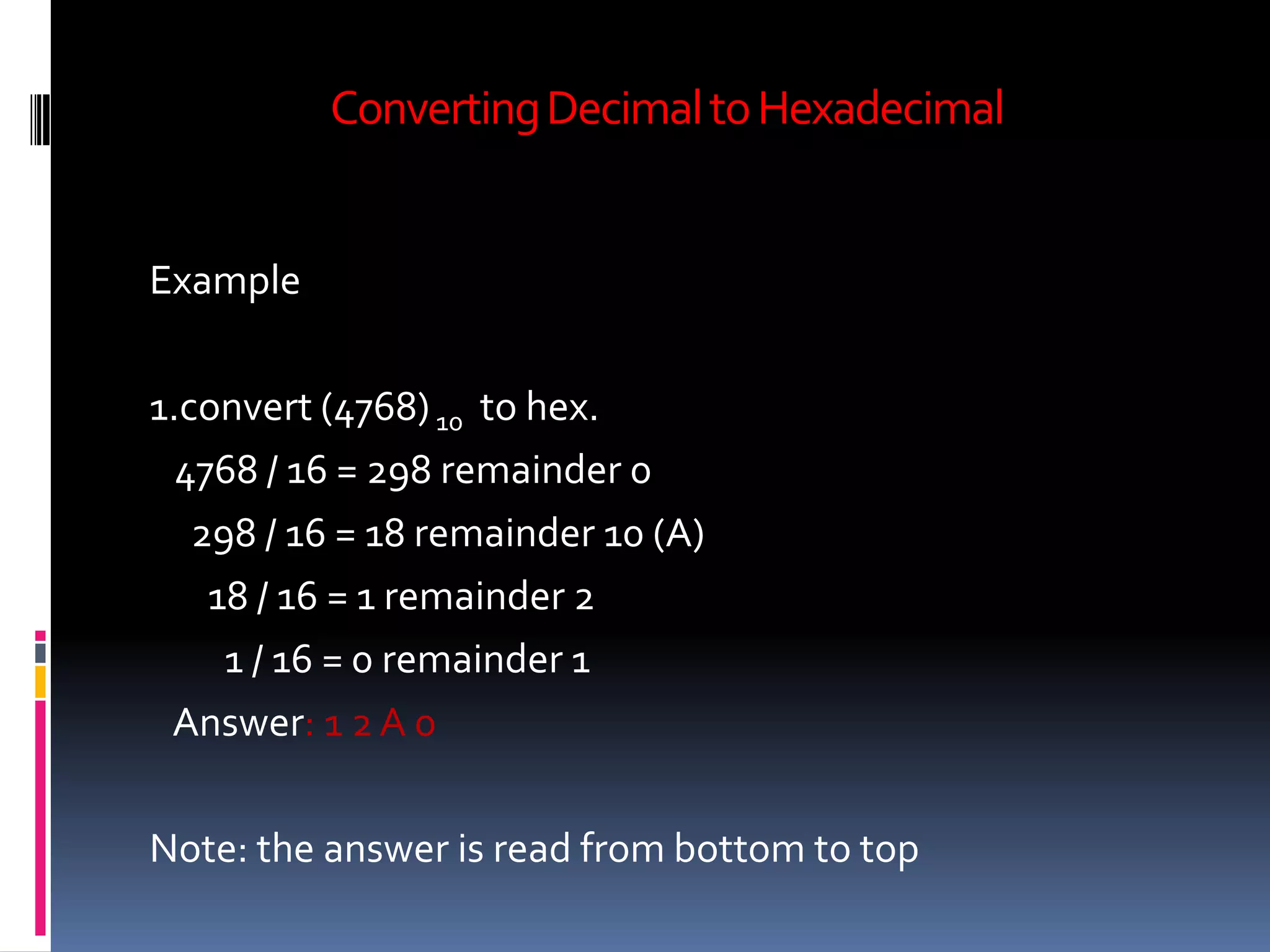
1.convert (4768) 10 to hex.
  4768 / 16 = 298 remainder 0
   298 / 16 = 18 remainder 10 (A)
    18 / 16 = 1 remainder 2
     1 / 16 = 0 remainder 1
 Answer: 1 2 A 0

Note: the answer is read from bottom to top
Converting Binary to Decimal


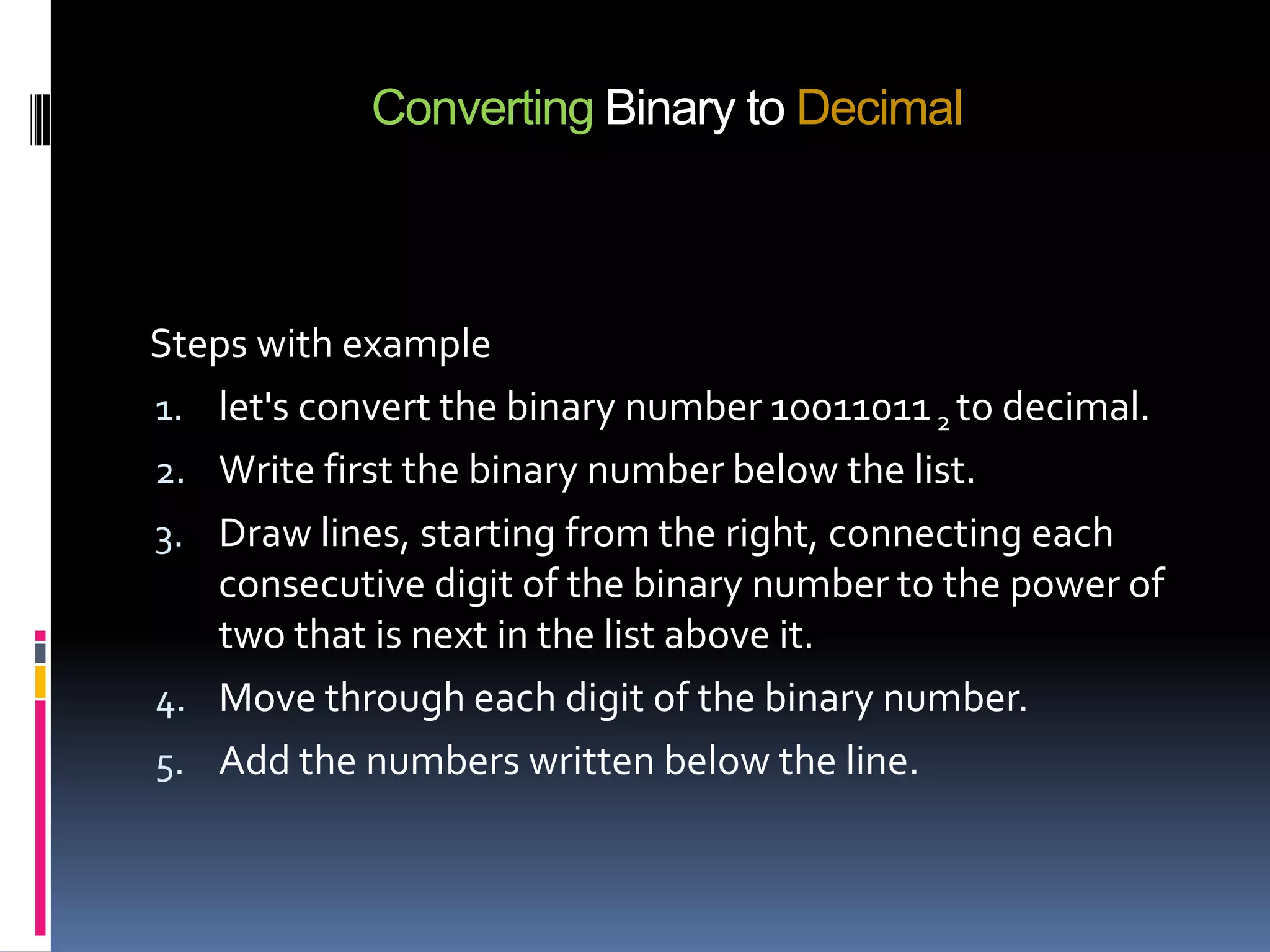
Steps with example
1. let's convert the binary number 10011011 2 to decimal.
2. Write first the binary number below the list.
3. Draw lines, starting from the right, connecting each
   consecutive digit of the binary number to the power of
   two that is next in the list above it.
4. Move through each digit of the binary number.
5. Add the numbers written below the line.
Converting Binary to Decimal


Example
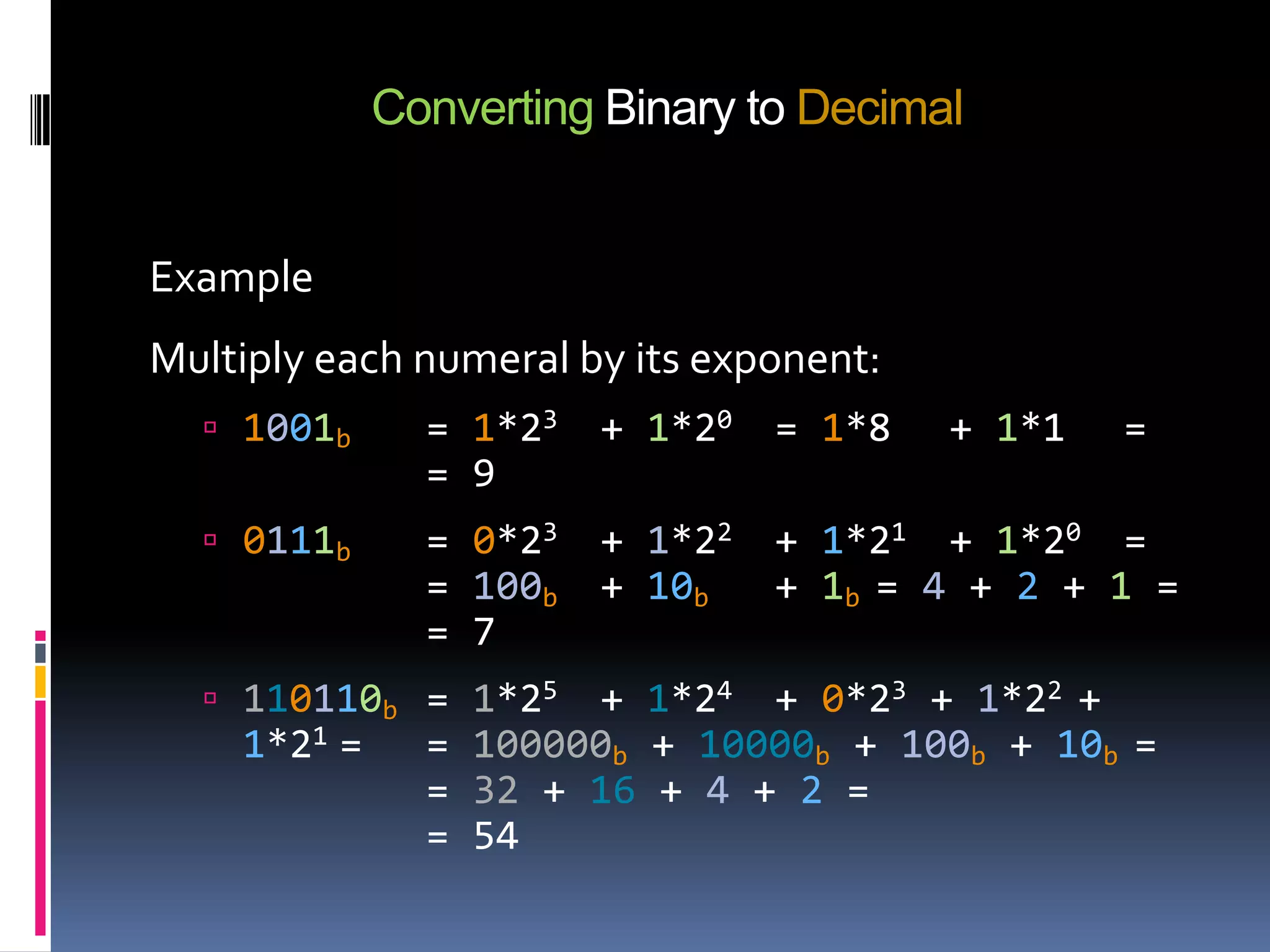
Multiply each numeral by its exponent:
   1001b      = 1*23   + 1*20   = 1*8   + 1*1   =
               = 9
   0111b      = 0*23   + 1*22   + 1*21 + 1*20 =
               = 100b   + 10b    + 1b = 4 + 2 + 1 =
               = 7
   110110b = 1*25    + 1*24 + 0*23 + 1*22 +
    1*21 =     = 100000b + 10000b + 100b + 10b =
               = 32 + 16 + 4 + 2 =
               = 54
Converting Binary to Hexadecimal


 Method


 Conversion between binary and hex is easy. Simply
  substitute four-bit groups for the hex digit of the same
  value. Specifically
Converting Binary to Hexadecimal


Example
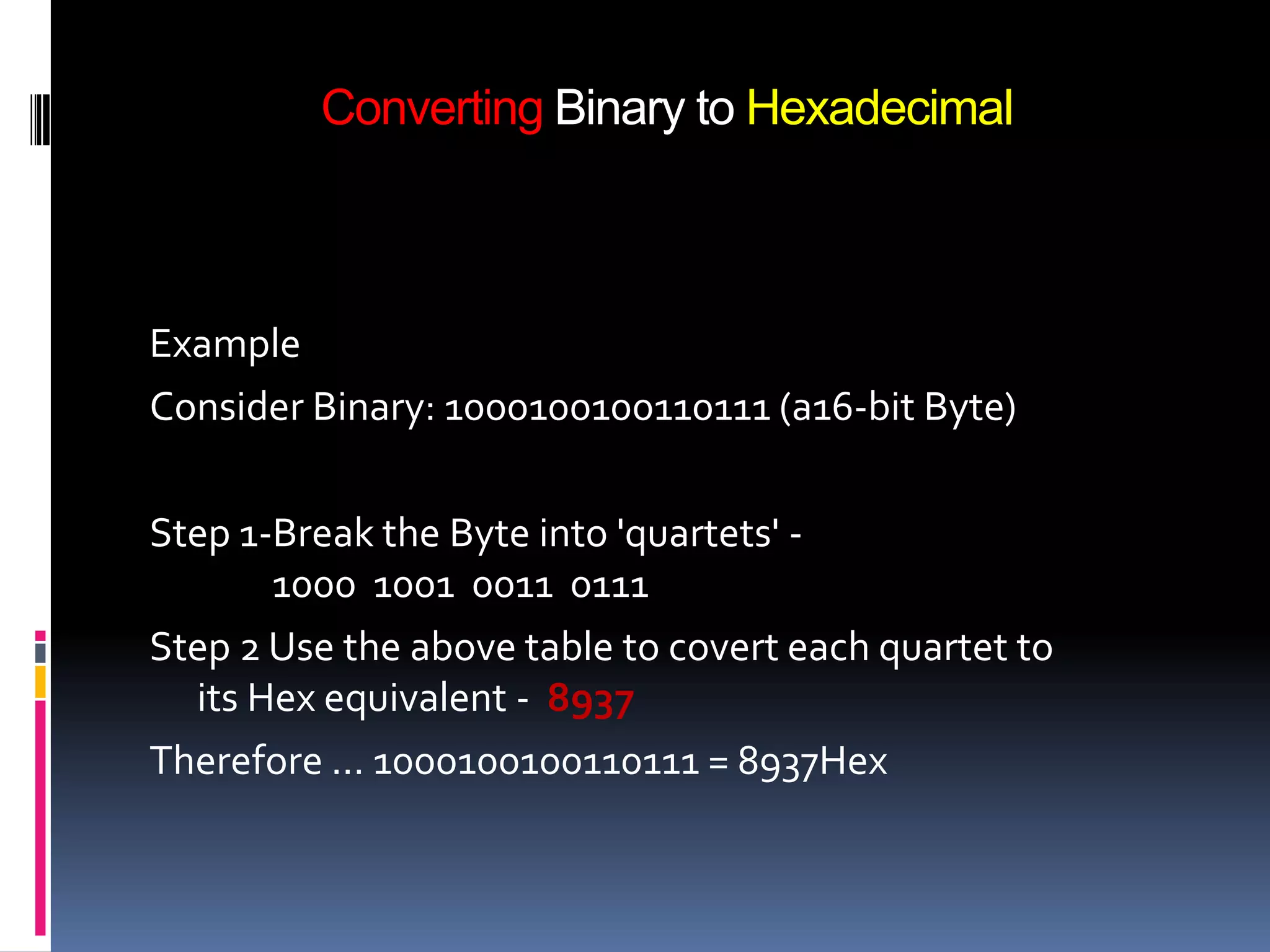
Consider Binary: 1000100100110111 (a16-bit Byte)

Step 1-Break the Byte into 'quartets' -
       1000 1001 0011 0111
Step 2 Use the above table to covert each quartet to
  its Hex equivalent - 8937
Therefore ... 1000100100110111 = 8937Hex
Converting Binary to Octal


 Method


 Since the octal system is again a power of two (23), we
  can take group the bits into groups of 3 and represent
  each group as an octal digit. The steps are the same for
  the binary to hexadecimal conversions.
Converting Binary to Octal


 Examples


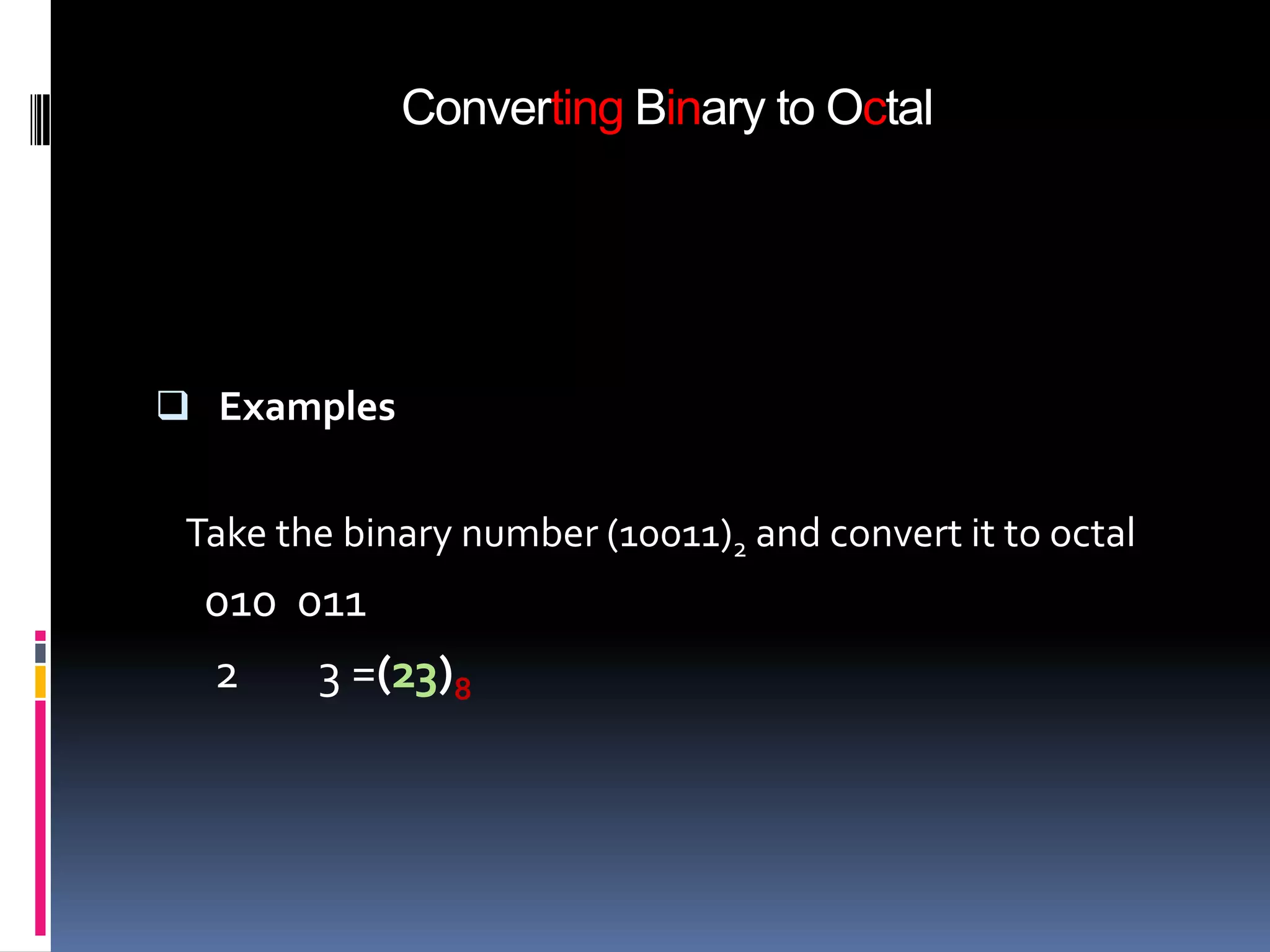
 Take the binary number (10011)2 and convert it to octal
  010 011
  2    3 =(23)8
Convert Hexadecimal to Binary.


 This conversion is also simplistic. Given a hexadecimal
  number, simply convert each digit to it’s binary
  equivalent. Then, combine each 4 bit binary number and
  that is the resulting answer and we also seen the
  comparisons table of it.
Convert Hexadecimal to Binary.


Example 1

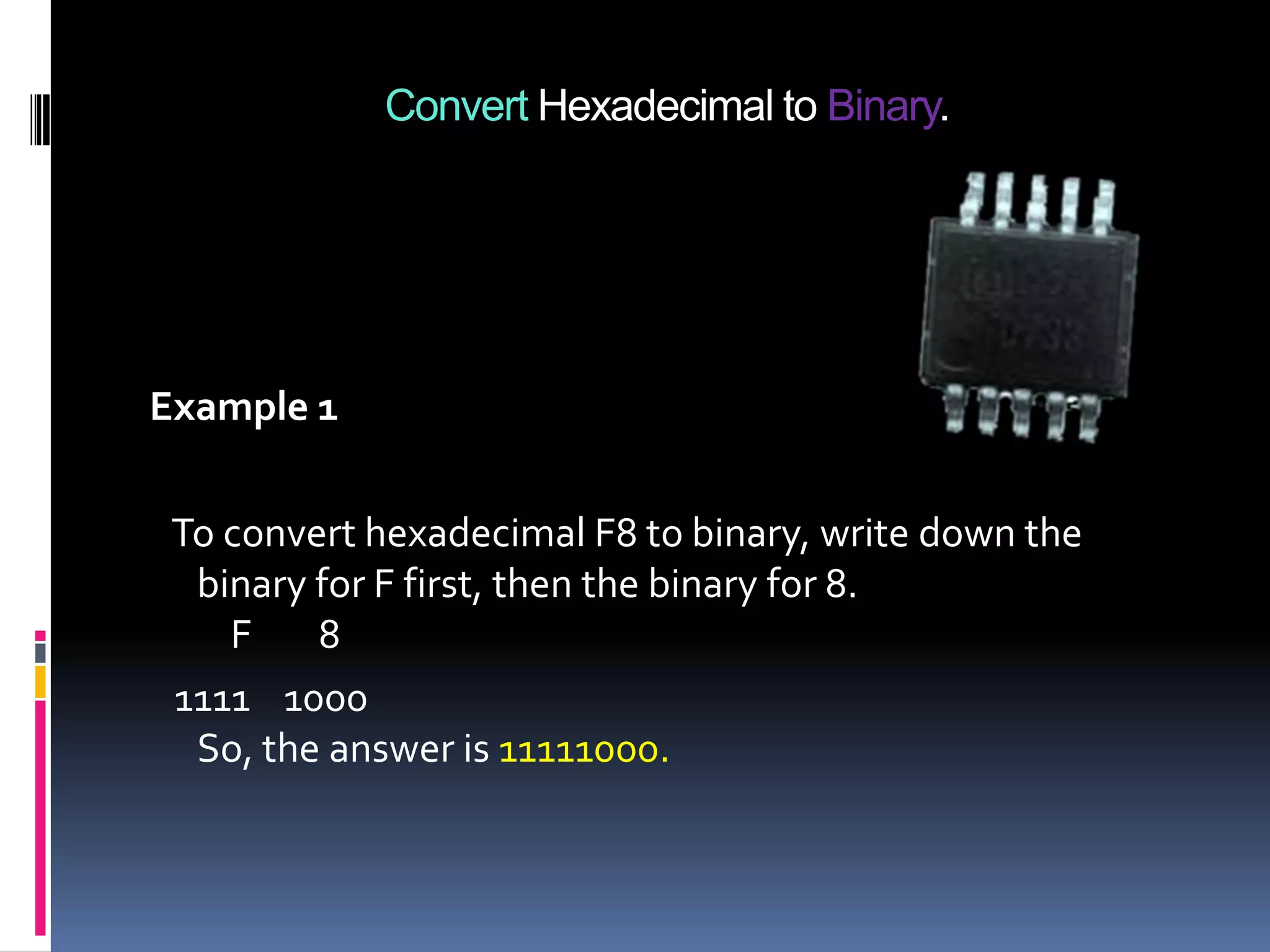
 To convert hexadecimal F8 to binary, write down the
  binary for F first, then the binary for 8.
    F    8
 1111 1000
  So, the answer is 11111000.
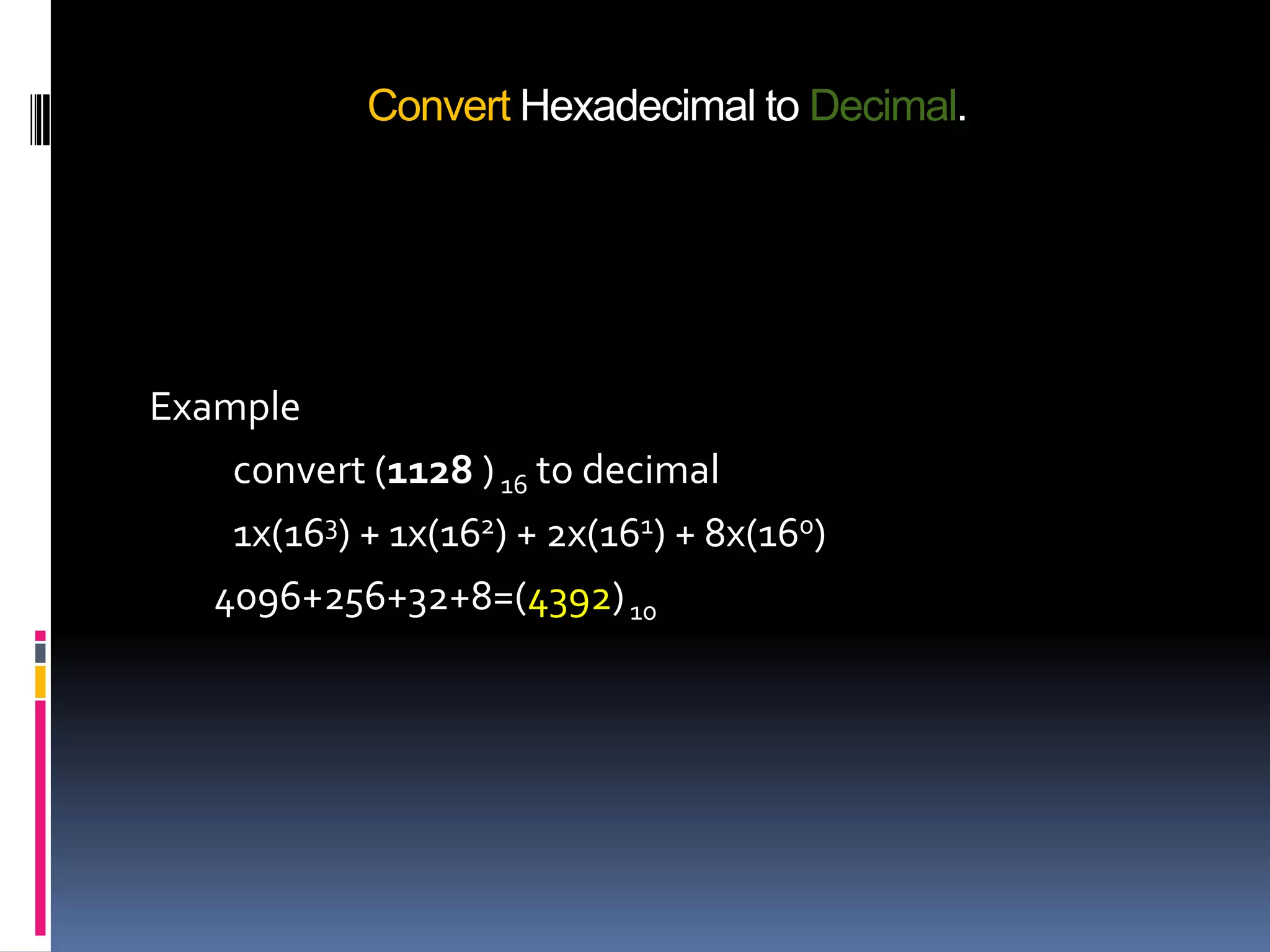
Convert Hexadecimal to Decimal.


 Converting hexadecimal to decimal can be performed in the
  conventional mathematical way, by showing each digit place
  as an increasing power of 16. Of course, hexadecimal letter
  values need to be converted to decimal values before
  performing the math.
Convert Hexadecimal to Decimal.


Example
    convert (1128 ) 16 to decimal
    1x(163) + 1x(162) + 2x(161) + 8x(160)
   4096+256+32+8=(4392) 10
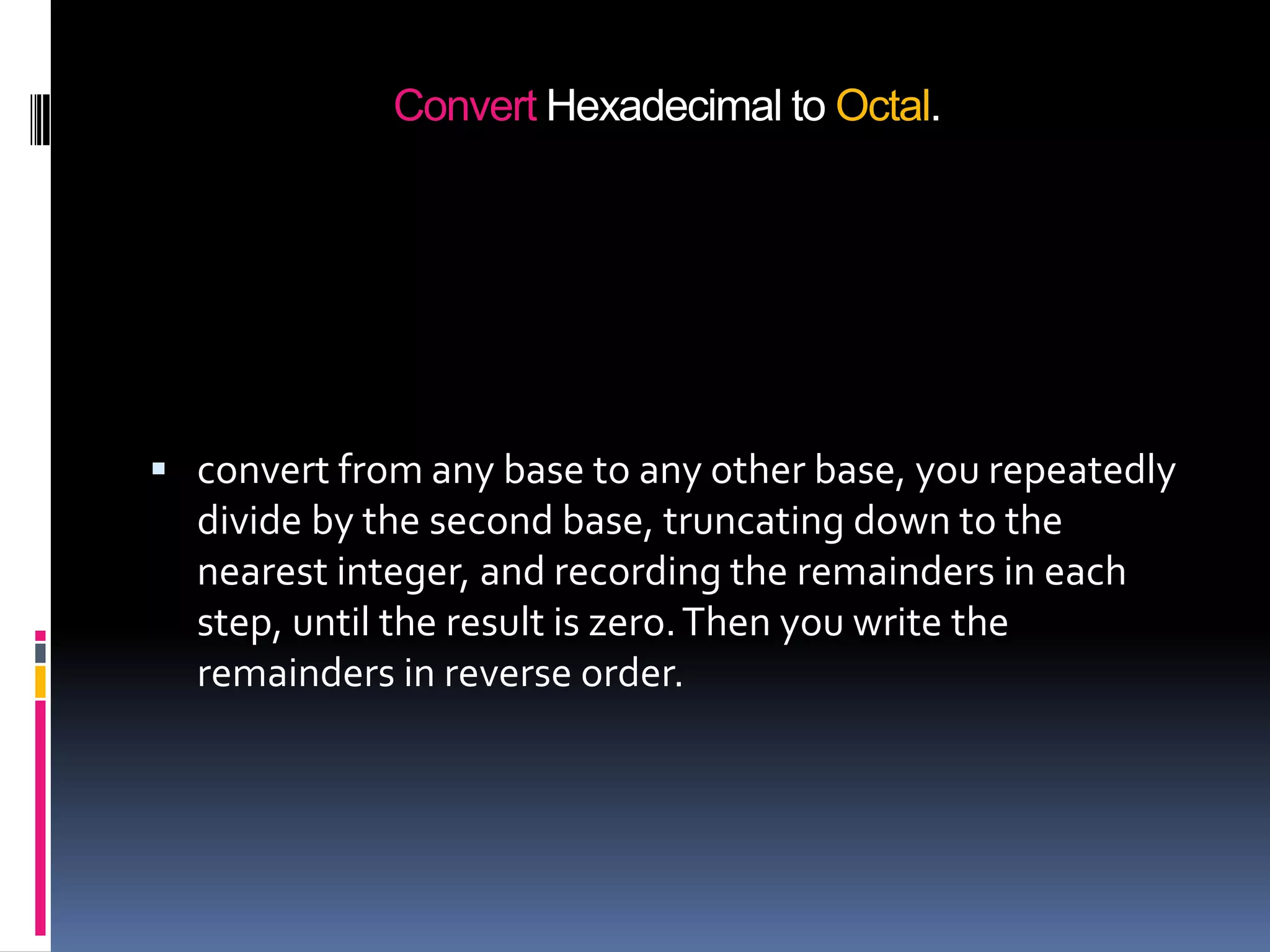
Convert Hexadecimal to Octal.


 convert from any base to any other base, you repeatedly
  divide by the second base, truncating down to the
  nearest integer, and recording the remainders in each
  step, until the result is zero. Then you write the
  remainders in reverse order.
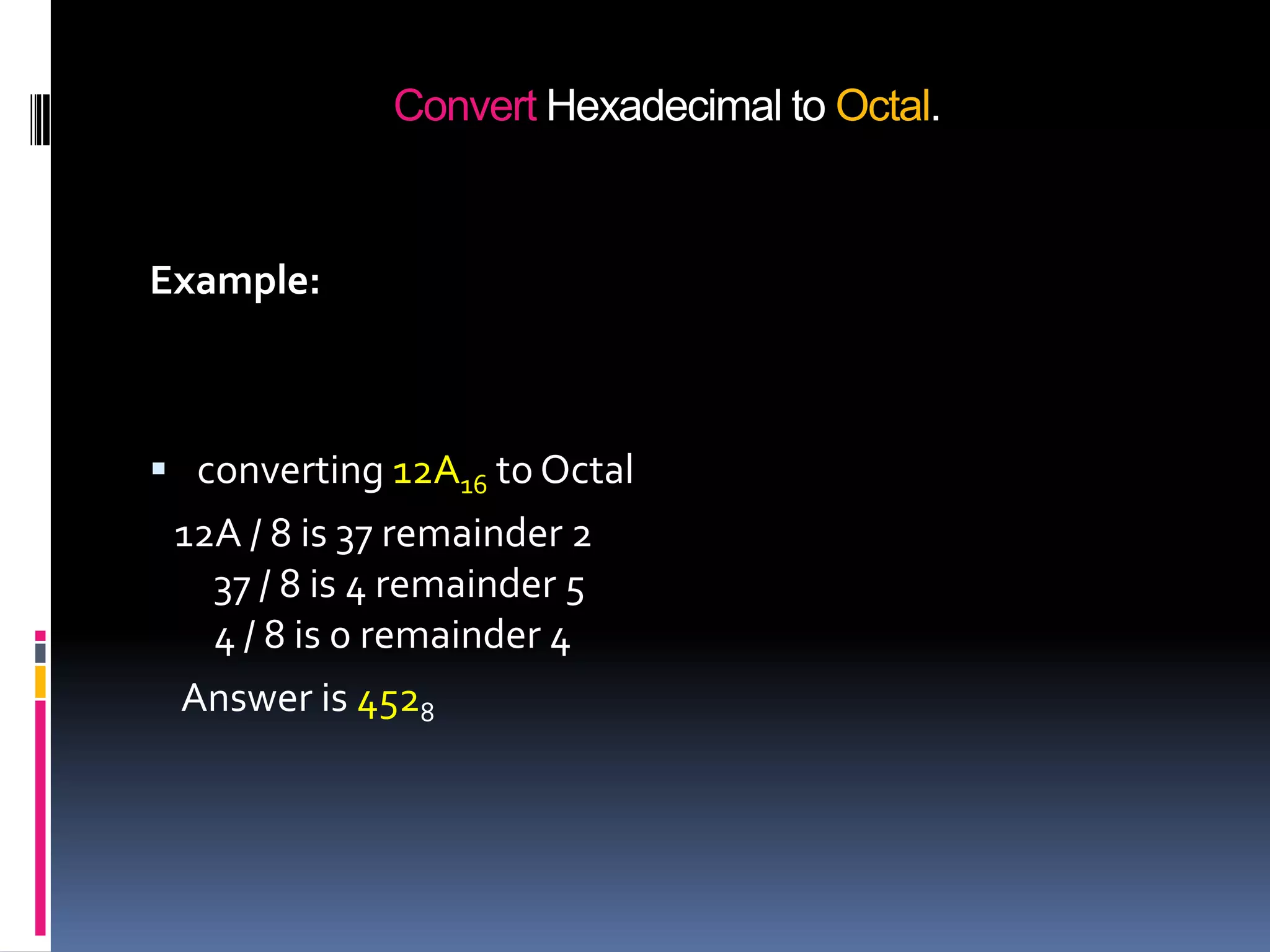
Convert Hexadecimal to Octal.


Example:


 converting 12A16 to Octal
 12A / 8 is 37 remainder 2
   37 / 8 is 4 remainder 5
   4 / 8 is 0 remainder 4
 Answer is 4528
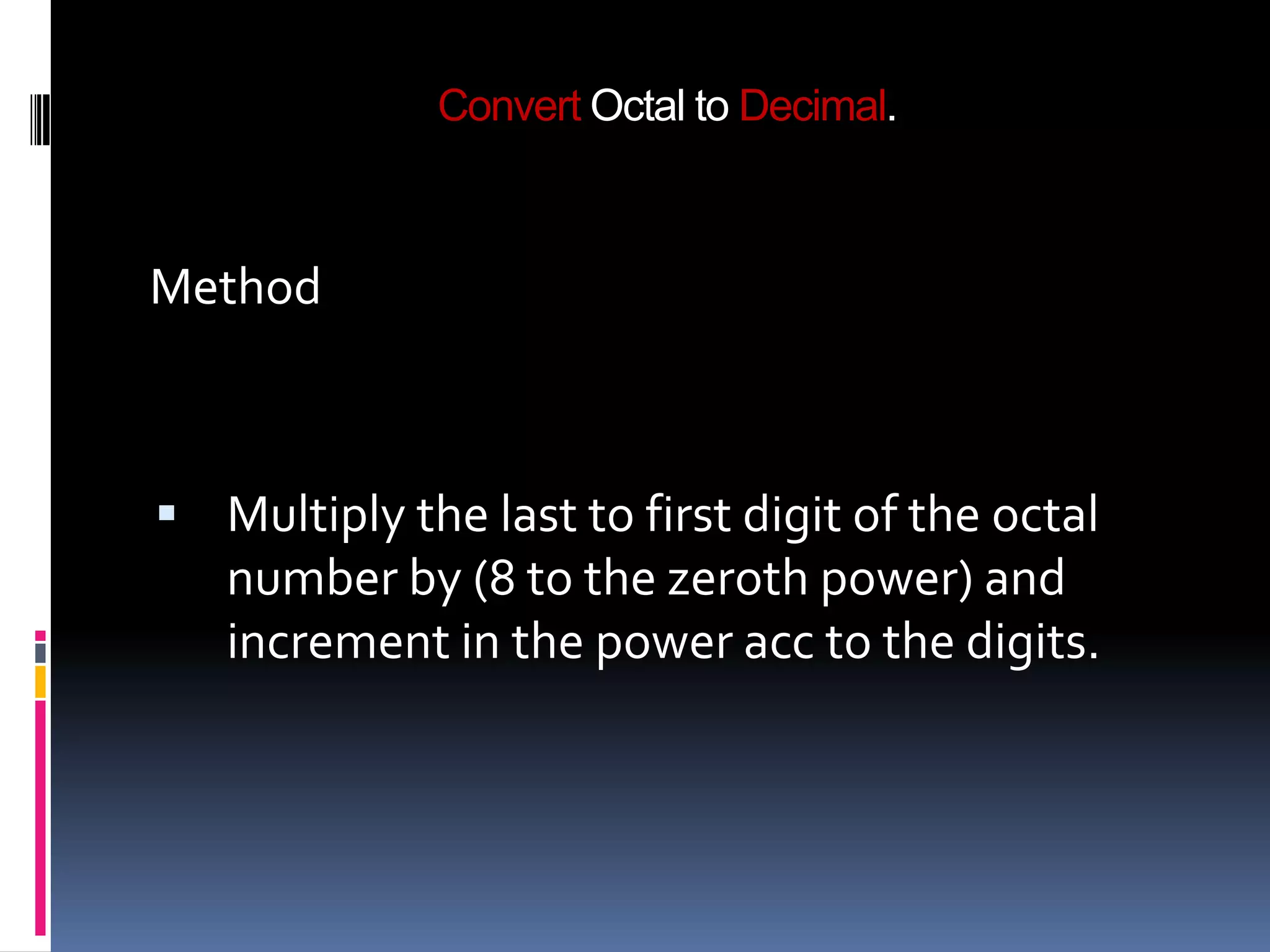
Convert Octal to Decimal.


Method


 Multiply the last to first digit of the octal
   number by (8 to the zeroth power) and
   increment in the power acc to the digits.
Convert Octal to Decimal.


Example:

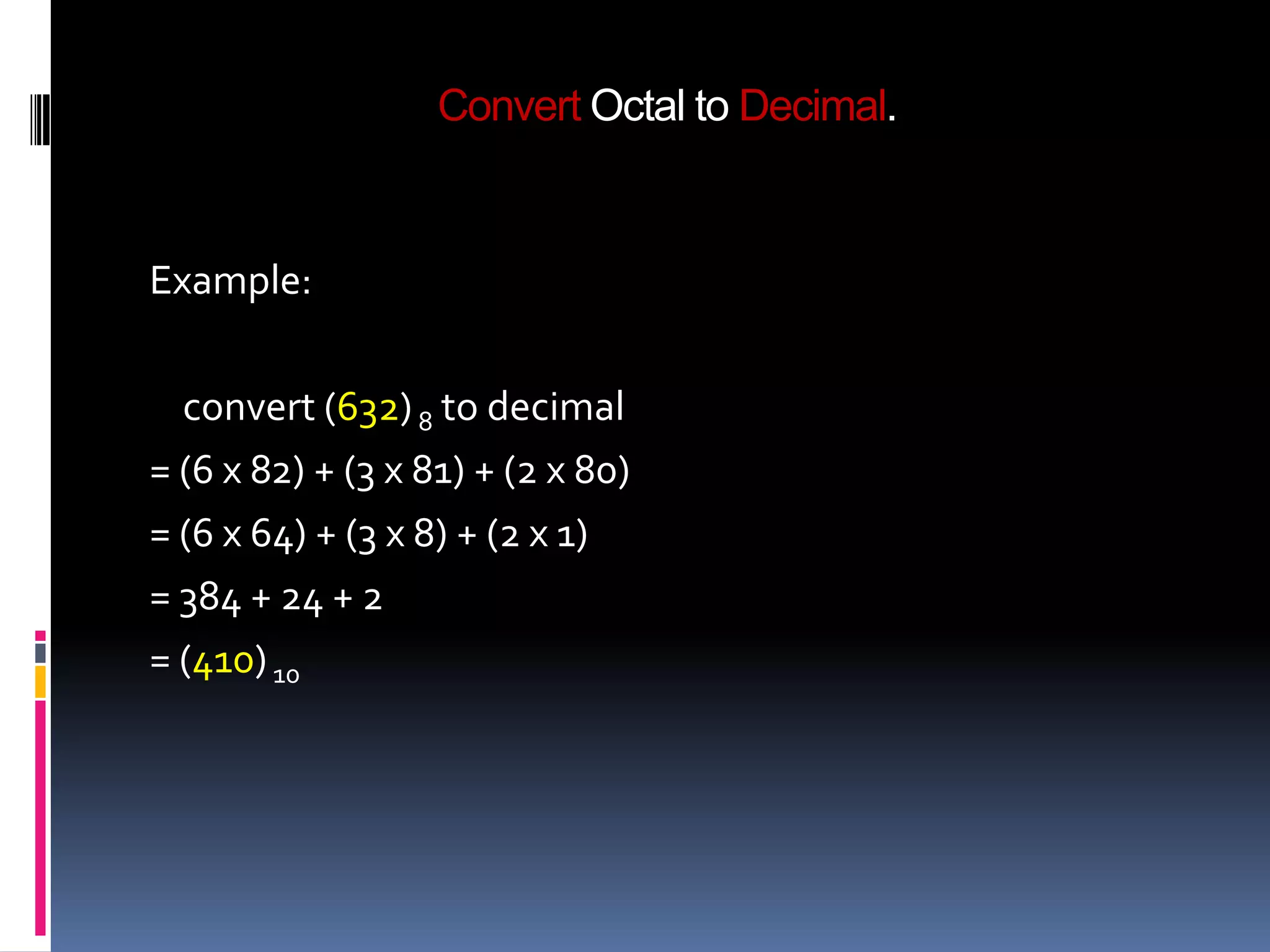
  convert (632) 8 to decimal
= (6 x 82) + (3 x 81) + (2 x 80)
= (6 x 64) + (3 x 8) + (2 x 1)
= 384 + 24 + 2
= (410) 10
Convert Octal to Binary.

Method
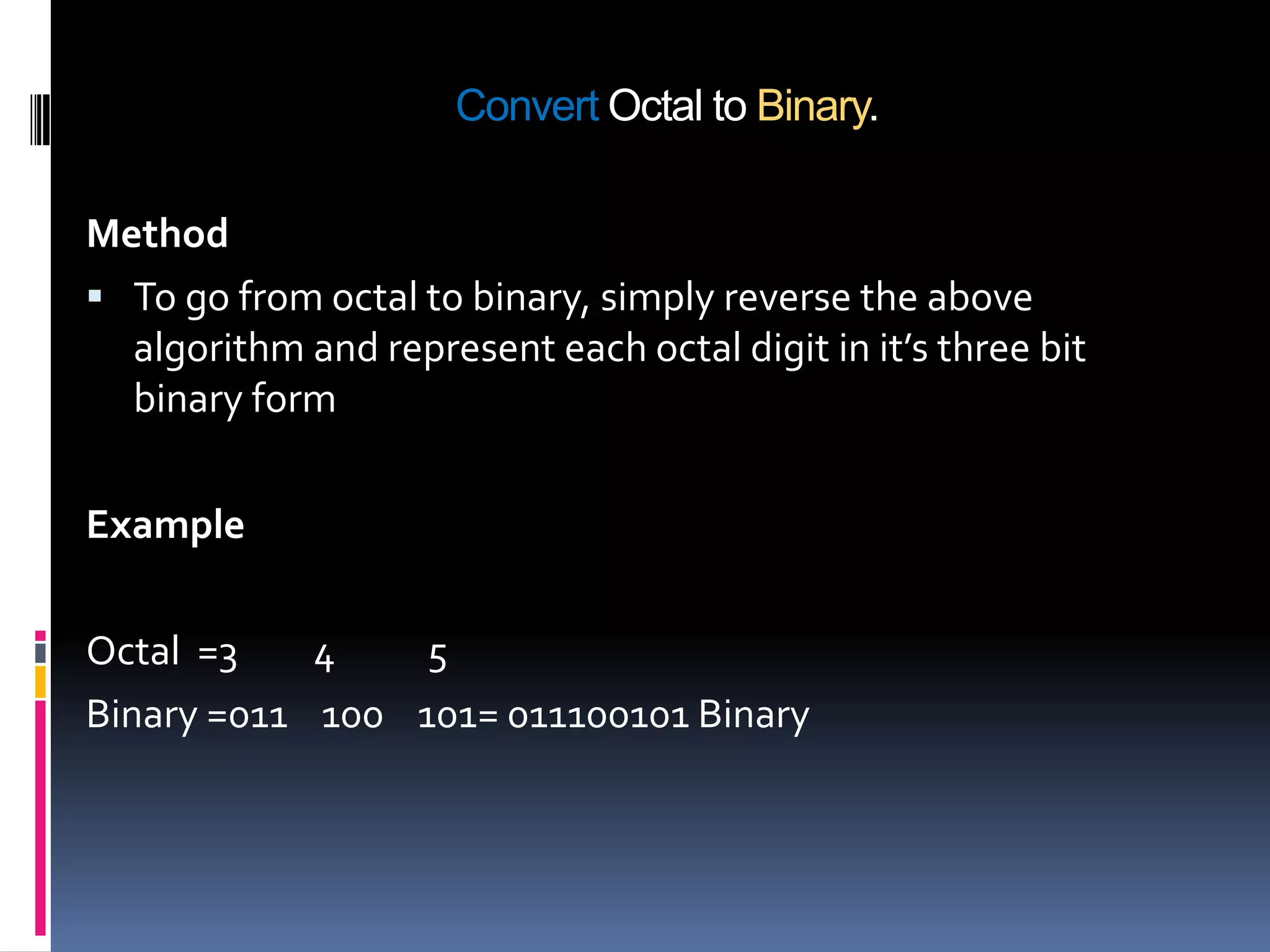
 To go from octal to binary, simply reverse the above
  algorithm and represent each octal digit in it’s three bit
  binary form

Example

Octal =3    4    5
Binary =011 100 101= 011100101 Binary
Convert Octal to Hexadecimal.


Method

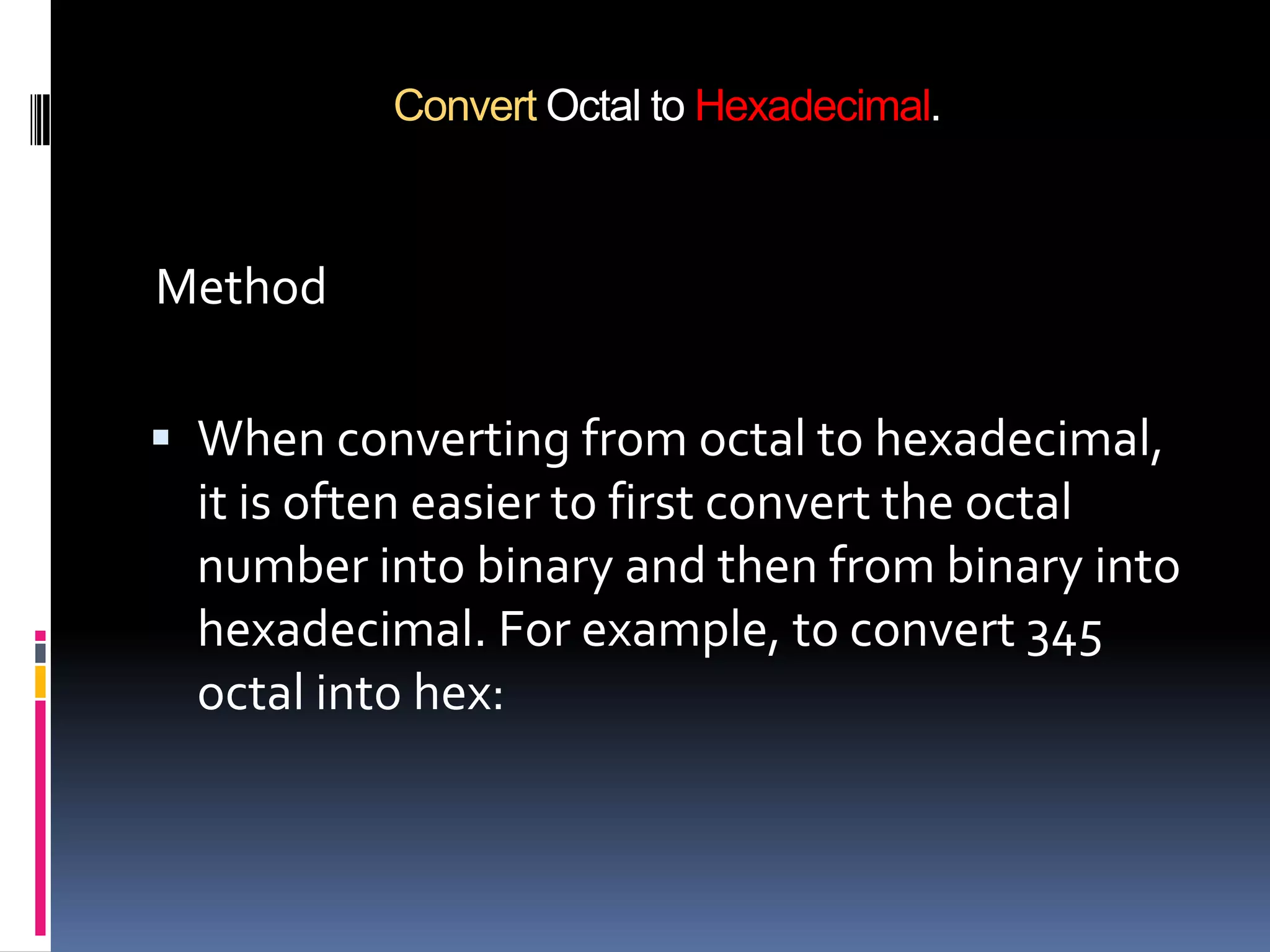
 When converting from octal to hexadecimal,
  it is often easier to first convert the octal
  number into binary and then from binary into
  hexadecimal. For example, to convert 345
  octal into hex:
Convert Octal to decimal.


Example

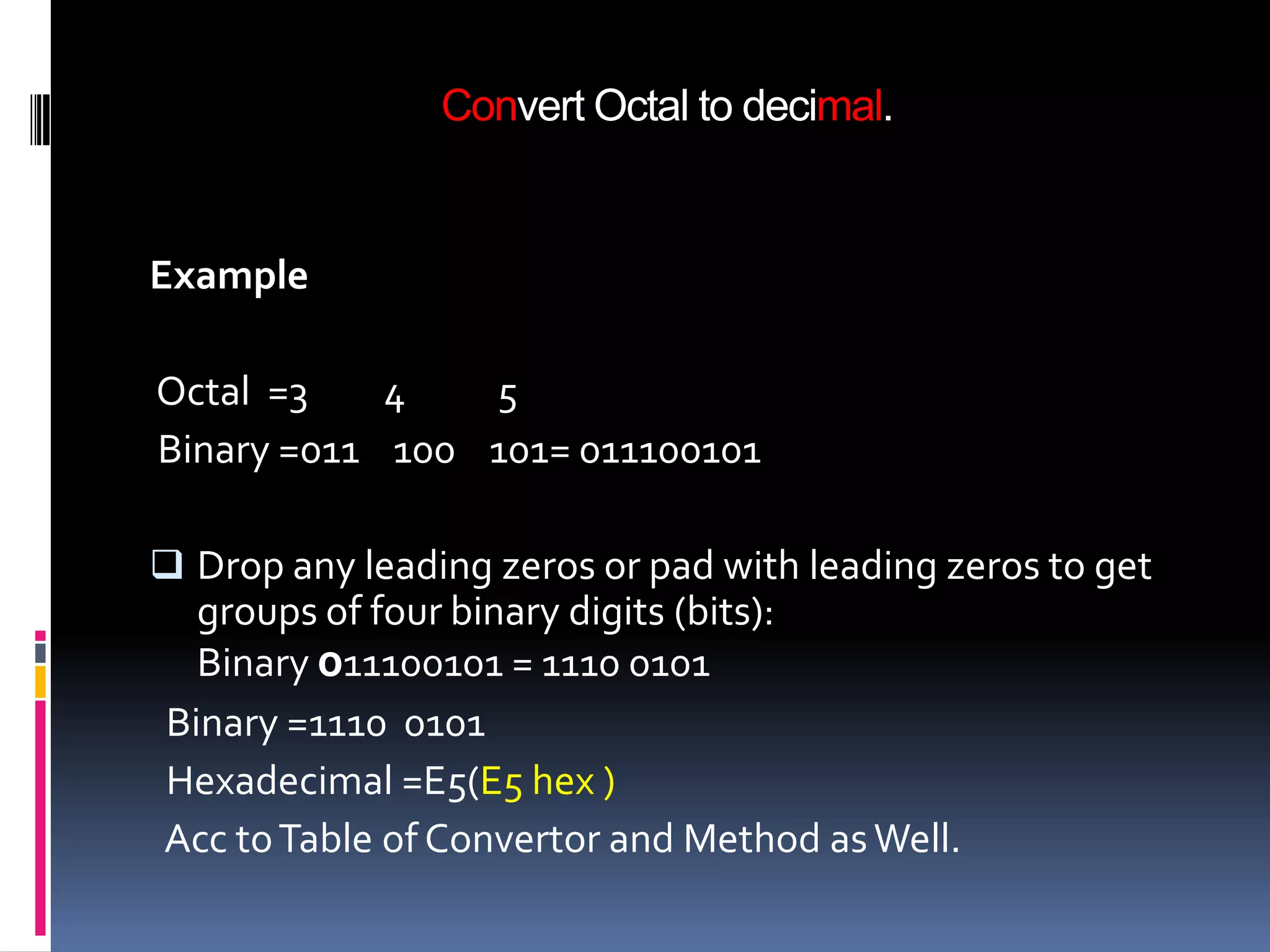
Octal =3    4   5
Binary =011 100 101= 011100101

 Drop any leading zeros or pad with leading zeros to get
  groups of four binary digits (bits):
  Binary 011100101 = 1110 0101
Binary =1110 0101
Hexadecimal =E5(E5 hex )
Acc to Table of Convertor and Method as Well.
Representing Information in Computers


 All the different types of information in computers
    can be represented using binary code.
   Numbers.
   Letters of the alphabet and punctuation marks.
   Microprocessor instruction.
   Graphics/Video.
   Sound.
Uses in computer system


1. A switch is just used to turn ON or turn OFF any desired
   device...using the concept binary system

2. Electronic Circuitry uses the octal system and
   hexadecimal system

3. Decimal number system uses as Basic calculation and
   complex Calculation In daily life
References


1. http://www.google.co.in/
2. http://www.wikipedia.org/
3. And Many more blogs and eBooks

Number system by ammar nawab

  • 1.
    Numeral Systems Binary, Decimaland Hexadecimal Numbers
  • 2.
    What is NumberSystem ?  A number system defines how a number can be represented using distinct symbols. A number can be represented differently in different systems. For example, the two numbers (2A)16 and (52)8 both refer to the same quantity, (42)10, but their representations are different.
  • 3.
    Computer Number Systems Decimal Numbers.  Binary Numbers.  Octal Numbers.  Hexadecimal Numbers.
  • 4.
    Decimal Number System The prefix “deci-” stands for 10  The decimal number system is a Base 10 number system: • There are 10 symbols that represent quantities: 0, 1, 2, 3, 4, 5, 6, 7, 8, 9 • Each place value in a decimal number is a power of 10.
  • 5.
    Decimal Number System Each position represents a power of 10:  401 = 4*102 + 0*101 + 1*100 = 400 + 1  130 = 1*102 + 3*101 + 0*100 = 100 + 30  9786 = 9*103 + 7*102 + 8*101 + 6*100 = = 9*1000 + 7*100 + 8*10 + 6*1
  • 6.
    Binary Numbers  Theprefix “bi-” stands for 2  The binary number system is a Base 2 number system:  There are 2 symbols that represent quantities 0, 1  Each place value in a binary number is a power of 2.
  • 7.
    Binary Numbers  Representationof binary Number. Each position represents a power of 2:  101b = 1*22 + 0*21 + 1*20 = 100b + 1b = 4 + 1 =5  110b = 1*22 + 1*21 + 0*20 = 100b + 10b = 4 + 2 =6
  • 8.
    Octal  Octal (base8) was previously a popular choice for representing digital circuit numbers in a form that is more compact than binary. Octal is sometimes abbreviated as “oct”.  Octal counting goes: 0, 1, 2, 3, 4, 5, 6, 7, 10, 11, 12, 13, 14, 15, 16, 17, 20, 21, and so on.
  • 9.
    Hexadecimal Numbers  Theprefix “hexa-” stands for 6 and the prefix “deci-’ stands for 10  The hexadecimal number system is a Base16 number system: • There are 16 symbols that represent quantities: 0, 1, 2, 3, 4, 5, 6, 7, 8, 9, A, B, C, D, E, F • Each place value in a hexadecimal number is a power of 16.
  • 10.
    Hexadecimal Numbers  Weuse hexadecimal numbers as “shorthand” for binary numbers  Each group of four binary digits can be represented by a single hexadecimal digit.
  • 11.
    Conversions & TheirUses  Computer Number Systems  Convert decimal to binary.  Convert decimal to hexadecimal.  Convert decimal to Octal.  Convert binary to decimal.  Convert binary to hexadecimal.  Convert binary to Octal.
  • 12.
    Conversions & TheirUses  Convert hexadecimal to binary.  Convert hexadecimal to decimal  Convert hexadecimal to Octal.  Convert Octal to decimal.  Convert Octal to binary.  Convert Octal to hexadecimal.
  • 13.
    Convertor Table tounderstand the Number System
  • 14.
    Converting Decimal toBinary  Converting a number from decimal to binary is quite easy. All that is required is to find the binary value.  Technique  Divide by two, keep track of the remainder  First remainder is bit 0 (LSB)  Second remainder is bit 1 because if any digit not perfectly divide so we take 1 as bit.
  • 15.
    Converting Decimal toBinary Example: convert (68) 10 to binary 68/2 = 34 remainder is 0 34/ 2 = 17 remainder is 0 17 / 2 = 8 remainder is 1 8 / 2 = 4 remainder is 0 4 / 2 = 2 remainder is 0 2 / 2 = 1 remainder is 0 1 / 2 = 0 remainder is 1 Answer = 1 0 0 0 1 0 0
  • 16.
    Converting Decimal toOctal  Method of successive division by 8  To convert integer decimals to octal, divide the original number by the largest possible power of 8 and successively divide the remainders by successively smaller powers of 8 until the power is.
  • 17.
    Converting Decimal toOctal  Example: convert (177) 10 to octal 177 / 8 = 22 remainder is 1 22 / 8 = 2 remainder is 6 2 / 8 = 0 remainder is 2 Answer = 2 6 1 Note: the answer is read from bottom to top as (261) 8, the same as with the binary case.
  • 18.
    Converting Decimal toHexadecimal  Steps 1. Divide the decimal number by 16.Treat the division as an integer division. 2. Write down the remainder (in hexadecimal). 3. Divide the result again . 4. Repeat step 2 and 3 until result is 0. 5. The hex value is the digit sequence of the remainders from the last to first.
  • 19.
    Converting Decimal toHexadecimal Example 1.convert (4768) 10 to hex. 4768 / 16 = 298 remainder 0 298 / 16 = 18 remainder 10 (A) 18 / 16 = 1 remainder 2 1 / 16 = 0 remainder 1 Answer: 1 2 A 0 Note: the answer is read from bottom to top
  • 20.
    Converting Binary toDecimal Steps with example 1. let's convert the binary number 10011011 2 to decimal. 2. Write first the binary number below the list. 3. Draw lines, starting from the right, connecting each consecutive digit of the binary number to the power of two that is next in the list above it. 4. Move through each digit of the binary number. 5. Add the numbers written below the line.
  • 21.
    Converting Binary toDecimal Example Multiply each numeral by its exponent:  1001b = 1*23 + 1*20 = 1*8 + 1*1 = = 9  0111b = 0*23 + 1*22 + 1*21 + 1*20 = = 100b + 10b + 1b = 4 + 2 + 1 = = 7  110110b = 1*25 + 1*24 + 0*23 + 1*22 + 1*21 = = 100000b + 10000b + 100b + 10b = = 32 + 16 + 4 + 2 = = 54
  • 22.
    Converting Binary toHexadecimal  Method  Conversion between binary and hex is easy. Simply substitute four-bit groups for the hex digit of the same value. Specifically
  • 23.
    Converting Binary toHexadecimal Example Consider Binary: 1000100100110111 (a16-bit Byte) Step 1-Break the Byte into 'quartets' - 1000 1001 0011 0111 Step 2 Use the above table to covert each quartet to its Hex equivalent - 8937 Therefore ... 1000100100110111 = 8937Hex
  • 24.
    Converting Binary toOctal  Method  Since the octal system is again a power of two (23), we can take group the bits into groups of 3 and represent each group as an octal digit. The steps are the same for the binary to hexadecimal conversions.
  • 25.
    Converting Binary toOctal  Examples Take the binary number (10011)2 and convert it to octal 010 011 2 3 =(23)8
  • 26.
    Convert Hexadecimal toBinary.  This conversion is also simplistic. Given a hexadecimal number, simply convert each digit to it’s binary equivalent. Then, combine each 4 bit binary number and that is the resulting answer and we also seen the comparisons table of it.
  • 27.
    Convert Hexadecimal toBinary. Example 1 To convert hexadecimal F8 to binary, write down the binary for F first, then the binary for 8. F 8 1111 1000 So, the answer is 11111000.
  • 28.
    Convert Hexadecimal toDecimal.  Converting hexadecimal to decimal can be performed in the conventional mathematical way, by showing each digit place as an increasing power of 16. Of course, hexadecimal letter values need to be converted to decimal values before performing the math.
  • 29.
    Convert Hexadecimal toDecimal. Example convert (1128 ) 16 to decimal 1x(163) + 1x(162) + 2x(161) + 8x(160) 4096+256+32+8=(4392) 10
  • 30.
    Convert Hexadecimal toOctal.  convert from any base to any other base, you repeatedly divide by the second base, truncating down to the nearest integer, and recording the remainders in each step, until the result is zero. Then you write the remainders in reverse order.
  • 31.
    Convert Hexadecimal toOctal. Example:  converting 12A16 to Octal 12A / 8 is 37 remainder 2 37 / 8 is 4 remainder 5 4 / 8 is 0 remainder 4 Answer is 4528
  • 32.
    Convert Octal toDecimal. Method  Multiply the last to first digit of the octal number by (8 to the zeroth power) and increment in the power acc to the digits.
  • 33.
    Convert Octal toDecimal. Example: convert (632) 8 to decimal = (6 x 82) + (3 x 81) + (2 x 80) = (6 x 64) + (3 x 8) + (2 x 1) = 384 + 24 + 2 = (410) 10
  • 34.
    Convert Octal toBinary. Method  To go from octal to binary, simply reverse the above algorithm and represent each octal digit in it’s three bit binary form Example Octal =3 4 5 Binary =011 100 101= 011100101 Binary
  • 35.
    Convert Octal toHexadecimal. Method  When converting from octal to hexadecimal, it is often easier to first convert the octal number into binary and then from binary into hexadecimal. For example, to convert 345 octal into hex:
  • 36.
    Convert Octal todecimal. Example Octal =3 4 5 Binary =011 100 101= 011100101  Drop any leading zeros or pad with leading zeros to get groups of four binary digits (bits): Binary 011100101 = 1110 0101 Binary =1110 0101 Hexadecimal =E5(E5 hex ) Acc to Table of Convertor and Method as Well.
  • 37.
    Representing Information inComputers  All the different types of information in computers can be represented using binary code.  Numbers.  Letters of the alphabet and punctuation marks.  Microprocessor instruction.  Graphics/Video.  Sound.
  • 38.
    Uses in computersystem 1. A switch is just used to turn ON or turn OFF any desired device...using the concept binary system 2. Electronic Circuitry uses the octal system and hexadecimal system 3. Decimal number system uses as Basic calculation and complex Calculation In daily life
  • 39.