Using Student cell phones in classroom learningLiz Kolb, Ph.D.University of Michiganelikeren@umich.eduhttp://cellphonesinlearning.comhttp://tiny.cc/istekolb (presentation)Twitter:  lkolbLiz’s Mobile Business CardSend a new text:  50500In message: kolb http://contxts.com
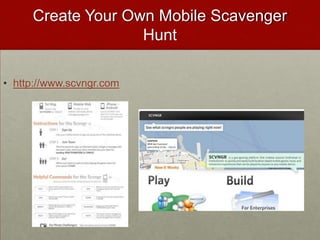
How to Use Mobile Business Card in K-12?Flash Card ReviewsEach student in a class can create a "business card" as a 160 character flash card, give it a keyword. As a result, all the students in the class could exchange different flash cards for review. If the cards are saved on the students' phones, than the students can use them anytime for an instant review.Help LinesStudents who are struggling with issues of depression, addiction, disease, anxieties, peer pressure, or other afflictions are often fearful to tell an adult. By giving students mobile business cards with help line information, they can contact the lines at anytime without fear of being identified.Local Scavenger HuntsTeachers can create keyword scavenger hunts using Contxts. For example, a teacher can create "clues" by using the 160 character business cards, and as students answer the clues and find the new locations for the scavenger hunt, they text a new keyword and receive a new clue. This would be a fun activity for local history, math students studying geometry, physics students, or even foreign language students could go around the city or just the school unraveling clues in other languages.Advertising CampaignsStudents could team up with local businesses to create 160 character advertisements. For example students could create an ad slogan for a local coffee shop, along with a coupon...such as"Drink a cup of Joe before 8 & Get a rebate...COUPON CODE: 721u". Students could create posters or a word of mouth campaign to try to get people to call in to hear the advertisement and the coupon code.
AgendaWhy STUDENT OWNED cell phones?Addressing concernsExamples of schools/teacher using cell phonesStep-by-step guide to integration (includes policy and legal issues)Projects!Next Steps…
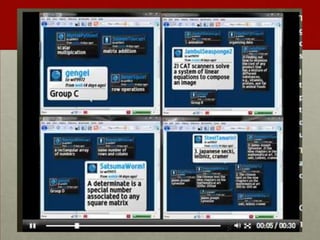
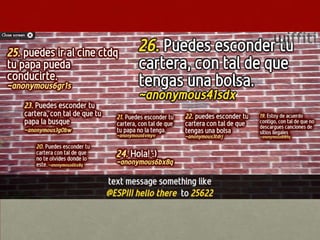
Questions/Commentshttp://Wiffiti.com
http://wiffiti.com
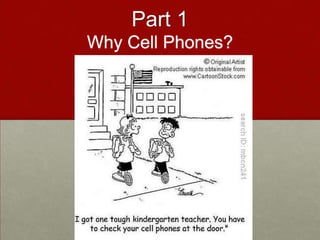
Part 1Why Cell Phones?
When was the last time you…Used a payphone?Met an adult (18-50) that did not have an email account?Adjusted the tracking on your VCR?Used a typewriter to fill out a job application?Sent film out to be developed?Used a walkman?Went to the library to do research?Got up to change the channel?
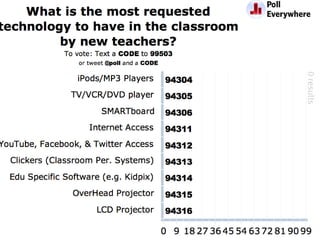
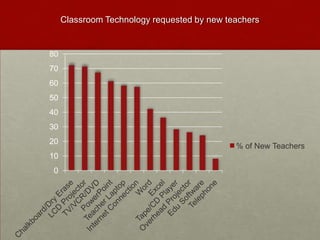
Classroom Technology requested by new teachers
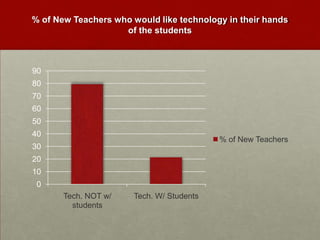
% of New Teachers who would like technology in their hands of the students
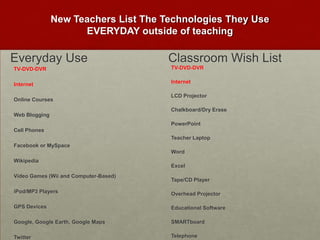
New Teachers List The Technologies They Use EVERYDAY outside of teachingEveryday UseClassroom Wish ListTV-DVD-DVRInternetOnline CoursesWeb BloggingCell PhonesFacebook or MySpaceWikipediaVideo Games (Wii and Computer-Based)iPod/MP3 PlayersGPS DevicesGoogle, Google Earth, Google MapsTwitterTV-DVD-DVRInternetLCD ProjectorChalkboard/Dry ErasePowerPointTeacher LaptopWordExcelTape/CD PlayerOverhead ProjectorEducational SoftwareSMARTboardTelephone
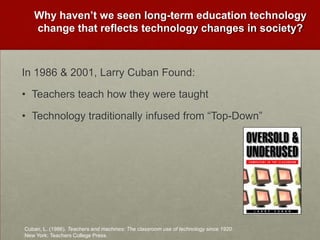
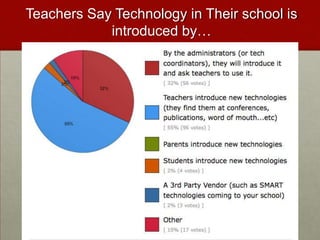
Why haven’t we seen long-term education technology change that reflects technology changes in society?In 1986 & 2001, Larry Cuban Found:Teachers teach how they were taughtTechnology traditionally infused from “Top-Down” Cuban, L. (1986). Teachers and machines: The classroom use of technology since 1920. New York: Teachers College Press.
Teachers Say Technology in Their school is introduced by…
The Solution?
“Some of the most crucial steps in mental growth are based not simply on acquiring new skills, but on acquiring new administrative ways to use what one already knows.”-Seymour Papert
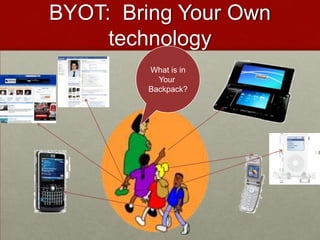
BYOT:  Bring Your Own technologyWhat is inYour Backpack?
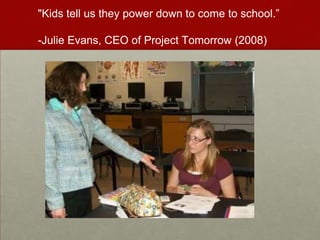
"Kids tell us they power down to come to school.”-Julie Evans, CEO of Project Tomorrow (2008)
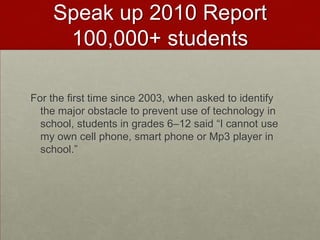
Speak up 2010 Report 100,000+ studentsFor the first time since 2003, when asked to identify the major obstacle to prevent use of technology in school, students in grades 6–12 said “I cannot use my own cell phone, smart phone or Mp3 player in school.”
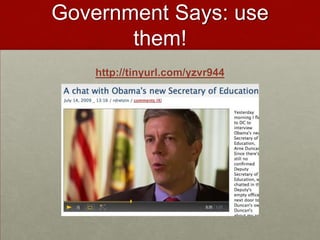
Government Says: use them!http://tinyurl.com/yzvr944
Arguments for Using Students’ Everyday Tools
Internet v. Mobile73% of U.S. household’s have Internet access57% have broadband43% have dial-up30% of U.S. citizens do not use the Internet at all63% of people with a household income of <49K have no Internet87% of U.S. Citizens own Cell phones. 13% of U.S. citizens do not own a cell phone94% of U.S. Citizens 18-45 own a cell phone18% of U.S. Citizens with an income of <50K do not have a cell phonePark Associates and CTIA wireless association, both 2007
Access76% of secondary students have their own cell phonesOne in three teens sends more than 100 text messages a day, or 3000 texts a month. (Lenhart et al, 2010)80% of secondary students have MP3 players (Project Tomorrow, 2008, Apr. 8).84% of children between the ages of 8 to 10 have a video game player in their household (Rideout et al, 2005).  93% of teenagers use the Internet55% of 12-17 year olds have a profile on Facebook or Myspace (Lenhart et al, 2007).
By the end of 2010 it is estimated that…54% of 8 year olds will have their own cell phone!  Amoroso, (2006).  Tween Market has the potential to double by 2010.  Yankee Group Retrieved from www.yankeegroup.com/researchdocument.dorid=14058
Millennials Rising (Neil Howe and William Strauss)How 21st Century Students learn best…Collaboratively  Anytime, anyplace, anywhere, any paceStructured activitiesRelevancy with real world*They want to do this with the TECHNOLOGY of their generation
WELCOME To The Era of the…Free Agent LearnerTechnology enabled bottom up learnerANYTIMEANYWHEREANYPLACEANY PACE
For Example…1-800-2chachaSend text Query to 36266
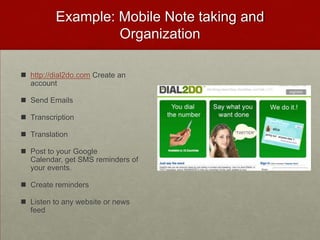
Example: Mobile Note taking and Organizationhttp://dial2do.com Create an account
Send Emails
Transcription
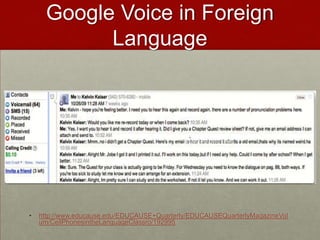
Translation
Post to your Google Calendar, get SMS reminders of your events.
Create reminders
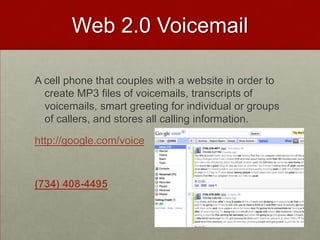
Listen to any website or news feedFundamental Shift in 21st Century WorkforceTechnological changes are displacing low-skilled workers and making room for more high-skilled creative and innovative workers. Employers are calling for schools to integrate new skills into education
7 top job skillsCritical Thinking and Problem-solvingCollaboration Across Networks and Leading By InfluenceAgility and Adaptability Initiative and EntrepreneurialismEffective Oral and Written CommunicationAccessing and Analyzing InformationCuriosity and Imagination
Partnership for 21st Century Skills12%
Mobile Job Opportunities for Students
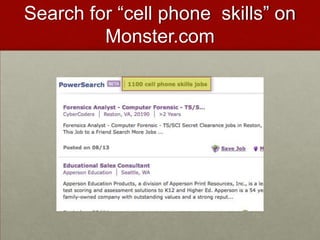
Search for “cell phone  skills” on Monster.com
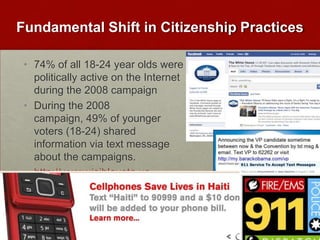
Fundamental Shift in Citizenship Practices74% of all 18-24 year olds were politically active on the Internet during the 2008 campaignDuring the 2008 campaign, 49% of younger voters (18-24) shared information via text message about the campaigns.http://www.visiblevote.us
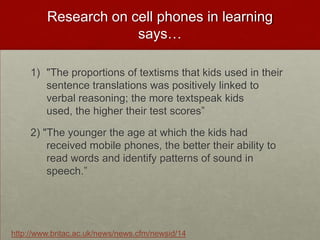
Research on cell phones in learning says…"The proportions of textisms that kids used in their sentence translations was positively linked to verbal reasoning; the more textspeak kids used, the higher their test scores”2) "The younger the age at which the kids had received mobile phones, the better their ability to read words and identify patterns of sound in speech.”http://www.britac.ac.uk/news/news.cfm/newsid/14
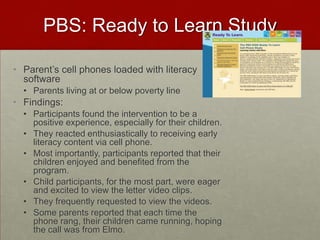
PBS: Ready to Learn StudyParent’s cell phones loaded with literacy softwareParents living at or below poverty lineFindings:Participants found the intervention to be a positive experience, especially for their children. They reacted enthusiastically to receiving early literacy content via cell phone. Most importantly, participants reported that their children enjoyed and benefited from the program. Child participants, for the most part, were eager and excited to view the letter video clips. They frequently requested to view the videos.  Some parents reported that each time the phone rang, their children came running, hoping the call was from Elmo.
Why Are We Reluctant?Is it in our history?
History of Ed TechThe history of educational technology has not been glowing, and it is difficult to point to particular advances in the effectiveness of schools that are related to technology (Cuban, Kilpatrick, & Peck, 2001).
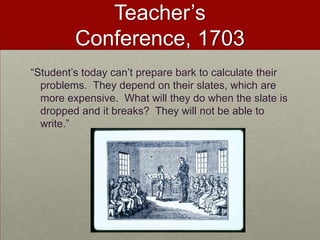
Teacher’s Conference, 1703“Student’s today can’t prepare bark to calculate their problems.  They depend on their slates, which are more expensive.  What will they do when the slate is dropped and it breaks?  They will not be able to write.”
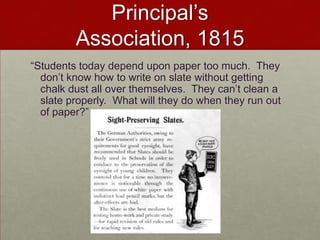
Principal’s Association, 1815“Students today depend upon paper too much.  They don’t know how to write on slate without getting chalk dust all over themselves.  They can’t clean a slate properly.  What will they do when they run out of paper?”
1999 Michael Mowe (1999) wrote in The Montgomery County Heard “The Internet is not a great tool for teaching...People think that children can think of any topic and pull up a wealth of information on it, but that is not the case.  The information in the library is what people seem to expect, but nobody has the time to transcribe entire libraries onto computers.  There is nothing on the Internet that is incredibly beneficial to education.”
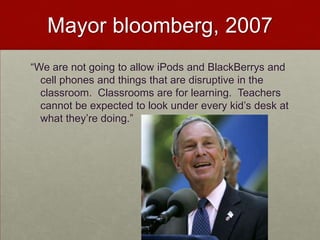
Mayor bloomberg, 2007“We are not going to allow iPods and BlackBerrys and cell phones and things that are disruptive in the classroom.  Classrooms are for learning.  Teachers cannot be expected to look under every kid’s desk at what they’re doing.”
The Concerns
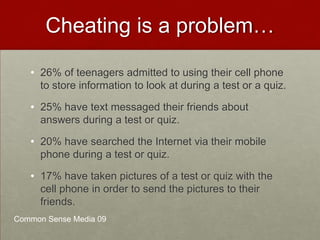
 Cheating is a problem…26% of teenagers admitted to using their cell phone to store information to look at during a test or a quiz.
25% have text messaged their friends about answers during a test or quiz.
20% have searched the Internet via their mobile phone during a test or quiz.
17% have taken pictures of a test or quiz with the cell phone in order to send the pictures to their friends.Common Sense Media 09
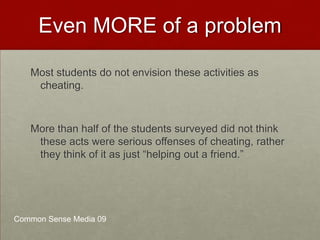
Even MORE of a problemMost students do not envision these activities as cheating.  More than half of the students surveyed did not think these acts were serious offenses of cheating, rather they think of it as just “helping out a friend.” Common Sense Media 09

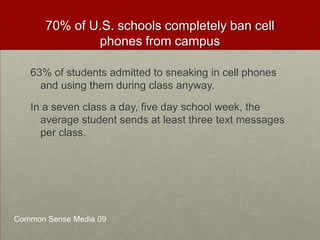
70% of U.S. schools completely ban cell phones from campus 63% of students admitted to sneaking in cell phones and using them during class anyway. In a seven class a day, five day school week, the average student sends at least three text messages per class. Common Sense Media 09
One in three (34%) texting teens ages 16-17 say they have texted while driving. http://news.yahoo.com/video/us-15749625/19858592
Life ConsequencesStudents are sometimes “sexting” “to friends for their entertainment value, as a joke or for fun."Six teens face child porn (13 to 15) charges after being caught "sexting" each other.  Criminal Charge!IN PA, 3 girls (12, 12, 16) charged with child pornography for sexing.  Picture of  them in bras.15% of teenagers have risque photos of themselves or their friends on their cell phones.1 in 5 sext recipients report that they have passed the images along to someone else http://www.cnn.com/video/#/video/bestoftv/2009/01/15/pn.sexting.teens.cnn
"If you take a picture, you can be accused of producing child pornography; if you send it to somebody, you can be accused of distributing child pornography; and if you keep a picture, you can be accused of possessing child pornography.  Anywhere along this chain of transmission of the images, you can be charged as a registered sex offender." -Parry Aftab, an Internet privacy and security lawyer.
Current Banning Structures are NOT workingStudents still “cheating”, “Off-task”, or “inappropriately” using cell phones in schoolsStudents still bring them to schools and use them when told not to.Students still do not understand consequences of their social media useStudents have no idea how to use mobile phones or social media in future job force!
How do we change?
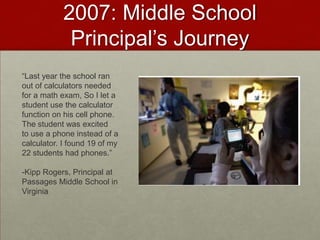
2007: Middle School Principal’s Journey“Last year the school ran out of calculators needed for a math exam, So I let a student use the calculator function on his cell phone. The student was excitedto use a phone instead of a calculator. I found 19 of my 22 students had phones.”-Kipp Rogers, Principal at Passages Middle School in Virginia
Mary Passage Middle School Cell Phone Policy 1.	Students will talk on their cell phone only to complete assignments that are related to the instructional lesson.2.	Students will keep cell phones turned off or left in lockers when they are not being used for instructional purposes in class.3.	Students will only send text- messages, pictures or video- messages to others outside of the classroom with permission and directions from the teacher.4.	Students will not record still or moving images or voices of students or the teacher without permission from the teacher.5.	Students will not post recordings of still or moving images or voice recordings of students or the teacher to online websites without their permission.6.	Students will practice internet safety with online resources.7.	Students will post only appropriate text, audio and visual media to on-line websites. I _____________________ understand that violation of our class acceptable cell phone use policy may result in my not being able to participate in additional class activities that involve using the cell phone.  I also understand that I may receive disciplinary consequences for violating school board policies regarding cyber-bullying. I _______________________ have gone over the Cell Phones in Class Acceptable Use Policy with my child and agree to allow my child to participate. 
Addressing: Safety & AccessDr. Kipp Rogers Says…"For the most part, the kids respect the rules.  I never had any problems with kids using them inappropriately in my class. We spent a lot of time talking about their digital footprint and that what they do can be tracked.”He said he initially worried about "the haves and have nots," but students work in teams for most assignments requiring cell phones, so there is always at least one phone among the group.
Teacher’s ReactionsTeachers said participation is up and discipline problems are down in classes using cell phones. Rogers is looking for ways to expand the phones' uses. "It's fighting a losing battle to ask them to leave them at home.”Learn more from Dr. Rogers:  http://passage.nn.k12.va.us/
Student’s ReactionSixth-grader Cassie Garn said her English teacher uses cell phones for several exercises."This is more interesting and people pay attention," she said. "It's fun. It beats writing stuff down and everybody likes to try to be first."“My teacher roams the room to make sure students are sending answers and not texts to friends.”"It's all related to work," Garn said. "We're not texting other people."
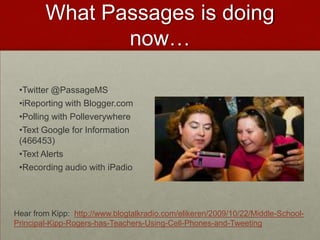
What Passages is doing now…Twitter @PassageMS
iReporting with Blogger.com
Polling with Polleverywhere
Text Google for Information (466453)
Text Alerts
Recording audio with iPadioHear from Kipp:  http://www.blogtalkradio.com/elikeren/2009/10/22/Middle-School-Principal-Kipp-Rogers-has-Teachers-Using-Cell-Phones-and-Tweeting
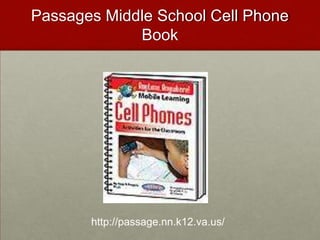
Passages Middle School Cell Phone Bookhttp://passage.nn.k12.va.us/
Katie Titlerhttp://www.fox11online.com/dpp/mobile/spanish-class-learns-with-todays-technology
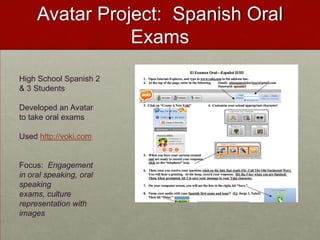
Avatar Project:  Spanish Oral ExamsHigh School Spanish 2 & 3 StudentsDeveloped an Avatar to take oral examsUsed http://voki.comFocus:  Engagement in oral speaking, oral speaking exams, culture representation with images
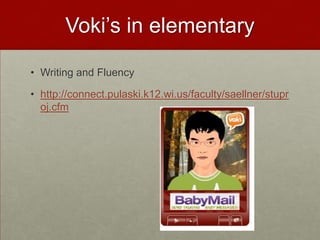
Voki’s in elementaryWriting and Fluency1st and 2nd gradehttp://connect.pulaski.k12.wi.us/faculty/saellner/stuproj.cfm
Voki’s for epalshttp://anzaconnection.wikispaces.com/Introductions
Avatar Project:  Celebrity in Your Field of interestCreate an Avatar of a famous person in your field of interest.
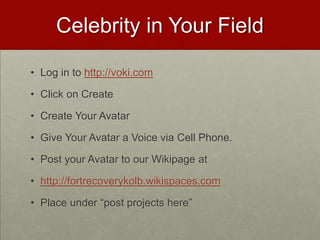
Celebrity in Your FieldLog in to http://voki.comClick on CreateCreate Your AvatarGive Your Avatar a Voice via Cell Phone.Post on our wikihttp://kolbiste.wikispaces.com/
Thoughts…Post to our wiffiti page
Summary of 16 teachers using student cell phones 11 Teachers from across the U.S. who are using student cell phones
Dealing with school Bans of Cell Phones?Each teacher’s school district had differing policies governing cell phones, some completely banned them, whereas others simply had restrictions on how and when they were allowed to be used during the school day.  Every teacher was able to find a way to work within the school policy to include cell phones in their teaching.  Most teachers who wanted to use the cell phones during the school day were able to approach the administration and figure out an appropriate management system so that they could use the student school phones. Middle school reading teacher Tim Chase set up a management system (approved by his administration) that when students were using their cell phones to take pictures for their class project during the school day, they wore “assignment" badges.”
Discipline Issues?All but one of the teachers claimed that they did not have any discipline problems when using the student cell phones.  Many of the teachers said that using the cell phones for learning actually cut down on discipline problems in school related to cell phone use.
Engagement?Just about every teacher reported that motivation and engagement in the class activities increased when they were using the cell phones.  Katie Titler, a Spanish teacher in Wisconsin, found that many of her students went from being worried or disengaged in oral language activities to excited about oral language as a result of using their cell phones to record oral quizzes. Allison Riccardi, a Spanish teacher from Michigan, found that she, “was amazed at how having them text sentences in Spanish really drew them not only into the activity, but also really helped them to understand the grammar behind what they were saying.”Interview with Katie Titler
Students without cell phones?There were a couple of teachers who did worried about doing cell phone based activities when not every student owned a cell phone. However they all found that, in the end, there were plenty of ways to manage the issue. The most popular work-around was for teachers to group or pair students up so that there was one cell phone per group.  In some cases, teachers simply selected a project where the students had an alternative to the cell phone.  Jimbo Lamb, a math teacher from Pennsylvania, used a resource to record audio files with a toll-free calling number so that his math students could call-in with their cell phones or a landline.Interview with Jimbo Lamb
Parents?None of the teachers reported problems with parents being upset that their children were using their cell phones for learning.  As a matter of fact, some of the teachers received thank you notes from appreciative parents who were thrilled that their children were learning how to use their cell phones appropriately and in an educative way.  Paul Wood, technology coordinator in Texas claimed, “I received no negative comments and four positive comments as well as some thank you's.”Interview with Paul Wood
Improved learning?In some cases, teachers mentioned that they were surprised how quickly the students began to get actively involved in the lesson planning process, and not just being passive students  regurgitating information.  These teachers found that once they allowed their students to use cell phones in instruction, the students began to suggest learning activities that they could do with their cell phones.  Judy Pederson, an English teacher in California, said “At first, being able to use their cell phones was instantly ‘cool,’ and grabbed students' attention.  After a while, it became a very convenient tool and students began generating their own ideas for how to use the phones for projects.” Interview with Judy Pederson
Using Cell Phones for Student Management or Communication?Many of the teachers also set up office hours via cell phone (some via Twitter), where their students could text message or call them during designated evening hours.Larry Liu, an English teacher from Michigan, expanded his cell phone Facebook activity so that he was able to use Facebook to communicate homework help and answer questions from his students.  He found that since most of his students already were on Facebook and their cell phones most often, it was easier to communicate with them via their favorite devices rather than more traditional methods such as landlines or even email.  Interview with Larry Liu
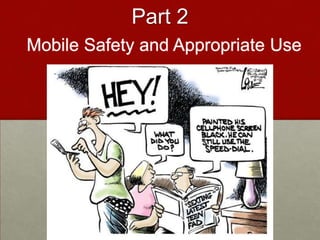
Part3:  Getting StartedMobile Safety and Appropriate Use
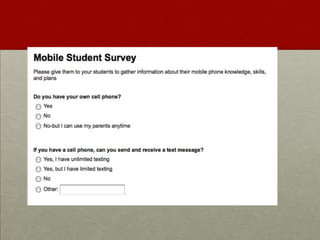
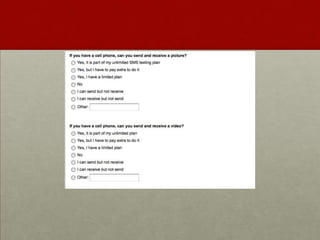
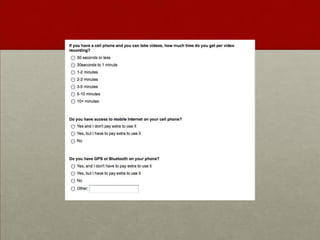
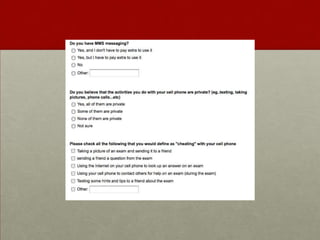
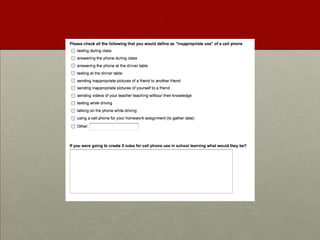
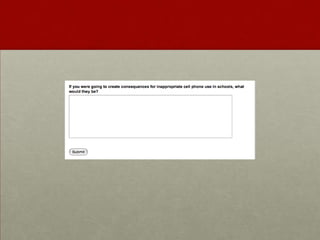
Step 1:  Survey students
Step 2:  MOBILE Safety
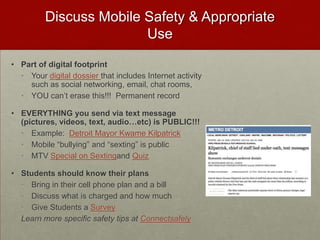
Discuss Mobile Safety & Appropriate UsePart of digital footprintYour digital dossier that includes Internet activity such as social networking, email, chat rooms, YOU can’t erase this!!!  Permanent recordEVERYTHING you send via text message (pictures, videos, text, audio…etc) is PUBLIC!!!Example:  Detroit Mayor Kwame KilpatrickMobile “bullying” and “sexting” is publicMTV Special on Sextingand QuizStudents should know their plansBring in their cell phone plan and a billDiscuss what is charged and how muchGive Students a SurveyLearn more specific safety tips at Connectsafely
Step 3:  Social Contract
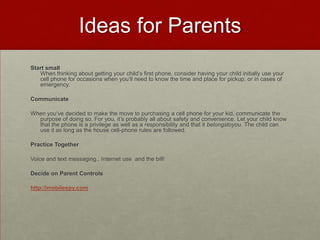
Tips for Social ContractThe teacher should explain to the students that there should be some rules concerning how their cell phones will be used in the classroom, and students have an opportunity to be part of the rule making process (the goal is to have no more than 5 simple rules to follow and a consequence for non-compliance).Students should be asked to brainstorm rules.  During the brainstorm,  students should be encouraged to support their rule with reasons why it should be implemented (such as “cell phones should be on vibrate at all times”, the student should then explain why this is important.  If they can’t, ask for other students to help explain it.)Once there is a workable list of rules, students should be encouraged to narrow the list to about five rules.  The teacher may want to do this himself, or to use the analogy of a professional job where one is given a cell phone and a contract.  One could ask the students to imagine that they were given a professional contract, hen they could be asked which“rules” they think should be implemented in their classroom.  Using this analogy may also help to eliminate some redundant or unnecessary rules.Once the rules have been selected.  The students should be asked to brainstorm consequences for not following the rules.   Once again, asking students to decide on the best option.  The teacher should let the students know that she will be adding these rules and consequences to a permission form that will be sent home to have parents and the students sign.
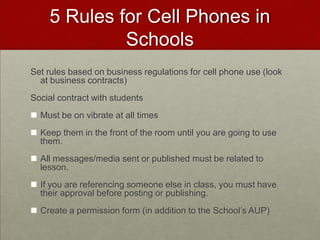
5 Rules for Cell Phones in SchoolsSet rules based on business regulations for cell phone use (look at business contracts)Social contract with studentsMust be on vibrate at all times
Keep them in the front of the room until you are going to use them.
All messages/media sent or published must be related to lesson.
If you are referencing someone else in class, you must have their approval before posting or publishing.
Create a permission form (in addition to the School’s AUP)Step 4:  Permission Form
Sample Permission Form
Dear Parents and Guardians,We are starting a new project this year in our biology course.  The students will be taking pictures of different biological species that they encounter in their everyday lives and posting on a private class website.  In order to capture the species in the everyday lives of the students, I have given them the option of using their cell phones to take the pictures and send them to the class website.   While the students are not required to have a cell phone for the project, they are welcome to use their own if they choose to and if you allow them.  In class, we will be discussing issues of mobile safety and etiquette before starting the project.  I will be using the ConnectSafely Guidelines for Mobile Safety (http://www.connectsafely.org/safety-tips-and-advice.html ).  If you would like to participate in this conversation, please feel free to attend the class sessions on March 5th and 6th during any of the biology class periods:8:00-9:009:10-10:102:10-3:10
In addition, I will be holding an information night about mobile safety and the project on March 3rd at 7:00pm.  I will go over the project in detail, show you how it works, and also answer any questions you may have about using cell phones in learning.
There is some research that supports the need for using student cell phones in learning and teaching students how cell phones can be a productive and important tool for their future professional growth.  This will be discussed in detail at the information night as well as during the March 5th and 6th class sessions.
Finally, you are welcome to participate in this project!  We are using a private space in a photo-sharing site called Flickr, where all the photos will be sent and eventually posted to a map at the exact location they were uncovered.  You are welcome to take a picture of a biological species that you encounter, send it to kolb@flickr.com along with a short text message on what you think the species is and the location of where you took the picture!  Feel free to check the website each week to see the learning progress.  Login:  Kolbbiology Password:  Biokid
I hope to see you in class and/or on the March 3rd information night.  In the meantime if you have any questions or concerns do not hesitate to contact me at kolb@gmail.com or by phone 777-222-5777.I give permission for my child to use their cell phone for phone calling for this project:______________________________________________________. (parent signature)**They can only use _____ number of calling minutes for this projectI give permission for my child to use their cell phone for text messaging for this project:______________________________________________________. (parent signature)**They can only use _____ number of text messages for this projectI give permission for my child to use their cell phone for mobile Internet for this project:______________________________________________________. (parent signature)I give permission for my child to use their cell phone for taking and sending pictures and/ or videos (circle one or both) for this project:______________________________________________________. (parent signature)**They can only send _____ number of media messages for this project
Rules agreed upon by students and teacherCell Phones Must Be on Vibrate at All TimesCell phones should be placed in the front of the room at the beginning of class (at the designated table in your numbered slot) and whenever they are not needed for instructionAll mobile messages or media sent from your phone during class MUST be related to the lesson or activityIf you are referencing someone else in class, you must have their (recorded verbal or written) approval before posting or publishing.
ConsequencesThe student will be asked to write a letter home to you and explain why they did not follow the rules in class.  They will also be asked to come up with better class guidelines around cell phones use in schools so this does not occur again. I will adhere to the classroom rules for cell phone use___________________________________________________. (student signature) Thank youLiz Kolb
Step 5:  Alternatives
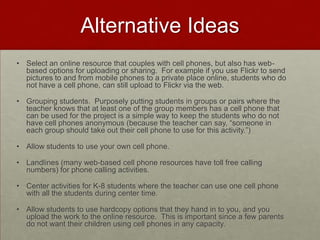
Alternative IdeasSelect an online resource that couples with cell phones, but also has web-based options for uploading or sharing.  For example if you use Flickr to send pictures to and from mobile phones to a private place online, students who do not have a cell phone, can still upload to Flickr via the web.Grouping students.  Purposely putting students in groups or pairs where the teacher knows that at least one of the group members has a cell phone that can be used for the project is a simple way to keep the students who do not have cell phones anonymous (because the teacher can say, “someone in each group should take out their cell phone to use for this activity.”)Allow students to use your own cell phone.Landlines (many web-based cell phone resources have toll free calling numbers) for phone calling activities.  Center activities for K-8 students where the teacher can use one cell phone with all the students during center time.Allow students to use hardcopy options that they hand in to you, and you upload the work to the online resource.  This is important since a few parents do not want their children using cell phones in any capacity.
Step 6:  parent Information night
Parent Night IdeasAn overview of why you are using the student cell phones.Describe the project(s) that will revolve around cell phone use, and any cost associated with the project and student cell phone use. Alternatives that the students have for completing the project without using cell phones Any change in school cell phone policy as a result of the project(s). Rules of the cell phone use during the project and the consequences for the students who do not follow the rules.Parents should be invited to participate in the activity (within reason). Provide parents with multiple ways for feedback (email address, a text message number, a voicemail (Google Voice would be great for this), and an online anonymous survey (such as Google Form).
The Door is not locked Websitehttp://www.thedoorthatsnotlocked.ca/app/en/
Step 7:  start slowly, remind, Follow through, and Feedback
Part 4:  Projects!
Project 1:  Outside of class Data Collection
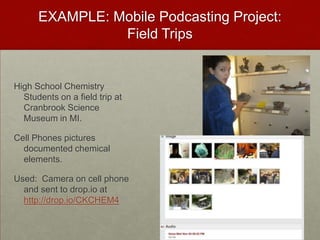
EXAMPLE: Mobile Podcasting Project:  Field TripsHigh School Chemistry Students on a field trip at Cranbrook Science Museum in MI. Cell Phones pictures documented chemical elements.Used:  Camera on cell phone and sent to drop.io at http://drop.io/CKCHEM4
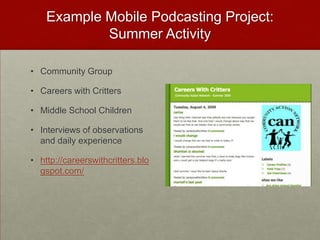
Example Mobile Podcasting Project:  Summer ActivityCommunity GroupCareers with CrittersMiddle School ChildrenInterviews of observations and daily experiencehttp://careerswithcritters.blogspot.com/
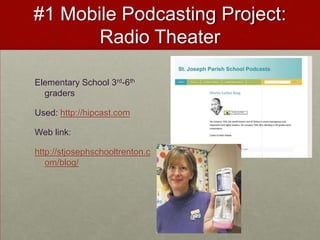
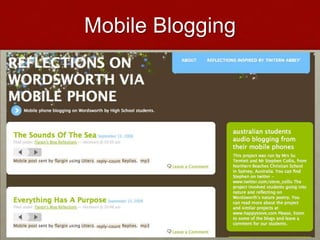
#1 Mobile Podcasting Project:  Radio TheaterElementary School 3rd-6th  gradersUsed: http://hipcast.comWeb link:http://stjosephschooltrenton.com/blog/
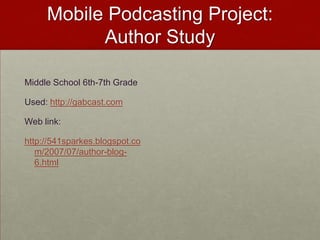
Mobile Podcasting Project:  Author StudyMiddle School 6th-7th GradeUsed: http://gabcast.comWeb link:http://541sparkes.blogspot.com/2007/07/author-blog-6.html
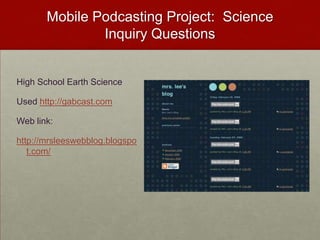
Mobile Podcasting Project:  Science Inquiry QuestionsHigh School Earth ScienceUsed http://gabcast.comWeb link:http://mrsleeswebblog.blogspot.com/
Mobile Podcasting Project:  Connecting Algebra to Real WorldHigh School AlgebraUsed http://yodio.comWeb link:http://www.yodio.com/yo.aspx?cardId=LvAhgDUPZd6UbBgsTMN2aC
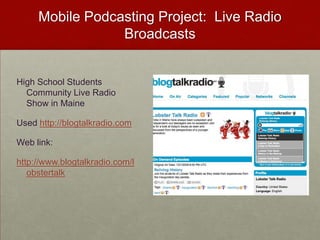
Mobile Podcasting Project:  Live Radio BroadcastsHigh School Students Community Live Radio Show in MaineUsed http://blogtalkradio.comWeb link:http://www.blogtalkradio.com/lobstertalk
PROJECT TIME!  http://drop.io
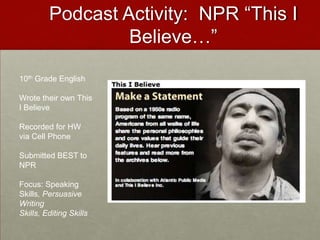
Podcast Activity:  NPR “This I Believe…”10th Grade EnglishWrote their own This I BelieveRecorded for HW via Cell PhoneSubmitted BEST to NPRFocus: Speaking Skills, Persuasive Writing Skills, Editing Skills
This I Believe Podcasting Project…Find a PartnerCreate a 1 minute “This I Believe…” PodcastPodcast should begin & end with “This I believe…”Topic of your choiceCan be humorous, sad, inquisitive Call in to our Drop #Record your podcast
Let’s Vote!http://polleverywhere.com
Project 2:  Set up class Text Alert for Media on the fly!
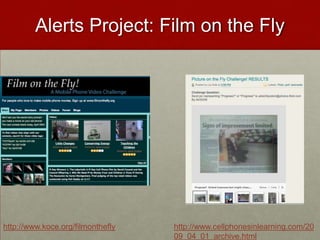
Alerts Project: Film on the Flyhttp://www.koce.org/filmontheflyhttp://www.cellphonesinlearning.com/2009_04_01_archive.html
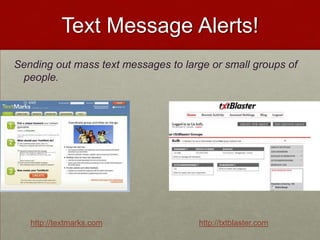
Text Message Alerts!Sending out mass text messages to large or small groups of people.  http://textmarks.comhttp://txtblaster.com
Let’s Begin with a Picture on the Fly!http://txtblaster.comhttp://flickr.com
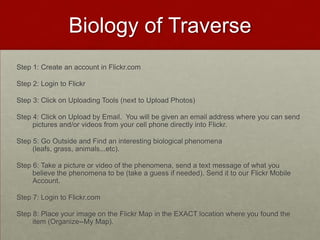
Picture on the FlyStep 1: Create an account in Flickr.comStep 2: Login to FlickrStep 3: Click on Uploading Tools (next to Upload Photos)Step 4: Click on Upload by Email.  You will be given an email address where you can send pictures and/or videos from your cell phone directly into Flickr.Step 5: Go Outside and Find an interesting biological phenomena (leafs, grass, animals...etc).Step 6: Take a picture or video of the phenomena, send a text message of what you believe the phenomena to be (take a guess if needed). Send it to our Flickr Mobile Account.Step 7: Login to Flickr.comStep 8: Place your image on the Flickr Map in the EXACT location where you found the item (Organize--My Map).
Summer Text ProgramNorwich Free Academy (Connecticut)Text of the week!Monday is vocabulary dayTuesday is science factsWednesday is mathematicsThursday is history Friday covers a variety of topics including general knowledge and cultural literacy Each day is a themeParents and Students Opt in
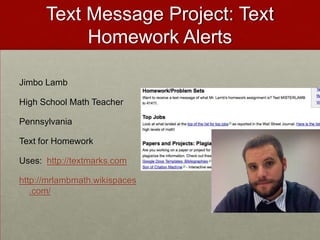
Text Message Project: Text Homework AlertsJimbo LambHigh School Math TeacherPennsylvaniaText for HomeworkUses:  http://textmarks.comhttp://mrlambmath.wikispaces.com/
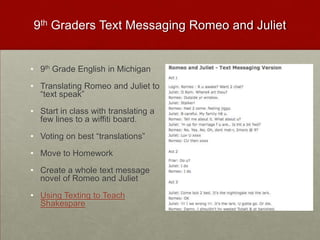
9th Graders Text Messaging Romeo and Juliet9th Grade English in Michigan
Translating Romeo and Juliet to “text speak”
Start in class with translating a few lines to a wiffiti board.
Voting on best “translations”
Move to Homework
Create a whole text message novel of Romeo and Juliet
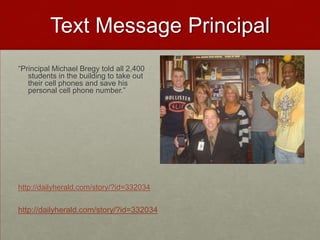
Using Texting to Teach ShakespareText Message Principal“Principal Michael Bregy told all 2,400 students in the building to take out their cell phones and save his personal cell phone number.”http://dailyherald.com/story/?id=332034http://dailyherald.com/story/?id=332034
Organize with Text, email, and audio Alert system
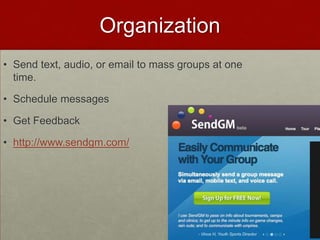
OrganizationSend text, audio, or email to mass groups at one time.Schedule messagesGet Feedbackhttp://www.sendgm.com/
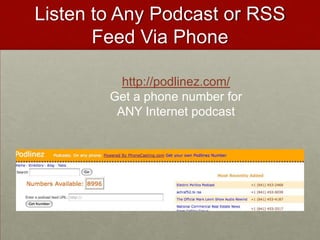
Listen to Any Podcast or RSS Feed Via Phonehttp://podlinez.com/Get a phone number for ANY Internet podcast
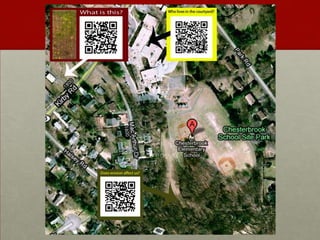
Create your own QRcodes for assignments
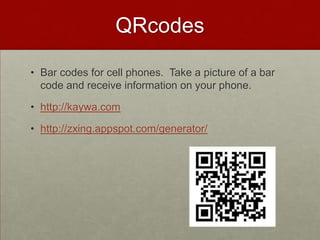
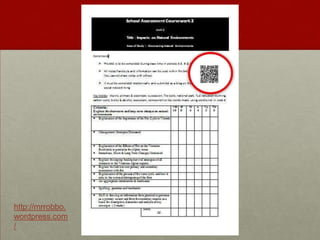
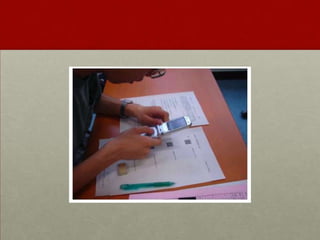
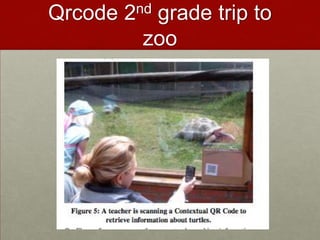
QRcodesBar codes for cell phones.  Take a picture of a bar code and receive information on your phone.http://kaywa.comhttp://zxing.appspot.com/generator/
http://mrrobbo.wordpress.com/
Qrcode 2nd grade trip to zoo
Qrcode Book Reviews
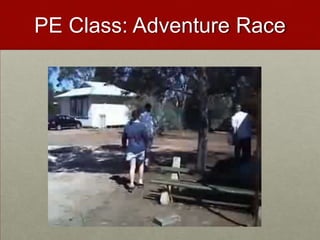
PE Class: Adventure Race

Iste2010

  • 1.
    Using Student cellphones in classroom learningLiz Kolb, Ph.D.University of Michiganelikeren@umich.eduhttp://cellphonesinlearning.comhttp://tiny.cc/istekolb (presentation)Twitter: lkolbLiz’s Mobile Business CardSend a new text: 50500In message: kolb http://contxts.com
  • 2.
    How to UseMobile Business Card in K-12?Flash Card ReviewsEach student in a class can create a "business card" as a 160 character flash card, give it a keyword. As a result, all the students in the class could exchange different flash cards for review. If the cards are saved on the students' phones, than the students can use them anytime for an instant review.Help LinesStudents who are struggling with issues of depression, addiction, disease, anxieties, peer pressure, or other afflictions are often fearful to tell an adult. By giving students mobile business cards with help line information, they can contact the lines at anytime without fear of being identified.Local Scavenger HuntsTeachers can create keyword scavenger hunts using Contxts. For example, a teacher can create "clues" by using the 160 character business cards, and as students answer the clues and find the new locations for the scavenger hunt, they text a new keyword and receive a new clue. This would be a fun activity for local history, math students studying geometry, physics students, or even foreign language students could go around the city or just the school unraveling clues in other languages.Advertising CampaignsStudents could team up with local businesses to create 160 character advertisements. For example students could create an ad slogan for a local coffee shop, along with a coupon...such as"Drink a cup of Joe before 8 & Get a rebate...COUPON CODE: 721u". Students could create posters or a word of mouth campaign to try to get people to call in to hear the advertisement and the coupon code.
  • 3.
    AgendaWhy STUDENT OWNEDcell phones?Addressing concernsExamples of schools/teacher using cell phonesStep-by-step guide to integration (includes policy and legal issues)Projects!Next Steps…
  • 4.
  • 5.
  • 8.
  • 9.
    When was thelast time you…Used a payphone?Met an adult (18-50) that did not have an email account?Adjusted the tracking on your VCR?Used a typewriter to fill out a job application?Sent film out to be developed?Used a walkman?Went to the library to do research?Got up to change the channel?
  • 11.
  • 12.
    % of NewTeachers who would like technology in their hands of the students
  • 13.
    New Teachers ListThe Technologies They Use EVERYDAY outside of teachingEveryday UseClassroom Wish ListTV-DVD-DVRInternetOnline CoursesWeb BloggingCell PhonesFacebook or MySpaceWikipediaVideo Games (Wii and Computer-Based)iPod/MP3 PlayersGPS DevicesGoogle, Google Earth, Google MapsTwitterTV-DVD-DVRInternetLCD ProjectorChalkboard/Dry ErasePowerPointTeacher LaptopWordExcelTape/CD PlayerOverhead ProjectorEducational SoftwareSMARTboardTelephone
  • 14.
    Why haven’t weseen long-term education technology change that reflects technology changes in society?In 1986 & 2001, Larry Cuban Found:Teachers teach how they were taughtTechnology traditionally infused from “Top-Down” Cuban, L. (1986). Teachers and machines: The classroom use of technology since 1920. New York: Teachers College Press.
  • 15.
    Teachers Say Technologyin Their school is introduced by…
  • 16.
  • 17.
    “Some of themost crucial steps in mental growth are based not simply on acquiring new skills, but on acquiring new administrative ways to use what one already knows.”-Seymour Papert
  • 18.
    BYOT: BringYour Own technologyWhat is inYour Backpack?
  • 22.
    "Kids tell usthey power down to come to school.”-Julie Evans, CEO of Project Tomorrow (2008)
  • 23.
    Speak up 2010Report 100,000+ studentsFor the first time since 2003, when asked to identify the major obstacle to prevent use of technology in school, students in grades 6–12 said “I cannot use my own cell phone, smart phone or Mp3 player in school.”
  • 24.
    Government Says: usethem!http://tinyurl.com/yzvr944
  • 25.
    Arguments for UsingStudents’ Everyday Tools
  • 26.
    Internet v. Mobile73%of U.S. household’s have Internet access57% have broadband43% have dial-up30% of U.S. citizens do not use the Internet at all63% of people with a household income of <49K have no Internet87% of U.S. Citizens own Cell phones. 13% of U.S. citizens do not own a cell phone94% of U.S. Citizens 18-45 own a cell phone18% of U.S. Citizens with an income of <50K do not have a cell phonePark Associates and CTIA wireless association, both 2007
  • 27.
    Access76% of secondarystudents have their own cell phonesOne in three teens sends more than 100 text messages a day, or 3000 texts a month. (Lenhart et al, 2010)80% of secondary students have MP3 players (Project Tomorrow, 2008, Apr. 8).84% of children between the ages of 8 to 10 have a video game player in their household (Rideout et al, 2005). 93% of teenagers use the Internet55% of 12-17 year olds have a profile on Facebook or Myspace (Lenhart et al, 2007).
  • 28.
    By the endof 2010 it is estimated that…54% of 8 year olds will have their own cell phone! Amoroso, (2006). Tween Market has the potential to double by 2010. Yankee Group Retrieved from www.yankeegroup.com/researchdocument.dorid=14058
  • 29.
    Millennials Rising (NeilHowe and William Strauss)How 21st Century Students learn best…Collaboratively Anytime, anyplace, anywhere, any paceStructured activitiesRelevancy with real world*They want to do this with the TECHNOLOGY of their generation
  • 30.
    WELCOME To TheEra of the…Free Agent LearnerTechnology enabled bottom up learnerANYTIMEANYWHEREANYPLACEANY PACE
  • 31.
  • 32.
    Example: Mobile Notetaking and Organizationhttp://dial2do.com Create an account
  • 33.
  • 34.
  • 35.
  • 36.
    Post to yourGoogle Calendar, get SMS reminders of your events.
  • 37.
  • 38.
    Listen to anywebsite or news feedFundamental Shift in 21st Century WorkforceTechnological changes are displacing low-skilled workers and making room for more high-skilled creative and innovative workers. Employers are calling for schools to integrate new skills into education
  • 39.
    7 top jobskillsCritical Thinking and Problem-solvingCollaboration Across Networks and Leading By InfluenceAgility and Adaptability Initiative and EntrepreneurialismEffective Oral and Written CommunicationAccessing and Analyzing InformationCuriosity and Imagination
  • 40.
    Partnership for 21stCentury Skills12%
  • 41.
  • 42.
    Search for “cellphone skills” on Monster.com
  • 43.
    Fundamental Shift inCitizenship Practices74% of all 18-24 year olds were politically active on the Internet during the 2008 campaignDuring the 2008 campaign, 49% of younger voters (18-24) shared information via text message about the campaigns.http://www.visiblevote.us
  • 44.
    Research on cellphones in learning says…"The proportions of textisms that kids used in their sentence translations was positively linked to verbal reasoning; the more textspeak kids used, the higher their test scores”2) "The younger the age at which the kids had received mobile phones, the better their ability to read words and identify patterns of sound in speech.”http://www.britac.ac.uk/news/news.cfm/newsid/14
  • 45.
    PBS: Ready toLearn StudyParent’s cell phones loaded with literacy softwareParents living at or below poverty lineFindings:Participants found the intervention to be a positive experience, especially for their children. They reacted enthusiastically to receiving early literacy content via cell phone. Most importantly, participants reported that their children enjoyed and benefited from the program. Child participants, for the most part, were eager and excited to view the letter video clips. They frequently requested to view the videos. Some parents reported that each time the phone rang, their children came running, hoping the call was from Elmo.
  • 46.
    Why Are WeReluctant?Is it in our history?
  • 47.
    History of EdTechThe history of educational technology has not been glowing, and it is difficult to point to particular advances in the effectiveness of schools that are related to technology (Cuban, Kilpatrick, & Peck, 2001).
  • 48.
    Teacher’s Conference, 1703“Student’stoday can’t prepare bark to calculate their problems. They depend on their slates, which are more expensive. What will they do when the slate is dropped and it breaks? They will not be able to write.”
  • 49.
    Principal’s Association, 1815“Studentstoday depend upon paper too much. They don’t know how to write on slate without getting chalk dust all over themselves. They can’t clean a slate properly. What will they do when they run out of paper?”
  • 50.
    1999 Michael Mowe(1999) wrote in The Montgomery County Heard “The Internet is not a great tool for teaching...People think that children can think of any topic and pull up a wealth of information on it, but that is not the case. The information in the library is what people seem to expect, but nobody has the time to transcribe entire libraries onto computers. There is nothing on the Internet that is incredibly beneficial to education.”
  • 51.
    Mayor bloomberg, 2007“Weare not going to allow iPods and BlackBerrys and cell phones and things that are disruptive in the classroom. Classrooms are for learning. Teachers cannot be expected to look under every kid’s desk at what they’re doing.”
  • 52.
  • 53.
     Cheating is aproblem…26% of teenagers admitted to using their cell phone to store information to look at during a test or a quiz.
  • 54.
    25% have textmessaged their friends about answers during a test or quiz.
  • 55.
    20% have searchedthe Internet via their mobile phone during a test or quiz.
  • 56.
    17% have takenpictures of a test or quiz with the cell phone in order to send the pictures to their friends.Common Sense Media 09
  • 57.
    Even MORE ofa problemMost students do not envision these activities as cheating. More than half of the students surveyed did not think these acts were serious offenses of cheating, rather they think of it as just “helping out a friend.” Common Sense Media 09
  • 58.
    70% of U.S.schools completely ban cell phones from campus 63% of students admitted to sneaking in cell phones and using them during class anyway. In a seven class a day, five day school week, the average student sends at least three text messages per class. Common Sense Media 09
  • 59.
    One in three(34%) texting teens ages 16-17 say they have texted while driving. http://news.yahoo.com/video/us-15749625/19858592
  • 60.
    Life ConsequencesStudents aresometimes “sexting” “to friends for their entertainment value, as a joke or for fun."Six teens face child porn (13 to 15) charges after being caught "sexting" each other. Criminal Charge!IN PA, 3 girls (12, 12, 16) charged with child pornography for sexing. Picture of them in bras.15% of teenagers have risque photos of themselves or their friends on their cell phones.1 in 5 sext recipients report that they have passed the images along to someone else http://www.cnn.com/video/#/video/bestoftv/2009/01/15/pn.sexting.teens.cnn
  • 61.
    "If you takea picture, you can be accused of producing child pornography; if you send it to somebody, you can be accused of distributing child pornography; and if you keep a picture, you can be accused of possessing child pornography. Anywhere along this chain of transmission of the images, you can be charged as a registered sex offender." -Parry Aftab, an Internet privacy and security lawyer.
  • 62.
    Current Banning Structuresare NOT workingStudents still “cheating”, “Off-task”, or “inappropriately” using cell phones in schoolsStudents still bring them to schools and use them when told not to.Students still do not understand consequences of their social media useStudents have no idea how to use mobile phones or social media in future job force!
  • 63.
    How do wechange?
  • 64.
    2007: Middle SchoolPrincipal’s Journey“Last year the school ran out of calculators needed for a math exam, So I let a student use the calculator function on his cell phone. The student was excitedto use a phone instead of a calculator. I found 19 of my 22 students had phones.”-Kipp Rogers, Principal at Passages Middle School in Virginia
  • 65.
    Mary Passage MiddleSchool Cell Phone Policy 1. Students will talk on their cell phone only to complete assignments that are related to the instructional lesson.2. Students will keep cell phones turned off or left in lockers when they are not being used for instructional purposes in class.3. Students will only send text- messages, pictures or video- messages to others outside of the classroom with permission and directions from the teacher.4. Students will not record still or moving images or voices of students or the teacher without permission from the teacher.5. Students will not post recordings of still or moving images or voice recordings of students or the teacher to online websites without their permission.6. Students will practice internet safety with online resources.7. Students will post only appropriate text, audio and visual media to on-line websites. I _____________________ understand that violation of our class acceptable cell phone use policy may result in my not being able to participate in additional class activities that involve using the cell phone. I also understand that I may receive disciplinary consequences for violating school board policies regarding cyber-bullying. I _______________________ have gone over the Cell Phones in Class Acceptable Use Policy with my child and agree to allow my child to participate. 
  • 66.
    Addressing: Safety &AccessDr. Kipp Rogers Says…"For the most part, the kids respect the rules. I never had any problems with kids using them inappropriately in my class. We spent a lot of time talking about their digital footprint and that what they do can be tracked.”He said he initially worried about "the haves and have nots," but students work in teams for most assignments requiring cell phones, so there is always at least one phone among the group.
  • 67.
    Teacher’s ReactionsTeachers saidparticipation is up and discipline problems are down in classes using cell phones. Rogers is looking for ways to expand the phones' uses. "It's fighting a losing battle to ask them to leave them at home.”Learn more from Dr. Rogers: http://passage.nn.k12.va.us/
  • 68.
    Student’s ReactionSixth-grader CassieGarn said her English teacher uses cell phones for several exercises."This is more interesting and people pay attention," she said. "It's fun. It beats writing stuff down and everybody likes to try to be first."“My teacher roams the room to make sure students are sending answers and not texts to friends.”"It's all related to work," Garn said. "We're not texting other people."
  • 69.
    What Passages isdoing now…Twitter @PassageMS
  • 70.
  • 71.
  • 72.
    Text Google forInformation (466453)
  • 73.
  • 74.
    Recording audio withiPadioHear from Kipp: http://www.blogtalkradio.com/elikeren/2009/10/22/Middle-School-Principal-Kipp-Rogers-has-Teachers-Using-Cell-Phones-and-Tweeting
  • 75.
    Passages Middle SchoolCell Phone Bookhttp://passage.nn.k12.va.us/
  • 76.
  • 77.
    Avatar Project: Spanish Oral ExamsHigh School Spanish 2 & 3 StudentsDeveloped an Avatar to take oral examsUsed http://voki.comFocus: Engagement in oral speaking, oral speaking exams, culture representation with images
  • 79.
    Voki’s in elementaryWritingand Fluency1st and 2nd gradehttp://connect.pulaski.k12.wi.us/faculty/saellner/stuproj.cfm
  • 80.
  • 81.
    Avatar Project: Celebrity in Your Field of interestCreate an Avatar of a famous person in your field of interest.
  • 82.
    Celebrity in YourFieldLog in to http://voki.comClick on CreateCreate Your AvatarGive Your Avatar a Voice via Cell Phone.Post on our wikihttp://kolbiste.wikispaces.com/
  • 83.
  • 84.
    Summary of 16teachers using student cell phones 11 Teachers from across the U.S. who are using student cell phones
  • 86.
    Dealing with schoolBans of Cell Phones?Each teacher’s school district had differing policies governing cell phones, some completely banned them, whereas others simply had restrictions on how and when they were allowed to be used during the school day. Every teacher was able to find a way to work within the school policy to include cell phones in their teaching. Most teachers who wanted to use the cell phones during the school day were able to approach the administration and figure out an appropriate management system so that they could use the student school phones. Middle school reading teacher Tim Chase set up a management system (approved by his administration) that when students were using their cell phones to take pictures for their class project during the school day, they wore “assignment" badges.”
  • 87.
    Discipline Issues?All butone of the teachers claimed that they did not have any discipline problems when using the student cell phones. Many of the teachers said that using the cell phones for learning actually cut down on discipline problems in school related to cell phone use.
  • 88.
    Engagement?Just about everyteacher reported that motivation and engagement in the class activities increased when they were using the cell phones. Katie Titler, a Spanish teacher in Wisconsin, found that many of her students went from being worried or disengaged in oral language activities to excited about oral language as a result of using their cell phones to record oral quizzes. Allison Riccardi, a Spanish teacher from Michigan, found that she, “was amazed at how having them text sentences in Spanish really drew them not only into the activity, but also really helped them to understand the grammar behind what they were saying.”Interview with Katie Titler
  • 89.
    Students without cellphones?There were a couple of teachers who did worried about doing cell phone based activities when not every student owned a cell phone. However they all found that, in the end, there were plenty of ways to manage the issue. The most popular work-around was for teachers to group or pair students up so that there was one cell phone per group. In some cases, teachers simply selected a project where the students had an alternative to the cell phone. Jimbo Lamb, a math teacher from Pennsylvania, used a resource to record audio files with a toll-free calling number so that his math students could call-in with their cell phones or a landline.Interview with Jimbo Lamb
  • 90.
    Parents?None of theteachers reported problems with parents being upset that their children were using their cell phones for learning. As a matter of fact, some of the teachers received thank you notes from appreciative parents who were thrilled that their children were learning how to use their cell phones appropriately and in an educative way. Paul Wood, technology coordinator in Texas claimed, “I received no negative comments and four positive comments as well as some thank you's.”Interview with Paul Wood
  • 91.
    Improved learning?In somecases, teachers mentioned that they were surprised how quickly the students began to get actively involved in the lesson planning process, and not just being passive students regurgitating information. These teachers found that once they allowed their students to use cell phones in instruction, the students began to suggest learning activities that they could do with their cell phones. Judy Pederson, an English teacher in California, said “At first, being able to use their cell phones was instantly ‘cool,’ and grabbed students' attention. After a while, it became a very convenient tool and students began generating their own ideas for how to use the phones for projects.” Interview with Judy Pederson
  • 92.
    Using Cell Phonesfor Student Management or Communication?Many of the teachers also set up office hours via cell phone (some via Twitter), where their students could text message or call them during designated evening hours.Larry Liu, an English teacher from Michigan, expanded his cell phone Facebook activity so that he was able to use Facebook to communicate homework help and answer questions from his students. He found that since most of his students already were on Facebook and their cell phones most often, it was easier to communicate with them via their favorite devices rather than more traditional methods such as landlines or even email. Interview with Larry Liu
  • 93.
    Part3: GettingStartedMobile Safety and Appropriate Use
  • 94.
    Step 1: Survey students
  • 101.
    Step 2: MOBILE Safety
  • 102.
    Discuss Mobile Safety& Appropriate UsePart of digital footprintYour digital dossier that includes Internet activity such as social networking, email, chat rooms, YOU can’t erase this!!! Permanent recordEVERYTHING you send via text message (pictures, videos, text, audio…etc) is PUBLIC!!!Example: Detroit Mayor Kwame KilpatrickMobile “bullying” and “sexting” is publicMTV Special on Sextingand QuizStudents should know their plansBring in their cell phone plan and a billDiscuss what is charged and how muchGive Students a SurveyLearn more specific safety tips at Connectsafely
  • 103.
    Step 3: Social Contract
  • 104.
    Tips for SocialContractThe teacher should explain to the students that there should be some rules concerning how their cell phones will be used in the classroom, and students have an opportunity to be part of the rule making process (the goal is to have no more than 5 simple rules to follow and a consequence for non-compliance).Students should be asked to brainstorm rules. During the brainstorm, students should be encouraged to support their rule with reasons why it should be implemented (such as “cell phones should be on vibrate at all times”, the student should then explain why this is important. If they can’t, ask for other students to help explain it.)Once there is a workable list of rules, students should be encouraged to narrow the list to about five rules. The teacher may want to do this himself, or to use the analogy of a professional job where one is given a cell phone and a contract. One could ask the students to imagine that they were given a professional contract, hen they could be asked which“rules” they think should be implemented in their classroom. Using this analogy may also help to eliminate some redundant or unnecessary rules.Once the rules have been selected. The students should be asked to brainstorm consequences for not following the rules. Once again, asking students to decide on the best option. The teacher should let the students know that she will be adding these rules and consequences to a permission form that will be sent home to have parents and the students sign.
  • 105.
    5 Rules forCell Phones in SchoolsSet rules based on business regulations for cell phone use (look at business contracts)Social contract with studentsMust be on vibrate at all times
  • 106.
    Keep them inthe front of the room until you are going to use them.
  • 107.
    All messages/media sentor published must be related to lesson.
  • 108.
    If you arereferencing someone else in class, you must have their approval before posting or publishing.
  • 109.
    Create a permissionform (in addition to the School’s AUP)Step 4: Permission Form
  • 110.
  • 111.
    Dear Parents andGuardians,We are starting a new project this year in our biology course. The students will be taking pictures of different biological species that they encounter in their everyday lives and posting on a private class website. In order to capture the species in the everyday lives of the students, I have given them the option of using their cell phones to take the pictures and send them to the class website. While the students are not required to have a cell phone for the project, they are welcome to use their own if they choose to and if you allow them. In class, we will be discussing issues of mobile safety and etiquette before starting the project. I will be using the ConnectSafely Guidelines for Mobile Safety (http://www.connectsafely.org/safety-tips-and-advice.html ). If you would like to participate in this conversation, please feel free to attend the class sessions on March 5th and 6th during any of the biology class periods:8:00-9:009:10-10:102:10-3:10
  • 112.
    In addition, Iwill be holding an information night about mobile safety and the project on March 3rd at 7:00pm. I will go over the project in detail, show you how it works, and also answer any questions you may have about using cell phones in learning.
  • 113.
    There is someresearch that supports the need for using student cell phones in learning and teaching students how cell phones can be a productive and important tool for their future professional growth. This will be discussed in detail at the information night as well as during the March 5th and 6th class sessions.
  • 114.
    Finally, you arewelcome to participate in this project! We are using a private space in a photo-sharing site called Flickr, where all the photos will be sent and eventually posted to a map at the exact location they were uncovered. You are welcome to take a picture of a biological species that you encounter, send it to kolb@flickr.com along with a short text message on what you think the species is and the location of where you took the picture! Feel free to check the website each week to see the learning progress. Login: Kolbbiology Password: Biokid
  • 115.
    I hope tosee you in class and/or on the March 3rd information night. In the meantime if you have any questions or concerns do not hesitate to contact me at kolb@gmail.com or by phone 777-222-5777.I give permission for my child to use their cell phone for phone calling for this project:______________________________________________________. (parent signature)**They can only use _____ number of calling minutes for this projectI give permission for my child to use their cell phone for text messaging for this project:______________________________________________________. (parent signature)**They can only use _____ number of text messages for this projectI give permission for my child to use their cell phone for mobile Internet for this project:______________________________________________________. (parent signature)I give permission for my child to use their cell phone for taking and sending pictures and/ or videos (circle one or both) for this project:______________________________________________________. (parent signature)**They can only send _____ number of media messages for this project
  • 116.
    Rules agreed uponby students and teacherCell Phones Must Be on Vibrate at All TimesCell phones should be placed in the front of the room at the beginning of class (at the designated table in your numbered slot) and whenever they are not needed for instructionAll mobile messages or media sent from your phone during class MUST be related to the lesson or activityIf you are referencing someone else in class, you must have their (recorded verbal or written) approval before posting or publishing.
  • 117.
    ConsequencesThe student willbe asked to write a letter home to you and explain why they did not follow the rules in class. They will also be asked to come up with better class guidelines around cell phones use in schools so this does not occur again. I will adhere to the classroom rules for cell phone use___________________________________________________. (student signature) Thank youLiz Kolb
  • 119.
    Step 5: Alternatives
  • 120.
    Alternative IdeasSelect anonline resource that couples with cell phones, but also has web-based options for uploading or sharing. For example if you use Flickr to send pictures to and from mobile phones to a private place online, students who do not have a cell phone, can still upload to Flickr via the web.Grouping students. Purposely putting students in groups or pairs where the teacher knows that at least one of the group members has a cell phone that can be used for the project is a simple way to keep the students who do not have cell phones anonymous (because the teacher can say, “someone in each group should take out their cell phone to use for this activity.”)Allow students to use your own cell phone.Landlines (many web-based cell phone resources have toll free calling numbers) for phone calling activities. Center activities for K-8 students where the teacher can use one cell phone with all the students during center time.Allow students to use hardcopy options that they hand in to you, and you upload the work to the online resource. This is important since a few parents do not want their children using cell phones in any capacity.
  • 121.
    Step 6: parent Information night
  • 122.
    Parent Night IdeasAnoverview of why you are using the student cell phones.Describe the project(s) that will revolve around cell phone use, and any cost associated with the project and student cell phone use. Alternatives that the students have for completing the project without using cell phones Any change in school cell phone policy as a result of the project(s). Rules of the cell phone use during the project and the consequences for the students who do not follow the rules.Parents should be invited to participate in the activity (within reason). Provide parents with multiple ways for feedback (email address, a text message number, a voicemail (Google Voice would be great for this), and an online anonymous survey (such as Google Form).
  • 123.
    The Door isnot locked Websitehttp://www.thedoorthatsnotlocked.ca/app/en/
  • 124.
    Step 7: start slowly, remind, Follow through, and Feedback
  • 125.
    Part 4: Projects!
  • 126.
    Project 1: Outside of class Data Collection
  • 127.
    EXAMPLE: Mobile PodcastingProject: Field TripsHigh School Chemistry Students on a field trip at Cranbrook Science Museum in MI. Cell Phones pictures documented chemical elements.Used: Camera on cell phone and sent to drop.io at http://drop.io/CKCHEM4
  • 128.
    Example Mobile PodcastingProject: Summer ActivityCommunity GroupCareers with CrittersMiddle School ChildrenInterviews of observations and daily experiencehttp://careerswithcritters.blogspot.com/
  • 129.
    #1 Mobile PodcastingProject: Radio TheaterElementary School 3rd-6th gradersUsed: http://hipcast.comWeb link:http://stjosephschooltrenton.com/blog/
  • 130.
    Mobile Podcasting Project: Author StudyMiddle School 6th-7th GradeUsed: http://gabcast.comWeb link:http://541sparkes.blogspot.com/2007/07/author-blog-6.html
  • 131.
    Mobile Podcasting Project: Science Inquiry QuestionsHigh School Earth ScienceUsed http://gabcast.comWeb link:http://mrsleeswebblog.blogspot.com/
  • 132.
    Mobile Podcasting Project: Connecting Algebra to Real WorldHigh School AlgebraUsed http://yodio.comWeb link:http://www.yodio.com/yo.aspx?cardId=LvAhgDUPZd6UbBgsTMN2aC
  • 133.
    Mobile Podcasting Project: Live Radio BroadcastsHigh School Students Community Live Radio Show in MaineUsed http://blogtalkradio.comWeb link:http://www.blogtalkradio.com/lobstertalk
  • 134.
    PROJECT TIME! http://drop.io
  • 135.
    Podcast Activity: NPR “This I Believe…”10th Grade EnglishWrote their own This I BelieveRecorded for HW via Cell PhoneSubmitted BEST to NPRFocus: Speaking Skills, Persuasive Writing Skills, Editing Skills
  • 136.
    This I BelievePodcasting Project…Find a PartnerCreate a 1 minute “This I Believe…” PodcastPodcast should begin & end with “This I believe…”Topic of your choiceCan be humorous, sad, inquisitive Call in to our Drop #Record your podcast
  • 137.
  • 138.
    Project 2: Set up class Text Alert for Media on the fly!
  • 139.
    Alerts Project: Filmon the Flyhttp://www.koce.org/filmontheflyhttp://www.cellphonesinlearning.com/2009_04_01_archive.html
  • 140.
    Text Message Alerts!Sendingout mass text messages to large or small groups of people. http://textmarks.comhttp://txtblaster.com
  • 141.
    Let’s Begin witha Picture on the Fly!http://txtblaster.comhttp://flickr.com
  • 142.
    Picture on theFlyStep 1: Create an account in Flickr.comStep 2: Login to FlickrStep 3: Click on Uploading Tools (next to Upload Photos)Step 4: Click on Upload by Email. You will be given an email address where you can send pictures and/or videos from your cell phone directly into Flickr.Step 5: Go Outside and Find an interesting biological phenomena (leafs, grass, animals...etc).Step 6: Take a picture or video of the phenomena, send a text message of what you believe the phenomena to be (take a guess if needed). Send it to our Flickr Mobile Account.Step 7: Login to Flickr.comStep 8: Place your image on the Flickr Map in the EXACT location where you found the item (Organize--My Map).
  • 143.
    Summer Text ProgramNorwichFree Academy (Connecticut)Text of the week!Monday is vocabulary dayTuesday is science factsWednesday is mathematicsThursday is history Friday covers a variety of topics including general knowledge and cultural literacy Each day is a themeParents and Students Opt in
  • 144.
    Text Message Project:Text Homework AlertsJimbo LambHigh School Math TeacherPennsylvaniaText for HomeworkUses: http://textmarks.comhttp://mrlambmath.wikispaces.com/
  • 145.
    9th Graders TextMessaging Romeo and Juliet9th Grade English in Michigan
  • 146.
    Translating Romeo andJuliet to “text speak”
  • 147.
    Start in classwith translating a few lines to a wiffiti board.
  • 148.
    Voting on best“translations”
  • 149.
  • 150.
    Create a wholetext message novel of Romeo and Juliet
  • 151.
    Using Texting toTeach ShakespareText Message Principal“Principal Michael Bregy told all 2,400 students in the building to take out their cell phones and save his personal cell phone number.”http://dailyherald.com/story/?id=332034http://dailyherald.com/story/?id=332034
  • 152.
    Organize with Text,email, and audio Alert system
  • 153.
    OrganizationSend text, audio,or email to mass groups at one time.Schedule messagesGet Feedbackhttp://www.sendgm.com/
  • 154.
    Listen to AnyPodcast or RSS Feed Via Phonehttp://podlinez.com/Get a phone number for ANY Internet podcast
  • 155.
    Create your ownQRcodes for assignments
  • 156.
    QRcodesBar codes forcell phones. Take a picture of a bar code and receive information on your phone.http://kaywa.comhttp://zxing.appspot.com/generator/
  • 157.
  • 160.
    Qrcode 2nd gradetrip to zoo
  • 161.
  • 162.

Editor's Notes

  • #6 Middle School Science “What do you know about elements, compounds, and mixtures?”http://wiffiti.com/screen/?id=eb633c3a-5c10-4f91-805c-7eb986e68934
  • #8 4 different groups with questions about matrix in Math. roup A:  1. Who &quot;coined&quot; the term matrix?2. When did the matrix first appear?3. Name 3 other contributors to matrix mathematics. Group B: Name 4 real world uses of matrices.  Group C:Name 5 different math operations that work with matrices. Group D:1. What is a matrix?2. What is a determinant?3. What is a square matrix?4. What axiom did Russell and Whitehead use the word matrix with?
  • #16 http://twtpoll.com/mrnt2a
  • #18 (Minksy, 1988 p. 102).I interpret Papert to mean that the key to learning new ideas or tools is often in teaching students how to redefine what they already know.
  • #23 70% of schools have policy against cell phones
  • #25 http://www.pbs.org/wgbh/pages/frontline/digitalnation/blog/2009/07/a-chat-with-obamas-new-secretary-of-education.html
  • #27 http://www.marketingcharts.com/interactive/employment-age-top-factors-in-cell-phone-pda-use-9678/marist-poll-have-cell-phone-us-residents-demographics-march-2009jpg/http://www.marketingcharts.com/interactive/home-internet-access-in-us-still-room-for-growth-8280/nielsen-internet-access-household-income-february-2009jpg/
  • #34 (Are They Really Ready to Work, 2006).
  • #35 http://link.social.com/c/twitter/17627923/1275163649/b/dgLUly/cOA46g
  • #36 of U.S. adult population believe that students are being prepared for the 21st century workforce
  • #39 (Smith, 2008).
  • #40 2005 study follow up 2009 British Academy at Coventry Univ. phonological awareness
  • #41 http://pbskids.org/read/research/cellphone.html
  • #49 Study by Common Sense Media 2009
  • #50 Study by Common Sense Media 2009
  • #51 Common Sense Media 09
  • #52 Lenhart et al, 2010 PEW Studyhttp://news.yahoo.com/video/us-15749625/19858592
  • #53 http://www.cnn.com/video/#/video/bestoftv/2009/01/15/pn.sexting.teens.cnn http://www.philly.com/philly/business/technology/81726862.htmlhttp://www.mtv.com/news/articles/1631891/20100212/index.jhtml
  • #54 http://www.mtv.com/news/articles/1631891/20100212/index.jhtml
  • #57 Student Statistics (850 6th-9th grade students)
  • #63 http://www.teamvistech.com/index.php/mobile-learning-using-cell-phones.html
  • #112 Lynn Sullivan
  • #130 http://claudia.weblog.com.pt/arquivo/2004/11/romeo_and_julie_1.html
  • #131 http://dailyherald.com/story/?id=332034
  • #139 4th gradehttp://www.fcps.edu/ChesterbrookES/qrcodes.htmChesterbrook&apos;s Living ClassroomsThe Living Classroom across Kirby Road deals with trees particular to Virginia, and is associated with the Fourth grade. Our second Living Classroom is down near a stream
  • #141 http://www.youtube.com/watch?v=1M6ZqTQWjeo&amp;feature=player_embedded
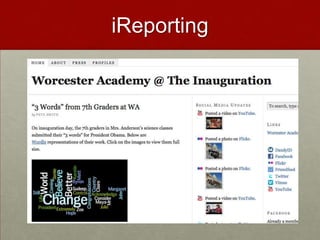
  • #145 http://wainauguration.org/
  • #146 http://wordsworthreflections.wordpress.com/