

Networks
The Big Picture
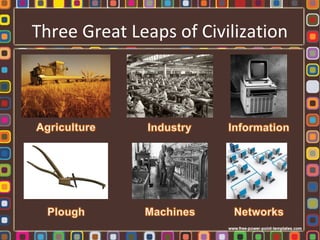
Three Great Leaps of Civilization
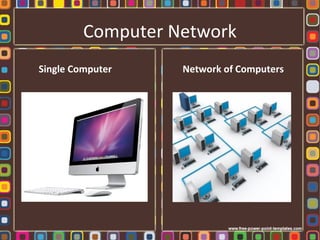
Computer Network
Single Computer Network of Computers
Why Network?
• Access information
• Exchange information
• Networks help people work faster and
smarter by making information available
when they need it, where they need it.
Makes distances between computers invisible.
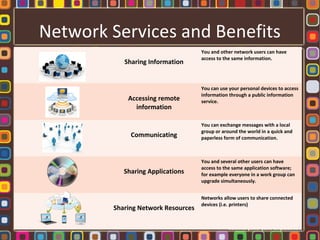
Network Services and Benefits
Sharing Information
You and other network users can have
access to the same information.
Accessing remote
information
You can use your personal devices to access
information through a public information
service.
Communicating
You can exchange messages with a local
group or around the world in a quick and
paperless form of communication.
Sharing Applications
You and several other users can have
access to the same application software;
for example everyone in a work group can
upgrade simultaneously.
Sharing Network Resources
Networks allow users to share connected
devices (i.e. printers)
Overview of Computer Networks
• A network suggests a collection of related
things or people that are somehow
interconnected.
• In a computer network the interconnected
parts are computers, peripherals and other
devices that communicate with one another.
• A computer network may connect as few as
two computers or as many as thousands even
millions.
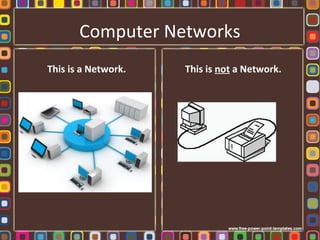
Computer Networks
This is a Network. This is not a Network.
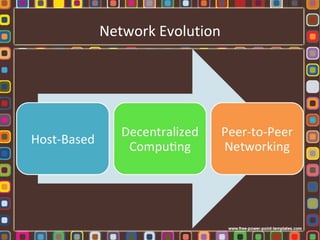
Network Evolution
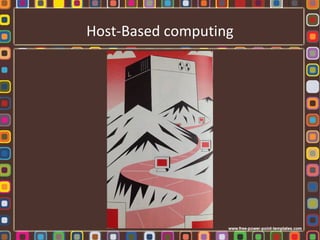
Host-Based computing
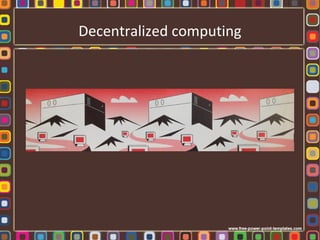
Decentralized computing
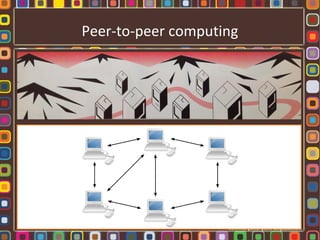
Peer-to-peer computing
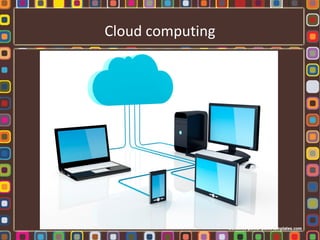
Cloud computing
What is a computer network made of?
• Network Components
– Hardware: clients and servers; shared devices
(peripherals); hubs, routers and switches
– Software: applications and underlying control
software that allows the components to work
together
– Network Media: fiber optics, wireless (infrared
and radio)
Clients and Servers
Client computers
•Regular desktop, laptop, or mobile devices that
connect to a network to use its services.
•When connecting to a network, clients
normally have to authenticate themselves using
a username and password.
Clients and Servers
Servers
•Assigned responsibility for certain tasks for the
whole network, provide services for other
computers (clients)
– File servers
– Application servers
– Print servers
– Database server
– Authentication server (domain controller)
– Firewall
– Web server
– Email server
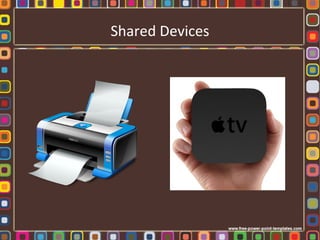
Shared Devices
Hubs, Routers and Switches
All three allow multiple computers to be
connected to them.
Difference: how each broadcasts data
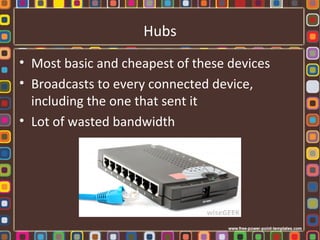
Hubs
• Most basic and cheapest of these devices
• Broadcasts to every connected device,
including the one that sent it
• Lot of wasted bandwidth
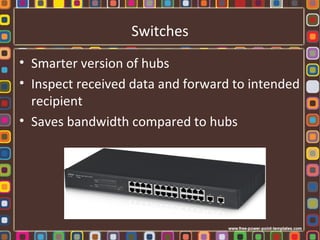
Switches
• Smarter version of hubs
• Inspect received data and forward to intended
recipient
• Saves bandwidth compared to hubs
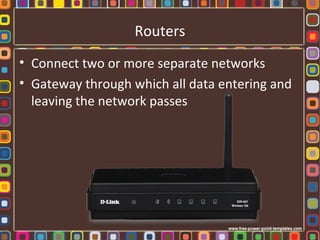
Routers
• Connect two or more separate networks
• Gateway through which all data entering and
leaving the network passes
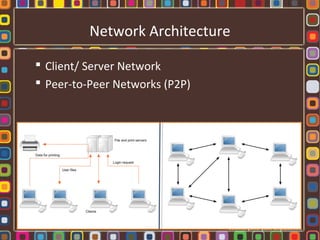
Network Architecture
Network architecture refers to the way computers
are locally organized on a network, and the role
each takes.
Network Architecture
 Client/ Server Network
 Peer-to-Peer Networks (P2P)
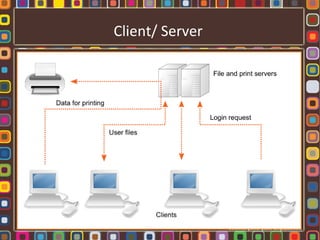
Client/Server
 Centralized on one or more computers that act as
servers to the rest of the network
 Centrally manage access control and provide a
single location for file storage
Benefits
 Access from any client (not limited to one computer)
 Easier to backup files
 Better security (authenticate users and control access)
Client/ Server
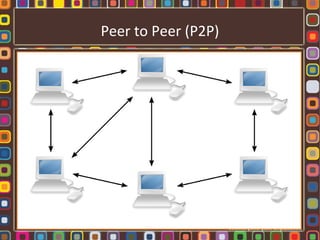
P2P (Peer-to-Peer)
 No central authority or control
(all clients equal status)
 User accounts have to be made on each machine
for each use who wants access
 Less security
Benefits
 Cost efficient
Peer-to-Peer File Sharing
 Sharing files over the internet without a central
server
 Every user both downloads they need and uploads
the data they have.
 Quicker downloading from single server
Concern:
A means to illegally spread copyrighted material
(e.g. Napster)
Peer to Peer (P2P)
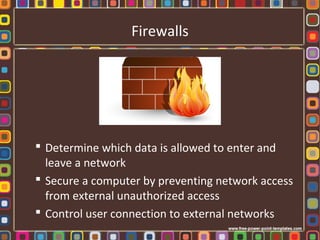
Firewalls
 Determine which data is allowed to enter and
leave a network
 Secure a computer by preventing network access
from external unauthorized access
 Control user connection to external networks
Proxy Servers
 Middle step between two computers
(computer on LAN and web server on Internet)
 All communication between the two passes
through proxy
 Caching, filtering, logging data
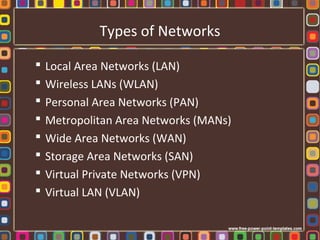
Types of Networks
 Local Area Networks (LAN)
 Wireless LANs (WLAN)
 Personal Area Networks (PAN)
 Metropolitan Area Networks (MANs)
 Wide Area Networks (WAN)
 Storage Area Networks (SAN)
 Virtual Private Networks (VPN)
 Virtual LAN (VLAN)
Protocols
• Network protocols are the rules that network
devices must follow to successfully interact
with one another.
• Protocols define the actual steps that any
device or program must take to communicate
with another device or program on the
network.
Protocols
TCP/ IP:
Transmission Control Protocol
Internet Protocol
Network Connections
 Cables and other carriers of a network’s
transmission signals are called media.
 Wired Connections
 Wireless Connections
Wired Connections
 Dialup
 Ethernet
 Cable Internet Access
 Fibre optic cables
Wireless Connections
 Wi-Fi
 WiMax
 BlueTooth
 3G and 4G
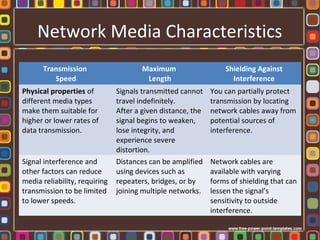
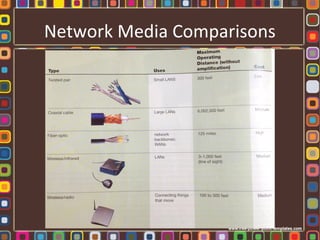
Network Media Characteristics
Transmission
Speed
Maximum
Length
Shielding Against
Interference
Physical properties of
different media types
make them suitable for
higher or lower rates of
data transmission.
Signals transmitted cannot
travel indefinitely.
After a given distance, the
signal begins to weaken,
lose integrity, and
experience severe
distortion.
You can partially protect
transmission by locating
network cables away from
potential sources of
interference.
Signal interference and
other factors can reduce
media reliability, requiring
transmission to be limited
to lower speeds.
Distances can be amplified
using devices such as
repeaters, bridges, or by
joining multiple networks.
Network cables are
available with varying
forms of shielding that can
lessen the signal’s
sensitivity to outside
interference.
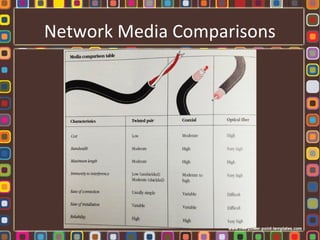
Network Media Comparisons
Measuring Network Speed
• Bandwidth: Network’s speed; the quantity of
information that can be transmitted through a
communication medium in a given amount of
time.
• Broadband: an Internet connection (DSL or
cable modem) that offers higher bandwidth ,
and therefore faster transmission speed.
• Units of measurement: bps, Kbps, Mbps, Gbps
Connecting Networks Together
• Routers: Hardware device used to connect
two separate networks that decide the best
“route” for Internet transmissions.
• Gateways: Computer which acts as a bridge
between a local area network and the
Internet.
Preventing Unauthorized Access
Networks: The Big Picture

Networks: The Big Picture

  • 1.
  • 2.
    Three Great Leapsof Civilization
  • 3.
  • 4.
    Why Network? • Accessinformation • Exchange information • Networks help people work faster and smarter by making information available when they need it, where they need it. Makes distances between computers invisible.
  • 5.
    Network Services andBenefits Sharing Information You and other network users can have access to the same information. Accessing remote information You can use your personal devices to access information through a public information service. Communicating You can exchange messages with a local group or around the world in a quick and paperless form of communication. Sharing Applications You and several other users can have access to the same application software; for example everyone in a work group can upgrade simultaneously. Sharing Network Resources Networks allow users to share connected devices (i.e. printers)
  • 6.
    Overview of ComputerNetworks • A network suggests a collection of related things or people that are somehow interconnected. • In a computer network the interconnected parts are computers, peripherals and other devices that communicate with one another. • A computer network may connect as few as two computers or as many as thousands even millions.
  • 7.
    Computer Networks This isa Network. This is not a Network.
  • 8.
  • 9.
  • 10.
  • 11.
  • 12.
  • 13.
    What is acomputer network made of? • Network Components – Hardware: clients and servers; shared devices (peripherals); hubs, routers and switches – Software: applications and underlying control software that allows the components to work together – Network Media: fiber optics, wireless (infrared and radio)
  • 14.
    Clients and Servers Clientcomputers •Regular desktop, laptop, or mobile devices that connect to a network to use its services. •When connecting to a network, clients normally have to authenticate themselves using a username and password.
  • 15.
    Clients and Servers Servers •Assignedresponsibility for certain tasks for the whole network, provide services for other computers (clients) – File servers – Application servers – Print servers – Database server – Authentication server (domain controller) – Firewall – Web server – Email server
  • 16.
  • 17.
    Hubs, Routers andSwitches All three allow multiple computers to be connected to them. Difference: how each broadcasts data
  • 18.
    Hubs • Most basicand cheapest of these devices • Broadcasts to every connected device, including the one that sent it • Lot of wasted bandwidth
  • 19.
    Switches • Smarter versionof hubs • Inspect received data and forward to intended recipient • Saves bandwidth compared to hubs
  • 20.
    Routers • Connect twoor more separate networks • Gateway through which all data entering and leaving the network passes
  • 21.
    Network Architecture Network architecturerefers to the way computers are locally organized on a network, and the role each takes.
  • 22.
    Network Architecture  Client/Server Network  Peer-to-Peer Networks (P2P)
  • 23.
    Client/Server  Centralized onone or more computers that act as servers to the rest of the network  Centrally manage access control and provide a single location for file storage Benefits  Access from any client (not limited to one computer)  Easier to backup files  Better security (authenticate users and control access)
  • 24.
  • 25.
    P2P (Peer-to-Peer)  Nocentral authority or control (all clients equal status)  User accounts have to be made on each machine for each use who wants access  Less security Benefits  Cost efficient
  • 26.
    Peer-to-Peer File Sharing Sharing files over the internet without a central server  Every user both downloads they need and uploads the data they have.  Quicker downloading from single server Concern: A means to illegally spread copyrighted material (e.g. Napster)
  • 27.
  • 28.
    Firewalls  Determine whichdata is allowed to enter and leave a network  Secure a computer by preventing network access from external unauthorized access  Control user connection to external networks
  • 29.
    Proxy Servers  Middlestep between two computers (computer on LAN and web server on Internet)  All communication between the two passes through proxy  Caching, filtering, logging data
  • 30.
    Types of Networks Local Area Networks (LAN)  Wireless LANs (WLAN)  Personal Area Networks (PAN)  Metropolitan Area Networks (MANs)  Wide Area Networks (WAN)  Storage Area Networks (SAN)  Virtual Private Networks (VPN)  Virtual LAN (VLAN)
  • 31.
    Protocols • Network protocolsare the rules that network devices must follow to successfully interact with one another. • Protocols define the actual steps that any device or program must take to communicate with another device or program on the network.
  • 32.
    Protocols TCP/ IP: Transmission ControlProtocol Internet Protocol
  • 33.
    Network Connections  Cablesand other carriers of a network’s transmission signals are called media.  Wired Connections  Wireless Connections
  • 34.
    Wired Connections  Dialup Ethernet  Cable Internet Access  Fibre optic cables
  • 35.
    Wireless Connections  Wi-Fi WiMax  BlueTooth  3G and 4G
  • 36.
    Network Media Characteristics Transmission Speed Maximum Length ShieldingAgainst Interference Physical properties of different media types make them suitable for higher or lower rates of data transmission. Signals transmitted cannot travel indefinitely. After a given distance, the signal begins to weaken, lose integrity, and experience severe distortion. You can partially protect transmission by locating network cables away from potential sources of interference. Signal interference and other factors can reduce media reliability, requiring transmission to be limited to lower speeds. Distances can be amplified using devices such as repeaters, bridges, or by joining multiple networks. Network cables are available with varying forms of shielding that can lessen the signal’s sensitivity to outside interference.
  • 37.
  • 38.
  • 39.
    Measuring Network Speed •Bandwidth: Network’s speed; the quantity of information that can be transmitted through a communication medium in a given amount of time. • Broadband: an Internet connection (DSL or cable modem) that offers higher bandwidth , and therefore faster transmission speed. • Units of measurement: bps, Kbps, Mbps, Gbps
  • 40.
    Connecting Networks Together •Routers: Hardware device used to connect two separate networks that decide the best “route” for Internet transmissions. • Gateways: Computer which acts as a bridge between a local area network and the Internet.
  • 41.

Editor's Notes

  • #9 Centralized Decentralized Peer-to-Peer
  • #10 Host-Based: all users sharing one computer (central mainframe). Host does all the computing while little storage/ processing capabilities are available at users’ terminals. This was the earliest form because computers were large and extremely expensive while terminals were small and less expensive. Host: Computer on a network that provides services or performs work for multiple users.
  • #11 Decentralized computing: due to the reduction of size and cost of computers made it possible to install computers closer to users and sources of data. Smaller computers were purchased to do departmental data processing. Exchanges of information was done through physically carrying information on magnetic tapes from computer to computer. This procedure was awkward and time-consuming, and particularly inefficient over long distances. It became increasingly clear that DIRECT communication between computers was required.
  • #12 Peer-to-peer networking: individual users have equal access to network resources without being reliant on mainframe control of those resources. Users have independent processing power, control over their own files and applications, and instant access to worlds of shared information resources and services. Peer-to-peer has enhanced each user's power and productivity and has the added benefit that no central host system can fail and suddenly disable all users. As computers have grown smaller, less expensive and more widely distributed, networking has evolved as the force that binds together the computing community.
  • #13 Peer-to-peer networking: individual users have equal access to network resources without being reliant on mainframe control of those resources. Users have independent processing power, control over their own files and applications, and instant access to worlds of shared information resources and services. Peer-to-peer has enhanced each user's power and productivity and has the added benefit that no central host system can fail and suddenly disable all users. As computers have grown smaller, less expensive and more widely distributed, networking has evolved as the force that binds together the computing community.
  • #14 Network media: please refer to page 312 in Computer Confluence.
  • #15 Network media: please refer to page 312 in Computer Confluence.
  • #16 Network media: please refer to page 312 in Computer Confluence.
  • #17 Network media: please refer to page 312 in Computer Confluence.
  • #18 Network media: please refer to page 312 in Computer Confluence.
  • #19 Network media: please refer to page 312 in Computer Confluence.
  • #20 Network media: please refer to page 312 in Computer Confluence.
  • #21 Network media: please refer to page 312 in Computer Confluence.
  • #25 Client computer: Computer on a network that uses services provided by a server; send information requests through a network to server databases or mainframes. Server computer: Computer on a network that provides services or performs work for others; process queries and sends requested data back to the client. Database server: Computer on a network that stores data for other users to access. Email server: Computer on a network that stores email for other users to access. File server: Computer on a network that stores files for other users to access. Print server: Computer on a network that receives and processes print requests.
  • #28 Client computer: Computer on a network that uses services provided by a server; send information requests through a network to server databases or mainframes. Server computer: Computer on a network that provides services or performs work for others; process queries and sends requested data back to the client. Database server: Computer on a network that stores data for other users to access. Email server: Computer on a network that stores email for other users to access. File server: Computer on a network that stores files for other users to access. Print server: Computer on a network that receives and processes print requests.
  • #32 Protocol examples: Transmission speed: if one machine is “talking” at 56,600 bps and the other is “listening” at 28,800 bps, the message doesn’t get through. Communication software establishes a protocol that is followed by the computer’s hardware.
  • #33 Different protocols deal with tasks that occur at different levels of network operations. Some are concerned with: Acquiring commands from the user application Making sure the devices are aware of each other and responding properly Controlling connection to the network and moving data between devices
  • #42 Audit trails: Record of all changes and actions performed with a system, for security purposes. Authorized access: User who has permission to use a system. Biometrics: Measurements of individual body characteristics used in computer security. Data encryption: Protects transmitted information by scrambling the transmissions. The message can be read only after it has been reconstructed with a matching key. Firewalls: Software or hardware used to control data entering and leaving a network; blocks unauthorized data transfers. Levels of access Login: Process of authenticating oneself before using a computer system. Passwords Proxy server: Computer on a network which acts on behalf of another, or through which all Internet data must pass. SSL (secure socket layer): SSL is built into a web browser. SSL allows confidential data to safely pass from your web browser to a distant server via the Internet. The confidential data is 'encrypted' or scrambled so that only the server can read it.