•Local Area Network (LAN) 
•Metropolitan Area Network (MAN) 
•Wide Area Network (WAN) 
NEXT
Local Area Network 
A Local Area Network 
(LAN) is a network that is 
confined to a relatively small 
area. It is generally limited to a 
geographic area such as a 
writing lab, school, or building. 
Rarely are LAN computers 
more than a mile apart.
Wide Area Network 
Wide Area Networks (WANs) 
connect larger geographic areas, 
such as Florida, the United States, 
or the world. Dedicated 
transoceanic cabling or satellite 
uplinks may be used to connect 
this type of network.
Metropolitan Area 
Network 
Is a network that 
spans no more than 50 
miles it is design to 
connect LANS spanning 
town or city
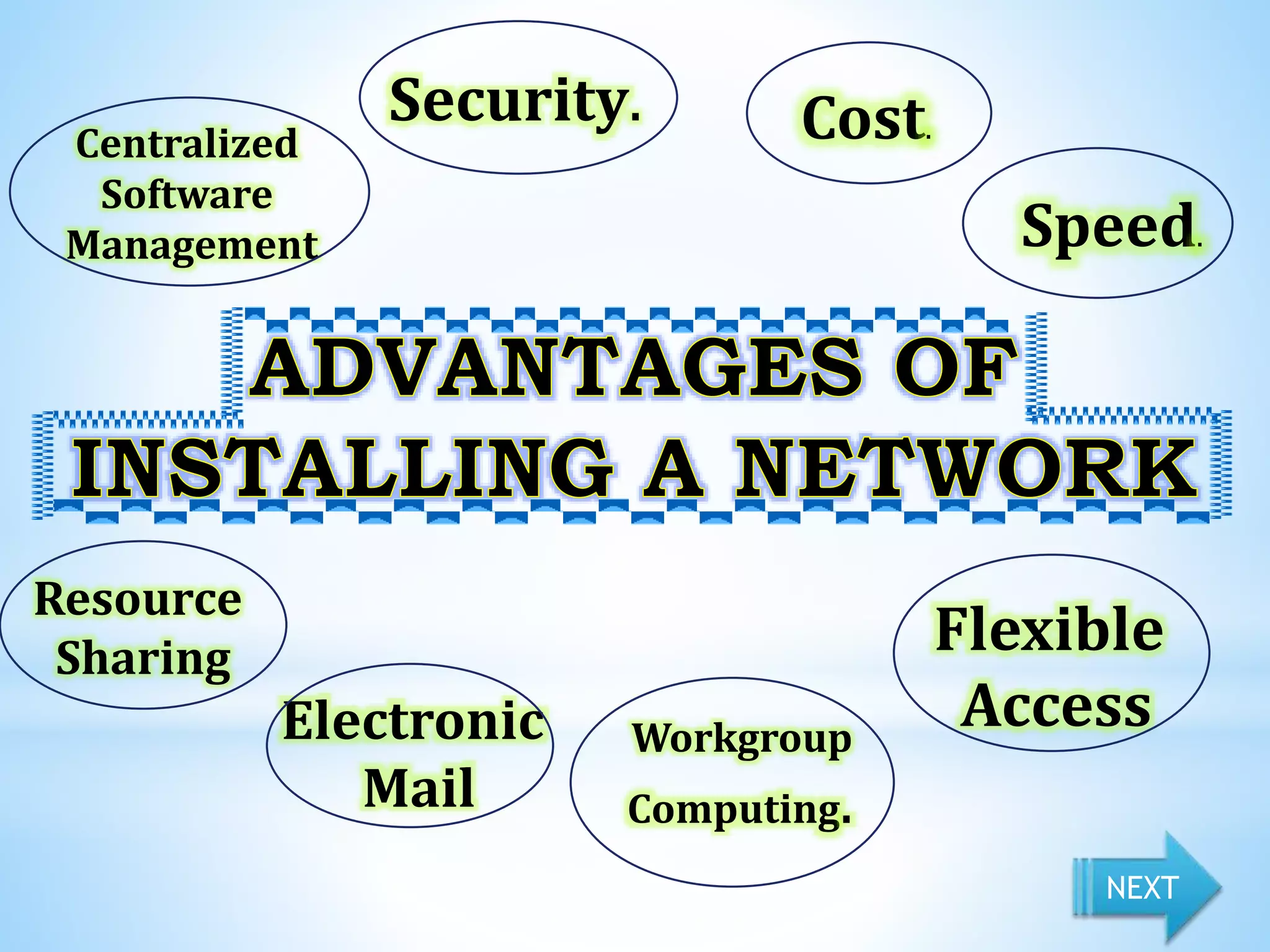
Resource 
Sharing Flexible 
Electronic 
Mail 
Access Workgroup 
Computing. 
Centralized 
Software 
Management 
Security. Cost. 
Sp0e0 ed. 
NEXT
•Speed- Networks provide a 
very rapid method for sharing 
and transferring files. 
Without a network, files are 
shared by copying them to 
floppy disks, then carrying or 
sending the disks from one 
computer to another.
•Cost- Networkable versions of 
many popular software programs 
are available at considerable 
savings when compared to buying 
individually licensed copies. 
Besides monetary savings, sharing 
a program on a network allows for 
easier upgrading of the program.
•Security- Files and programs on a 
network can be designated as 
"copy inhibit," so that you do not 
have to worry about illegal copying 
of programs. Also, passwords can 
be established for specific 
directories to restrict access to 
authorized users.
•Centralized Software Management- 
One of the greatest benefits of 
installing a network is the fact that all 
of the software can be loaded on one 
computer (the file server). This 
eliminates that need to spend time and 
energy installing updates and tracking 
files on independent computers 
throughout the building.
•Resource Sharing-Sharing 
resources is another area in which a 
network exceeds stand-alone 
computers. Most establishments 
cannot afford enough laser printers, 
fax machines, modems, scanners, and 
CD-ROM players for each computer. 
However, if these or similar 
peripherals are added to a network, 
they can be shared by many users.
•Electronic Mail.-The presence of a 
network provides the hardware 
necessary to install an e-mail 
system. E-mail aids in personal and 
professional communication for all 
school personnel, and it facilitates 
the dissemination of general 
information to the entire school 
staff
•Flexible Access-School networks 
allow students to access their files 
from computers throughout the 
school. Students can begin an 
assignment in their classroom, save 
part of it on a public access area of 
the network, then go to the media 
center after school to finish their 
work.
•Workgroup Computing. Workgroup 
software (such as Microsoft BackOffice) 
allows many users to work on a 
document or project concurrently. For 
example, educators located at various 
schools within a county could 
simultaneously contribute their ideas 
about new curriculum standards to the 
same document and spreadsheets.
Cables 
Break. 
File Server 
May Fail. 
File Server May Fail 
Requires 
administrative 
time 
Expensive to 
install 
NEXT
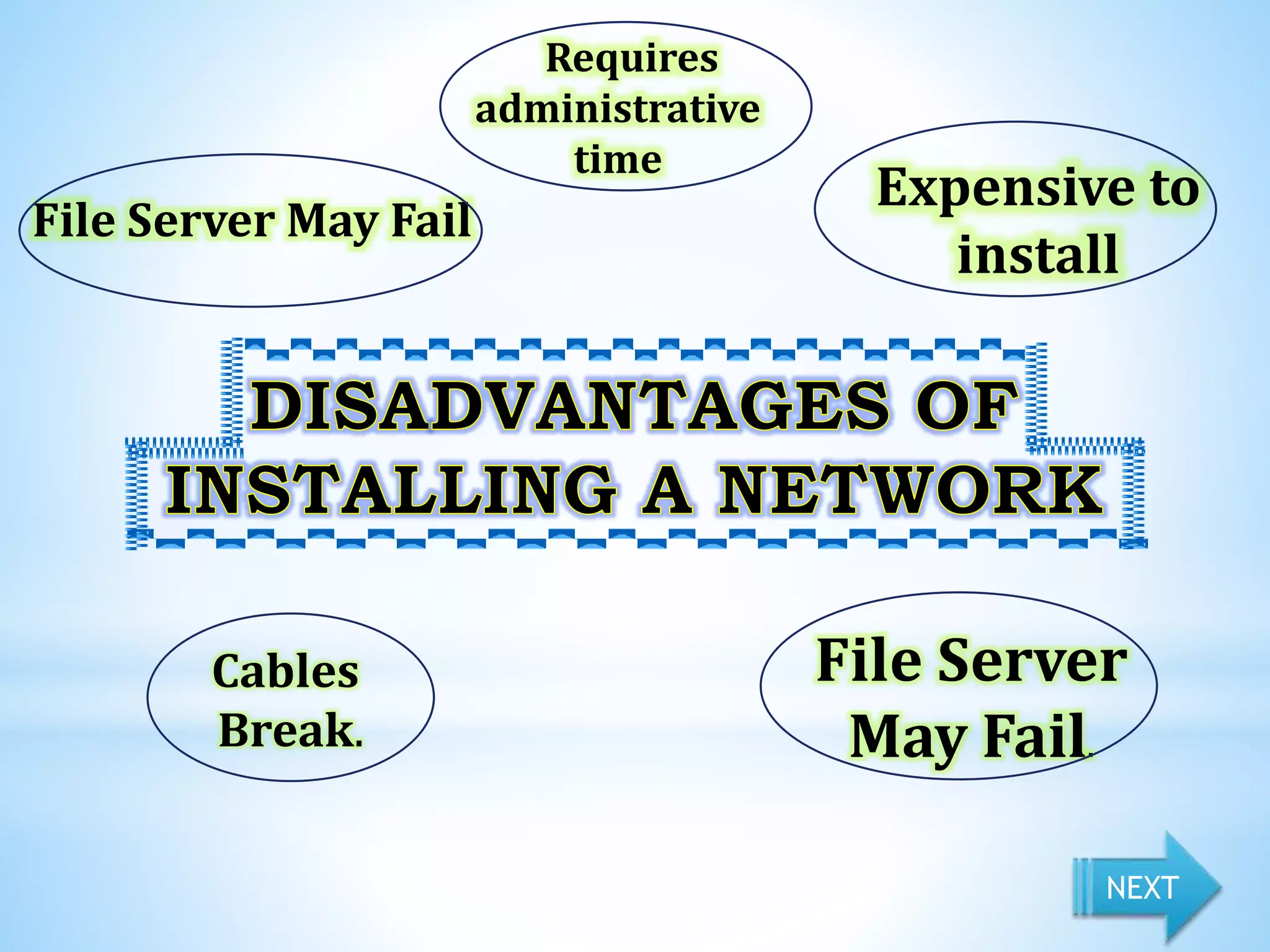
•Expensive to Install- Although a 
network will generally save 
money over time, the initial costs 
of installation can be prohibitive. 
Cables, network cards, and 
software are expensive, and the 
installation may require the 
services of a technician.
•Requires Administrative Time- 
Proper maintenance of a 
network requires considerable 
time and expertise. Many 
schools have installed a 
network, only to find that they 
did not budget for the 
necessary administrative 
support.
•File Server May Fail- Although a 
file server is no more susceptible 
to failure than any other 
computer, when the files server 
"goes down," the entire network 
may come to a halt. When this 
happens, the entire school may 
lose access to necessary programs 
and files.
•Cables May Break-Some of 
the configurations are 
designed to minimize the 
inconvenience of a broken 
cable; with other 
configurations, one broken 
cable can stop the entire 
network.
A protocol is a set of rules that 
governs the communications 
between computers on a network. 
These rules include guidelines that 
regulate the following 
characteristics of a network: 
access method, allowed physical 
topologies, types of cabling, and 
speed of data transfer.
The most common 
protocols are: 
•Ethernet 
•Local Talk 
•Token Ring 
•FDDI 
•ATM NEXT
Ethernet 
Fast Ethernet 
Gigabit Ethernet 
NEXT
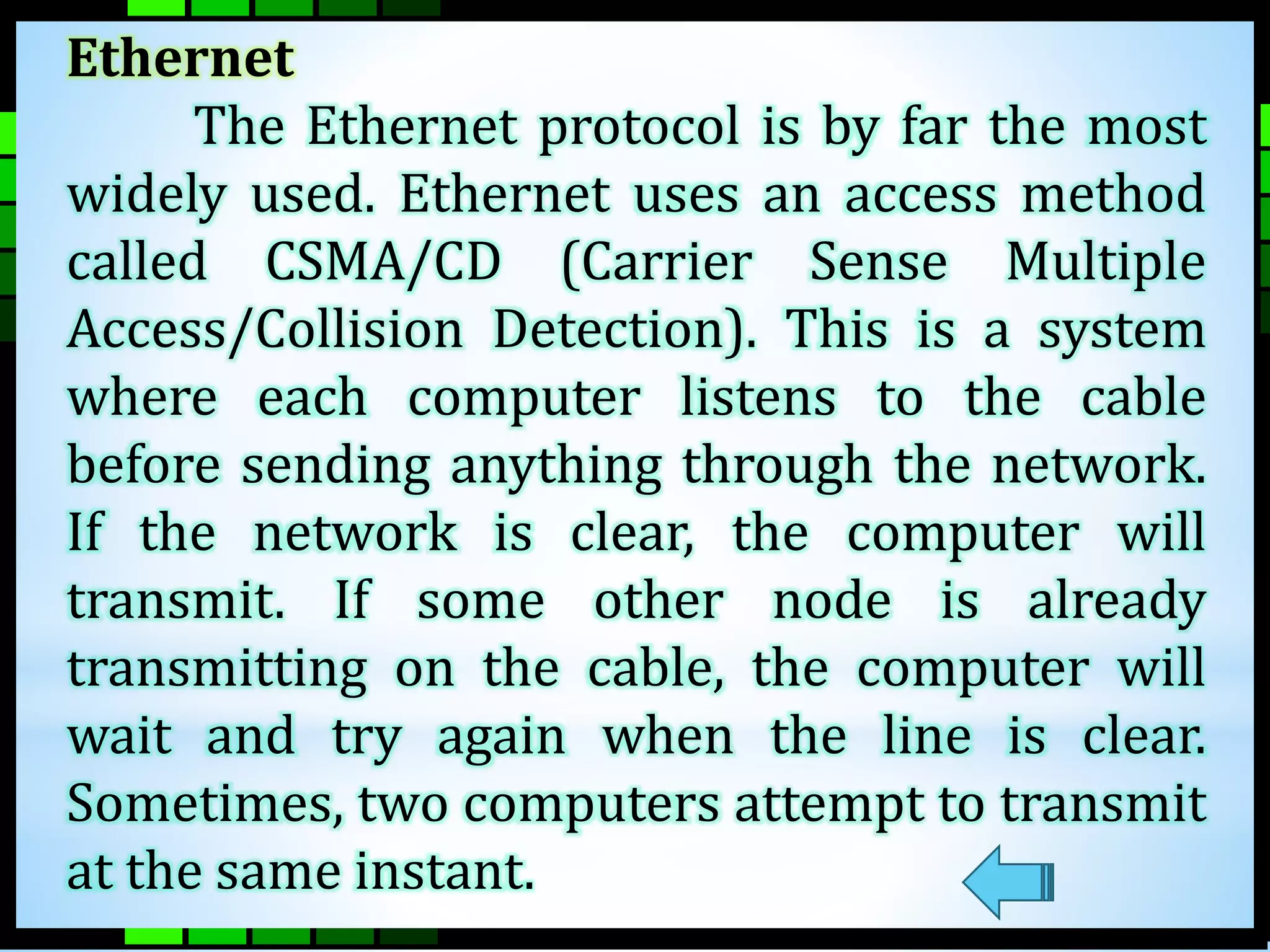
Ethernet 
The Ethernet protocol is by far the most 
widely used. Ethernet uses an access method 
called CSMA/CD (Carrier Sense Multiple 
Access/Collision Detection). This is a system 
where each computer listens to the cable 
before sending anything through the network. 
If the network is clear, the computer will 
transmit. If some other node is already 
transmitting on the cable, the computer will 
wait and try again when the line is clear. 
Sometimes, two computers attempt to transmit 
at the same instant.
Fast Ethernet 
To allow for an increased speed 
of transmission, the Ethernet 
protocol has developed a new 
standard that supports 100 Mbps. 
This is commonly called Fast 
Ethernet. Fast Ethernet requires the 
use of different, more expensive 
network concentrators/hubs and 
network interface cards.
Gigabit Ethernet 
The most recent development in 
the Ethernet standard is a protocol 
that has a transmission speed of 1 
Gbps. Gigabit Ethernet is primarily 
used for backbones on a network at 
this time. In the future, it will 
probably be used for workstation 
and server connections also.
Local Talk 
Local Talk is a network protocol that was 
developed by Apple Computer, Inc. for 
Macintosh computers. The method used by 
Local Talk is called CSMA/CA (Carrier Sense 
Multiple Access with Collision Avoidance). It is 
similar to CSMA/CD except that a computer 
signals its intent to transmit before it actually 
does so. Local Talk adapters and special twisted 
pair cable can be used to connect a series of 
computers through the serial port.
Token Ring 
The Token Ring protocol was developed by 
IBM in the mid-1980s. The access method used 
involves token-passing. In Token Ring, the 
computers are connected so that the signal 
travels around the network from one computer 
to another in a logical ring. A single electronic 
token moves around the ring from one computer 
to the next. If a computer does not have 
information to transmit, it simply passes the 
token on to the next workstation. If a computer 
wishes to transmit and receives an empty token, 
it attaches data to the token.
FDDI 
Fiber Distributed Data Interface (FDDI) is a 
network protocol that is used primarily to interconnect 
two or more local area networks, often over large 
distances. The access method used by FDDI involves 
token-passing. FDDI uses a dual ring physical topology. 
Transmission normally occurs on one of the rings; 
however, if a break occurs, the system keeps 
information moving by automatically using portions of 
the second ring to create a new complete ring. A major 
advantage of FDDI is speed. 
It operates over fiber optic cable at 100 Mbps.
ATM 
Asynchronous Transfer Mode (ATM) is a 
network protocol that transmits data at a speed of 
155 Mbps and higher. ATM works by transmitting all 
data in small packets of a fixed size; whereas, other 
protocols transfer variable length packets. ATM 
supports a variety of media such as video, CD-quality 
audio, and imaging. ATM employs a star topology, 
which can work with fiber optic as well as twisted 
pair cable. 
ATM is most often used to interconnect two or 
more local area networks. It is also frequently used by 
Internet Service Providers to utilize high-speed access 
to the Internet for their clients Summary
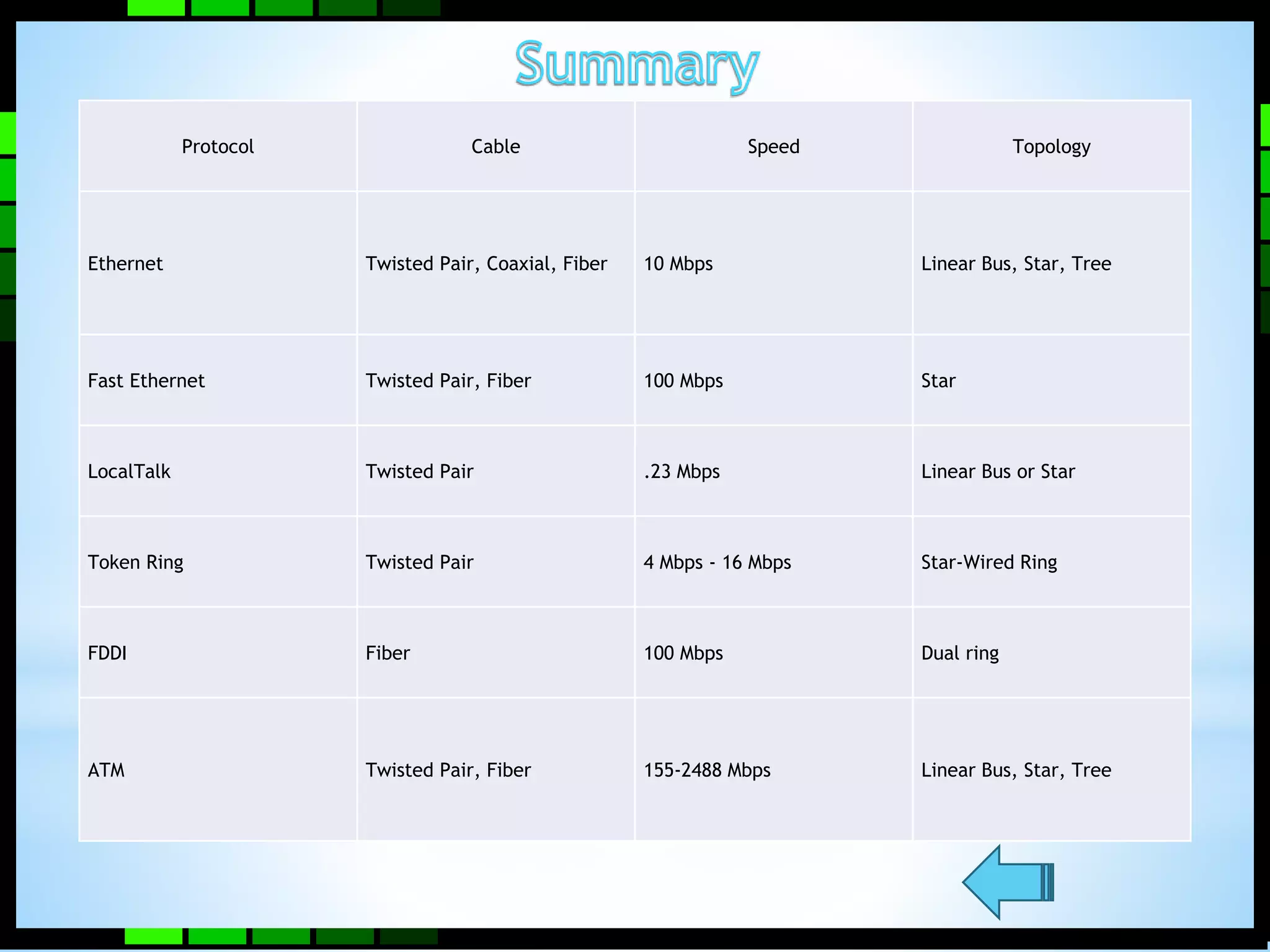
Protocol Cable Speed Topology 
Ethernet Twisted Pair, Coaxial, Fiber 10 Mbps Linear Bus, Star, Tree 
Fast Ethernet Twisted Pair, Fiber 100 Mbps Star 
LocalTalk Twisted Pair .23 Mbps Linear Bus or Star 
Token Ring Twisted Pair 4 Mbps - 16 Mbps Star-Wired Ring 
FDDI Fiber 100 Mbps Dual ring 
ATM Twisted Pair, Fiber 155-2488 Mbps Linear Bus, Star, Tree
Networking hardware 
includes all computers, 
peripherals, interface cards 
and other equipment needed 
to perform data-processing 
and communications within 
the network.
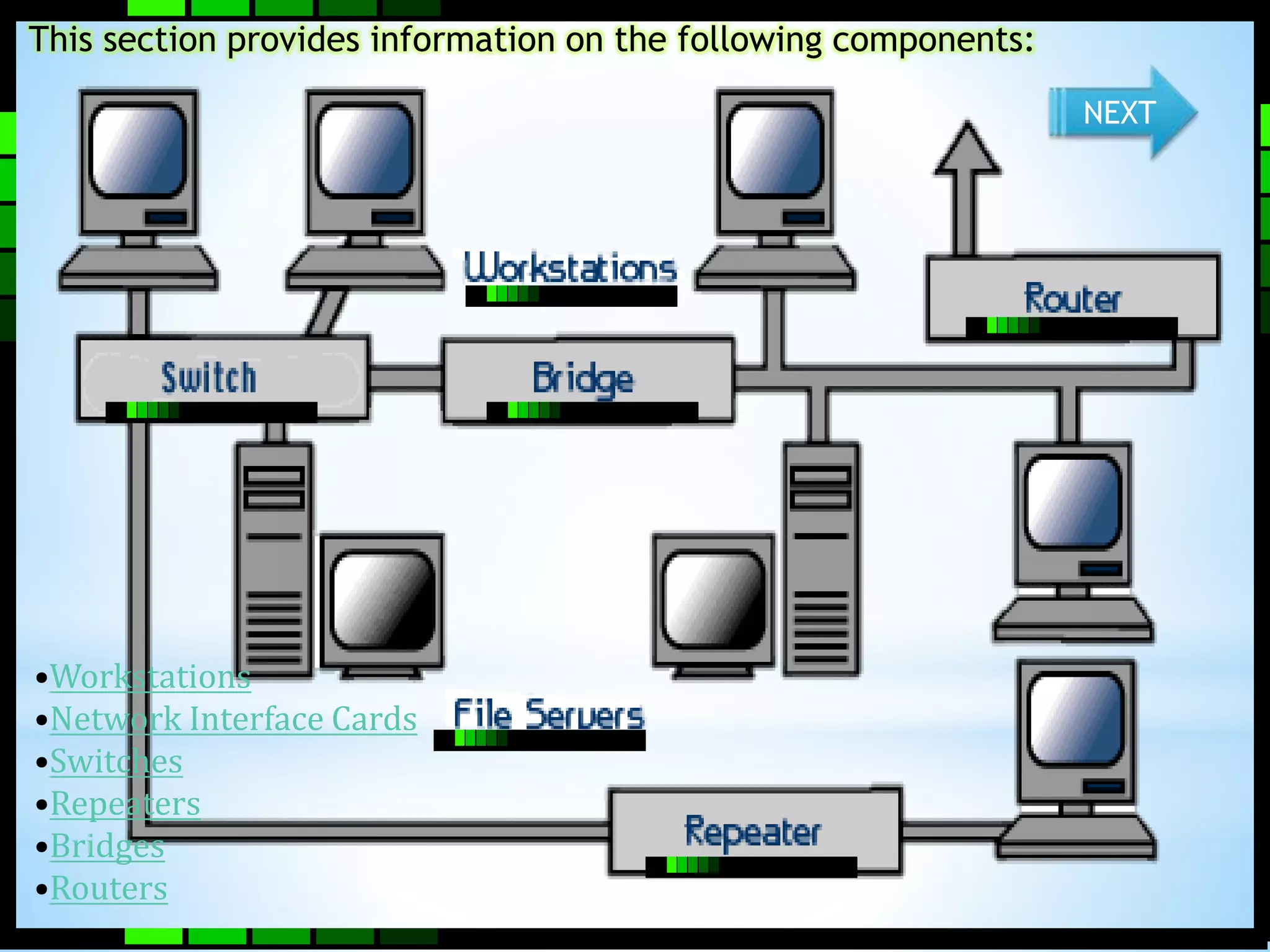
This section provides information on the following components: 
•Workstations 
•Network Interface Cards 
•Switches 
•Repeaters 
•Bridges 
•Routers 
NEXT
A file server stands at the heart of most networks. It 
is a very fast computer with a large amount of RAM 
and storage space, along with a fast network 
interface card. The network operating system 
software resides on this computer, along with any 
software applications and data files that need to be 
shared. 
The file server controls the communication of 
information between the nodes on a network. For 
example, it may be asked to send a word processor 
program to one workstation, receive a database file 
from another workstation, and store an e-mail 
message during the same time period.
•800 megahertz or faster microprocessor 
(Pentium 3 or 4, G4 or G5) 
•A fast hard drive with at least 120 gigabytes of 
storage 
•A RAID (Redundant Array of Inexpensive 
Disks) to preserve data after a disk casualty 
•A tape back-up unit (i.e. DAT, JAZ, Zip, or CD-RW 
drive) 
•Numerous expansion slots 
•Fast network interface card 
•At least of 512 MB of RAM 
NEXT
Workstations 
All of the user computers connected 
to a network are called workstations. A 
typical workstation is a computer that is 
configured with a network interface card, 
networking software, and the 
appropriate cables. Workstations do not 
necessarily need floppy disk drives 
because files can be saved on the file 
server. 
back
NetworkInterface Cards 
IMAGE 
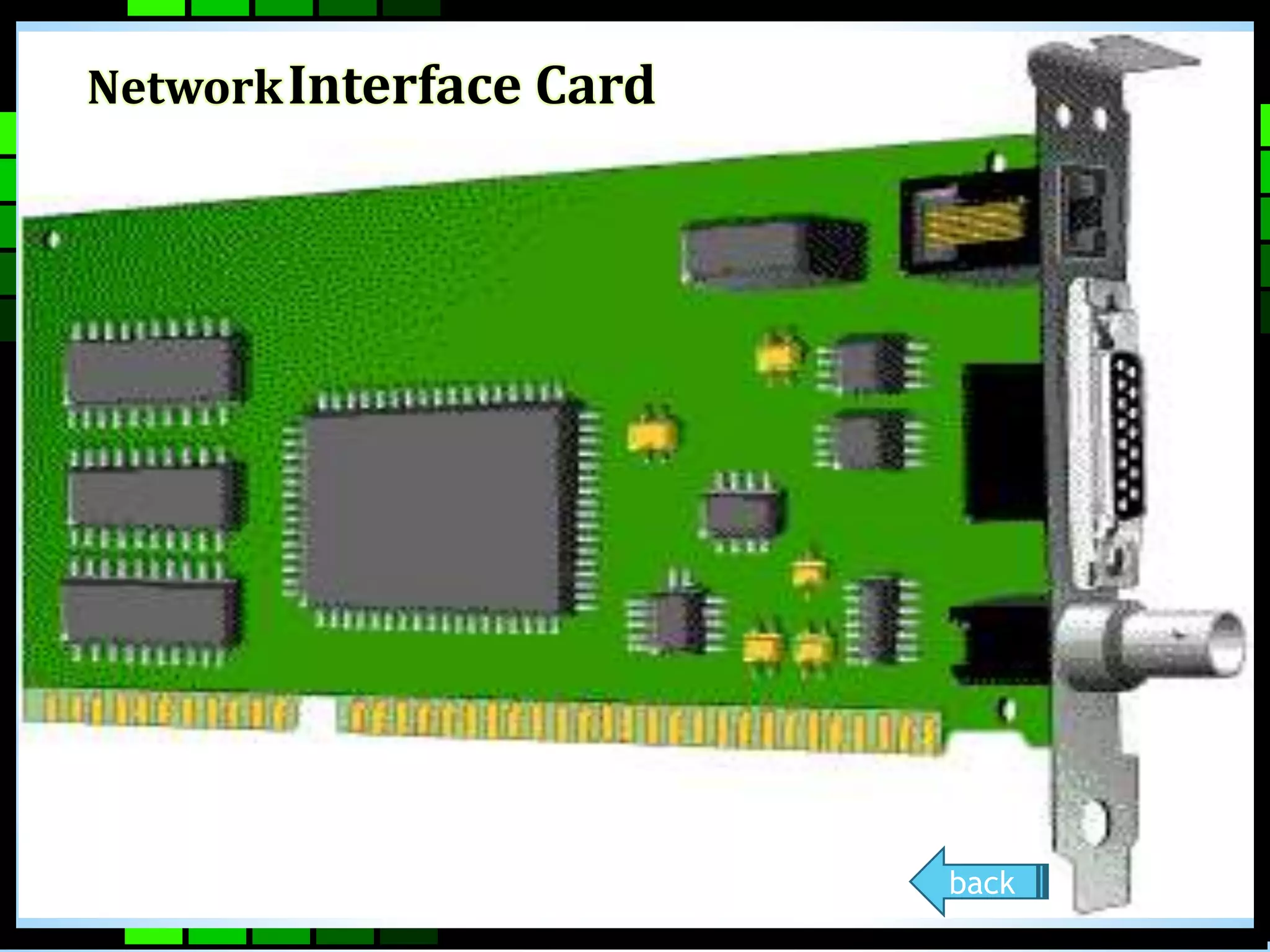
The network interface card (NIC) provides 
the physical connection between the network 
and the computer workstation. Most NICs are 
internal, with the card fitting into an expansion 
slot inside the computer. Some computers, such 
as Mac Classics, use external boxes which are 
attached to a serial port or a SCSI port. Laptop 
computers can now be purchased with a 
network interface card built-in or with network 
cards that slip into a PCMCIA slot.
NetworkInterface Card 
back
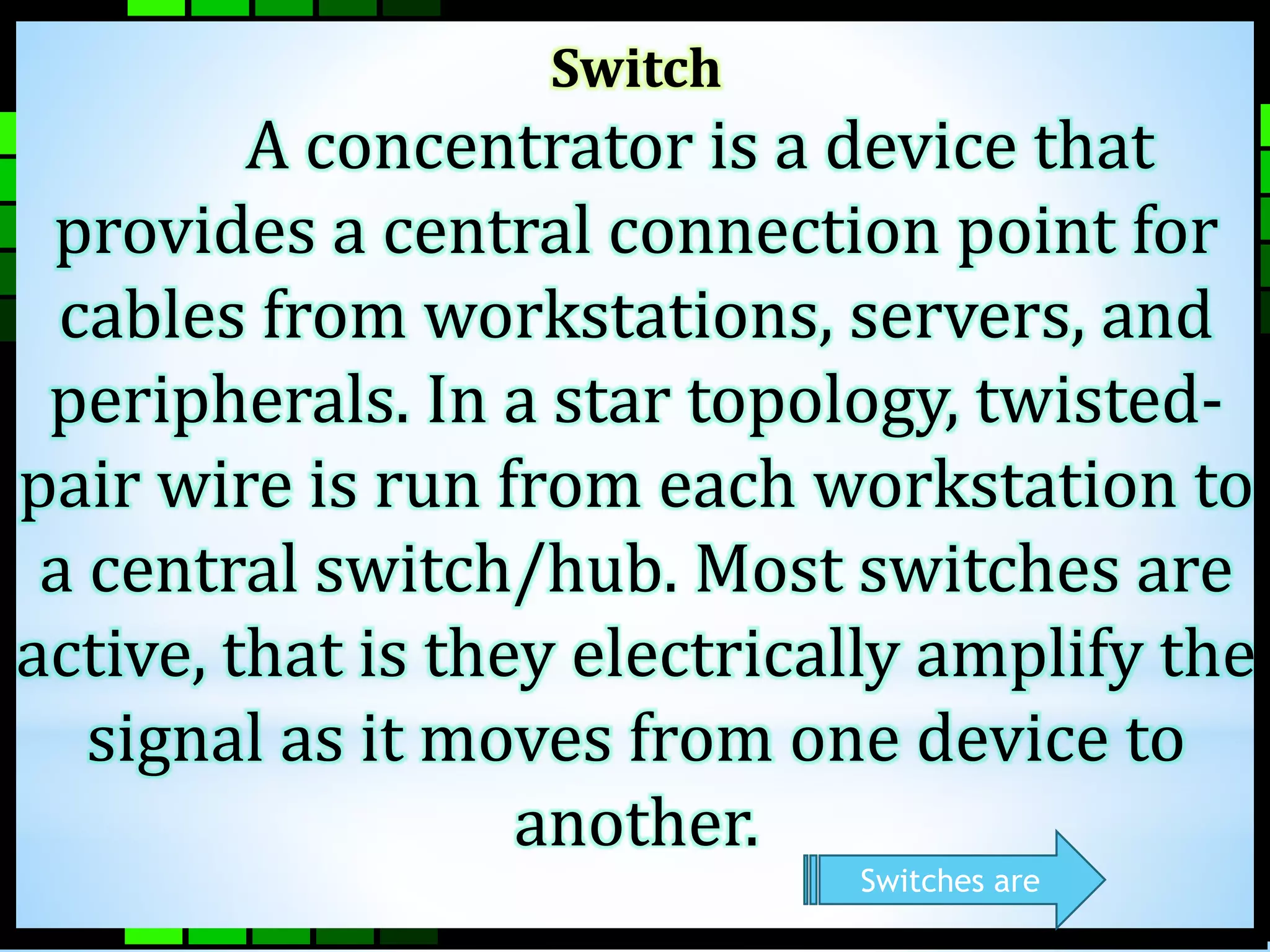
Switch 
A concentrator is a device that 
provides a central connection point for 
cables from workstations, servers, and 
peripherals. In a star topology, twisted-pair 
wire is run from each workstation to 
a central switch/hub. Most switches are 
active, that is they electrically amplify the 
signal as it moves from one device to 
another. 
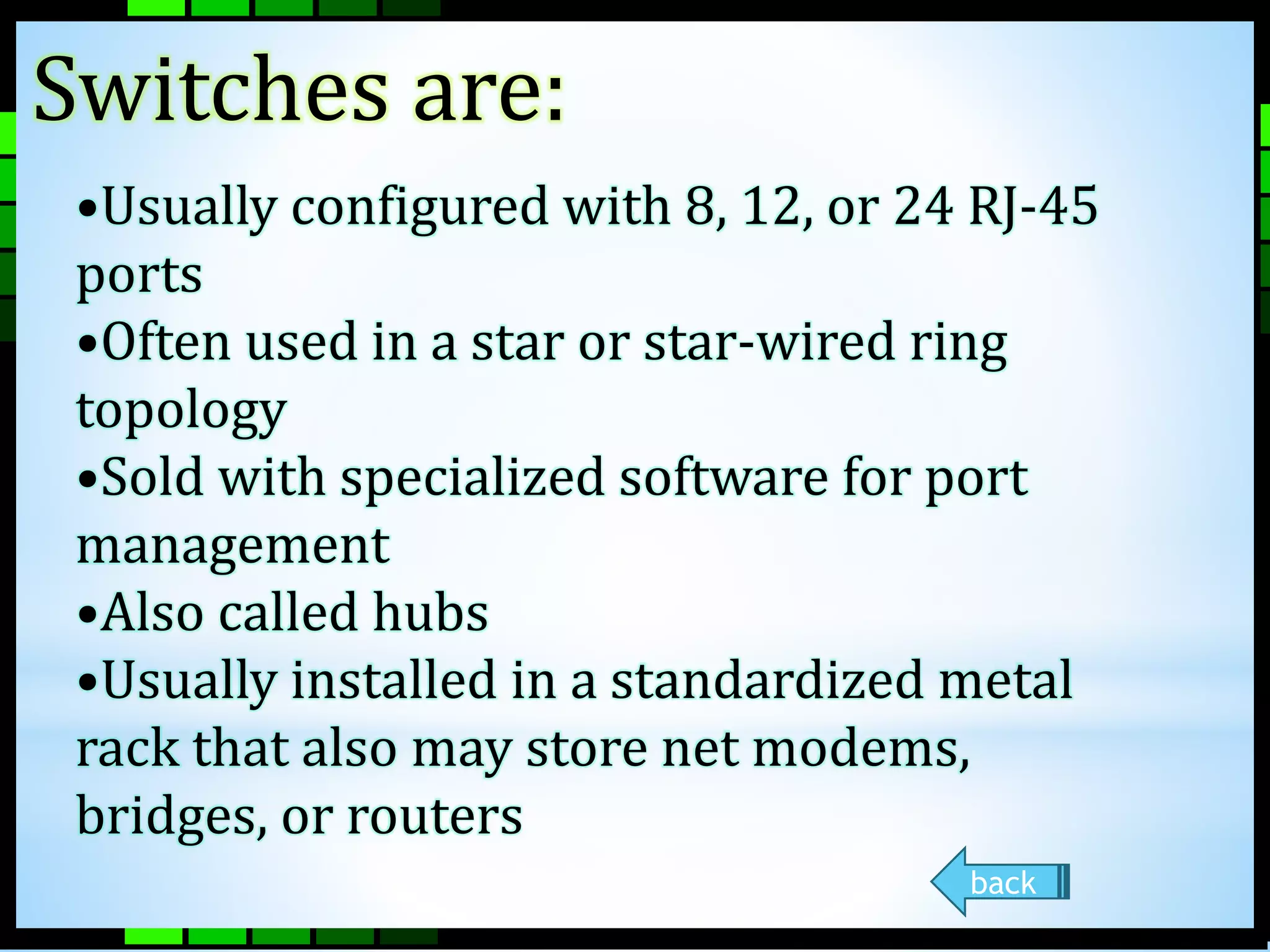
Switches are
Switches are: 
•Usually configured with 8, 12, or 24 RJ-45 
ports 
•Often used in a star or star-wired ring 
topology 
•Sold with specialized software for port 
management 
•Also called hubs 
•Usually installed in a standardized metal 
rack that also may store net modems, 
bridges, or routers 
back
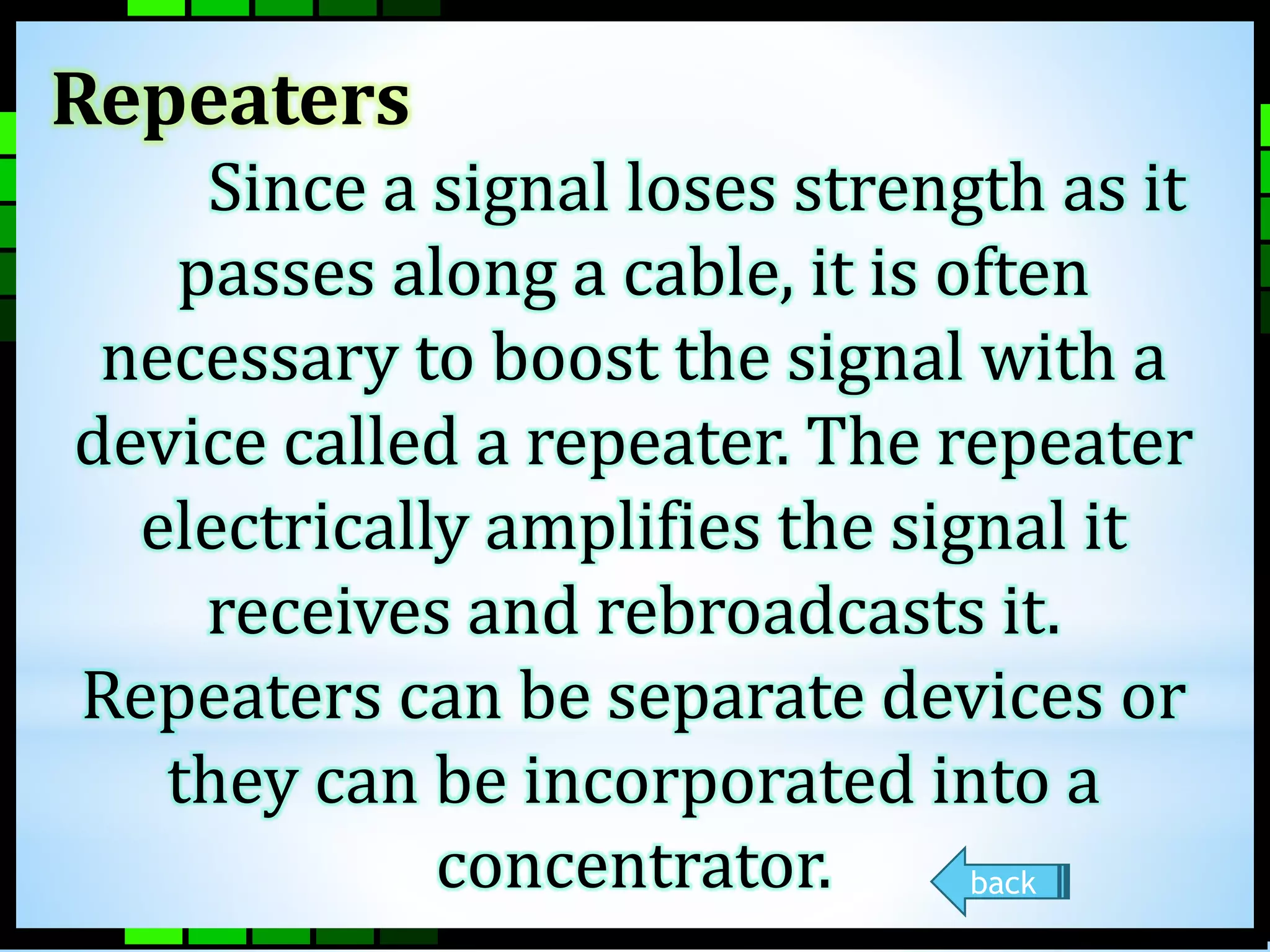
Repeaters 
Since a signal loses strength as it 
passes along a cable, it is often 
necessary to boost the signal with a 
device called a repeater. The repeater 
electrically amplifies the signal it 
receives and rebroadcasts it. 
Repeaters can be separate devices or 
they can be incorporated into a 
concentrator. back
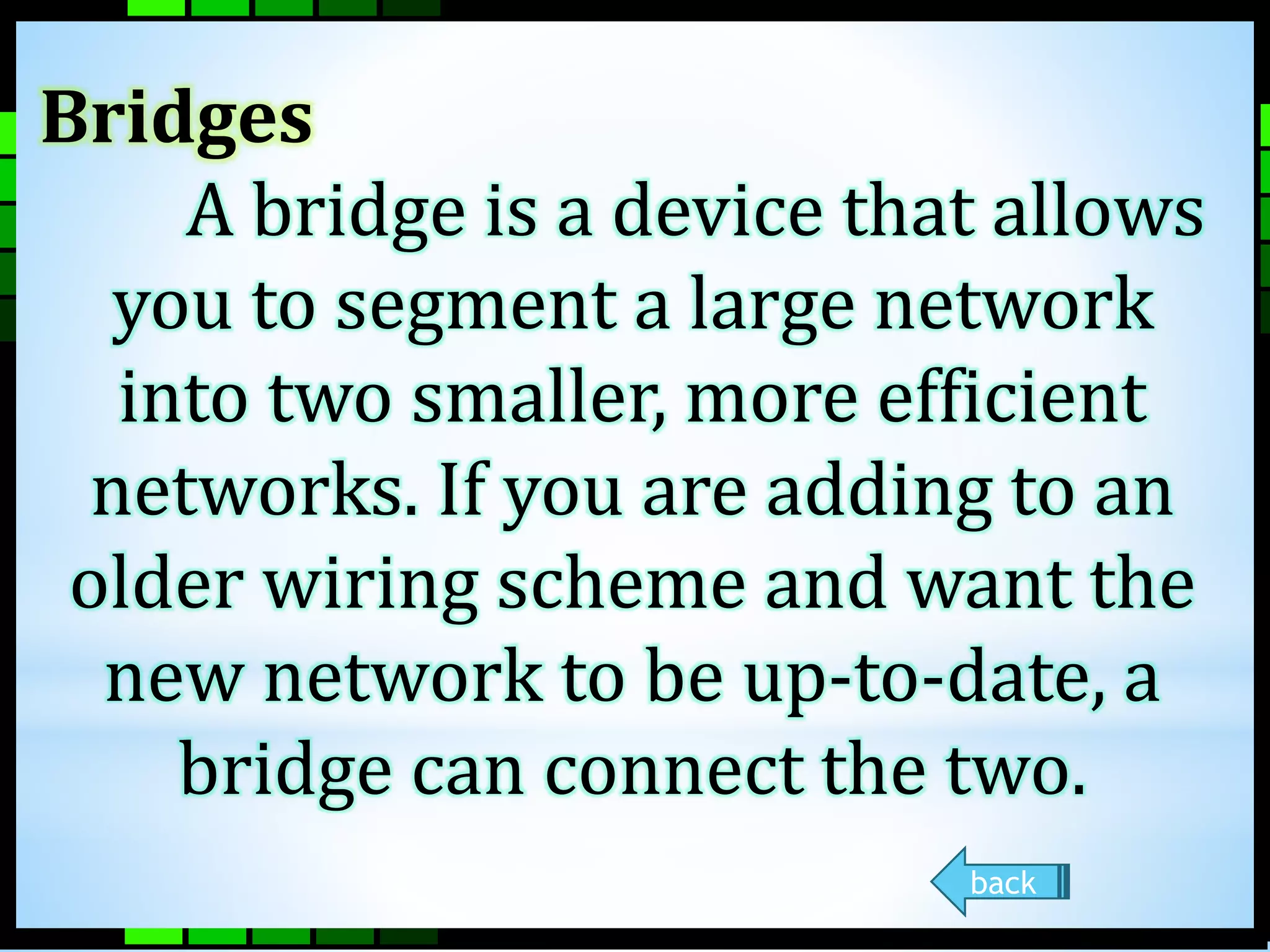
Bridges 
A bridge is a device that allows 
you to segment a large network 
into two smaller, more efficient 
networks. If you are adding to an 
older wiring scheme and want the 
new network to be up-to-date, a 
bridge can connect the two. 
back
Routers 
A router translates information from 
one network to another; it is similar to a 
super intelligent bridge. Routers select 
the best path to route a message, based 
on the destination address and origin. 
The router can direct traffic to prevent 
head-on collisions, and is smart enough 
to know when to direct traffic along back 
roads and shortcuts. 
Routers can
Routers can: 
•Direct signal traffic efficiently 
•Route messages between any two 
protocols 
•Route messages between linear 
bus, star, and star-wired ring 
topologies 
Route messages across fiber optic, 
coaxial, and twisted 
back
What is Network Cabling? 
Cable is the medium through which information 
usually moves from one network device to another. 
There are several types of cable which are commonly 
used with LANs. In some cases, a network will utilize 
only one type of cable, other networks will use a 
variety of cable types. The type of cable chosen for a 
network is related to the network's topology, protocol, 
and size. Understanding the characteristics of 
different types of cable and how they relate to other 
aspects of a network is necessary for the development 
of a successful network.
The following sections discuss the 
types of cables used in networks and 
other related topics. 
Unshielded Twisted Pair (UTP) Cable 
Shielded Twisted Pair (STP) Cable 
Coaxial Cable 
Fiber Optic Cable 
Wireless LANs 
 Ethernet Cable Summary 
NEXT
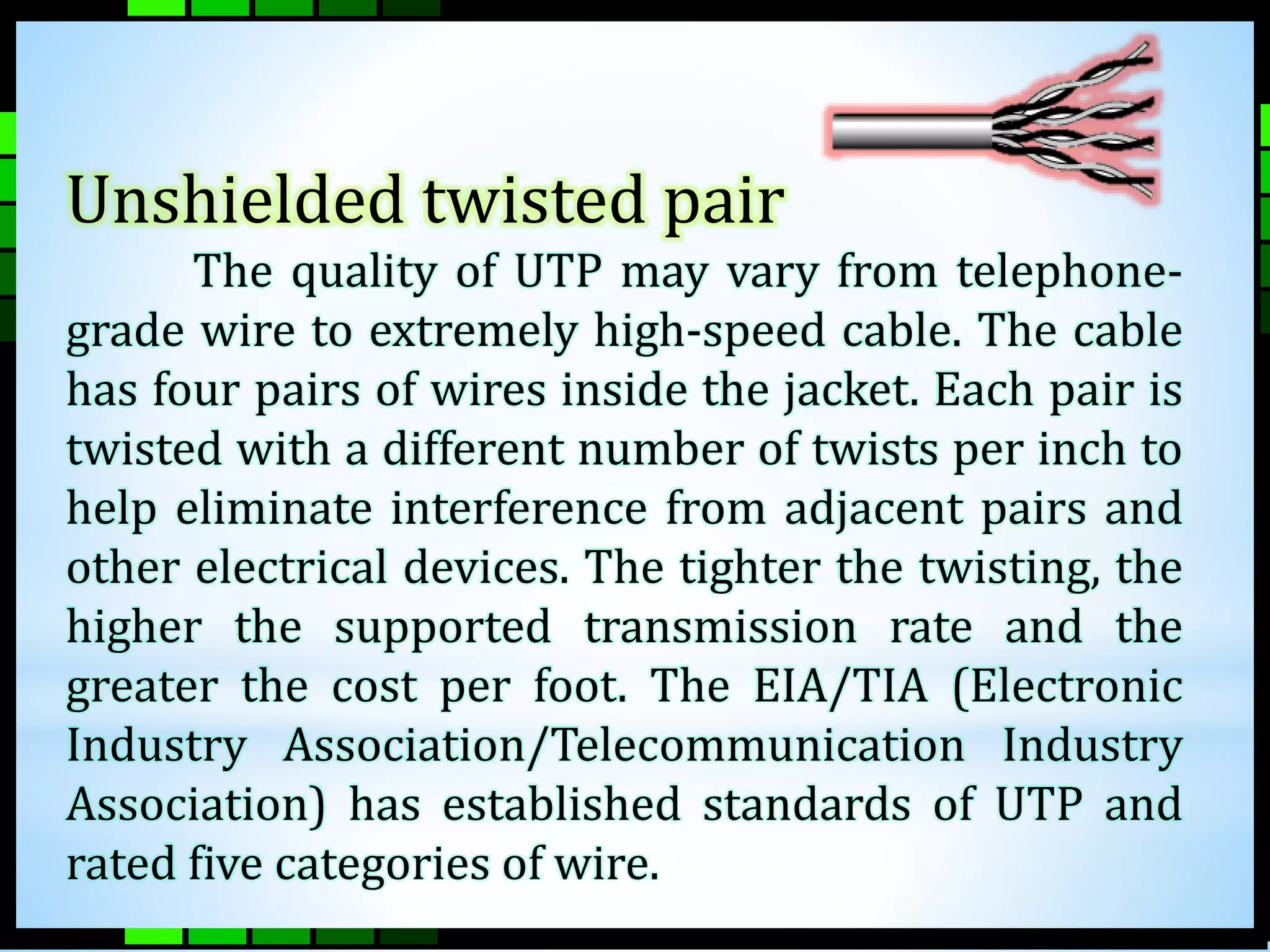
Unshielded twisted pair 
The quality of UTP may vary from telephone-grade 
wire to extremely high-speed cable. The cable 
has four pairs of wires inside the jacket. Each pair is 
twisted with a different number of twists per inch to 
help eliminate interference from adjacent pairs and 
other electrical devices. The tighter the twisting, the 
higher the supported transmission rate and the 
greater the cost per foot. The EIA/TIA (Electronic 
Industry Association/Telecommunication Industry 
Association) has established standards of UTP and 
rated five categories of wire.
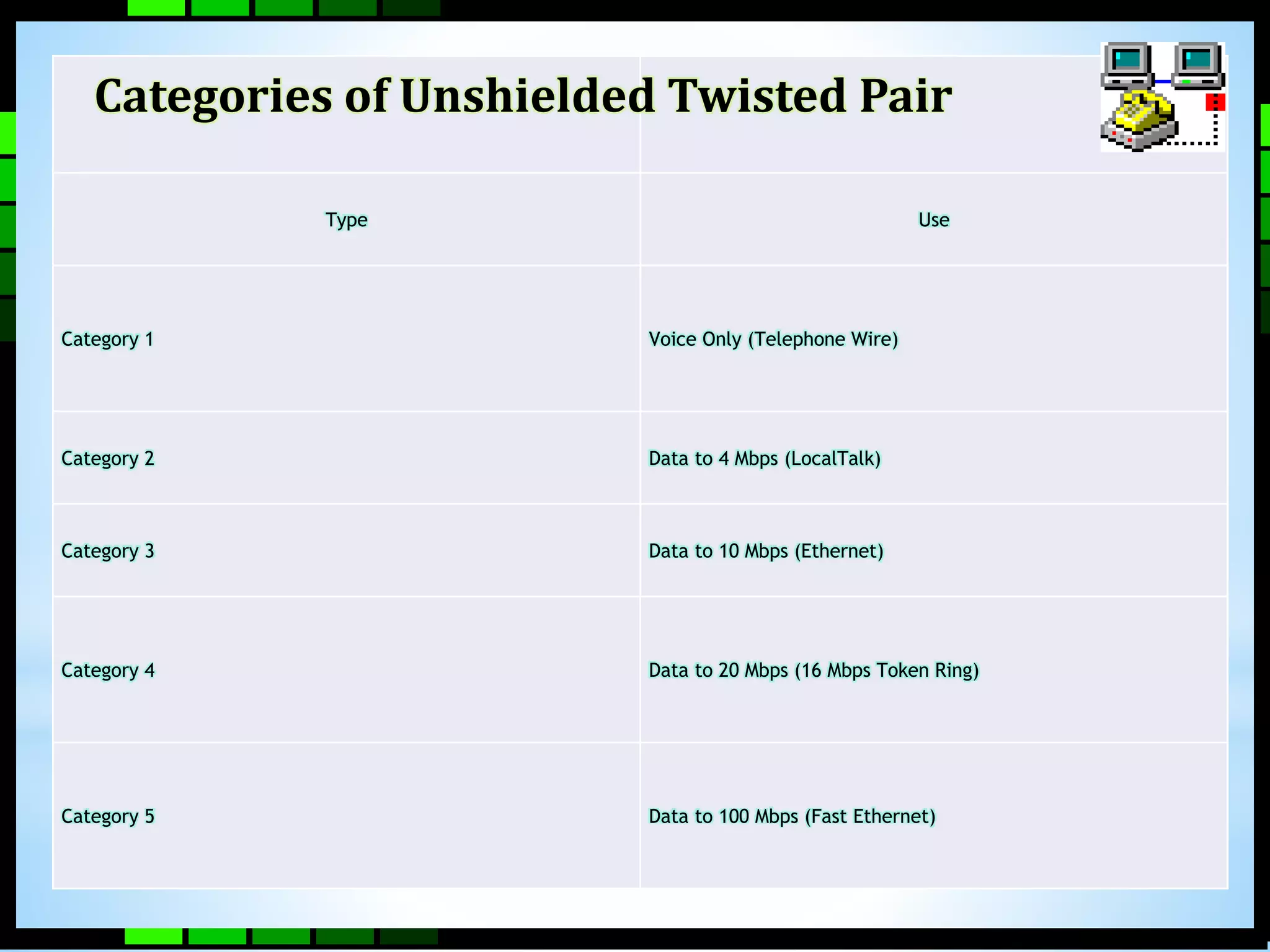
Categories of Unshielded Twisted Pair 
Type Use 
Category 1 Voice Only (Telephone Wire) 
Category 2 Data to 4 Mbps (LocalTalk) 
Category 3 Data to 10 Mbps (Ethernet) 
Category 4 Data to 20 Mbps (16 Mbps Token Ring) 
Category 5 Data to 100 Mbps (Fast Ethernet)
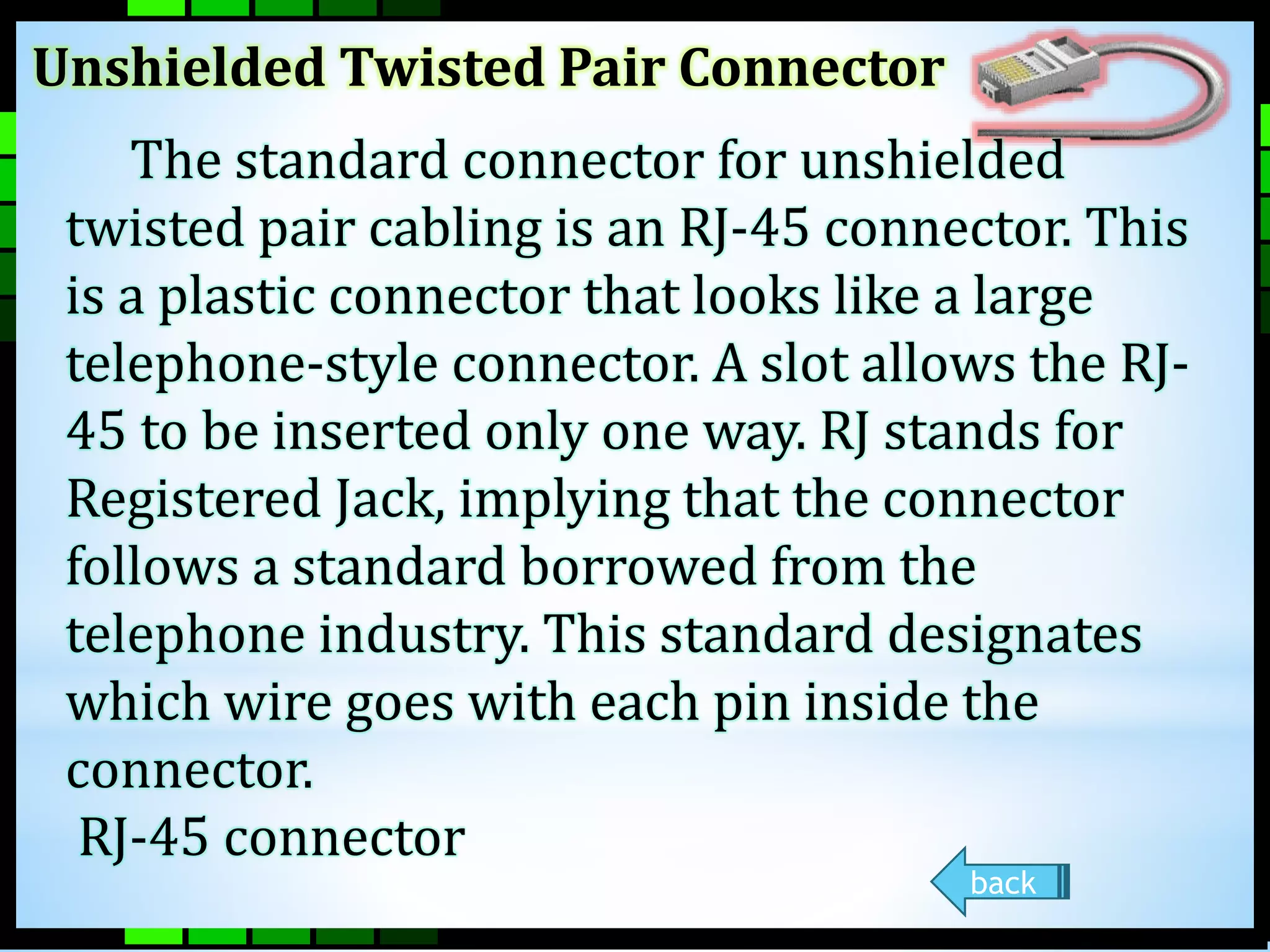
Unshielded Twisted Pair Connector 
The standard connector for unshielded 
twisted pair cabling is an RJ-45 connector. This 
is a plastic connector that looks like a large 
telephone-style connector. A slot allows the RJ- 
45 to be inserted only one way. RJ stands for 
Registered Jack, implying that the connector 
follows a standard borrowed from the 
telephone industry. This standard designates 
which wire goes with each pin inside the 
connector. 
RJ-45 connector 
back
Shielded Twisted Pair (STP) Cable 
A disadvantage of UTP is that it may 
be susceptible to radio and electrical 
frequency interference. Shielded 
twisted pair (STP) is suitable for 
environments with electrical 
interference; however, the extra 
shielding can make the cables quite 
bulky. Shielded twisted pair is often 
used on networks using Token Ring 
topology. 
back
Coaxial Cable 
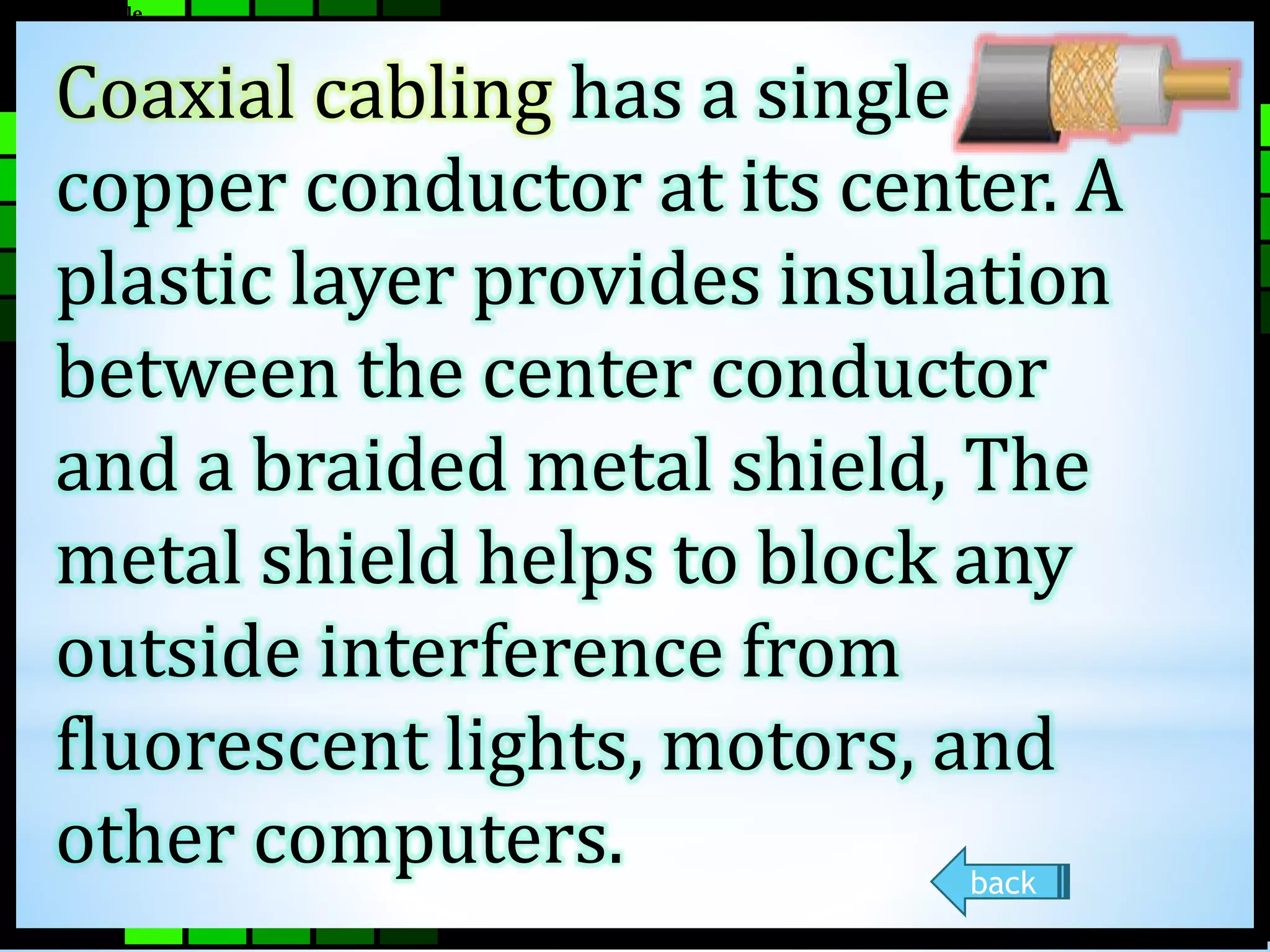
Coaxial cabling has a single 
copper conductor at its center. A 
plastic layer provides insulation 
between the center conductor 
and a braided metal shield, The 
metal shield helps to block any 
outside interference from 
fluorescent lights, motors, and 
other computers. 
back
Fiber Optic Cable 
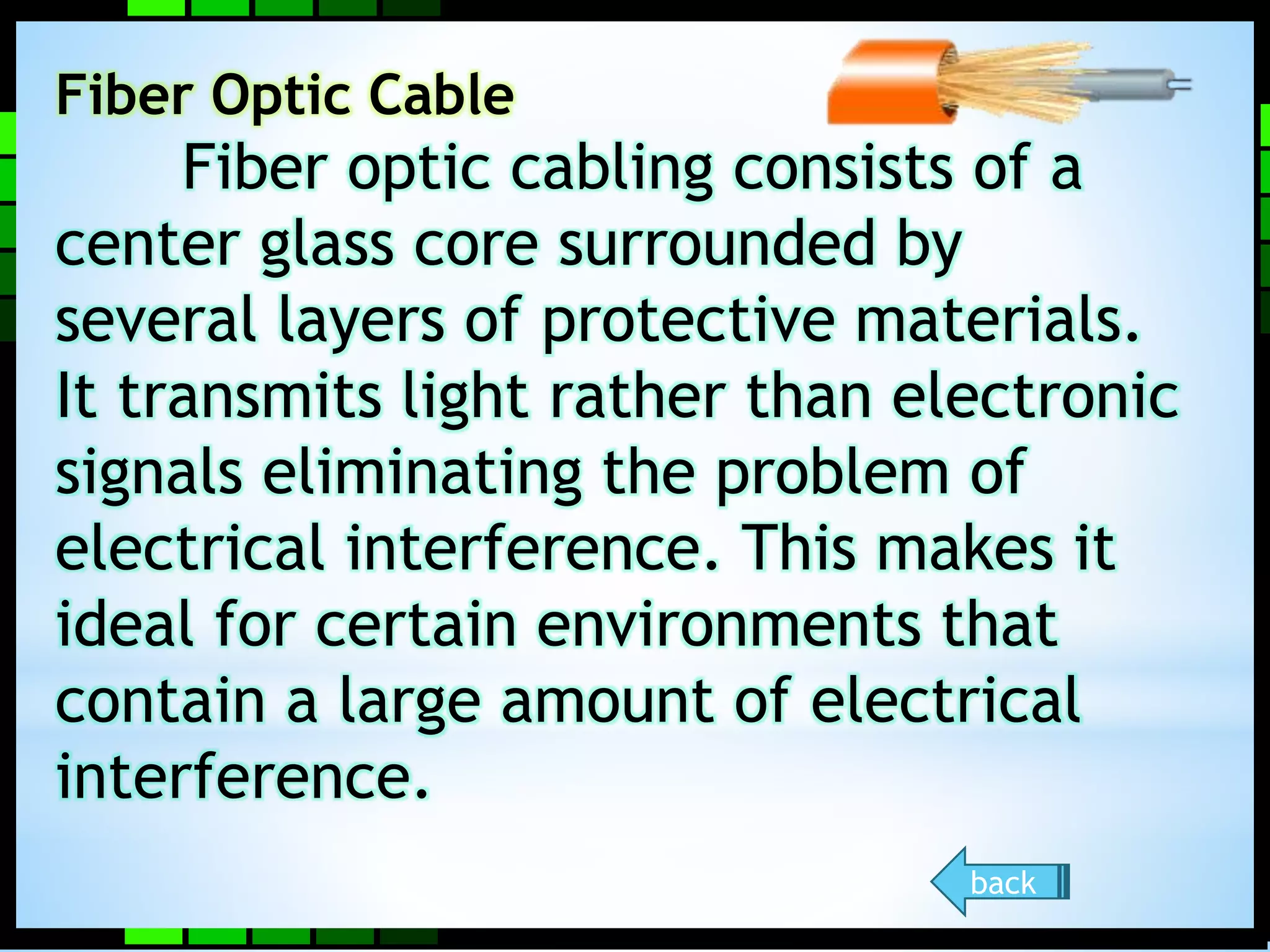
Fiber optic cabling consists of a 
center glass core surrounded by 
several layers of protective materials. 
It transmits light rather than electronic 
signals eliminating the problem of 
electrical interference. This makes it 
ideal for certain environments that 
contain a large amount of electrical 
interference. 
back
Ethernet Cable Summary 
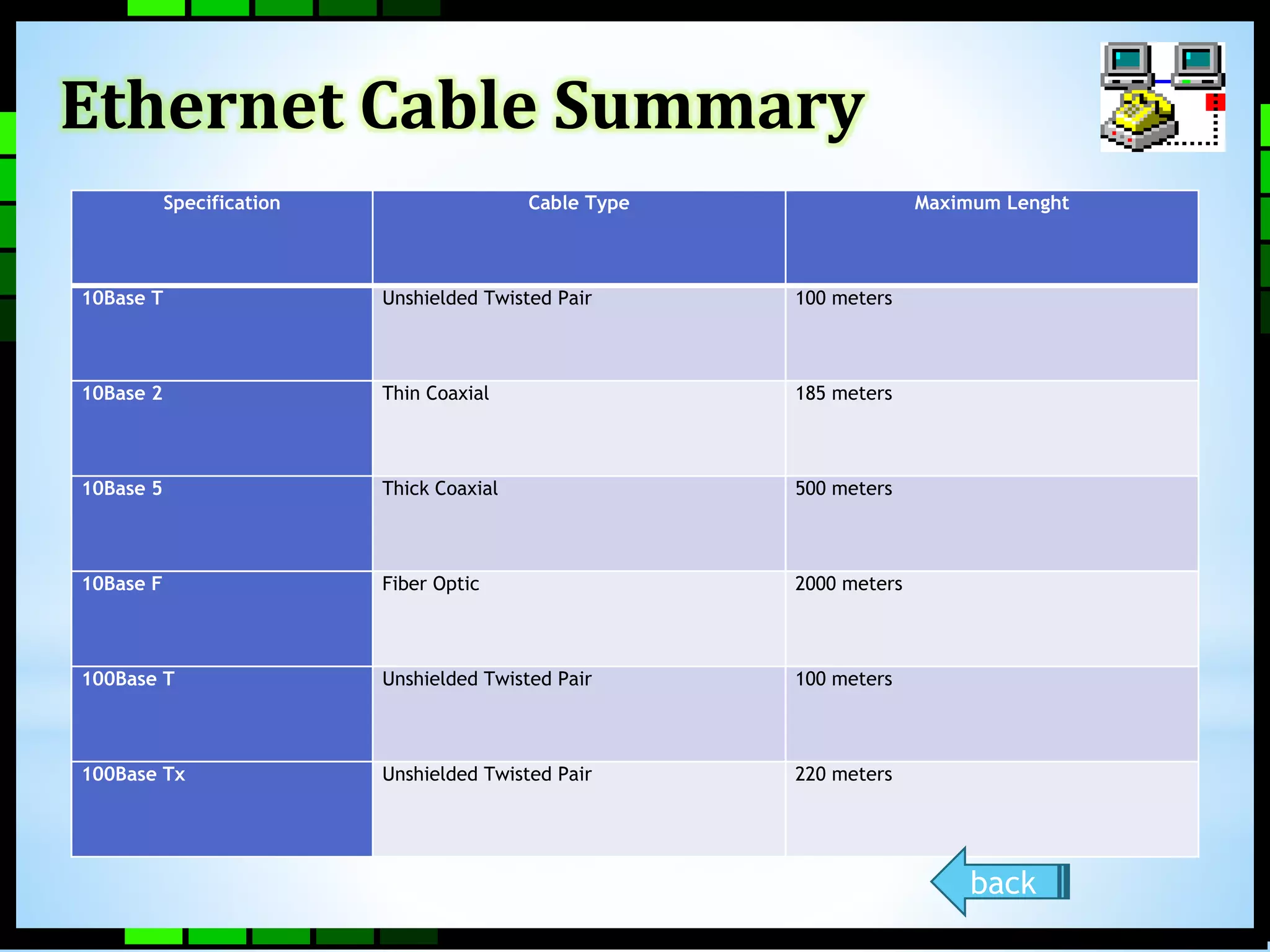
Specification Cable Type Maximum Lenght 
10Base T Unshielded Twisted Pair 100 meters 
10Base 2 Thin Coaxial 185 meters 
10Base 5 Thick Coaxial 500 meters 
10Base F Fiber Optic 2000 meters 
100Base T Unshielded Twisted Pair 100 meters 
100Base Tx Unshielded Twisted Pair 220 meters 
back
Wireless LAN 
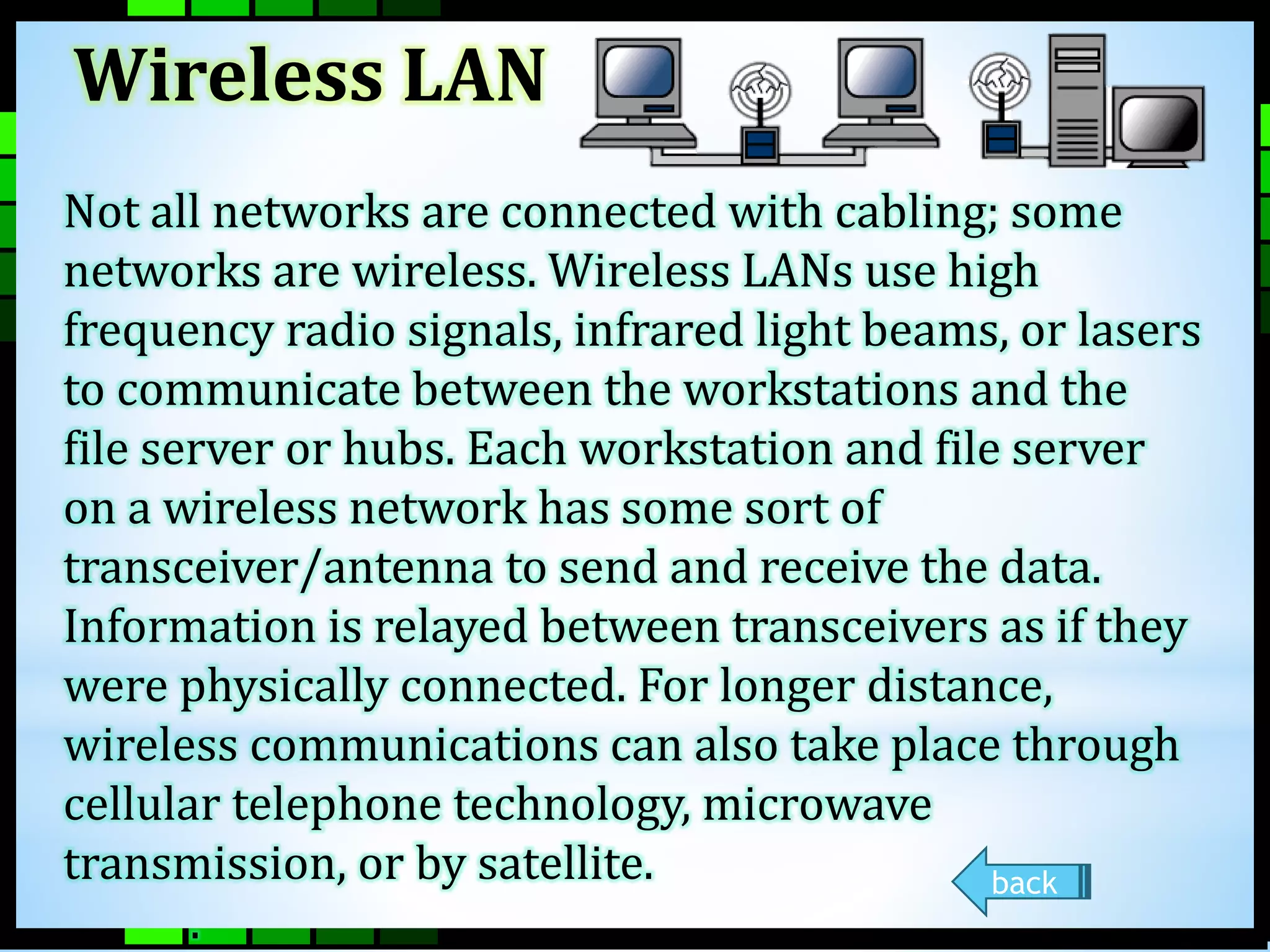
Not all networks are connected with cabling; some 
networks are wireless. Wireless LANs use high 
frequency radio signals, infrared light beams, or lasers 
to communicate between the workstations and the 
file server or hubs. Each workstation and file server 
on a wireless network has some sort of 
transceiver/antenna to send and receive the data. 
Information is relayed between transceivers as if they 
were physically connected. For longer distance, 
wireless communications can also take place through 
cellular telephone technology, microwave 
transmission, or by satellite. 
. 
back
Installing Cable - Some Guidelines 
• When running cable, it is best to follow a few 
simple rules: 
• Always use more cable than you need. Leave plenty 
of stack. 
• Test every part of a network as you install it. Even 
if it is brand new, it may have problems that will 
be difficult to isolate later. 
• Stay at least 3 feet away from fluorescent light 
boxes and other sources of electrical interference. 
• If it is necessary to run cable across the floor, cover 
the cable with cable protectors. 
• Label both ends of each cable. 
• Use cable ties (not tape) to keep cables in the 
same location together.
TOPOLOGY 
The physical topology of a 
network refers to the configuration 
of cables, computers, and other 
peripherals. Physical topology 
should not be confused with logical 
topology which is the method used 
to pass information between 
workstations.
Main Types of Physical Topologies 
• Linear Bus 
• Star 
• Star-Wired Ring 
•Tree 
•Considerations When 
Choosing a Topology 
•Summary chart NEXT
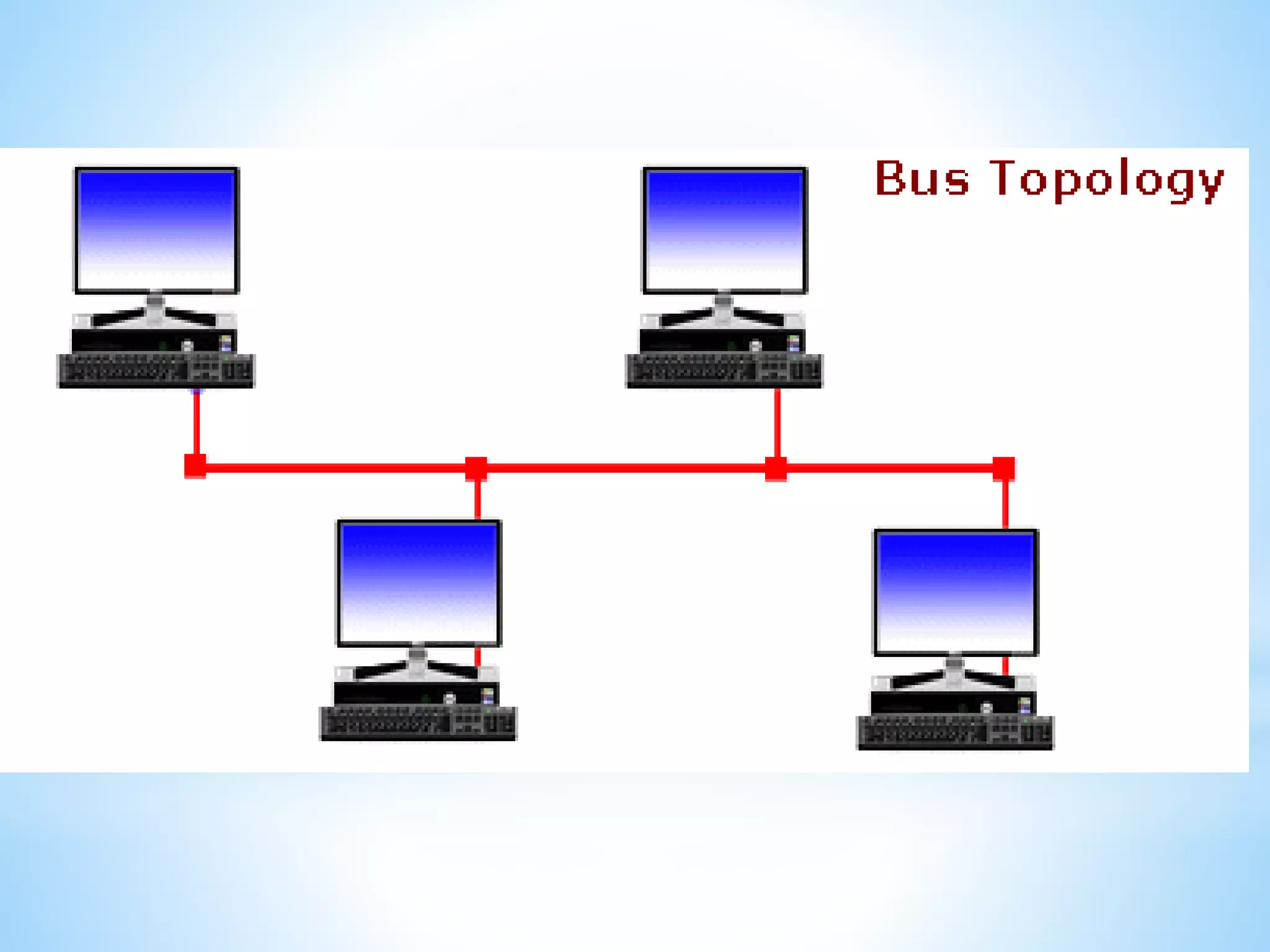
Linear Bus 
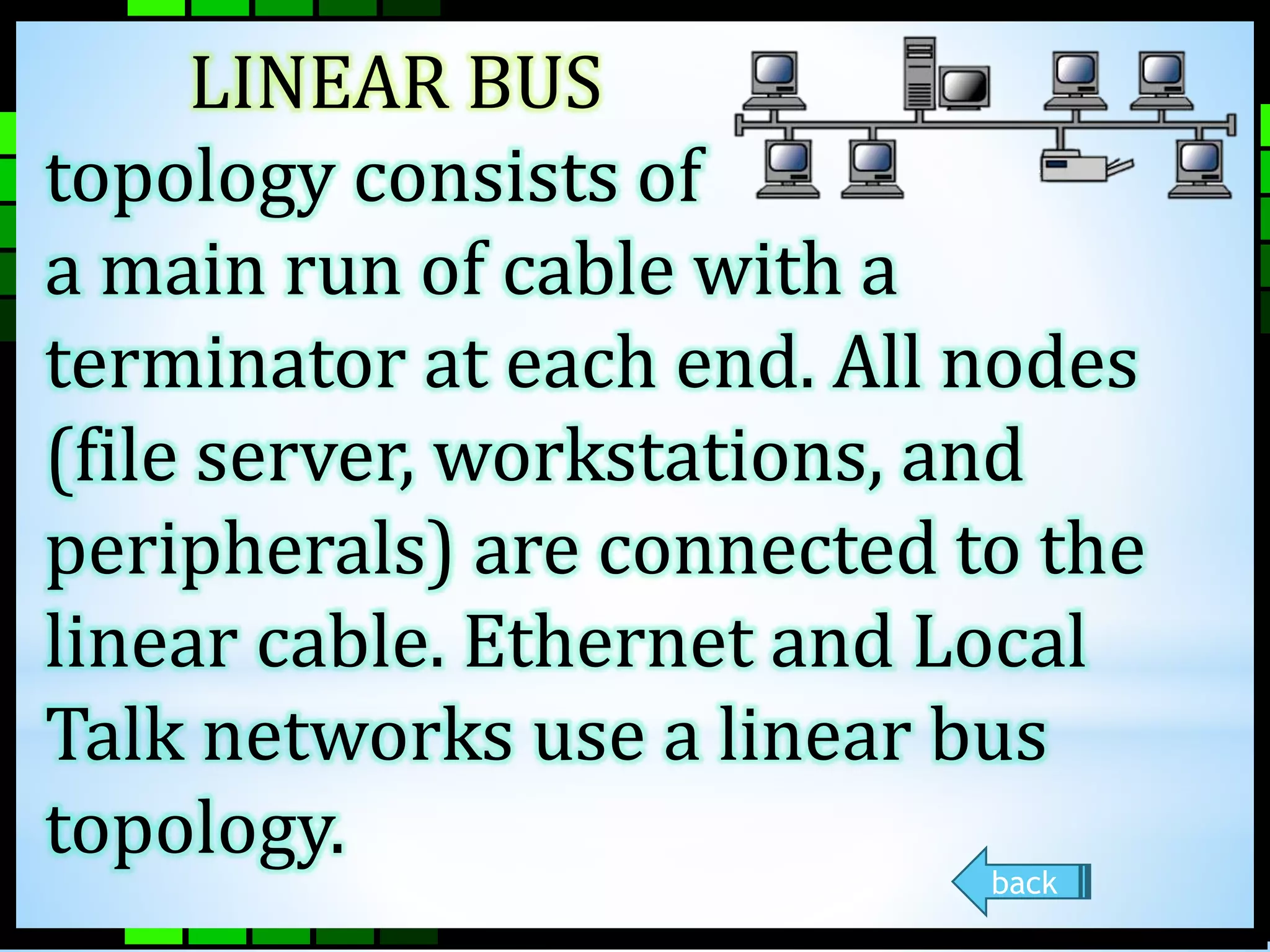
LINEAR BUS 
topology consists of 
a main run of cable with a 
terminator at each end. All nodes 
(file server, workstations, and 
peripherals) are connected to the 
linear cable. Ethernet and Local 
Talk networks use a linear bus 
topology. 
back
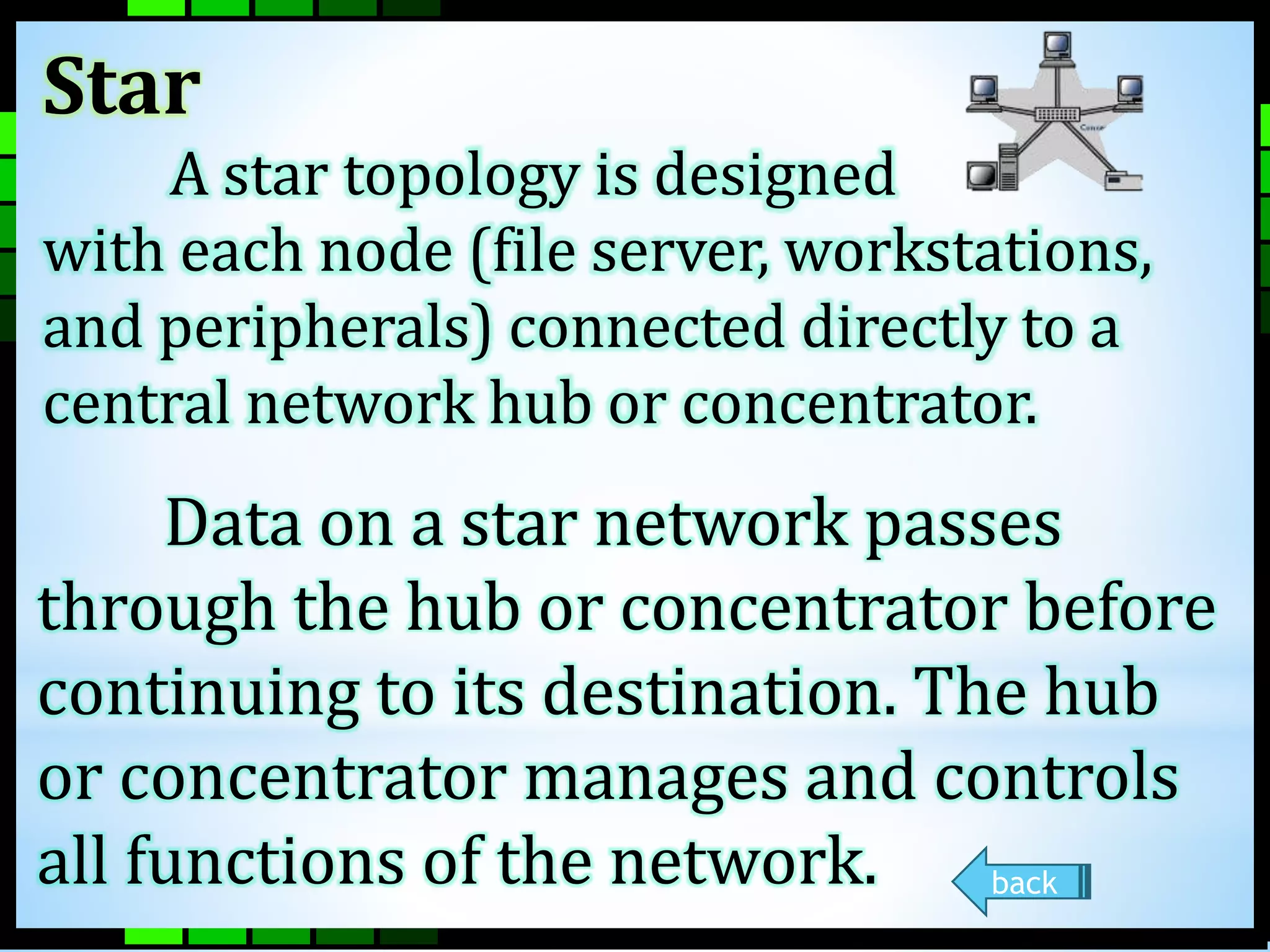
Star 
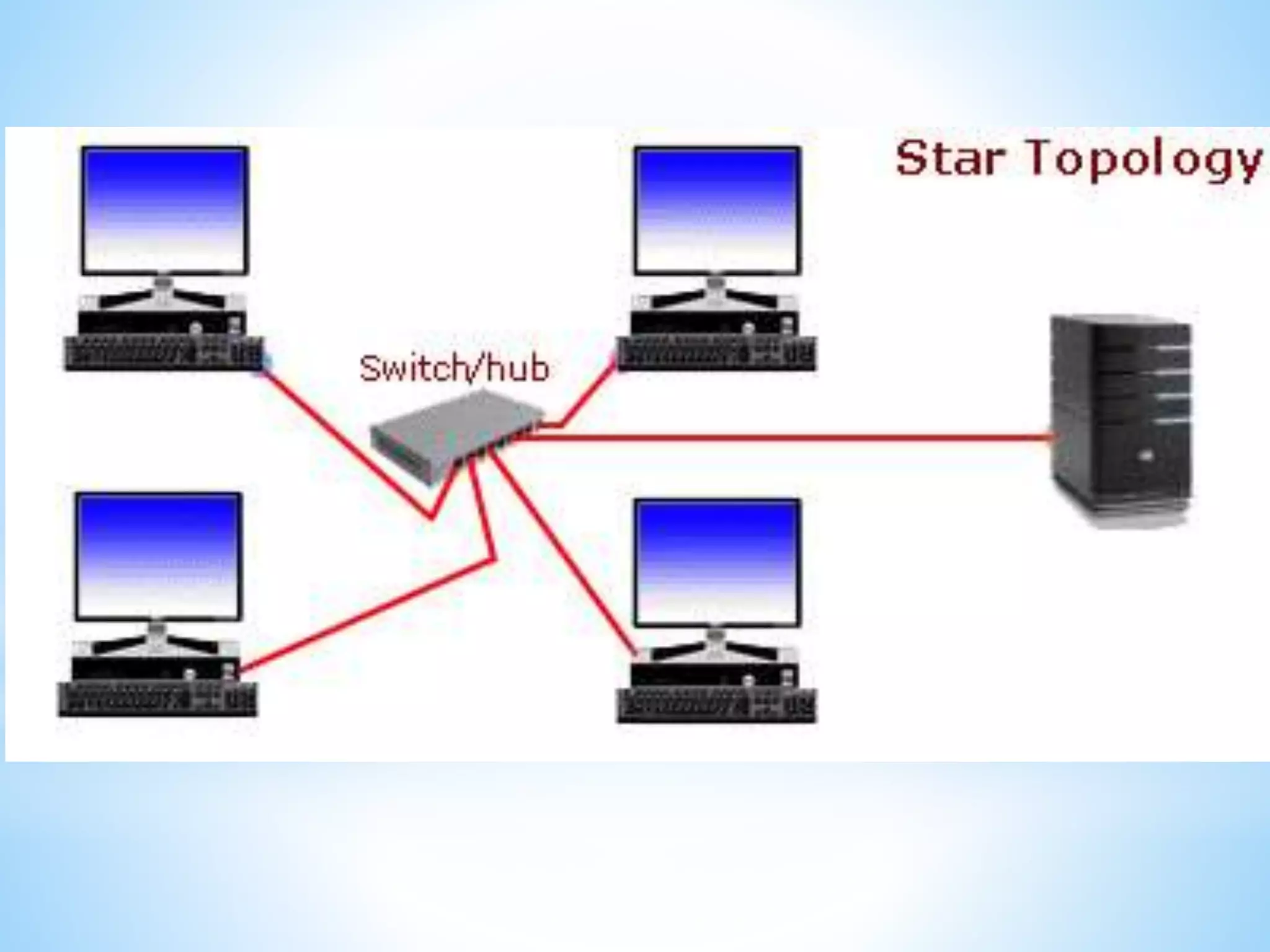
A star topology is designed 
with each node (file server, workstations, 
and peripherals) connected directly to a 
central network hub or concentrator. 
Data on a star network passes 
through the hub or concentrator before 
continuing to its destination. The hub 
or concentrator manages and controls 
all functions of the network. back
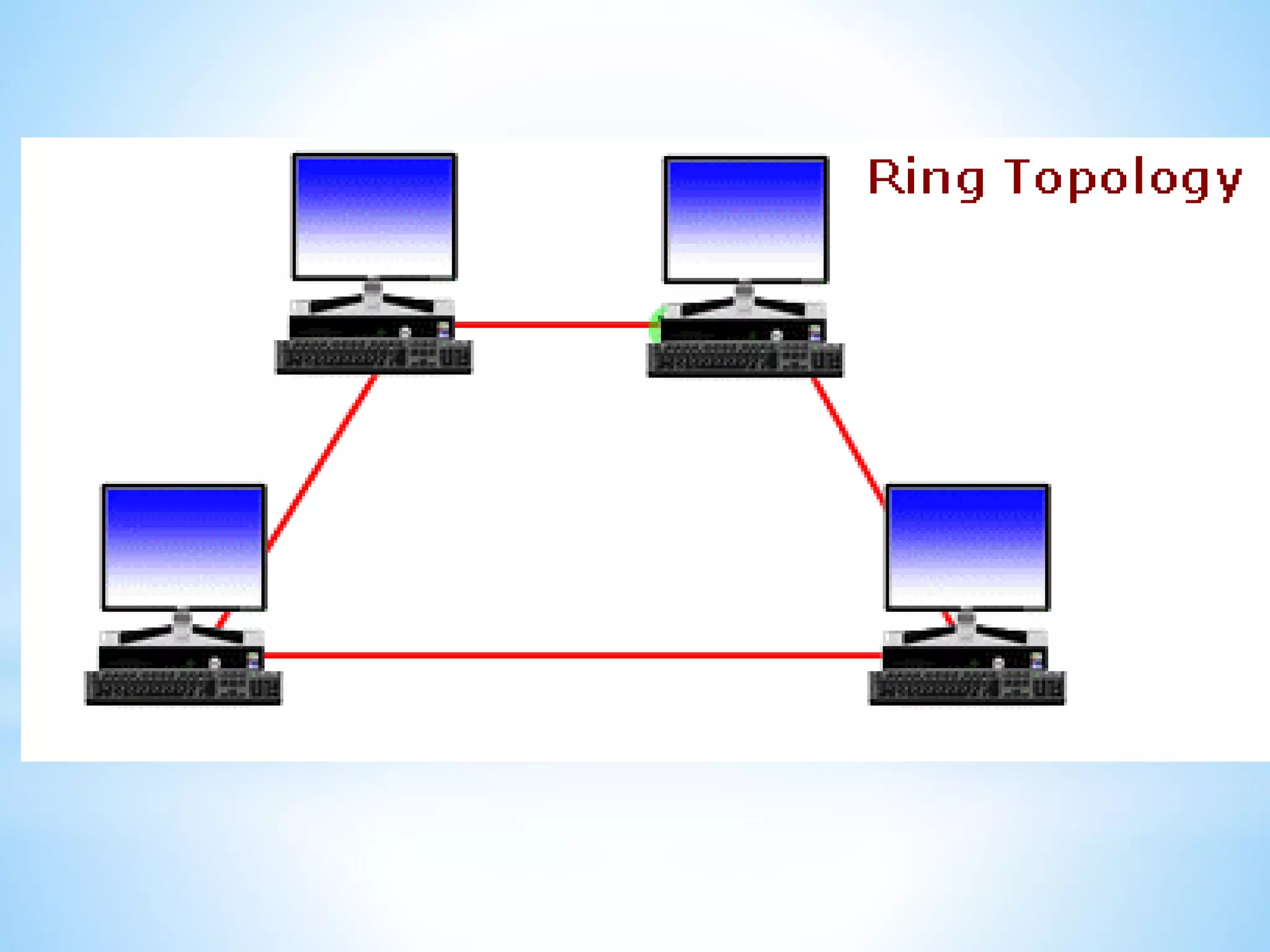
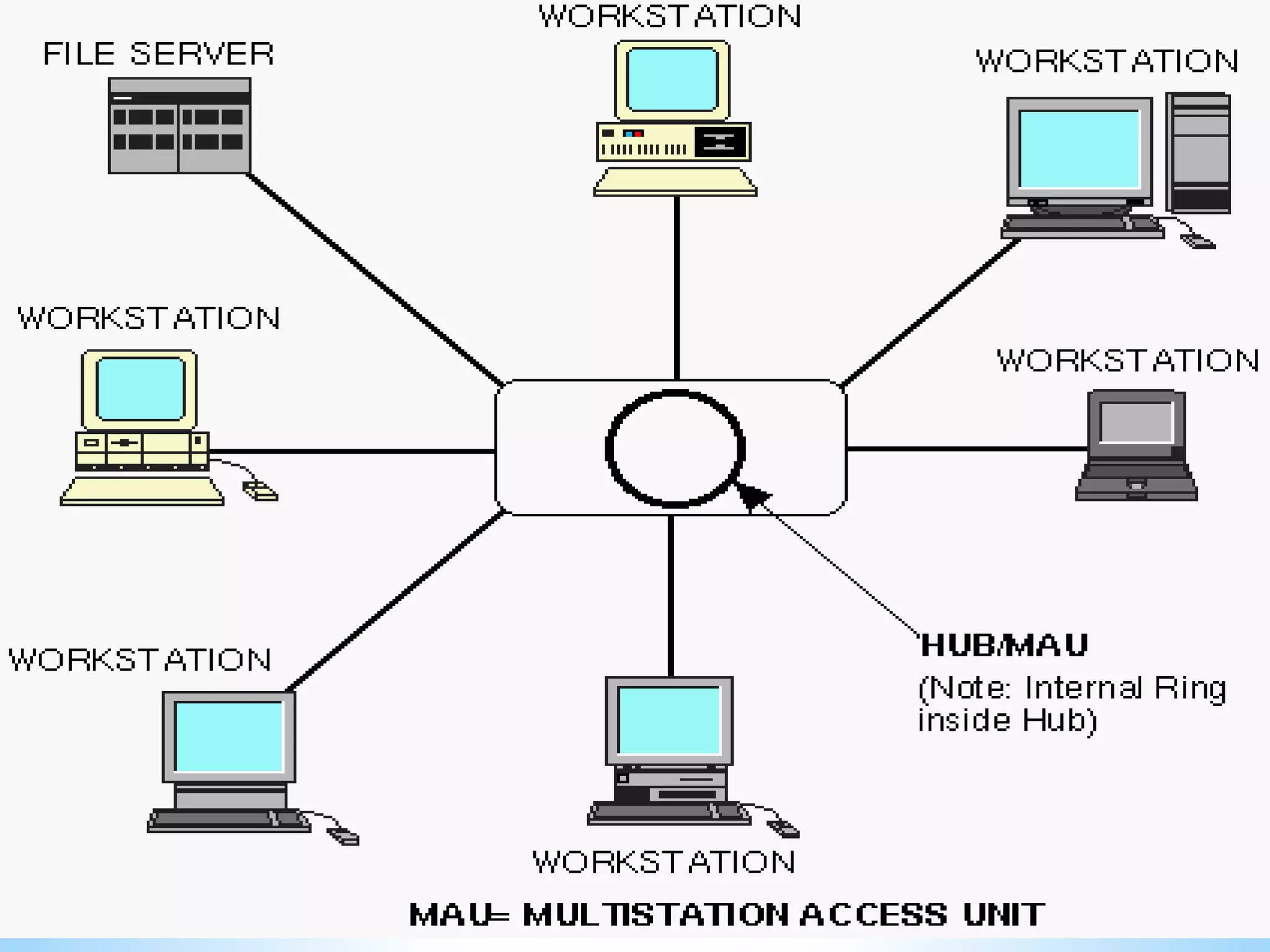
Star-Wired Ring 
A star-wired ring topology may 
appear (externally) to be the same 
as a star topology. Internally, the 
MAU (multi-station access unit) of a 
star-wired ring contains wiring that 
allows information to pass from one 
device to another in a circle or ring. 
The Token Ring protocol uses a star-wired 
ring topology. back
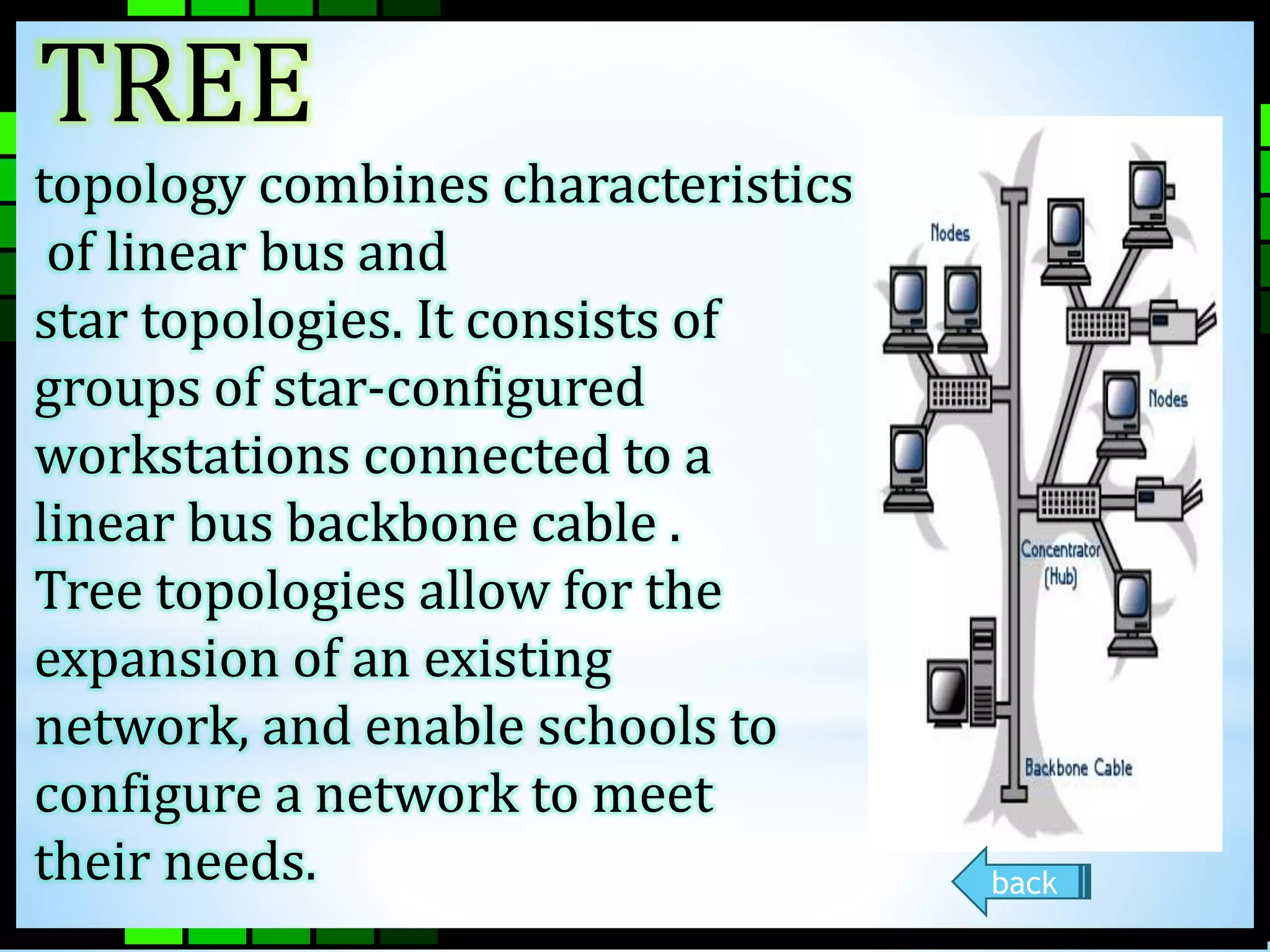
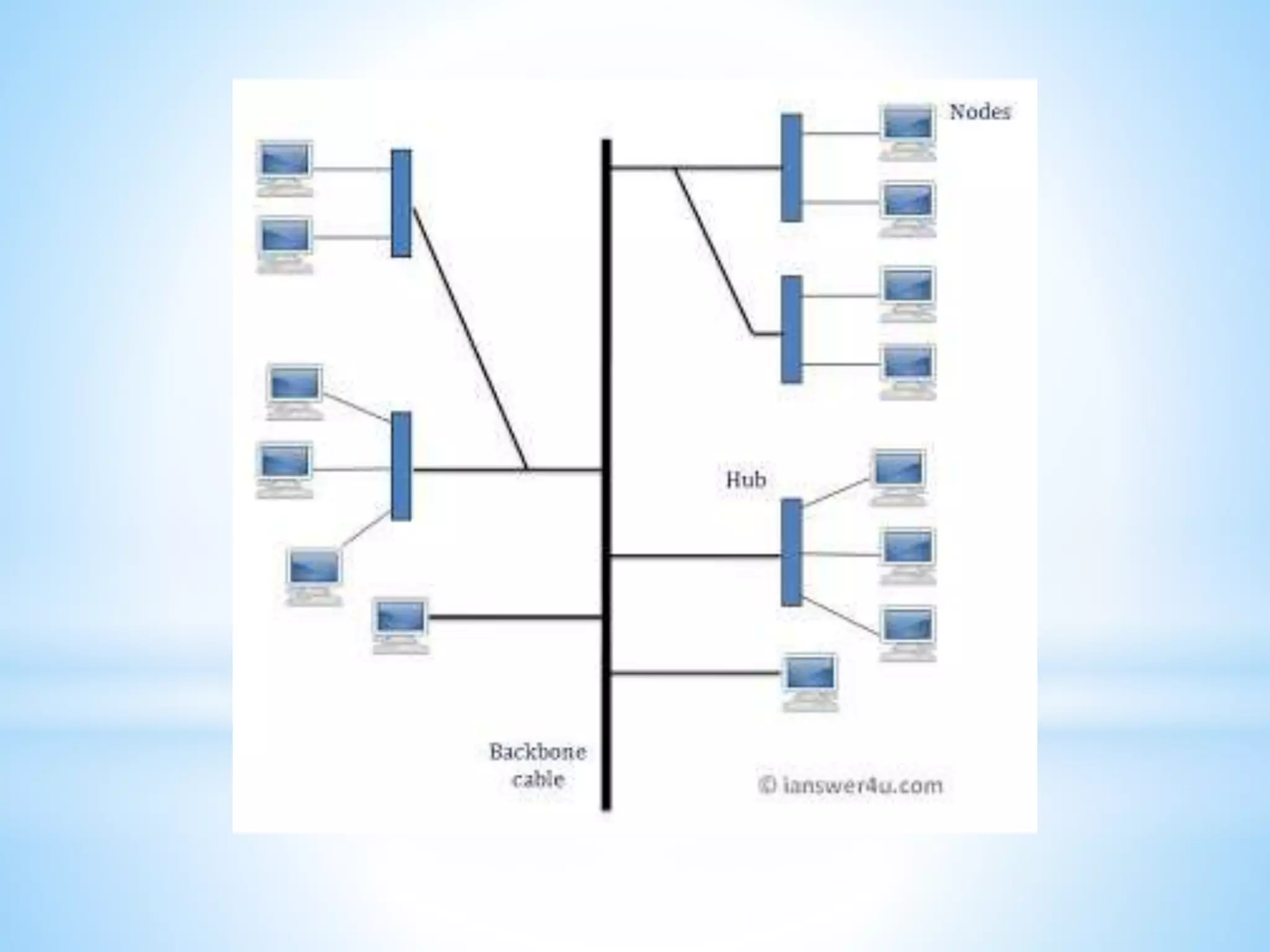
Tree 
TREE 
topology combines characteristics 
of linear bus and 
star topologies. It consists of 
groups of star-configured 
workstations connected to a 
linear bus backbone cable . 
Tree topologies allow for the 
expansion of an existing 
network, and enable schools to 
configure a network to meet 
their needs. back
Considerations When Choosing a 
Topology: 
Money. A linear bus network may be the least 
expensive way to install a network; you do not have 
to purchase concentrators. 
Length of cable needed. The linear bus network 
uses shorter lengths of cable. 
Future growth. With a star topology, expanding a 
network is easily done by adding another 
concentrator. 
Cable type. The most common cable in schools is 
unshielded twisted pair, which is most often used 
with star topologies. 
back
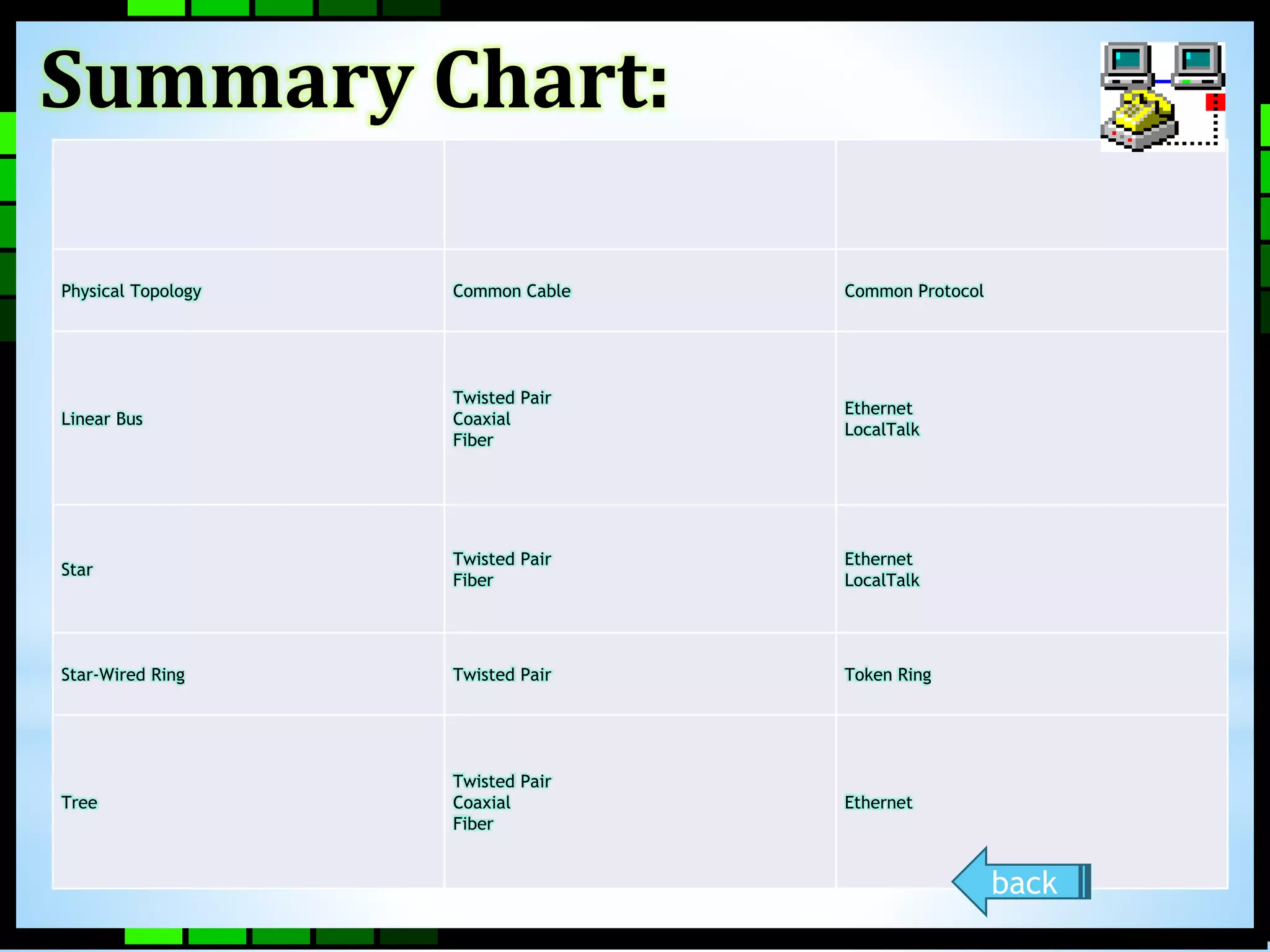
Physical Topology Common Cable Common Protocol 
Linear Bus 
Twisted Pair 
Coaxial 
Fiber 
Ethernet 
LocalTalk 
Star 
Twisted Pair 
Fiber 
Ethernet 
LocalTalk 
Star-Wired Ring Twisted Pair Token Ring 
Tree 
Twisted Pair 
Coaxial 
Fiber 
Ethernet 
Summary Chart: 
back
Unlike operating systems, such as 
DOS and Windows, that are 
designed for single users to control 
one computer, network operating 
systems (NOS) coordinate the 
activities of multiple computers 
across a network. The network 
operating system acts as a director 
to keep the network running 
smoothly.
The two major types of network 
operating systems are: 
Peer-to-Peer 
Client/Server 
NEXT
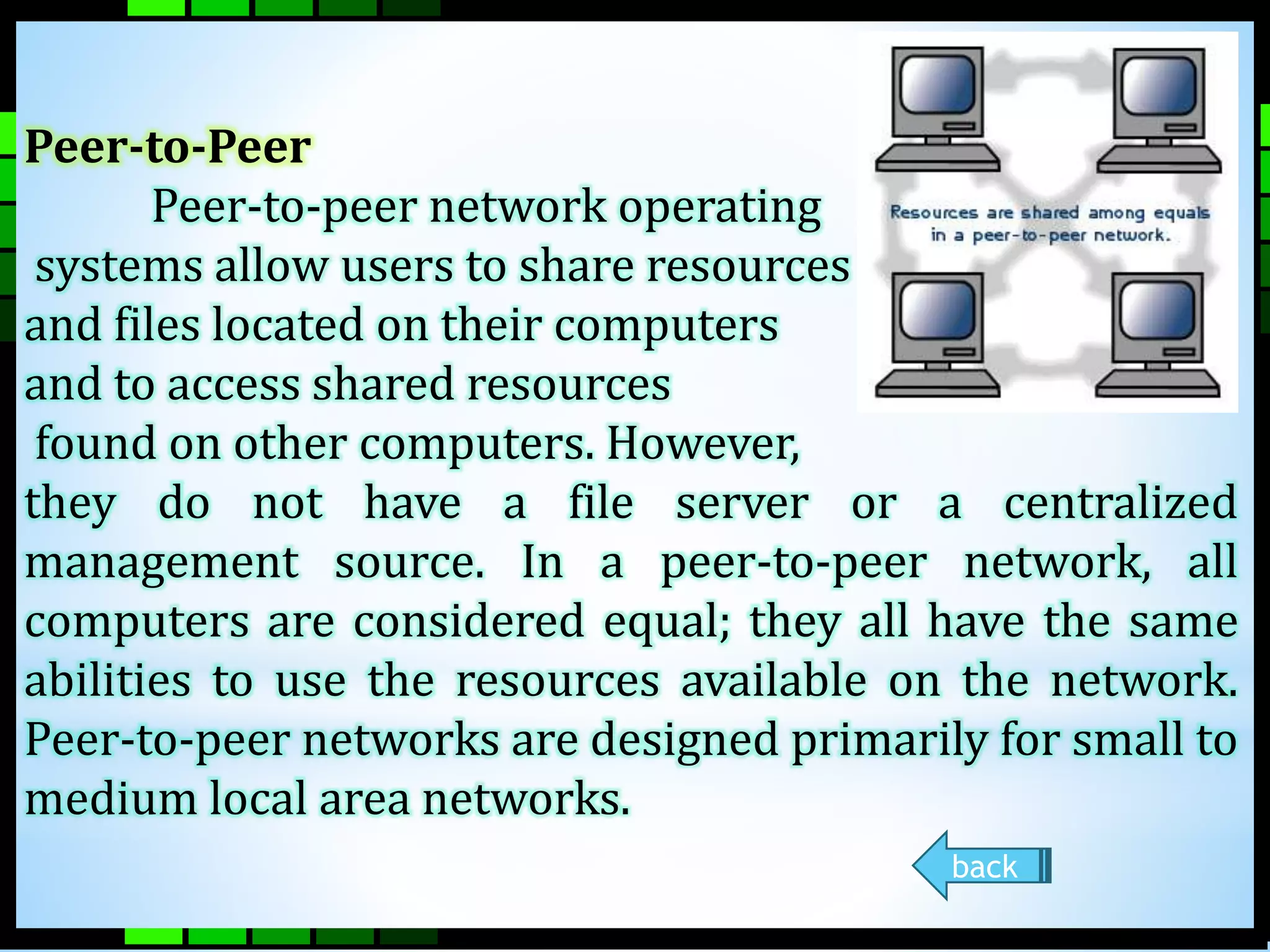
Peer-to-Peer 
Peer-to-peer network operating 
systems allow users to share resources 
and files located on their computers 
and to access shared resources 
found on other computers. However, 
they do not have a file server or a centralized 
management source. In a peer-to-peer network, all 
computers are considered equal; they all have the same 
abilities to use the resources available on the network. 
Peer-to-peer networks are designed primarily for small to 
medium local area networks. 
back
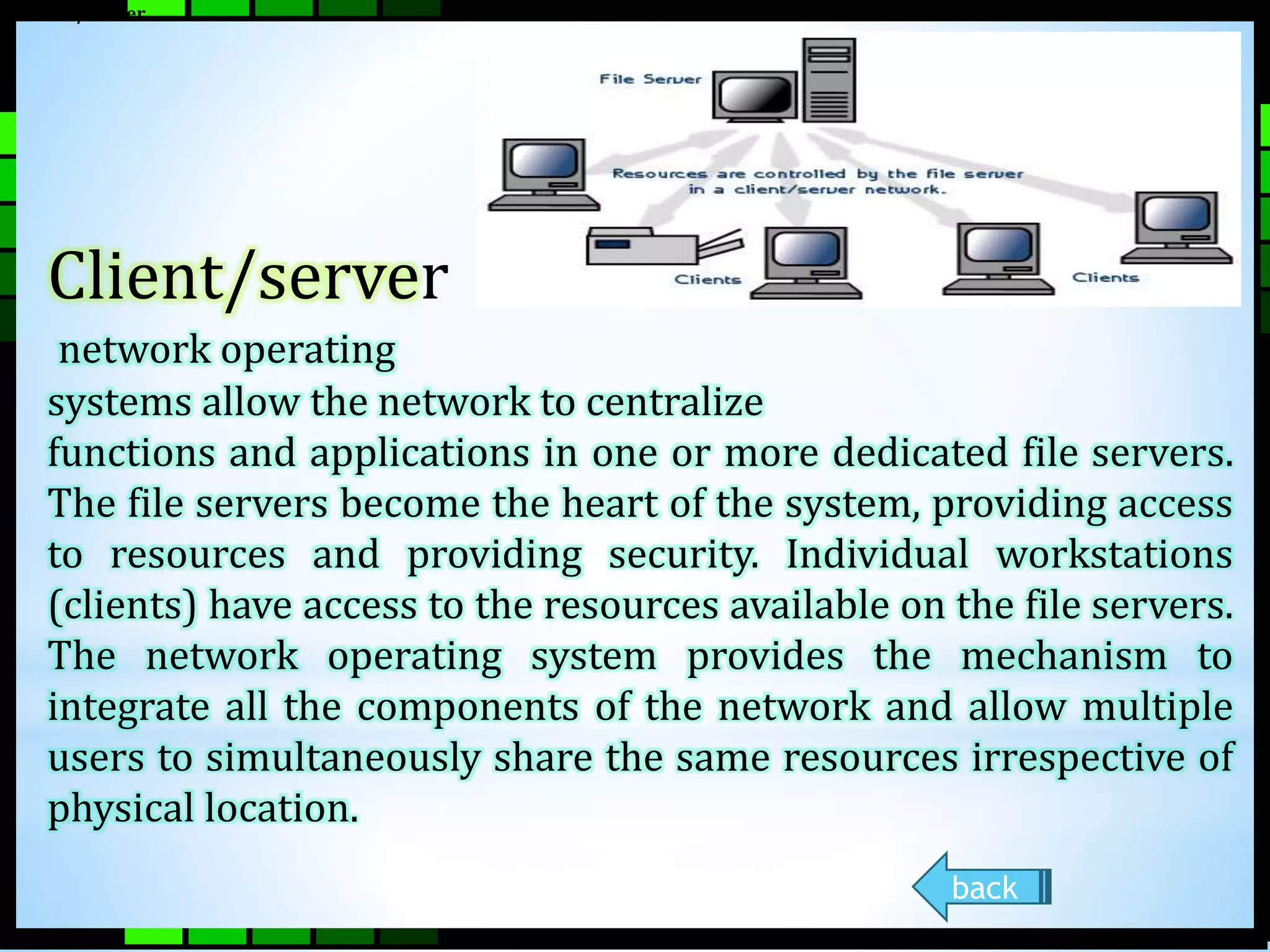
Client/Server 
Client/server 
network operating 
systems allow the network to centralize 
functions and applications in one or more dedicated file servers. 
The file servers become the heart of the system, providing access 
to resources and providing security. Individual workstations 
(clients) have access to the resources available on the file servers. 
The network operating system provides the mechanism to 
integrate all the components of the network and allow multiple 
users to simultaneously share the same resources irrespective of 
physical location. 
back
Examples of network operating 
systems 
The following list includes some of 
the more popular peer-to-peer and 
client/server network operating 
systems. 
 AppleShare 
 Microsoft Windows Server 
 Novell Netware
networking hypherlink Group 2 presentation

networking hypherlink Group 2 presentation

  • 3.
    •Local Area Network(LAN) •Metropolitan Area Network (MAN) •Wide Area Network (WAN) NEXT
  • 4.
    Local Area Network A Local Area Network (LAN) is a network that is confined to a relatively small area. It is generally limited to a geographic area such as a writing lab, school, or building. Rarely are LAN computers more than a mile apart.
  • 5.
    Wide Area Network Wide Area Networks (WANs) connect larger geographic areas, such as Florida, the United States, or the world. Dedicated transoceanic cabling or satellite uplinks may be used to connect this type of network.
  • 6.
    Metropolitan Area Network Is a network that spans no more than 50 miles it is design to connect LANS spanning town or city
  • 7.
    Resource Sharing Flexible Electronic Mail Access Workgroup Computing. Centralized Software Management Security. Cost. Sp0e0 ed. NEXT
  • 8.
    •Speed- Networks providea very rapid method for sharing and transferring files. Without a network, files are shared by copying them to floppy disks, then carrying or sending the disks from one computer to another.
  • 9.
    •Cost- Networkable versionsof many popular software programs are available at considerable savings when compared to buying individually licensed copies. Besides monetary savings, sharing a program on a network allows for easier upgrading of the program.
  • 10.
    •Security- Files andprograms on a network can be designated as "copy inhibit," so that you do not have to worry about illegal copying of programs. Also, passwords can be established for specific directories to restrict access to authorized users.
  • 11.
    •Centralized Software Management- One of the greatest benefits of installing a network is the fact that all of the software can be loaded on one computer (the file server). This eliminates that need to spend time and energy installing updates and tracking files on independent computers throughout the building.
  • 12.
    •Resource Sharing-Sharing resourcesis another area in which a network exceeds stand-alone computers. Most establishments cannot afford enough laser printers, fax machines, modems, scanners, and CD-ROM players for each computer. However, if these or similar peripherals are added to a network, they can be shared by many users.
  • 13.
    •Electronic Mail.-The presenceof a network provides the hardware necessary to install an e-mail system. E-mail aids in personal and professional communication for all school personnel, and it facilitates the dissemination of general information to the entire school staff
  • 14.
    •Flexible Access-School networks allow students to access their files from computers throughout the school. Students can begin an assignment in their classroom, save part of it on a public access area of the network, then go to the media center after school to finish their work.
  • 15.
    •Workgroup Computing. Workgroup software (such as Microsoft BackOffice) allows many users to work on a document or project concurrently. For example, educators located at various schools within a county could simultaneously contribute their ideas about new curriculum standards to the same document and spreadsheets.
  • 16.
    Cables Break. FileServer May Fail. File Server May Fail Requires administrative time Expensive to install NEXT
  • 17.
    •Expensive to Install-Although a network will generally save money over time, the initial costs of installation can be prohibitive. Cables, network cards, and software are expensive, and the installation may require the services of a technician.
  • 18.
    •Requires Administrative Time- Proper maintenance of a network requires considerable time and expertise. Many schools have installed a network, only to find that they did not budget for the necessary administrative support.
  • 19.
    •File Server MayFail- Although a file server is no more susceptible to failure than any other computer, when the files server "goes down," the entire network may come to a halt. When this happens, the entire school may lose access to necessary programs and files.
  • 20.
    •Cables May Break-Someof the configurations are designed to minimize the inconvenience of a broken cable; with other configurations, one broken cable can stop the entire network.
  • 22.
    A protocol isa set of rules that governs the communications between computers on a network. These rules include guidelines that regulate the following characteristics of a network: access method, allowed physical topologies, types of cabling, and speed of data transfer.
  • 23.
    The most common protocols are: •Ethernet •Local Talk •Token Ring •FDDI •ATM NEXT
  • 24.
    Ethernet Fast Ethernet Gigabit Ethernet NEXT
  • 25.
    Ethernet The Ethernetprotocol is by far the most widely used. Ethernet uses an access method called CSMA/CD (Carrier Sense Multiple Access/Collision Detection). This is a system where each computer listens to the cable before sending anything through the network. If the network is clear, the computer will transmit. If some other node is already transmitting on the cable, the computer will wait and try again when the line is clear. Sometimes, two computers attempt to transmit at the same instant.
  • 26.
    Fast Ethernet Toallow for an increased speed of transmission, the Ethernet protocol has developed a new standard that supports 100 Mbps. This is commonly called Fast Ethernet. Fast Ethernet requires the use of different, more expensive network concentrators/hubs and network interface cards.
  • 27.
    Gigabit Ethernet Themost recent development in the Ethernet standard is a protocol that has a transmission speed of 1 Gbps. Gigabit Ethernet is primarily used for backbones on a network at this time. In the future, it will probably be used for workstation and server connections also.
  • 28.
    Local Talk LocalTalk is a network protocol that was developed by Apple Computer, Inc. for Macintosh computers. The method used by Local Talk is called CSMA/CA (Carrier Sense Multiple Access with Collision Avoidance). It is similar to CSMA/CD except that a computer signals its intent to transmit before it actually does so. Local Talk adapters and special twisted pair cable can be used to connect a series of computers through the serial port.
  • 29.
    Token Ring TheToken Ring protocol was developed by IBM in the mid-1980s. The access method used involves token-passing. In Token Ring, the computers are connected so that the signal travels around the network from one computer to another in a logical ring. A single electronic token moves around the ring from one computer to the next. If a computer does not have information to transmit, it simply passes the token on to the next workstation. If a computer wishes to transmit and receives an empty token, it attaches data to the token.
  • 30.
    FDDI Fiber DistributedData Interface (FDDI) is a network protocol that is used primarily to interconnect two or more local area networks, often over large distances. The access method used by FDDI involves token-passing. FDDI uses a dual ring physical topology. Transmission normally occurs on one of the rings; however, if a break occurs, the system keeps information moving by automatically using portions of the second ring to create a new complete ring. A major advantage of FDDI is speed. It operates over fiber optic cable at 100 Mbps.
  • 31.
    ATM Asynchronous TransferMode (ATM) is a network protocol that transmits data at a speed of 155 Mbps and higher. ATM works by transmitting all data in small packets of a fixed size; whereas, other protocols transfer variable length packets. ATM supports a variety of media such as video, CD-quality audio, and imaging. ATM employs a star topology, which can work with fiber optic as well as twisted pair cable. ATM is most often used to interconnect two or more local area networks. It is also frequently used by Internet Service Providers to utilize high-speed access to the Internet for their clients Summary
  • 32.
    Protocol Cable SpeedTopology Ethernet Twisted Pair, Coaxial, Fiber 10 Mbps Linear Bus, Star, Tree Fast Ethernet Twisted Pair, Fiber 100 Mbps Star LocalTalk Twisted Pair .23 Mbps Linear Bus or Star Token Ring Twisted Pair 4 Mbps - 16 Mbps Star-Wired Ring FDDI Fiber 100 Mbps Dual ring ATM Twisted Pair, Fiber 155-2488 Mbps Linear Bus, Star, Tree
  • 34.
    Networking hardware includesall computers, peripherals, interface cards and other equipment needed to perform data-processing and communications within the network.
  • 35.
    This section providesinformation on the following components: •Workstations •Network Interface Cards •Switches •Repeaters •Bridges •Routers NEXT
  • 36.
    A file serverstands at the heart of most networks. It is a very fast computer with a large amount of RAM and storage space, along with a fast network interface card. The network operating system software resides on this computer, along with any software applications and data files that need to be shared. The file server controls the communication of information between the nodes on a network. For example, it may be asked to send a word processor program to one workstation, receive a database file from another workstation, and store an e-mail message during the same time period.
  • 38.
    •800 megahertz orfaster microprocessor (Pentium 3 or 4, G4 or G5) •A fast hard drive with at least 120 gigabytes of storage •A RAID (Redundant Array of Inexpensive Disks) to preserve data after a disk casualty •A tape back-up unit (i.e. DAT, JAZ, Zip, or CD-RW drive) •Numerous expansion slots •Fast network interface card •At least of 512 MB of RAM NEXT
  • 39.
    Workstations All ofthe user computers connected to a network are called workstations. A typical workstation is a computer that is configured with a network interface card, networking software, and the appropriate cables. Workstations do not necessarily need floppy disk drives because files can be saved on the file server. back
  • 40.
    NetworkInterface Cards IMAGE The network interface card (NIC) provides the physical connection between the network and the computer workstation. Most NICs are internal, with the card fitting into an expansion slot inside the computer. Some computers, such as Mac Classics, use external boxes which are attached to a serial port or a SCSI port. Laptop computers can now be purchased with a network interface card built-in or with network cards that slip into a PCMCIA slot.
  • 41.
  • 42.
    Switch A concentratoris a device that provides a central connection point for cables from workstations, servers, and peripherals. In a star topology, twisted-pair wire is run from each workstation to a central switch/hub. Most switches are active, that is they electrically amplify the signal as it moves from one device to another. Switches are
  • 43.
    Switches are: •Usuallyconfigured with 8, 12, or 24 RJ-45 ports •Often used in a star or star-wired ring topology •Sold with specialized software for port management •Also called hubs •Usually installed in a standardized metal rack that also may store net modems, bridges, or routers back
  • 44.
    Repeaters Since asignal loses strength as it passes along a cable, it is often necessary to boost the signal with a device called a repeater. The repeater electrically amplifies the signal it receives and rebroadcasts it. Repeaters can be separate devices or they can be incorporated into a concentrator. back
  • 45.
    Bridges A bridgeis a device that allows you to segment a large network into two smaller, more efficient networks. If you are adding to an older wiring scheme and want the new network to be up-to-date, a bridge can connect the two. back
  • 46.
    Routers A routertranslates information from one network to another; it is similar to a super intelligent bridge. Routers select the best path to route a message, based on the destination address and origin. The router can direct traffic to prevent head-on collisions, and is smart enough to know when to direct traffic along back roads and shortcuts. Routers can
  • 47.
    Routers can: •Directsignal traffic efficiently •Route messages between any two protocols •Route messages between linear bus, star, and star-wired ring topologies Route messages across fiber optic, coaxial, and twisted back
  • 48.
    What is NetworkCabling? Cable is the medium through which information usually moves from one network device to another. There are several types of cable which are commonly used with LANs. In some cases, a network will utilize only one type of cable, other networks will use a variety of cable types. The type of cable chosen for a network is related to the network's topology, protocol, and size. Understanding the characteristics of different types of cable and how they relate to other aspects of a network is necessary for the development of a successful network.
  • 49.
    The following sectionsdiscuss the types of cables used in networks and other related topics. Unshielded Twisted Pair (UTP) Cable Shielded Twisted Pair (STP) Cable Coaxial Cable Fiber Optic Cable Wireless LANs  Ethernet Cable Summary NEXT
  • 50.
    Unshielded twisted pair The quality of UTP may vary from telephone-grade wire to extremely high-speed cable. The cable has four pairs of wires inside the jacket. Each pair is twisted with a different number of twists per inch to help eliminate interference from adjacent pairs and other electrical devices. The tighter the twisting, the higher the supported transmission rate and the greater the cost per foot. The EIA/TIA (Electronic Industry Association/Telecommunication Industry Association) has established standards of UTP and rated five categories of wire.
  • 51.
    Categories of UnshieldedTwisted Pair Type Use Category 1 Voice Only (Telephone Wire) Category 2 Data to 4 Mbps (LocalTalk) Category 3 Data to 10 Mbps (Ethernet) Category 4 Data to 20 Mbps (16 Mbps Token Ring) Category 5 Data to 100 Mbps (Fast Ethernet)
  • 52.
    Unshielded Twisted PairConnector The standard connector for unshielded twisted pair cabling is an RJ-45 connector. This is a plastic connector that looks like a large telephone-style connector. A slot allows the RJ- 45 to be inserted only one way. RJ stands for Registered Jack, implying that the connector follows a standard borrowed from the telephone industry. This standard designates which wire goes with each pin inside the connector. RJ-45 connector back
  • 53.
    Shielded Twisted Pair(STP) Cable A disadvantage of UTP is that it may be susceptible to radio and electrical frequency interference. Shielded twisted pair (STP) is suitable for environments with electrical interference; however, the extra shielding can make the cables quite bulky. Shielded twisted pair is often used on networks using Token Ring topology. back
  • 54.
    Coaxial Cable Coaxialcabling has a single copper conductor at its center. A plastic layer provides insulation between the center conductor and a braided metal shield, The metal shield helps to block any outside interference from fluorescent lights, motors, and other computers. back
  • 55.
    Fiber Optic Cable Fiber optic cabling consists of a center glass core surrounded by several layers of protective materials. It transmits light rather than electronic signals eliminating the problem of electrical interference. This makes it ideal for certain environments that contain a large amount of electrical interference. back
  • 56.
    Ethernet Cable Summary Specification Cable Type Maximum Lenght 10Base T Unshielded Twisted Pair 100 meters 10Base 2 Thin Coaxial 185 meters 10Base 5 Thick Coaxial 500 meters 10Base F Fiber Optic 2000 meters 100Base T Unshielded Twisted Pair 100 meters 100Base Tx Unshielded Twisted Pair 220 meters back
  • 57.
    Wireless LAN Notall networks are connected with cabling; some networks are wireless. Wireless LANs use high frequency radio signals, infrared light beams, or lasers to communicate between the workstations and the file server or hubs. Each workstation and file server on a wireless network has some sort of transceiver/antenna to send and receive the data. Information is relayed between transceivers as if they were physically connected. For longer distance, wireless communications can also take place through cellular telephone technology, microwave transmission, or by satellite. . back
  • 58.
    Installing Cable -Some Guidelines • When running cable, it is best to follow a few simple rules: • Always use more cable than you need. Leave plenty of stack. • Test every part of a network as you install it. Even if it is brand new, it may have problems that will be difficult to isolate later. • Stay at least 3 feet away from fluorescent light boxes and other sources of electrical interference. • If it is necessary to run cable across the floor, cover the cable with cable protectors. • Label both ends of each cable. • Use cable ties (not tape) to keep cables in the same location together.
  • 60.
    TOPOLOGY The physicaltopology of a network refers to the configuration of cables, computers, and other peripherals. Physical topology should not be confused with logical topology which is the method used to pass information between workstations.
  • 61.
    Main Types ofPhysical Topologies • Linear Bus • Star • Star-Wired Ring •Tree •Considerations When Choosing a Topology •Summary chart NEXT
  • 62.
    Linear Bus LINEARBUS topology consists of a main run of cable with a terminator at each end. All nodes (file server, workstations, and peripherals) are connected to the linear cable. Ethernet and Local Talk networks use a linear bus topology. back
  • 63.
    Star A startopology is designed with each node (file server, workstations, and peripherals) connected directly to a central network hub or concentrator. Data on a star network passes through the hub or concentrator before continuing to its destination. The hub or concentrator manages and controls all functions of the network. back
  • 64.
    Star-Wired Ring Astar-wired ring topology may appear (externally) to be the same as a star topology. Internally, the MAU (multi-station access unit) of a star-wired ring contains wiring that allows information to pass from one device to another in a circle or ring. The Token Ring protocol uses a star-wired ring topology. back
  • 65.
    Tree TREE topologycombines characteristics of linear bus and star topologies. It consists of groups of star-configured workstations connected to a linear bus backbone cable . Tree topologies allow for the expansion of an existing network, and enable schools to configure a network to meet their needs. back
  • 66.
    Considerations When Choosinga Topology: Money. A linear bus network may be the least expensive way to install a network; you do not have to purchase concentrators. Length of cable needed. The linear bus network uses shorter lengths of cable. Future growth. With a star topology, expanding a network is easily done by adding another concentrator. Cable type. The most common cable in schools is unshielded twisted pair, which is most often used with star topologies. back
  • 67.
    Physical Topology CommonCable Common Protocol Linear Bus Twisted Pair Coaxial Fiber Ethernet LocalTalk Star Twisted Pair Fiber Ethernet LocalTalk Star-Wired Ring Twisted Pair Token Ring Tree Twisted Pair Coaxial Fiber Ethernet Summary Chart: back
  • 69.
    Unlike operating systems,such as DOS and Windows, that are designed for single users to control one computer, network operating systems (NOS) coordinate the activities of multiple computers across a network. The network operating system acts as a director to keep the network running smoothly.
  • 70.
    The two majortypes of network operating systems are: Peer-to-Peer Client/Server NEXT
  • 71.
    Peer-to-Peer Peer-to-peer networkoperating systems allow users to share resources and files located on their computers and to access shared resources found on other computers. However, they do not have a file server or a centralized management source. In a peer-to-peer network, all computers are considered equal; they all have the same abilities to use the resources available on the network. Peer-to-peer networks are designed primarily for small to medium local area networks. back
  • 72.
    Client/Server Client/server networkoperating systems allow the network to centralize functions and applications in one or more dedicated file servers. The file servers become the heart of the system, providing access to resources and providing security. Individual workstations (clients) have access to the resources available on the file servers. The network operating system provides the mechanism to integrate all the components of the network and allow multiple users to simultaneously share the same resources irrespective of physical location. back
  • 73.
    Examples of networkoperating systems The following list includes some of the more popular peer-to-peer and client/server network operating systems.  AppleShare  Microsoft Windows Server  Novell Netware