Network Planning Worksheets for Video Conferencing

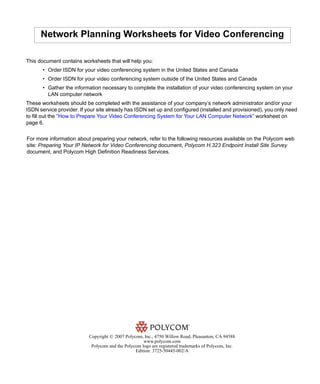
This document contains worksheets that will help you:
       • Order ISDN for your video conferencing system in the United States and Canada
       • Order ISDN for your video conferencing system outside of the United States and Canada
       • Gather the information necessary to complete the installation of your video conferencing system on your
         LAN computer network
These worksheets should be completed with the assistance of your company’s network administrator and/or your
ISDN service provider. If your site already has ISDN set up and configured (installed and provisioned), you only need
to fill out the “How to Prepare Your Video Conferencing System for Your LAN Computer Network” worksheet on
page 6.


For more information about preparing your network, refer to the following resources available on the Polycom web
site: Preparing Your IP Network for Video Conferencing document, Polycom H.323 Endpoint Install Site Survey
document, and Polycom High Definition Readiness Services.


                           Copyright © 2007 Polycom, Inc., 4750 Willow Road, Pleasanton, CA 94588
                                                     www.polycom.com
                            Polycom and the Polycom logo are registered trademarks of Polycom, Inc.
                                                 Edition: 3725-50445-002/A
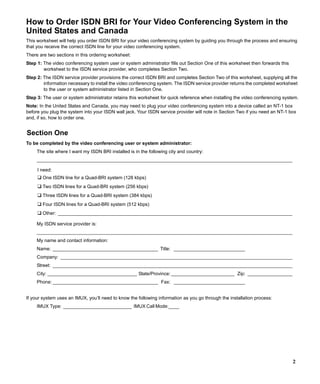
How to Order ISDN BRI for Your Video Conferencing System in the
United States and Canada
This worksheet will help you order ISDN BRI for your video conferencing system by guiding you through the process and ensuring
that you receive the correct ISDN line for your video conferencing system.
There are two sections in this ordering worksheet:
Step 1: The video conferencing system user or system administrator fills out Section One of this worksheet then forwards this
        worksheet to the ISDN service provider, who completes Section Two.
Step 2: The ISDN service provider provisions the correct ISDN BRI and completes Section Two of this worksheet, supplying all the
        information necessary to install the video conferencing system. The ISDN service provider returns the completed worksheet
        to the user or system administrator listed in Section One.
Step 3: The user or system administrator retains this worksheet for quick reference when installing the video conferencing system.
Note: In the United States and Canada, you may need to plug your video conferencing system into a device called an NT-1 box
before you plug the system into your ISDN wall jack. Your ISDN service provider will note in Section Two if you need an NT-1 box
and, if so, how to order one.


Section One
To be completed by the video conferencing user or system administrator:
     The site where I want my ISDN BRI installed is in the following city and country:
     _________________________________________________________________________________________________

     I need:
     ❑ One ISDN line for a Quad-BRI system (128 kbps)
     ❑ Two ISDN lines for a Quad-BRI system (256 kbps)
     ❑ Three ISDN lines for a Quad-BRI system (384 kbps)
     ❑ Four ISDN lines for a Quad-BRI system (512 kbps)
     ❑ Other: _________________________________________________________________________________________
     My ISDN service provider is:
     _________________________________________________________________________________________________
     My name and contact information:
     Name: ________________________________________ Title: ___________________________
     Company: ________________________________________________________________________________________
     Street: ___________________________________________________________________________________________
     City: __________________________________ State/Province: ________________________ Zip: _________________
     Phone: ________________________________________ Fax: ___________________________


If your system uses an IMUX, you’ll need to know the following information as you go through the installation process:
     IMUX Type: __________________________ IMUX Call Mode:____


                                                                                                                                2
Section Two
To be completed by the ISDN service provider:
 Please read the “ISDN BRI Service Specification” section below, then fill in the “Information Required from ISDN Service Provider”
 section. Return this information to the video conferencing user or system administrator listed in Section One on the previous page.
ISDN BRI Service Specification
 •    As defined by Bellcore, the ISDN BRI simplified ordering packages are:
     ❑ Capability Package R (circuit-switched data on two B channels, data capabilities including Calling Number Identification,
     and no voice capabilities)
     or
     ❑ Capability Package S (alternate voice/circuit-switched data on two B channels, and data and voice capabilities including
     Calling Number Identification).
 •    Both B channels must carry circuit-switched collaboration data simultaneously. One channel should support voice.
 •    The ISDN BRI service must allow collaboration calls to be dialled on either B channel or on both simultaneously.
 •    The D channel should not permit X.25 packet data.
 •    The ISDN BRI service must be configured as Terminal Type A, must support automatic Terminal Endpoint Identifiers
      (TEIs), must be tariffed and available from the customer’s local central office, and must have passed a loop-qualification
      test at the user site listed in Section One.
 •    Because the system recognizes only the last seven digits when passing the local number to the far end for a BONDING
      call, any digits preceding the last seven digits must be the same for each ISDN line connected to the system.
      Note: The ISDN service provider should not block BRI collaboration transmissions into its data network.

Information Required from ISDN Service Provider
     User needs an NT-1 box to use the ISDN BRI service? [ ] Yes          [ ] No
          If Yes, the ISDN BRI service provider [ ] can [ ] cannot supply it.
          If the ISDN BRI service provider cannot supply needed NT-1 box, then who is a recommended supplier?
           ______________ Phone: (            ) _____ -____________

     This user’s service will use which of the following ISDN BRI dialects? Check only one:
     [ ] National ISDN (NI1, NI2) [ ] 5ESS Point-to-Point [ ] 5ESS Multipoint [ ] DMS-100 [ ] ETSI
     [ ] TS-031 [ ] NTT-INS-64
     Which Network Number Type will the ISDN service use? (Not required for 5ESS.) Check only one:
     [ ] Unknown         [ ] International    [ ] National         [ ] Network Specific [ ] Subscriber
     Which Network Numbering Plan will the ISDN service use? (Not required for 5ESS.) Check only one:
     [ ] Unknown          [ ] ISDN               [ ] Data <X.21>      [ ] Telex (F.69)            [ ] National         [ ] Private
     Does the service require Service Profile Identifiers (SPIDs) in addition to the Local Numbers? Check only one:
     [ ] This user’s ISDN BRI line does not require a SPID number for installation. The table below lists the local number(s)
         assigned to the user’s line(s).
     [ ] This user’s ISDN BRI line requires the following SPIDs and local line number(s) (also called directory number, Multi-
         Subscriber Number, or MSN) for installation to the user’s line(s).

                                Local Number                  SPID               Data Enabled        Voice Enabled           Circuit ID

Line 1     B Channel 1                                                          ( ) Yes, ( ) No      ( ) Yes, ( ) No
           B Channel 2                                                          ( ) Yes, ( ) No      ( ) Yes, ( ) No
Line 2     B Channel 1                                                          ( ) Yes, ( ) No      ( ) Yes, ( ) No
           B Channel 2                                                          ( ) Yes, ( ) No      ( ) Yes, ( ) No
Line 3     B Channel 1                                                          ( ) Yes, ( ) No      ( ) Yes, ( ) No
           B Channel 2                                                          ( ) Yes, ( ) No      ( ) Yes, ( ) No
Line 4     B Channel 1                                                          ( ) Yes, ( ) No      ( ) Yes, ( ) No
           B Channel 2                                                          ( ) Yes, ( ) No      ( ) Yes, ( ) No

                                                                                                                                          3
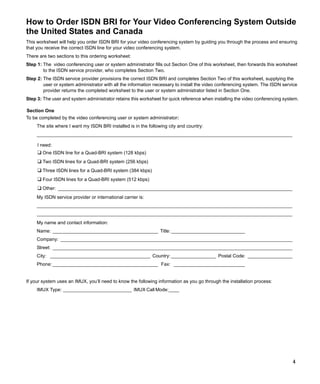
How to Order ISDN BRI for Your Video Conferencing System Outside
the United States and Canada
This worksheet will help you order ISDN BRI for your video conferencing system by guiding you through the process and ensuring
that you receive the correct ISDN line for your video conferencing system.
There are two sections to this ordering worksheet:
Step 1: The video conferencing user or system administrator fills out Section One of this worksheet, then forwards this worksheet
        to the ISDN service provider, who completes Section Two.
Step 2: The ISDN service provider provisions the correct ISDN BRI and completes Section Two of this worksheet, supplying the
        user or system administrator with all the information necessary to install the video conferencing system. The ISDN service
        provider returns the completed worksheet to the user or system administrator listed in Section One.
Step 3: The user and system administrator retains this worksheet for quick reference when installing the video conferencing system.

Section One
To be completed by the video conferencing user or system administrator:
     The site where I want my ISDN BRI installed is in the following city and country:
     _________________________________________________________________________________________________

     I need:
     ❑ One ISDN line for a Quad-BRI system (128 kbps)
     ❑ Two ISDN lines for a Quad-BRI system (256 kbps)
     ❑ Three ISDN lines for a Quad-BRI system (384 kbps)
     ❑ Four ISDN lines for a Quad-BRI system (512 kbps)
     ❑ Other: _________________________________________________________________________________________
     My ISDN service provider or international carrier is:
     _________________________________________________________________________________________________
     _________________________________________________________________________________________________
     My name and contact information:
     Name: ________________________________________ Title: ____________________________
     Company: ________________________________________________________________________________________
     Street: ___________________________________________________________________________________________
     City: ______________________________________ Country: _________________ Postal Code: _________________
     Phone: ________________________________________ Fax: ___________________________


If your system uses an IMUX, you’ll need to know the following information as you go through the installation process:
     IMUX Type: __________________________ IMUX Call Mode:____


                                                                                                                                4
Section Two
To be completed by the user’s ISDN service provider:
  Please read the “ISDN BRI Service Specification” section below, then fill in the “Information Required from ISDN Service Provider”
  section. Return this information to the video conferencing user or system administrator listed in Section One on the previous page.

ISDN BRI Service Specification
  •   Both B channels must carry circuit-switched collaboration data simultaneously. One channel should support voice.
  •   The ISDN BRI service must allow collaboration calls to be dialled on either B channel or on both simultaneously.
  •   The D channel should not permit X.25 packet data.
  •   The ISDN BRI service must be configured as Terminal Type A.
  •   The ISDN BRI service must support automatic Terminal Endpoint Identifiers (TEIs).
  •   The ISDN BRI service must be tariffed and available at the user site listed in Section One.
  •   Because the system recognizes only the last seven digits when passing the local number to the far end for a BONDING
      call, any digits preceding the last seven digits must be the same for each ISDN line connected to the system.
      Note: The ISDN service provider should not block BRI collaboration transmissions into its data network.
Information Required from ISDN Service Provider
  ISDN BRI service [ ] is [ ] is not tariffed, available, and loop-qualified at all the sites the user has listed. This user’s service will
  use which of the following ISDN BRI dialects (also known as protocol or switch types)? Check only one:
       [ ] Euro-ISDN (CTR3)               Europe and elsewhere
       [ ] INS-Net64 (NTT/KDD)            Japan
       [ ] NET3 (Taiwan Variant)          Taiwan
       [ ] VN3                            Europe (Legacy)
       [ ] 1TR6                           Europe (Legacy)
       [ ] TPH1962                        Australia/New Zealand (Legacy)
       [ ] NET1                           Belgium (Legacy)
       [ ] 5ESS Point-to-Point            United States
       [ ] 5ESS Multipoint                United States
       [ ] DMS-100                        United States
       [ ] National ISDN (NI1, NI2) United States
       [ ] TS-031                         United States

Which Network Number Type will the ISDN service use? (Not required for 5ESS.) Check only one:
      [ ] Unknown                    [ ] International
      [ ] National                   [ ] Network Specific          [ ] Subscriber

Which Network Numbering Plan will the ISDN service use? (Not required for 5ESS.) Check only one:
      [ ] Unknown                    [ ] ISDN                      [ ] Data <X.21>
      [ ] Telex (F.69)               [ ] National                  [ ] Private
  The user’s ISDN BRI line requires the following local line numbers (also known as Multi-Subscriber Numbers, MSNs, or the
  numbers other users will dial to connect to this user’s video conferencing system).

                                           Local Number                       SPID                 Data Enabled          Voice Enabled

 Line 1         B Channel 1                                                                     ( ) Yes, ( ) No        ( ) Yes, ( ) No
                B Channel 2                                                                     ( ) Yes, ( ) No        ( ) Yes, ( ) No
 Line 2         B Channel 1                                                                     ( ) Yes, ( ) No        ( ) Yes, ( ) No
                B Channel 2                                                                     ( ) Yes, ( ) No        ( ) Yes, ( ) No
 Line 3         B Channel 1                                                                     ( ) Yes, ( ) No        ( ) Yes, ( ) No
                B Channel 2                                                                     ( ) Yes, ( ) No        ( ) Yes, ( ) No
 Line 4         B Channel 1                                                                     ( ) Yes, ( ) No        ( ) Yes, ( ) No
                B Channel 2                                                                     ( ) Yes, ( ) No        ( ) Yes, ( ) No


                                                                                                                                         5
How to Prepare Your Video Conferencing System for Your
LAN Computer Network
This worksheet will help you get the information you need to install your video conferencing system on your company’s LAN
computer network.
Your system administrator, or the person who sets up the equipment on your company’s network, should complete this worksheet
before you install your video conferencing system. Once you have this information, continue with your installation and refer to this
worksheet as needed.

To be completed by the network administrator:
To use your system for LAN-based system management and LAN-based software upgrades you need to know the type of
addressing your network uses:
      [ ] DHCP (Dynamic Host Configuration Protocol) (Recommended for LAN calls)
      [ ] Fixed IP address
          IP address for the video conferencing system: _______._______._______._______
          Subnet Mask: _______._______._______._______
          LAN Gateway: _______._______._______._______
Check the type of configuration the system uses. Check only one:
      [ ] DNS Server Configuration                                    [ ] WINS Server Configuration
      Host: ________________ Domain:_____________________ Primary WINS: _______._______._______.______
      Primary DNS: _______._______._______.________________ Secondary WINS: _____._______._______.______
                                                 _
      Secondary DNS: _______._______._______._______
To ready your system for LAN-based collaboration you also need to know:
      Gatekeeper DNS name or IP address (if necessary): _______________________________________________________
      Alias for the video conferencing system: _________________________________________________________________
      Extension (Terminal ID or E.164 number) for the video conferencing system: ____________________________________
SNMP Information (if necessary)
      If you intend to ready your system for remote management via Simple Network Management Protocol (SNMP), you also need
      to know:
      IP address for the network management station: _______._______._______._______
      SNMP community string: _____________________________________________________________________________
Dialling Directory Information (if necessary)
      If you intend to use central dialling directories with your video conferencing system(s), you need to know:
      Central Directory (LDAP) Server URL or IP address: _______________________________________________________
      Port number (default is 389): ___________________________
      Directory service root: ________________________________ Server type: ________________________
      Account password (if you want to auto-publish the account name): ____________________________________________
SIP
      For systems using SIP as the signalling protocol, you need to know:
      Transport Protocol: [ ] UDP         [ ] TCP
      User Name: ____________________________                User Password: ____________________________
      SIP Registrar Server: ________________________ SIP Proxy Server: ___________________________


                                                                                                                                  6

Network Planning Worksheets for Video Conferencing

  • 1.
    Network Planning Worksheetsfor Video Conferencing This document contains worksheets that will help you: • Order ISDN for your video conferencing system in the United States and Canada • Order ISDN for your video conferencing system outside of the United States and Canada • Gather the information necessary to complete the installation of your video conferencing system on your LAN computer network These worksheets should be completed with the assistance of your company’s network administrator and/or your ISDN service provider. If your site already has ISDN set up and configured (installed and provisioned), you only need to fill out the “How to Prepare Your Video Conferencing System for Your LAN Computer Network” worksheet on page 6. For more information about preparing your network, refer to the following resources available on the Polycom web site: Preparing Your IP Network for Video Conferencing document, Polycom H.323 Endpoint Install Site Survey document, and Polycom High Definition Readiness Services. Copyright © 2007 Polycom, Inc., 4750 Willow Road, Pleasanton, CA 94588 www.polycom.com Polycom and the Polycom logo are registered trademarks of Polycom, Inc. Edition: 3725-50445-002/A
  • 2.
    How to OrderISDN BRI for Your Video Conferencing System in the United States and Canada This worksheet will help you order ISDN BRI for your video conferencing system by guiding you through the process and ensuring that you receive the correct ISDN line for your video conferencing system. There are two sections in this ordering worksheet: Step 1: The video conferencing system user or system administrator fills out Section One of this worksheet then forwards this worksheet to the ISDN service provider, who completes Section Two. Step 2: The ISDN service provider provisions the correct ISDN BRI and completes Section Two of this worksheet, supplying all the information necessary to install the video conferencing system. The ISDN service provider returns the completed worksheet to the user or system administrator listed in Section One. Step 3: The user or system administrator retains this worksheet for quick reference when installing the video conferencing system. Note: In the United States and Canada, you may need to plug your video conferencing system into a device called an NT-1 box before you plug the system into your ISDN wall jack. Your ISDN service provider will note in Section Two if you need an NT-1 box and, if so, how to order one. Section One To be completed by the video conferencing user or system administrator: The site where I want my ISDN BRI installed is in the following city and country: _________________________________________________________________________________________________ I need: ❑ One ISDN line for a Quad-BRI system (128 kbps) ❑ Two ISDN lines for a Quad-BRI system (256 kbps) ❑ Three ISDN lines for a Quad-BRI system (384 kbps) ❑ Four ISDN lines for a Quad-BRI system (512 kbps) ❑ Other: _________________________________________________________________________________________ My ISDN service provider is: _________________________________________________________________________________________________ My name and contact information: Name: ________________________________________ Title: ___________________________ Company: ________________________________________________________________________________________ Street: ___________________________________________________________________________________________ City: __________________________________ State/Province: ________________________ Zip: _________________ Phone: ________________________________________ Fax: ___________________________ If your system uses an IMUX, you’ll need to know the following information as you go through the installation process: IMUX Type: __________________________ IMUX Call Mode:____ 2
  • 3.
    Section Two To becompleted by the ISDN service provider: Please read the “ISDN BRI Service Specification” section below, then fill in the “Information Required from ISDN Service Provider” section. Return this information to the video conferencing user or system administrator listed in Section One on the previous page. ISDN BRI Service Specification • As defined by Bellcore, the ISDN BRI simplified ordering packages are: ❑ Capability Package R (circuit-switched data on two B channels, data capabilities including Calling Number Identification, and no voice capabilities) or ❑ Capability Package S (alternate voice/circuit-switched data on two B channels, and data and voice capabilities including Calling Number Identification). • Both B channels must carry circuit-switched collaboration data simultaneously. One channel should support voice. • The ISDN BRI service must allow collaboration calls to be dialled on either B channel or on both simultaneously. • The D channel should not permit X.25 packet data. • The ISDN BRI service must be configured as Terminal Type A, must support automatic Terminal Endpoint Identifiers (TEIs), must be tariffed and available from the customer’s local central office, and must have passed a loop-qualification test at the user site listed in Section One. • Because the system recognizes only the last seven digits when passing the local number to the far end for a BONDING call, any digits preceding the last seven digits must be the same for each ISDN line connected to the system. Note: The ISDN service provider should not block BRI collaboration transmissions into its data network. Information Required from ISDN Service Provider User needs an NT-1 box to use the ISDN BRI service? [ ] Yes [ ] No If Yes, the ISDN BRI service provider [ ] can [ ] cannot supply it. If the ISDN BRI service provider cannot supply needed NT-1 box, then who is a recommended supplier? ______________ Phone: ( ) _____ -____________ This user’s service will use which of the following ISDN BRI dialects? Check only one: [ ] National ISDN (NI1, NI2) [ ] 5ESS Point-to-Point [ ] 5ESS Multipoint [ ] DMS-100 [ ] ETSI [ ] TS-031 [ ] NTT-INS-64 Which Network Number Type will the ISDN service use? (Not required for 5ESS.) Check only one: [ ] Unknown [ ] International [ ] National [ ] Network Specific [ ] Subscriber Which Network Numbering Plan will the ISDN service use? (Not required for 5ESS.) Check only one: [ ] Unknown [ ] ISDN [ ] Data <X.21> [ ] Telex (F.69) [ ] National [ ] Private Does the service require Service Profile Identifiers (SPIDs) in addition to the Local Numbers? Check only one: [ ] This user’s ISDN BRI line does not require a SPID number for installation. The table below lists the local number(s) assigned to the user’s line(s). [ ] This user’s ISDN BRI line requires the following SPIDs and local line number(s) (also called directory number, Multi- Subscriber Number, or MSN) for installation to the user’s line(s). Local Number SPID Data Enabled Voice Enabled Circuit ID Line 1 B Channel 1 ( ) Yes, ( ) No ( ) Yes, ( ) No B Channel 2 ( ) Yes, ( ) No ( ) Yes, ( ) No Line 2 B Channel 1 ( ) Yes, ( ) No ( ) Yes, ( ) No B Channel 2 ( ) Yes, ( ) No ( ) Yes, ( ) No Line 3 B Channel 1 ( ) Yes, ( ) No ( ) Yes, ( ) No B Channel 2 ( ) Yes, ( ) No ( ) Yes, ( ) No Line 4 B Channel 1 ( ) Yes, ( ) No ( ) Yes, ( ) No B Channel 2 ( ) Yes, ( ) No ( ) Yes, ( ) No 3
  • 4.
    How to OrderISDN BRI for Your Video Conferencing System Outside the United States and Canada This worksheet will help you order ISDN BRI for your video conferencing system by guiding you through the process and ensuring that you receive the correct ISDN line for your video conferencing system. There are two sections to this ordering worksheet: Step 1: The video conferencing user or system administrator fills out Section One of this worksheet, then forwards this worksheet to the ISDN service provider, who completes Section Two. Step 2: The ISDN service provider provisions the correct ISDN BRI and completes Section Two of this worksheet, supplying the user or system administrator with all the information necessary to install the video conferencing system. The ISDN service provider returns the completed worksheet to the user or system administrator listed in Section One. Step 3: The user and system administrator retains this worksheet for quick reference when installing the video conferencing system. Section One To be completed by the video conferencing user or system administrator: The site where I want my ISDN BRI installed is in the following city and country: _________________________________________________________________________________________________ I need: ❑ One ISDN line for a Quad-BRI system (128 kbps) ❑ Two ISDN lines for a Quad-BRI system (256 kbps) ❑ Three ISDN lines for a Quad-BRI system (384 kbps) ❑ Four ISDN lines for a Quad-BRI system (512 kbps) ❑ Other: _________________________________________________________________________________________ My ISDN service provider or international carrier is: _________________________________________________________________________________________________ _________________________________________________________________________________________________ My name and contact information: Name: ________________________________________ Title: ____________________________ Company: ________________________________________________________________________________________ Street: ___________________________________________________________________________________________ City: ______________________________________ Country: _________________ Postal Code: _________________ Phone: ________________________________________ Fax: ___________________________ If your system uses an IMUX, you’ll need to know the following information as you go through the installation process: IMUX Type: __________________________ IMUX Call Mode:____ 4
  • 5.
    Section Two To becompleted by the user’s ISDN service provider: Please read the “ISDN BRI Service Specification” section below, then fill in the “Information Required from ISDN Service Provider” section. Return this information to the video conferencing user or system administrator listed in Section One on the previous page. ISDN BRI Service Specification • Both B channels must carry circuit-switched collaboration data simultaneously. One channel should support voice. • The ISDN BRI service must allow collaboration calls to be dialled on either B channel or on both simultaneously. • The D channel should not permit X.25 packet data. • The ISDN BRI service must be configured as Terminal Type A. • The ISDN BRI service must support automatic Terminal Endpoint Identifiers (TEIs). • The ISDN BRI service must be tariffed and available at the user site listed in Section One. • Because the system recognizes only the last seven digits when passing the local number to the far end for a BONDING call, any digits preceding the last seven digits must be the same for each ISDN line connected to the system. Note: The ISDN service provider should not block BRI collaboration transmissions into its data network. Information Required from ISDN Service Provider ISDN BRI service [ ] is [ ] is not tariffed, available, and loop-qualified at all the sites the user has listed. This user’s service will use which of the following ISDN BRI dialects (also known as protocol or switch types)? Check only one: [ ] Euro-ISDN (CTR3) Europe and elsewhere [ ] INS-Net64 (NTT/KDD) Japan [ ] NET3 (Taiwan Variant) Taiwan [ ] VN3 Europe (Legacy) [ ] 1TR6 Europe (Legacy) [ ] TPH1962 Australia/New Zealand (Legacy) [ ] NET1 Belgium (Legacy) [ ] 5ESS Point-to-Point United States [ ] 5ESS Multipoint United States [ ] DMS-100 United States [ ] National ISDN (NI1, NI2) United States [ ] TS-031 United States Which Network Number Type will the ISDN service use? (Not required for 5ESS.) Check only one: [ ] Unknown [ ] International [ ] National [ ] Network Specific [ ] Subscriber Which Network Numbering Plan will the ISDN service use? (Not required for 5ESS.) Check only one: [ ] Unknown [ ] ISDN [ ] Data <X.21> [ ] Telex (F.69) [ ] National [ ] Private The user’s ISDN BRI line requires the following local line numbers (also known as Multi-Subscriber Numbers, MSNs, or the numbers other users will dial to connect to this user’s video conferencing system). Local Number SPID Data Enabled Voice Enabled Line 1 B Channel 1 ( ) Yes, ( ) No ( ) Yes, ( ) No B Channel 2 ( ) Yes, ( ) No ( ) Yes, ( ) No Line 2 B Channel 1 ( ) Yes, ( ) No ( ) Yes, ( ) No B Channel 2 ( ) Yes, ( ) No ( ) Yes, ( ) No Line 3 B Channel 1 ( ) Yes, ( ) No ( ) Yes, ( ) No B Channel 2 ( ) Yes, ( ) No ( ) Yes, ( ) No Line 4 B Channel 1 ( ) Yes, ( ) No ( ) Yes, ( ) No B Channel 2 ( ) Yes, ( ) No ( ) Yes, ( ) No 5
  • 6.
    How to PrepareYour Video Conferencing System for Your LAN Computer Network This worksheet will help you get the information you need to install your video conferencing system on your company’s LAN computer network. Your system administrator, or the person who sets up the equipment on your company’s network, should complete this worksheet before you install your video conferencing system. Once you have this information, continue with your installation and refer to this worksheet as needed. To be completed by the network administrator: To use your system for LAN-based system management and LAN-based software upgrades you need to know the type of addressing your network uses: [ ] DHCP (Dynamic Host Configuration Protocol) (Recommended for LAN calls) [ ] Fixed IP address IP address for the video conferencing system: _______._______._______._______ Subnet Mask: _______._______._______._______ LAN Gateway: _______._______._______._______ Check the type of configuration the system uses. Check only one: [ ] DNS Server Configuration [ ] WINS Server Configuration Host: ________________ Domain:_____________________ Primary WINS: _______._______._______.______ Primary DNS: _______._______._______.________________ Secondary WINS: _____._______._______.______ _ Secondary DNS: _______._______._______._______ To ready your system for LAN-based collaboration you also need to know: Gatekeeper DNS name or IP address (if necessary): _______________________________________________________ Alias for the video conferencing system: _________________________________________________________________ Extension (Terminal ID or E.164 number) for the video conferencing system: ____________________________________ SNMP Information (if necessary) If you intend to ready your system for remote management via Simple Network Management Protocol (SNMP), you also need to know: IP address for the network management station: _______._______._______._______ SNMP community string: _____________________________________________________________________________ Dialling Directory Information (if necessary) If you intend to use central dialling directories with your video conferencing system(s), you need to know: Central Directory (LDAP) Server URL or IP address: _______________________________________________________ Port number (default is 389): ___________________________ Directory service root: ________________________________ Server type: ________________________ Account password (if you want to auto-publish the account name): ____________________________________________ SIP For systems using SIP as the signalling protocol, you need to know: Transport Protocol: [ ] UDP [ ] TCP User Name: ____________________________ User Password: ____________________________ SIP Registrar Server: ________________________ SIP Proxy Server: ___________________________ 6