Nessus v6 Command Line Reference
November 26, 2014
(Revision 2)
Copyright © 2014. Tenable Network Security, Inc. All rights reserved. Tenable Network Security and Nessus are registered trademarks of Tenable Network Security, Inc.
2
Table of Contents
Introduction.........................................................................................................................................3
Standards and Conventions...........................................................................................................................3
Nessus Command Line ......................................................................................................................3
Overview and Basic Usage............................................................................................................................3
Nessus Command Line Help Commands ......................................................................................................4
Nessus Command Line Fix Commands.........................................................................................................5
Resetting Registration and Erase Settings.................................................................................................5
View the Current Network Interfaces..........................................................................................................5
Managing Advanced Settings ....................................................................................................................6
Configuring Proxy Settings.........................................................................................................................7
Nessus Command Line Certificate Commands..............................................................................................8
Creating a Nessus Server Digital Certificate ..............................................................................................8
Creating a Nessus Client-Side Digital Certificate........................................................................................9
Nessus Command Line User Management Commands ................................................................................9
Listing Nessus Users ............................................................................................................................... 10
Changing a Nessus User’s Password ...................................................................................................... 10
Add a Nessus User.................................................................................................................................. 10
Removing a Nessus User ........................................................................................................................ 11
Nessus Command Update Commands........................................................................................................ 11
Running the Default Update..................................................................................................................... 11
Forcing the Plugin and Core Components Update ................................................................................... 11
Updating the Plugins Only........................................................................................................................ 12
Updating a Specific Plugin Archive .......................................................................................................... 12
Nessus Command Line Fetch Commands................................................................................................... 12
Registering a Scanner Online .................................................................................................................. 12
Registering a Scanner with SecurityCenter.............................................................................................. 13
Registering a Scanner Offline .................................................................................................................. 13
Confirming Nessus Registration Codes.................................................................................................... 15
Nessus Command Line Bug Reporting Commands..................................................................................... 15
For Further Information....................................................................................................................16
About Tenable Network Security.....................................................................................................18
Copyright © 2014. Tenable Network Security, Inc. All rights reserved. Tenable Network Security and Nessus are registered trademarks of Tenable Network Security, Inc.
3
Introduction
This document describes the command line tools of Tenable Network Security’s Nessus 6 vulnerability scanner. Please
email any comments and suggestions to support@tenable.com.
Tenable Network Security, Inc. is the author and maintainer of the Nessus vulnerability scanner. In addition to constantly
improving the Nessus engine, Tenable writes most of the plugins available to the scanner, as well as compliance checks
and a wide variety of audit policies.
Prerequisites, deployment options, and a walk-through of an installation are described in this document. A basic
understanding of Unix and vulnerability scanning is assumed.
Standards and Conventions
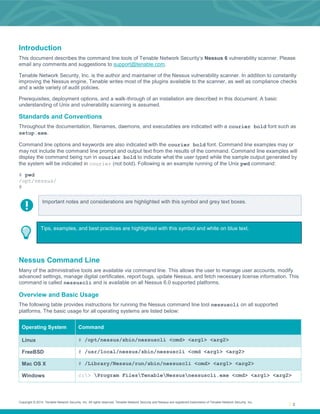
Throughout the documentation, filenames, daemons, and executables are indicated with a courier bold font such as
setup.exe.
Command line options and keywords are also indicated with the courier bold font. Command line examples may or
may not include the command line prompt and output text from the results of the command. Command line examples will
display the command being run in courier bold to indicate what the user typed while the sample output generated by
the system will be indicated in courier (not bold). Following is an example running of the Unix pwd command:
# pwd
/opt/nessus/
#
Important notes and considerations are highlighted with this symbol and grey text boxes.
Tips, examples, and best practices are highlighted with this symbol and white on blue text.
Nessus Command Line
Many of the administrative tools are available via command line. This allows the user to manage user accounts, modify
advanced settings, manage digital certificates, report bugs, update Nessus, and fetch necessary license information. This
command is called nessuscli and is available on all Nessus 6.0 supported platforms.
Overview and Basic Usage
The following table provides instructions for running the Nessus command line tool nessuscli on all supported
platforms. The basic usage for all operating systems are listed below:
Operating System Command
Linux # /opt/nessus/sbin/nessuscli <cmd> <arg1> <arg2>
FreeBSD # /usr/local/nessus/sbin/nessuscli <cmd <arg1> <arg2>
Mac OS X # /Library/Nessus/run/sbin/nessuscli <cmd> <arg1> <arg2>
Windows c:> Program FilesTenableNessusnessuscli.exe <cmd> <arg1> <arg2>
Copyright © 2014. Tenable Network Security, Inc. All rights reserved. Tenable Network Security and Nessus are registered trademarks of Tenable Network Security, Inc.
4
Note that the examples below at this point will be in the standard Linux format. Please adjust for your
operating system accordingly.
Nessus Command Line Help Commands
To display the command line usage for nessuscli, type the following:
Windows:
C:Program FilesTenableNessus>nessuscli help
Unix and Mac OS X (modify path for your installation):
# /opt/nessus/sbin/nessuscli help
The output will display as follows:
Usage: nessuscli command [options]
Usage: nessuscli command help
Fix Commands:
- fix [--secure] --list
- fix [--secure] --set <name=value>
- fix [--secure] --get <name>
- fix [--secure] --delete <name>
- fix --list-interfaces
- fix --reset
Software Update Commands:
- update
- update --all
- update --plugins-only
- update <plugin archive>
Certificate Commands:
- mkcert-client
- mkcert
- mkcert -q
User Commands:
- rmuser [username]
- chpasswd [username]
- adduser [username]
- lsuser
Bug Reporting Commands:
- bug-report-generator
- bug-report-generator --quiet [--full] [--scrub]
Fetch Commands:
- fetch --register <serial>
- fetch --register-offline [<file.rc>]
- fetch --check
- fetch --code-in-use
- fetch --challenge
- fetch --security-center
Copyright © 2014. Tenable Network Security, Inc. All rights reserved. Tenable Network Security and Nessus are registered trademarks of Tenable Network Security, Inc.
5
If you want to see help for a specific command, the syntax is:
# nessuscli <cmd> help
An example of this help usage is:
# /opt/nessus/sbin/nessuscli bug-report-generator help
Usage: nessuscli bug-report-generator
Usage: nessuscli bug-report-generator --quiet [--full] [--scrub]
Generate an archive of system diagnostics.
Running without arguments will prompt for values.
Running with --quiet will not prompt for values.
The defaults in quiet mode are normal mode and no IPv4 subnet sanitization.
--full and --scrub can be used to enable full mode and IPv4 subnet sanitization,
respectively, in quiet mode.
Nessus Command Line Fix Commands
The nessuscli fix allows you to change the Nessus server settings from the command line. This includes managing
advanced settings, resetting registration information, and listing network interfaces on the system.
Resetting Registration and Erase Settings
To reset the registration information, shut down the nessusd service first. Next, run the nessuscli fix --reset
command. You will be prompted for confirmation.
If you have not shut down the nessusd service, the nessuscli fix --reset command will exit.
# /sbin/service nessusd stop
# /opt/nessus/sbin/nessuscli fix --reset
Resetting Nessus configuration will permanently erase all your settings and cause
Nessus to become unregistered.
Do you want to proceed? (y/n) [n]: y
Successfully reset Nessus configuration.
View the Current Network Interfaces
To view the network interfaces, run the nessuscli fix --list-interfaces command. This will include all IPv4 and
IPv6 interfaces.
# /opt/nessus/sbin/nessuscli fix --list-interfaces
Adapter# 0
Name............ lo
Real name ...... lo
IP address ..... 127.0.0.1
Network ........ 127.0.0.0
Netmask ........ 255.0.0.0
Adapter# 1
Name............ eth1
Real name ...... eth1
IP address ..... 172.26.32.243
Network ........ 172.26.32.0
Copyright © 2014. Tenable Network Security, Inc. All rights reserved. Tenable Network Security and Nessus are registered trademarks of Tenable Network Security, Inc.
6
Netmask ........ 255.255.252.0
Adapter# 0
Name............ lo
Real name ...... lo
IPv6 address ... ::1
IPv6 network ... ::1
IPv6 netmask ... ffff:ffff:ffff:ffff:ffff:ffff:ffff:ffff
Adapter# 1
Name............ eth1
Real name ...... eth1
IPv6 address ... fe80::250:56ff:fe10:76d
IPv6 network ... fe80::
IPv6 netmask ... ffff:ffff:ffff:ffff::
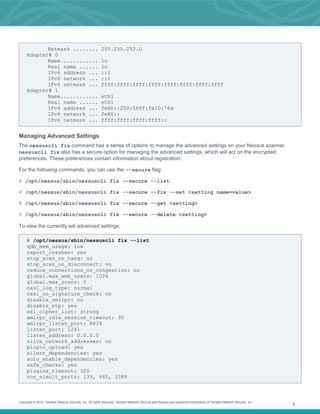
Managing Advanced Settings
The nessuscli fix command has a series of options to manage the advanced settings on your Nessus scanner.
nessuscli fix also has a secure option for managing the advanced settings, which will act on the encrypted
preferences. These preferences contain information about registration.
For the following commands, you can use the --secure flag:
# /opt/nessus/sbin/nessuscli fix --secure --list
# /opt/nessus/sbin/nessuscli fix --secure --fix --set <setting name=value>
# /opt/nessus/sbin/nessuscli fix --secure --get <setting>
# /opt/nessus/sbin/nessuscli fix --secure --delete <setting>
To view the currently set advanced settings:
# /opt/nessus/sbin/nessuscli fix --list
qdb_mem_usage: low
report_crashes: yes
stop_scan_on_hang: no
stop_scan_on_disconnect: no
reduce_connections_on_congestion: no
global.max_web_users: 1024
global.max_scans: 0
nasl_log_type: normal
nasl_no_signature_check: no
disable_xmlrpc: no
disable_ntp: yes
ssl_cipher_list: strong
xmlrpc_idle_session_timeout: 30
xmlrpc_listen_port: 8834
listen_port: 1241
listen_address: 0.0.0.0
slice_network_addresses: no
plugin_upload: yes
silent_dependencies: yes
auto_enable_dependencies: yes
safe_checks: yes
plugins_timeout: 320
non_simult_ports: 139, 445, 3389
Copyright © 2014. Tenable Network Security, Inc. All rights reserved. Tenable Network Security and Nessus are registered trademarks of Tenable Network Security, Inc.
7
checks_read_timeout: 5
allow_post_scan_editing: yes
optimize_test: yes
port_range: default
cgi_path: /cgi-bin:/scripts
rules: /Library/Nessus/run/etc/nessus/nessusd.rules
dumpfile: /Library/Nessus/run/var/nessus/logs/nessusd.dump
log_whole_attack: no
www_logfile: /Library/Nessus/run/var/nessus/logs/www_server.log
logfile: /Library/Nessus/run/var/nessus/logs/nessusd.messages
throttle_scan: yes
max_checks: 5
global.max_hosts: 2180
max_hosts: 100
purge_plugin_db: no
auto_update_delay: 24
auto_update: yes
To get a specific value from the set advanced settings:
# /opt/nessus/sbin/nessuscli fix --get <setting>
Example:
# /opt/nessus/sbin/nessuscli fix --get max_hosts
The current value for 'max_hosts' is '100'.
To delete a specific value from the set advanced settings:
# /opt/nessus/sbin/nessuscli fix --delete <setting>
Example:
# /opt/nessus/sbin/nessuscli fix --delete max_hosts
Successfully deleted 'max_hosts'.
To set a specific value from the set advanced settings:
# /opt/nessus/sbin/nessuscli fix --set <setting=value>
Example:
# /opt/nessus/sbin/nessuscli fix --set max_hosts=200
Successfully set 'max_hosts' to '200'.
Configuring Proxy Settings
Nessus can be configured to use a proxy for plugin updates, as many companies maintain a proxy for security and
logging. The four proxy related settings can be manipulated via the nessuscli tool.
Example:
# nessuscli fix --secure --set proxy=[ip/hostname]
Copyright © 2014. Tenable Network Security, Inc. All rights reserved. Tenable Network Security and Nessus are registered trademarks of Tenable Network Security, Inc.
8
# nessuscli fix --secure --set proxy_port=[port]
# nessuscli fix --secure --set proxy_userame=[user]
# nessuscli fix --secure --set proxy_password=[password]
Nessus Command Line Certificate Commands
The nessuscli mkcert commands offer the ability to create Nessus-supported self-signed digital certificates from the
command line.
Creating a Nessus Server Digital Certificate
To create a Nessus server digital certificate, run the commands and follow the prompts. Note that the defaults are in
brackets.
# /opt/nessus/sbin/nessuscli mkcert
-------------------------------------------------------------------------------
Creation of the Nessus SSL Certificate
-------------------------------------------------------------------------------
This script will now ask you for information to create the SSL certificate
for Nessus. Note that this information will *NOT* be sent to anybody
(everything stays local), but anyone with the ability to connect to
your Nessus daemon will be able to retrieve this information.
CA certificate life time in days [1460]: 1460
Server certificate life time in days [365]: 365
Your two letter country code [US]: US
Your state or province name [NY]: MD
Your city [New York]: Columbia
Your organization [Nessus Users United]: Tenable Network Security
This host name [localhost]: nessus-server
--- Confirmation ---
CA certificate life time in days: 1460
Server certificate life time in days: 365
Country: US
State or province: MD
City: Columbia
Organization: Tenable Network Security
This host name: nessus-server
Is this ok? (y/n) [n]: y
Congratulations. Your server certificate was properly created.
The following files were created :
Certification authority :
Certificate = /opt/nessus/com/nessus/CA/cacert.pem
Private key = /opt/nessus/var/nessus/CA/cakey.pem
Nessus Server :
Certificate = /opt/nessus/com/nessus/CA/servercert.pem
Private key = /opt/nessus/var/nessus/CA/serverkey.pem
For more details on configuring Nessus with custom SSL certificates, see the Nessus 6 User Guide.
Copyright © 2014. Tenable Network Security, Inc. All rights reserved. Tenable Network Security and Nessus are registered trademarks of Tenable Network Security, Inc.
9
Creating a Nessus Client-Side Digital Certificate
To create a Nessus client digital certificate, run the commands and follow the prompts. Note that the defaults are in
brackets.
# /opt/nessus/sbin/nessuscli nessuscli mkcert-client
-------------------------------------------------------------------------------
Creation of the Nessus SSL Client Certificates
-------------------------------------------------------------------------------
This script will now ask you for information to create SSL client certificates.
Nessus username for user: admin
admin already exists. Do you want to overwrite their credentials? (y/n) [n]: y
Client certificate life time in days [365]:
Two letter country code [US]: US
State or province name [NY]: MD
City [New York]: Columbia
Organization [Nessus Users United]: Tenable Network Security
Organizational unit [nessus-users]: nessus-admins
Email [none@none.com]: nessus-admin@example.org
--- Confirmation ---
Username: admin
Client certificate life time in days: 365
Country: US
State or province: MD
City: Columbia
Organization: Tenable Network Security
Organizational unit: nessus-admins
Email: nessus-admin@example.org
Is this ok? (y/n) [n]: y
Congratulations. Your client certificate was properly created.
The following files were created :
Nessus Client :
Certificate = /Library/Nessus/run/var/nessus/tmp/cert_admin.pem
Private key = /Library/Nessus/run/var/nessus/tmp/key_admin.pem
The certificate was successfully set for admin.
Create another cert? (y/n) [y]: n
If the user already has credentials, such as a password, this will overwrite any previous credentials and expect
the digital certificate instead. Also, updating the password of the account will remove the client certificate for
authentication.
Nessus Command Line User Management Commands
The nessuscli commands offer the ability to manage Nessus users from the command line. This includes listing the
users, changing a user’s password, adding a user, and removing a user.
Copyright © 2014. Tenable Network Security, Inc. All rights reserved. Tenable Network Security and Nessus are registered trademarks of Tenable Network Security, Inc.
10
Listing Nessus Users
To list Nessus users, run the following command:
# /opt/nessus/sbin/nessuscli lsuser
admin
auditor
windowsadmin
linuxadmin
Changing a Nessus User’s Password
To change a Nessus user’s password, run the following command:
# /opt/nessus/sbin/nessuscli chpasswd
Login to change: auditor
New password:
New password (again):
Password changed for auditor
Note that you will need to enter the same new password twice, but it will not be echoed on the screen.
Add a Nessus User
To add a new Nessus user, run the following command:
# /opt/nessus/sbin/nessuscli adduser
Login: auditor
Login password:
Login password (again):
Do you want this user to be a Nessus 'system administrator' user (can upload plugins,
etc.)? (y/n) [n]: n
User rules
----------
nessusd has a rules system which allows you to restrict the hosts
that auditor has the right to test. For instance, you may want
him to be able to scan his own host only.
192.168.0.0/24
Please see the nessus-adduser manual for the rules syntax
Enter the rules for this user, and enter a BLANK LINE once you are done :
(the user can have an empty rules set)
Login : auditor
Password : ***********
Is that ok? (y/n) [n]: y
User added
Copyright © 2014. Tenable Network Security, Inc. All rights reserved. Tenable Network Security and Nessus are registered trademarks of Tenable Network Security, Inc.
11
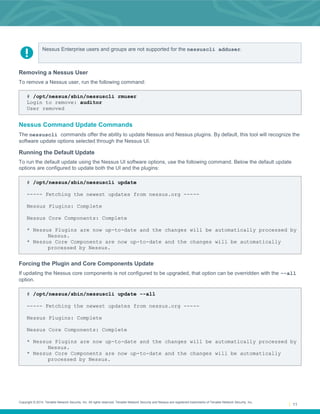
Nessus Enterprise users and groups are not supported for the nessuscli adduser.
Removing a Nessus User
To remove a Nessus user, run the following command:
# /opt/nessus/sbin/nessuscli rmuser
Login to remove: auditor
User removed
Nessus Command Update Commands
The nessuscli commands offer the ability to update Nessus and Nessus plugins. By default, this tool will recognize the
software update options selected through the Nessus UI.
Running the Default Update
To run the default update using the Nessus UI software options, use the following command. Below the default update
options are configured to update both the UI and the plugins:
# /opt/nessus/sbin/nessuscli update
----- Fetching the newest updates from nessus.org -----
Nessus Plugins: Complete
Nessus Core Components: Complete
* Nessus Plugins are now up-to-date and the changes will be automatically processed by
Nessus.
* Nessus Core Components are now up-to-date and the changes will be automatically
processed by Nessus.
Forcing the Plugin and Core Components Update
If updating the Nessus core components is not configured to be upgraded, that option can be overridden with the --all
option.
# /opt/nessus/sbin/nessuscli update --all
----- Fetching the newest updates from nessus.org -----
Nessus Plugins: Complete
Nessus Core Components: Complete
* Nessus Plugins are now up-to-date and the changes will be automatically processed by
Nessus.
* Nessus Core Components are now up-to-date and the changes will be automatically
processed by Nessus.
Copyright © 2014. Tenable Network Security, Inc. All rights reserved. Tenable Network Security and Nessus are registered trademarks of Tenable Network Security, Inc.
12
Updating the Plugins Only
To force the nessuscli to update the plugins only, use the --plugins-only option:
# /opt/nessus/sbin/nessuscli update --plugins-only
----- Fetching the newest updates from nessus.org -----
Nessus Plugins: Complete
* Nessus Plugins are now up-to-date and the changes will be automatically processed
by Nessus.
Updating a Specific Plugin Archive
If you wish to supply a plugin archive (e.g., for offline updates or supplying custom plugins), add the archive name after
the update command:
# /opt/nessus/sbin/nessuscli update all-2.0.tar.gz
* Update successful. The changes will be automatically processed by Nessus.
Nessus Command Line Fetch Commands
The nessuscli commands offer the ability to manage Nessus registration from the command line. For online registration
the commands include registering the scanner, confirming that Nessus has a valid registration code, and registering with
SecurityCenter. For offline registration, the commands include registering the scanner and providing the challenge code.
The nessuscli commands can also check that Nessus is properly configured with a valid registration code and can
display the current activation code in use.
Registering a Scanner Online
To register a Nessus scanner, run the following command:
# /opt/nessus/sbin/nessuscli fetch --register <serial>
Example:
# /opt/nessus/sbin/nessuscli fetch --register xxxx-xxxx-xxxx-xxxx
If the registration code is already in use, the following will be displayed:
# /opt/nessus/sbin/nessuscli fetch --register xxxx-xxxx-xxxx-xxxx
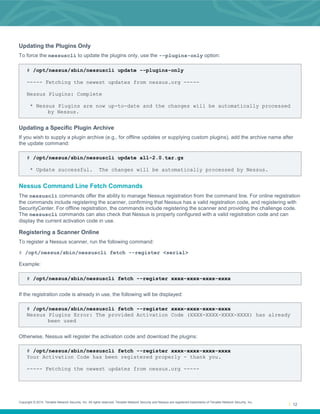
Nessus Plugins Error: The provided Activation Code (XXXX-XXXX-XXXX-XXXX) has already
been used
Otherwise, Nessus will register the activation code and download the plugins:
# /opt/nessus/sbin/nessuscli fetch --register xxxx-xxxx-xxxx-xxxx
Your Activation Code has been registered properly - thank you.
----- Fetching the newest updates from nessus.org -----
Copyright © 2014. Tenable Network Security, Inc. All rights reserved. Tenable Network Security and Nessus are registered trademarks of Tenable Network Security, Inc.
13
Nessus Plugins: Downloading (0%)
Nessus Plugins: Downloading (1%)
Nessus Plugins: Downloading (2%)
…
Nessus Plugins: Downloading (99%)
Nessus Plugins: Unpacking (0%)
Nessus Plugins: Unpacking (4%)
…
Nessus Plugins: Unpacking (90%)
Nessus Plugins: Complete
Nessus Core Components: Downloading (0%)
Nessus Core Components: Downloading (8%)
…
Nessus Core Components: Downloading (98%)
Nessus Core Components: Complete
* Nessus Plugins are now up-to-date and the changes will be automatically processed
by Nessus.
* Nessus Core Components are now up-to-date and the changes will be automatically
processed by Nessus.
Challenge code: 9a123bc1234de123456ab789cdeabc04defabc12ad2
You can copy the challenge code above and paste it alongside your
Activation Code at:
https://plugins.nessus.org/offline.php
Registering a Scanner with SecurityCenter
To register a Nessus scanner with SecurityCenter, run the following command:
# /opt/nessus/sbin/nessuscli fetch --security-center
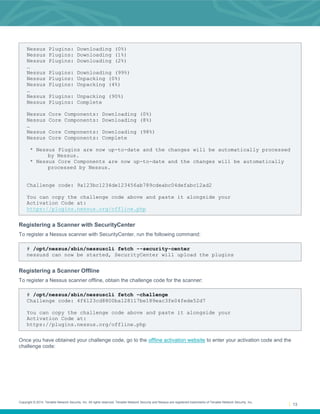
nessusd can now be started, SecurityCenter will upload the plugins
Registering a Scanner Offline
To register a Nessus scanner offline, obtain the challenge code for the scanner:
# /opt/nessus/sbin/nessuscli fetch –challenge
Challenge code: 4f6123cd8800ba128117be189eac3fe04fede52d7
You can copy the challenge code above and paste it alongside your
Activation Code at:
https://plugins.nessus.org/offline.php
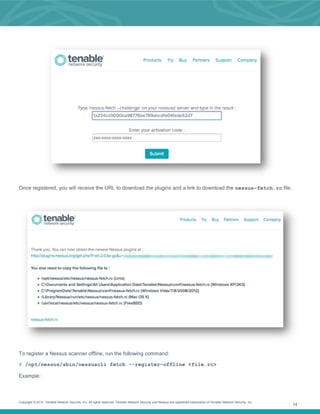
Once you have obtained your challenge code, go to the offline activation website to enter your activation code and the
challenge code:
Copyright © 2014. Tenable Network Security, Inc. All rights reserved. Tenable Network Security and Nessus are registered trademarks of Tenable Network Security, Inc.
14
Once registered, you will receive the URL to download the plugins and a link to download the nessus-fetch.rc file.
To register a Nessus scanner offline, run the following command:
# /opt/nessus/sbin/nessuscli fetch --register-offline <file.rc>
Example:
Copyright © 2014. Tenable Network Security, Inc. All rights reserved. Tenable Network Security and Nessus are registered trademarks of Tenable Network Security, Inc.
15
# /opt/nessus/sbin/nessuscli fetch --register-offline nessus-fetch.rc
Nessus has been registered properly - thank you.
Confirming Nessus Registration Codes
To confirm that the Nessus scanner is registered properly, run the following command:
# /opt/nessus/sbin/nessuscli nessuscli fetch --check
Checking...
Updates are configured properly
To display that the Nessus scanner activation code, run the following command:
# /opt/nessus/sbin/nessuscli nessuscli fetch --code-in-use
Checking...
This scanner is using the following Activation Code: xxxx-xxxx-xxxx-xxxx
Nessus Command Line Bug Reporting Commands
The nessuscli commands also offer the ability to create an archive that can be sent to Tenable to help diagnose issues.
If necessary, you can create a sanitized archive that will hide some sensitive information by not running it in “full” mode.
To create the bug report archive, run the following command:
# /opt/nessus/sbin/nessuscli bug-report-generator
This script will gather some information about your local system
in order to help us diagnose the problems you are encountering.
This program does not send any data over the network, but simply
creates an archive which contains useful information for the Nessus
team to diagnose any problem you may be encountering.
This script can run in two modes:
If you run in "full" mode, this script will gather information you may deem
to be sensitive (such as IP addresses, the list of running processes and your
system log files). This information allows Tenable to better qualify your problem
If you do not run in "full" mode, this script will gather less information
Note that even in normal mode, depending on how you perform scanning
some "sensitive" information may be contained in the resulting
archive. Feel free to inspect it before sending it to Tenable.
Run in "full" mode? (y/n) [n]: n
Would you like to scrub the first two digits of any IPv4 address seen in the log
files?
This may take several minutes.
Sanitize IPv4 subnets? (y/n) [n]: y
Bug report file name? [/opt/nessus/var/nessus/logs/nessus-bug-report-archive.tar.gz]:
~/nessus-bug-report-archive.tar.gz
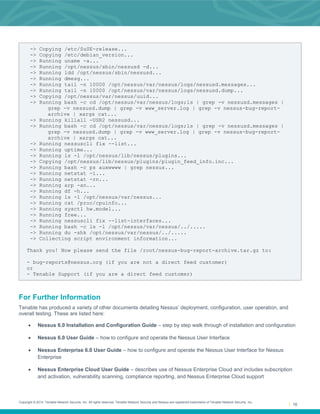
-> Copying /etc/redhat-release...
Copyright © 2014. Tenable Network Security, Inc. All rights reserved. Tenable Network Security and Nessus are registered trademarks of Tenable Network Security, Inc.
16
-> Copying /etc/SuSE-release...
-> Copying /etc/debian_version...
-> Running uname -a...
-> Running /opt/nessus/sbin/nessusd -d...
-> Running ldd /opt/nessus/sbin/nessusd...
-> Running dmesg...
-> Running tail -n 10000 /opt/nessus/var/nessus/logs/nessusd.messages...
-> Running tail -n 10000 /opt/nessus/var/nessus/logs/nessusd.dump...
-> Copying /opt/nessus/var/nessus/uuid...
-> Running bash -c cd /opt/nessus/var/nessus/logs;ls | grep -v nessusd.messages |
grep -v nessusd.dump | grep -v www_server.log | grep -v nessus-bug-report-
archive | xargs cat...
-> Running killall -USR2 nessusd...
-> Running bash -c cd /opt/nessus/var/nessus/logs;ls | grep -v nessusd.messages |
grep -v nessusd.dump | grep -v www_server.log | grep -v nessus-bug-report-
archive | xargs cat...
-> Running nessuscli fix --list...
-> Running uptime...
-> Running ls -l /opt/nessus/lib/nessus/plugins...
-> Copying /opt/nessus/lib/nessus/plugins/plugin_feed_info.inc...
-> Running bash -c ps auxwwww | grep nessus...
-> Running netstat -i...
-> Running netstat -rn...
-> Running arp -an...
-> Running df -h...
-> Running ls -l /opt/nessus/var/nessus...
-> Running cat /proc/cpuinfo...
-> Running sysctl hw.model...
-> Running free...
-> Running nessuscli fix --list-interfaces...
-> Running bash -c ls -l /opt/nessus/var/nessus/../.....
-> Running du -shk /opt/nessus/var/nessus/../.....
-> Collecting script environment information...
Thank you! Now please send the file /root/nessus-bug-report-archive.tar.gz to:
- bug-reports@nessus.org (if you are not a direct feed customer)
or
- Tenable Support (if you are a direct feed customer)
For Further Information
Tenable has produced a variety of other documents detailing Nessus’ deployment, configuration, user operation, and
overall testing. These are listed here:
 Nessus 6.0 Installation and Configuration Guide – step by step walk through of installation and configuration
 Nessus 6.0 User Guide – how to configure and operate the Nessus User Interface
 Nessus Enterprise 6.0 User Guide – how to configure and operate the Nessus User Interface for Nessus
Enterprise
 Nessus Enterprise Cloud User Guide – describes use of Nessus Enterprise Cloud and includes subscription
and activation, vulnerability scanning, compliance reporting, and Nessus Enterprise Cloud support
Copyright © 2014. Tenable Network Security, Inc. All rights reserved. Tenable Network Security and Nessus are registered trademarks of Tenable Network Security, Inc.
17
 Nessus Credential Checks for Unix and Windows – information on how to perform authenticated network
scans with the Nessus vulnerability scanner
 Nessus Compliance Checks – high-level guide to understanding and running compliance checks using Nessus
and SecurityCenter
 Nessus Compliance Checks Reference – comprehensive guide to Nessus Compliance Check syntax
 Nessus v2 File Format – describes the structure for the .nessus file format, which was introduced with Nessus
3.2 and NessusClient 3.2
 Nessus 5.0 REST Protocol Specification – describes the REST protocol and interface in Nessus
 Nessus and Antivirus – outlines how several popular security software packages interact with Nessus, and
provides tips or workarounds to allow the software to better co-exist without compromising your security or
hindering your vulnerability scanning efforts
 Nessus and Mobile Device Scanning – describes how Nessus integrates with Microsoft Active Directory and
mobile device management servers to identify mobile devices in use on the network
 Nessus and Scanning Virtual Machines – describes how Tenable Network Security's Nessus vulnerability
scanner can be used to audit the configuration of virtual platforms as well as the software that is running on them
 Strategic Anti-malware Monitoring with Nessus, PVS, and LCE – describes how Tenable's USM platform can
detect a variety of malicious software and identify and determine the extent of malware infections
 Patch Management Integration – document describes how Nessus and SecurityCenter can leverage credentials
on the Red Hat Network Satellite, IBM TEM, Dell KACE 1000, and Microsoft WSUS and SCCM patch
management systems to perform patch auditing on systems for which credentials may not be available to the
Nessus scanner
 Real-Time Compliance Monitoring – outlines how Tenable’s solutions can be used to assist in meeting many
different types of government and financial regulations
 Tenable Products Plugin Families – provides a description and summary of the plugin families for Nessus, Log
Correlation Engine, and the Passive Vulnerability Scanner
 SecurityCenter Administration Guide
Other online resources are listed below:
 Nessus Discussions Forum: https://discussions.nessus.org/
 Tenable Blog: http://www.tenable.com/blog
 Tenable Podcast: http://www.tenable.com/podcast
 Example Use Videos: http://www.youtube.com/user/tenablesecurity
 Tenable Twitter Feed: http://twitter.com/tenablesecurity
Please feel free to contact Tenable at support@tenable.com, sales@tenable.com, or visit our website at
http://www.tenable.com/.
Copyright © 2014. Tenable Network Security, Inc. All rights reserved. Tenable Network Security and Nessus are registered trademarks of Tenable Network Security, Inc.
18
About Tenable Network Security
Tenable Network Security provides continuous network monitoring to identify vulnerabilities, reduce risk, and ensure
compliance. Our family of products includes SecurityCenter Continuous View™, which provides the most comprehensive
and integrated view of network health, and Nessus®, the global standard in detecting and assessing network data.
Tenable is relied upon by more than 24,000 organizations, including the entire U.S. Department of Defense and many of
the world’s largest companies and governments. We offer customers peace of mind thanks to the largest install base, the
best expertise, and the ability to identify their biggest threats and enable them to respond quickly.
For more information, please visit tenable.com.

Nessus v6 command_line_reference

  • 1.
    Nessus v6 CommandLine Reference November 26, 2014 (Revision 2)
  • 2.
    Copyright © 2014.Tenable Network Security, Inc. All rights reserved. Tenable Network Security and Nessus are registered trademarks of Tenable Network Security, Inc. 2 Table of Contents Introduction.........................................................................................................................................3 Standards and Conventions...........................................................................................................................3 Nessus Command Line ......................................................................................................................3 Overview and Basic Usage............................................................................................................................3 Nessus Command Line Help Commands ......................................................................................................4 Nessus Command Line Fix Commands.........................................................................................................5 Resetting Registration and Erase Settings.................................................................................................5 View the Current Network Interfaces..........................................................................................................5 Managing Advanced Settings ....................................................................................................................6 Configuring Proxy Settings.........................................................................................................................7 Nessus Command Line Certificate Commands..............................................................................................8 Creating a Nessus Server Digital Certificate ..............................................................................................8 Creating a Nessus Client-Side Digital Certificate........................................................................................9 Nessus Command Line User Management Commands ................................................................................9 Listing Nessus Users ............................................................................................................................... 10 Changing a Nessus User’s Password ...................................................................................................... 10 Add a Nessus User.................................................................................................................................. 10 Removing a Nessus User ........................................................................................................................ 11 Nessus Command Update Commands........................................................................................................ 11 Running the Default Update..................................................................................................................... 11 Forcing the Plugin and Core Components Update ................................................................................... 11 Updating the Plugins Only........................................................................................................................ 12 Updating a Specific Plugin Archive .......................................................................................................... 12 Nessus Command Line Fetch Commands................................................................................................... 12 Registering a Scanner Online .................................................................................................................. 12 Registering a Scanner with SecurityCenter.............................................................................................. 13 Registering a Scanner Offline .................................................................................................................. 13 Confirming Nessus Registration Codes.................................................................................................... 15 Nessus Command Line Bug Reporting Commands..................................................................................... 15 For Further Information....................................................................................................................16 About Tenable Network Security.....................................................................................................18
  • 3.
    Copyright © 2014.Tenable Network Security, Inc. All rights reserved. Tenable Network Security and Nessus are registered trademarks of Tenable Network Security, Inc. 3 Introduction This document describes the command line tools of Tenable Network Security’s Nessus 6 vulnerability scanner. Please email any comments and suggestions to support@tenable.com. Tenable Network Security, Inc. is the author and maintainer of the Nessus vulnerability scanner. In addition to constantly improving the Nessus engine, Tenable writes most of the plugins available to the scanner, as well as compliance checks and a wide variety of audit policies. Prerequisites, deployment options, and a walk-through of an installation are described in this document. A basic understanding of Unix and vulnerability scanning is assumed. Standards and Conventions Throughout the documentation, filenames, daemons, and executables are indicated with a courier bold font such as setup.exe. Command line options and keywords are also indicated with the courier bold font. Command line examples may or may not include the command line prompt and output text from the results of the command. Command line examples will display the command being run in courier bold to indicate what the user typed while the sample output generated by the system will be indicated in courier (not bold). Following is an example running of the Unix pwd command: # pwd /opt/nessus/ # Important notes and considerations are highlighted with this symbol and grey text boxes. Tips, examples, and best practices are highlighted with this symbol and white on blue text. Nessus Command Line Many of the administrative tools are available via command line. This allows the user to manage user accounts, modify advanced settings, manage digital certificates, report bugs, update Nessus, and fetch necessary license information. This command is called nessuscli and is available on all Nessus 6.0 supported platforms. Overview and Basic Usage The following table provides instructions for running the Nessus command line tool nessuscli on all supported platforms. The basic usage for all operating systems are listed below: Operating System Command Linux # /opt/nessus/sbin/nessuscli <cmd> <arg1> <arg2> FreeBSD # /usr/local/nessus/sbin/nessuscli <cmd <arg1> <arg2> Mac OS X # /Library/Nessus/run/sbin/nessuscli <cmd> <arg1> <arg2> Windows c:> Program FilesTenableNessusnessuscli.exe <cmd> <arg1> <arg2>
  • 4.
    Copyright © 2014.Tenable Network Security, Inc. All rights reserved. Tenable Network Security and Nessus are registered trademarks of Tenable Network Security, Inc. 4 Note that the examples below at this point will be in the standard Linux format. Please adjust for your operating system accordingly. Nessus Command Line Help Commands To display the command line usage for nessuscli, type the following: Windows: C:Program FilesTenableNessus>nessuscli help Unix and Mac OS X (modify path for your installation): # /opt/nessus/sbin/nessuscli help The output will display as follows: Usage: nessuscli command [options] Usage: nessuscli command help Fix Commands: - fix [--secure] --list - fix [--secure] --set <name=value> - fix [--secure] --get <name> - fix [--secure] --delete <name> - fix --list-interfaces - fix --reset Software Update Commands: - update - update --all - update --plugins-only - update <plugin archive> Certificate Commands: - mkcert-client - mkcert - mkcert -q User Commands: - rmuser [username] - chpasswd [username] - adduser [username] - lsuser Bug Reporting Commands: - bug-report-generator - bug-report-generator --quiet [--full] [--scrub] Fetch Commands: - fetch --register <serial> - fetch --register-offline [<file.rc>] - fetch --check - fetch --code-in-use - fetch --challenge - fetch --security-center
  • 5.
    Copyright © 2014.Tenable Network Security, Inc. All rights reserved. Tenable Network Security and Nessus are registered trademarks of Tenable Network Security, Inc. 5 If you want to see help for a specific command, the syntax is: # nessuscli <cmd> help An example of this help usage is: # /opt/nessus/sbin/nessuscli bug-report-generator help Usage: nessuscli bug-report-generator Usage: nessuscli bug-report-generator --quiet [--full] [--scrub] Generate an archive of system diagnostics. Running without arguments will prompt for values. Running with --quiet will not prompt for values. The defaults in quiet mode are normal mode and no IPv4 subnet sanitization. --full and --scrub can be used to enable full mode and IPv4 subnet sanitization, respectively, in quiet mode. Nessus Command Line Fix Commands The nessuscli fix allows you to change the Nessus server settings from the command line. This includes managing advanced settings, resetting registration information, and listing network interfaces on the system. Resetting Registration and Erase Settings To reset the registration information, shut down the nessusd service first. Next, run the nessuscli fix --reset command. You will be prompted for confirmation. If you have not shut down the nessusd service, the nessuscli fix --reset command will exit. # /sbin/service nessusd stop # /opt/nessus/sbin/nessuscli fix --reset Resetting Nessus configuration will permanently erase all your settings and cause Nessus to become unregistered. Do you want to proceed? (y/n) [n]: y Successfully reset Nessus configuration. View the Current Network Interfaces To view the network interfaces, run the nessuscli fix --list-interfaces command. This will include all IPv4 and IPv6 interfaces. # /opt/nessus/sbin/nessuscli fix --list-interfaces Adapter# 0 Name............ lo Real name ...... lo IP address ..... 127.0.0.1 Network ........ 127.0.0.0 Netmask ........ 255.0.0.0 Adapter# 1 Name............ eth1 Real name ...... eth1 IP address ..... 172.26.32.243 Network ........ 172.26.32.0
  • 6.
    Copyright © 2014.Tenable Network Security, Inc. All rights reserved. Tenable Network Security and Nessus are registered trademarks of Tenable Network Security, Inc. 6 Netmask ........ 255.255.252.0 Adapter# 0 Name............ lo Real name ...... lo IPv6 address ... ::1 IPv6 network ... ::1 IPv6 netmask ... ffff:ffff:ffff:ffff:ffff:ffff:ffff:ffff Adapter# 1 Name............ eth1 Real name ...... eth1 IPv6 address ... fe80::250:56ff:fe10:76d IPv6 network ... fe80:: IPv6 netmask ... ffff:ffff:ffff:ffff:: Managing Advanced Settings The nessuscli fix command has a series of options to manage the advanced settings on your Nessus scanner. nessuscli fix also has a secure option for managing the advanced settings, which will act on the encrypted preferences. These preferences contain information about registration. For the following commands, you can use the --secure flag: # /opt/nessus/sbin/nessuscli fix --secure --list # /opt/nessus/sbin/nessuscli fix --secure --fix --set <setting name=value> # /opt/nessus/sbin/nessuscli fix --secure --get <setting> # /opt/nessus/sbin/nessuscli fix --secure --delete <setting> To view the currently set advanced settings: # /opt/nessus/sbin/nessuscli fix --list qdb_mem_usage: low report_crashes: yes stop_scan_on_hang: no stop_scan_on_disconnect: no reduce_connections_on_congestion: no global.max_web_users: 1024 global.max_scans: 0 nasl_log_type: normal nasl_no_signature_check: no disable_xmlrpc: no disable_ntp: yes ssl_cipher_list: strong xmlrpc_idle_session_timeout: 30 xmlrpc_listen_port: 8834 listen_port: 1241 listen_address: 0.0.0.0 slice_network_addresses: no plugin_upload: yes silent_dependencies: yes auto_enable_dependencies: yes safe_checks: yes plugins_timeout: 320 non_simult_ports: 139, 445, 3389
  • 7.
    Copyright © 2014.Tenable Network Security, Inc. All rights reserved. Tenable Network Security and Nessus are registered trademarks of Tenable Network Security, Inc. 7 checks_read_timeout: 5 allow_post_scan_editing: yes optimize_test: yes port_range: default cgi_path: /cgi-bin:/scripts rules: /Library/Nessus/run/etc/nessus/nessusd.rules dumpfile: /Library/Nessus/run/var/nessus/logs/nessusd.dump log_whole_attack: no www_logfile: /Library/Nessus/run/var/nessus/logs/www_server.log logfile: /Library/Nessus/run/var/nessus/logs/nessusd.messages throttle_scan: yes max_checks: 5 global.max_hosts: 2180 max_hosts: 100 purge_plugin_db: no auto_update_delay: 24 auto_update: yes To get a specific value from the set advanced settings: # /opt/nessus/sbin/nessuscli fix --get <setting> Example: # /opt/nessus/sbin/nessuscli fix --get max_hosts The current value for 'max_hosts' is '100'. To delete a specific value from the set advanced settings: # /opt/nessus/sbin/nessuscli fix --delete <setting> Example: # /opt/nessus/sbin/nessuscli fix --delete max_hosts Successfully deleted 'max_hosts'. To set a specific value from the set advanced settings: # /opt/nessus/sbin/nessuscli fix --set <setting=value> Example: # /opt/nessus/sbin/nessuscli fix --set max_hosts=200 Successfully set 'max_hosts' to '200'. Configuring Proxy Settings Nessus can be configured to use a proxy for plugin updates, as many companies maintain a proxy for security and logging. The four proxy related settings can be manipulated via the nessuscli tool. Example: # nessuscli fix --secure --set proxy=[ip/hostname]
  • 8.
    Copyright © 2014.Tenable Network Security, Inc. All rights reserved. Tenable Network Security and Nessus are registered trademarks of Tenable Network Security, Inc. 8 # nessuscli fix --secure --set proxy_port=[port] # nessuscli fix --secure --set proxy_userame=[user] # nessuscli fix --secure --set proxy_password=[password] Nessus Command Line Certificate Commands The nessuscli mkcert commands offer the ability to create Nessus-supported self-signed digital certificates from the command line. Creating a Nessus Server Digital Certificate To create a Nessus server digital certificate, run the commands and follow the prompts. Note that the defaults are in brackets. # /opt/nessus/sbin/nessuscli mkcert ------------------------------------------------------------------------------- Creation of the Nessus SSL Certificate ------------------------------------------------------------------------------- This script will now ask you for information to create the SSL certificate for Nessus. Note that this information will *NOT* be sent to anybody (everything stays local), but anyone with the ability to connect to your Nessus daemon will be able to retrieve this information. CA certificate life time in days [1460]: 1460 Server certificate life time in days [365]: 365 Your two letter country code [US]: US Your state or province name [NY]: MD Your city [New York]: Columbia Your organization [Nessus Users United]: Tenable Network Security This host name [localhost]: nessus-server --- Confirmation --- CA certificate life time in days: 1460 Server certificate life time in days: 365 Country: US State or province: MD City: Columbia Organization: Tenable Network Security This host name: nessus-server Is this ok? (y/n) [n]: y Congratulations. Your server certificate was properly created. The following files were created : Certification authority : Certificate = /opt/nessus/com/nessus/CA/cacert.pem Private key = /opt/nessus/var/nessus/CA/cakey.pem Nessus Server : Certificate = /opt/nessus/com/nessus/CA/servercert.pem Private key = /opt/nessus/var/nessus/CA/serverkey.pem For more details on configuring Nessus with custom SSL certificates, see the Nessus 6 User Guide.
  • 9.
    Copyright © 2014.Tenable Network Security, Inc. All rights reserved. Tenable Network Security and Nessus are registered trademarks of Tenable Network Security, Inc. 9 Creating a Nessus Client-Side Digital Certificate To create a Nessus client digital certificate, run the commands and follow the prompts. Note that the defaults are in brackets. # /opt/nessus/sbin/nessuscli nessuscli mkcert-client ------------------------------------------------------------------------------- Creation of the Nessus SSL Client Certificates ------------------------------------------------------------------------------- This script will now ask you for information to create SSL client certificates. Nessus username for user: admin admin already exists. Do you want to overwrite their credentials? (y/n) [n]: y Client certificate life time in days [365]: Two letter country code [US]: US State or province name [NY]: MD City [New York]: Columbia Organization [Nessus Users United]: Tenable Network Security Organizational unit [nessus-users]: nessus-admins Email [none@none.com]: nessus-admin@example.org --- Confirmation --- Username: admin Client certificate life time in days: 365 Country: US State or province: MD City: Columbia Organization: Tenable Network Security Organizational unit: nessus-admins Email: nessus-admin@example.org Is this ok? (y/n) [n]: y Congratulations. Your client certificate was properly created. The following files were created : Nessus Client : Certificate = /Library/Nessus/run/var/nessus/tmp/cert_admin.pem Private key = /Library/Nessus/run/var/nessus/tmp/key_admin.pem The certificate was successfully set for admin. Create another cert? (y/n) [y]: n If the user already has credentials, such as a password, this will overwrite any previous credentials and expect the digital certificate instead. Also, updating the password of the account will remove the client certificate for authentication. Nessus Command Line User Management Commands The nessuscli commands offer the ability to manage Nessus users from the command line. This includes listing the users, changing a user’s password, adding a user, and removing a user.
  • 10.
    Copyright © 2014.Tenable Network Security, Inc. All rights reserved. Tenable Network Security and Nessus are registered trademarks of Tenable Network Security, Inc. 10 Listing Nessus Users To list Nessus users, run the following command: # /opt/nessus/sbin/nessuscli lsuser admin auditor windowsadmin linuxadmin Changing a Nessus User’s Password To change a Nessus user’s password, run the following command: # /opt/nessus/sbin/nessuscli chpasswd Login to change: auditor New password: New password (again): Password changed for auditor Note that you will need to enter the same new password twice, but it will not be echoed on the screen. Add a Nessus User To add a new Nessus user, run the following command: # /opt/nessus/sbin/nessuscli adduser Login: auditor Login password: Login password (again): Do you want this user to be a Nessus 'system administrator' user (can upload plugins, etc.)? (y/n) [n]: n User rules ---------- nessusd has a rules system which allows you to restrict the hosts that auditor has the right to test. For instance, you may want him to be able to scan his own host only. 192.168.0.0/24 Please see the nessus-adduser manual for the rules syntax Enter the rules for this user, and enter a BLANK LINE once you are done : (the user can have an empty rules set) Login : auditor Password : *********** Is that ok? (y/n) [n]: y User added
  • 11.
    Copyright © 2014.Tenable Network Security, Inc. All rights reserved. Tenable Network Security and Nessus are registered trademarks of Tenable Network Security, Inc. 11 Nessus Enterprise users and groups are not supported for the nessuscli adduser. Removing a Nessus User To remove a Nessus user, run the following command: # /opt/nessus/sbin/nessuscli rmuser Login to remove: auditor User removed Nessus Command Update Commands The nessuscli commands offer the ability to update Nessus and Nessus plugins. By default, this tool will recognize the software update options selected through the Nessus UI. Running the Default Update To run the default update using the Nessus UI software options, use the following command. Below the default update options are configured to update both the UI and the plugins: # /opt/nessus/sbin/nessuscli update ----- Fetching the newest updates from nessus.org ----- Nessus Plugins: Complete Nessus Core Components: Complete * Nessus Plugins are now up-to-date and the changes will be automatically processed by Nessus. * Nessus Core Components are now up-to-date and the changes will be automatically processed by Nessus. Forcing the Plugin and Core Components Update If updating the Nessus core components is not configured to be upgraded, that option can be overridden with the --all option. # /opt/nessus/sbin/nessuscli update --all ----- Fetching the newest updates from nessus.org ----- Nessus Plugins: Complete Nessus Core Components: Complete * Nessus Plugins are now up-to-date and the changes will be automatically processed by Nessus. * Nessus Core Components are now up-to-date and the changes will be automatically processed by Nessus.
  • 12.
    Copyright © 2014.Tenable Network Security, Inc. All rights reserved. Tenable Network Security and Nessus are registered trademarks of Tenable Network Security, Inc. 12 Updating the Plugins Only To force the nessuscli to update the plugins only, use the --plugins-only option: # /opt/nessus/sbin/nessuscli update --plugins-only ----- Fetching the newest updates from nessus.org ----- Nessus Plugins: Complete * Nessus Plugins are now up-to-date and the changes will be automatically processed by Nessus. Updating a Specific Plugin Archive If you wish to supply a plugin archive (e.g., for offline updates or supplying custom plugins), add the archive name after the update command: # /opt/nessus/sbin/nessuscli update all-2.0.tar.gz * Update successful. The changes will be automatically processed by Nessus. Nessus Command Line Fetch Commands The nessuscli commands offer the ability to manage Nessus registration from the command line. For online registration the commands include registering the scanner, confirming that Nessus has a valid registration code, and registering with SecurityCenter. For offline registration, the commands include registering the scanner and providing the challenge code. The nessuscli commands can also check that Nessus is properly configured with a valid registration code and can display the current activation code in use. Registering a Scanner Online To register a Nessus scanner, run the following command: # /opt/nessus/sbin/nessuscli fetch --register <serial> Example: # /opt/nessus/sbin/nessuscli fetch --register xxxx-xxxx-xxxx-xxxx If the registration code is already in use, the following will be displayed: # /opt/nessus/sbin/nessuscli fetch --register xxxx-xxxx-xxxx-xxxx Nessus Plugins Error: The provided Activation Code (XXXX-XXXX-XXXX-XXXX) has already been used Otherwise, Nessus will register the activation code and download the plugins: # /opt/nessus/sbin/nessuscli fetch --register xxxx-xxxx-xxxx-xxxx Your Activation Code has been registered properly - thank you. ----- Fetching the newest updates from nessus.org -----
  • 13.
    Copyright © 2014.Tenable Network Security, Inc. All rights reserved. Tenable Network Security and Nessus are registered trademarks of Tenable Network Security, Inc. 13 Nessus Plugins: Downloading (0%) Nessus Plugins: Downloading (1%) Nessus Plugins: Downloading (2%) … Nessus Plugins: Downloading (99%) Nessus Plugins: Unpacking (0%) Nessus Plugins: Unpacking (4%) … Nessus Plugins: Unpacking (90%) Nessus Plugins: Complete Nessus Core Components: Downloading (0%) Nessus Core Components: Downloading (8%) … Nessus Core Components: Downloading (98%) Nessus Core Components: Complete * Nessus Plugins are now up-to-date and the changes will be automatically processed by Nessus. * Nessus Core Components are now up-to-date and the changes will be automatically processed by Nessus. Challenge code: 9a123bc1234de123456ab789cdeabc04defabc12ad2 You can copy the challenge code above and paste it alongside your Activation Code at: https://plugins.nessus.org/offline.php Registering a Scanner with SecurityCenter To register a Nessus scanner with SecurityCenter, run the following command: # /opt/nessus/sbin/nessuscli fetch --security-center nessusd can now be started, SecurityCenter will upload the plugins Registering a Scanner Offline To register a Nessus scanner offline, obtain the challenge code for the scanner: # /opt/nessus/sbin/nessuscli fetch –challenge Challenge code: 4f6123cd8800ba128117be189eac3fe04fede52d7 You can copy the challenge code above and paste it alongside your Activation Code at: https://plugins.nessus.org/offline.php Once you have obtained your challenge code, go to the offline activation website to enter your activation code and the challenge code:
  • 14.
    Copyright © 2014.Tenable Network Security, Inc. All rights reserved. Tenable Network Security and Nessus are registered trademarks of Tenable Network Security, Inc. 14 Once registered, you will receive the URL to download the plugins and a link to download the nessus-fetch.rc file. To register a Nessus scanner offline, run the following command: # /opt/nessus/sbin/nessuscli fetch --register-offline <file.rc> Example:
  • 15.
    Copyright © 2014.Tenable Network Security, Inc. All rights reserved. Tenable Network Security and Nessus are registered trademarks of Tenable Network Security, Inc. 15 # /opt/nessus/sbin/nessuscli fetch --register-offline nessus-fetch.rc Nessus has been registered properly - thank you. Confirming Nessus Registration Codes To confirm that the Nessus scanner is registered properly, run the following command: # /opt/nessus/sbin/nessuscli nessuscli fetch --check Checking... Updates are configured properly To display that the Nessus scanner activation code, run the following command: # /opt/nessus/sbin/nessuscli nessuscli fetch --code-in-use Checking... This scanner is using the following Activation Code: xxxx-xxxx-xxxx-xxxx Nessus Command Line Bug Reporting Commands The nessuscli commands also offer the ability to create an archive that can be sent to Tenable to help diagnose issues. If necessary, you can create a sanitized archive that will hide some sensitive information by not running it in “full” mode. To create the bug report archive, run the following command: # /opt/nessus/sbin/nessuscli bug-report-generator This script will gather some information about your local system in order to help us diagnose the problems you are encountering. This program does not send any data over the network, but simply creates an archive which contains useful information for the Nessus team to diagnose any problem you may be encountering. This script can run in two modes: If you run in "full" mode, this script will gather information you may deem to be sensitive (such as IP addresses, the list of running processes and your system log files). This information allows Tenable to better qualify your problem If you do not run in "full" mode, this script will gather less information Note that even in normal mode, depending on how you perform scanning some "sensitive" information may be contained in the resulting archive. Feel free to inspect it before sending it to Tenable. Run in "full" mode? (y/n) [n]: n Would you like to scrub the first two digits of any IPv4 address seen in the log files? This may take several minutes. Sanitize IPv4 subnets? (y/n) [n]: y Bug report file name? [/opt/nessus/var/nessus/logs/nessus-bug-report-archive.tar.gz]: ~/nessus-bug-report-archive.tar.gz -> Copying /etc/redhat-release...
  • 16.
    Copyright © 2014.Tenable Network Security, Inc. All rights reserved. Tenable Network Security and Nessus are registered trademarks of Tenable Network Security, Inc. 16 -> Copying /etc/SuSE-release... -> Copying /etc/debian_version... -> Running uname -a... -> Running /opt/nessus/sbin/nessusd -d... -> Running ldd /opt/nessus/sbin/nessusd... -> Running dmesg... -> Running tail -n 10000 /opt/nessus/var/nessus/logs/nessusd.messages... -> Running tail -n 10000 /opt/nessus/var/nessus/logs/nessusd.dump... -> Copying /opt/nessus/var/nessus/uuid... -> Running bash -c cd /opt/nessus/var/nessus/logs;ls | grep -v nessusd.messages | grep -v nessusd.dump | grep -v www_server.log | grep -v nessus-bug-report- archive | xargs cat... -> Running killall -USR2 nessusd... -> Running bash -c cd /opt/nessus/var/nessus/logs;ls | grep -v nessusd.messages | grep -v nessusd.dump | grep -v www_server.log | grep -v nessus-bug-report- archive | xargs cat... -> Running nessuscli fix --list... -> Running uptime... -> Running ls -l /opt/nessus/lib/nessus/plugins... -> Copying /opt/nessus/lib/nessus/plugins/plugin_feed_info.inc... -> Running bash -c ps auxwwww | grep nessus... -> Running netstat -i... -> Running netstat -rn... -> Running arp -an... -> Running df -h... -> Running ls -l /opt/nessus/var/nessus... -> Running cat /proc/cpuinfo... -> Running sysctl hw.model... -> Running free... -> Running nessuscli fix --list-interfaces... -> Running bash -c ls -l /opt/nessus/var/nessus/../..... -> Running du -shk /opt/nessus/var/nessus/../..... -> Collecting script environment information... Thank you! Now please send the file /root/nessus-bug-report-archive.tar.gz to: - bug-reports@nessus.org (if you are not a direct feed customer) or - Tenable Support (if you are a direct feed customer) For Further Information Tenable has produced a variety of other documents detailing Nessus’ deployment, configuration, user operation, and overall testing. These are listed here:  Nessus 6.0 Installation and Configuration Guide – step by step walk through of installation and configuration  Nessus 6.0 User Guide – how to configure and operate the Nessus User Interface  Nessus Enterprise 6.0 User Guide – how to configure and operate the Nessus User Interface for Nessus Enterprise  Nessus Enterprise Cloud User Guide – describes use of Nessus Enterprise Cloud and includes subscription and activation, vulnerability scanning, compliance reporting, and Nessus Enterprise Cloud support
  • 17.
    Copyright © 2014.Tenable Network Security, Inc. All rights reserved. Tenable Network Security and Nessus are registered trademarks of Tenable Network Security, Inc. 17  Nessus Credential Checks for Unix and Windows – information on how to perform authenticated network scans with the Nessus vulnerability scanner  Nessus Compliance Checks – high-level guide to understanding and running compliance checks using Nessus and SecurityCenter  Nessus Compliance Checks Reference – comprehensive guide to Nessus Compliance Check syntax  Nessus v2 File Format – describes the structure for the .nessus file format, which was introduced with Nessus 3.2 and NessusClient 3.2  Nessus 5.0 REST Protocol Specification – describes the REST protocol and interface in Nessus  Nessus and Antivirus – outlines how several popular security software packages interact with Nessus, and provides tips or workarounds to allow the software to better co-exist without compromising your security or hindering your vulnerability scanning efforts  Nessus and Mobile Device Scanning – describes how Nessus integrates with Microsoft Active Directory and mobile device management servers to identify mobile devices in use on the network  Nessus and Scanning Virtual Machines – describes how Tenable Network Security's Nessus vulnerability scanner can be used to audit the configuration of virtual platforms as well as the software that is running on them  Strategic Anti-malware Monitoring with Nessus, PVS, and LCE – describes how Tenable's USM platform can detect a variety of malicious software and identify and determine the extent of malware infections  Patch Management Integration – document describes how Nessus and SecurityCenter can leverage credentials on the Red Hat Network Satellite, IBM TEM, Dell KACE 1000, and Microsoft WSUS and SCCM patch management systems to perform patch auditing on systems for which credentials may not be available to the Nessus scanner  Real-Time Compliance Monitoring – outlines how Tenable’s solutions can be used to assist in meeting many different types of government and financial regulations  Tenable Products Plugin Families – provides a description and summary of the plugin families for Nessus, Log Correlation Engine, and the Passive Vulnerability Scanner  SecurityCenter Administration Guide Other online resources are listed below:  Nessus Discussions Forum: https://discussions.nessus.org/  Tenable Blog: http://www.tenable.com/blog  Tenable Podcast: http://www.tenable.com/podcast  Example Use Videos: http://www.youtube.com/user/tenablesecurity  Tenable Twitter Feed: http://twitter.com/tenablesecurity Please feel free to contact Tenable at support@tenable.com, sales@tenable.com, or visit our website at http://www.tenable.com/.
  • 18.
    Copyright © 2014.Tenable Network Security, Inc. All rights reserved. Tenable Network Security and Nessus are registered trademarks of Tenable Network Security, Inc. 18 About Tenable Network Security Tenable Network Security provides continuous network monitoring to identify vulnerabilities, reduce risk, and ensure compliance. Our family of products includes SecurityCenter Continuous View™, which provides the most comprehensive and integrated view of network health, and Nessus®, the global standard in detecting and assessing network data. Tenable is relied upon by more than 24,000 organizations, including the entire U.S. Department of Defense and many of the world’s largest companies and governments. We offer customers peace of mind thanks to the largest install base, the best expertise, and the ability to identify their biggest threats and enable them to respond quickly. For more information, please visit tenable.com.