Rob Schrack University of Rochester Medical Center
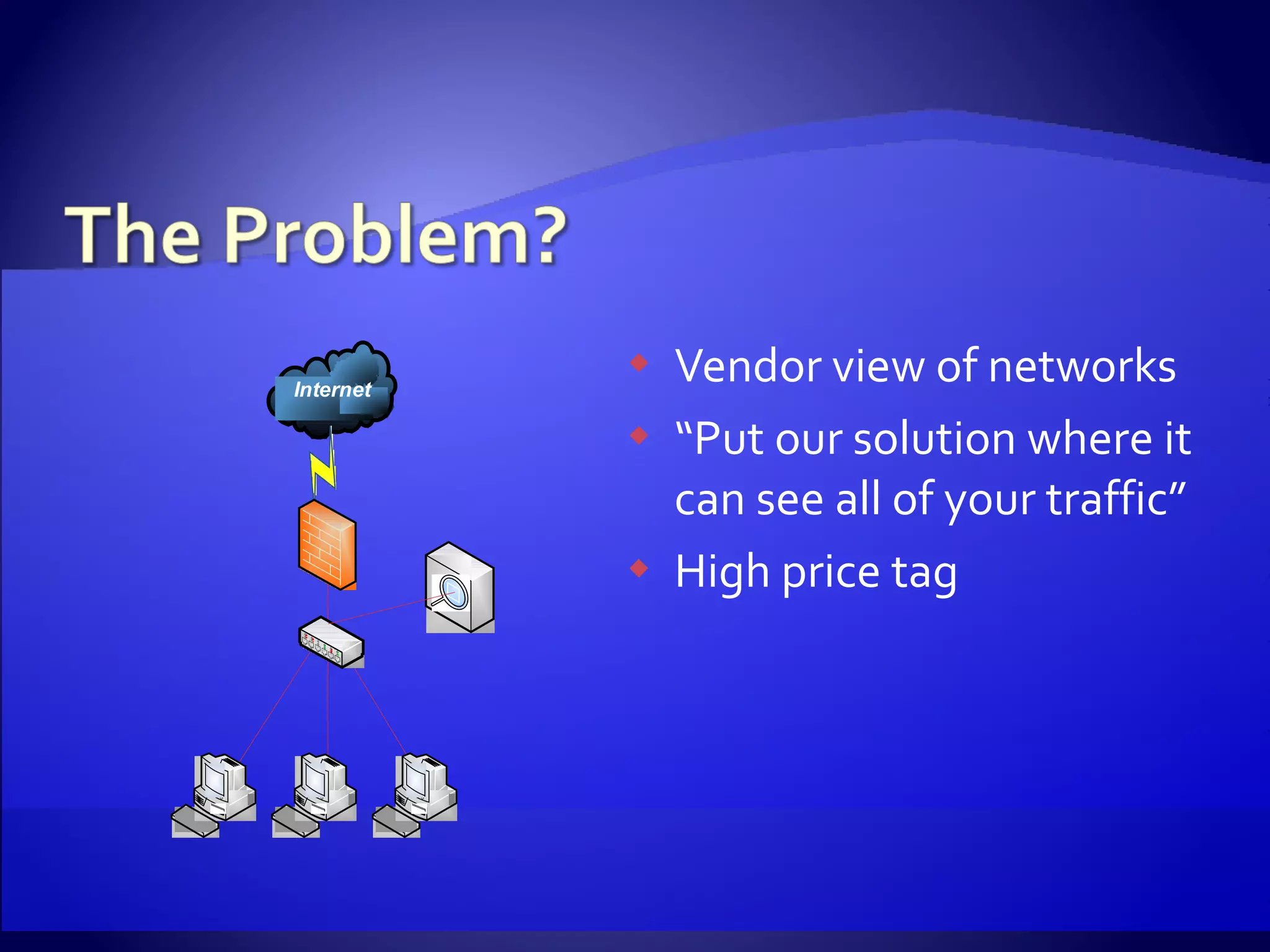
Vendor view of networks “ Put our solution where it can see all of your traffic” High price tag
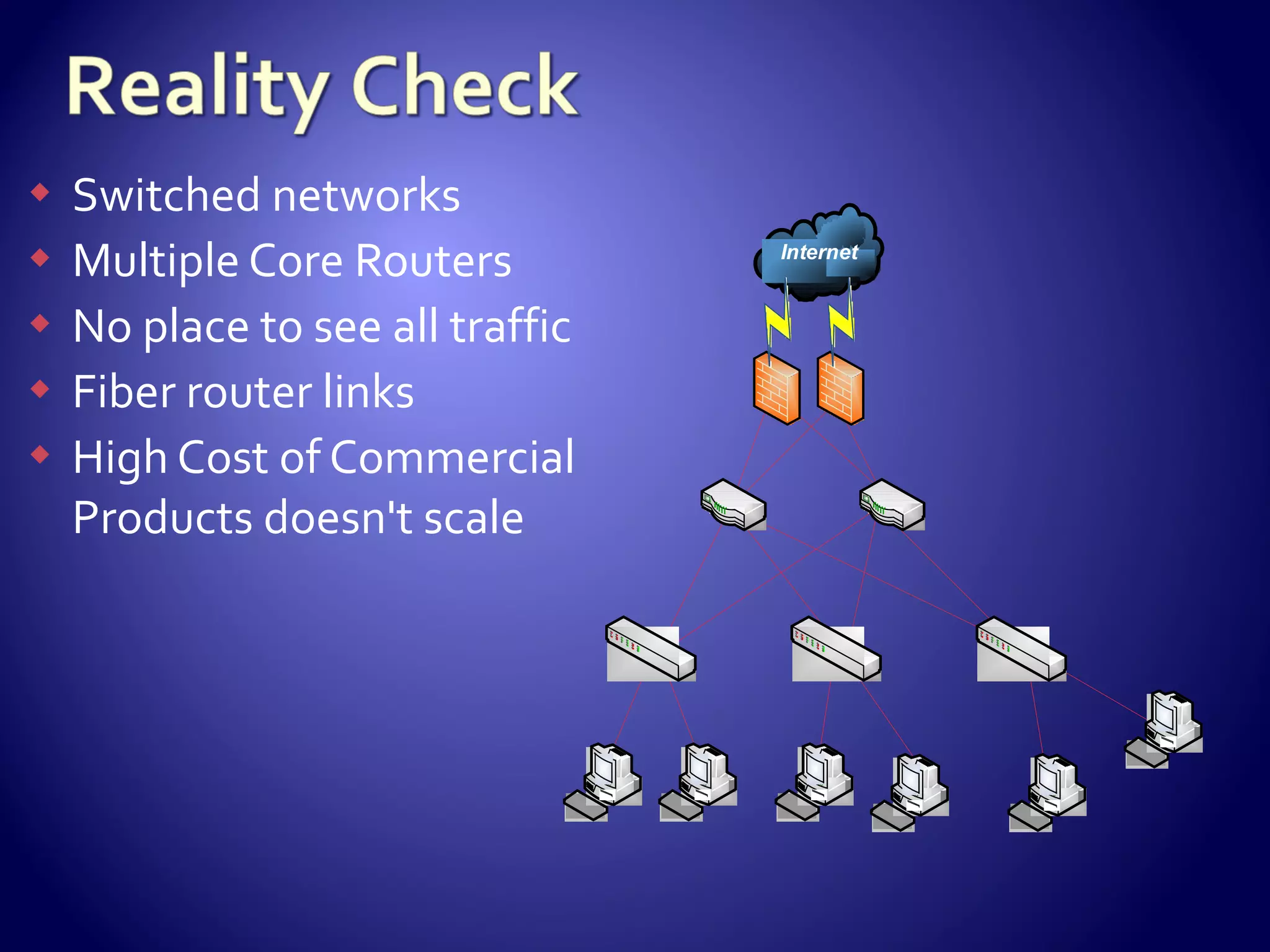
Switched networks Multiple Core Routers No place to see all traffic Fiber router links High Cost of Commercial Products doesn't scale
Off the Shelf PC Hardware Open Source OS SNORT ®  IDS Basic netflow tools Cheap Ways to listen Not perfect Must accept missing some traffic Network hardware must be capable Snort is a registered trademark of Sourcefire, Inc.
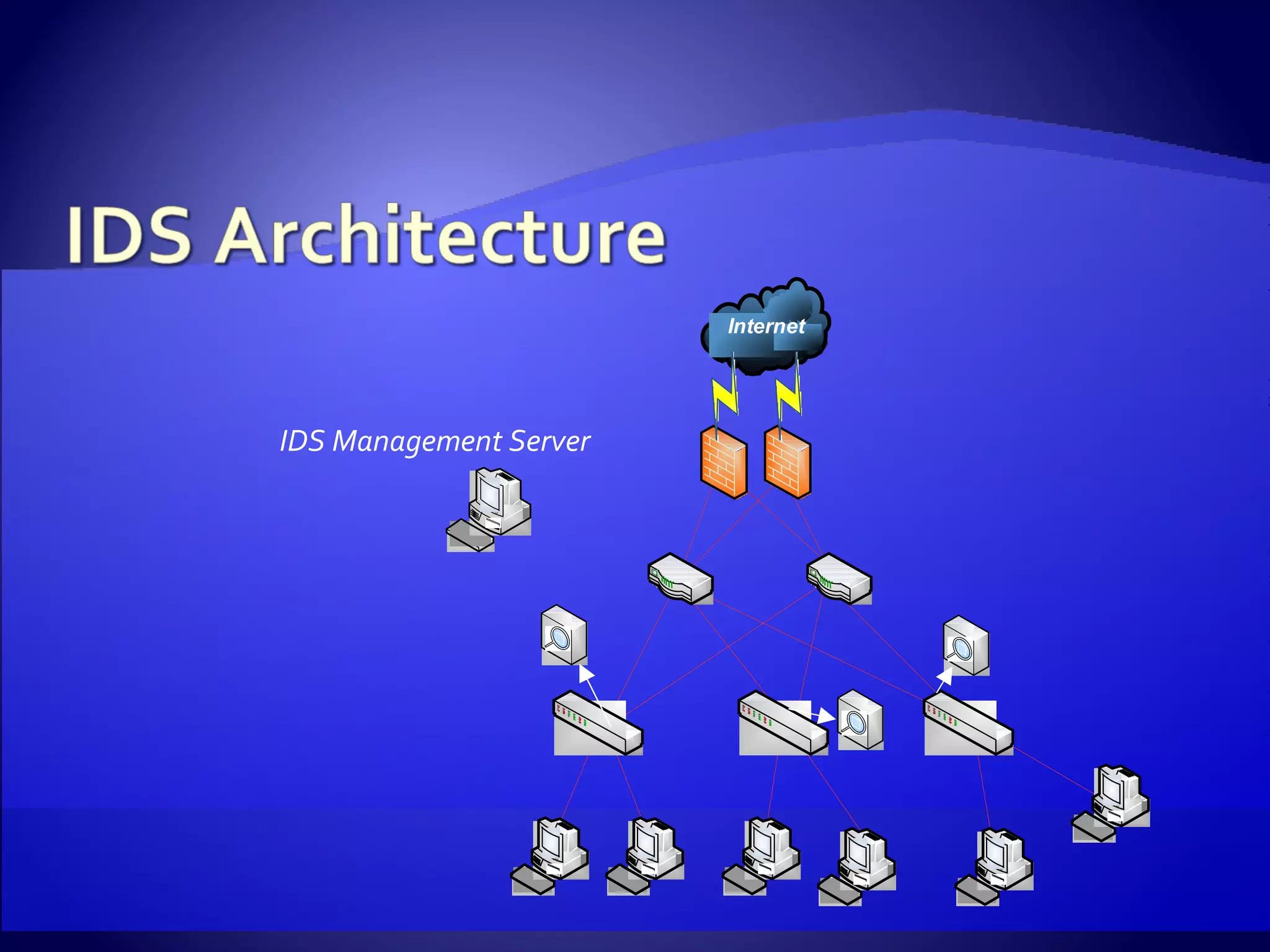
IDS Management Server
Mid Tower PC 3 Ghz Pentium 4 2 GB RAM Large hard drives Gig NIC
100-200 Mbps Small form factor PC 2.8 Ghz Pentium 4 1 GB RAM SATA hard drive Onboard PCI Express Gig NIC Intel PRO/1000 NIC 300+ Mbps 1U Server 3.6 Ghz Xeon 2 GB RAM SCSI hard drive PCI Express Gig NICs Headless systems Two types of sensors based upon traffic levels
IDS Management Server ~$1000 IDS Sensors ~$750 each Time 2-3 days to be up and running  Ongoing rule  tuning
Source point for all compilation & distribution Web Server Used for sensor installations Netflow reporting Can be used for reporting, alert viewing Operating System repository OS Distributed through an Apache virtual server Updated from official mirrors daily Sensors receive updates with ‘yum’
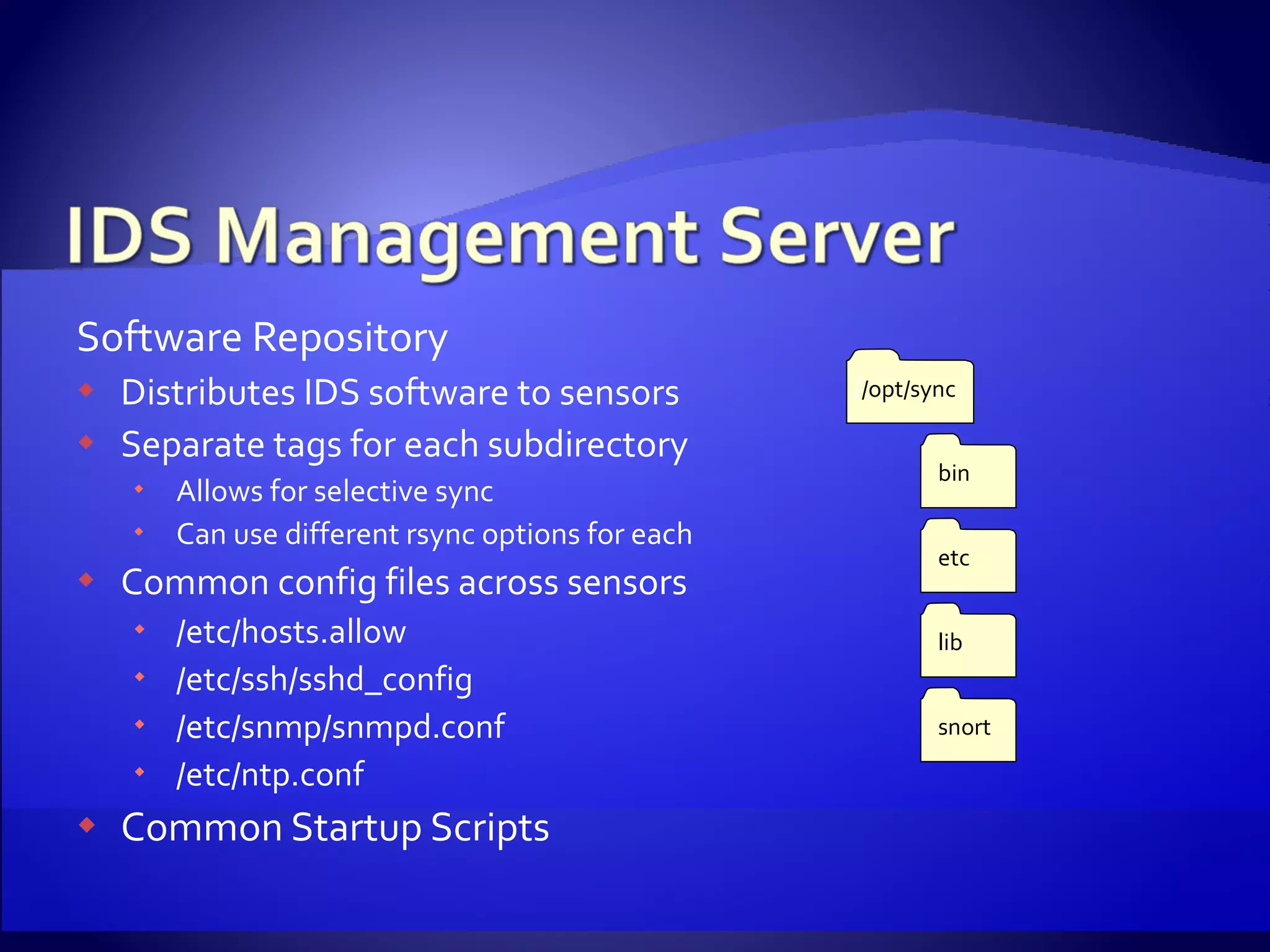
Software Repository Distributes IDS software to sensors  Separate tags for each subdirectory Allows for selective sync Can use different rsync options for each Common config files across sensors /etc/hosts.allow /etc/ssh/sshd_config /etc/snmp/snmpd.conf /etc/ntp.conf Common Startup Scripts / /opt/sync bin etc lib snort
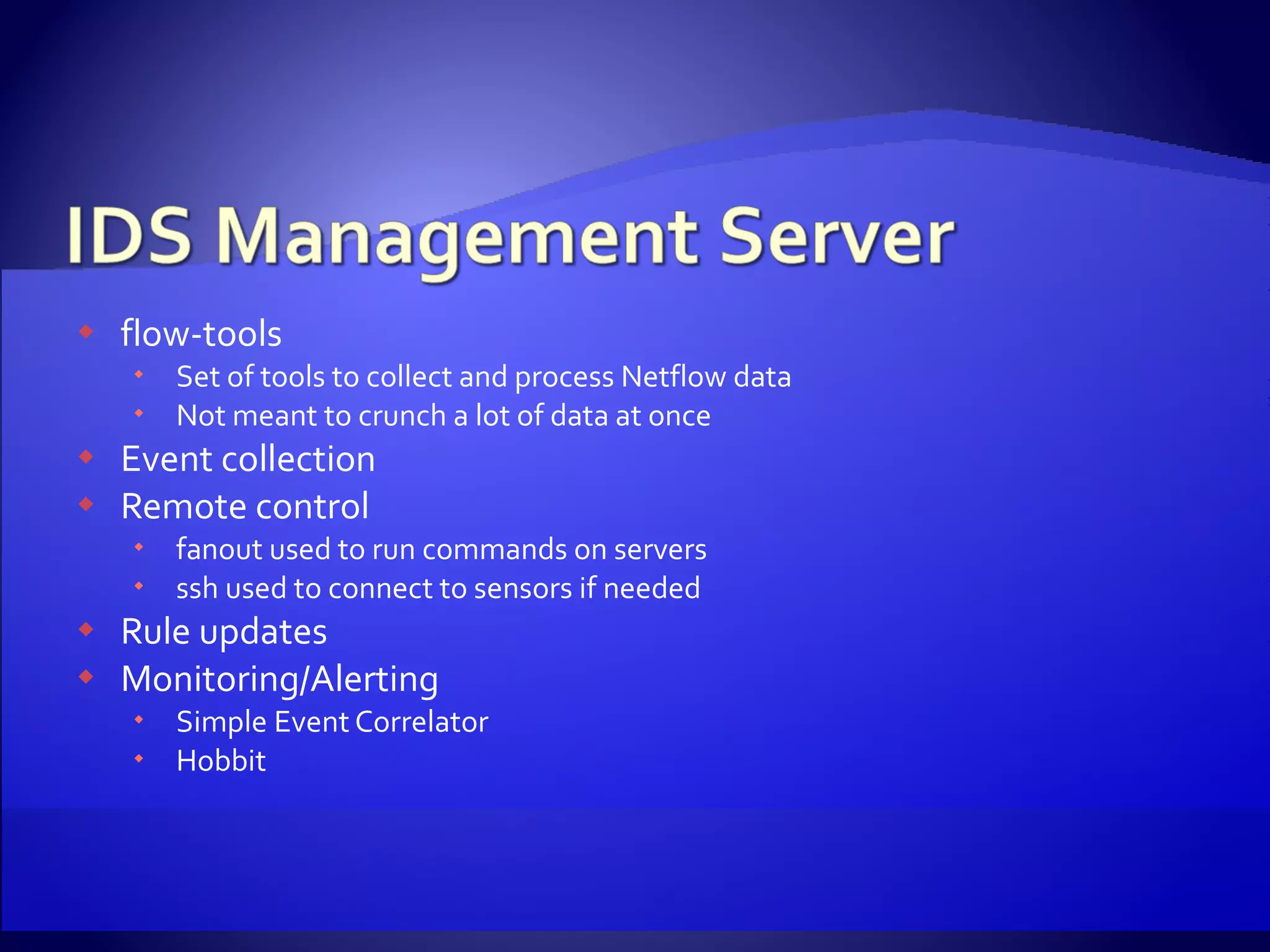
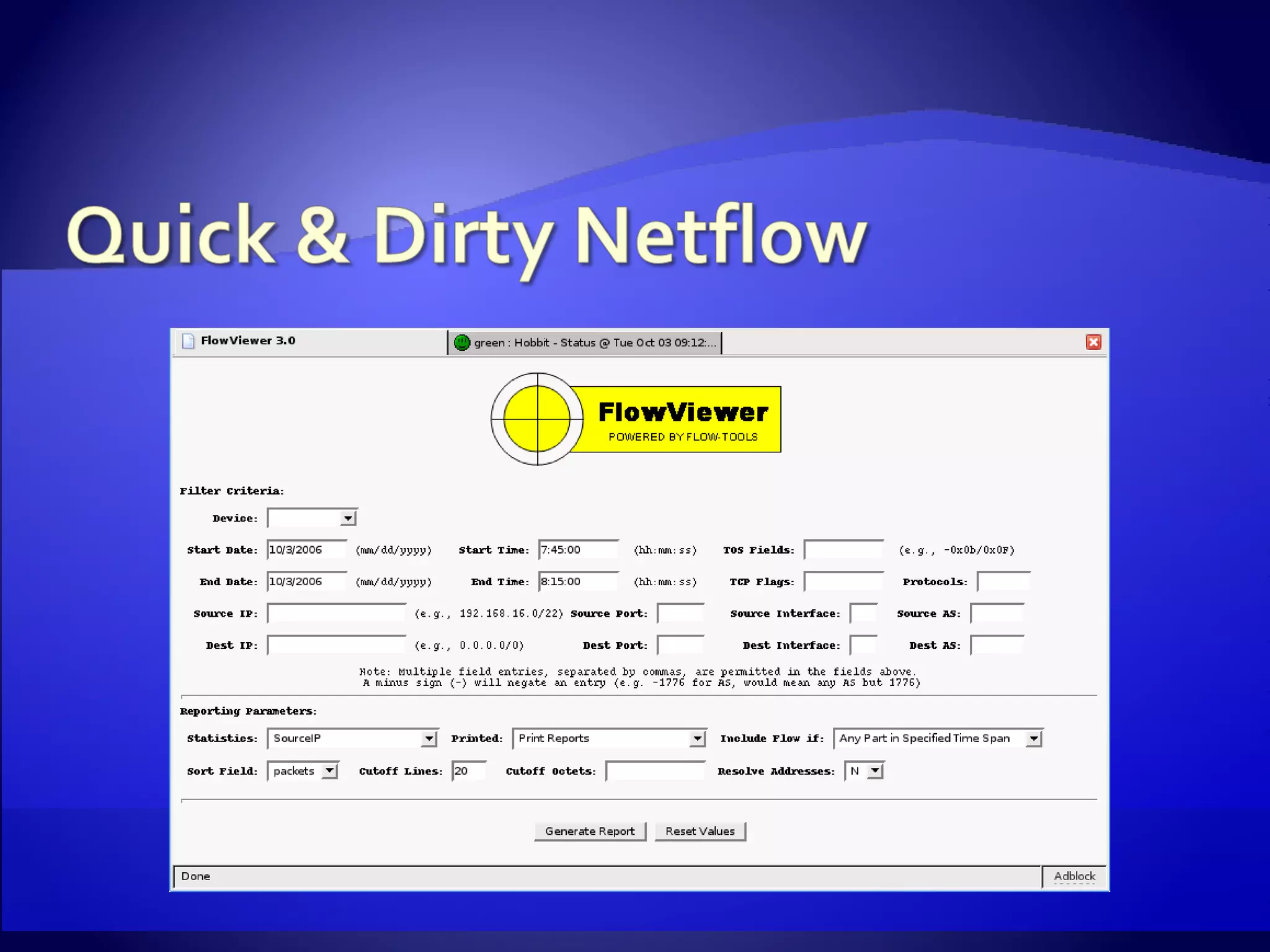
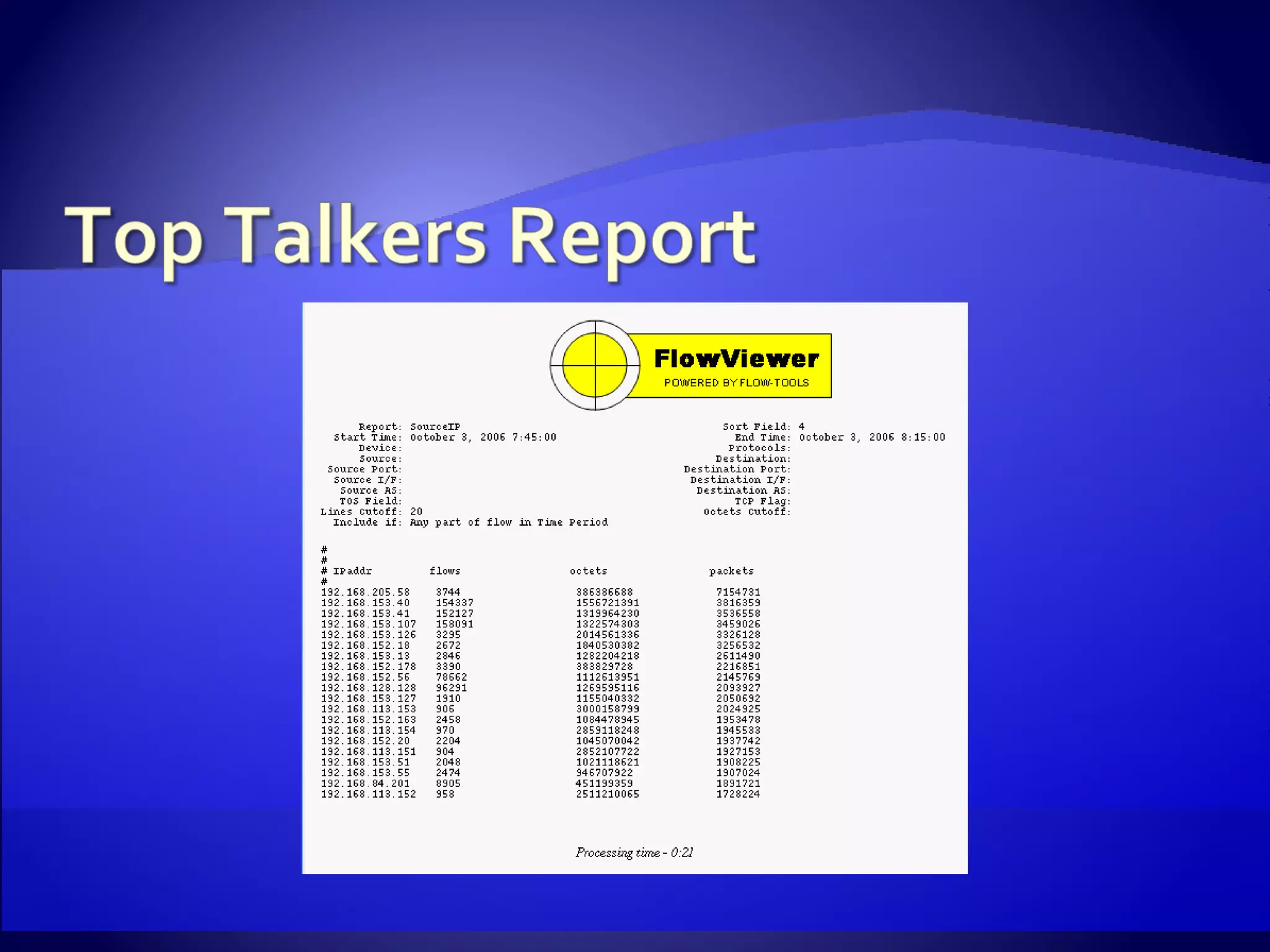
flow-tools Set of tools to collect and process Netflow data Not meant to crunch a lot of data at once Event collection Remote control fanout used to run commands on servers ssh used to connect to sensors if needed Rule updates Monitoring/Alerting Simple Event Correlator Hobbit
Who actually enjoys installing an operating system? Repeating the same choices is mind numbing Need to quickly install without a lot of interaction Disk Imaging Scripted installation
We do one step-by-step installation Network install from our local OS repository As minimal  an install as possible Keep settings simple No firewall No advance security features No complicated partition schemes or types Goal is to generate a basic kickstart script
Disable X Windows configuration Add configuration of second network card Add automatic partitioning Add necessary packages Disable unnecessary daemons Perform first sync
Removing unwanted packages Can be time consuming Dependencies A lot of trial and error Size of modern drives lets us ignore space It can speed up subsequent installations Must remove libpcap & dependent packages Burn to CD and we’re off
Libpcap – Packet capture library mmap version Performs well to 100 Mbps Easy to install PF_RING Boosts performance well beyond 300 Mbps Requires custom built kernel
Snort ® , nprobe, and tcpdump are compiled against our custom libpcap Barnyard Handles alert generation Allows Snort® to concentrate on packet analysis Software is installed into the software repository tree
Flexresp Snort’s Flexible Response plug-in Attempts to reset one or both sides of a connection Snortsam Not part of the official snort distribution Creates firewall and/or router ACLs on the fly Both can be used on a rule-by-rule basis
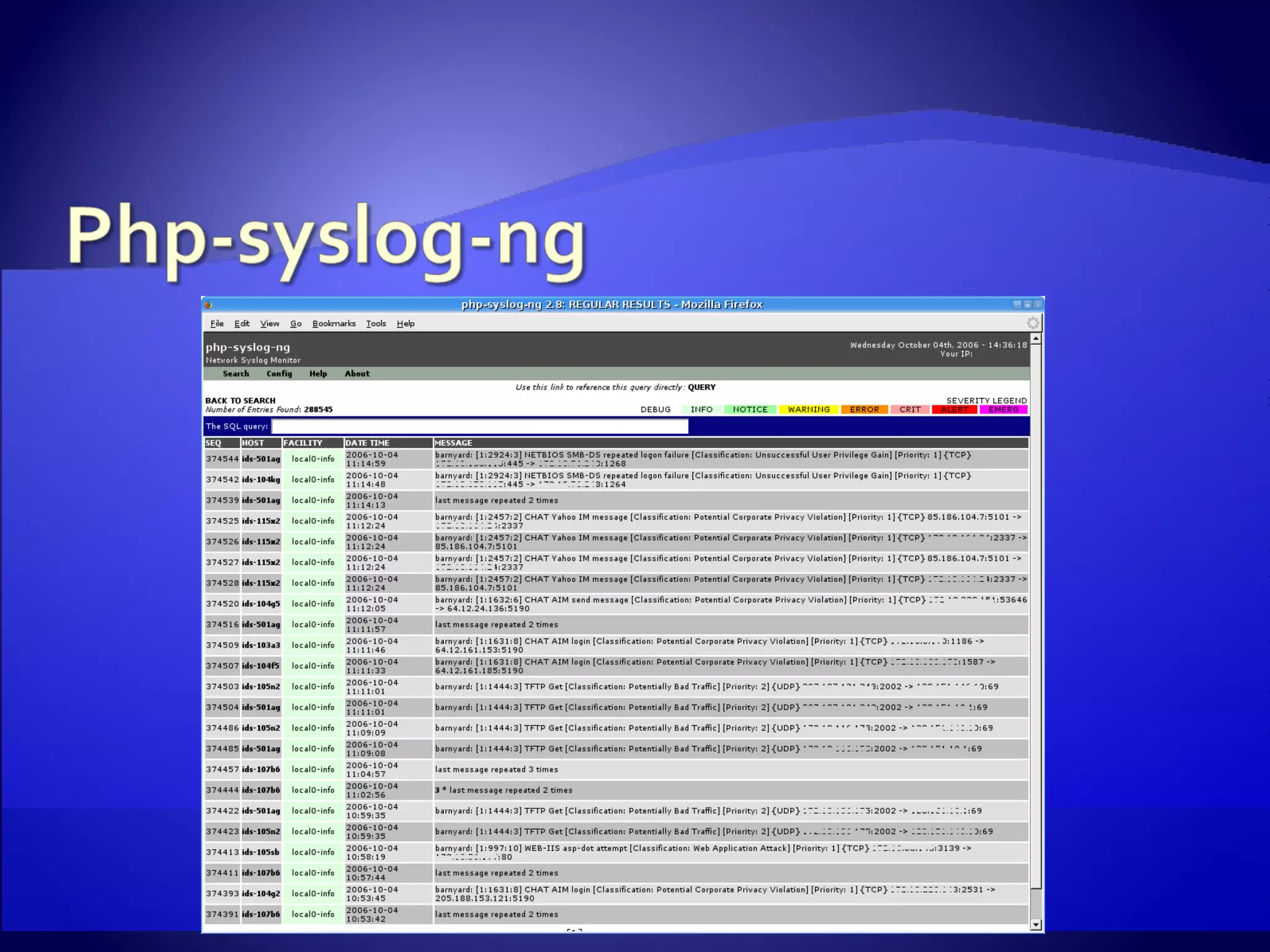
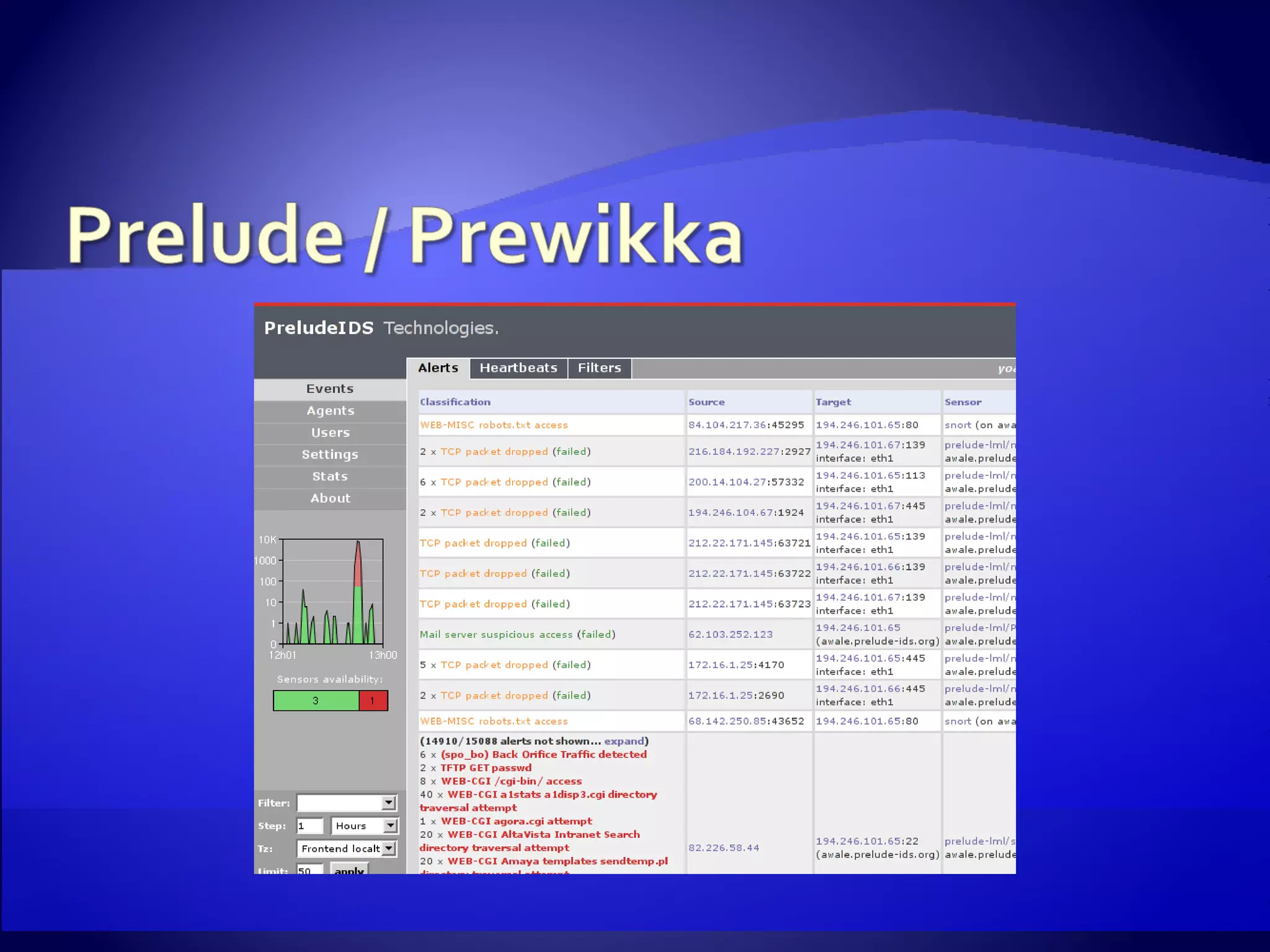
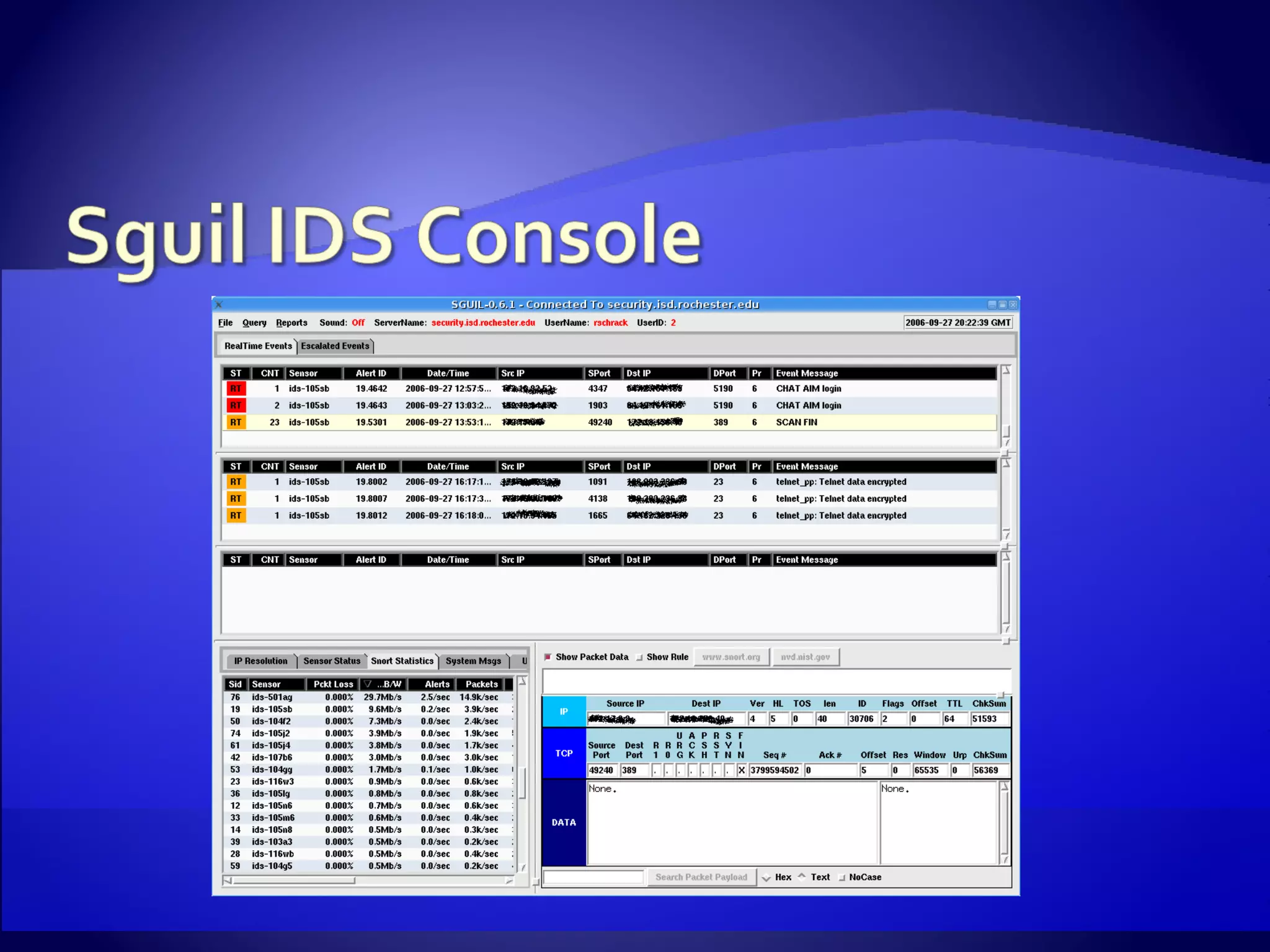
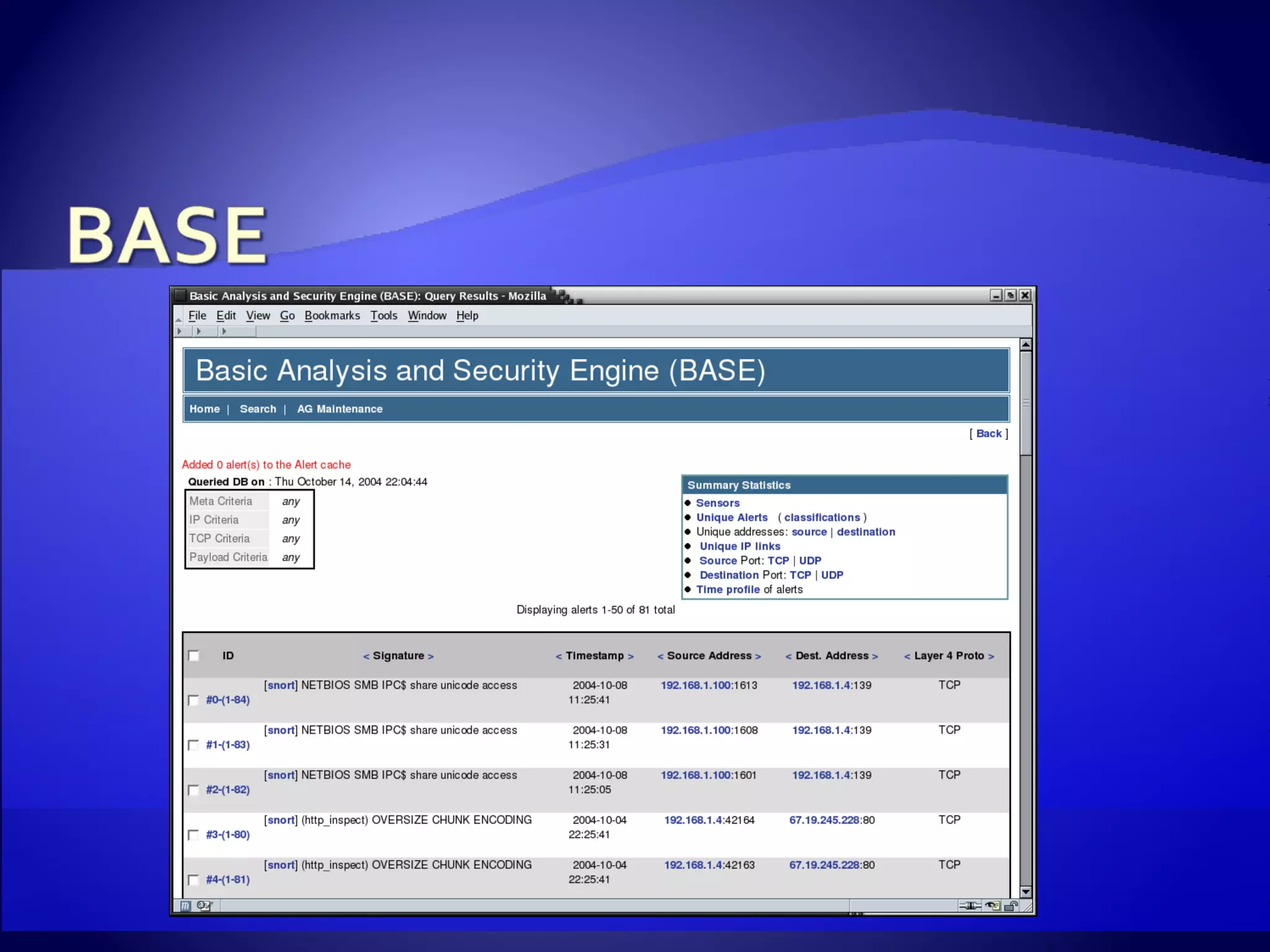
Syslog file Easiest to implement Can use standard tools like grep and tail to watch files php-syslog-ng PHP front-end to syslog-ng BASE Web-based console Prelude Web-based modular console Sguil GUI client
 
 
Pros Relatively easy installation Support built in to both Snort and Barnyard Cons Database becomes slow with a large number of alerts Interface can be awkward
 
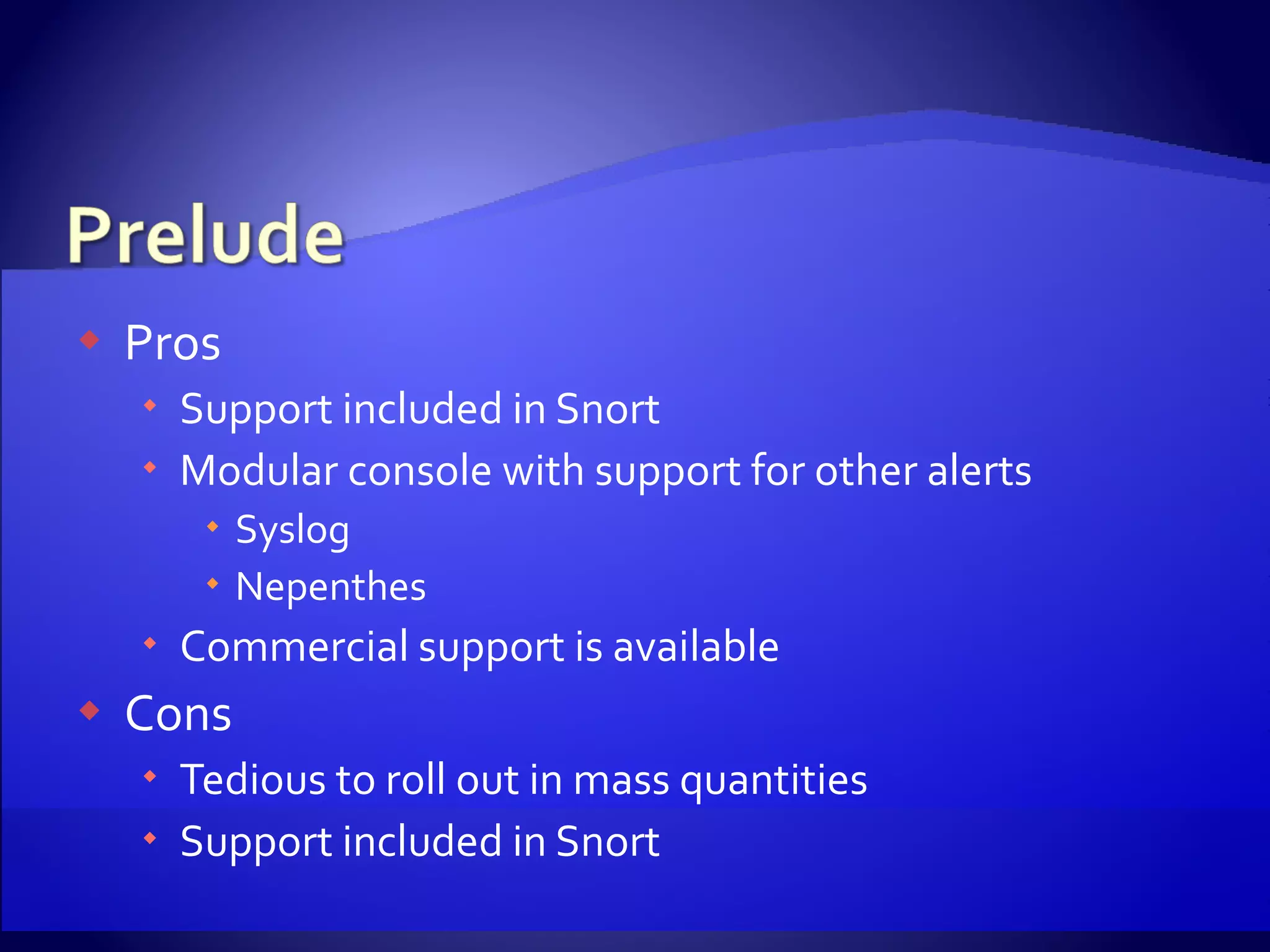
Pros Support included in Snort Modular console with support for other alerts Syslog Nepenthes Commercial support is available Cons Tedious to roll out in mass quantities Support included in Snort
 
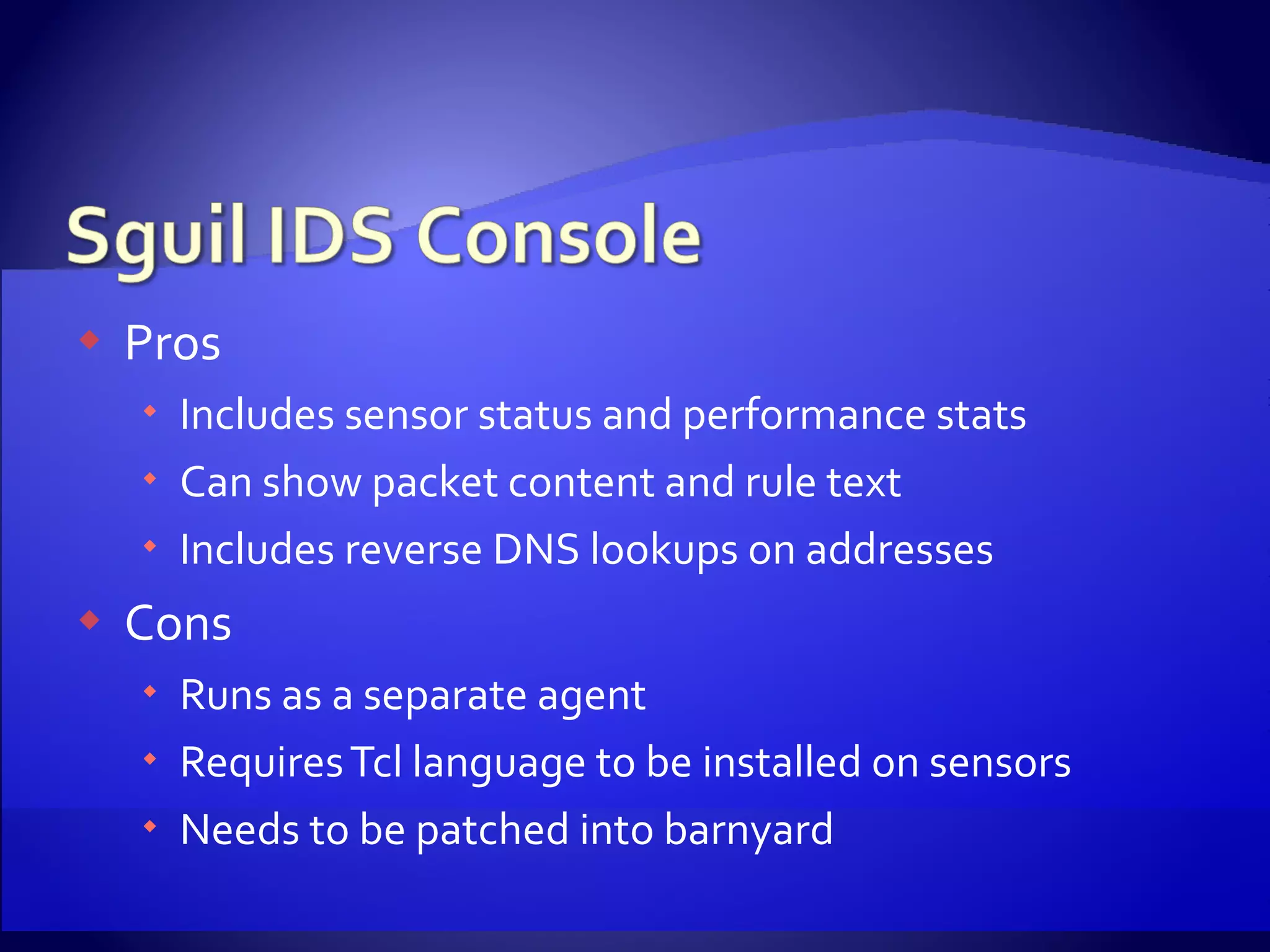
Pros Includes sensor status and performance stats Can show packet content and rule text Includes reverse DNS lookups on addresses Cons Runs as a separate agent Requires Tcl language to be installed on sensors Needs to be patched into barnyard
 
 
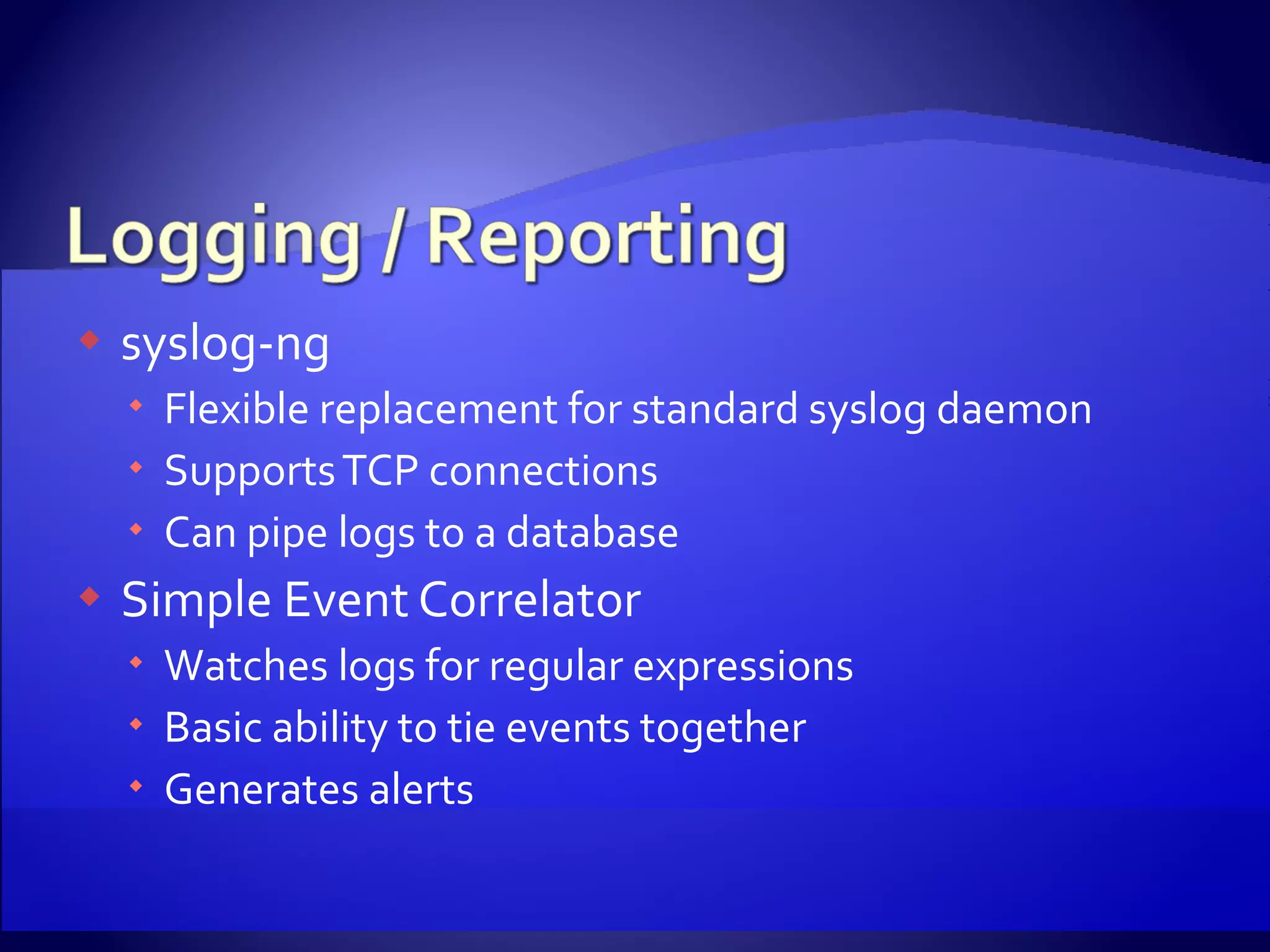
syslog-ng Flexible replacement for standard syslog daemon Supports TCP connections Can pipe logs to a database Simple Event Correlator Watches logs for regular expressions Basic ability to tie events together Generates alerts
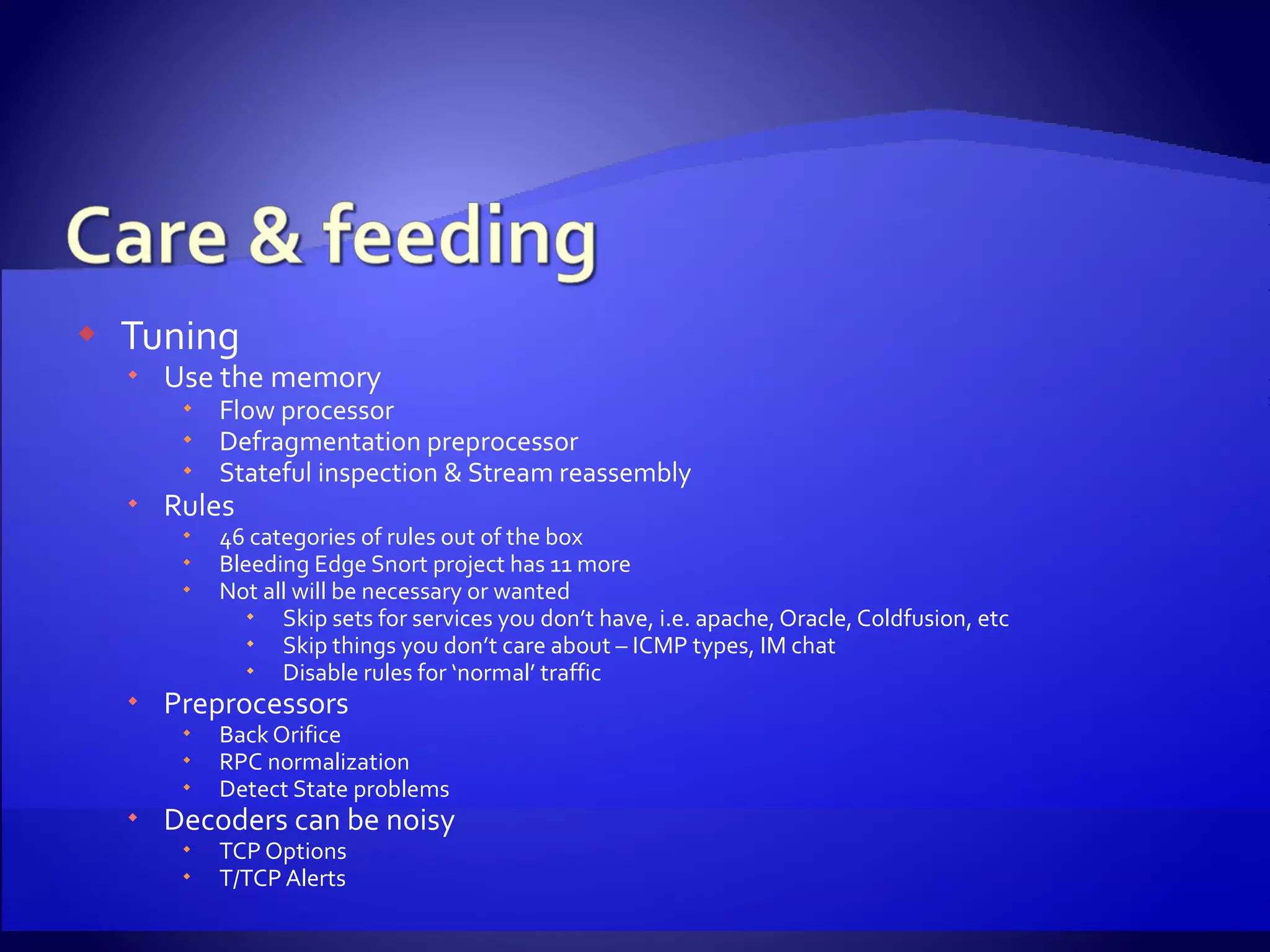
Tuning Use the memory Flow processor Defragmentation preprocessor Stateful inspection & Stream reassembly Rules 46 categories of rules out of the box Bleeding Edge Snort project has 11 more Not all will be necessary or wanted Skip sets for services you don’t have, i.e. apache, Oracle, Coldfusion, etc Skip things you don’t care about – ICMP types, IM chat Disable rules for ‘normal’ traffic Preprocessors Back Orifice RPC normalization Detect State problems Decoders can be noisy TCP Options T/TCP Alerts
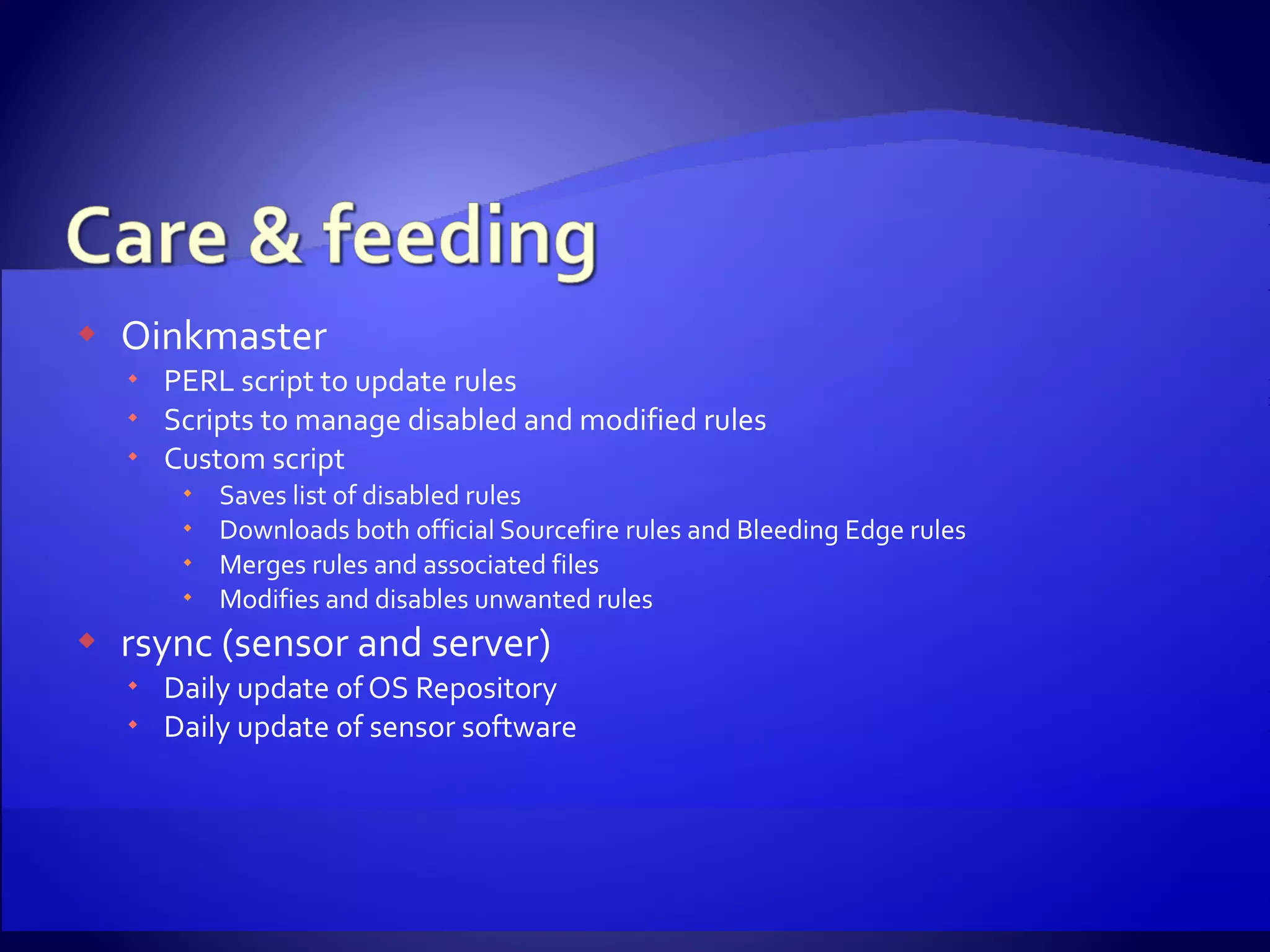
Oinkmaster PERL script to update rules Scripts to manage disabled and modified rules Custom script Saves list of disabled rules Downloads both official Sourcefire rules and Bleeding Edge rules Merges rules and associated files Modifies and disables unwanted rules rsync (sensor and server) Daily update of OS Repository Daily update of sensor software
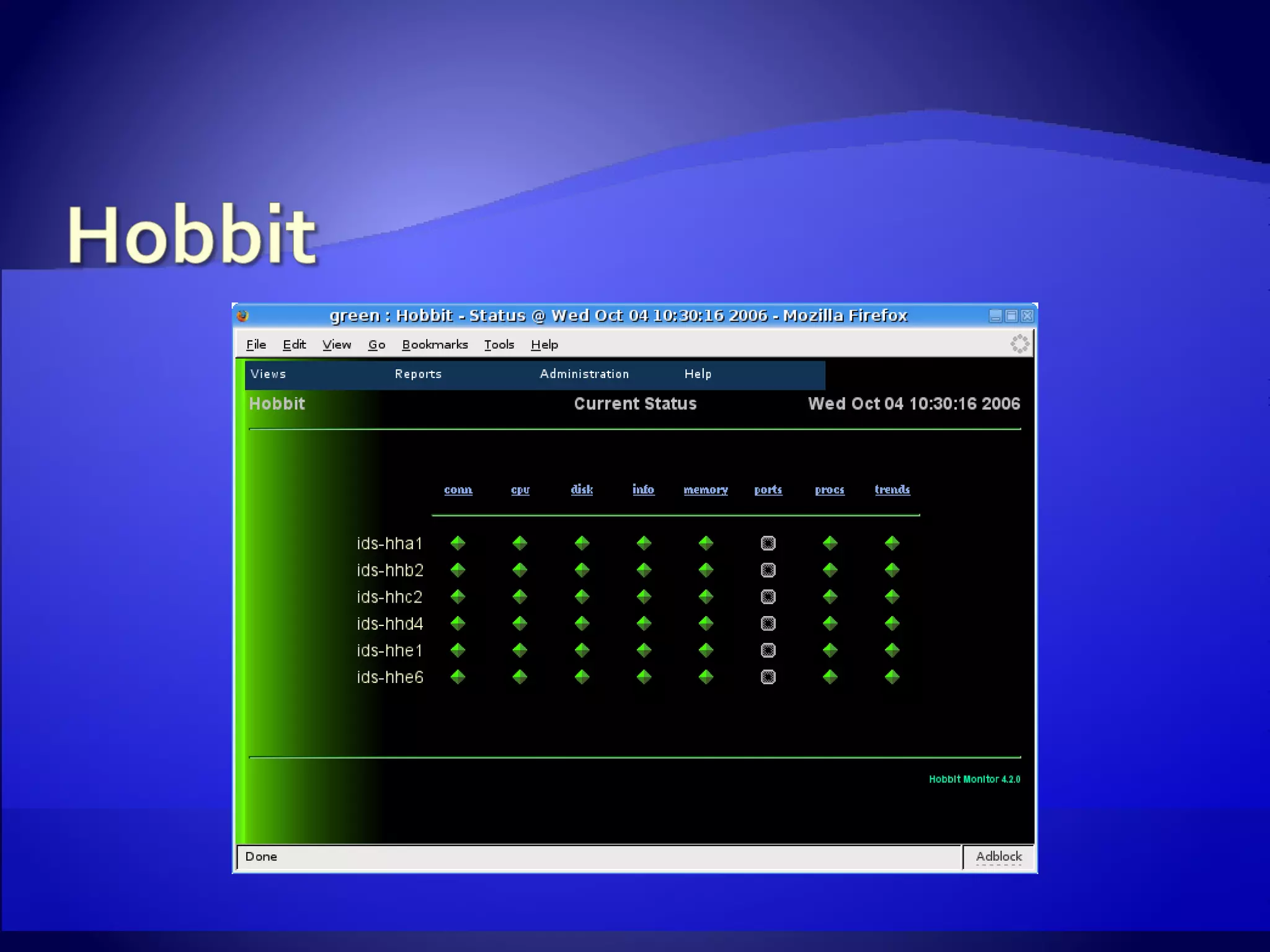
Hobbit Expansion of Big Brother Same look and feel Backward compatible with clients
 
Aide Tripwire Osiris
CentOS http://www.centos.org Snort & Barnyard http://www.snort.org Bleeding Edge Snort http://www.bleedingsnort.org nprobe & PF_RING http://www.ntop.org MMAP libpcap http://public.lanl.gov/cpw/ Syslog-ng http://www.balabit.com/products/syslog_ng/ Phpsyslog-ng http://www.vermeer.org/projects/php-syslog-ng Sguil http://sguil.sourceforge.net BASE http://secureideas.sourceforge.net Prelude http://www.prelude-ids.org Snortsam http://www.snortsam.net/ Oinkmaster http://oinkmaster.sourceforge.net/ Simple Event Correlator http://simple-evcorr.sourceforge.net/ Flow-tools http://www.splintered.net/sw/flow-tools/ FlowViewer http://ensight.eos.nasa.gov/FlowViewer/ Hobbit http://hobbitmon.sourceforge.net/ Aide http://sourceforge.net/projects/aide Osiris http://osiris.shmoo.com/ Fanout http://www.stearns.org/fanout/README.html rob underscore schrack at urmc dot rochester dot edu

Low cost multi-sensor IDS system

  • 1.
    Rob Schrack Universityof Rochester Medical Center
  • 2.
    Vendor view ofnetworks “ Put our solution where it can see all of your traffic” High price tag
  • 3.
    Switched networks MultipleCore Routers No place to see all traffic Fiber router links High Cost of Commercial Products doesn't scale
  • 4.
    Off the ShelfPC Hardware Open Source OS SNORT ® IDS Basic netflow tools Cheap Ways to listen Not perfect Must accept missing some traffic Network hardware must be capable Snort is a registered trademark of Sourcefire, Inc.
  • 5.
  • 6.
    Mid Tower PC3 Ghz Pentium 4 2 GB RAM Large hard drives Gig NIC
  • 7.
    100-200 Mbps Smallform factor PC 2.8 Ghz Pentium 4 1 GB RAM SATA hard drive Onboard PCI Express Gig NIC Intel PRO/1000 NIC 300+ Mbps 1U Server 3.6 Ghz Xeon 2 GB RAM SCSI hard drive PCI Express Gig NICs Headless systems Two types of sensors based upon traffic levels
  • 8.
    IDS Management Server~$1000 IDS Sensors ~$750 each Time 2-3 days to be up and running Ongoing rule tuning
  • 9.
    Source point forall compilation & distribution Web Server Used for sensor installations Netflow reporting Can be used for reporting, alert viewing Operating System repository OS Distributed through an Apache virtual server Updated from official mirrors daily Sensors receive updates with ‘yum’
  • 10.
    Software Repository DistributesIDS software to sensors Separate tags for each subdirectory Allows for selective sync Can use different rsync options for each Common config files across sensors /etc/hosts.allow /etc/ssh/sshd_config /etc/snmp/snmpd.conf /etc/ntp.conf Common Startup Scripts / /opt/sync bin etc lib snort
  • 11.
    flow-tools Set oftools to collect and process Netflow data Not meant to crunch a lot of data at once Event collection Remote control fanout used to run commands on servers ssh used to connect to sensors if needed Rule updates Monitoring/Alerting Simple Event Correlator Hobbit
  • 12.
    Who actually enjoysinstalling an operating system? Repeating the same choices is mind numbing Need to quickly install without a lot of interaction Disk Imaging Scripted installation
  • 13.
    We do onestep-by-step installation Network install from our local OS repository As minimal an install as possible Keep settings simple No firewall No advance security features No complicated partition schemes or types Goal is to generate a basic kickstart script
  • 14.
    Disable X Windowsconfiguration Add configuration of second network card Add automatic partitioning Add necessary packages Disable unnecessary daemons Perform first sync
  • 15.
    Removing unwanted packagesCan be time consuming Dependencies A lot of trial and error Size of modern drives lets us ignore space It can speed up subsequent installations Must remove libpcap & dependent packages Burn to CD and we’re off
  • 16.
    Libpcap – Packetcapture library mmap version Performs well to 100 Mbps Easy to install PF_RING Boosts performance well beyond 300 Mbps Requires custom built kernel
  • 17.
    Snort ® ,nprobe, and tcpdump are compiled against our custom libpcap Barnyard Handles alert generation Allows Snort® to concentrate on packet analysis Software is installed into the software repository tree
  • 18.
    Flexresp Snort’s FlexibleResponse plug-in Attempts to reset one or both sides of a connection Snortsam Not part of the official snort distribution Creates firewall and/or router ACLs on the fly Both can be used on a rule-by-rule basis
  • 19.
    Syslog file Easiestto implement Can use standard tools like grep and tail to watch files php-syslog-ng PHP front-end to syslog-ng BASE Web-based console Prelude Web-based modular console Sguil GUI client
  • 20.
  • 21.
  • 22.
    Pros Relatively easyinstallation Support built in to both Snort and Barnyard Cons Database becomes slow with a large number of alerts Interface can be awkward
  • 23.
  • 24.
    Pros Support includedin Snort Modular console with support for other alerts Syslog Nepenthes Commercial support is available Cons Tedious to roll out in mass quantities Support included in Snort
  • 25.
  • 26.
    Pros Includes sensorstatus and performance stats Can show packet content and rule text Includes reverse DNS lookups on addresses Cons Runs as a separate agent Requires Tcl language to be installed on sensors Needs to be patched into barnyard
  • 27.
  • 28.
  • 29.
    syslog-ng Flexible replacementfor standard syslog daemon Supports TCP connections Can pipe logs to a database Simple Event Correlator Watches logs for regular expressions Basic ability to tie events together Generates alerts
  • 30.
    Tuning Use thememory Flow processor Defragmentation preprocessor Stateful inspection & Stream reassembly Rules 46 categories of rules out of the box Bleeding Edge Snort project has 11 more Not all will be necessary or wanted Skip sets for services you don’t have, i.e. apache, Oracle, Coldfusion, etc Skip things you don’t care about – ICMP types, IM chat Disable rules for ‘normal’ traffic Preprocessors Back Orifice RPC normalization Detect State problems Decoders can be noisy TCP Options T/TCP Alerts
  • 31.
    Oinkmaster PERL scriptto update rules Scripts to manage disabled and modified rules Custom script Saves list of disabled rules Downloads both official Sourcefire rules and Bleeding Edge rules Merges rules and associated files Modifies and disables unwanted rules rsync (sensor and server) Daily update of OS Repository Daily update of sensor software
  • 32.
    Hobbit Expansion ofBig Brother Same look and feel Backward compatible with clients
  • 33.
  • 34.
  • 35.
    CentOS http://www.centos.org Snort& Barnyard http://www.snort.org Bleeding Edge Snort http://www.bleedingsnort.org nprobe & PF_RING http://www.ntop.org MMAP libpcap http://public.lanl.gov/cpw/ Syslog-ng http://www.balabit.com/products/syslog_ng/ Phpsyslog-ng http://www.vermeer.org/projects/php-syslog-ng Sguil http://sguil.sourceforge.net BASE http://secureideas.sourceforge.net Prelude http://www.prelude-ids.org Snortsam http://www.snortsam.net/ Oinkmaster http://oinkmaster.sourceforge.net/ Simple Event Correlator http://simple-evcorr.sourceforge.net/ Flow-tools http://www.splintered.net/sw/flow-tools/ FlowViewer http://ensight.eos.nasa.gov/FlowViewer/ Hobbit http://hobbitmon.sourceforge.net/ Aide http://sourceforge.net/projects/aide Osiris http://osiris.shmoo.com/ Fanout http://www.stearns.org/fanout/README.html rob underscore schrack at urmc dot rochester dot edu

Editor's Notes

  • #5 Depending upon traffic levels, even old hardware could be used Pick your favorite Open Source OS, FreeBSD, OpenBSD, favorite Linux distro, etc We used CentOS for it’s similarity to Red Hat. Netflow is entirely optional. It can also be offloaded from the sensors to your network gear if it supports it We decided upon port mirroring on our switches with one location using an inexpensive 10/100 tap
  • #6 Sensor placed at each distribution point Uses the uplink to network routers to watch traffic – One alternative is placing the sensor inline of the uplink and using snort-inline. Option to place sensors inside firewall with different rules to watch Internet bound traffic. The sensors are our eyes into the network. If need be, you simply logon to the box & you can see what kind of traffic is flowing through any given location.
  • #9 Biggest portion of time & money spent setting up management and installation media The more sensors that need to be deployed, then more cost effective this method becomes. Only an incremental cost of hardware with a minimum of time necessary to deploy sensor
  • #10 OS Repository is a local mirror of the official distribution sites. Contains only the architectures and versions you’ll be using in your environment Takes time to build- ~3 hours for just x86 architecture with NO cd or dvd images over broadband Cron job updates OS from the official mirrors via rsync
  • #11 Example of different rsync options We can use –delete to keep the bin, lib, & snort directories clean Don’t use –delete on /etc since we’re only syncing common files.
  • #12 We’re not using flow-tools for flow aggregation or historical analysis. If something goes bump on the network, it’s another point to see who may have been doing what at the time. An alternative for netflow statistics is ntop. When we were building our IDS infrastructure, it was difficult to add a lot of netflow probes. SSH to the sensors is allowed ONLY from the management server. Root logon to the sensors is via public-key signature NOT passwords. I recommend registering with Sourcefire to receive their official rules. However, there is a lag between official rule releases and when you can download them, unless you pay to subscribe. We do have the hobbit client on the sensors to alert if a process dies, or utilization on the box gets too high.
  • #13 Disk imaging works great for identical hardware Scripted install can be portable – same install used for scsi based servers and ide/sata workstations Scripted installs may also be faster – instead of imaging a 40 GB drive, we’re only installing 400-700 Mbytes Can you imagine doing this with Windows machines?
  • #14 Simple settings are for speed.. Load nothing that may slow down or get in the way of processing packets.
  • #15 Disable X – no monitor attached, no need for a GUI Second network card will be enabled upon boot, but configured with no IP address or DHCP config We automatically wipe the drive & repartition with /boot / swap All partitions are Linux ext2 (we don’t even want file system journaling to get in the way). If the file system becomes corrupt due to a power outage, fine – we rebuild the box in 10 minutes and we’re back up & running. We’ve added the SMP kernel, net-snmp, ntp packages among others We disable everything except ssh. Last step of the installation is to sync our /usr/local directories
  • #16 Finish first installation, generate list of installed packages, and start removing things you don’t want. A lot of removals will fail with dependency errors. Add the dependencies to the removal command & try again. When connecting sensors, try to stick to a standard, ie eth0 is management, eth1 is the capture interface. May not always be possible, so modifications to startup scripts can work around it. Run the install on the sensor, logon as root to adjust hostname & IP address.
  • #17 Base set of instructions for Fedora modifications are on the ntop wiki site. If you are familiar with compiling RPMs, it isn’t terribly difficult to adapt these instructions and build a kernel package.
  • #18 Honestly, I install all software into the management servers’ /usr/local tree, then copy what I need over to the Software Repository.
  • #19 Snortsam supports Checkpoint, Cisco PIX & router ACLs, Netscreen, Watchguard, & ISA Server firewalls, as well as iptables, pf, ipfw, and ipfw2 built into Open Source OS’. As an example, bittorrent is known to be used far more often for copyright violations than it is for legitimate downloads. We have a rule that looks for bittorrent connections and blocks the user’s Internet connectivity for an hour.
  • #25 Nepenthes is soft of a honeypot for malware. It emulates known vulnerabilities that are commonly used to spread viruses & trojans. The Prelude development team is also working on event correlation.
  • #28 Flowviewer is a perl based web page that uses flow-tools to generate reports. This page has been slightly modified to make the Device and Sort Field dropdown boxes a little more intuitive. We also changed the Resolve Addresses box to default to No.