#Kscope
Creating a “native” App
with
Oracle Application Express
Christian Rokitta
www.themes4apex.com
About Me
17 years 17 years 2 years
3 months
3
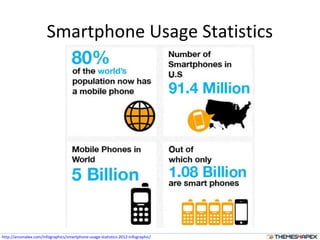
Smartphone Usage Statistics
http://ansonalex.com/infographics/smartphone-usage-statistics-2012-infographic/
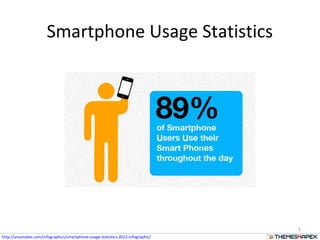
Smartphone Usage Statistics
5
http://ansonalex.com/infographics/smartphone-usage-statistics-2012-infographic/
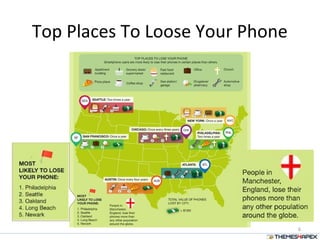
Top Places To Loose Your Phone
6
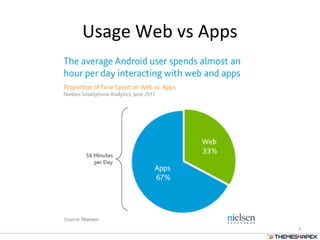
Usage Web vs Apps
7
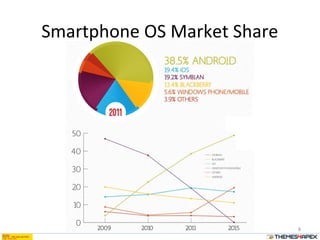
Smartphone OS Market Share
8
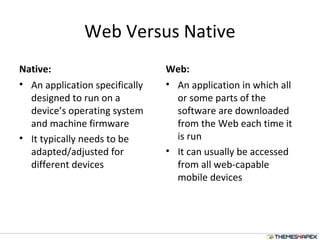
Web Versus Native
Native:
• An application specifically
designed to run on a
device’s operating system
and machine firmware
• It typically needs to be
adapted/adjusted for
different devices
Web:
• An application in which all
or some parts of the
software are downloaded
from the Web each time it
is run
• It can usually be accessed
from all web-capable
mobile devices
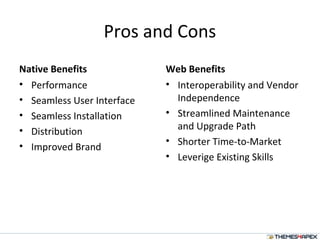
Pros and Cons
Native Benefits
• Performance
• Seamless User Interface
• Seamless Installation
• Distribution
• Improved Brand
Web Benefits
• Interoperability and Vendor
Independence
• Streamlined Maintenance
and Upgrade Path
• Shorter Time-to-Market
• Leverige Existing Skills
Native Web App? Hybride!
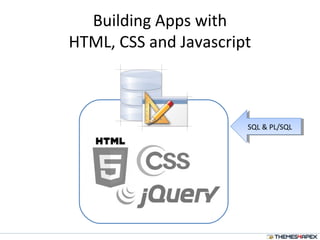
Building Apps with
HTML, CSS and Javascript
SQL & PL/SQLSQL & PL/SQL
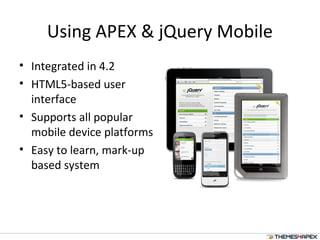
Using APEX & jQuery Mobile
• Integrated in 4.2
• HTML5-based user
interface
• Supports all popular
mobile device platforms
• Easy to learn, mark-up
based system
PhoneGap
Why PhoneGap?
Mobile development is a mess. Building
applications for each device (iPhone, Android,
Windows Mobile ...) requires different
frameworks and languages.
Build your app once with web-standards, based
on HTML5, PhoneGap leverages web
technologies developers already know best...
HTML and JavaScript.
16
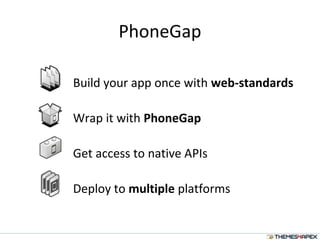
PhoneGap
Build your app once with web-standards
Wrap it with PhoneGap
Get access to native APIs
Deploy to multiple platforms
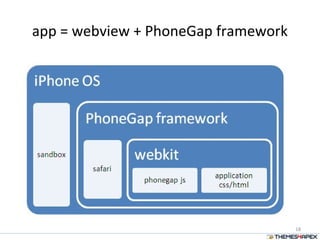
app = webview + PhoneGap framework
18
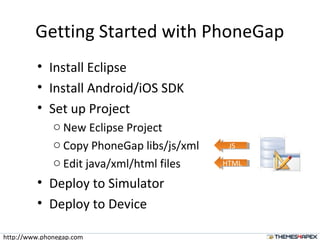
Getting Started with PhoneGap
• Install Eclipse
• Install Android/iOS SDK
• Set up Project
o New Eclipse Project
o Copy PhoneGap libs/js/xml
o Edit java/xml/html files
• Deploy to Simulator
• Deploy to Device
JSJS
HTMLHTML
http://www.phonegap.com
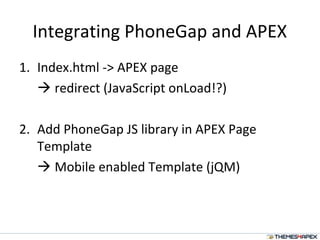
Integrating PhoneGap and APEX
1. Index.html -> APEX page
 redirect (JavaScript onLoad!?)
2. Add PhoneGap JS library in APEX Page
Template
 Mobile enabled Template (jQM)
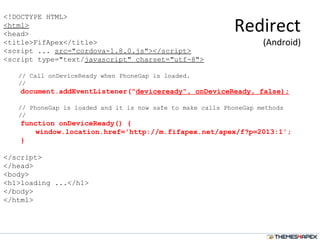
<!DOCTYPE HTML>
<html>
<head>
<title>FifApex</title>
<script ... src="cordova-1.8.0.js"></script>
<script type="text/javascript" charset="utf-8">
// Call onDeviceReady when PhoneGap is loaded.
//
document.addEventListener("deviceready", onDeviceReady, false);
// PhoneGap is loaded and it is now safe to make calls PhoneGap methods
//
function onDeviceReady() {
window.location.href='http://m.fifapex.net/apex/f?p=2013:1';
}
</script>
</head>
<body>
<h1>loading ...</h1>
</body>
</html>
Redirect
(Android)
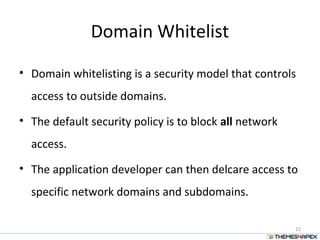
Domain Whitelist
• Domain whitelisting is a security model that controls
access to outside domains.
• The default security policy is to block all network
access.
• The application developer can then delcare access to
specific network domains and subdomains.
22
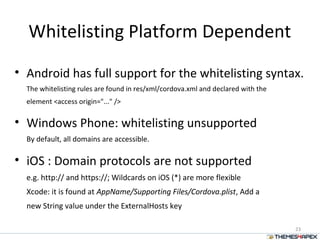
Whitelisting Platform Dependent
• Android has full support for the whitelisting syntax.
The whitelisting rules are found in res/xml/cordova.xml and declared with the
element <access origin="..." />
• Windows Phone: whitelisting unsupported
By default, all domains are accessible.
• iOS : Domain protocols are not supported
e.g. http:// and https://; Wildcards on iOS (*) are more flexible
Xcode: it is found at AppName/Supporting Files/Cordova.plist, Add a
new String value under the ExternalHosts key
23
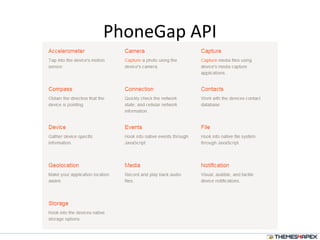
PhoneGap API
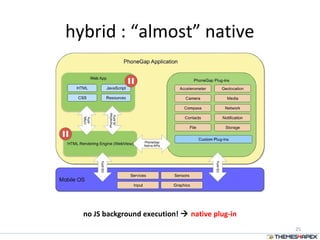
hybrid : “almost” native
25
no JS background execution!  native plug-in
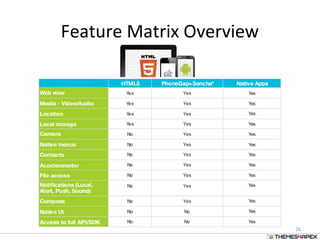
Feature Matrix Overview
26
Questions
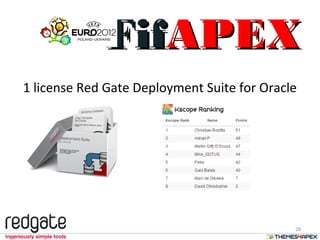
1 license Red Gate Deployment Suite for Oracle
28
FifFifAPEXAPEX
Contact Information
Blog: http://rokitta.blogspot.com
LinkedIn: http://nl.linkedin.com/in/rokit
Website: http://www.rokit.nl
themes4apex: http://www.themes4apex.nl
FifApex: http://m.fifapex.net
Twitter: @crokitta
Email: christian@rokitta.nl

"Native" Apps with APEX and PhoneGap

  • 1.
    #Kscope Creating a “native”App with Oracle Application Express Christian Rokitta www.themes4apex.com
  • 2.
    About Me 17 years17 years 2 years 3 months
  • 3.
  • 4.
  • 5.
  • 6.
    Top Places ToLoose Your Phone 6
  • 7.
  • 8.
  • 9.
    Web Versus Native Native: •An application specifically designed to run on a device’s operating system and machine firmware • It typically needs to be adapted/adjusted for different devices Web: • An application in which all or some parts of the software are downloaded from the Web each time it is run • It can usually be accessed from all web-capable mobile devices
  • 10.
    Pros and Cons NativeBenefits • Performance • Seamless User Interface • Seamless Installation • Distribution • Improved Brand Web Benefits • Interoperability and Vendor Independence • Streamlined Maintenance and Upgrade Path • Shorter Time-to-Market • Leverige Existing Skills
  • 11.
  • 12.
    Building Apps with HTML,CSS and Javascript SQL & PL/SQLSQL & PL/SQL
  • 13.
    Using APEX &jQuery Mobile • Integrated in 4.2 • HTML5-based user interface • Supports all popular mobile device platforms • Easy to learn, mark-up based system
  • 14.
  • 16.
    Why PhoneGap? Mobile developmentis a mess. Building applications for each device (iPhone, Android, Windows Mobile ...) requires different frameworks and languages. Build your app once with web-standards, based on HTML5, PhoneGap leverages web technologies developers already know best... HTML and JavaScript. 16
  • 17.
    PhoneGap Build your apponce with web-standards Wrap it with PhoneGap Get access to native APIs Deploy to multiple platforms
  • 18.
    app = webview+ PhoneGap framework 18
  • 19.
    Getting Started withPhoneGap • Install Eclipse • Install Android/iOS SDK • Set up Project o New Eclipse Project o Copy PhoneGap libs/js/xml o Edit java/xml/html files • Deploy to Simulator • Deploy to Device JSJS HTMLHTML http://www.phonegap.com
  • 20.
    Integrating PhoneGap andAPEX 1. Index.html -> APEX page  redirect (JavaScript onLoad!?) 2. Add PhoneGap JS library in APEX Page Template  Mobile enabled Template (jQM)
  • 21.
    <!DOCTYPE HTML> <html> <head> <title>FifApex</title> <script ...src="cordova-1.8.0.js"></script> <script type="text/javascript" charset="utf-8"> // Call onDeviceReady when PhoneGap is loaded. // document.addEventListener("deviceready", onDeviceReady, false); // PhoneGap is loaded and it is now safe to make calls PhoneGap methods // function onDeviceReady() { window.location.href='http://m.fifapex.net/apex/f?p=2013:1'; } </script> </head> <body> <h1>loading ...</h1> </body> </html> Redirect (Android)
  • 22.
    Domain Whitelist • Domainwhitelisting is a security model that controls access to outside domains. • The default security policy is to block all network access. • The application developer can then delcare access to specific network domains and subdomains. 22
  • 23.
    Whitelisting Platform Dependent •Android has full support for the whitelisting syntax. The whitelisting rules are found in res/xml/cordova.xml and declared with the element <access origin="..." /> • Windows Phone: whitelisting unsupported By default, all domains are accessible. • iOS : Domain protocols are not supported e.g. http:// and https://; Wildcards on iOS (*) are more flexible Xcode: it is found at AppName/Supporting Files/Cordova.plist, Add a new String value under the ExternalHosts key 23
  • 24.
  • 25.
    hybrid : “almost”native 25 no JS background execution!  native plug-in
  • 26.
  • 27.
  • 28.
    1 license RedGate Deployment Suite for Oracle 28 FifFifAPEXAPEX
  • 29.
    Contact Information Blog: http://rokitta.blogspot.com LinkedIn:http://nl.linkedin.com/in/rokit Website: http://www.rokit.nl themes4apex: http://www.themes4apex.nl FifApex: http://m.fifapex.net Twitter: @crokitta Email: christian@rokitta.nl

Editor's Notes

  • #2 This is your opening slide.