APEX World 2013


APEX &

  Christian Rokitta
   OGh APEX World
    9 April 2013
VOORAF


         Samenwerkingsverband van
         zelfstandige APEX professionals
         smart4apex.nl


         75 APEX sessions in 4 days +
         Symposium day with Oracle Dev Team
         kscope13.com
AGENDA

• PhoneGap: Concept en Architectuur

• APEX & PhoneGap

• PhoneGap API (met APEX)

• Cross Platform App Development
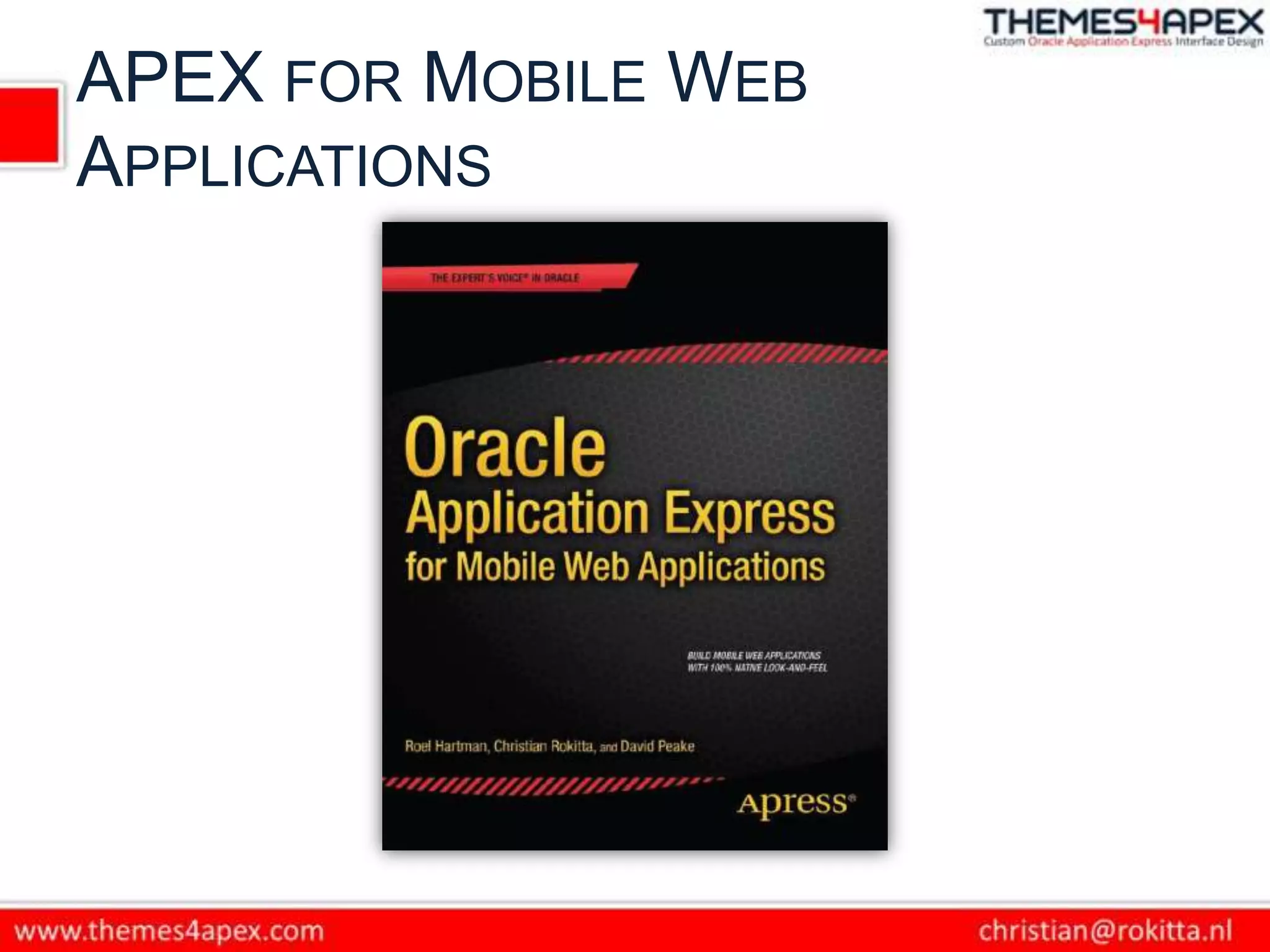
APEX FOR MOBILE WEB
APPLICATIONS
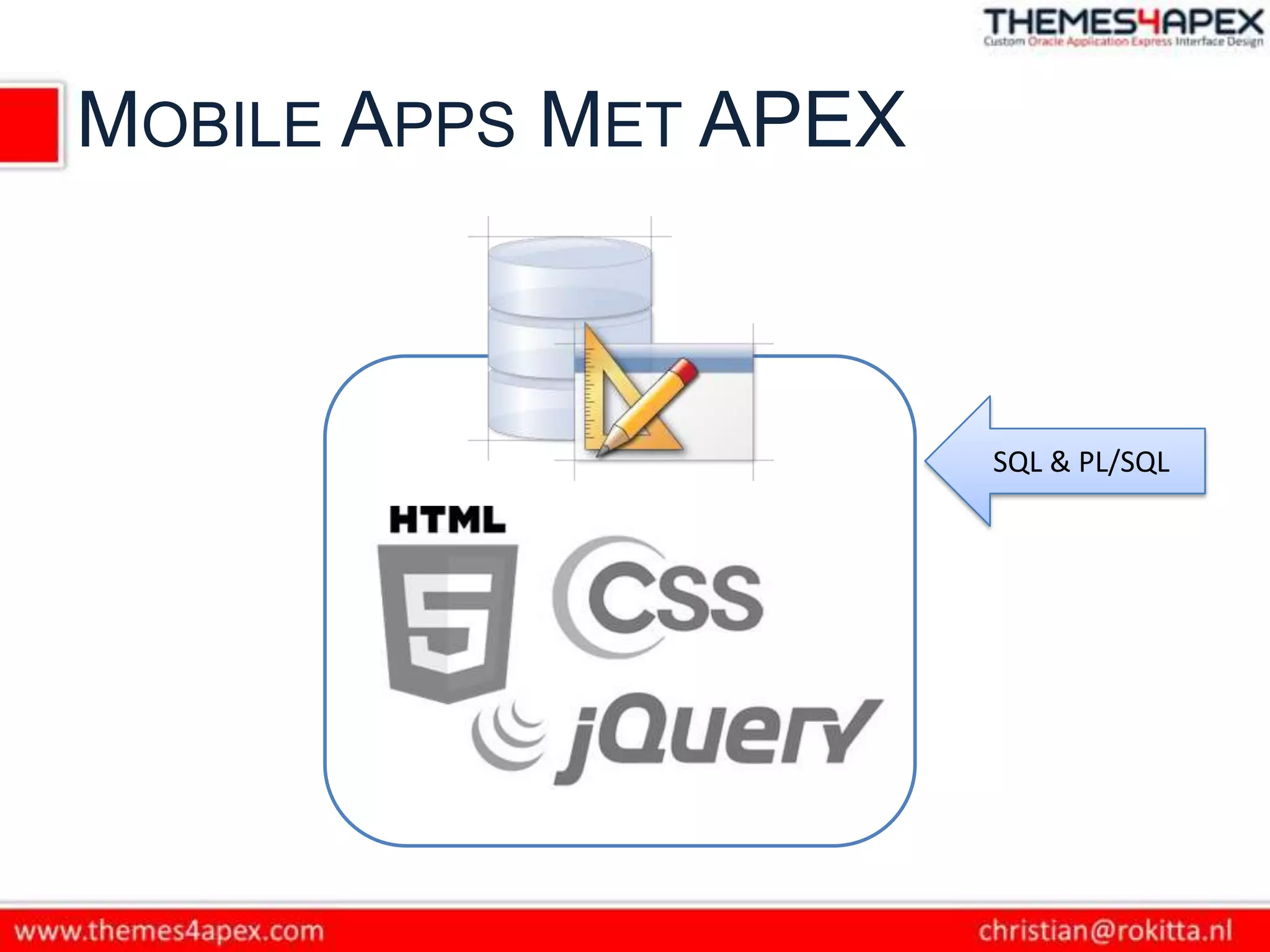
MOBILE APPS MET APEX


                       SQL & PL/SQL
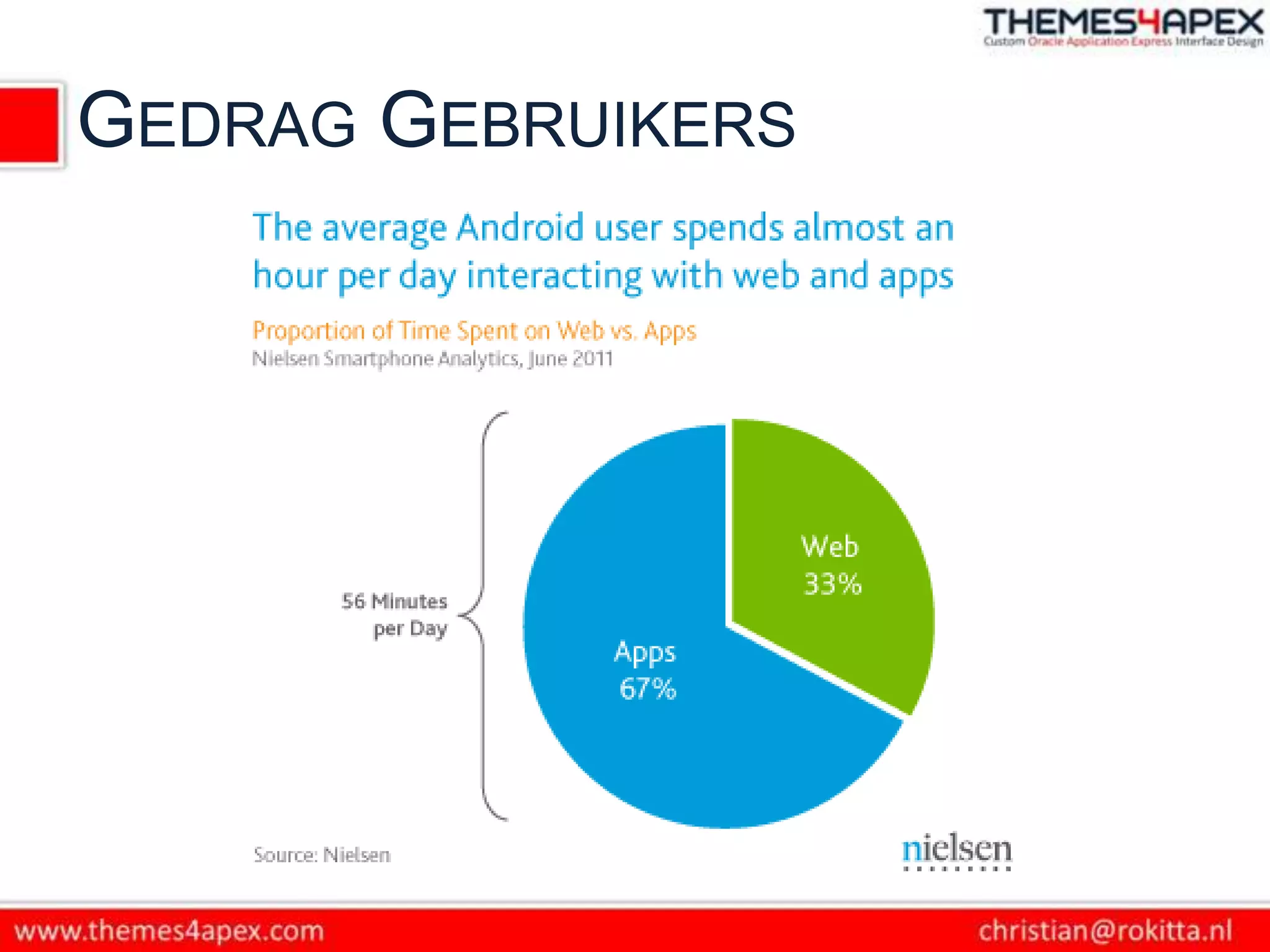
GEDRAG GEBRUIKERS
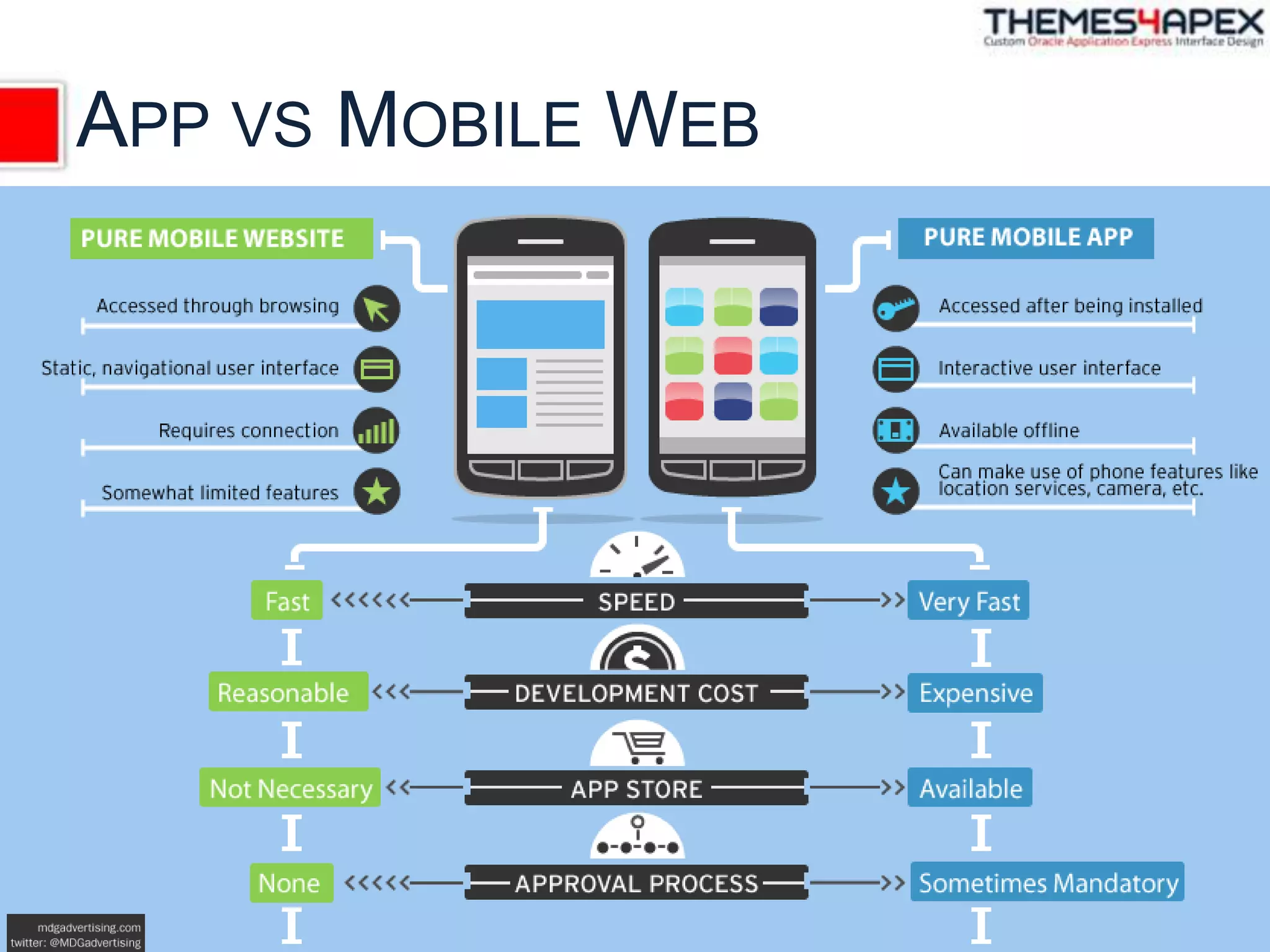
APP VS MOBILE WEB
NATIVE + WEB APP = HYBRID
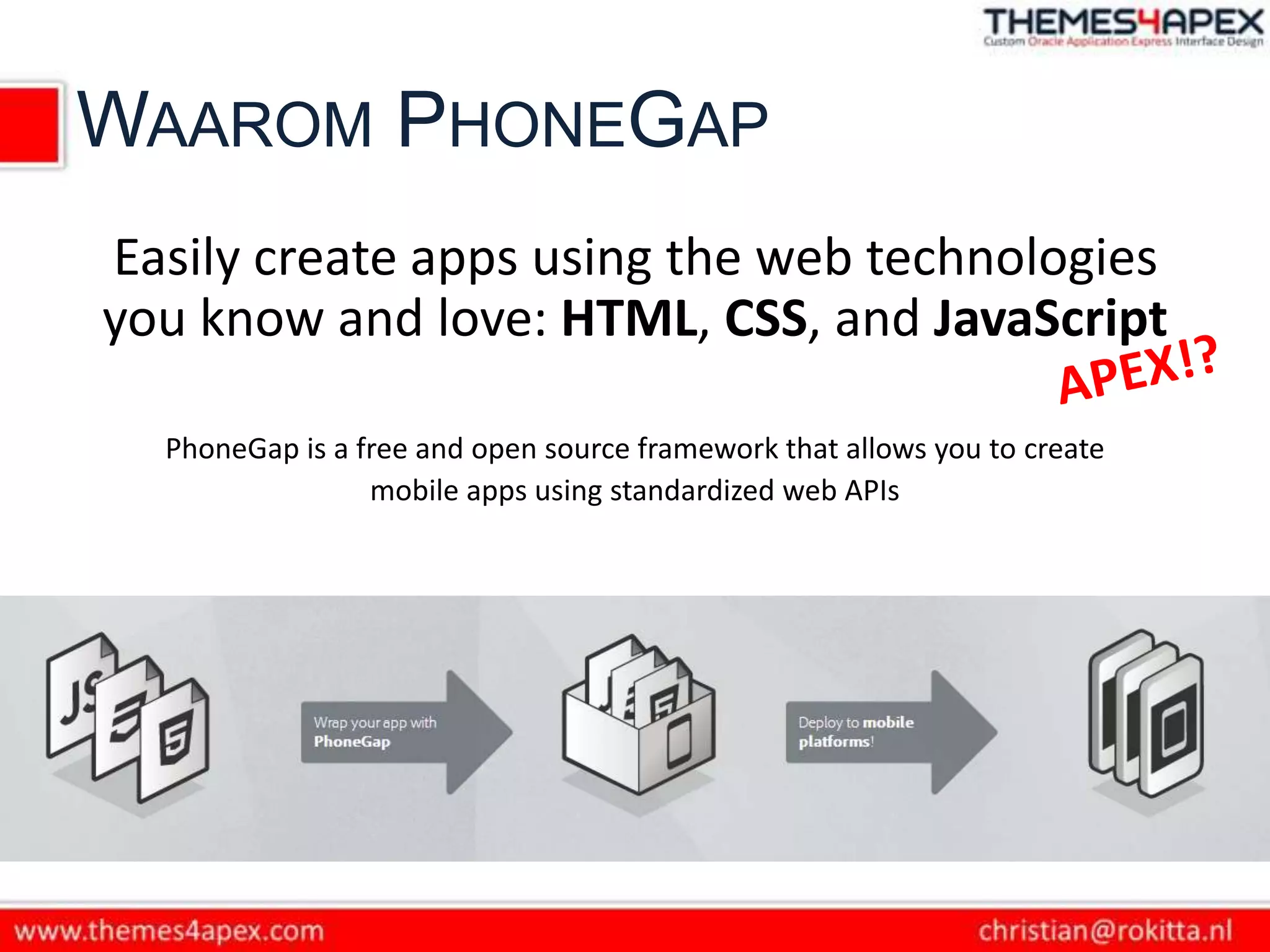
WAAROM PHONEGAP
Easily create apps using the web technologies
you know and love: HTML, CSS, and JavaScript

  PhoneGap is a free and open source framework that allows you to create
                 mobile apps using standardized web APIs
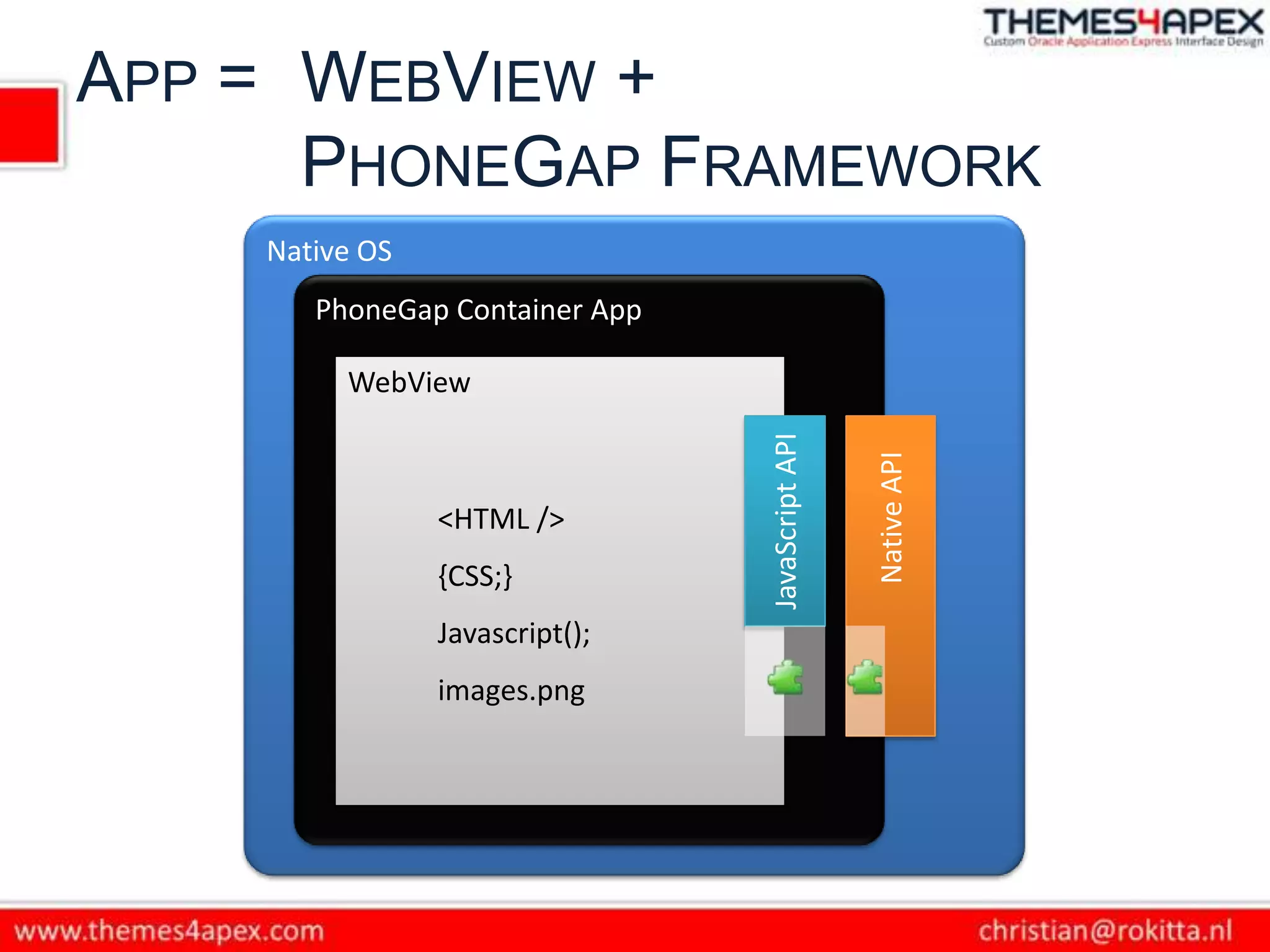
APP = WEBVIEW +
      PHONEGAP FRAMEWORK
    Native OS
       PhoneGap Container App

         WebView


                                JavaScript API


                                                 Native API
                <HTML />
                {CSS;}
                Javascript();
                images.png
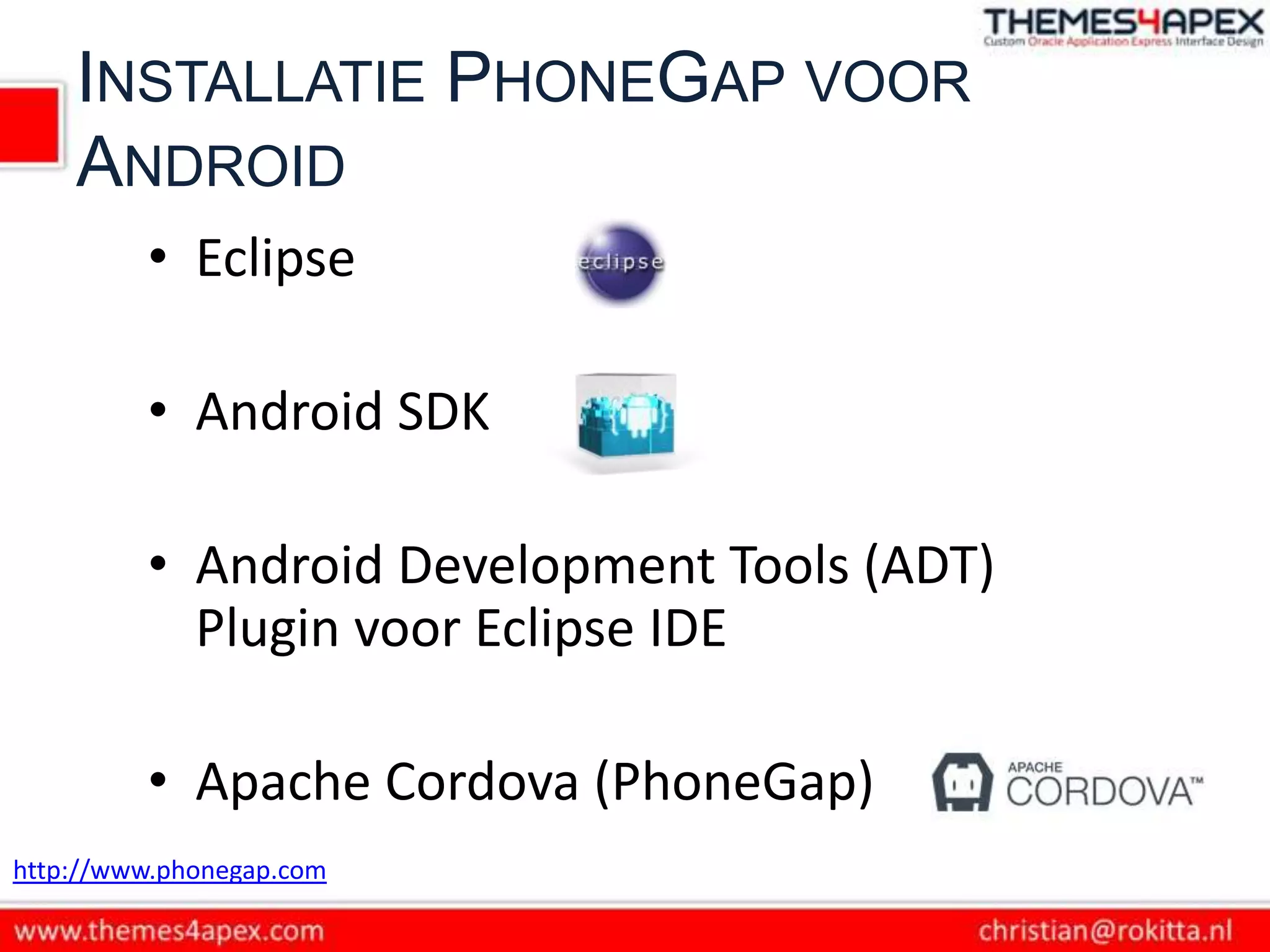
INSTALLATIE PHONEGAP VOOR
    ANDROID
         • Eclipse

         • Android SDK

         • Android Development Tools (ADT)
           Plugin voor Eclipse IDE

         • Apache Cordova (PhoneGap)
http://www.phonegap.com
PHONEGAP PROJECT IN ECLIPSE
 • Project
    New Eclipse Project
    PhoneGap libs/js/xml kopiëren
    Configuratie: java/xml/html bestanden
 • Deploy  Simulator/Smartphone
VRAAG


  Hoe krijgen wij APEX in de
PhoneGap WebView Container?
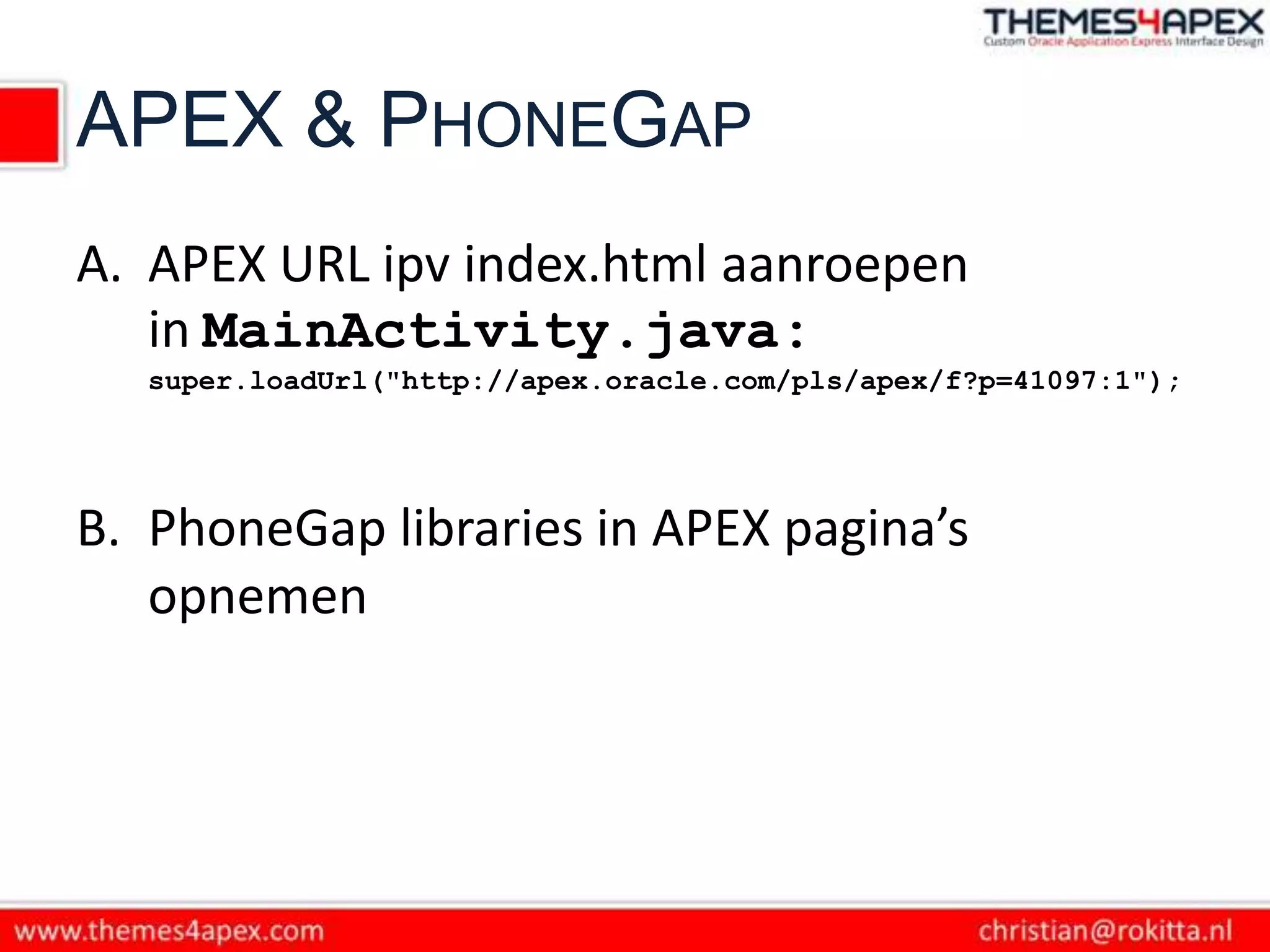
APEX & PHONEGAP
A. APEX URL ipv index.html aanroepen
   in MainActivity.java:
   super.loadUrl("http://apex.oracle.com/pls/apex/f?p=41097:1");


B. PhoneGap libraries in APEX pagina’s
   opnemen
DOMAIN WHITELIST
• Domain Whitelisting is een security model om
  toegang tot servers buiten de WebView
  Containers te controleren.

• Standaard worden alle aanroepen in het net
  geblokkeerd.

• De ontwikkelaar kan toegang tot (sub-)
  domeinen declareren.
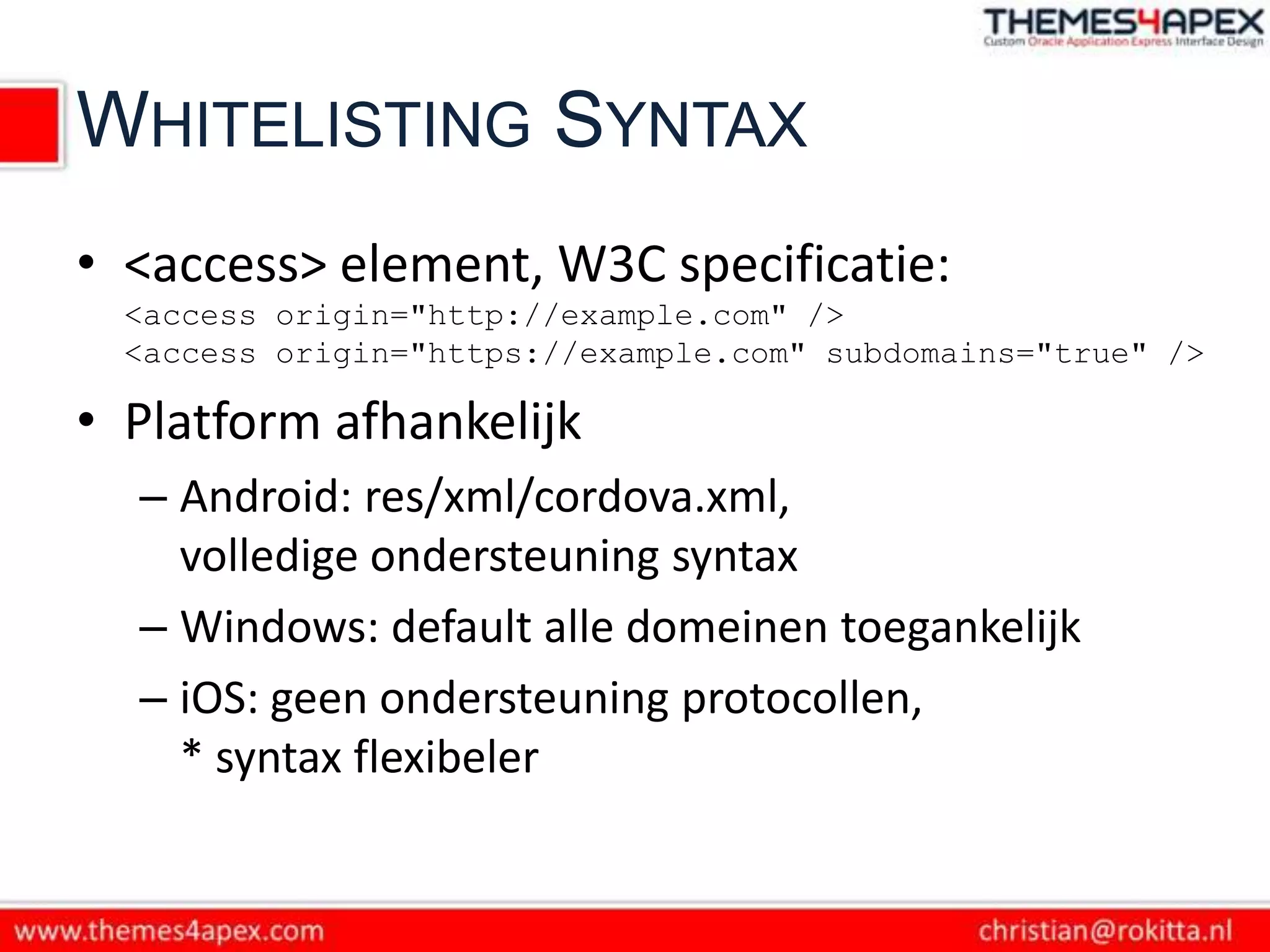
WHITELISTING SYNTAX
• <access> element, W3C specificatie:
  <access origin="http://example.com" />
  <access origin="https://example.com" subdomains="true" />

• Platform afhankelijk
  – Android: res/xml/cordova.xml,
    volledige ondersteuning syntax
  – Windows: default alle domeinen toegankelijk
  – iOS: geen ondersteuning protocollen,
    * syntax flexibeler
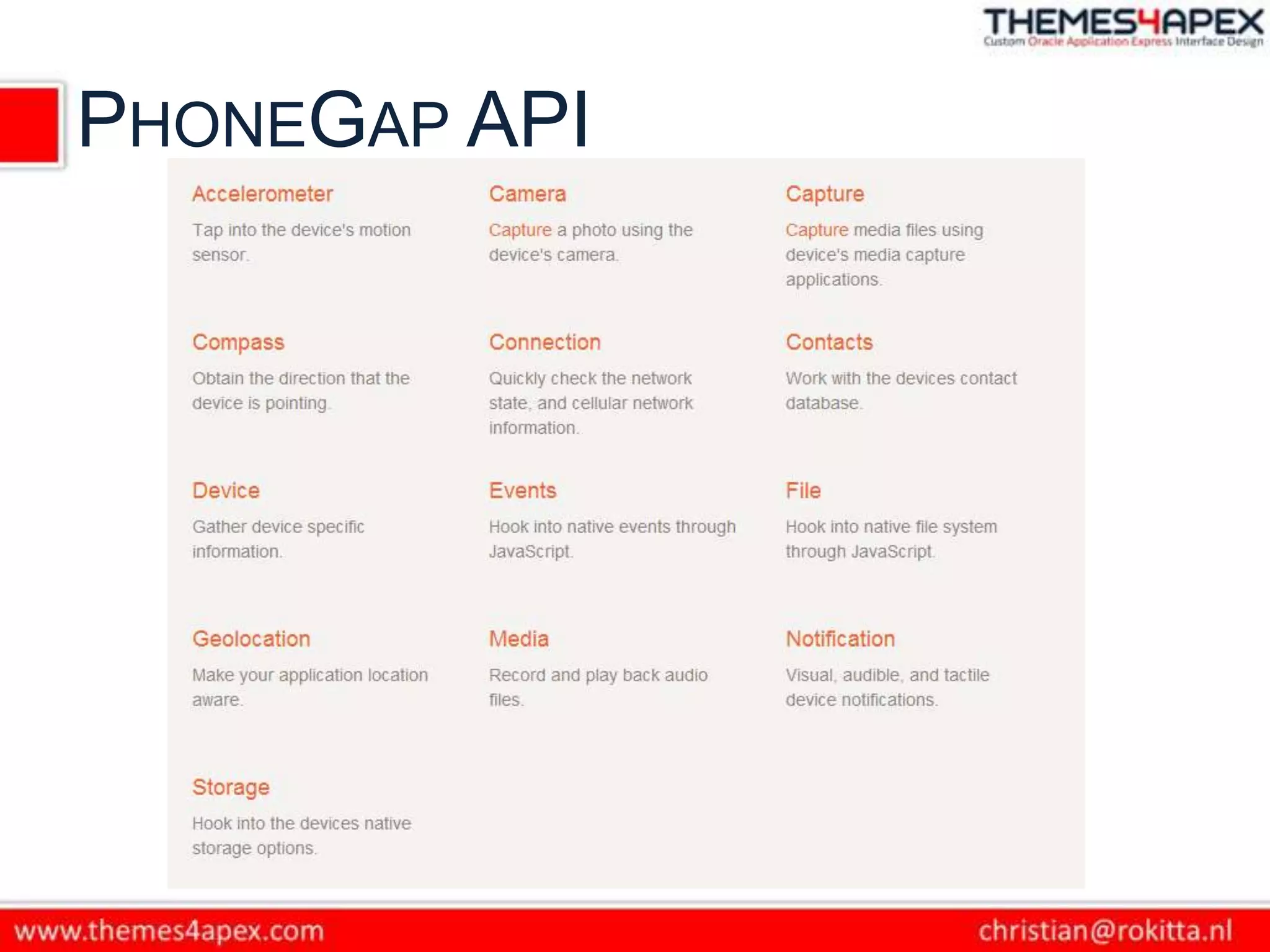
PHONEGAP API
CAMERA API INTRO 1
Definitie JS functie:
navigator.camera.getPicture( cameraSuccess
                           , cameraError
                         [ , cameraOptions ] );


cameraSucces/Error: functions
CAMERA API INTRO 2
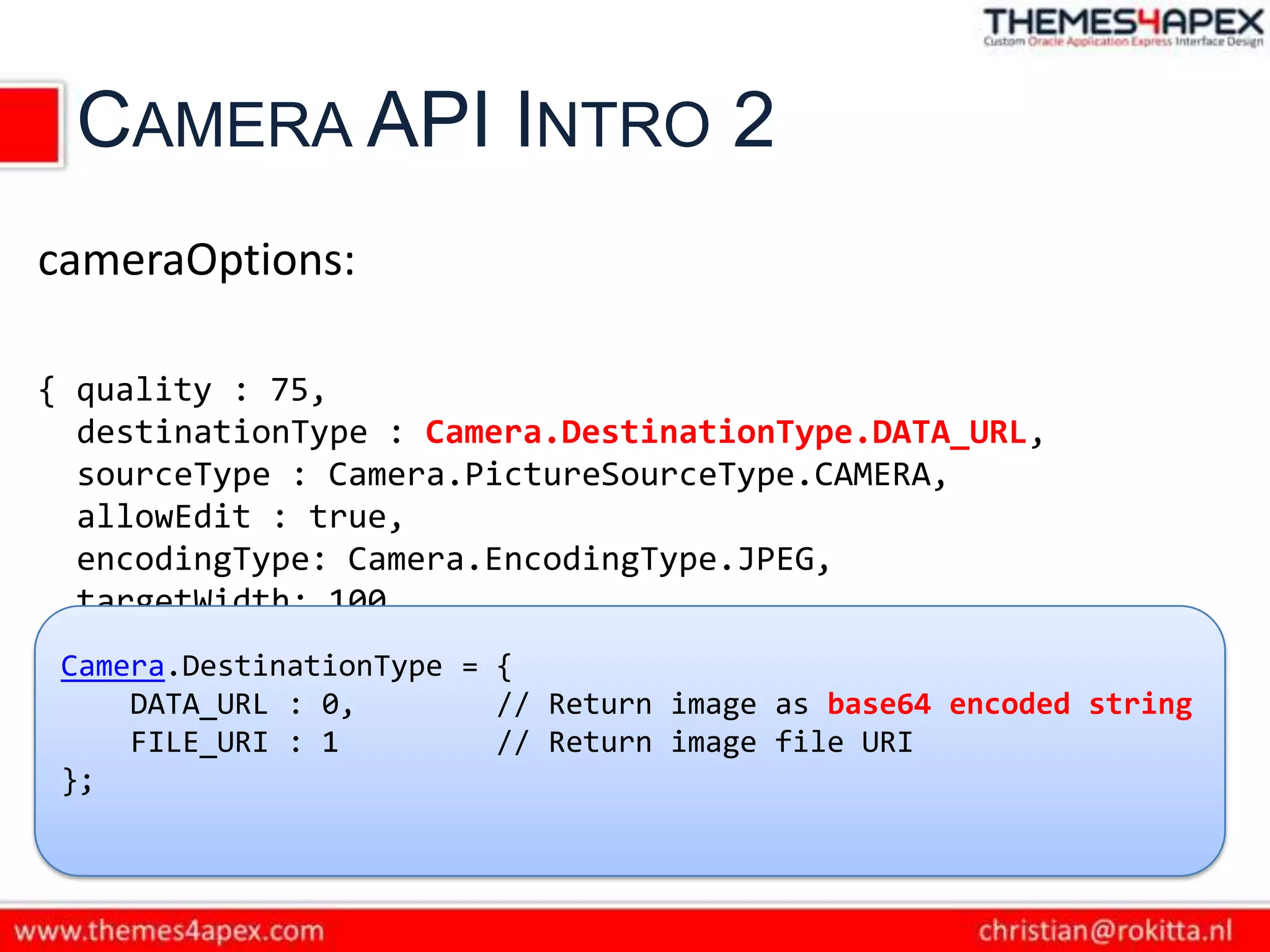
cameraOptions:

{ quality : 75,
  destinationType : Camera.DestinationType.DATA_URL,
  sourceType : Camera.PictureSourceType.CAMERA,
  allowEdit : true,
  encodingType: Camera.EncodingType.JPEG,
  targetWidth: 100,
  targetHeight: 100,
 Camera.DestinationType = {
  popoverOptions: CameraPopoverOptions, base64 encoded string
     DATA_URL : 0,        // Return image as
  saveToPhotoAlbum: false };
     FILE_URI : 1         // Return image file URI
 };
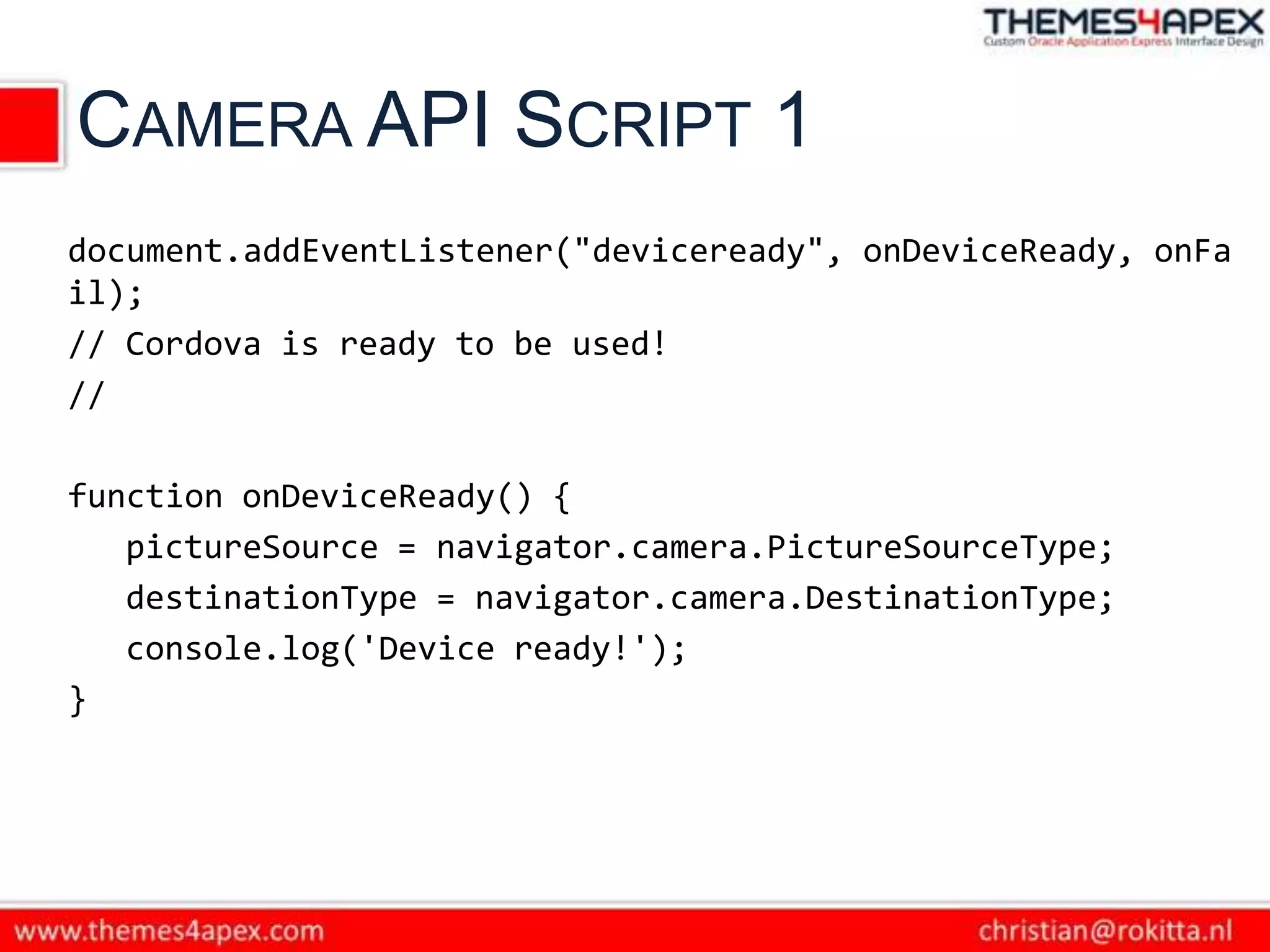
CAMERA API SCRIPT 1
document.addEventListener("deviceready", onDeviceReady, onFa
il);
// Cordova is ready to be used!
//

function onDeviceReady() {
   pictureSource = navigator.camera.PictureSourceType;
   destinationType = navigator.camera.DestinationType;
   console.log('Device ready!');
}
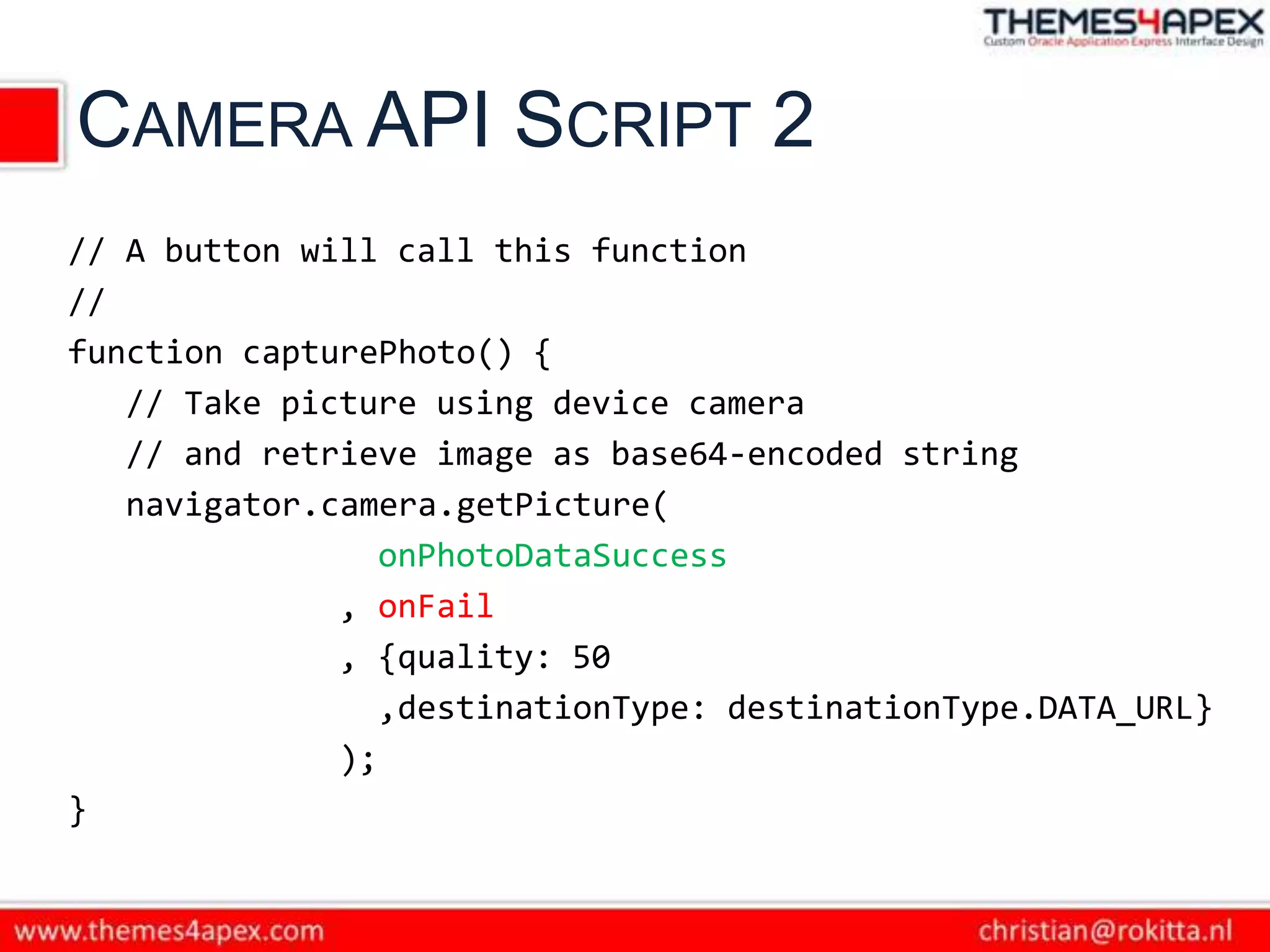
CAMERA API SCRIPT 2
// A button will call this function
//
function capturePhoto() {
   // Take picture using device camera
   // and retrieve image as base64-encoded string
   navigator.camera.getPicture(
                 onPhotoDataSuccess
              , onFail
              , {quality: 50
                 ,destinationType: destinationType.DATA_URL}
              );
}
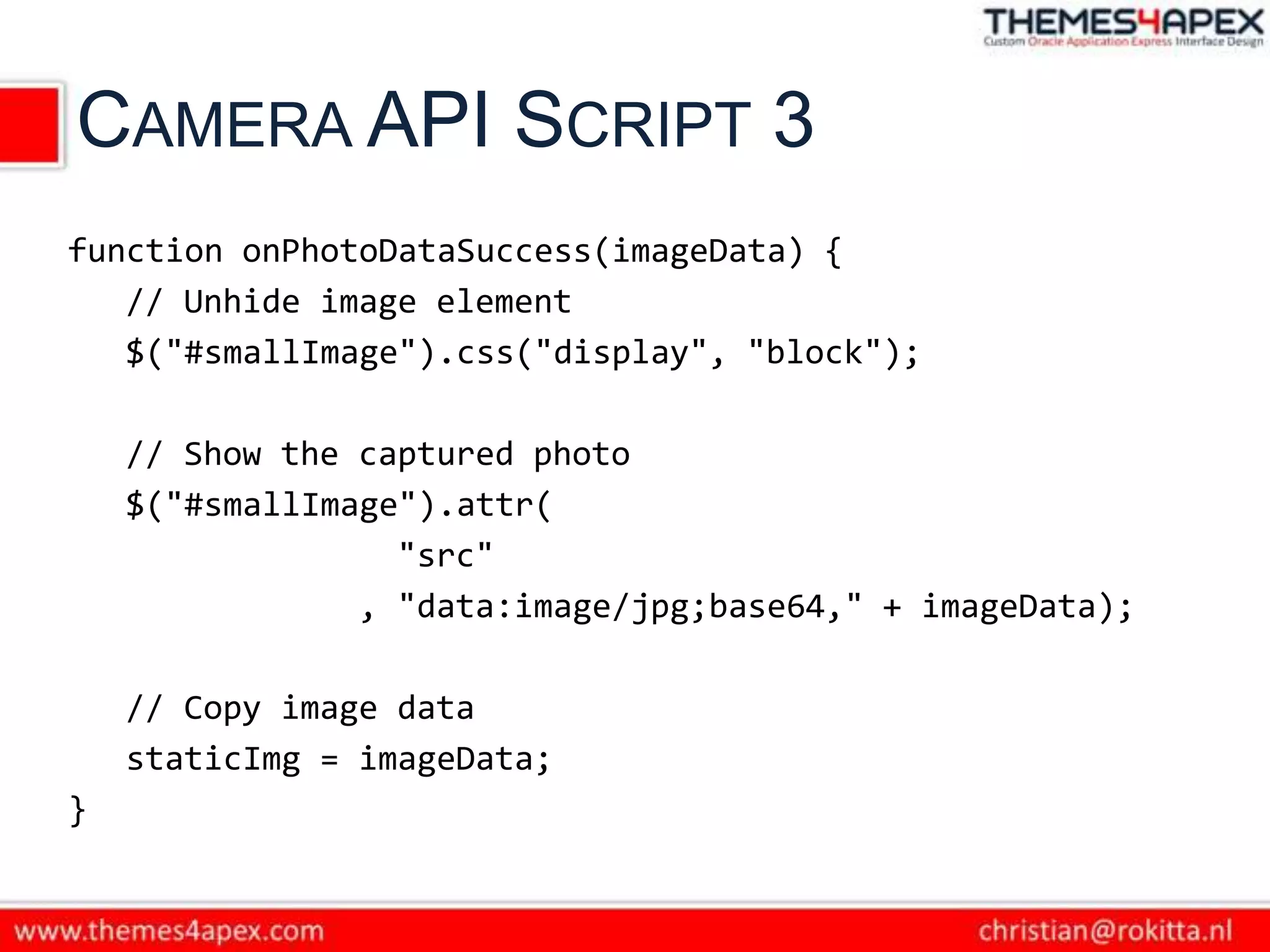
CAMERA API SCRIPT 3
function onPhotoDataSuccess(imageData) {
   // Unhide image element
   $("#smallImage").css("display", "block");

    // Show the captured photo
    $("#smallImage").attr(
                  "src"
                , "data:image/jpg;base64," + imageData);

    // Copy image data
    staticImg = imageData;
}
APEX: BASE64 -> CLOB
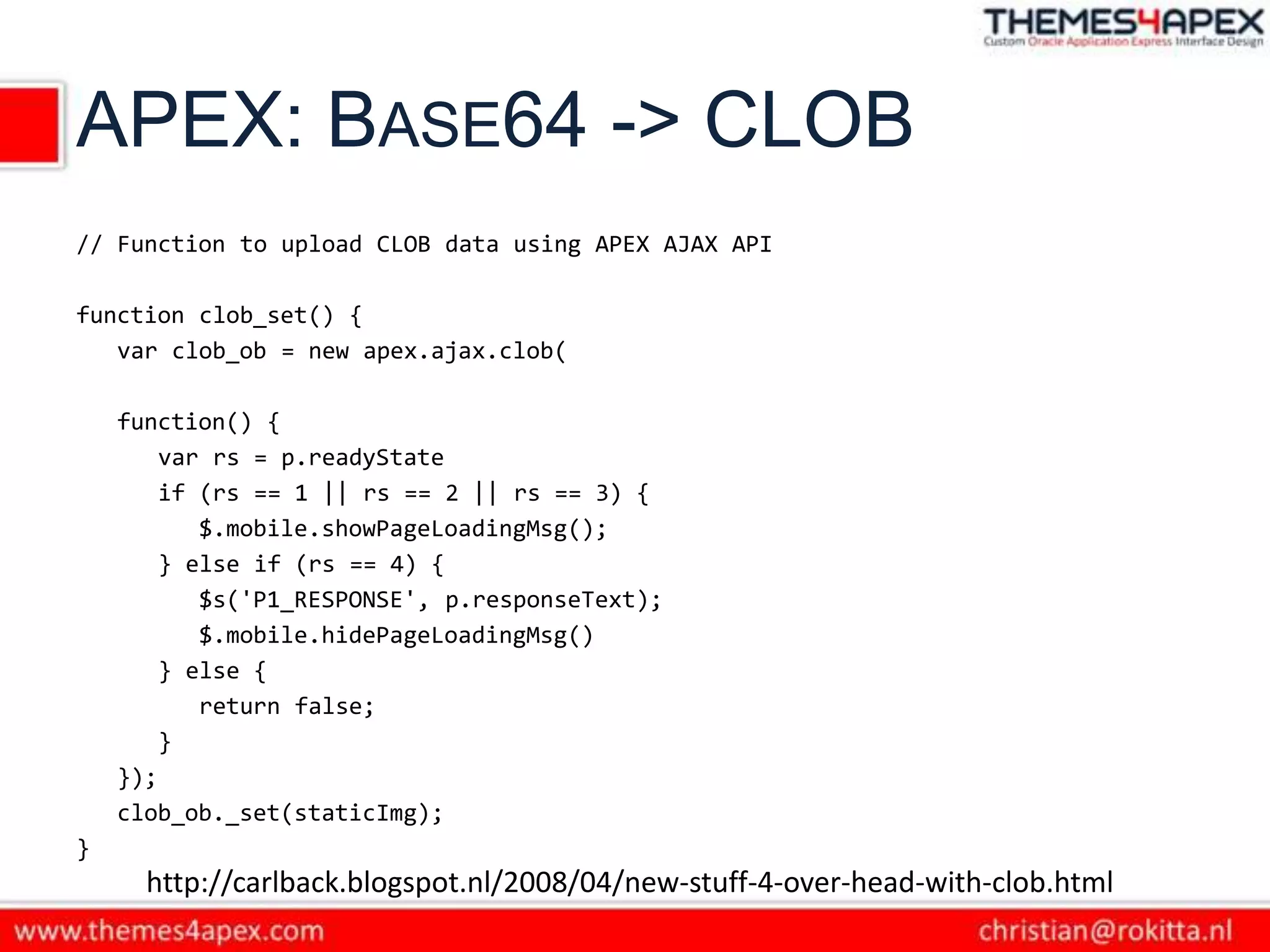
// Function to upload CLOB data using APEX AJAX API

function clob_set() {
   var clob_ob = new apex.ajax.clob(

    function() {
        var rs = p.readyState
        if (rs == 1 || rs == 2 || rs == 3) {
           $.mobile.showPageLoadingMsg();
        } else if (rs == 4) {
           $s('P1_RESPONSE', p.responseText);
           $.mobile.hidePageLoadingMsg()
        } else {
           return false;
        }
    });
    clob_ob._set(staticImg);
}
      http://carlback.blogspot.nl/2008/04/new-stuff-4-over-head-with-clob.html
APEX: BASE64 -> CLOB
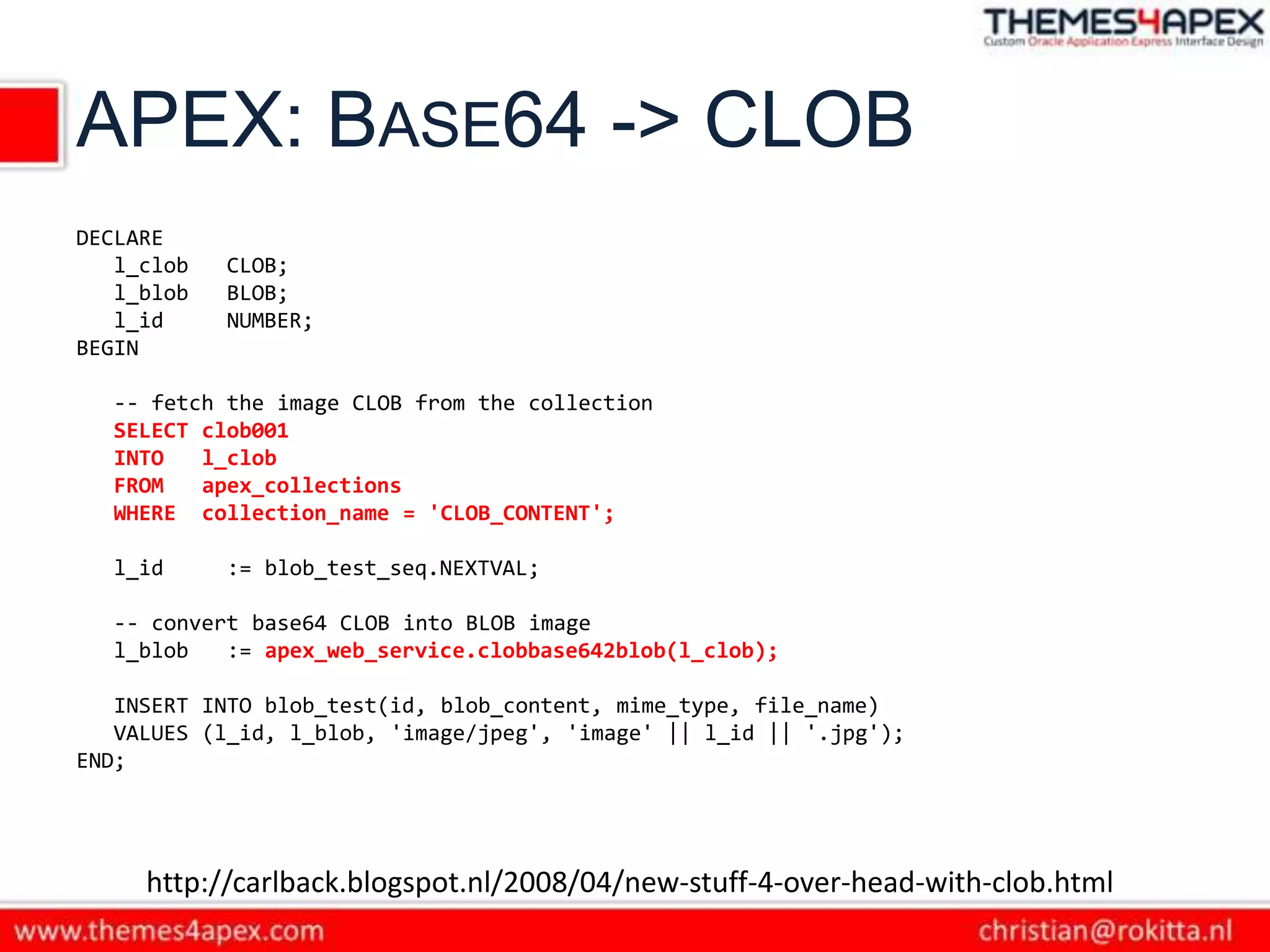
DECLARE
   l_clob   CLOB;
   l_blob   BLOB;
   l_id     NUMBER;
BEGIN

  -- fetch the image CLOB from the collection
  SELECT clob001
  INTO   l_clob
  FROM   apex_collections
  WHERE collection_name = 'CLOB_CONTENT';

  l_id      := blob_test_seq.NEXTVAL;

  -- convert base64 CLOB into BLOB image
  l_blob   := apex_web_service.clobbase642blob(l_clob);

   INSERT INTO blob_test(id, blob_content, mime_type, file_name)
   VALUES (l_id, l_blob, 'image/jpeg', 'image' || l_id || '.jpg');
END;


     http://carlback.blogspot.nl/2008/04/new-stuff-4-over-head-with-clob.html
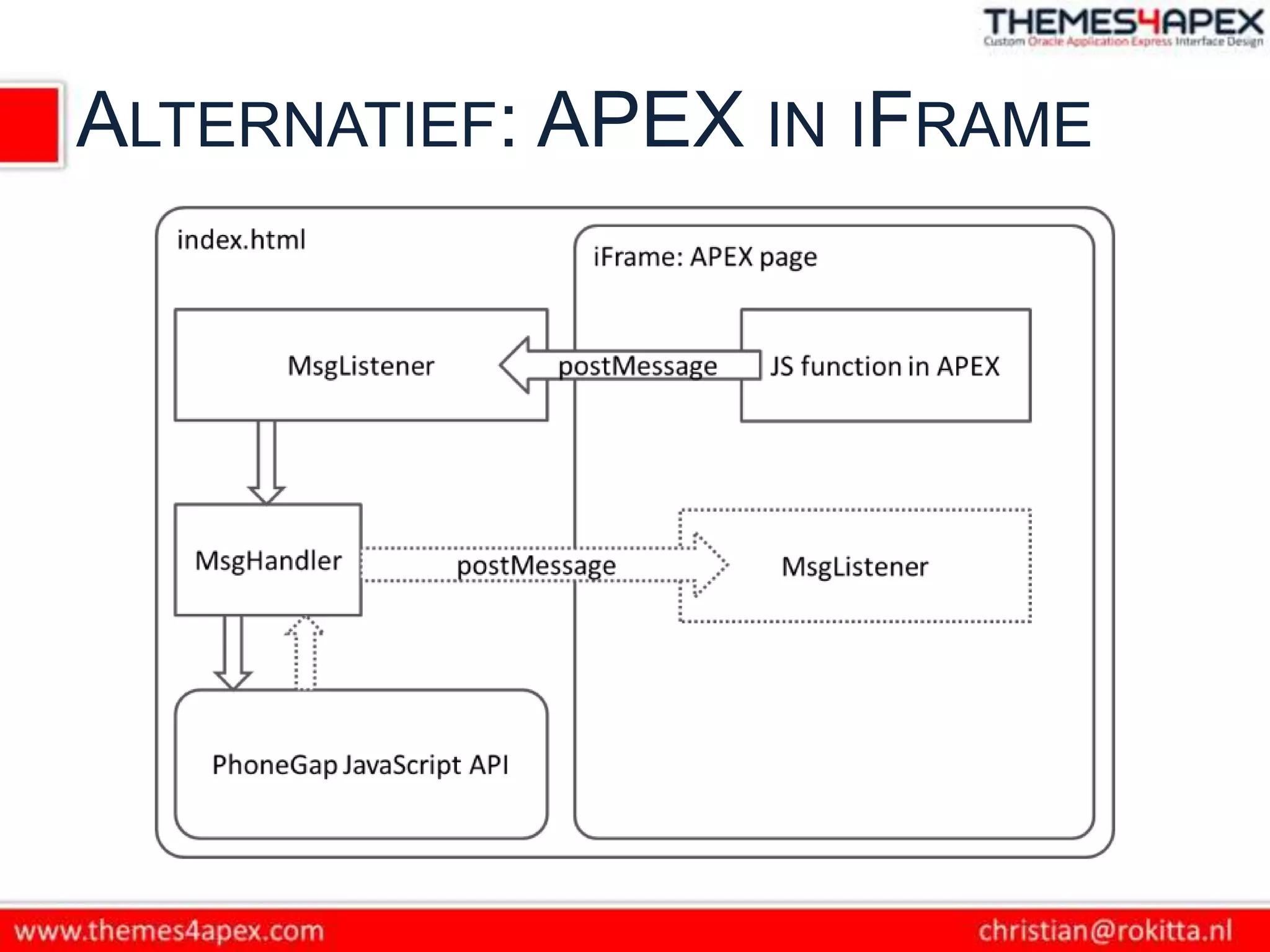
ALTERNATIEF: APEX IN IFRAME
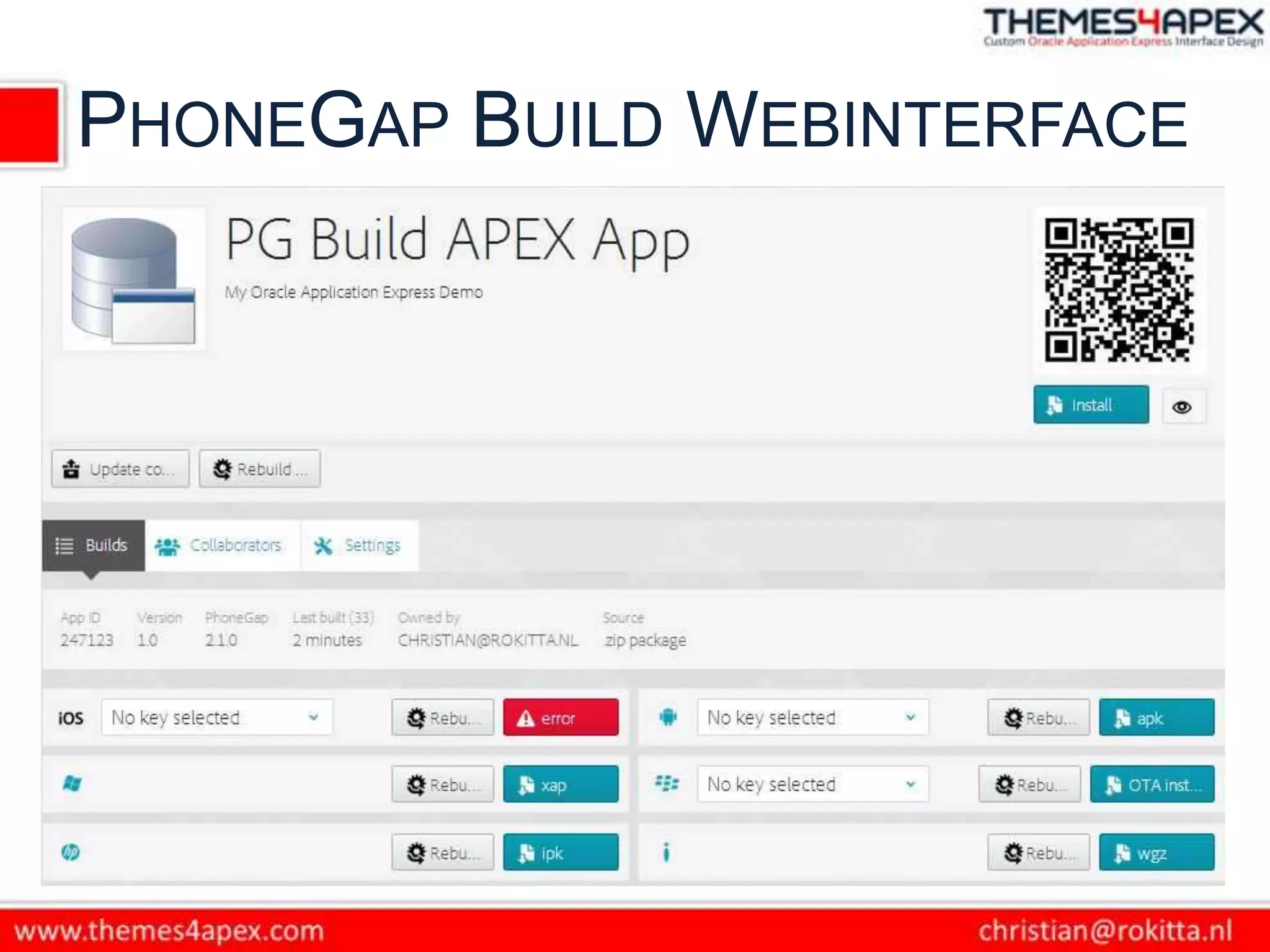
ADOBE PHONEGAP BUILD
PHONEGAP BUILD WEBINTERFACE
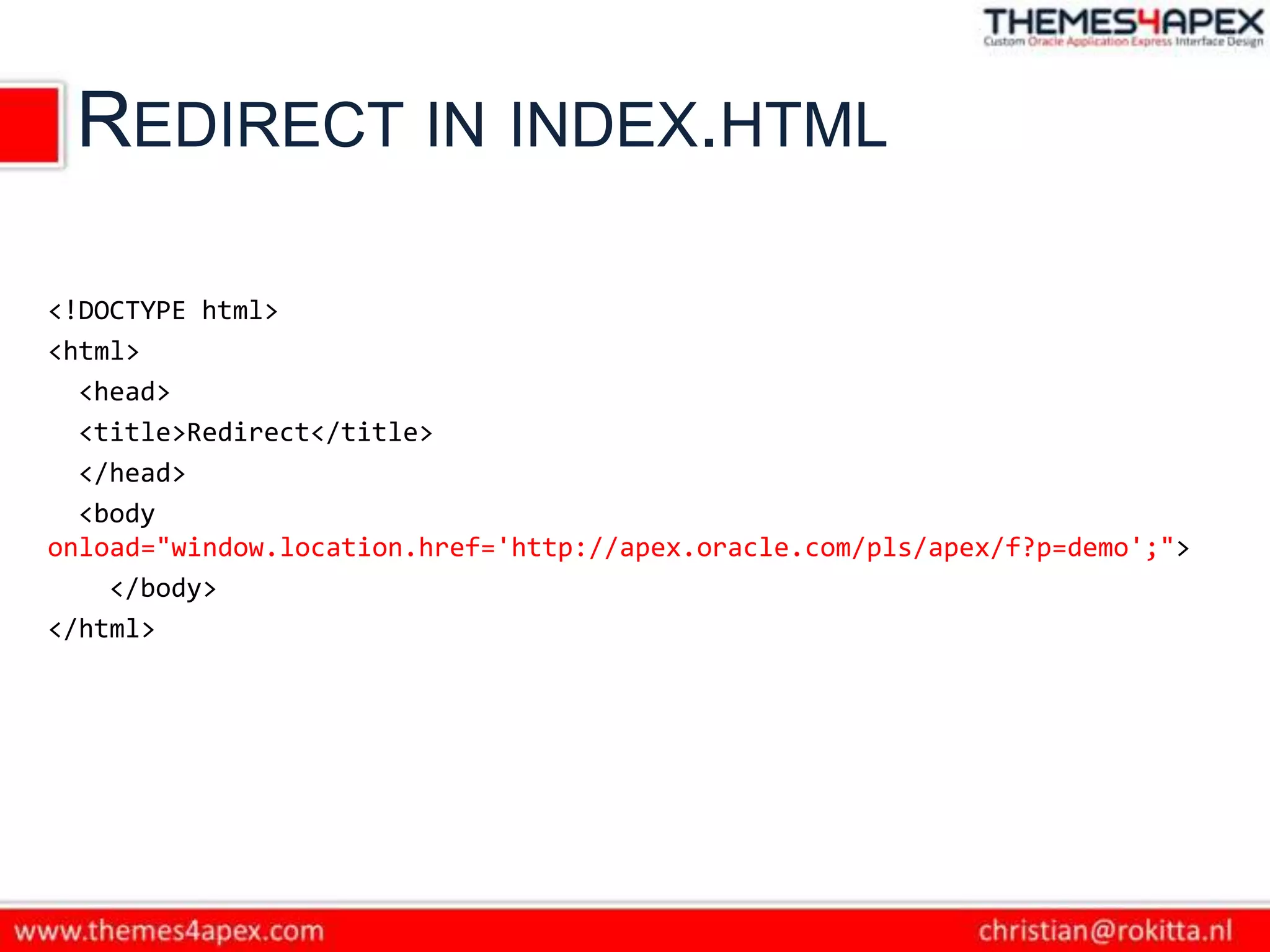
REDIRECT IN INDEX.HTML

<!DOCTYPE html>
<html>
  <head>
  <title>Redirect</title>
  </head>
  <body
onload="window.location.href='http://apex.oracle.com/pls/apex/f?p=demo';">
    </body>
</html>
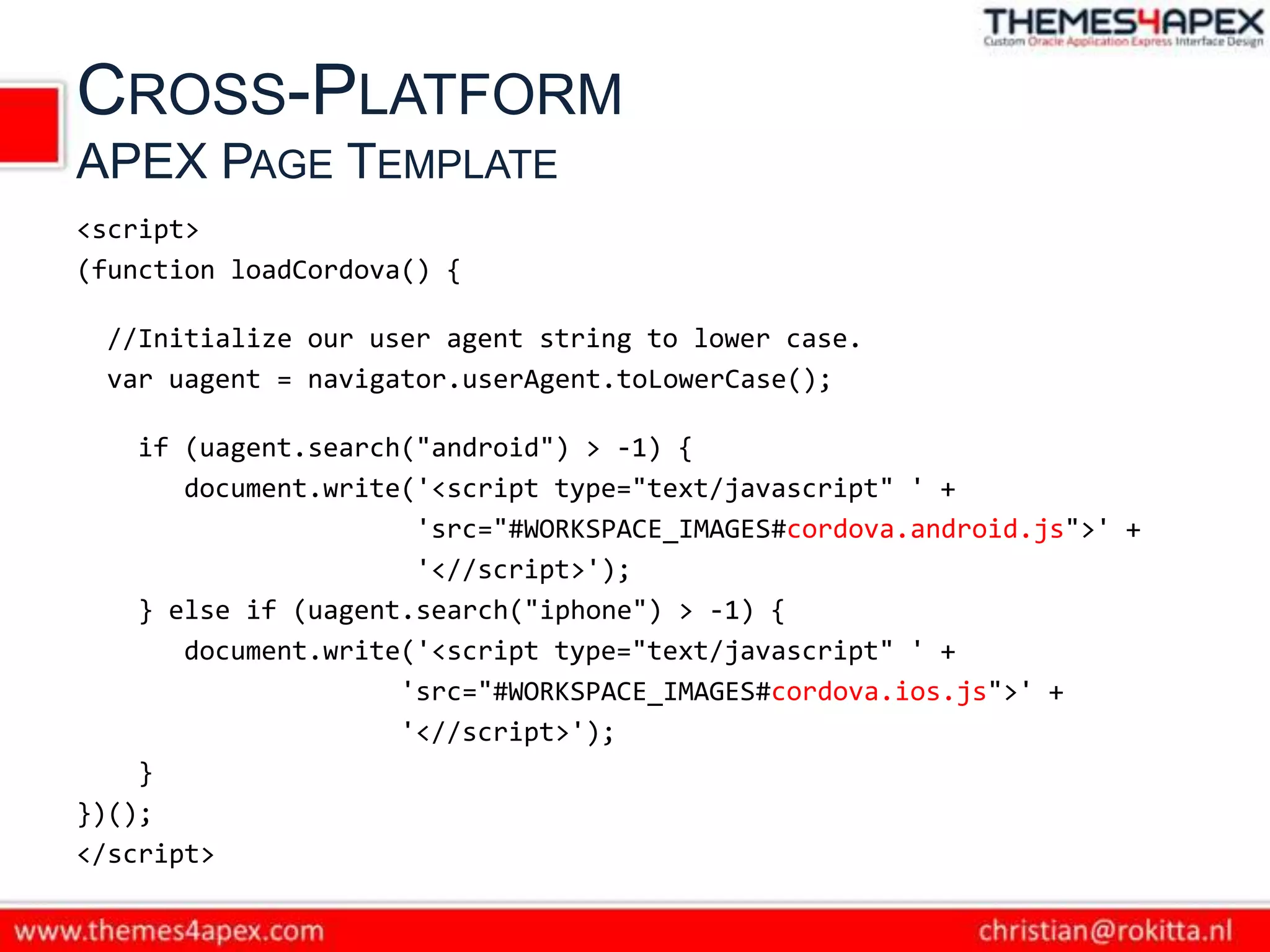
CROSS-PLATFORM
APEX PAGE TEMPLATE
<script>
(function loadCordova() {

 //Initialize our user agent string to lower case.
 var uagent = navigator.userAgent.toLowerCase();

    if (uagent.search("android") > -1) {
       document.write('<script type="text/javascript" ' +
                      'src="#WORKSPACE_IMAGES#cordova.android.js">' +
                      '<//script>');
    } else if (uagent.search("iphone") > -1) {
       document.write('<script type="text/javascript" ' +
                     'src="#WORKSPACE_IMAGES#cordova.ios.js">' +
                     '<//script>');
    }
})();
</script>
CONTACT ME
E   christian@rokitta.nl
W   themes4apex.nl
B   rokitta.blogspot.com
T   @crokitta
VRAGEN & DISCUSSIE

Oracle APEX & PhoneGap

  • 1.
    APEX World 2013 APEX& Christian Rokitta OGh APEX World 9 April 2013
  • 2.
    VOORAF Samenwerkingsverband van zelfstandige APEX professionals smart4apex.nl 75 APEX sessions in 4 days + Symposium day with Oracle Dev Team kscope13.com
  • 3.
    AGENDA • PhoneGap: Concepten Architectuur • APEX & PhoneGap • PhoneGap API (met APEX) • Cross Platform App Development
  • 4.
    APEX FOR MOBILEWEB APPLICATIONS
  • 5.
    MOBILE APPS METAPEX SQL & PL/SQL
  • 6.
  • 7.
  • 8.
    NATIVE + WEBAPP = HYBRID
  • 9.
    WAAROM PHONEGAP Easily createapps using the web technologies you know and love: HTML, CSS, and JavaScript PhoneGap is a free and open source framework that allows you to create mobile apps using standardized web APIs
  • 10.
    APP = WEBVIEW+ PHONEGAP FRAMEWORK Native OS PhoneGap Container App WebView JavaScript API Native API <HTML /> {CSS;} Javascript(); images.png
  • 11.
    INSTALLATIE PHONEGAP VOOR ANDROID • Eclipse • Android SDK • Android Development Tools (ADT) Plugin voor Eclipse IDE • Apache Cordova (PhoneGap) http://www.phonegap.com
  • 12.
    PHONEGAP PROJECT INECLIPSE • Project  New Eclipse Project  PhoneGap libs/js/xml kopiëren  Configuratie: java/xml/html bestanden • Deploy  Simulator/Smartphone
  • 13.
    VRAAG Hoekrijgen wij APEX in de PhoneGap WebView Container?
  • 14.
    APEX & PHONEGAP A.APEX URL ipv index.html aanroepen in MainActivity.java: super.loadUrl("http://apex.oracle.com/pls/apex/f?p=41097:1"); B. PhoneGap libraries in APEX pagina’s opnemen
  • 15.
    DOMAIN WHITELIST • DomainWhitelisting is een security model om toegang tot servers buiten de WebView Containers te controleren. • Standaard worden alle aanroepen in het net geblokkeerd. • De ontwikkelaar kan toegang tot (sub-) domeinen declareren.
  • 16.
    WHITELISTING SYNTAX • <access>element, W3C specificatie: <access origin="http://example.com" /> <access origin="https://example.com" subdomains="true" /> • Platform afhankelijk – Android: res/xml/cordova.xml, volledige ondersteuning syntax – Windows: default alle domeinen toegankelijk – iOS: geen ondersteuning protocollen, * syntax flexibeler
  • 17.
  • 18.
    CAMERA API INTRO1 Definitie JS functie: navigator.camera.getPicture( cameraSuccess , cameraError [ , cameraOptions ] ); cameraSucces/Error: functions
  • 19.
    CAMERA API INTRO2 cameraOptions: { quality : 75, destinationType : Camera.DestinationType.DATA_URL, sourceType : Camera.PictureSourceType.CAMERA, allowEdit : true, encodingType: Camera.EncodingType.JPEG, targetWidth: 100, targetHeight: 100, Camera.DestinationType = { popoverOptions: CameraPopoverOptions, base64 encoded string DATA_URL : 0, // Return image as saveToPhotoAlbum: false }; FILE_URI : 1 // Return image file URI };
  • 20.
    CAMERA API SCRIPT1 document.addEventListener("deviceready", onDeviceReady, onFa il); // Cordova is ready to be used! // function onDeviceReady() { pictureSource = navigator.camera.PictureSourceType; destinationType = navigator.camera.DestinationType; console.log('Device ready!'); }
  • 21.
    CAMERA API SCRIPT2 // A button will call this function // function capturePhoto() { // Take picture using device camera // and retrieve image as base64-encoded string navigator.camera.getPicture( onPhotoDataSuccess , onFail , {quality: 50 ,destinationType: destinationType.DATA_URL} ); }
  • 22.
    CAMERA API SCRIPT3 function onPhotoDataSuccess(imageData) { // Unhide image element $("#smallImage").css("display", "block"); // Show the captured photo $("#smallImage").attr( "src" , "data:image/jpg;base64," + imageData); // Copy image data staticImg = imageData; }
  • 23.
    APEX: BASE64 ->CLOB // Function to upload CLOB data using APEX AJAX API function clob_set() { var clob_ob = new apex.ajax.clob( function() { var rs = p.readyState if (rs == 1 || rs == 2 || rs == 3) { $.mobile.showPageLoadingMsg(); } else if (rs == 4) { $s('P1_RESPONSE', p.responseText); $.mobile.hidePageLoadingMsg() } else { return false; } }); clob_ob._set(staticImg); } http://carlback.blogspot.nl/2008/04/new-stuff-4-over-head-with-clob.html
  • 24.
    APEX: BASE64 ->CLOB DECLARE l_clob CLOB; l_blob BLOB; l_id NUMBER; BEGIN -- fetch the image CLOB from the collection SELECT clob001 INTO l_clob FROM apex_collections WHERE collection_name = 'CLOB_CONTENT'; l_id := blob_test_seq.NEXTVAL; -- convert base64 CLOB into BLOB image l_blob := apex_web_service.clobbase642blob(l_clob); INSERT INTO blob_test(id, blob_content, mime_type, file_name) VALUES (l_id, l_blob, 'image/jpeg', 'image' || l_id || '.jpg'); END; http://carlback.blogspot.nl/2008/04/new-stuff-4-over-head-with-clob.html
  • 25.
  • 26.
  • 27.
  • 28.
    REDIRECT IN INDEX.HTML <!DOCTYPEhtml> <html> <head> <title>Redirect</title> </head> <body onload="window.location.href='http://apex.oracle.com/pls/apex/f?p=demo';"> </body> </html>
  • 29.
    CROSS-PLATFORM APEX PAGE TEMPLATE <script> (functionloadCordova() { //Initialize our user agent string to lower case. var uagent = navigator.userAgent.toLowerCase(); if (uagent.search("android") > -1) { document.write('<script type="text/javascript" ' + 'src="#WORKSPACE_IMAGES#cordova.android.js">' + '<//script>'); } else if (uagent.search("iphone") > -1) { document.write('<script type="text/javascript" ' + 'src="#WORKSPACE_IMAGES#cordova.ios.js">' + '<//script>'); } })(); </script>
  • 30.
    CONTACT ME E christian@rokitta.nl W themes4apex.nl B rokitta.blogspot.com T @crokitta
  • 31.