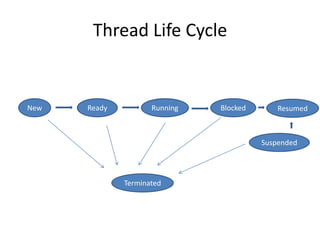
A multithreaded program allows two or more parts of the same program, called threads, to run concurrently. Each thread defines a separate path of execution and threads are lightweight processes that can run independently and share resources such as memory. The document discusses thread creation in Java using the Thread class and Runnable interface, thread life cycle and states, thread priorities, synchronization, and interthread communication using wait(), notify(), and notifyAll() methods.

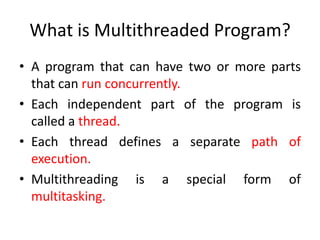
What is MultithreadedProgram?
• A program that can have two or more parts
that can run concurrently.
• Each independent part of the program is
called a thread.
• Each thread defines a separate path of
execution.
• Multithreading is a special form of
multitasking.
3.
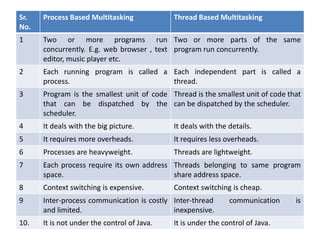
Sr.
No.
Process Based Multitasking
ThreadBased Multitasking
1
Two or more programs run Two or more parts of the same
concurrently. E.g. web browser , text program run concurrently.
editor, music player etc.
2
Each running program is called a Each independent part is called a
process.
thread.
3
Program is the smallest unit of code Thread is the smallest unit of code that
that can be dispatched by the can be dispatched by the scheduler.
scheduler.
4
It deals with the big picture.
It deals with the details.
5
It requires more overheads.
It requires less overheads.
6
Processes are heavyweight.
Threads are lightweight.
7
Each process require its own address Threads belonging to same program
space.
share address space.
8
Context switching is expensive.
9
Inter-process communication is costly Inter-thread
and limited.
inexpensive.
10.
It is not under the control of Java.
Context switching is cheap.
communication
It is under the control of Java.
is
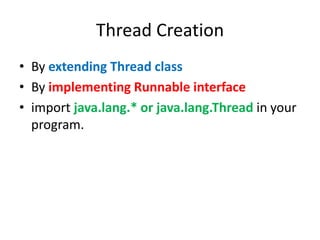
Thread Creation
• Byextending Thread class
• By implementing Runnable interface
• import java.lang.* or java.lang.Thread in your
program.
6.
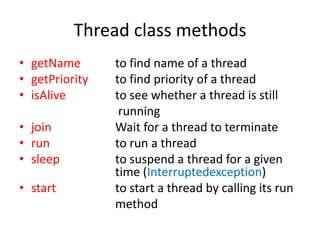
Thread class methods
•getName
• getPriority
• isAlive
• join
• run
• sleep
• start
to find name of a thread
to find priority of a thread
to see whether a thread is still
running
Wait for a thread to terminate
to run a thread
to suspend a thread for a given
time (Interruptedexception)
to start a thread by calling its run
method
7.
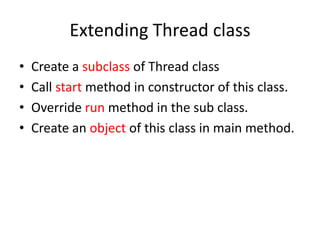
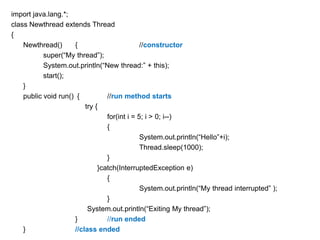
Extending Thread class
•
•
•
•
Createa subclass of Thread class
Call start method in constructor of this class.
Override run method in the sub class.
Create an object of this class in main method.
class threaddemo {
publicstatic void main(String []args)
{
new Newthread();
// create new thread
try {
for (int i = 1;i<=5;i++)
{
System.out.println(“Main thread “ +i);
Thread.sleep(1000);
}
} cacth(InterruptedException e)
{
System.out.println(“Main thread
interrupted”);
}
System.out.println(“Main thread exiting”);
}
// main ends
} // class ends
10.
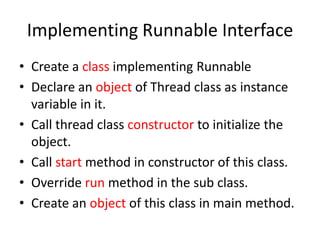
Implementing Runnable Interface
•Create a class implementing Runnable
• Declare an object of Thread class as instance
variable in it.
• Call thread class constructor to initialize the
object.
• Call start method in constructor of this class.
• Override run method in the sub class.
• Create an object of this class in main method.
11.
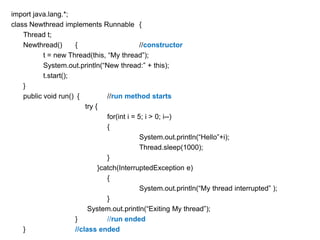
import java.lang.*;
class Newthreadimplements Runnable {
Thread t;
Newthread()
{
//constructor
t = new Thread(this, “My thread”);
System.out.println(“New thread:” + this);
t.start();
}
public void run() {
//run method starts
try {
for(int i = 5; i > 0; i--)
{
System.out.println(“Hello”+i);
Thread.sleep(1000);
}
}catch(InterruptedException e)
{
System.out.println(“My thread interrupted” );
}
System.out.println(“Exiting My thread”);
}
//run ended
}
//class ended
12.
class threaddemo {
publicstatic void main(String []args)
{
new Newthread();
// create new thread
try {
for (int i = 1;i<=5;i++)
{
System.out.println(“Main thread “ +i);
Thread.sleep(1000);
}
} cacth(InterruptedException e)
{
System.out.println(“Main thread
interrupted”);
}
System.out.println(“Main thread exiting”);
}
// main ends
} // class ends
13.
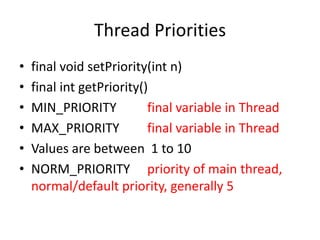
Thread Priorities
•
•
•
•
•
•
final voidsetPriority(int n)
final int getPriority()
MIN_PRIORITY
final variable in Thread
MAX_PRIORITY
final variable in Thread
Values are between 1 to 10
NORM_PRIORITY priority of main thread,
normal/default priority, generally 5
14.
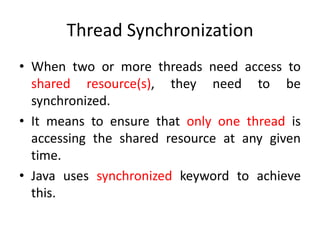
Thread Synchronization
• Whentwo or more threads need access to
shared resource(s), they need to be
synchronized.
• It means to ensure that only one thread is
accessing the shared resource at any given
time.
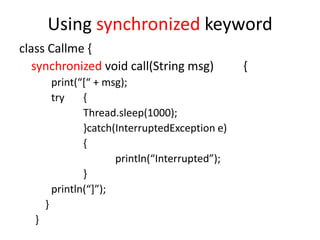
• Java uses synchronized keyword to achieve
this.
15.
class Callme {
//prints [msg] if not interrupted
void call(String msg)
{
print(“*“ + msg);
try
{
Thread.sleep(1000);
}catch(InterruptedException e)
{
println(“Interrupted”);
}
println(“+”);
}
}
16.
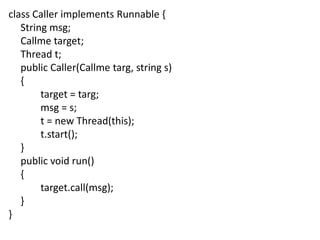
class Caller implementsRunnable {
String msg;
Callme target;
Thread t;
public Caller(Callme targ, string s)
{
target = targ;
msg = s;
t = new Thread(this);
t.start();
}
public void run()
{
target.call(msg);
}
}
17.
class synchdemo {
publicstatic void main(String [] args)
{
Callme target = new Callme();
Caller ob1 = new Caller(target, “Hello”);
Caller ob2 = new Caller(target, “New”);
Caller ob3 = new Caller(target, “Day”);
try {
ob1.t.join();
ob2.t.join();
ob3.t.join();
}catch(InterruptedException e)
{
System.out.println(“Interrupted”); }
}
}
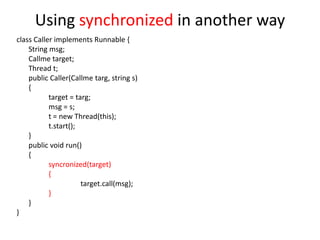
Using synchronized inanother way
class Caller implements Runnable {
String msg;
Callme target;
Thread t;
public Caller(Callme targ, string s)
{
target = targ;
msg = s;
t = new Thread(this);
t.start();
}
public void run()
{
syncronized(target)
{
target.call(msg);
}
}
}
20.
Interthread Communication
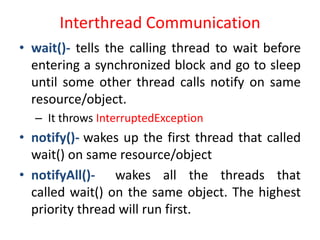
• wait()-tells the calling thread to wait before
entering a synchronized block and go to sleep
until some other thread calls notify on same
resource/object.
– It throws InterruptedException
• notify()- wakes up the first thread that called
wait() on same resource/object
• notifyAll()- wakes all the threads that
called wait() on the same object. The highest
priority thread will run first.
21.
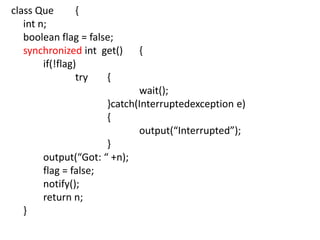
class Que
{
int n;
booleanflag = false;
synchronized int get()
if(!flag)
try
{
{
wait();
}catch(Interruptedexception e)
{
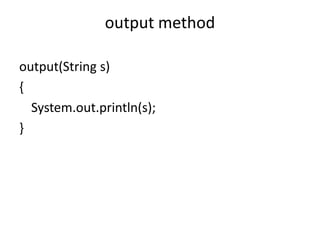
output(“Interrupted”);
}
output(“Got: “ +n);
flag = false;
notify();
return n;
}
22.
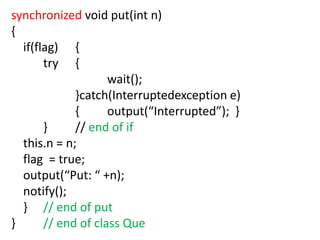
synchronized void put(intn)
{
if(flag) {
try {
wait();
}catch(Interruptedexception e)
{
output(“Interrupted”); }
}
// end of if
this.n = n;
flag = true;
output(“Put: “ +n);
notify();
} // end of put
}
// end of class Que
23.
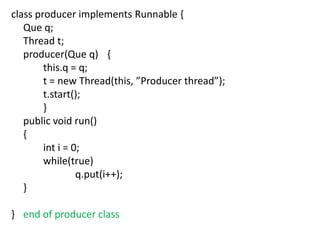
class producer implementsRunnable {
Que q;
Thread t;
producer(Que q) {
this.q = q;
t = new Thread(this, ”Producer thread”);
t.start();
}
public void run()
{
int i = 0;
while(true)
q.put(i++);
}
} end of producer class
24.
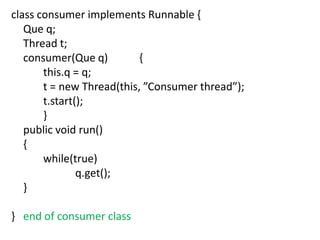
class consumer implementsRunnable {
Que q;
Thread t;
consumer(Que q)
{
this.q = q;
t = new Thread(this, ”Consumer thread”);
t.start();
}
public void run()
{
while(true)
q.get();
}
} end of consumer class
25.
Main class
class synchpro{
public static void main(String [] args)
{
Que q = new Que();
new producer(q);
new consumer(q);
output(“Press Ctrl + S to stop”);
}
}