









QA in Mobile Apps
Tharindra Nilusha Jayamaha
What it really means
Quality is the ability of your product
to be able to satisfy your users
Quality Assurance is the process that
demonstrates your product is able to
satisfy your users
What is
Quality
Assurance?
What is the aim of
Quality Assurance?
When good Quality Assurance is implemented there
should be improvement in usability and
performance and lessening rates of defects
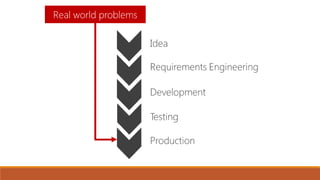
Have you done Quality assurance in real life??
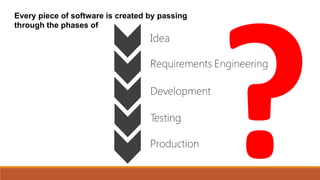
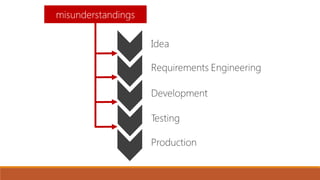
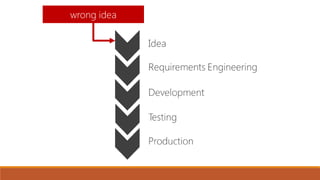
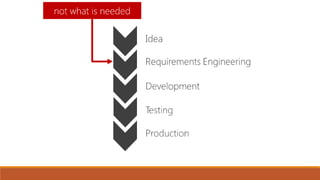
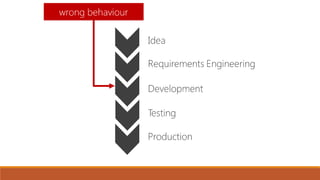
Every piece of software is created by passing
through the phases of
Quality Assurance = Testing
Quality Assurance Testing
TestingQualityAssurance
What is
Quality Control?
Quality Control (QC) is the implementation of regular testing
procedures against your definitions of quality and more
specifically the refinement of these procedures
◦ Formal use of testing
◦ Acting on the results of your tests
◦ Requires planning, structured tests, good documentation
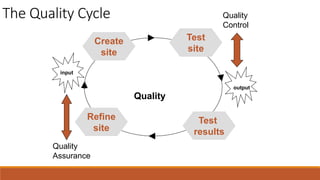
◦ Relates to output - Quality Circle
The Quality Cycle
Refine
site
Quality
Control
Quality
Assurance
Quality
output
input
Test
results
Create
site
Test
site
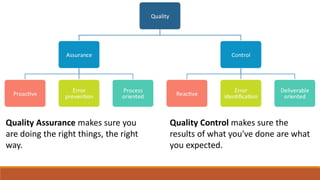
Quality Control makes sure the
results of what you've done are what
you expected.
Quality Assurance makes sure you
are doing the right things, the right
way.
Mobile Application Testing
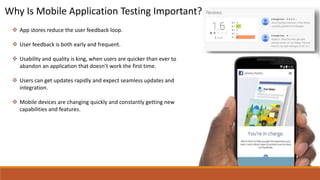
Why Is Mobile Application Testing Important?
 App stores reduce the user feedback loop.
 User feedback is both early and frequent.
 Usability and quality is king, when users are quicker than ever to
abandon an application that doesn’t work the first time.
 Users can get updates rapidly and expect seamless updates and
integration.
 Mobile devices are changing quickly and constantly getting new
capabilities and features.
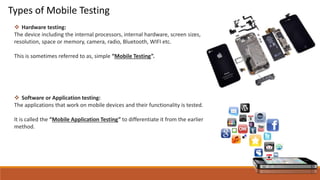
Types of Mobile Testing
 Hardware testing:
The device including the internal processors, internal hardware, screen sizes,
resolution, space or memory, camera, radio, Bluetooth, WIFI etc.
This is sometimes referred to as, simple “Mobile Testing”.
 Software or Application testing:
The applications that work on mobile devices and their functionality is tested.
It is called the “Mobile Application Testing” to differentiate it from the earlier
method.
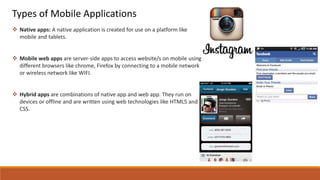
Types of Mobile Applications
 Native apps: A native application is created for use on a platform like
mobile and tablets.
 Mobile web apps are server-side apps to access website/s on mobile using
different browsers like chrome, Firefox by connecting to a mobile network
or wireless network like WIFI.
 Hybrid apps are combinations of native app and web app. They run on
devices or offline and are written using web technologies like HTML5 and
CSS.
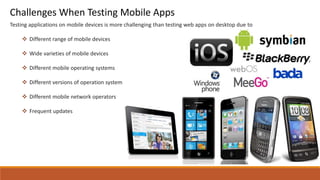
Testing applications on mobile devices is more challenging than testing web apps on desktop due to
 Different range of mobile devices
 Wide varieties of mobile devices
 Different mobile operating systems
 Different versions of operation system
 Different mobile network operators
 Frequent updates
Challenges When Testing Mobile Apps
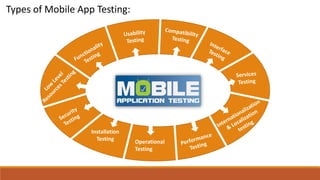
Types of Mobile App Testing:
Operational
Testing
Installation
Testing
Mobile Application Testing Strategy
1) Selection of the devices – Analyze the market and choose the devices that are widely used.
2) Emulators – The use of these is extremely useful in the initial stages of development, as they allow quick and efficient
checking of the app.
3) Move to test on the physical devices for a more real life scenarios based testing.
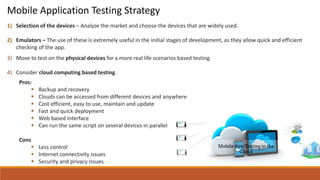
4) Consider cloud computing based testing.
Pros:
 Backup and recovery
 Clouds can be accessed from different devices and anywhere
 Cost efficient, easy to use, maintain and update
 Fast and quick deployment
 Web based interface
 Can run the same script on several devices in parallel
Cons
 Less control
 Internet connectivity issues
 Security and privacy Issues
5) Automation vs. Manual testing
 If the application contains new functionality, test it manually.
 If the application requires testing once or twice, do it manually.
 Automate the scripts for regression test cases. If regression tests are repeated, automated testing is perfect for that.
 Automate the scripts for complex scenarios which are time consuming if executed manually.
6) Validate the application on different networks like 2G, 3G, 4G or WIFI.
Mobile Application Testing Strategy Contd….
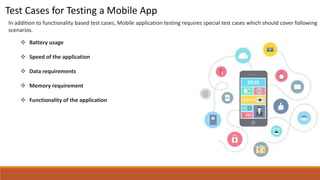
In addition to functionality based test cases, Mobile application testing requires special test cases which should cover following
scenarios.
 Battery usage
 Speed of the application
 Data requirements
 Memory requirement
 Functionality of the application
Test Cases for Testing a Mobile App
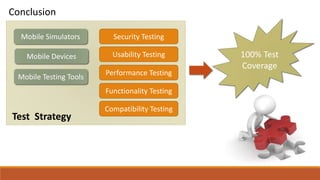
Test Strategy
Conclusion
Mobile Simulators
Mobile Devices
Mobile Testing Tools
Security Testing
Usability Testing
Performance Testing
Functionality Testing
Compatibility Testing
100% Test
Coverage
Thank You!!!

Mobile application testing

  • 1.
    QA in MobileApps Tharindra Nilusha Jayamaha What it really means
  • 2.
    Quality is theability of your product to be able to satisfy your users Quality Assurance is the process that demonstrates your product is able to satisfy your users What is Quality Assurance?
  • 3.
    What is theaim of Quality Assurance? When good Quality Assurance is implemented there should be improvement in usability and performance and lessening rates of defects
  • 4.
    Have you doneQuality assurance in real life??
  • 5.
    Every piece ofsoftware is created by passing through the phases of
  • 6.
  • 13.
  • 14.
    What is Quality Control? QualityControl (QC) is the implementation of regular testing procedures against your definitions of quality and more specifically the refinement of these procedures ◦ Formal use of testing ◦ Acting on the results of your tests ◦ Requires planning, structured tests, good documentation ◦ Relates to output - Quality Circle
  • 15.
  • 16.
    Quality Control makessure the results of what you've done are what you expected. Quality Assurance makes sure you are doing the right things, the right way.
  • 17.
  • 18.
    Why Is MobileApplication Testing Important?  App stores reduce the user feedback loop.  User feedback is both early and frequent.  Usability and quality is king, when users are quicker than ever to abandon an application that doesn’t work the first time.  Users can get updates rapidly and expect seamless updates and integration.  Mobile devices are changing quickly and constantly getting new capabilities and features.
  • 19.
    Types of MobileTesting  Hardware testing: The device including the internal processors, internal hardware, screen sizes, resolution, space or memory, camera, radio, Bluetooth, WIFI etc. This is sometimes referred to as, simple “Mobile Testing”.  Software or Application testing: The applications that work on mobile devices and their functionality is tested. It is called the “Mobile Application Testing” to differentiate it from the earlier method.
  • 20.
    Types of MobileApplications  Native apps: A native application is created for use on a platform like mobile and tablets.  Mobile web apps are server-side apps to access website/s on mobile using different browsers like chrome, Firefox by connecting to a mobile network or wireless network like WIFI.  Hybrid apps are combinations of native app and web app. They run on devices or offline and are written using web technologies like HTML5 and CSS.
  • 21.
    Testing applications onmobile devices is more challenging than testing web apps on desktop due to  Different range of mobile devices  Wide varieties of mobile devices  Different mobile operating systems  Different versions of operation system  Different mobile network operators  Frequent updates Challenges When Testing Mobile Apps
  • 22.
    Types of MobileApp Testing: Operational Testing Installation Testing
  • 23.
    Mobile Application TestingStrategy 1) Selection of the devices – Analyze the market and choose the devices that are widely used. 2) Emulators – The use of these is extremely useful in the initial stages of development, as they allow quick and efficient checking of the app. 3) Move to test on the physical devices for a more real life scenarios based testing. 4) Consider cloud computing based testing. Pros:  Backup and recovery  Clouds can be accessed from different devices and anywhere  Cost efficient, easy to use, maintain and update  Fast and quick deployment  Web based interface  Can run the same script on several devices in parallel Cons  Less control  Internet connectivity issues  Security and privacy Issues
  • 24.
    5) Automation vs.Manual testing  If the application contains new functionality, test it manually.  If the application requires testing once or twice, do it manually.  Automate the scripts for regression test cases. If regression tests are repeated, automated testing is perfect for that.  Automate the scripts for complex scenarios which are time consuming if executed manually. 6) Validate the application on different networks like 2G, 3G, 4G or WIFI. Mobile Application Testing Strategy Contd….
  • 25.
    In addition tofunctionality based test cases, Mobile application testing requires special test cases which should cover following scenarios.  Battery usage  Speed of the application  Data requirements  Memory requirement  Functionality of the application Test Cases for Testing a Mobile App
  • 26.
    Test Strategy Conclusion Mobile Simulators MobileDevices Mobile Testing Tools Security Testing Usability Testing Performance Testing Functionality Testing Compatibility Testing 100% Test Coverage
  • 28.