By Waqar Ahmad
  Swaam Tech (Pvt) Ltd
  Contact us: info@swaam.com for Ur App Testing


Note: The slide was presented in the Software Testing Course at NUCES-FAST Lhr
Classification of Mobile Applications
 Web Applications
   Could be Simple Markup (WML , HTML, XHTML,
    XHTML MP) or AJAX Applications
   A Web Application may be Designed for
       A Single Type of Device or
       Multiple Different Devices with Customization for each
        Device (or each Family of Devices)
       Multiple Different Devices—A Transcoder/Proxy Residing
        Between Web Application Server and Device Transforms
        Content based on Device User-Agent Capabilities
Classification of Mobile Applications
 On-Device Applications May be
   Developed for Better Portability
        Java ME
        FlashLite
   Native Platform Applications
        IPhone: Objective C
        Symbian: C/C++
        Windows Mobile: .Net CF
        Android : Java for Application and C/C++ for Low Level
Mobile App Testing—Challenges
  Device Fragmentation is a Big Challenge
     Devices Vary in Screen Size, Memory, Processing
      Power, Hardware Features etc.
     Apple iPhone is Least Fragmented among All Mobile
      Platforms
  Testing on All Target Handset/Devices
     Almost Impractical if Number of Target Handsets is Large
  Testing on All Target Operator Networks
     Almost Impractical if Number of Target Operators is Large
     Network Operator may Impose Certain Constraints
Mobile App Testing—Challenges
 Device Vendor (Not Necessarily Manufacturer) may
  Customize a Device
    Changes may be Done in Both User Interface and
     Functionality
    Many a Times Changes are Not Well-Documented
    Device is Not the Same as Released by Manufacturer
 Testing on All Versions of Operating System
    In Many Situations, it May Not be Possible to Upgrade the
     Device to New OS Version
 Same Device Models may have Multiple OS Configurations
  based on Target Market Requirements
    Localization
    Hundreds of Devices with Many Variants of Each Device
Mobile App Testing—Challenges
 Testing in All Web Browsers
    Browsers Significantly Vary Across Devices
        May Support HTML, xHTML, WML, AJAX
 Web Content Transcoders
   Web Content may be Transformed to Meet User-Agent
    Constraints
   Transcoder may Not Respect User Experience Factors in
    some Situations
Mobile App Testing—Challenges
 Inconsistencies in Specification Implementations
    Each Vendor is Responsible for Java ME Specifications
     Implementations
    Implementations may Not be Consistent across Devices and
     Vendors
 Performance Measurement
    Extremely Difficult to Benchmark Performance due to Highly
     Fragmented Market
 Detection of Display Issues
    Human Involvement is Must
 Generally it is Not Possible to Purchase All Target Handsets
  due to Financial Constraints
Mobile App Testing—Challenges
 Application Usability Testing
    End Users may Not even be Skilled at Using a Mobile
     Device
    End User may Use Application in Multiple Contexts
       Driving in Rush Hour
       Walking in Crowded Market
   Multiple Input / Output Modalities
   Diverse User Interface Styles
 In Reality, A Testing Lab Cannot Simulate all Possible
  End User Contexts
Mobile App Testing—Challenges
 Development and Deployment Platforms are Different
   Development Platforms
       Windows, Linux
   Deployment Platforms
       iPhone, Symbian, Android, Blackberry, Windows Mobile
 Emulators Do Not Capture All the Characteristics of a
  Device
 Multiple Design Specifications may be Required for
  Single Application due to Device Fragmentation—
  Requires Test Cases Accordingly
Testing Techniques: General
                     Gather Useful Data
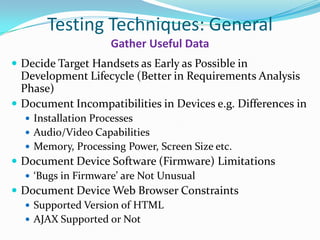
 Decide Target Handsets as Early as Possible in
  Development Lifecycle (Better in Requirements Analysis
  Phase)
 Document Incompatibilities in Devices e.g. Differences in
   Installation Processes
   Audio/Video Capabilities
   Memory, Processing Power, Screen Size etc.
 Document Device Software (Firmware) Limitations
   ‘Bugs in Firmware’ are Not Unusual
 Document Device Web Browser Constraints
   Supported Version of HTML
   AJAX Supported or Not
Testing Techniques: General
                       Gather Useful Data
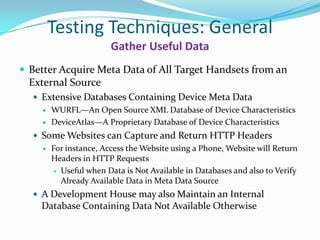
 Better Acquire Meta Data of All Target Handsets from an
  External Source
   Extensive Databases Containing Device Meta Data
     WURFL—An Open Source XML Database of Device Characteristics

     DeviceAtlas—A Proprietary Database of Device Characteristics

   Some Websites can Capture and Return HTTP Headers
     For instance, Access the Website using a Phone, Website will Return
      Headers in HTTP Requests
        Useful when Data is Not Available in Databases and also to Verify
         Already Available Data in Meta Data Source
   A Development House may also Maintain an Internal
    Database Containing Data Not Available Otherwise
Testing Techniques: General
                    Classify Devices

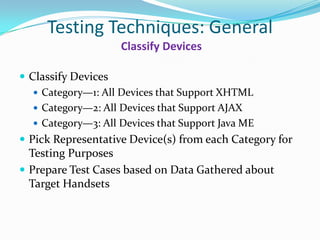
 Classify Devices
    Category—1: All Devices that Support XHTML
    Category—2: All Devices that Support AJAX
    Category—3: All Devices that Support Java ME
 Pick Representative Device(s) from each Category for
  Testing Purposes
 Prepare Test Cases based on Data Gathered about
  Target Handsets
Testing Techniques: General
            Perform Testing on Real Devices

 Start Testing on Real Devices as Early as Possible
 There is No Good Alternative to a Real Device for
  Testing
Testing Techniques: General
          Emulator is Useful but is Not a Real Device
 Testing on Emulators
    An Emulator is a Software Application that Imitates a Smartphlone
    A Device Emulator may be Used to Test Application on Desktop
    Some Emulators Emulate General Characteristics of a Platform (like
     Java ME Emulator)
    Some Emulator Emulate Relatively Faithful Representation of Specific
     Phones (BlackBerry Dev Kits)
    Emulator may or may Not Require Compilation for Target Platform
         Single Compiled Code for both Emulator and Target Devices
            Java ME
            Windows Mobile
         Different Compilers for Compilation for Symbian Emulator and Target ARM
          Device
    Useful for Quick Testing in Development Environment
    Emulators are Not Real Devices
      Testing on Emulator does Not Guarantee Application Success on Real Device
Testing Techniques: General
 Application UI Should Preferably be Consistent with
                   Device UI Style

 Test Application User Interface Consistency with
 Device Interface Style
   Is the Application User Interface Consistent with User
    Interface of Underlying Device Applications?
   Does the Application Offer Interaction Mechanism
    Similar to Interaction Mechanism Generally
    Implemented in Native Device Applications?
       Softkey Mapping
       Look&feel
Testing Techniques: General
  Different Test Cases are Required to Cater Diverse
              Input / Output Modalities
 Perform Testing for Various Input Modalities
    Touch Screen
       Testing with Single and Multiple Touch Input
       Testing with Virtual Keyboard
   Trackball/Track Wheel
   Numeric Keypad
   QWERTY Keypad
   4- or 5-Way Navigator
 Perform Testing for Various Output Modalities
    Different Screen Sizes
Testing Techniques: General
        Test Applications in Real User-Contexts
 Test the Application in Relevant User Contexts
    User Context Involves User, Application and
     Surroundings
    Design Various User Interaction Scenarios in Applicable
     Contexts (user driving in rush hour, walking, in
     classroom etc.)
    Test Applications in Real Contexts
Testing Techniques: General
 Mobile Ecosystem Requirements must be Addressed
 Application are Generally Launched through Various
  Application Stores (Mobile Ecosystem)
   Apple App Store, Nokia Ovi, Blackberry AppWorld, Android
    Market, GetJar, Handango etc.
 Test Applications to Meet Requirements of various
  Ecosystem Stakeholders
   Manufacturers/Vendors
     UI Guidelines from Apple for Iphone Applications
     Symbian Signed
   Operators
     Operators may also have some Requirements
   Third Parties
     Java Verified Process
Testing Techniques: Web Applications
                         Rules-Based Testing
 Rules-Based Testing with User-Agent Impersonation
    Create Testing Rules based on
       Device Capabilities
       Known Bugs in the Device
       Device Data in Data Sources (like WURFL, Internal Database)
       Application Requirements
   Test Cases are Written that Checks HTTP Response for Targeted
    Content
   Impersonate a Device and Communicate with Web Server
       Change HTTP Headers like
         Accept: image/gif, image/jpeg
         User-Agent: ‘NokiaN95…….+Profile/MIDP-2.1 + …..’

   Check the Server Response Against Rules and Identify
    Discrepancies, if any
Testing Techniques: Web Applications
                       Rules-Based Testing

  Rules-Based Tests
     Testing is Automated for Multiple Types of User-Agents
     Testing can be Done Using
        An HTTP Library for Sending Requests and Receiving
         Response
        Web Browser (FireFox, Safari, Internet Explorer)
          Useful to View the Rendered Screen with some Limitations

  Rules Based Testing is Useful for Automated Testing of
     Web Applications that Deliver Content on Phone
     Regression Testing
     Web Content Accessibility
Testing Techniques: Web Applications
    Transcoder Behavior must be Thoroughly Tested
 Transcoder Behavior
    Web Content may be Transformed by a Transcoder to
     Meet User-Agent Constraints
    A Transcoder Resides Between User-Agent and Web
     Server
    Cookies should Not be Shared
       Use Automated Tests for Communicating with Server in
        Parallel
   User Experience Should Not be Affected
       Manual Testing—See and Record the Behavior
Testing Techniques: Web Applications
                  W3C mobileOK Standard

  W3C has Defined mobileOK Tests
    Tests for Checking Mobile Readiness (W3C Best
     Practices) of a Website
    http://www.w3.org/TR/mobileOK-basic10-tests/

  W3C mobileOK Checker
    Performs mobileOK Tests on a Web Page to Determine
     its level of Mobile-Friendliness
    http://validator.w3.org/mobile/
Testing Techniques: On-Device Applications
         Unit Testing and On-Device Debugging

  Unit Testing Frameworks Exist for almost All
  Platforms
    GUI Layer, Event Handling and System Testing is Not
     Possible
  On-Device Debugging is Available on Most of the
  Platforms
Testing Techniques: On-Device Applications
   Custom Test Applications may Reveal Major Issues
  Custom Test Applications
     Can be Used to Test Critical Aspects
         Whether an Application has Access to Device File System
         Performance of Device Database System
  Write Applications to Diagnose Key Issues
   e.g., Develop an Application that Helps in Testing
   When
     Lot of Free Memory is Available on Device
     Very Limited Memory is Available on Device
Testing Techniques: On-Device Applications
          Network Availability and Bandwidth
  Perform Application Testing in Different Network
   Signal Strengths
    No Network
    Intermittent Connectivity
    Strong Network Signals Presence
  Application Testing May be Required in Various
   Network Types
    2G, 3G
Testing Techniques: On-Device Applications
    External Events may Affect Application Behavior

  Test Application against Events that may Occur during
   Application Installation and Execution
    Phone Call Received
    SMS Received
    Battery Removed
    Device Switched Off
    Bluetooth Device Requested to Contact
Testing Techniques: On-Device Applications
  Combine ‘Automated Input’ with ‘Manual Verification’
   Generate Automatic Events
      Key Press
      Pointer Press
      Touch
   Capture Screenshots during Event Generation Process
   and Compare them
Testing Techniques: On-Device Applications
  Track Behavior when App is being Used by Consumers

  Track Application Behavior during Various Lifecycle Stages
   when in Production
     Installation
     Execution
     Removal
  Application may Send Important Data to Server that can be
   Used to Identify and Fix some Bugs
  Java ME Includes some Parameters for this Purpose
  ‘GetJar ’ Offers Such a Service
     Application can Call Server and Report some Information
     http://www.getjar.com/
Testing Techniques: Commercial
Get Online Services for Devices Not Available In-house
 Testing on Real Devices that Developers Don’t Own
    A Service that Enables Application Testing on Real Devices
        Devices are Located on Remote Servers
        Devices are Connected to Various Operator Networks Worldwide
        Desktop Client Software/ Web Application Enables All Testing
         Features Remotely
           Device Acquisition, Cleanup
           Application Installation, Execution, Removal
           Device Shutdown, Battery Removal and Installation

    Service Providers
      DeviceAnywhere (http://www.deviceanywhere.com/)
         Over 2000 Devices Connected to over 30 Worldwide Carrier
          Networks across USA, Canada, UK, France, Germany, and Spain
      Perfecto Mobile (http://www.perfectomobile.com/)
Testing Techniques: Commercial
                 Crowdsourcing is also an Option
 CrowdSourcing (Crowd + Outsourcing)
    Testing by Human Testers (Mobsters) Located Worldwide
    If Done Effectively, Real Usability Testing Results can also be
     Obtained
    Testing in Real User Contexts is Possible
    How it Works?
         Developers and Testers are Registered with a Third Party Service
          Provider
         Third Party Service Provider is Responsible for Coordination of All
          Parties Involved in the Process (Application submission, monitoring
          tools, results reporting etc.)
    Service Providers
         Mob4Hire (http://www.mob4hire.com/)
         GetJar (http://www.getjar.com/)
         uTest (http://www.utest.com/)
Testing Techniques: Commercial
              User Feedback is Important
 App Stores may Provide Useful Feedback from End
 Users
   User Reported Bugs
   User Reviews on Usability
   User Ratings
 Data is Helpful for
   Quickly Fixing some Bugs
   Future Application Releases
Testing Tools: Web Applications
 HttpUnit
    Unit Testing for Web Applications
 HtmlUnit
    Unit Testing with JavaScript Support
 Urllib
    Provides APIs for Web Access
 Check a Web Application for Mobile Readiness
    mobiReady: http://ready.mobi/launch.jsp?locale=en_EN
    W3C mobileOk Checker:
     http://validator.w3.org/mobile/
Testing Tools: Web Applications
 User-Agent Capture Tools
   Captures Characteristics of User-Agent
       Content Type, HTML version Supported on Device etc.
       Pycopia: http://www.pycopia.net/webtools/headers
 FireFox and Others Browsers—Use User-Agent
  Switcher Add-On. However, there are Some Issues
   Differences in how Desktop and Mobile Browsers Layout
    Content may Render Testing Results Unreliable
   Performance Differences in Desktop and Mobile
    Browsers
   Feature Differences in Desktop and Mobile Browsers
Testing Tools: Web Applications
 Desktop Browser Automation Tools
   WebDriver (http://code.google.com/p/webdriver/)
       Java APIs that can be Integrated with Eclipse
   Selenium (http://seleniumhq.org/)
       Firefox add-on that records clicks, typing, and other actions to
        make a test, which can be played back in the browser.
       Selenium RC can be Used in a Desktop Browser with HTTP
        Header Emulation
 IPhoneDriver
    A WebDriver based Tool for Testing on UIWebView
Testing Tools: On-Device Applications
  iPhone
     Embedded Browser Component (UIWebView)
     iPhoneUnitTesting
     Memory Sweep (For memory snapshot of iPhone)
  Java ME
     J2MEUnit (For Unit Testing)
     JInjector (For System Testing)
     ASM (To Instrument the Code)
Testing Tools: On-Device Applications
  Android
     Dalvik Debug Monitor Server (DDMS)
        Thread and Heap Information on Device
        Screen Capture on Device
        Incoming Call, SMS, Location Data Spoofing
    Monkey Tool (for Both Simulator and Device)
      Generate Random Streams of User Events Click and Touch

  Windows Mobile
    Hopper
        Simulates Input Stress by Rapidly Sending Keystrokes and
         Screen Taps in a Random Fashion
Testing Tools: On-Device Applications
  Symbian
     Bullseye
         Bullseye Coverage is a code coverage analyzer for C++ and C that tells how much
          of the application source code was tested. Code coverage analysis is useful during
          unit testing, integration testing, and final release.
     EUnitPro
       EUnit Pro enables creation and automation of unit and module tests for Symbian
        C++ Software.
     Symbian AnalyseHeap Utility
       This tool analyses the contents of Symbian OS heaps to produce meaningful
        representations of their structure and content.
     TRK (Target Resident Kernel)
       Enables On-Device Debugging
     Yucca Tools
       File browsing , Crash Monitor, Supported Fonts Preview, Memory Status etc.

Mobile Application Testing

  • 1.
    By Waqar Ahmad Swaam Tech (Pvt) Ltd Contact us: info@swaam.com for Ur App Testing Note: The slide was presented in the Software Testing Course at NUCES-FAST Lhr
  • 2.
    Classification of MobileApplications  Web Applications  Could be Simple Markup (WML , HTML, XHTML, XHTML MP) or AJAX Applications  A Web Application may be Designed for  A Single Type of Device or  Multiple Different Devices with Customization for each Device (or each Family of Devices)  Multiple Different Devices—A Transcoder/Proxy Residing Between Web Application Server and Device Transforms Content based on Device User-Agent Capabilities
  • 3.
    Classification of MobileApplications  On-Device Applications May be  Developed for Better Portability  Java ME  FlashLite  Native Platform Applications  IPhone: Objective C  Symbian: C/C++  Windows Mobile: .Net CF  Android : Java for Application and C/C++ for Low Level
  • 5.
    Mobile App Testing—Challenges  Device Fragmentation is a Big Challenge  Devices Vary in Screen Size, Memory, Processing Power, Hardware Features etc.  Apple iPhone is Least Fragmented among All Mobile Platforms  Testing on All Target Handset/Devices  Almost Impractical if Number of Target Handsets is Large  Testing on All Target Operator Networks  Almost Impractical if Number of Target Operators is Large  Network Operator may Impose Certain Constraints
  • 6.
    Mobile App Testing—Challenges Device Vendor (Not Necessarily Manufacturer) may Customize a Device  Changes may be Done in Both User Interface and Functionality  Many a Times Changes are Not Well-Documented  Device is Not the Same as Released by Manufacturer  Testing on All Versions of Operating System  In Many Situations, it May Not be Possible to Upgrade the Device to New OS Version  Same Device Models may have Multiple OS Configurations based on Target Market Requirements  Localization  Hundreds of Devices with Many Variants of Each Device
  • 7.
    Mobile App Testing—Challenges Testing in All Web Browsers  Browsers Significantly Vary Across Devices  May Support HTML, xHTML, WML, AJAX  Web Content Transcoders  Web Content may be Transformed to Meet User-Agent Constraints  Transcoder may Not Respect User Experience Factors in some Situations
  • 8.
    Mobile App Testing—Challenges Inconsistencies in Specification Implementations  Each Vendor is Responsible for Java ME Specifications Implementations  Implementations may Not be Consistent across Devices and Vendors  Performance Measurement  Extremely Difficult to Benchmark Performance due to Highly Fragmented Market  Detection of Display Issues  Human Involvement is Must  Generally it is Not Possible to Purchase All Target Handsets due to Financial Constraints
  • 9.
    Mobile App Testing—Challenges Application Usability Testing  End Users may Not even be Skilled at Using a Mobile Device  End User may Use Application in Multiple Contexts  Driving in Rush Hour  Walking in Crowded Market  Multiple Input / Output Modalities  Diverse User Interface Styles  In Reality, A Testing Lab Cannot Simulate all Possible End User Contexts
  • 10.
    Mobile App Testing—Challenges Development and Deployment Platforms are Different  Development Platforms  Windows, Linux  Deployment Platforms  iPhone, Symbian, Android, Blackberry, Windows Mobile  Emulators Do Not Capture All the Characteristics of a Device  Multiple Design Specifications may be Required for Single Application due to Device Fragmentation— Requires Test Cases Accordingly
  • 12.
    Testing Techniques: General Gather Useful Data  Decide Target Handsets as Early as Possible in Development Lifecycle (Better in Requirements Analysis Phase)  Document Incompatibilities in Devices e.g. Differences in  Installation Processes  Audio/Video Capabilities  Memory, Processing Power, Screen Size etc.  Document Device Software (Firmware) Limitations  ‘Bugs in Firmware’ are Not Unusual  Document Device Web Browser Constraints  Supported Version of HTML  AJAX Supported or Not
  • 13.
    Testing Techniques: General Gather Useful Data  Better Acquire Meta Data of All Target Handsets from an External Source  Extensive Databases Containing Device Meta Data  WURFL—An Open Source XML Database of Device Characteristics  DeviceAtlas—A Proprietary Database of Device Characteristics  Some Websites can Capture and Return HTTP Headers  For instance, Access the Website using a Phone, Website will Return Headers in HTTP Requests  Useful when Data is Not Available in Databases and also to Verify Already Available Data in Meta Data Source  A Development House may also Maintain an Internal Database Containing Data Not Available Otherwise
  • 14.
    Testing Techniques: General Classify Devices  Classify Devices  Category—1: All Devices that Support XHTML  Category—2: All Devices that Support AJAX  Category—3: All Devices that Support Java ME  Pick Representative Device(s) from each Category for Testing Purposes  Prepare Test Cases based on Data Gathered about Target Handsets
  • 15.
    Testing Techniques: General Perform Testing on Real Devices  Start Testing on Real Devices as Early as Possible  There is No Good Alternative to a Real Device for Testing
  • 16.
    Testing Techniques: General Emulator is Useful but is Not a Real Device  Testing on Emulators  An Emulator is a Software Application that Imitates a Smartphlone  A Device Emulator may be Used to Test Application on Desktop  Some Emulators Emulate General Characteristics of a Platform (like Java ME Emulator)  Some Emulator Emulate Relatively Faithful Representation of Specific Phones (BlackBerry Dev Kits)  Emulator may or may Not Require Compilation for Target Platform  Single Compiled Code for both Emulator and Target Devices  Java ME  Windows Mobile  Different Compilers for Compilation for Symbian Emulator and Target ARM Device  Useful for Quick Testing in Development Environment  Emulators are Not Real Devices  Testing on Emulator does Not Guarantee Application Success on Real Device
  • 17.
    Testing Techniques: General Application UI Should Preferably be Consistent with Device UI Style  Test Application User Interface Consistency with Device Interface Style  Is the Application User Interface Consistent with User Interface of Underlying Device Applications?  Does the Application Offer Interaction Mechanism Similar to Interaction Mechanism Generally Implemented in Native Device Applications?  Softkey Mapping  Look&feel
  • 18.
    Testing Techniques: General Different Test Cases are Required to Cater Diverse Input / Output Modalities  Perform Testing for Various Input Modalities  Touch Screen  Testing with Single and Multiple Touch Input  Testing with Virtual Keyboard  Trackball/Track Wheel  Numeric Keypad  QWERTY Keypad  4- or 5-Way Navigator  Perform Testing for Various Output Modalities  Different Screen Sizes
  • 19.
    Testing Techniques: General Test Applications in Real User-Contexts  Test the Application in Relevant User Contexts  User Context Involves User, Application and Surroundings  Design Various User Interaction Scenarios in Applicable Contexts (user driving in rush hour, walking, in classroom etc.)  Test Applications in Real Contexts
  • 20.
    Testing Techniques: General Mobile Ecosystem Requirements must be Addressed  Application are Generally Launched through Various Application Stores (Mobile Ecosystem)  Apple App Store, Nokia Ovi, Blackberry AppWorld, Android Market, GetJar, Handango etc.  Test Applications to Meet Requirements of various Ecosystem Stakeholders  Manufacturers/Vendors  UI Guidelines from Apple for Iphone Applications  Symbian Signed  Operators  Operators may also have some Requirements  Third Parties  Java Verified Process
  • 22.
    Testing Techniques: WebApplications Rules-Based Testing  Rules-Based Testing with User-Agent Impersonation  Create Testing Rules based on  Device Capabilities  Known Bugs in the Device  Device Data in Data Sources (like WURFL, Internal Database)  Application Requirements  Test Cases are Written that Checks HTTP Response for Targeted Content  Impersonate a Device and Communicate with Web Server  Change HTTP Headers like  Accept: image/gif, image/jpeg  User-Agent: ‘NokiaN95…….+Profile/MIDP-2.1 + …..’  Check the Server Response Against Rules and Identify Discrepancies, if any
  • 23.
    Testing Techniques: WebApplications Rules-Based Testing  Rules-Based Tests  Testing is Automated for Multiple Types of User-Agents  Testing can be Done Using  An HTTP Library for Sending Requests and Receiving Response  Web Browser (FireFox, Safari, Internet Explorer)  Useful to View the Rendered Screen with some Limitations  Rules Based Testing is Useful for Automated Testing of  Web Applications that Deliver Content on Phone  Regression Testing  Web Content Accessibility
  • 24.
    Testing Techniques: WebApplications Transcoder Behavior must be Thoroughly Tested  Transcoder Behavior  Web Content may be Transformed by a Transcoder to Meet User-Agent Constraints  A Transcoder Resides Between User-Agent and Web Server  Cookies should Not be Shared  Use Automated Tests for Communicating with Server in Parallel  User Experience Should Not be Affected  Manual Testing—See and Record the Behavior
  • 25.
    Testing Techniques: WebApplications W3C mobileOK Standard  W3C has Defined mobileOK Tests  Tests for Checking Mobile Readiness (W3C Best Practices) of a Website  http://www.w3.org/TR/mobileOK-basic10-tests/  W3C mobileOK Checker  Performs mobileOK Tests on a Web Page to Determine its level of Mobile-Friendliness  http://validator.w3.org/mobile/
  • 27.
    Testing Techniques: On-DeviceApplications Unit Testing and On-Device Debugging  Unit Testing Frameworks Exist for almost All Platforms  GUI Layer, Event Handling and System Testing is Not Possible  On-Device Debugging is Available on Most of the Platforms
  • 28.
    Testing Techniques: On-DeviceApplications Custom Test Applications may Reveal Major Issues  Custom Test Applications  Can be Used to Test Critical Aspects  Whether an Application has Access to Device File System  Performance of Device Database System  Write Applications to Diagnose Key Issues e.g., Develop an Application that Helps in Testing When  Lot of Free Memory is Available on Device  Very Limited Memory is Available on Device
  • 29.
    Testing Techniques: On-DeviceApplications Network Availability and Bandwidth  Perform Application Testing in Different Network Signal Strengths  No Network  Intermittent Connectivity  Strong Network Signals Presence  Application Testing May be Required in Various Network Types  2G, 3G
  • 30.
    Testing Techniques: On-DeviceApplications External Events may Affect Application Behavior  Test Application against Events that may Occur during Application Installation and Execution  Phone Call Received  SMS Received  Battery Removed  Device Switched Off  Bluetooth Device Requested to Contact
  • 31.
    Testing Techniques: On-DeviceApplications Combine ‘Automated Input’ with ‘Manual Verification’  Generate Automatic Events  Key Press  Pointer Press  Touch  Capture Screenshots during Event Generation Process and Compare them
  • 32.
    Testing Techniques: On-DeviceApplications Track Behavior when App is being Used by Consumers  Track Application Behavior during Various Lifecycle Stages when in Production  Installation  Execution  Removal  Application may Send Important Data to Server that can be Used to Identify and Fix some Bugs  Java ME Includes some Parameters for this Purpose  ‘GetJar ’ Offers Such a Service  Application can Call Server and Report some Information  http://www.getjar.com/
  • 33.
    Testing Techniques: Commercial GetOnline Services for Devices Not Available In-house  Testing on Real Devices that Developers Don’t Own  A Service that Enables Application Testing on Real Devices  Devices are Located on Remote Servers  Devices are Connected to Various Operator Networks Worldwide  Desktop Client Software/ Web Application Enables All Testing Features Remotely  Device Acquisition, Cleanup  Application Installation, Execution, Removal  Device Shutdown, Battery Removal and Installation  Service Providers  DeviceAnywhere (http://www.deviceanywhere.com/)  Over 2000 Devices Connected to over 30 Worldwide Carrier Networks across USA, Canada, UK, France, Germany, and Spain  Perfecto Mobile (http://www.perfectomobile.com/)
  • 34.
    Testing Techniques: Commercial Crowdsourcing is also an Option  CrowdSourcing (Crowd + Outsourcing)  Testing by Human Testers (Mobsters) Located Worldwide  If Done Effectively, Real Usability Testing Results can also be Obtained  Testing in Real User Contexts is Possible  How it Works?  Developers and Testers are Registered with a Third Party Service Provider  Third Party Service Provider is Responsible for Coordination of All Parties Involved in the Process (Application submission, monitoring tools, results reporting etc.)  Service Providers  Mob4Hire (http://www.mob4hire.com/)  GetJar (http://www.getjar.com/)  uTest (http://www.utest.com/)
  • 35.
    Testing Techniques: Commercial User Feedback is Important  App Stores may Provide Useful Feedback from End Users  User Reported Bugs  User Reviews on Usability  User Ratings  Data is Helpful for  Quickly Fixing some Bugs  Future Application Releases
  • 37.
    Testing Tools: WebApplications  HttpUnit  Unit Testing for Web Applications  HtmlUnit  Unit Testing with JavaScript Support  Urllib  Provides APIs for Web Access  Check a Web Application for Mobile Readiness  mobiReady: http://ready.mobi/launch.jsp?locale=en_EN  W3C mobileOk Checker: http://validator.w3.org/mobile/
  • 38.
    Testing Tools: WebApplications  User-Agent Capture Tools  Captures Characteristics of User-Agent  Content Type, HTML version Supported on Device etc.  Pycopia: http://www.pycopia.net/webtools/headers  FireFox and Others Browsers—Use User-Agent Switcher Add-On. However, there are Some Issues  Differences in how Desktop and Mobile Browsers Layout Content may Render Testing Results Unreliable  Performance Differences in Desktop and Mobile Browsers  Feature Differences in Desktop and Mobile Browsers
  • 39.
    Testing Tools: WebApplications  Desktop Browser Automation Tools  WebDriver (http://code.google.com/p/webdriver/)  Java APIs that can be Integrated with Eclipse  Selenium (http://seleniumhq.org/)  Firefox add-on that records clicks, typing, and other actions to make a test, which can be played back in the browser.  Selenium RC can be Used in a Desktop Browser with HTTP Header Emulation  IPhoneDriver  A WebDriver based Tool for Testing on UIWebView
  • 40.
    Testing Tools: On-DeviceApplications  iPhone  Embedded Browser Component (UIWebView)  iPhoneUnitTesting  Memory Sweep (For memory snapshot of iPhone)  Java ME  J2MEUnit (For Unit Testing)  JInjector (For System Testing)  ASM (To Instrument the Code)
  • 41.
    Testing Tools: On-DeviceApplications  Android  Dalvik Debug Monitor Server (DDMS)  Thread and Heap Information on Device  Screen Capture on Device  Incoming Call, SMS, Location Data Spoofing  Monkey Tool (for Both Simulator and Device)  Generate Random Streams of User Events Click and Touch  Windows Mobile  Hopper  Simulates Input Stress by Rapidly Sending Keystrokes and Screen Taps in a Random Fashion
  • 42.
    Testing Tools: On-DeviceApplications  Symbian  Bullseye  Bullseye Coverage is a code coverage analyzer for C++ and C that tells how much of the application source code was tested. Code coverage analysis is useful during unit testing, integration testing, and final release.  EUnitPro  EUnit Pro enables creation and automation of unit and module tests for Symbian C++ Software.  Symbian AnalyseHeap Utility  This tool analyses the contents of Symbian OS heaps to produce meaningful representations of their structure and content.  TRK (Target Resident Kernel)  Enables On-Device Debugging  Yucca Tools  File browsing , Crash Monitor, Supported Fonts Preview, Memory Status etc.