
Android & iOS automation using
Appium
About Me:
Deepshikha Singh, Software QA Engineer
Srijan Technologies
Skills : Appium , Selenium WebDriver , Maven , TestNG , Jenkins, Java
Connect Me :
Facebook : https://www.facebook.com/deepshikha.singh.777
LinkedIn : https://www.linkedin.com/in/deepshikha-singh-843b824a?trk=hp-identity-
name
Twitter : @shikha140791
Contact Me :
Email : deepshikha.singh@srijan.in /shikha140791@gmail.com
Skype: deepi140791
Agenda
 Introduction
 Features List
 Current Limitations
 Understanding Architecture
 Automating Android Apps
– Native/ Hybrid app
– Mobile Web app
 Short Demo
 Questions & Answers
Introduction
Appium is an Open source , Cross Platform test
automation tool for mobile apps
Hosted with GitHub
Maintained by Dan Cuellar, Jonathan Lipps and a
number of other contributors
Supports automation of Native , Hybrid and
Mobile Web apps
Based on WebDriver JSON wire protocol
Based on Client-Server Architecture
Appium Server written in Node.js
Features
Automation support for
 iOS Mobile
 Android
 Firefox mobile OS
Cross-Platform
Features
Automation support for
 Native App
 Hybrid App
 Mobile Web App
Application Types
Features
 Supports all the WebDriver Client Libraries
 Java
 Ruby
 Python
 JavaScript
 PHP
 C#
Multiple Client Libraries
Features
 Common Library for all the mobile
platforms e.g. Android , iOS
 Selenium WebDriver Interfaces
implemented
 Added mobile specific functions
e.g. driver.pinch(), driver.zoom(), driver.currentActivity(),
driver.lock() etc.
 Common API for both Native and Web
components
Common API
Features
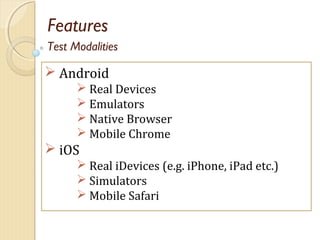
 Android
 Real Devices
 Emulators
 Native Browser
 Mobile Chrome
 iOS
 Real iDevices (e.g. iPhone, iPad etc.)
 Simulators
 Mobile Safari
Test Modalities
Features
 Android
• Real Devices
• Emulators
• Native Browser
• Mobile Chrome
 iOS
• Real iDevices (e.g. iPhone, iPad etc.)
• Simulators
• Mobile Safari
Test Modalities
Limitations
 Android
 No Support for Toast messages
 Android Version 4.2+ required
 iOS
 Needs mac OSX 10.7+, lower versions
not supported
Architecture
 Client Server Architecture
 Based on WebDriver JSON Wire Protocol
 Native test libraries of respective platform is
the backbone of the backend
Architecture
 Android
 UiAutomator ( Version 4.2 or +)
 Default Backend for Android
 Selendroid ( Version 2.3+)
 A separate open source project for
Android automation
 Instrumentation is the Backend
 iOS
 Apple’s UIAutomation Framework
Which Native Library for Which Platform
Automation of Android Apps
Native & Hybrid Apps
Requirements : (Java)
 JAVA IDE (Eclipse)
 Java JDK
 Maven Plugin for Eclipse
 Selenium WebDriver Dependencies/Appium
Java-Client Dependency (Maven)
 Android SDK
 Junit
 Emulator/ Real Device
 Appium Server
 Node.js (If running appium from source)
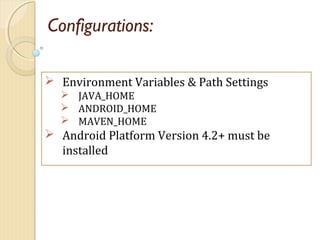
Configurations:
 Environment Variables & Path Settings
 JAVA_HOME
 ANDROID_HOME
 MAVEN_HOME
 Android Platform Version 4.2+ must be
installed
Test Script Development :
 Create a maven project in Eclipse
 Add dependency
<dependency>
<groupId>io.appium</groupId>
<artifactId>java-client</artifactId>
<version>1.1.0</version>
</dependency>
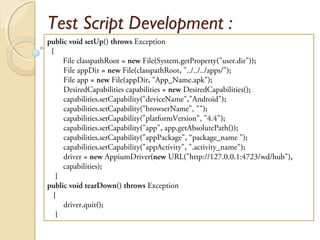
Test Script Development :
public void setUp() throws Exception
{
File classpathRoot = new File(System.getProperty("user.dir"));
File appDir = new File(classpathRoot, "../../../apps/");
File app = new File(appDir, "App_Name.apk");
DesiredCapabilities capabilities = new DesiredCapabilities();
capabilities.setCapability("deviceName","Android");
capabilities.setCapability("browserName", "");
capabilities.setCapability("platformVersion", "4.4");
capabilities.setCapability("app", app.getAbsolutePath());
capabilities.setCapability("appPackage", “package_name ");
capabilities.setCapability("appActivity", ".activity_name");
driver = new AppiumDriver(new URL("http://127.0.0.1:4723/wd/hub"),
capabilities);
}
public void tearDown() throws Exception
{
driver.quit();
}
Starting Appium Server
From Source:
Install Node.js
Download Appium or Clone it using GitHub
In cmd navigate to node_modules/appium/bin
Run 'node appium [server arguments]'
From GUI Interface:
Do the configurations as needed from GUI
Click launch button to launch appium server
Automation of Android Apps
Web Apps
Automating Web Apps
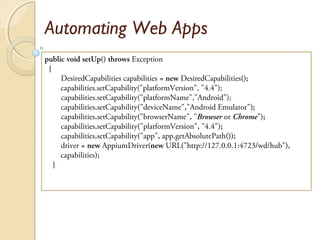
public void setUp() throws Exception
{
DesiredCapabilities capabilities = new DesiredCapabilities();
capabilities.setCapability("platformVersion", "4.4");
capabilities.setCapability("platformName","Android");
capabilities.setCapability("deviceName","Android Emulator");
capabilities.setCapability("browserName", "Browser or Chrome");
capabilities.setCapability("platformVersion", "4.4");
capabilities.setCapability("app", app.getAbsolutePath());
driver = new AppiumDriver(new URL("http://127.0.0.1:4723/wd/hub"),
capabilities);
}
Automating Web Apps
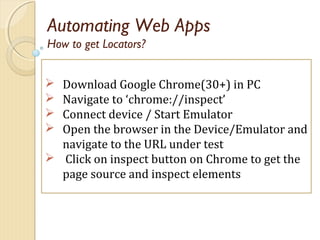
 Download Google Chrome(30+) in PC
 Navigate to ‘chrome://inspect’
 Connect device / Start Emulator
 Open the browser in the Device/Emulator and
navigate to the URL under test
 Click on inspect button on Chrome to get the
page source and inspect elements
How to get Locators?
Automating Web Apps
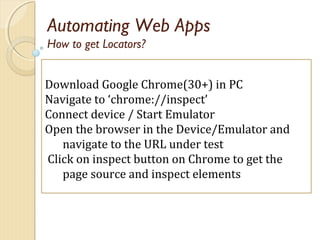
Download Google Chrome(30+) in PC
Navigate to ‘chrome://inspect’
Connect device / Start Emulator
Open the browser in the Device/Emulator and
navigate to the URL under test
Click on inspect button on Chrome to get the
page source and inspect elements
How to get Locators?
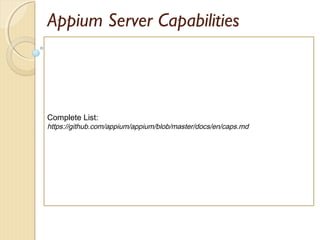
Appium Server Capabilities
Complete List:
https://github.com/appium/appium/blob/master/docs/en/caps.md
Locating Elements
 By Class (UI component type)
E.g
UIATextField , UIAStaticText (iOS)
android.widget.Button ,
android.widget.EditText (Android)
 By Xpath (An abstract representation of certain
element with constraints)
 By Id
 Some of the Mobile JSON Wire Protocol Strategies
Accessibility ID (for iOS the accessibility identifier and for
Android the content-description)
Appium Inspector
 Inspect Elements and the element hierarchy with a
GUI interface
 Inspect the associated attributes of an element
 Easily identify the Xpath for all the elements
 Find the enable/disable status of an element
 Record test scripts and export in the desired language
 Verify mobile commands from Inspector before
implementation
References
 appium.io
 github.com/appium/appium

Appium

  • 1.
    Android & iOSautomation using Appium
  • 2.
    About Me: Deepshikha Singh,Software QA Engineer Srijan Technologies Skills : Appium , Selenium WebDriver , Maven , TestNG , Jenkins, Java Connect Me : Facebook : https://www.facebook.com/deepshikha.singh.777 LinkedIn : https://www.linkedin.com/in/deepshikha-singh-843b824a?trk=hp-identity- name Twitter : @shikha140791 Contact Me : Email : deepshikha.singh@srijan.in /shikha140791@gmail.com Skype: deepi140791
  • 3.
    Agenda  Introduction  FeaturesList  Current Limitations  Understanding Architecture  Automating Android Apps – Native/ Hybrid app – Mobile Web app  Short Demo  Questions & Answers
  • 4.
    Introduction Appium is anOpen source , Cross Platform test automation tool for mobile apps Hosted with GitHub Maintained by Dan Cuellar, Jonathan Lipps and a number of other contributors Supports automation of Native , Hybrid and Mobile Web apps Based on WebDriver JSON wire protocol Based on Client-Server Architecture Appium Server written in Node.js
  • 5.
    Features Automation support for iOS Mobile  Android  Firefox mobile OS Cross-Platform
  • 6.
    Features Automation support for Native App  Hybrid App  Mobile Web App Application Types
  • 7.
    Features  Supports allthe WebDriver Client Libraries  Java  Ruby  Python  JavaScript  PHP  C# Multiple Client Libraries
  • 8.
    Features  Common Libraryfor all the mobile platforms e.g. Android , iOS  Selenium WebDriver Interfaces implemented  Added mobile specific functions e.g. driver.pinch(), driver.zoom(), driver.currentActivity(), driver.lock() etc.  Common API for both Native and Web components Common API
  • 9.
    Features  Android  RealDevices  Emulators  Native Browser  Mobile Chrome  iOS  Real iDevices (e.g. iPhone, iPad etc.)  Simulators  Mobile Safari Test Modalities
  • 10.
    Features  Android • RealDevices • Emulators • Native Browser • Mobile Chrome  iOS • Real iDevices (e.g. iPhone, iPad etc.) • Simulators • Mobile Safari Test Modalities
  • 11.
    Limitations  Android  NoSupport for Toast messages  Android Version 4.2+ required  iOS  Needs mac OSX 10.7+, lower versions not supported
  • 12.
    Architecture  Client ServerArchitecture  Based on WebDriver JSON Wire Protocol  Native test libraries of respective platform is the backbone of the backend
  • 13.
    Architecture  Android  UiAutomator( Version 4.2 or +)  Default Backend for Android  Selendroid ( Version 2.3+)  A separate open source project for Android automation  Instrumentation is the Backend  iOS  Apple’s UIAutomation Framework Which Native Library for Which Platform
  • 14.
    Automation of AndroidApps Native & Hybrid Apps
  • 15.
    Requirements : (Java) JAVA IDE (Eclipse)  Java JDK  Maven Plugin for Eclipse  Selenium WebDriver Dependencies/Appium Java-Client Dependency (Maven)  Android SDK  Junit  Emulator/ Real Device  Appium Server  Node.js (If running appium from source)
  • 16.
    Configurations:  Environment Variables& Path Settings  JAVA_HOME  ANDROID_HOME  MAVEN_HOME  Android Platform Version 4.2+ must be installed
  • 17.
    Test Script Development:  Create a maven project in Eclipse  Add dependency <dependency> <groupId>io.appium</groupId> <artifactId>java-client</artifactId> <version>1.1.0</version> </dependency>
  • 18.
    Test Script Development: public void setUp() throws Exception { File classpathRoot = new File(System.getProperty("user.dir")); File appDir = new File(classpathRoot, "../../../apps/"); File app = new File(appDir, "App_Name.apk"); DesiredCapabilities capabilities = new DesiredCapabilities(); capabilities.setCapability("deviceName","Android"); capabilities.setCapability("browserName", ""); capabilities.setCapability("platformVersion", "4.4"); capabilities.setCapability("app", app.getAbsolutePath()); capabilities.setCapability("appPackage", “package_name "); capabilities.setCapability("appActivity", ".activity_name"); driver = new AppiumDriver(new URL("http://127.0.0.1:4723/wd/hub"), capabilities); } public void tearDown() throws Exception { driver.quit(); }
  • 19.
    Starting Appium Server FromSource: Install Node.js Download Appium or Clone it using GitHub In cmd navigate to node_modules/appium/bin Run 'node appium [server arguments]' From GUI Interface: Do the configurations as needed from GUI Click launch button to launch appium server
  • 20.
    Automation of AndroidApps Web Apps
  • 21.
    Automating Web Apps publicvoid setUp() throws Exception { DesiredCapabilities capabilities = new DesiredCapabilities(); capabilities.setCapability("platformVersion", "4.4"); capabilities.setCapability("platformName","Android"); capabilities.setCapability("deviceName","Android Emulator"); capabilities.setCapability("browserName", "Browser or Chrome"); capabilities.setCapability("platformVersion", "4.4"); capabilities.setCapability("app", app.getAbsolutePath()); driver = new AppiumDriver(new URL("http://127.0.0.1:4723/wd/hub"), capabilities); }
  • 22.
    Automating Web Apps Download Google Chrome(30+) in PC  Navigate to ‘chrome://inspect’  Connect device / Start Emulator  Open the browser in the Device/Emulator and navigate to the URL under test  Click on inspect button on Chrome to get the page source and inspect elements How to get Locators?
  • 23.
    Automating Web Apps DownloadGoogle Chrome(30+) in PC Navigate to ‘chrome://inspect’ Connect device / Start Emulator Open the browser in the Device/Emulator and navigate to the URL under test Click on inspect button on Chrome to get the page source and inspect elements How to get Locators?
  • 24.
    Appium Server Capabilities CompleteList: https://github.com/appium/appium/blob/master/docs/en/caps.md
  • 25.
    Locating Elements  ByClass (UI component type) E.g UIATextField , UIAStaticText (iOS) android.widget.Button , android.widget.EditText (Android)  By Xpath (An abstract representation of certain element with constraints)  By Id  Some of the Mobile JSON Wire Protocol Strategies Accessibility ID (for iOS the accessibility identifier and for Android the content-description)
  • 26.
    Appium Inspector  InspectElements and the element hierarchy with a GUI interface  Inspect the associated attributes of an element  Easily identify the Xpath for all the elements  Find the enable/disable status of an element  Record test scripts and export in the desired language  Verify mobile commands from Inspector before implementation
  • 29.