Reena Sharma
Mobile Application Testing
Agenda
Introduction
QA Challenges in Mobile Application
Testing
Mobile Application Testing Strategies
Types of Mobile Application Testing
Native Apps vs. Web Apps vs. Hybrid Apps
2
Agenda
Introduction
QA Challenges in Mobile Application
Testing
Mobile Application Testing Strategies
Types of Mobile Application Testing
Native Apps vs. Web Apps vs. Hybrid Apps
3
The Mobile Boom
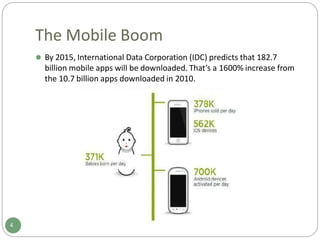
⚫ By 2015, International Data Corporation (IDC) predicts that 182.7
billion mobile apps will be downloaded. That’s a 1600% increase from
the 10.7 billion apps downloaded in 2010.
4
The Mobile Boom
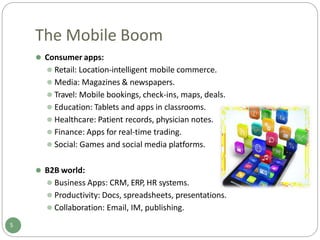
⚫ Consumer apps:
⚫ Retail: Location-intelligent mobile commerce.
⚫ Media: Magazines & newspapers.
⚫ Travel: Mobile bookings, check-ins, maps, deals.
⚫ Education: Tablets and apps in classrooms.
⚫ Healthcare: Patient records, physician notes.
⚫ Finance: Apps for real-time trading.
⚫ Social: Games and social media platforms.
⚫ B2B world:
⚫ Business Apps: CRM, ERP, HR systems.
⚫ Productivity: Docs, spreadsheets, presentations.
⚫ Collaboration: Email, IM, publishing.
5
The Mobile Boom
⚫ The motivator for companies to switch to mobile applications:
⚫ Offer mobile access to hosted online services. (38.4%)
⚫ Making money by selling apps directly to consumers. (36.3%)
⚫ Being mobile to stay competitive. (33.2%)
⚫ Offering mobile versions of desktop software. (32.9%)
⚫ Making money from embedded mobile ads. (8.7%)
6
Why Failing Hurts?
⚫ One bad customer experience would spread via Social media
platforms (Twitter, Facebook, …) and travel at the speed of light and
reaches hundreds, thousands, or even more users.
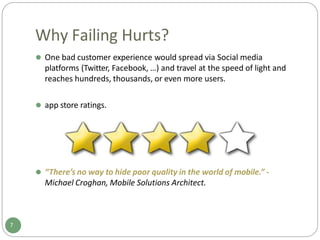
⚫ app store ratings.
⚫ “There’s no way to hide poor quality in the world of mobile.” -
Michael Croghan, Mobile Solutions Architect.
7
Agenda
Introduction
QA Challenges in Mobile Application
Testing
Mobile Application Testing Strategies
Types of Mobile Application Testing
Native Apps vs. Web Apps vs. Hybrid Apps
8
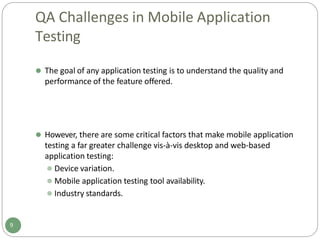
QA Challenges in Mobile Application
Testing
⚫ The goal of any application testing is to understand the quality and
performance of the feature offered.
9
⚫ However, there are some critical factors that make mobile application
testing a far greater challenge vis-à-vis desktop and web-based
application testing:
⚫ Device variation.
⚫ Mobile application testing tool availability.
⚫ Industry standards.
QA Challenges in Mobile Application
Testing
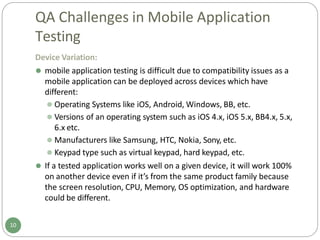
Device Variation:
⚫ mobile application testing is difficult due to compatibility issues as a
mobile application can be deployed across devices which have
different:
⚫ Operating Systems like iOS, Android, Windows, BB, etc.
⚫ Versions of an operating system such as iOS 4.x, iOS 5.x, BB4.x, 5.x,
6.x etc.
⚫ Manufacturers like Samsung, HTC, Nokia, Sony, etc.
⚫ Keypad type such as virtual keypad, hard keypad, etc.
⚫ If a tested application works well on a given device, it will work 100%
on another device even if it’s from the same product family because
the screen resolution, CPU, Memory, OS optimization, and hardware
could be different.
10
QA Challenges in Mobile Application
Testing
Mobile Testing Tool Availability:
⚫ The tools used for desktop and web-based applications do not work
for mobile application.
⚫ Complex scripting technique and new tool development is required.
Industry Standards:
⚫ Mobile application testing must meet industry standards for an
application to be globally acceptable and popular.
11
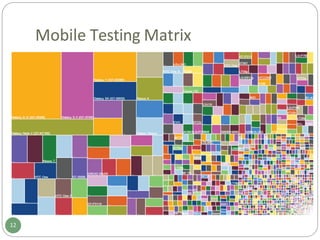
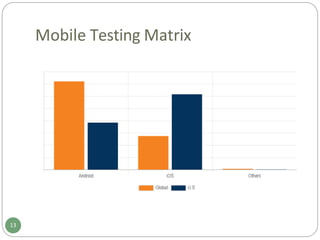
Mobile Testing Matrix
12
Mobile Testing Matrix
13
Agenda
Introduction
QA Challenges in Mobile Application
Testing
Mobile Application Testing Strategies
Types of Mobile Application Testing
Native Apps vs. Web Apps vs. Hybrid Apps
14
Mobile Application Testing Strategies
Real Time Devices with Real Time Networks:
⚫ Real device testing will give the most realistic
view of test results.
⚫ High cost.
⚫ This is important since the mobile application will
always be used on mobile devices by end users.
⚫ All possible types of testing activities can be
performed including that are dependent on
hardware.
⚫ Up to 100% test coverage can be achieved.
15
Mobile Application Testing Strategies
Device Emulator:
⚫ This is a cost effective solution.
⚫ All application can be deployed and tested on
emulator without investing in Mobile Handset for
various OS.
⚫ Emulators are mostly available free, and we can
also perform UI, Stress and performance testing on
that.
⚫ 30 – 40 % test. (early stages of app development)
16
Mobile Application Testing Strategies
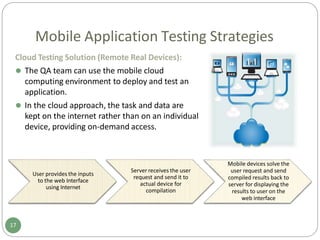
Cloud Testing Solution (Remote Real Devices):
⚫ The QA team can use the mobile cloud
computing environment to deploy and test an
application.
⚫ In the cloud approach, the task and data are
kept on the internet rather than on an individual
device, providing on-demand access.
User provides the inputs
to the web Interface
using Internet
Server receives the user
request and send it to
actual device for
compilation
Mobile devices solve the
user request and send
compiled results back to
server for displaying the
results to user on the
web interface
17
Mobile Application Testing Strategies
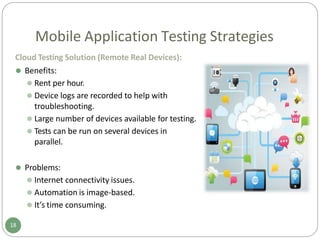
Cloud Testing Solution (Remote Real Devices):
⚫ Benefits:
⚫ Rent per hour.
⚫ Device logs are recorded to help with
troubleshooting.
⚫ Large number of devices available for testing.
⚫ Tests can be run on several devices in
parallel.
⚫ Problems:
⚫ Internet connectivity issues.
⚫ Automation is image-based.
⚫ It’s time consuming.
18
Mobile Application Testing Strategies
Some Realistic Approaches:
⚫ Beta Testing:
⚫ Select a list of devices that your company will ensure
compatibility.
⚫ Engage groups of Beta testers to test the application on their
devices and report any issues or incompatibilities.
⚫ Avoid supporting devices or operating systems that the
manufacturers or vendors no longer support.
⚫ Trying to test on unsupported devices and O.S. versions increases
costs exponentially.
⚫ Have an explicit list of devices on which QA will be performed.
⚫ The users will be informed that even though the application might
work on other devices, the company will not be held responsible
for unexpected issues.
19
Agenda
Introduction
QA Challenges in Mobile Application
Testing
Mobile Application Testing Strategies
Types of Mobile Application Testing
Native Apps vs. Web Apps vs. Hybrid Apps
20
Types of Mobile Testing
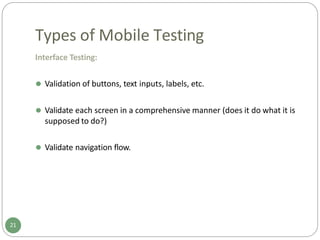
Interface Testing:
⚫ Validation of buttons, text inputs, labels, etc.
⚫ Validate each screen in a comprehensive manner (does it do what it is
supposed to do?)
⚫ Validate navigation flow.
21
Types of Mobile Testing
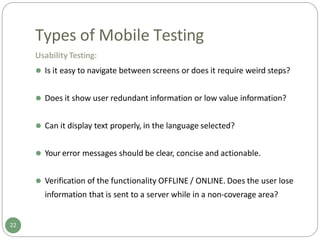
Usability Testing:
⚫ Is it easy to navigate between screens or does it require weird steps?
⚫ Does it show user redundant information or low value information?
⚫ Can it display text properly, in the language selected?
⚫ Your error messages should be clear, concise and actionable.
⚫ Verification of the functionality OFFLINE / ONLINE. Does the user lose
information that is sent to a server while in a non-coverage area?
22
Types of Mobile Testing
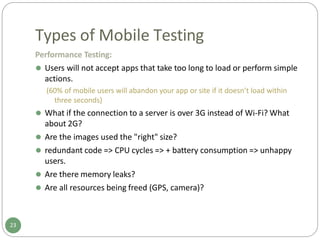
Performance Testing:
⚫ Users will not accept apps that take too long to load or perform simple
actions.
(60% of mobile users will abandon your app or site if it doesn’t load within
three seconds)
⚫ What if the connection to a server is over 3G instead of Wi-Fi? What
about 2G?
⚫ Are the images used the "right" size?
⚫ redundant code => CPU cycles => + battery consumption => unhappy
users.
⚫ Are there memory leaks?
⚫ Are all resources being freed (GPS, camera)?
23
Types of Mobile Testing
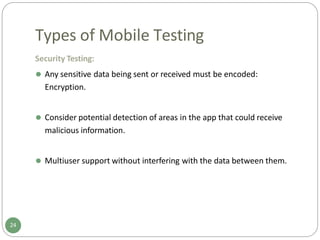
Security Testing:
⚫ Any sensitive data being sent or received must be encoded:
Encryption.
⚫ Consider potential detection of areas in the app that could receive
malicious information.
⚫ Multiuser support without interfering with the data between them.
24
Types of Mobile Testing
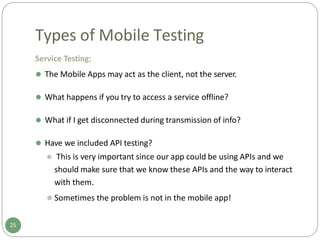
Service Testing:
⚫ The Mobile Apps may act as the client, not the server.
⚫ What happens if you try to access a service offline?
⚫ What if I get disconnected during transmission of info?
⚫ Have we included API testing?
⚫ This is very important since our app could be using APIs and we
should make sure that we know these APIs and the way to interact
with them.
⚫ Sometimes the problem is not in the mobile app!
25
Types of Mobile Testing
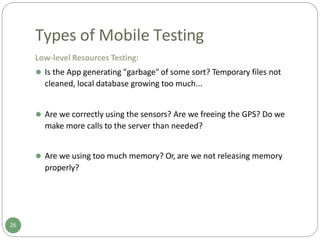
Low-level Resources Testing:
⚫ Is the App generating "garbage" of some sort? Temporary files not
cleaned, local database growing too much...
⚫ Are we correctly using the sensors? Are we freeing the GPS? Do we
make more calls to the server than needed?
⚫ Are we using too much memory? Or, are we not releasing memory
properly?
26
Types of Mobile Testing
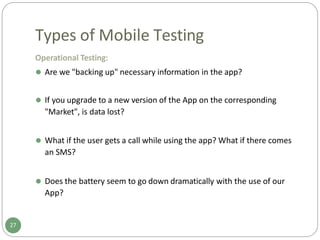
Operational Testing:
⚫ Are we "backing up" necessary information in the app?
⚫ If you upgrade to a new version of the App on the corresponding
"Market", is data lost?
⚫ What if the user gets a call while using the app? What if there comes
an SMS?
⚫ Does the battery seem to go down dramatically with the use of our
App?
27
Types of Mobile Testing
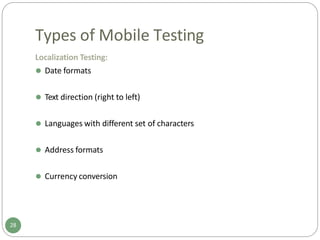
Localization Testing:
⚫ Date formats
⚫ Text direction (right to left)
⚫ Languages with different set of characters
⚫ Address formats
⚫ Currency conversion
28
Agenda
Introduction
QA Challenges in Mobile Application
Testing
Mobile Application Testing Strategies
Types of Mobile Application Testing
Native Apps vs. Web Apps vs. Hybrid Apps
29
Native Apps vs. Web Apps vs. Hybrid Apps
Native Apps:
⚫ Live on the device and are accessed through icons on the device home
screen.
⚫ Installed through an application store. (such as Google Play or Apple’s
App Store)
⚫ Developed specifically for one platform.
⚫ Can take full advantage of all the device features — they can use the
camera, the GPS, the compass, the list of contacts, and so on.
⚫ Can incorporate gestures. (either standard operating-system gestures
or new, app-defined gestures)
⚫ Can use the device’s notification system and can work offline.
30
Native Apps vs. Web Apps vs. Hybrid Apps
Web Apps:
⚫ Mobile-optimized websites that look like an app.
31
⚫ Run by a browser and typically written in HTML5.
⚫ Users first access them as they would access any web page: they
navigate to a special URL and then have the option of “installing” them
on their home screen by creating a bookmark to that page.
Native Apps vs. Web Apps vs. Hybrid Apps
Hybrid Apps:
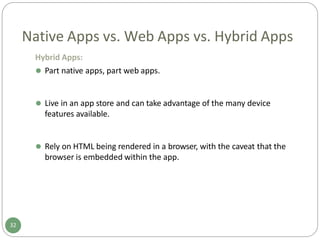
⚫ Part native apps, part web apps.
⚫ Live in an app store and can take advantage of the many device
features available.
⚫ Rely on HTML being rendered in a browser, with the caveat that the
browser is embedded within the app.
32
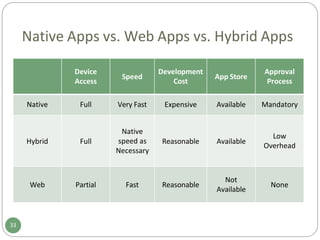
Native Apps vs. Web Apps vs. Hybrid Apps
Device
Access
Speed
Development
Cost
App Store
Approval
Process
Native Full Very Fast Expensive Available Mandatory
Hybrid Full
Native
speed as
Necessary
Reasonable Available
Low
Overhead
Web Partial Fast Reasonable
Not
Available
None
33
Native Apps vs. Web Apps vs. Hybrid Apps
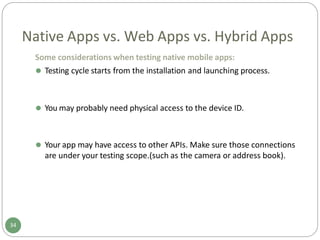
Some considerations when testing native mobile apps:
⚫ Testing cycle starts from the installation and launching process.
34
⚫ You may probably need physical access to the device ID.
⚫ Your app may have access to other APIs. Make sure those connections
are under your testing scope.(such as the camera or address book).
Native Apps vs. Web Apps vs. Hybrid Apps
Some considerations when testing web mobile apps:
⚫ Requires internet connection (WiFi, 3/2G, GPRS, etc).
35
⚫ Different web browsers render on their own way the pages.
⚫ Make sure performance and load speed is tested (and they are
satisfying the requirements).
Thank You
36

mobileapplicationtesting.pptx

  • 1.
  • 2.
    Agenda Introduction QA Challenges inMobile Application Testing Mobile Application Testing Strategies Types of Mobile Application Testing Native Apps vs. Web Apps vs. Hybrid Apps 2
  • 3.
    Agenda Introduction QA Challenges inMobile Application Testing Mobile Application Testing Strategies Types of Mobile Application Testing Native Apps vs. Web Apps vs. Hybrid Apps 3
  • 4.
    The Mobile Boom ⚫By 2015, International Data Corporation (IDC) predicts that 182.7 billion mobile apps will be downloaded. That’s a 1600% increase from the 10.7 billion apps downloaded in 2010. 4
  • 5.
    The Mobile Boom ⚫Consumer apps: ⚫ Retail: Location-intelligent mobile commerce. ⚫ Media: Magazines & newspapers. ⚫ Travel: Mobile bookings, check-ins, maps, deals. ⚫ Education: Tablets and apps in classrooms. ⚫ Healthcare: Patient records, physician notes. ⚫ Finance: Apps for real-time trading. ⚫ Social: Games and social media platforms. ⚫ B2B world: ⚫ Business Apps: CRM, ERP, HR systems. ⚫ Productivity: Docs, spreadsheets, presentations. ⚫ Collaboration: Email, IM, publishing. 5
  • 6.
    The Mobile Boom ⚫The motivator for companies to switch to mobile applications: ⚫ Offer mobile access to hosted online services. (38.4%) ⚫ Making money by selling apps directly to consumers. (36.3%) ⚫ Being mobile to stay competitive. (33.2%) ⚫ Offering mobile versions of desktop software. (32.9%) ⚫ Making money from embedded mobile ads. (8.7%) 6
  • 7.
    Why Failing Hurts? ⚫One bad customer experience would spread via Social media platforms (Twitter, Facebook, …) and travel at the speed of light and reaches hundreds, thousands, or even more users. ⚫ app store ratings. ⚫ “There’s no way to hide poor quality in the world of mobile.” - Michael Croghan, Mobile Solutions Architect. 7
  • 8.
    Agenda Introduction QA Challenges inMobile Application Testing Mobile Application Testing Strategies Types of Mobile Application Testing Native Apps vs. Web Apps vs. Hybrid Apps 8
  • 9.
    QA Challenges inMobile Application Testing ⚫ The goal of any application testing is to understand the quality and performance of the feature offered. 9 ⚫ However, there are some critical factors that make mobile application testing a far greater challenge vis-à-vis desktop and web-based application testing: ⚫ Device variation. ⚫ Mobile application testing tool availability. ⚫ Industry standards.
  • 10.
    QA Challenges inMobile Application Testing Device Variation: ⚫ mobile application testing is difficult due to compatibility issues as a mobile application can be deployed across devices which have different: ⚫ Operating Systems like iOS, Android, Windows, BB, etc. ⚫ Versions of an operating system such as iOS 4.x, iOS 5.x, BB4.x, 5.x, 6.x etc. ⚫ Manufacturers like Samsung, HTC, Nokia, Sony, etc. ⚫ Keypad type such as virtual keypad, hard keypad, etc. ⚫ If a tested application works well on a given device, it will work 100% on another device even if it’s from the same product family because the screen resolution, CPU, Memory, OS optimization, and hardware could be different. 10
  • 11.
    QA Challenges inMobile Application Testing Mobile Testing Tool Availability: ⚫ The tools used for desktop and web-based applications do not work for mobile application. ⚫ Complex scripting technique and new tool development is required. Industry Standards: ⚫ Mobile application testing must meet industry standards for an application to be globally acceptable and popular. 11
  • 12.
  • 13.
  • 14.
    Agenda Introduction QA Challenges inMobile Application Testing Mobile Application Testing Strategies Types of Mobile Application Testing Native Apps vs. Web Apps vs. Hybrid Apps 14
  • 15.
    Mobile Application TestingStrategies Real Time Devices with Real Time Networks: ⚫ Real device testing will give the most realistic view of test results. ⚫ High cost. ⚫ This is important since the mobile application will always be used on mobile devices by end users. ⚫ All possible types of testing activities can be performed including that are dependent on hardware. ⚫ Up to 100% test coverage can be achieved. 15
  • 16.
    Mobile Application TestingStrategies Device Emulator: ⚫ This is a cost effective solution. ⚫ All application can be deployed and tested on emulator without investing in Mobile Handset for various OS. ⚫ Emulators are mostly available free, and we can also perform UI, Stress and performance testing on that. ⚫ 30 – 40 % test. (early stages of app development) 16
  • 17.
    Mobile Application TestingStrategies Cloud Testing Solution (Remote Real Devices): ⚫ The QA team can use the mobile cloud computing environment to deploy and test an application. ⚫ In the cloud approach, the task and data are kept on the internet rather than on an individual device, providing on-demand access. User provides the inputs to the web Interface using Internet Server receives the user request and send it to actual device for compilation Mobile devices solve the user request and send compiled results back to server for displaying the results to user on the web interface 17
  • 18.
    Mobile Application TestingStrategies Cloud Testing Solution (Remote Real Devices): ⚫ Benefits: ⚫ Rent per hour. ⚫ Device logs are recorded to help with troubleshooting. ⚫ Large number of devices available for testing. ⚫ Tests can be run on several devices in parallel. ⚫ Problems: ⚫ Internet connectivity issues. ⚫ Automation is image-based. ⚫ It’s time consuming. 18
  • 19.
    Mobile Application TestingStrategies Some Realistic Approaches: ⚫ Beta Testing: ⚫ Select a list of devices that your company will ensure compatibility. ⚫ Engage groups of Beta testers to test the application on their devices and report any issues or incompatibilities. ⚫ Avoid supporting devices or operating systems that the manufacturers or vendors no longer support. ⚫ Trying to test on unsupported devices and O.S. versions increases costs exponentially. ⚫ Have an explicit list of devices on which QA will be performed. ⚫ The users will be informed that even though the application might work on other devices, the company will not be held responsible for unexpected issues. 19
  • 20.
    Agenda Introduction QA Challenges inMobile Application Testing Mobile Application Testing Strategies Types of Mobile Application Testing Native Apps vs. Web Apps vs. Hybrid Apps 20
  • 21.
    Types of MobileTesting Interface Testing: ⚫ Validation of buttons, text inputs, labels, etc. ⚫ Validate each screen in a comprehensive manner (does it do what it is supposed to do?) ⚫ Validate navigation flow. 21
  • 22.
    Types of MobileTesting Usability Testing: ⚫ Is it easy to navigate between screens or does it require weird steps? ⚫ Does it show user redundant information or low value information? ⚫ Can it display text properly, in the language selected? ⚫ Your error messages should be clear, concise and actionable. ⚫ Verification of the functionality OFFLINE / ONLINE. Does the user lose information that is sent to a server while in a non-coverage area? 22
  • 23.
    Types of MobileTesting Performance Testing: ⚫ Users will not accept apps that take too long to load or perform simple actions. (60% of mobile users will abandon your app or site if it doesn’t load within three seconds) ⚫ What if the connection to a server is over 3G instead of Wi-Fi? What about 2G? ⚫ Are the images used the "right" size? ⚫ redundant code => CPU cycles => + battery consumption => unhappy users. ⚫ Are there memory leaks? ⚫ Are all resources being freed (GPS, camera)? 23
  • 24.
    Types of MobileTesting Security Testing: ⚫ Any sensitive data being sent or received must be encoded: Encryption. ⚫ Consider potential detection of areas in the app that could receive malicious information. ⚫ Multiuser support without interfering with the data between them. 24
  • 25.
    Types of MobileTesting Service Testing: ⚫ The Mobile Apps may act as the client, not the server. ⚫ What happens if you try to access a service offline? ⚫ What if I get disconnected during transmission of info? ⚫ Have we included API testing? ⚫ This is very important since our app could be using APIs and we should make sure that we know these APIs and the way to interact with them. ⚫ Sometimes the problem is not in the mobile app! 25
  • 26.
    Types of MobileTesting Low-level Resources Testing: ⚫ Is the App generating "garbage" of some sort? Temporary files not cleaned, local database growing too much... ⚫ Are we correctly using the sensors? Are we freeing the GPS? Do we make more calls to the server than needed? ⚫ Are we using too much memory? Or, are we not releasing memory properly? 26
  • 27.
    Types of MobileTesting Operational Testing: ⚫ Are we "backing up" necessary information in the app? ⚫ If you upgrade to a new version of the App on the corresponding "Market", is data lost? ⚫ What if the user gets a call while using the app? What if there comes an SMS? ⚫ Does the battery seem to go down dramatically with the use of our App? 27
  • 28.
    Types of MobileTesting Localization Testing: ⚫ Date formats ⚫ Text direction (right to left) ⚫ Languages with different set of characters ⚫ Address formats ⚫ Currency conversion 28
  • 29.
    Agenda Introduction QA Challenges inMobile Application Testing Mobile Application Testing Strategies Types of Mobile Application Testing Native Apps vs. Web Apps vs. Hybrid Apps 29
  • 30.
    Native Apps vs.Web Apps vs. Hybrid Apps Native Apps: ⚫ Live on the device and are accessed through icons on the device home screen. ⚫ Installed through an application store. (such as Google Play or Apple’s App Store) ⚫ Developed specifically for one platform. ⚫ Can take full advantage of all the device features — they can use the camera, the GPS, the compass, the list of contacts, and so on. ⚫ Can incorporate gestures. (either standard operating-system gestures or new, app-defined gestures) ⚫ Can use the device’s notification system and can work offline. 30
  • 31.
    Native Apps vs.Web Apps vs. Hybrid Apps Web Apps: ⚫ Mobile-optimized websites that look like an app. 31 ⚫ Run by a browser and typically written in HTML5. ⚫ Users first access them as they would access any web page: they navigate to a special URL and then have the option of “installing” them on their home screen by creating a bookmark to that page.
  • 32.
    Native Apps vs.Web Apps vs. Hybrid Apps Hybrid Apps: ⚫ Part native apps, part web apps. ⚫ Live in an app store and can take advantage of the many device features available. ⚫ Rely on HTML being rendered in a browser, with the caveat that the browser is embedded within the app. 32
  • 33.
    Native Apps vs.Web Apps vs. Hybrid Apps Device Access Speed Development Cost App Store Approval Process Native Full Very Fast Expensive Available Mandatory Hybrid Full Native speed as Necessary Reasonable Available Low Overhead Web Partial Fast Reasonable Not Available None 33
  • 34.
    Native Apps vs.Web Apps vs. Hybrid Apps Some considerations when testing native mobile apps: ⚫ Testing cycle starts from the installation and launching process. 34 ⚫ You may probably need physical access to the device ID. ⚫ Your app may have access to other APIs. Make sure those connections are under your testing scope.(such as the camera or address book).
  • 35.
    Native Apps vs.Web Apps vs. Hybrid Apps Some considerations when testing web mobile apps: ⚫ Requires internet connection (WiFi, 3/2G, GPRS, etc). 35 ⚫ Different web browsers render on their own way the pages. ⚫ Make sure performance and load speed is tested (and they are satisfying the requirements).
  • 36.