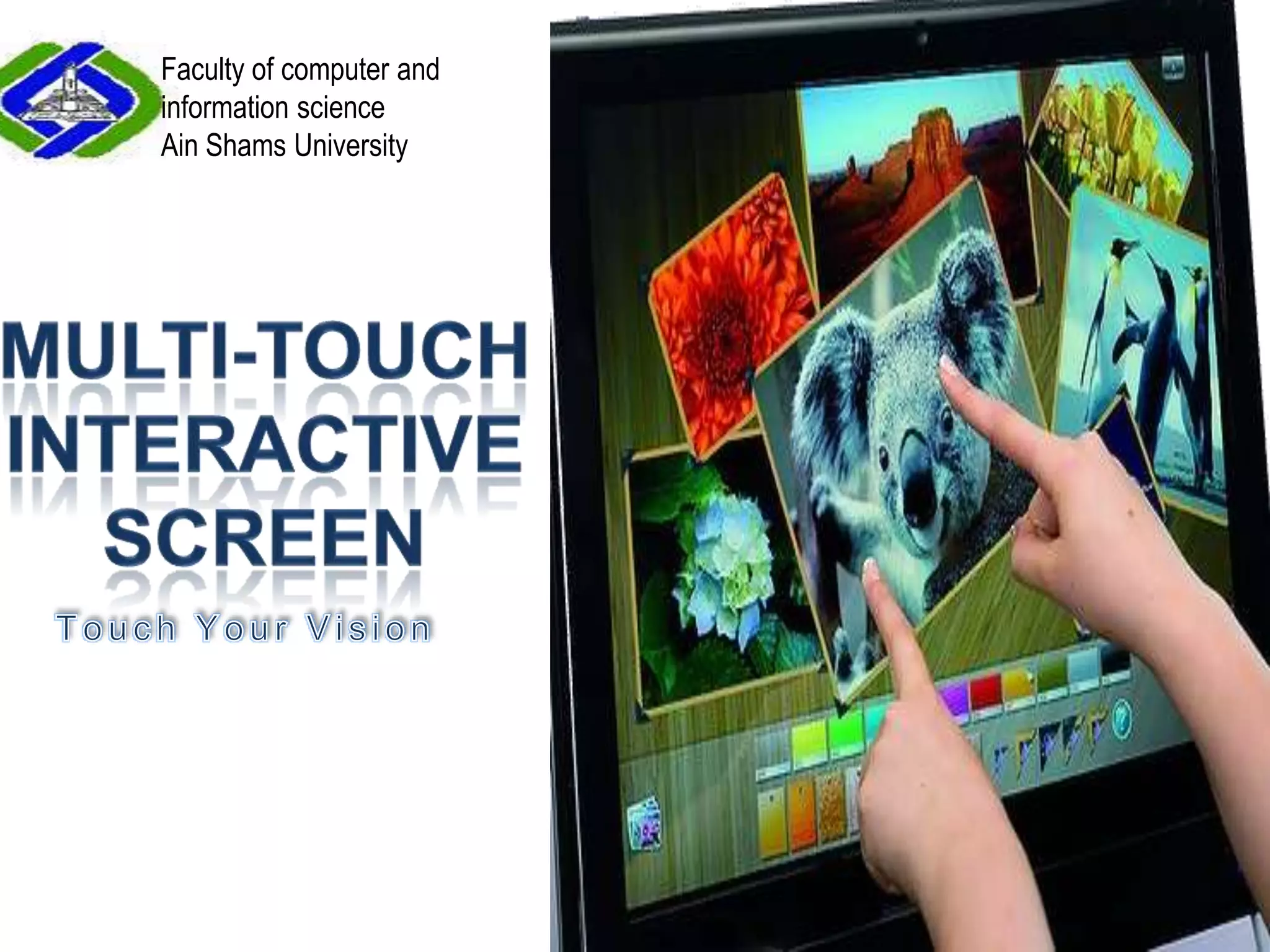
Faculty of computer and information science Ain Shams UniversitySection 1Multi-Touch Interactive ScreenTouch Your Vision
Supervisors:Professor Dr. Mohammed RoushdyFaculty of computer and information sciencesDr. Haythem El-MessiryFaculty of computer and information sciencesT.A. Ahmad SalahFaculty of computer and information sciencesSponsors:
Teamwork:
Agenda:Introduction.Interactive Screen Vs Other systems.Market Research &Customer needs.Physical Environment.System Framework.System Modules.Applications.Limitations.Future Work. References.
Introduction:Problem Definition:       Human interacts normally with another human by using motions, It might be annoying and impractical to use hardware equipments to interact with  someone/something.Overview:Projector and two cams  system
 HCI (Human Computer Interaction) system.
Interact with hand gestures(shapes).
Extension of interactive wall ‘09Introduction:Motivation:1. “Interactive Wall 2009”.             2. multi touch technology             3. large size of touch screen with appropriate cost.               4. flexibility.
future without annoying input devices, and to be proud of being a part of accomplishing such a dream.develop the Interactive Screen System to be able to handle more features and gestures and to get over its limitation which will make the user get satisfied with its usability and flexibility of use.
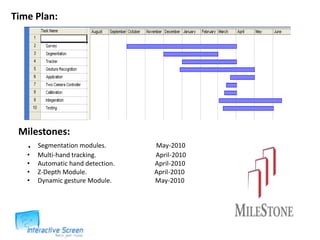
Time Plan:   Milestones:       .   Segmentation modules.                               May-2010                       Multi-hand tracking.                                     April-2010
     Automatic hand detection.                         April-2010
     Z-Depth Module.                                          April-2010
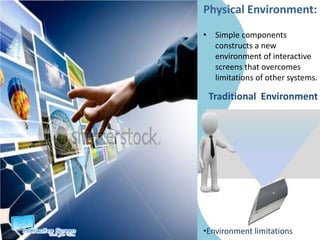
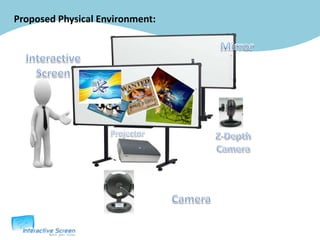
     Dynamic gesture Module.                           May-2010 Physical Environment:Simple components constructs a new environment of interactive screens that overcomes limitations of other systems.Traditional  Environment Environment limitationsProposed Physical Environment:MirrorInteractive ScreenProjectorZ-Depth CameraCamera
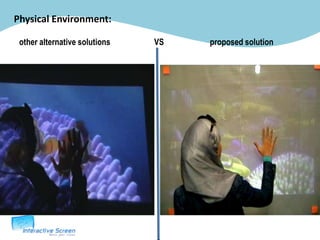
Physical Environment:other alternative solutions                      VS                       proposed solution
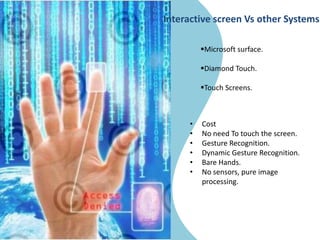
Interactive screen Vs other SystemsMicrosoft surface.
Diamond Touch.
Touch Screens.
Cost
No need To touch the screen.
Gesture Recognition.
Dynamic Gesture Recognition.
Bare Hands.
No sensors, pure image processing.In 1991, First Smart White Board.Over 1.6 million smart whiteboards have been installed throughout the world.Surveys indicates that interactive whiteboards benefit student engagement, learner motivation and knowledge retention.Market Research
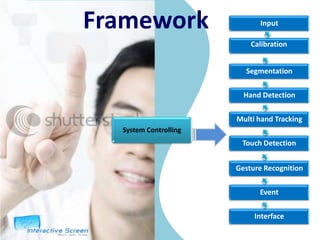
Input FrameworkCalibrationSegmentationSystem ControllingHand DetectionMulti hand TrackingTouch DetectionGesture RecognitionEventInterface
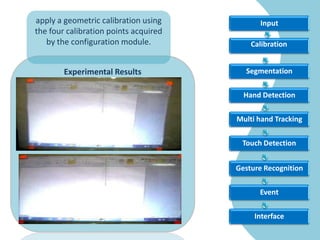
Input apply a geometric calibration using the four calibration points acquired by the configuration module.CalibrationExperimental Results SegmentationHand DetectionMulti hand TrackingTouch DetectionGesture RecognitionEventInterface
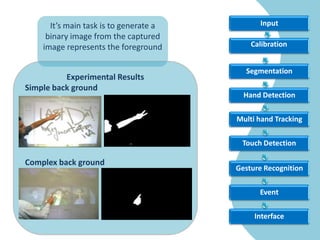
Input It’s main task is to generate a binary image from the captured image represents the foregroundCalibrationExperimental ResultsSimple back groundComplex back groundSegmentationHand DetectionMulti hand TrackingTouch DetectionGesture RecognitionEventInterface

Mie presentation

  • 1.
    Faculty of computerand information science Ain Shams UniversitySection 1Multi-Touch Interactive ScreenTouch Your Vision
  • 2.
    Supervisors:Professor Dr. MohammedRoushdyFaculty of computer and information sciencesDr. Haythem El-MessiryFaculty of computer and information sciencesT.A. Ahmad SalahFaculty of computer and information sciencesSponsors:
  • 3.
  • 4.
    Agenda:Introduction.Interactive Screen VsOther systems.Market Research &Customer needs.Physical Environment.System Framework.System Modules.Applications.Limitations.Future Work. References.
  • 5.
    Introduction:Problem Definition: Human interacts normally with another human by using motions, It might be annoying and impractical to use hardware equipments to interact with someone/something.Overview:Projector and two cams system
  • 6.
    HCI (HumanComputer Interaction) system.
  • 7.
    Interact with handgestures(shapes).
  • 8.
    Extension of interactivewall ‘09Introduction:Motivation:1. “Interactive Wall 2009”. 2. multi touch technology 3. large size of touch screen with appropriate cost. 4. flexibility.
  • 9.
    future without annoyinginput devices, and to be proud of being a part of accomplishing such a dream.develop the Interactive Screen System to be able to handle more features and gestures and to get over its limitation which will make the user get satisfied with its usability and flexibility of use.
  • 10.
    Time Plan: Milestones: . Segmentation modules. May-2010 Multi-hand tracking. April-2010
  • 11.
    Automatic hand detection. April-2010
  • 12.
    Z-Depth Module. April-2010
  • 13.
    Dynamic gesture Module. May-2010 Physical Environment:Simple components constructs a new environment of interactive screens that overcomes limitations of other systems.Traditional Environment Environment limitationsProposed Physical Environment:MirrorInteractive ScreenProjectorZ-Depth CameraCamera
  • 14.
    Physical Environment:other alternativesolutions VS proposed solution
  • 15.
    Interactive screen Vsother SystemsMicrosoft surface.
  • 16.
  • 17.
  • 18.
  • 19.
    No need Totouch the screen.
  • 20.
  • 21.
  • 22.
  • 23.
    No sensors, pureimage processing.In 1991, First Smart White Board.Over 1.6 million smart whiteboards have been installed throughout the world.Surveys indicates that interactive whiteboards benefit student engagement, learner motivation and knowledge retention.Market Research
  • 24.
    Input FrameworkCalibrationSegmentationSystem ControllingHandDetectionMulti hand TrackingTouch DetectionGesture RecognitionEventInterface
  • 25.
    Input apply ageometric calibration using the four calibration points acquired by the configuration module.CalibrationExperimental Results SegmentationHand DetectionMulti hand TrackingTouch DetectionGesture RecognitionEventInterface
  • 26.
    Input It’s maintask is to generate a binary image from the captured image represents the foregroundCalibrationExperimental ResultsSimple back groundComplex back groundSegmentationHand DetectionMulti hand TrackingTouch DetectionGesture RecognitionEventInterface

Editor's Notes

  • #2 Check the name of the project..
  • #6 Seprate two slid
  • #7 According to many surveys, people are impressed about HCI technologies, we become very enthusiastic due to these facts that enable us to participate in developing such area of technology with less cost.
  • #10 Light is off.Shadow.
  • #11 Cost.. 1000 $**If they will do not see the environment.. Must add the real physical environment picture
  • #13 Smart white board Smart WallTouch screenCostGesture Recognition .No need to touh screen.Bare hands .Dynamic gesture recognition..
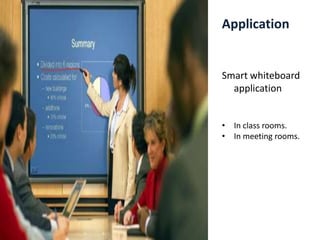
  • #14 Interactive Screen could be used inMeeting rooms Class roomsFor presentationWe found that
  • #15 All the Modules Overview and Sample Output Here …isABut The Demos! … it is OkFinal Scene  The FrameWorkiis on the right hand side, the current module is highlighted, the overview and demo is on the left hand side of the slide
  • #20 Change it in the whole presentation .