






#TechSummitCH
https://sharepointcommunity.ch
https://linkedin.com/in/david-schneider
https://twitter.com/fiddi
https://davidschneider.blog



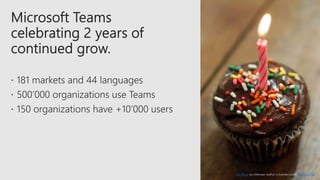
This Photo by Unknown Author is licensed under CC BY-SA-NC
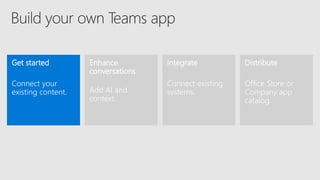
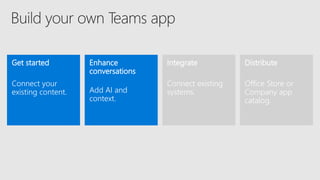
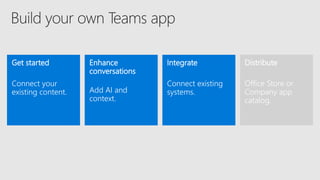
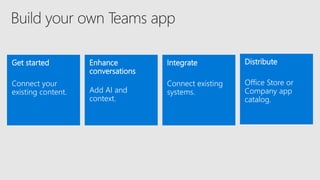
Get started
Connect your
existing content.
Enhance
conversations
Add AI and
context.
Distribute
Office Store or
Company app
catalog.
Integrate
Connect existing
systems.
•
•
•
•
•
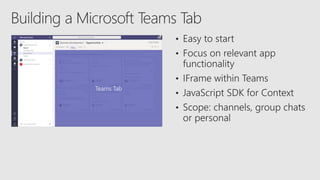
Teams Tab
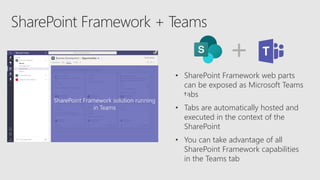
• SharePoint Framework web parts
can be exposed as Microsoft Teams
tabs
• Tabs are automatically hosted and
executed in the context of the
SharePoint
• You can take advantage of all
SharePoint Framework capabilities
in the Teams tab
SharePoint Framework solution running
in Teams
https://bit.ly/2TU1BbP
Visual Studio Code, SharePoint Framework 1.8
Get started
Connect your
existing content.
Enhance
conversations
Add AI and
context.
Distribute
Office Store or
Company app
catalog.
Integrate
Connect existing
systems.
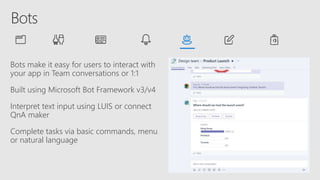
Bots make it easy for users to interact with
your app in Team conversations or 1:1
Built using Microsoft Bot Framework v3/v4
Interpret text input using LUIS or connect
QnA maker
Complete tasks via basic commands, menu
or natural language
https://bit.ly/2FBn6sU
Visual Studio, Bots Framework v4.0, AppStudio
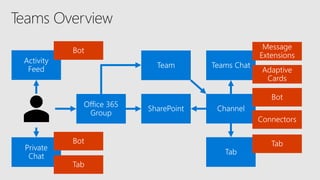
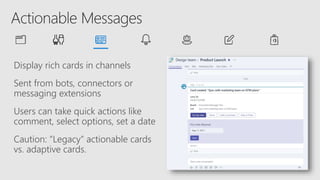
Display rich cards in channels
Sent from bots, connectors or
messaging extensions
Users can take quick actions like
comment, select options, set a date
Caution: “Legacy” actionable cards
vs. adaptive cards.
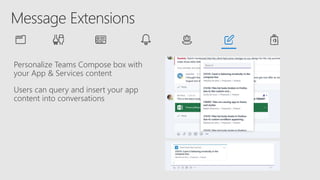
Personalize Teams Compose box with
your App & Services content
Users can query and insert your app
content into conversations
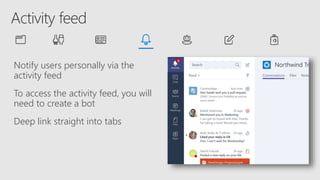
Notify users personally via the
activity feed
To access the activity feed, you will
need to create a bot
Deep link straight into tabs
Get started
Connect your
existing content.
Enhance
conversations
Add AI and
context.
Distribute
Office Store or
Company app
catalog.
Integrate
Connect existing
systems.
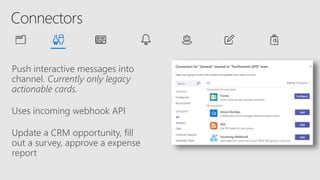
Push interactive messages into
channel. Currently only legacy
actionable cards.
Uses incoming webhook API
Update a CRM opportunity, fill
out a survey, approve a expense
report
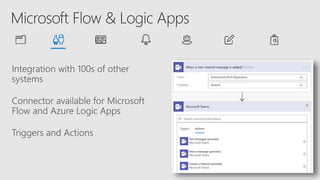
Integration with 100s of other
systems
Connector available for Microsoft
Flow and Azure Logic Apps
Triggers and Actions
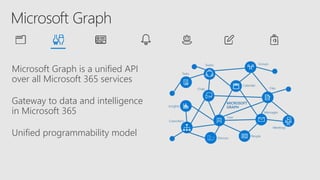
Microsoft Graph is a unified API
over all Microsoft 365 services
Gateway to data and intelligence
in Microsoft 365
Unified programmability model
Get started
Connect your
existing content.
Enhance
conversations
Add AI and
context.
Distribute
Office Store or
Company app
catalog.
Integrate
Connect existing
systems.
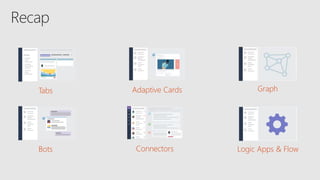
Tabs
Bots
Adaptive Cards
Connectors Logic Apps & Flow
Graph
http://aka.ms/techsummitfeedback
https://sharepointcommunity.ch
https://linkedin.com/in/david-schneider
https://twitter.com/fiddi
https://davidschneider.blog
Microsoft Teams as a Development Platform

Microsoft Teams as a Development Platform

Editor's Notes

  • #6 Microsoft fastest growing product. Fast change is also a challenge. Developer experience is not always good.
  • #7 Your users are already there Leverage the primary collaboration and communication tool. Choose the audience for your app Office Store and Company App Catalog Conversations come free No need to build a conversation layer of its own Build once, use everywhere Microsoft Teams client on Windows Desktop, Mac, Web, Android and iOS platform
  • #12 Easy way to integrate existing app Focus on relevant app functionality. HTTPS Allow themselves to be iframed Style Authentication Cross Domain Navigation
  • #13 Keine zusätzliche Runtime Umgebung (d.h. Azure Web Services) Zugriff auf SharePoint Listen und Dokumente als Datenspeicher Authentication Im Kontext der SharePoint Site der entsprechenden Groups
  • #20 Notification only bots
  • #24 Currently AdaptiveCards are not supported
  • #27 Trigger: “new message” or “I am mentioned” Action: Get messages, Post a message, Create a channel, List Teams, List Channels, etc.
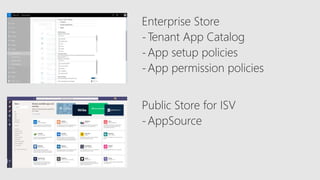
  • #34 App setup policy: Pin apps for groups App permissions policy: disable apps, gradual rollout, manage permissions AppSource, only free