SharePoint Developer Experience Present & Future Matt BremerSolutions ArchitectCovenant Technology Partners
AgendaSharePoint Development ChallengesSharePoint DesignerVSeWSS1.3 CTPWSPBuilderSTSDev 1.3Unit TestingFuture: VisualStudio2010ReviewQuestions & Discussion
ChallengesDevelopment environmentMany ways to create a solution and or feature but no “best” waySharePoint development is not currently a first class citizen in Visual Studio
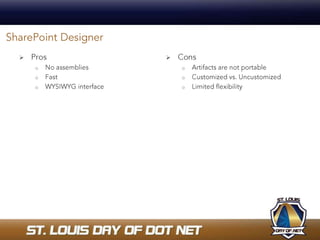
Pros	No assembliesFastWYSIWYG interfaceConsArtifacts are not portableCustomized vs. UncustomizedLimited flexibilitySharePoint Designer
SharePoint DesignerDemoSee how quickly you can create a custom web part connected to a SQL datasource using the data view web part.
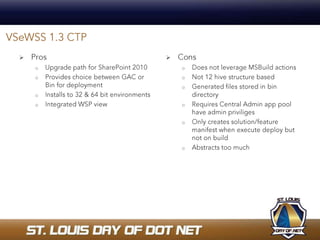
ProsUpgrade path for SharePoint 2010Provides choice between GAC or Bin for deploymentInstalls to 32 & 64 bit environmentsIntegrated WSP view ConsDoes not leverage MSBuild actionsNot 12 hive structure basedGenerated files stored in bin directoryRequires Central Admin app pool have admin priviligesOnly creates solution/feature manifest when execute deploy but not on build Abstracts too muchVSeWSS 1.3 CTP
VSeWSS 1.3 CTPDemo: See how to create a web part project using VSeWSS 1.3 CTP.
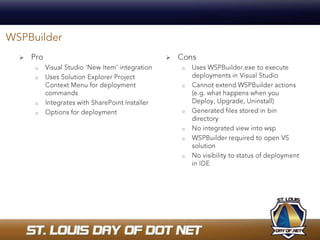
ProVisual Studio 'New Item' integration Uses Solution Explorer Project Context Menu for deployment commands Integrates with SharePoint InstallerOptions for deployment ConsUses WSPBuilder.exe to execute deployments in Visual StudioCannot extend WSPBuilder actions (e.g. what happens when you Deploy, Upgrade, Uninstall)Generated files stored in bin directoryNo integrated view into wspWSPBuilder required to open VS solutionNo visibility to status of deployment in IDEWSPBuilder
WSPBuilderDemo: See how to create a web part solution with WSPBuilder.
ProsWizard based approach12 hive structure basedLeverages MSBuild actionsNot required to open a VS solutionGenerated files stored in DeploymentFiles folder and not binGood visibility via output window in IDE on status of deploymentConsSolution creation wizard outside of IDEProjects reliant on VS solutionNot frequently updatedSTSDev 1.3
STSDev 1.3Demo: See how to create a web part solution with STSDev 1.3.
Unit TestingDifficult to say the least, but doesn’t mean it cannot or should not be done.Lack of public constructors on key classes makes them unmockable thus developers will need to write integration tests instead of unit tests.Because end users can change lists in production, you must write more tests to account for your data changing and validate once solid assumptions.Key classes such as SPList are marked final thus developers cannot create strongly typed entities and therefore must encapsulate them for tests.
What Does the Future Hold?Will SharePoint development become a first class citizen with the release of SharePoint 2010 and VisualStudio 2010?
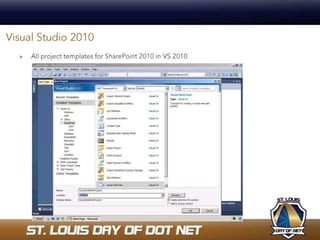
Visual Studio 2010All project templates for SharePoint 2010 in VS 2010
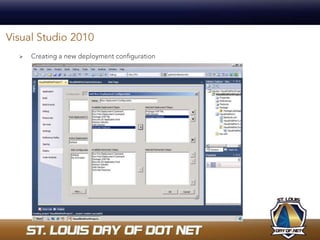
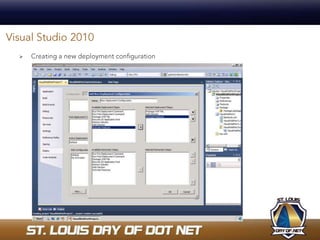
Visual Studio 2010Creating a new deployment configuration
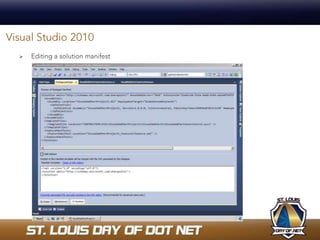
Visual Studio 2010Editing a solution manifest
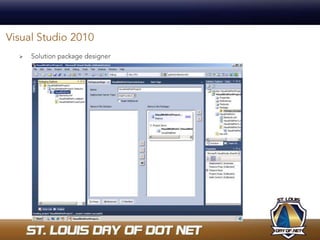
Visual Studio 2010Solution package designer
Visual Studio 2010Creating a new deployment configuration
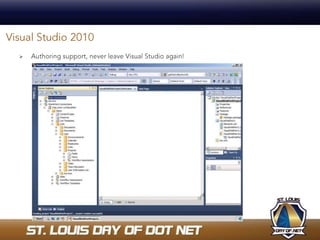
Visual Studio 2010Authoring support, never leave Visual Studio again!
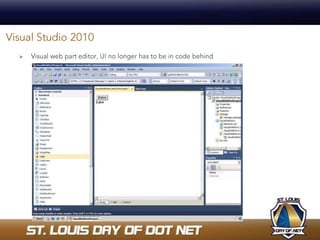
Visual Studio 2010Visual web part editor, UI no longer has to be in code behind
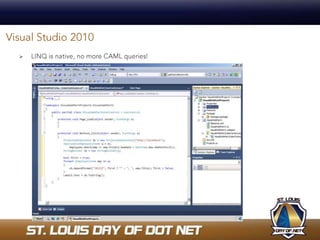
Visual Studio 2010LINQ is native, no more CAML queries!
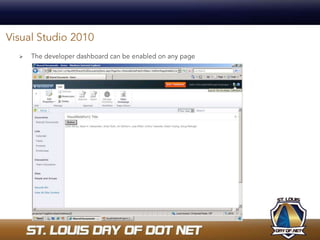
Visual Studio 2010The developer dashboard can be enabled on any page
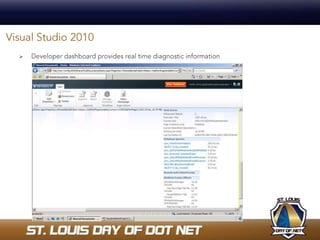
Visual Studio 2010Developer dashboard provides real time diagnostic information
ResourcesSharePoint Developer Introduction for .NET Developershttp://www.microsoft.com/click/SharePointDeveloper  http://msdn.microsoft.com/en-us/library/cc537498.aspxOffice Developer Centerhttp://msdn.microsoft.com/en-us/office/aa905504.aspxSharePoint Designer Development Centerhttp://msdn.microsoft.com/en-us/office/bb421303.aspxToolsWSPBuilder: http://wspbuilder.codeplex.comSTSDev 1.3: http://stsdev.codeplex.comTypeMock Isolator: http://www.typemock.com/unit-testing-Microsoft-SharePoint.htmlSharePoint in VisualStudio 2010 http://sharepoint.microsoft.com/2010/Sneak_Peek/Pages/Developer-Video.aspxShameless Self PromotionBlog: http://blogs.msdn.com/mattbremerTwitter: http://www.twitter.com/mattbremerEmail: events@sharepointevilgenius.comTwitter Hash Tag for Event: #stldodn
Questions & DiscussionIt’s now time for “Stump the Presenter”!
Contact MeSnap bar code below to download my vCard to your mobile phoneVisit http://www.microsoft.com/tag for more information

SharePoint Developer Experience Present & Future

  • 1.
    SharePoint Developer ExperiencePresent & Future Matt BremerSolutions ArchitectCovenant Technology Partners
  • 2.
    AgendaSharePoint Development ChallengesSharePointDesignerVSeWSS1.3 CTPWSPBuilderSTSDev 1.3Unit TestingFuture: VisualStudio2010ReviewQuestions & Discussion
  • 3.
    ChallengesDevelopment environmentMany waysto create a solution and or feature but no “best” waySharePoint development is not currently a first class citizen in Visual Studio
  • 4.
    Pros No assembliesFastWYSIWYG interfaceConsArtifactsare not portableCustomized vs. UncustomizedLimited flexibilitySharePoint Designer
  • 5.
    SharePoint DesignerDemoSee howquickly you can create a custom web part connected to a SQL datasource using the data view web part.
  • 6.
    ProsUpgrade path forSharePoint 2010Provides choice between GAC or Bin for deploymentInstalls to 32 & 64 bit environmentsIntegrated WSP view ConsDoes not leverage MSBuild actionsNot 12 hive structure basedGenerated files stored in bin directoryRequires Central Admin app pool have admin priviligesOnly creates solution/feature manifest when execute deploy but not on build Abstracts too muchVSeWSS 1.3 CTP
  • 7.
    VSeWSS 1.3 CTPDemo:See how to create a web part project using VSeWSS 1.3 CTP.
  • 8.
    ProVisual Studio 'NewItem' integration Uses Solution Explorer Project Context Menu for deployment commands Integrates with SharePoint InstallerOptions for deployment ConsUses WSPBuilder.exe to execute deployments in Visual StudioCannot extend WSPBuilder actions (e.g. what happens when you Deploy, Upgrade, Uninstall)Generated files stored in bin directoryNo integrated view into wspWSPBuilder required to open VS solutionNo visibility to status of deployment in IDEWSPBuilder
  • 9.
    WSPBuilderDemo: See howto create a web part solution with WSPBuilder.
  • 10.
    ProsWizard based approach12hive structure basedLeverages MSBuild actionsNot required to open a VS solutionGenerated files stored in DeploymentFiles folder and not binGood visibility via output window in IDE on status of deploymentConsSolution creation wizard outside of IDEProjects reliant on VS solutionNot frequently updatedSTSDev 1.3
  • 11.
    STSDev 1.3Demo: Seehow to create a web part solution with STSDev 1.3.
  • 12.
    Unit TestingDifficult tosay the least, but doesn’t mean it cannot or should not be done.Lack of public constructors on key classes makes them unmockable thus developers will need to write integration tests instead of unit tests.Because end users can change lists in production, you must write more tests to account for your data changing and validate once solid assumptions.Key classes such as SPList are marked final thus developers cannot create strongly typed entities and therefore must encapsulate them for tests.
  • 13.
    What Does theFuture Hold?Will SharePoint development become a first class citizen with the release of SharePoint 2010 and VisualStudio 2010?
  • 14.
    Visual Studio 2010Allproject templates for SharePoint 2010 in VS 2010
  • 15.
    Visual Studio 2010Creatinga new deployment configuration
  • 16.
    Visual Studio 2010Editinga solution manifest
  • 17.
  • 18.
    Visual Studio 2010Creatinga new deployment configuration
  • 19.
    Visual Studio 2010Authoringsupport, never leave Visual Studio again!
  • 20.
    Visual Studio 2010Visualweb part editor, UI no longer has to be in code behind
  • 21.
    Visual Studio 2010LINQis native, no more CAML queries!
  • 22.
    Visual Studio 2010Thedeveloper dashboard can be enabled on any page
  • 23.
    Visual Studio 2010Developerdashboard provides real time diagnostic information
  • 24.
    ResourcesSharePoint Developer Introductionfor .NET Developershttp://www.microsoft.com/click/SharePointDeveloper http://msdn.microsoft.com/en-us/library/cc537498.aspxOffice Developer Centerhttp://msdn.microsoft.com/en-us/office/aa905504.aspxSharePoint Designer Development Centerhttp://msdn.microsoft.com/en-us/office/bb421303.aspxToolsWSPBuilder: http://wspbuilder.codeplex.comSTSDev 1.3: http://stsdev.codeplex.comTypeMock Isolator: http://www.typemock.com/unit-testing-Microsoft-SharePoint.htmlSharePoint in VisualStudio 2010 http://sharepoint.microsoft.com/2010/Sneak_Peek/Pages/Developer-Video.aspxShameless Self PromotionBlog: http://blogs.msdn.com/mattbremerTwitter: http://www.twitter.com/mattbremerEmail: events@sharepointevilgenius.comTwitter Hash Tag for Event: #stldodn
  • 25.
    Questions & DiscussionIt’snow time for “Stump the Presenter”!
  • 26.
    Contact MeSnap barcode below to download my vCard to your mobile phoneVisit http://www.microsoft.com/tag for more information

Editor's Notes

  • #13 Integration tests means you’ll spend more time debugging your tests than your code.TypeMock Isolator
  • #22 Will aid unit testing as you can now have strongly typed access to list data
  • #23 Notice the Fluent UI being used. The ribbon is everywhere.
  • #24 Detailed page request information such as timings, names and resources for all stored procedures called, memory used, the authenticated user, number of SPRequest objects, any asserts and critical events and timings for web part events related to page rendering.