SQL Server 2014
Platform for Hybrid Cloud
(Level 300 Deck)
SQL Server 2014
Platform for Hybrid Cloud
(Level 300 Deck)
SQL Server 2014
Platform for Hybrid Cloud
(Level 300 Deck)
SQL Server 2014
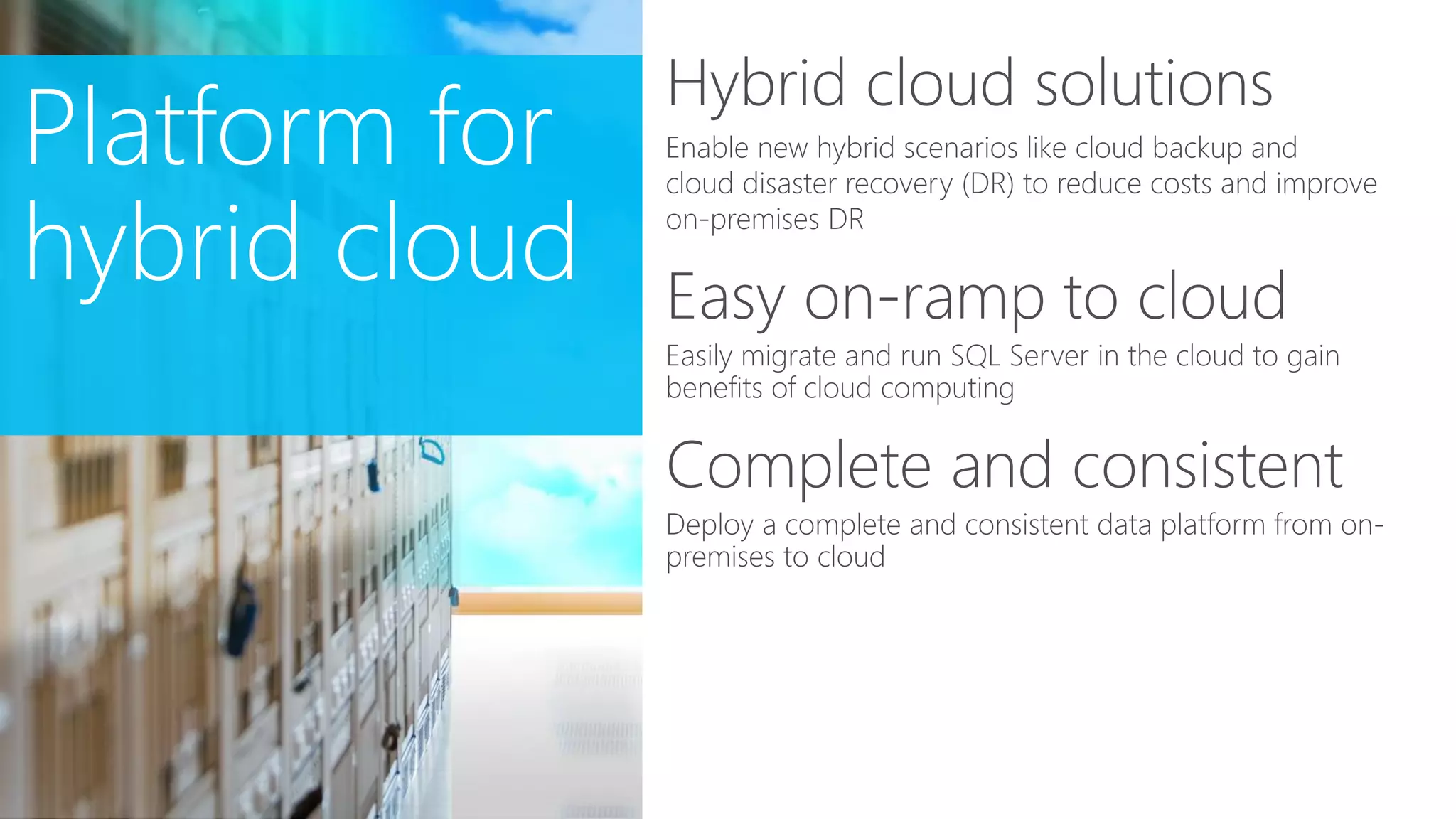
Platform for hybrid cloud
Level 300
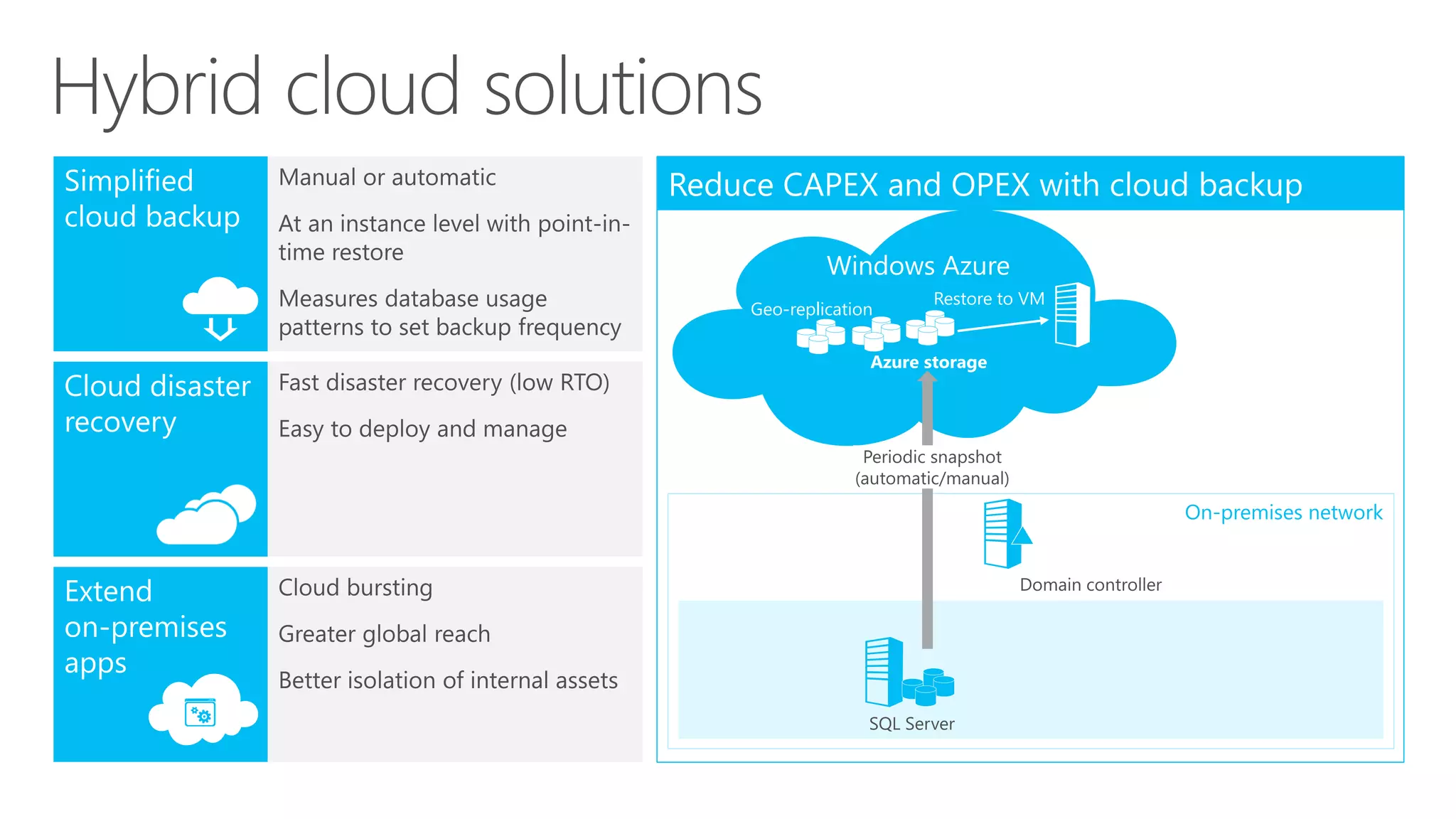
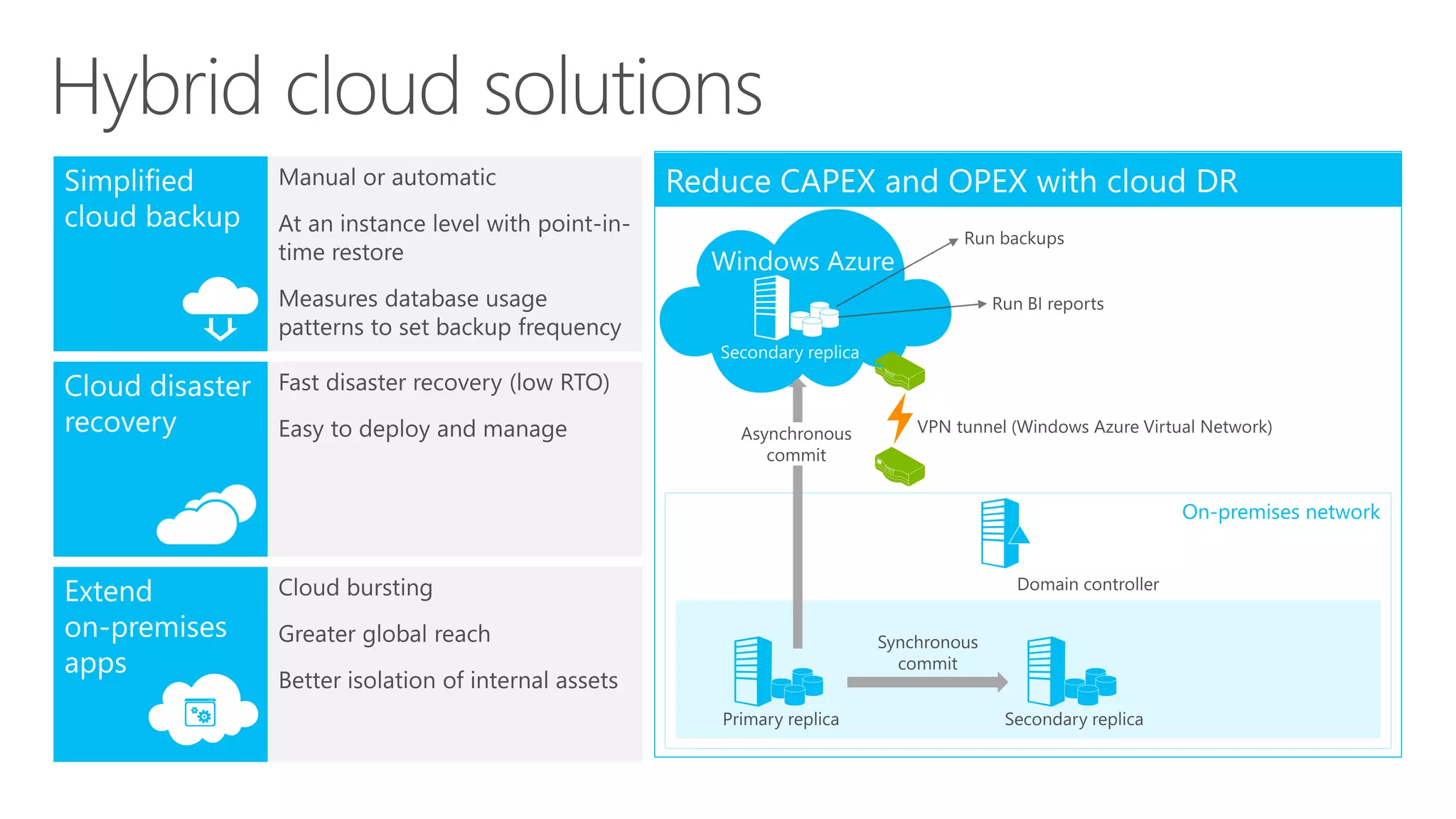
Hybrid cloud solutions
Restore to VM
Geo-replication
Backup to Cloud
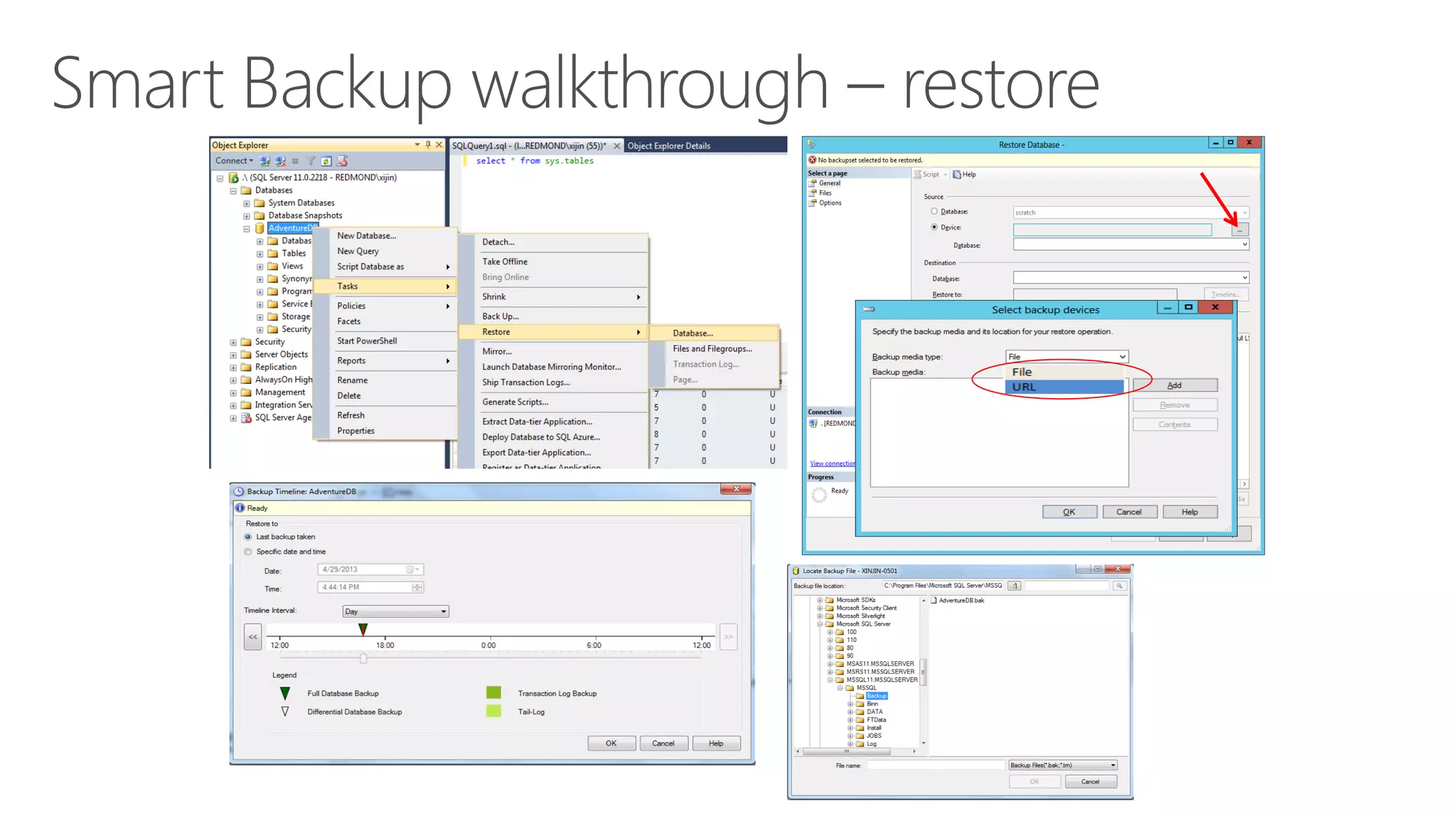
Backup to Cloud
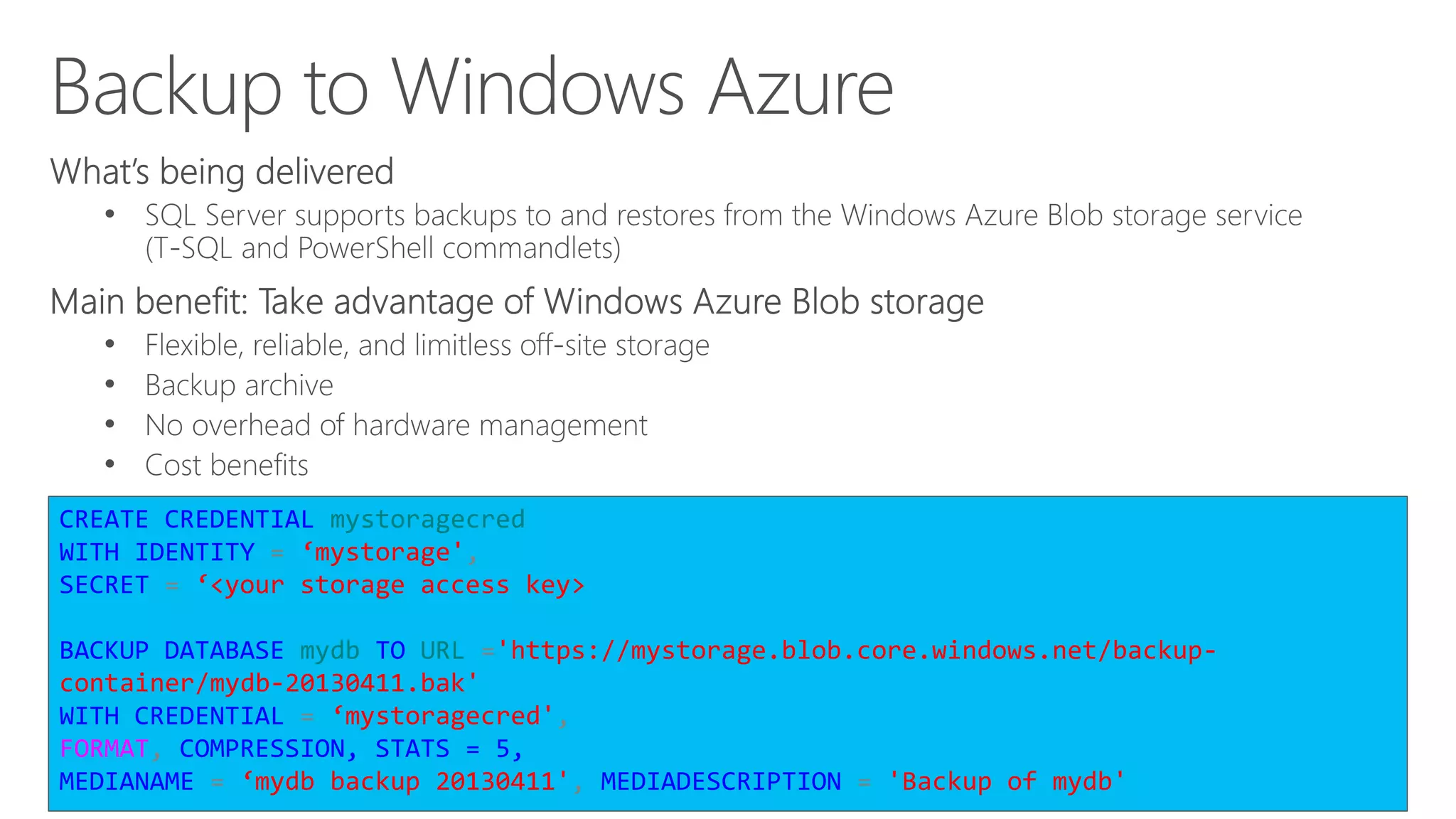
Backup to Windows Azure
CREATE CREDENTIAL mystoragecred
WITH IDENTITY = ‘mystorage',
SECRET = ‘<your storage access key>
BACKUP DATABASE mydb TO URL ='https://mystorage.blob.core.windows.net/backup-
container/mydb-20130411.bak'
WITH CREDENTIAL = ‘mystoragecred',
FORMAT, COMPRESSION, STATS = 5,
MEDIANAME = ‘mydb backup 20130411', MEDIADESCRIPTION = 'Backup of mydb'
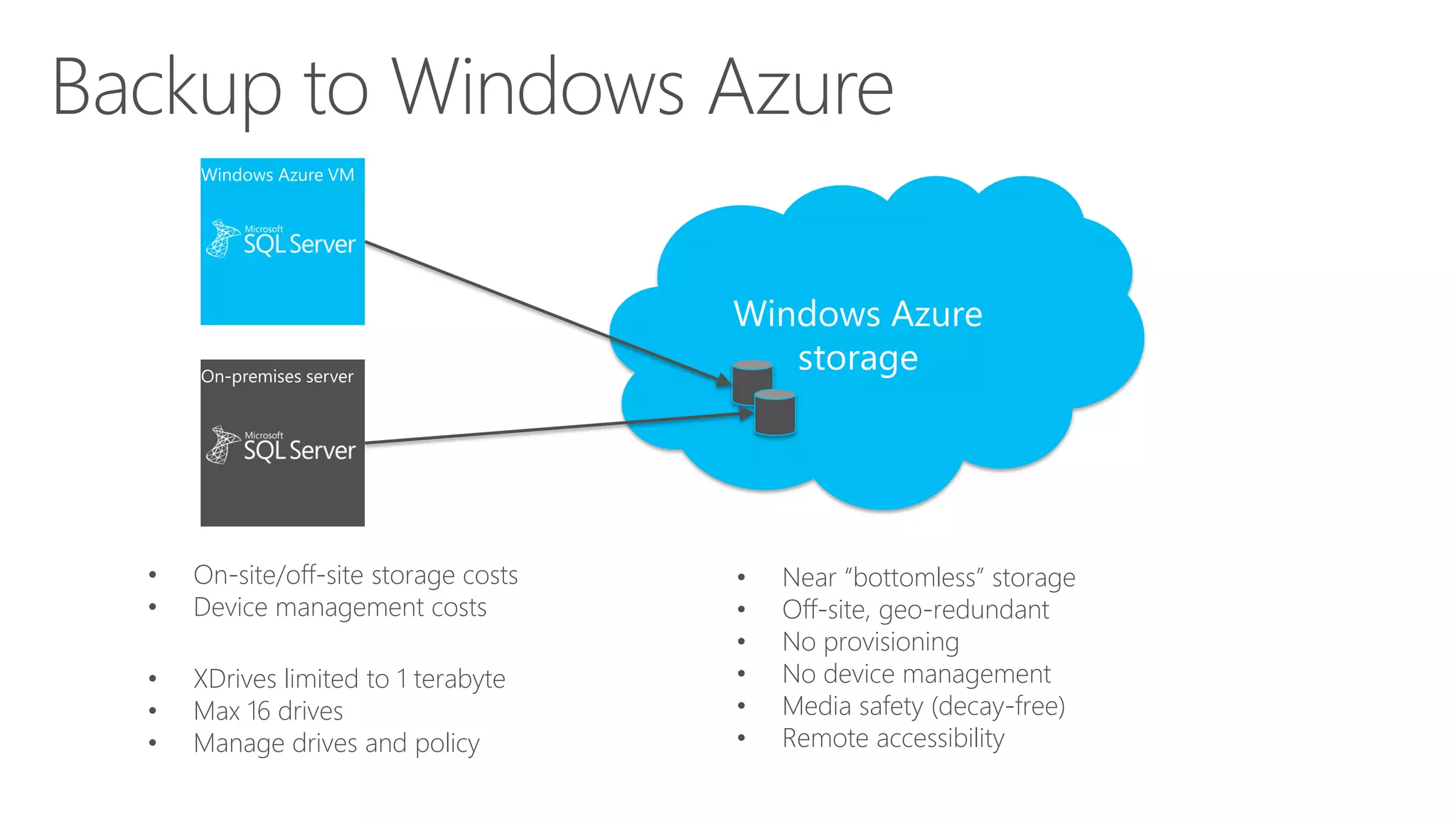
Backup to Windows Azure
Windows Azure
storage
WA
WindowsAzure
Blobs
• On-site/off-site storage costs
• Device management costs
Box
• XDrives limited to 1 terabyte
• Max 16 drives
• Manage drives and policy
• Near “bottomless” storage
• Off-site, geo-redundant
• No provisioning
• No device management
• Media safety (decay-free)
• Remote accessibility
Backup to Windows Azure
Backup to Windows Azure Tool
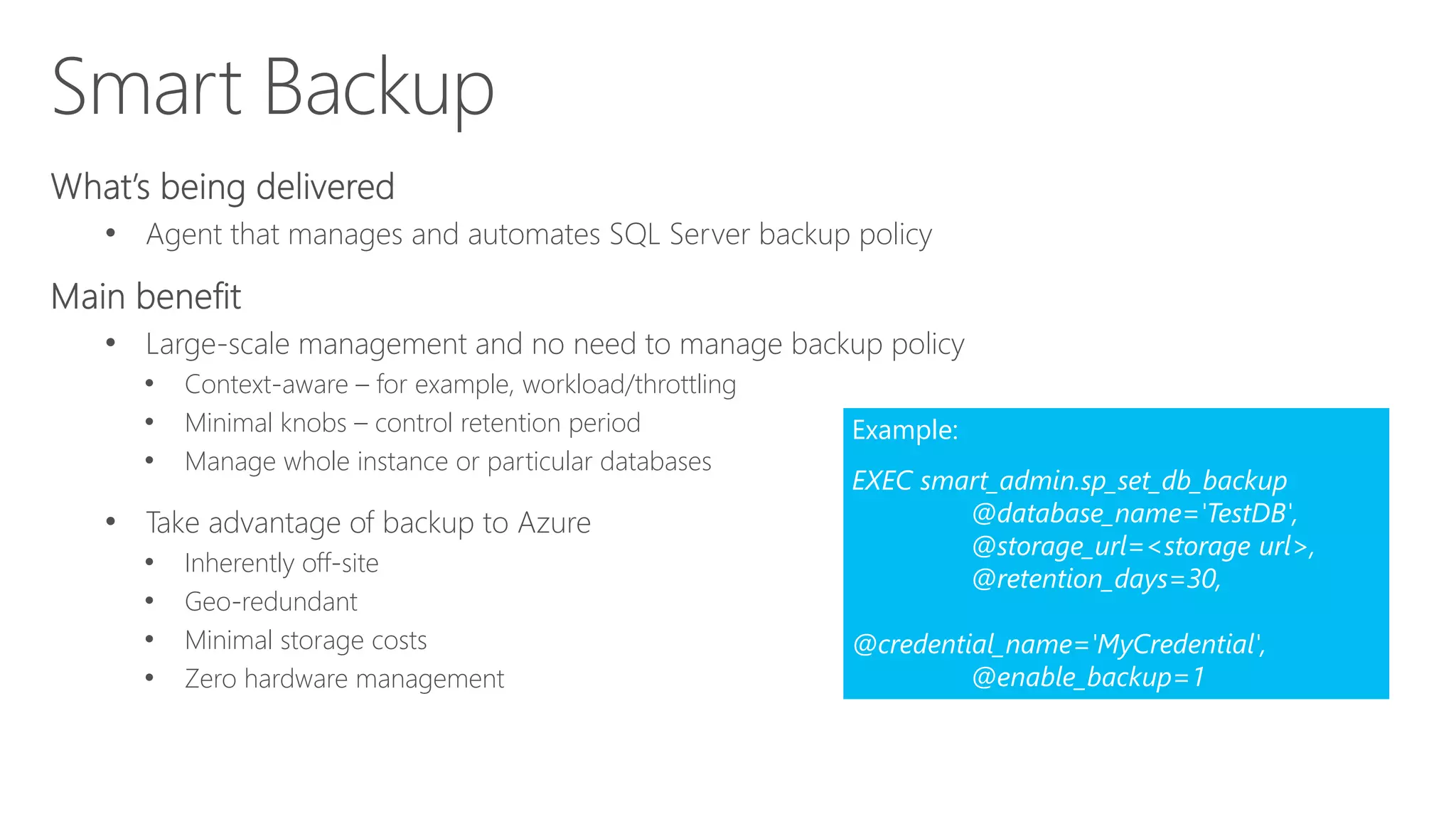
Managed Backup to Azure
• Agent that manages and automates SQL Server backup policy
• Large-scale management and no need to manage backup policy
• Context-aware – for example, workload/throttling
• Minimal knobs – control retention period
• Manage whole instance or particular databases
• Take advantage of backup to Azure
• Inherently off-site
• Geo-redundant
• Minimal storage costs
• Zero hardware management
Example:
EXEC smart_admin.sp_set_db_backup
@database_name='TestDB',
@storage_url=<storage url>,
@retention_days=30,
@credential_name='MyCredential',
@enable_backup=1
Cloud DR
Cloud DR
Hybrid cloud solutions
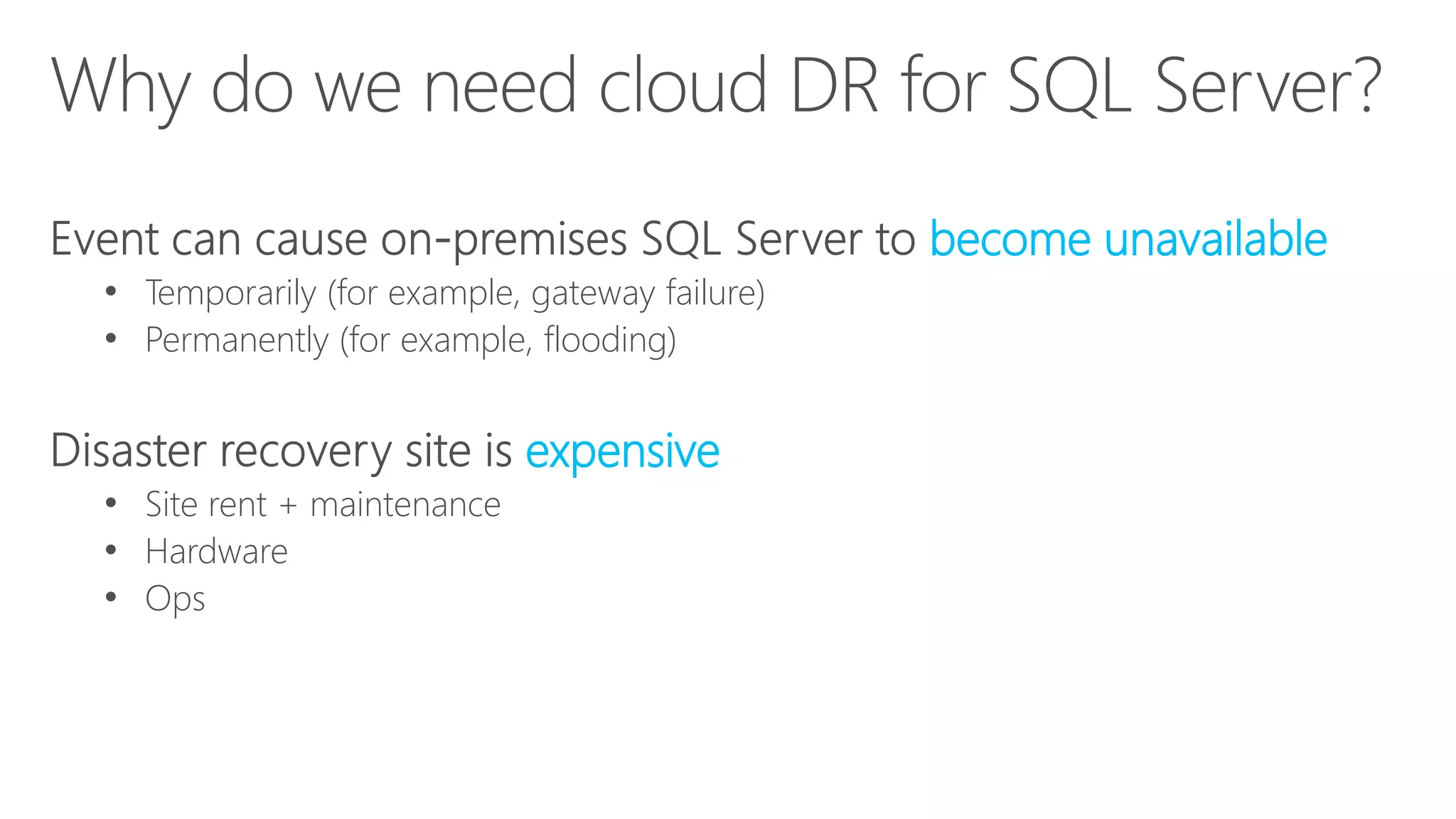
Why Do We Need Cloud DR for SQL Server?
• An event can cause on-premises
SQL Server to become unavailable
‐ Temporarily (e.g. gateway failure)
‐ Permanently (e.g. flooding)
• A disaster recovery site is expensive
‐ Site rent + maintenance
‐ Hardware
‐ Ops
18
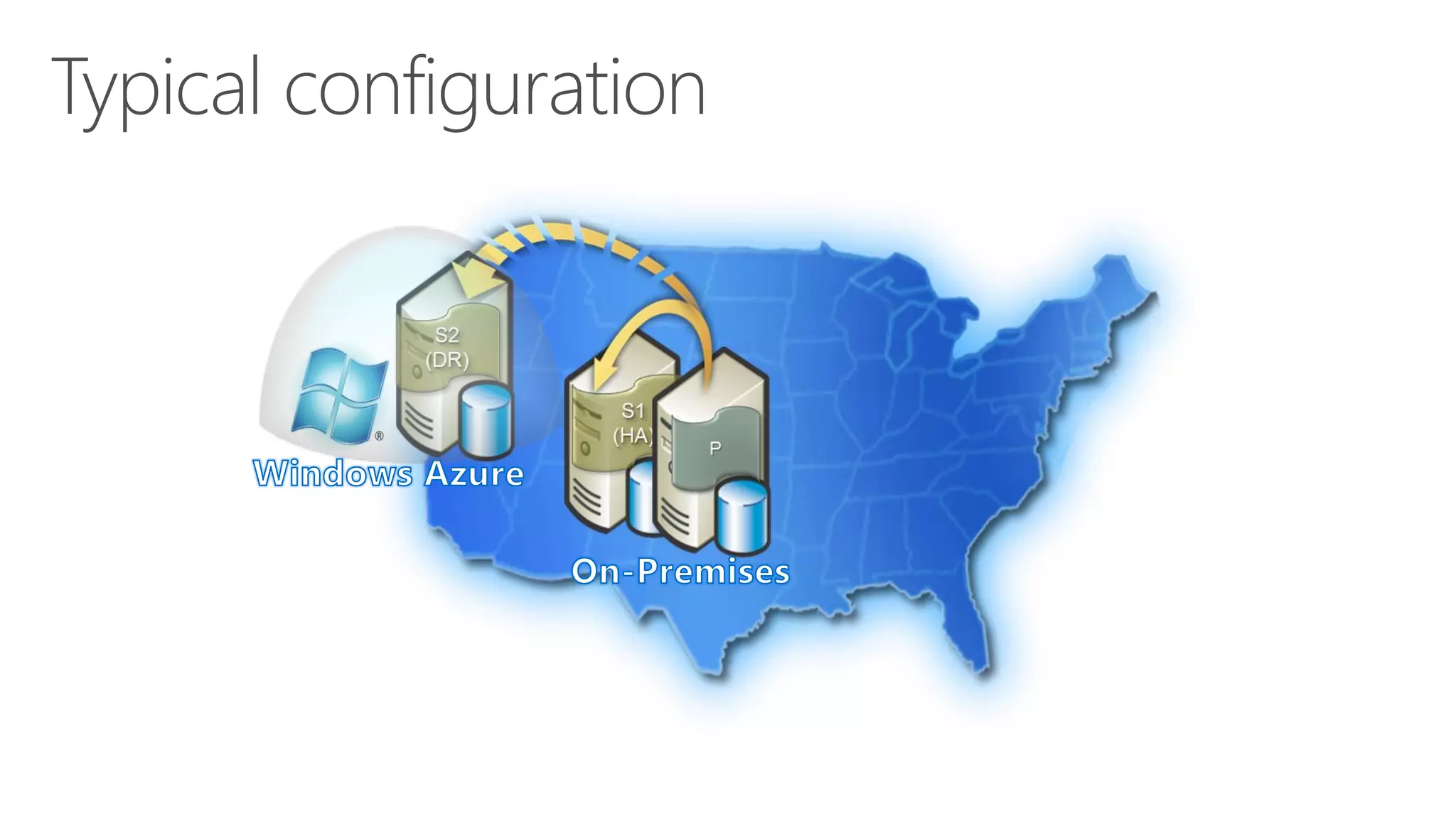
Typical Configuration
19
Characteristic of Cloud DR for SQL Server
• Deploy one or more secondary replicas for on-premises
SQL Server
‐ Replicas continuously synchronize
• At best region: West US, East US, East Asia, Southeast Asia,
North Europe, West Europe
‐ Political considerations
‐ Latency
• Low TCO
‐ VM and storage
20
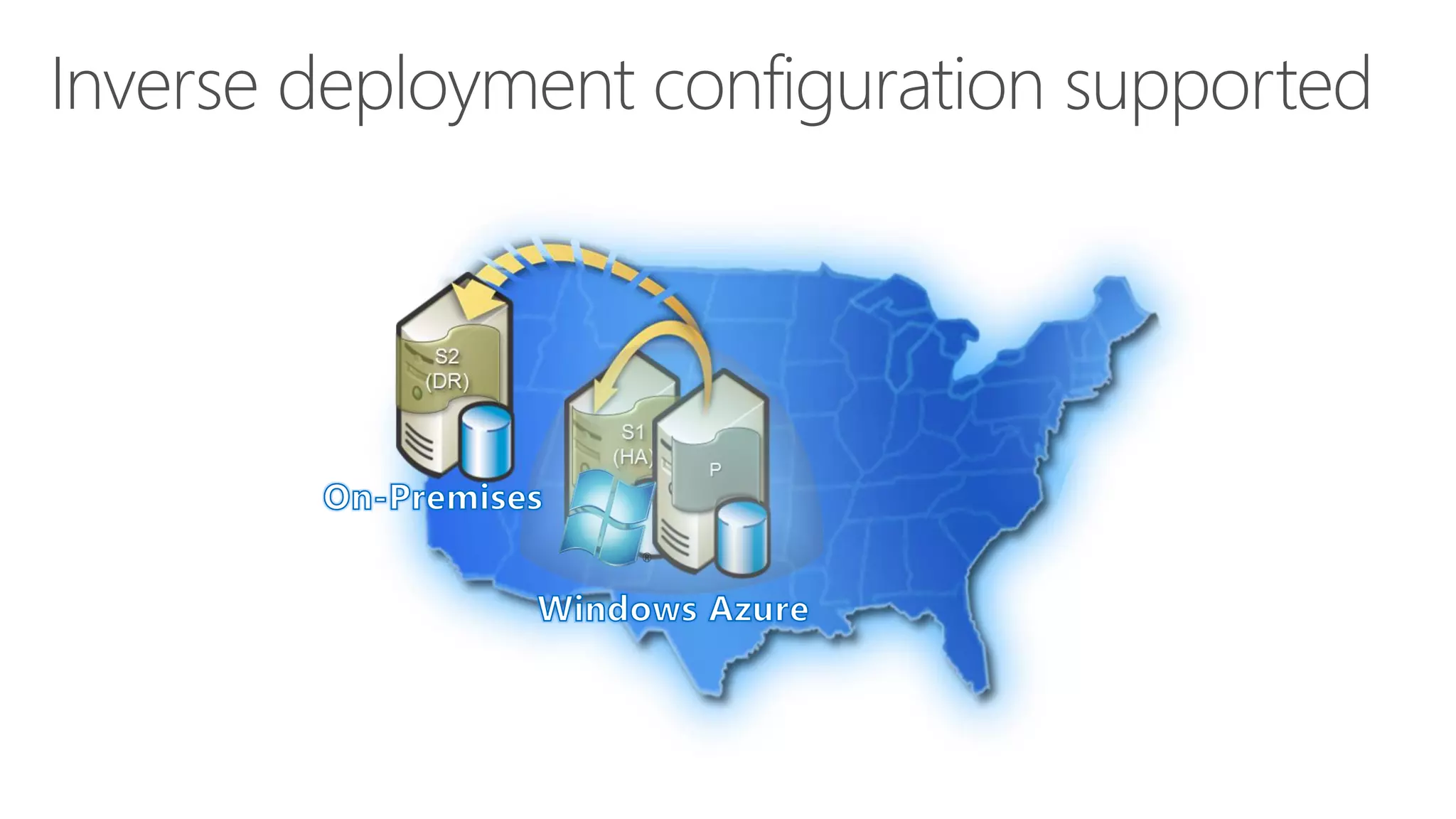
Inverse Deployment Configuration Supported
21
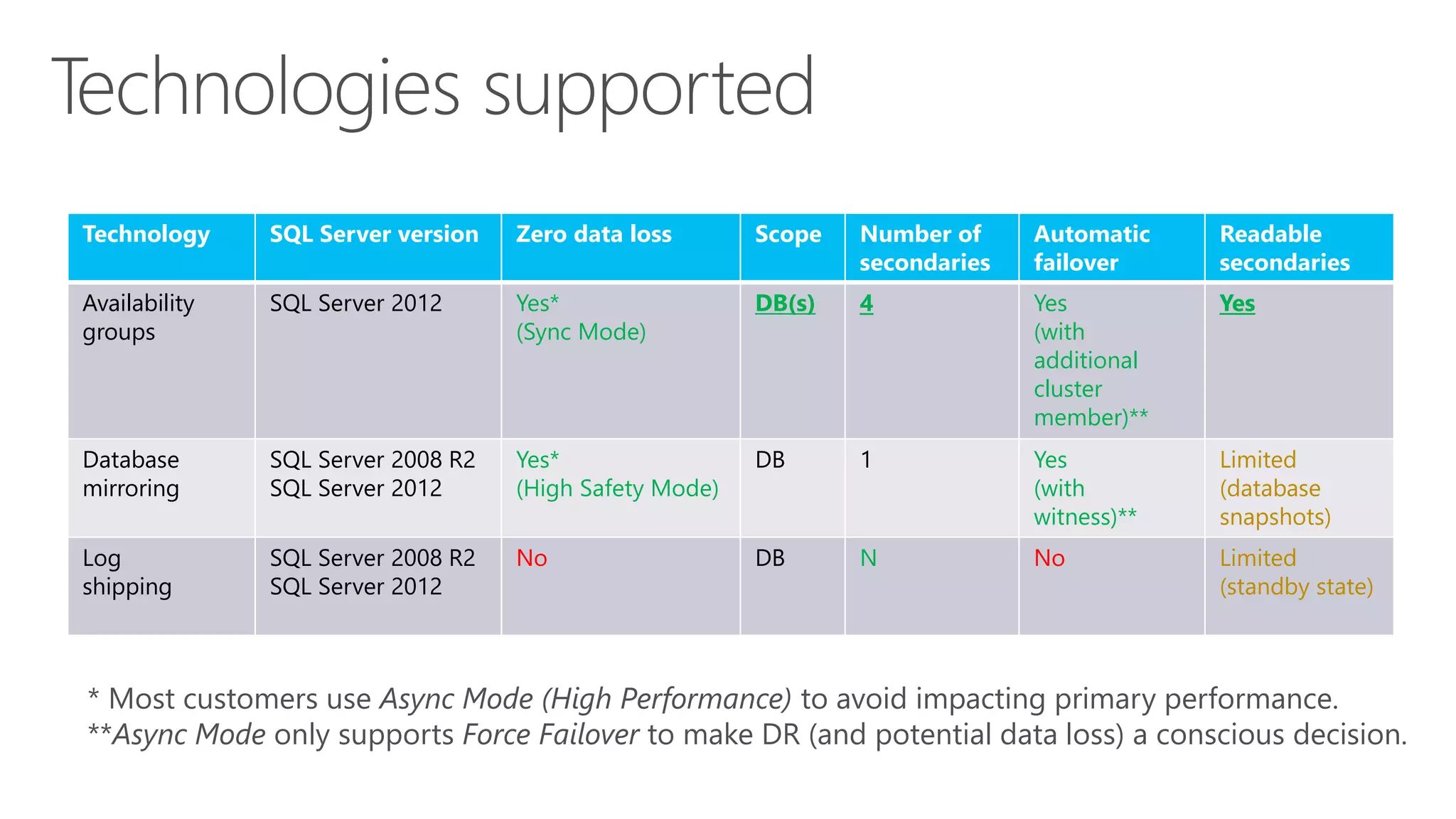
Technologies Supported
Technology SQL Server Version Zero Data Loss Scope # Secondaries Automatic
Failover
Readable
Secondaries
Availability
Groups
SQL Server 2012 Yes*
(Sync Mode)
DB(s) 4 Yes
(w/
additional
cluster
member)**
Yes
Database
Mirroring
SQL Server 2008 R2
SQL Server 2012
Yes*
(High Safety
Mode)
DB 1 Yes
(w/
Witness)**
Limited
(database
snapshots)
Log
Shipping
SQL Server 2008 R2
SQL Server 2012
No DB N No Limited
(standby state)
* Most customers use Async Mode (High Performance) to avoid impacting primary performance
**Async Mode only supports Force Failover to make DR (and potential data loss) a conscious decision
22
Availability Groups in Cloud DR
• Provide additional benefits:
‐ Integrated HA/DR
‐ Offload Read workloads to Windows Azure
 Connect reporting/BI apps
 Migrate apps and run against local secondaries
‐ Offload Backups to Windows Azure
 A solution for policy compliance
• Requires:
‐ Same Windows Domain
‐ Needs an Active Directory Domain Controller
23
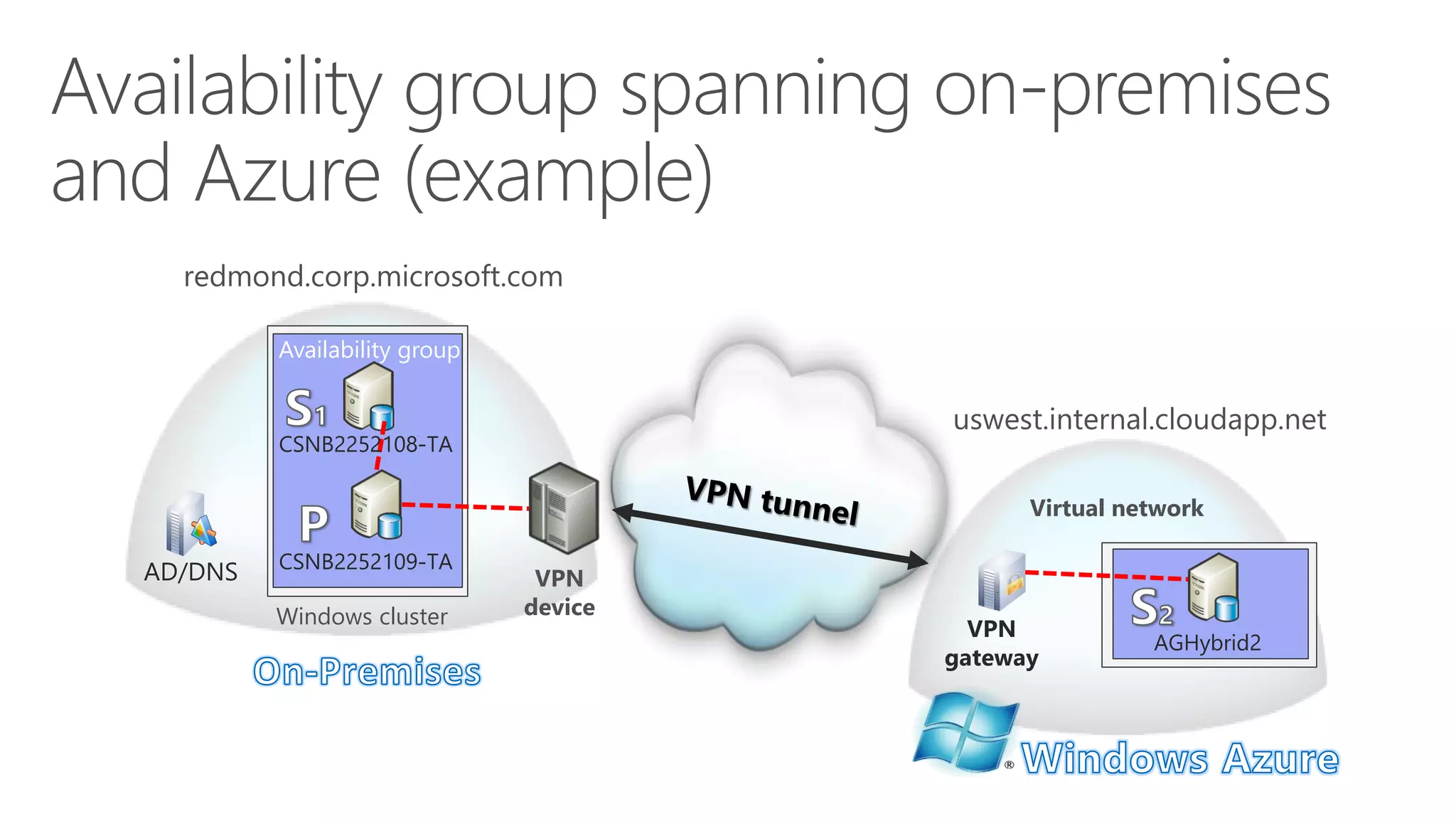
redmond.corp.microsoft.com
uswest.internal.cloudapp.net
VPN Device
Windows Cluster
Availability Group
CSNB2252109-TA
Virtual
Network
CSNB2252108-TA
AGHybrid2
Example of Availability
Group Spanning On-premises and Windows Azure
24
25
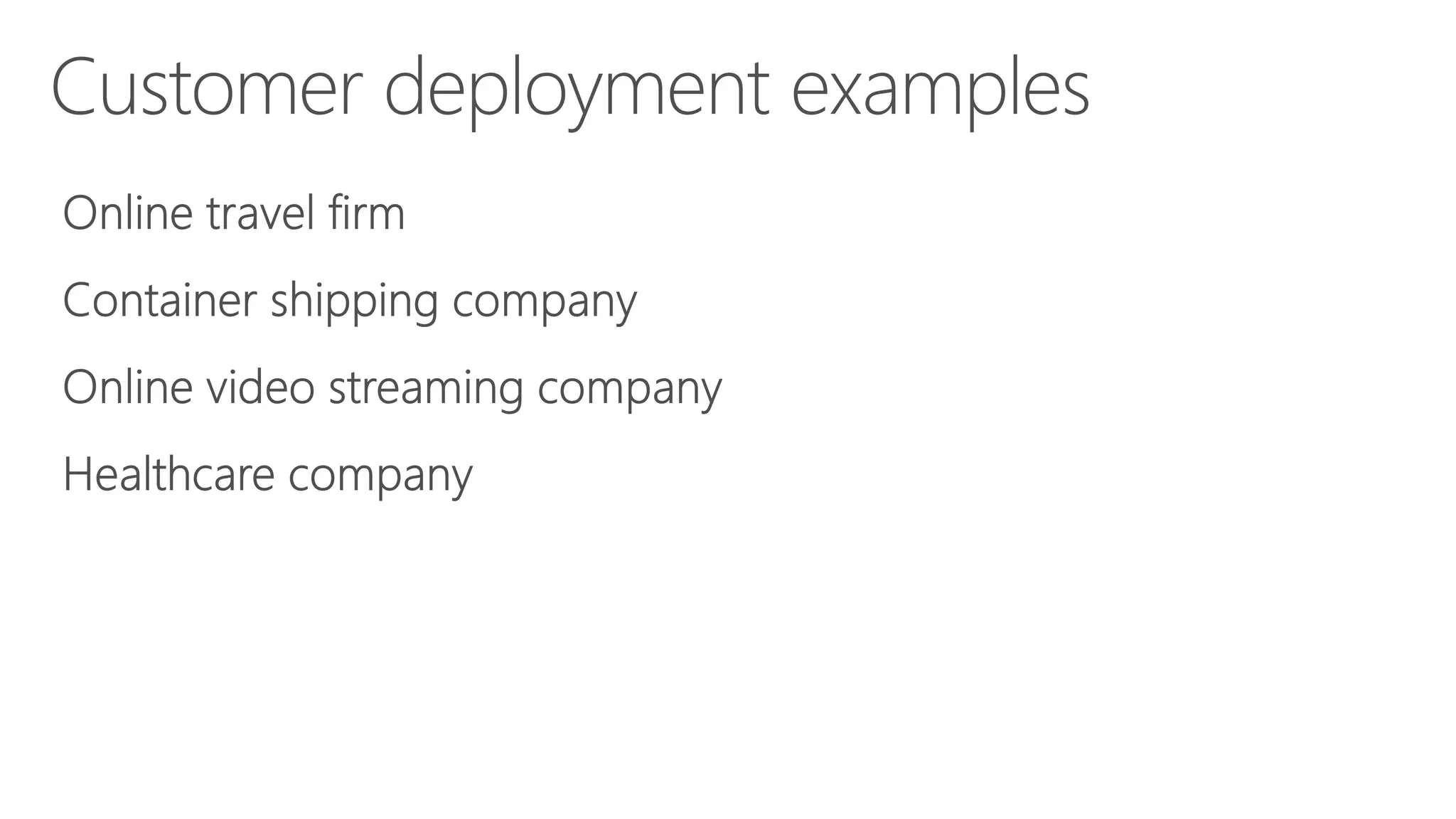
Online travel firm
Container shipping company
Online video streaming company
Healthcare company
Customer deployment examples
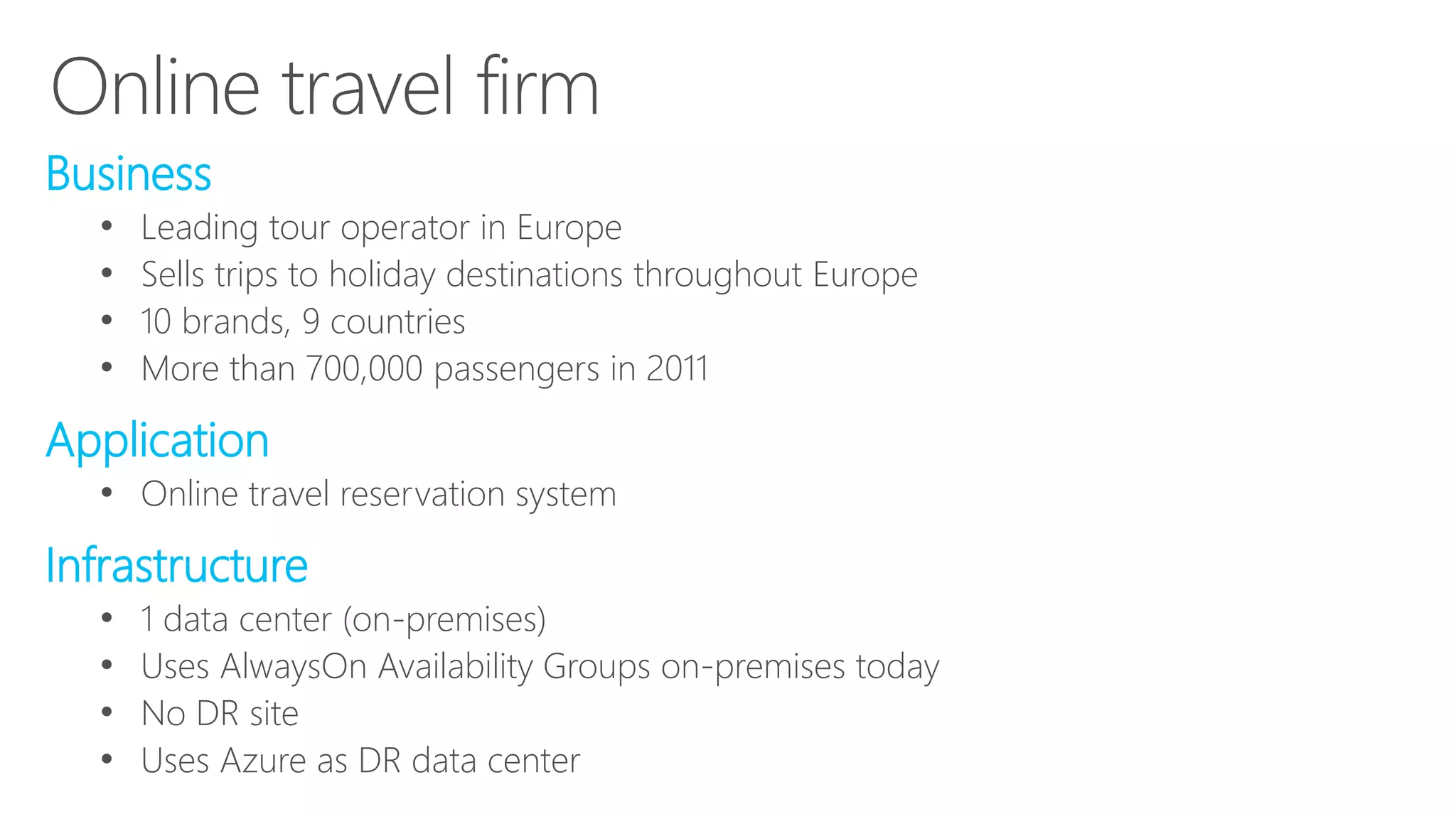
Online Travel Firm
26
• Business
‐ Leading tour operator in Europe.
‐ Sells trips to holiday destinations throughout Europe.
‐ 10 brands, 9 countries
‐ Over 700K passengers in 2011
• Application
‐ Online travel reservation system
• Infrastructure
‐ 1 data center (on-premises)
‐ Use AlwaysOn Availability Groups on-premises today
‐ No DR site
‐ Leverage Windows Azure as DR data center
27
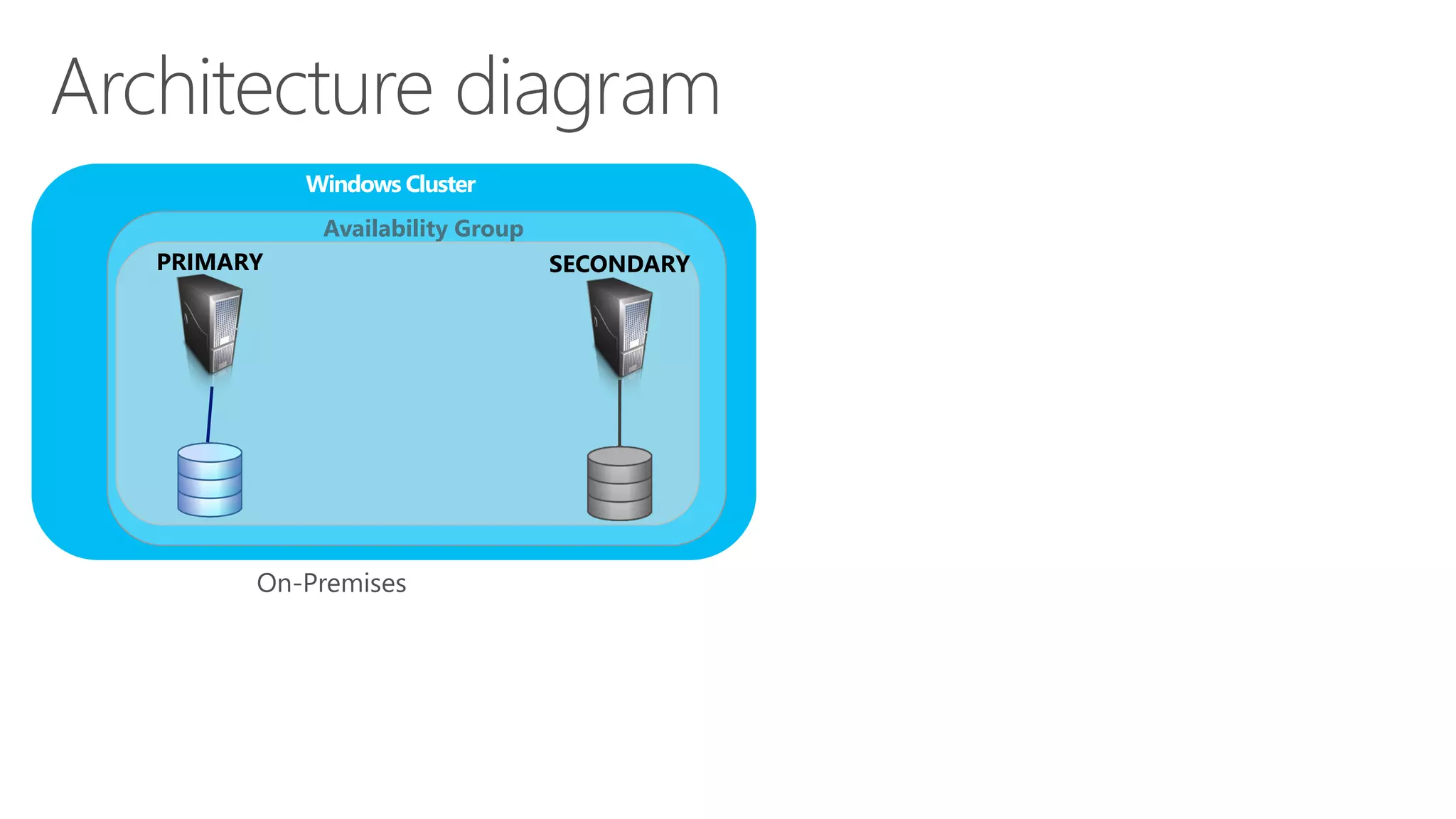
Architecture Diagram
Windows Cluster
Availability Group
On-Premises
SecondaryPrimary
28
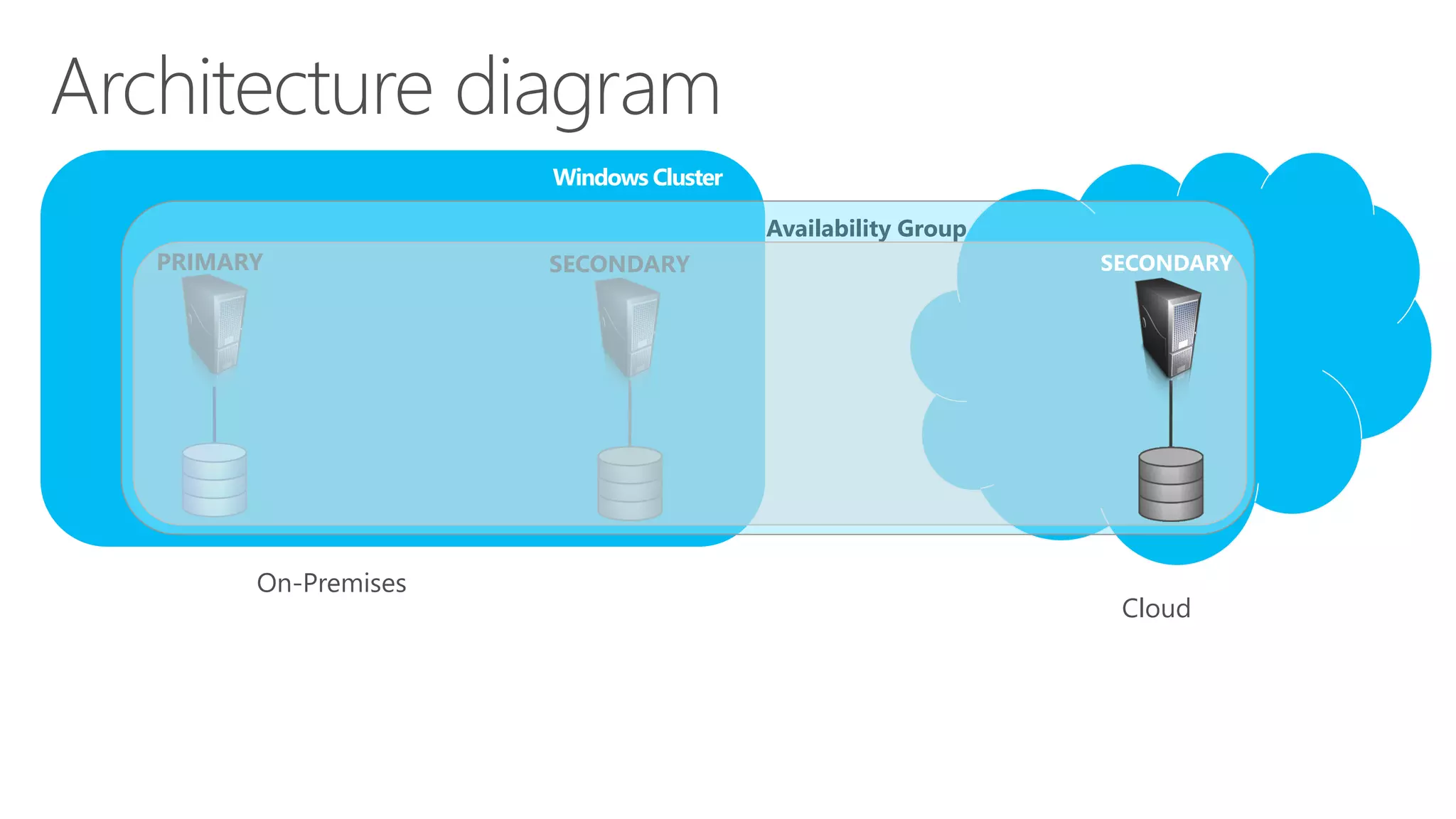
Architecture Diagram
Windows Cluster
Availability Group
On-Premises
SecondaryPrimary Secondary
Cloud
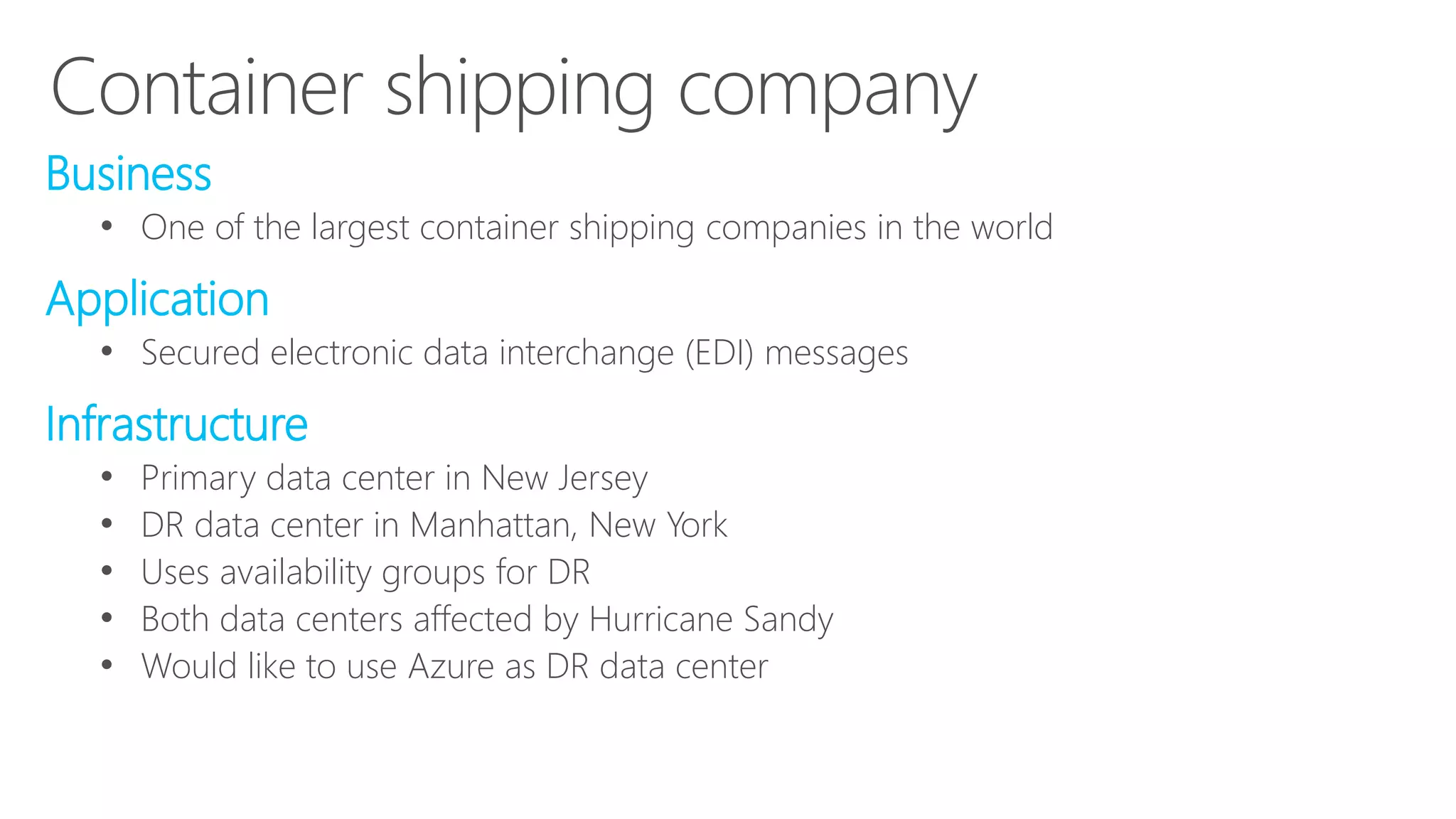
Container Shipping Company
• Business
‐ One of the largest container shipping company in the World
• Application
‐ Secured electronic data interchange (EDI) messages
• Infrastructure
‐ Primary data center in NJ
‐ DR data center in Manhattan, NY
‐ Use Availability Groups for DR
‐ Both data centers got affected by Hurricane Sandy
‐ Would like to leverage Windows Azure as DR data center
29
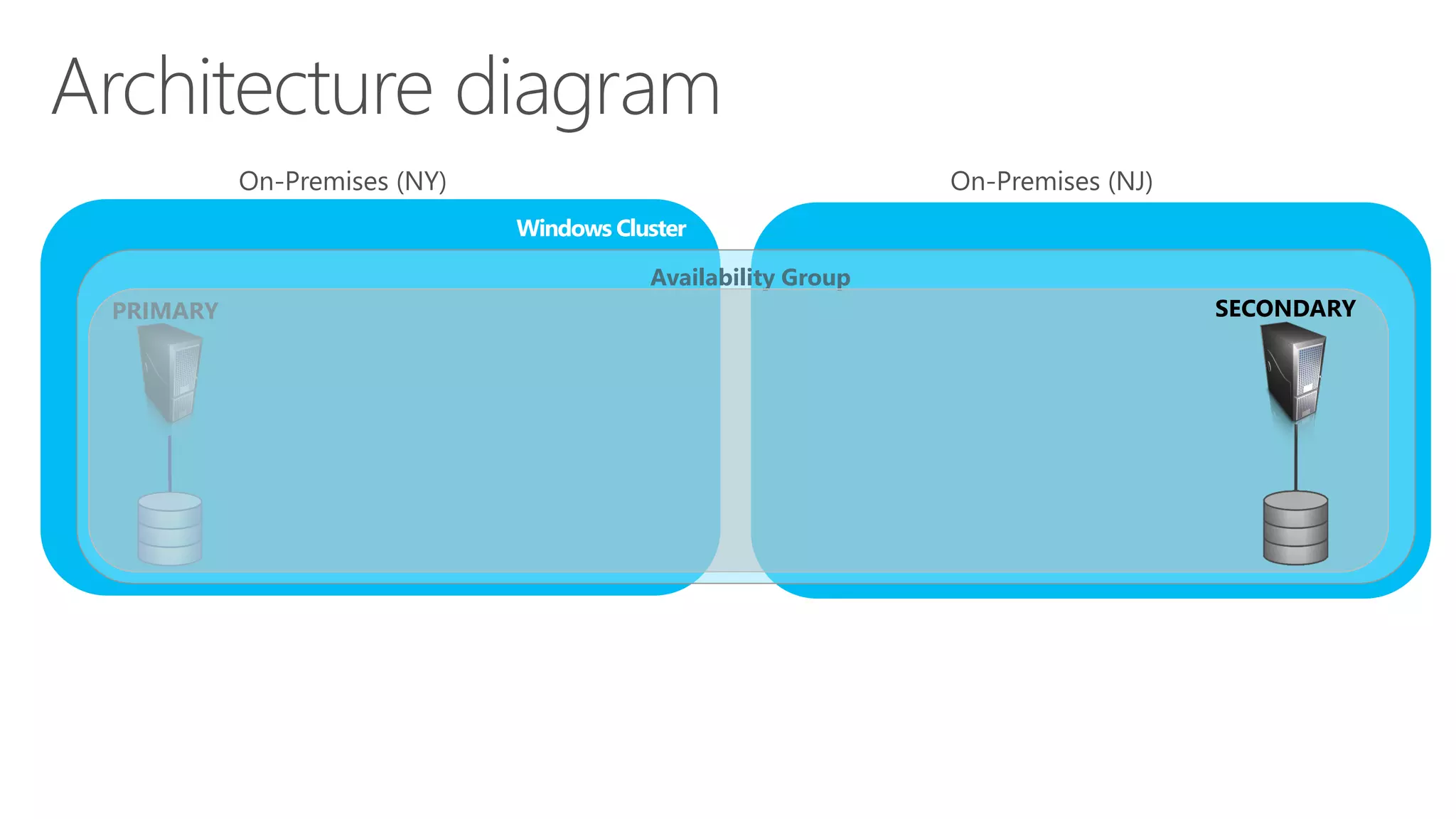
Architecture Diagram
Windows Cluster Windows Cluster
Availability GroupAvailability Group
Primary Secondary
On-Premises (NY) On-Premises (NJ)
30
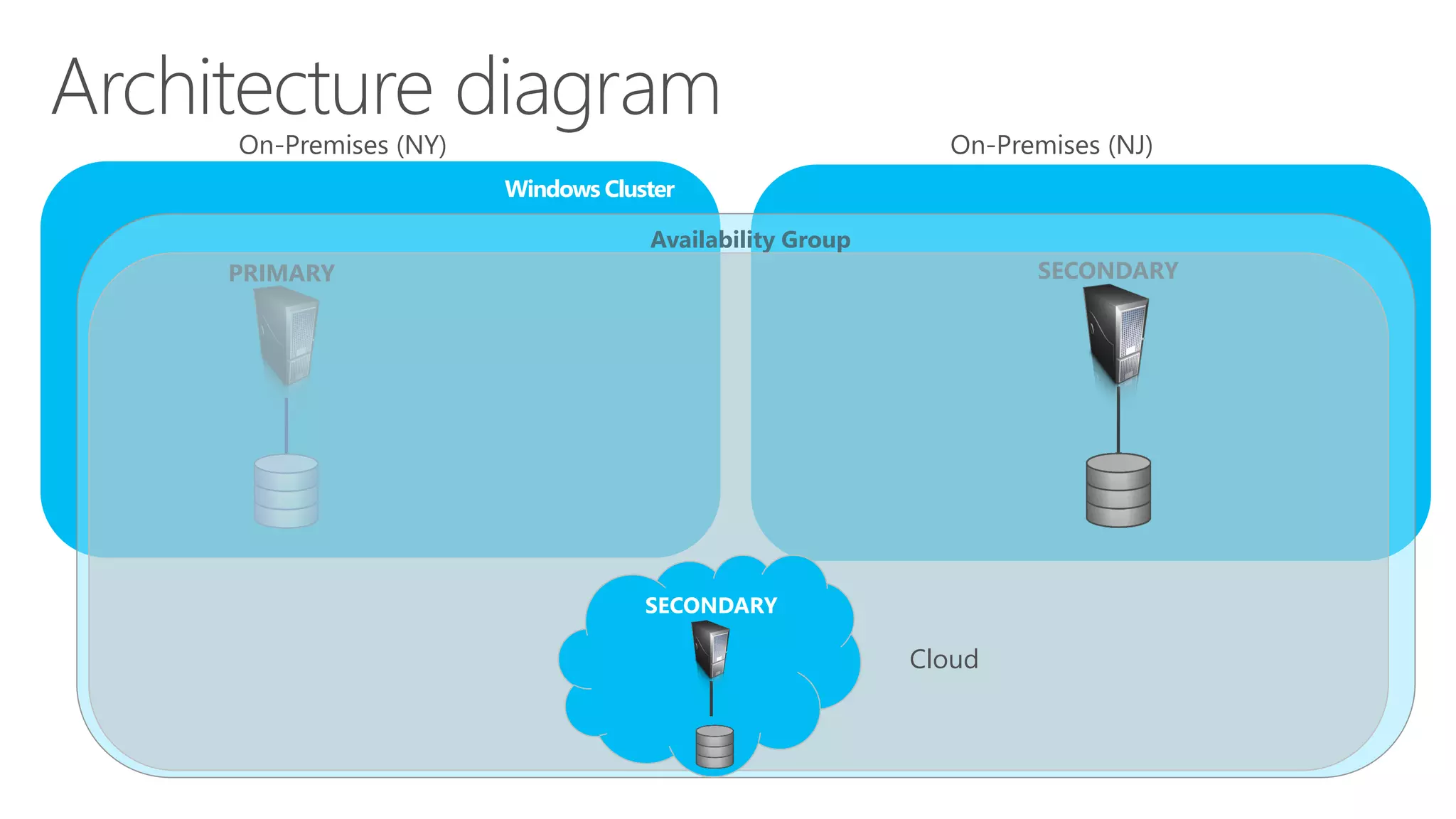
Architecture Diagram
Windows Cluster Windows Cluster
Availability GroupAvailability Group
Primary Secondary
On-Premises (NY) On-Premises (NJ)
Secondary
Cloud
31
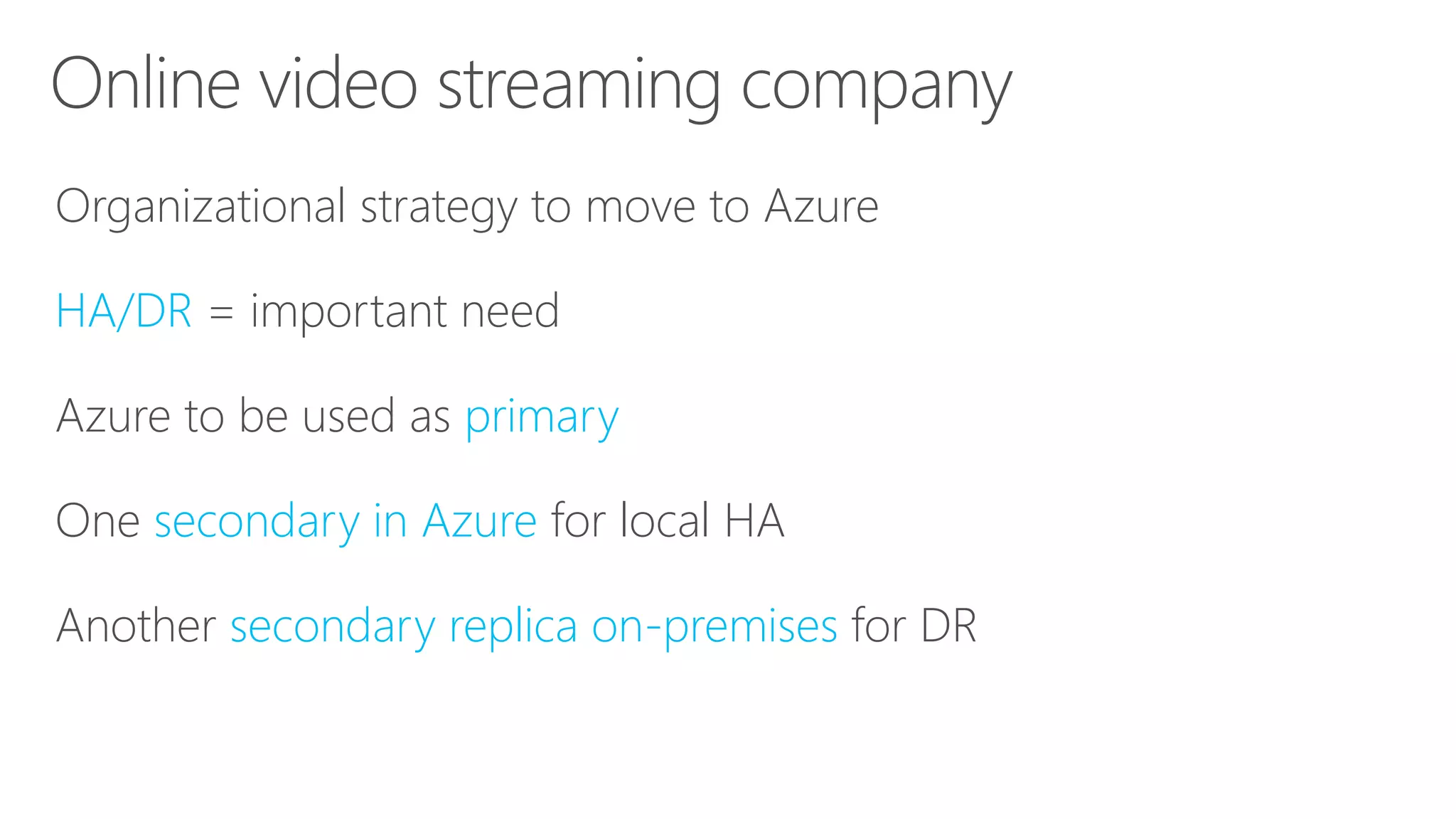
Online Video Streaming Company
• Characteristics:
‐ Organizational strategy to move to Windows Azure
‐ HA / DR important need
‐ Windows Azure will be used as primary
‐ One secondary in Windows Azure for local HA
‐ Another secondary replica on-premises for DR
32
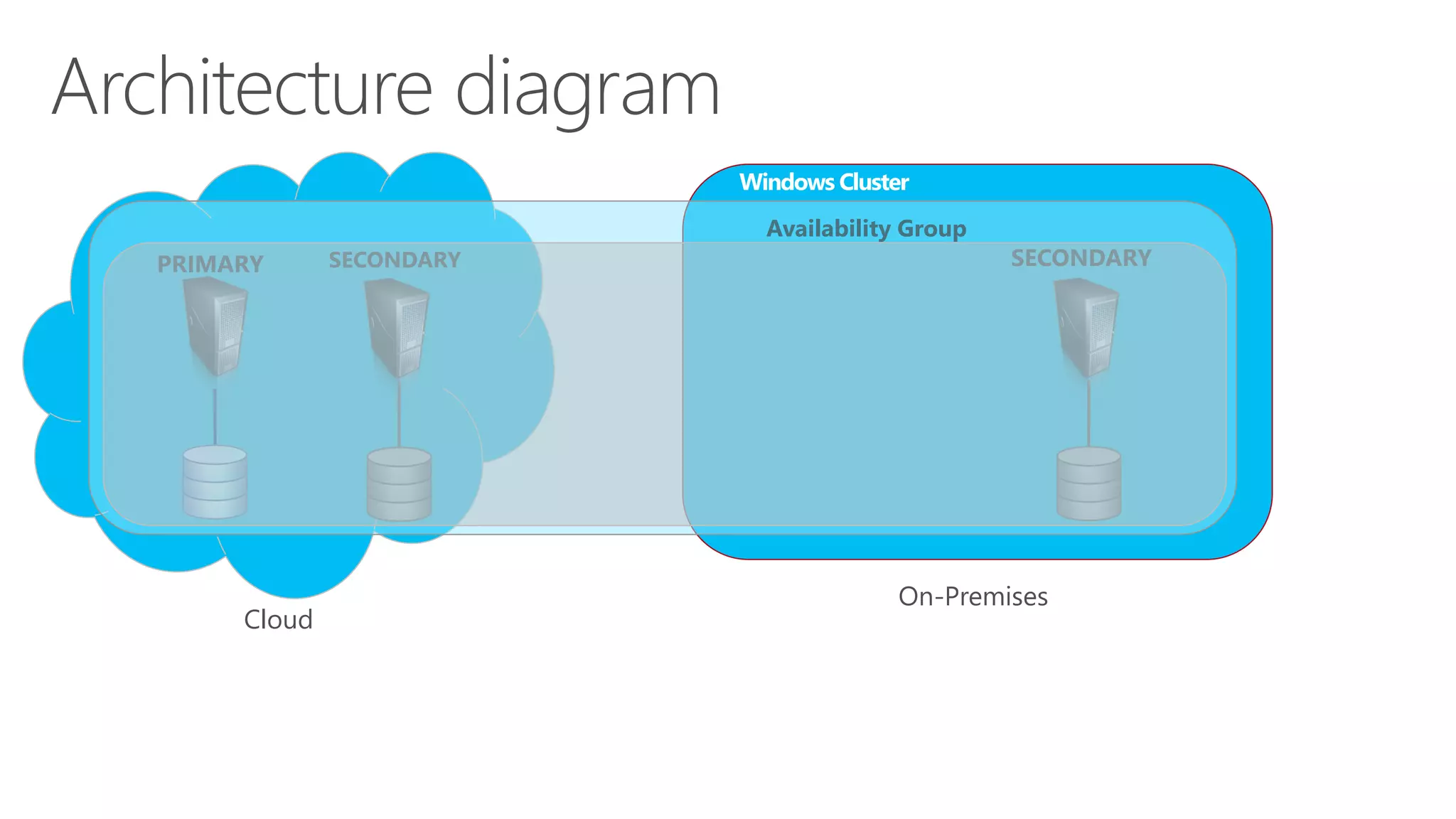
Architecture Diagram
Windows Cluster
Availability Group
Cloud On-Premises
SecondarySecondaryPrimary
33
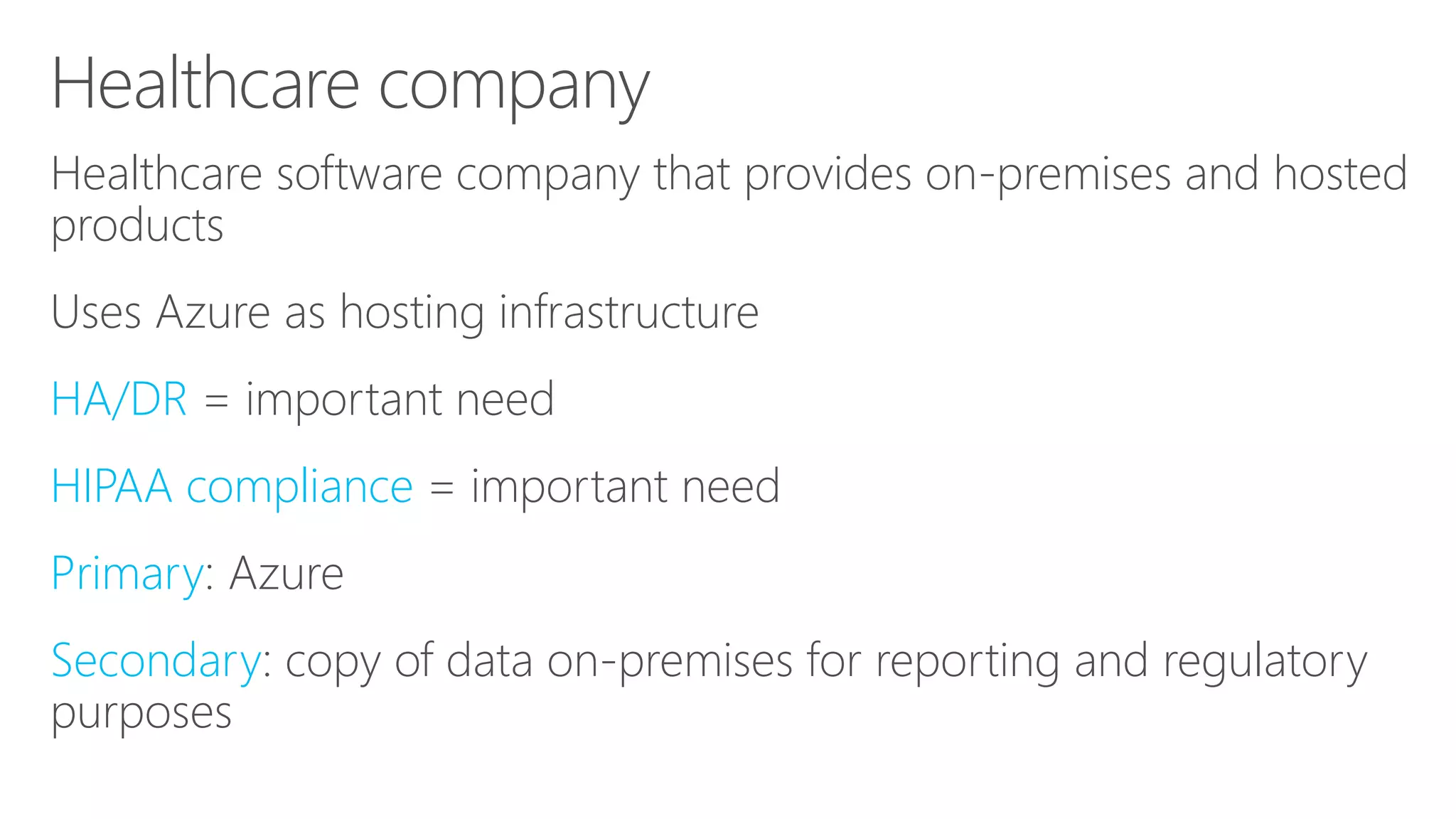
Healthcare Company
• Characteristics:
‐ Healthcare software company providing on premises as well as
hosted software
‐ Use Windows Azure as hosting infrastructure
‐ HA / DR needs are important
‐ HIPAA compliance is important
‐ Primary: Windows Azure
‐ Secondary: a copy of data on premises for reporting and
regulatory purposes
34
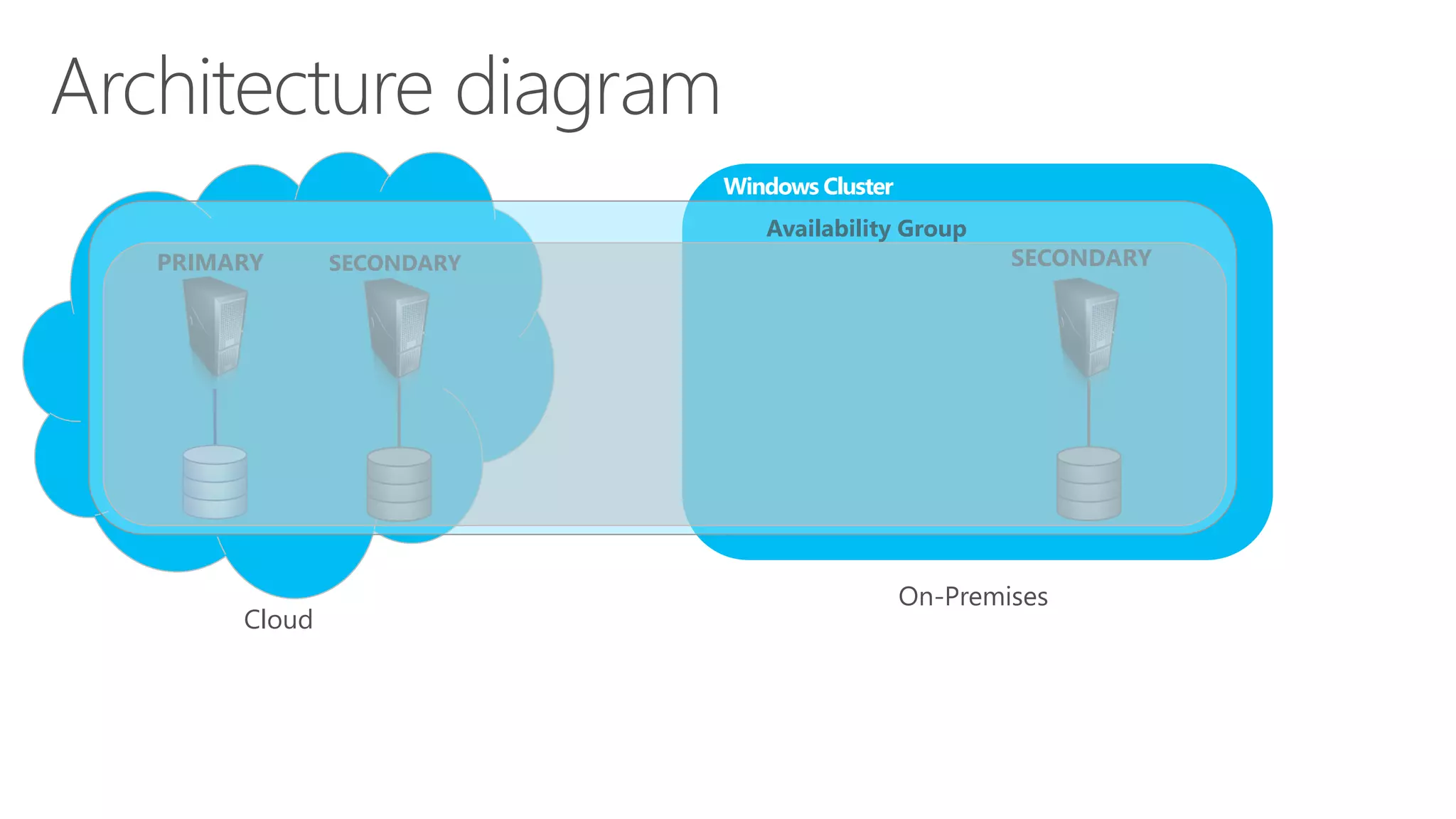
Architecture Diagram
Windows Cluster
Availability Group
Cloud On-Premises
SecondarySecondaryPrimary
35
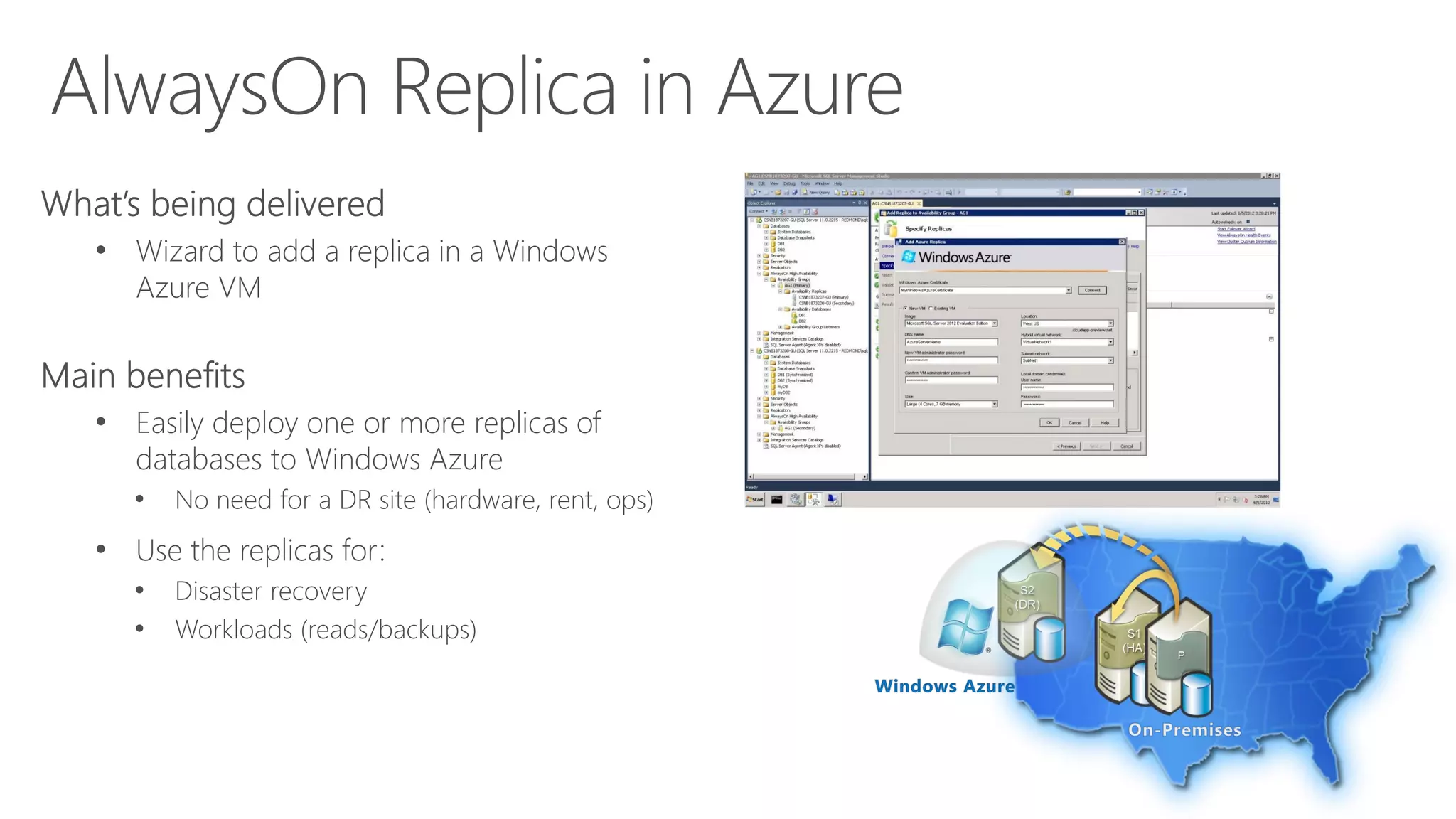
AlwaysOn Replica in Windows Azure
• What’s being delivered
‐ Wizard to add a replica in a Windows Azure VM
• Main benefits
‐ Easily deploy one or more replicas of your
databases to Windows Azure
 No need for a DR site (hardware, rent, ops)
‐ Use these replicas for
 Disaster Recovery
 Workloads (reads/backups)
36
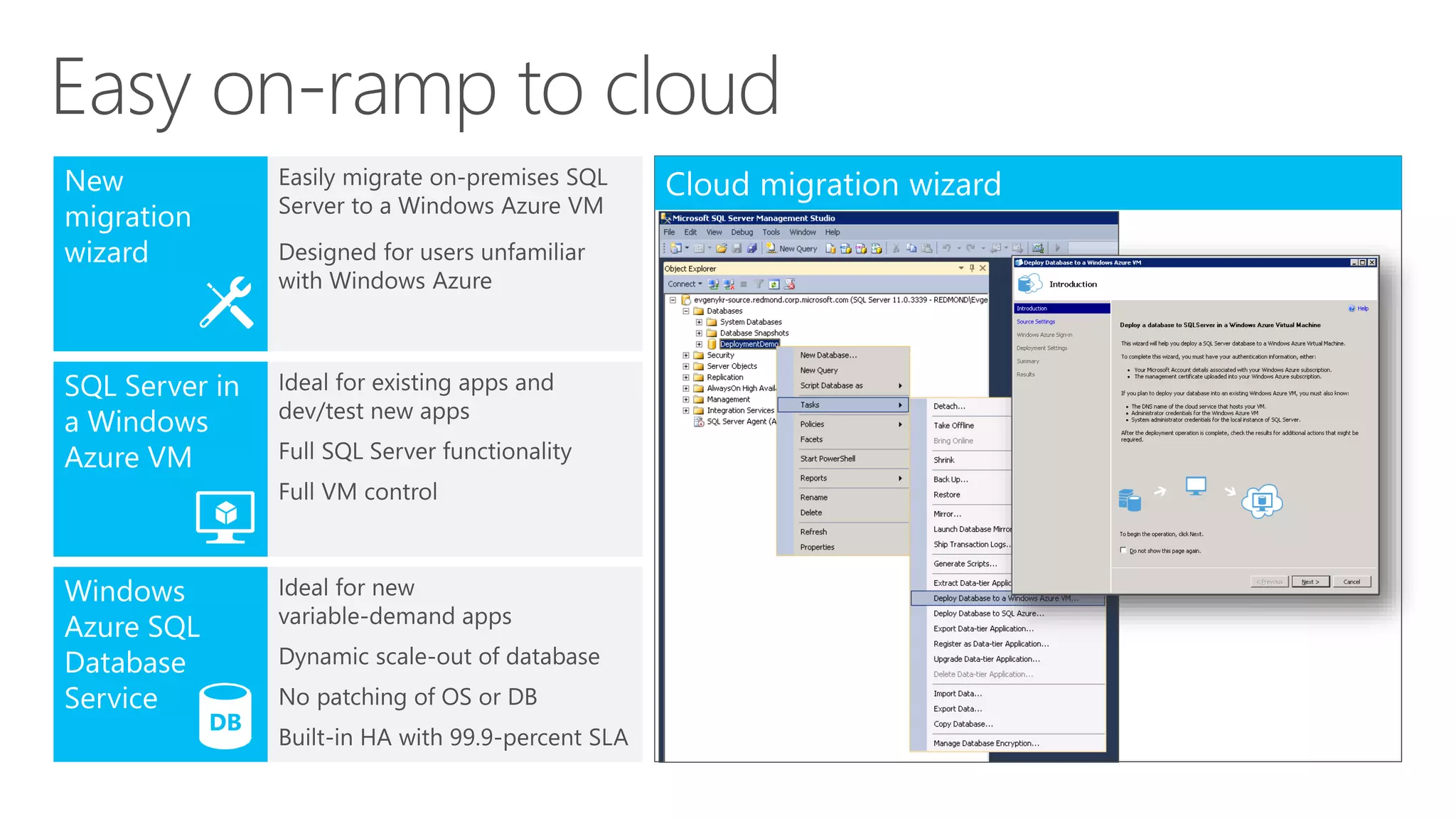
Deploy dB to
Windows Azure Wizard
Deploy dB to
Windows Azure Wizard
Easy on-ramp to cloud
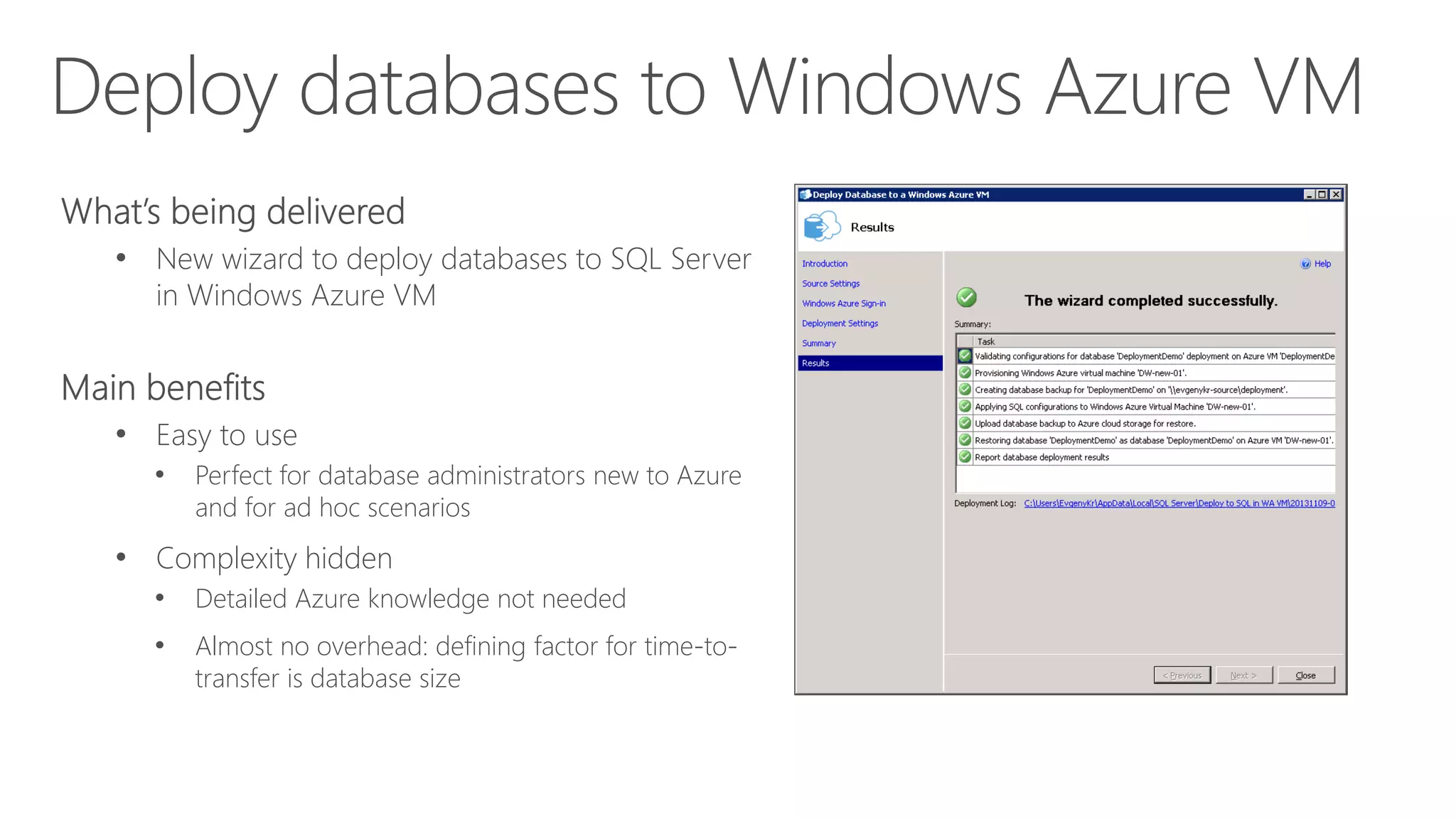
Deploy databases to Windows Azure VM
• New wizard to deploy databases to SQL Server
in Windows Azure VM
• Can also create a new Windows Azure VM if
needed
• Easy to use
• Perfect for database administrators new to Azure
and for ad hoc scenarios
• Complexity hidden
• Detailed Azure knowledge not needed
• Almost no overhead: defining factor for time-to-
transfer is database size
SQL Server Data & Log Files
in Windows Azure Storage
SQL Server Data & Log Files
in Windows Azure Storage
SQL Server Data & Log Files in Windows Azure Storage
• Ability to move data & log files in Windows
Azure Storage, while keeping the compute
node of SQL Server on-premise
• Transparent Data Encryption (TDE) is supported
• No application changes required
• Centralized copy of data and log files
• Enjoy unlimited storage capacity in Azure
Storage (built in HA, SLA, geo-DR)
• Secure because TDE encryption key can be stored
on-premise
• Restore database is simply an attach operation
SQL Server Data & Log Files in Windows Azure Storage
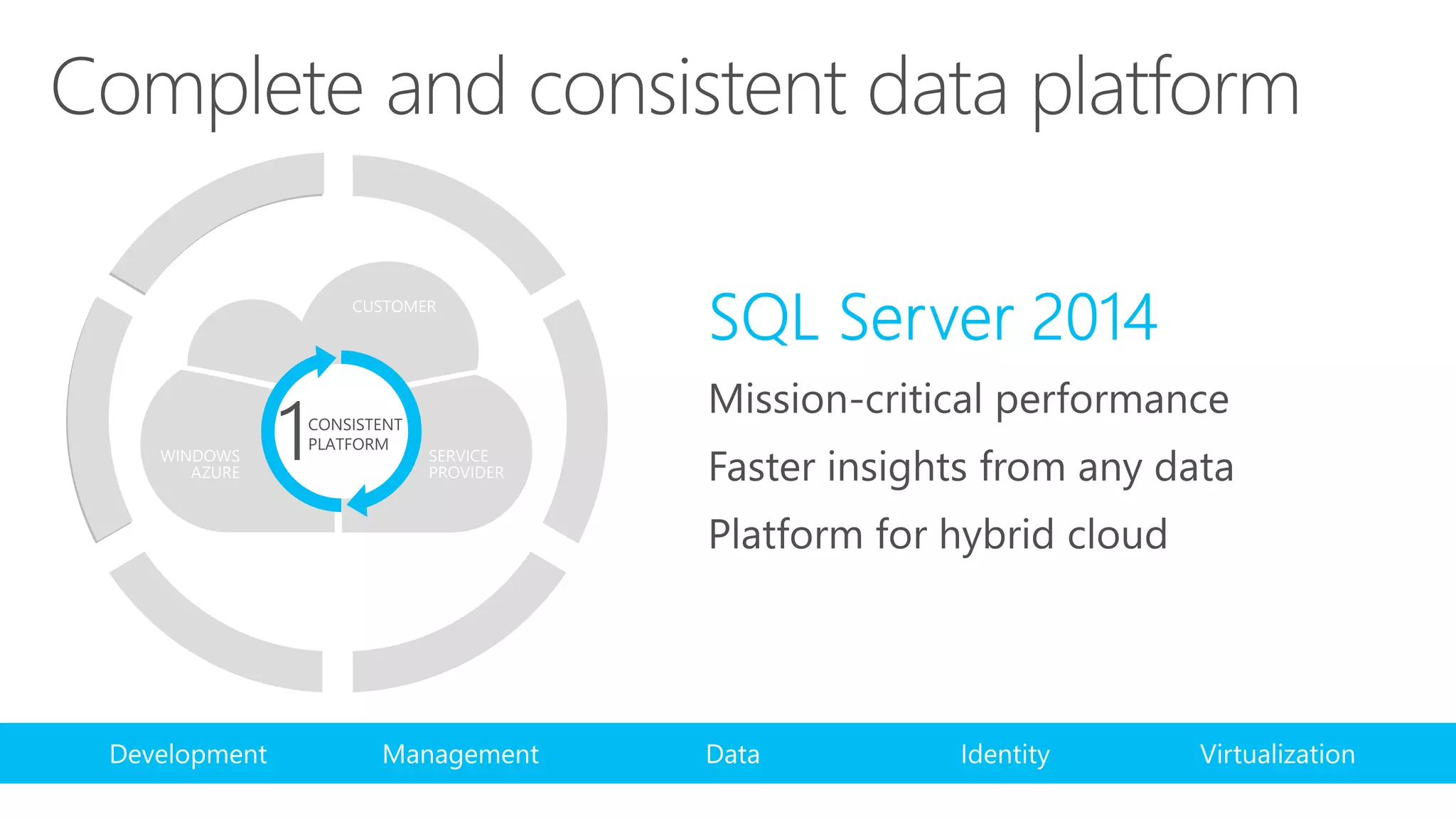
Complete and consistent data platform
Call to action
Download SQL Server 2014 CTP2
Stay tuned for availability
www.microsoft.com/sqlserver
© 2013 Microsoft Corporation. All rights reserved. Microsoft, Windows, Windows Vista and other product names are or may be registered trademarks and/or trademarks in the U.S. and/or other
countries. The information herein is for informational purposes only and represents the current view of Microsoft Corporation as of the date of this presentation. Because Microsoft must respond
to changing market conditions, it should not be interpreted to be a commitment on the part of Microsoft, and Microsoft cannot guarantee the accuracy of any information provided after the date
of this presentation. MICROSOFT MAKES NO WARRANTIES, EXPRESS, IMPLIED OR STATUTORY, AS TO THE INFORMATION IN THIS PRESENTATION

Microsoft SQL Server 2014 Platform for Hybrid Cloud - Level 300 deck - From Atidan

  • 1.
    SQL Server 2014 Platformfor Hybrid Cloud (Level 300 Deck)
  • 2.
    SQL Server 2014 Platformfor Hybrid Cloud (Level 300 Deck)
  • 3.
    SQL Server 2014 Platformfor Hybrid Cloud (Level 300 Deck)
  • 4.
    SQL Server 2014 Platformfor hybrid cloud Level 300
  • 7.
    Hybrid cloud solutions Restoreto VM Geo-replication
  • 8.
  • 9.
  • 10.
    Backup to WindowsAzure CREATE CREDENTIAL mystoragecred WITH IDENTITY = ‘mystorage', SECRET = ‘<your storage access key> BACKUP DATABASE mydb TO URL ='https://mystorage.blob.core.windows.net/backup- container/mydb-20130411.bak' WITH CREDENTIAL = ‘mystoragecred', FORMAT, COMPRESSION, STATS = 5, MEDIANAME = ‘mydb backup 20130411', MEDIADESCRIPTION = 'Backup of mydb'
  • 11.
    Backup to WindowsAzure Windows Azure storage WA WindowsAzure Blobs • On-site/off-site storage costs • Device management costs Box • XDrives limited to 1 terabyte • Max 16 drives • Manage drives and policy • Near “bottomless” storage • Off-site, geo-redundant • No provisioning • No device management • Media safety (decay-free) • Remote accessibility
  • 12.
  • 13.
  • 14.
    Managed Backup toAzure • Agent that manages and automates SQL Server backup policy • Large-scale management and no need to manage backup policy • Context-aware – for example, workload/throttling • Minimal knobs – control retention period • Manage whole instance or particular databases • Take advantage of backup to Azure • Inherently off-site • Geo-redundant • Minimal storage costs • Zero hardware management Example: EXEC smart_admin.sp_set_db_backup @database_name='TestDB', @storage_url=<storage url>, @retention_days=30, @credential_name='MyCredential', @enable_backup=1
  • 15.
  • 16.
  • 17.
  • 18.
    Why Do WeNeed Cloud DR for SQL Server? • An event can cause on-premises SQL Server to become unavailable ‐ Temporarily (e.g. gateway failure) ‐ Permanently (e.g. flooding) • A disaster recovery site is expensive ‐ Site rent + maintenance ‐ Hardware ‐ Ops 18
  • 19.
  • 20.
    Characteristic of CloudDR for SQL Server • Deploy one or more secondary replicas for on-premises SQL Server ‐ Replicas continuously synchronize • At best region: West US, East US, East Asia, Southeast Asia, North Europe, West Europe ‐ Political considerations ‐ Latency • Low TCO ‐ VM and storage 20
  • 21.
  • 22.
    Technologies Supported Technology SQLServer Version Zero Data Loss Scope # Secondaries Automatic Failover Readable Secondaries Availability Groups SQL Server 2012 Yes* (Sync Mode) DB(s) 4 Yes (w/ additional cluster member)** Yes Database Mirroring SQL Server 2008 R2 SQL Server 2012 Yes* (High Safety Mode) DB 1 Yes (w/ Witness)** Limited (database snapshots) Log Shipping SQL Server 2008 R2 SQL Server 2012 No DB N No Limited (standby state) * Most customers use Async Mode (High Performance) to avoid impacting primary performance **Async Mode only supports Force Failover to make DR (and potential data loss) a conscious decision 22
  • 23.
    Availability Groups inCloud DR • Provide additional benefits: ‐ Integrated HA/DR ‐ Offload Read workloads to Windows Azure  Connect reporting/BI apps  Migrate apps and run against local secondaries ‐ Offload Backups to Windows Azure  A solution for policy compliance • Requires: ‐ Same Windows Domain ‐ Needs an Active Directory Domain Controller 23
  • 24.
    redmond.corp.microsoft.com uswest.internal.cloudapp.net VPN Device Windows Cluster AvailabilityGroup CSNB2252109-TA Virtual Network CSNB2252108-TA AGHybrid2 Example of Availability Group Spanning On-premises and Windows Azure 24
  • 25.
    25 Online travel firm Containershipping company Online video streaming company Healthcare company Customer deployment examples
  • 26.
    Online Travel Firm 26 •Business ‐ Leading tour operator in Europe. ‐ Sells trips to holiday destinations throughout Europe. ‐ 10 brands, 9 countries ‐ Over 700K passengers in 2011 • Application ‐ Online travel reservation system • Infrastructure ‐ 1 data center (on-premises) ‐ Use AlwaysOn Availability Groups on-premises today ‐ No DR site ‐ Leverage Windows Azure as DR data center
  • 27.
    27 Architecture Diagram Windows Cluster AvailabilityGroup On-Premises SecondaryPrimary
  • 28.
    28 Architecture Diagram Windows Cluster AvailabilityGroup On-Premises SecondaryPrimary Secondary Cloud
  • 29.
    Container Shipping Company •Business ‐ One of the largest container shipping company in the World • Application ‐ Secured electronic data interchange (EDI) messages • Infrastructure ‐ Primary data center in NJ ‐ DR data center in Manhattan, NY ‐ Use Availability Groups for DR ‐ Both data centers got affected by Hurricane Sandy ‐ Would like to leverage Windows Azure as DR data center 29
  • 30.
    Architecture Diagram Windows ClusterWindows Cluster Availability GroupAvailability Group Primary Secondary On-Premises (NY) On-Premises (NJ) 30
  • 31.
    Architecture Diagram Windows ClusterWindows Cluster Availability GroupAvailability Group Primary Secondary On-Premises (NY) On-Premises (NJ) Secondary Cloud 31
  • 32.
    Online Video StreamingCompany • Characteristics: ‐ Organizational strategy to move to Windows Azure ‐ HA / DR important need ‐ Windows Azure will be used as primary ‐ One secondary in Windows Azure for local HA ‐ Another secondary replica on-premises for DR 32
  • 33.
    Architecture Diagram Windows Cluster AvailabilityGroup Cloud On-Premises SecondarySecondaryPrimary 33
  • 34.
    Healthcare Company • Characteristics: ‐Healthcare software company providing on premises as well as hosted software ‐ Use Windows Azure as hosting infrastructure ‐ HA / DR needs are important ‐ HIPAA compliance is important ‐ Primary: Windows Azure ‐ Secondary: a copy of data on premises for reporting and regulatory purposes 34
  • 35.
    Architecture Diagram Windows Cluster AvailabilityGroup Cloud On-Premises SecondarySecondaryPrimary 35
  • 36.
    AlwaysOn Replica inWindows Azure • What’s being delivered ‐ Wizard to add a replica in a Windows Azure VM • Main benefits ‐ Easily deploy one or more replicas of your databases to Windows Azure  No need for a DR site (hardware, rent, ops) ‐ Use these replicas for  Disaster Recovery  Workloads (reads/backups) 36
  • 37.
  • 38.
  • 39.
  • 40.
    Deploy databases toWindows Azure VM • New wizard to deploy databases to SQL Server in Windows Azure VM • Can also create a new Windows Azure VM if needed • Easy to use • Perfect for database administrators new to Azure and for ad hoc scenarios • Complexity hidden • Detailed Azure knowledge not needed • Almost no overhead: defining factor for time-to- transfer is database size
  • 41.
    SQL Server Data& Log Files in Windows Azure Storage
  • 42.
    SQL Server Data& Log Files in Windows Azure Storage
  • 43.
    SQL Server Data& Log Files in Windows Azure Storage • Ability to move data & log files in Windows Azure Storage, while keeping the compute node of SQL Server on-premise • Transparent Data Encryption (TDE) is supported • No application changes required • Centralized copy of data and log files • Enjoy unlimited storage capacity in Azure Storage (built in HA, SLA, geo-DR) • Secure because TDE encryption key can be stored on-premise • Restore database is simply an attach operation
  • 44.
    SQL Server Data& Log Files in Windows Azure Storage
  • 45.
  • 46.
    Call to action DownloadSQL Server 2014 CTP2 Stay tuned for availability www.microsoft.com/sqlserver
  • 47.
    © 2013 MicrosoftCorporation. All rights reserved. Microsoft, Windows, Windows Vista and other product names are or may be registered trademarks and/or trademarks in the U.S. and/or other countries. The information herein is for informational purposes only and represents the current view of Microsoft Corporation as of the date of this presentation. Because Microsoft must respond to changing market conditions, it should not be interpreted to be a commitment on the part of Microsoft, and Microsoft cannot guarantee the accuracy of any information provided after the date of this presentation. MICROSOFT MAKES NO WARRANTIES, EXPRESS, IMPLIED OR STATUTORY, AS TO THE INFORMATION IN THIS PRESENTATION