Data Representation
(in computer system)
Data Representation
    How do computers represent
     data?
a   Most computers are digital
    • Recognize only two discrete
      states: on or off
    • Computers are electronic
      devices powered by
      electricity, which has only
      two states, on or off
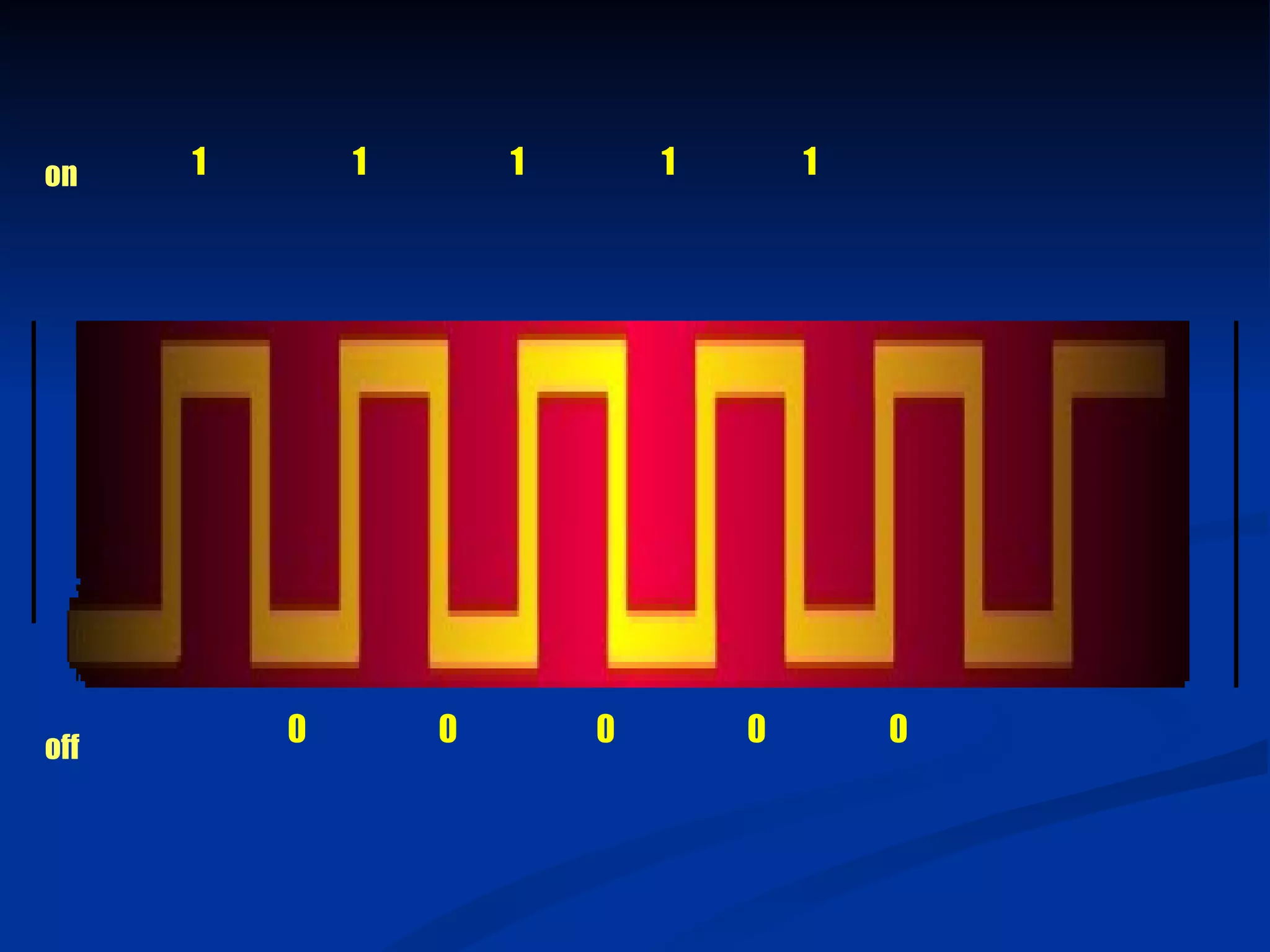
on    1       1       1       1       1


off
          0       0       0       0       0
Data Representation
What is the binary system?
a A number system that has just two unique
  digits, 0 and 1
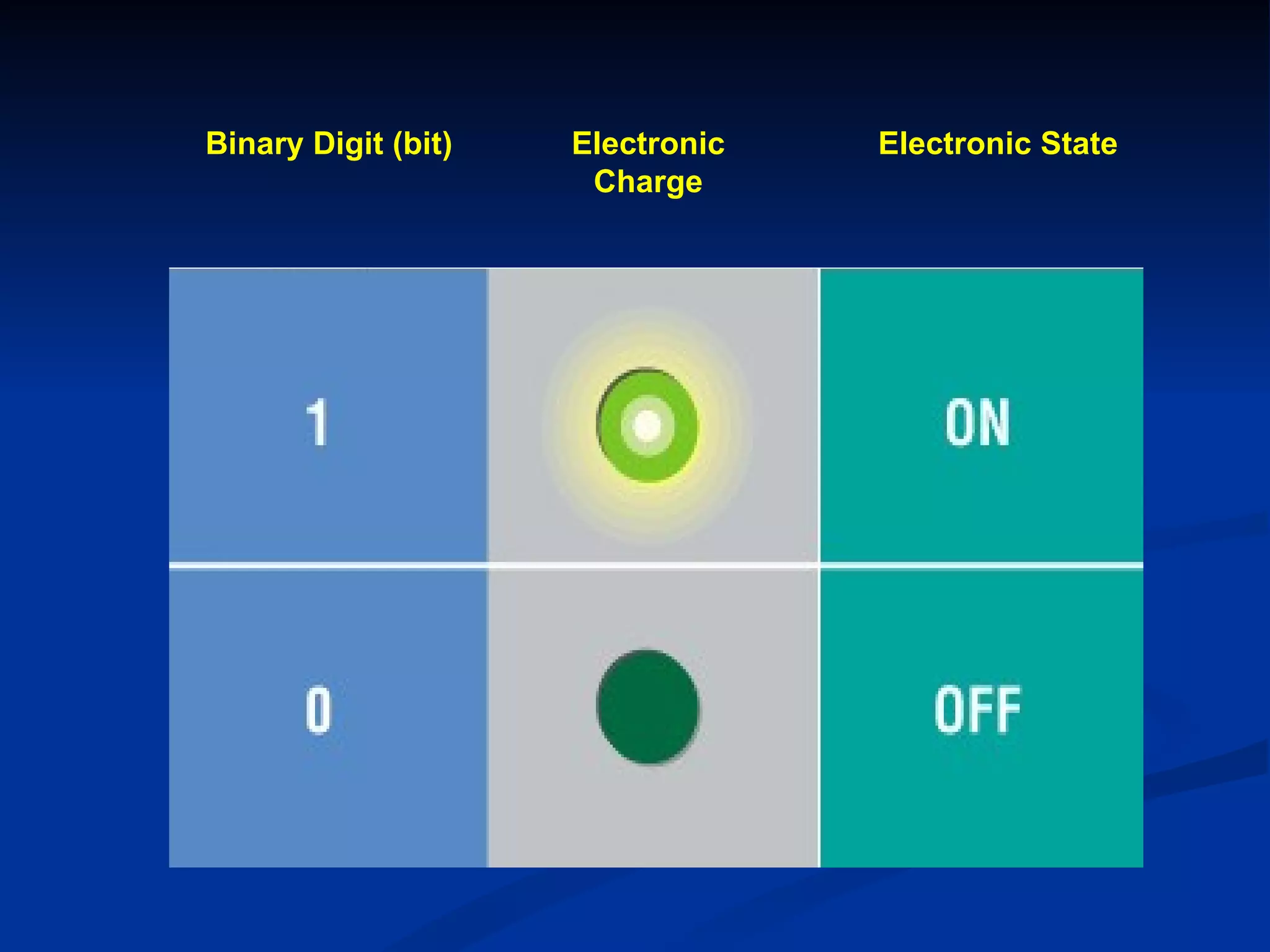
  • A single digit is called a bit (binary digit)
  • A bit is the smallest unit of data the
    computer can represent
  • By itself a bit is not very informative
a The two digits represent the two off and
  on states
Binary Digit (bit)   Electronic   Electronic State
                      Charge
Data Representation
   What is a byte?
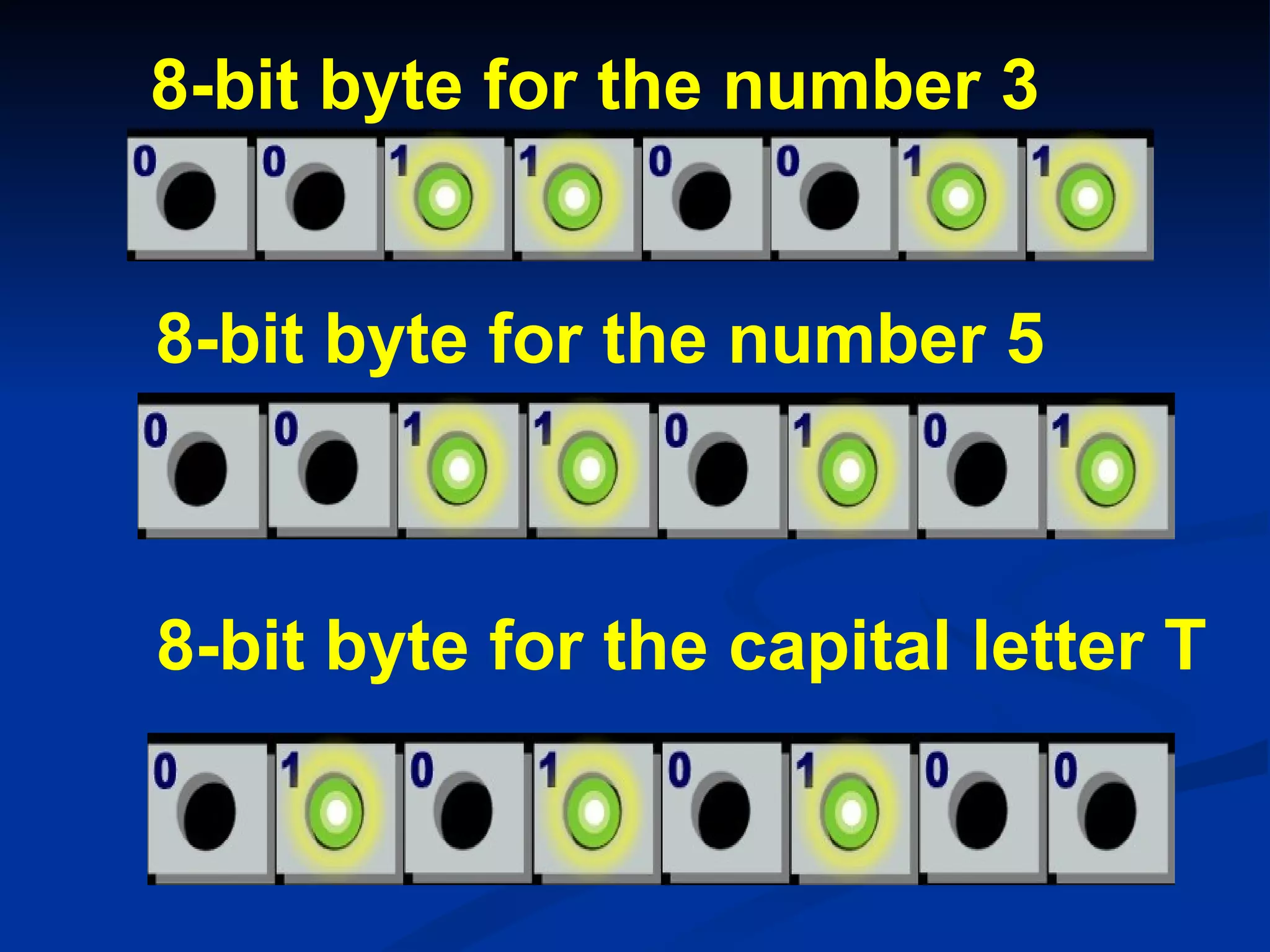
a Eight bits are grouped
  together to form a byte
a 0s and 1s in each byte are
  used to represent individual
  characters such as letters of
  the alphabet, numbers, and
  punctuation
8-bit byte for the number 3


8-bit byte for the number 5


8-bit byte for the capital letter T
Data Representation
What are two popular coding systems
to represent data?
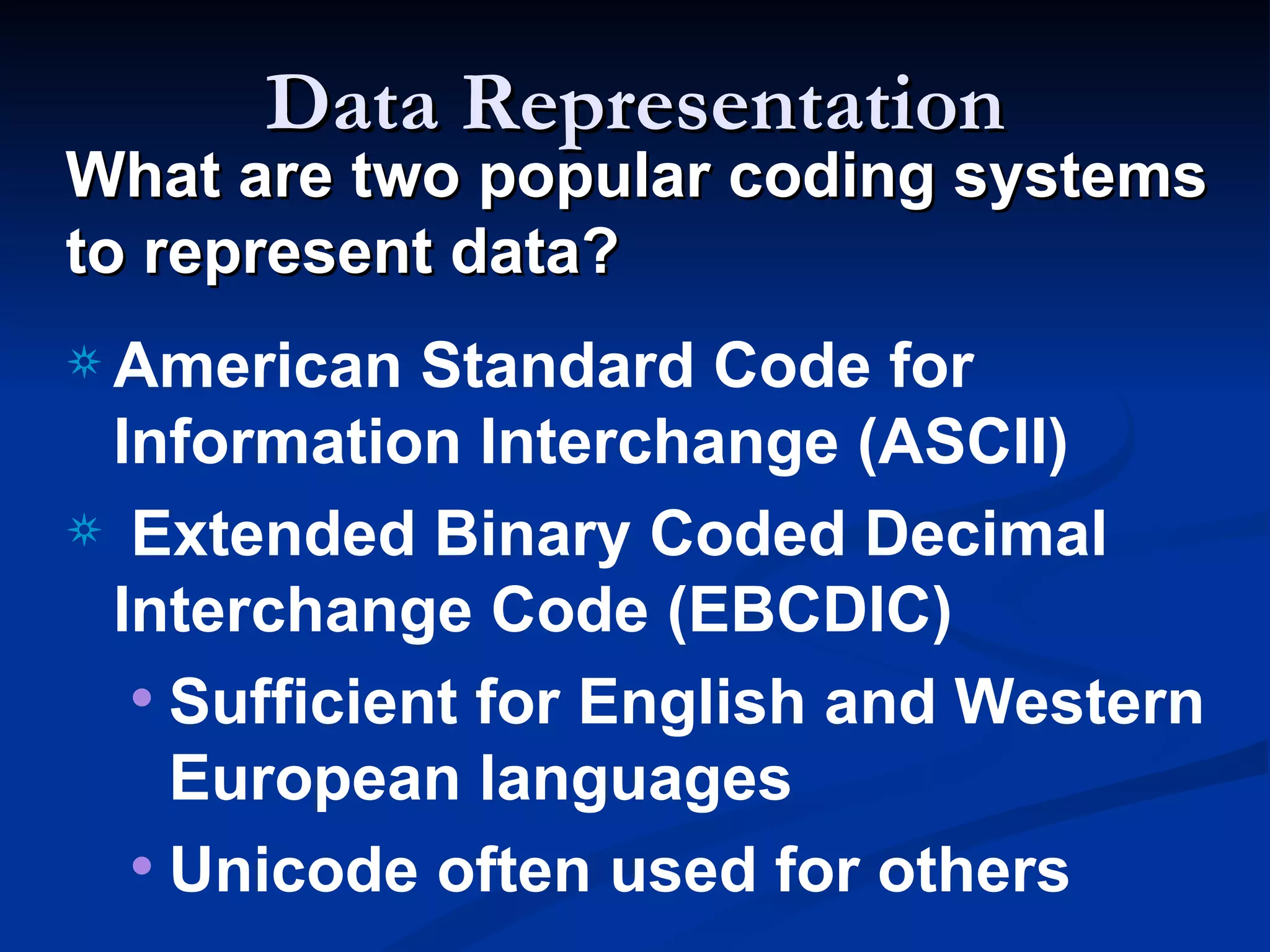
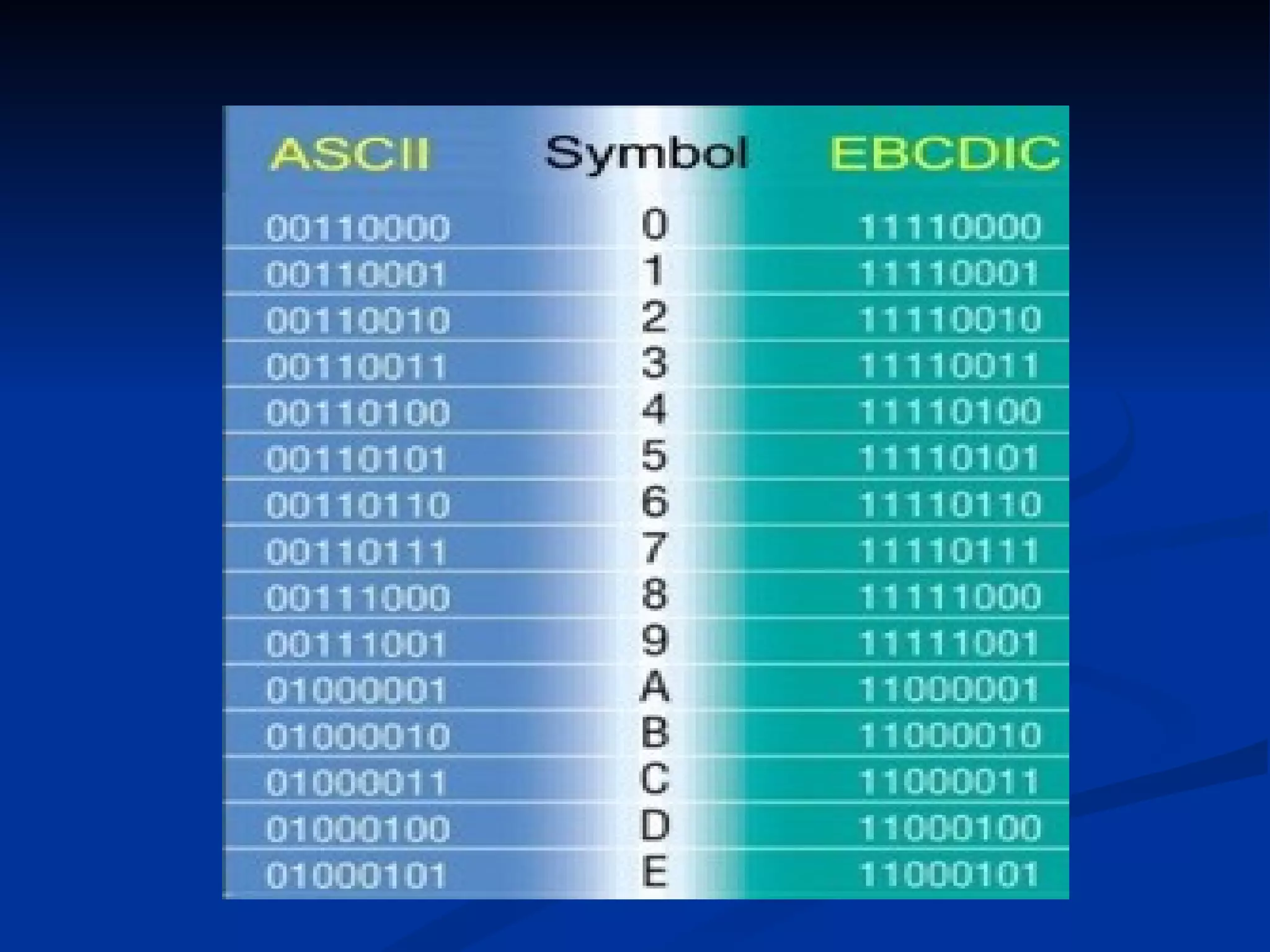
a American   Standard Code for
 Information Interchange (ASCII)
a Extended Binary Coded Decimal
 Interchange Code (EBCDIC)
  • Sufficient for English and Western
    European languages
  • Unicode often used for others
Data Representation
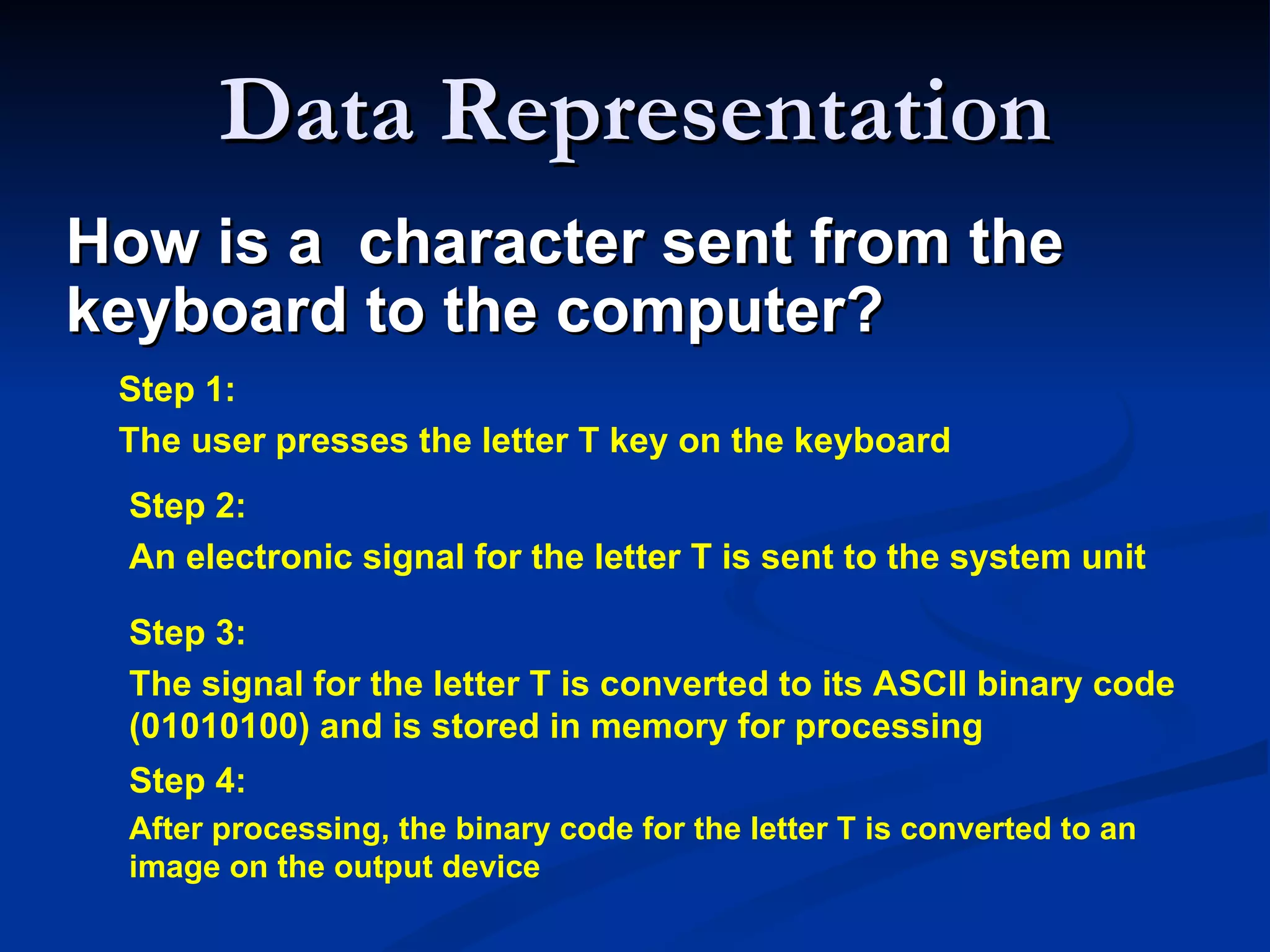
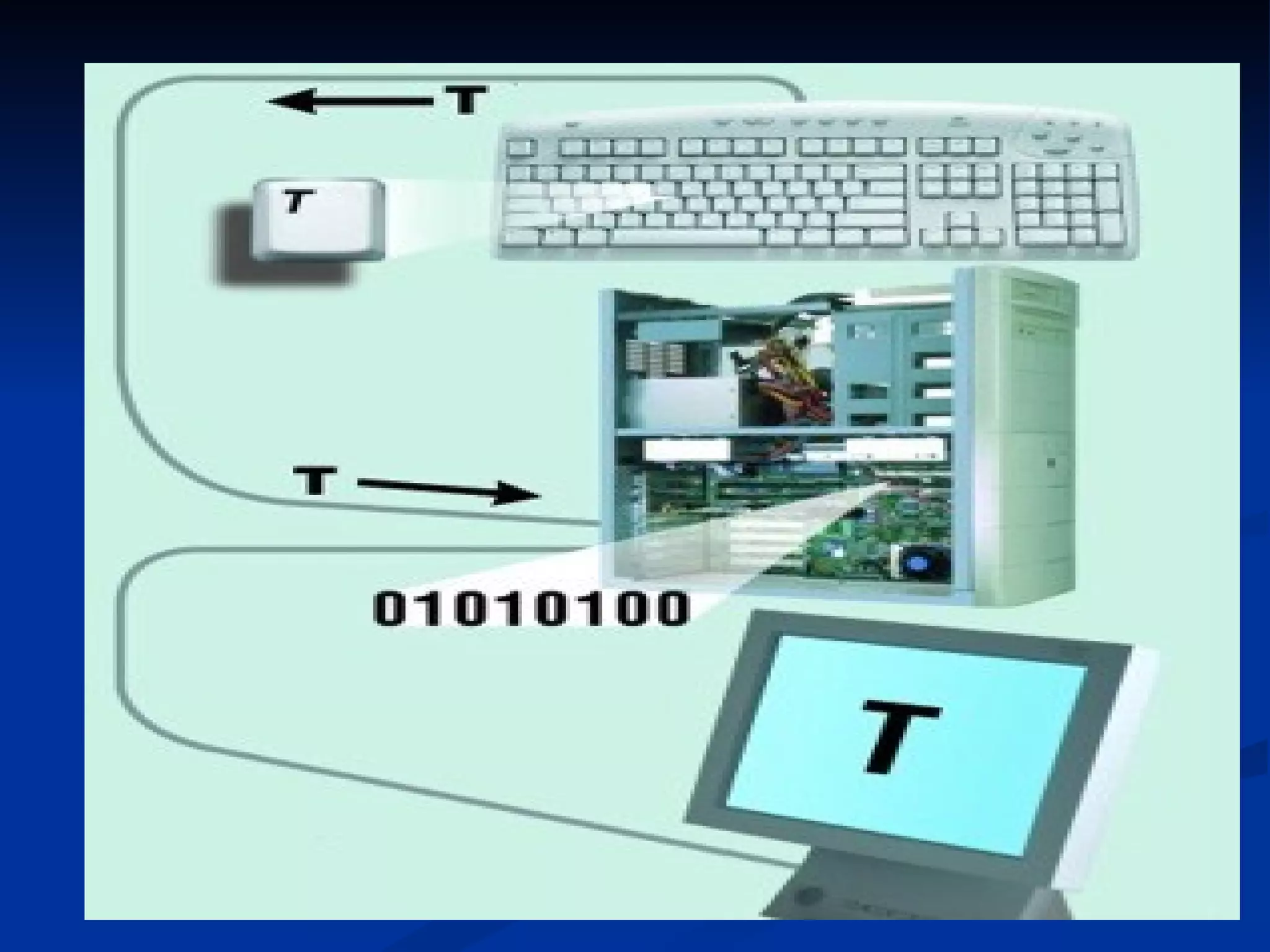
How is a character sent from the
keyboard to the computer?
 Step 1:
 The user presses the letter T key on the keyboard
  Step 2:
  An electronic signal for the letter T is sent to the system unit

  Step 3:
  The signal for the letter T is converted to its ASCII binary code
  (01010100) and is stored in memory for processing
  Step 4:
  After processing, the binary code for the letter T is converted to an
  image on the output device
Decimal to Binary Conversions

•In an earlier slide, we said that every integer value can
be represented exactly using any radix system.
•You can use either of two methods for radix a
conversion: the subtraction method and the division
remainder method.
  The subtraction method is more intuitive, but
  cumbersome. It does, however reinforce the ideas
  behind radix mathematics.
  The division method employs the idea that
  successive division by a base is equivalent to
  successive subtraction by powers of the base.
Decimal to D
               Binary Conversions

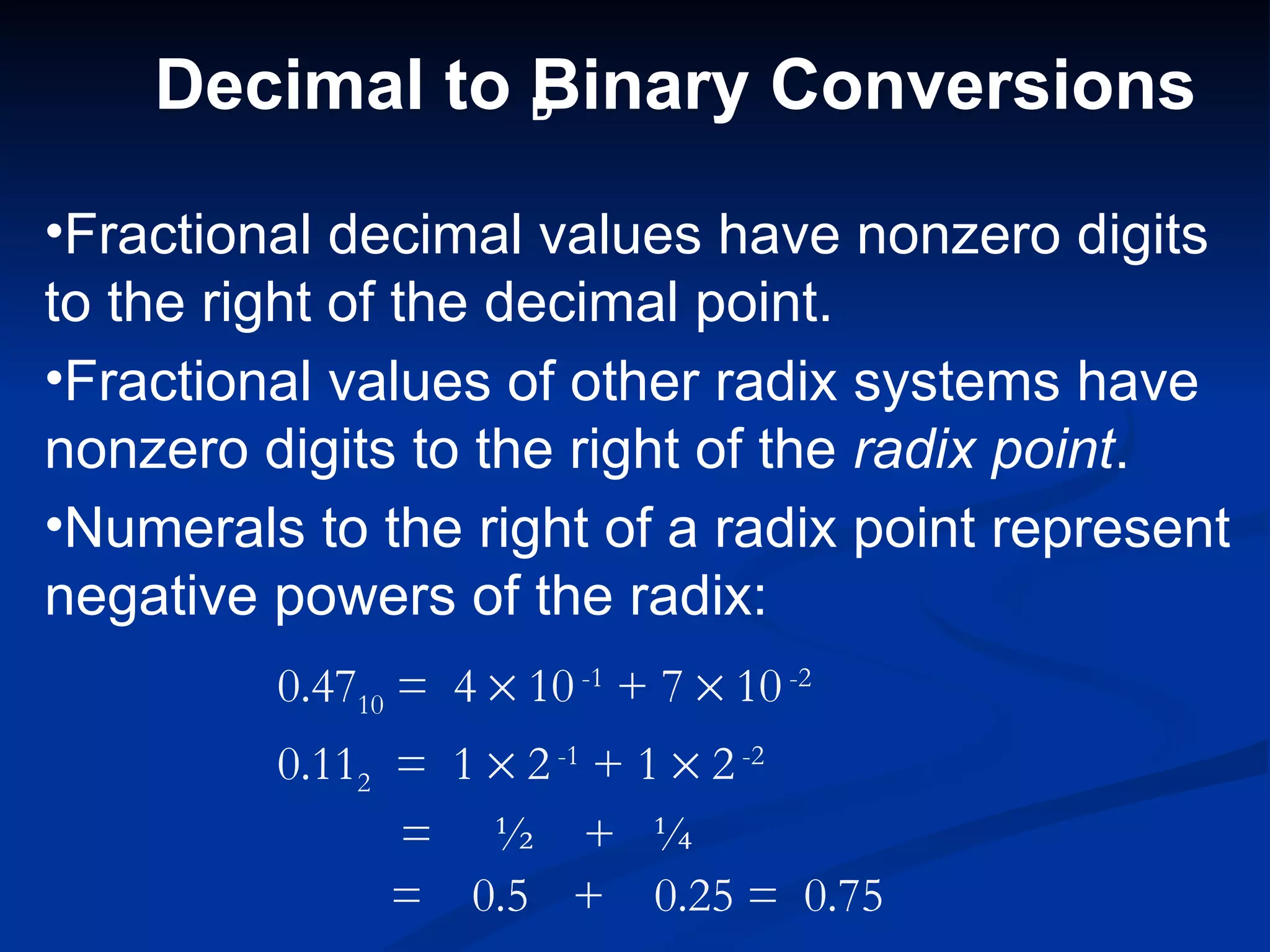
•Fractional decimal values have nonzero digits
to the right of the decimal point.
•Fractional values of other radix systems have
nonzero digits to the right of the radix point.
•Numerals to the right of a radix point represent
negative powers of the radix:
         0.4710 = 4 × 10 -1 + 7 × 10 -2
         0.112 = 1 × 2 -1 + 1 × 2 -2
               = ½ + ¼
               = 0.5 + 0.25 = 0.75
Decimal to Binary Conversions

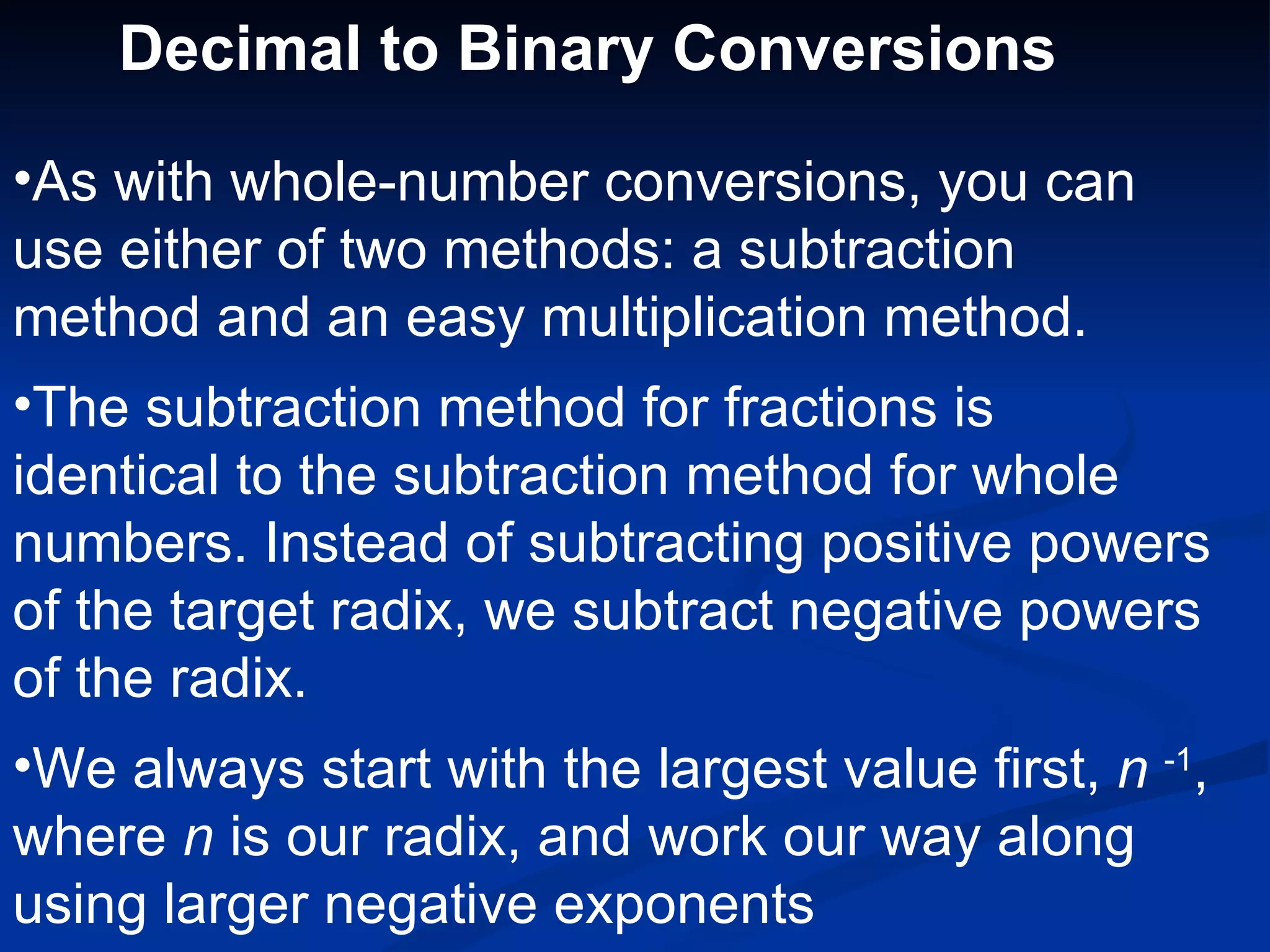
•As with whole-number conversions, you can
use either of two methods: a subtraction
method and an easy multiplication method.
•The subtraction method for fractions is
identical to the subtraction method for whole
numbers. Instead of subtracting positive powers
of the target radix, we subtract negative powers
of the radix.
•We always start with the largest value first, n -1,
where n is our radix, and work our way along
using larger negative exponents
Decimal to Binary Conversions
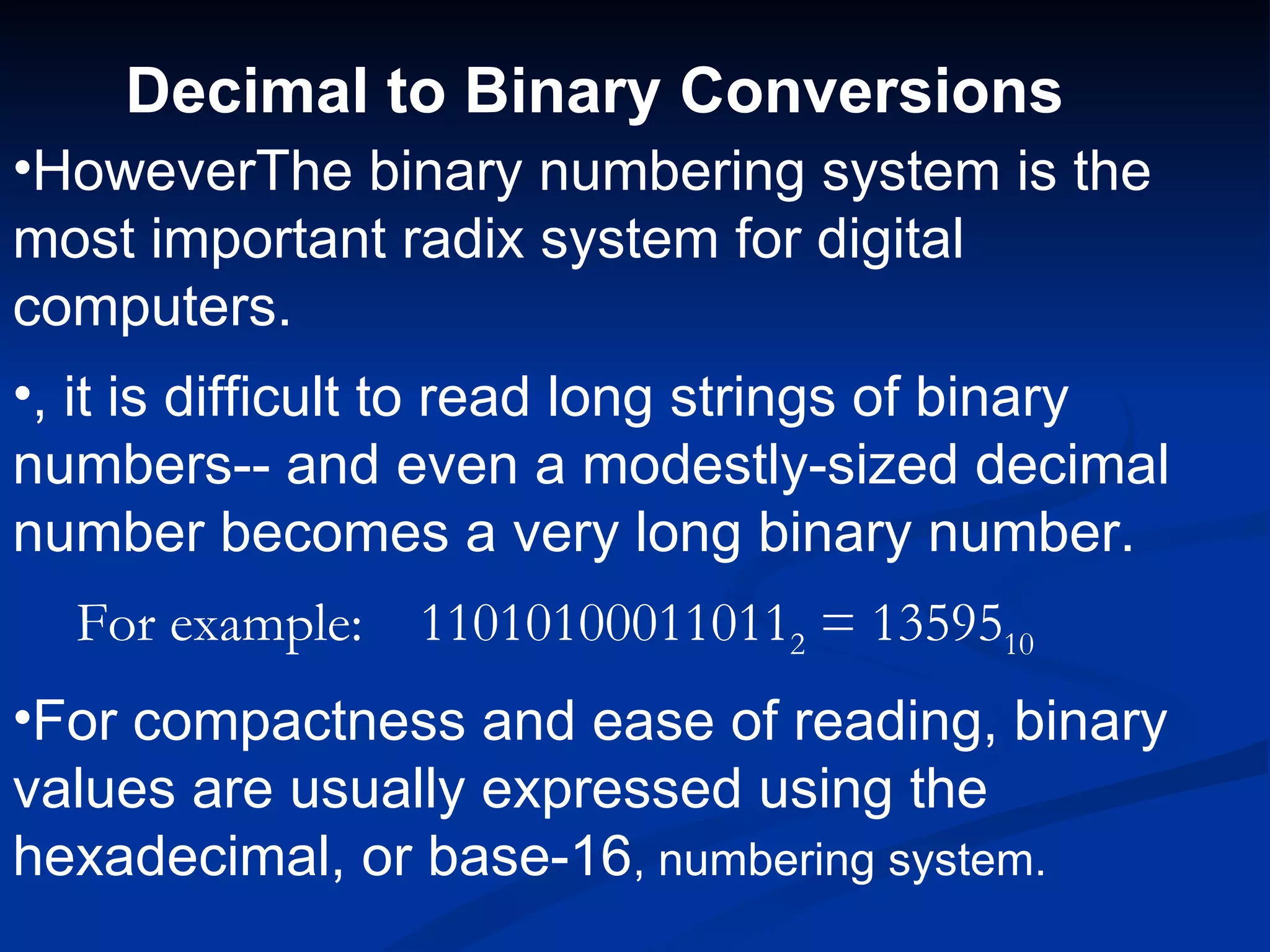
•HoweverThe binary numbering system is the
most important radix system for digital
computers.
•, it is difficult to read long strings of binary
numbers-- and even a modestly-sized decimal
number becomes a very long binary number.
  For example:   110101000110112 = 1359510
•For compactness and ease of reading, binary
values are usually expressed using the
hexadecimal, or base-16, numbering system.
Decimal to Binary Conversions

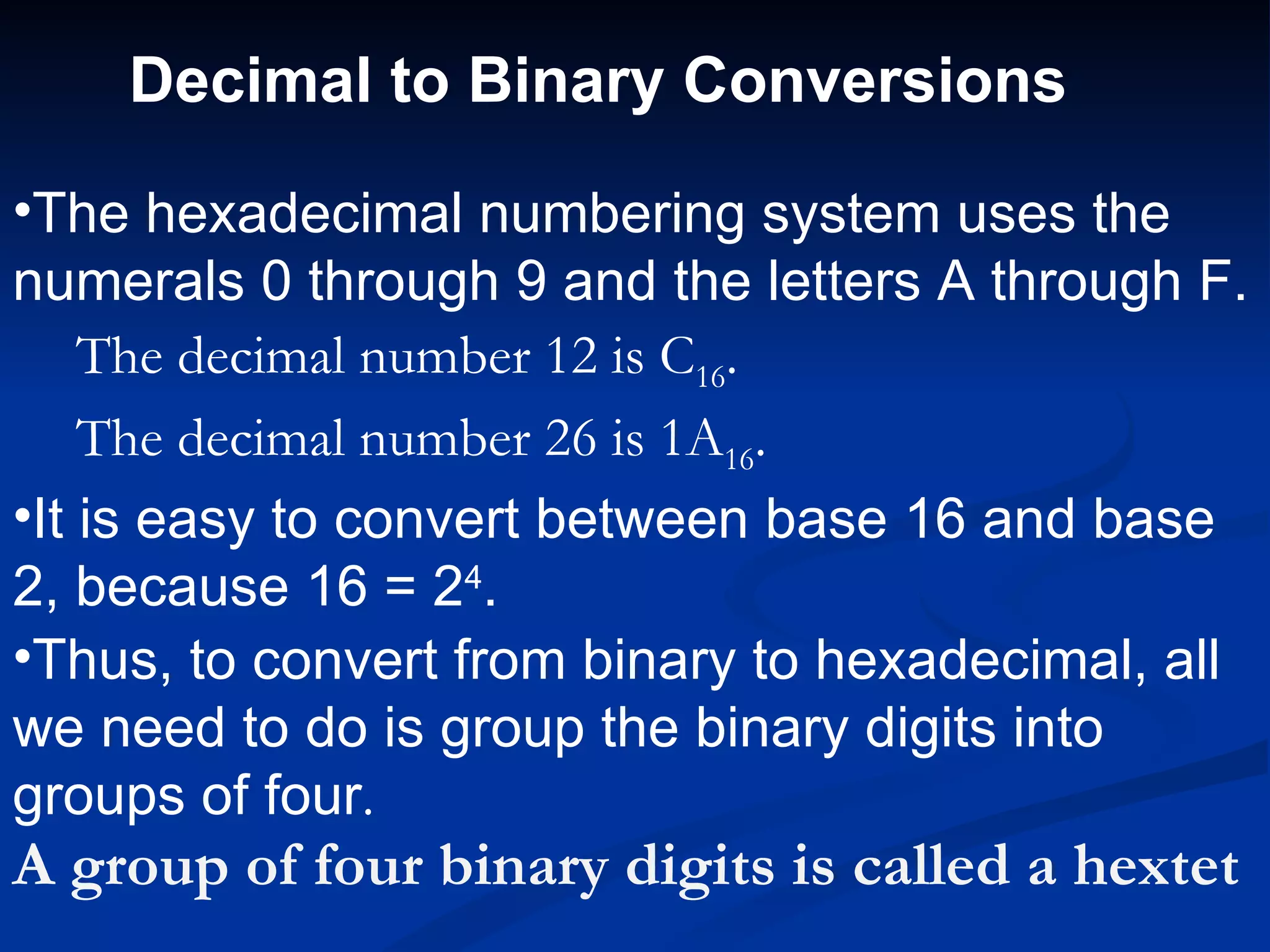
•The hexadecimal numbering system uses the
numerals 0 through 9 and the letters A through F.
    The decimal number 12 is C16.
    The decimal number 26 is 1A16.
•It is easy to convert between base 16 and base
2, because 16 = 24.
•Thus, to convert from binary to hexadecimal, all
we need to do is group the binary digits into
groups of four.
A group of four binary digits is called a hextet
Decimal to Binary Conversions
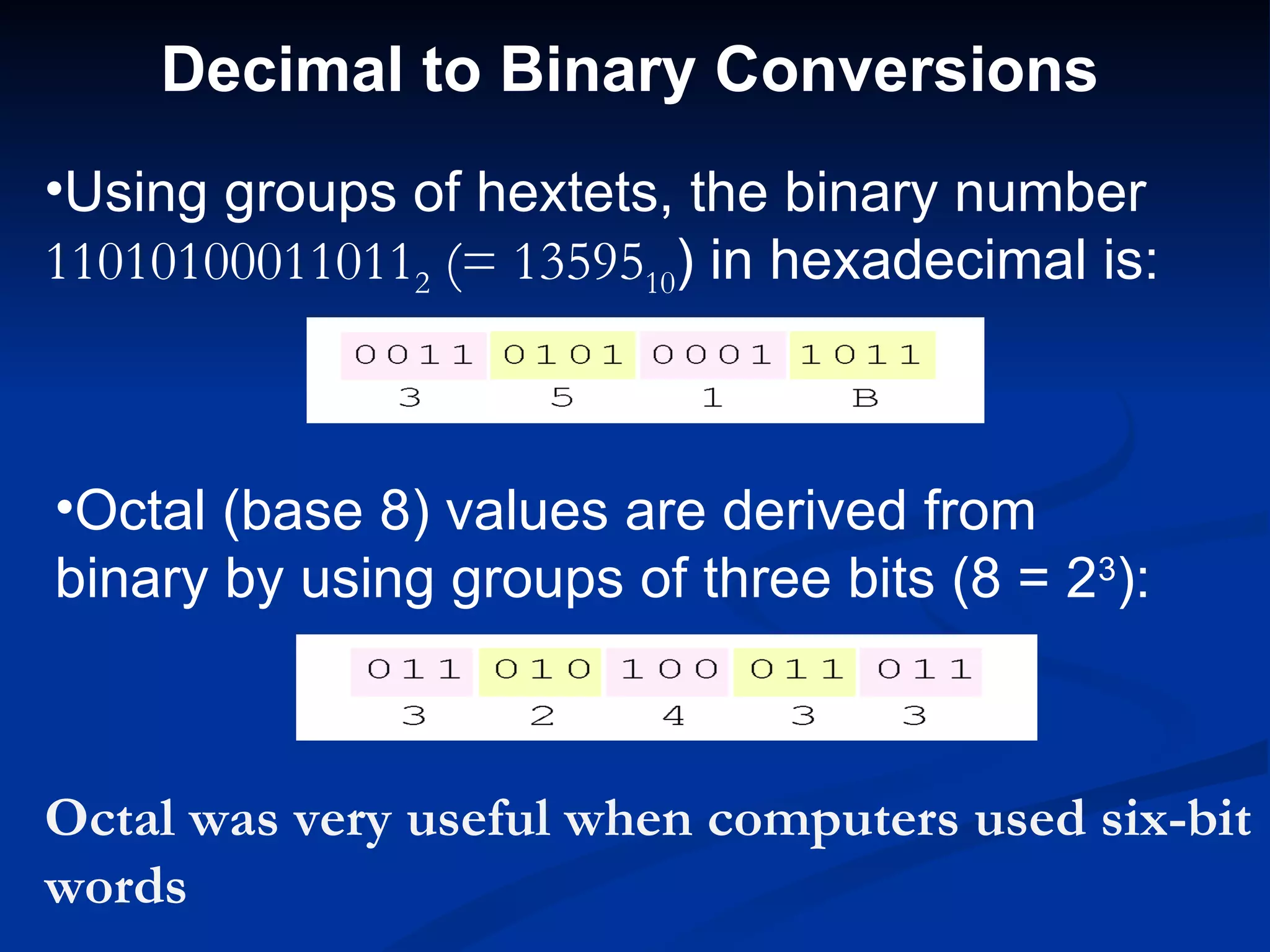
•Using groups of hextets, the binary number
110101000110112 (= 1359510) in hexadecimal is:


•Octal (base 8) values are derived from
binary by using groups of three bits (8 = 23):


Octal was very useful when computers used six-bit
words
Signed Integer Representation

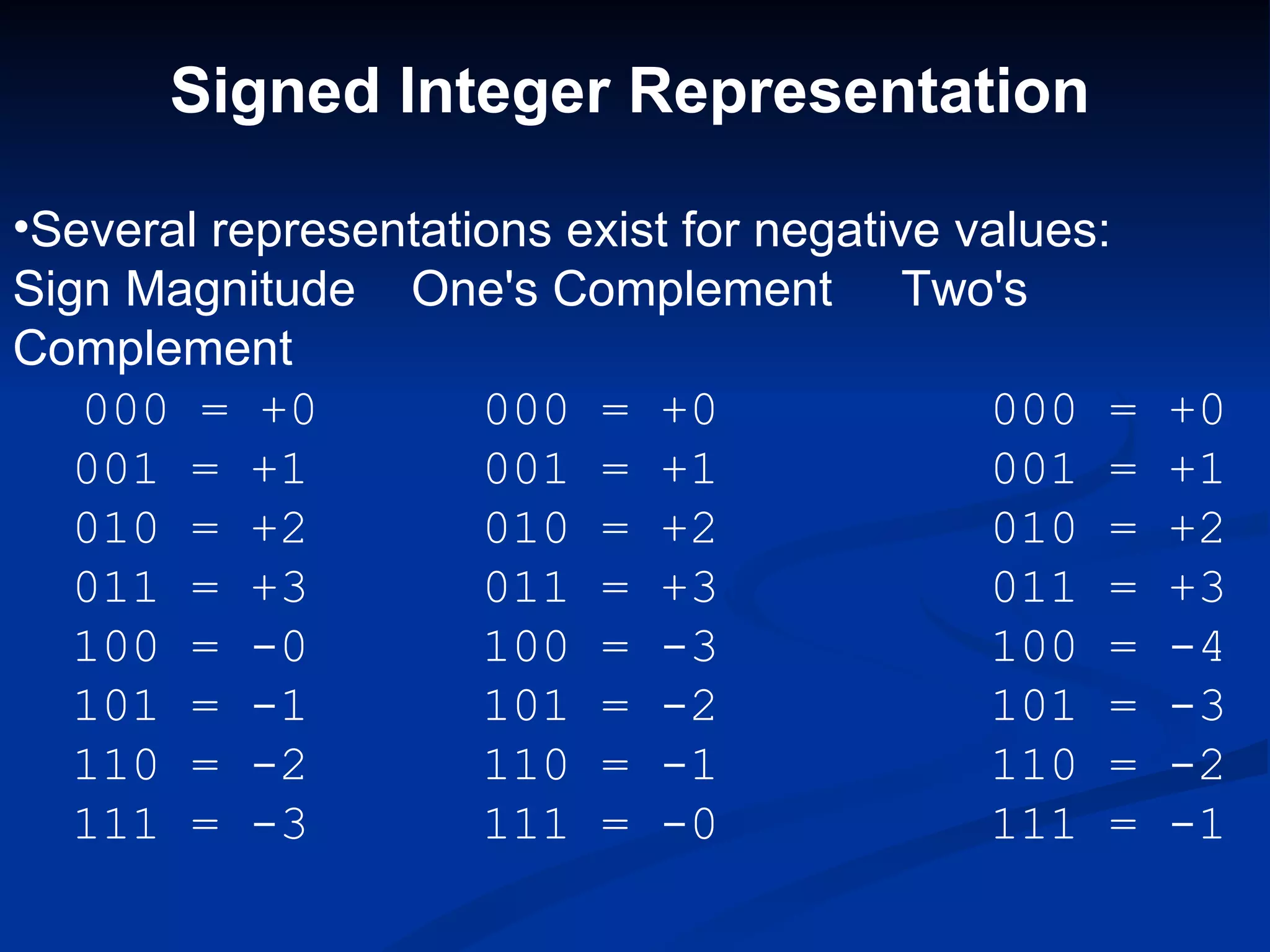
•Several representations exist for negative values:
Sign Magnitude One's Complement Two's
Complement
   000 = +0          000 = +0                000 =    +0
   001 = +1          001 = +1                001 =    +1
   010 = +2          010 = +2                010 =    +2
   011 = +3          011 = +3                011 =    +3
   100 = -0          100 = -3                100 =    -4
   101 = -1          101 = -2                101 =    -3
   110 = -2          110 = -1                110 =    -2
   111 = -3          111 = -0                111 =    -1
Signed Integer Representation
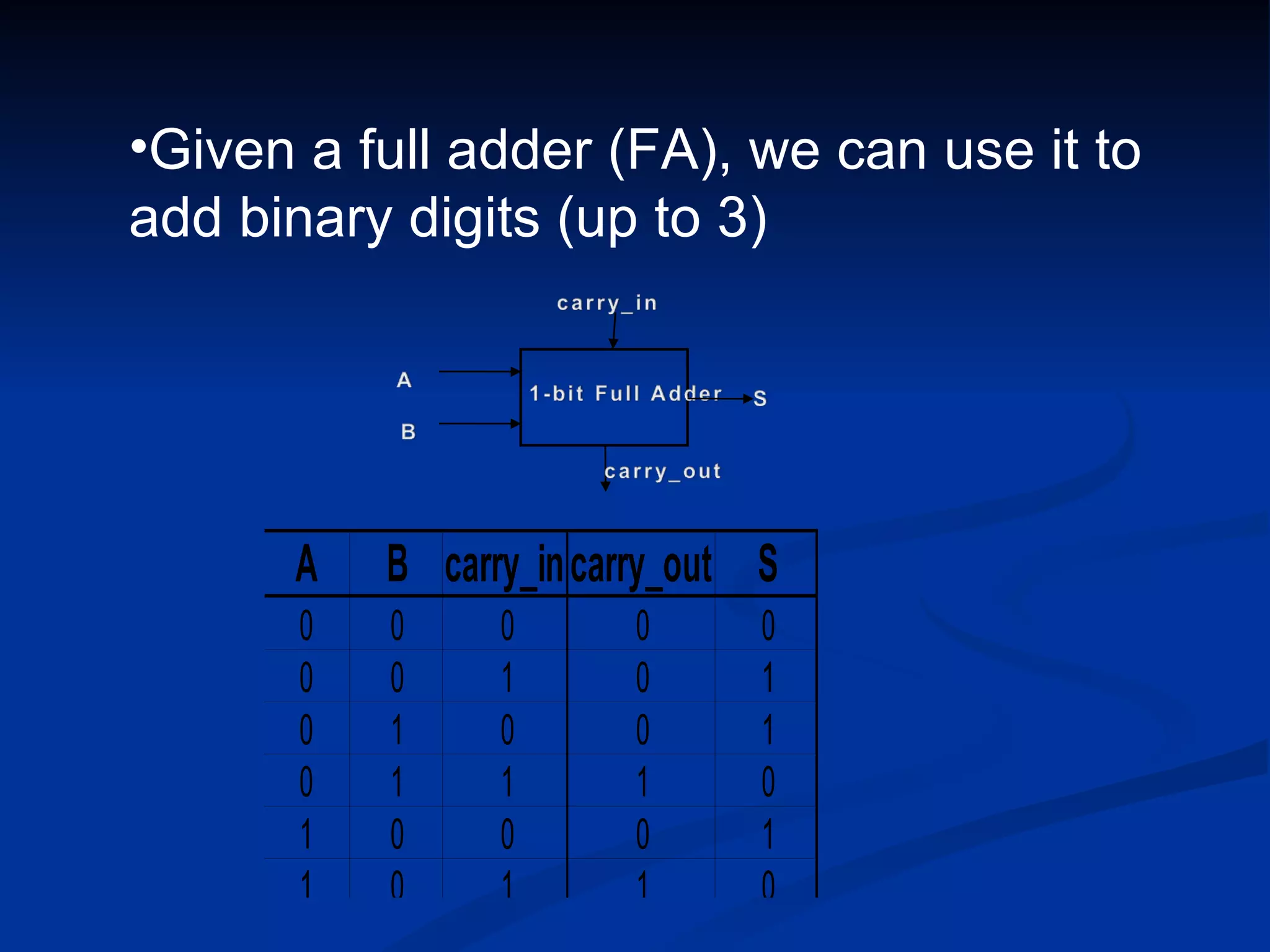
•Given a full adder (FA), we can use it to
add binary digits (up to 3)


      A    B carry_in carry_out S
       0   0     0       0      0
       0   0     1       0      1
       0   1     0       0      1
       0   1     1       1      0
       1   0     0       0      1
       1   0     1       1      0
Signed Integer Representation

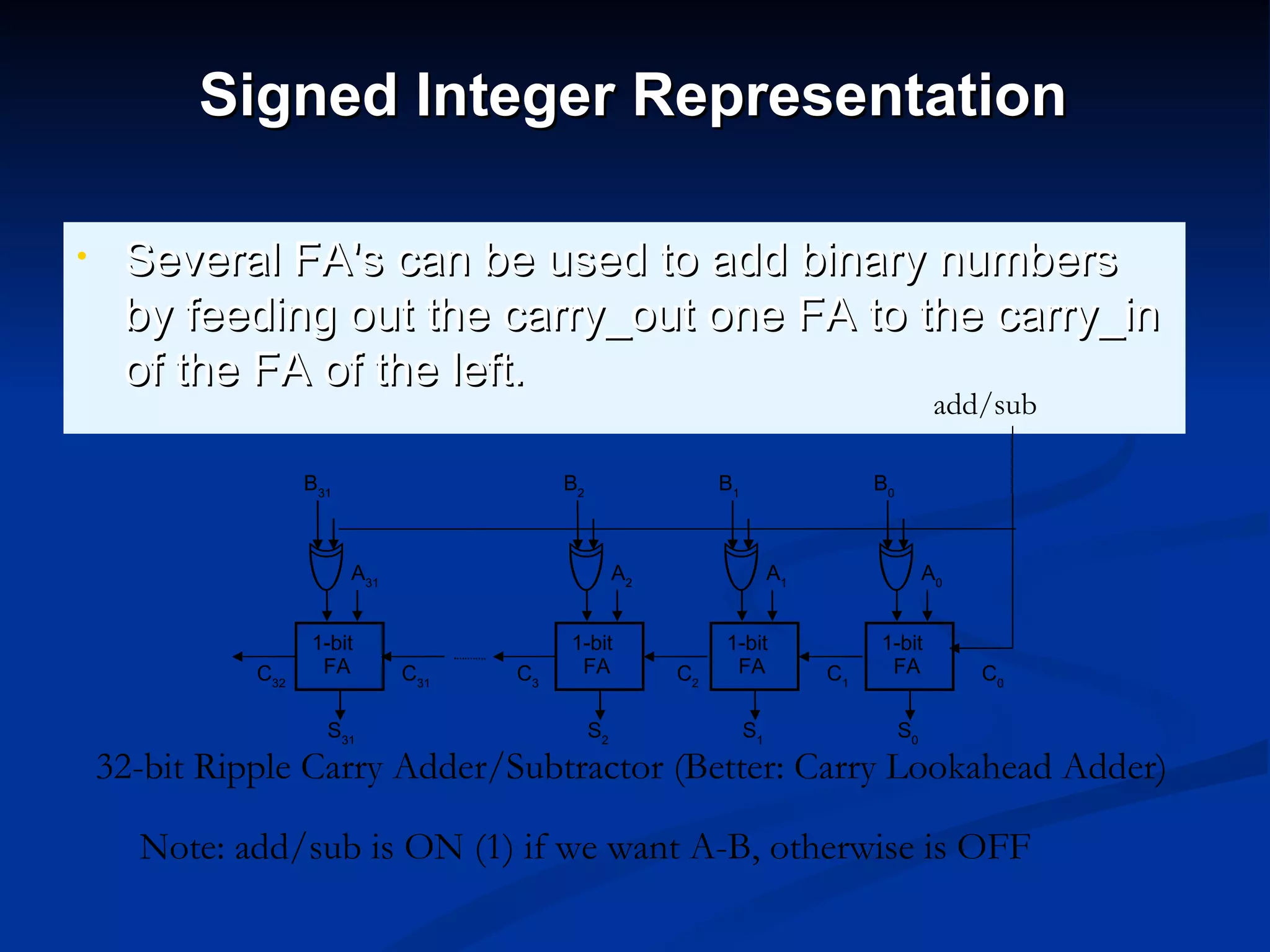
•    Several FA's can be used to add binary numbers
     by feeding out the carry_out one FA to the carry_in
     of the FA of the left.
                                                                                              add/sub

                    B31                    B2                  B1                  B0


                          A31                        A2                  A1                  A0


                    1-bit                  1-bit               1-bit               1-bit
              C32    FA         C31   C3    FA            C2    FA            C1    FA            C0

                      S31                       S2                  S1                  S0
    32-bit Ripple Carry Adder/Subtractor (Better: Carry Lookahead Adder)

      Note: add/sub is ON (1) if we want A-B, otherwise is OFF
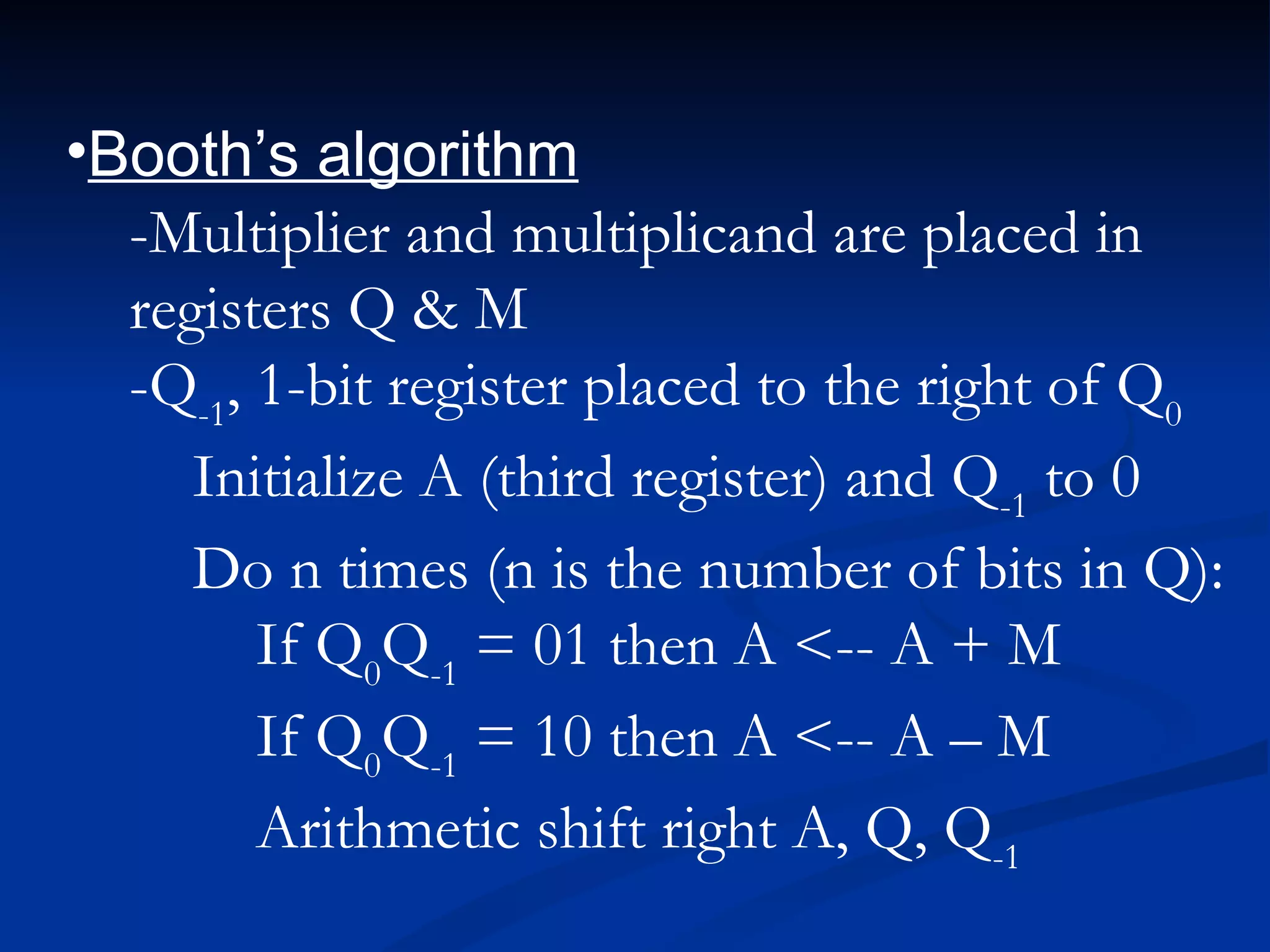
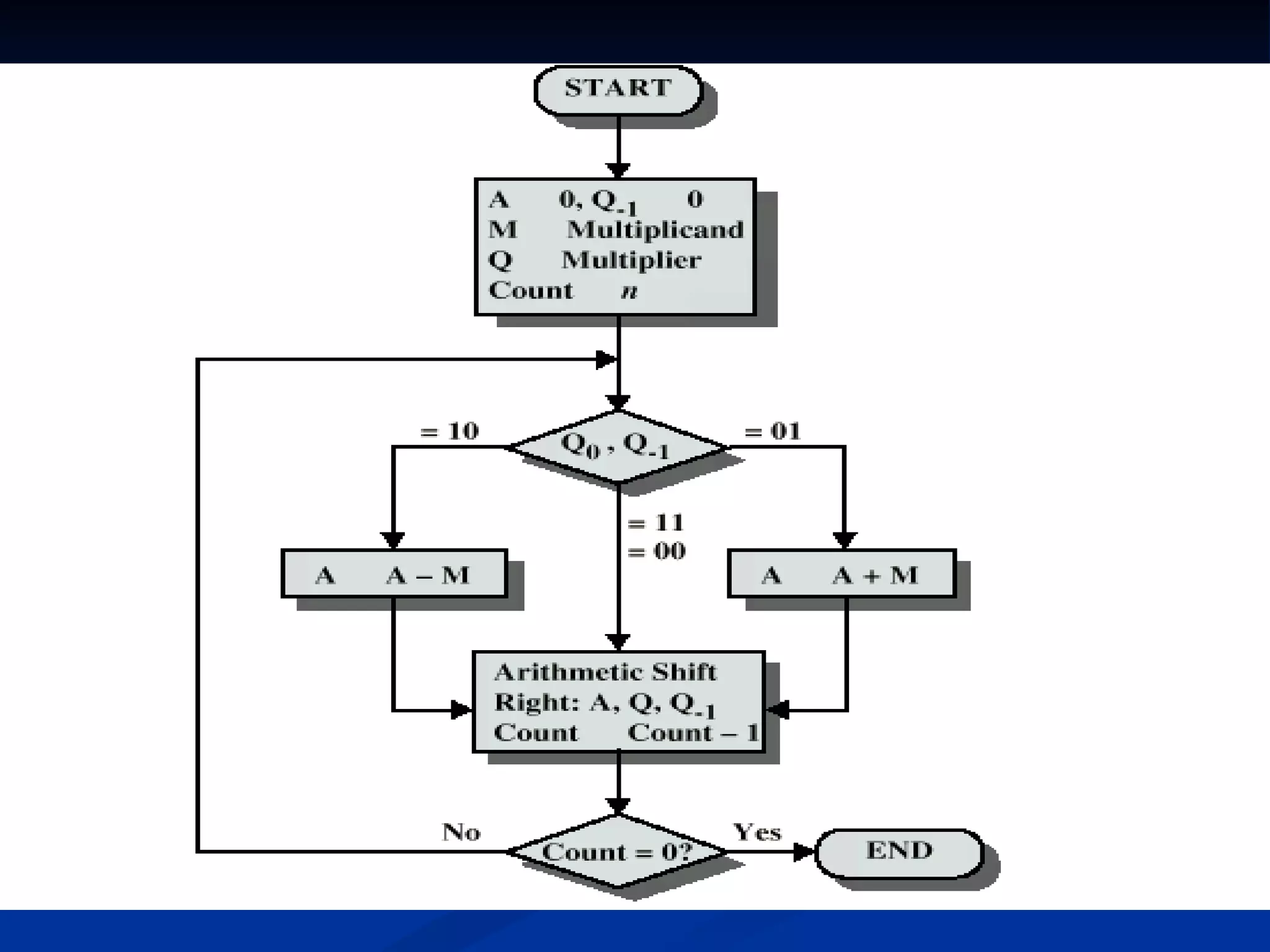
•Booth’s algorithm
  -Multiplier and multiplicand are placed in
  registers Q & M
  -Q-1, 1-bit register placed to the right of Q0
     Initialize A (third register) and Q-1 to 0
     Do n times (n is the number of bits in Q):
        If Q0Q-1 = 01 then A <-- A + M
        If Q0Q-1 = 10 then A <-- A – M
        Arithmetic shift right A, Q, Q-1
Meghna ppt.
Meghna ppt.

Meghna ppt.

  • 1.
  • 2.
    Data Representation How do computers represent data? a Most computers are digital • Recognize only two discrete states: on or off • Computers are electronic devices powered by electricity, which has only two states, on or off
  • 3.
    on 1 1 1 1 1 off 0 0 0 0 0
  • 4.
    Data Representation What isthe binary system? a A number system that has just two unique digits, 0 and 1 • A single digit is called a bit (binary digit) • A bit is the smallest unit of data the computer can represent • By itself a bit is not very informative a The two digits represent the two off and on states
  • 5.
    Binary Digit (bit) Electronic Electronic State Charge
  • 6.
    Data Representation What is a byte? a Eight bits are grouped together to form a byte a 0s and 1s in each byte are used to represent individual characters such as letters of the alphabet, numbers, and punctuation
  • 7.
    8-bit byte forthe number 3 8-bit byte for the number 5 8-bit byte for the capital letter T
  • 8.
    Data Representation What aretwo popular coding systems to represent data? a American Standard Code for Information Interchange (ASCII) a Extended Binary Coded Decimal Interchange Code (EBCDIC) • Sufficient for English and Western European languages • Unicode often used for others
  • 10.
    Data Representation How isa character sent from the keyboard to the computer? Step 1: The user presses the letter T key on the keyboard Step 2: An electronic signal for the letter T is sent to the system unit Step 3: The signal for the letter T is converted to its ASCII binary code (01010100) and is stored in memory for processing Step 4: After processing, the binary code for the letter T is converted to an image on the output device
  • 12.
    Decimal to BinaryConversions •In an earlier slide, we said that every integer value can be represented exactly using any radix system. •You can use either of two methods for radix a conversion: the subtraction method and the division remainder method. The subtraction method is more intuitive, but cumbersome. It does, however reinforce the ideas behind radix mathematics. The division method employs the idea that successive division by a base is equivalent to successive subtraction by powers of the base.
  • 13.
    Decimal to D Binary Conversions •Fractional decimal values have nonzero digits to the right of the decimal point. •Fractional values of other radix systems have nonzero digits to the right of the radix point. •Numerals to the right of a radix point represent negative powers of the radix: 0.4710 = 4 × 10 -1 + 7 × 10 -2 0.112 = 1 × 2 -1 + 1 × 2 -2 = ½ + ¼ = 0.5 + 0.25 = 0.75
  • 14.
    Decimal to BinaryConversions •As with whole-number conversions, you can use either of two methods: a subtraction method and an easy multiplication method. •The subtraction method for fractions is identical to the subtraction method for whole numbers. Instead of subtracting positive powers of the target radix, we subtract negative powers of the radix. •We always start with the largest value first, n -1, where n is our radix, and work our way along using larger negative exponents
  • 15.
    Decimal to BinaryConversions •HoweverThe binary numbering system is the most important radix system for digital computers. •, it is difficult to read long strings of binary numbers-- and even a modestly-sized decimal number becomes a very long binary number. For example: 110101000110112 = 1359510 •For compactness and ease of reading, binary values are usually expressed using the hexadecimal, or base-16, numbering system.
  • 16.
    Decimal to BinaryConversions •The hexadecimal numbering system uses the numerals 0 through 9 and the letters A through F. The decimal number 12 is C16. The decimal number 26 is 1A16. •It is easy to convert between base 16 and base 2, because 16 = 24. •Thus, to convert from binary to hexadecimal, all we need to do is group the binary digits into groups of four. A group of four binary digits is called a hextet
  • 17.
    Decimal to BinaryConversions •Using groups of hextets, the binary number 110101000110112 (= 1359510) in hexadecimal is: •Octal (base 8) values are derived from binary by using groups of three bits (8 = 23): Octal was very useful when computers used six-bit words
  • 18.
    Signed Integer Representation •Severalrepresentations exist for negative values: Sign Magnitude One's Complement Two's Complement 000 = +0 000 = +0 000 = +0 001 = +1 001 = +1 001 = +1 010 = +2 010 = +2 010 = +2 011 = +3 011 = +3 011 = +3 100 = -0 100 = -3 100 = -4 101 = -1 101 = -2 101 = -3 110 = -2 110 = -1 110 = -2 111 = -3 111 = -0 111 = -1
  • 19.
  • 20.
    •Given a fulladder (FA), we can use it to add binary digits (up to 3) A B carry_in carry_out S 0 0 0 0 0 0 0 1 0 1 0 1 0 0 1 0 1 1 1 0 1 0 0 0 1 1 0 1 1 0
  • 21.
    Signed Integer Representation • Several FA's can be used to add binary numbers by feeding out the carry_out one FA to the carry_in of the FA of the left. add/sub B31 B2 B1 B0 A31 A2 A1 A0 1-bit 1-bit 1-bit 1-bit C32 FA C31 C3 FA C2 FA C1 FA C0 S31 S2 S1 S0 32-bit Ripple Carry Adder/Subtractor (Better: Carry Lookahead Adder) Note: add/sub is ON (1) if we want A-B, otherwise is OFF
  • 22.
    •Booth’s algorithm -Multiplier and multiplicand are placed in registers Q & M -Q-1, 1-bit register placed to the right of Q0 Initialize A (third register) and Q-1 to 0 Do n times (n is the number of bits in Q): If Q0Q-1 = 01 then A <-- A + M If Q0Q-1 = 10 then A <-- A – M Arithmetic shift right A, Q, Q-1