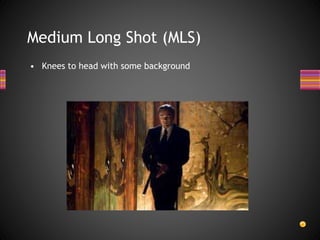
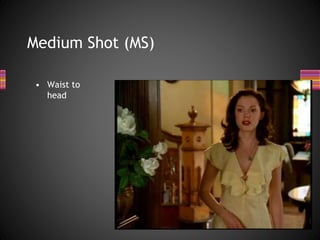
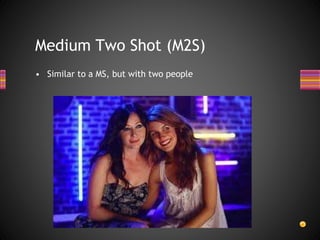
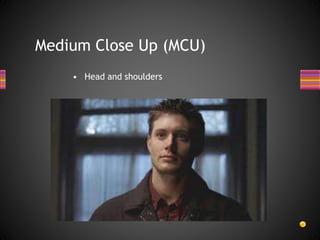
This document provides an overview of key concepts in media studies related to textual analysis. It defines media texts and various production elements like camera shots, angles, and movement that can be analyzed. Examples are given of different shot types like close-ups, establishing shots, and angles like high and low angles. Camera movement techniques such as panning, tilting, zooming, and tracking are also outlined. The purpose is to introduce students to the technical codes that will be examined in their media studies course and mock exam.
Write a listor draw a mind map
How many can you think of in 3
mins?
Types of
media
2.
The Media isa channel of communication from producer to
audience.
Producers create MEDIA TEXTS which we consume everyday e.g:
• advertisements
• DVD covers
• CD covers
• newspaper front pages
• magazines /comics
• radio sequences
• Films
• television programmes
• music videos
• websites
• computer games
What is Media?
How will Ibe assessed?
• MS1 - Examination - 2 ½ hours (50%)
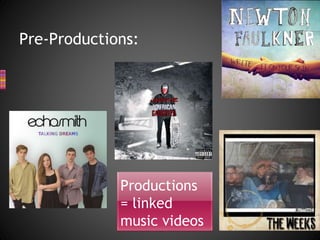
• MS2 - Coursework – 1 Pre Production task
and a linked Production and a written
reflective report (50%)
7.
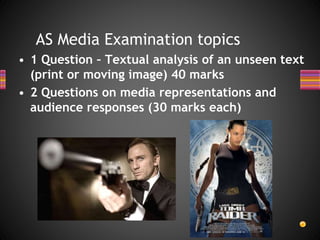
AS Media Examinationtopics
• 1 Question – Textual analysis of an unseen text
(print or moving image) 40 marks
• 2 Questions on media representations and
audience responses (30 marks each)
8.
AS Media Coursework
•Pre-production task (20 marks);
• Production which develops from the pre-production (40
marks)
• 1200 – 1600 word Reflective report on the production
process (40 marks)
• Group work for the production is only allowed for
audio-visual productions (group size no more than 3)
For the mockexam we will concentrate on
two elements that will come up in the exam:
• Textual analysis
• Audience
• Once the exam is over, we will begin the
coursework element of the course.
Mock exam – November 2015
11.
• 1. TextualAnalysis
• 2. Audience Response
• 3. Representations
What is the Media Studies Exam about?
12.
• All mediatexts are constructed and
made up of codes
• It is your job as media students to
recognise, analyse and then discuss
the range of codes used in a text
• Use the following as a guide and you
cant go wrong!
Media codes
13.
CPE
• Codes –signs in the text that give us
clues to the meaning
• Purpose – Why have these codes
been used, to develop the narrative,
involve the audience create tension?
• Effect – what is the effect on the
audience? Does a POV shot in a horror
make them feel uncomfortable?
14.
The 3 Codes
1.Technical Codes
• Camera shots, movement and angles
• Editing – pace and type
• Use of lighting
2. Audio Codes
• Diegetic and non diegetic sound
• Dialogue
• Sound effects
• Music
• Voice over
15.
3. Visual Codes
•Mise en scene e.g:
– Clothing
– Props/Setting
– Expression/Gesture
• Use of colour
• Iconography – objects, setting and backgrounds which
have become symbolic of a genre
• Graphics
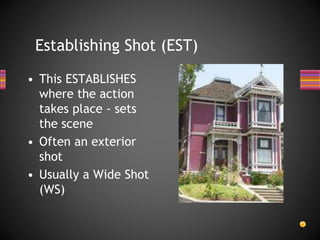
Establishing Shot (EST)
•This ESTABLISHES
where the action
takes place - sets
the scene
• Often an exterior
shot
• Usually a Wide Shot
(WS)
18.
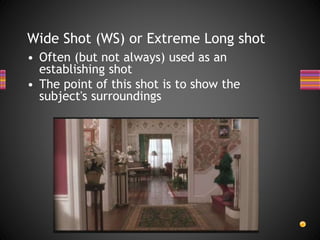
Wide Shot (WS)or Extreme Long shot
• Often (but not always) used as an
establishing shot
• The point of this shot is to show the
subject's surroundings
19.
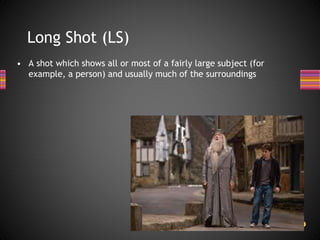
Long Shot (LS)
•A shot which shows all or most of a fairly large subject (for
example, a person) and usually much of the surroundings
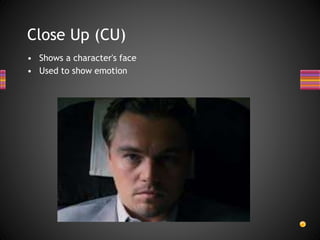
Close Up (CU)
•Shows a character's face
• Used to show emotion
25.
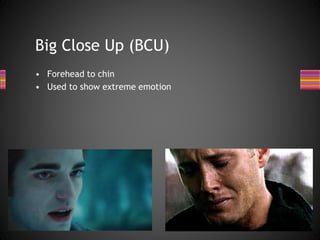
Big Close Up(BCU)
• Forehead to chin
• Used to show extreme emotion
26.
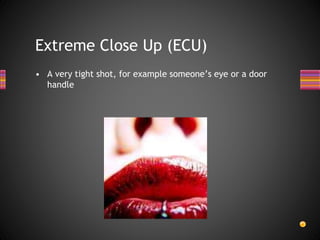
Extreme Close Up(ECU)
• A very tight shot, for example someone’s eye or a door
handle
27.
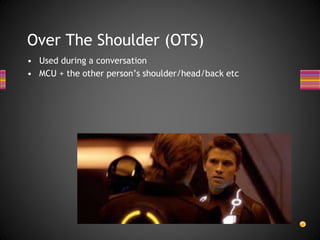
Over The Shoulder(OTS)
• Used during a conversation
• MCU + the other person’s shoulder/head/back etc
28.
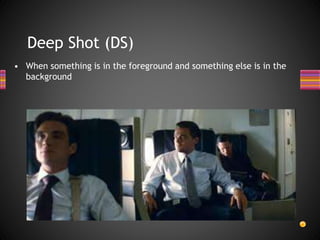
Deep Shot (DS)
•When something is in the foreground and something else is in the
background
29.
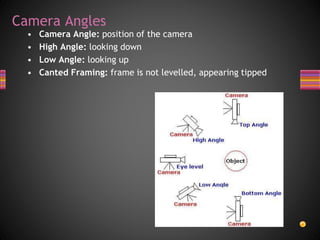
Camera Angles
• CameraAngle: position of the camera
• High Angle: looking down
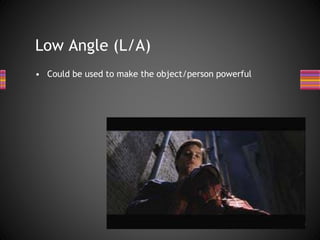
• Low Angle: looking up
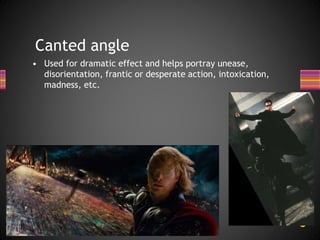
• Canted Framing: frame is not levelled, appearing tipped
30.
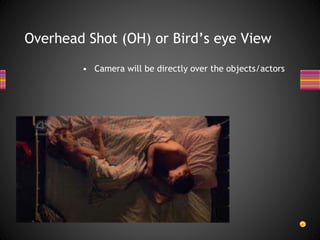
Overhead Shot (OH)or Bird’s eye View
• Camera will be directly over the objects/actors
31.
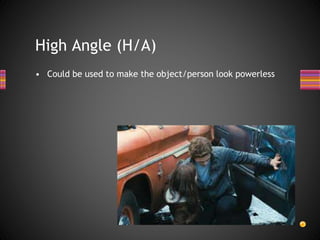
High Angle (H/A)
•Could be used to make the object/person look powerless
Canted angle
• Usedfor dramatic effect and helps portray unease,
disorientation, frantic or desperate action, intoxication,
madness, etc.
34.
• Use yourchecklist to recreate all of the shot types and
angles.
• If you don’t have a camera or a smart phone then you may
borrow one.
H/W – due Tues 15th Sept
35.
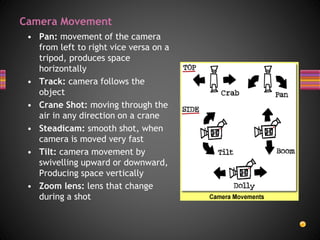
Camera Movement
• Pan:movement of the camera
from left to right vice versa on a
tripod, produces space
horizontally
• Track: camera follows the
object
• Crane Shot: moving through the
air in any direction on a crane
• Steadicam: smooth shot, when
camera is moved very fast
• Tilt: camera movement by
swivelling upward or downward,
Producing space vertically
• Zoom lens: lens that change
during a shot
36.
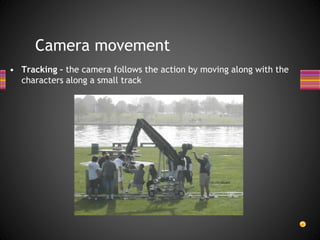
Camera movement
• Tracking– the camera follows the action by moving along with the
characters along a small track
37.
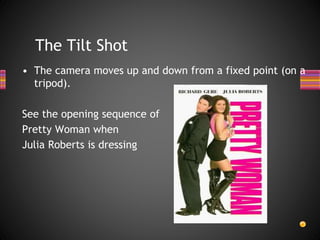
The Tilt Shot
•The camera moves up and down from a fixed point (on a
tripod).
See the opening sequence of
Pretty Woman when
Julia Roberts is dressing
38.
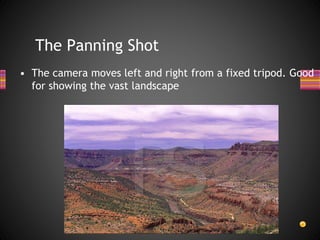
The Panning Shot
•The camera moves left and right from a fixed tripod. Good
for showing the vast landscape
39.
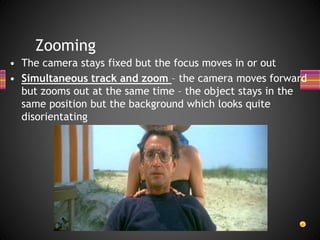
Zooming
• The camerastays fixed but the focus moves in or out
• Simultaneous track and zoom – the camera moves forward
but zooms out at the same time – the object stays in the
same position but the background which looks quite
disorientating
40.
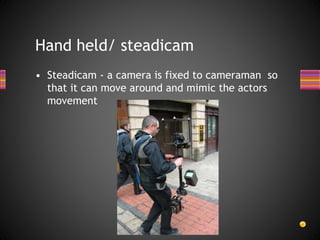
Hand held/ steadicam
•Steadicam - a camera is fixed to cameraman so
that it can move around and mimic the actors
movement