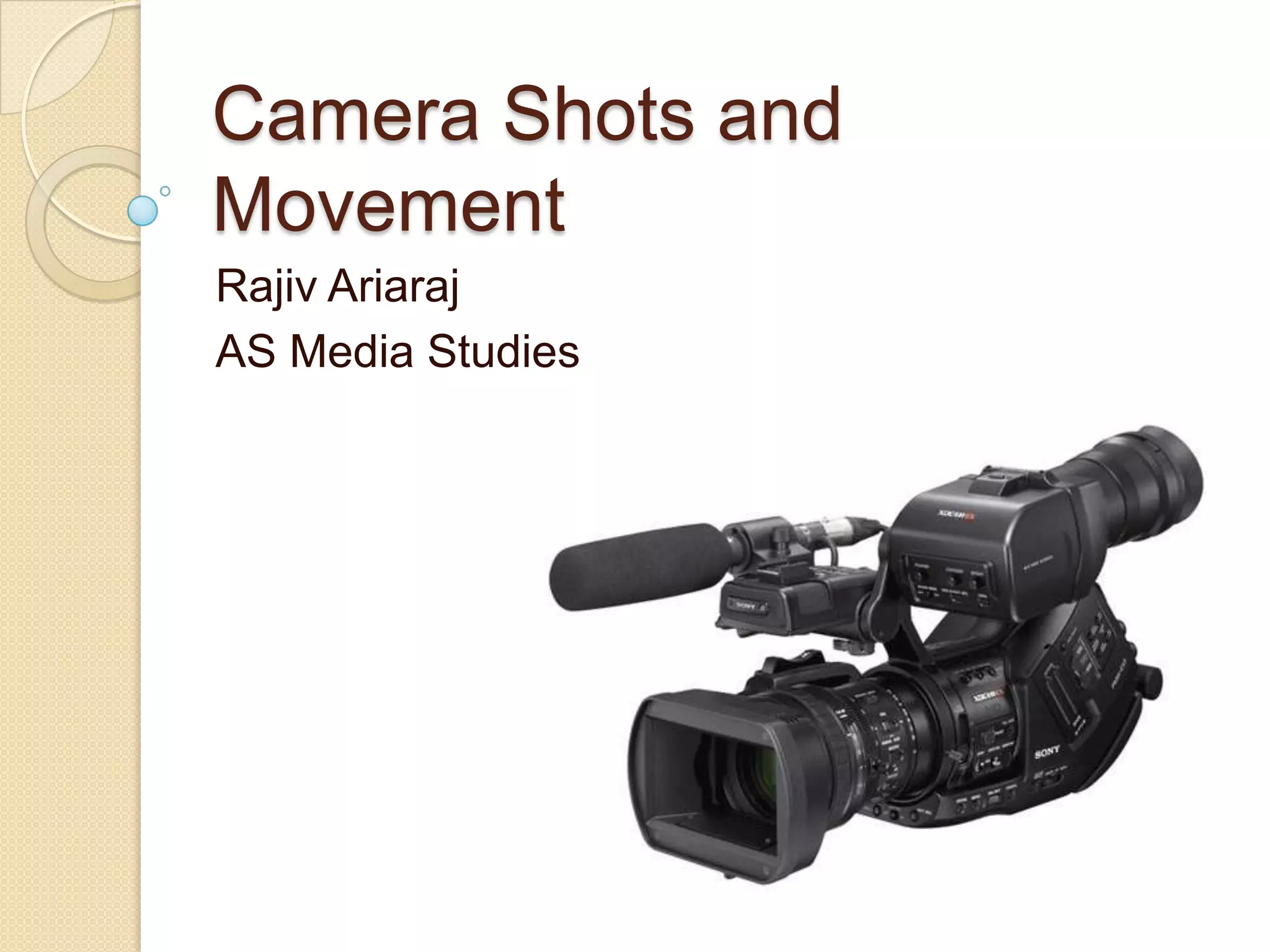
Camera Shots and
Movement
Rajiv Ariaraj
AS Media Studies
The two elements of
Representation

   Conducting a good textual analysis
    (analysing a media product) takes part
    in two areas.


1.    Macro
2.    Micro
Micro
   Micro can be seen as analysing the
    “little bits” of a media text. This could
    be:

 The Mise-en-Scene (CLAMPS)
 The Camera Shots and Movements
 The Editing
 The Sound
Macro

   Macro analyses the bigger themes
    and areas that arise from a textual
    analysis. For example:

 The representation of social groups.
 Whether the text supports ideology or
  not.
 The general meaning behind the text.
Aim
   To define and understand how
    different camera angles are used in
    media products.

   By the end of this session you
    should...

 Be able to list at least 7 camera shots.
 Be able to identify camera shots from
  a media text.
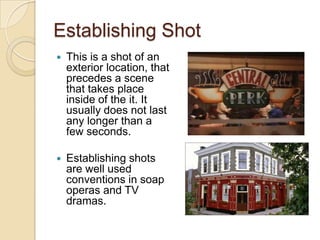
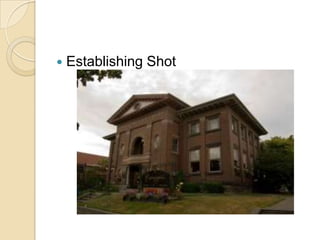
Establishing Shot
   This is a shot of an
    exterior location, that
    precedes a scene
    that takes place
    inside of the it. It
    usually does not last
    any longer than a
    few seconds.

   Establishing shots
    are well used
    conventions in soap
    operas and TV
    dramas.
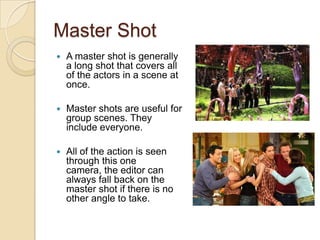
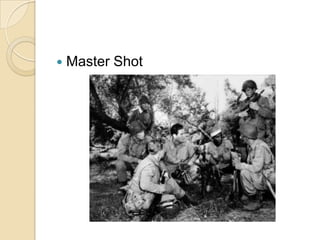
Master Shot
   A master shot is generally
    a long shot that covers all
    of the actors in a scene at
    once.

   Master shots are useful for
    group scenes. They
    include everyone.

   All of the action is seen
    through this one
    camera, the editor can
    always fall back on the
    master shot if there is no
    other angle to take.
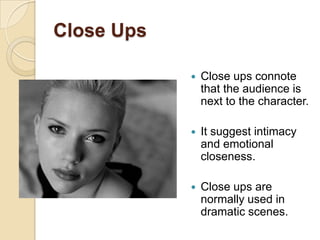
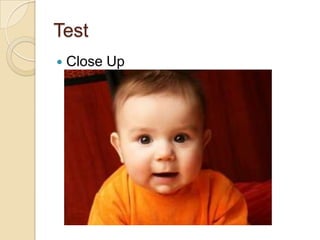
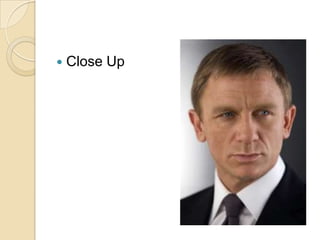
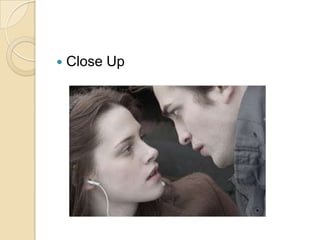
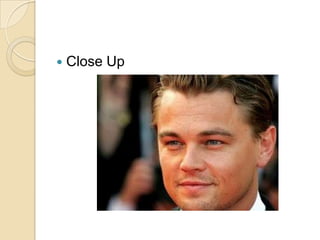
Close Ups

               Close ups connote
                that the audience is
                next to the character.

               It suggest intimacy
                and emotional
                closeness.

               Close ups are
                normally used in
                dramatic scenes.
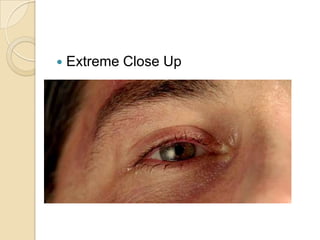
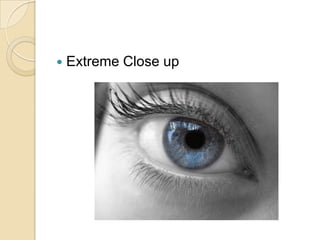
Close Ups
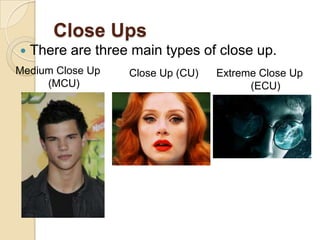
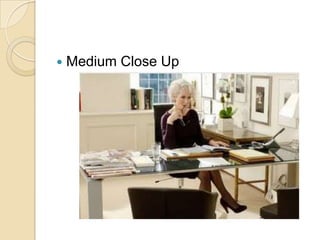
   There are three main types of close up.
Medium Close Up    Close Up (CU)   Extreme Close Up
     (MCU)                               (ECU)
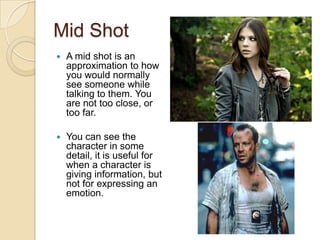
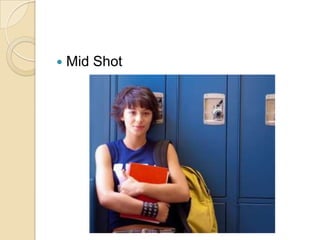
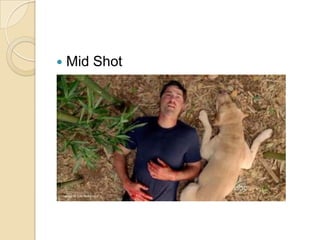
Mid Shot
   A mid shot is an
    approximation to how
    you would normally
    see someone while
    talking to them. You
    are not too close, or
    too far.

   You can see the
    character in some
    detail, it is useful for
    when a character is
    giving information, but
    not for expressing an
    emotion.
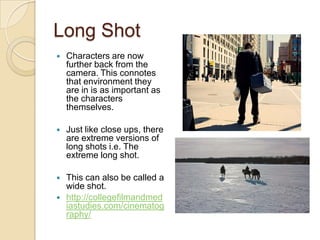
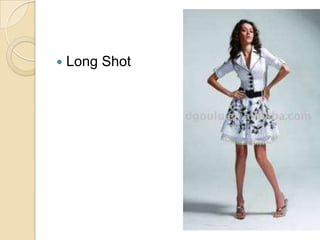
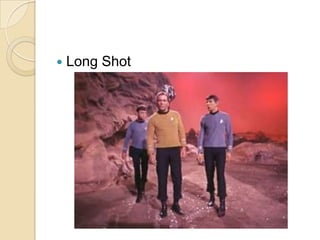
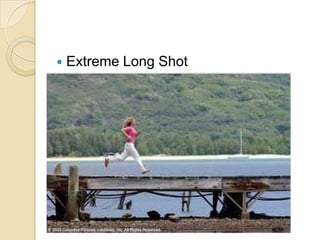
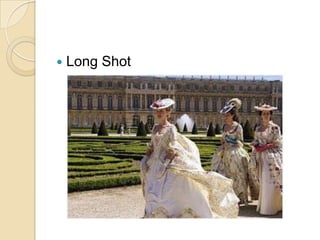
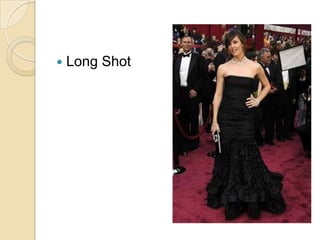
Long Shot
   Characters are now
    further back from the
    camera. This connotes
    that environment they
    are in is as important as
    the characters
    themselves.

   Just like close ups, there
    are extreme versions of
    long shots i.e. The
    extreme long shot.

   This can also be called a
    wide shot.
   http://collegefilmandmed
    iastudies.com/cinematog
    raphy/
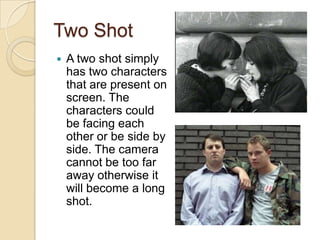
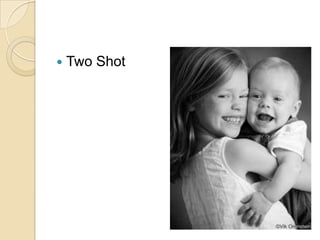
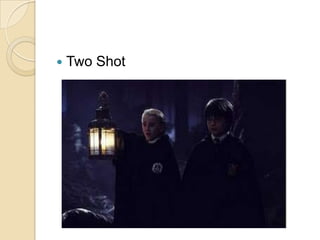
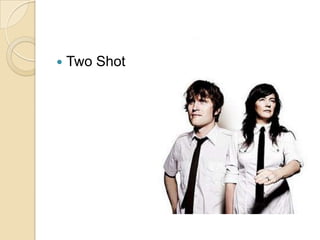
Two Shot
   A two shot simply
    has two characters
    that are present on
    screen. The
    characters could
    be facing each
    other or be side by
    side. The camera
    cannot be too far
    away otherwise it
    will become a long
    shot.
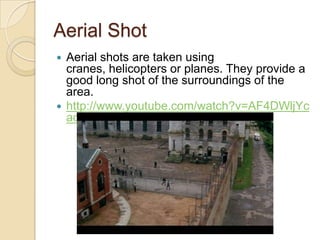
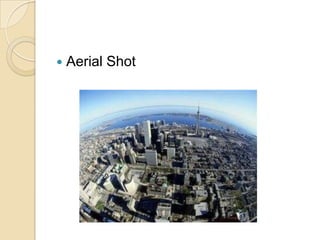
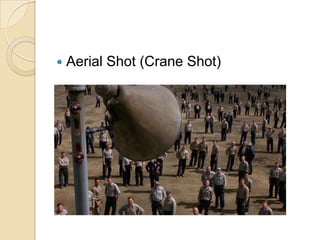
Aerial Shot
 Aerial shots are taken using
  cranes, helicopters or planes. They provide a
  good long shot of the surroundings of the
  area.
 http://www.youtube.com/watch?v=AF4DWljYc
  ac (0.50s)
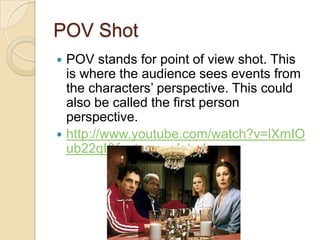
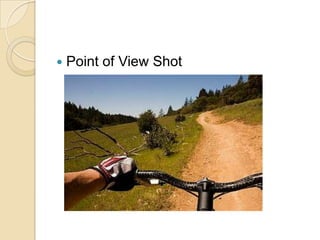
POV Shot
 POV stands for point of view shot. This
  is where the audience sees events from
  the characters’ perspective. This could
  also be called the first person
  perspective.
 http://www.youtube.com/watch?v=lXmIO
  ub22qI&feature=related
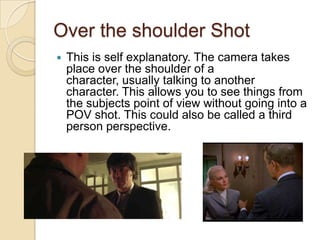
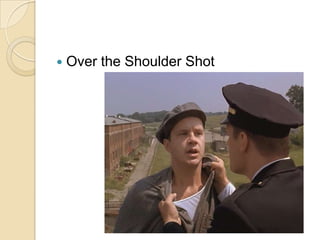
Over the shoulder Shot
   This is self explanatory. The camera takes
    place over the shoulder of a
    character, usually talking to another
    character. This allows you to see things from
    the subjects point of view without going into a
    POV shot. This could also be called a third
    person perspective.
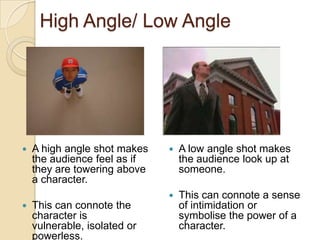
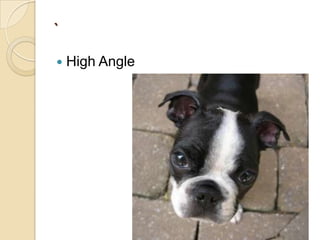
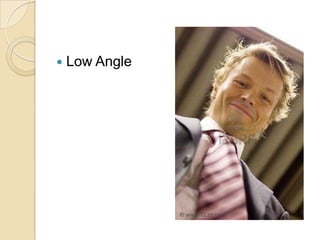
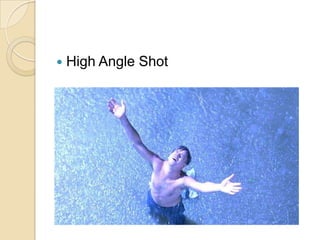
High Angle/ Low Angle


   A high angle shot makes      A low angle shot makes
    the audience feel as if       the audience look up at
    they are towering above       someone.
    a character.
                                 This can connote a sense
   This can connote the          of intimidation or
    character is                  symbolise the power of a
    vulnerable, isolated or       character.
    powerless.
Test
   Close Up
   Mid Shot
   Long Shot
   Establishing Shot
`
   High Angle
   Low Angle
   Master Shot
   Two Shot
   Aerial Shot
   Long Shot
   Close Up
   Two Shot
   Extreme Long Shot
   Long Shot
   Medium Close Up
   Close Up
   Mid Shot
   Extreme Close Up
   Over the Shoulder Shot
   High Angle Shot
   Aerial Shot (Crane Shot)
   Two Shot
   Long Shot
   Close Up
   Extreme Close up
   Point of View Shot
TASK
    Watch the following clip answer the
     two questions:

1.    List the camera shots being used
      through the clip.
2.    Why do you some of the camera
      shots have been used? How does
      this work with the Mise-En-Scene
      (CLAMPS)? What meaning do they
      create?
Camera Movement
   Just as important as the camera shots, is the
    way that the camera moves in a media text.

   By moving the camera draws the audiences’
    attention to whatever the producers want the
    audience to look at.

   Camera movement can draw attention
    to, reveal and lead the audience. So
    understanding what each movement is called
    is vital to conducting a good textual analysis.
Panning
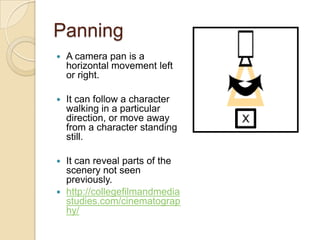
   A camera pan is a
    horizontal movement left
    or right.

   It can follow a character
    walking in a particular
    direction, or move away
    from a character standing
    still.

 It can reveal parts of the
  scenery not seen
  previously.
 http://collegefilmandmedia
  studies.com/cinematograp
  hy/
Tilting
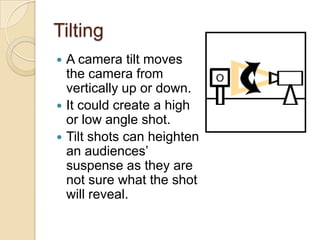
 A camera tilt moves
  the camera from
  vertically up or down.
 It could create a high
  or low angle shot.
 Tilt shots can heighten
  an audiences’
  suspense as they are
  not sure what the shot
  will reveal.
Tracking Shot
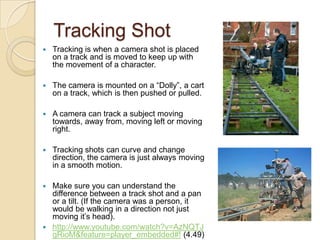
   Tracking is when a camera shot is placed
    on a track and is moved to keep up with
    the movement of a character.

   The camera is mounted on a “Dolly”, a cart
    on a track, which is then pushed or pulled.

   A camera can track a subject moving
    towards, away from, moving left or moving
    right.

   Tracking shots can curve and change
    direction, the camera is just always moving
    in a smooth motion.

 Make sure you can understand the
  difference between a track shot and a pan
  or a tilt. (If the camera was a person, it
  would be walking in a direction not just
  moving it’s head).
 http://www.youtube.com/watch?v=AzNQTJ
  gRioM&feature=player_embedded#! (4.49)
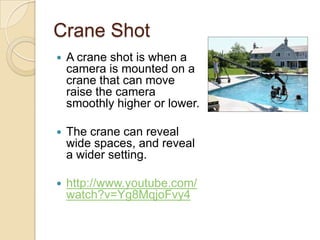
Crane Shot
   A crane shot is when a
    camera is mounted on a
    crane that can move
    raise the camera
    smoothly higher or lower.

   The crane can reveal
    wide spaces, and reveal
    a wider setting.

   http://www.youtube.com/
    watch?v=Yg8MqjoFvy4
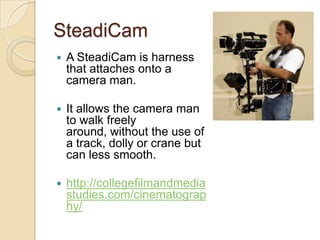
SteadiCam
   A SteadiCam is harness
    that attaches onto a
    camera man.

   It allows the camera man
    to walk freely
    around, without the use of
    a track, dolly or crane but
    can less smooth.

   http://collegefilmandmedia
    studies.com/cinematograp
    hy/
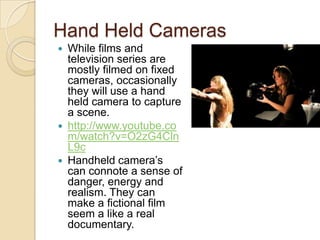
Hand Held Cameras
 While films and
  television series are
  mostly filmed on fixed
  cameras, occasionally
  they will use a hand
  held camera to capture
  a scene.
 http://www.youtube.co
  m/watch?v=O2zG4Cln
  L9c
 Handheld camera’s
  can connote a sense of
  danger, energy and
  realism. They can
  make a fictional film
  seem a like a real
  documentary.
Zoom/ Reverse Zoom
   A zoom is when the camera stays fixed in
    position but zooms in on a object, location or
    character.

   Zooming from a mid shot to a close up could
    connote that the meaning of the scene is
    changing to a more emotional tone or to reveal a
    character’s reaction.

   A reverse zoom moves the shot from a close up
    to a mid or long shot. Connoting that the
    surroundings are becoming more a focus in the
    story.

   http://www.youtube.com/watch?v=bB9cLr7OR-
    A&feature=related
TASK
   Write down all of the camera
    shots, and movements you see in this
    scene from “Lost In Translation”.

   What sense is the filmmaker trying to
    get across?

   http://www.youtube.com/watch?v=7xfb
    5vYxYk4
HOMEWORK
 Watch this clip:
 http://www.youtube.com/watch?v=FiQ
  nH450hPM

 Identify the Mise-En-Scene using
  CLAMPS.
 Identify the Camera shots and
  movements used.

Camera shots mike

  • 1.
    Camera Shots and Movement RajivAriaraj AS Media Studies
  • 2.
    The two elementsof Representation  Conducting a good textual analysis (analysing a media product) takes part in two areas. 1. Macro 2. Micro
  • 3.
    Micro  Micro can be seen as analysing the “little bits” of a media text. This could be:  The Mise-en-Scene (CLAMPS)  The Camera Shots and Movements  The Editing  The Sound
  • 4.
    Macro  Macro analyses the bigger themes and areas that arise from a textual analysis. For example:  The representation of social groups.  Whether the text supports ideology or not.  The general meaning behind the text.
  • 6.
    Aim  To define and understand how different camera angles are used in media products.  By the end of this session you should...  Be able to list at least 7 camera shots.  Be able to identify camera shots from a media text.
  • 7.
    Establishing Shot  This is a shot of an exterior location, that precedes a scene that takes place inside of the it. It usually does not last any longer than a few seconds.  Establishing shots are well used conventions in soap operas and TV dramas.
  • 8.
    Master Shot  A master shot is generally a long shot that covers all of the actors in a scene at once.  Master shots are useful for group scenes. They include everyone.  All of the action is seen through this one camera, the editor can always fall back on the master shot if there is no other angle to take.
  • 9.
    Close Ups  Close ups connote that the audience is next to the character.  It suggest intimacy and emotional closeness.  Close ups are normally used in dramatic scenes.
  • 10.
    Close Ups  There are three main types of close up. Medium Close Up Close Up (CU) Extreme Close Up (MCU) (ECU)
  • 11.
    Mid Shot  A mid shot is an approximation to how you would normally see someone while talking to them. You are not too close, or too far.  You can see the character in some detail, it is useful for when a character is giving information, but not for expressing an emotion.
  • 12.
    Long Shot  Characters are now further back from the camera. This connotes that environment they are in is as important as the characters themselves.  Just like close ups, there are extreme versions of long shots i.e. The extreme long shot.  This can also be called a wide shot.  http://collegefilmandmed iastudies.com/cinematog raphy/
  • 13.
    Two Shot  A two shot simply has two characters that are present on screen. The characters could be facing each other or be side by side. The camera cannot be too far away otherwise it will become a long shot.
  • 14.
    Aerial Shot  Aerialshots are taken using cranes, helicopters or planes. They provide a good long shot of the surroundings of the area.  http://www.youtube.com/watch?v=AF4DWljYc ac (0.50s)
  • 15.
    POV Shot  POVstands for point of view shot. This is where the audience sees events from the characters’ perspective. This could also be called the first person perspective.  http://www.youtube.com/watch?v=lXmIO ub22qI&feature=related
  • 16.
    Over the shoulderShot  This is self explanatory. The camera takes place over the shoulder of a character, usually talking to another character. This allows you to see things from the subjects point of view without going into a POV shot. This could also be called a third person perspective.
  • 17.
    High Angle/ LowAngle  A high angle shot makes  A low angle shot makes the audience feel as if the audience look up at they are towering above someone. a character.  This can connote a sense  This can connote the of intimidation or character is symbolise the power of a vulnerable, isolated or character. powerless.
  • 18.
    Test  Close Up
  • 19.
    Mid Shot
  • 20.
    Long Shot
  • 21.
    Establishing Shot
  • 22.
    `  High Angle
  • 23.
    Low Angle
  • 24.
    Master Shot
  • 25.
    Two Shot
  • 26.
    Aerial Shot
  • 27.
    Long Shot
  • 28.
    Close Up
  • 29.
    Two Shot
  • 30.
    Extreme Long Shot
  • 31.
    Long Shot
  • 32.
    Medium Close Up
  • 33.
    Close Up
  • 34.
    Mid Shot
  • 35.
    Extreme Close Up
  • 36.
    Over the Shoulder Shot
  • 37.
    High Angle Shot
  • 38.
    Aerial Shot (Crane Shot)
  • 39.
    Two Shot
  • 40.
    Long Shot
  • 41.
    Close Up
  • 42.
    Extreme Close up
  • 43.
    Point of View Shot
  • 44.
    TASK  Watch the following clip answer the two questions: 1. List the camera shots being used through the clip. 2. Why do you some of the camera shots have been used? How does this work with the Mise-En-Scene (CLAMPS)? What meaning do they create?
  • 45.
    Camera Movement  Just as important as the camera shots, is the way that the camera moves in a media text.  By moving the camera draws the audiences’ attention to whatever the producers want the audience to look at.  Camera movement can draw attention to, reveal and lead the audience. So understanding what each movement is called is vital to conducting a good textual analysis.
  • 46.
    Panning  A camera pan is a horizontal movement left or right.  It can follow a character walking in a particular direction, or move away from a character standing still.  It can reveal parts of the scenery not seen previously.  http://collegefilmandmedia studies.com/cinematograp hy/
  • 47.
    Tilting  A cameratilt moves the camera from vertically up or down.  It could create a high or low angle shot.  Tilt shots can heighten an audiences’ suspense as they are not sure what the shot will reveal.
  • 48.
    Tracking Shot  Tracking is when a camera shot is placed on a track and is moved to keep up with the movement of a character.  The camera is mounted on a “Dolly”, a cart on a track, which is then pushed or pulled.  A camera can track a subject moving towards, away from, moving left or moving right.  Tracking shots can curve and change direction, the camera is just always moving in a smooth motion.  Make sure you can understand the difference between a track shot and a pan or a tilt. (If the camera was a person, it would be walking in a direction not just moving it’s head).  http://www.youtube.com/watch?v=AzNQTJ gRioM&feature=player_embedded#! (4.49)
  • 49.
    Crane Shot  A crane shot is when a camera is mounted on a crane that can move raise the camera smoothly higher or lower.  The crane can reveal wide spaces, and reveal a wider setting.  http://www.youtube.com/ watch?v=Yg8MqjoFvy4
  • 50.
    SteadiCam  A SteadiCam is harness that attaches onto a camera man.  It allows the camera man to walk freely around, without the use of a track, dolly or crane but can less smooth.  http://collegefilmandmedia studies.com/cinematograp hy/
  • 51.
    Hand Held Cameras While films and television series are mostly filmed on fixed cameras, occasionally they will use a hand held camera to capture a scene.  http://www.youtube.co m/watch?v=O2zG4Cln L9c  Handheld camera’s can connote a sense of danger, energy and realism. They can make a fictional film seem a like a real documentary.
  • 52.
    Zoom/ Reverse Zoom  A zoom is when the camera stays fixed in position but zooms in on a object, location or character.  Zooming from a mid shot to a close up could connote that the meaning of the scene is changing to a more emotional tone or to reveal a character’s reaction.  A reverse zoom moves the shot from a close up to a mid or long shot. Connoting that the surroundings are becoming more a focus in the story.  http://www.youtube.com/watch?v=bB9cLr7OR- A&feature=related
  • 53.
    TASK  Write down all of the camera shots, and movements you see in this scene from “Lost In Translation”.  What sense is the filmmaker trying to get across?  http://www.youtube.com/watch?v=7xfb 5vYxYk4
  • 54.
    HOMEWORK  Watch thisclip:  http://www.youtube.com/watch?v=FiQ nH450hPM  Identify the Mise-En-Scene using CLAMPS.  Identify the Camera shots and movements used.