IT-2210 : Computational
mathematics LAB with
MATLAB
4/10/2017MATLAB by Tajim 1
Lecture 2: MATLAB basic
syntax and variables
4/10/2017MATLAB by Tajim 2
4/10/2017MATLAB by Tajim 3
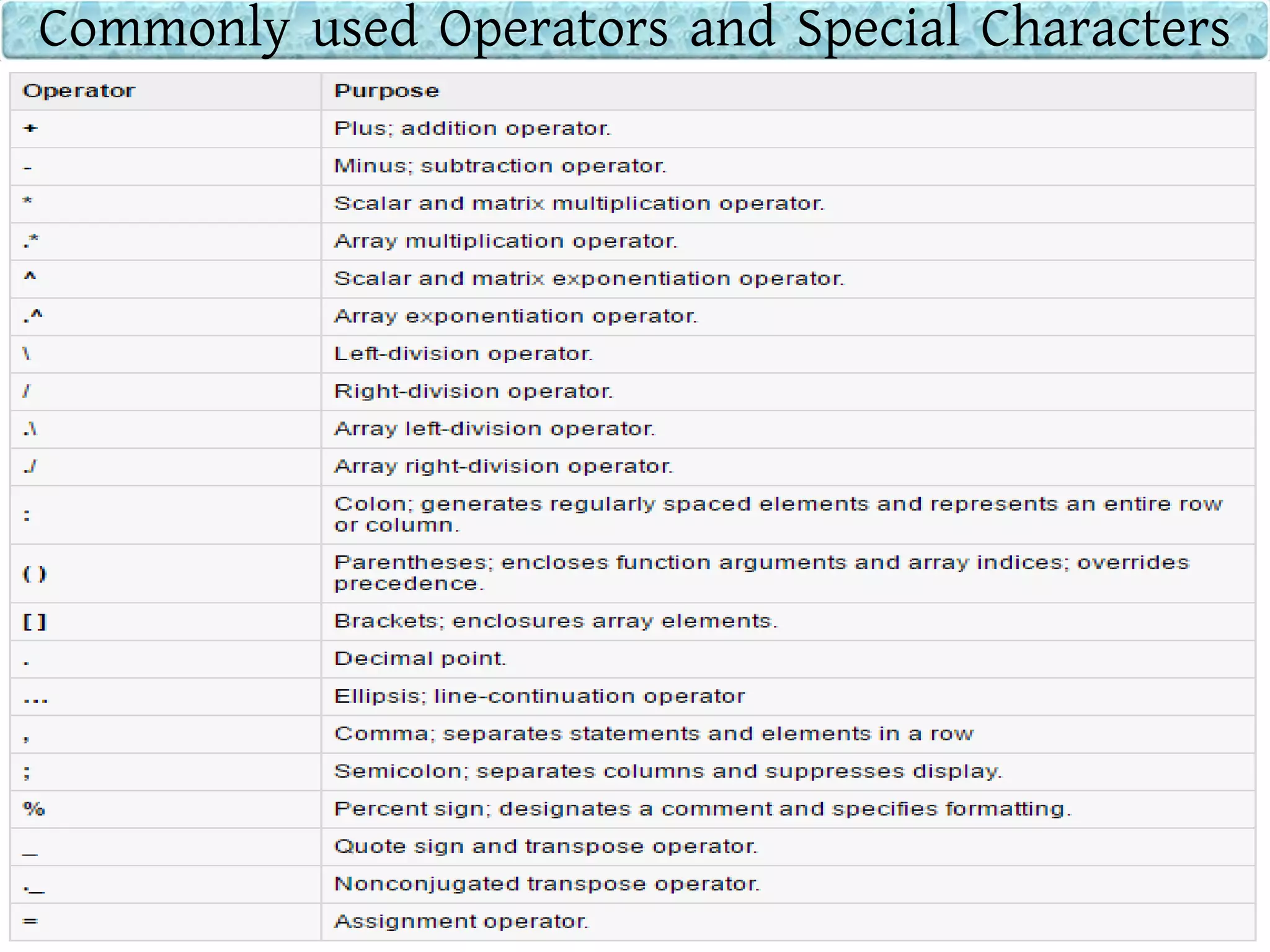
Commonly used Operators and Special Characters
4/10/2017MATLAB by Tajim 4
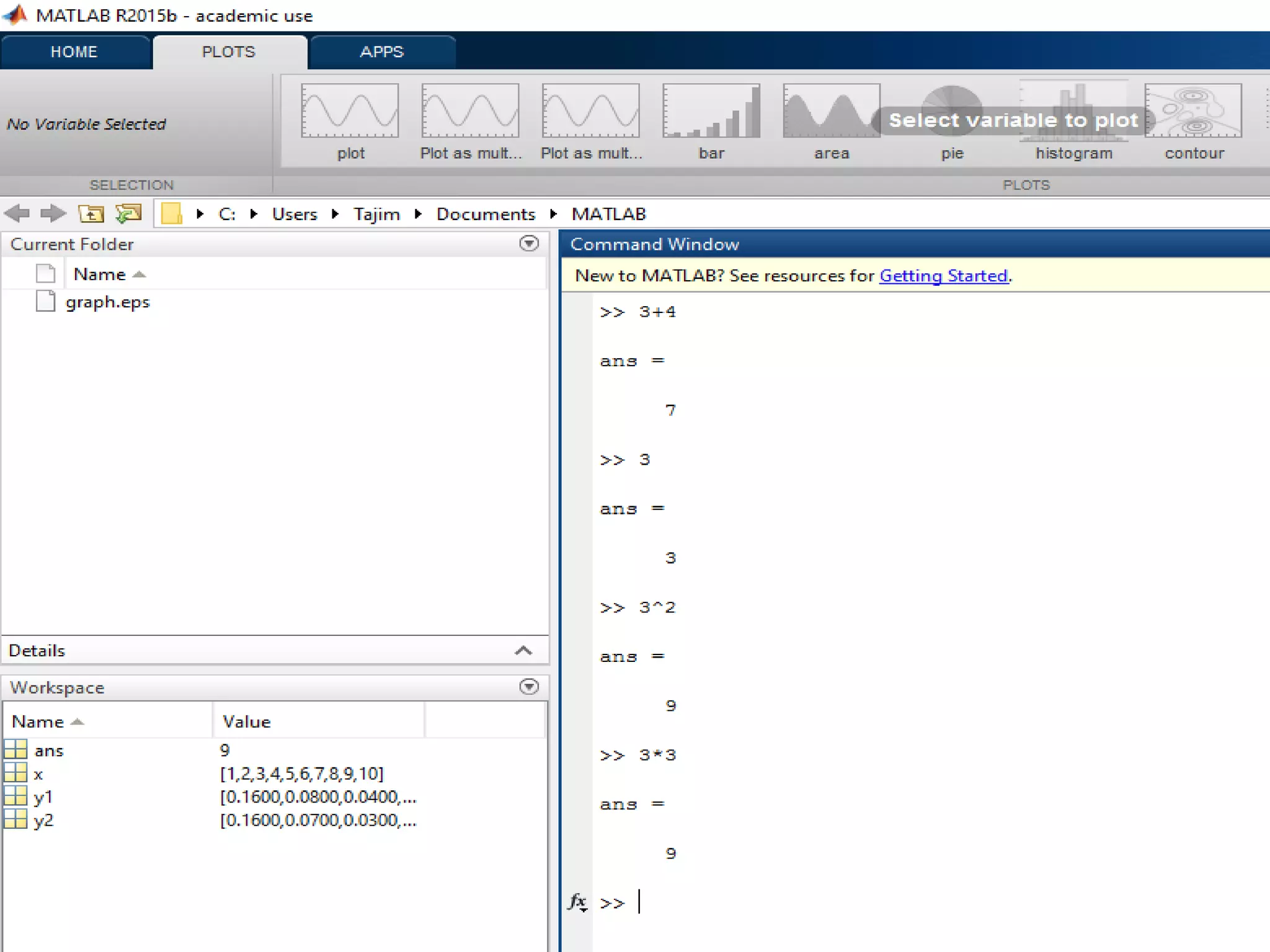
Do some basic operations and see the results
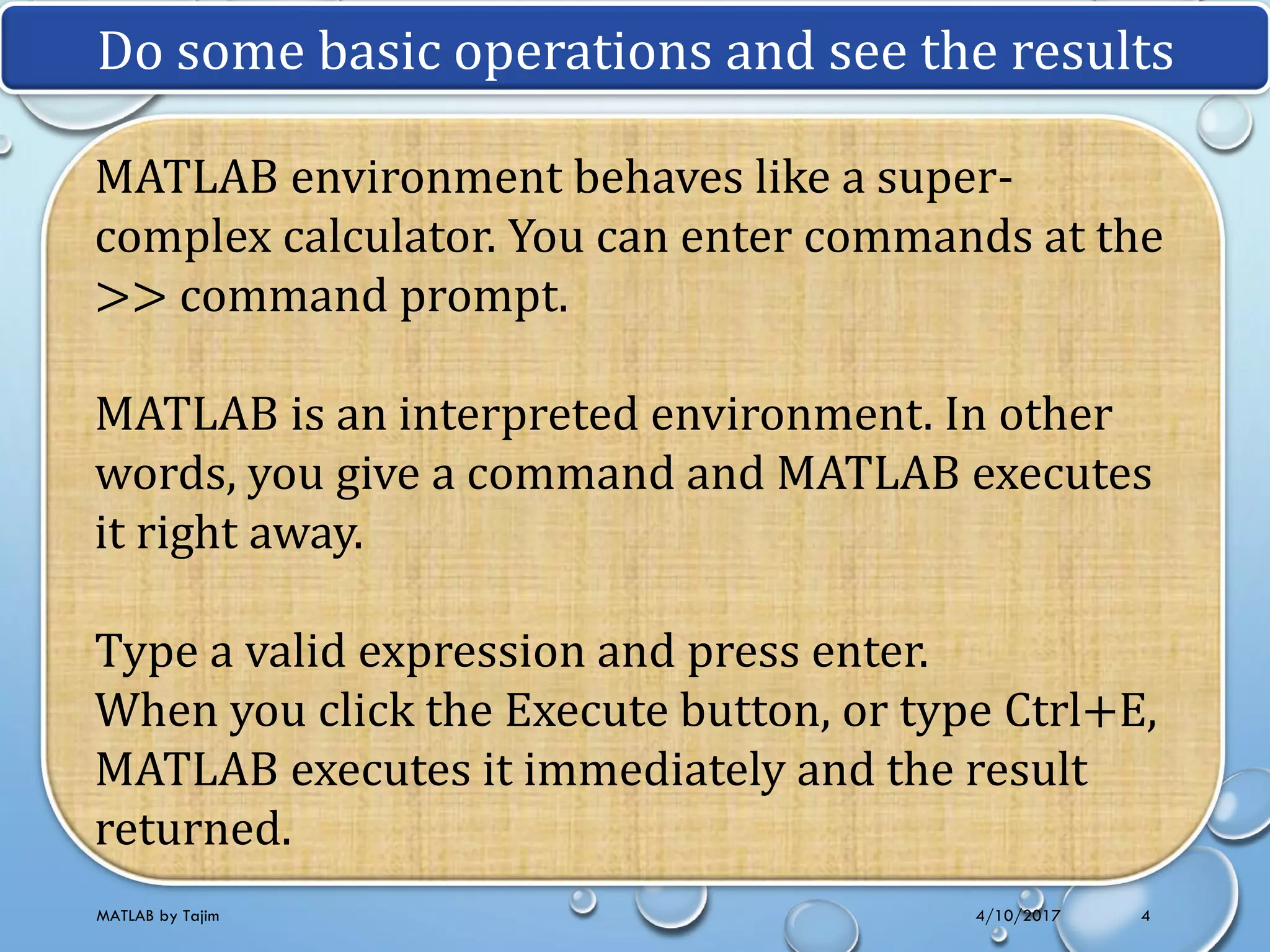
MATLAB environment behaves like a super-
complex calculator. You can enter commands at the
>> command prompt.
MATLAB is an interpreted environment. In other
words, you give a command and MATLAB executes
it right away.
Type a valid expression and press enter.
When you click the Execute button, or type Ctrl+E,
MATLAB executes it immediately and the result
returned.
4/10/2017MATLAB by Tajim 5
4/10/2017MATLAB by Tajim 6
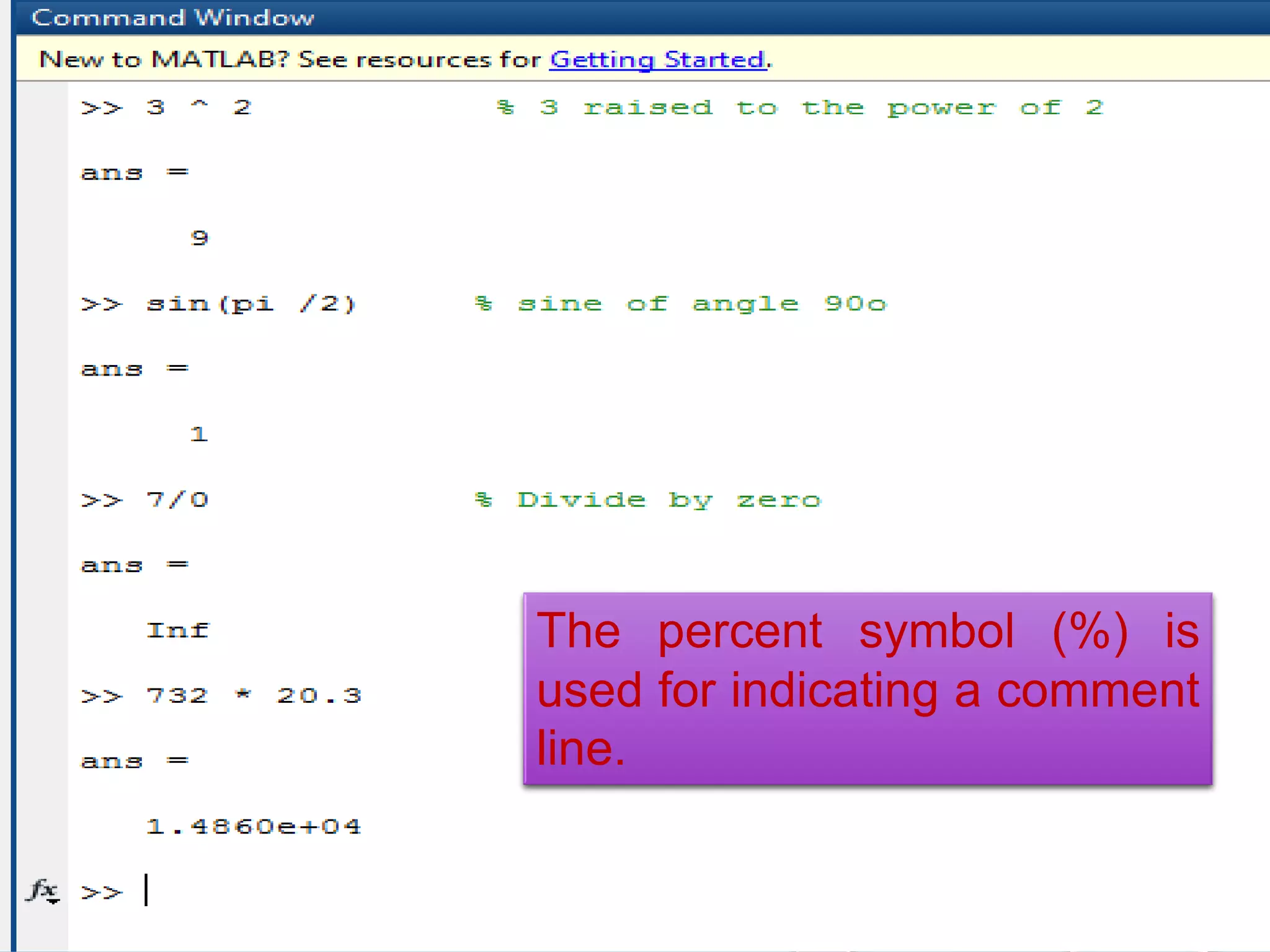
The percent symbol (%) is
used for indicating a comment
line.
4/10/2017MATLAB by Tajim 7
Note: MATLAB provides some special expressions for
some mathematical symbols, like pi for π, Inf for ∞, i
(and j) for √-1 etc. Nan stands for 'not a number'.
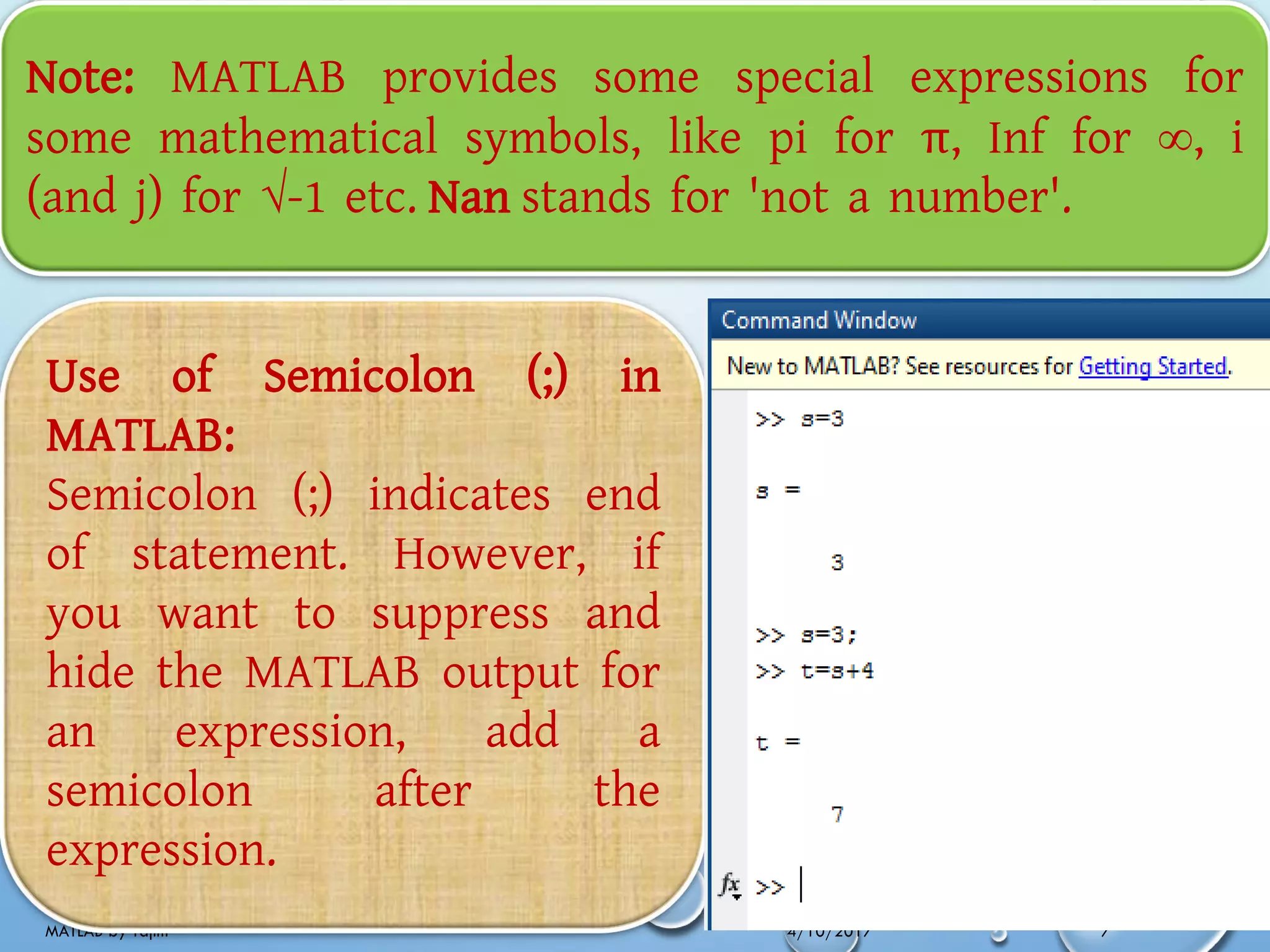
Use of Semicolon (;) in
MATLAB:
Semicolon (;) indicates end
of statement. However, if
you want to suppress and
hide the MATLAB output for
an expression, add a
semicolon after the
expression.
4/10/2017MATLAB by Tajim 8
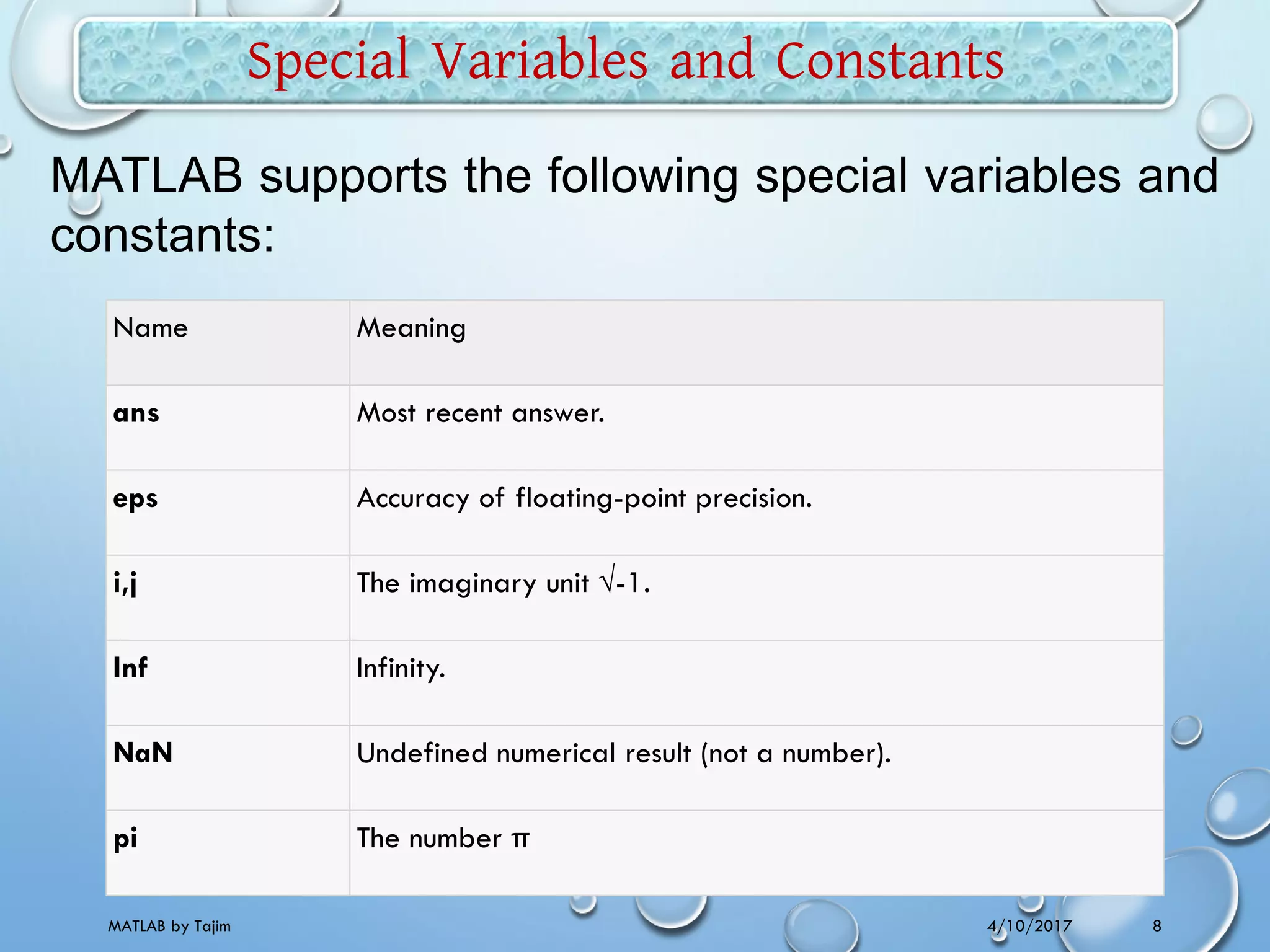
Special Variables and Constants
Name Meaning
ans Most recent answer.
eps Accuracy of floating-point precision.
i,j The imaginary unit √-1.
Inf Infinity.
NaN Undefined numerical result (not a number).
pi The number π
MATLAB supports the following special variables and
constants:
4/10/2017MATLAB by Tajim 9
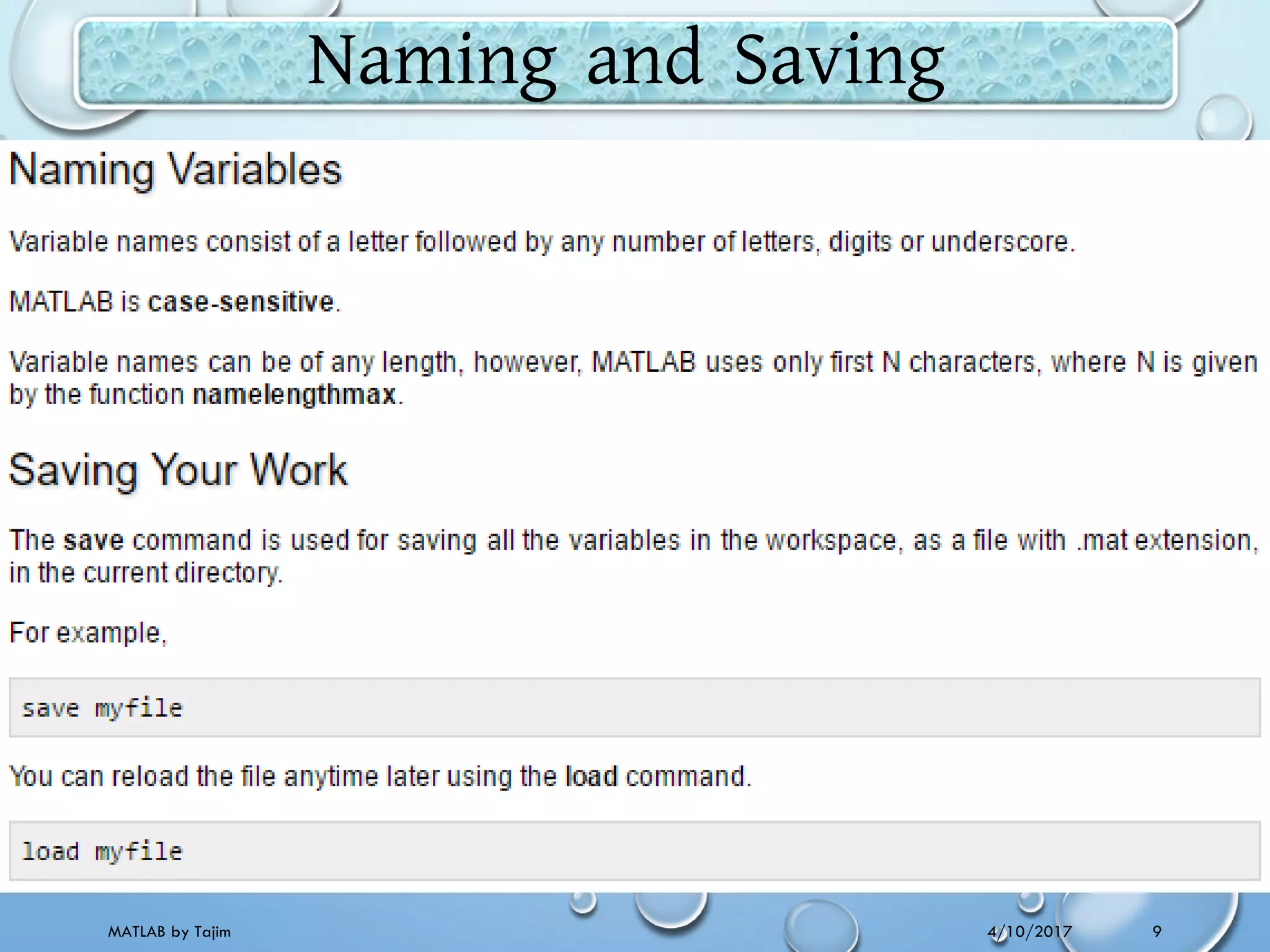
Naming and Saving
4/10/2017MATLAB by Tajim 10
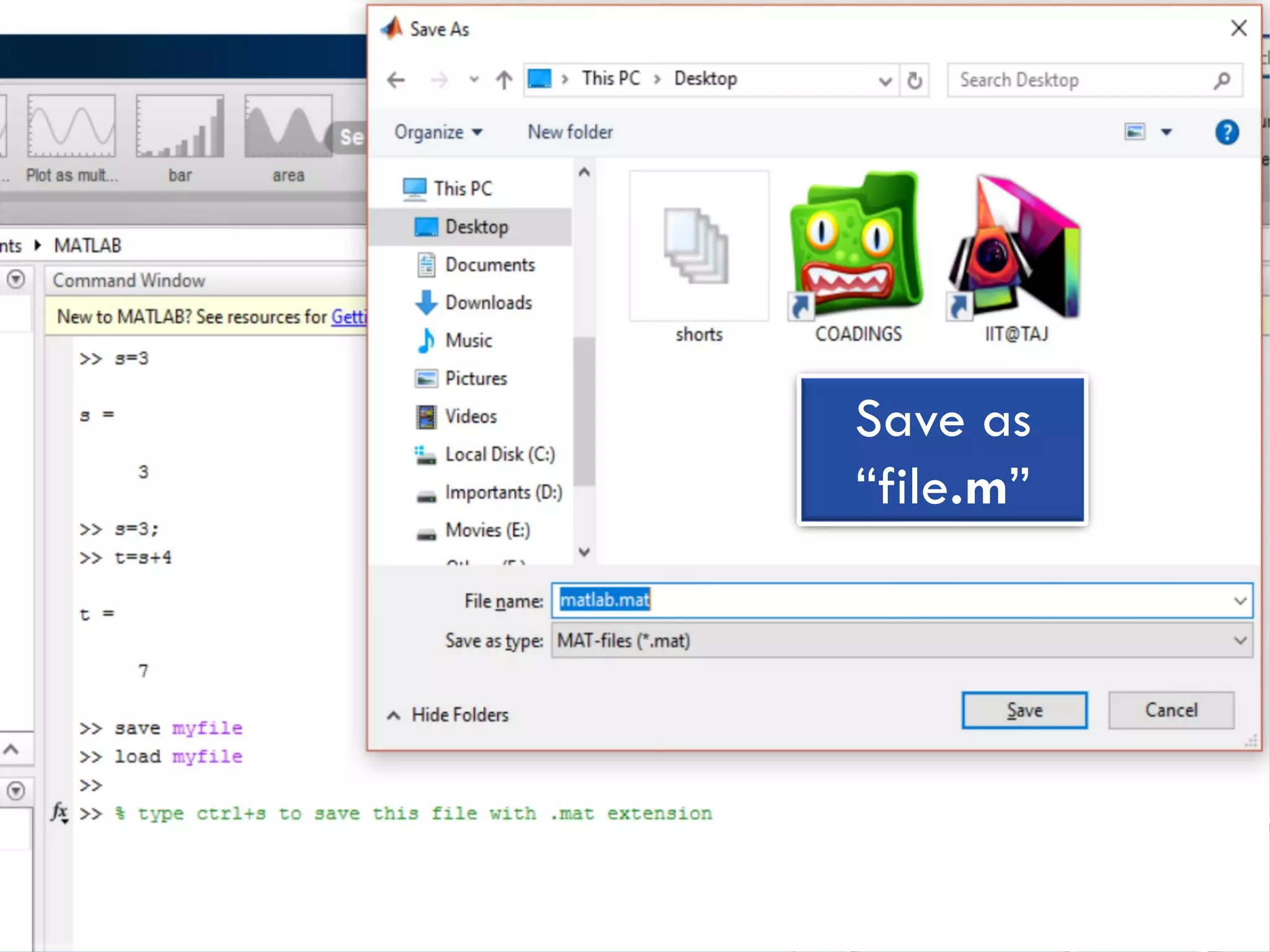
Save as
“file.m”
4/10/2017MATLAB by Tajim 11
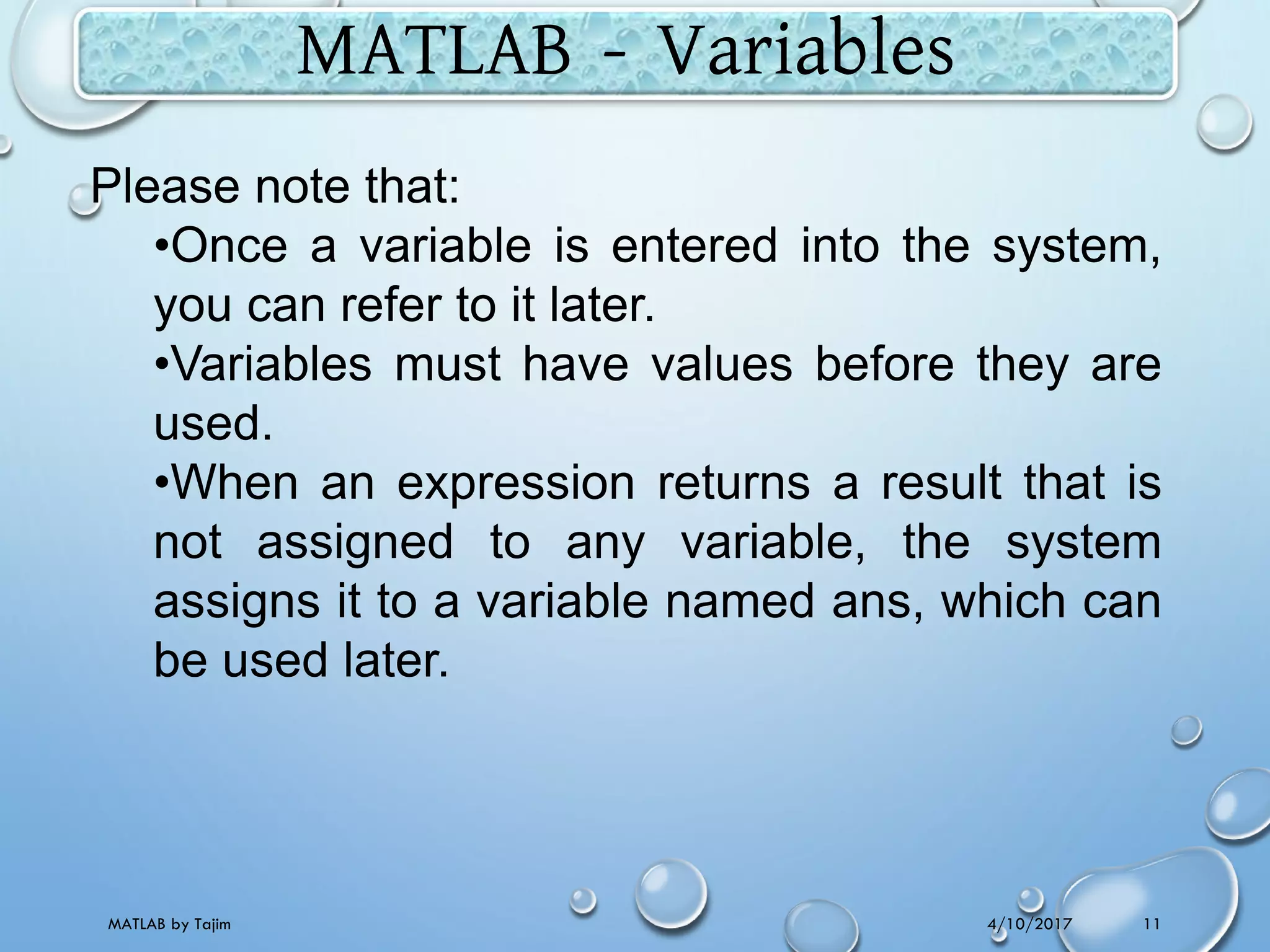
MATLAB - Variables
Please note that:
•Once a variable is entered into the system,
you can refer to it later.
•Variables must have values before they are
used.
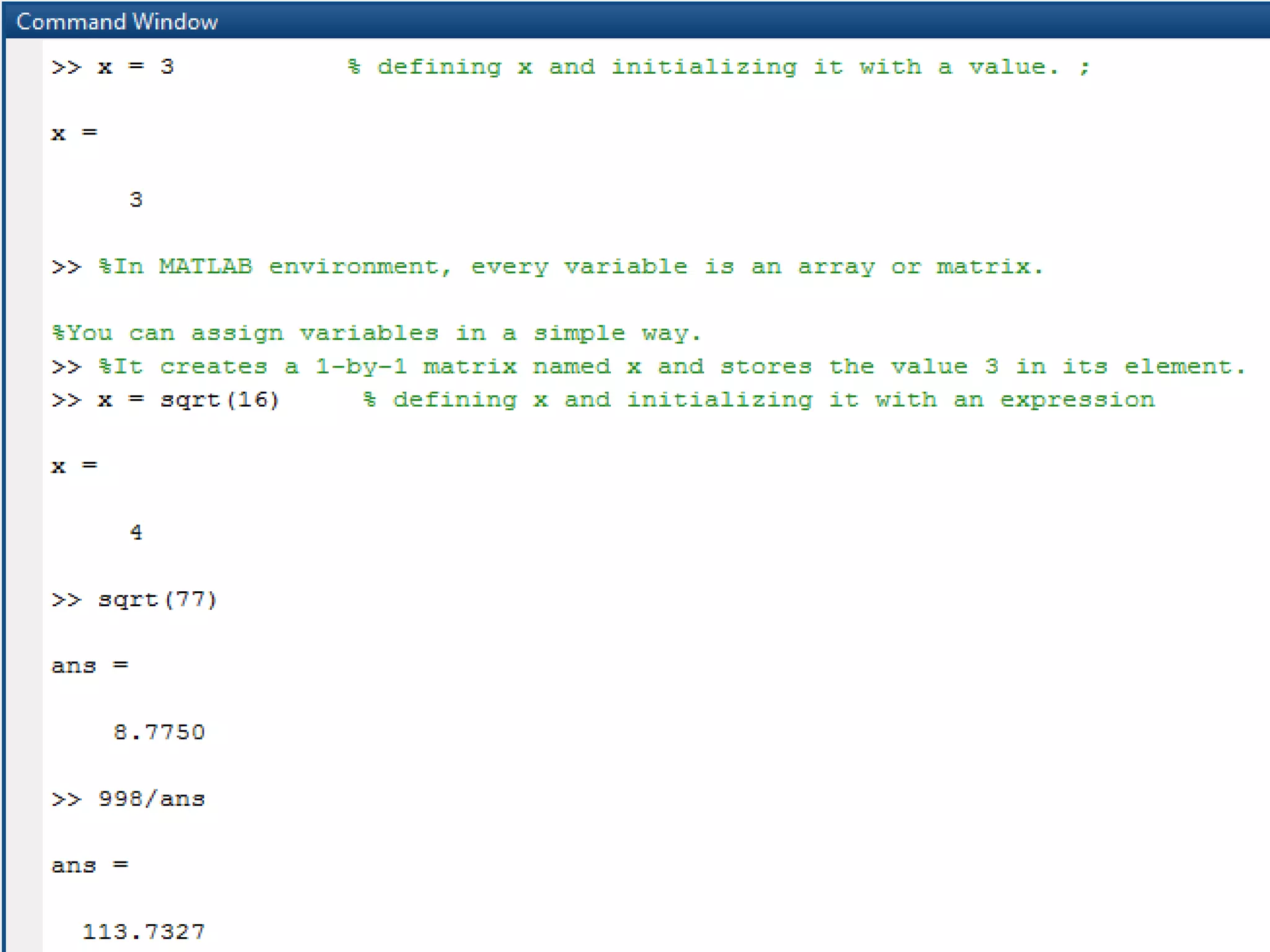
•When an expression returns a result that is
not assigned to any variable, the system
assigns it to a variable named ans, which can
be used later.
4/10/2017MATLAB by Tajim 12
4/10/2017MATLAB by Tajim 13
4/10/2017MATLAB by Tajim 14
4/10/2017MATLAB by Tajim 15
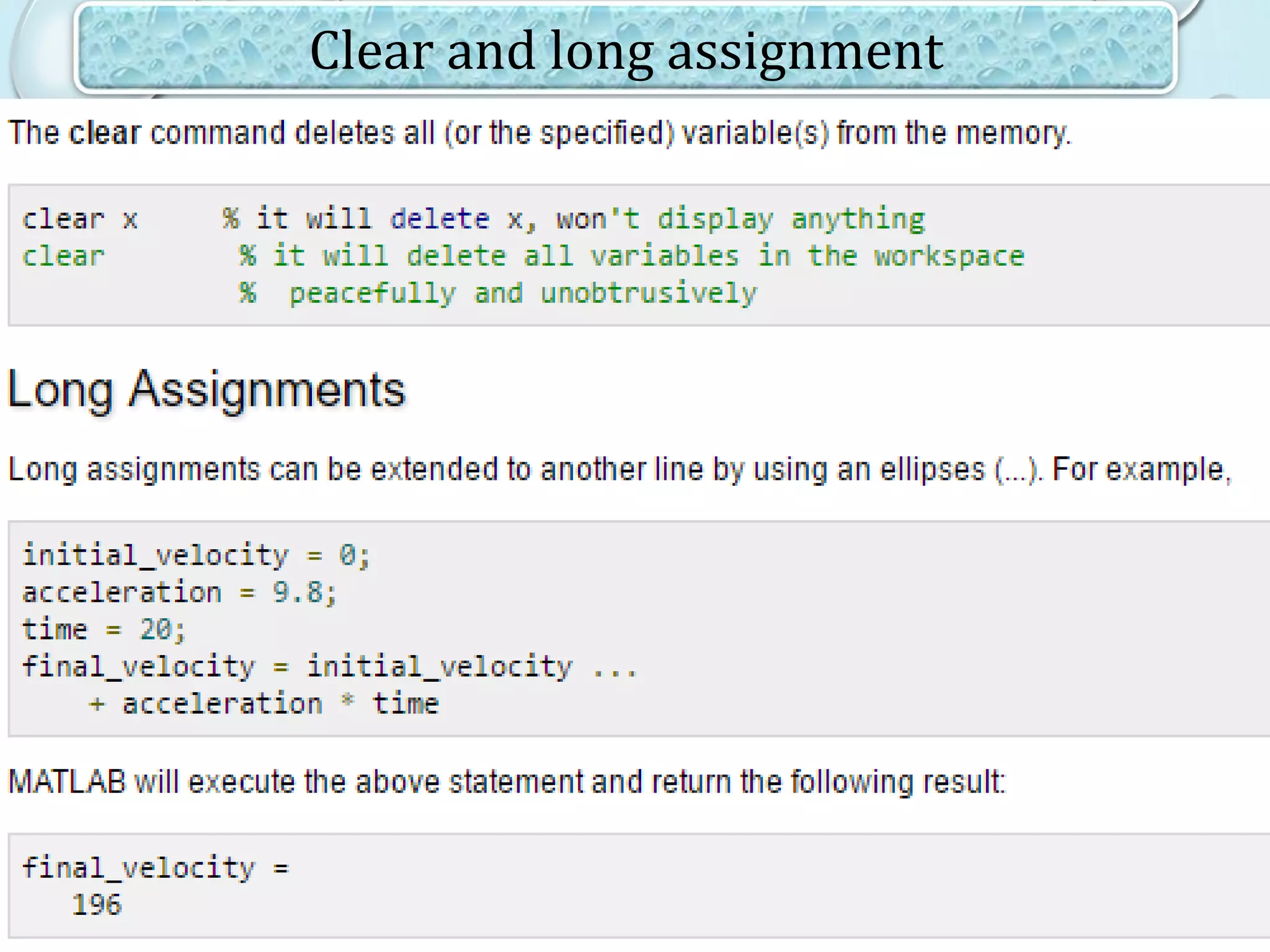
Clear and long assignment
4/10/2017MATLAB by Tajim 16
4/10/2017MATLAB by Tajim 17
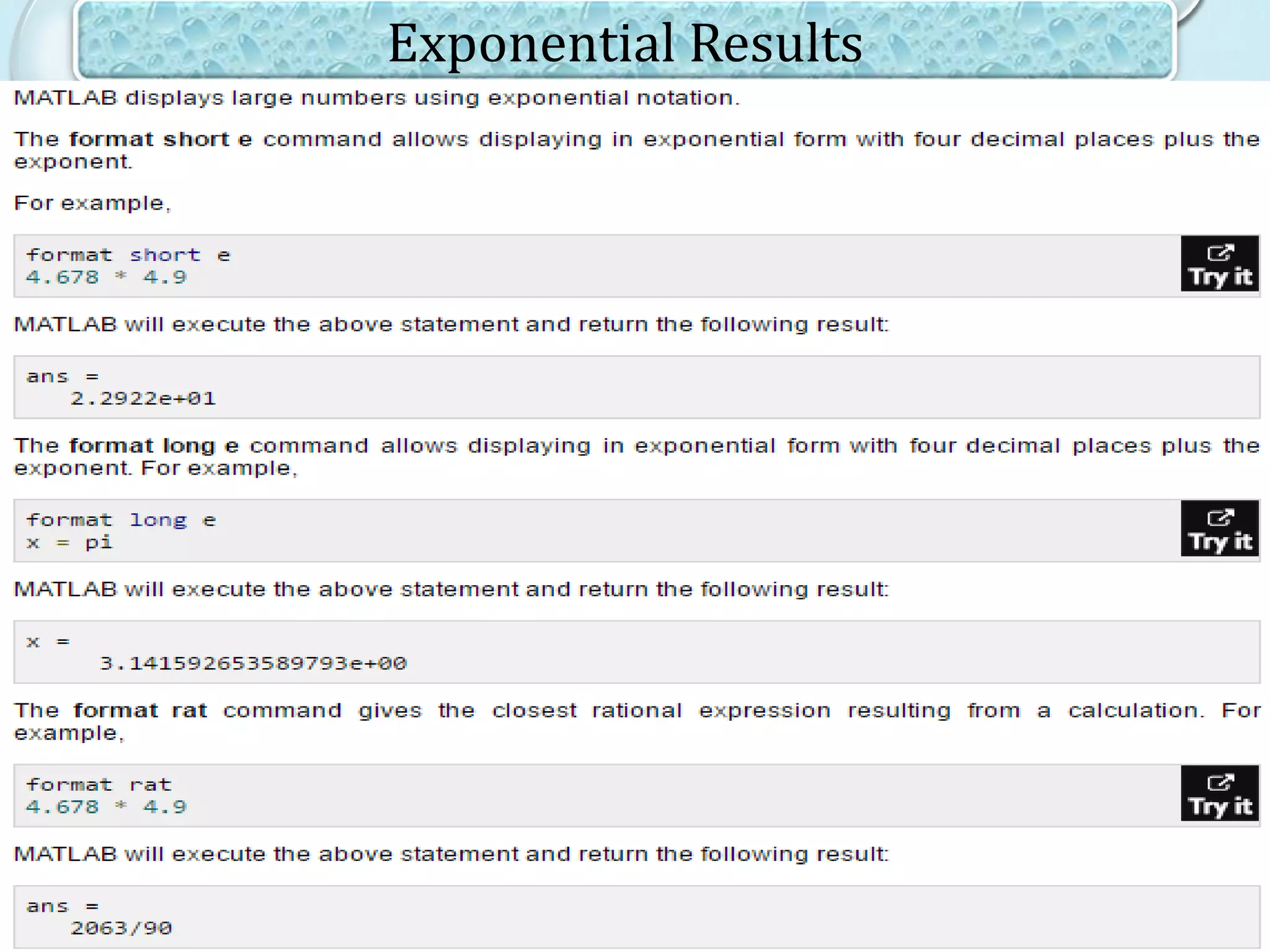
Exponential Results
4/10/2017MATLAB by Tajim 18
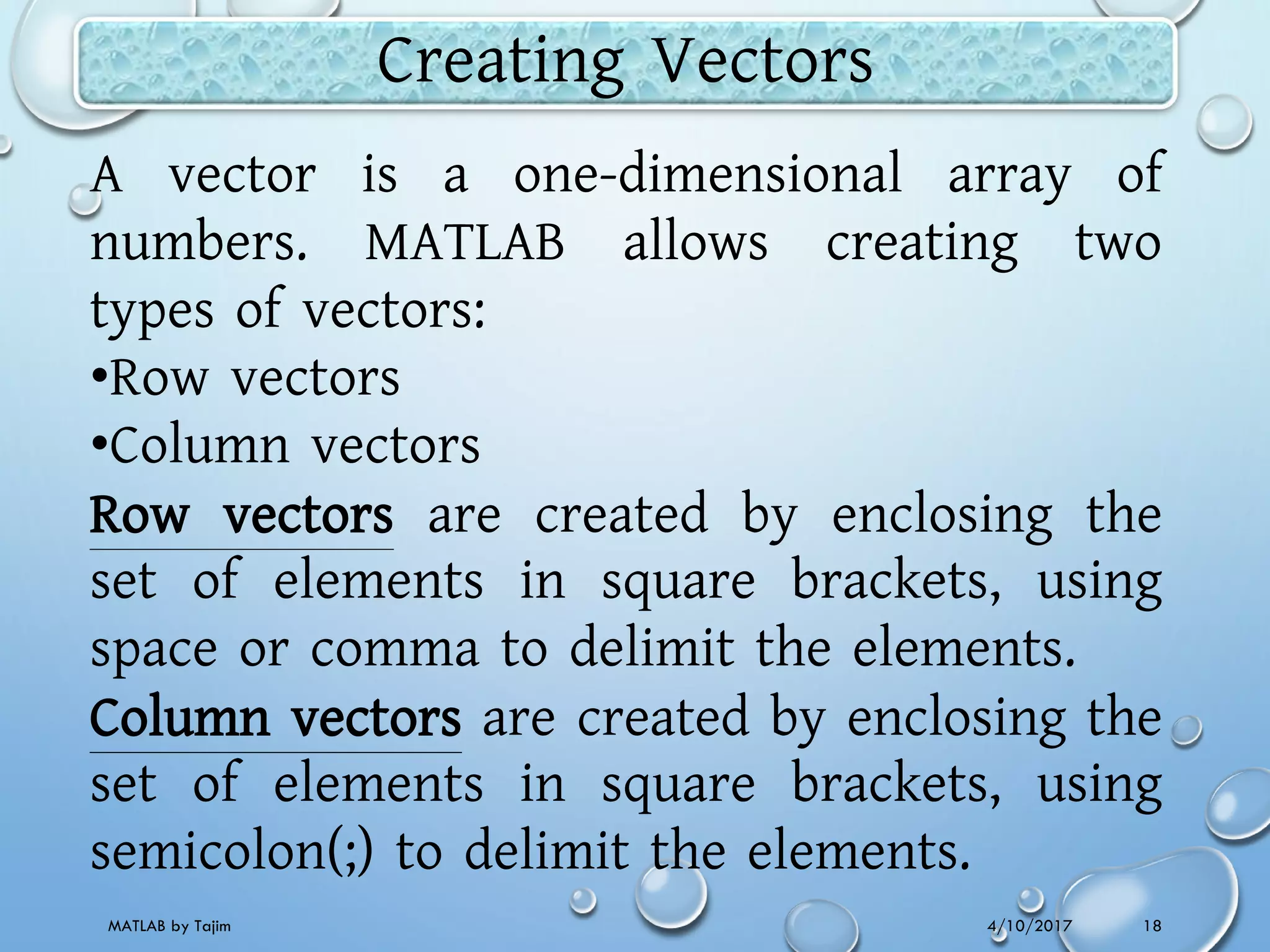
Creating Vectors
A vector is a one-dimensional array of
numbers. MATLAB allows creating two
types of vectors:
•Row vectors
•Column vectors
Row vectors are created by enclosing the
set of elements in square brackets, using
space or comma to delimit the elements.
Column vectors are created by enclosing the
set of elements in square brackets, using
semicolon(;) to delimit the elements.
4/10/2017MATLAB by Tajim 19
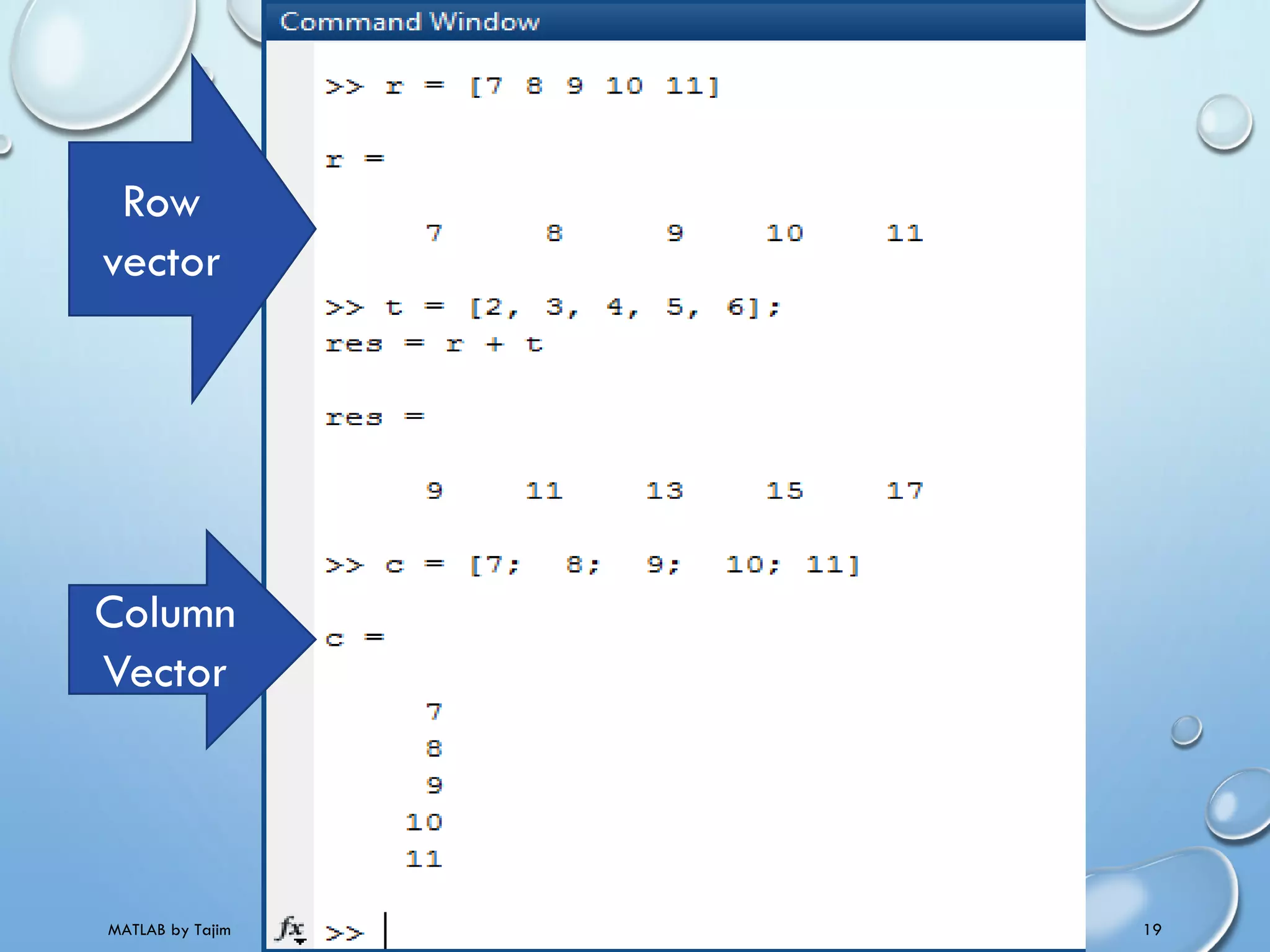
Row
vector
Column
Vector
4/10/2017MATLAB by Tajim 20
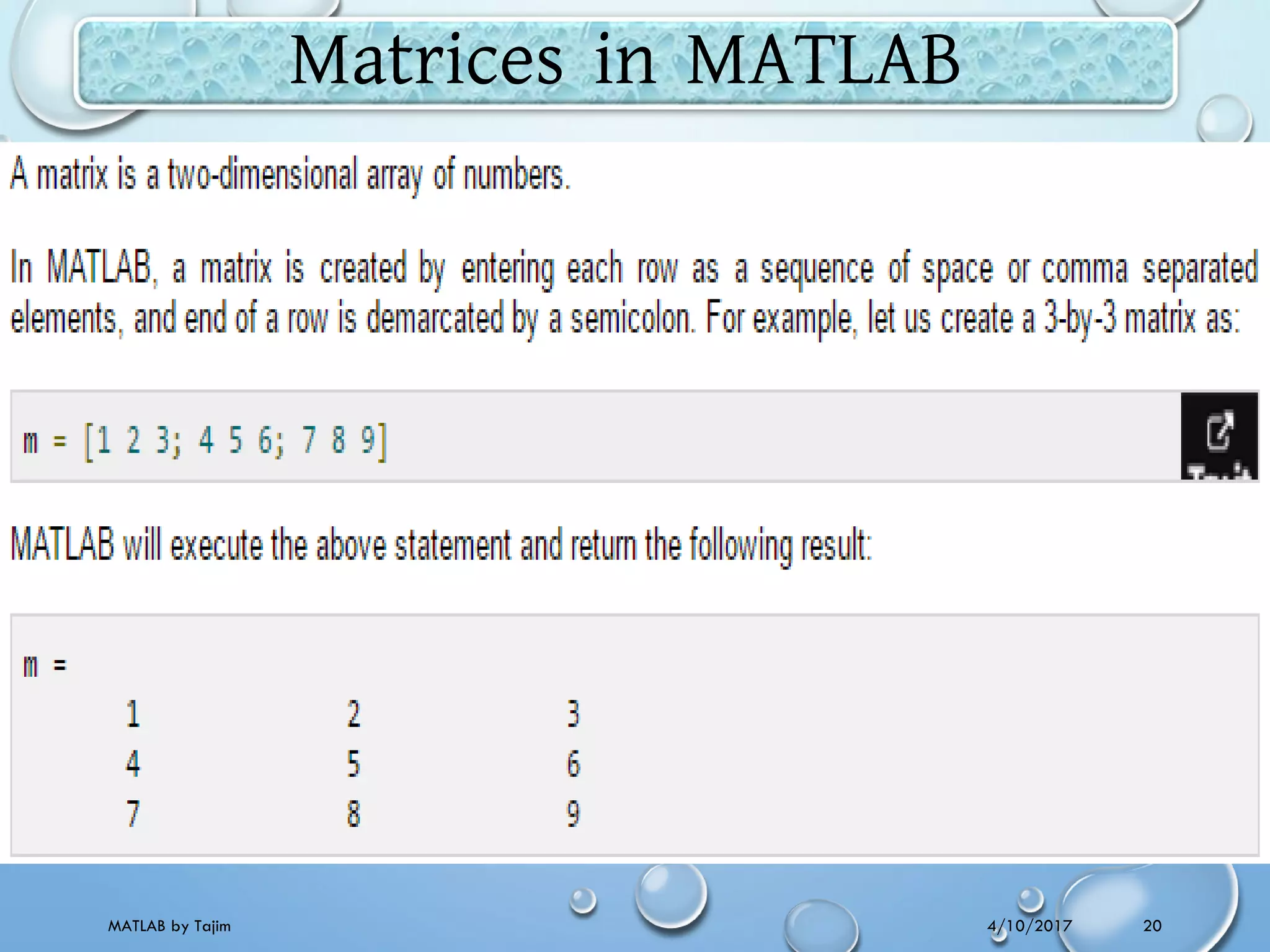
Matrices in MATLAB
4/10/2017MATLAB by Tajim 21
End of
LECTURE TWO
Thank You .

Matlab lecture 2 matlab basic syntax & variables @taj

  • 1.
    IT-2210 : Computational mathematicsLAB with MATLAB 4/10/2017MATLAB by Tajim 1
  • 2.
    Lecture 2: MATLABbasic syntax and variables 4/10/2017MATLAB by Tajim 2
  • 3.
    4/10/2017MATLAB by Tajim3 Commonly used Operators and Special Characters
  • 4.
    4/10/2017MATLAB by Tajim4 Do some basic operations and see the results MATLAB environment behaves like a super- complex calculator. You can enter commands at the >> command prompt. MATLAB is an interpreted environment. In other words, you give a command and MATLAB executes it right away. Type a valid expression and press enter. When you click the Execute button, or type Ctrl+E, MATLAB executes it immediately and the result returned.
  • 5.
  • 6.
    4/10/2017MATLAB by Tajim6 The percent symbol (%) is used for indicating a comment line.
  • 7.
    4/10/2017MATLAB by Tajim7 Note: MATLAB provides some special expressions for some mathematical symbols, like pi for π, Inf for ∞, i (and j) for √-1 etc. Nan stands for 'not a number'. Use of Semicolon (;) in MATLAB: Semicolon (;) indicates end of statement. However, if you want to suppress and hide the MATLAB output for an expression, add a semicolon after the expression.
  • 8.
    4/10/2017MATLAB by Tajim8 Special Variables and Constants Name Meaning ans Most recent answer. eps Accuracy of floating-point precision. i,j The imaginary unit √-1. Inf Infinity. NaN Undefined numerical result (not a number). pi The number π MATLAB supports the following special variables and constants:
  • 9.
    4/10/2017MATLAB by Tajim9 Naming and Saving
  • 10.
    4/10/2017MATLAB by Tajim10 Save as “file.m”
  • 11.
    4/10/2017MATLAB by Tajim11 MATLAB - Variables Please note that: •Once a variable is entered into the system, you can refer to it later. •Variables must have values before they are used. •When an expression returns a result that is not assigned to any variable, the system assigns it to a variable named ans, which can be used later.
  • 12.
  • 13.
  • 14.
  • 15.
    4/10/2017MATLAB by Tajim15 Clear and long assignment
  • 16.
  • 17.
    4/10/2017MATLAB by Tajim17 Exponential Results
  • 18.
    4/10/2017MATLAB by Tajim18 Creating Vectors A vector is a one-dimensional array of numbers. MATLAB allows creating two types of vectors: •Row vectors •Column vectors Row vectors are created by enclosing the set of elements in square brackets, using space or comma to delimit the elements. Column vectors are created by enclosing the set of elements in square brackets, using semicolon(;) to delimit the elements.
  • 19.
    4/10/2017MATLAB by Tajim19 Row vector Column Vector
  • 20.
    4/10/2017MATLAB by Tajim20 Matrices in MATLAB
  • 21.
    4/10/2017MATLAB by Tajim21 End of LECTURE TWO Thank You .