Managing Multi-Office
Multi-Platform Mayhem
Robert Green
Robert Green Consulting
RGreen@GreenConsulting.com
Robert Green quick biography
Mechanical engineer turned CAD manager
Private consultant since 1991
Focus: CAD standards and management
Cadalyst Magazine author contributing editor
21 year AU speaker
Facebook: CAD Managers Unite!
Web site: www.CAD-Manager.com
rgreen@CAD-Manager.com
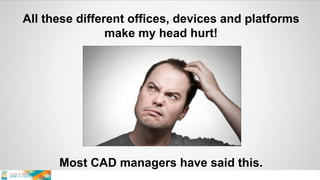
All these different offices, devices and platforms
make my head hurt!
Most CAD managers have said this.
What I hear from senior management
 Our offices should be able to work share
 We are one company, not four companies
 We need to “load balance” our work
 Remote workers need to be supported
 I don’t understand why things don’t work better …
The barriers I often see …
 Budgets differ
 Branch offices have
• Different management philosophies
• Different cultures
• Different budgets
 Just get it done mentality
 Voluntary lack of compliance …
The barriers that are often not seen …
 WAN issues
 Document storage issues
 Differing devices and apps
 Bad/slow processes forced on users
 Lack of willingness to address these…
So What Do We Do About It?
Lead with consistency, performance, and
simplicity so users want to follow.
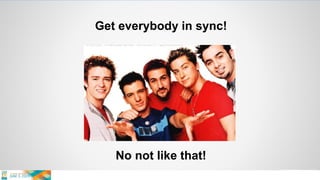
Get everybody in sync!
No not like that!
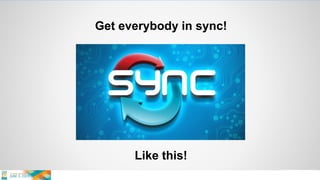
Get everybody in sync!
Like this!
Systems make it happen …
 WAN issues are paramount!
 Consistency of applications is a must
 Files must be managed (secured)
 Management must commit to systems
 Do these things and you can win
 Do them not and you will fail …
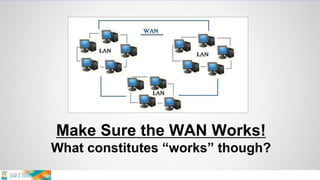
Make Sure the WAN Works!
What constitutes “works” though?
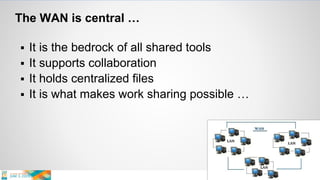
The WAN is central …
 It is the bedrock of all shared tools
 It supports collaboration
 It holds centralized files
 It is what makes work sharing possible …
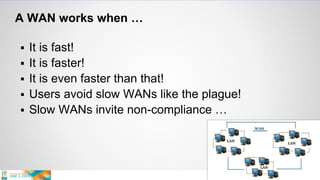
A WAN works when …
 It is fast!
 It is faster!
 It is even faster than that!
 Users avoid slow WANs like the plague!
 Slow WANs invite non-compliance …
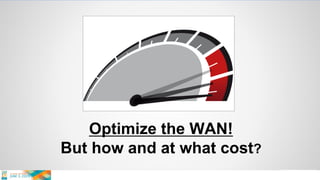
Optimize the WAN!
But how and at what cost?
To speed your WAN …
 Maximize bandwidth
 Hardware solutions (Riverbed)
 Software solutions (DFSR, PEER Software)
Note: Distributed File System Replication
 Doing them all works best
 It does cost though …
The costs …
 Maximize bandwidth
• Monthly fee $8K/year and up
 Hardware solutions
• Riverbed: Per office node $8K to $30K
 Software solutions (DFSR, PEER)
• MS DFSR: With Windows Server
• PEER: Per office node $5K …
If you don’t optimize …
 Applications slow
 Files can’t be accessed
 Users bypass the WAN (going to LAN)
 Files are copied multiple times
 Revisions are lost
 Offices fall out of sync
 Entropy takes hold …
Talk to your management …
 Stress costs of being out of sync
 Stress the necessity
 Stress the frustration of working in a disorganized
and undercapitalized WAN
 Do this NOW so budgets can be adjusted …
Nothing facilitates better multi-office
coordination/collaboration than a killer WAN.
Show users a fast WAN and they will use it!
Manage the Files
With the right tools on the best network
Simple rules …
 One master file
 In one secure place
 At the right revision level
 With file relationships kept in tact
 Under company policy/control …
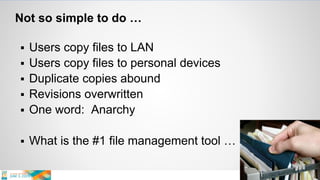
Not so simple to do …
 Users copy files to LAN
 Users copy files to personal devices
 Duplicate copies abound
 Revisions overwritten
 One word: Anarchy
 What is the #1 file management tool …
You Need a Tool to Help
That is CAD centric and workflow aware
Proper file management is the bedrock of CAD
and BIM. Without it your projects will come
undone. It may not be the flashiest thing you do
but it is the most important thing you do.
Proper file management is only achievable with a
functional WAN and the right tools!
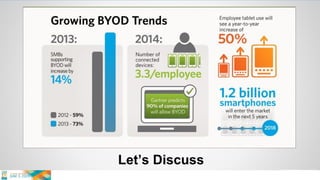
Stopping BYOD Madness!
BYOD – Bring Your Own Device
Let’s Discuss
Simple rules …
 BYOD’s won’t just go away
 Treat a BYOD device like a work computer
 Treat apps like a work software tools
 Treat app data like company property
 Now what happens …
Some immediate results …
 Sensitive data can’t reside on BYOD’s
 Sensitive data can’t be in Dropbox
 BYOD’s are subject to policies
 Policies must be enforced
 This is a BIG IT issue …
Talk to your management …
 Stress the risk
 De-emphasize the “cool factor”
 Bring up data loss scenarios
 Get IT involved
 Force the discussion now …
Ignoring BYOD issues is a clear threat to the
security of CAD/BIM data yet IT often doesn’t
understand the threat. Stressing risk is key.
License Smart
To avoid hassles
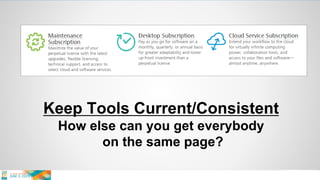
Keep Tools Current/Consistent
How else can you get everybody
on the same page?
Let’s Discuss “The Cloud”
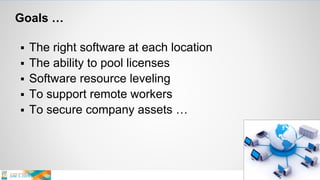
Goals …
 The right software at each location
 The ability to pool licenses
 Software resource leveling
 To support remote workers
 To secure company assets …
Talk to your management (and reseller) …
 Stress ease of management
 Stress security of data
 Stress application stability
 Stress flexibility of workforce
 Stress consistency of versions
 Stress costs of ignoring the above …
Controlling your licensing to achieve a consistent
user experience and inter-office application
sharing is vital. Don’t just wing it.
The Fork in the Road
Take the steps we’ve discussed to get on the
road to multi-office multi-platform success.
Get rolling …
 Plan it NOW – do not wait!
 Fight for budgets/tools – you need it!
 Stress business logic
 Think secure and well managed
 Get your boss in the game …
Managing Multi-Office
Multi-Platform Mayhem
Robert Green
Robert Green Consulting
RGreen@GreenConsulting.com

Managing Multi-Office, Multi-Platform Mayhem: Robert Green

  • 1.
    Managing Multi-Office Multi-Platform Mayhem RobertGreen Robert Green Consulting RGreen@GreenConsulting.com
  • 2.
    Robert Green quickbiography Mechanical engineer turned CAD manager Private consultant since 1991 Focus: CAD standards and management Cadalyst Magazine author contributing editor 21 year AU speaker Facebook: CAD Managers Unite! Web site: www.CAD-Manager.com rgreen@CAD-Manager.com
  • 3.
    All these differentoffices, devices and platforms make my head hurt! Most CAD managers have said this.
  • 4.
    What I hearfrom senior management  Our offices should be able to work share  We are one company, not four companies  We need to “load balance” our work  Remote workers need to be supported  I don’t understand why things don’t work better …
  • 5.
    The barriers Ioften see …  Budgets differ  Branch offices have • Different management philosophies • Different cultures • Different budgets  Just get it done mentality  Voluntary lack of compliance …
  • 6.
    The barriers thatare often not seen …  WAN issues  Document storage issues  Differing devices and apps  Bad/slow processes forced on users  Lack of willingness to address these…
  • 7.
    So What DoWe Do About It? Lead with consistency, performance, and simplicity so users want to follow.
  • 8.
    Get everybody insync! No not like that!
  • 9.
    Get everybody insync! Like this!
  • 10.
    Systems make ithappen …  WAN issues are paramount!  Consistency of applications is a must  Files must be managed (secured)  Management must commit to systems  Do these things and you can win  Do them not and you will fail …
  • 11.
    Make Sure theWAN Works! What constitutes “works” though?
  • 12.
    The WAN iscentral …  It is the bedrock of all shared tools  It supports collaboration  It holds centralized files  It is what makes work sharing possible …
  • 13.
    A WAN workswhen …  It is fast!  It is faster!  It is even faster than that!  Users avoid slow WANs like the plague!  Slow WANs invite non-compliance …
  • 14.
    Optimize the WAN! Buthow and at what cost?
  • 15.
    To speed yourWAN …  Maximize bandwidth  Hardware solutions (Riverbed)  Software solutions (DFSR, PEER Software) Note: Distributed File System Replication  Doing them all works best  It does cost though …
  • 16.
    The costs … Maximize bandwidth • Monthly fee $8K/year and up  Hardware solutions • Riverbed: Per office node $8K to $30K  Software solutions (DFSR, PEER) • MS DFSR: With Windows Server • PEER: Per office node $5K …
  • 17.
    If you don’toptimize …  Applications slow  Files can’t be accessed  Users bypass the WAN (going to LAN)  Files are copied multiple times  Revisions are lost  Offices fall out of sync  Entropy takes hold …
  • 18.
    Talk to yourmanagement …  Stress costs of being out of sync  Stress the necessity  Stress the frustration of working in a disorganized and undercapitalized WAN  Do this NOW so budgets can be adjusted …
  • 19.
    Nothing facilitates bettermulti-office coordination/collaboration than a killer WAN. Show users a fast WAN and they will use it!
  • 20.
    Manage the Files Withthe right tools on the best network
  • 21.
    Simple rules … One master file  In one secure place  At the right revision level  With file relationships kept in tact  Under company policy/control …
  • 22.
    Not so simpleto do …  Users copy files to LAN  Users copy files to personal devices  Duplicate copies abound  Revisions overwritten  One word: Anarchy  What is the #1 file management tool …
  • 23.
    You Need aTool to Help That is CAD centric and workflow aware
  • 24.
    Proper file managementis the bedrock of CAD and BIM. Without it your projects will come undone. It may not be the flashiest thing you do but it is the most important thing you do.
  • 25.
    Proper file managementis only achievable with a functional WAN and the right tools!
  • 26.
    Stopping BYOD Madness! BYOD– Bring Your Own Device
  • 27.
  • 28.
    Simple rules … BYOD’s won’t just go away  Treat a BYOD device like a work computer  Treat apps like a work software tools  Treat app data like company property  Now what happens …
  • 29.
    Some immediate results…  Sensitive data can’t reside on BYOD’s  Sensitive data can’t be in Dropbox  BYOD’s are subject to policies  Policies must be enforced  This is a BIG IT issue …
  • 30.
    Talk to yourmanagement …  Stress the risk  De-emphasize the “cool factor”  Bring up data loss scenarios  Get IT involved  Force the discussion now …
  • 31.
    Ignoring BYOD issuesis a clear threat to the security of CAD/BIM data yet IT often doesn’t understand the threat. Stressing risk is key.
  • 32.
  • 33.
    Keep Tools Current/Consistent Howelse can you get everybody on the same page?
  • 34.
  • 35.
    Goals …  Theright software at each location  The ability to pool licenses  Software resource leveling  To support remote workers  To secure company assets …
  • 36.
    Talk to yourmanagement (and reseller) …  Stress ease of management  Stress security of data  Stress application stability  Stress flexibility of workforce  Stress consistency of versions  Stress costs of ignoring the above …
  • 37.
    Controlling your licensingto achieve a consistent user experience and inter-office application sharing is vital. Don’t just wing it.
  • 38.
    The Fork inthe Road Take the steps we’ve discussed to get on the road to multi-office multi-platform success.
  • 39.
    Get rolling … Plan it NOW – do not wait!  Fight for budgets/tools – you need it!  Stress business logic  Think secure and well managed  Get your boss in the game …
  • 40.
    Managing Multi-Office Multi-Platform Mayhem RobertGreen Robert Green Consulting RGreen@GreenConsulting.com