Make Your Life Easier
with Microsoft Flow
Work less,
Do more
#SPSSD
About Me
Why Microsoft Flow?
• Automate business processes (and others!)
• Create Flows using multiple services and data sources
• Intuitive diagram-based interface
• Successor to SharePoint Designer Workflows
Have you tried
Flow?
Get started…
http://flow.microsoft.com
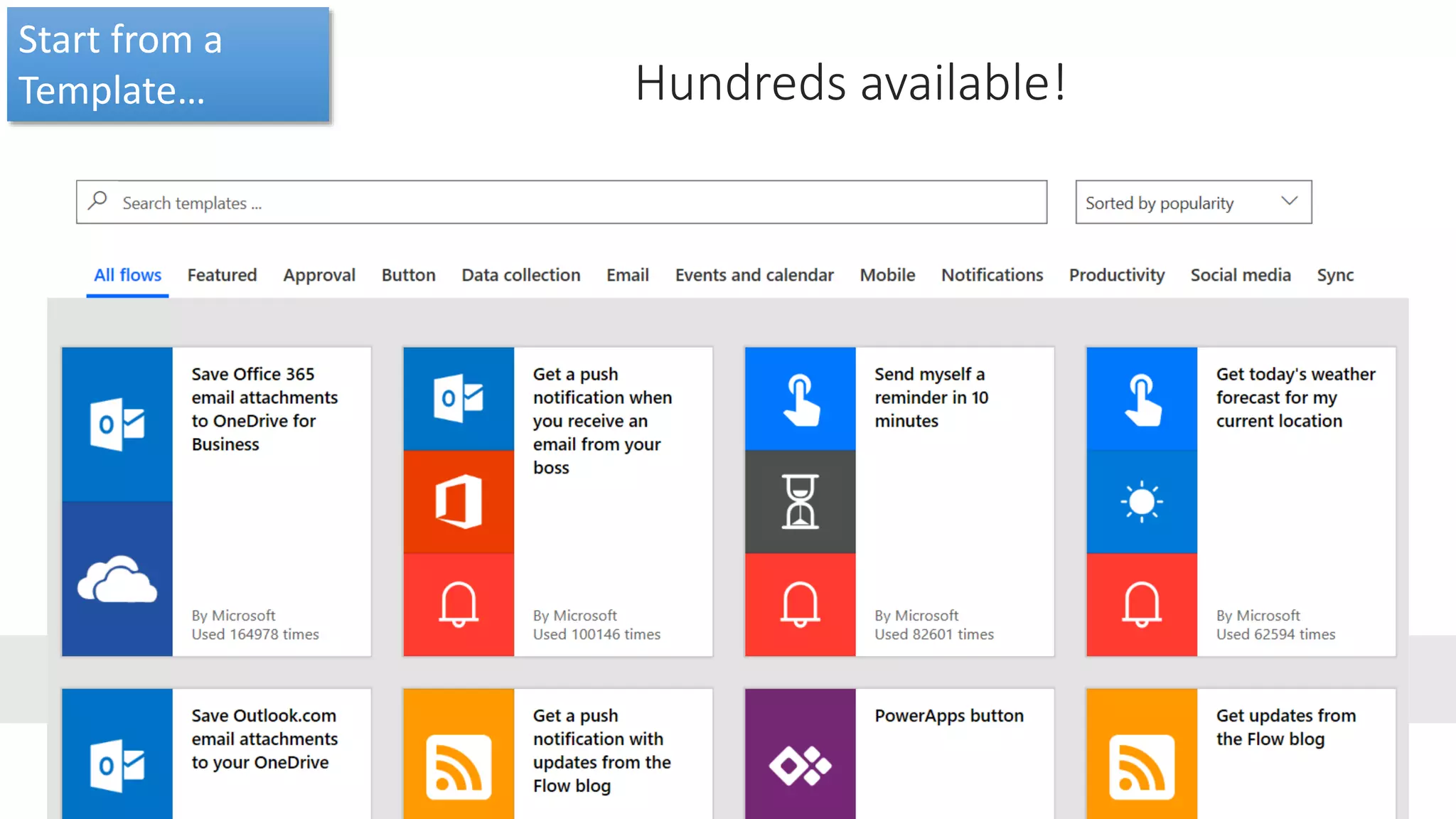
Try a template… There are hundreds!
https://us.flow.microsoft.com/en-us/templates/
Start from a
Template… Hundreds available!
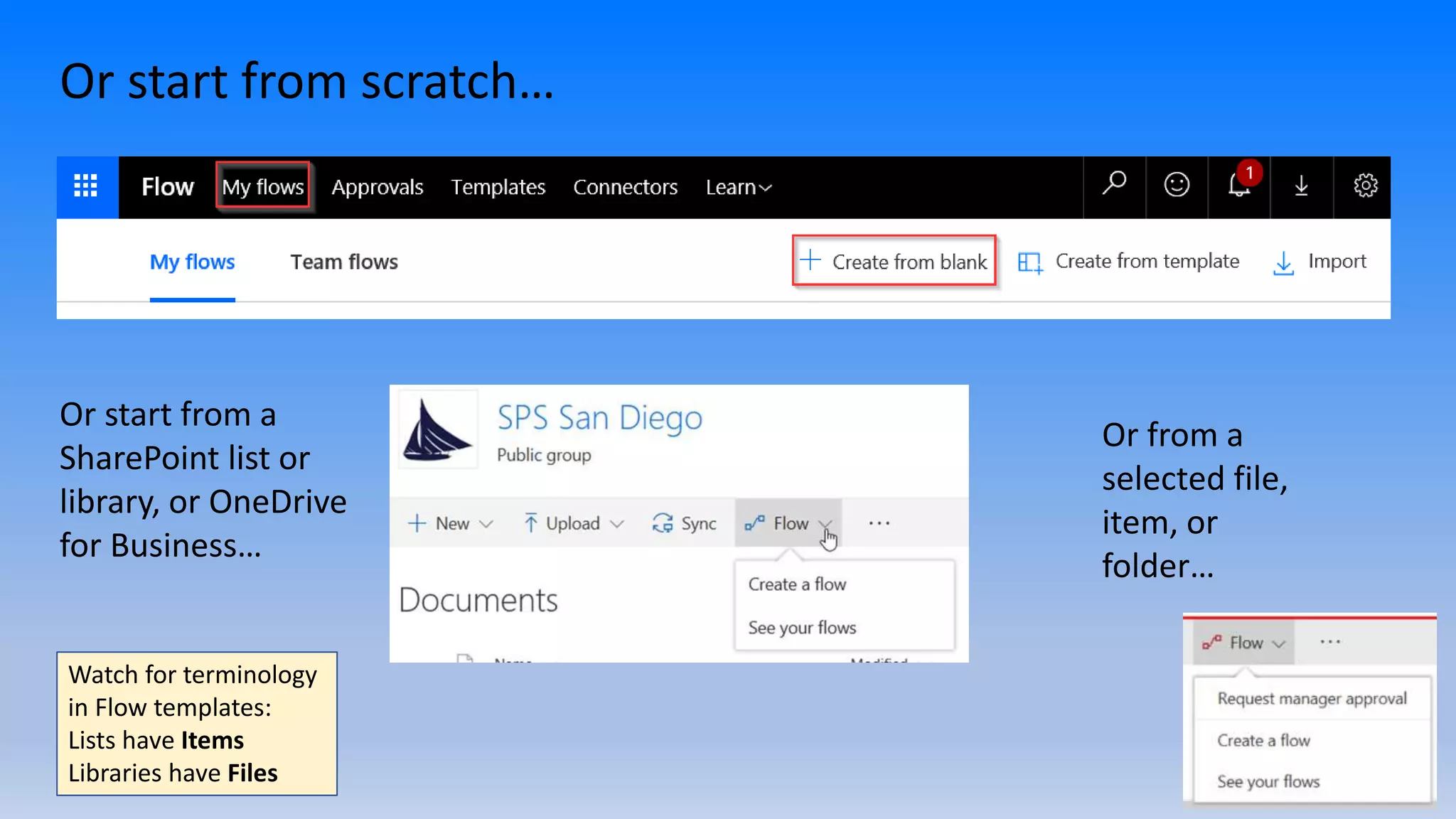
Or start from scratch…
Or start from a
SharePoint list or
library, or OneDrive
for Business…
Watch for terminology
in Flow templates:
Lists have Items
Libraries have Files
Or from a
selected file,
item, or
folder…
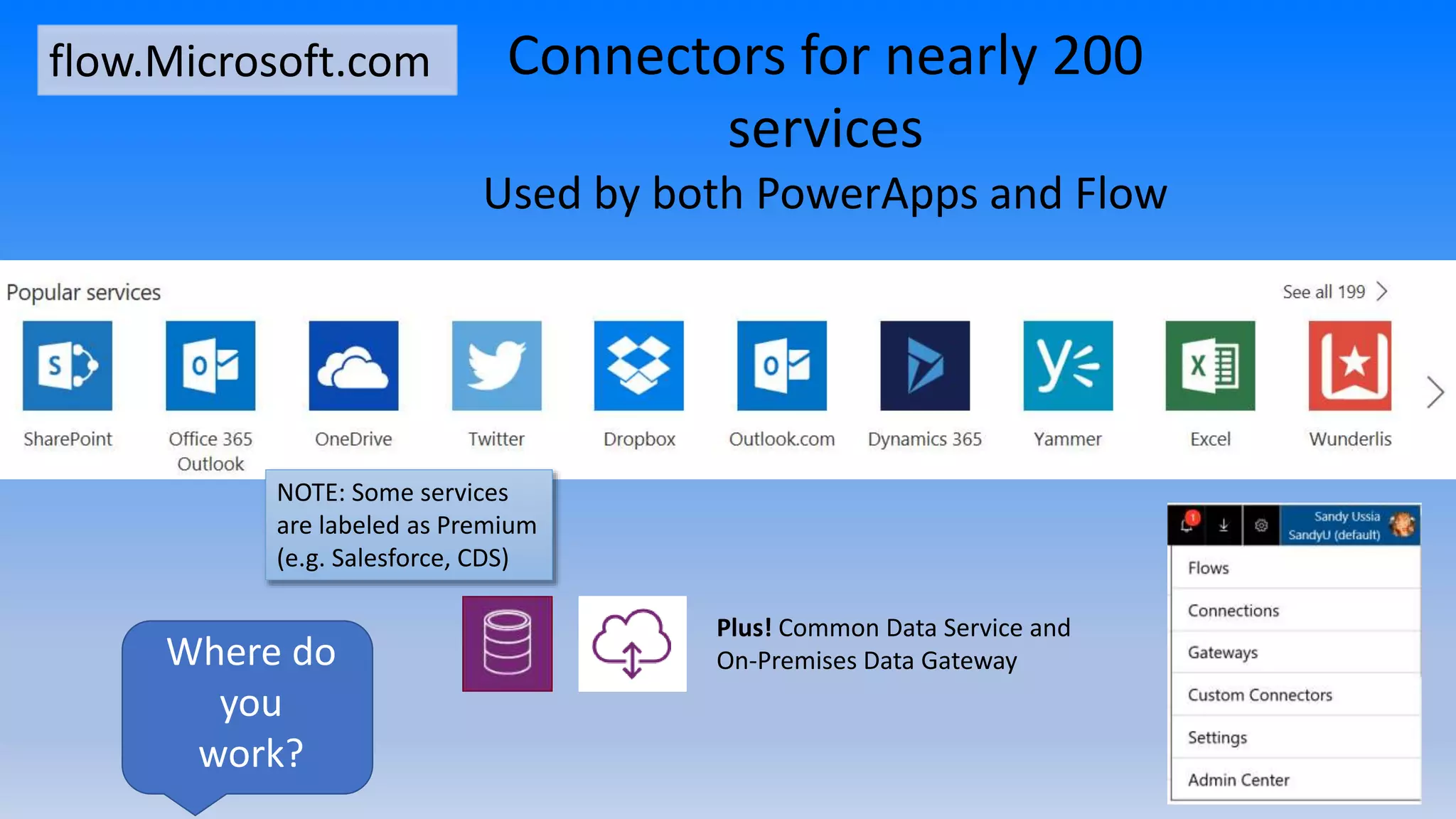
Plus! Common Data Service and
On-Premises Data Gateway
Connectors for nearly 200
services
Used by both PowerApps and Flow
flow.Microsoft.com
NOTE: Some services
are labeled as Premium
(e.g. Salesforce, CDS)
Where do
you
work?
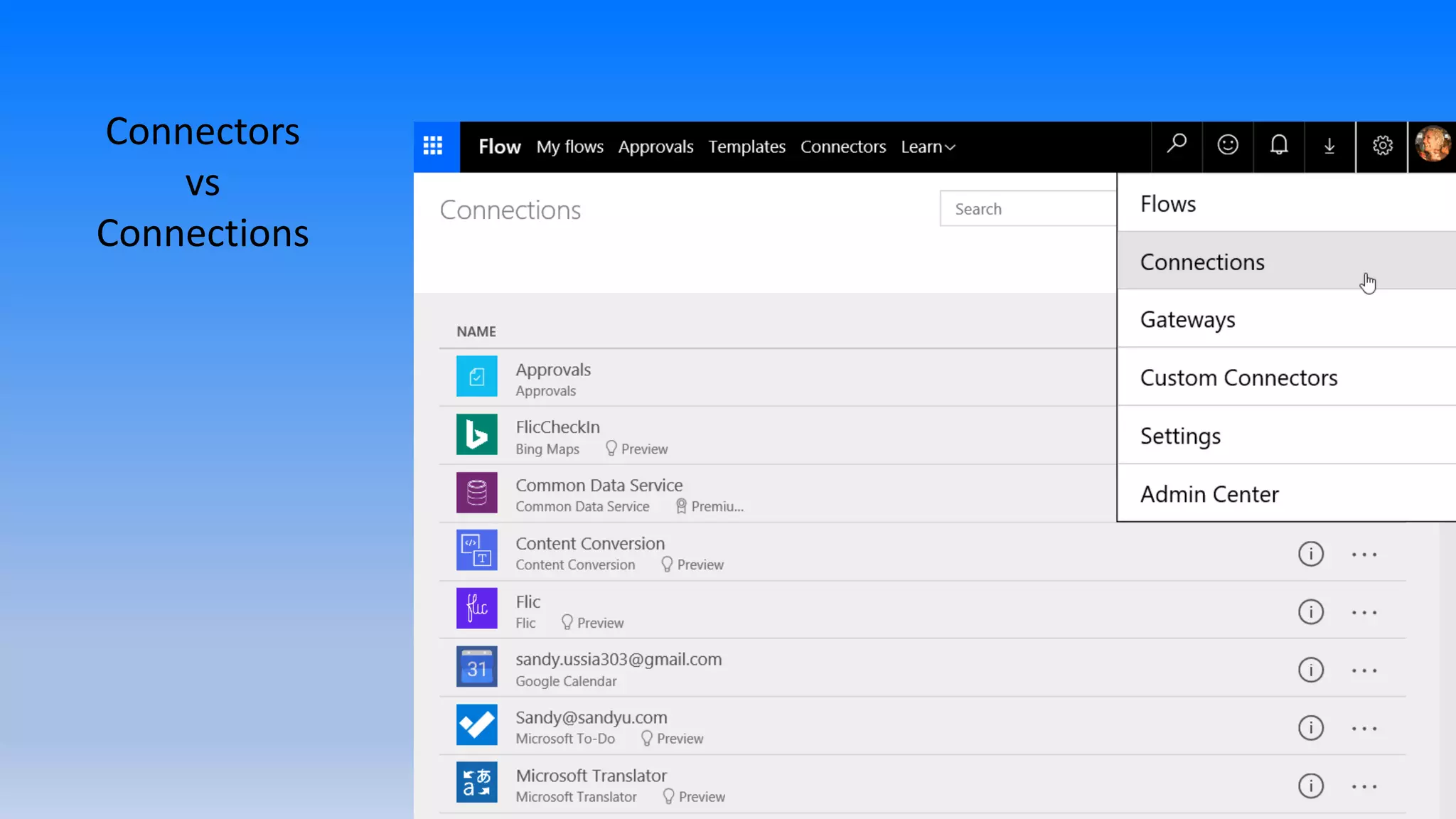
Connectors
vs
Connections
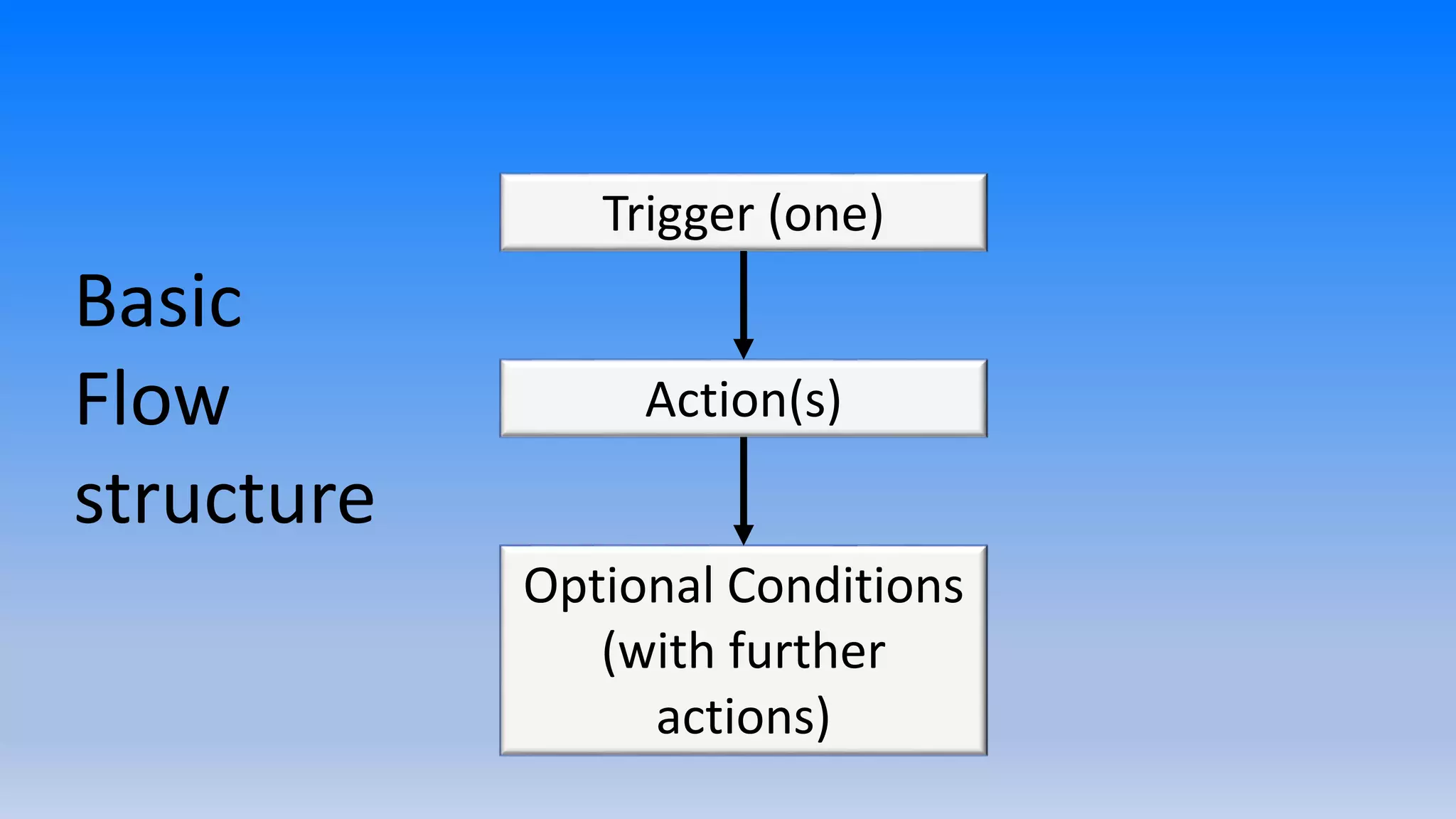
Trigger (one)
Action(s)
Optional Conditions
(with further
actions)
Basic
Flow
structure
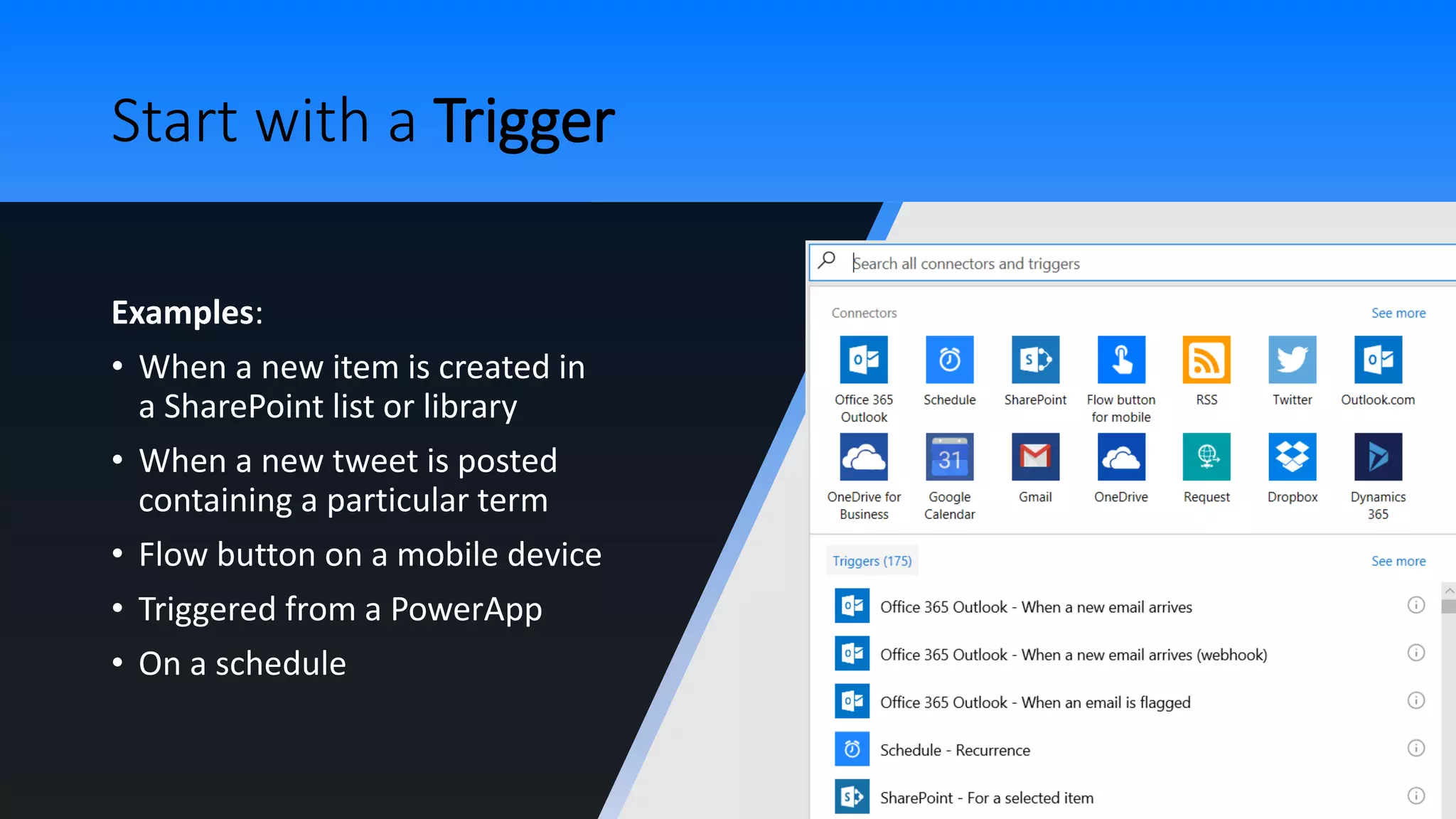
Start with a Trigger
Examples:
• When a new item is created in
a SharePoint list or library
• When a new tweet is posted
containing a particular term
• Flow button on a mobile device
• Triggered from a PowerApp
• On a schedule
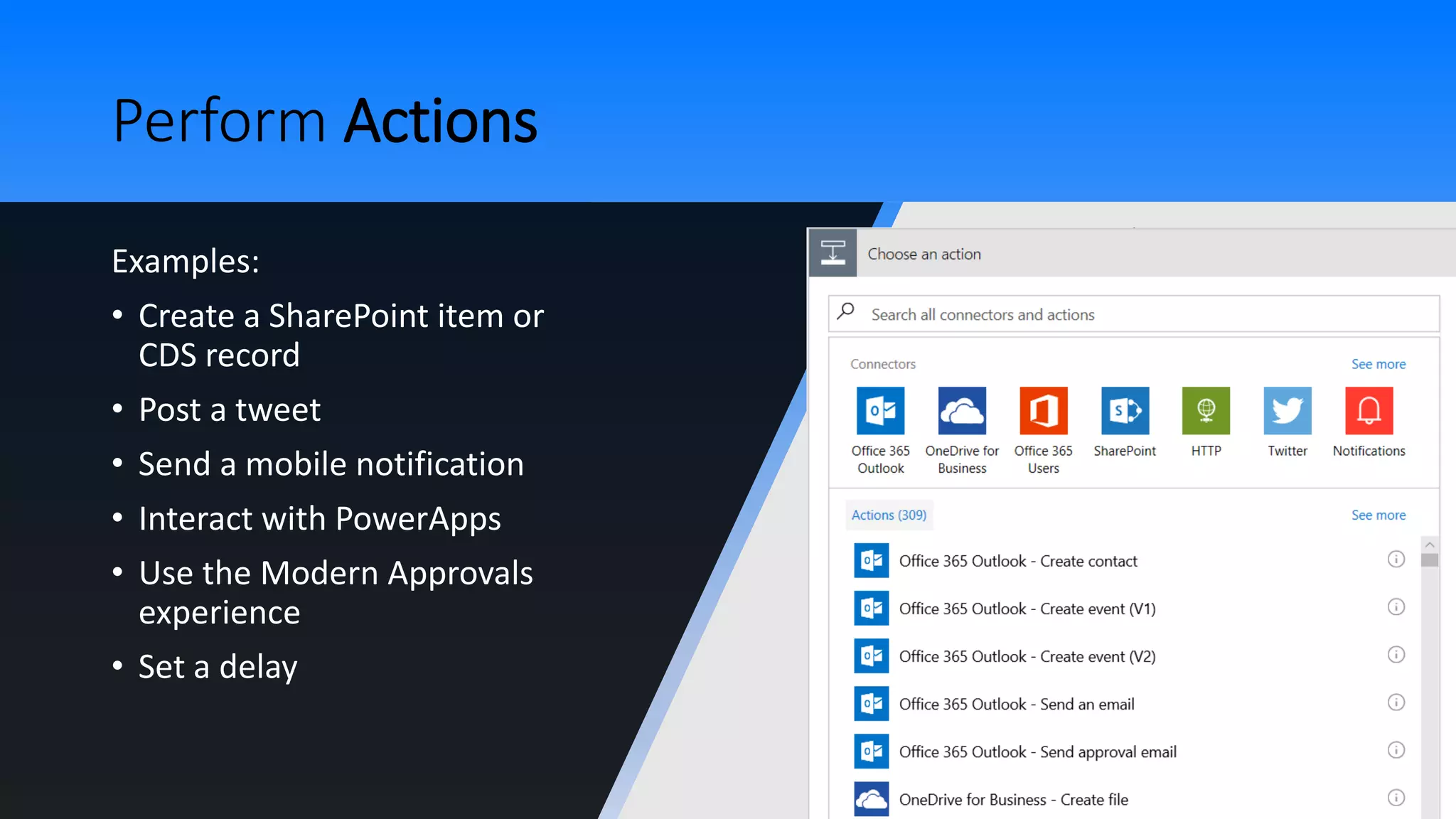
Perform Actions
Examples:
• Create a SharePoint item or
CDS record
• Post a tweet
• Send a mobile notification
• Interact with PowerApps
• Use the Modern Approvals
experience
• Set a delay
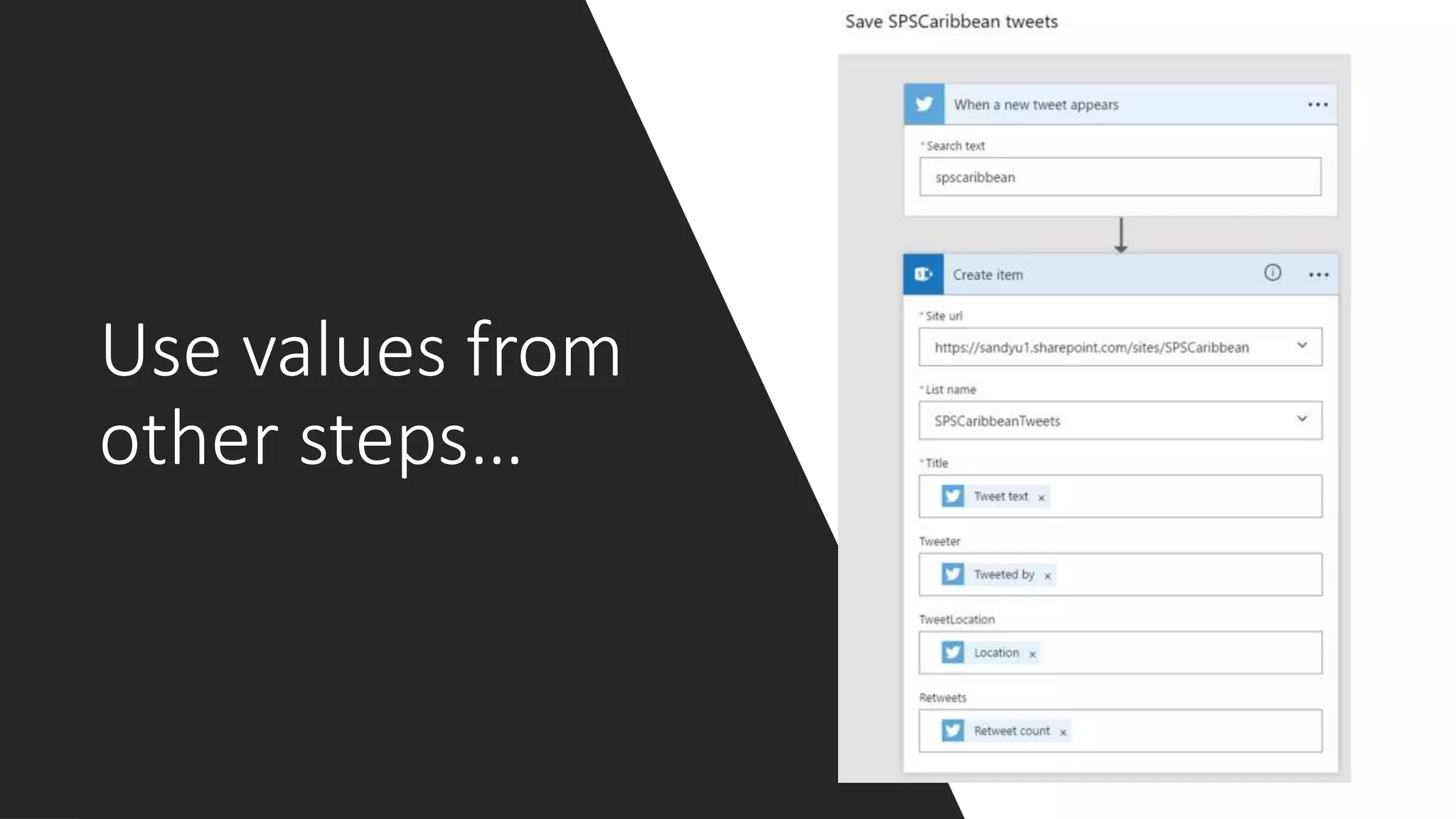
Use values from
other steps…
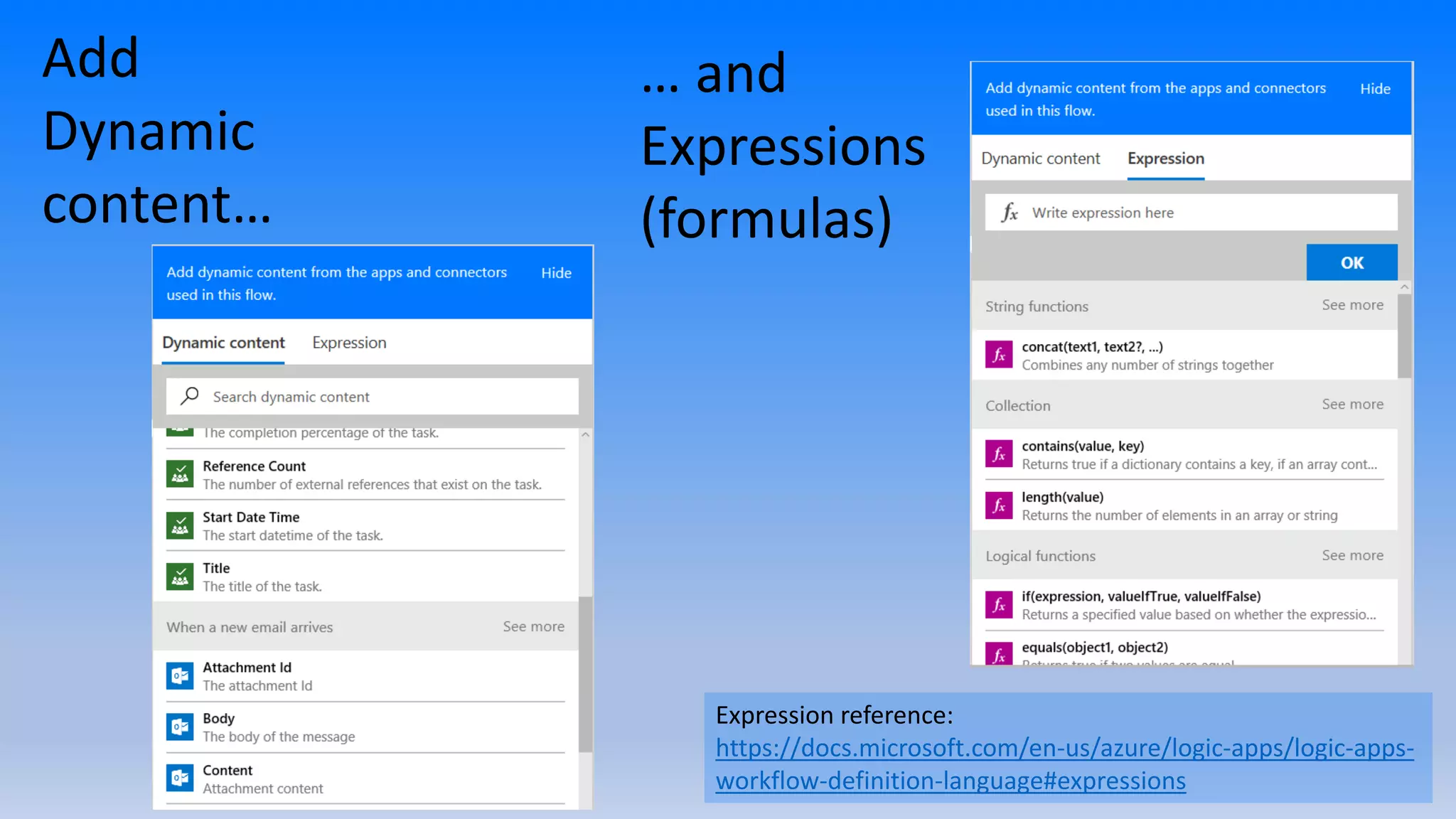
Add
Dynamic
content…
… and
Expressions
(formulas)
Expression reference:
https://docs.microsoft.com/en-us/azure/logic-apps/logic-apps-
workflow-definition-language#expressions
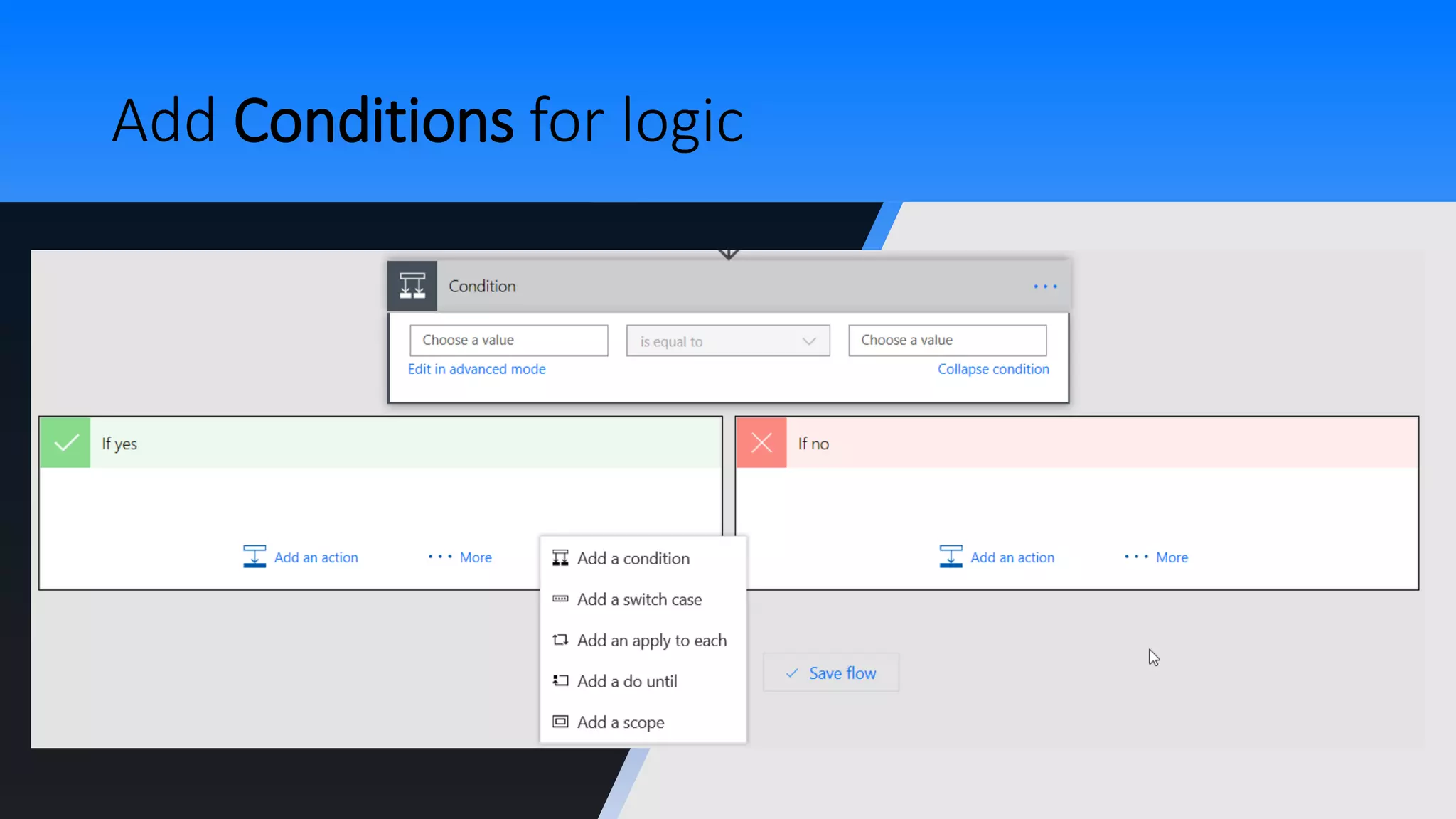
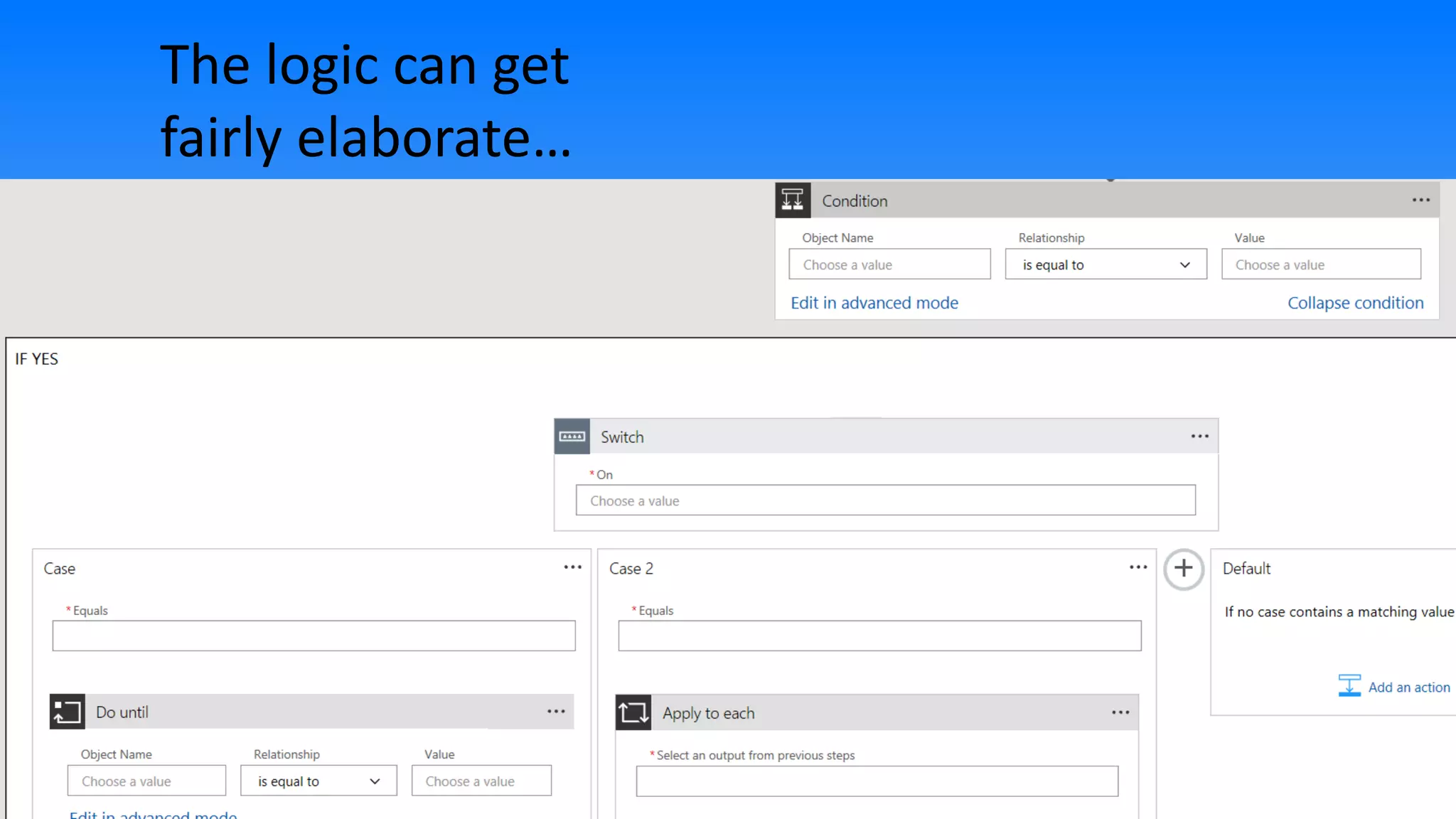
Add Conditions for logic
The logic can get
fairly elaborate…
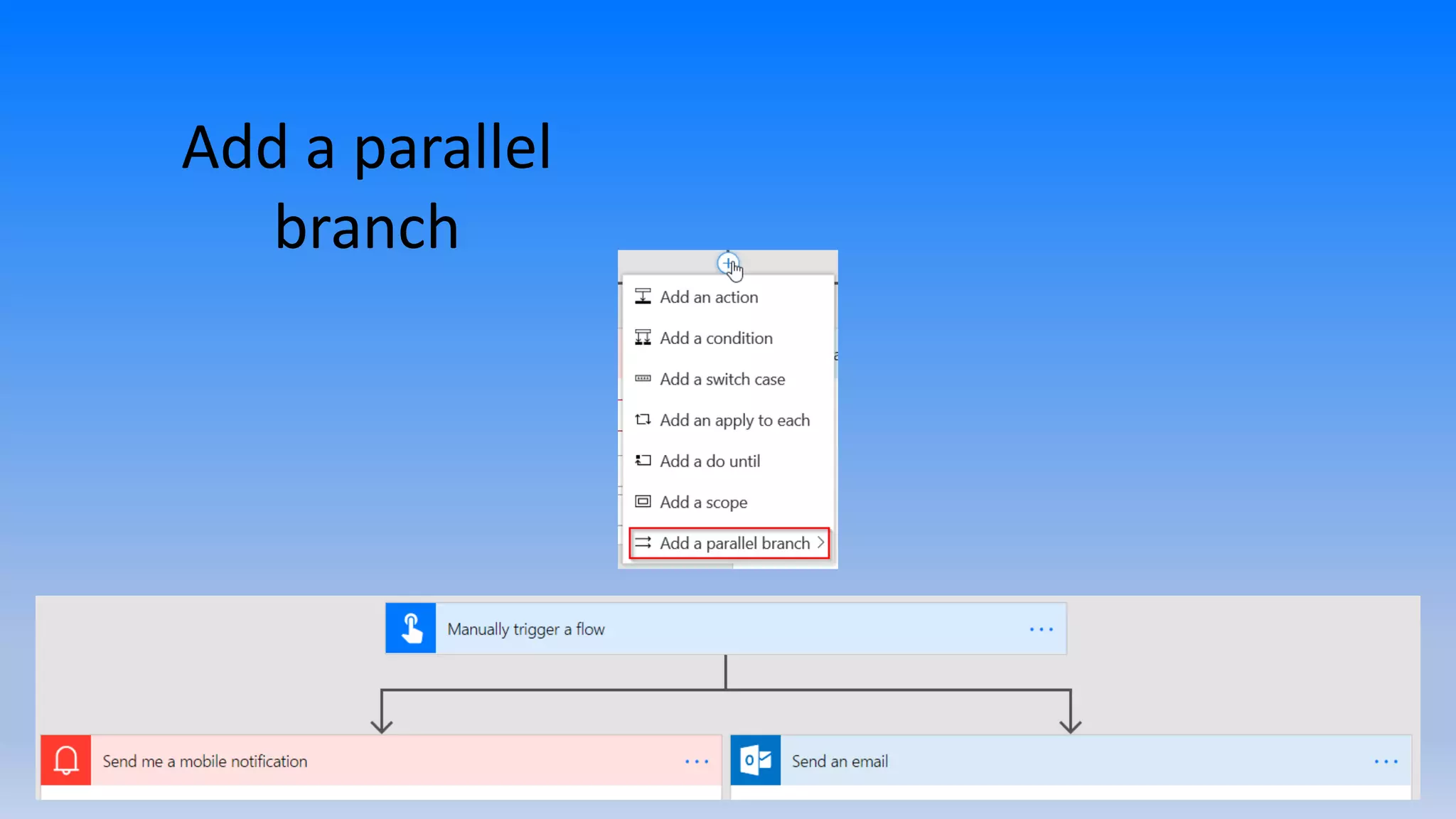
Add a parallel
branch
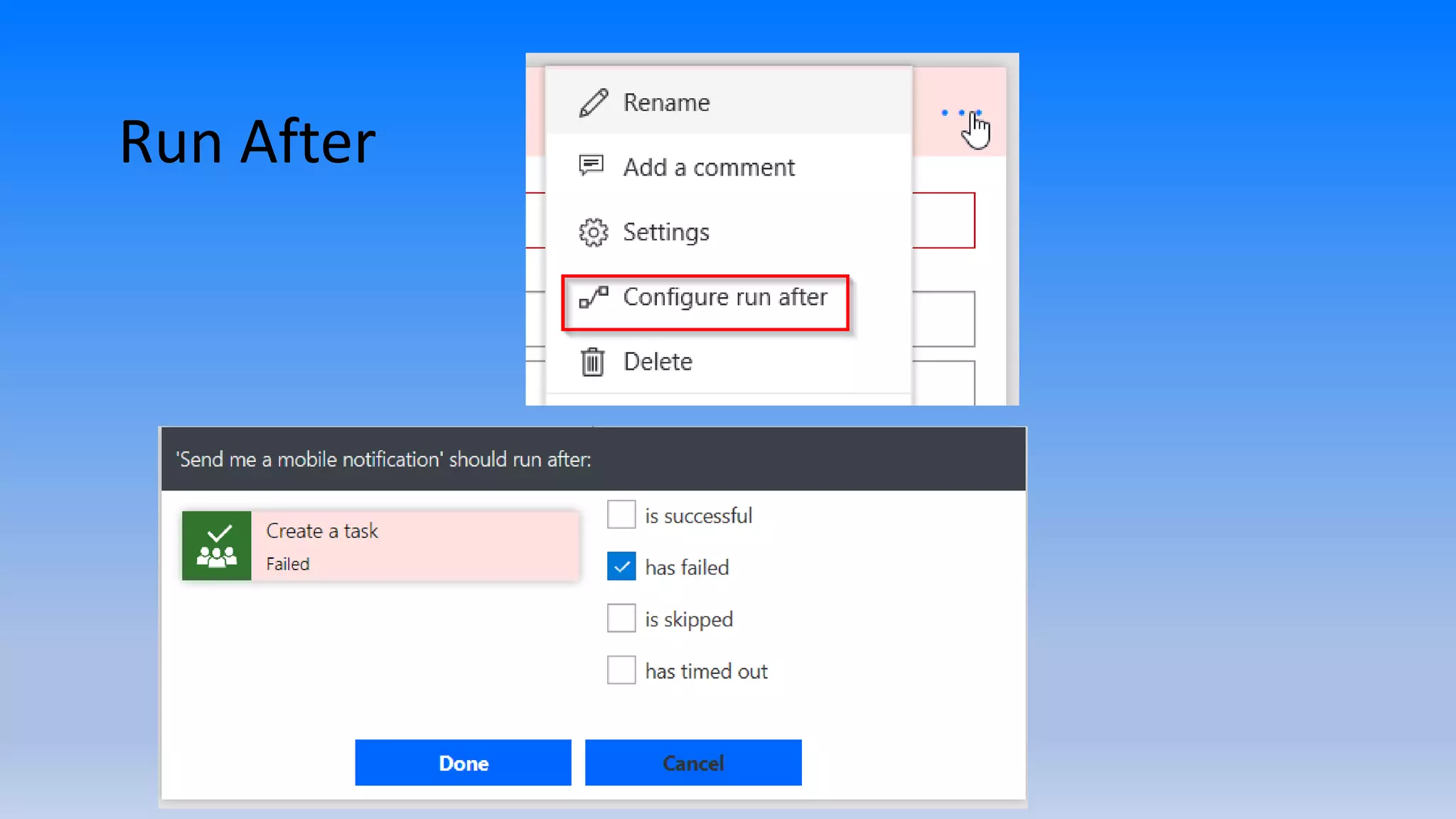
Run After
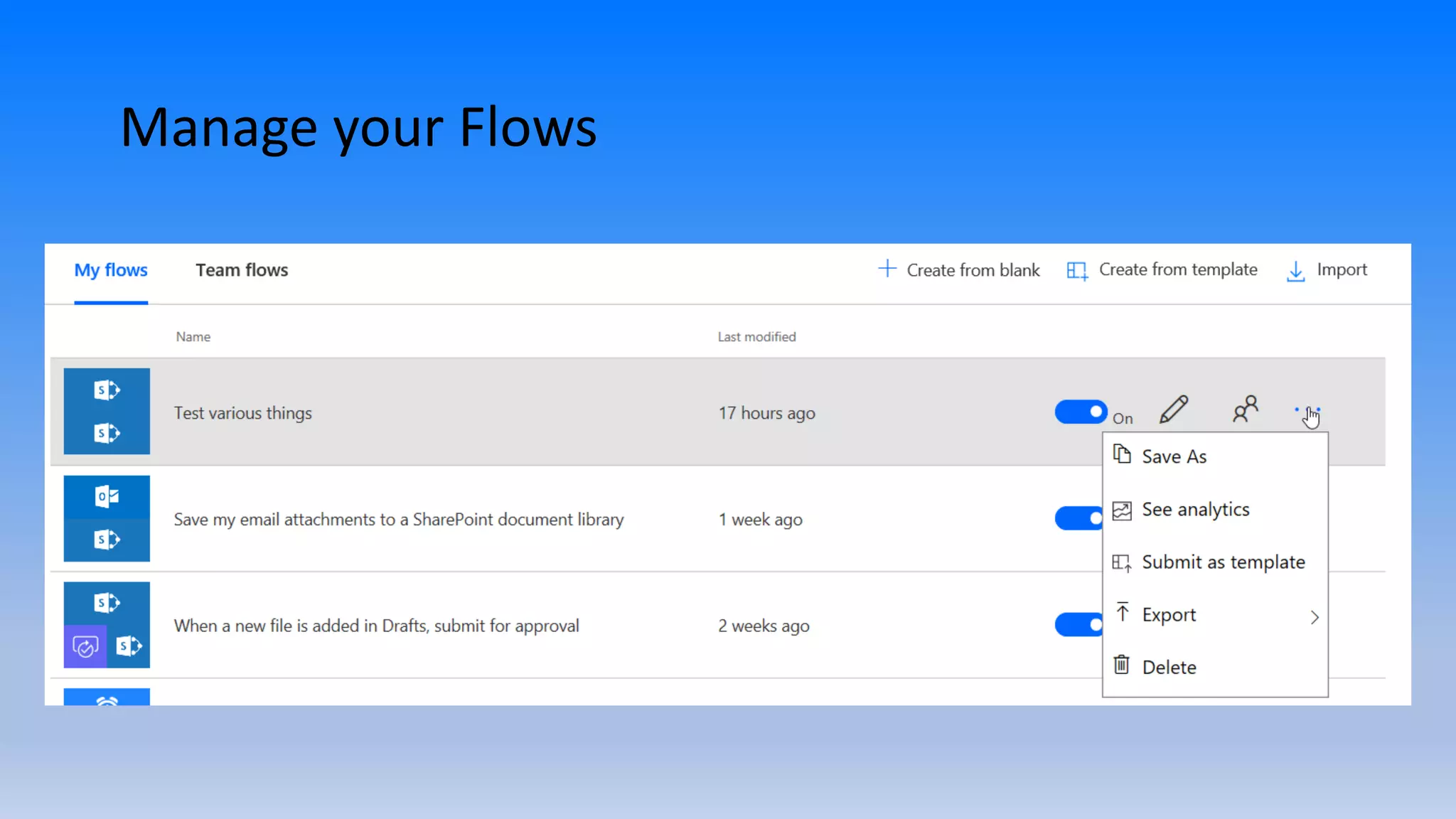
Manage your Flows
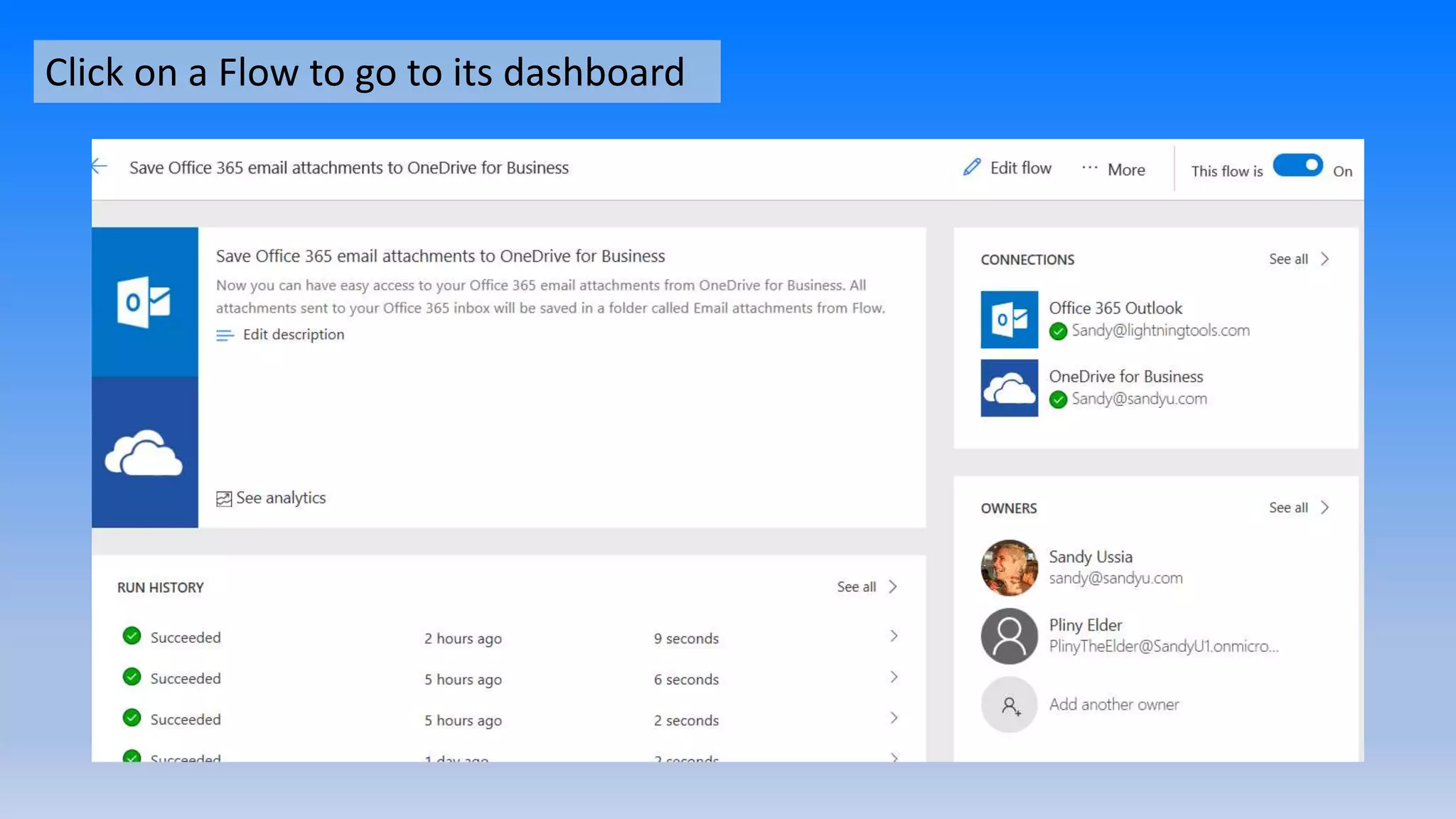
Click on a Flow to go to its dashboard
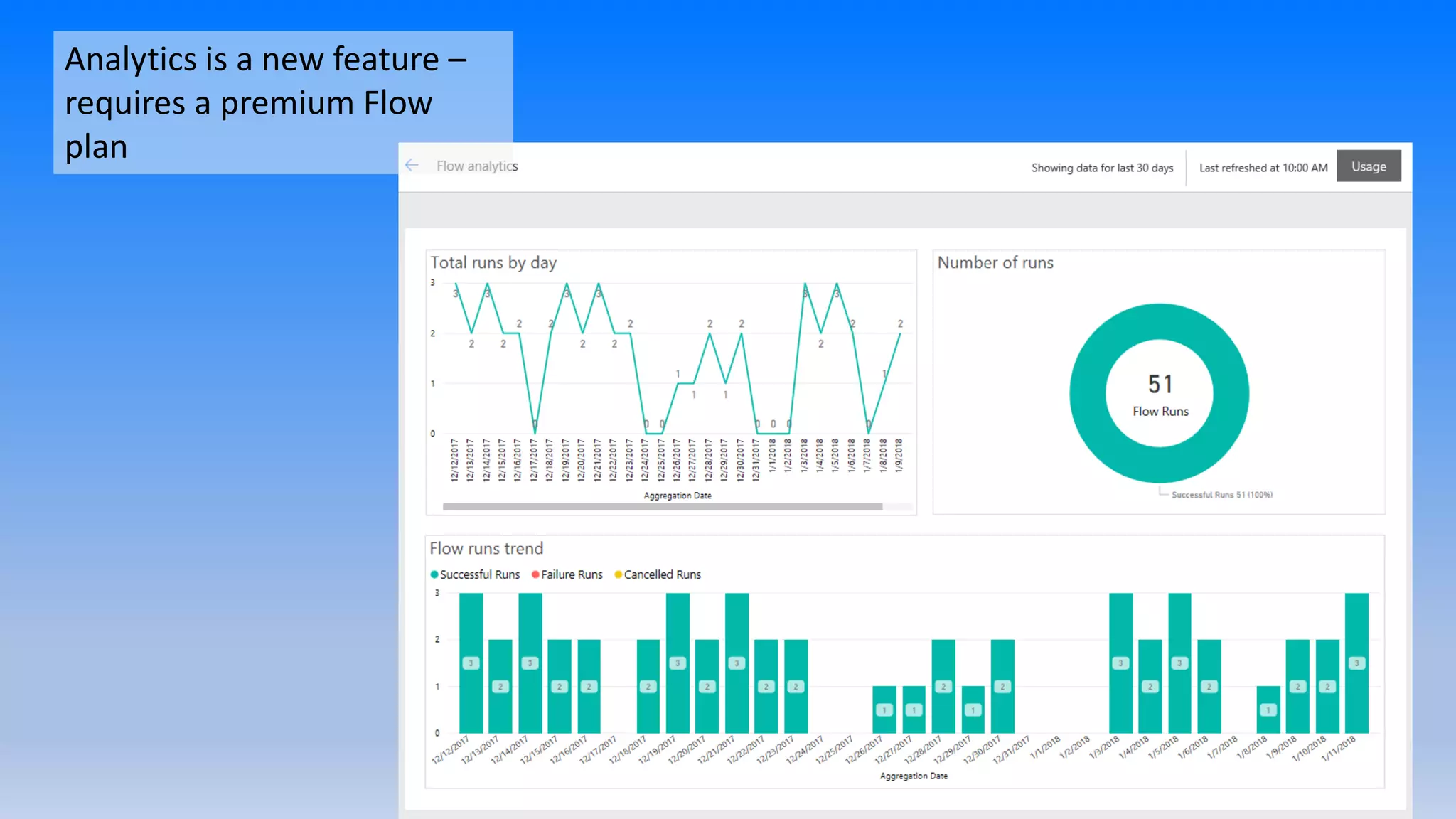
Analytics is a new feature –
requires a premium Flow
plan
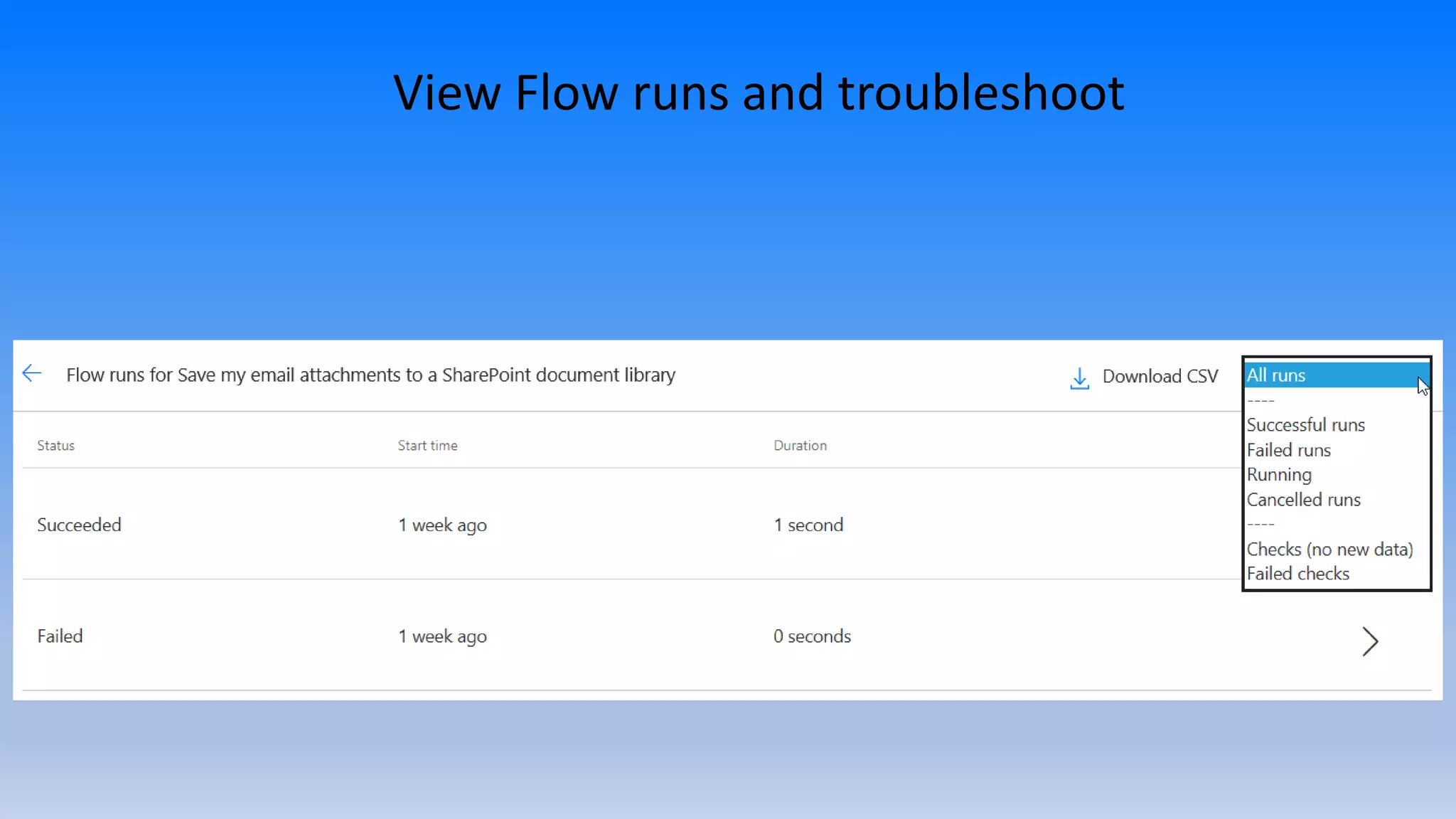
View Flow runs and troubleshoot
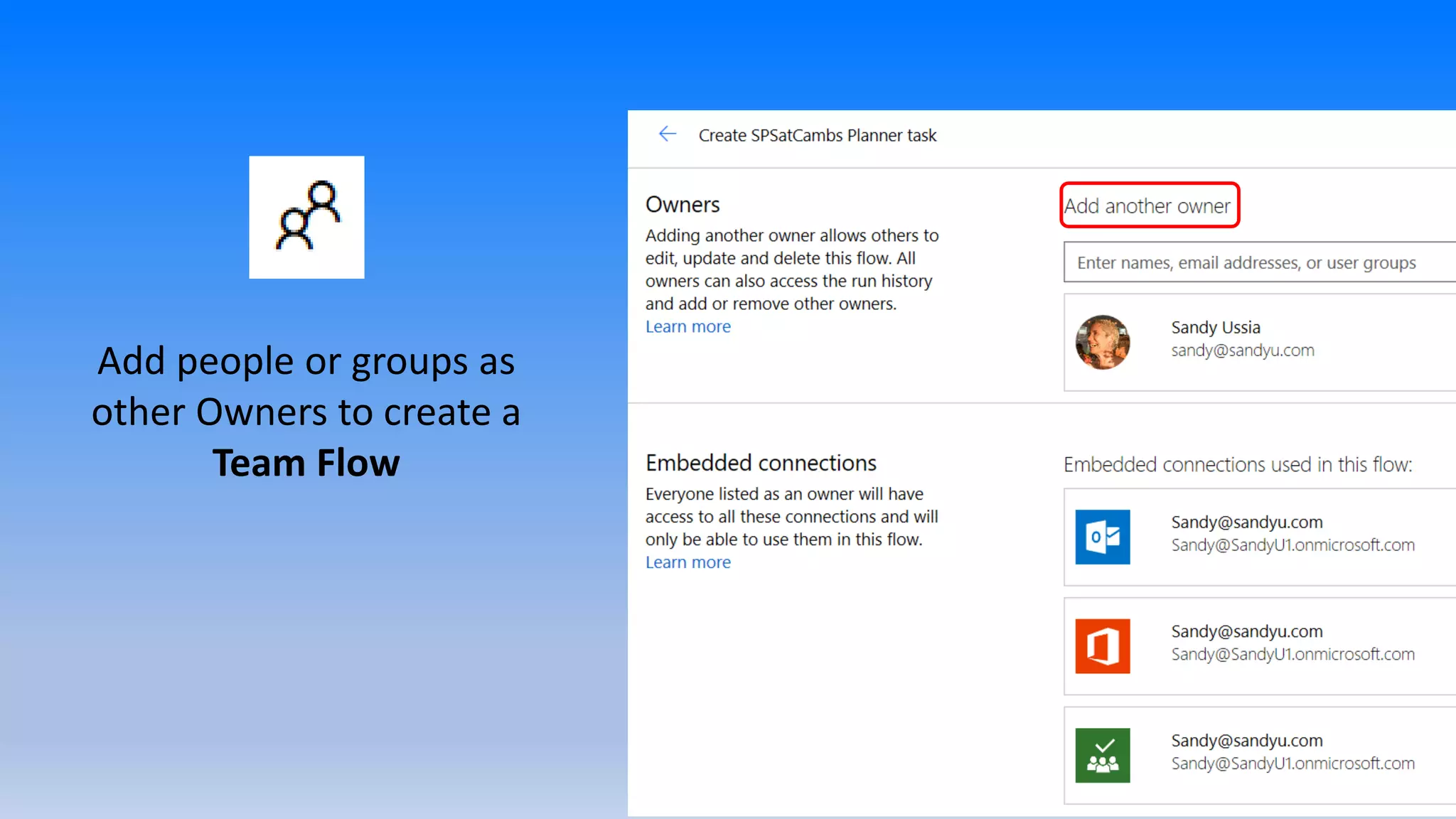
Add people or groups as
other Owners to create a
Team Flow
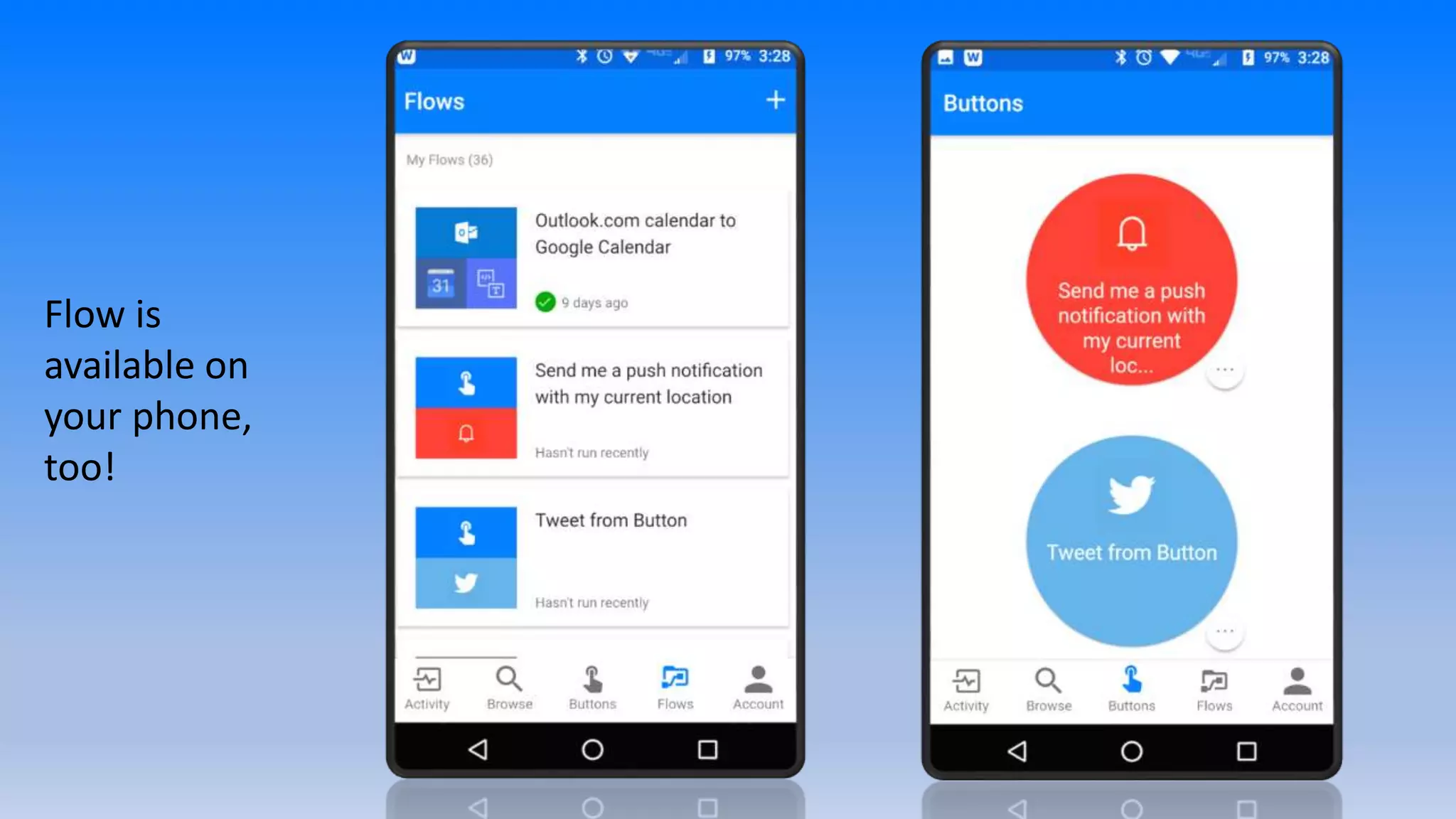
Flow is
available on
your phone,
too!
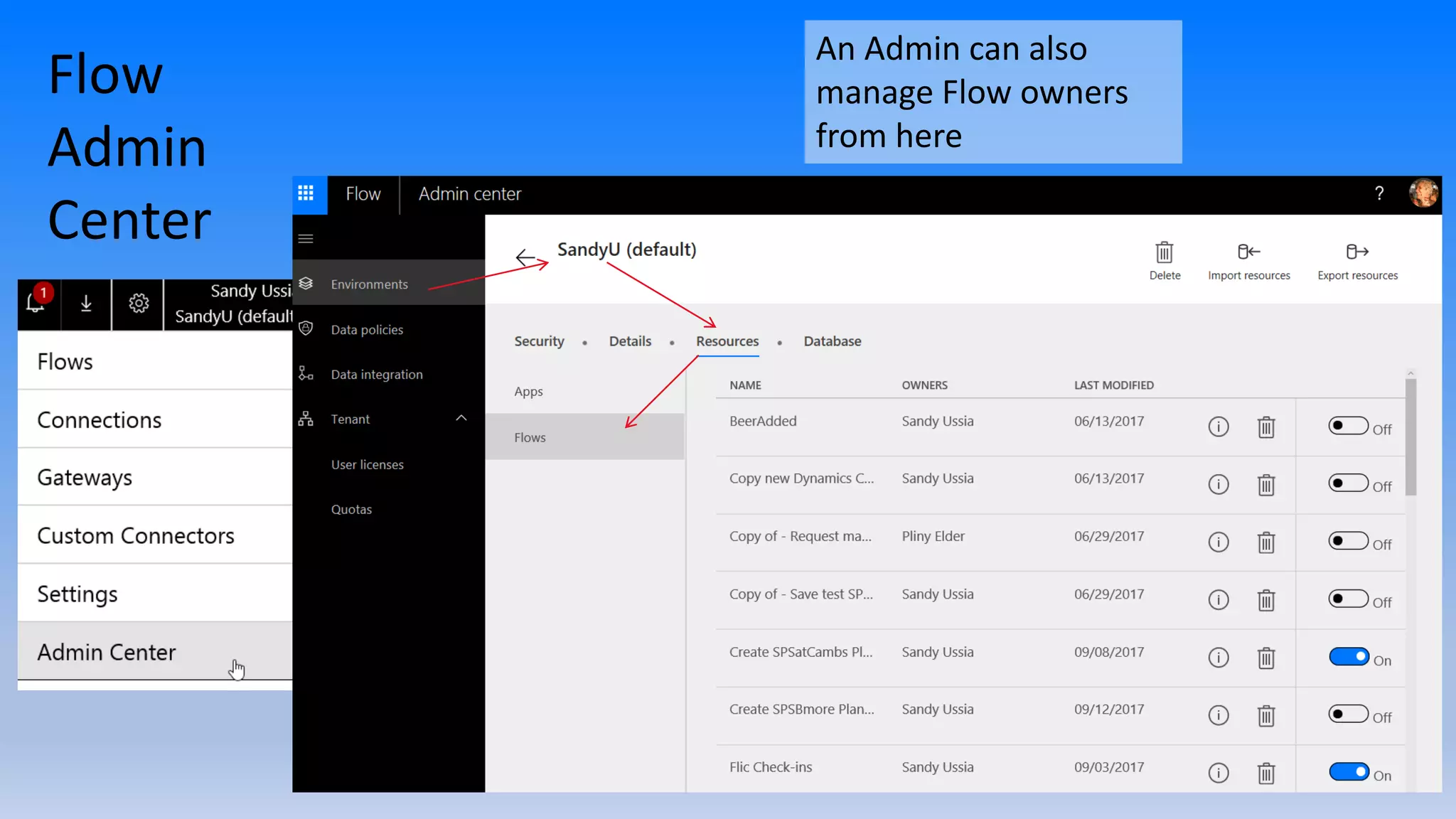
Flow Admin Center
For
Dynamics
365 & CDS
Flow
Admin
Center
An Admin can also
manage Flow owners
from here
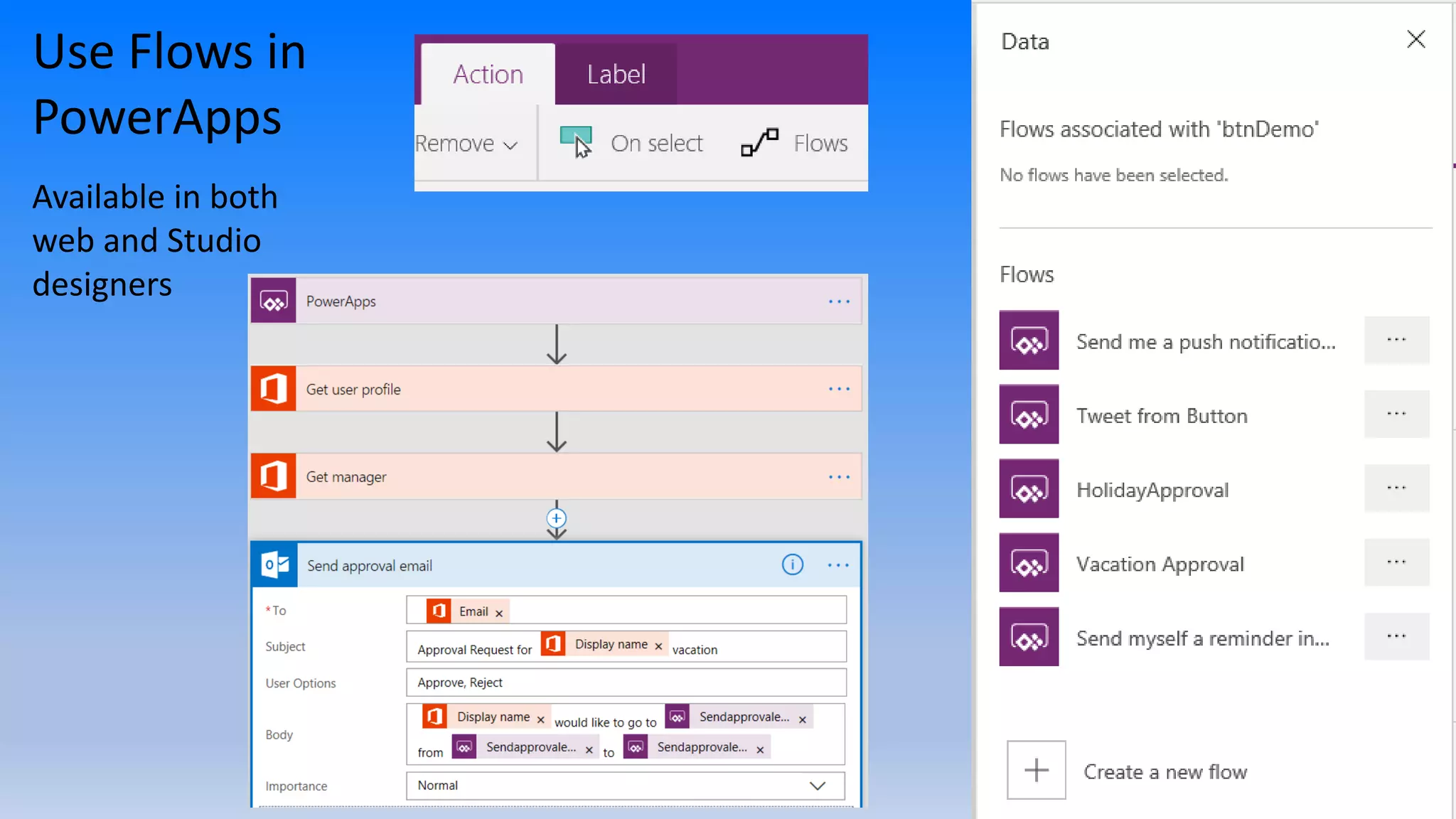
Use Flows in
PowerApps
Available in both
web and Studio
designers
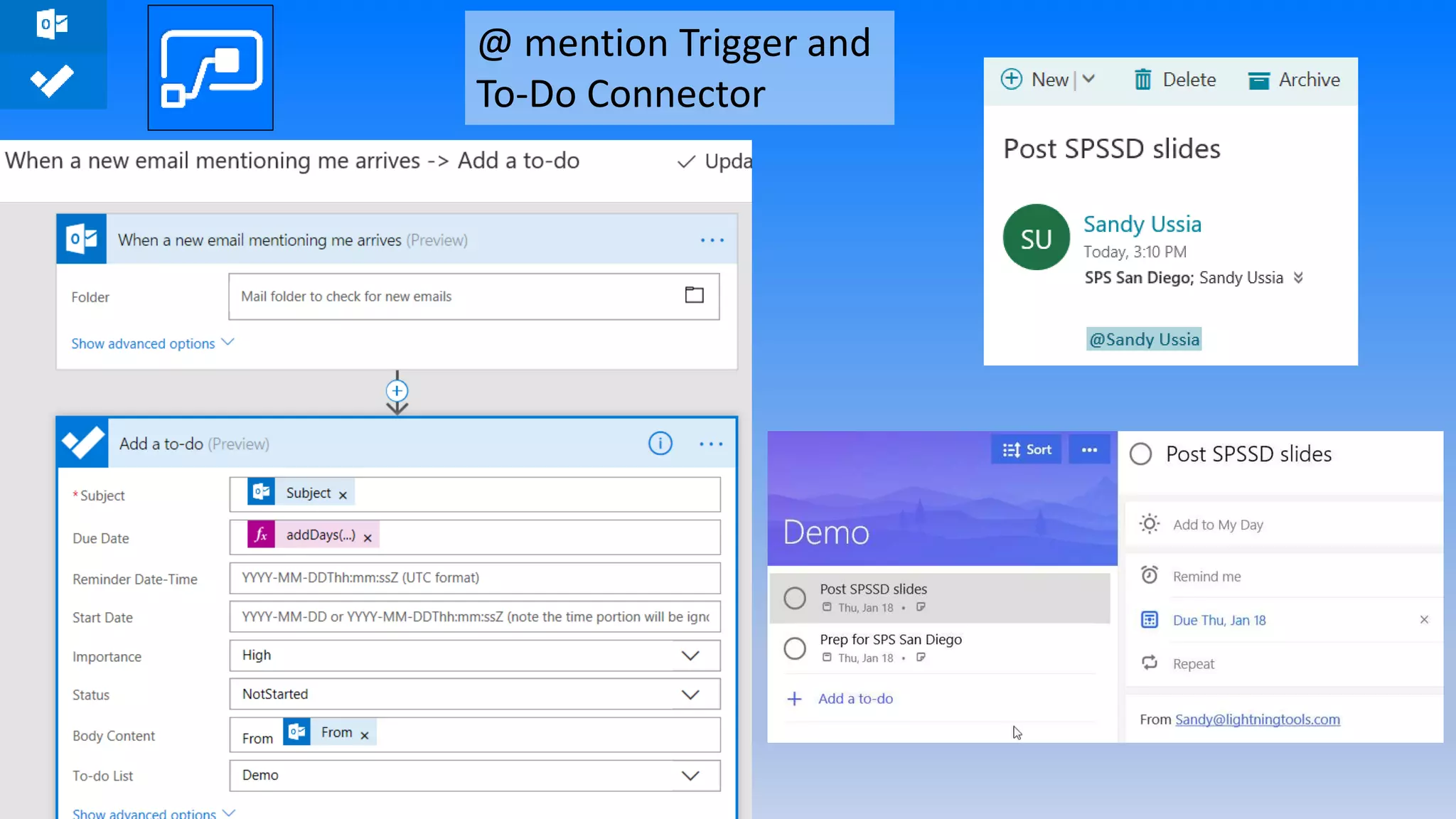
@ mention Trigger and
To-Do Connector
Flow Launch Panel,
Modern Approvals,
Run-only users
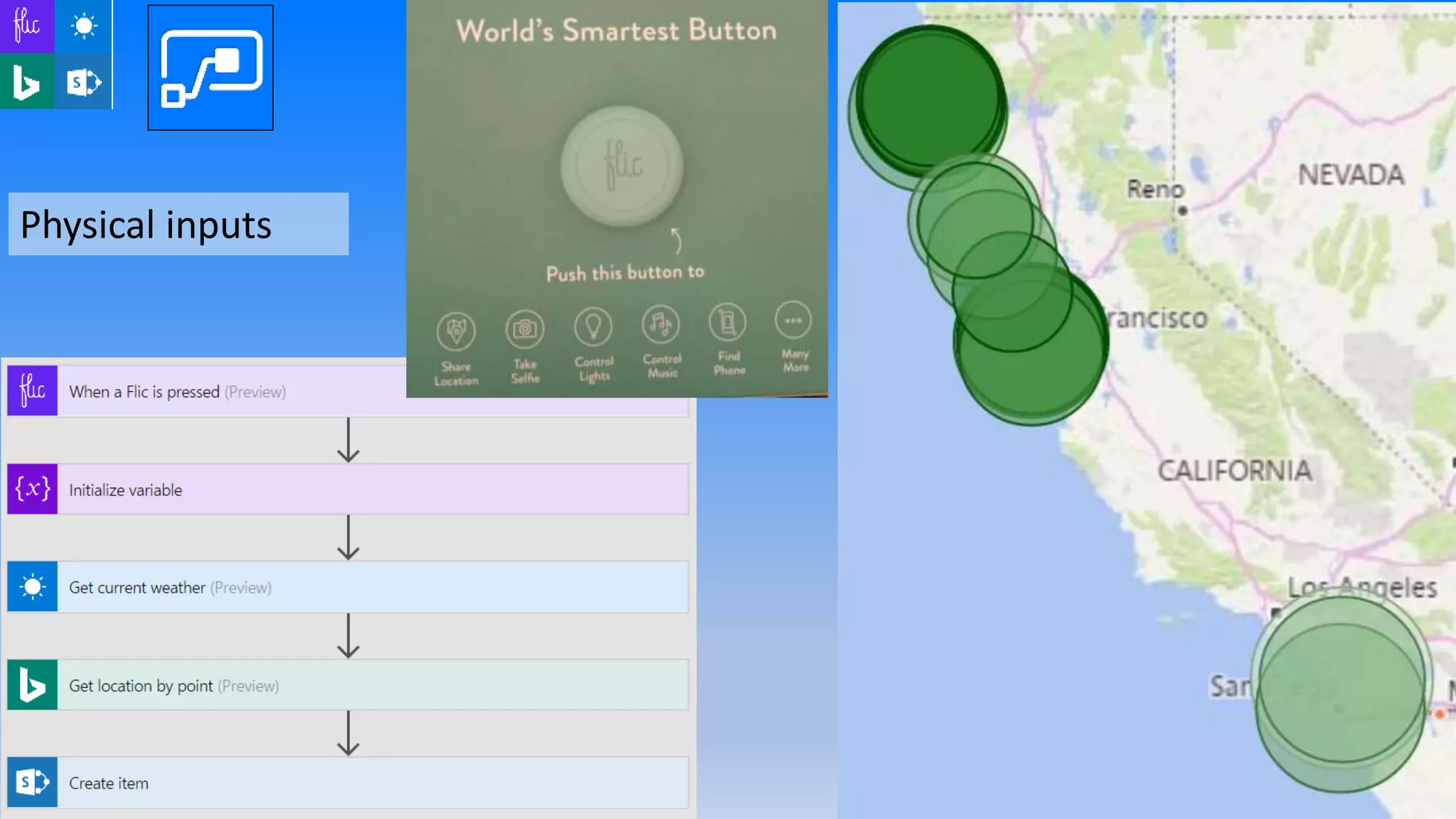
Physical inputs
Pricing
As of September 2017
Also see: https://flow.microsoft.com/en-us/pricing/#plan-feature-table
Also: Flow Free
(750 runs, 15-
minute checks)
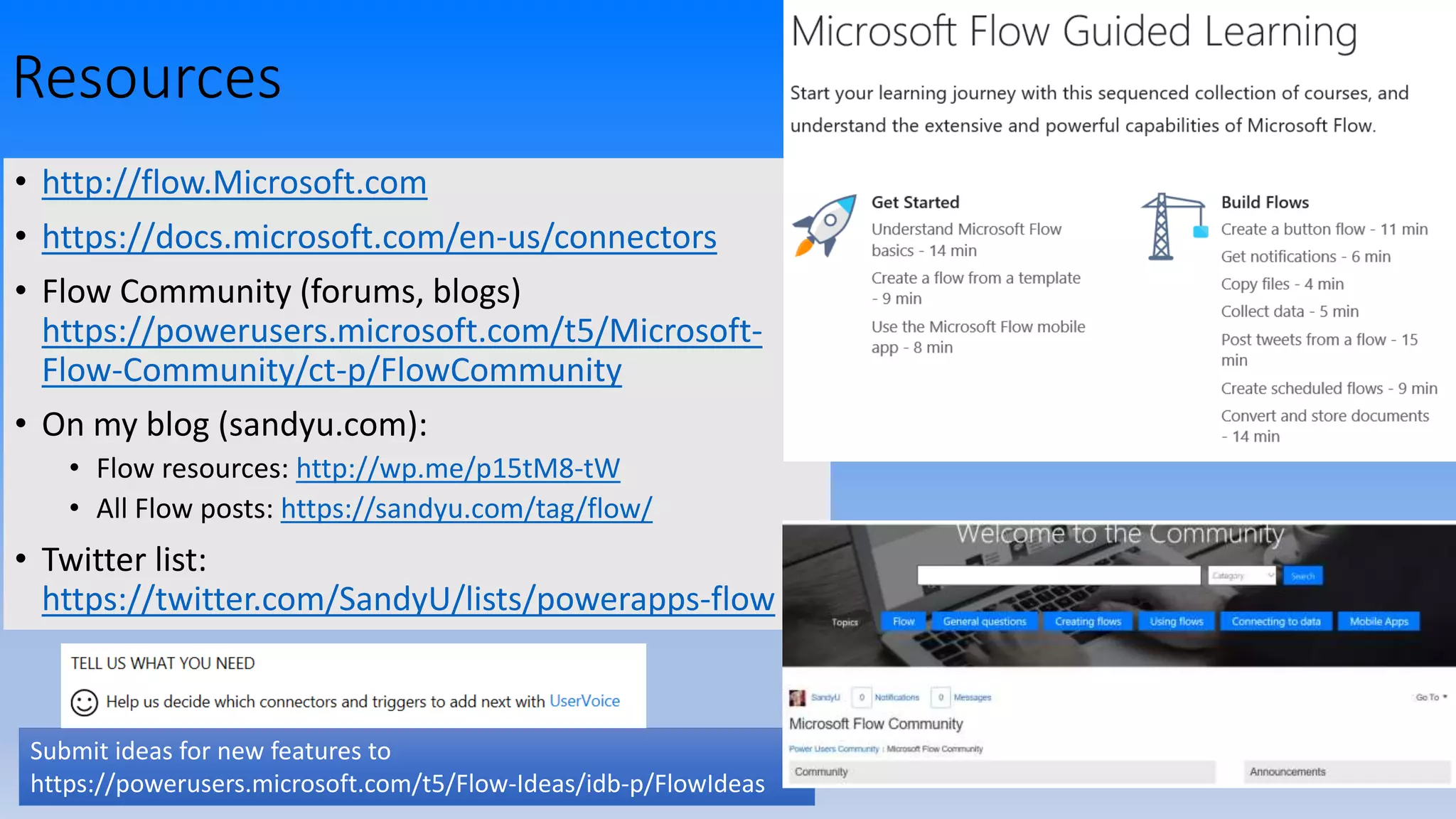
Resources
• http://flow.Microsoft.com
• https://docs.microsoft.com/en-us/connectors
• Flow Community (forums, blogs)
https://powerusers.microsoft.com/t5/Microsoft-
Flow-Community/ct-p/FlowCommunity
• On my blog (sandyu.com):
• Flow resources: http://wp.me/p15tM8-tW
• All Flow posts: https://sandyu.com/tag/flow/
• Twitter list:
https://twitter.com/SandyU/lists/powerapps-flow
Submit ideas for new features to
https://powerusers.microsoft.com/t5/Flow-Ideas/idb-p/FlowIdeas
Join us right after at The Urge
Socialize and unwind after our day of learning.
Urge Gastropub & Common House
(practically across the street)
255 Redel Road, San Marcos, CA 92078
https://sm.urgegastropub.com/
Thank you for joining us today!
Don’t Forget SharePint

SPSSD: Make Your Life Easier with Microsoft Flow

Editor's Notes

  • #9 Add "Recently Added & Updated" per June update
  • #23 Save As Available for Team Flows also as of late June Show Team Flows
  • #28 Now(?) available in web studio also
  • #34 SharePint