FSL Implementation
Nikolai Avrutov
nikolai.avrutov@clicksoftware.com
Guidance, heads up, best practices
Agenda
• Initial Considerations
• Managed Package
• Permission Set Guidance
• Sharing Model
• Disabling Data Integration Rules
• Feed Tracking on SA
• Page Layout assignment
• Service Territories modelling
• Optional: Skills, Work Types
Initial Considerations
Study These Documents
​ FSL Managed Package Guide
​ What’s New
​ FSL Help
​ FSL Mobile
​ Partner Community
Having strong command and understanding of these documents will also help you prepare for
the FSL Certification!
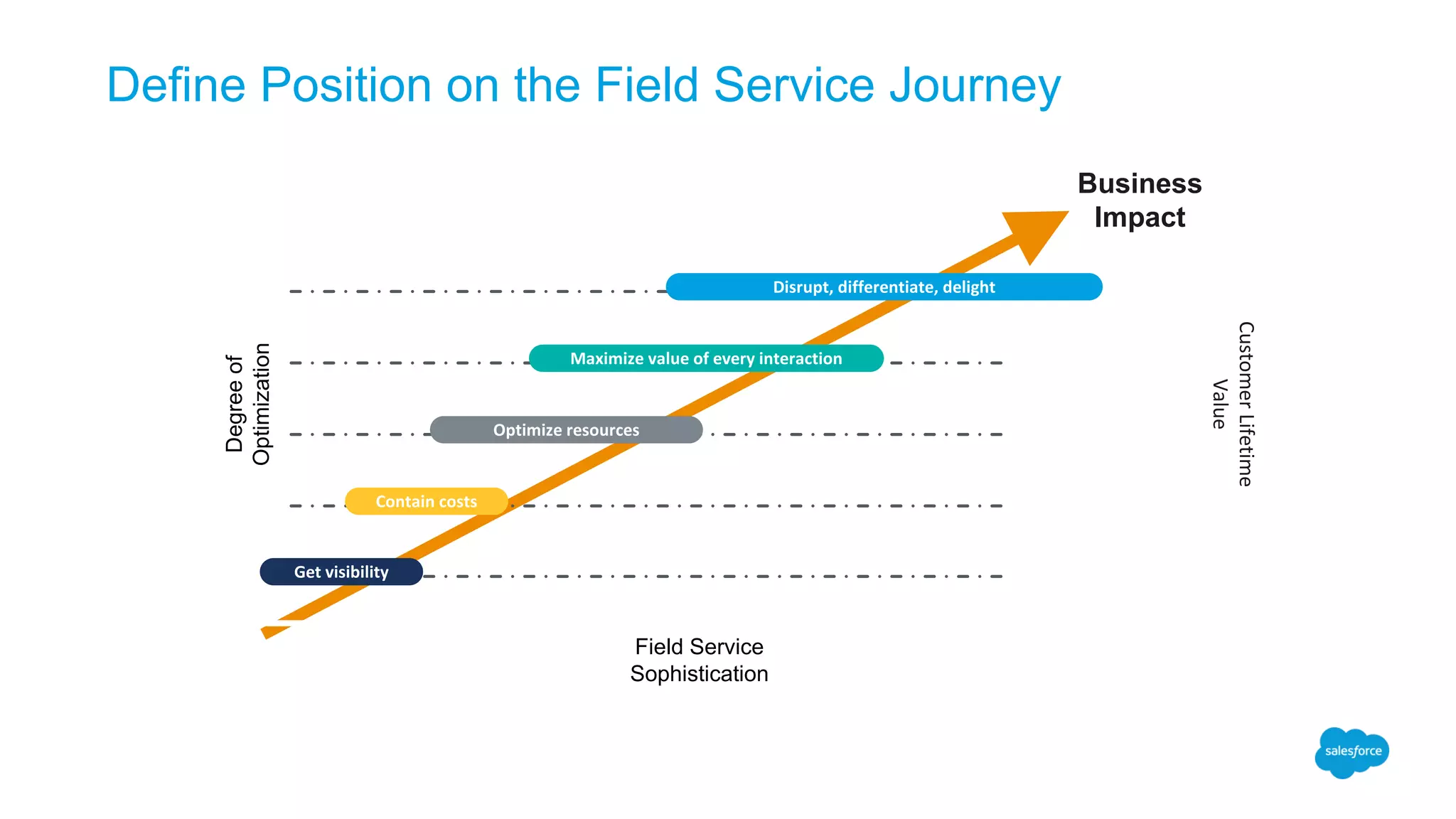
Define Position on the Field Service Journey
Degreeof
Optimization
Business
Impact
Field Service
Sophistication
Get	visibility
Contain	costs
Optimize	resources
Maximize	value	of	every	interaction
Disrupt,	differentiate,	delight
Customer	Lifetime	
Value
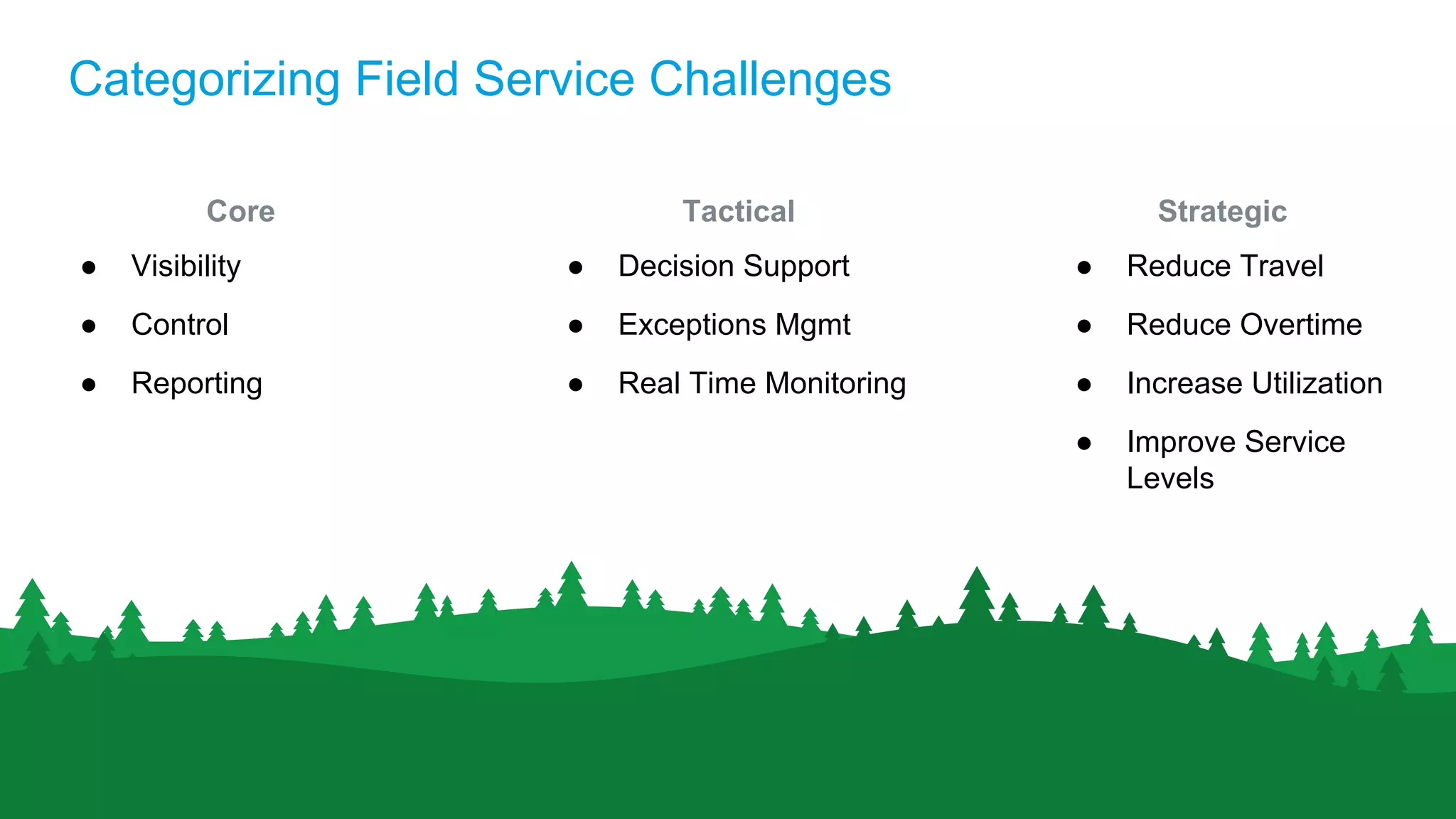
Categorizing Field Service Challenges
Core
● Visibility
● Control
● Reporting
Tactical
● Decision Support
● Exceptions Mgmt
● Real Time Monitoring
Strategic
● Reduce Travel
● Reduce Overtime
● Increase Utilization
● Improve Service
Levels
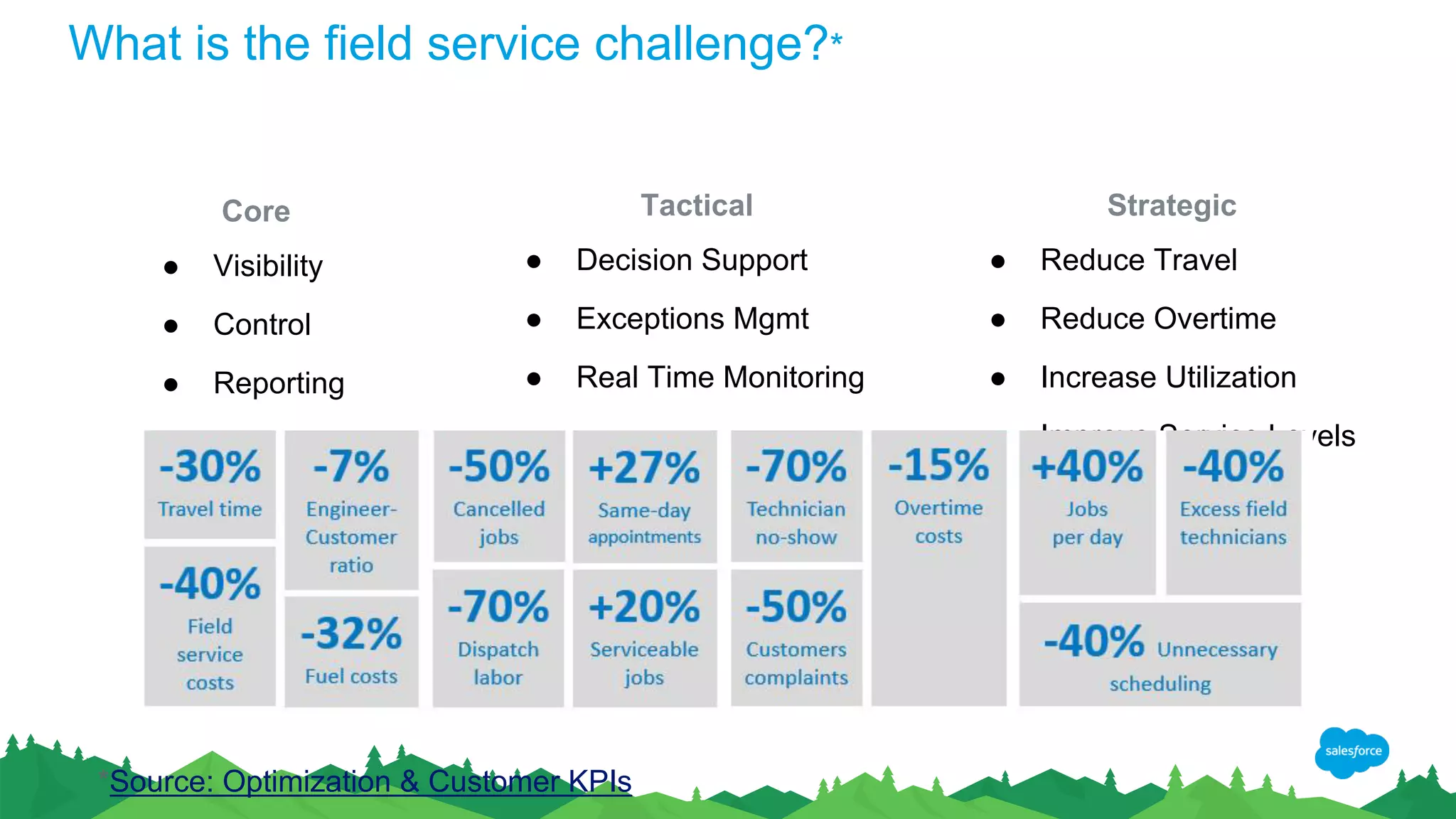
What is the field service challenge?*
Core
● Visibility
● Control
● Reporting
Tactical
● Decision Support
● Exceptions Mgmt
● Real Time Monitoring
Strategic
● Reduce Travel
● Reduce Overtime
● Increase Utilization
● Improve Service Levels
*Source: Optimization & Customer KPIs
Setting Up
FSL MP Delivery & Release Naming Convention
● As of Summer ‘17 - push to customer Orgs
• Fully aligned with Salesforce release cadence by Winter ‘18
● Pre release access available on install links
• https://fsl.secure.force.com/install/
● To remove confusion MP naming aligned with Salesforce release
• Spring 17 is now Summer 17
● No change in road map timeline
Permission Set Guidance
● FSL Creates Perm Sets - use them!
• Provide min level of access to all relevant objects
• Assigns PSLs to your user
• Refresh does not hurt additional perm sets
• Expect things to not work properly if perm set not used!
● Dispatcher should not be set as a resource!
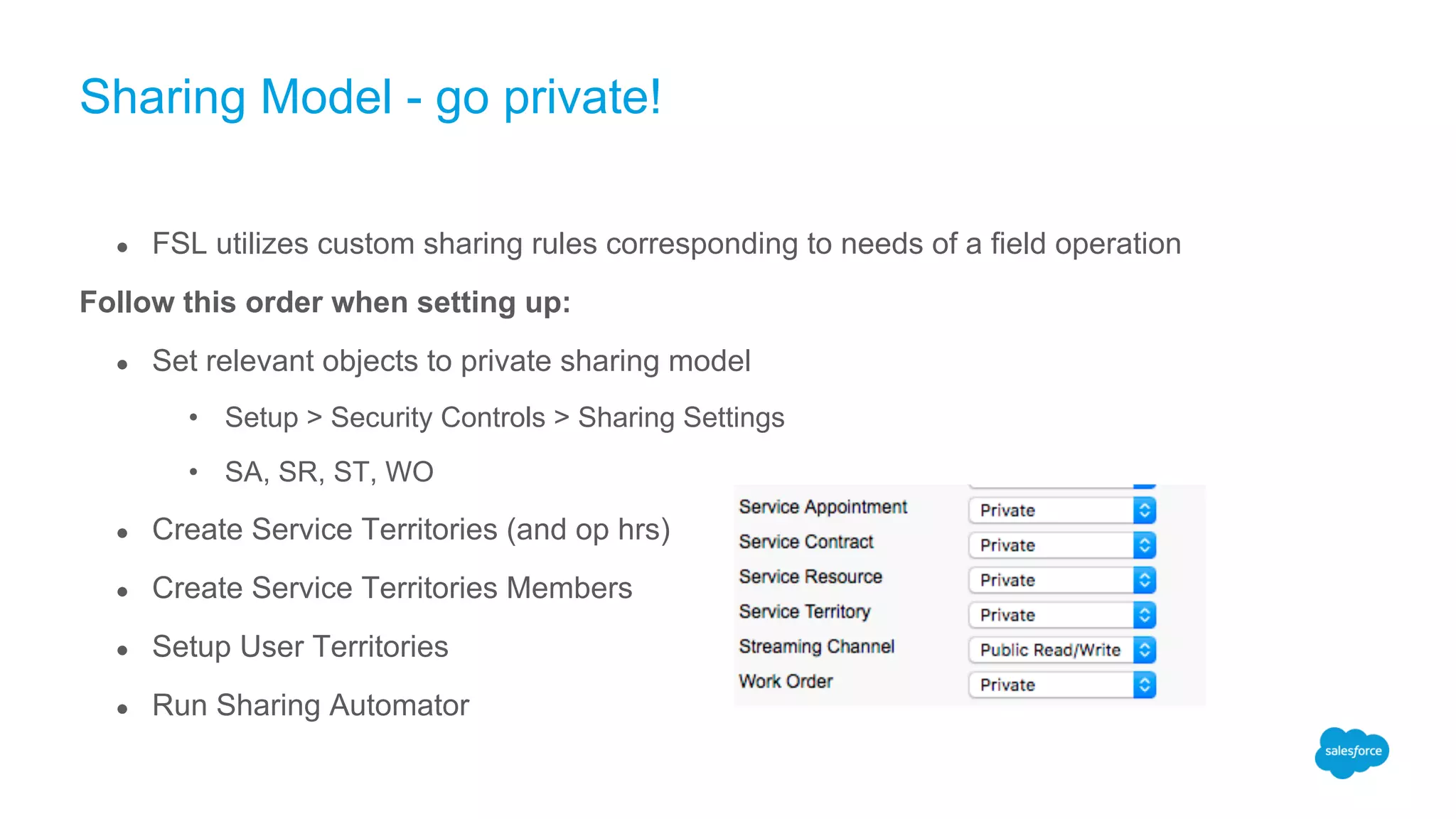
Sharing Model - go private!
● FSL utilizes custom sharing rules corresponding to needs of a field operation
Follow this order when setting up:
● Set relevant objects to private sharing model
• Setup > Security Controls > Sharing Settings
• SA, SR, ST, WO
● Create Service Territories (and op hrs)
● Create Service Territories Members
● Setup User Territories
● Run Sharing Automator
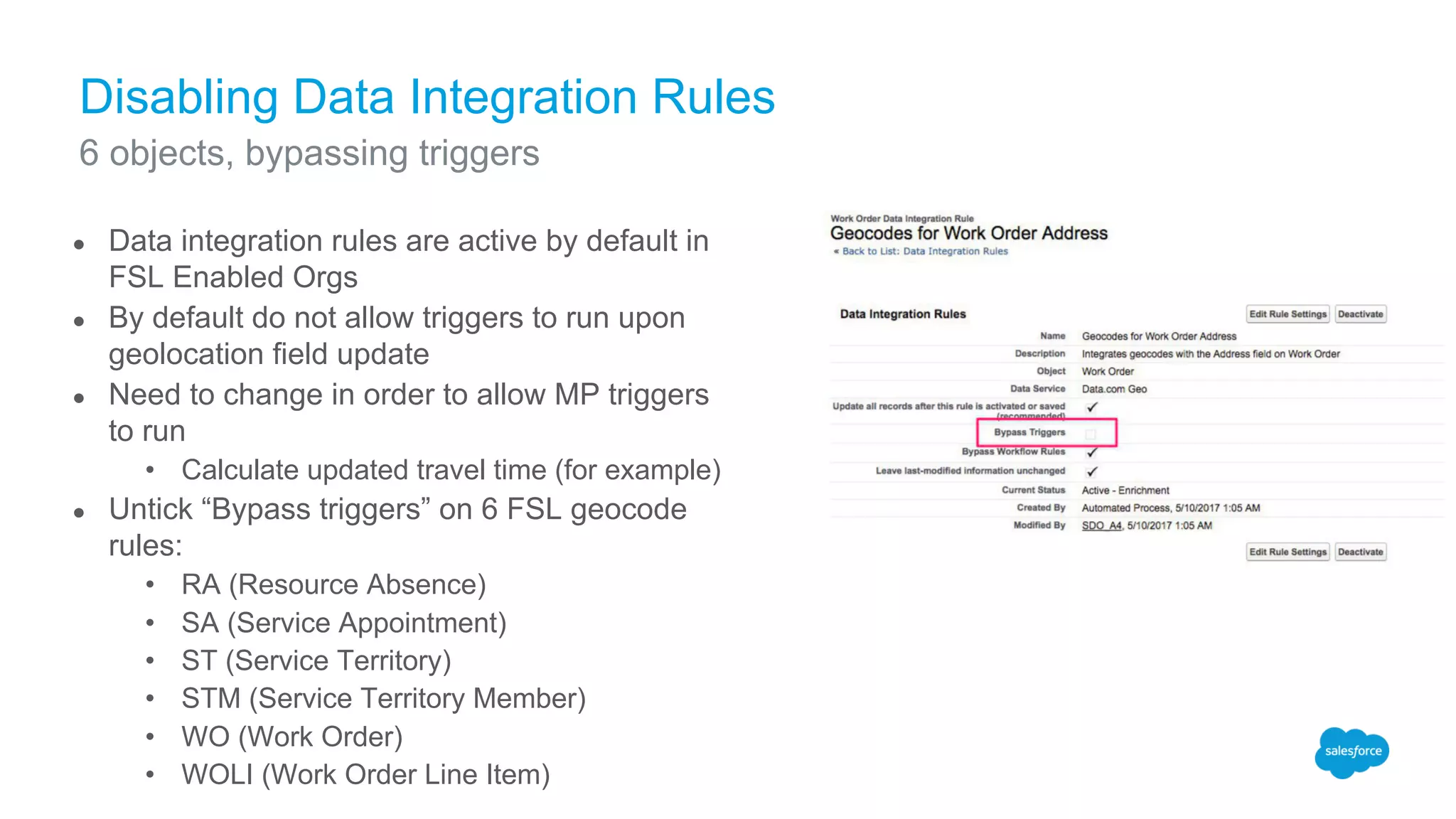
Disabling Data Integration Rules
● Data integration rules are active by default in
FSL Enabled Orgs
● By default do not allow triggers to run upon
geolocation field update
● Need to change in order to allow MP triggers
to run
• Calculate updated travel time (for example)
● Untick “Bypass triggers” on 6 FSL geocode
rules:
• RA (Resource Absence)
• SA (Service Appointment)
• ST (Service Territory)
• STM (Service Territory Member)
• WO (Work Order)
• WOLI (Work Order Line Item)
6 objects, bypassing triggers
Enable Feed Tracking in SA
● Allow Chatter on Service Appointments and their Status
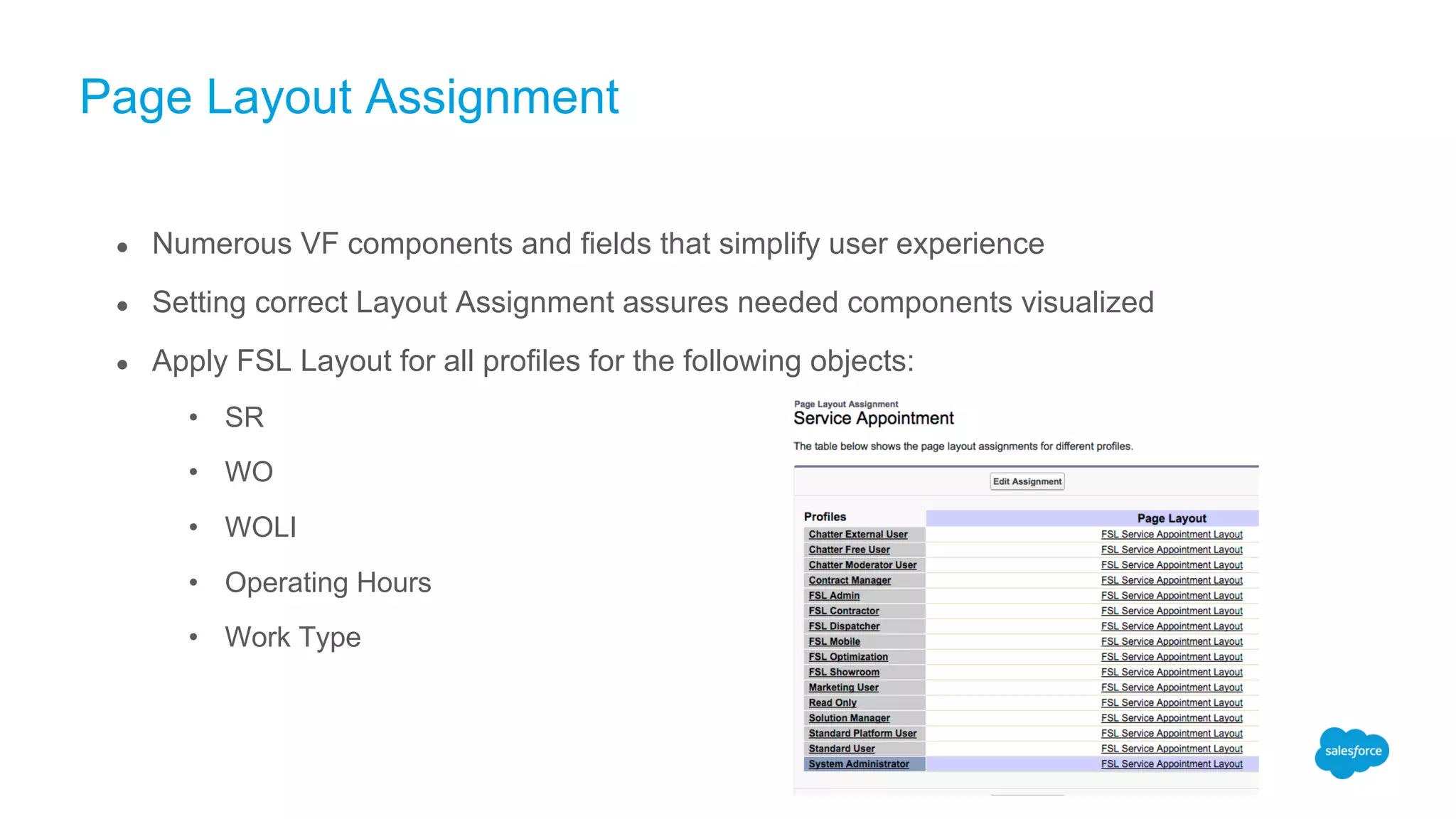
Page Layout Assignment
● Numerous VF components and fields that simplify user experience
● Setting correct Layout Assignment assures needed components visualized
● Apply FSL Layout for all profiles for the following objects:
• SR
• WO
• WOLI
• Operating Hours
• Work Type
ST Modelling
● Minimize candidates in an ST < 50
● Minimize STs
● Find Balance
nikolai.avrutov@clicksoftware.com

FSL Implementation Guidance Part 1 (May 10, 2017)

  • 1.
  • 2.
    Agenda • Initial Considerations •Managed Package • Permission Set Guidance • Sharing Model • Disabling Data Integration Rules • Feed Tracking on SA • Page Layout assignment • Service Territories modelling • Optional: Skills, Work Types
  • 3.
  • 4.
    Study These Documents ​FSL Managed Package Guide ​ What’s New ​ FSL Help ​ FSL Mobile ​ Partner Community Having strong command and understanding of these documents will also help you prepare for the FSL Certification!
  • 5.
    Define Position onthe Field Service Journey Degreeof Optimization Business Impact Field Service Sophistication Get visibility Contain costs Optimize resources Maximize value of every interaction Disrupt, differentiate, delight Customer Lifetime Value
  • 6.
    Categorizing Field ServiceChallenges Core ● Visibility ● Control ● Reporting Tactical ● Decision Support ● Exceptions Mgmt ● Real Time Monitoring Strategic ● Reduce Travel ● Reduce Overtime ● Increase Utilization ● Improve Service Levels
  • 7.
    What is thefield service challenge?* Core ● Visibility ● Control ● Reporting Tactical ● Decision Support ● Exceptions Mgmt ● Real Time Monitoring Strategic ● Reduce Travel ● Reduce Overtime ● Increase Utilization ● Improve Service Levels *Source: Optimization & Customer KPIs
  • 8.
  • 9.
    FSL MP Delivery& Release Naming Convention ● As of Summer ‘17 - push to customer Orgs • Fully aligned with Salesforce release cadence by Winter ‘18 ● Pre release access available on install links • https://fsl.secure.force.com/install/ ● To remove confusion MP naming aligned with Salesforce release • Spring 17 is now Summer 17 ● No change in road map timeline
  • 10.
    Permission Set Guidance ●FSL Creates Perm Sets - use them! • Provide min level of access to all relevant objects • Assigns PSLs to your user • Refresh does not hurt additional perm sets • Expect things to not work properly if perm set not used! ● Dispatcher should not be set as a resource!
  • 11.
    Sharing Model -go private! ● FSL utilizes custom sharing rules corresponding to needs of a field operation Follow this order when setting up: ● Set relevant objects to private sharing model • Setup > Security Controls > Sharing Settings • SA, SR, ST, WO ● Create Service Territories (and op hrs) ● Create Service Territories Members ● Setup User Territories ● Run Sharing Automator
  • 12.
    Disabling Data IntegrationRules ● Data integration rules are active by default in FSL Enabled Orgs ● By default do not allow triggers to run upon geolocation field update ● Need to change in order to allow MP triggers to run • Calculate updated travel time (for example) ● Untick “Bypass triggers” on 6 FSL geocode rules: • RA (Resource Absence) • SA (Service Appointment) • ST (Service Territory) • STM (Service Territory Member) • WO (Work Order) • WOLI (Work Order Line Item) 6 objects, bypassing triggers
  • 13.
    Enable Feed Trackingin SA ● Allow Chatter on Service Appointments and their Status
  • 14.
    Page Layout Assignment ●Numerous VF components and fields that simplify user experience ● Setting correct Layout Assignment assures needed components visualized ● Apply FSL Layout for all profiles for the following objects: • SR • WO • WOLI • Operating Hours • Work Type
  • 15.
    ST Modelling ● Minimizecandidates in an ST < 50 ● Minimize STs ● Find Balance
  • 16.