Lightning Experience for ISVs
Sneak peek at the new Salesforce and enabling ISVs to get Lightning Ready
Andrew Albert
VP, ISV Technical Enablement
Heather Conklin
Director, Product Management
Farhan Tahir
Senior Product Manager, Platform
​
Proprietary & Confidential
Safe Harbor
Safe harbor statement under the Private Securities Litigation Reform Act of 1995:
This presentation may contain forward-looking statements that involve risks, uncertainties, and assumptions. If any such uncertainties materialize or if
any of the assumptions proves incorrect, the results of salesforce.com, inc. could differ materially from the results expressed or implied by the forward-
looking statements we make. All statements other than statements of historical fact could be deemed forward-looking, including any projections of
product or service availability, subscriber growth, earnings, revenues, or other financial items and any statements regarding strategies or plans of
management for future operations, statements of belief, any statements concerning new, planned, or upgraded services or technology developments
and customer contracts or use of our services.
The risks and uncertainties referred to above include – but are not limited to – risks associated with developing and delivering new functionality for our
service, new products and services, our new business model, our past operating losses, possible fluctuations in our operating results and rate of
growth, interruptions or delays in our Web hosting, breach of our security measures, the outcome of any litigation, risks associated with completed and
any possible mergers and acquisitions, the immature market in which we operate, our relatively limited operating history, our ability to expand, retain,
and motivate our employees and manage our growth, new releases of our service and successful customer deployment, our limited history reselling
non-salesforce.com products, and utilization and selling to larger enterprise customers. Further information on potential factors that could affect the
financial results of salesforce.com, inc. is included in our annual report on Form 10-K for the most recent fiscal year and in our quarterly report on Form
10-Q for the most recent fiscal quarter. These documents and others containing important disclosures are available on the SEC Filings section of the
Investor Information section of our Web site.
Any unreleased services or features referenced in this or other presentations, press releases or public statements are not currently available and may
not be delivered on time or at all. Customers who purchase our services should make the purchase decisions based upon features that are currently
available. Salesforce.com, inc. assumes no obligation and does not intend to update these forward-looking statements.
Proprietary & Confidential
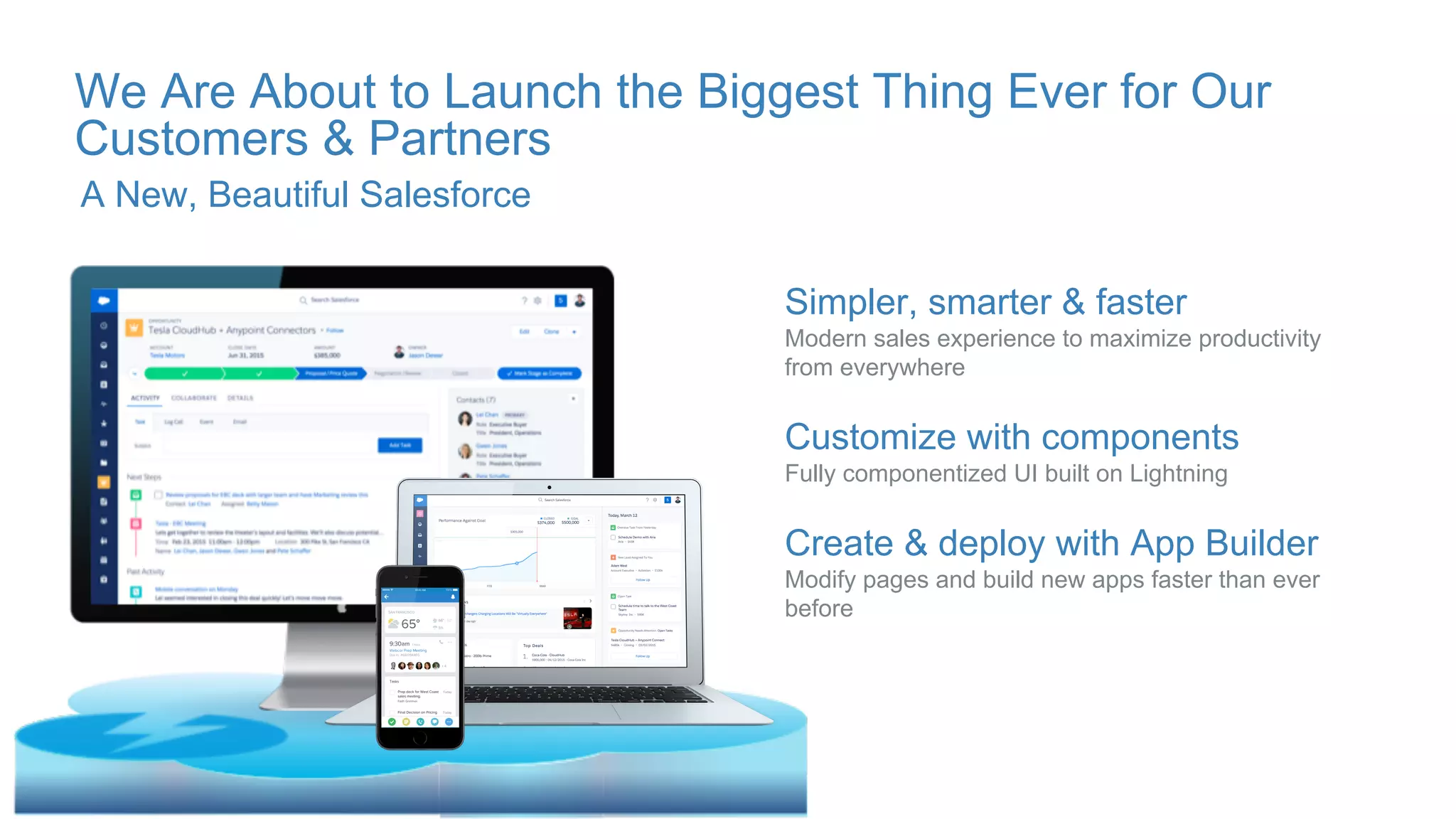
We Are About to Launch the Biggest Thing Ever for Our
Customers & Partners
Simpler, smarter & faster
Modern sales experience to maximize productivity
from everywhere
Customize with components
Fully componentized UI built on Lightning
Create & deploy with App Builder
Modify pages and build new apps faster than ever
before
A New, Beautiful Salesforce
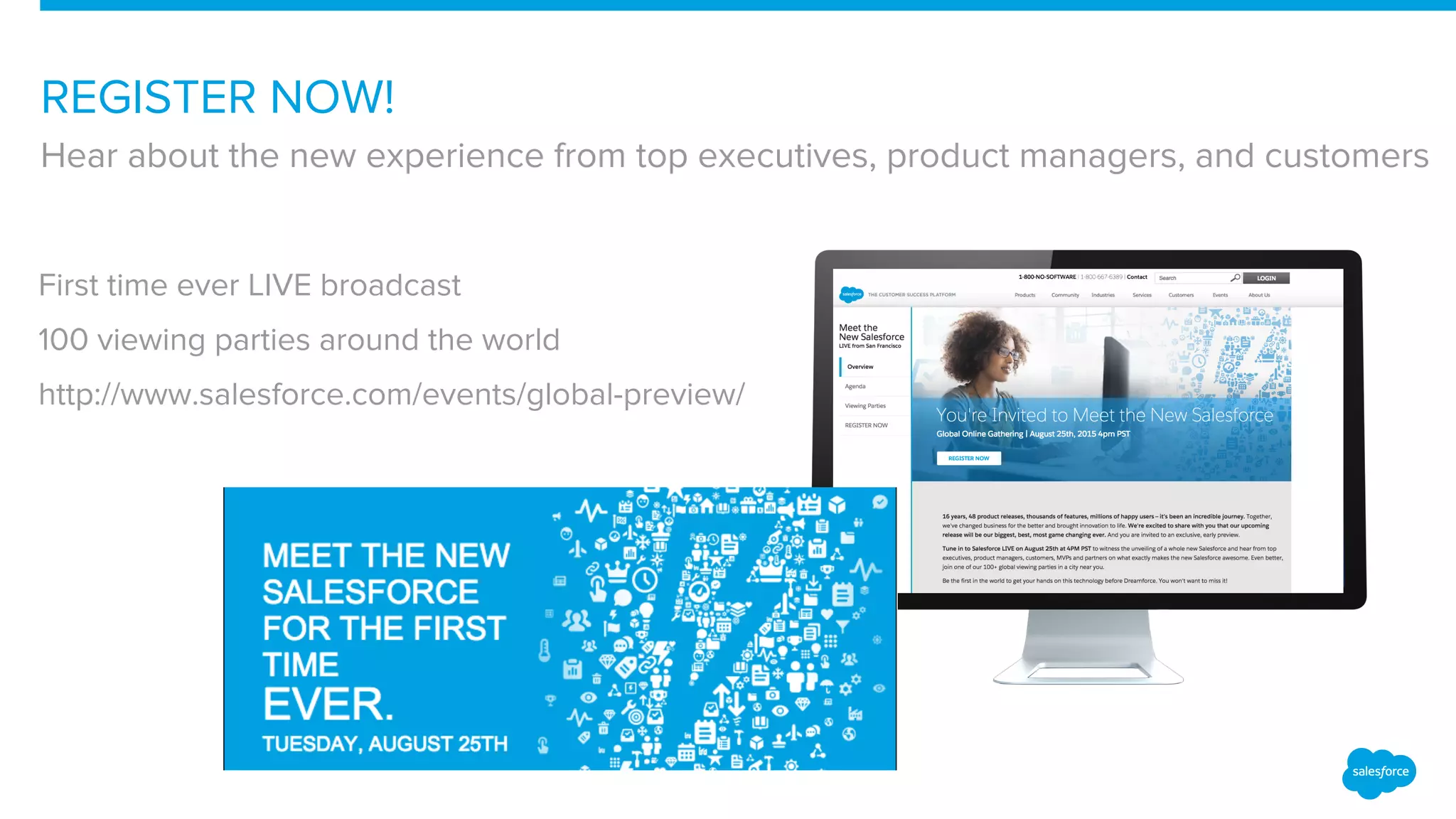
REGISTER NOW!
Hear about the new experience from top executives, product managers, and customers
First time ever LIVE broadcast
100 viewing parties around the world
http://www.salesforce.com/events/global-preview/
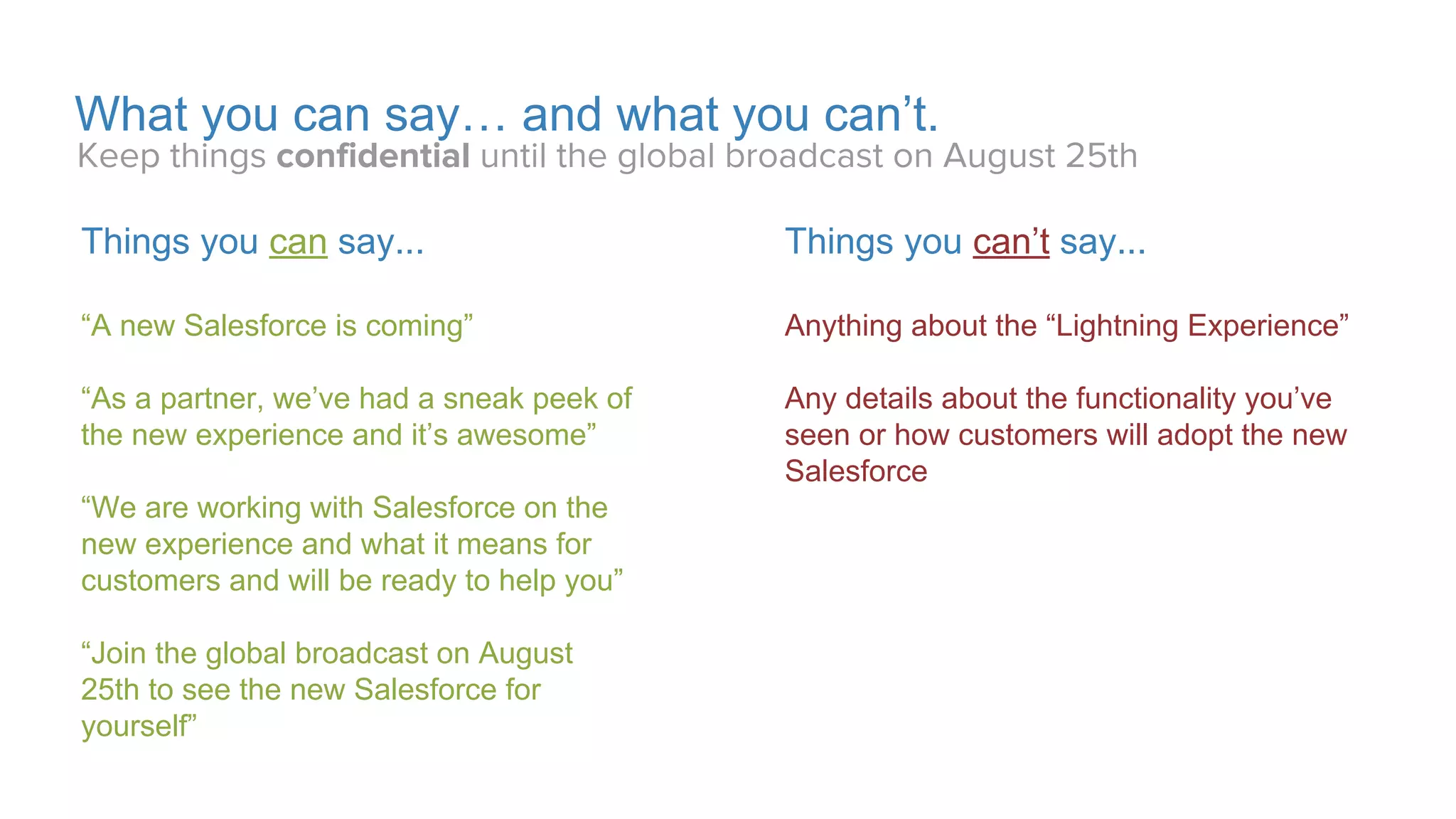
What you can say… and what you can’t.
Things you can’t say...
Anything about the “Lightning Experience”
Anything about a “new UI”
Anything about a “new experience”
Any details about functionality you’ve
seen or how customers will adopt the new
Salesforce
Things you can say...
“A new Salesforce is coming”
“As a partner, we’ve had a sneak peek of
the new Salesforce and it’s awesome”
“We are working with Salesforce and we
will be ready to help you”
“Join the global broadcast on August
25th to see the new Salesforce for
yourself”
Keep things confidential until August 25th
Proprietary & Confidential
What You’ll See Today
● Sneak preview of the NEW Salesforce
● Future facing designs which could change
● Pilot-only Lightning Design System
● How to get your app Lightning Ready
Proprietary & Confidential
Lightning Experience – What is it?
Proprietary & Confidential
Lightning Experience is…
...the next generation user
experience for Salesforce.
Proprietary & Confidential
Lightning Experience is…
...starting with a focus on sales
use cases and expanding scope
over future releases.
Proprietary & Confidential
Lightning Experience is…
...built on Lightning and will co-
exist with Aloha.
Proprietary & Confidential
Lightning Experience is…
...new features that streamline
and simplify common use cases.
Proprietary & Confidential
Lightning Experience – End-User
App Switcher
App Contents
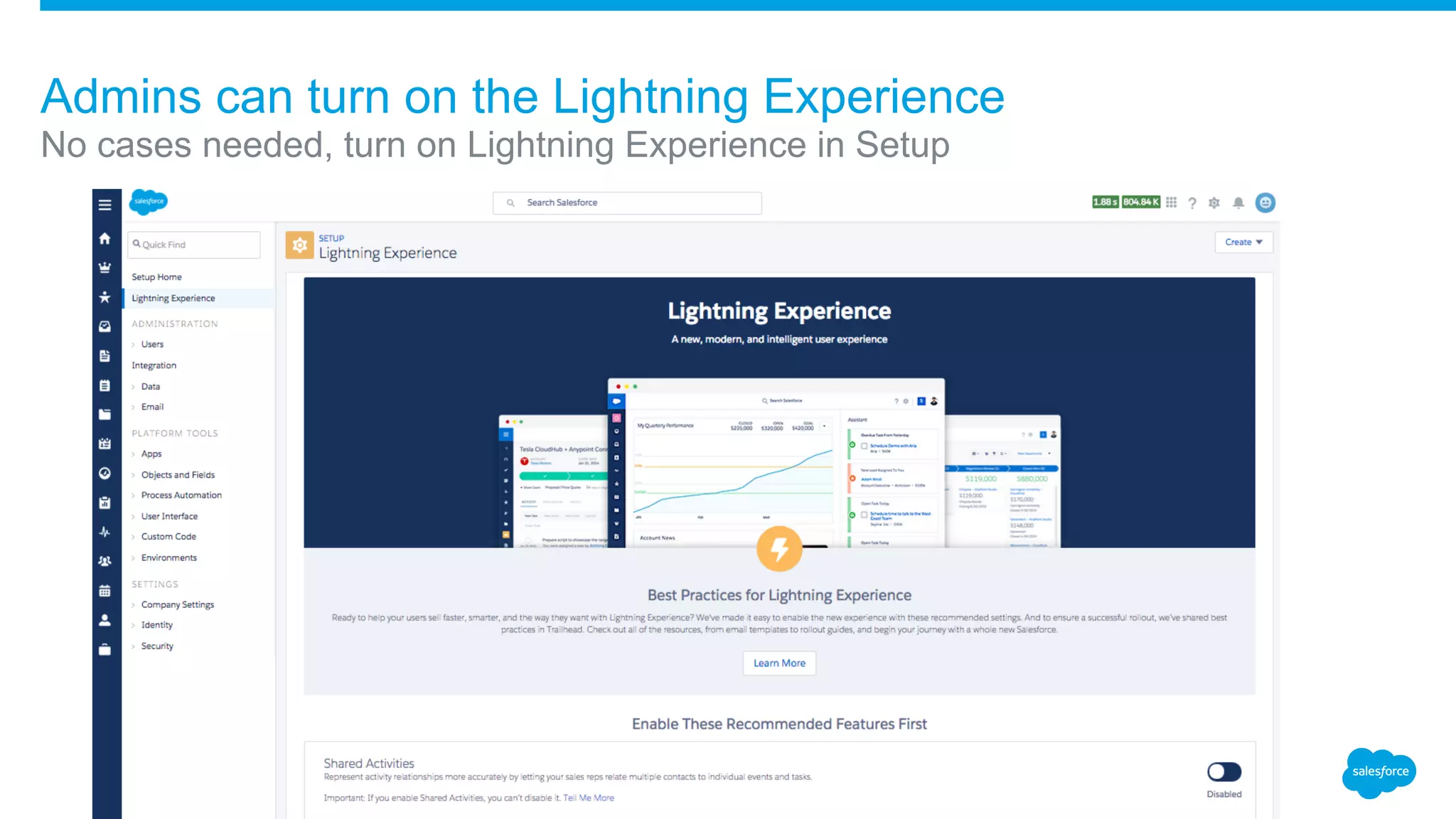
Admins can turn on the Lightning Experience
No cases needed, turn on Lightning Experience in Setup
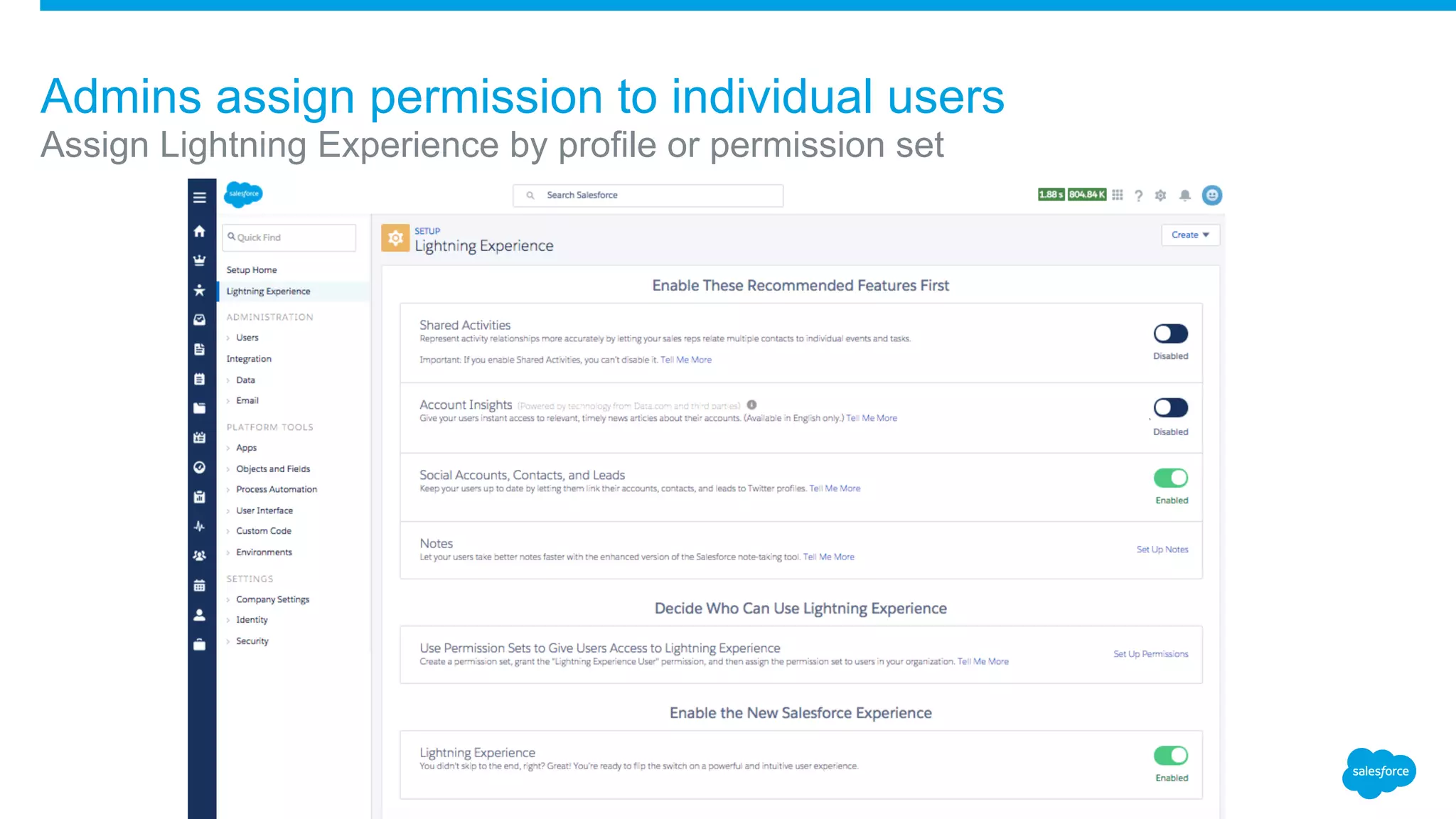
Admins assign permission to individual users
Assign Lightning Experience by profile or permission set
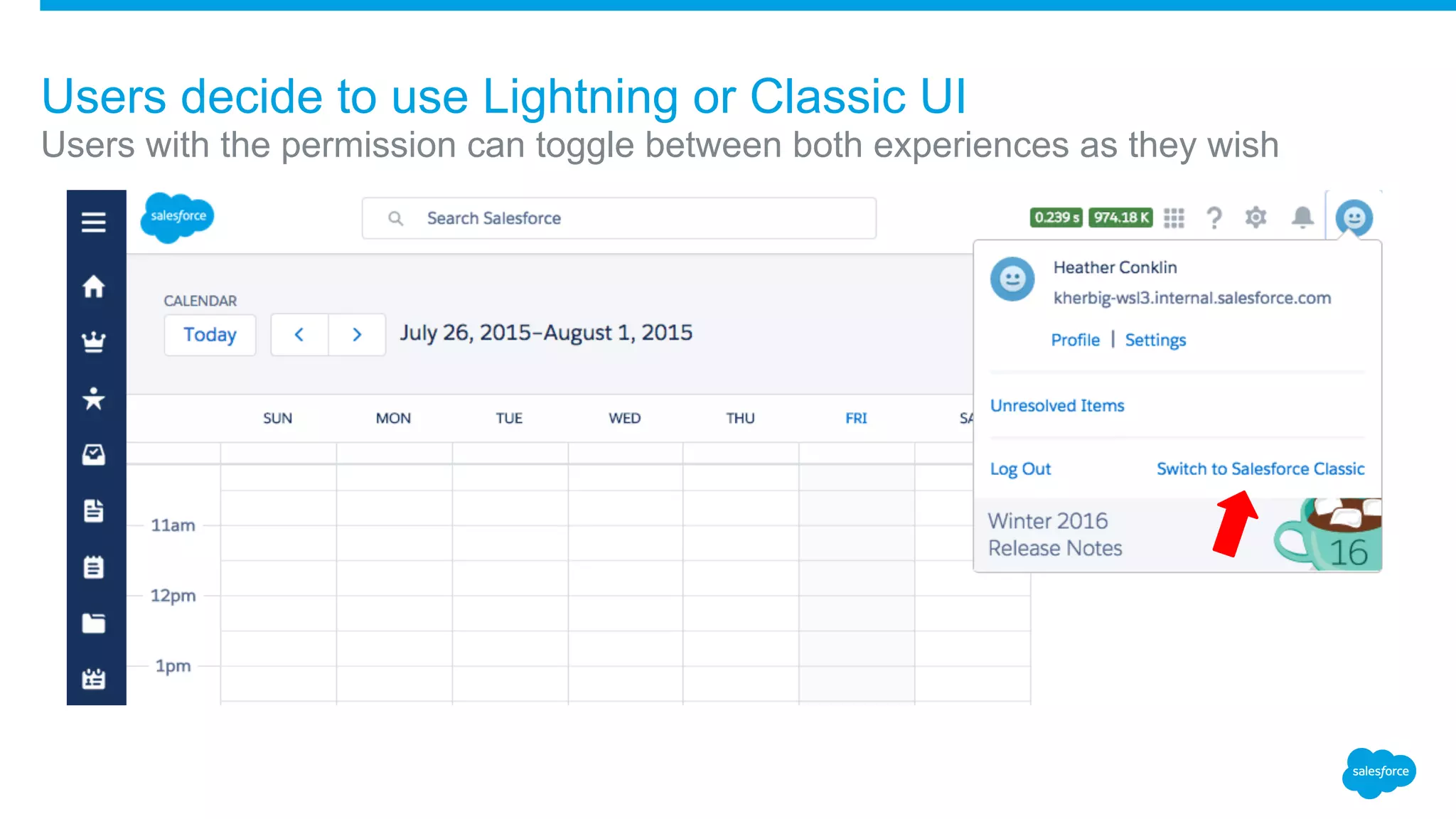
Users decide to use Lightning or Classic UI
Users with the permission can toggle between both experiences as they wish
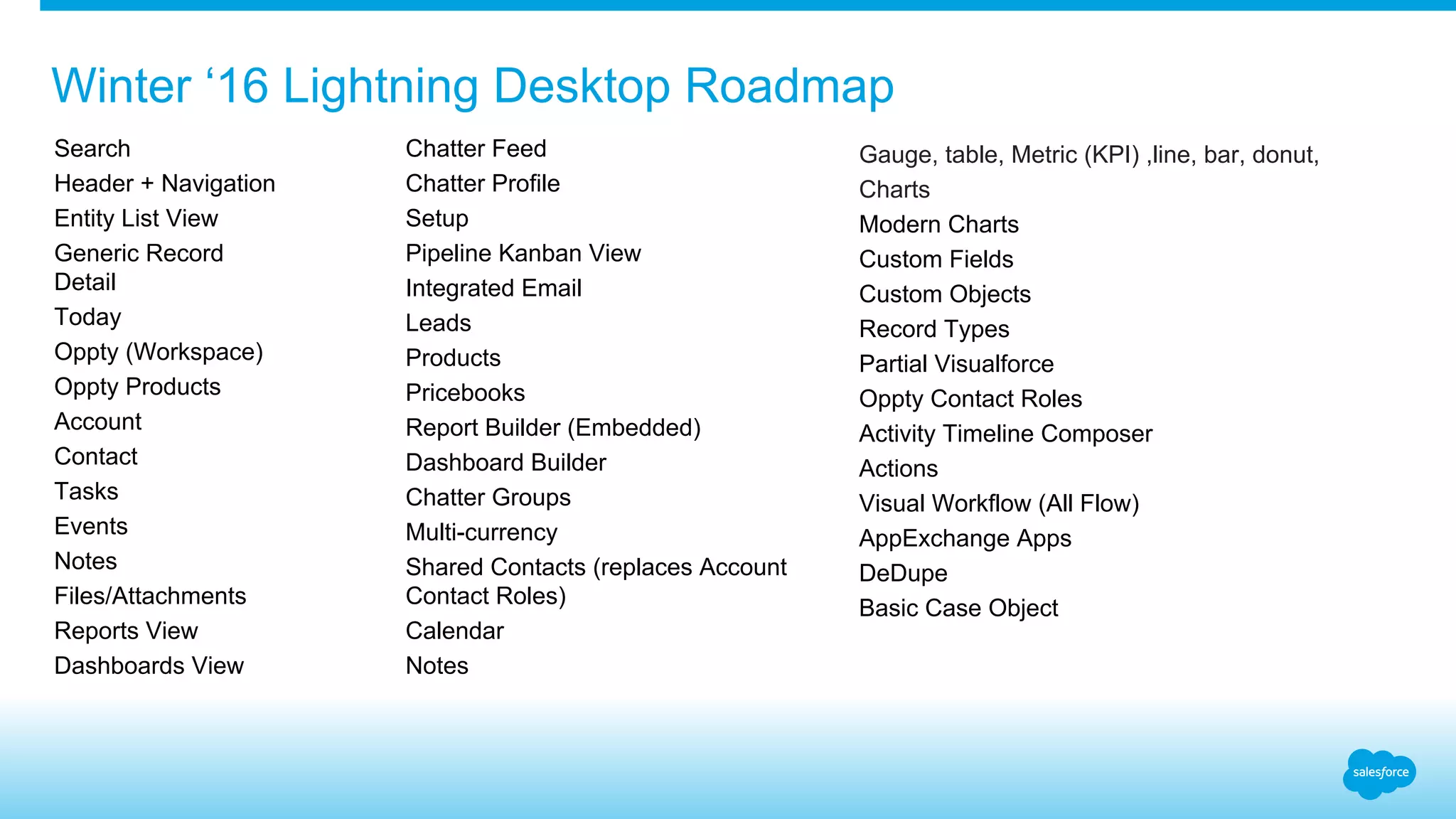
Chatter Feed
Chatter Profile
Setup
Pipeline Kanban View
Integrated Email
Leads
Products
Pricebooks
Report Builder (Embedded)
Dashboard Builder
Chatter Groups
Multi-currency
Shared Contacts (replaces Account
Contact Roles)
Calendar
Notes
Winter ‘16 Lightning Desktop Roadmap
Sumer ‘16Search
Header + Navigation
Entity List View
Generic Record
Detail
Today
Oppty (Workspace)
Oppty Products
Account
Contact
Tasks
Events
Notes
Files/Attachments
Reports View
Dashboards View
Gauge, table, Metric (KPI) ,line, bar, donut,
Charts
Modern Charts
Custom Fields
Custom Objects
Record Types
Partial Visualforce
Oppty Contact Roles
Activity Timeline Composer
Actions
Visual Workflow (All Flow)
AppExchange Apps
DeDupe
Basic Case Object
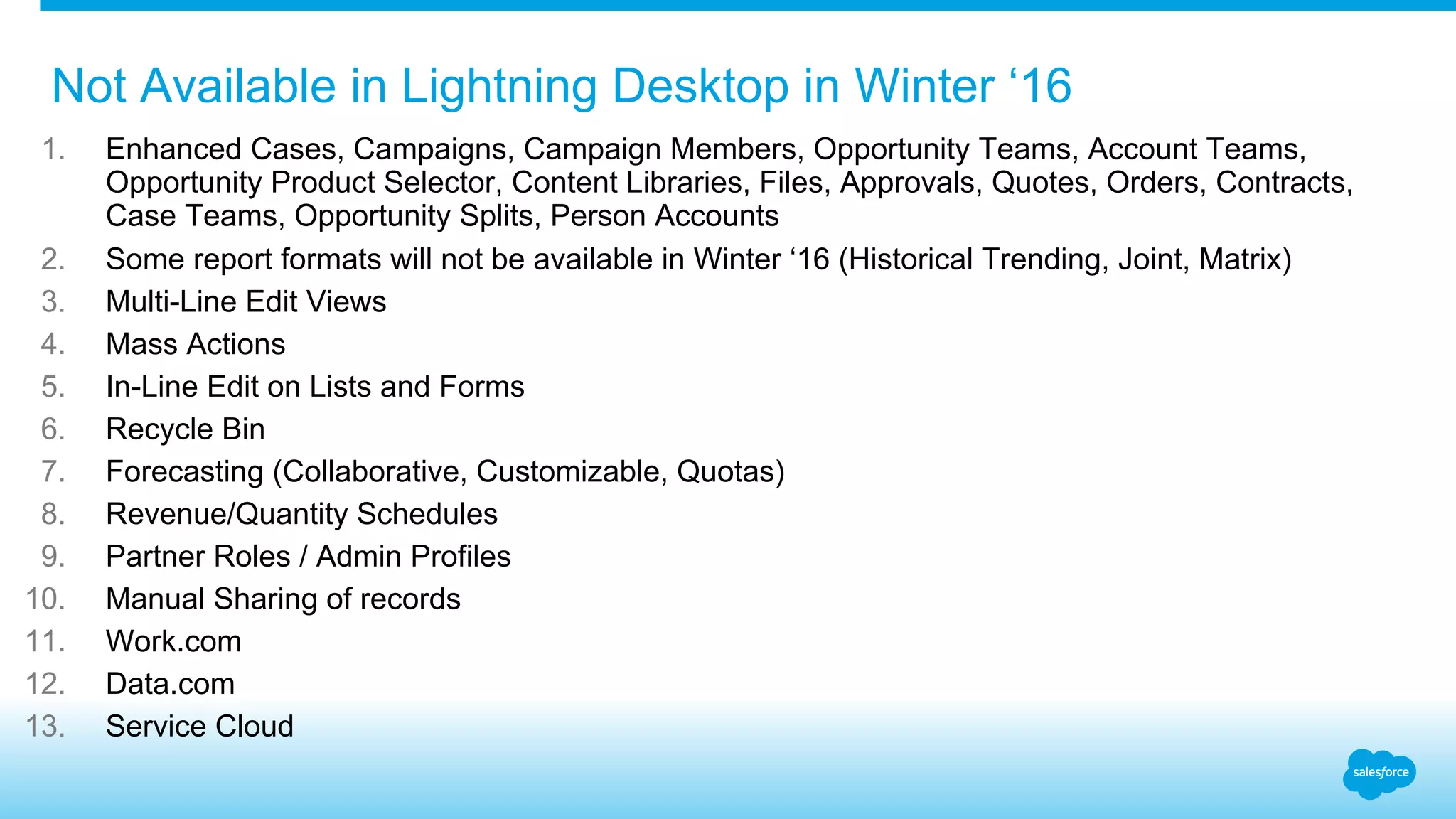
1. Enhanced Cases, Campaigns, Campaign Members, Opportunity Teams, Account Teams,
Opportunity Product Selector, Content Libraries, Files, Approvals, Quotes, Orders, Contracts,
Case Teams, Opportunity Splits, Person Accounts
2. Some report formats will not be available in Winter ‘16 (Historical Trending, Joint, Matrix)
3. Multi-Line Edit Views
4. Mass Actions
5. In-Line Edit on Lists and Forms
6. Recycle Bin
7. Forecasting (Collaborative, Customizable, Quotas)
8. Revenue/Quantity Schedules
9. Partner Roles / Admin Profiles
10. Manual Sharing of records
11. Work.com
12. Data.com
13. Service Cloud
Not Available in Lightning Desktop in Winter ‘16
Lightning Design System
Salesforce
Lightning Design System
Design guidelines and a CSS Framework for
building great experiences on the Salesforce platform.
DESIGN GUIDELINES CSS FRAMEWORK
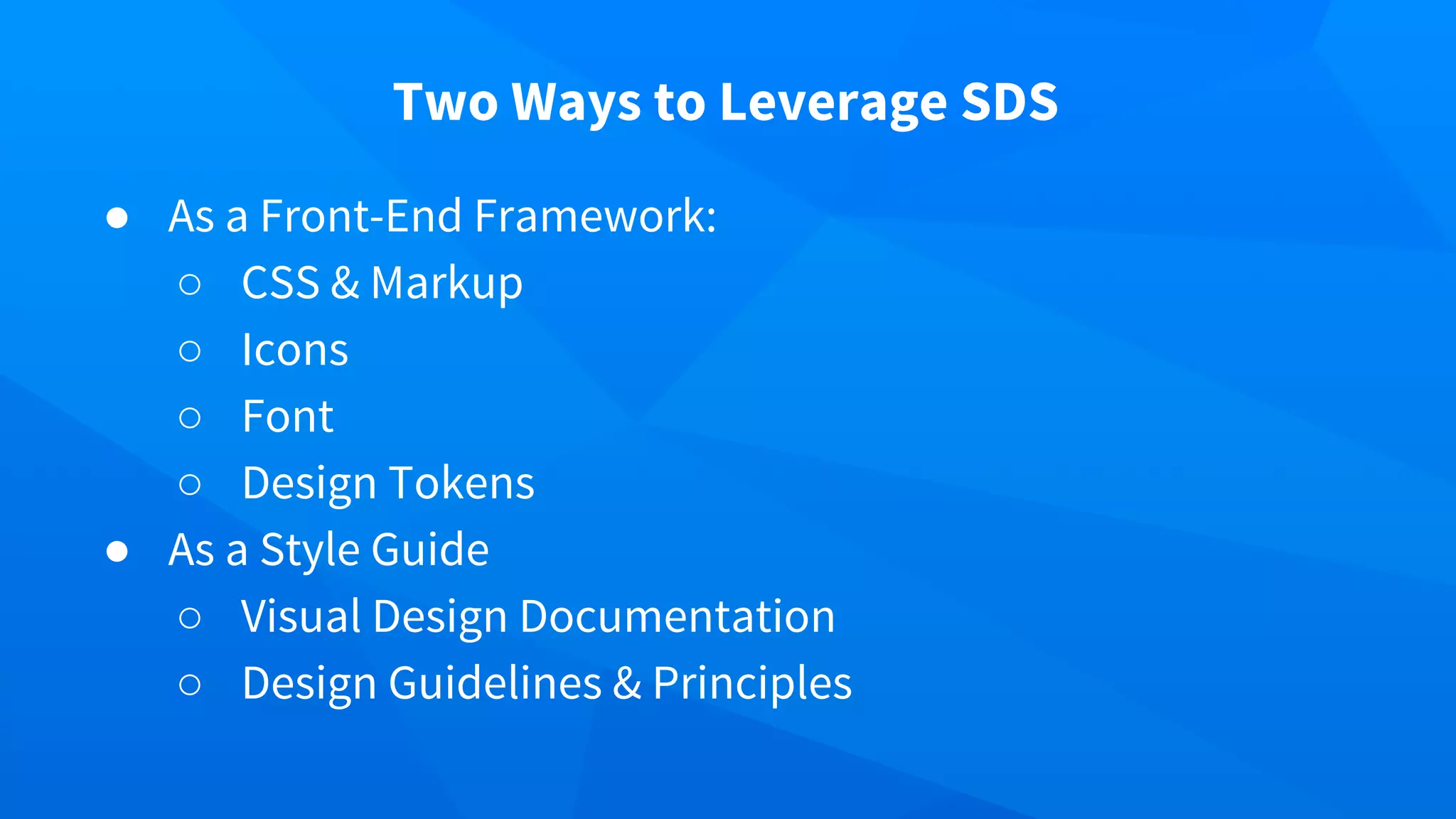
Two Ways to Leverage SDS
● As a Front-End Framework:
○ CSS & Markup
○ Icons
○ Font
○ Design Tokens
● As a Style Guide
○ Visual Design Documentation
○ Design Guidelines & Principles
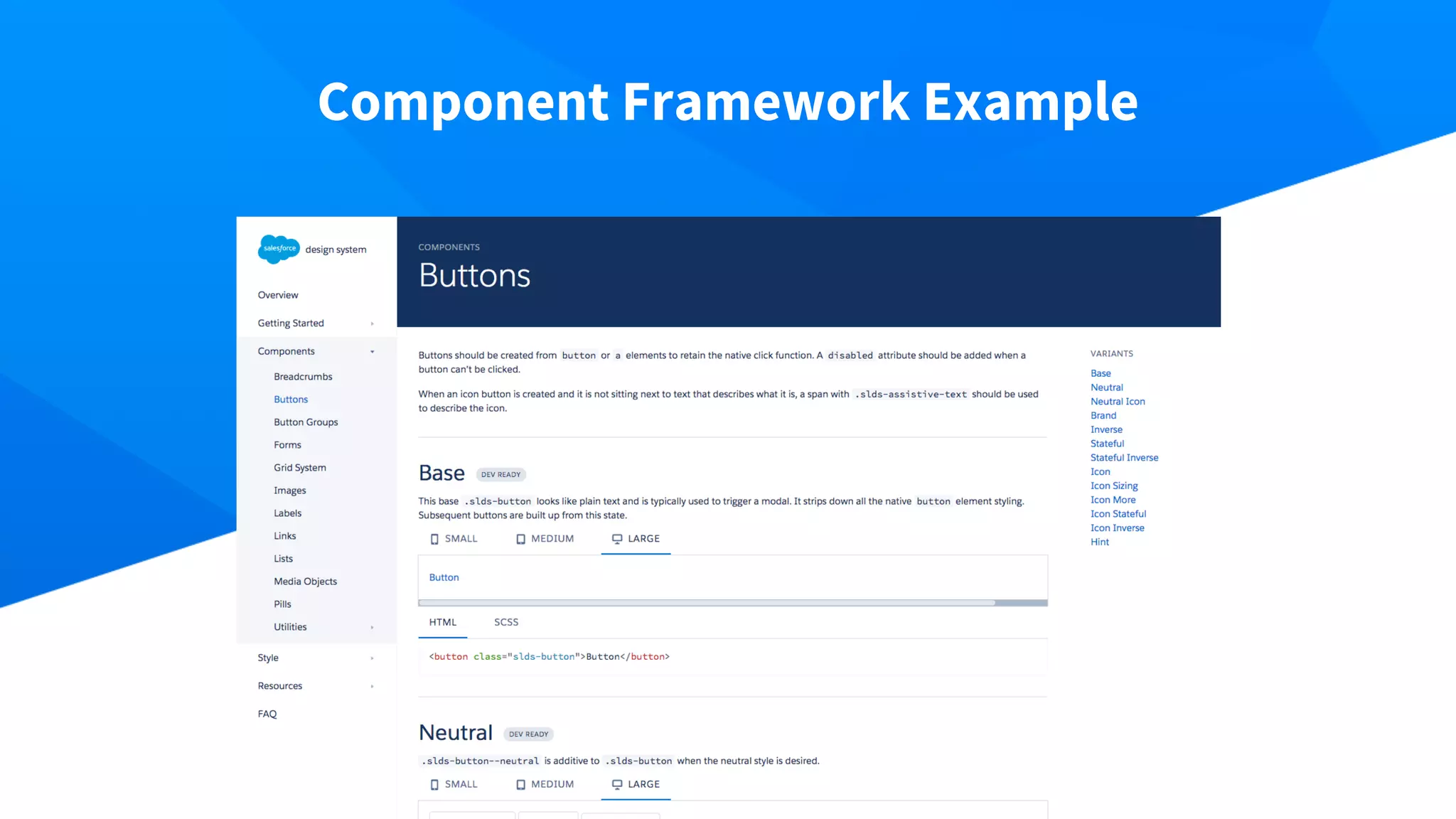
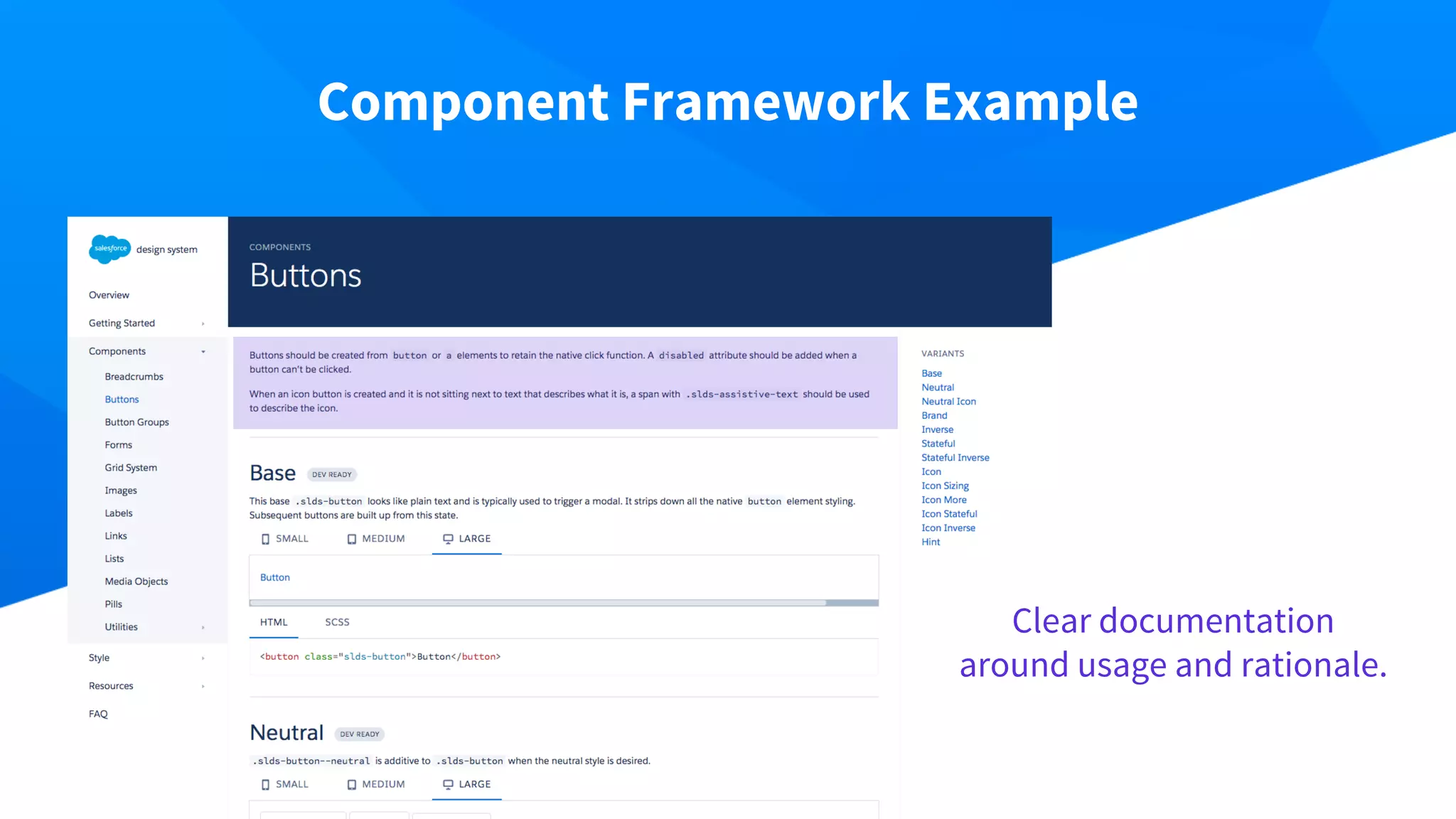
Component Framework Example
Clear documentation
around usage and rationale.
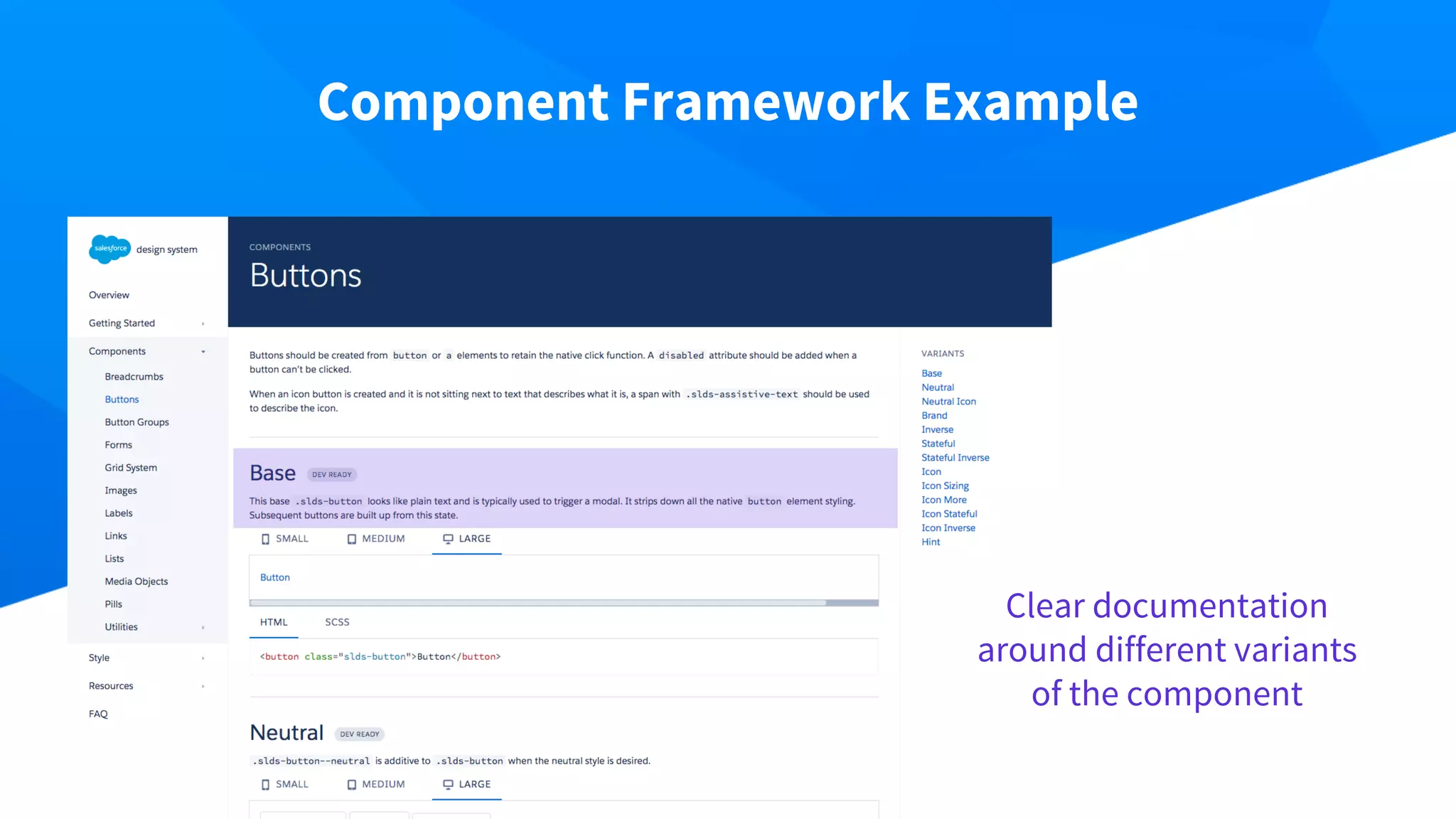
Component Framework Example
Clear documentation
around different variants
of the component
Component Framework Example
Form-factor-aware,
interactive, high-fidelity
examples, rendered from
real markup and CSS.
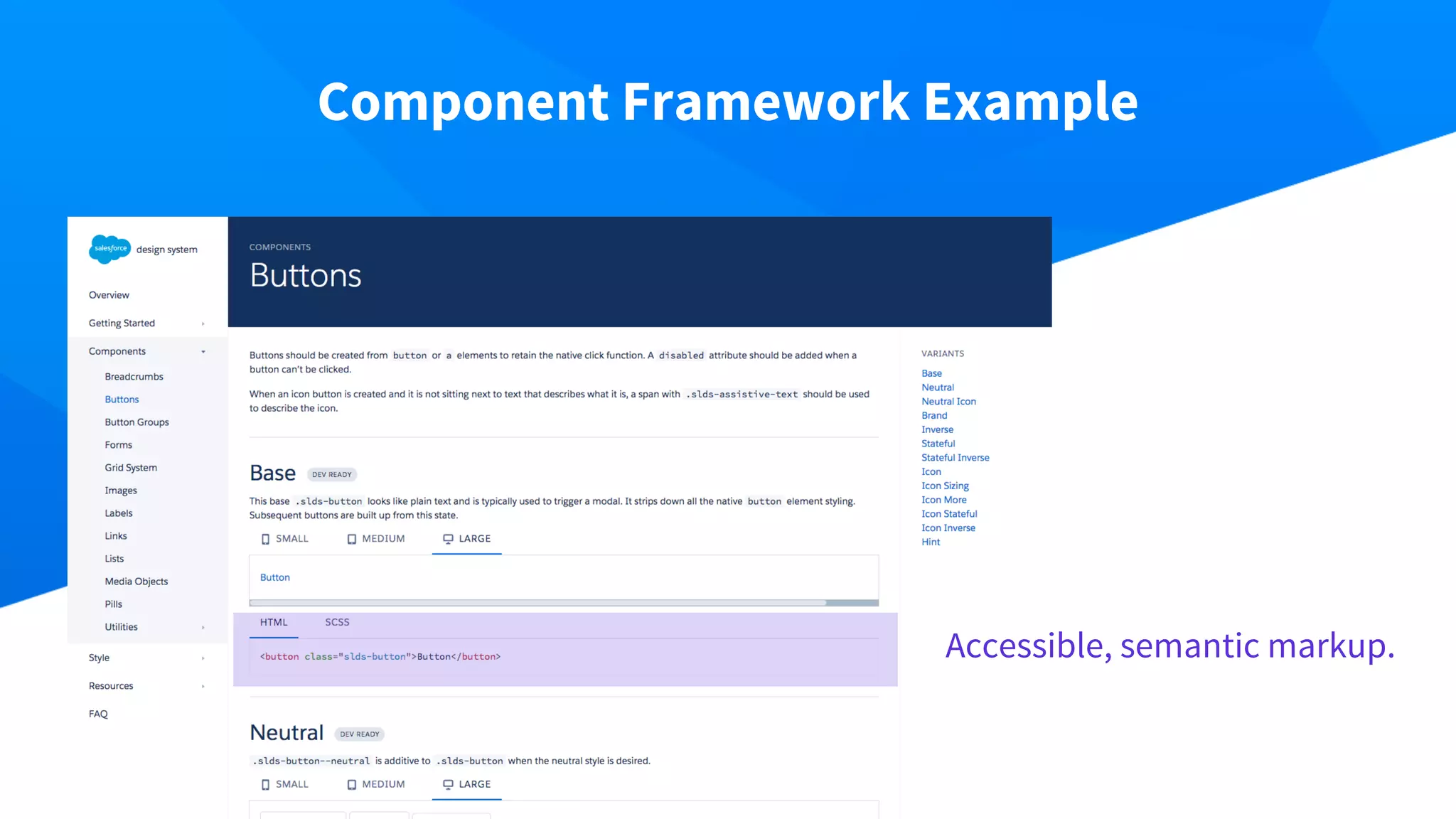
Component Framework Example
Accessible, semantic markup.
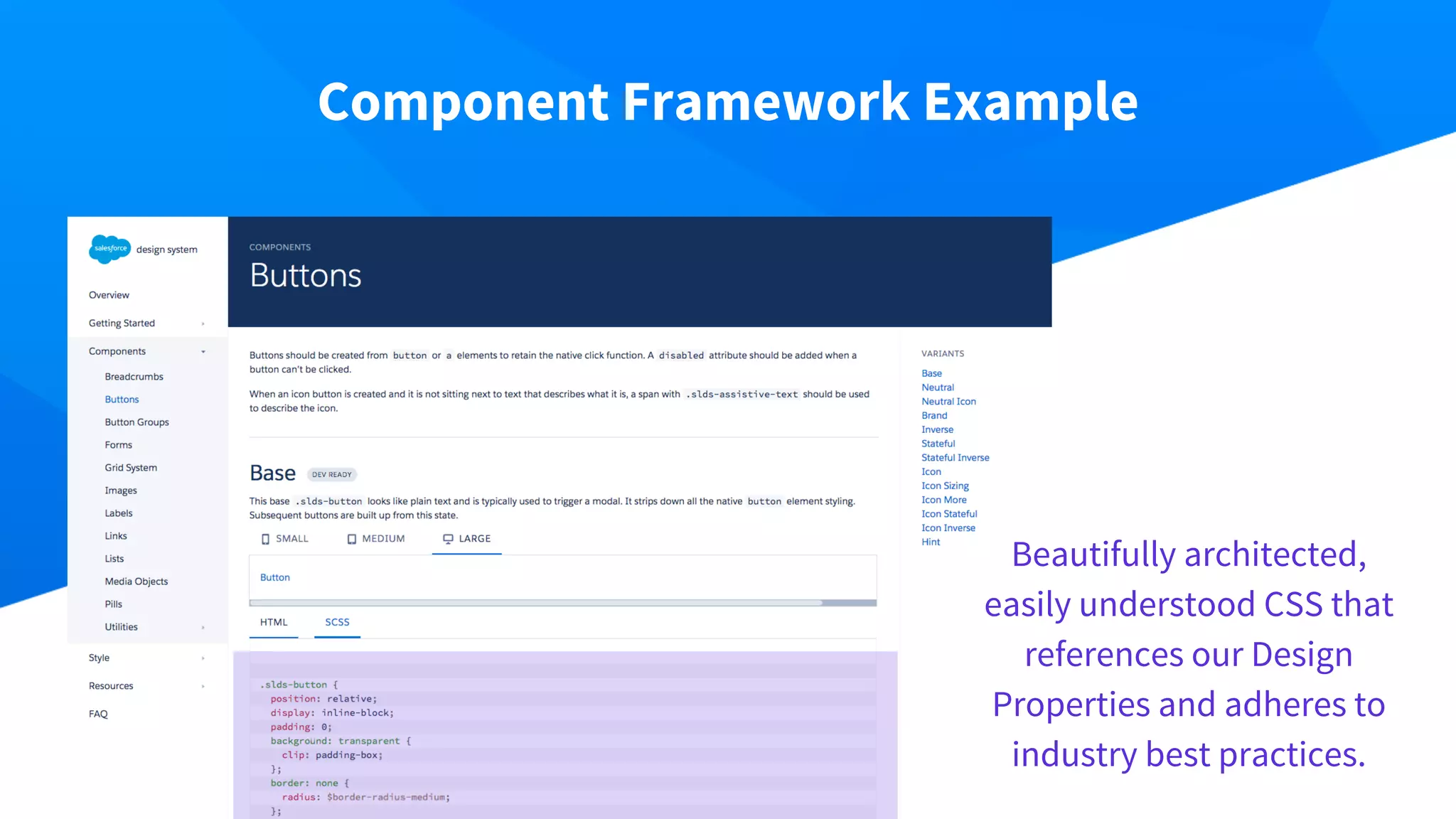
Component Framework Example
Beautifully architected,
easily understood CSS that
references our Design
Properties and adheres to
industry best practices.
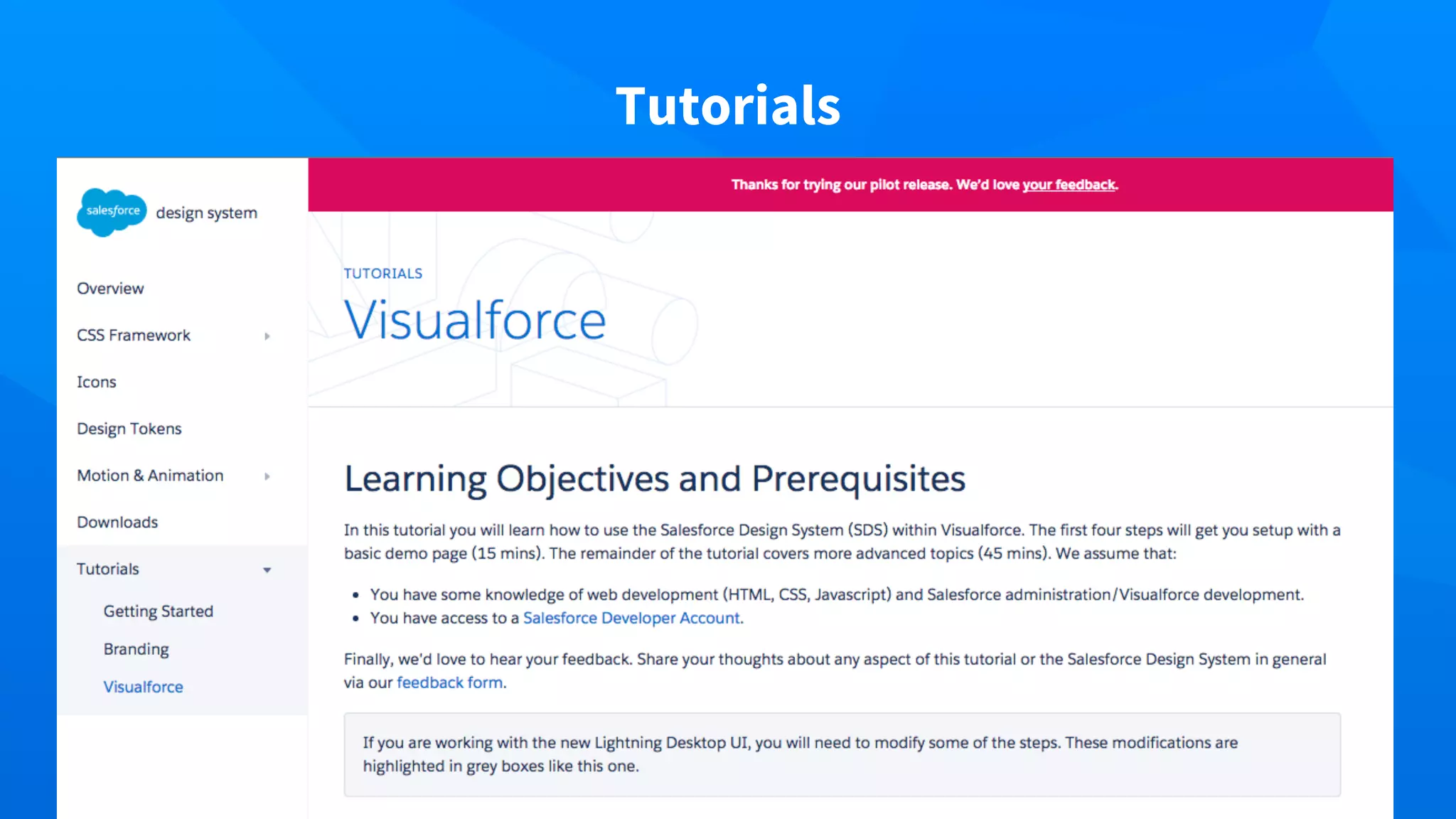
Tutorials
What the Design System is NOT
● Not built into Salesforce
● Another JavaScript Framework
● Additional Visualforce Components
● Anything associated with business logic, events,
or objects
Visualforce in
Lightning Experience
Farhan Tahir - Senior Product Manager, Platform
Visualforce support in Lightning Experience
Our goal: Provide full support to all existing 200M Visualforce pages in Lightning Experience
Enable seamless transition from Classic to Lightning Experience.
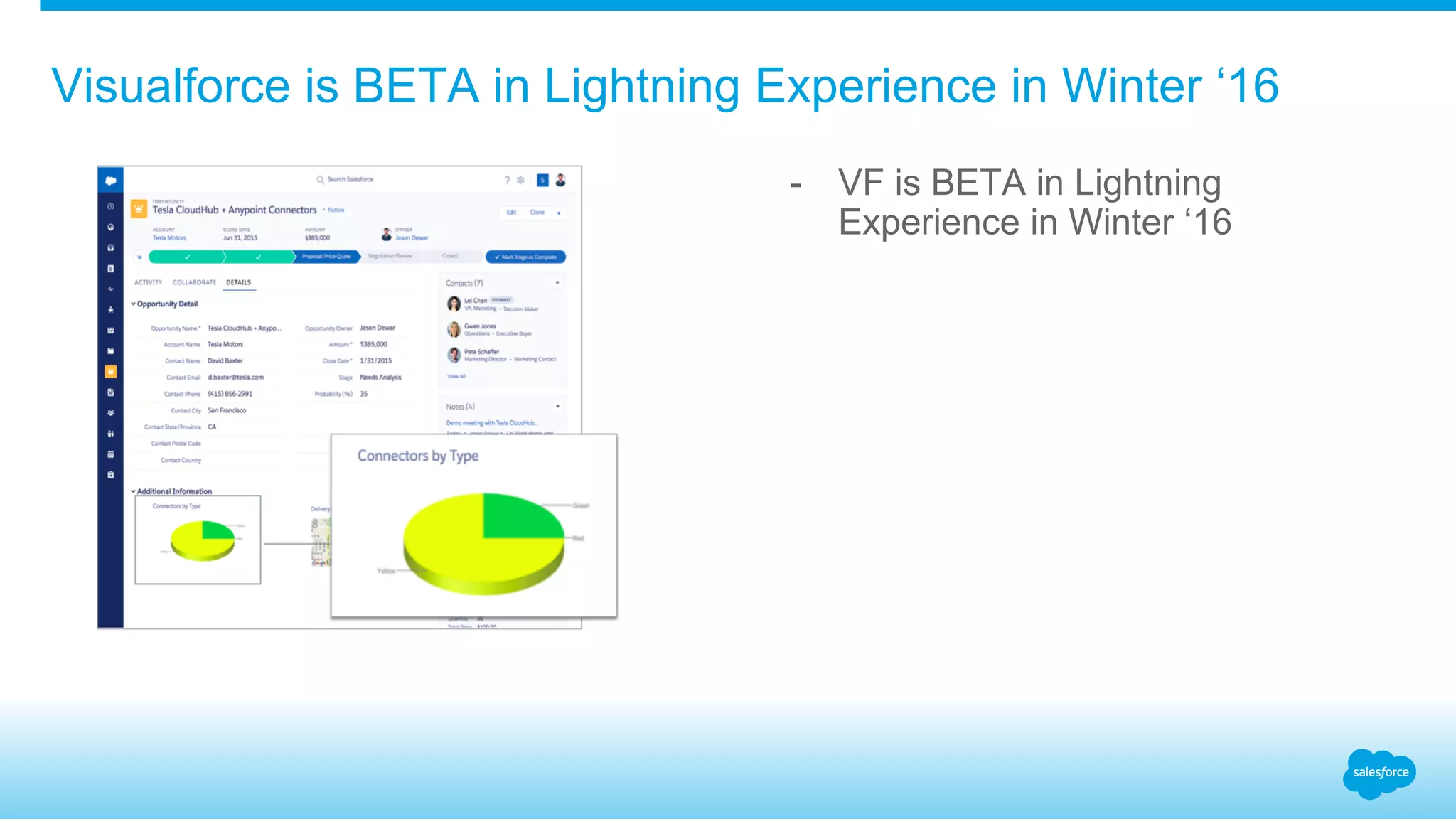
Visualforce is BETA in Lightning Experience in Winter ‘16
- VF is BETA in Lightning
Experience in Winter ‘16
Visualforce is GA in Lightning Experience in Spring ‘16
Visualforce in Lightning Experience is: - No styling is automatically applied
- Apply styling with Lightning Design
System
- Demo: Using Salesforce Lightning
Design System in Visualforce
Lightning Ready
Proprietary & Confidential
Join the Lightning Experience Launch
Get Lightning Ready by Restyling Your App for the Best User Experience
Use the Newest Tech
Give your app the best user experience
with a consistent look and feel with the
new Lightning Experience.
Anticipate Customer Needs
Have your app in the new Lightning
Experience before they ask
Extend Your Marketing
Maximize your marketing by being an
early adopter in a new market.
Proprietary & Confidential
Lightning Ready Requirements – The Do’s
Font
Do use the new Salesforce
Sans typeface. It should not be
accompanied by any other
typeface, with the exception of
your logotype.
Functional Bugs
Do fix any and all functional
bugs in your app as you test it in
the Lightning Experience.
Be Responsive
Do make sure that your screens
behave responsively, at a
viewport minimum of 1024px
wide and a maximum of 1920px
wide. Make sure that your app
responds elegantly when the
left-hand nav opens and closes.
Proprietary & Confidential
Lightning Ready Requirements – The Dont’s
One Header
Don’t replicate the global
header.
One Way to
Navigate
Don’t replicate the global left
navigation. If you need a long,
vertical navigation paradigm for
your app, please use the Tree
component and pattern.
Proprietary & Confidential
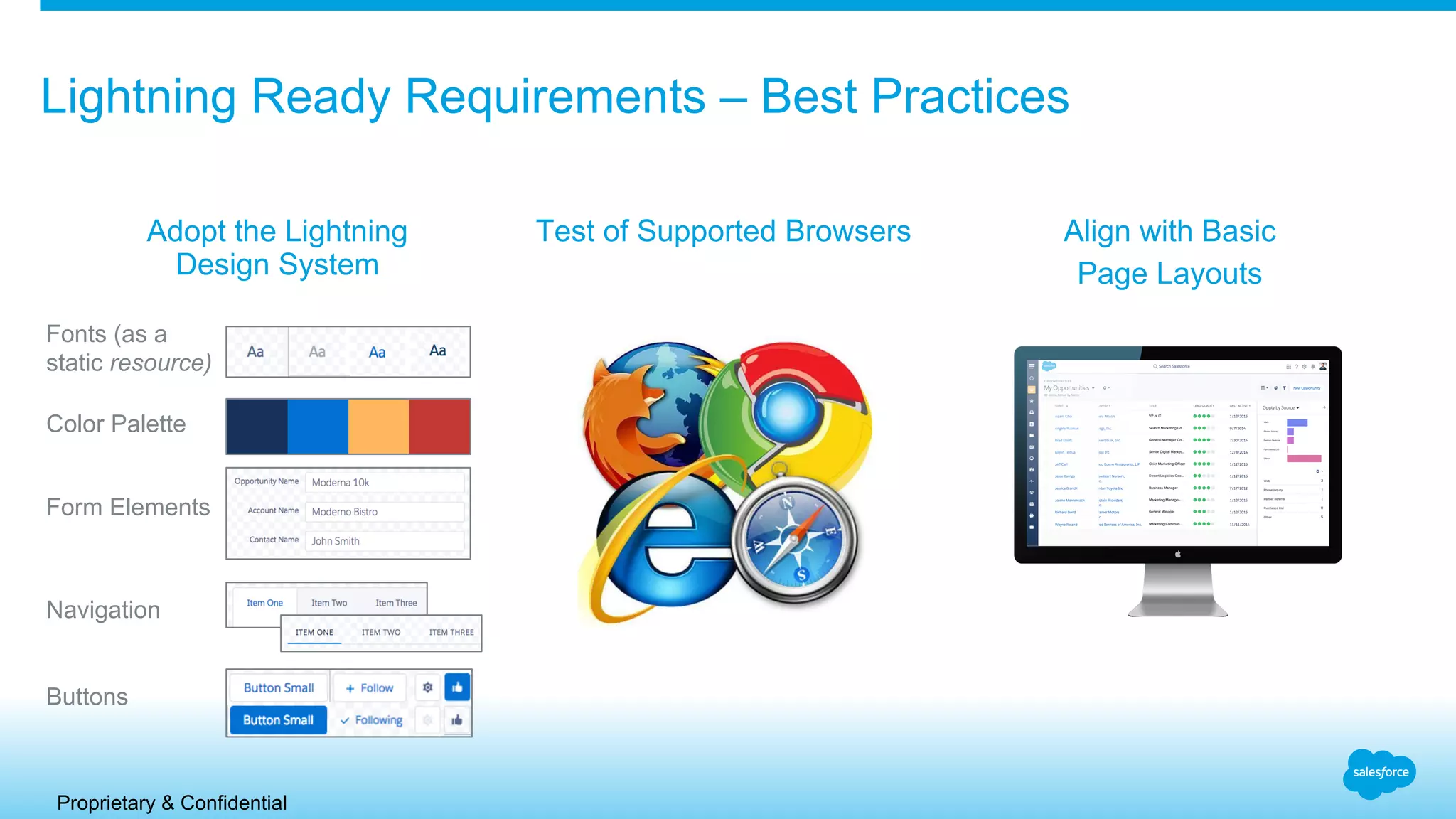
Lightning Ready Requirements – Best Practices
Adopt the Lightning
Design System
Fonts (as a
static resource)
Color Palette
Form Elements
Navigation
Buttons
Test of Supported Browsers Align with Basic
Page Layouts
Proprietary & Confidential
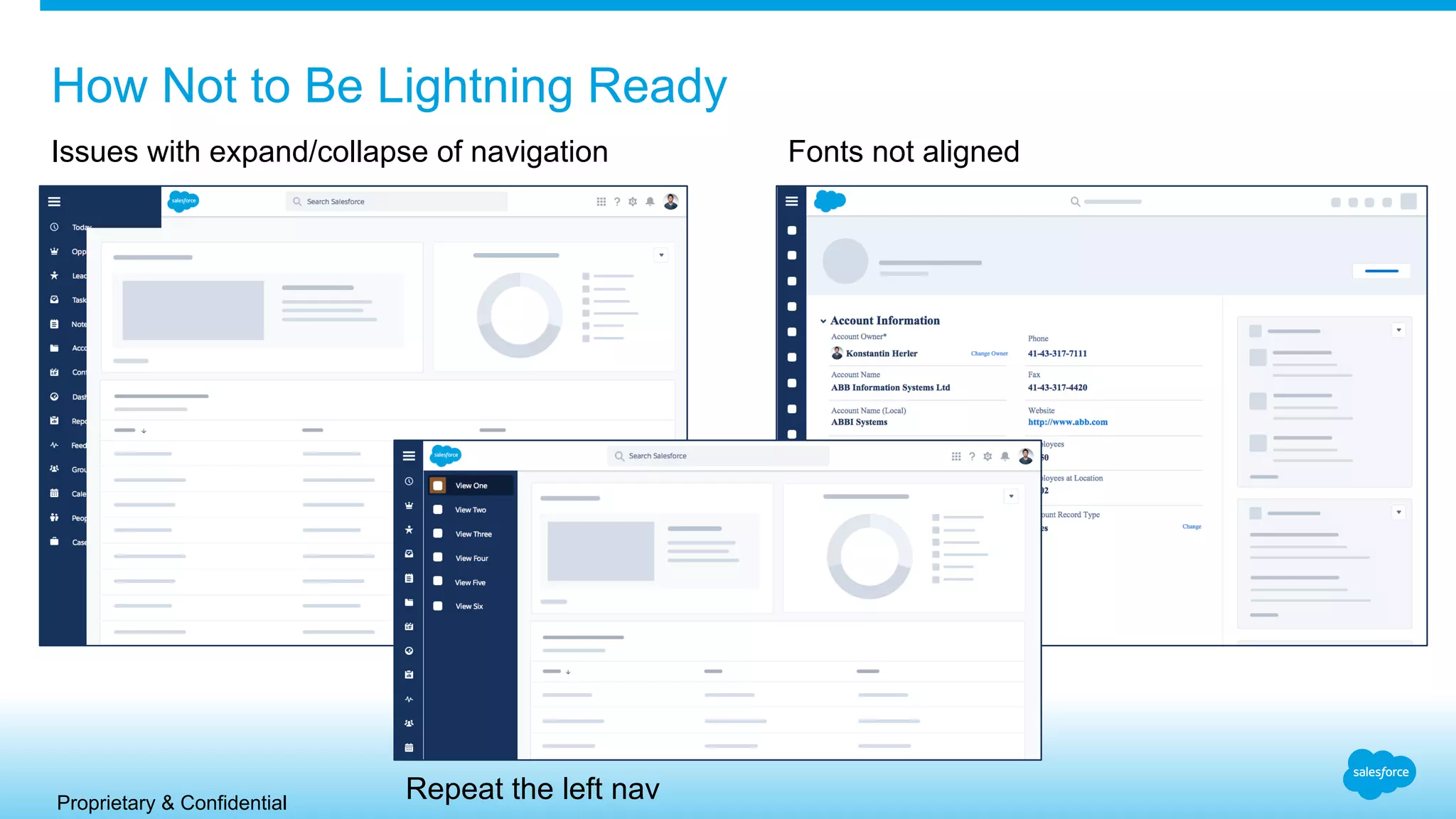
How Not to Be Lightning Ready
Issues with expand/collapse of navigation Fonts not aligned
Repeat the left nav
Proprietary & Confidential
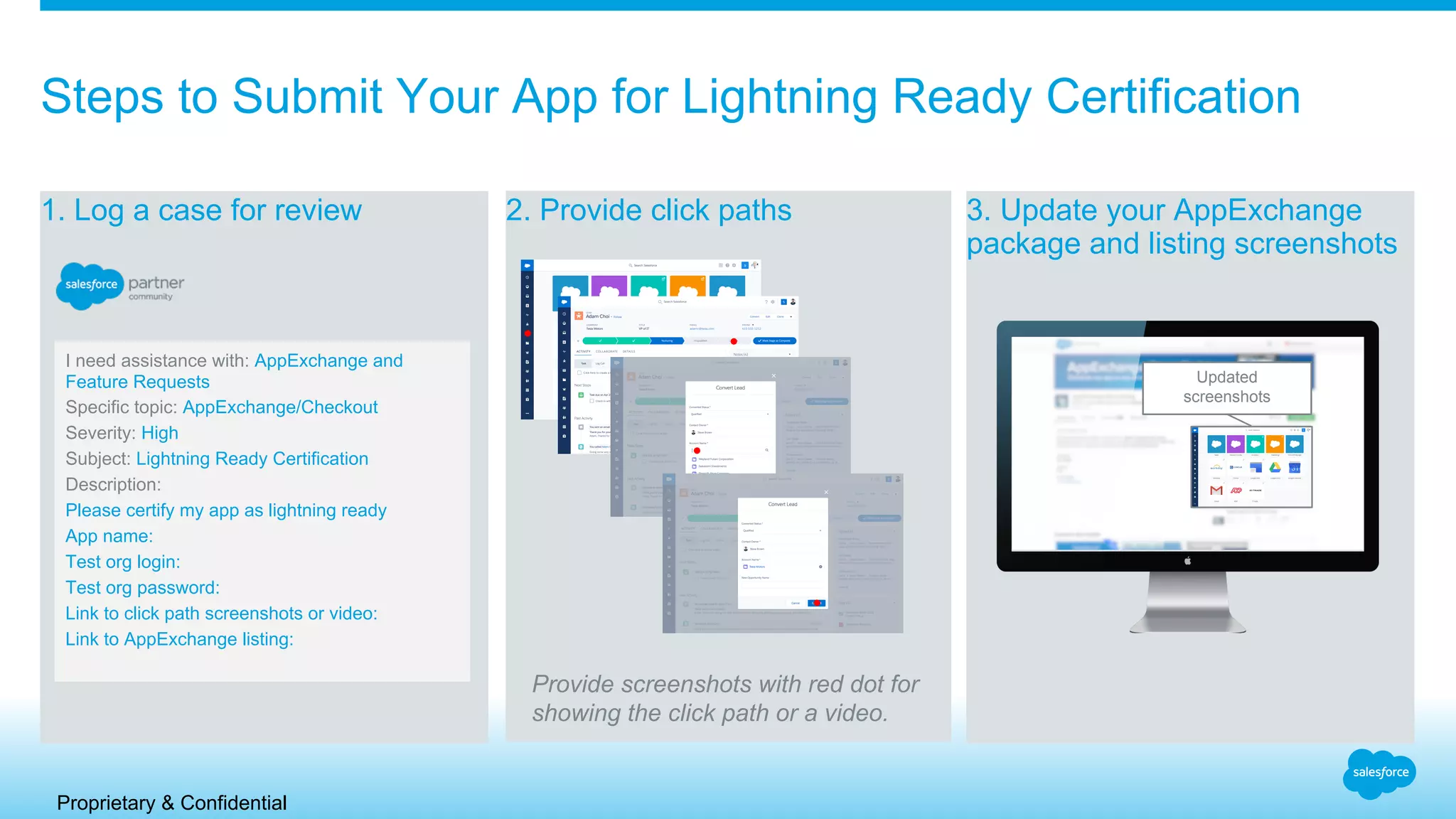
1. Log a case for review 2. Provide click paths 3. Update your AppExchange
package and listing screenshots
Steps to Submit Your App for Lightning Ready Certification
Provide screenshots with red dot for
showing the click path or a video.
I need assistance with: AppExchange and
Feature Requests
Specific topic: AppExchange/Checkout
Severity: High
Subject: Lightning Ready Certification
Description:
Please certify my app as lightning ready
App name:
Test org login:
Test org password:
Link to click path screenshots or video:
Link to AppExchange listing:
Updated
screenshots
Proprietary & Confidential
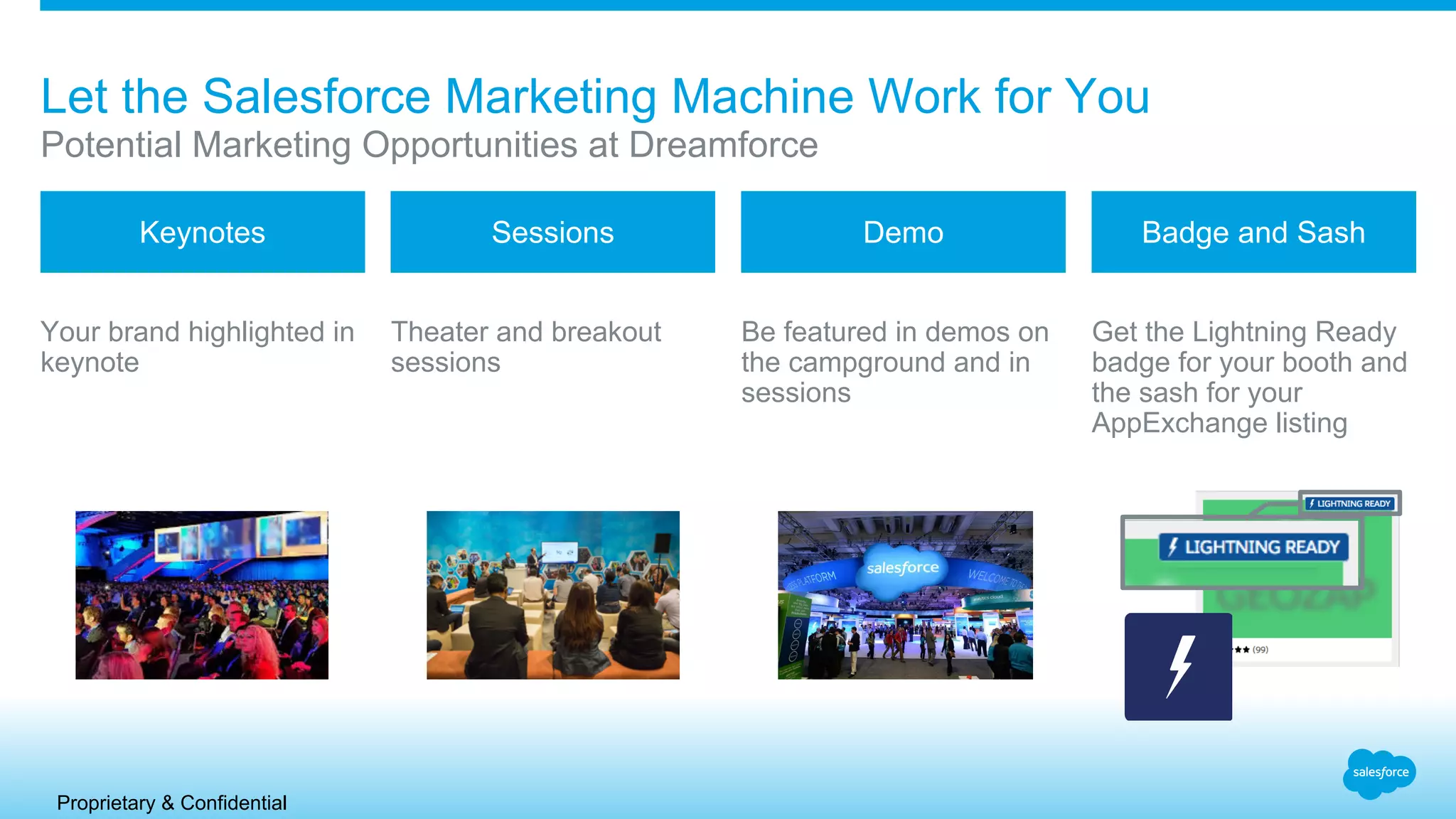
Your brand highlighted in
keynote
Theater and breakout
sessions
Be featured in demos on
the campground and in
sessions
Get the Lightning Ready
badge for your booth and
the sash for your
AppExchange listing
Potential Marketing Opportunities at Dreamforce
Let the Salesforce Marketing Machine Work for You
Keynotes Sessions Demo Badge and Sash
Proprietary & Confidential
Declarative apps - you’re ready!
Apps without Visualforce will adopt
new styles, just test in GS0 and then
log a case!
Product Development Organizations (PDOs) can help
Contact these companies for help getting your app Lightning Ready
Proprietary & Confidential
Example of a Submitted App for Lightning Ready Certification
TaskRay by Bracket Labs
In Aloha - Pre SLDS In Lightning Post SLDS
In Aloha - Post SLDS
Proprietary & Confidential
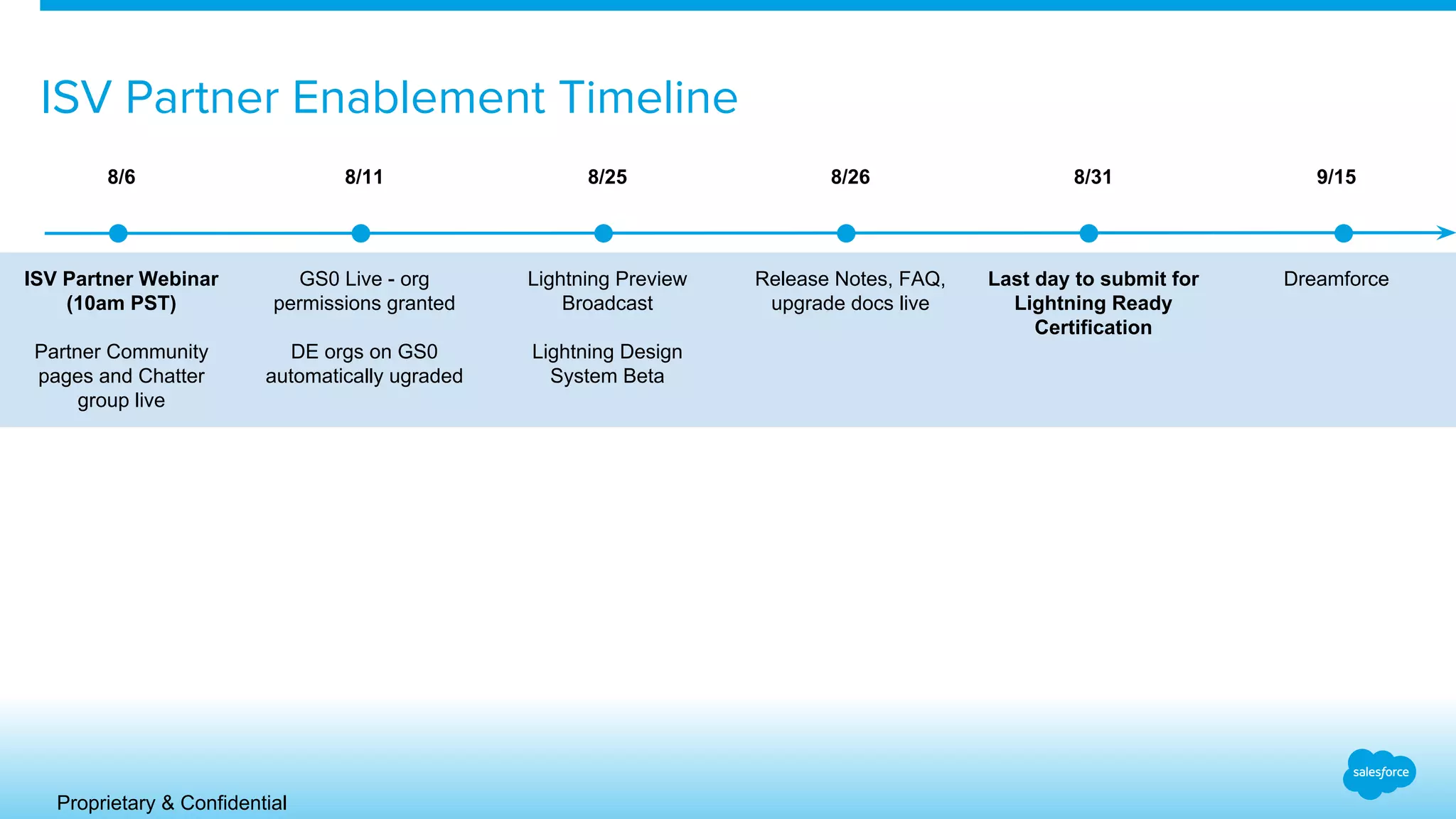
8/6 8/11 8/25 8/26 8/31 9/15
ISV Partner Webinar
(10am PST)
Partner Community
pages and Chatter
group live
GS0 Live - org
permissions granted
DE orgs on GS0
automatically ugraded
Lightning Preview
Broadcast
Lightning Design
System Beta
Release Notes, FAQ,
upgrade docs live
Last day to submit for
Lightning Ready
Certification
Dreamforce
ISV Partner Enablement Timeline
Get started now!
1. Get a GS0 org
a. If you don’t have an existing GS0 org, please sign up here
b. If you already have one, you can continue to use it
2. Log a case for Lightning Experience and Design System access - this puts you on the list
for Dreamforce
a. Category: AppExchange & Feature Requests
b. Topic: Feature/License Request in Trial or DE Org
c. Subject: “Lightning Ready - Enable Lightning Experience”
3. Join the “Lightning Ready Certification for ISVs” Chatter group on Partner Community
4. Install, test, and enhance your app to get Lightning Ready
5. Log another case to submit for review
Proprietary & Confidential
1. Partners update their existing managed packages in their packaging orgs with the new LDS style
sheets.
2. Partners install the updated package into a Partner Pre-release org (available August 11th
) to
test in the new Lightning Experience.
3. Alternatively, partners can deploy unmanaged code to a Partner Pre-release org and package
the changes when Winter’16 is GA.
4. Partners submit the credentials to the pre-release org and click path screenshots/video as part of
their case for review.
5. Approved partner packages (those that have passed both a UX review and a Functional review)
need to update their AppExchange listings with the new package and new app screenshots after
August 25th
. If partner deployed unmanaged code, they need to update the package and listing
by November 1st.
6. Approved partner submissions will be given the “Lightning Ready” banner on their AppExchange
Listing before Dreamforce.
Detailed Submission Guidelines for Lightning Ready Certification
Proprietary & Confidential
• Fixed Home tab in Winter’16. Can not change the content of the Home Tab and partners can not use Homepage Components.
• No Left Sidebar – it was replaced with Navigation so partners can no longer use sidebar components.
• Fixed Left Navigation for Winter’16 – partners cannot change the order or the content of the navigation
• Tabset Apps no longer appear in the header. Partners need to navigate to their app through the App Launcher to see their custom tabs. No
backwards Navigation for custom apps either. Click on a partner tab to get to related list, no way to go back.
• Custom tabs (Visualforce, Lightning, Custom Object, etc.) should be assigned to an App to be seen in the Lightning Desktop in Winter’16. If you don’t
assign the Custom Tab to an App, it will show up in the “All Tabs” tile under the App Launcher.
• No Support for S-Controls
• New Lightning Experience Styling, leverages LDS stylesheets, will look different from Aloha and S1 mobile. Partner apps will need to be tested and
updated to look correct in the new experience.
• No support for custom JavaScript or URL Buttons
• No declarative branding in Winter’16 (logo, header/sidebar color, etc.)
• You need to leverage the various style attributes (styleClass, headerClass, etc.) of Standard Visualforce <apex> tags with the SLDS classes.
• Currently no way to programmatically toggle between an Aloha styled page and a Lightning styled page depending on the experience the user is in.
• Person Accounts are not supported. Orgs where Person Accounts are enabled will not have the Lightning Experience Black Tab perm enabled so
there is no way to enable the new experience in these orgs in Winter’16 without submitting a case to support.
• Do not copy/paste markup from SLDS into Lightning Components. Leverage the design pattern and SLDS styled components published in Github.
Top Salesforce Experience Changes that Impact Partners
Proprietary & Confidential
Example of a Re-Styled Native App
FinancialForce

Lightning Experience for ISVs

  • 1.
    Lightning Experience forISVs Sneak peek at the new Salesforce and enabling ISVs to get Lightning Ready Andrew Albert VP, ISV Technical Enablement Heather Conklin Director, Product Management Farhan Tahir Senior Product Manager, Platform ​
  • 2.
    Proprietary & Confidential SafeHarbor Safe harbor statement under the Private Securities Litigation Reform Act of 1995: This presentation may contain forward-looking statements that involve risks, uncertainties, and assumptions. If any such uncertainties materialize or if any of the assumptions proves incorrect, the results of salesforce.com, inc. could differ materially from the results expressed or implied by the forward- looking statements we make. All statements other than statements of historical fact could be deemed forward-looking, including any projections of product or service availability, subscriber growth, earnings, revenues, or other financial items and any statements regarding strategies or plans of management for future operations, statements of belief, any statements concerning new, planned, or upgraded services or technology developments and customer contracts or use of our services. The risks and uncertainties referred to above include – but are not limited to – risks associated with developing and delivering new functionality for our service, new products and services, our new business model, our past operating losses, possible fluctuations in our operating results and rate of growth, interruptions or delays in our Web hosting, breach of our security measures, the outcome of any litigation, risks associated with completed and any possible mergers and acquisitions, the immature market in which we operate, our relatively limited operating history, our ability to expand, retain, and motivate our employees and manage our growth, new releases of our service and successful customer deployment, our limited history reselling non-salesforce.com products, and utilization and selling to larger enterprise customers. Further information on potential factors that could affect the financial results of salesforce.com, inc. is included in our annual report on Form 10-K for the most recent fiscal year and in our quarterly report on Form 10-Q for the most recent fiscal quarter. These documents and others containing important disclosures are available on the SEC Filings section of the Investor Information section of our Web site. Any unreleased services or features referenced in this or other presentations, press releases or public statements are not currently available and may not be delivered on time or at all. Customers who purchase our services should make the purchase decisions based upon features that are currently available. Salesforce.com, inc. assumes no obligation and does not intend to update these forward-looking statements.
  • 3.
  • 4.
    We Are Aboutto Launch the Biggest Thing Ever for Our Customers & Partners Simpler, smarter & faster Modern sales experience to maximize productivity from everywhere Customize with components Fully componentized UI built on Lightning Create & deploy with App Builder Modify pages and build new apps faster than ever before A New, Beautiful Salesforce
  • 5.
    REGISTER NOW! Hear aboutthe new experience from top executives, product managers, and customers First time ever LIVE broadcast 100 viewing parties around the world http://www.salesforce.com/events/global-preview/
  • 6.
    What you cansay… and what you can’t. Things you can’t say... Anything about the “Lightning Experience” Anything about a “new UI” Anything about a “new experience” Any details about functionality you’ve seen or how customers will adopt the new Salesforce Things you can say... “A new Salesforce is coming” “As a partner, we’ve had a sneak peek of the new Salesforce and it’s awesome” “We are working with Salesforce and we will be ready to help you” “Join the global broadcast on August 25th to see the new Salesforce for yourself” Keep things confidential until August 25th
  • 7.
    Proprietary & Confidential WhatYou’ll See Today ● Sneak preview of the NEW Salesforce ● Future facing designs which could change ● Pilot-only Lightning Design System ● How to get your app Lightning Ready
  • 8.
    Proprietary & Confidential LightningExperience – What is it?
  • 9.
    Proprietary & Confidential LightningExperience is… ...the next generation user experience for Salesforce.
  • 10.
    Proprietary & Confidential LightningExperience is… ...starting with a focus on sales use cases and expanding scope over future releases.
  • 11.
    Proprietary & Confidential LightningExperience is… ...built on Lightning and will co- exist with Aloha.
  • 12.
    Proprietary & Confidential LightningExperience is… ...new features that streamline and simplify common use cases.
  • 13.
    Proprietary & Confidential LightningExperience – End-User
  • 16.
  • 17.
  • 27.
    Admins can turnon the Lightning Experience No cases needed, turn on Lightning Experience in Setup
  • 28.
    Admins assign permissionto individual users Assign Lightning Experience by profile or permission set
  • 29.
    Users decide touse Lightning or Classic UI Users with the permission can toggle between both experiences as they wish
  • 30.
    Chatter Feed Chatter Profile Setup PipelineKanban View Integrated Email Leads Products Pricebooks Report Builder (Embedded) Dashboard Builder Chatter Groups Multi-currency Shared Contacts (replaces Account Contact Roles) Calendar Notes Winter ‘16 Lightning Desktop Roadmap Sumer ‘16Search Header + Navigation Entity List View Generic Record Detail Today Oppty (Workspace) Oppty Products Account Contact Tasks Events Notes Files/Attachments Reports View Dashboards View Gauge, table, Metric (KPI) ,line, bar, donut, Charts Modern Charts Custom Fields Custom Objects Record Types Partial Visualforce Oppty Contact Roles Activity Timeline Composer Actions Visual Workflow (All Flow) AppExchange Apps DeDupe Basic Case Object
  • 31.
    1. Enhanced Cases,Campaigns, Campaign Members, Opportunity Teams, Account Teams, Opportunity Product Selector, Content Libraries, Files, Approvals, Quotes, Orders, Contracts, Case Teams, Opportunity Splits, Person Accounts 2. Some report formats will not be available in Winter ‘16 (Historical Trending, Joint, Matrix) 3. Multi-Line Edit Views 4. Mass Actions 5. In-Line Edit on Lists and Forms 6. Recycle Bin 7. Forecasting (Collaborative, Customizable, Quotas) 8. Revenue/Quantity Schedules 9. Partner Roles / Admin Profiles 10. Manual Sharing of records 11. Work.com 12. Data.com 13. Service Cloud Not Available in Lightning Desktop in Winter ‘16
  • 32.
  • 33.
    Lightning Design System Designguidelines and a CSS Framework for building great experiences on the Salesforce platform. DESIGN GUIDELINES CSS FRAMEWORK
  • 34.
    Two Ways toLeverage SDS ● As a Front-End Framework: ○ CSS & Markup ○ Icons ○ Font ○ Design Tokens ● As a Style Guide ○ Visual Design Documentation ○ Design Guidelines & Principles
  • 35.
  • 36.
    Component Framework Example Cleardocumentation around usage and rationale.
  • 37.
    Component Framework Example Cleardocumentation around different variants of the component
  • 38.
    Component Framework Example Form-factor-aware, interactive,high-fidelity examples, rendered from real markup and CSS.
  • 39.
  • 40.
    Component Framework Example Beautifullyarchitected, easily understood CSS that references our Design Properties and adheres to industry best practices.
  • 41.
  • 42.
    What the DesignSystem is NOT ● Not built into Salesforce ● Another JavaScript Framework ● Additional Visualforce Components ● Anything associated with business logic, events, or objects
  • 43.
    Visualforce in Lightning Experience FarhanTahir - Senior Product Manager, Platform
  • 44.
    Visualforce support inLightning Experience Our goal: Provide full support to all existing 200M Visualforce pages in Lightning Experience Enable seamless transition from Classic to Lightning Experience.
  • 45.
    Visualforce is BETAin Lightning Experience in Winter ‘16 - VF is BETA in Lightning Experience in Winter ‘16
  • 46.
    Visualforce is GAin Lightning Experience in Spring ‘16 Visualforce in Lightning Experience is: - No styling is automatically applied - Apply styling with Lightning Design System - Demo: Using Salesforce Lightning Design System in Visualforce
  • 47.
  • 48.
    Proprietary & Confidential Jointhe Lightning Experience Launch Get Lightning Ready by Restyling Your App for the Best User Experience Use the Newest Tech Give your app the best user experience with a consistent look and feel with the new Lightning Experience. Anticipate Customer Needs Have your app in the new Lightning Experience before they ask Extend Your Marketing Maximize your marketing by being an early adopter in a new market.
  • 49.
    Proprietary & Confidential LightningReady Requirements – The Do’s Font Do use the new Salesforce Sans typeface. It should not be accompanied by any other typeface, with the exception of your logotype. Functional Bugs Do fix any and all functional bugs in your app as you test it in the Lightning Experience. Be Responsive Do make sure that your screens behave responsively, at a viewport minimum of 1024px wide and a maximum of 1920px wide. Make sure that your app responds elegantly when the left-hand nav opens and closes.
  • 50.
    Proprietary & Confidential LightningReady Requirements – The Dont’s One Header Don’t replicate the global header. One Way to Navigate Don’t replicate the global left navigation. If you need a long, vertical navigation paradigm for your app, please use the Tree component and pattern.
  • 51.
    Proprietary & Confidential LightningReady Requirements – Best Practices Adopt the Lightning Design System Fonts (as a static resource) Color Palette Form Elements Navigation Buttons Test of Supported Browsers Align with Basic Page Layouts
  • 52.
    Proprietary & Confidential HowNot to Be Lightning Ready Issues with expand/collapse of navigation Fonts not aligned Repeat the left nav
  • 53.
    Proprietary & Confidential 1.Log a case for review 2. Provide click paths 3. Update your AppExchange package and listing screenshots Steps to Submit Your App for Lightning Ready Certification Provide screenshots with red dot for showing the click path or a video. I need assistance with: AppExchange and Feature Requests Specific topic: AppExchange/Checkout Severity: High Subject: Lightning Ready Certification Description: Please certify my app as lightning ready App name: Test org login: Test org password: Link to click path screenshots or video: Link to AppExchange listing: Updated screenshots
  • 54.
    Proprietary & Confidential Yourbrand highlighted in keynote Theater and breakout sessions Be featured in demos on the campground and in sessions Get the Lightning Ready badge for your booth and the sash for your AppExchange listing Potential Marketing Opportunities at Dreamforce Let the Salesforce Marketing Machine Work for You Keynotes Sessions Demo Badge and Sash
  • 55.
    Proprietary & Confidential Declarativeapps - you’re ready! Apps without Visualforce will adopt new styles, just test in GS0 and then log a case!
  • 56.
    Product Development Organizations(PDOs) can help Contact these companies for help getting your app Lightning Ready
  • 57.
    Proprietary & Confidential Exampleof a Submitted App for Lightning Ready Certification TaskRay by Bracket Labs In Aloha - Pre SLDS In Lightning Post SLDS In Aloha - Post SLDS
  • 58.
    Proprietary & Confidential 8/68/11 8/25 8/26 8/31 9/15 ISV Partner Webinar (10am PST) Partner Community pages and Chatter group live GS0 Live - org permissions granted DE orgs on GS0 automatically ugraded Lightning Preview Broadcast Lightning Design System Beta Release Notes, FAQ, upgrade docs live Last day to submit for Lightning Ready Certification Dreamforce ISV Partner Enablement Timeline
  • 59.
    Get started now! 1.Get a GS0 org a. If you don’t have an existing GS0 org, please sign up here b. If you already have one, you can continue to use it 2. Log a case for Lightning Experience and Design System access - this puts you on the list for Dreamforce a. Category: AppExchange & Feature Requests b. Topic: Feature/License Request in Trial or DE Org c. Subject: “Lightning Ready - Enable Lightning Experience” 3. Join the “Lightning Ready Certification for ISVs” Chatter group on Partner Community 4. Install, test, and enhance your app to get Lightning Ready 5. Log another case to submit for review
  • 60.
  • 62.
    Proprietary & Confidential 1.Partners update their existing managed packages in their packaging orgs with the new LDS style sheets. 2. Partners install the updated package into a Partner Pre-release org (available August 11th ) to test in the new Lightning Experience. 3. Alternatively, partners can deploy unmanaged code to a Partner Pre-release org and package the changes when Winter’16 is GA. 4. Partners submit the credentials to the pre-release org and click path screenshots/video as part of their case for review. 5. Approved partner packages (those that have passed both a UX review and a Functional review) need to update their AppExchange listings with the new package and new app screenshots after August 25th . If partner deployed unmanaged code, they need to update the package and listing by November 1st. 6. Approved partner submissions will be given the “Lightning Ready” banner on their AppExchange Listing before Dreamforce. Detailed Submission Guidelines for Lightning Ready Certification
  • 63.
    Proprietary & Confidential •Fixed Home tab in Winter’16. Can not change the content of the Home Tab and partners can not use Homepage Components. • No Left Sidebar – it was replaced with Navigation so partners can no longer use sidebar components. • Fixed Left Navigation for Winter’16 – partners cannot change the order or the content of the navigation • Tabset Apps no longer appear in the header. Partners need to navigate to their app through the App Launcher to see their custom tabs. No backwards Navigation for custom apps either. Click on a partner tab to get to related list, no way to go back. • Custom tabs (Visualforce, Lightning, Custom Object, etc.) should be assigned to an App to be seen in the Lightning Desktop in Winter’16. If you don’t assign the Custom Tab to an App, it will show up in the “All Tabs” tile under the App Launcher. • No Support for S-Controls • New Lightning Experience Styling, leverages LDS stylesheets, will look different from Aloha and S1 mobile. Partner apps will need to be tested and updated to look correct in the new experience. • No support for custom JavaScript or URL Buttons • No declarative branding in Winter’16 (logo, header/sidebar color, etc.) • You need to leverage the various style attributes (styleClass, headerClass, etc.) of Standard Visualforce <apex> tags with the SLDS classes. • Currently no way to programmatically toggle between an Aloha styled page and a Lightning styled page depending on the experience the user is in. • Person Accounts are not supported. Orgs where Person Accounts are enabled will not have the Lightning Experience Black Tab perm enabled so there is no way to enable the new experience in these orgs in Winter’16 without submitting a case to support. • Do not copy/paste markup from SLDS into Lightning Components. Leverage the design pattern and SLDS styled components published in Github. Top Salesforce Experience Changes that Impact Partners
  • 64.
    Proprietary & Confidential Exampleof a Re-Styled Native App FinancialForce