Overview
Initial proposal and ideas
 Going with the flow (snapshots from the year)


 Quia

 On-line tutorials

 Class page

Loreto5 tools
 Final evaluation

Initial Proposal:
The Goals for the RE
Dept


Introduce a range of small ‘flipped learning’
strategies that engage students and
empower ownership of learning



Less time delivering ‘content’ and more
time on facilitating independent thinking
and analysis
Initial Proposal:
The Goals for the RE
Dept


By exploring a range of small, incremental
‘flipped’ strategies rather than one ‘big’
project:
 Easy to use
 Incremental
 Non-critical (if the ICT fails, it isn’t a big problem)

 Incorporating feedback from staff and students
 Successful (so people want to use them again)
Initial Proposal:
Some initial ideas included
…
Create video/ screencasting HSC
resources
 Create videos using YouTube, TED lectures
 Wikis with Year 9 Medieval Christianity unit


But new priorities and ideas kept
emerging …
“But new priorities and ideas kept
emerging …”
Going with flow …

In other words - What did I
actually
end up working on?
Going with the flow:
How to improve multiple
choice?


Based on Tim’s analysis of HSC results for
Loreto SOR, we need to work on multiple choice
 Multiple choice is 20% of the SOR HSC exam
 Extended responses: typically 10-15% above state

average
 Multiple choice: typically 2-8% above state average

 How

could we improve multiple choice
skills and results? – Could Quia help?
Going with the flow:
Quia for HSC learning and
revision
Quia is an on-line resource that allows
students to complete quizzes (multiple
choice, mix and match etc) and receive
immediate feedback.
 It tracks results for the teacher:


 by student
 by class
 by question



Therefore it increases teacher knowledge of
student progress
Going with the flow:
Quia for HSC learning and
revision
Going with the flow:
Quia for HSC learning and
revision
Going with the flow:
Quia for HSC learning and
revision


We now have 16 HSC/Trial HSC sets of
multiple choice questions for Year 12 alone
 Students can access these from home or in study

lessons - at any time - to revise and practice
actual HSC questions


This was excellent revision for students at
the END of the course (eg before the Trials
and the HSC)
Going with the flow:
Quia for HSC learning and
revision


However Quia isn’t just about revision



I am finding Quia works really well as a
teaching and learning tool as we cover new
content and identify areas for further
discussion and review
Going with the flow:
Quia for HSC learning and
revision
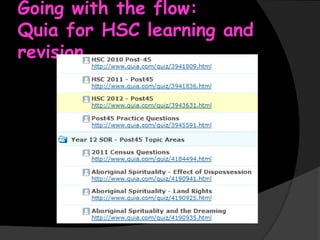
We have 18 ‘topic quizzes’ for Year 12
 Based on past HSC/Trial questions, they
provide revision on a particular syllabus area
 In class or at home – reviewing content
 As individuals or as a class group
 Feedback from Quia leads to targeted
discussion – looking at questions that a
number of students have got wrong

Going with the flow:
Quia for HSC learning and
revision
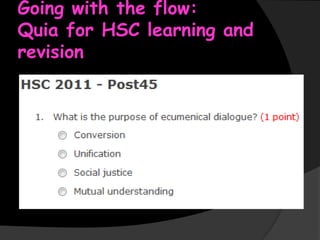
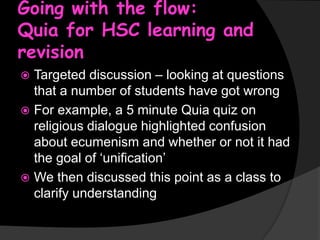
Targeted discussion – looking at questions
that a number of students have got wrong
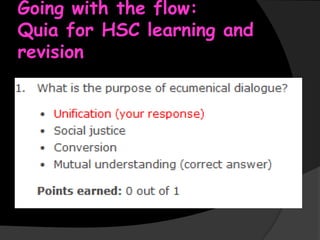
 For example, a 5 minute Quia quiz on
religious dialogue highlighted confusion
about ecumenism and whether or not it had
the goal of ‘unification’
 We then discussed this point as a class to
clarify understanding

Going with the flow:
Quia for HSC learning and
revision
Going with the flow:
Student use of Quia


How did the HSC students of 2013 utilise
Quia?



What did they think of it?
Going with the flow:
Student use of Quia
The Year 12s accessed Quia over 900 times
 The usage of Quia varied somewhat across
classes, depending on the approach of the
teacher, but there were keen users from
every class
 Yes, some students hardly used Quia

 Others made great use of the resource
○ The 2013 winner is ….. with 259 correct questions!
Going with the flow:
Student feedback on Quia
How did the students find the quizzes?


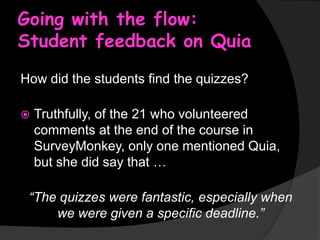
Truthfully, of the 21 who volunteered
comments at the end of the course in
SurveyMonkey, only one mentioned Quia,
but she did say that …

“The quizzes were fantastic, especially when
we were given a specific deadline.”
Going with the flow:
Quia – analysing results
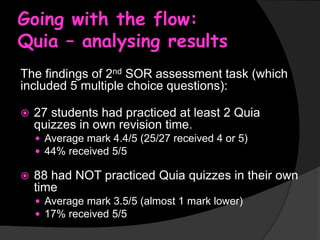
The findings of 2nd SOR assessment task (which
included 5 multiple choice questions):


27 students had practiced at least 2 Quia
quizzes in own revision time.
 Average mark 4.4/5 (25/27 received 4 or 5)
 44% received 5/5



88 had NOT practiced Quia quizzes in their own
time
 Average mark 3.5/5 (almost 1 mark lower)
 17% received 5/5
Going with the flow:
Quia and the Department


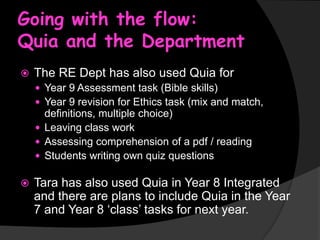
The RE Dept has also used Quia for
 Year 9 Assessment task (Bible skills)
 Year 9 revision for Ethics task (mix and match,

definitions, multiple choice)
 Leaving class work
 Assessing comprehension of a pdf / reading
 Students writing own quiz questions


Tara has also used Quia in Year 8 Integrated
and there are plans to include Quia in the Year
7 and Year 8 ‘class’ tasks for next year.
Going with the flow:
Evaluating Quia


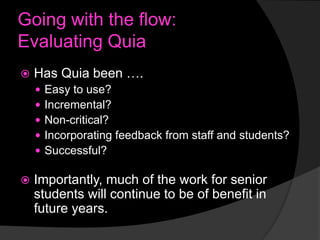
Has Quia been ….








Easy to use?
Incremental?
Non-critical?
Incorporating feedback from staff and students?
Successful?

Importantly, much of the work for senior
students will continue to be of benefit in
future years.
Going with the flow:
Creating videos and on-line
tutorials


Videos and on-line tutorials
Going with the flow:
Creating videos and on-line
tutorials
In Term 2-3, I focused upon creating
‘flipped learning’ resources that students
can access at home.
 After experimenting with Screencastomatic
and SmartBoard, I chose to use a mix of
pdfs and PowerPoints with voice-over
 This had the benefit of much smaller file
sizes, allowing the ‘tutorials’ to be stored on
the portal and accessed easily

Going with the flow:
Creating videos and on-line
tutorials


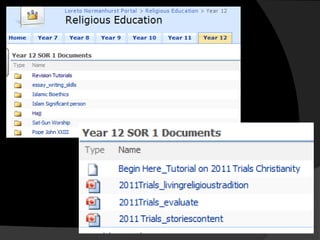
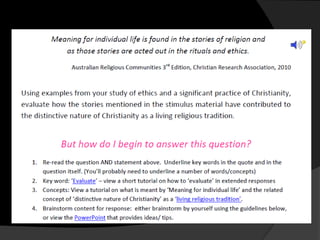
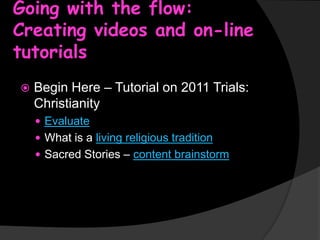
Begin Here – Tutorial on 2011 Trials:
Christianity
 Evaluate
 What is a living religious tradition

 Sacred Stories – content brainstorm
Going with the flow:
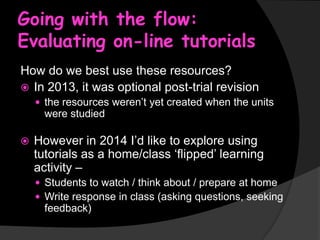
Evaluating on-line tutorials
How do we best use these resources?
 In 2013, it was optional post-trial revision
 the resources weren’t yet created when the units

were studied


However in 2014 I’d like to explore using
tutorials as a home/class ‘flipped’ learning
activity –
 Students to watch / think about / prepare at home
 Write response in class (asking questions, seeking

feedback)
Going with the flow:
Moving beyond the Portal
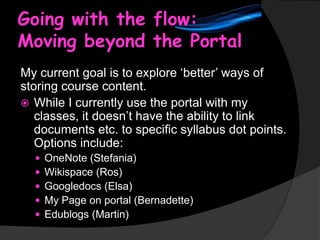
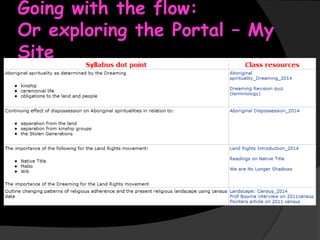
My current goal is to explore ‘better’ ways of
storing course content.
 While I currently use the portal with my
classes, it doesn’t have the ability to link
documents etc. to specific syllabus dot points.
Options include:






OneNote (Stefania)
Wikispace (Ros)
Googledocs (Elsa)
My Page on portal (Bernadette)
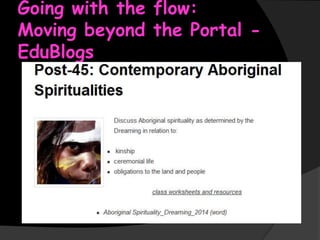
Edublogs (Martin)
Going with the flow:
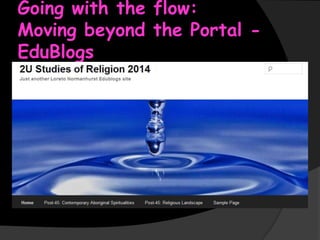
Moving beyond the Portal EduBlogs
Going with the flow:
Moving beyond the Portal EduBlogs
Going with the flow:
Or exploring the Portal – My
Site
Benefits of Loreto5
New skills and Great
Colleagues
Benefits of Loreto5
New skills and Great
Colleagues


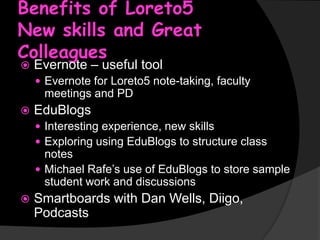
Evernote – useful tool

 Evernote for Loreto5 note-taking, faculty

meetings and PD


EduBlogs
 Interesting experience, new skills
 Exploring using EduBlogs to structure class

notes
 Michael Rafe’s use of EduBlogs to store sample
student work and discussions


Smartboards with Dan Wells, Diigo,
Podcasts
Benefits of Loreto5
New skills and Great
Colleagues


Colleagues – the big bonus of being part of
Loreto5
 An extremely valuable aspect of being in Loreto5
 We worked together and shared our ideas and

our difficulties
 Often, new ideas or strategies emerged from the
other Loreto5 teachers
 Hearing about what other faculties were doing
was motivating
 Having time to meet during the school day was
invaluable - often we continued the discussion
into lunch
A Final Evaluation of
Loreto5
My Loreto5 experience has been interesting and thought-provoking











It has provided me (on behalf of my department) with the time and
space to explore new ideas
It has encouraged me to try new teaching and learning strategies,
and to share my results with peers
It has been really encouraging to see other teachers appreciating
the Loreto5 work, and to start incorporating some of the ideas and
strategies in their teaching. It has been particularly satisfying to
see that this isn’t just taking place among the more ‘ICT-savvy’ RE
Staff
It has been great to see students engage with some of the
strategies and express interest in the new ideas (eg Quia and
Padlet). It has helped to create new energy and enthusiasm within
the classroom
I look forward to re-using resources in future years
There are still many ideas that I ran out of time to explore – but I
feel inspired to keep working upon my pedagogy and on
integrating ICT to create more dynamic and rich learning
experiences
Thank you for the
opportunity to be a
part of Loreto5 in
2013

Loreto 5 Jo Kachel 2013

  • 2.
    Overview Initial proposal andideas  Going with the flow (snapshots from the year)   Quia  On-line tutorials  Class page Loreto5 tools  Final evaluation 
  • 3.
    Initial Proposal: The Goalsfor the RE Dept  Introduce a range of small ‘flipped learning’ strategies that engage students and empower ownership of learning  Less time delivering ‘content’ and more time on facilitating independent thinking and analysis
  • 4.
    Initial Proposal: The Goalsfor the RE Dept  By exploring a range of small, incremental ‘flipped’ strategies rather than one ‘big’ project:  Easy to use  Incremental  Non-critical (if the ICT fails, it isn’t a big problem)  Incorporating feedback from staff and students  Successful (so people want to use them again)
  • 5.
    Initial Proposal: Some initialideas included … Create video/ screencasting HSC resources  Create videos using YouTube, TED lectures  Wikis with Year 9 Medieval Christianity unit  But new priorities and ideas kept emerging …
  • 6.
    “But new prioritiesand ideas kept emerging …” Going with flow … In other words - What did I actually end up working on?
  • 7.
    Going with theflow: How to improve multiple choice?  Based on Tim’s analysis of HSC results for Loreto SOR, we need to work on multiple choice  Multiple choice is 20% of the SOR HSC exam  Extended responses: typically 10-15% above state average  Multiple choice: typically 2-8% above state average  How could we improve multiple choice skills and results? – Could Quia help?
  • 8.
    Going with theflow: Quia for HSC learning and revision Quia is an on-line resource that allows students to complete quizzes (multiple choice, mix and match etc) and receive immediate feedback.  It tracks results for the teacher:   by student  by class  by question  Therefore it increases teacher knowledge of student progress
  • 9.
    Going with theflow: Quia for HSC learning and revision
  • 10.
    Going with theflow: Quia for HSC learning and revision
  • 11.
    Going with theflow: Quia for HSC learning and revision  We now have 16 HSC/Trial HSC sets of multiple choice questions for Year 12 alone  Students can access these from home or in study lessons - at any time - to revise and practice actual HSC questions  This was excellent revision for students at the END of the course (eg before the Trials and the HSC)
  • 12.
    Going with theflow: Quia for HSC learning and revision  However Quia isn’t just about revision  I am finding Quia works really well as a teaching and learning tool as we cover new content and identify areas for further discussion and review
  • 13.
    Going with theflow: Quia for HSC learning and revision We have 18 ‘topic quizzes’ for Year 12  Based on past HSC/Trial questions, they provide revision on a particular syllabus area  In class or at home – reviewing content  As individuals or as a class group  Feedback from Quia leads to targeted discussion – looking at questions that a number of students have got wrong 
  • 14.
    Going with theflow: Quia for HSC learning and revision Targeted discussion – looking at questions that a number of students have got wrong  For example, a 5 minute Quia quiz on religious dialogue highlighted confusion about ecumenism and whether or not it had the goal of ‘unification’  We then discussed this point as a class to clarify understanding 
  • 15.
    Going with theflow: Quia for HSC learning and revision
  • 16.
    Going with theflow: Student use of Quia  How did the HSC students of 2013 utilise Quia?  What did they think of it?
  • 17.
    Going with theflow: Student use of Quia The Year 12s accessed Quia over 900 times  The usage of Quia varied somewhat across classes, depending on the approach of the teacher, but there were keen users from every class  Yes, some students hardly used Quia  Others made great use of the resource ○ The 2013 winner is ….. with 259 correct questions!
  • 18.
    Going with theflow: Student feedback on Quia How did the students find the quizzes?  Truthfully, of the 21 who volunteered comments at the end of the course in SurveyMonkey, only one mentioned Quia, but she did say that … “The quizzes were fantastic, especially when we were given a specific deadline.”
  • 19.
    Going with theflow: Quia – analysing results The findings of 2nd SOR assessment task (which included 5 multiple choice questions):  27 students had practiced at least 2 Quia quizzes in own revision time.  Average mark 4.4/5 (25/27 received 4 or 5)  44% received 5/5  88 had NOT practiced Quia quizzes in their own time  Average mark 3.5/5 (almost 1 mark lower)  17% received 5/5
  • 20.
    Going with theflow: Quia and the Department  The RE Dept has also used Quia for  Year 9 Assessment task (Bible skills)  Year 9 revision for Ethics task (mix and match, definitions, multiple choice)  Leaving class work  Assessing comprehension of a pdf / reading  Students writing own quiz questions  Tara has also used Quia in Year 8 Integrated and there are plans to include Quia in the Year 7 and Year 8 ‘class’ tasks for next year.
  • 21.
    Going with theflow: Evaluating Quia  Has Quia been ….       Easy to use? Incremental? Non-critical? Incorporating feedback from staff and students? Successful? Importantly, much of the work for senior students will continue to be of benefit in future years.
  • 22.
    Going with theflow: Creating videos and on-line tutorials  Videos and on-line tutorials
  • 23.
    Going with theflow: Creating videos and on-line tutorials In Term 2-3, I focused upon creating ‘flipped learning’ resources that students can access at home.  After experimenting with Screencastomatic and SmartBoard, I chose to use a mix of pdfs and PowerPoints with voice-over  This had the benefit of much smaller file sizes, allowing the ‘tutorials’ to be stored on the portal and accessed easily 
  • 26.
    Going with theflow: Creating videos and on-line tutorials  Begin Here – Tutorial on 2011 Trials: Christianity  Evaluate  What is a living religious tradition  Sacred Stories – content brainstorm
  • 27.
    Going with theflow: Evaluating on-line tutorials How do we best use these resources?  In 2013, it was optional post-trial revision  the resources weren’t yet created when the units were studied  However in 2014 I’d like to explore using tutorials as a home/class ‘flipped’ learning activity –  Students to watch / think about / prepare at home  Write response in class (asking questions, seeking feedback)
  • 28.
    Going with theflow: Moving beyond the Portal My current goal is to explore ‘better’ ways of storing course content.  While I currently use the portal with my classes, it doesn’t have the ability to link documents etc. to specific syllabus dot points. Options include:      OneNote (Stefania) Wikispace (Ros) Googledocs (Elsa) My Page on portal (Bernadette) Edublogs (Martin)
  • 29.
    Going with theflow: Moving beyond the Portal EduBlogs
  • 30.
    Going with theflow: Moving beyond the Portal EduBlogs
  • 31.
    Going with theflow: Or exploring the Portal – My Site
  • 32.
    Benefits of Loreto5 Newskills and Great Colleagues
  • 33.
    Benefits of Loreto5 Newskills and Great Colleagues  Evernote – useful tool  Evernote for Loreto5 note-taking, faculty meetings and PD  EduBlogs  Interesting experience, new skills  Exploring using EduBlogs to structure class notes  Michael Rafe’s use of EduBlogs to store sample student work and discussions  Smartboards with Dan Wells, Diigo, Podcasts
  • 34.
    Benefits of Loreto5 Newskills and Great Colleagues  Colleagues – the big bonus of being part of Loreto5  An extremely valuable aspect of being in Loreto5  We worked together and shared our ideas and our difficulties  Often, new ideas or strategies emerged from the other Loreto5 teachers  Hearing about what other faculties were doing was motivating  Having time to meet during the school day was invaluable - often we continued the discussion into lunch
  • 35.
    A Final Evaluationof Loreto5 My Loreto5 experience has been interesting and thought-provoking        It has provided me (on behalf of my department) with the time and space to explore new ideas It has encouraged me to try new teaching and learning strategies, and to share my results with peers It has been really encouraging to see other teachers appreciating the Loreto5 work, and to start incorporating some of the ideas and strategies in their teaching. It has been particularly satisfying to see that this isn’t just taking place among the more ‘ICT-savvy’ RE Staff It has been great to see students engage with some of the strategies and express interest in the new ideas (eg Quia and Padlet). It has helped to create new energy and enthusiasm within the classroom I look forward to re-using resources in future years There are still many ideas that I ran out of time to explore – but I feel inspired to keep working upon my pedagogy and on integrating ICT to create more dynamic and rich learning experiences
  • 36.
    Thank you forthe opportunity to be a part of Loreto5 in 2013

Editor's Notes