Loading Executable Apps Into Memory
Sergei Iashin
Wednesday 27th March, 2019
Sergei Iashin Loading Executable Apps Into Memory Wednesday 27th
March, 2019 1 / 16
Loading application into memory
Loader
In computer systems a loader is the part of an operating system that
is responsible for loading programs and libraries. It is one of the essential
stages in the process of starting a program, as it places programs into
memory and prepares them for execution. Loading a program involves
reading the contents of the executable file containing the program
instructions into memory, and then carrying out other required preparatory
tasks to prepare the executable for running. Once loading is complete, the
operating system starts the program by passing control to the loaded
program code.
Sergei Iashin Loading Executable Apps Into Memory Wednesday 27th
March, 2019 2 / 16
Loading application into memory Loader
Visualization
Sergei Iashin Loading Executable Apps Into Memory Wednesday 27th
March, 2019 3 / 16
Loading application into memory Loader
Responsibilites of a loader, Unix
In Unix, the loader is the handler for the system call execve(). The
Unix loader’s tasks include:
1 validation permissions, memory requirements etc
2 copying the program image from the disk into main memory
3 copying the command-line arguments on the stack
4 initializing registers e.g., the stack pointer
5 jumping to the program entry point ( start).
Sergei Iashin Loading Executable Apps Into Memory Wednesday 27th
March, 2019 4 / 16
Loading application into memory Loader
Responsibilites of a loader, Windows
In Microsoft Windows 7 and above, the loader is the LdrInitializeThunk function contained in ntdll.dll, that does the
following:
1 initialisation of structures in the DLL itself (i.e. critical sections, module lists)
2 validation of executable to load
3 creation of a heap (via the function RtlCreateHeap)
4 allocation of environment variable block and PATH block
5 addition of executable and NTDLL to the module list (a doubly-linked list)
6 loading of KERNEL32.DLL to obtain several important functions, for instance BaseThreadInitThunk
7 loading of executable’s imports (i.e. dynamic-link libraries) recursively (check the imports’ imports, their imports and so
on)
8 in debug mode, raising of system breakpoint
9 initialisation of DLLs
10 garbage collection
11 calling NtContinue on the context parameter given to the loader function (i.e. jumping to RtlUserThreadStart, that will
start the executable)
Sergei Iashin Loading Executable Apps Into Memory Wednesday 27th
March, 2019 5 / 16
Loading application into memory Loader
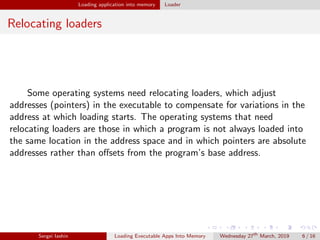
Relocating loaders
Some operating systems need relocating loaders, which adjust
addresses (pointers) in the executable to compensate for variations in the
address at which loading starts. The operating systems that need
relocating loaders are those in which a program is not always loaded into
the same location in the address space and in which pointers are absolute
addresses rather than offsets from the program’s base address.
Sergei Iashin Loading Executable Apps Into Memory Wednesday 27th
March, 2019 6 / 16
Loading application into memory Loader
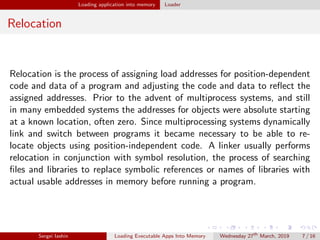
Relocation
Relocation is the process of assigning load addresses for position-dependent
code and data of a program and adjusting the code and data to reflect the
assigned addresses. Prior to the advent of multiprocess systems, and still
in many embedded systems the addresses for objects were absolute starting
at a known location, often zero. Since multiprocessing systems dynamically
link and switch between programs it became necessary to be able to re-
locate objects using position-independent code. A linker usually performs
relocation in conjunction with symbol resolution, the process of searching
files and libraries to replace symbolic references or names of libraries with
actual usable addresses in memory before running a program.
Sergei Iashin Loading Executable Apps Into Memory Wednesday 27th
March, 2019 7 / 16
Loading application into memory Relocation
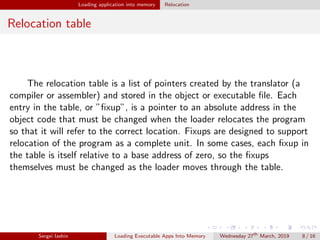
Relocation table
The relocation table is a list of pointers created by the translator (a
compiler or assembler) and stored in the object or executable file. Each
entry in the table, or ”fixup”, is a pointer to an absolute address in the
object code that must be changed when the loader relocates the program
so that it will refer to the correct location. Fixups are designed to support
relocation of the program as a complete unit. In some cases, each fixup in
the table is itself relative to a base address of zero, so the fixups
themselves must be changed as the loader moves through the table.
Sergei Iashin Loading Executable Apps Into Memory Wednesday 27th
March, 2019 8 / 16
Loading application into memory Relocation table
Implementations (Part 1)
DOS and 16-bit Windows
Far pointers (32-bit pointers with segment:offset, used to address 20-bit 640 KB memory
space available to DOS programs), which point to code or data within a DOS executable (EXE),
do not have absolute segments, because the actual address of code/data depends on where the
program is loaded in memory and this is not known until the program is loaded.
Instead, segments are relative values in the DOS EXE file. These segments need to be
corrected, when the executable has been loaded into memory. The EXE loader uses a relocation
table to find the segments which need to be adjusted.
32-bit Windows
With 32-bit Windows operating systems it is not mandatory to provide relocation tables
for EXE files, since they are the first image loaded into the virtual address space and thus will be
loaded at their preferred base address.
For both DLLs and for EXEs which opt into address space layout randomization (ASLR) -
an exploit mitigation technique introduced with Windows Vista, relocation tables once again
become mandatory because of the possibility that the binary may be dynamically moved before
being executed, even though they are still the first thing loaded in the virtual address space.
Sergei Iashin Loading Executable Apps Into Memory Wednesday 27th
March, 2019 9 / 16
Loading application into memory Relocation table
Implementations (Part 2)
64-bit Windows
When running native 64-bit binaries on Windows Vista and above,
ASLR is mandatory[citation needed], and thus relocation sections cannot
be omitted by the compiler.
Unix-like systems
The Executable and Linkable Format (ELF) executable format and
shared library format used by most Unix-like systems allows several types
of relocation to be defined.
Sergei Iashin Loading Executable Apps Into Memory Wednesday 27th
March, 2019 10 / 16
Loading application into memory Relocation table
Relocation procedure
The linker reads segment information and relocation tables in the
object files and performs relocation by:
merging all segments of common type into a single segment of that
type
assigning unique run time addresses to each section and each symbol,
giving all code (functions) and data (global variables) unique run time
addresses
referring to the relocation table to modify symbols so that they point
to the correct run time addresses.
Sergei Iashin Loading Executable Apps Into Memory Wednesday 27th
March, 2019 11 / 16
Loading application into memory Relocation table
Example of the relocation necessity
Sergei Iashin Loading Executable Apps Into Memory Wednesday 27th
March, 2019 12 / 16
Loading application into memory Relocation
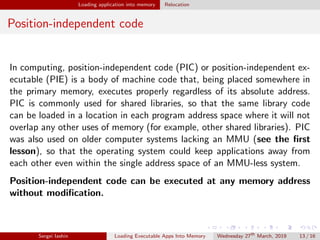
Position-independent code
In computing, position-independent code (PIC) or position-independent ex-
ecutable (PIE) is a body of machine code that, being placed somewhere in
the primary memory, executes properly regardless of its absolute address.
PIC is commonly used for shared libraries, so that the same library code
can be loaded in a location in each program address space where it will not
overlap any other uses of memory (for example, other shared libraries). PIC
was also used on older computer systems lacking an MMU (see the first
lesson), so that the operating system could keep applications away from
each other even within the single address space of an MMU-less system.
Position-independent code can be executed at any memory address
without modification.
Sergei Iashin Loading Executable Apps Into Memory Wednesday 27th
March, 2019 13 / 16
Loading application into memory Position-independent code
Visualization
Sergei Iashin Loading Executable Apps Into Memory Wednesday 27th
March, 2019 14 / 16
Loading application into memory Position-independent code
PIC Global Offset Table Pseudo Code
Sergei Iashin Loading Executable Apps Into Memory Wednesday 27th
March, 2019 15 / 16
Links
1 https://en.wikipedia.org/wiki/Loader_(computing)
2 https://en.wikipedia.org/wiki/Relocation_(computing)
3 https://en.wikipedia.org/wiki/Library_(computing)
4 https://en.wikipedia.org/wiki/Position-independent_code
5 https://eli.thegreenplace.net/2011/08/25/
load-time-relocation-of-shared-libraries/
6 https://eli.thegreenplace.net/2011/11/03/
position-independent-code-pic-in-shared-libraries/
7 https://en.wikibooks.org/wiki/X86_Disassembly/Windows_
Executable_Files
Sergei Iashin Loading Executable Apps Into Memory Wednesday 27th
March, 2019 16 / 16

Loading executable apps into memory

  • 1.
    Loading Executable AppsInto Memory Sergei Iashin Wednesday 27th March, 2019 Sergei Iashin Loading Executable Apps Into Memory Wednesday 27th March, 2019 1 / 16
  • 2.
    Loading application intomemory Loader In computer systems a loader is the part of an operating system that is responsible for loading programs and libraries. It is one of the essential stages in the process of starting a program, as it places programs into memory and prepares them for execution. Loading a program involves reading the contents of the executable file containing the program instructions into memory, and then carrying out other required preparatory tasks to prepare the executable for running. Once loading is complete, the operating system starts the program by passing control to the loaded program code. Sergei Iashin Loading Executable Apps Into Memory Wednesday 27th March, 2019 2 / 16
  • 3.
    Loading application intomemory Loader Visualization Sergei Iashin Loading Executable Apps Into Memory Wednesday 27th March, 2019 3 / 16
  • 4.
    Loading application intomemory Loader Responsibilites of a loader, Unix In Unix, the loader is the handler for the system call execve(). The Unix loader’s tasks include: 1 validation permissions, memory requirements etc 2 copying the program image from the disk into main memory 3 copying the command-line arguments on the stack 4 initializing registers e.g., the stack pointer 5 jumping to the program entry point ( start). Sergei Iashin Loading Executable Apps Into Memory Wednesday 27th March, 2019 4 / 16
  • 5.
    Loading application intomemory Loader Responsibilites of a loader, Windows In Microsoft Windows 7 and above, the loader is the LdrInitializeThunk function contained in ntdll.dll, that does the following: 1 initialisation of structures in the DLL itself (i.e. critical sections, module lists) 2 validation of executable to load 3 creation of a heap (via the function RtlCreateHeap) 4 allocation of environment variable block and PATH block 5 addition of executable and NTDLL to the module list (a doubly-linked list) 6 loading of KERNEL32.DLL to obtain several important functions, for instance BaseThreadInitThunk 7 loading of executable’s imports (i.e. dynamic-link libraries) recursively (check the imports’ imports, their imports and so on) 8 in debug mode, raising of system breakpoint 9 initialisation of DLLs 10 garbage collection 11 calling NtContinue on the context parameter given to the loader function (i.e. jumping to RtlUserThreadStart, that will start the executable) Sergei Iashin Loading Executable Apps Into Memory Wednesday 27th March, 2019 5 / 16
  • 6.
    Loading application intomemory Loader Relocating loaders Some operating systems need relocating loaders, which adjust addresses (pointers) in the executable to compensate for variations in the address at which loading starts. The operating systems that need relocating loaders are those in which a program is not always loaded into the same location in the address space and in which pointers are absolute addresses rather than offsets from the program’s base address. Sergei Iashin Loading Executable Apps Into Memory Wednesday 27th March, 2019 6 / 16
  • 7.
    Loading application intomemory Loader Relocation Relocation is the process of assigning load addresses for position-dependent code and data of a program and adjusting the code and data to reflect the assigned addresses. Prior to the advent of multiprocess systems, and still in many embedded systems the addresses for objects were absolute starting at a known location, often zero. Since multiprocessing systems dynamically link and switch between programs it became necessary to be able to re- locate objects using position-independent code. A linker usually performs relocation in conjunction with symbol resolution, the process of searching files and libraries to replace symbolic references or names of libraries with actual usable addresses in memory before running a program. Sergei Iashin Loading Executable Apps Into Memory Wednesday 27th March, 2019 7 / 16
  • 8.
    Loading application intomemory Relocation Relocation table The relocation table is a list of pointers created by the translator (a compiler or assembler) and stored in the object or executable file. Each entry in the table, or ”fixup”, is a pointer to an absolute address in the object code that must be changed when the loader relocates the program so that it will refer to the correct location. Fixups are designed to support relocation of the program as a complete unit. In some cases, each fixup in the table is itself relative to a base address of zero, so the fixups themselves must be changed as the loader moves through the table. Sergei Iashin Loading Executable Apps Into Memory Wednesday 27th March, 2019 8 / 16
  • 9.
    Loading application intomemory Relocation table Implementations (Part 1) DOS and 16-bit Windows Far pointers (32-bit pointers with segment:offset, used to address 20-bit 640 KB memory space available to DOS programs), which point to code or data within a DOS executable (EXE), do not have absolute segments, because the actual address of code/data depends on where the program is loaded in memory and this is not known until the program is loaded. Instead, segments are relative values in the DOS EXE file. These segments need to be corrected, when the executable has been loaded into memory. The EXE loader uses a relocation table to find the segments which need to be adjusted. 32-bit Windows With 32-bit Windows operating systems it is not mandatory to provide relocation tables for EXE files, since they are the first image loaded into the virtual address space and thus will be loaded at their preferred base address. For both DLLs and for EXEs which opt into address space layout randomization (ASLR) - an exploit mitigation technique introduced with Windows Vista, relocation tables once again become mandatory because of the possibility that the binary may be dynamically moved before being executed, even though they are still the first thing loaded in the virtual address space. Sergei Iashin Loading Executable Apps Into Memory Wednesday 27th March, 2019 9 / 16
  • 10.
    Loading application intomemory Relocation table Implementations (Part 2) 64-bit Windows When running native 64-bit binaries on Windows Vista and above, ASLR is mandatory[citation needed], and thus relocation sections cannot be omitted by the compiler. Unix-like systems The Executable and Linkable Format (ELF) executable format and shared library format used by most Unix-like systems allows several types of relocation to be defined. Sergei Iashin Loading Executable Apps Into Memory Wednesday 27th March, 2019 10 / 16
  • 11.
    Loading application intomemory Relocation table Relocation procedure The linker reads segment information and relocation tables in the object files and performs relocation by: merging all segments of common type into a single segment of that type assigning unique run time addresses to each section and each symbol, giving all code (functions) and data (global variables) unique run time addresses referring to the relocation table to modify symbols so that they point to the correct run time addresses. Sergei Iashin Loading Executable Apps Into Memory Wednesday 27th March, 2019 11 / 16
  • 12.
    Loading application intomemory Relocation table Example of the relocation necessity Sergei Iashin Loading Executable Apps Into Memory Wednesday 27th March, 2019 12 / 16
  • 13.
    Loading application intomemory Relocation Position-independent code In computing, position-independent code (PIC) or position-independent ex- ecutable (PIE) is a body of machine code that, being placed somewhere in the primary memory, executes properly regardless of its absolute address. PIC is commonly used for shared libraries, so that the same library code can be loaded in a location in each program address space where it will not overlap any other uses of memory (for example, other shared libraries). PIC was also used on older computer systems lacking an MMU (see the first lesson), so that the operating system could keep applications away from each other even within the single address space of an MMU-less system. Position-independent code can be executed at any memory address without modification. Sergei Iashin Loading Executable Apps Into Memory Wednesday 27th March, 2019 13 / 16
  • 14.
    Loading application intomemory Position-independent code Visualization Sergei Iashin Loading Executable Apps Into Memory Wednesday 27th March, 2019 14 / 16
  • 15.
    Loading application intomemory Position-independent code PIC Global Offset Table Pseudo Code Sergei Iashin Loading Executable Apps Into Memory Wednesday 27th March, 2019 15 / 16
  • 16.
    Links 1 https://en.wikipedia.org/wiki/Loader_(computing) 2 https://en.wikipedia.org/wiki/Relocation_(computing) 3https://en.wikipedia.org/wiki/Library_(computing) 4 https://en.wikipedia.org/wiki/Position-independent_code 5 https://eli.thegreenplace.net/2011/08/25/ load-time-relocation-of-shared-libraries/ 6 https://eli.thegreenplace.net/2011/11/03/ position-independent-code-pic-in-shared-libraries/ 7 https://en.wikibooks.org/wiki/X86_Disassembly/Windows_ Executable_Files Sergei Iashin Loading Executable Apps Into Memory Wednesday 27th March, 2019 16 / 16