LINUX WORKSHOP 20th - 25th January IIT Kanpur Abhishek Srivastava (http://nitabhi.wordpress.com) YEINDIA (www.yeindia.org)
Introduction to vi
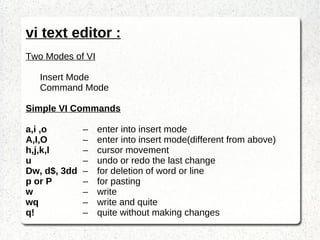
vi text editor : Two Modes of VI Insert Mode Command Mode Simple VI Commands a,i ,o – enter into insert mode  A,I,O – enter into insert mode(different from above) h,j,k,l – cursor movement u – undo or redo the last change Dw, d$, 3dd – for deletion of word or line p or P – for pasting  w – write wq – write and quite q! – quite without making changes
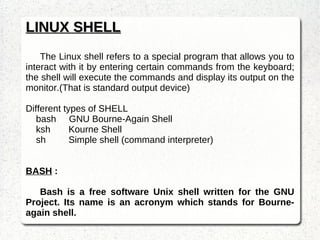
LINUX SHELL The Linux shell refers to a special program that allows you to interact with it by entering certain commands from the keyboard; the shell will execute the commands and display its output on the monitor.(That is standard output device) Different types of SHELL bash  GNU Bourne-Again Shell ksh Kourne Shell sh  Simple shell (command interpreter) BASH  :  Bash is a free software Unix shell written for the GNU Project. Its name is an acronym which stands for Bourne-again shell.
Searching for a file  : locate – find files by name Find – search for files in a directory hierarchy Note :   Difference between both is that , locate finds files  using locate database (if it exists) and therefor it is  much faster. Whereas find search for a file or directory in present working directory. Usage  : locate [options] pattern find ~ -iname file.txt find ~ -name file.txt Note : -maxdepth (optional argument for find command)
Printing a matching pattern  :  grep It print lines matching a pattern. Syntax   :   grep [Options] PATTERN [FILE..]  Example  : grep capacity: /proc/acpi/battery/C245/info Optional Parameters : -i , -w , -c , -n
SSH   (OpenSSH SSH client) Used to connect remotely(remote login) to a computer.
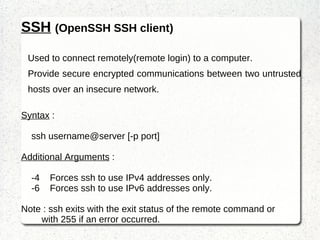
Provide secure encrypted communications between two untrusted hosts over an insecure network. Syntax  : ssh username@server [-p port] Additional Arguments  : -4  Forces ssh to use IPv4 addresses only. -6  Forces ssh to use IPv6 addresses only. Note : ssh exits with the exit status of the remote command or with 255 if an error occurred.
SCP   (secure copy (remote file copy program)) Copies  files between hosts on a network.
It uses ssh for data transfer, and uses the same authentication  and provides the same security as ssh. Syntax  : scp user1@server1:filepath1 user2@server2:filepath2 Additional Arguments  : -4  Forces ssh to use IPv4 addresses only. -6  Forces ssh to use IPv6 addresses only. -C Compression enable Note :  The scp utility exits 0 on success, and >0 if an error occurs.
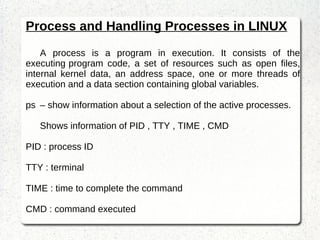
Process and Handling Processes in LINUX A process is a program in execution. It consists of the executing program code, a set of resources such as open files, internal kernel data, an address space, one or more threads of execution and a data section containing global variables. ps – show information about a selection of the active processes. Shows information of PID , TTY , TIME , CMD PID : process ID TTY : terminal TIME : time to complete the command CMD : command executed
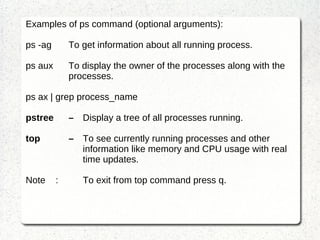
Examples of ps command (optional arguments): ps -ag To get information about all running process. ps aux To display the owner of the processes along with the processes. ps ax | grep process_name pstree – Display a tree of all processes running. top – T o see currently running processes and other  information like memory and CPU usage with real  time updates. Note  :  To exit from top command press q.
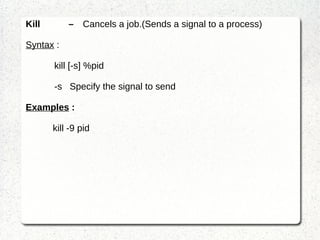
Kill – Cancels a job.(Sends a signal to a process) Syntax  : kill [-s] %pid -s  Specify the signal to send Examples  :   kill -9 pid
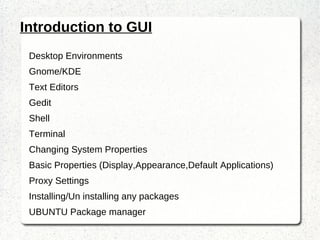
Introduction to GUI Desktop Environments Gnome/KDE Text Editors Gedit  Shell Terminal Changing System Properties Basic Properties (Display,Appearance,Default Applications)
Proxy Settings Installing/Un installing any packages  UBUNTU Package manager
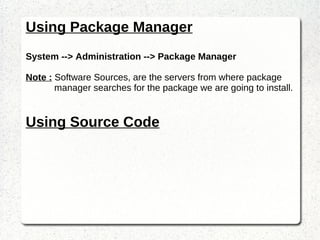
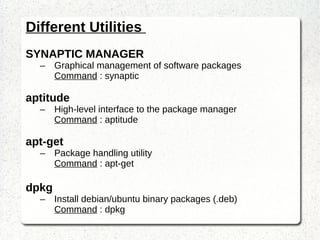
Software Installations

Linux Workshop , Day 3

  • 1.
    LINUX WORKSHOP 20th- 25th January IIT Kanpur Abhishek Srivastava (http://nitabhi.wordpress.com) YEINDIA (www.yeindia.org)
  • 2.
  • 3.
    vi text editor: Two Modes of VI Insert Mode Command Mode Simple VI Commands a,i ,o – enter into insert mode A,I,O – enter into insert mode(different from above) h,j,k,l – cursor movement u – undo or redo the last change Dw, d$, 3dd – for deletion of word or line p or P – for pasting w – write wq – write and quite q! – quite without making changes
  • 4.
    LINUX SHELL TheLinux shell refers to a special program that allows you to interact with it by entering certain commands from the keyboard; the shell will execute the commands and display its output on the monitor.(That is standard output device) Different types of SHELL bash GNU Bourne-Again Shell ksh Kourne Shell sh Simple shell (command interpreter) BASH : Bash is a free software Unix shell written for the GNU Project. Its name is an acronym which stands for Bourne-again shell.
  • 5.
    Searching for afile : locate – find files by name Find – search for files in a directory hierarchy Note : Difference between both is that , locate finds files using locate database (if it exists) and therefor it is much faster. Whereas find search for a file or directory in present working directory. Usage : locate [options] pattern find ~ -iname file.txt find ~ -name file.txt Note : -maxdepth (optional argument for find command)
  • 6.
    Printing a matchingpattern : grep It print lines matching a pattern. Syntax : grep [Options] PATTERN [FILE..] Example : grep capacity: /proc/acpi/battery/C245/info Optional Parameters : -i , -w , -c , -n
  • 7.
    SSH (OpenSSH SSH client) Used to connect remotely(remote login) to a computer.
  • 8.
    Provide secure encryptedcommunications between two untrusted hosts over an insecure network. Syntax : ssh username@server [-p port] Additional Arguments : -4 Forces ssh to use IPv4 addresses only. -6 Forces ssh to use IPv6 addresses only. Note : ssh exits with the exit status of the remote command or with 255 if an error occurred.
  • 9.
    SCP (secure copy (remote file copy program)) Copies files between hosts on a network.
  • 10.
    It uses sshfor data transfer, and uses the same authentication and provides the same security as ssh. Syntax : scp user1@server1:filepath1 user2@server2:filepath2 Additional Arguments : -4 Forces ssh to use IPv4 addresses only. -6 Forces ssh to use IPv6 addresses only. -C Compression enable Note : The scp utility exits 0 on success, and >0 if an error occurs.
  • 11.
    Process and HandlingProcesses in LINUX A process is a program in execution. It consists of the executing program code, a set of resources such as open files, internal kernel data, an address space, one or more threads of execution and a data section containing global variables. ps – show information about a selection of the active processes. Shows information of PID , TTY , TIME , CMD PID : process ID TTY : terminal TIME : time to complete the command CMD : command executed
  • 12.
    Examples of pscommand (optional arguments): ps -ag To get information about all running process. ps aux To display the owner of the processes along with the processes. ps ax | grep process_name pstree – Display a tree of all processes running. top – T o see currently running processes and other information like memory and CPU usage with real time updates. Note : To exit from top command press q.
  • 13.
    Kill – Cancelsa job.(Sends a signal to a process) Syntax : kill [-s] %pid -s Specify the signal to send Examples : kill -9 pid
  • 14.
    Introduction to GUIDesktop Environments Gnome/KDE Text Editors Gedit Shell Terminal Changing System Properties Basic Properties (Display,Appearance,Default Applications)
  • 15.
    Proxy Settings Installing/Uninstalling any packages UBUNTU Package manager
  • 16.